12 Best Templates to Start a Replit Project With (2026)
Twelve ready-made Next.js templates to open in Replit, with screens, prices and who each suits: websites $39, dashboards $49, free starts. Tested Nov 2026.
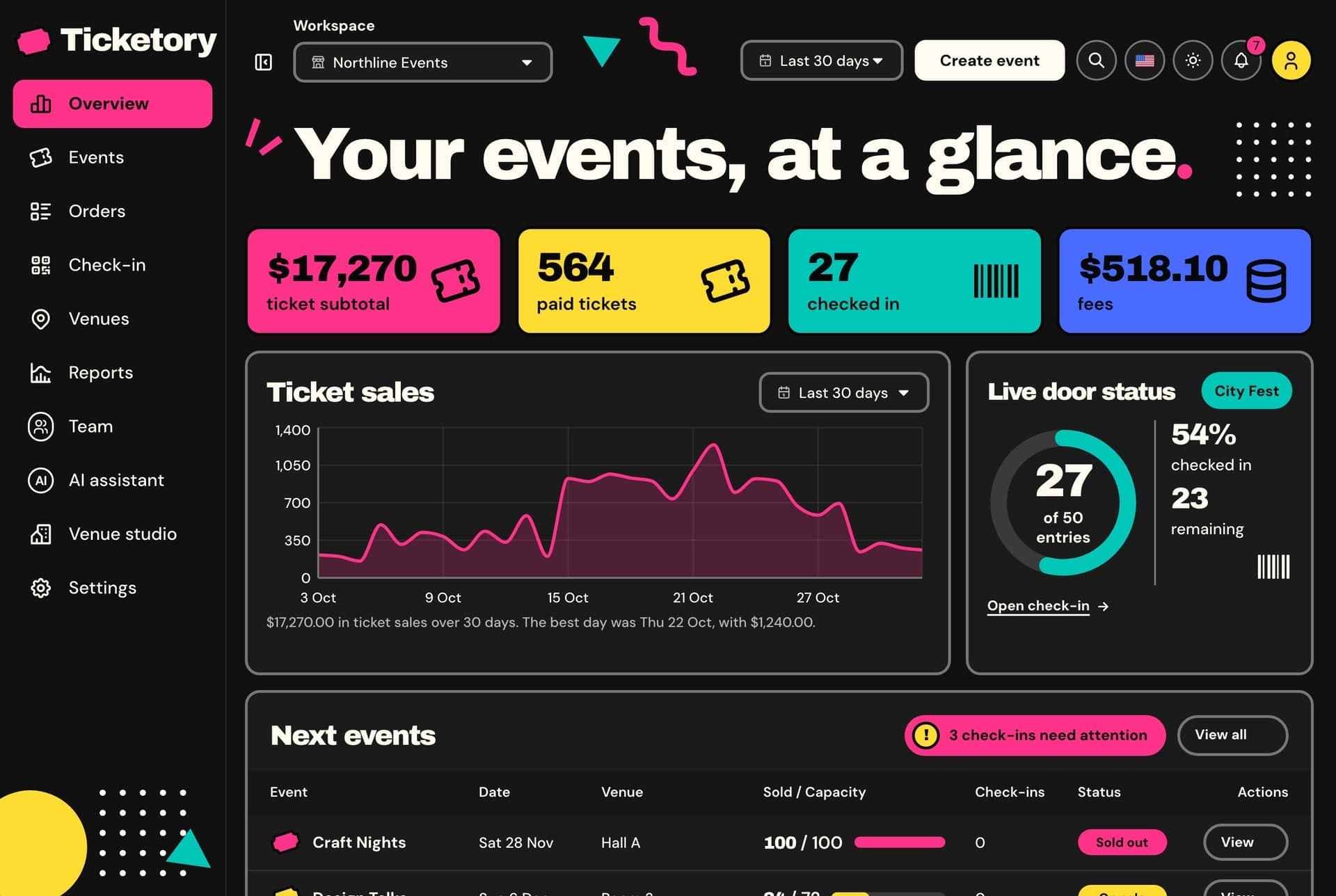
The best templates to start a Replit project with already have a finished design, a stack the Replit Agent can run as it is, and English and Arabic pages you can check in a browser. This is a buyer's list of twelve of them, in a numbered order, each with its screens, who it suits, its price and the route to open it in Replit with one button.
How a template opens in Replit
The same steps apply to every template in this list. After you buy, sign in to your buyer dashboard at my.aniq-ui.com and open My templates.
One button, one prompt
- Press the blue Open with AI button on the template, then Open in Replit (the Replit card is marked Easiest). On the store, the Use with AI row in the template's price card opens the same window.
- Replit opens with the prompt already typed. It carries a private download link made for you that works for 24 hours.
- Replit's Agent downloads your copy, installs it, builds it and runs the built version, then shows a preview.
- It then asks for your business name, logo, main colour and contact email, one at a time.
The website and dashboard packages run on built-in sample data with no API, so there is no .env file to fill in: with sample data no real account is needed (on most templates any email signs in; the Financial Dashboard and the AI admin dashboard use a sample account listed in their docs), and a sample checkout is a test payment.
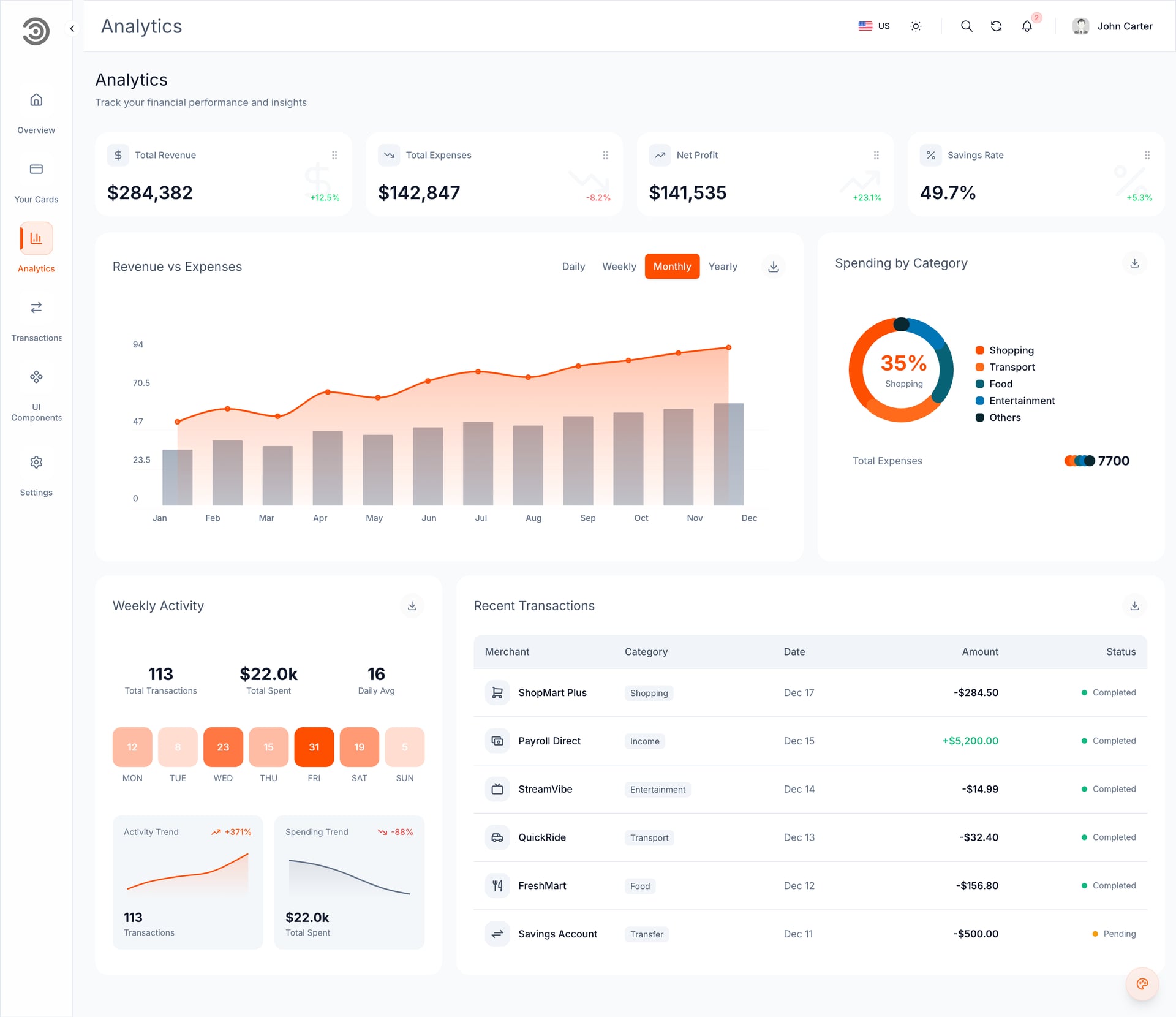
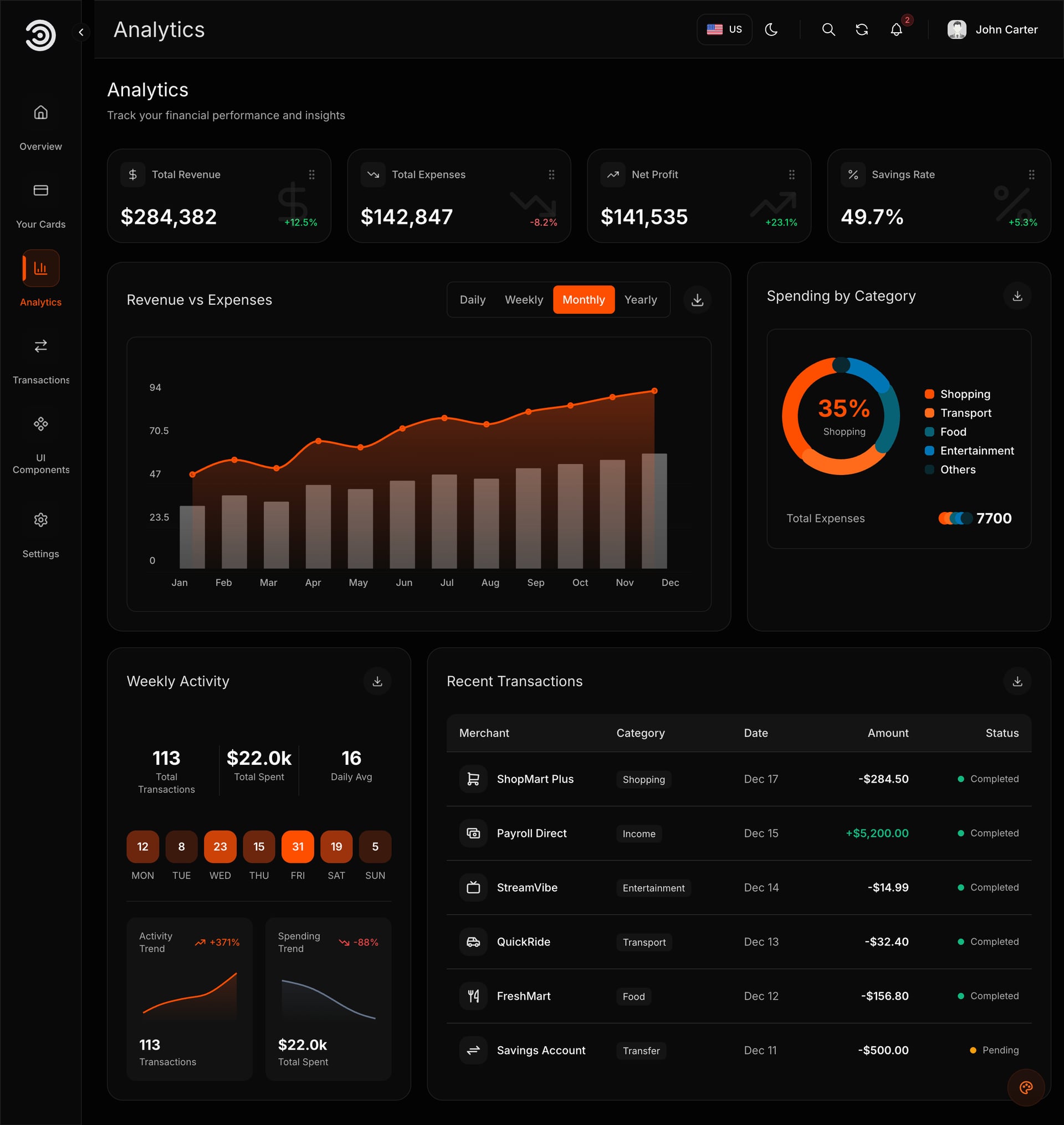
In our test of the Financial Dashboard on 7 November 2026, Replit took about 6 to 7 minutes to a running preview. It read the scripts first, kept Next.js 16 and Yarn 4, and asked the questions one at a time. Each answer took two to four minutes to apply in both languages, and English and Arabic (right to left) both worked. We have run that one template, not all of them: every Aniq UI website and dashboard package uses the same stack and the same window, so we expect the same behaviour, but we describe the others from their product pages, not from a Replit run.
The twelve compared
Prices as listed on each template page on 8 November 2026.
| # | Template | Type | Price | Best for |
|---|---|---|---|---|
| 1 | Food Studio ordering website | Website | $39 | A restaurant |
| 2 | Velra real estate website | Website | $39 | An agency or an agent |
| 3 | Hollina vacation rental website | Website | $39 | A host or a small property manager |
| 4 | Northstack SaaS website | Website | $39 | A software product |
| 5 | Publino | Landing page | $39 | A subscription product |
| 6 | Fashion e-commerce storefront | Storefront | $39 | A clothing brand |
| 7 | LMS student website | Website | $39 | Online courses |
| 8 | Ticketory event ticketing website | Website | $39 | Events and venues |
| 9 | Financial Dashboard | Dashboard | $49 | A first dashboard (the one we tested) |
| 10 | AI admin dashboard | Dashboard with AI assistant | From $69 | An internal tool with an assistant |
| 11 | E-commerce admin dashboard | Dashboard | $49 | A shop's back office |
| 12 | Company website | Website | Free | Learning the flow at no cost |
Small business websites
Pages that are easy to judge by eye, with changes that are mostly words, photos and colours.
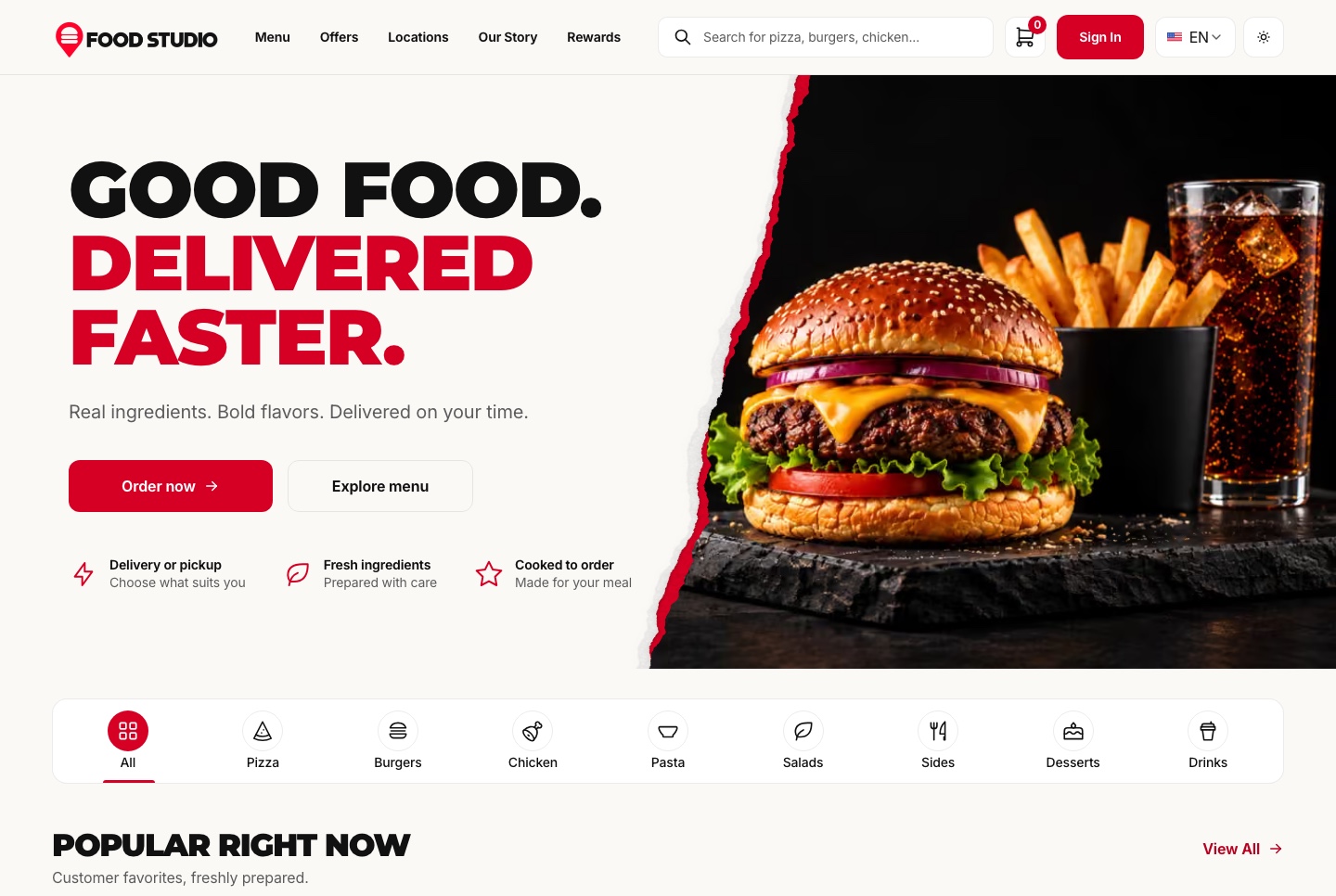
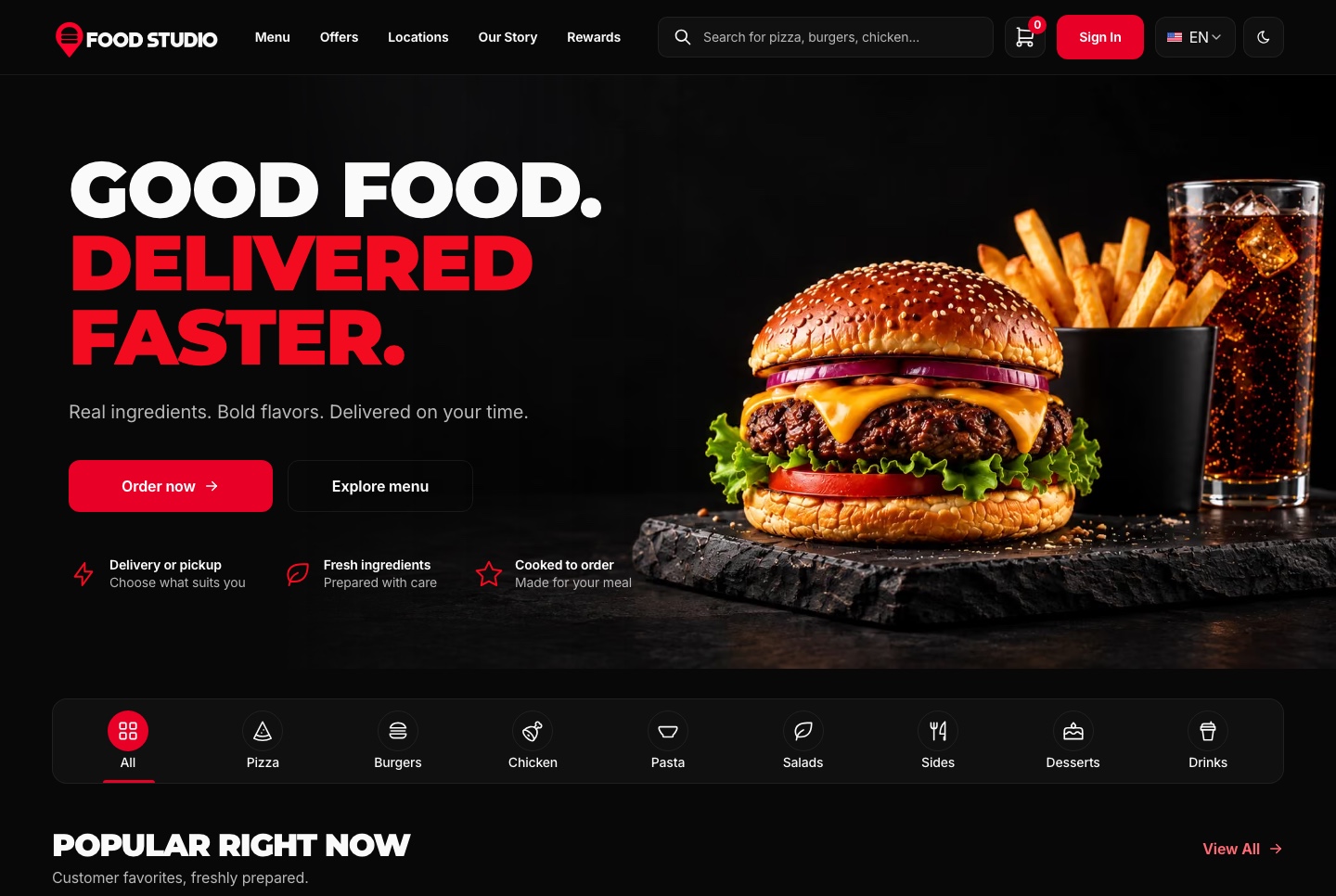
1. Food Studio ordering website: $39
A restaurant site with a menu with filters, a page for every dish, combo meals, a meal builder, a cart, checkout, order tracking and customer accounts, in English and Arabic.
- Best for: a restaurant that wants a branded menu site. The pages are easy to judge, so it is a good first project.
- On Replit: Open with AI, then Open in Replit. The Agent asks for the restaurant's name, logo, main colour and contact email. Add the Restaurant Admin Dashboard ($49) later to run orders; the Full Stack ($149) is a developer's job.
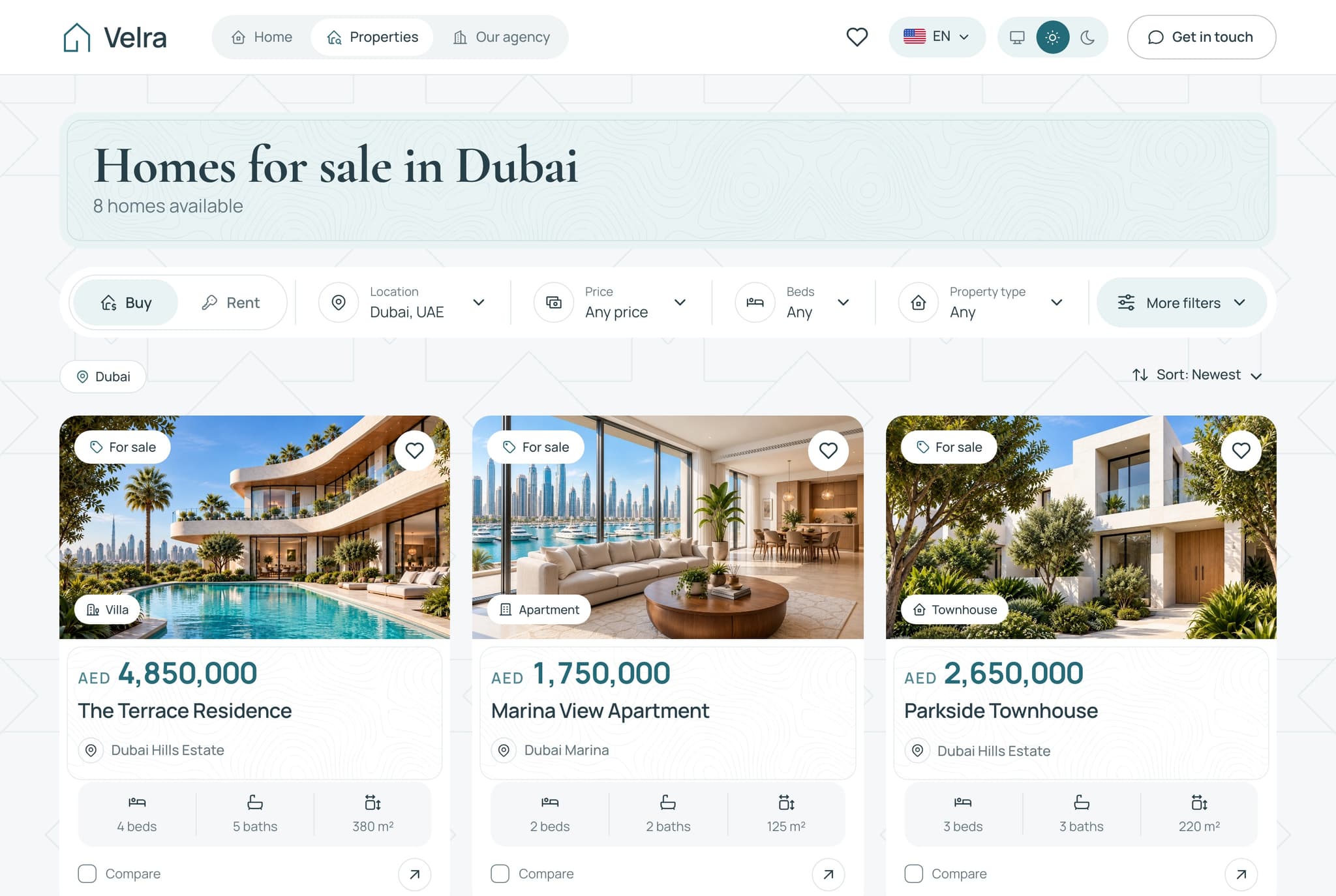
2. Velra real estate website: $39
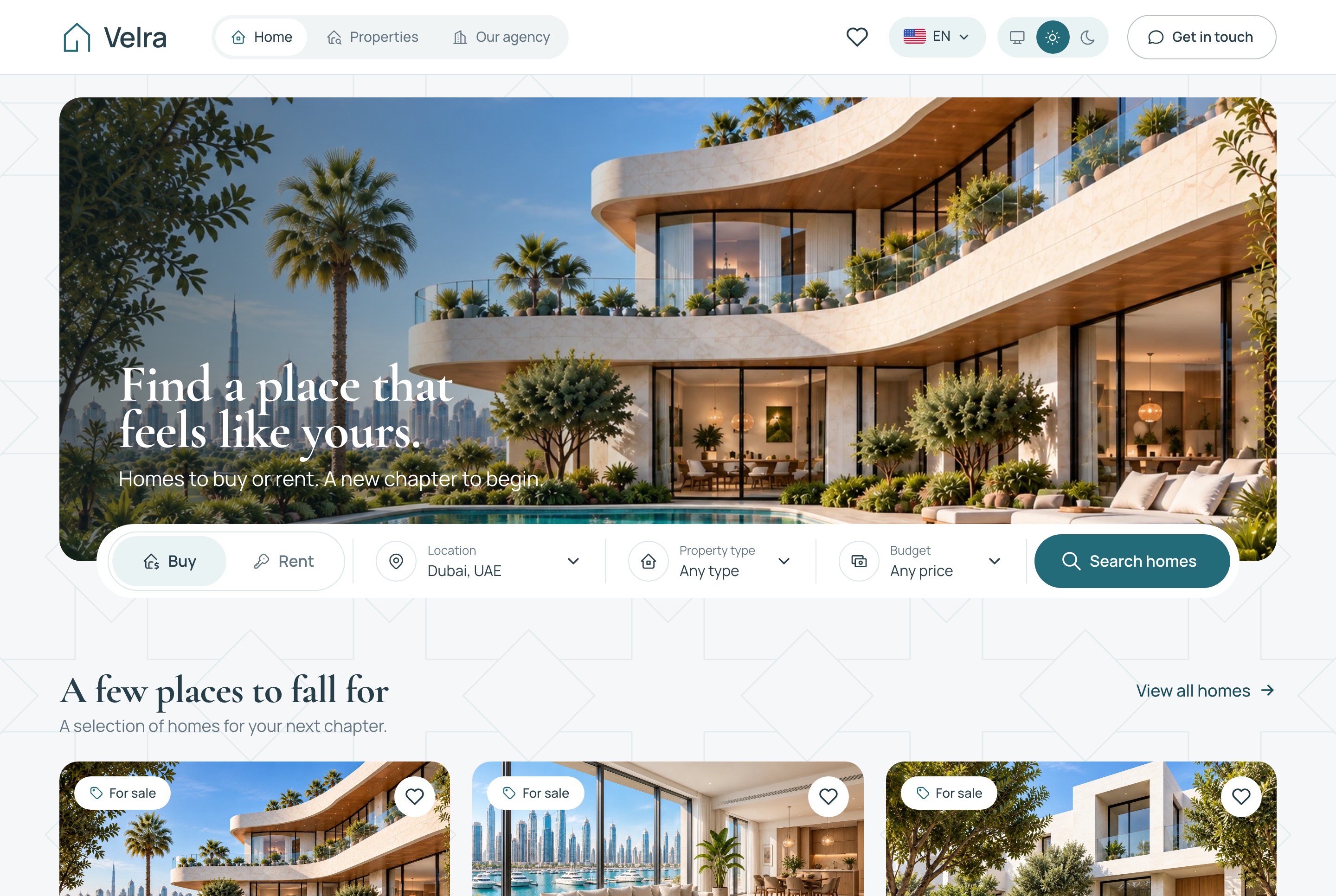
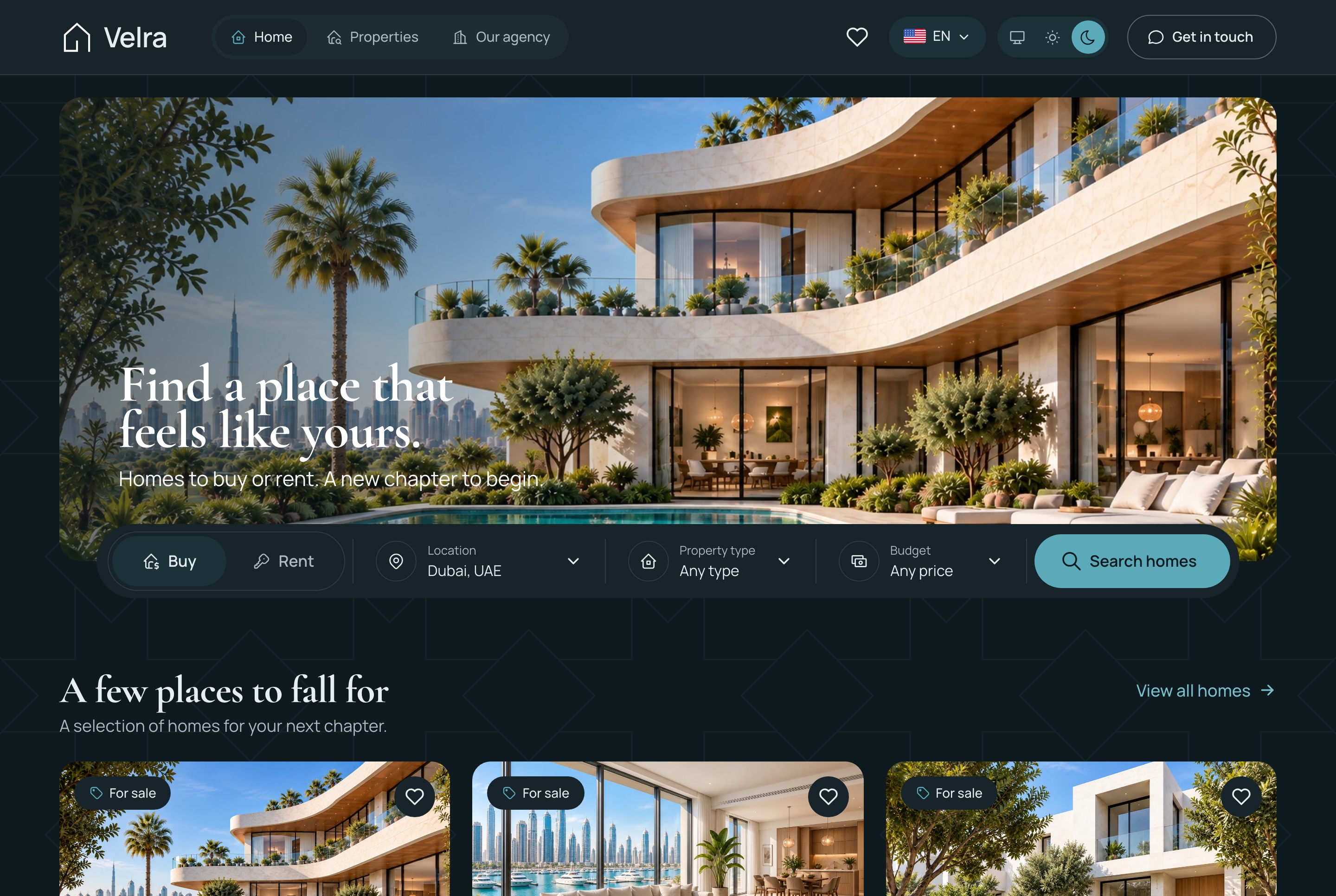
Built for one agency: homes for sale and for rent, filters kept in the address, property pages with AI staged rooms, saved homes, a three-home comparison and viewing requests, in English and Arabic.
- Best for: an agency or an independent agent. Most changes are words, photos and colours, which suits Replit.
- On Replit: Open with AI, then Open in Replit. The Agent asks for the agency's name, logo, main colour and contact email. The matching Real Estate Agency Dashboard costs $49.
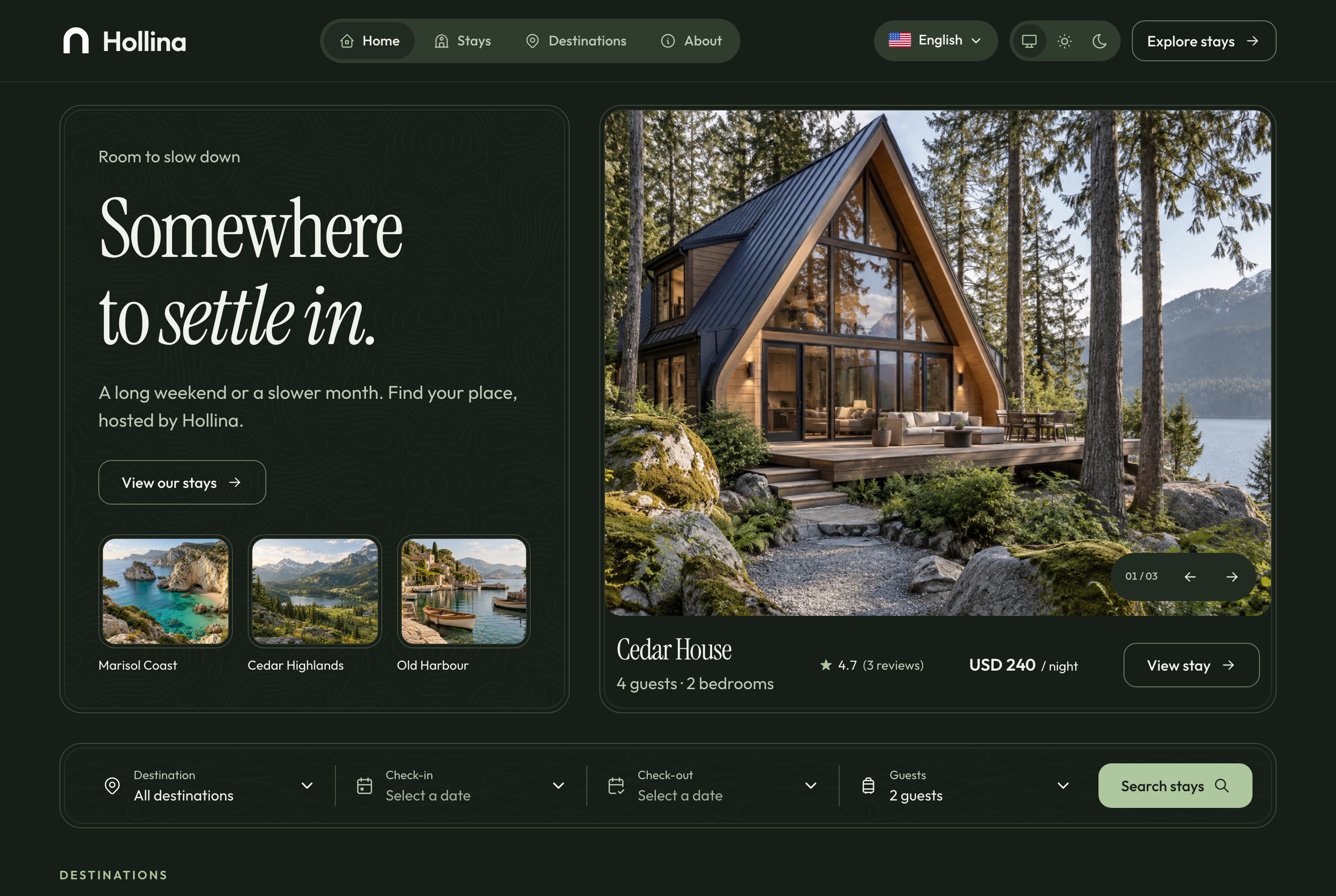
3. Hollina vacation rental website: $39
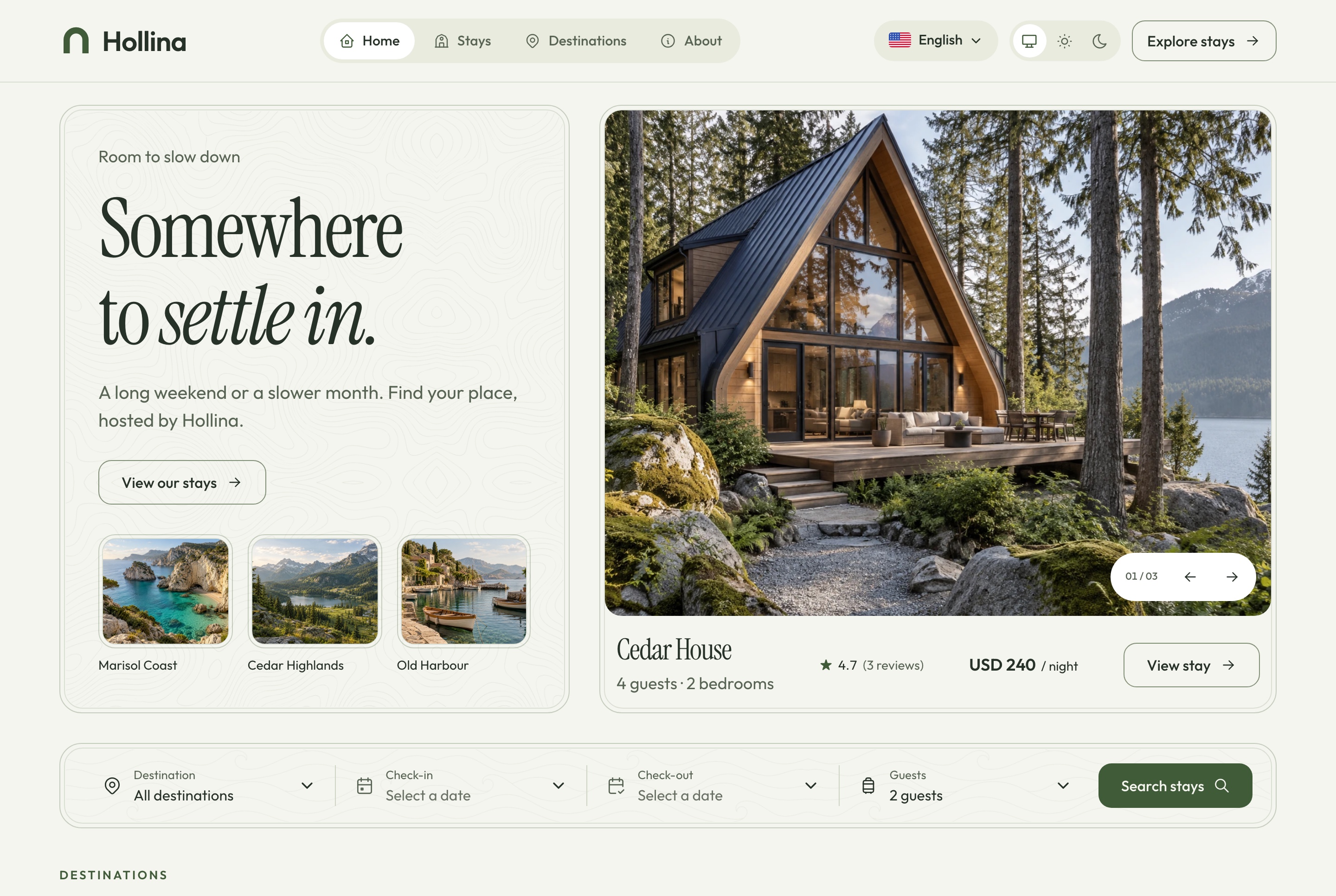
For one host company: stays filtered by destination, dates and guests, stay pages with a two-month availability calendar and a live quote, checkout by card, PayPal or on arrival, booking lookup and saved stays.
- Best for: a host or a small property manager.
- On Replit: Open with AI, then Open in Replit. The Agent asks for the company's name, logo, main colour and contact email. Its booking dashboard is the Vacation Rental Booking Dashboard ($49).
Software and startup websites
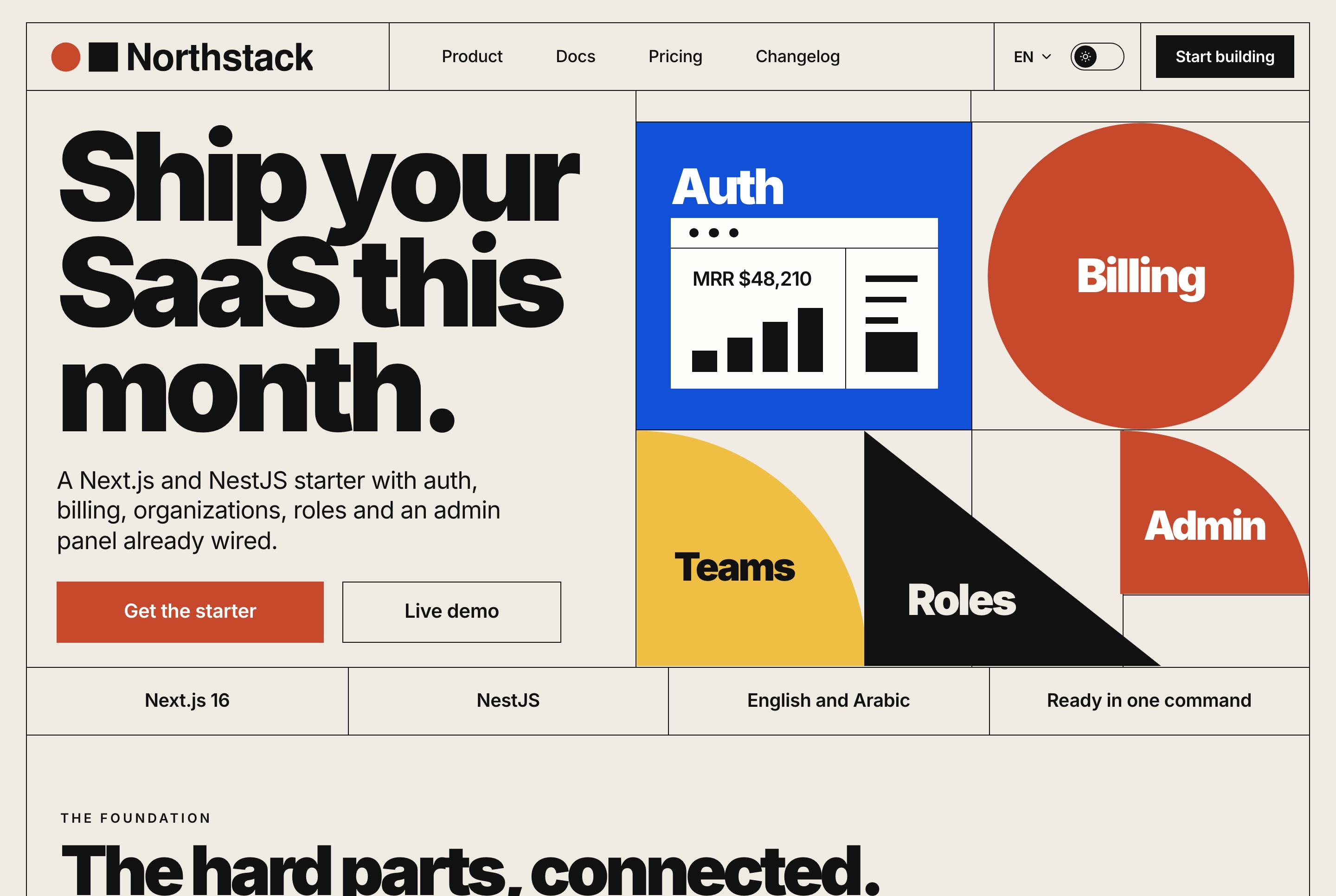
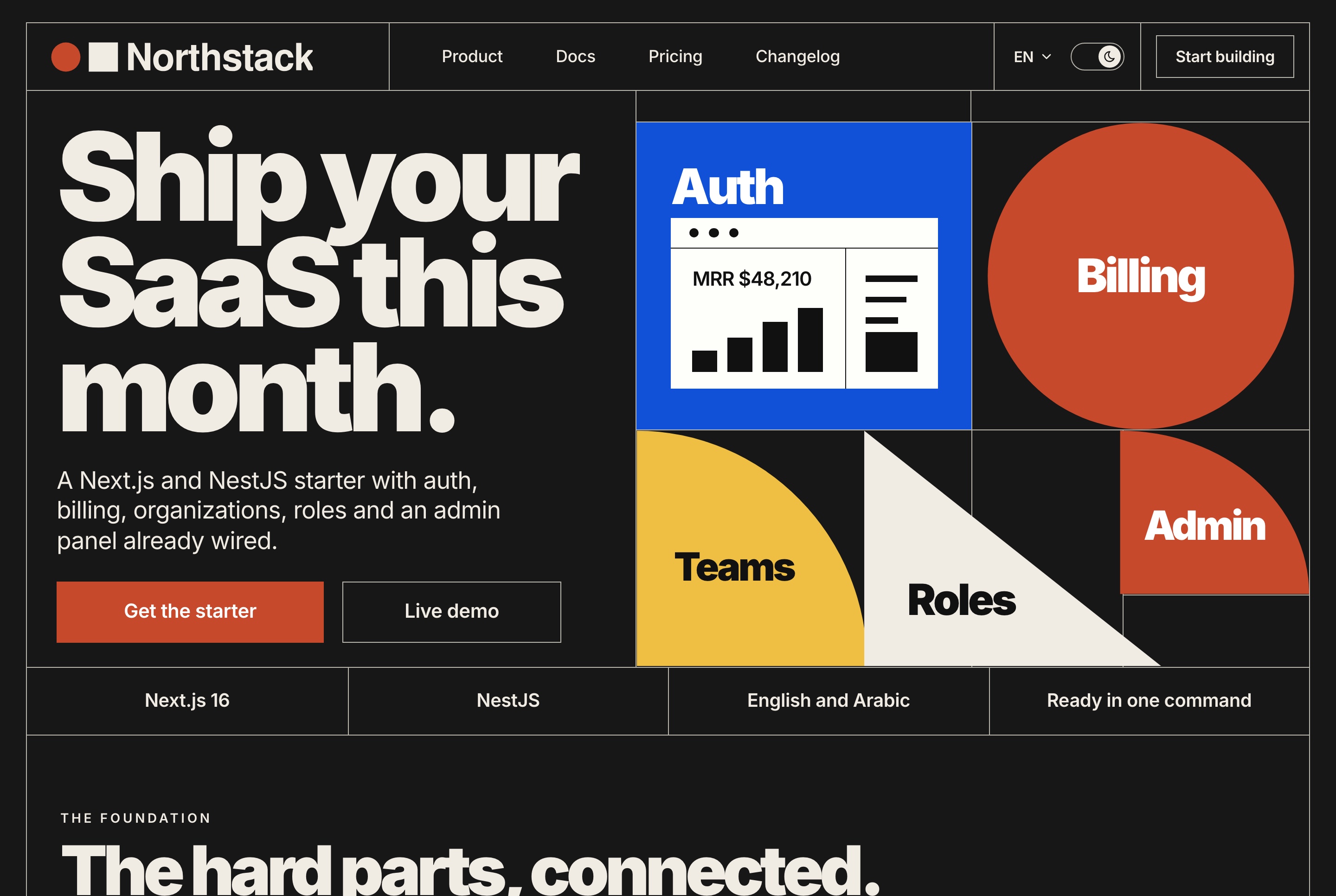
4. Northstack SaaS website: $39
A home page, pricing with one-time licences, a licence checkout, documentation, a journal, a changelog and a contact form, in English and Arabic.
- Best for: a software product or a developer tool. It runs alone on built-in sample data, so there is nothing else to start.
- On Replit: Open with AI, then Open in Replit. The Agent asks for the product's name, logo, main colour and contact email. Pair it with the SaaS Workspace Dashboard ($49) for sign-up, workspaces, roles and billing screens.
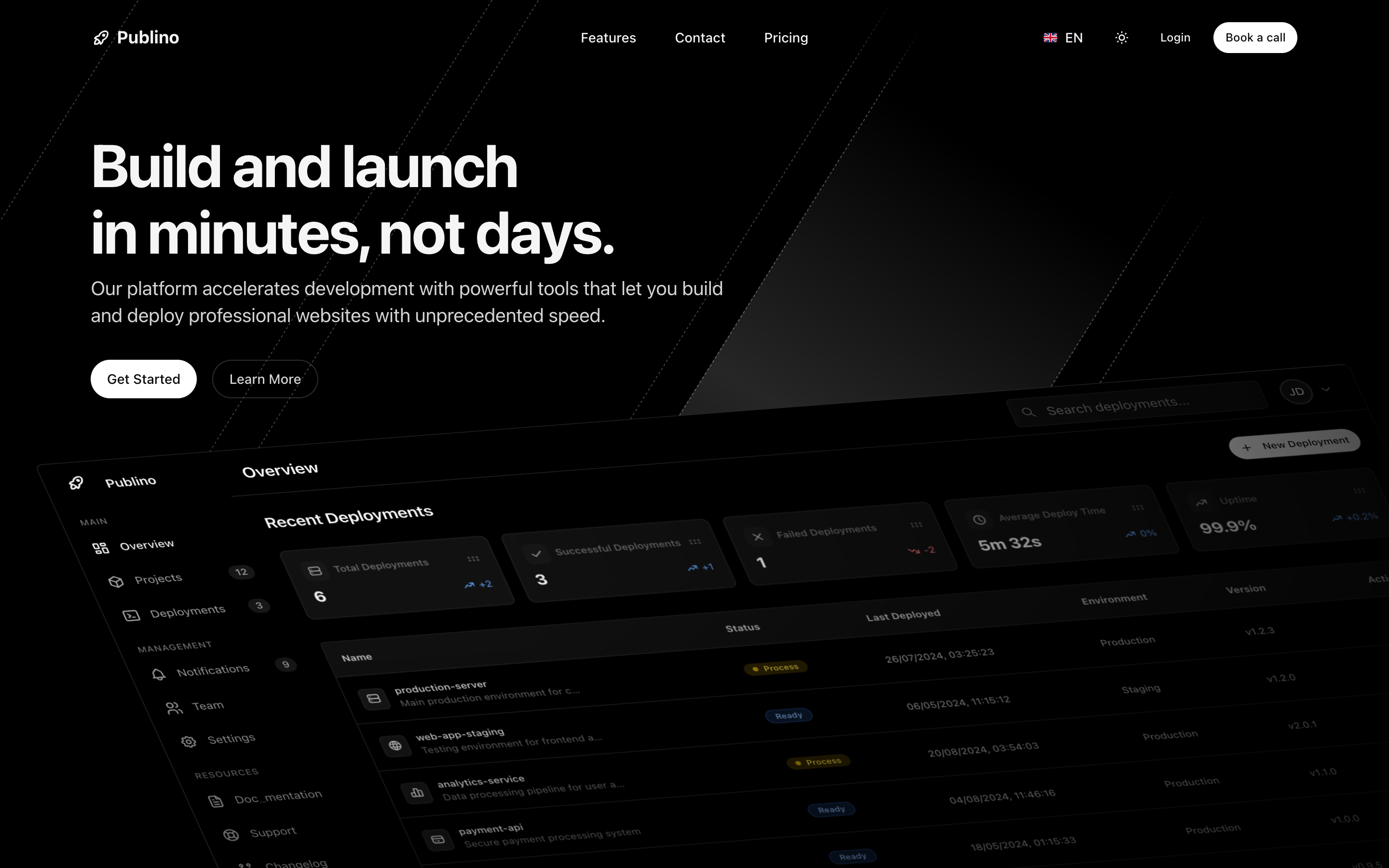
5. Publino landing page: $39
A landing page for a subscription product: a home page, a pricing page with monthly and yearly plans, and a contact page, in English and Arabic, dark and light.
- Best for: a subscription product. It is the smallest paid project in this list, which makes the Agent's changes quick to check.
- On Replit: Open with AI, then Open in Replit. The Agent asks for the product's name, logo, main colour and contact email.
Shops, courses and events
6. Fashion e-commerce storefront: $39
A catalogue with search and filters, product pages with variants and reviews, a persistent cart, guest checkout with order tracking and an AI virtual try-on, in English and Arabic with full right to left, light and dark.
- Best for: a clothing brand.
- On Replit: Open with AI, then Open in Replit. The Agent asks for the brand's name, logo, main colour and contact email. Its back office is the E-commerce Admin Dashboard ($49).


7. LMS student website: $39
A course catalogue, course pages, checkout and a learning dashboard with a lesson player, quizzes, certificates, live classes and messaging, in English and Arabic.
- Best for: online courses.
- On Replit: Open with AI, then Open in Replit. The Agent asks for the school's name, logo, main colour and contact email. The matching LMS Admin Dashboard costs $49.


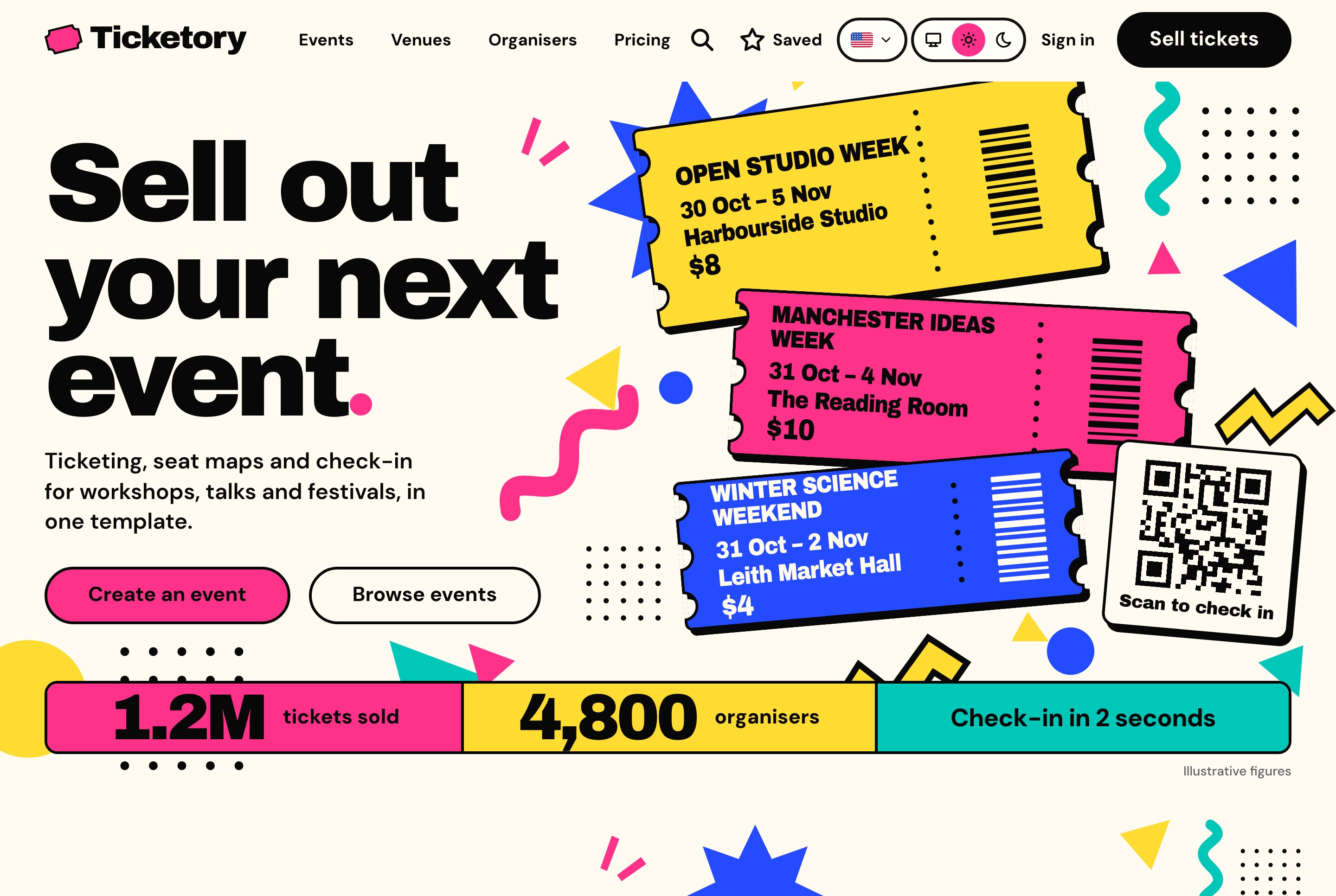
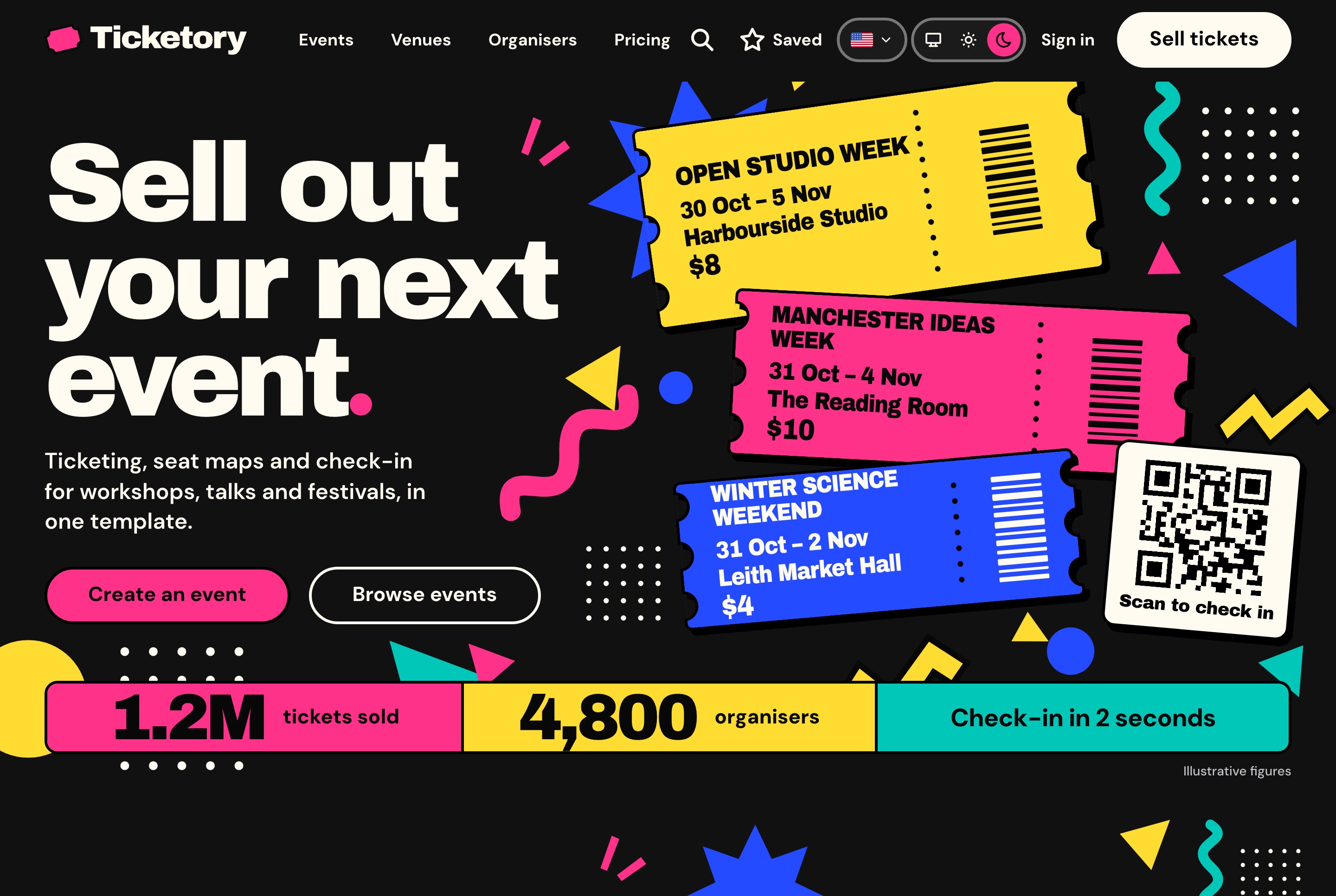
8. Ticketory event ticketing website: $39
Event search, event pages, live seat maps with a ten-minute hold, Stripe or PayPal checkout, free tickets, QR ticket passes and attendee accounts, in English and Arabic.
- Best for: events and venues.
- On Replit: Open with AI, then Open in Replit. The Agent asks for the organiser's name, logo, main colour and contact email. The matching Event Organiser Dashboard costs $49.
Dashboards and admin panels
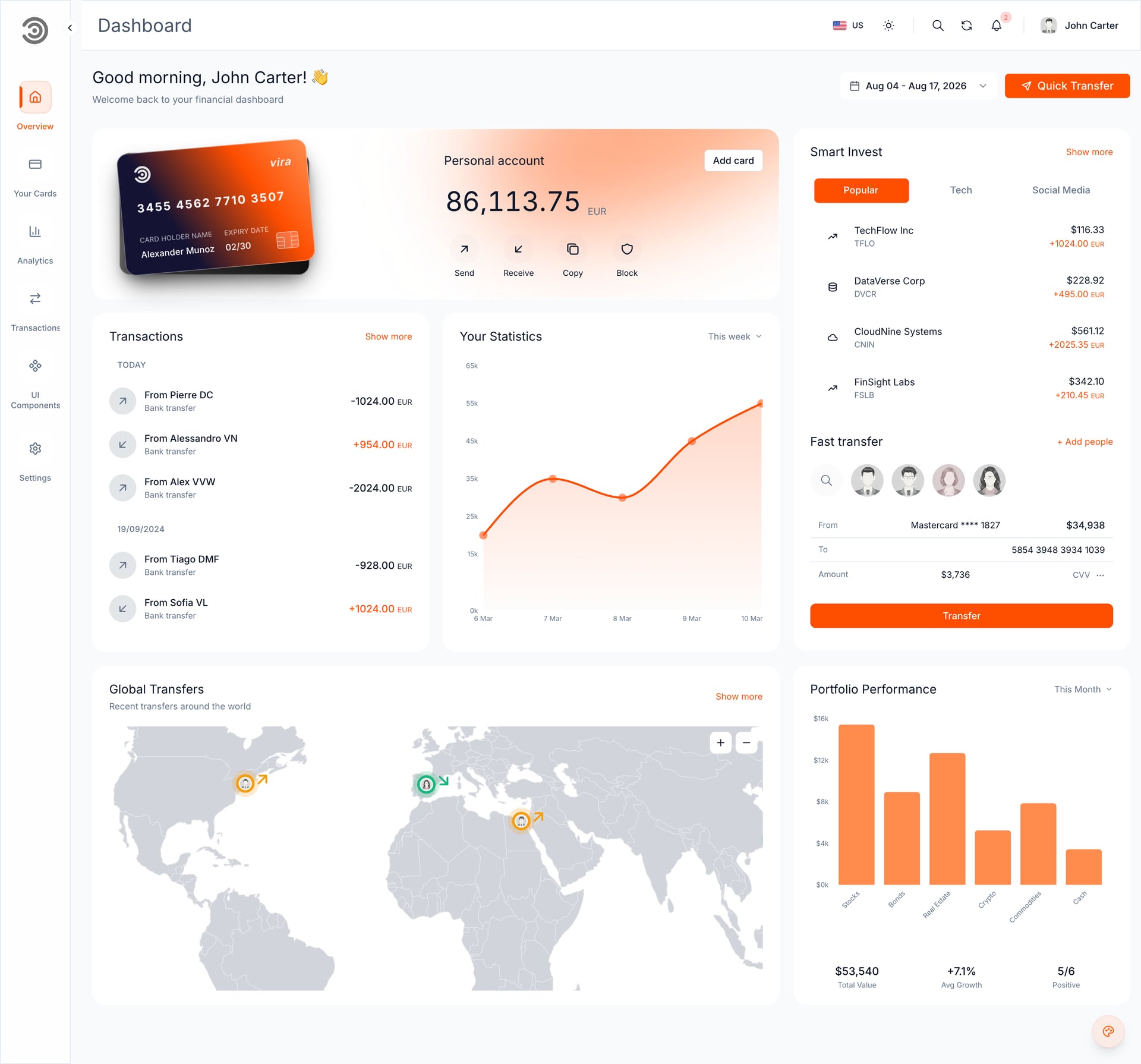
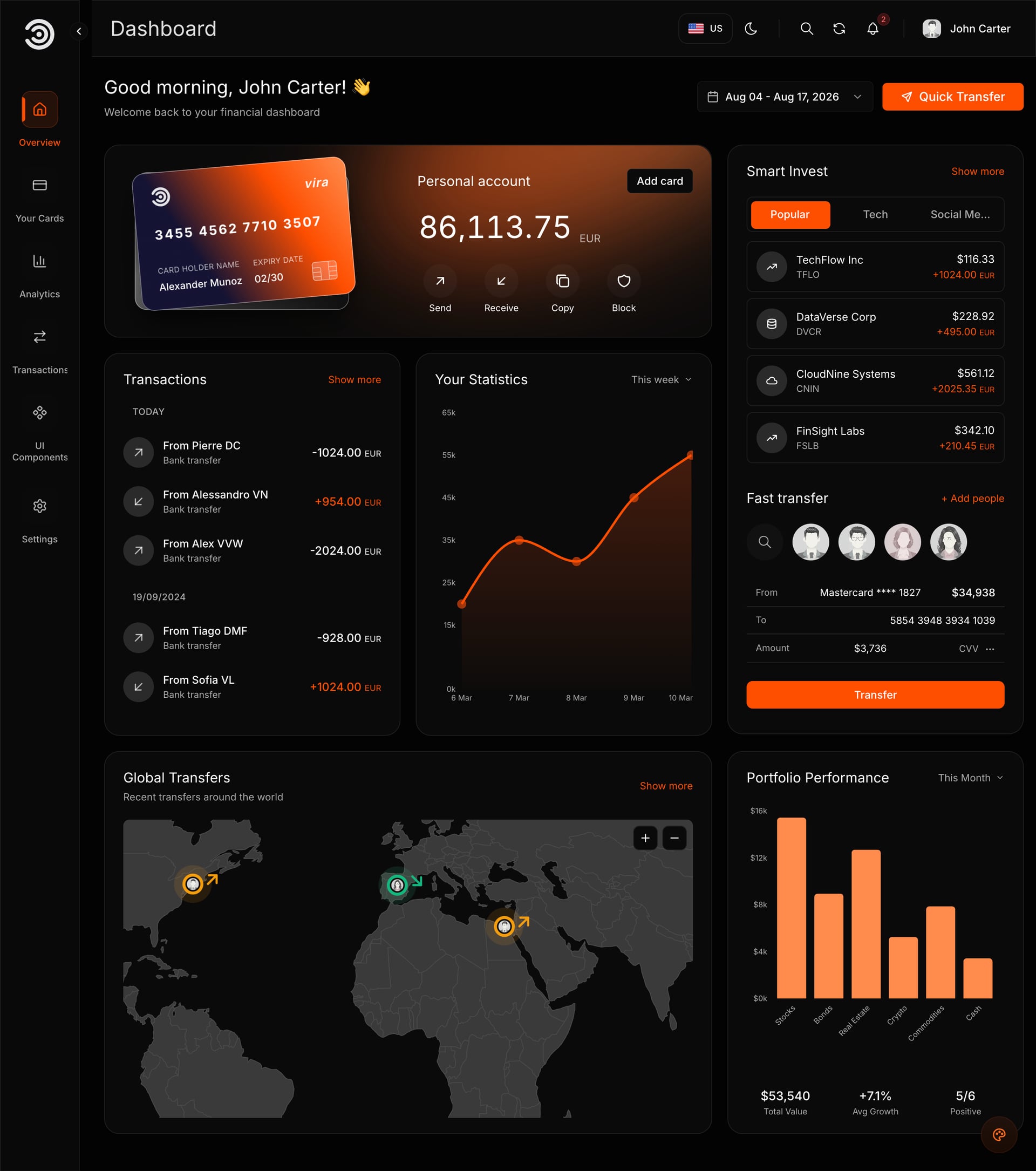
9. Financial Dashboard: $49
The template we ran in Replit. Dark and light themes, English and Arabic with right to left, charts, drag and drop widgets and a sign-in page you can later connect to your own API. Frontend only.
- Best for: a full dashboard with your name on it within minutes.
- On Replit: Open with AI, then Open in Replit. About 6 to 7 minutes to a running preview in our test, then the Agent's questions.
10. AI admin dashboard: from $69
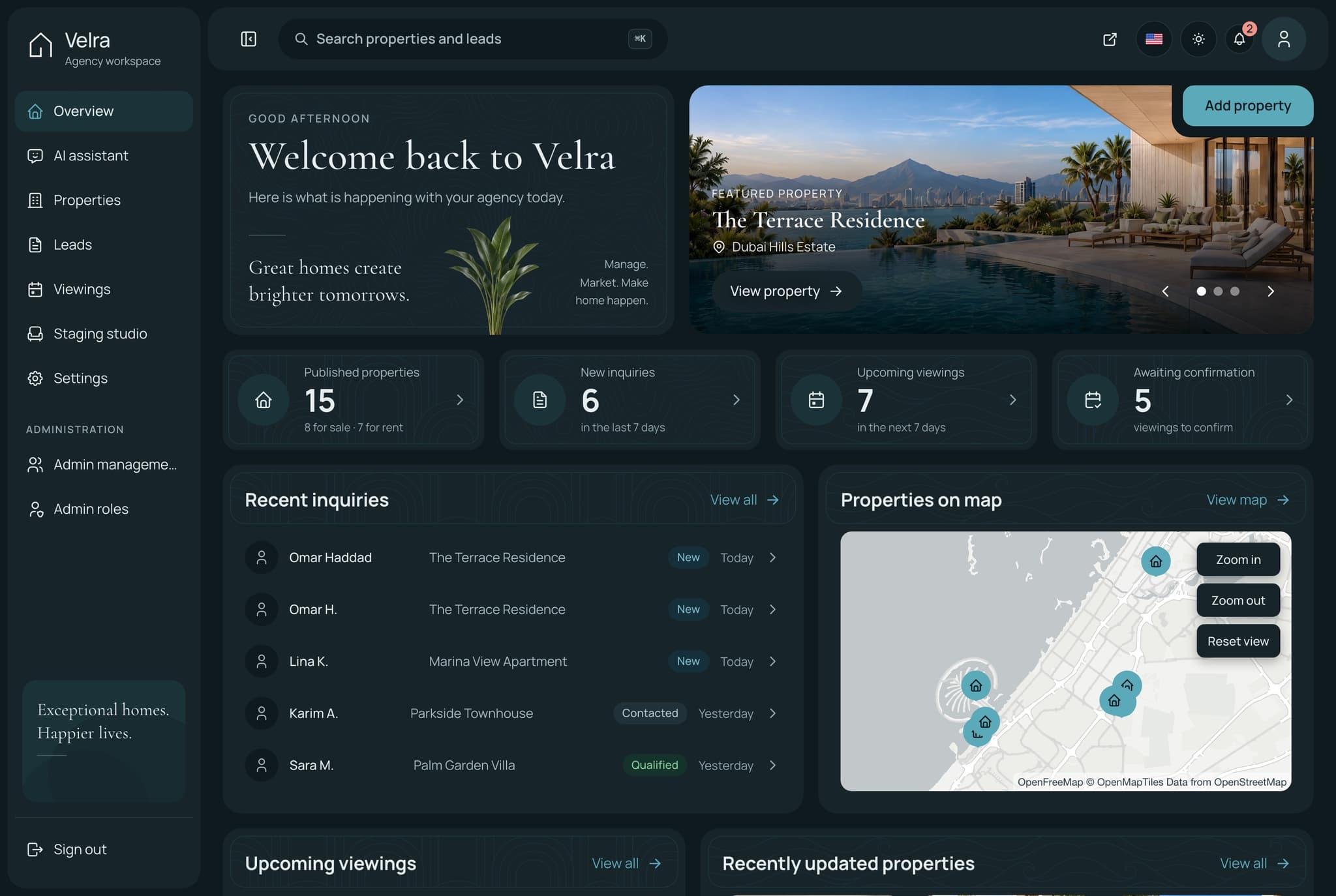
An admin panel with an AI assistant, user and admin management, and roles and permissions.
- Best for: internal tooling where you want an assistant inside the dashboard. Read the product page for which package includes what before you buy.
- On Replit: Open with AI, then Open in Replit. The Agent asks for the brand's name, logo, main colour and contact email.
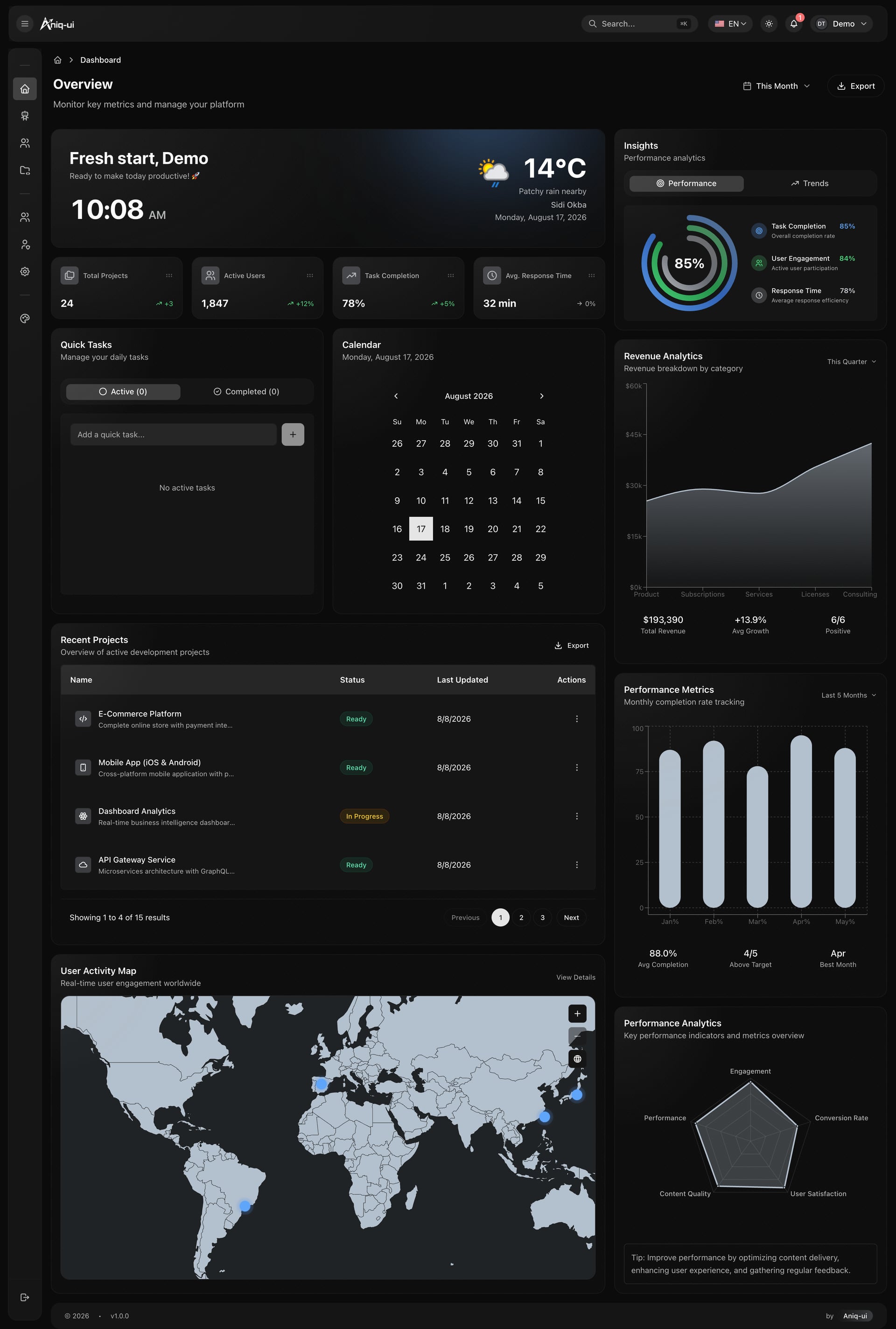
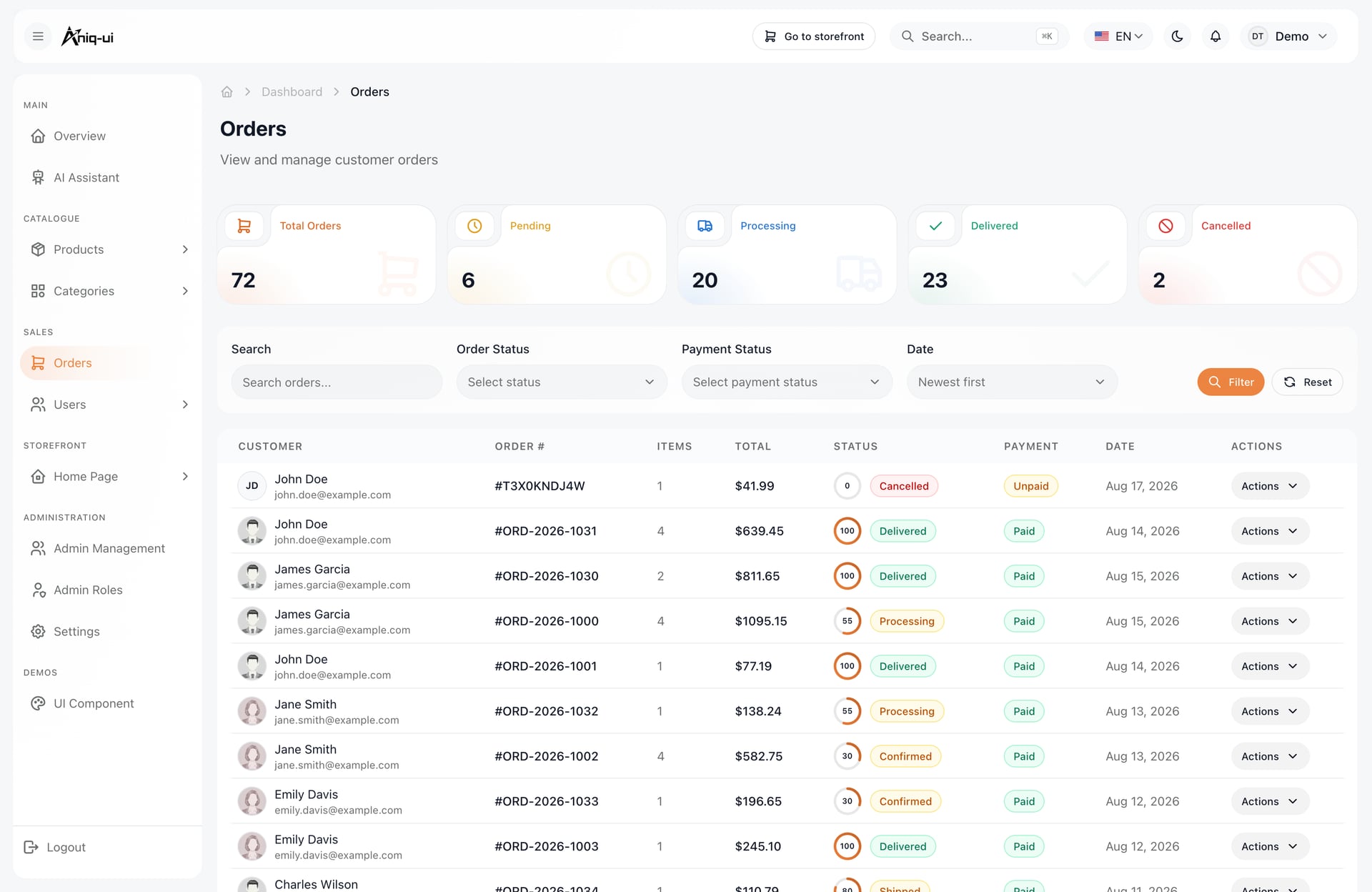
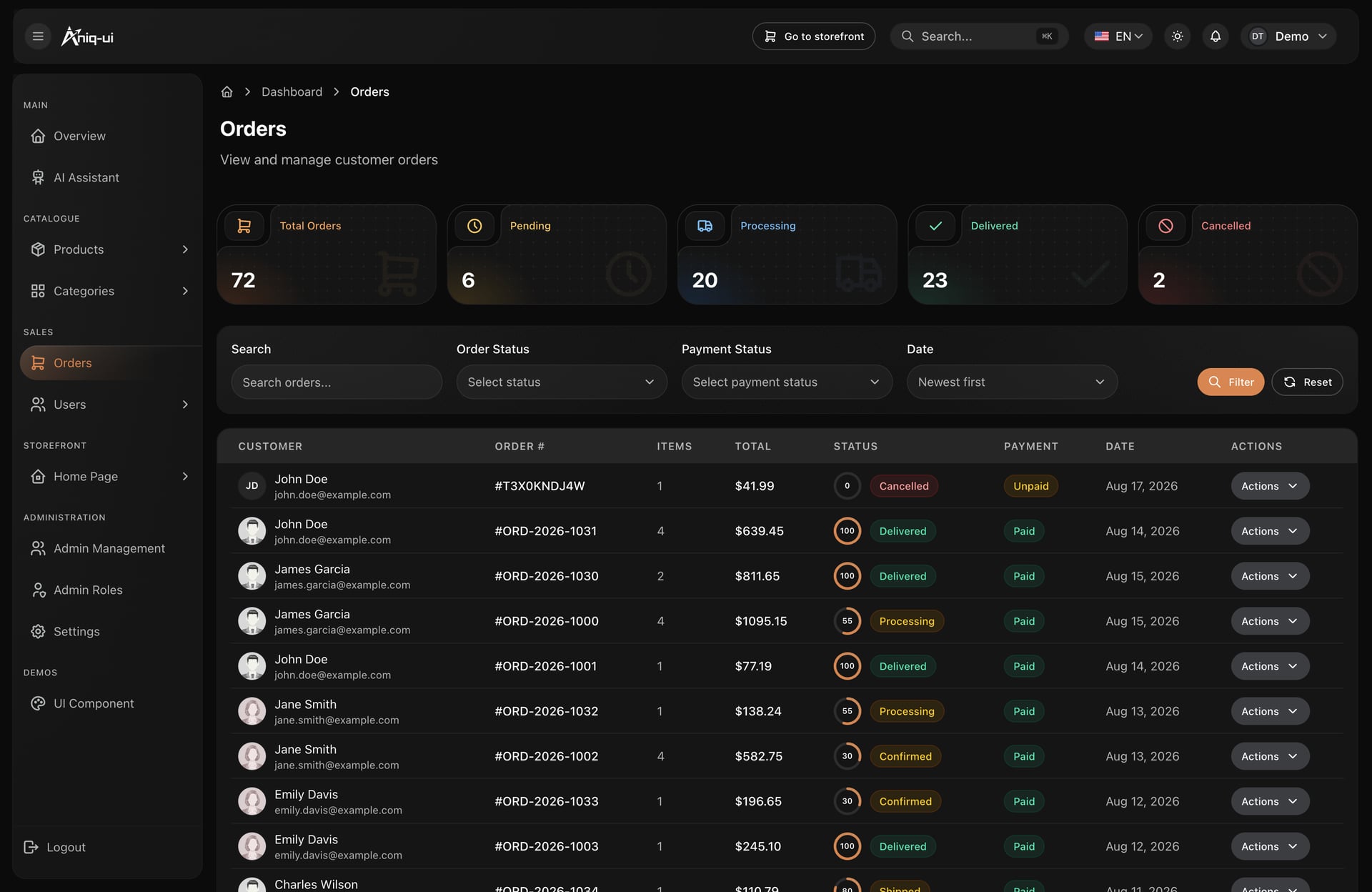
11. E-commerce admin dashboard: $49
Products, categories, orders with fulfilment progress, customers, roles and an AI assistant that answers sales questions. Each industry has a matching $49 dashboard: this one, the LMS Admin Dashboard and the Event Organiser Dashboard.
- Best for: a shop's back office. For a longer comparison, read our admin dashboards by industry guide.
- On Replit: Open with AI, then Open in Replit. The Agent asks for the brand's name, logo, main colour and contact email.
Free starts
The cheapest way to learn what the Agent asks and how long it takes, before you pay for anything.
12. Company website: free
A corporate site with a hero with customer logos, a four-step how-it-works section, a grid of integrations, testimonials and article cards.
- Best for: learning the Replit flow without paying, if you do not need ordering or booking.
- On Replit: Open with AI, then Open in Replit, after the free download from the template page.
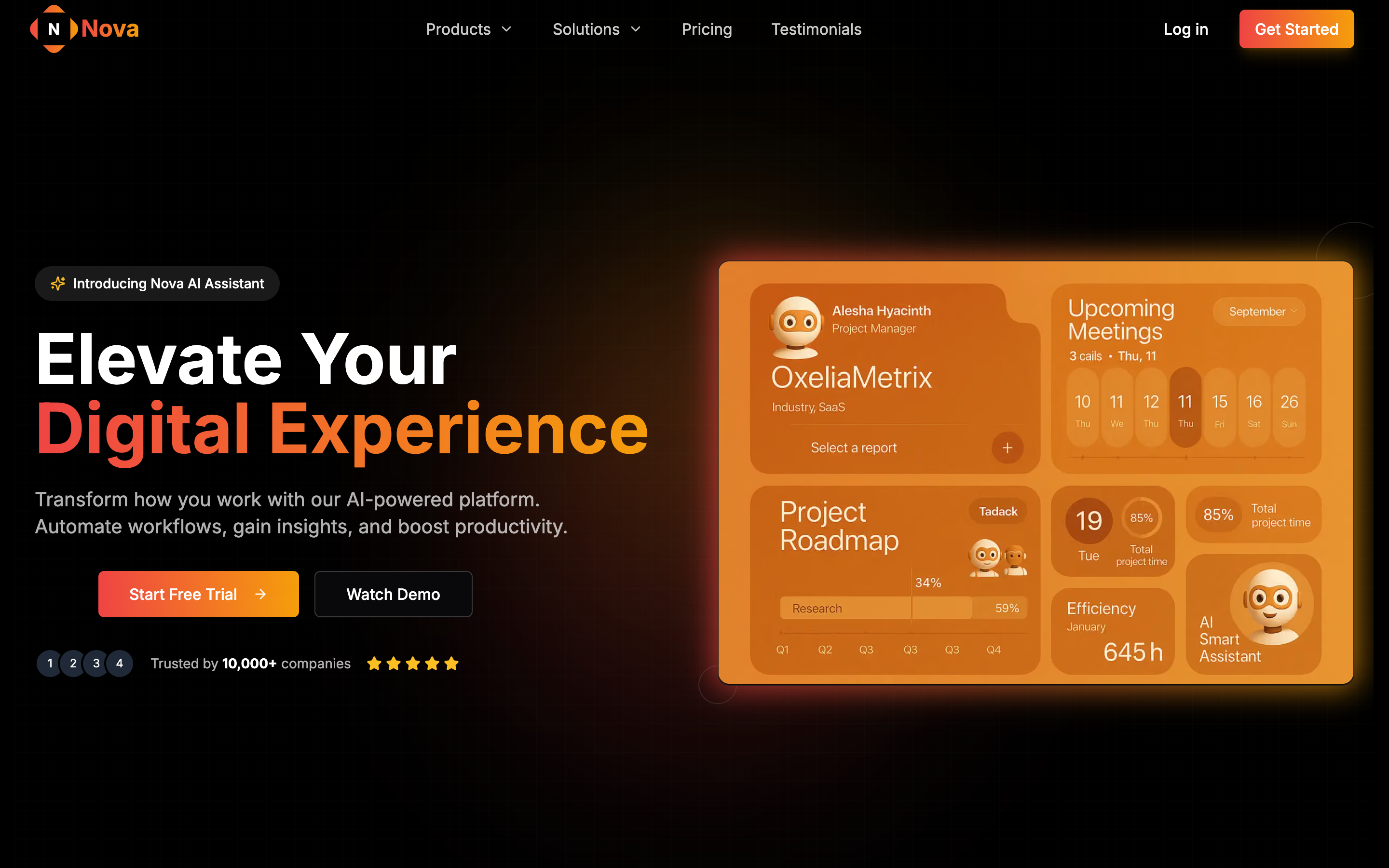
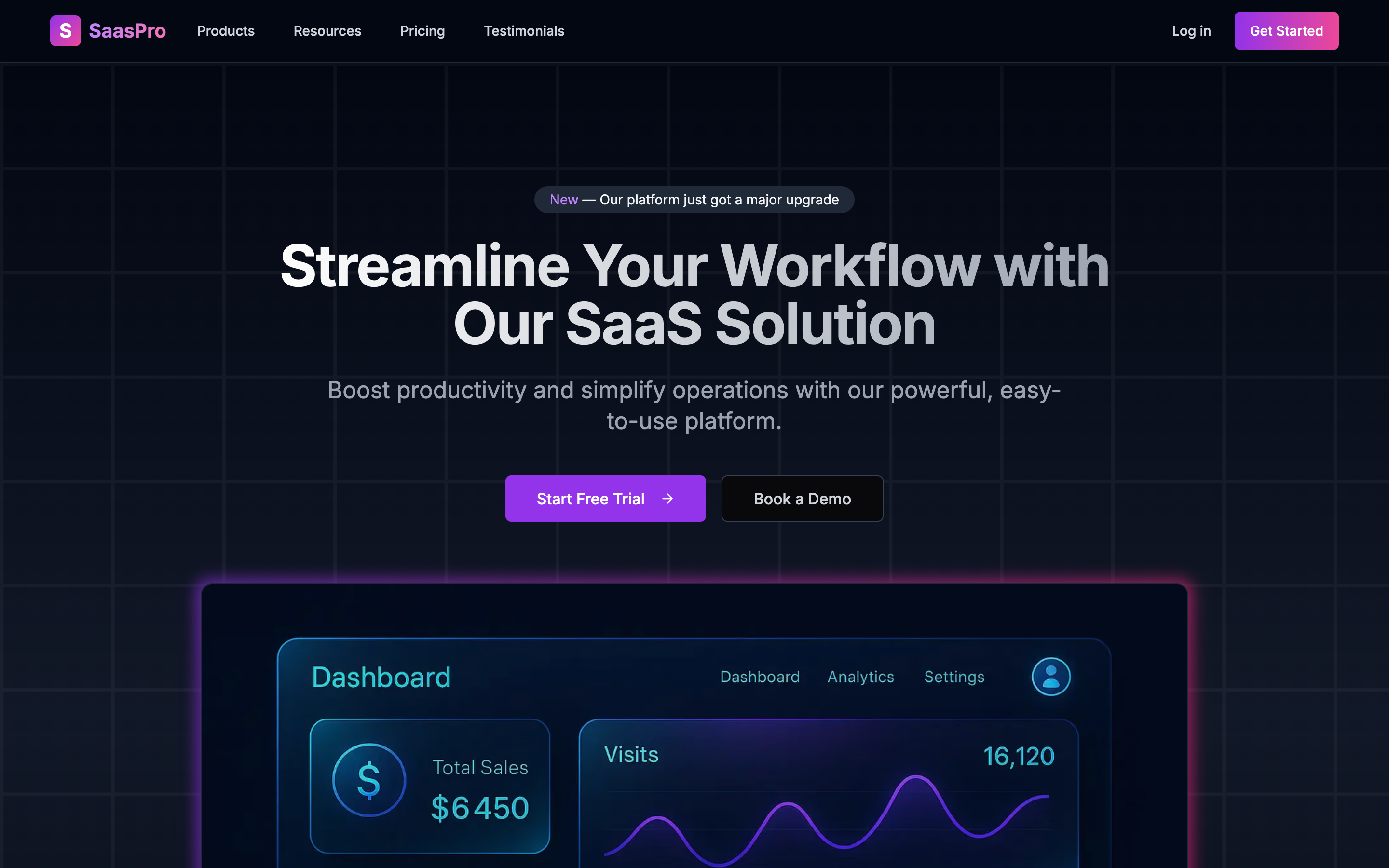
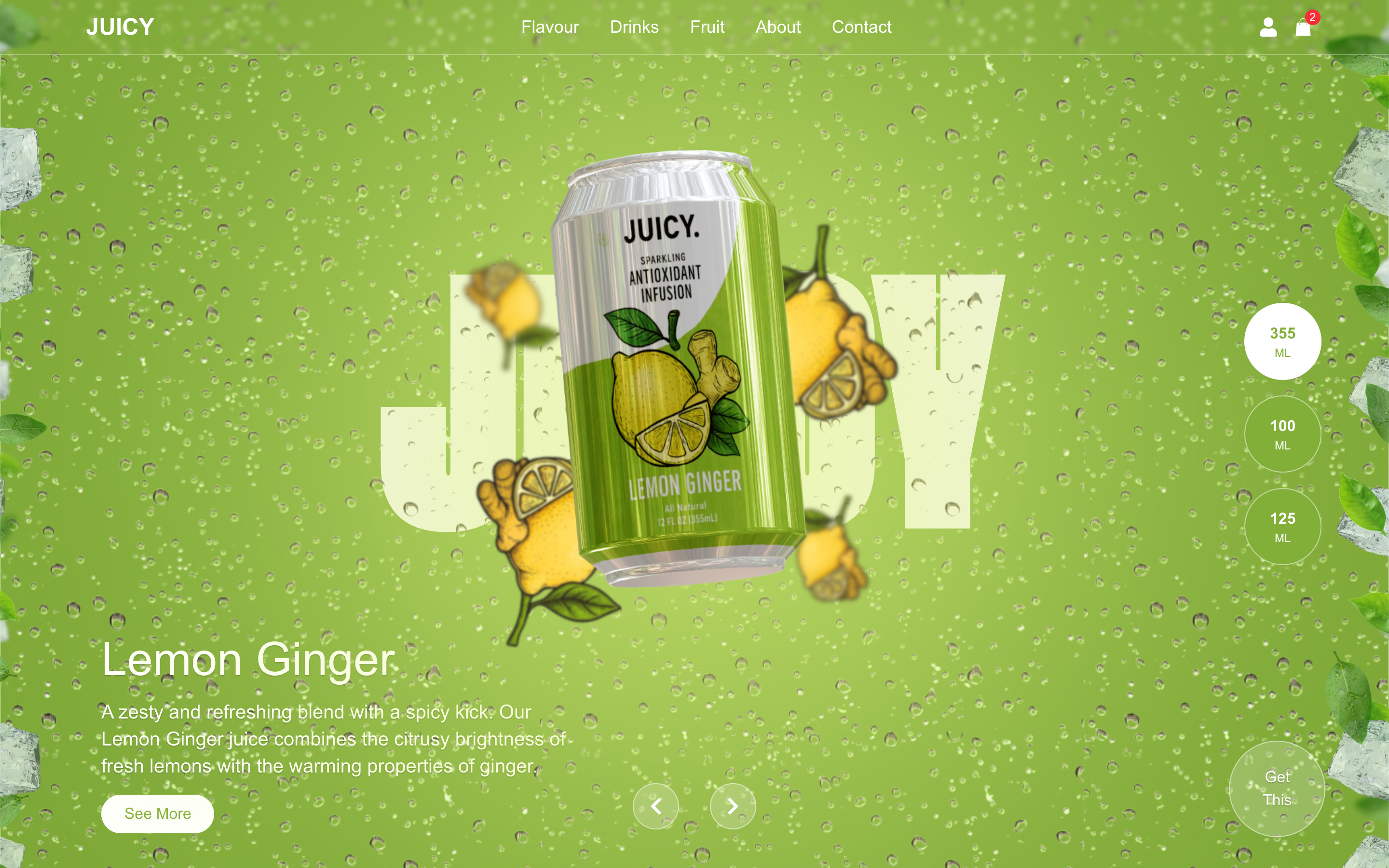
Two more free starts: the SaaS landing page with pricing covers a simple software launch, and the 3D landing page is a Next.js, Three.js and GSAP page for a product campaign. Both cost nothing.
A word on Full Stack packages
The Full Stack packages (website, dashboard, API and database), from $149, have a backend and a database, so they are not a no-code job. We have not tested a Full Stack on Replit and we do not claim one can be published there. Use the developer route (one Docker command, in the docs), start with the website package, or open the unzipped folder in an AI code editor: Claude Code ran the Food Studio Full Stack, with the site, dashboard and API running about 4.5 minutes after unzipping, in our test on 8 November.
Honest alternatives to a template
| Option | What you get | What you give up |
|---|---|---|
| Replit's community projects | Projects other people share that you can copy (remix) for free. Fine for learning, a small tool or an experiment. | They are not built for English and Arabic with right to left from day one, usually have no licence file, docs or support, and you judge their quality yourself. Check who made one and its licence before a business depends on it. |
| Lovable's free template gallery | A gallery you can start from inside its editor, if you are not tied to Replit. | Lovable rebuilds code on its own setup, so it is a different route, with a converted copy of the code. |
| A blank Replit project | You describe a site to the Agent and it builds from scratch. The cheapest start. | The least predictable: the design, the language support and the structure are whatever the Agent decides. A template removes those decisions. |
What it costs on Replit
Checked in Nov 2026. Read Replit's pricing on the day you decide, because plans change. The template is paid once, separately from Replit.
| Plan | Price | What it means for a template |
|---|---|---|
| Starter | Free | One published app whose link goes down after 30 days, and a Replit badge. Enough to run a template and make the first changes. The Agent's daily credits can run out during a first round of edits. |
| Core | $20 a month ($18 a month billed yearly) | For personal projects and simple apps. |
| Publishing | $2 a month plus usage, or from $15 a month for a fixed server | Taken from your monthly credits. |
What Replit will not do for you
The free link is not a launch
- The one published app on Starter goes down after 30 days
- Use it to test and to show; a business site needs a paid way to stay online
The preview can look broken
- In our test the preview inside Replit kept showing an error
- The site worked opened in its own tab, and the Agent adjusted its own preview setup once
The AI can miss a language
- Open English and Arabic after every change
- Ask for one change at a time and check both
Your first hour
Whatever template you pick, the first hour looks the same.
| When | What happens | What you do |
|---|---|---|
| Minutes 0 to 10 | The Agent downloads, unzips, reads the scripts, installs and starts the app (about 6 to 7 minutes in our test) | Do not interrupt it, and do not retype the prompt |
| Minutes 10 to 15 | The Agent shows a preview | Open the English and the Arabic pages before you answer, so you know what the template looks like untouched. If the preview pane shows an error, open the app in its own tab |
| Minutes 15 to 30 | The Agent asks for your business name, logo, main colour and contact email, one at a time (two to four minutes each to apply in both languages) | Give a colour you can name or a hex code, and your own logo, or ask for plain text for now |
| The rest of the hour | Small changes | Ask for one change at a time in plain words, then open English and Arabic again |
How to choose
| Rule | Why |
|---|---|
| Start from the job, not the look | Pick the template whose pages match the business: a menu and cart for food, listings for property, pricing and a changelog for software |
| Prefer a website or dashboard package | They are the ones the Replit route is made for; a Full Stack is a developer's job |
| Check Arabic yourself | Open the Arabic pages of the live demo first. Right to left is a layout, not a translation, and you will see at once whether it holds |
| Start free if you are unsure | Run a free template through the flow once, so you know what the Agent asks and how long it takes |
| Read the licence | You may change the name, colour, texts and pictures. You do not claim that you made the template |
Four mistakes to avoid
- Starting from a blank project for a business site. You get a site, but the design, the Arabic layout and the structure are guesses. A template gives you those finished.
- Retyping the prompt in your own words. The prompt from the window tells the Agent to run the template and not rebuild it. Keep it as it is.
- Believing the free link is a launch. Use Starter to test and show. A business site needs a paid plan.
- Choosing a Full Stack for a no-code start. Start with the website package and add the rest later.
FAQ
Short answers before you buy.
What are the best templates to use with Replit?
Website and dashboard packages with a finished design, such as the Food Studio ordering website, Northstack and the Financial Dashboard. We ran the Financial Dashboard on 7 November 2026 and it worked in English and Arabic.
Are there free templates for Replit?
Yes. Aniq UI has free templates (a company website, a SaaS landing page, a 3D landing page and an agency portfolio), and Replit lets you remix projects other people share.
Does Replit keep the template's code?
Yes. In our test it kept Next.js 16 and Yarn 4 and ran the original app, so Aniq UI updates and docs still fit.
Can I use Replit with a Full Stack template?
We have not tested it and we do not claim it works. Use the developer route (one Docker command in the docs), an AI code editor, or start with the website package in Replit.
How much does Replit cost for this?
Starter is free with limits, Core is $20 a month ($18 billed yearly), and publishing costs $2 a month plus usage or from $15 a month for a fixed server (checked Nov 2026).
Does it work in Arabic?
In our test, yes: both English and Arabic worked, with Arabic right to left. Open both after each change.
How long does it take?
About 6 to 7 minutes to a running preview of the Financial Dashboard, then two to four minutes per answer, in our test. Your time will vary.
Price list
Checked on 8 November 2026. One payment each, free updates, commercial licence.
- Food Studio ordering website: $39
- Velra real estate website: $39
- Hollina vacation rental website: $39
- Northstack SaaS website: $39
- Publino landing page: $39
- Fashion e-commerce storefront: $39
- LMS student website: $39
- Ticketory event ticketing website: $39
- Financial Dashboard: $49
- E-commerce admin dashboard: $49
- AI admin dashboard: from $69
- Full Stack packages (website, dashboard, API and database): from $149
- Bundle of 10 premium templates: $199 launch price (list $499)
- Free: company website, SaaS landing page, 3D landing page, agency portfolio
Related guides
Sources
Platform facts checked in Nov 2026.
- Replit Starter plan: docs.replit.com/billing/plans/starter-plan
- Replit pricing: replit.com/pricing
- Replit deployment pricing: docs.replit.com/billing/deployment-pricing
- Our own test of the Financial Dashboard on Replit, 7 November 2026, and of the Food Studio Full Stack in Claude Code, 8 November 2026.
- Aniq UI template pages, checked November 2026.
You might also like
Next.js Website Templates for Small Businesses (2026)
Choose a Next.js website template by business type: restaurant, real estate, courses, shop, rentals, events or services. What to check, picks and prices.
TailAdmin Alternatives for Next.js (2026)
TailAdmin is a good free Next.js admin template. Compare 7 alternatives for 2026 by price, stack, Arabic RTL support and backend, from free to full stack.
How to Design a Landing Page: Steps and Ready Templates
Design a landing page that converts: the 7 sections in order, Arabic RTL tips, speed and SEO basics, common mistakes, and ready templates, free or $39.
