Premium

Next.js Restaurant Admin Dashboard Template

A Next.js 16 restaurant admin dashboard for running orders, the menu, categories, customers, kitchens and the team, with an AI studio for dish photos, in English and Arabic.

Staff Dashboard

The Next.js 16 staff dashboard on its own. It reads its data from the Food Studio API, sold separately as the Backend API or together in Full Stack.

$99
Or get everything in Full Stack for $179
  • Use in unlimited commercial projects. Client work included.
  • One-time payment, free updates
  • Business invoice with your VAT or tax ID
  • Use in unlimited commercial projects. Client work included.
  • One-time payment, free updates
  • Business invoice with your VAT or tax ID

A Next.js 16 restaurant admin dashboard for running orders, the menu, categories, customers, kitchens and the team, with an AI studio for dish photos, in English and Arabic.

Share:

A Next.js 16 restaurant admin dashboard for running orders, the menu, categories, customers, kitchens and the team, with an AI studio for dish photos, in English and Arabic.

The restaurant's day

A dashboard built around orders and the kitchen

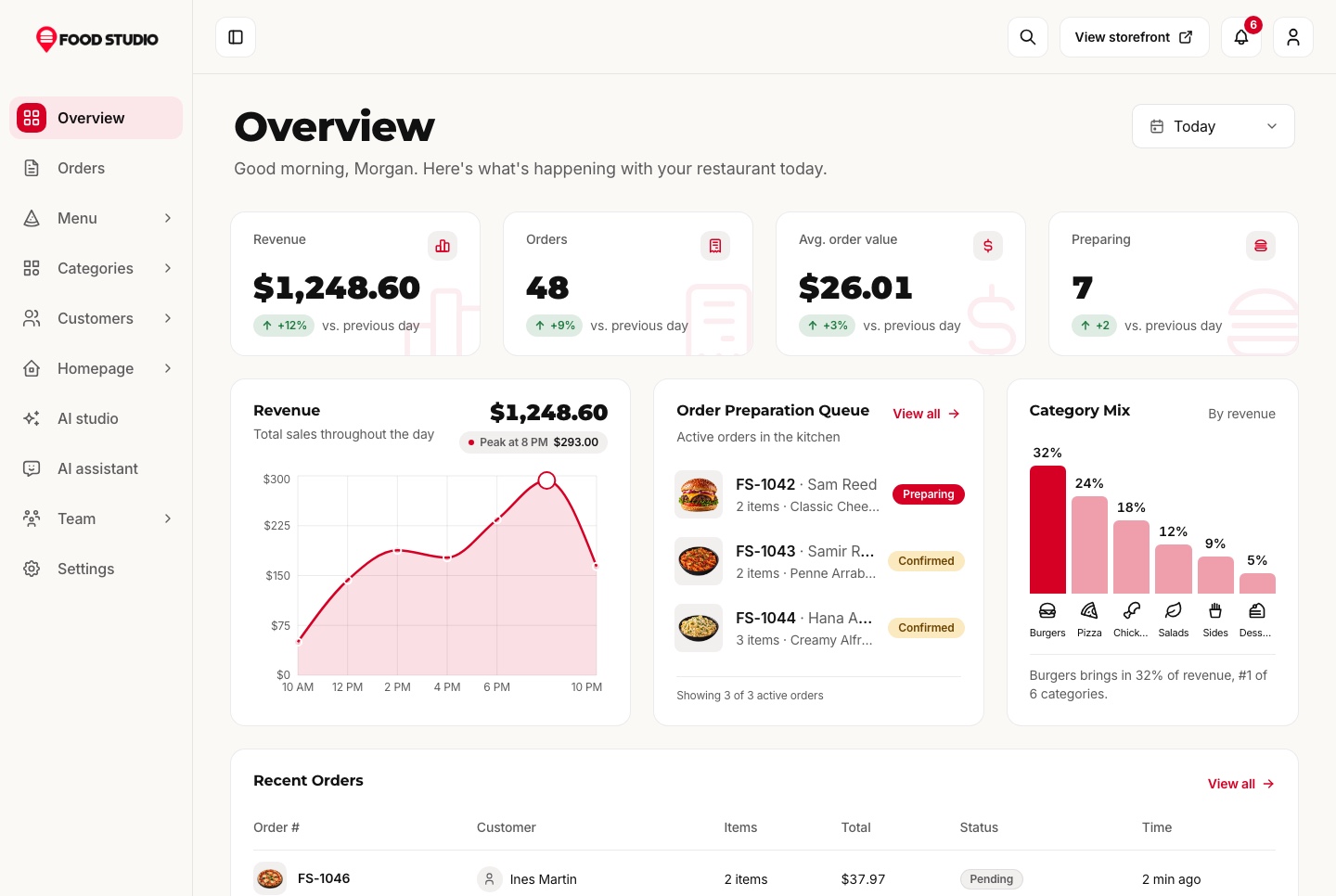
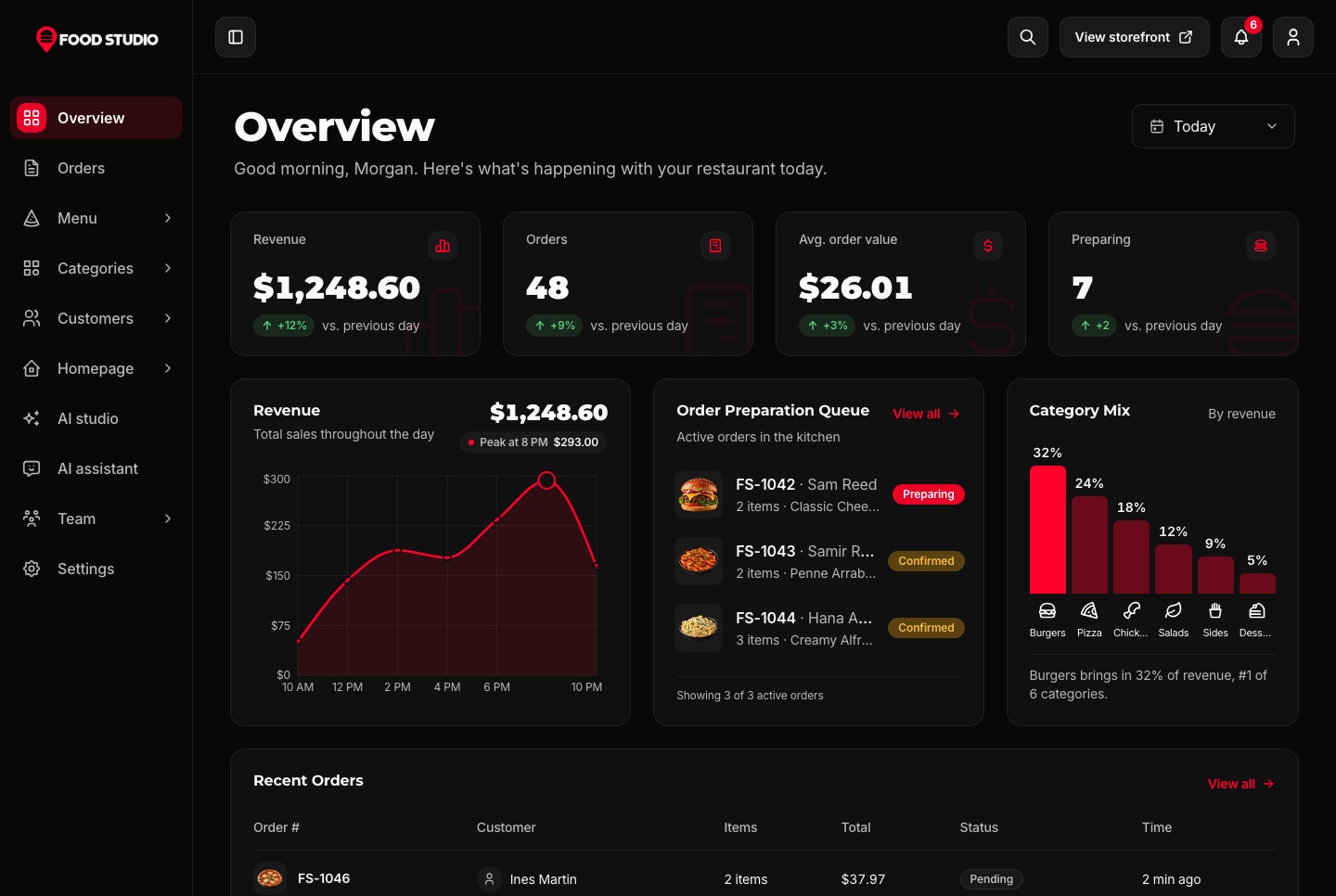
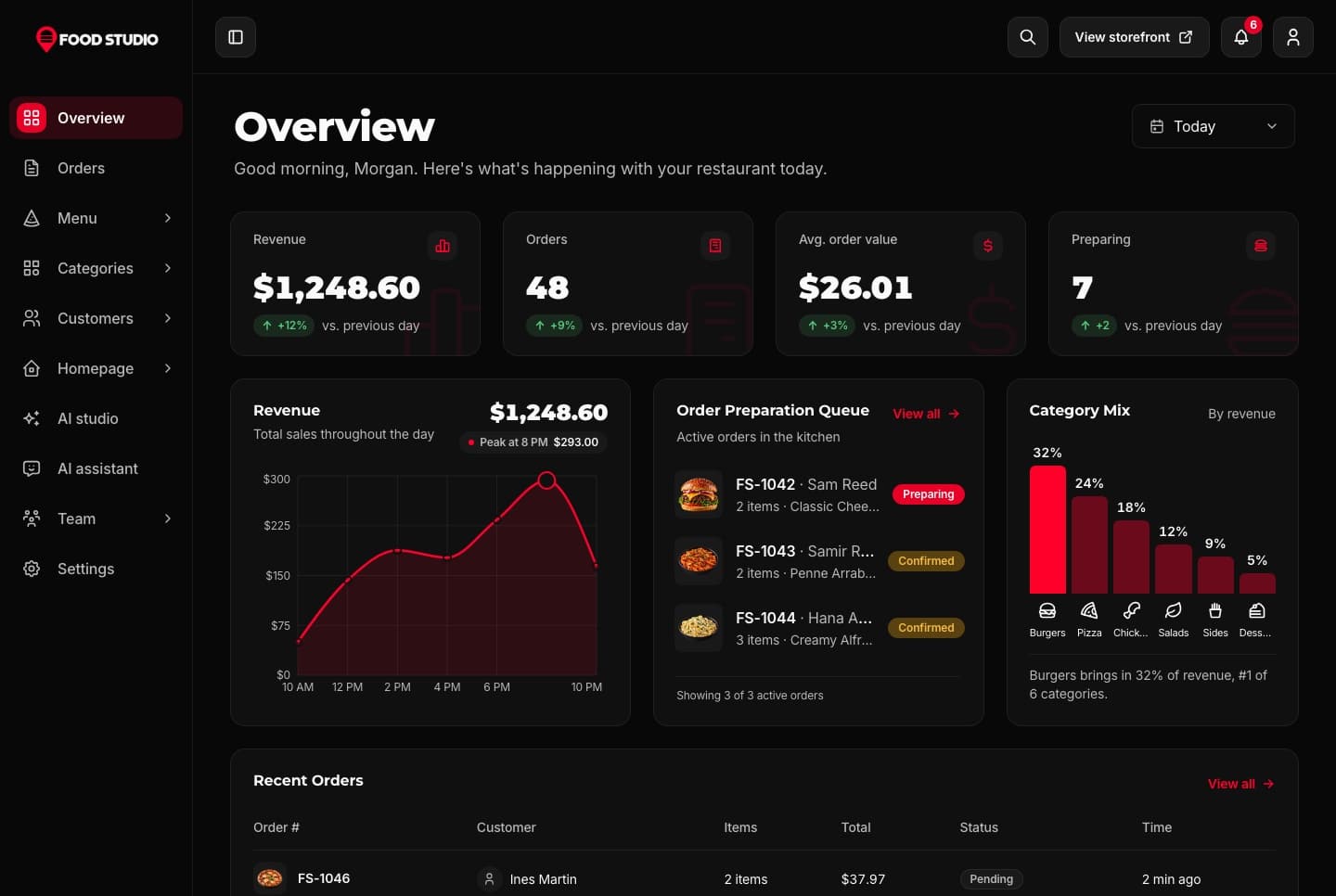
The overview opens on today's revenue, orders, average order value and the orders in preparation against the day before, with the revenue through the day, the category mix, the most popular dishes and the kitchen queue. A new order refreshes it the moment it arrives.

Staff dashboard overview, light theme
Staff dashboard overview, light theme. Revenue, orders, average order value and orders in preparation against the previous day, the revenue chart through the day, the preparation queue and the category mix.
Staff dashboard overview, dark theme
Staff dashboard overview, dark theme. Revenue, orders, average order value and orders in preparation against the previous day, the revenue chart through the day, the preparation queue and the category mix.

Orders with a timeline

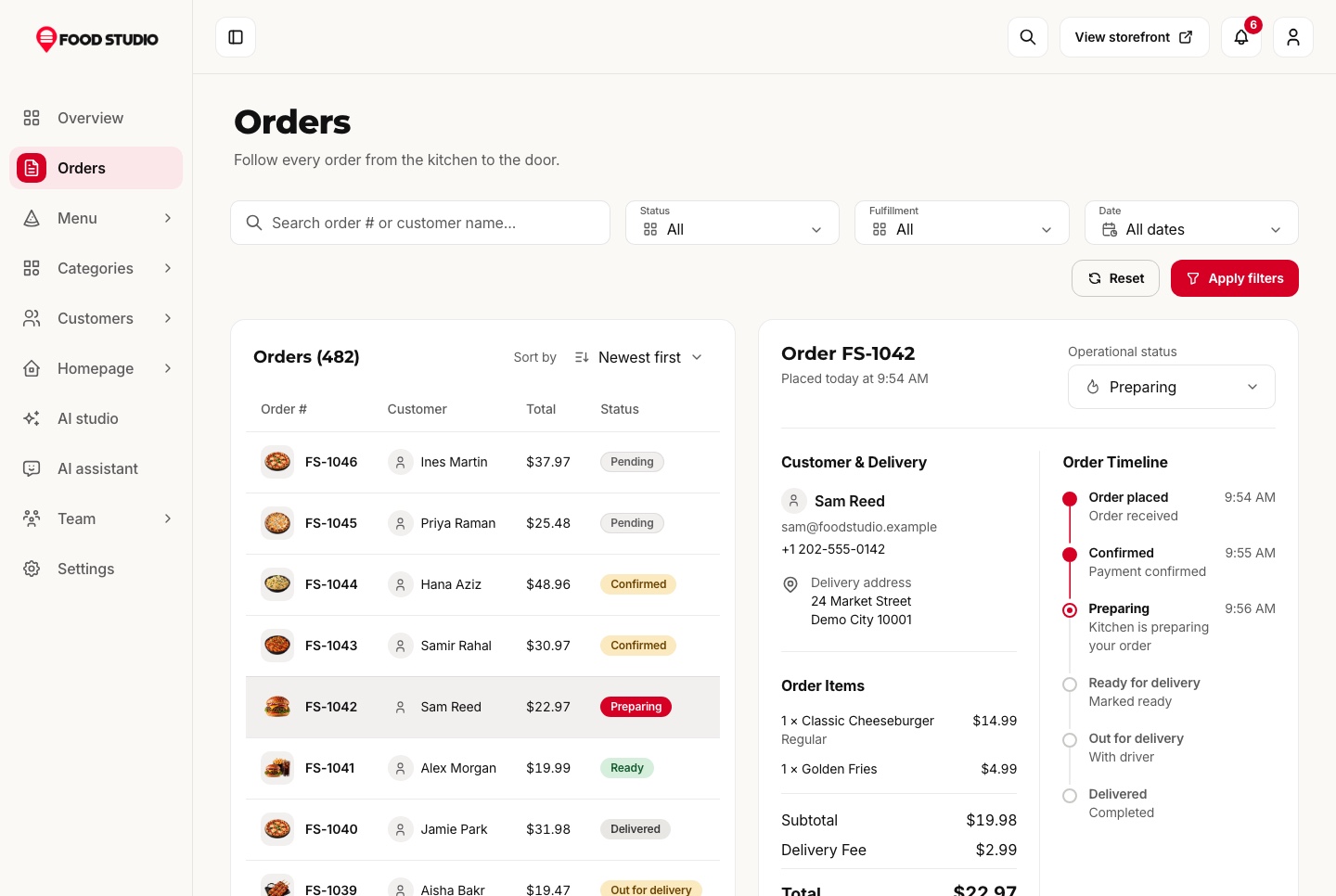
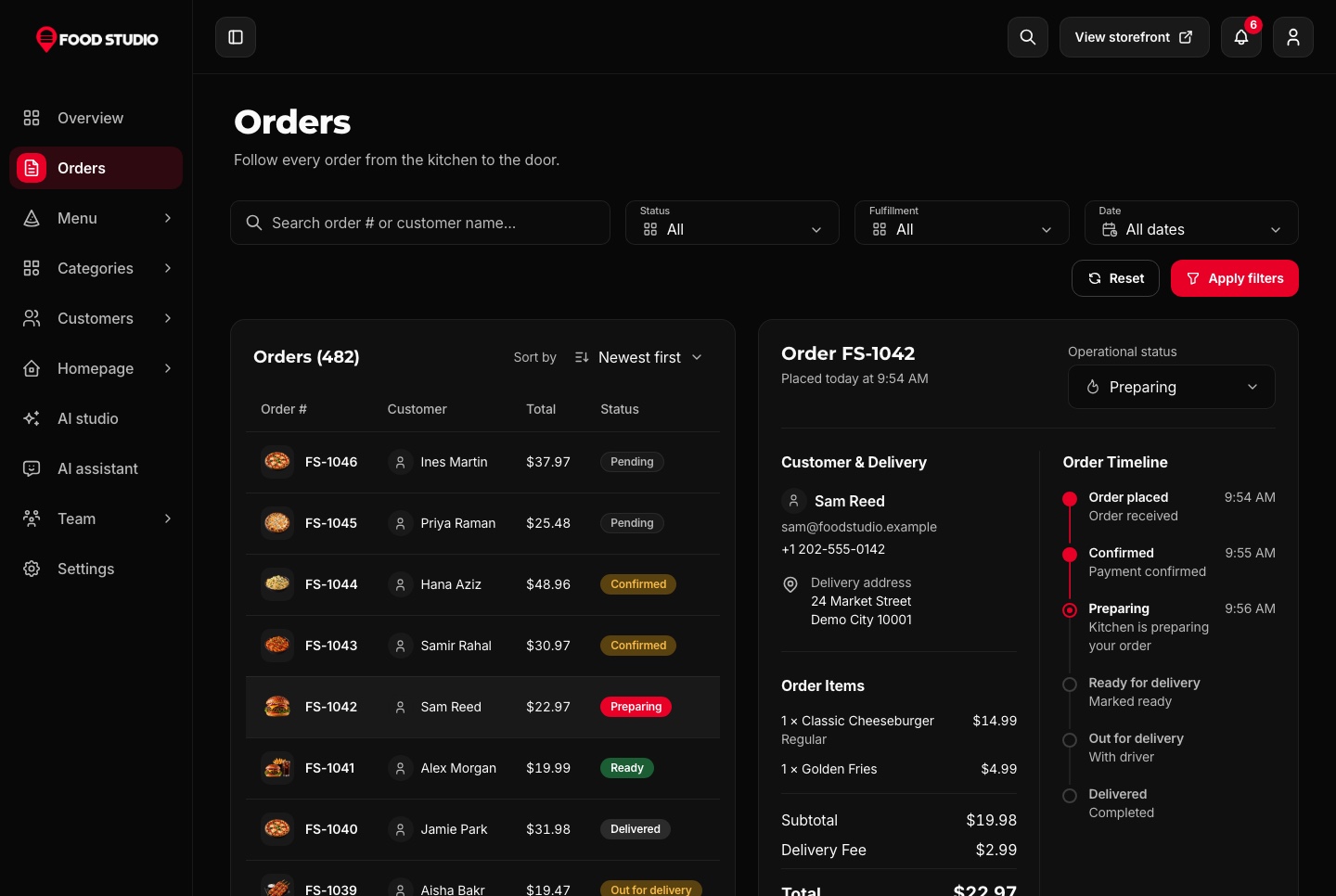
Every order opens in a panel with its items, the customer, the totals and a timeline of each change. Only the next steps that make sense are offered, and the server refuses any other.

  • Pickup orders skip the delivery step
  • A reason required to cancel
  • A notification the moment an order arrives
Orders with the timeline of the selected order, light theme
Orders with the timeline of the selected order, light theme. Every order with its customer, total and status beside the selected order's details, items and timeline, and the control that moves it on.
Orders with the timeline of the selected order, dark theme
Orders with the timeline of the selected order, dark theme. Every order with its customer, total and status beside the selected order's details, items and timeline, and the control that moves it on.

A dish editor in two languages

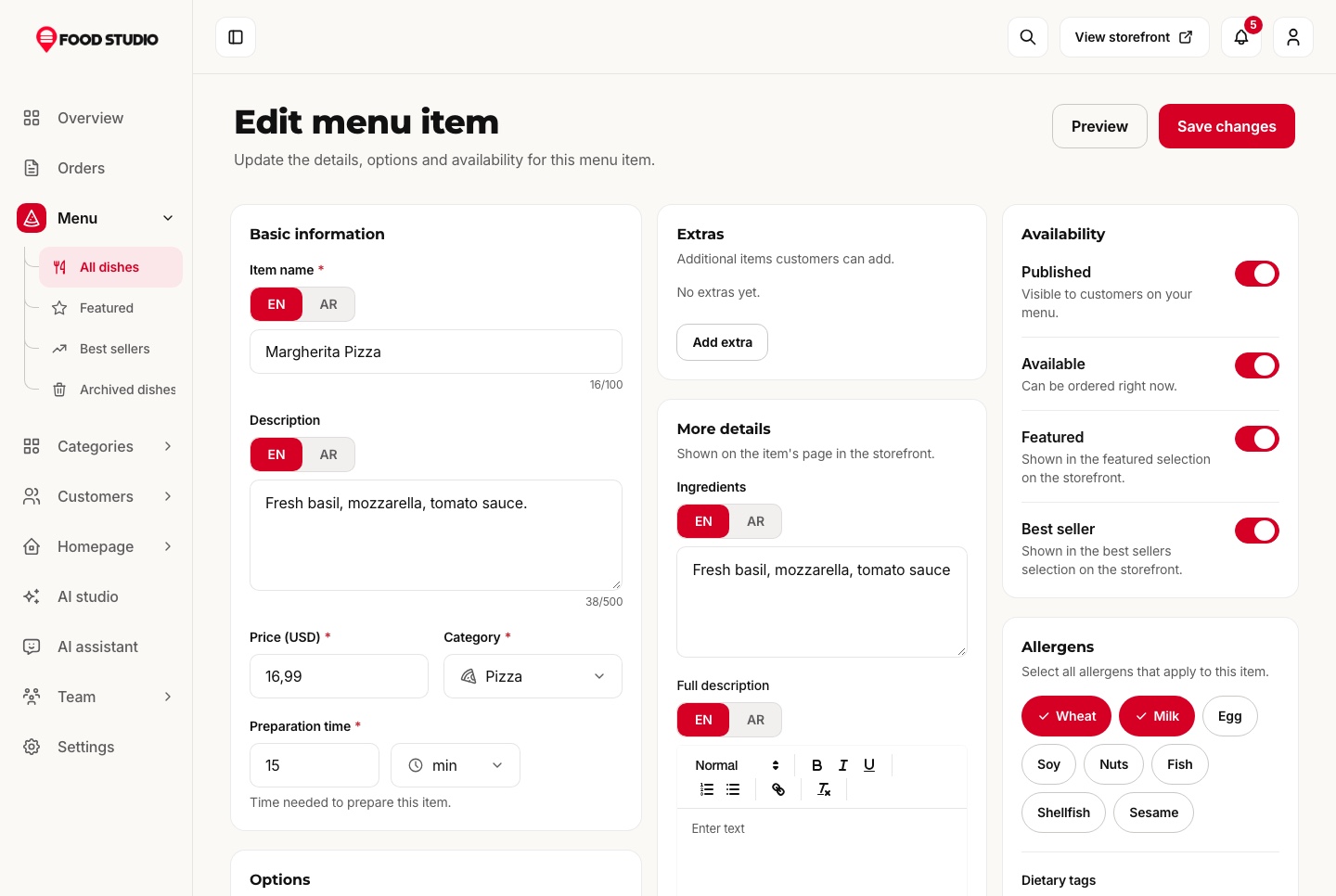
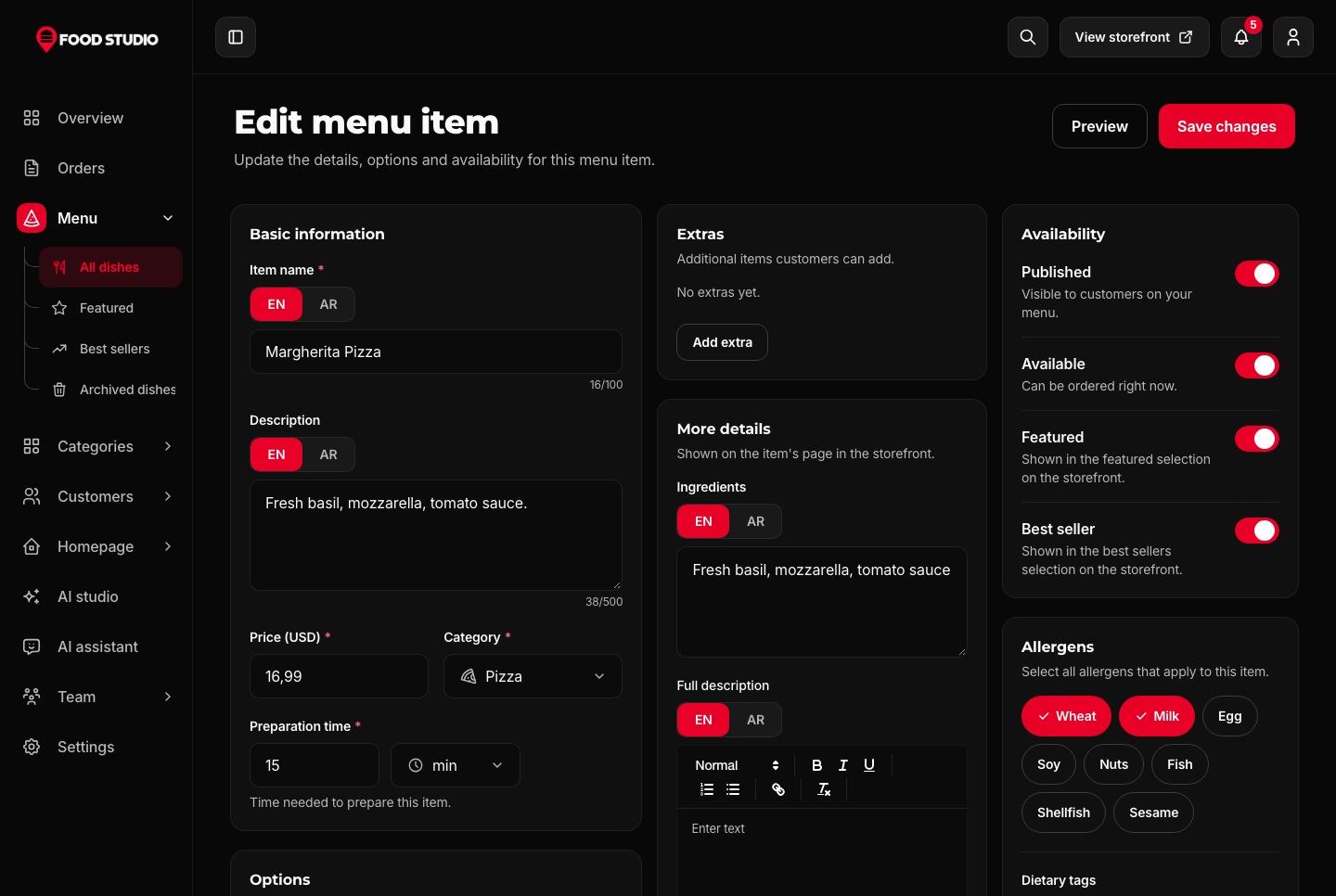
Name, description and ingredients in English and Arabic, photos or a video, a category, a preparation time, allergens and dietary tags, and extras as groups with their own minimum, maximum and prices.

  • Availability switched on each row of the menu
  • Optional stock that refuses an order it cannot fill
  • Featured, best seller and archived lists
Menu item editor, bilingual, light theme
Menu item editor, bilingual, light theme. Editing a dish in English and Arabic: name, description, price, category, preparation time, ingredients, extras, availability switches and allergens.
Menu item editor, bilingual, dark theme
Menu item editor, bilingual, dark theme. Editing a dish in English and Arabic: name, description, price, category, preparation time, ingredients, extras, availability switches and allergens.
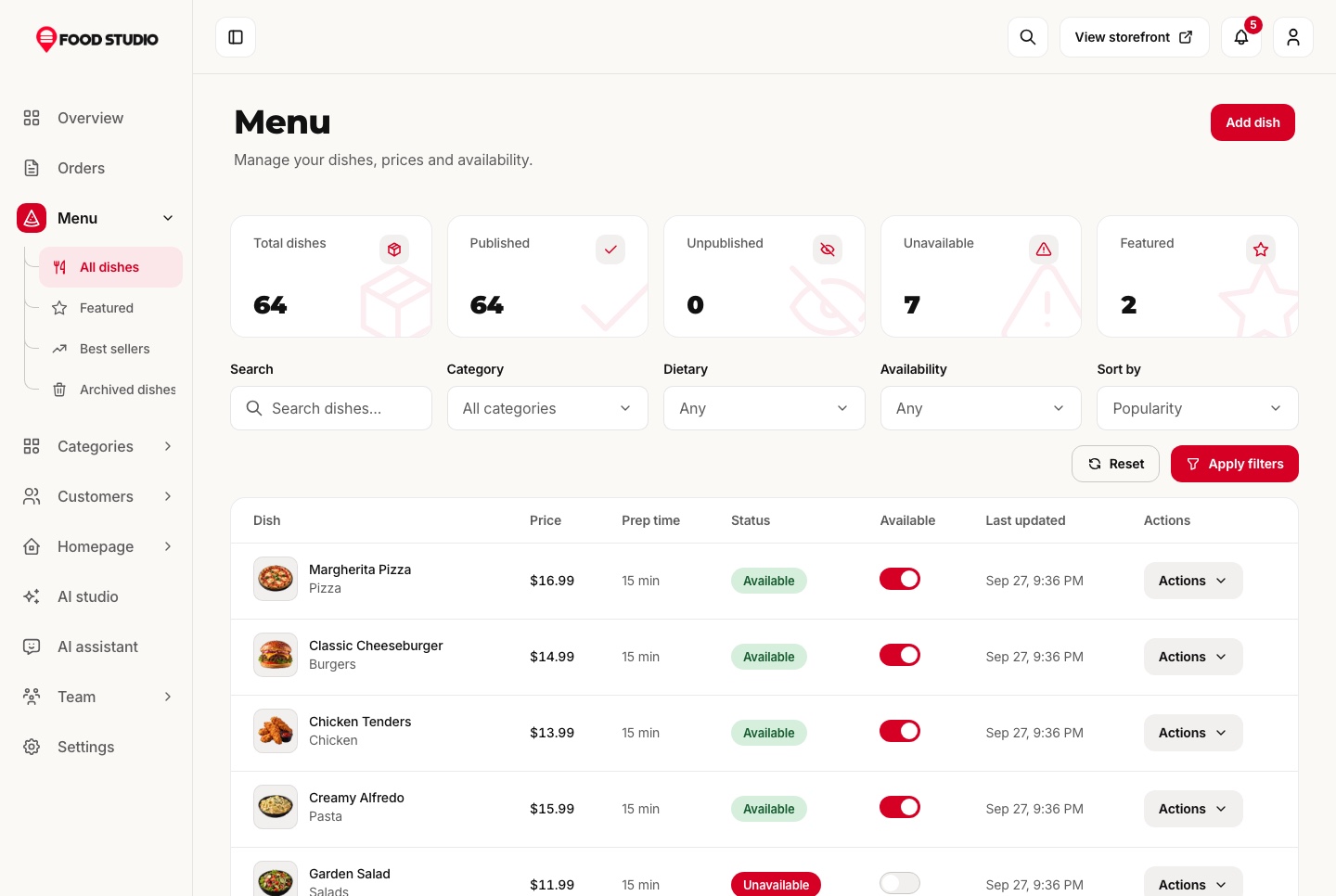
Menu management, light theme
Menu management, light theme. Dishes with their price, preparation time, status and an availability switch on each row, with counts for published, unpublished, unavailable and featured dishes.
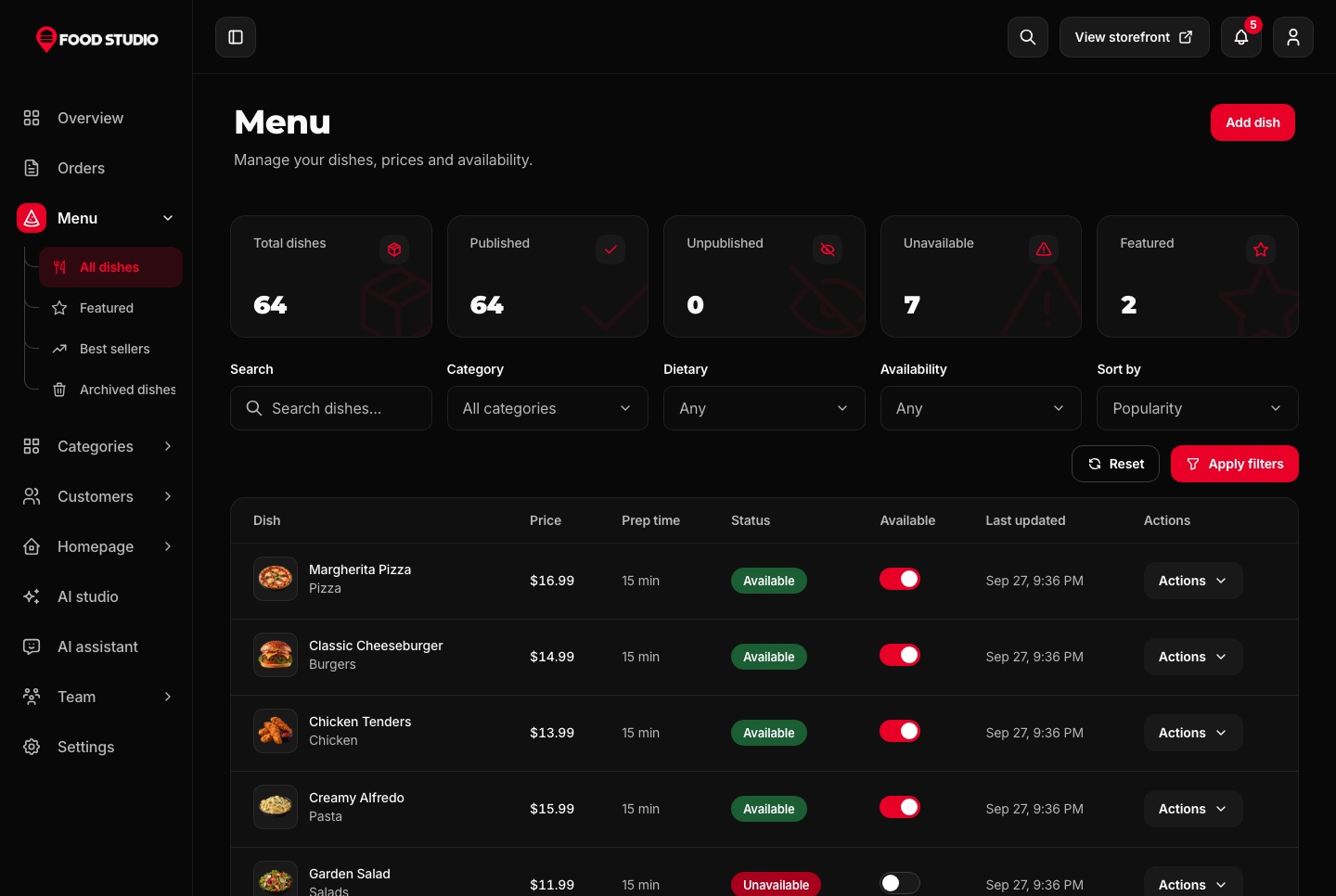
Menu management, dark theme
Menu management, dark theme. Dishes with their price, preparation time, status and an availability switch on each row, with counts for published, unpublished, unavailable and featured dishes.
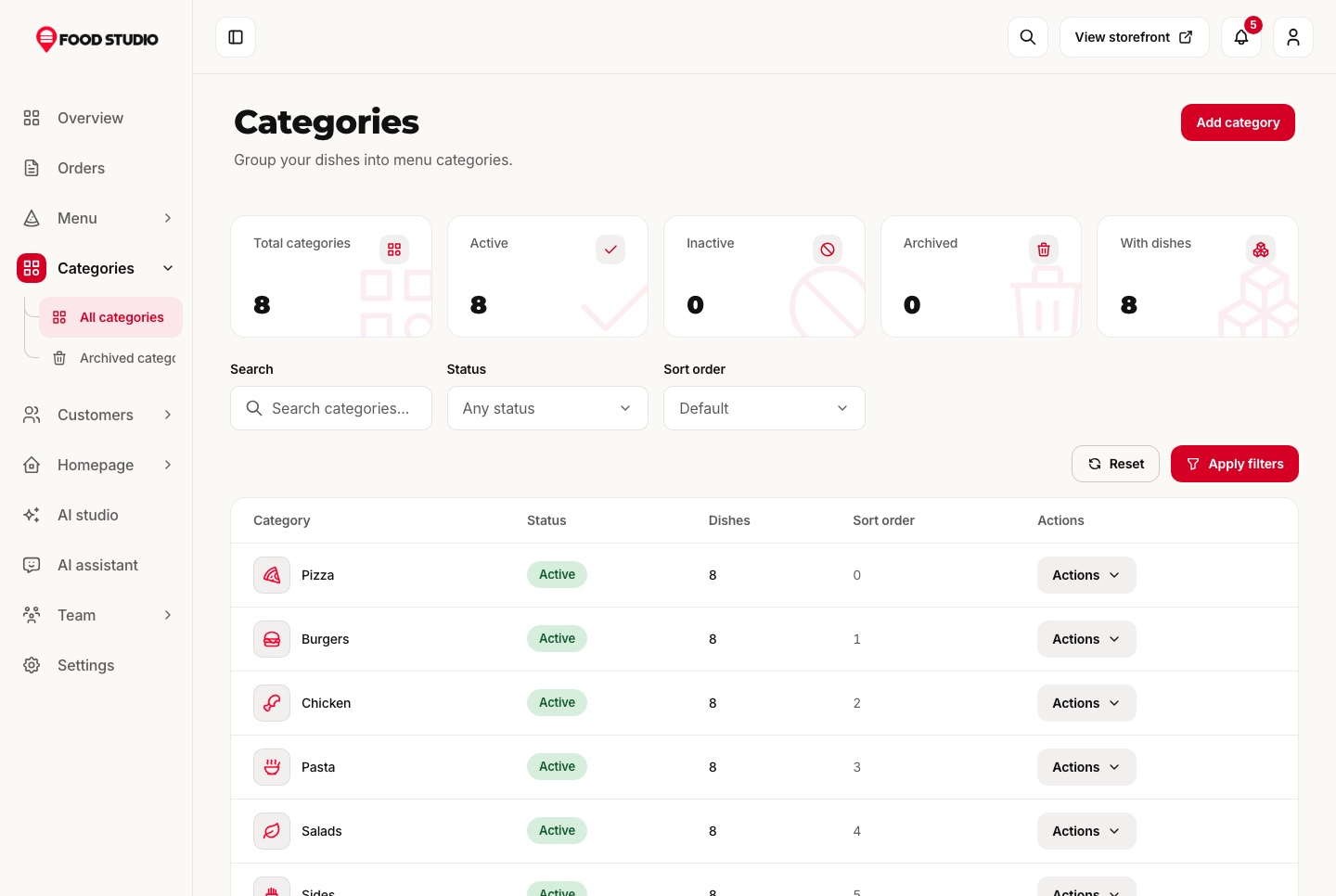
Categories, light theme
Categories, light theme. Menu categories with their icons, status, dish counts and sort order.
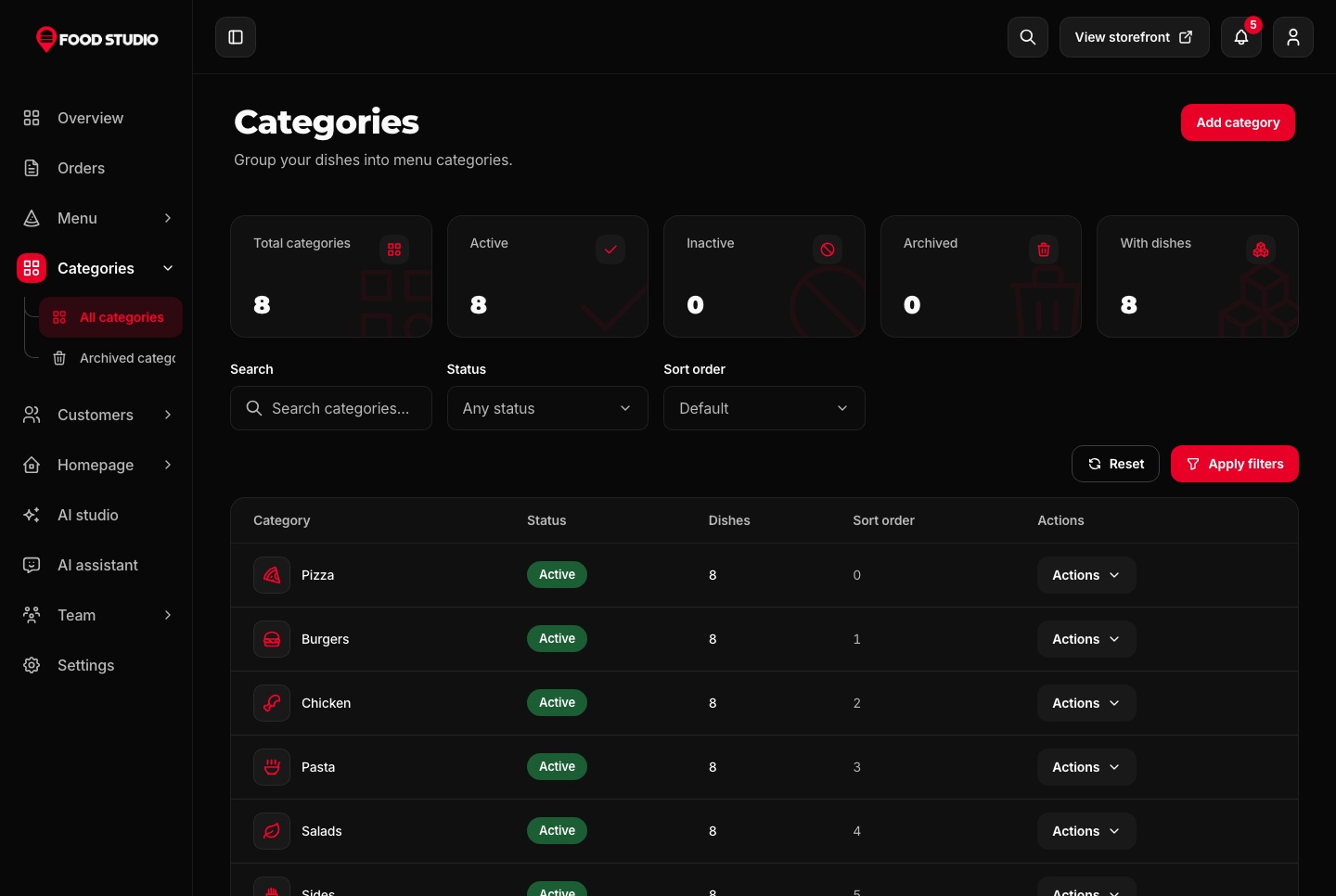
Categories, dark theme
Categories, dark theme. Menu categories with their icons, status, dish counts and sort order.

The home page, section by section

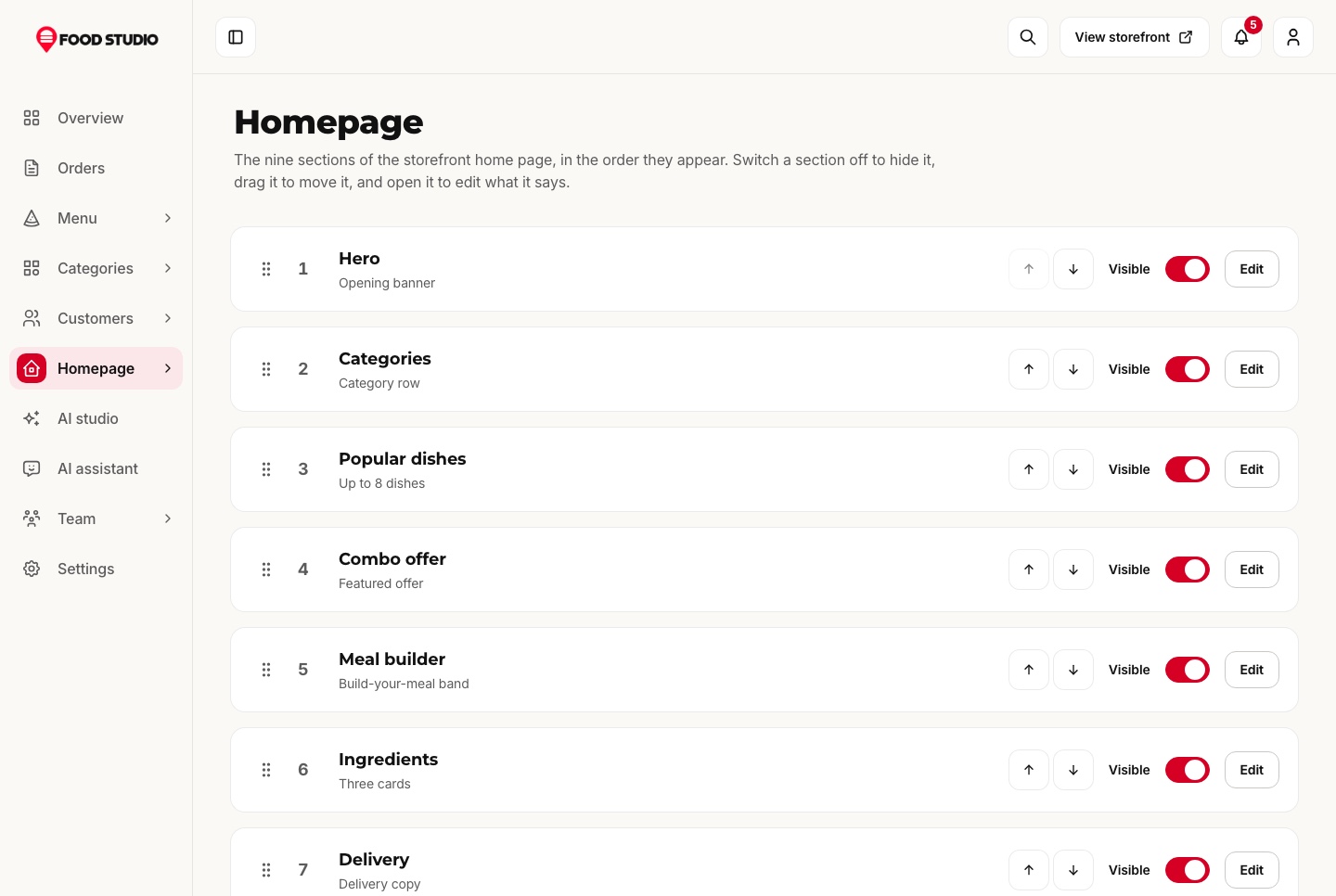
The nine sections of the home page are switched on or off, moved up or down and edited in place: the hero, the categories, the popular dishes, the combo, the meal builder, the ingredients, delivery, rewards and the questions.

  • Every text in English and Arabic
  • Popular dishes picked from the menu
  • No code change to rearrange the page
Homepage sections, light theme
Homepage sections, light theme. The nine sections of the home page in order, each switched on or off, moved up or down, and opened to edit what it says.
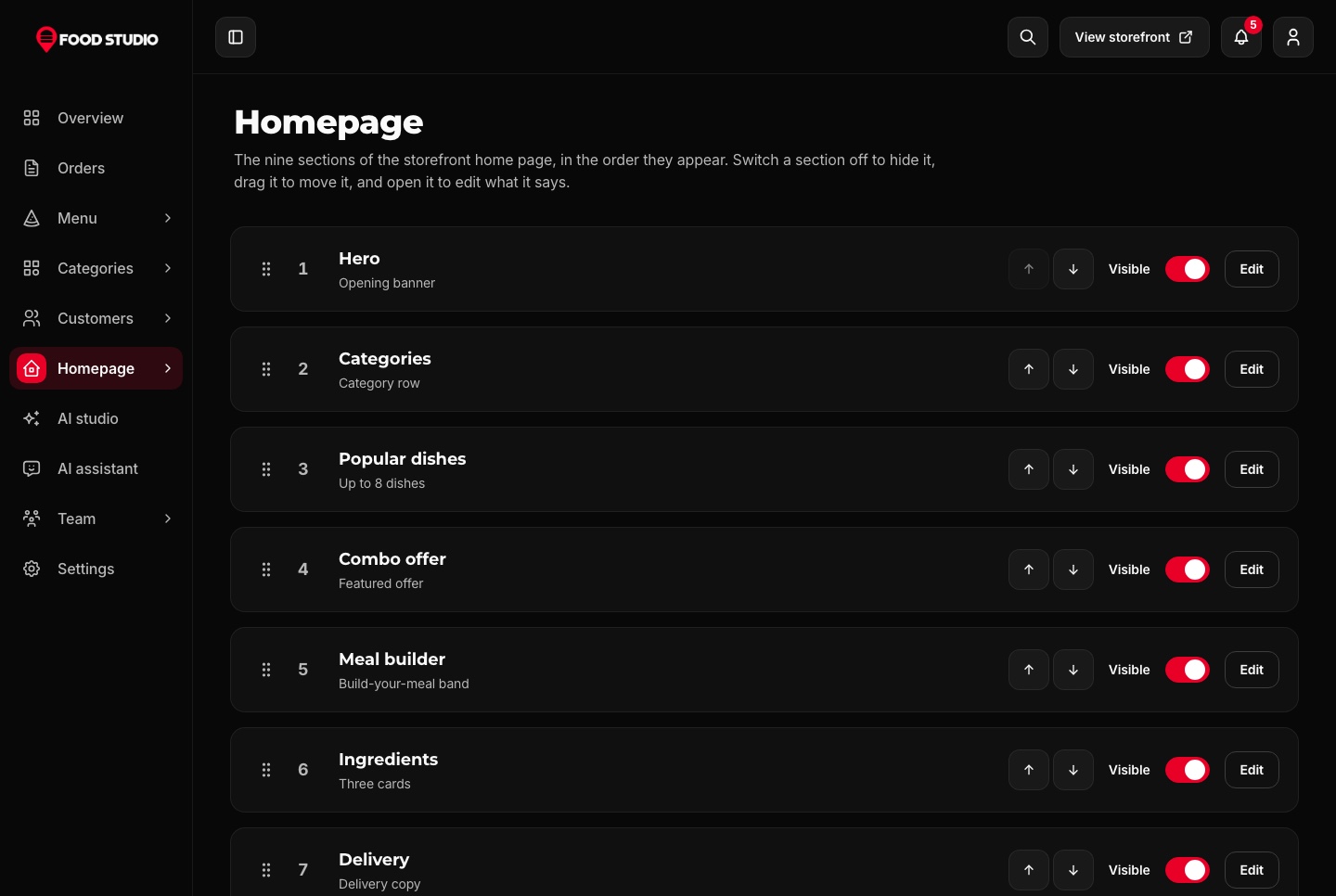
Homepage sections, dark theme
Homepage sections, dark theme. The nine sections of the home page in order, each switched on or off, moved up or down, and opened to edit what it says.

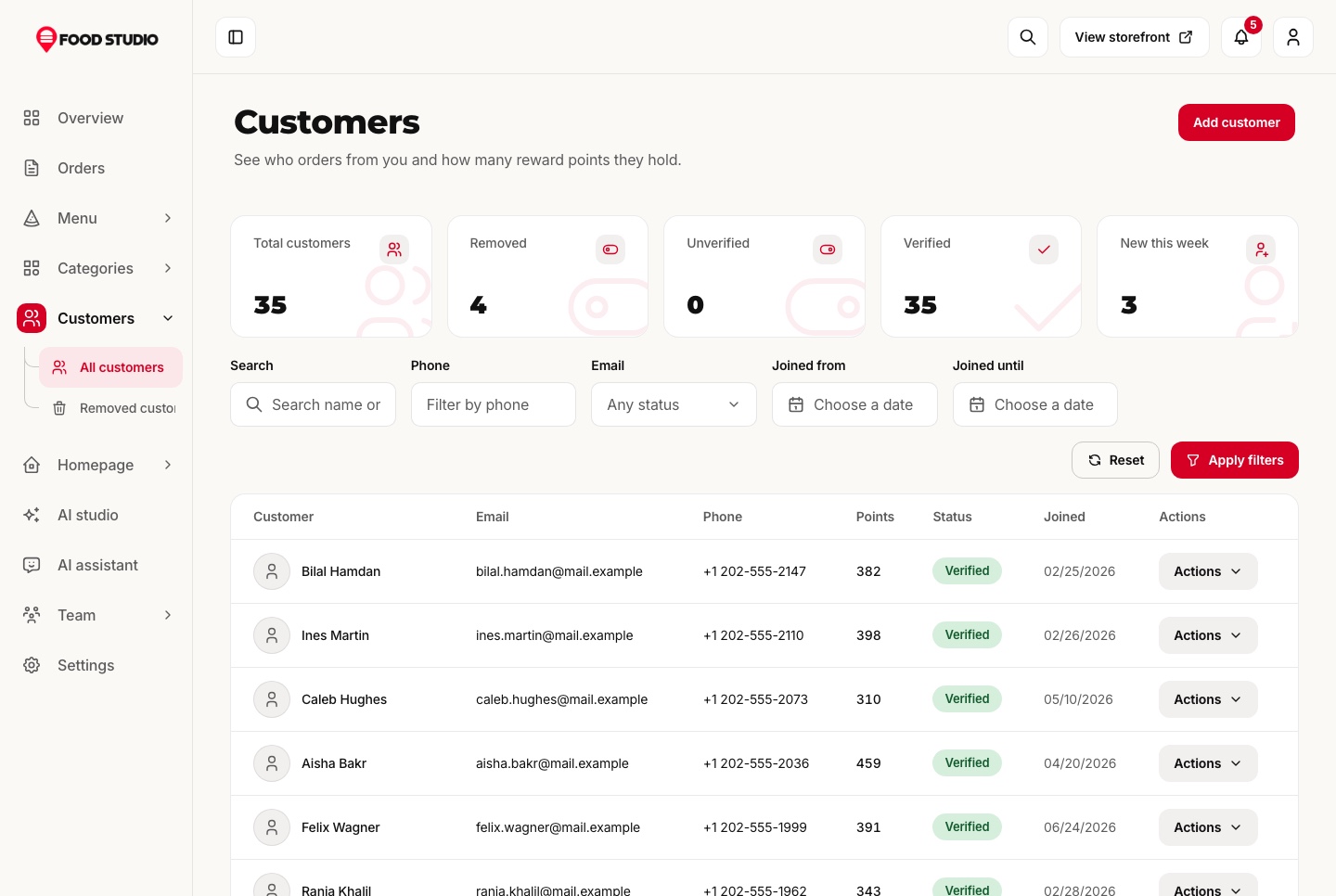
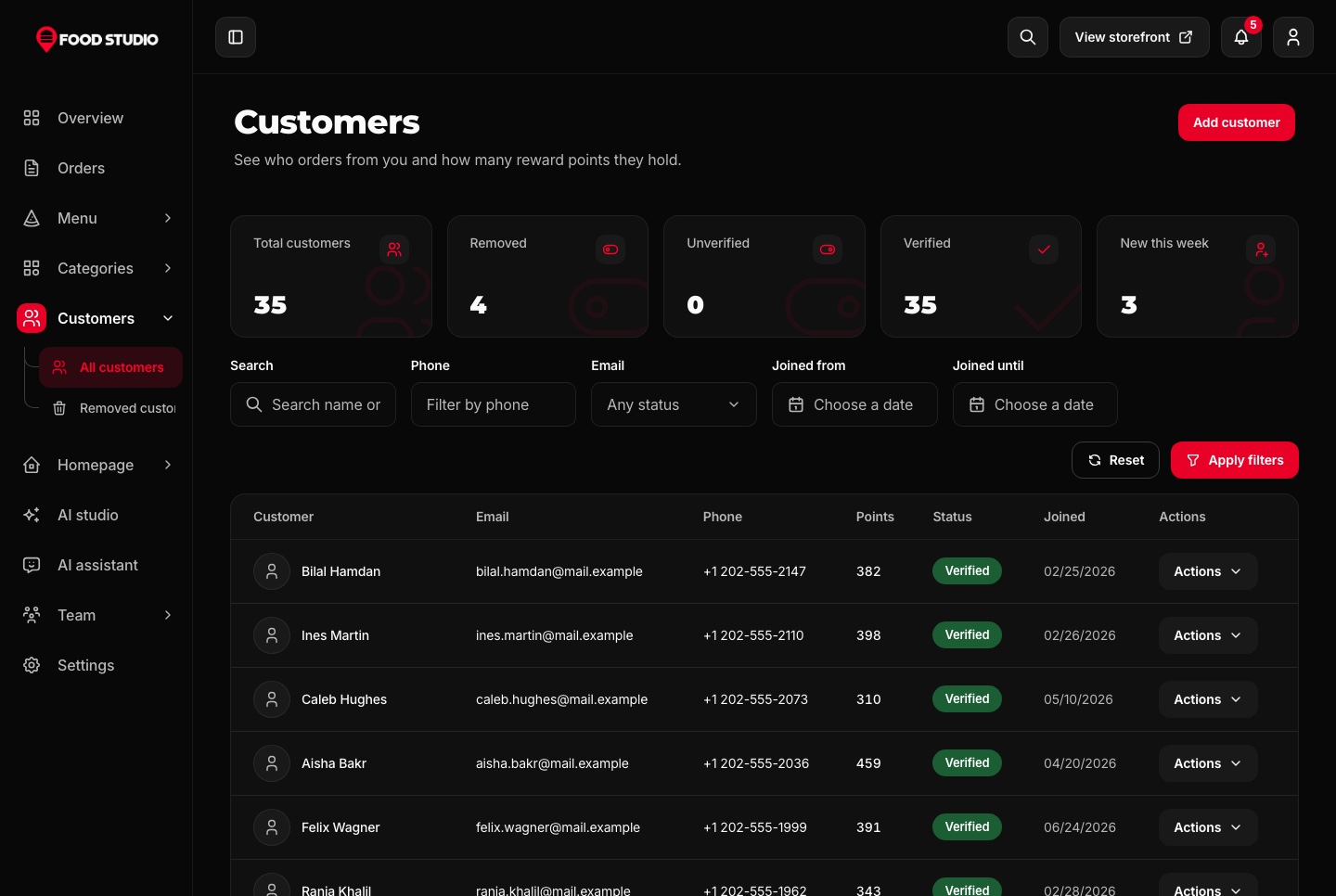
Customers and their points

Every customer with their contact details, their reward points and when they joined, filtered by name, phone, email and date.

  • A detail page per customer
  • Removed customers kept apart and restorable
  • Points recorded in a ledger for each order
Customers with their reward points, light theme
Customers with their reward points, light theme. Customers with their email, phone, reward points, verification and join date, filtered by name, phone, email and date.
Customers with their reward points, dark theme
Customers with their reward points, dark theme. Customers with their email, phone, reward points, verification and join date, filtered by name, phone, email and date.

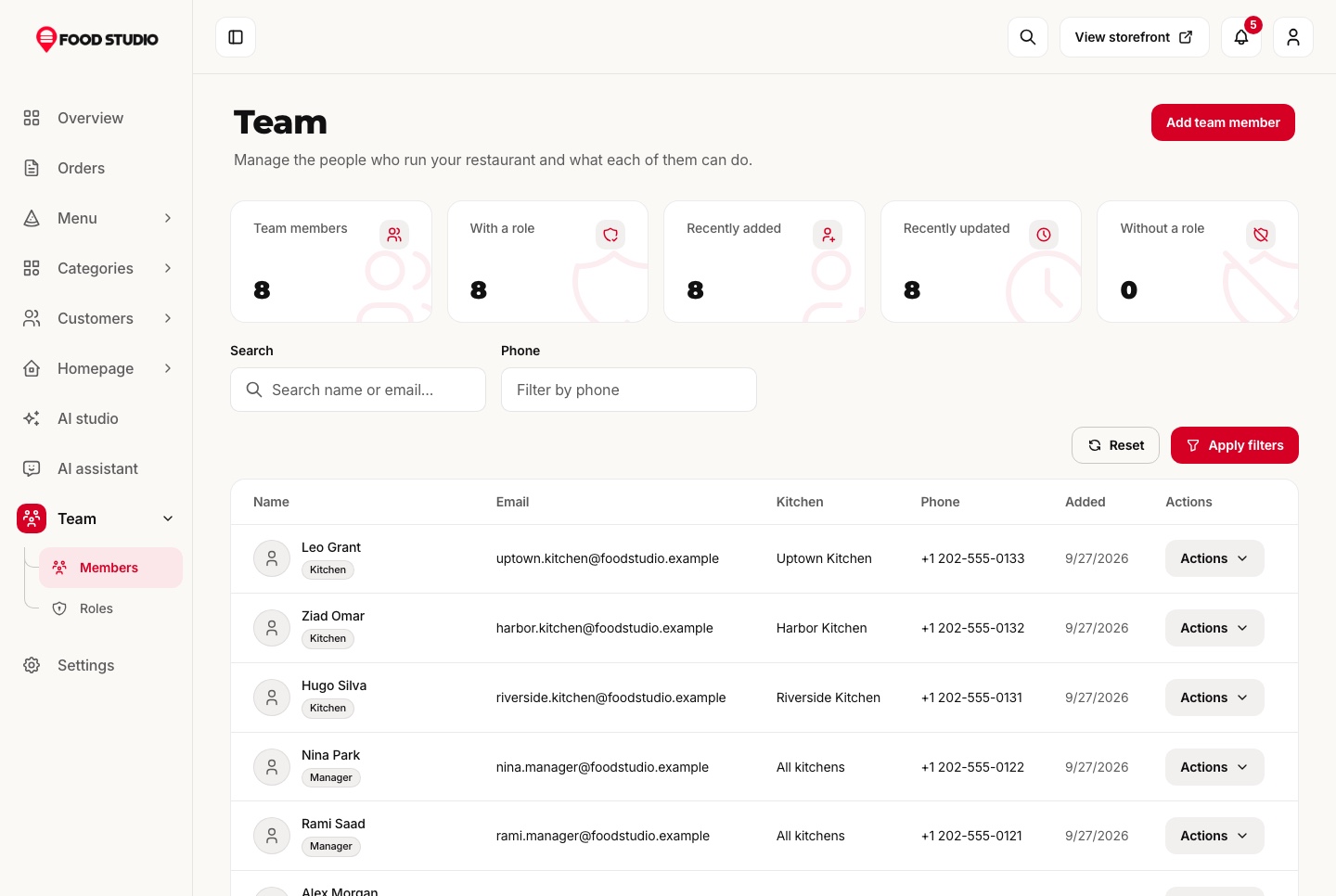
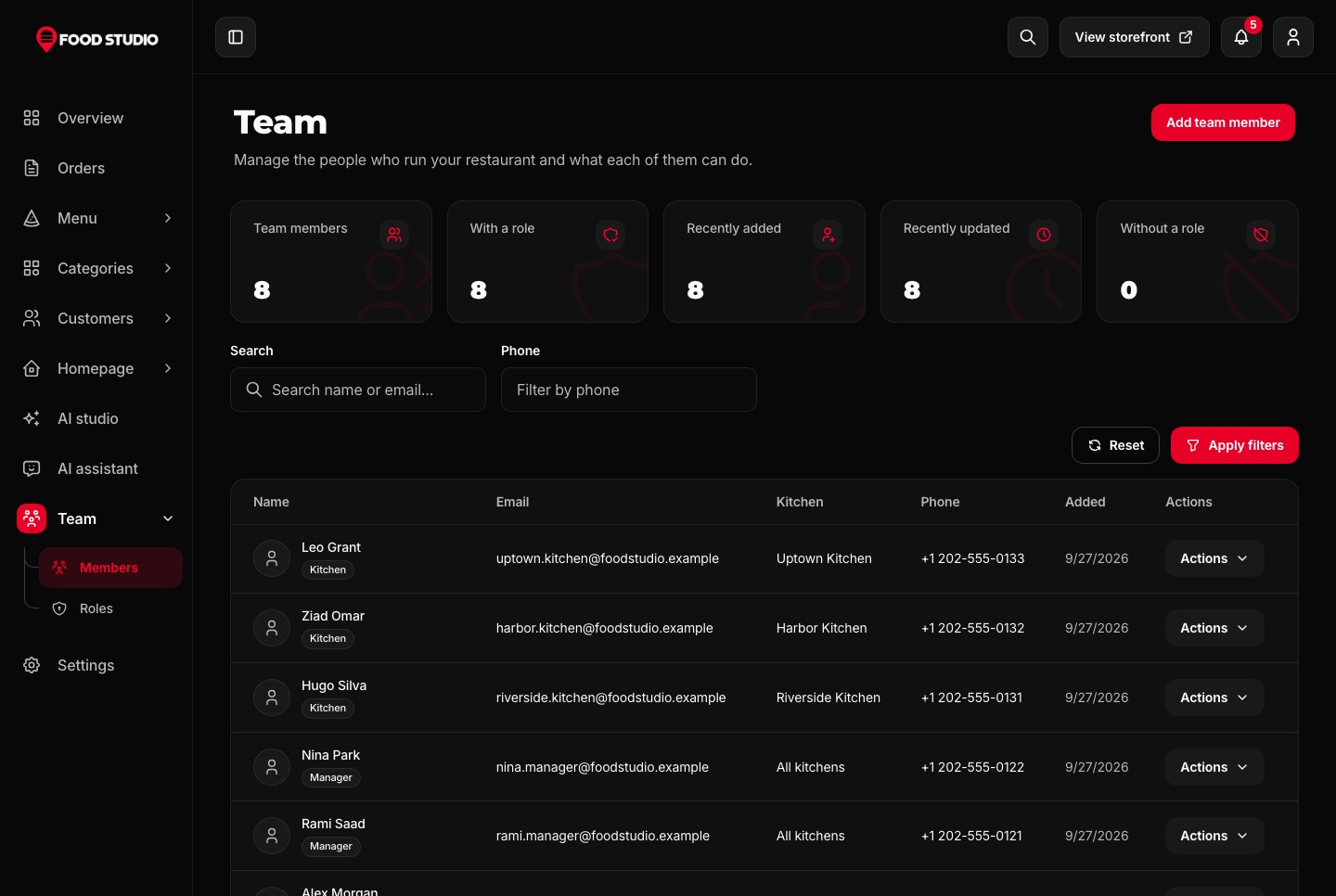
A team with roles and kitchens

Owners, managers and kitchen staff each get the permissions their role allows, and roles are edited permission by permission. A kitchen account sees only its own kitchen's orders, without prices, and moves them from confirmed to ready.

  • Menu items and actions hidden without the permission
  • Roles created and edited from the dashboard
  • Each kitchen account tied to one kitchen
Team with roles and kitchens, light theme
Team with roles and kitchens, light theme. Staff members with their role (owner, manager or kitchen) and the kitchen each one works in.
Team with roles and kitchens, dark theme
Team with roles and kitchens, dark theme. Staff members with their role (owner, manager or kitchen) and the kitchen each one works in.

Settings the restaurant owns

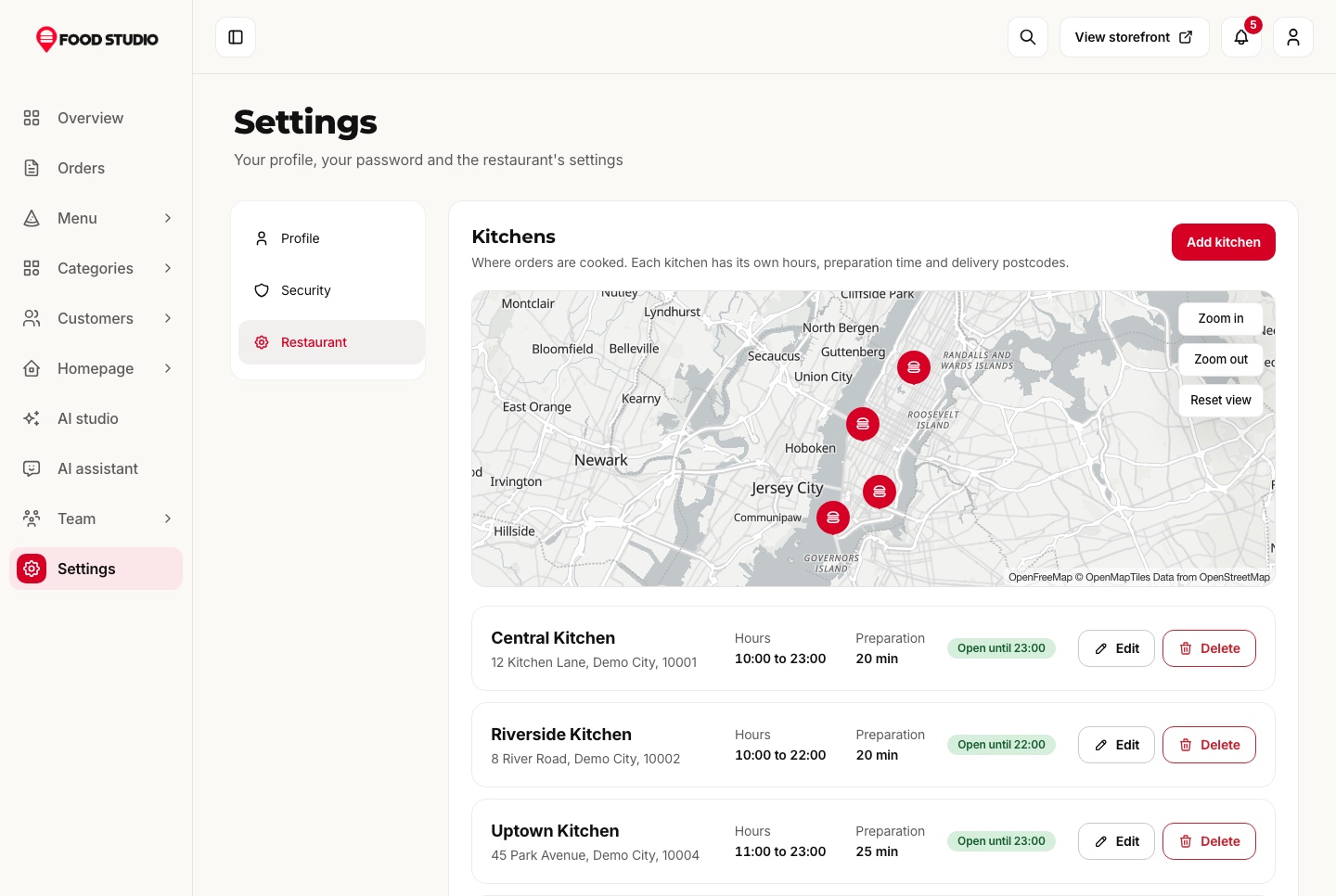
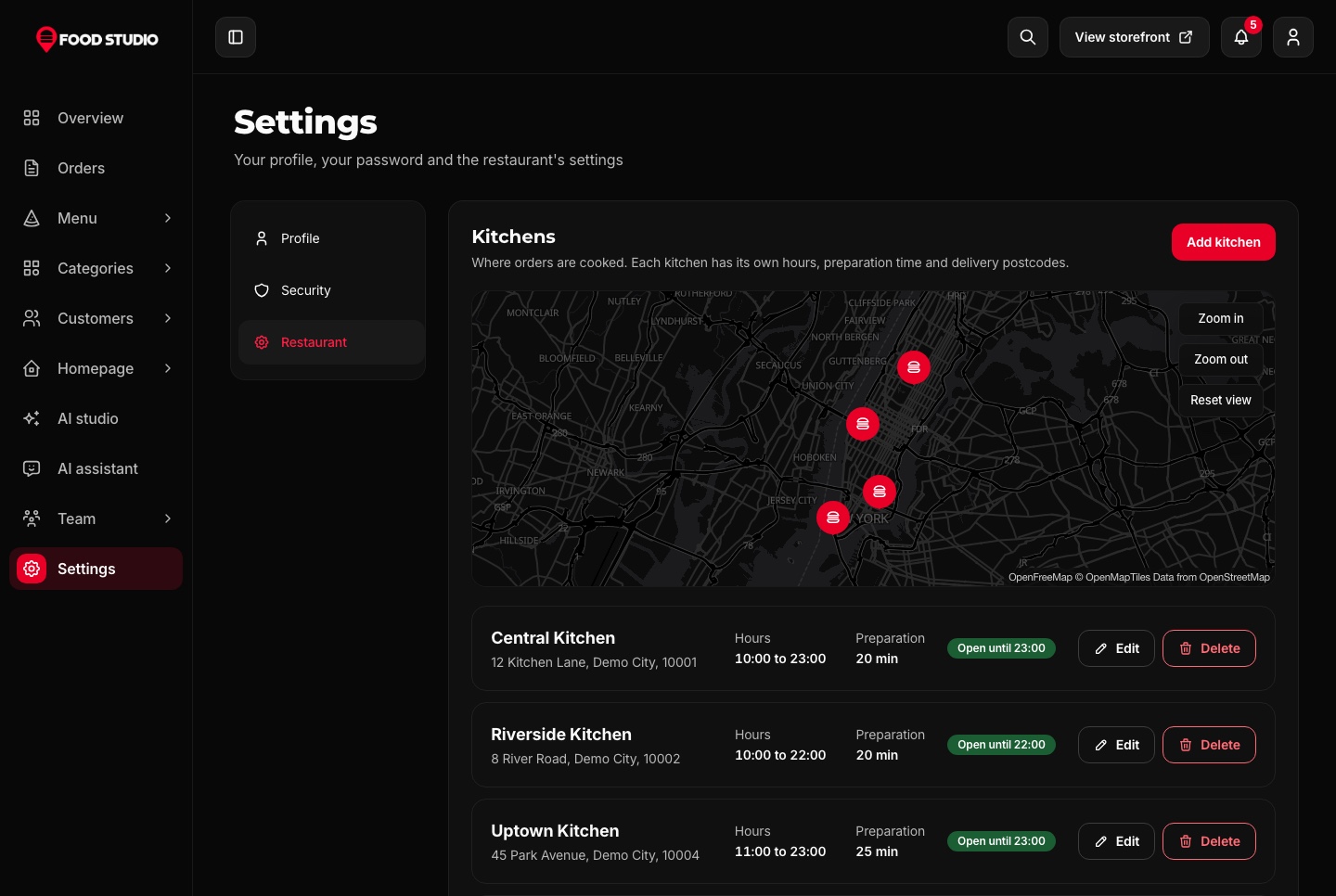
Kitchens pinned on a map with their hours and postcodes, delivery and pickup fees, the minimum order, the reward rules, promo codes and the payment methods offered at checkout.

  • A location picker on a real map
  • Promo codes that can combine with rewards or not
  • The dashboard's language and theme
Settings: kitchens on a map, light theme
Settings: kitchens on a map, light theme. The restaurant's kitchens pinned on a real map, each with its hours, preparation time, open state, edit and delete.
Settings: kitchens on a map, dark theme
Settings: kitchens on a map, dark theme. The restaurant's kitchens pinned on a real map, each with its hours, preparation time, open state, edit and delete.
AI for the menu

Dish photos and listings without a photo studio

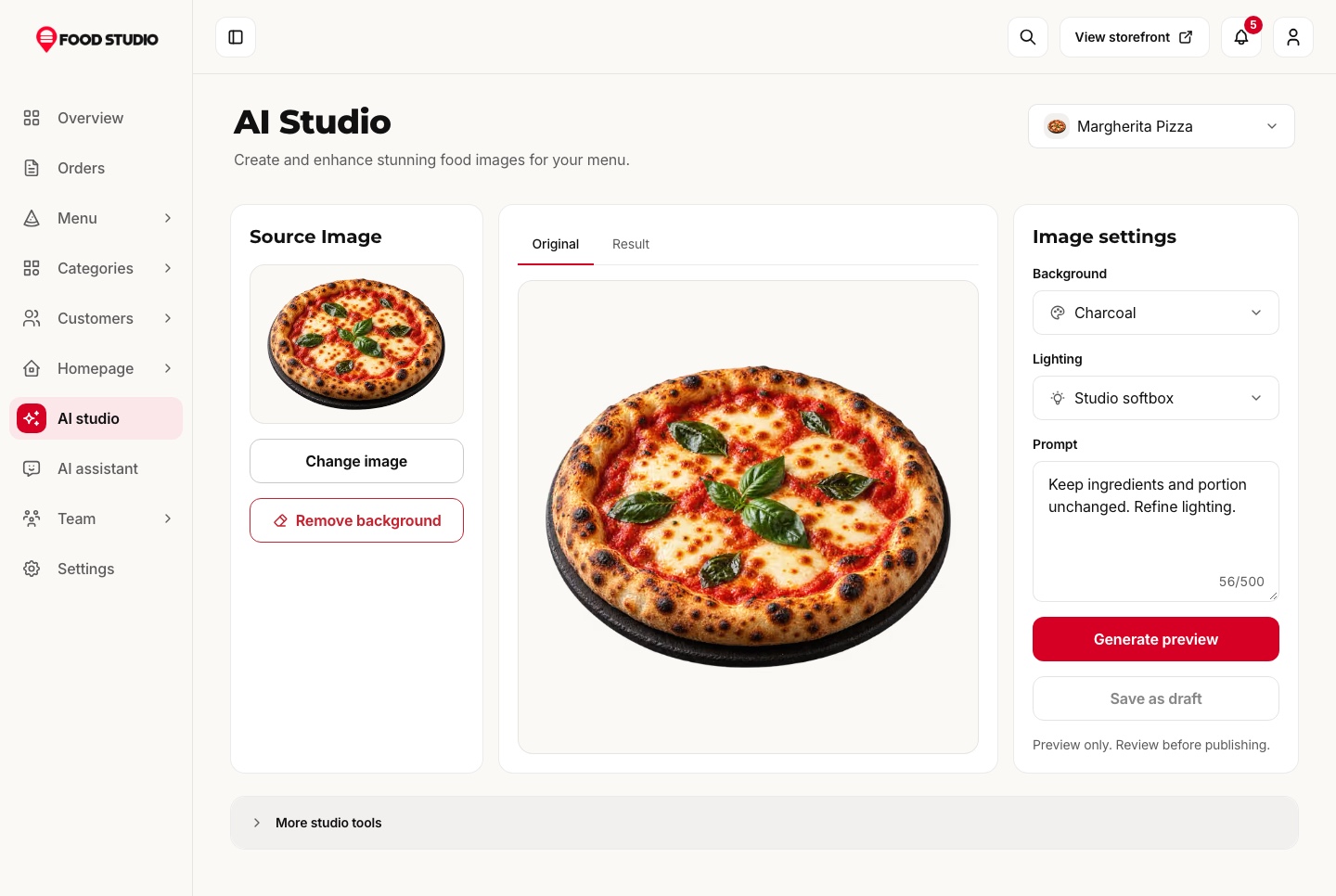
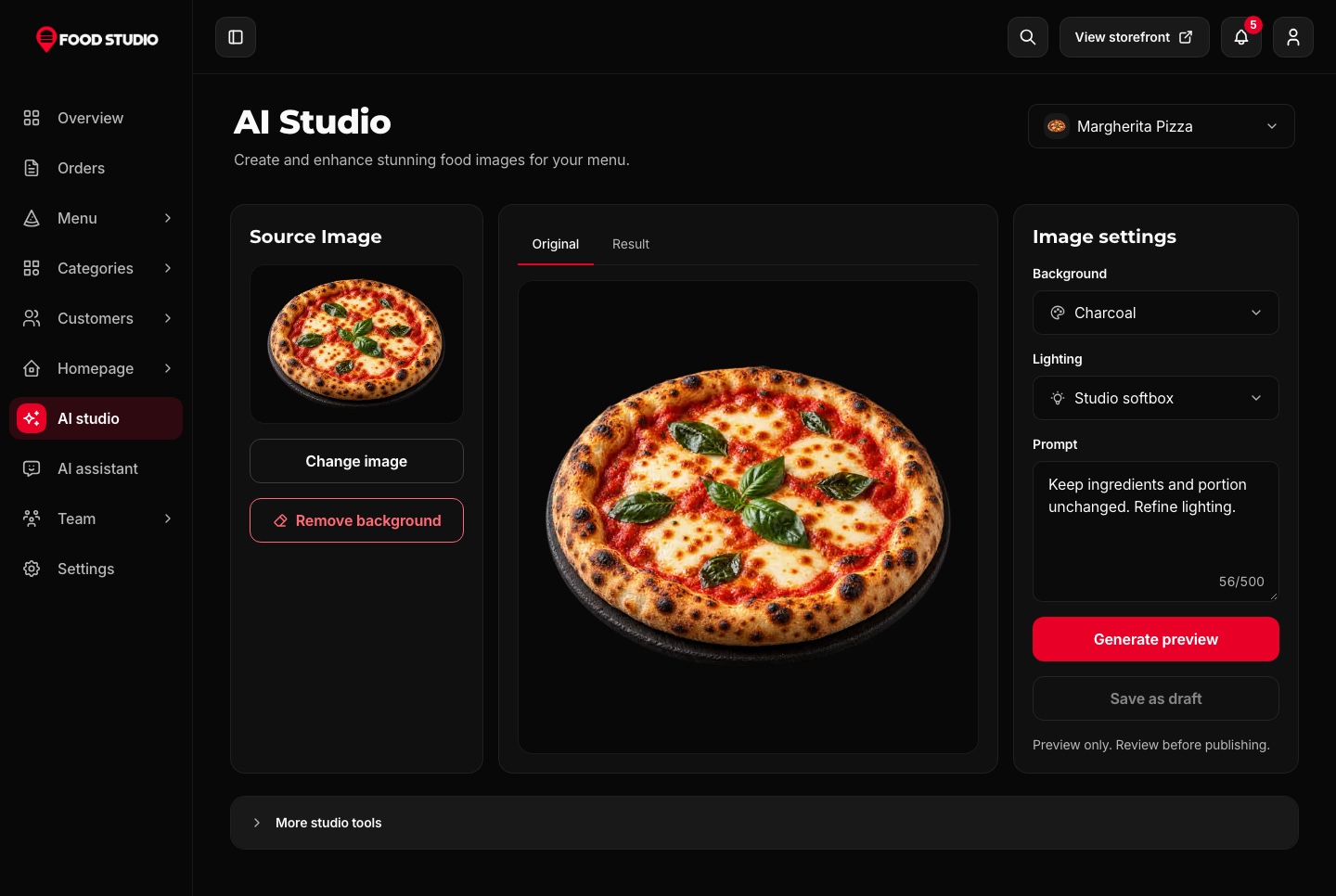
The AI studio drafts a dish's name, description and details from a prompt or up to four photos, and restyles a dish photo with Google Gemini in a chosen shot, background and light.

Background removal on your own server

Cutting a dish out of its background runs on the API with a local model. It needs no key and costs nothing per photo, which is how every dish on the menu sits on its own tile.

  • A before and after slider on every result
  • Shot presets for a menu hero, top down, close up or cut-out
  • Optional clips from a dish photo with your own Higgsfield key
AI studio for dish photos, light theme
AI studio for dish photos, light theme. A dish's photo with background removal on the server, background and lighting choices and a prompt for a restyled version.
AI studio for dish photos, dark theme
AI studio for dish photos, dark theme. A dish's photo with background removal on the server, background and lighting choices and a prompt for a restyled version.

An assistant that knows the restaurant

Ask how many orders came in today or which dishes sell best this week. The assistant answers from the restaurant's own data through MCP tools, limited to what the person asking may see, and draws a chart when the question is about a trend.

  • Changes proposed with a before and after, applied only once confirmed
  • Google Gemini models with your own key
  • The same 56 tools open to coding agents at the MCP endpoint
AI assistant answering a question, dark theme (clip). A question typed into the staff dashboard's assistant, answered from the restaurant's own orders with a revenue chart for the last 7 days.
Bilingual

English and Arabic, in both directions

Every screen of the website and the dashboard is written in both languages and mirrors for Arabic, and the menu itself is stored in both languages, with prices and figures kept in Latin digits.

The dashboard in Arabic

The same components run right to left, so there is no second layout to maintain.

  • Dishes written in both languages from one editor
  • Charts, tables and menus mirrored for Arabic
  • Figures in Latin digits in both locales
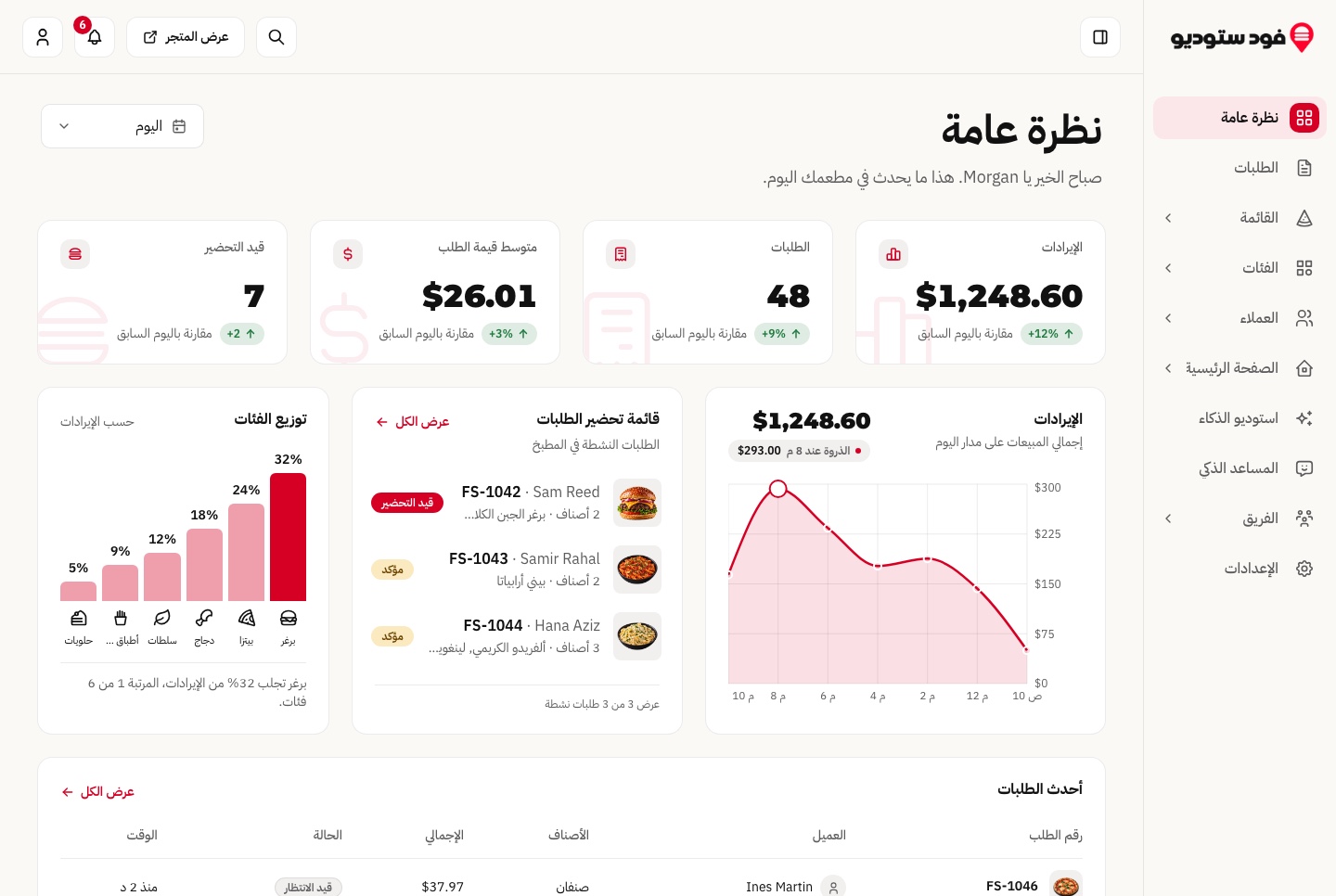
Arabic dashboard overview, right to left, light theme
Arabic dashboard overview, right to left, light theme. The dashboard overview in Arabic: the sidebar on the right, the chart reversed and every figure in Latin digits.
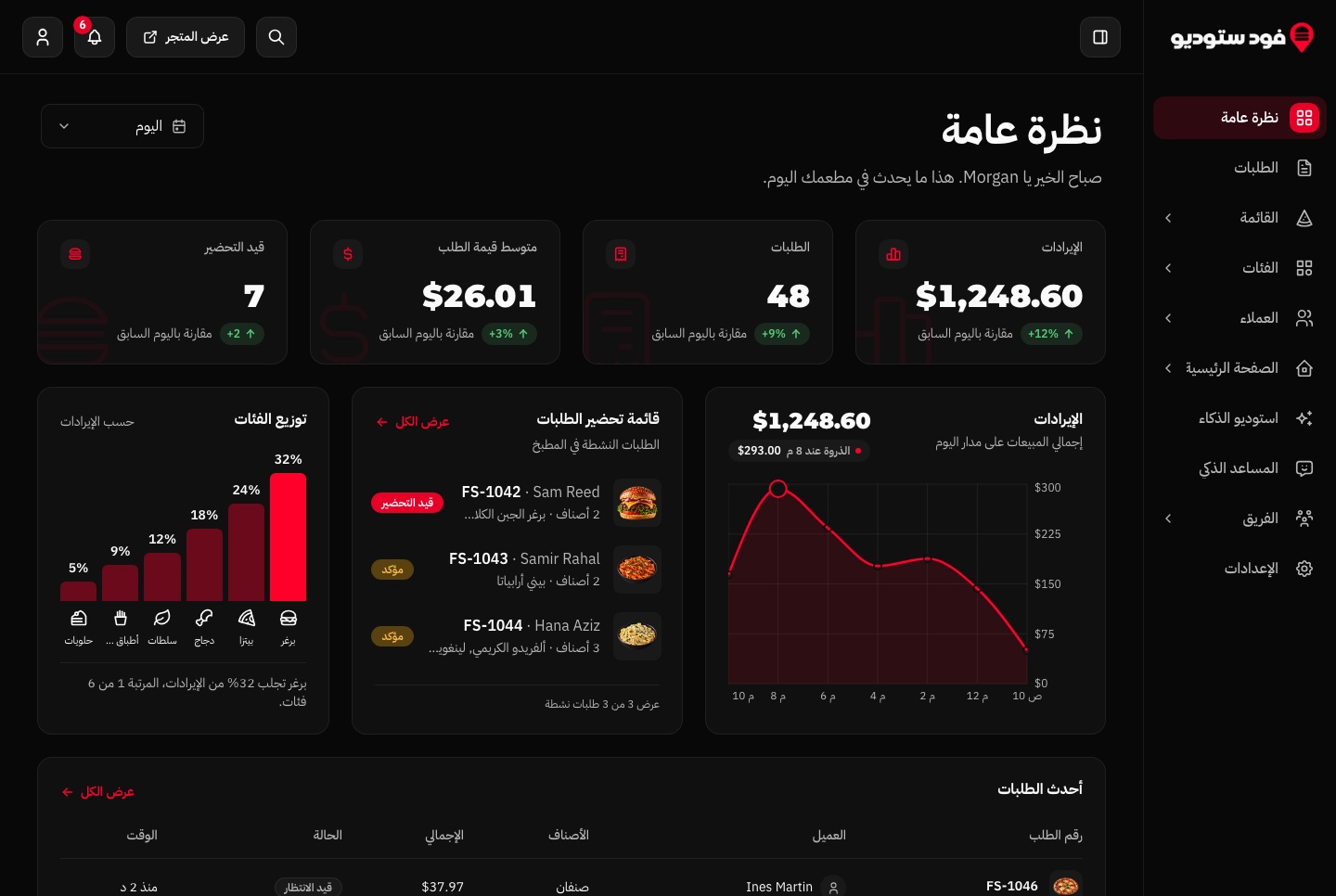
Arabic dashboard overview, right to left, dark theme
Arabic dashboard overview, right to left, dark theme. The dashboard overview in Arabic: the sidebar on the right, the chart reversed and every figure in Latin digits.

Technical Specifications

Framework

Next.js 16.3.6

React Version

React 19.3.0

Styling

Tailwind CSS 4.3.3

TypeScript

Yes

Responsive

Mobile, Tablet, Desktop

Support Period

Lifetime Included

Pro Tip: All templates include comprehensive documentation to get you started quickly.

Frequently asked questions

What do I get when I buy this template?
The complete source code of the package you choose, downloaded from your personal dashboard right after checkout. A business invoice is available for every purchase.
Can I use it for client and commercial projects?
Yes. Every paid template comes with a Commercial licence that covers unlimited commercial projects, including work you deliver to clients.
Do I get updates after buying?
Yes. Updates are free. New versions appear in your dashboard, where you can download every file you own again at any time.
Is support included?
Yes. The assistant on this page answers in seconds, and email support is included with every purchase, at support@aniq-ui.com, with a reply within 4 hours.
Can I try it before I buy?
Yes. This template has a full live demo, linked at the top of this page, so you can click through the real thing before you decide.

Part of a full-stack template

Next.js Restaurant Template with Online Ordering and Kitchen Dashboard

This app is one part of a full-stack template. The full template brings every part together in one purchase.

See the full template

Pricing

Choose your package

One payment for the full source code, yours to change and ship.

Everything included

Full Stack

Ordering website + staff dashboard + NestJS API with TypeORM, auth and payments

What is inside

Bought one by one$277
You save$98
$179

Or buy one part

Staff Dashboard

The Next.js 16 staff dashboard on its own. It reads its data from the Food Studio API, sold separately as the Backend API or together in Full Stack.

$99

Ordering Website

The Next.js 16 ordering website on its own. It reads its data from the Food Studio API, sold separately as the Backend API or together in Full Stack.

$79

Backend API

The NestJS API on its own, with TypeORM, JWT auth, orders, payments, kitchens, rewards, AI studio, MCP tools and a one command seeder

$99

Safe and secure payments powered by Paddle

A VAT receipt is sent to your email after purchase.

Related Templates

Next.js Restaurant Template with Online Ordering and Kitchen Dashboard - Next.js Restaurant template preview - Aniq-UI

Restaurant

$179
Restaurant
Full Stack
New
AI

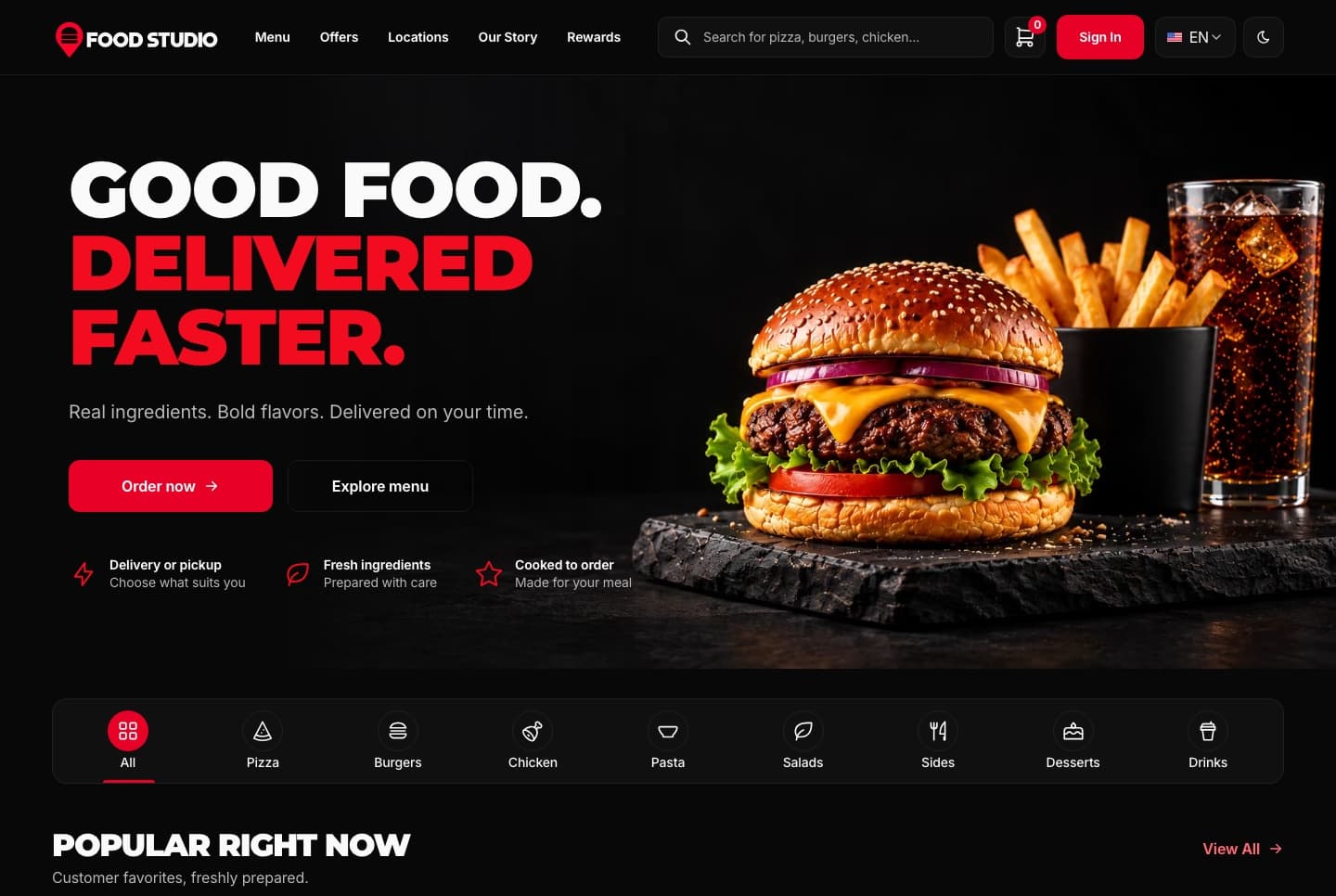
Food Studio is a full-stack Next.js restaurant template: an ordering website with menu, combos, cart, checkout and order tracking, a staff dashboard for orders, the menu and the kitchens, a NestJS API, AI tools for dish photos, and English and Arabic with RTL.

View Template
Next.js Restaurant Ordering Website Template - Next.js Restaurant template preview - Aniq-UI

Restaurant Ordering Website

$79
Restaurant
Ordering Website
New
AI

A Next.js 16 restaurant ordering website with a menu, combo meals, a meal builder, cart, checkout, order tracking and customer accounts, in English and Arabic.

View Template
Next.js Real Estate Template with Agency Dashboard and AI Staging - Next.js Next.js Real Estate Templates template preview - Aniq-UI

Real Estate

$179
Next.js Real Estate Templates
Full Stack
New
AI

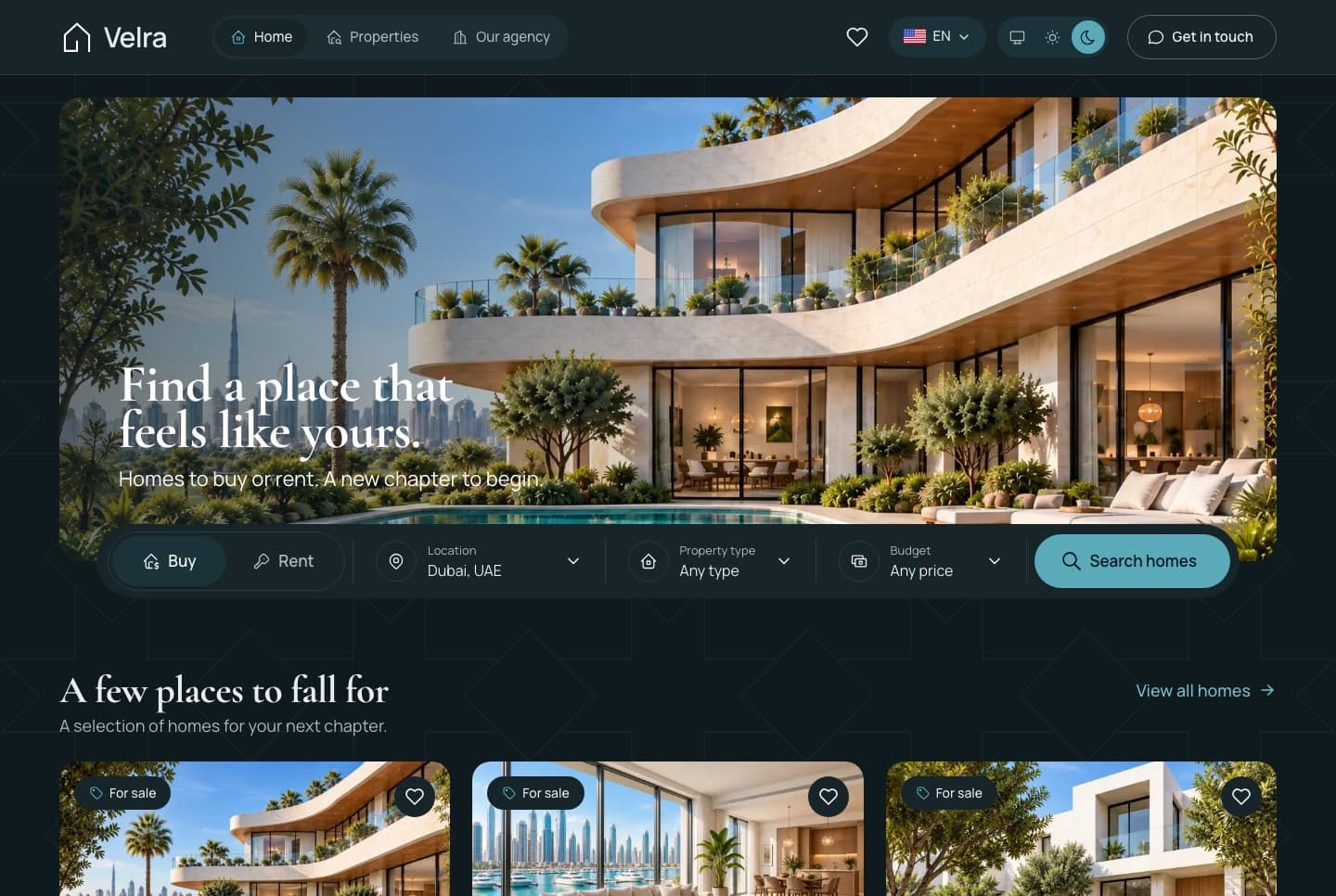
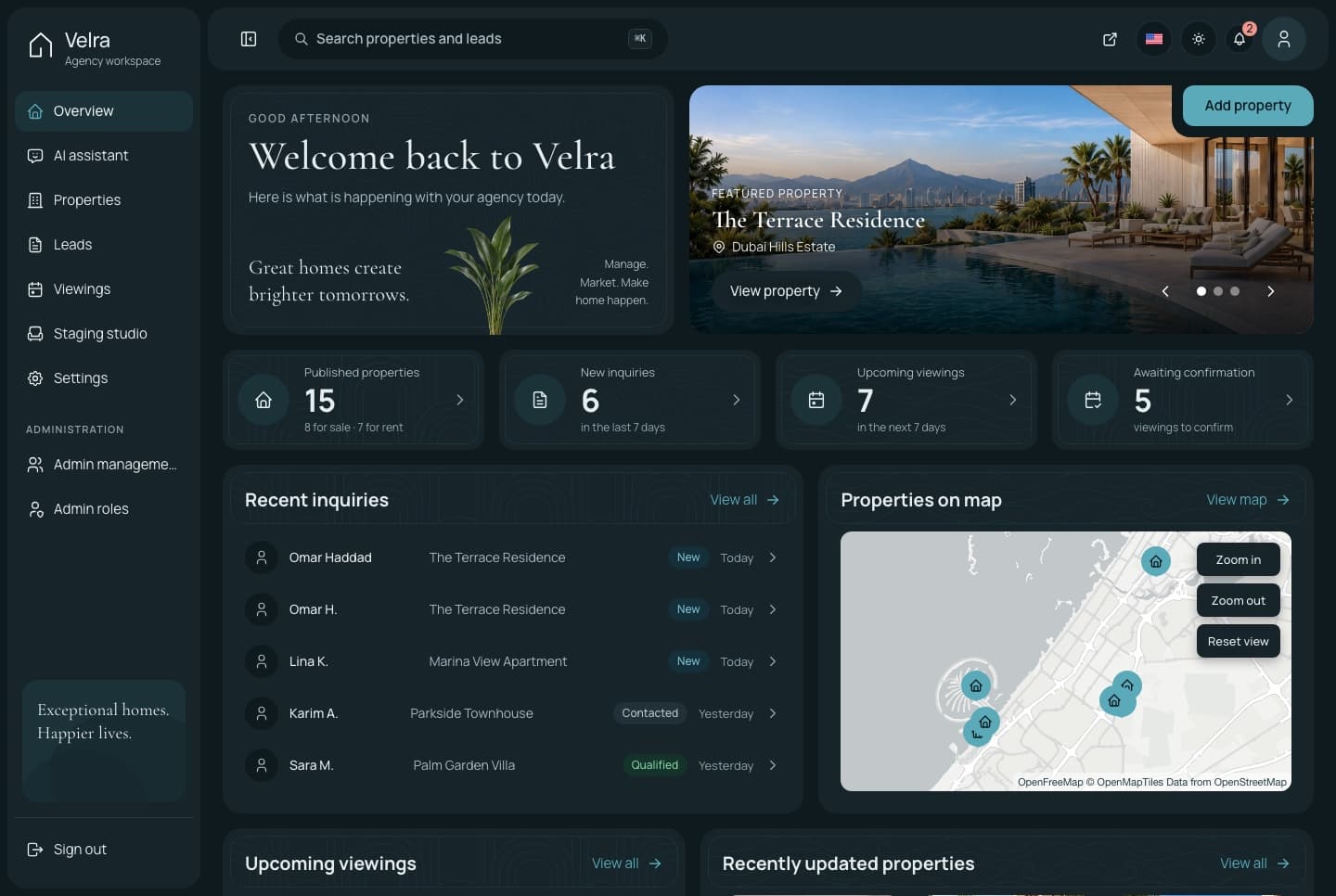
Velra is a full-stack Next.js real estate template: a public website for buying and renting, an agency dashboard for properties, leads and viewings, a NestJS API, AI virtual staging, and English and Arabic with RTL.

View Template
Technical Advantages

Built to Work on Every Screen, for Every User

Every premium template is responsive, accessible, fast and typed from the first commit, so your launch starts from production-ready code.

01 · Layout

Responsive Design

Phone, tablet and desktop layouts from one set of components, with a phone menu and 44px tap targets.
Learn more: Responsive Design

02 · Inclusive

Accessibility

Semantic HTML, labelled controls, a visible keyboard focus ring and reduced motion support.
Learn more: Accessibility

Enterprise-Grade Features Included

Developer Experience

  • TypeScript 5.0+ with strict type checking
  • Server & Client Components architecture
  • Quick start guide and feature docs

UX & Performance

  • Mobile-first responsive design system
  • Accessible markup with ARIA and keyboard navigation
  • Fast rendering with server components and optimized assets

Maintenance & Support

  • Support included with your purchase
  • Regular security & framework updates
  • SEO-optimized semantic structure
world map

Global User Community

Join thousands of developers worldwide who trust Aniq-UI for their projects. Our templates are being used across the globe to create stunning web experiences.

Aniq-uiAniq-ui

Cookie Preferences

We use cookies to enhance your browsing experience, analyze site traffic, and personalize content. By clicking "Accept All", you consent to our use of cookies for analytics and personalized advertising.