Next.js Real Estate Template with Agency Dashboard and AI Staging
Velra is a full-stack Next.js real estate template: a public website for buying and renting, an agency dashboard for properties, leads and viewings, a NestJS API, AI virtual staging, and English and Arabic with RTL.
Everything included
Full Stack
Public website + agency dashboard + NestJS API with TypeORM and auth
Launch price · 30% off for the first 3 buyers
$179$125.30R$897R$627.90
+ IOF (3.5%) · Pay with Pix or cardPay in reais with Pix or card. Brazil adds 3.5% IOF tax at checkout.
Use in unlimited commercial projects. Client work included.
One-time payment, free updates
Business invoice with your VAT or tax ID
Velra is a full-stack Next.js real estate template: a public website for buying and renting, an agency dashboard for properties, leads and viewings, a NestJS API, AI virtual staging, and English and Arabic with RTL.
Share:
Velra is a full-stack real estate template for one agency: a Next.js website where visitors find homes to buy or rent and ask for viewings, a Next.js dashboard where the agency runs its listings, inquiries and viewings, and a NestJS API behind both. AI virtual staging, an AI assistant, and English and Arabic with RTL come with it.
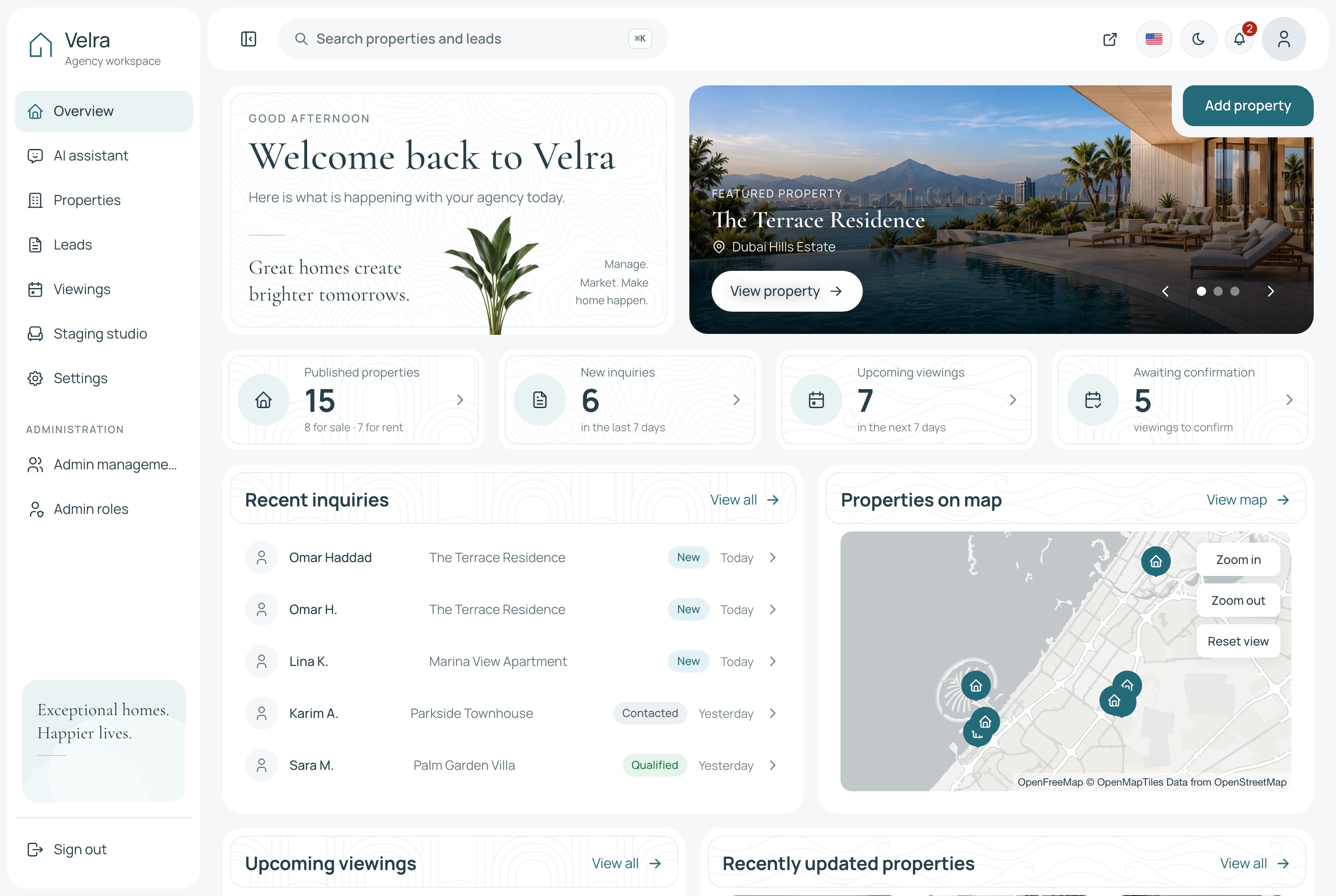
Overview, light theme. The agency's overview: published homes, new inquiries, viewings awaiting confirmation and what is coming up, in the light theme
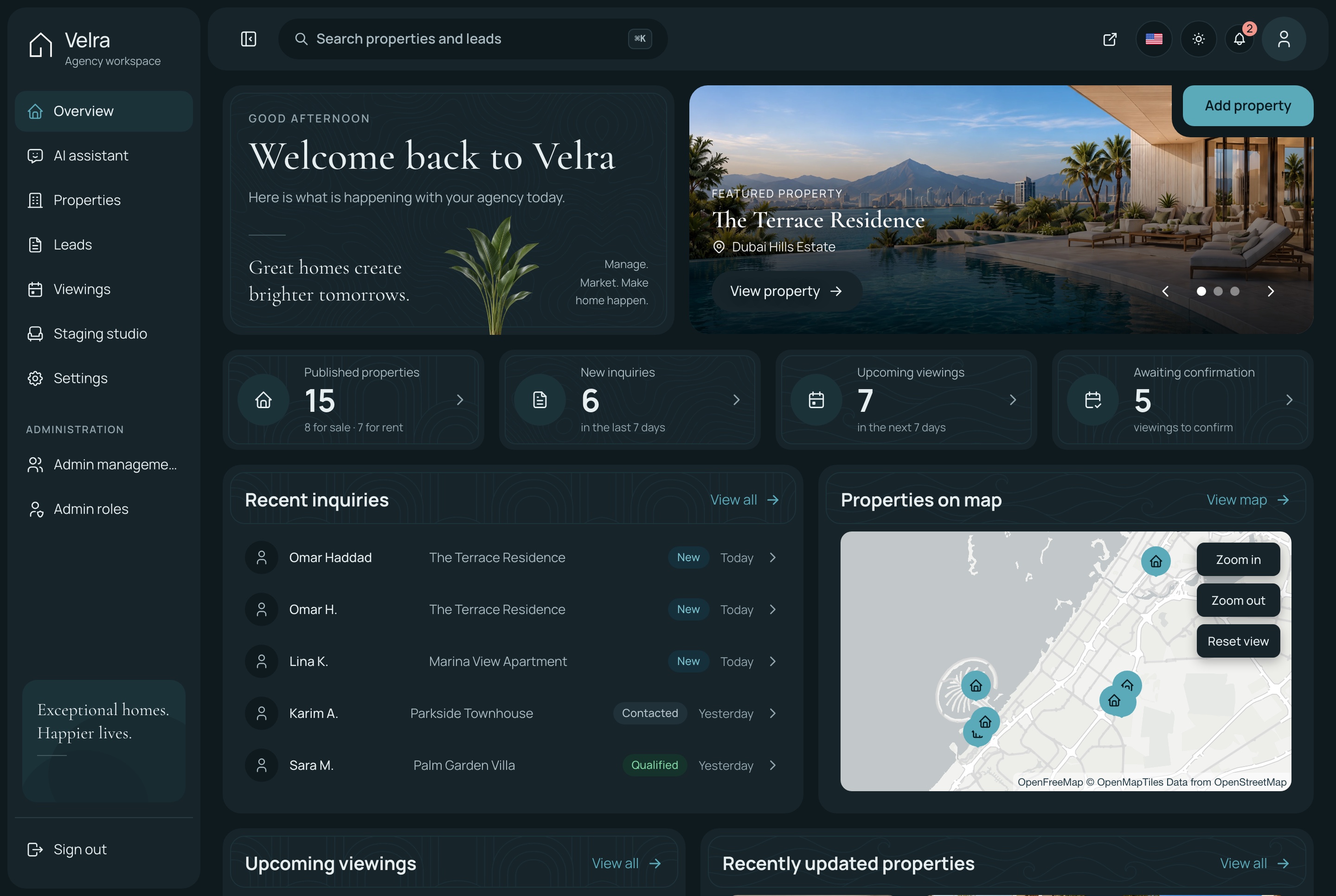
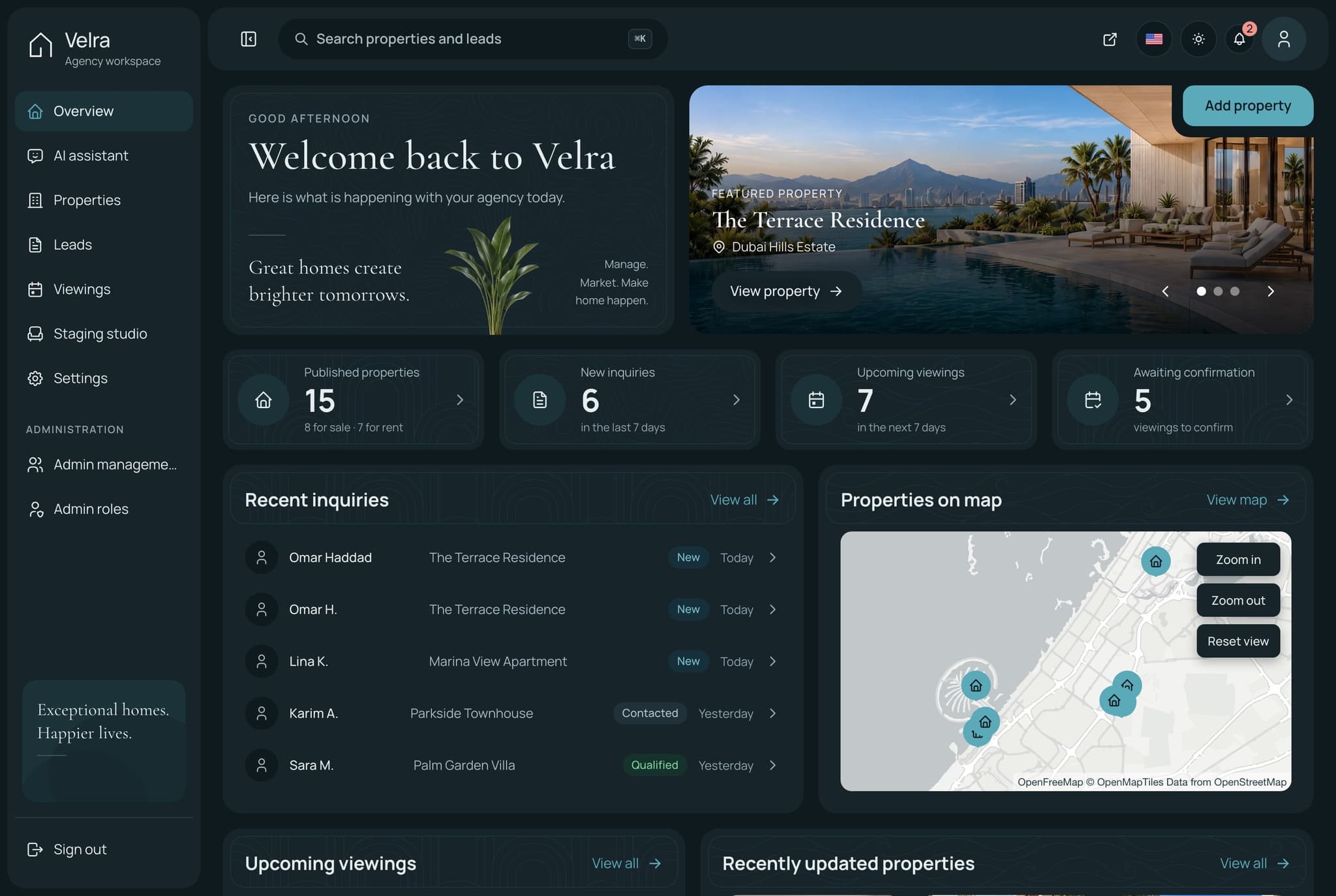
Overview, dark theme. The agency's overview: published homes, new inquiries, viewings awaiting confirmation and what is coming up, in the dark theme
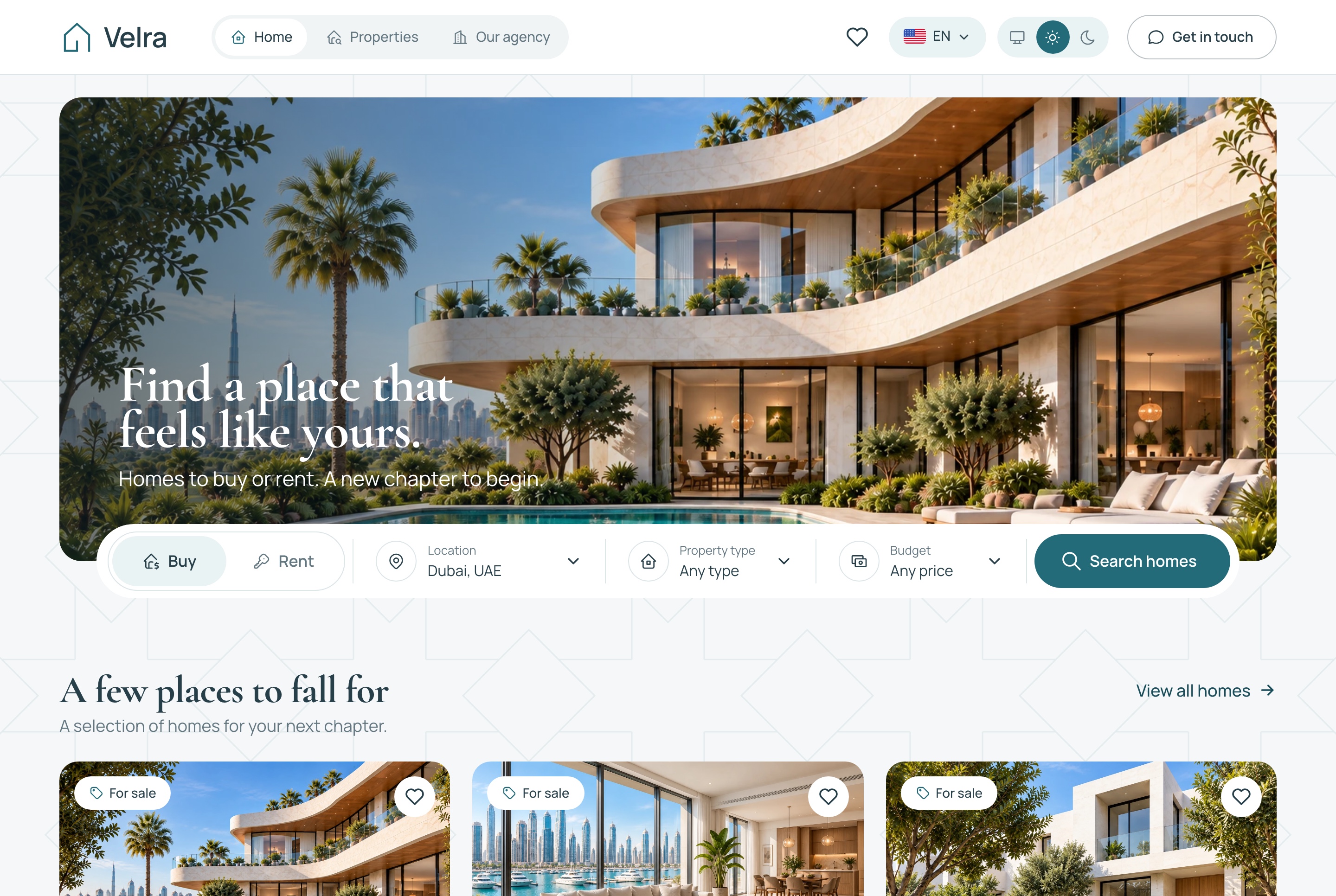
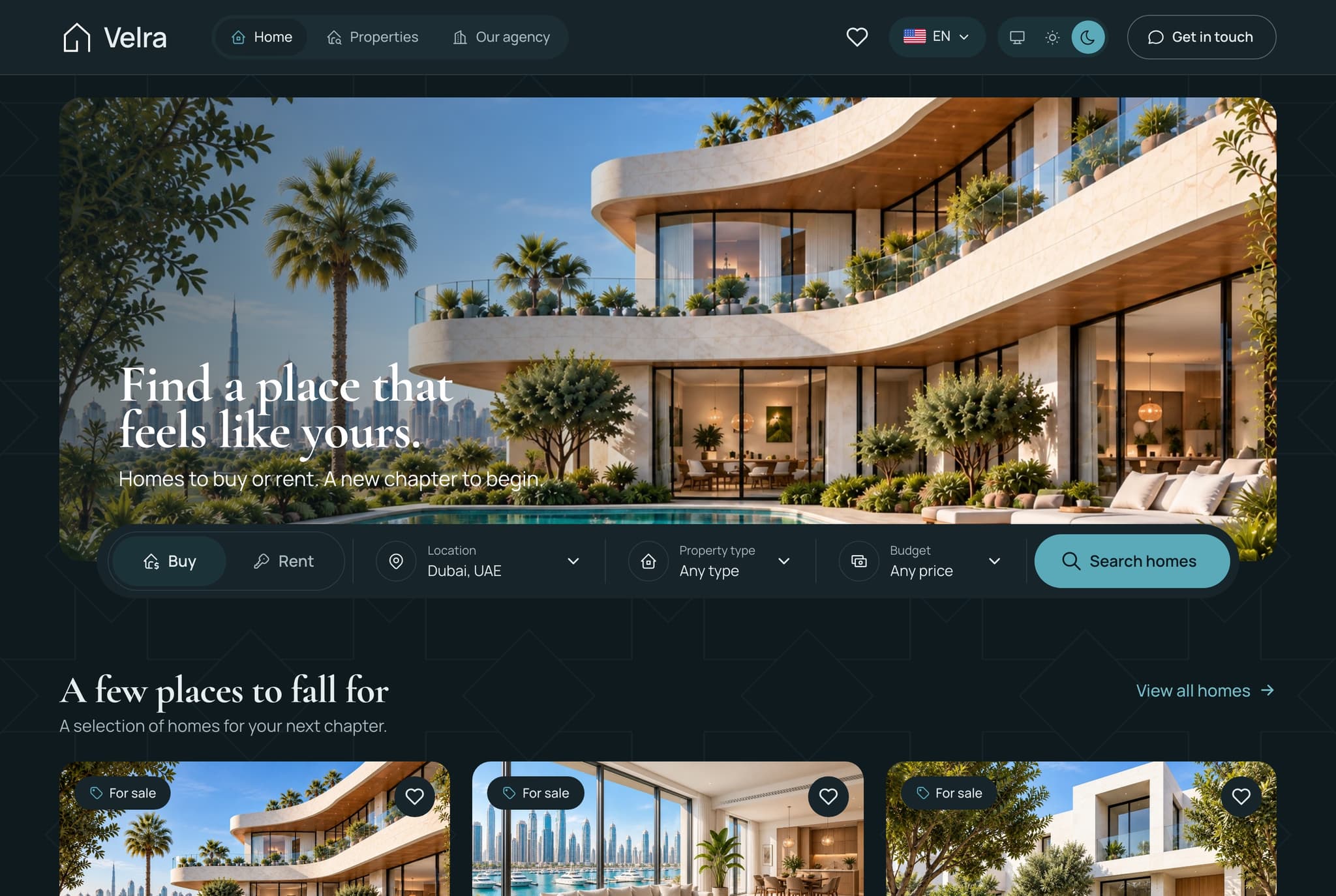
Home: the hero, its search and popular areas, light theme. The home page: the search across the hero photo and the popular areas beneath it, each with its homes, in the light theme
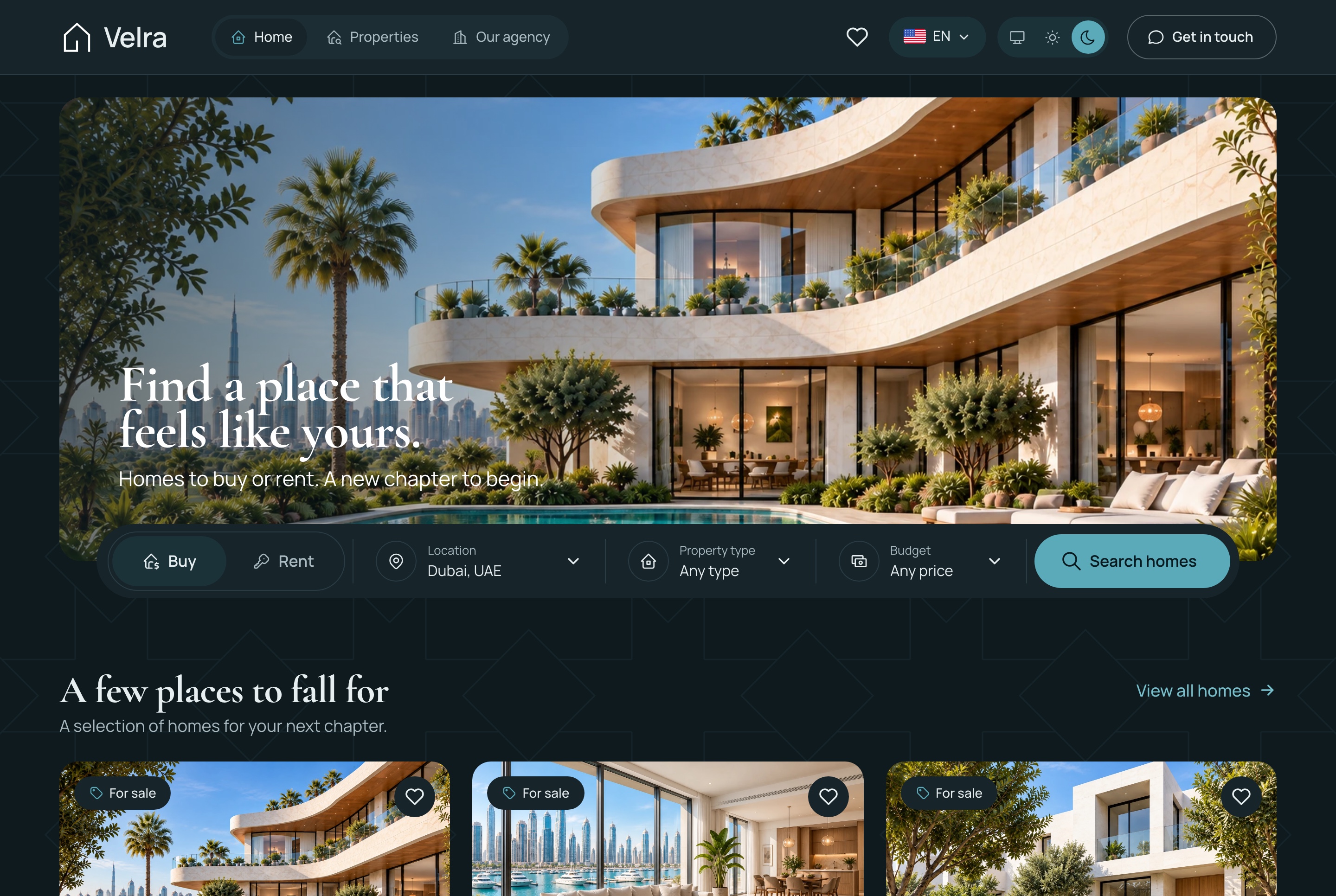
Home: the hero, its search and popular areas, dark theme. The home page: the search across the hero photo and the popular areas beneath it, each with its homes, in the dark theme
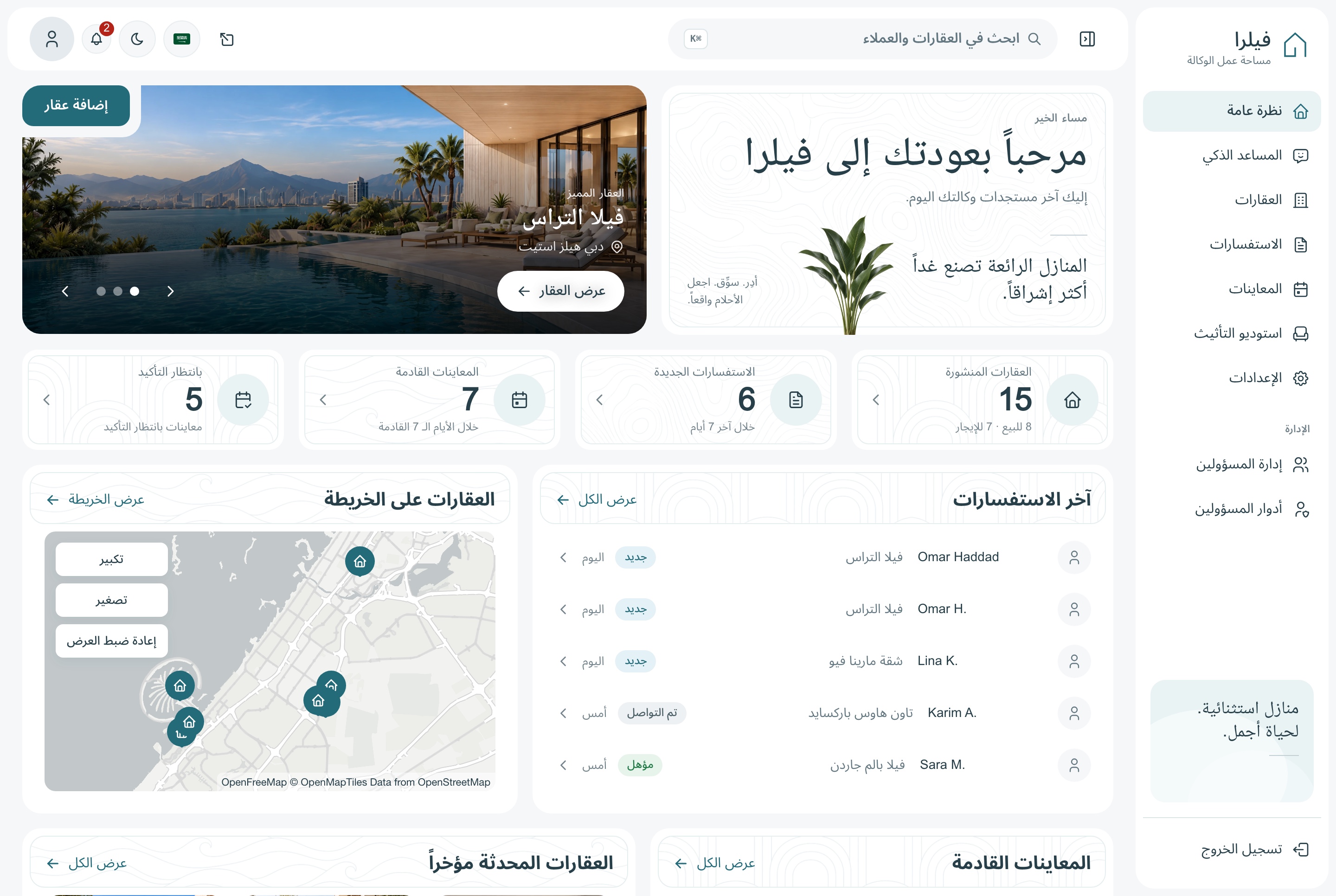
Overview in Arabic, light theme. The dashboard overview in Arabic, right to left, in the light theme
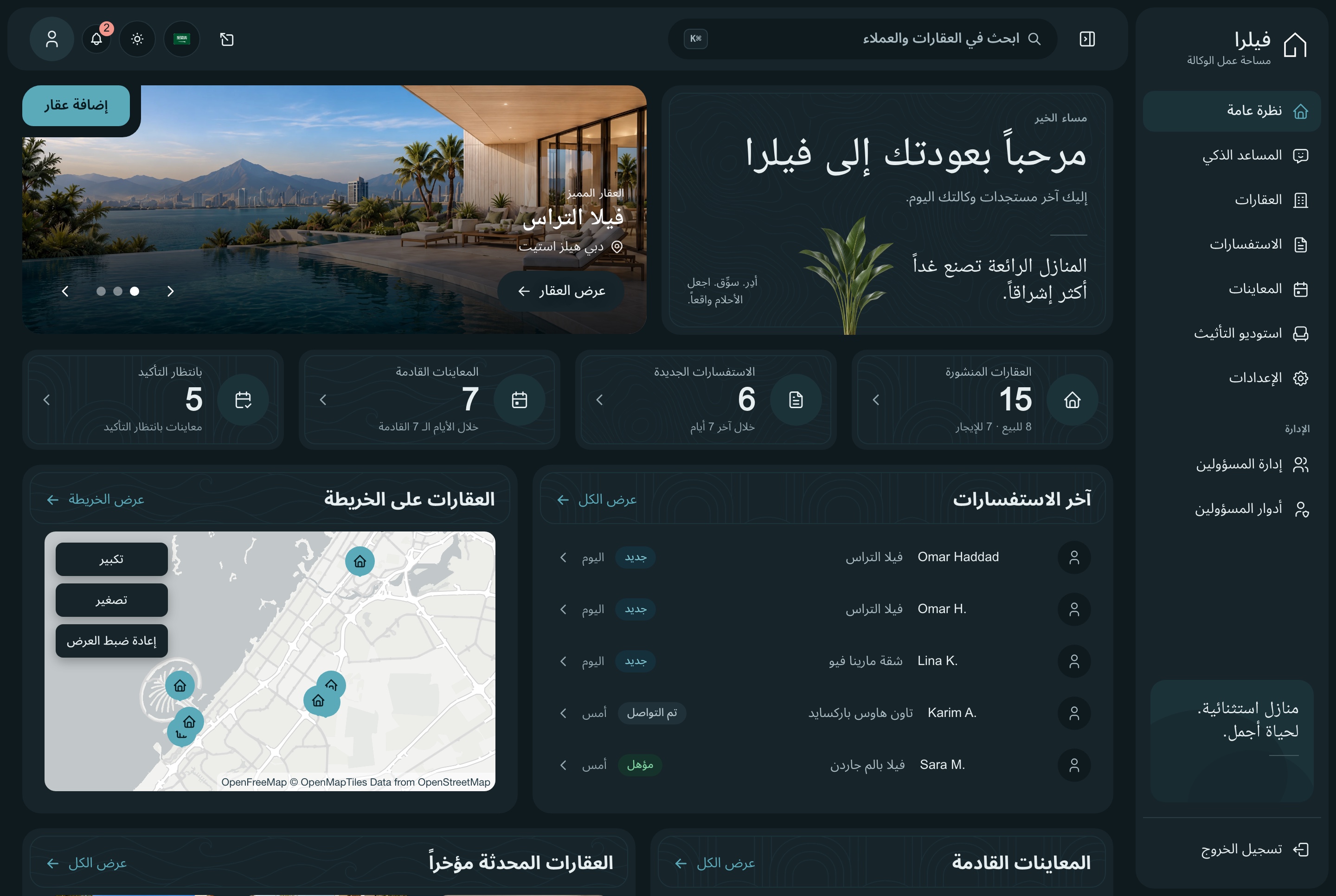
Overview in Arabic, dark theme. The dashboard overview in Arabic, right to left, in the dark theme
An assistant that knows the agency
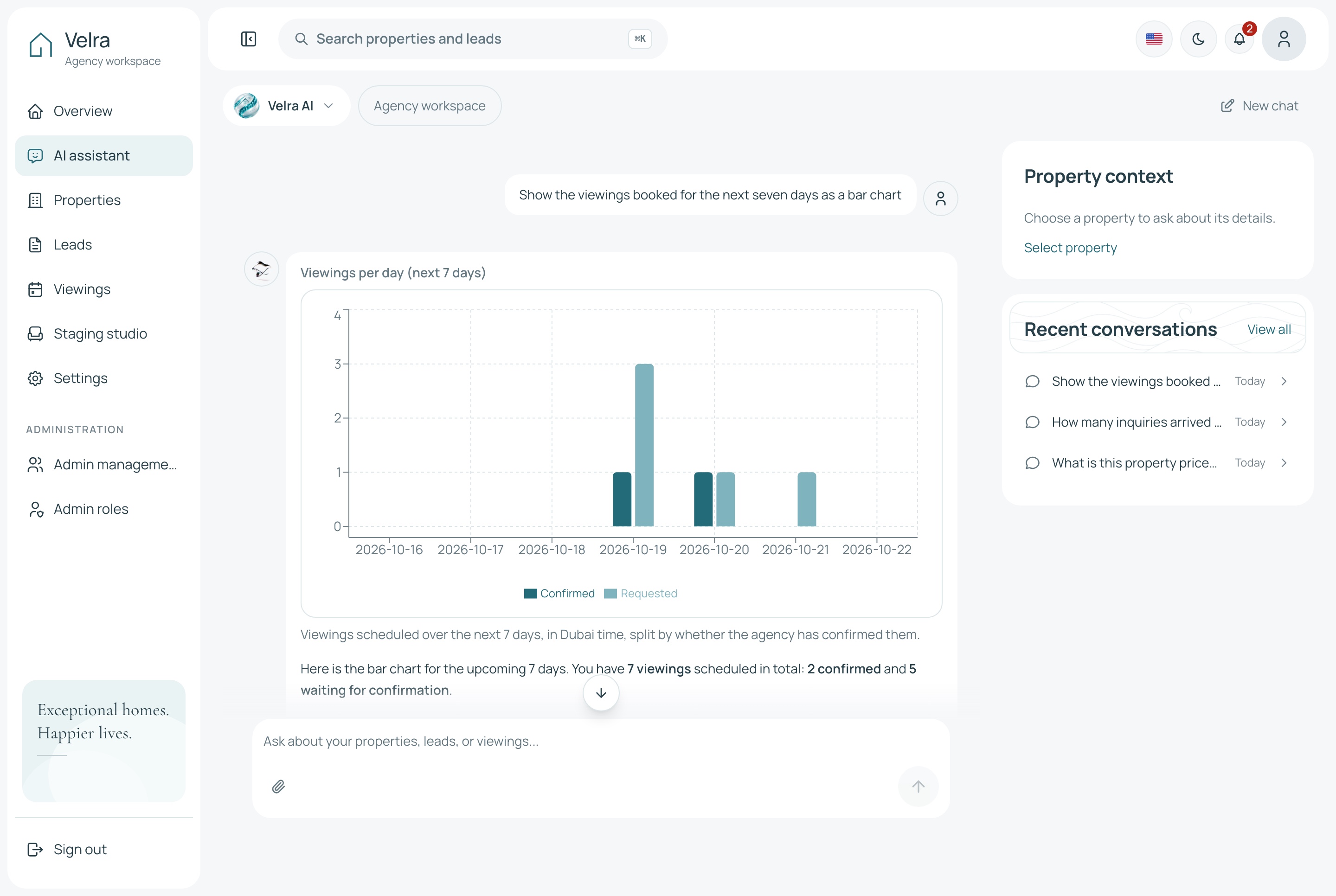
Ask how many inquiries arrived this week or which viewings still need confirming. The assistant answers from the agency's own data through MCP tools, and draws a chart when the question is about a trend.
Tools for properties, inquiries, viewings and the overview
Google Gemini, OpenAI or DeepSeek with your own key
The same tools open to coding agents at the MCP endpoint
AI assistant answering with a viewings chart, light theme. The dashboard assistant asked to show the viewings booked for the next seven days as a bar chart: each day's confirmed and requested viewings in two colours, in the light theme
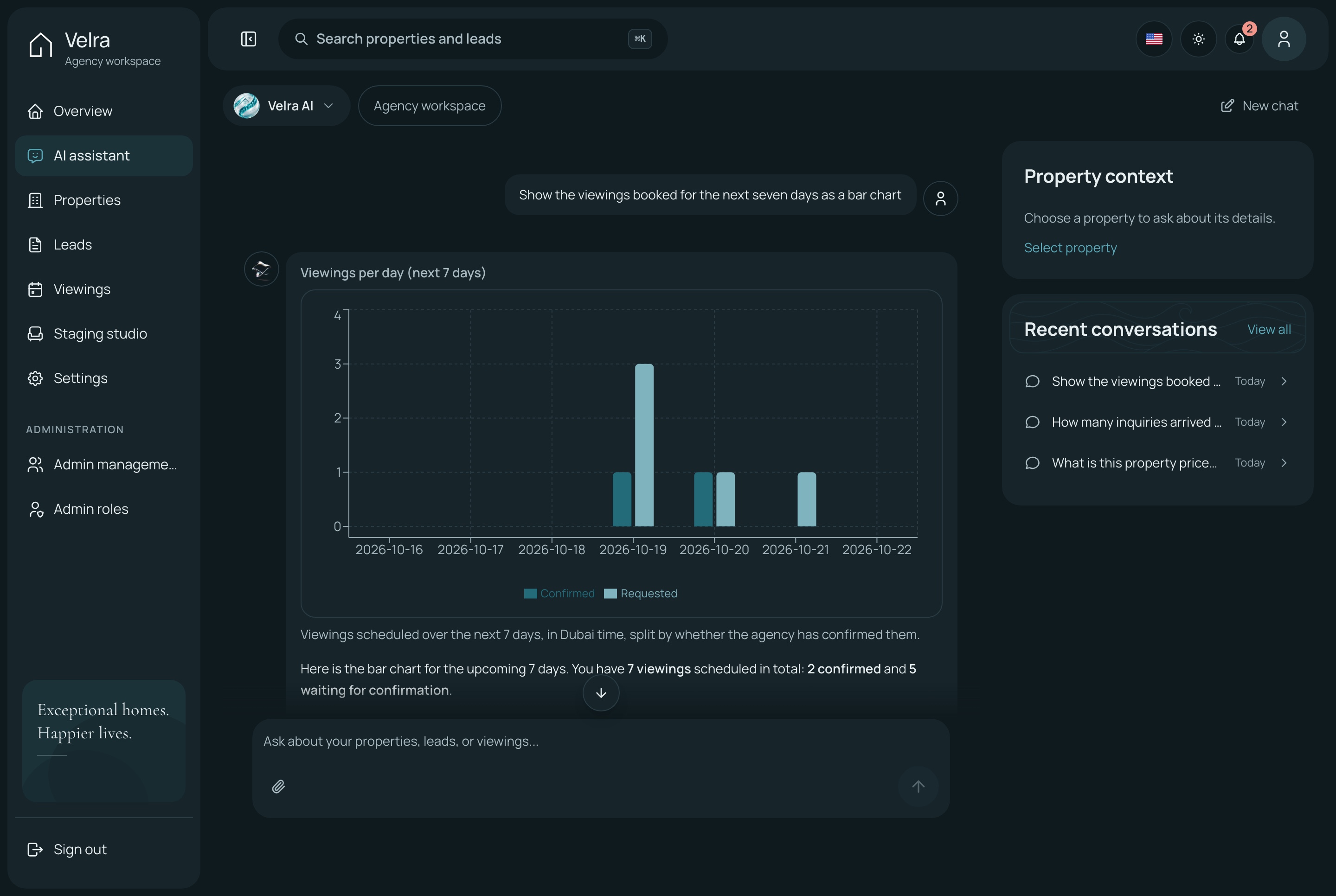
AI assistant answering with a viewings chart, dark theme. The dashboard assistant asked to show the viewings booked for the next seven days as a bar chart: each day's confirmed and requested viewings in two colours, in the dark theme
A connected foundation for an agency website, a broker's listing portal or a developer's sales site, with source code you can customize for your project. The full-stack package includes the website, the agency dashboard and the API behind them.
Agency dashboard
An overview of what needs attention today
A property editor in English and Arabic
Inquiries and viewings, each with its own workflow
AI staging studio, assistant, team and settings
Public website
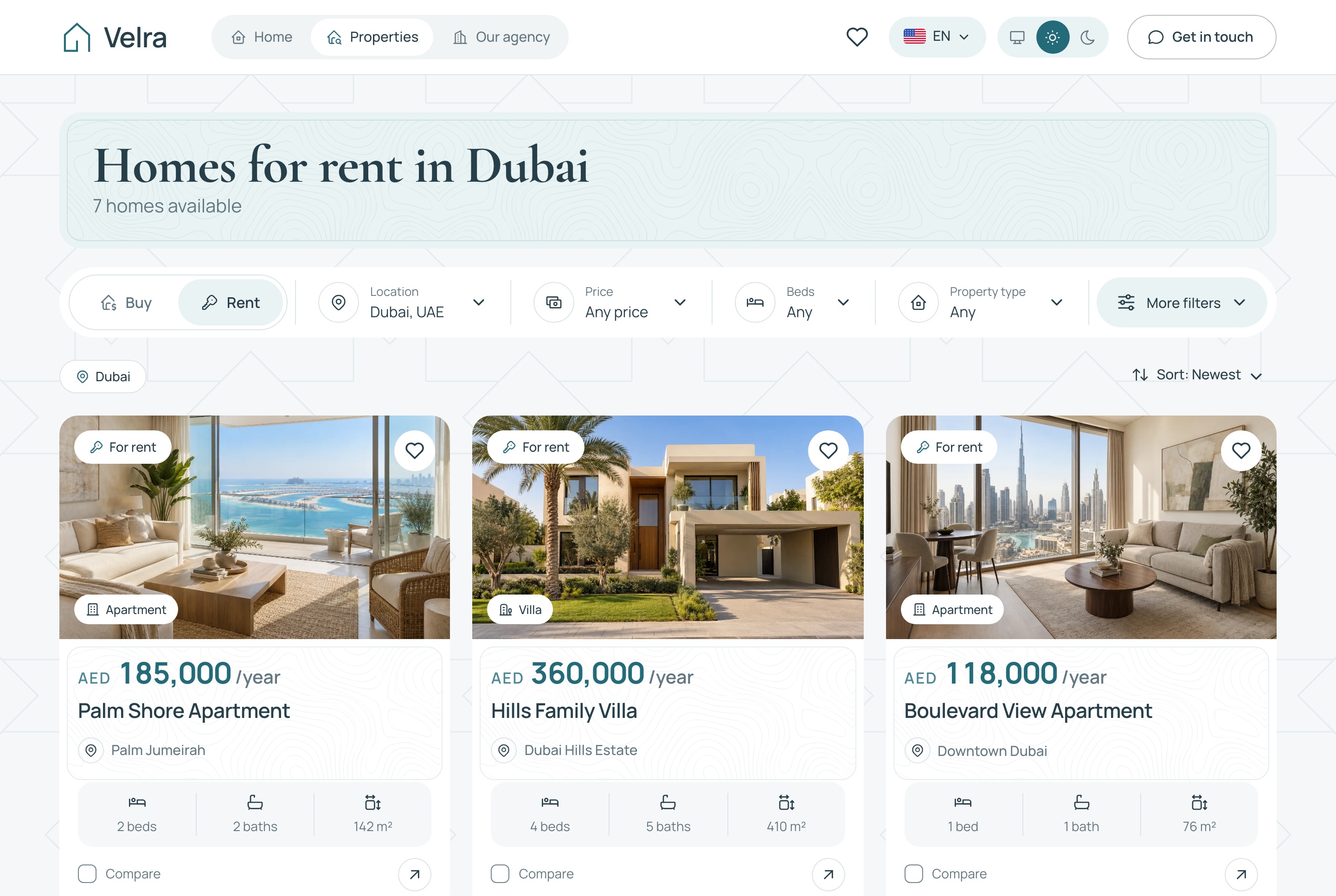
Homes for sale and for rent, with filters kept in the URL
Property pages with a gallery, facts and amenities
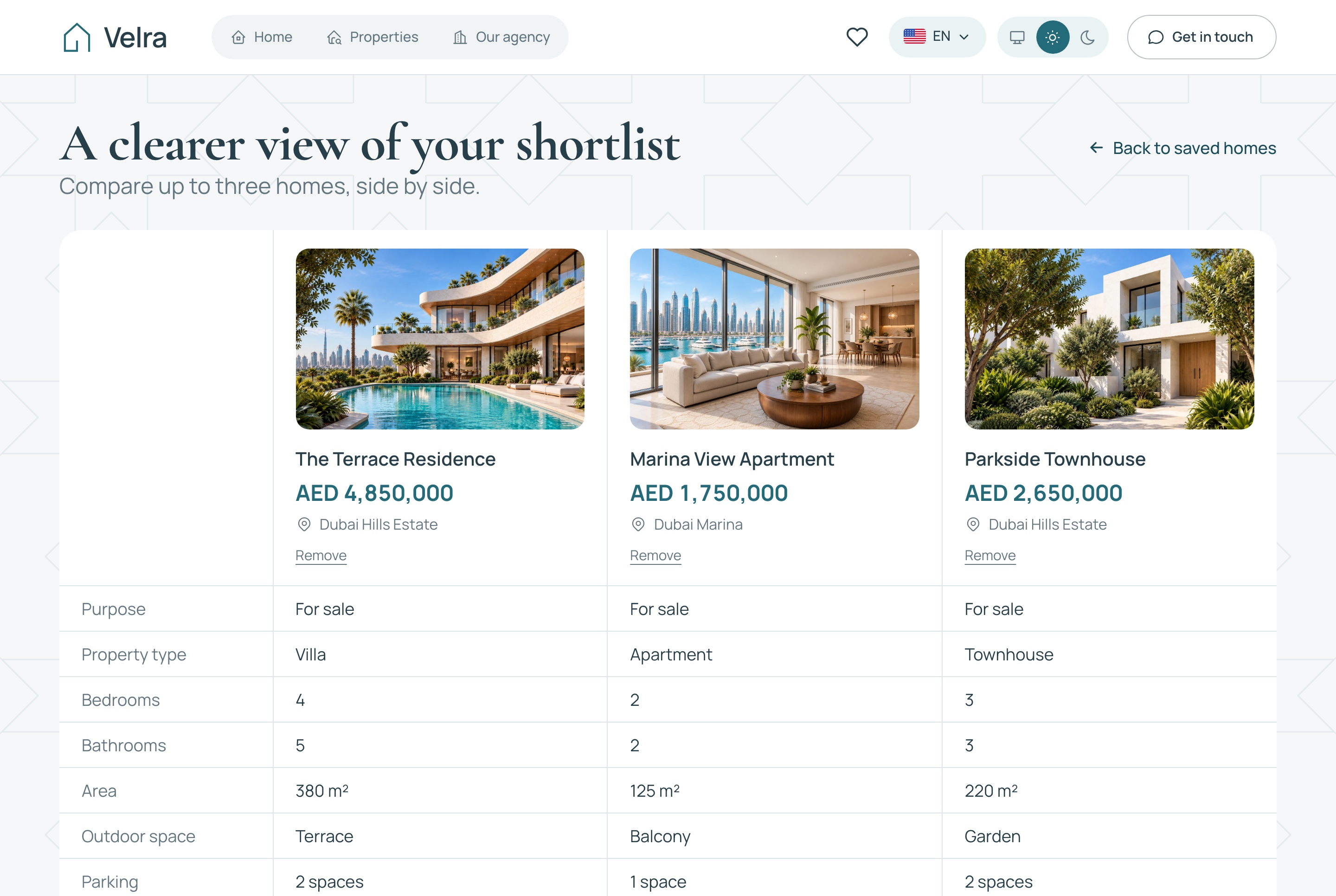
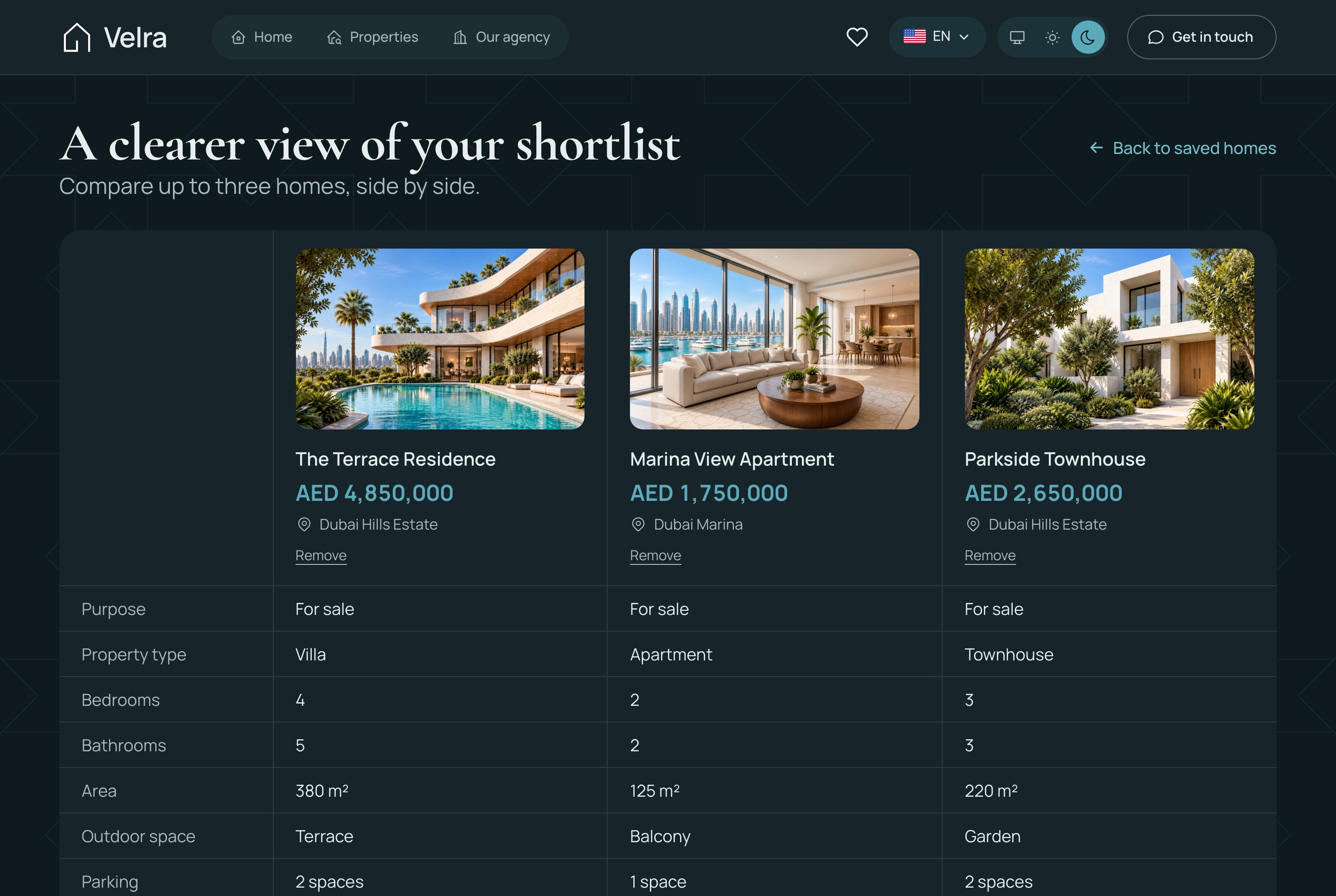
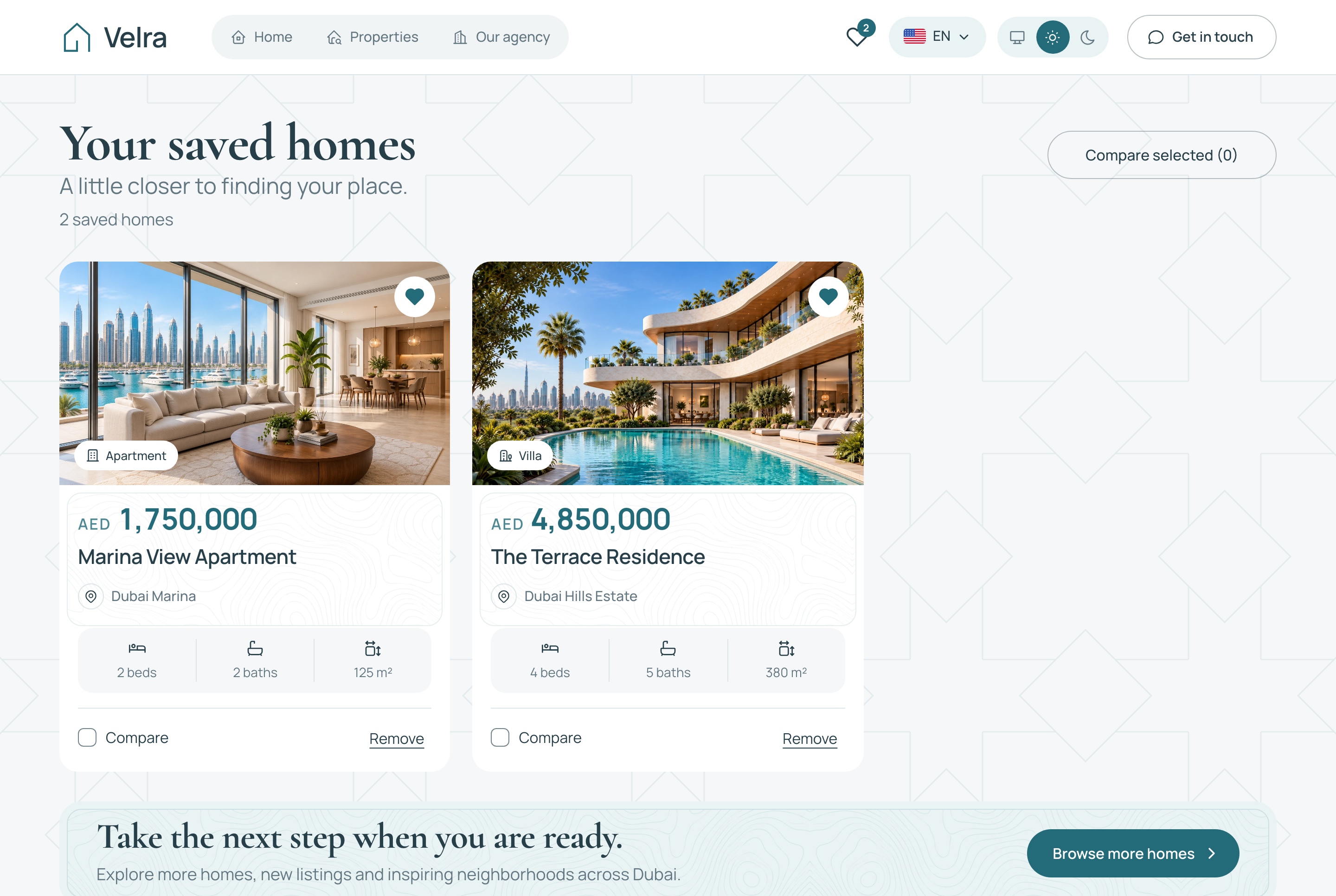
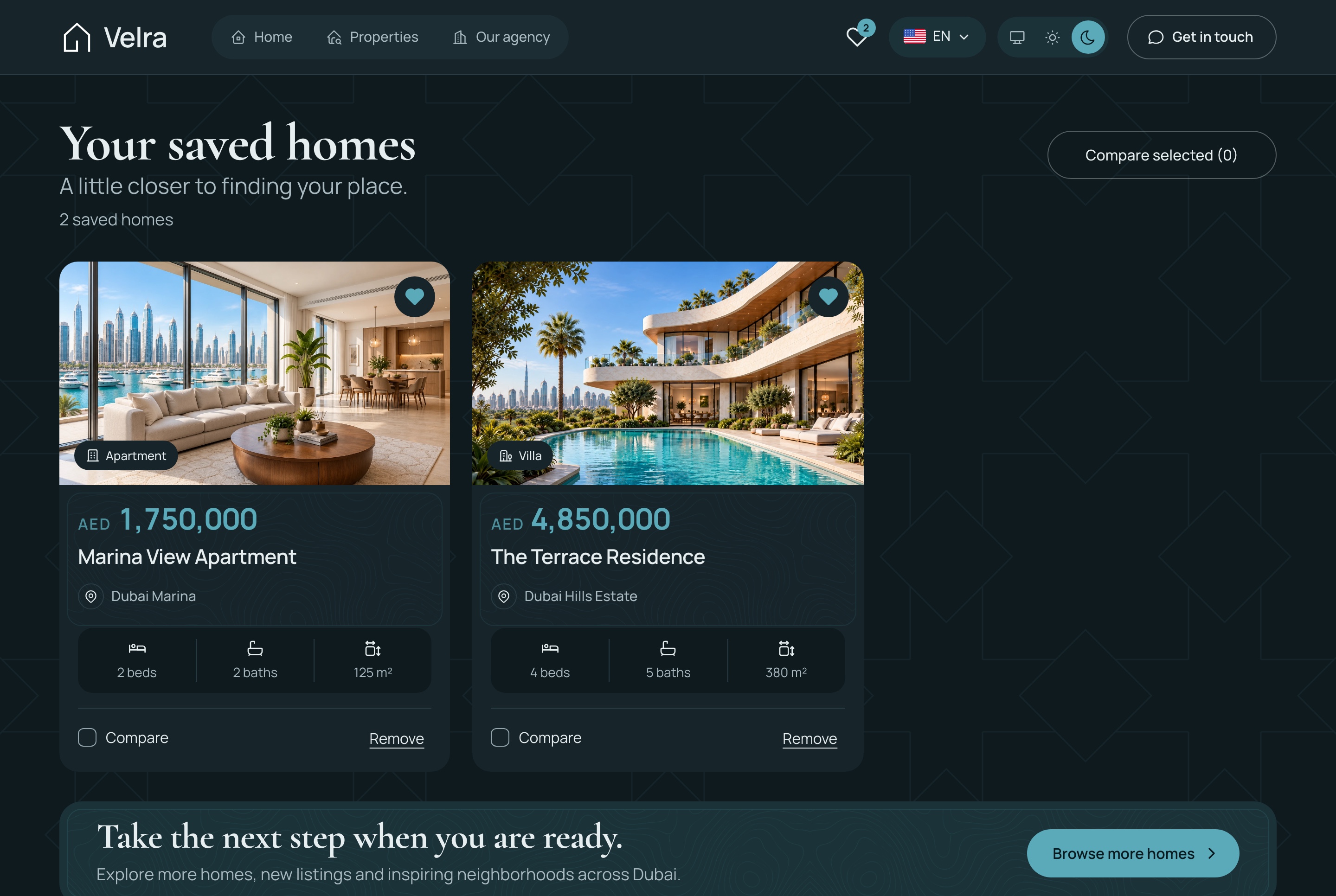
Saved homes and a three-home comparison
Viewing requests and a contact form
NestJS API
Authentication, roles and permissions
Properties, neighborhoods, inquiries and viewings
Staging previews and live notifications
A seeder that builds a complete demo agency
The agency's day
A dashboard built around listings, inquiries and viewings
The overview opens on what needs attention: new inquiries, viewings awaiting confirmation, the visits coming up and the properties changed most recently.
A property editor in two languages
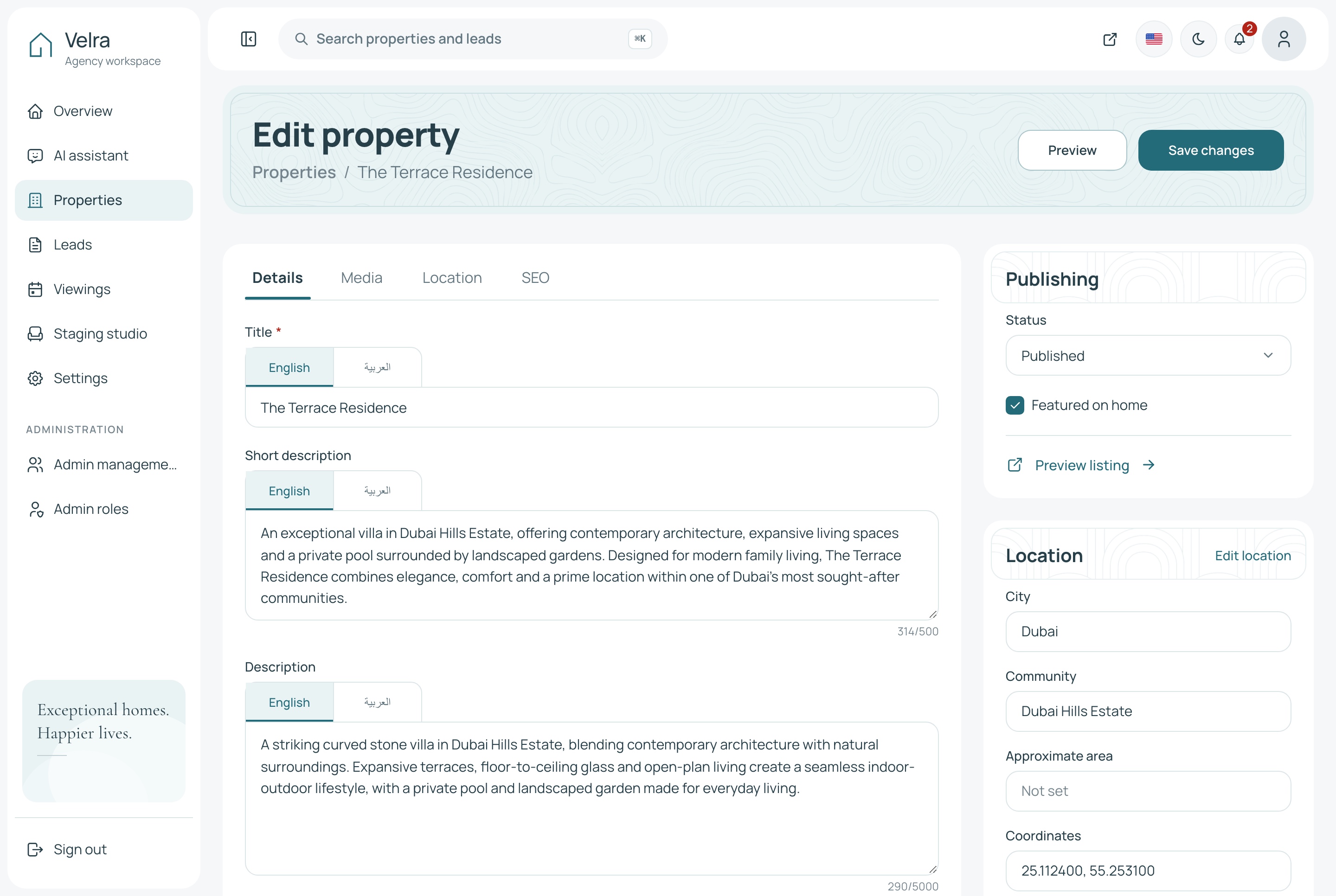
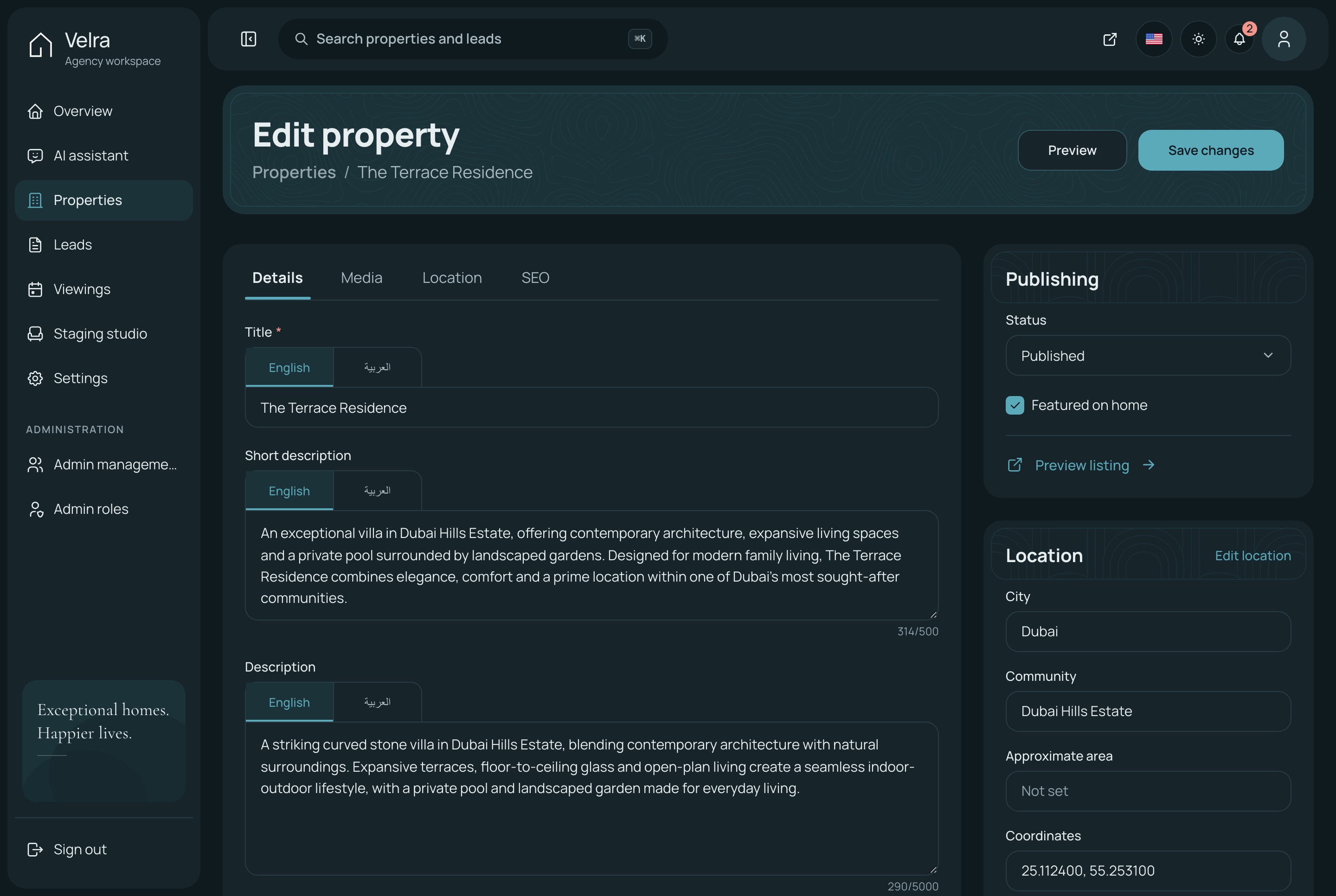
Title and description in English and Arabic, photos in the order they should appear with one cover, and a publishing flow from draft to published to archived.
Details, media, location and SEO in one editor
Reference numbers and unique page addresses generated for you
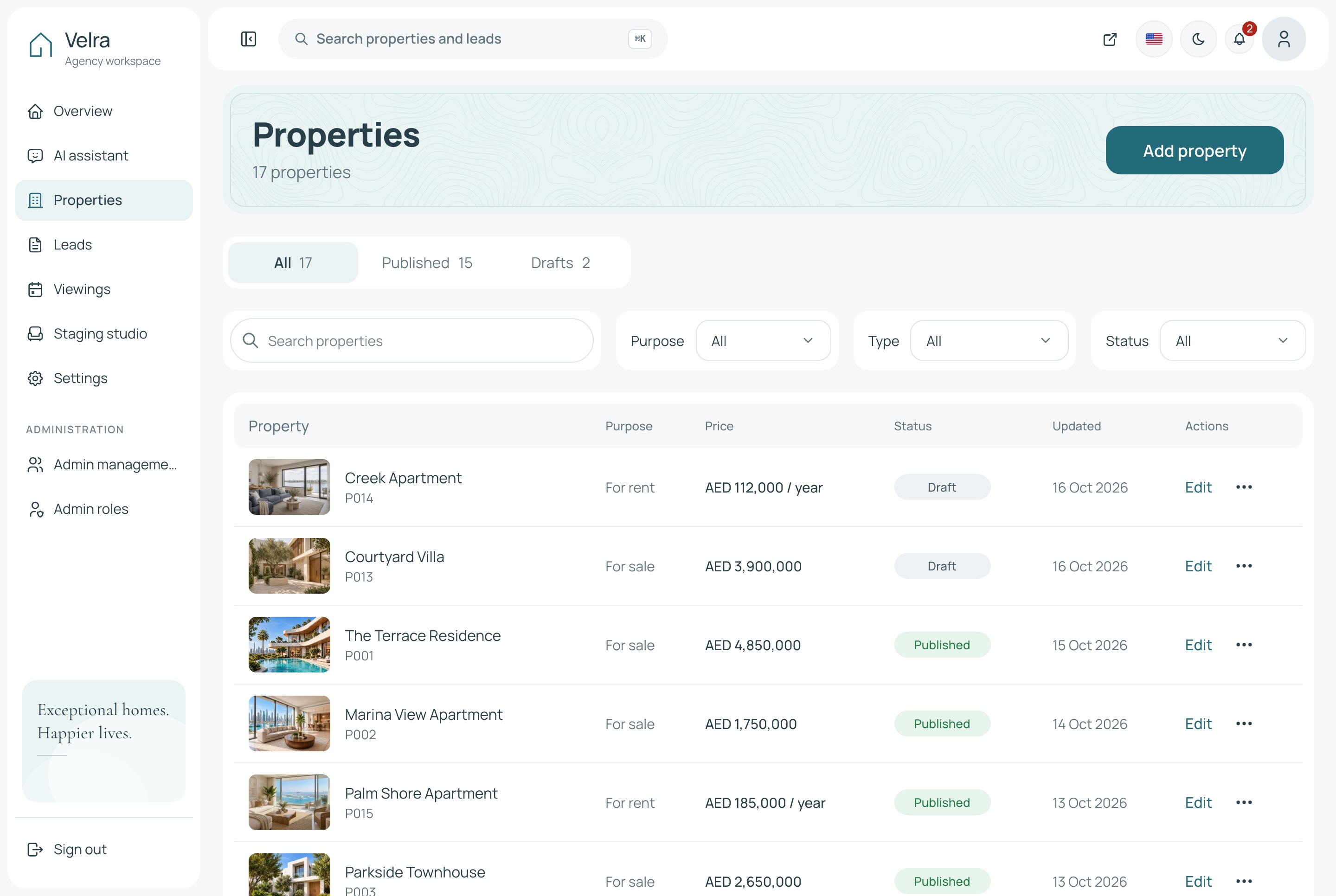
Tabs, search and filters on the property list
Property editor, light theme. The property editor: the title and descriptions in one field with a tab per language, photos, location, SEO and publishing, in the light theme
Property editor, dark theme. The property editor: the title and descriptions in one field with a tab per language, photos, location, SEO and publishing, in the dark theme
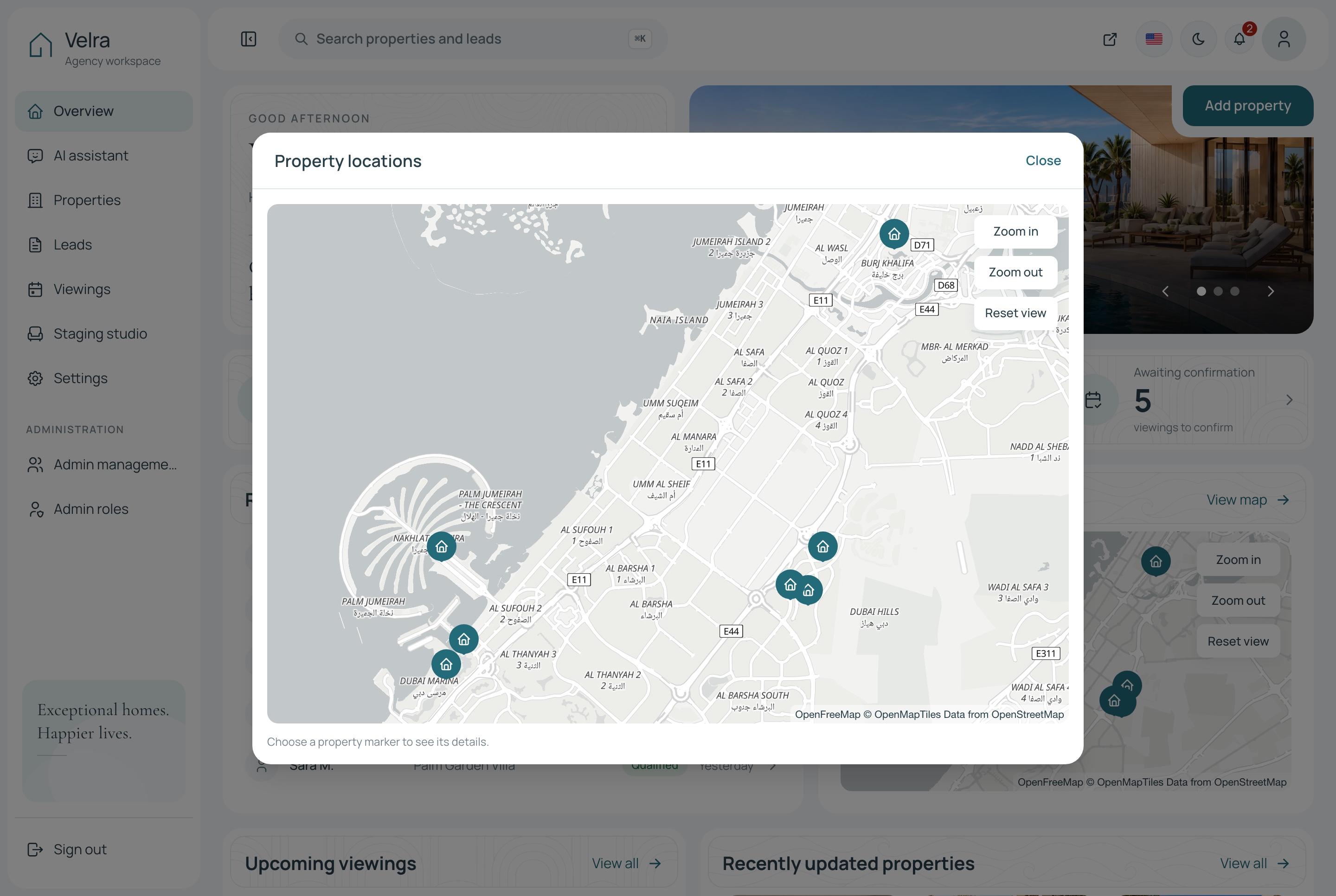
Every home on the map
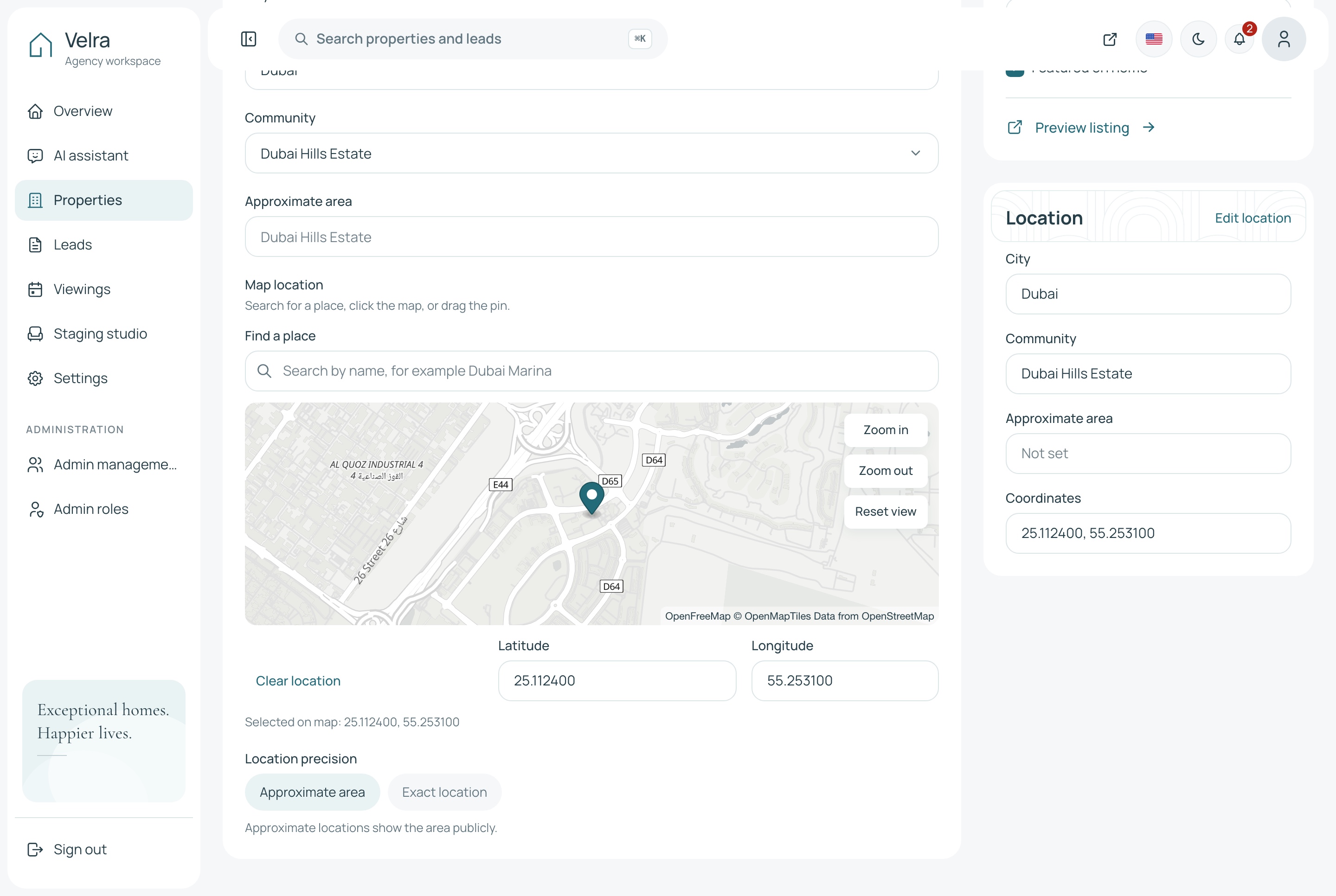
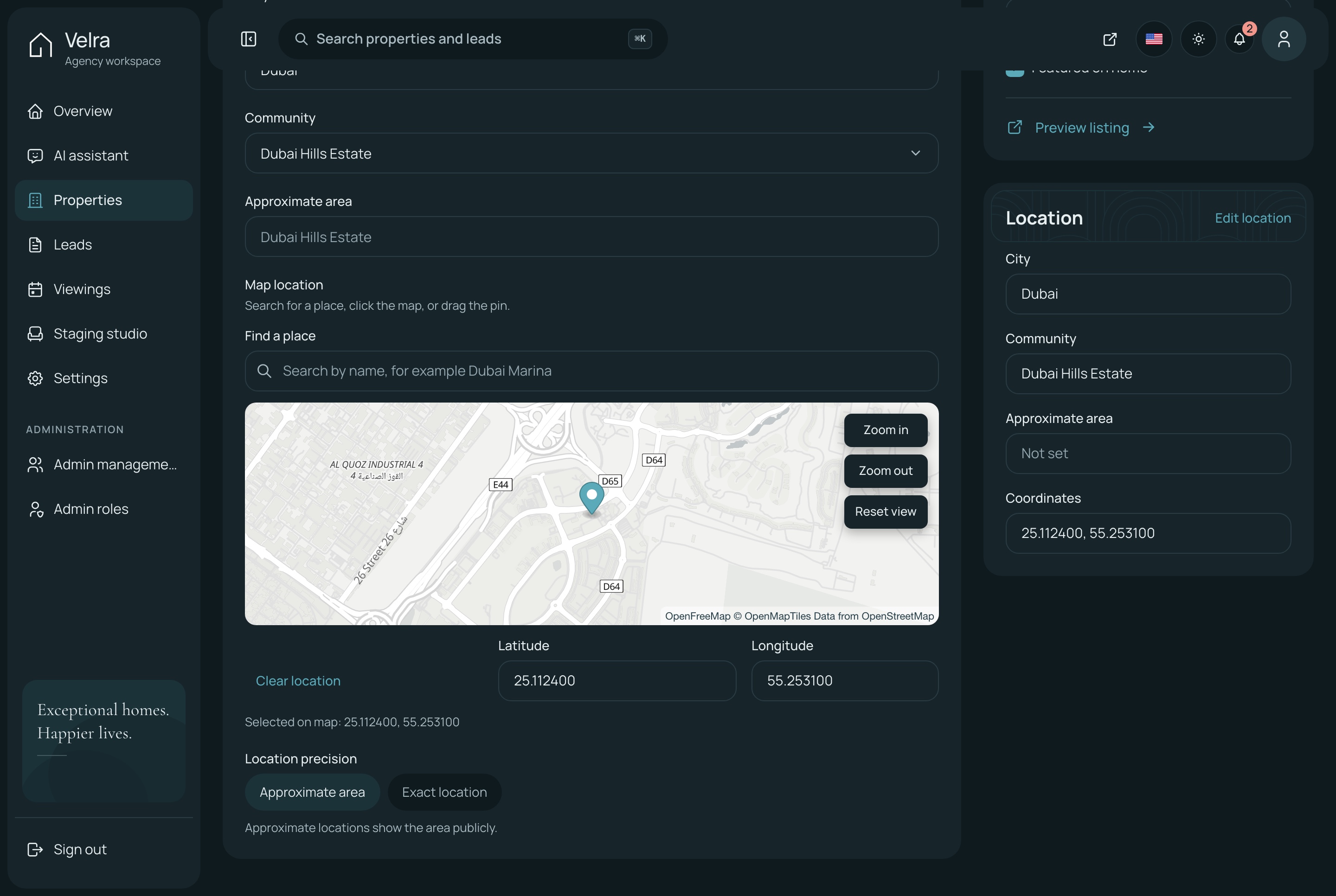
Each listing keeps its own coordinates, so the agency finds a place by name, drags the pin to the exact spot, and sees every home it manages on one map.
Find a place by name, or click the map to drop the pin
Approximate area or exact location, chosen per listing
Every property with a location on one map, from the overview
The listing's place on the map, light theme. The editor's location tab: find a place by name, drag the pin, and keep the coordinates with the listing, in the light theme
The listing's place on the map, dark theme. The editor's location tab: find a place by name, drag the pin, and keep the coordinates with the listing, in the dark theme
Every property on one map, light theme. The dialog behind View map on the overview: every listing with a saved location pinned over the city, in the light theme
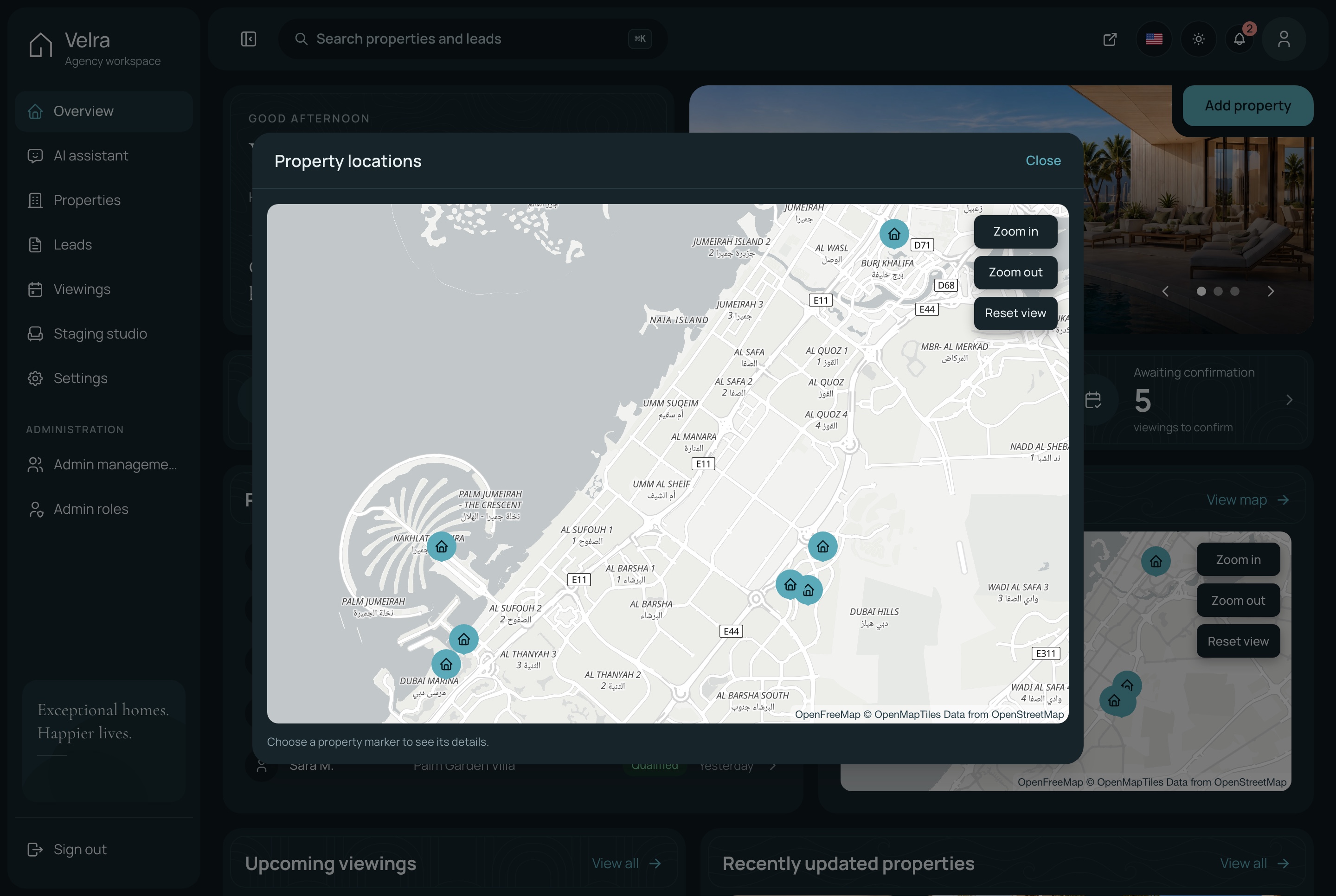
Every property on one map, dark theme. The dialog behind View map on the overview: every listing with a saved location pinned over the city, in the dark theme
Properties, light theme. The property list with status tabs, search and filters, in the light theme
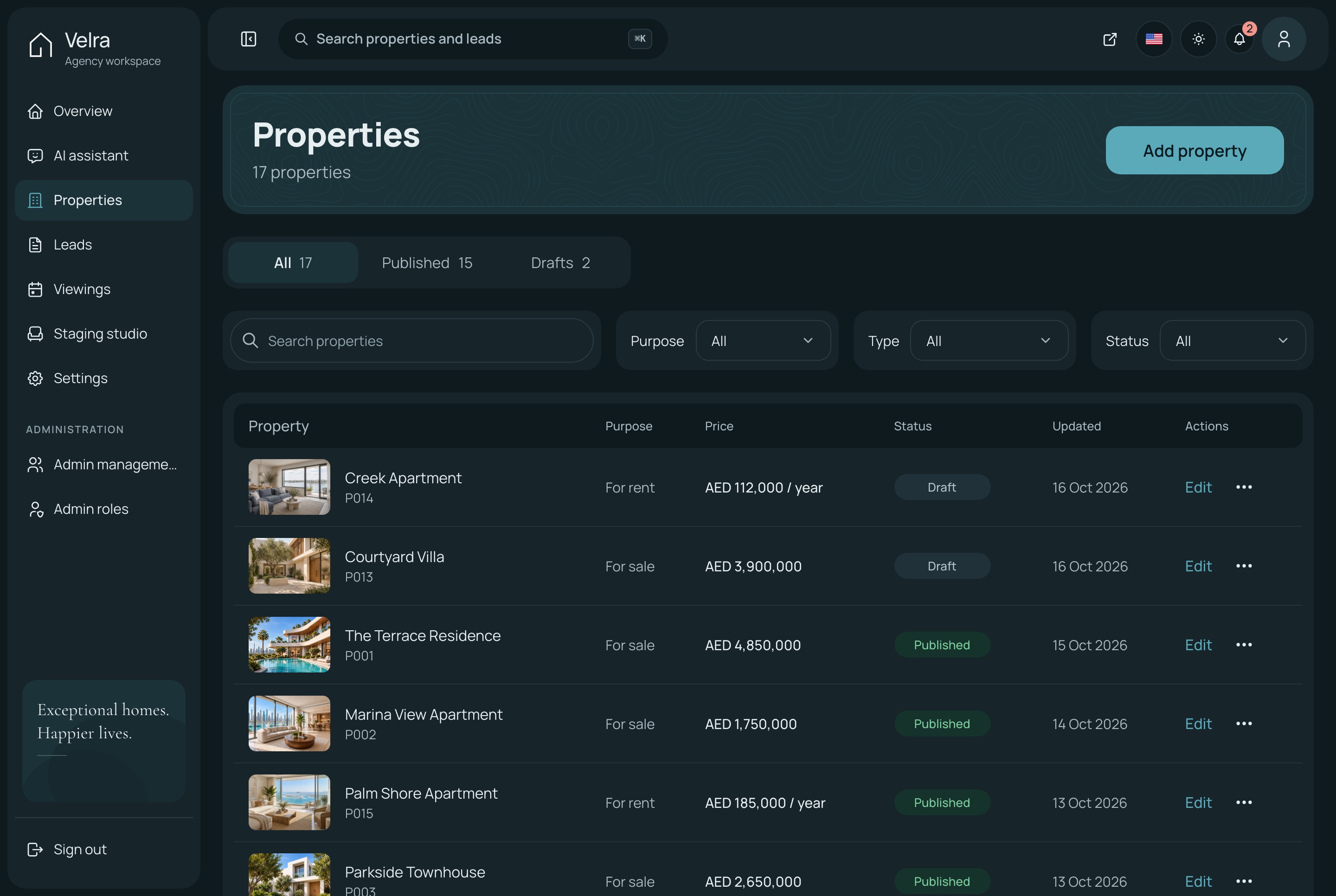
Properties, dark theme. The property list with status tabs, search and filters, in the dark theme
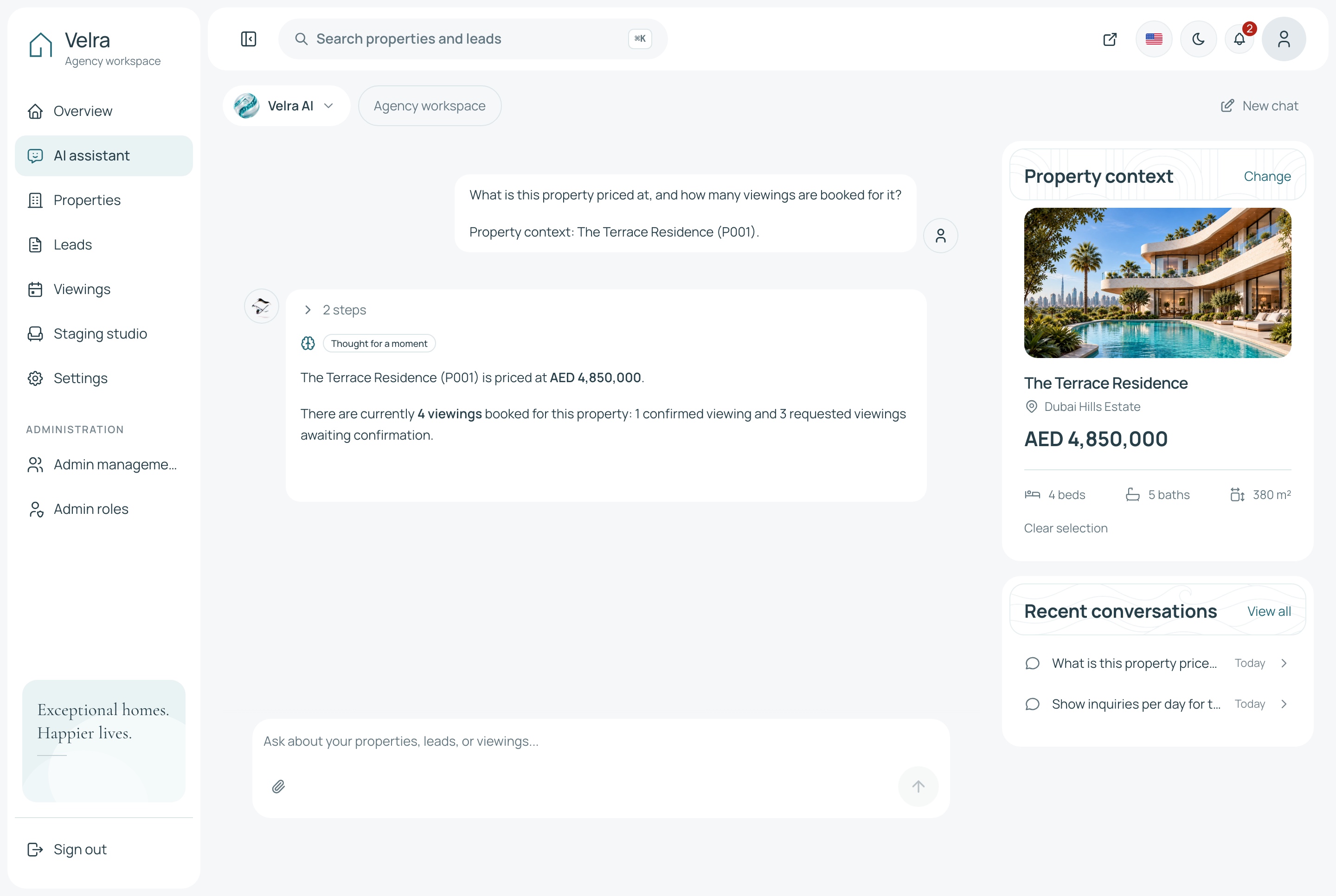
The assistant answering about a property, light theme. A property chosen as the context, a question about its price and viewings, and the answer the assistant reads from the agency's own data, in the light theme
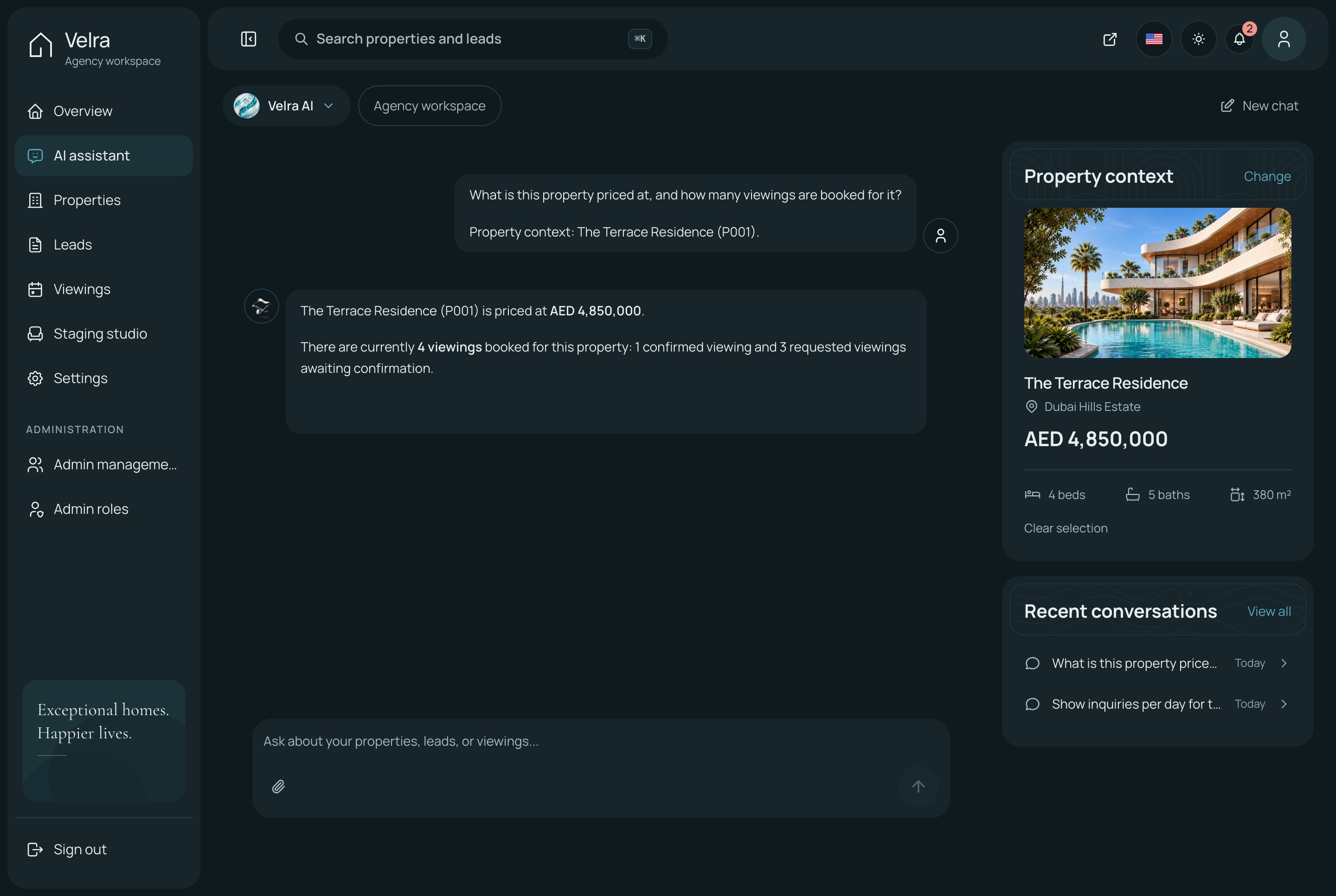
The assistant answering about a property, dark theme. A property chosen as the context, a question about its price and viewings, and the answer the assistant reads from the agency's own data, in the dark theme
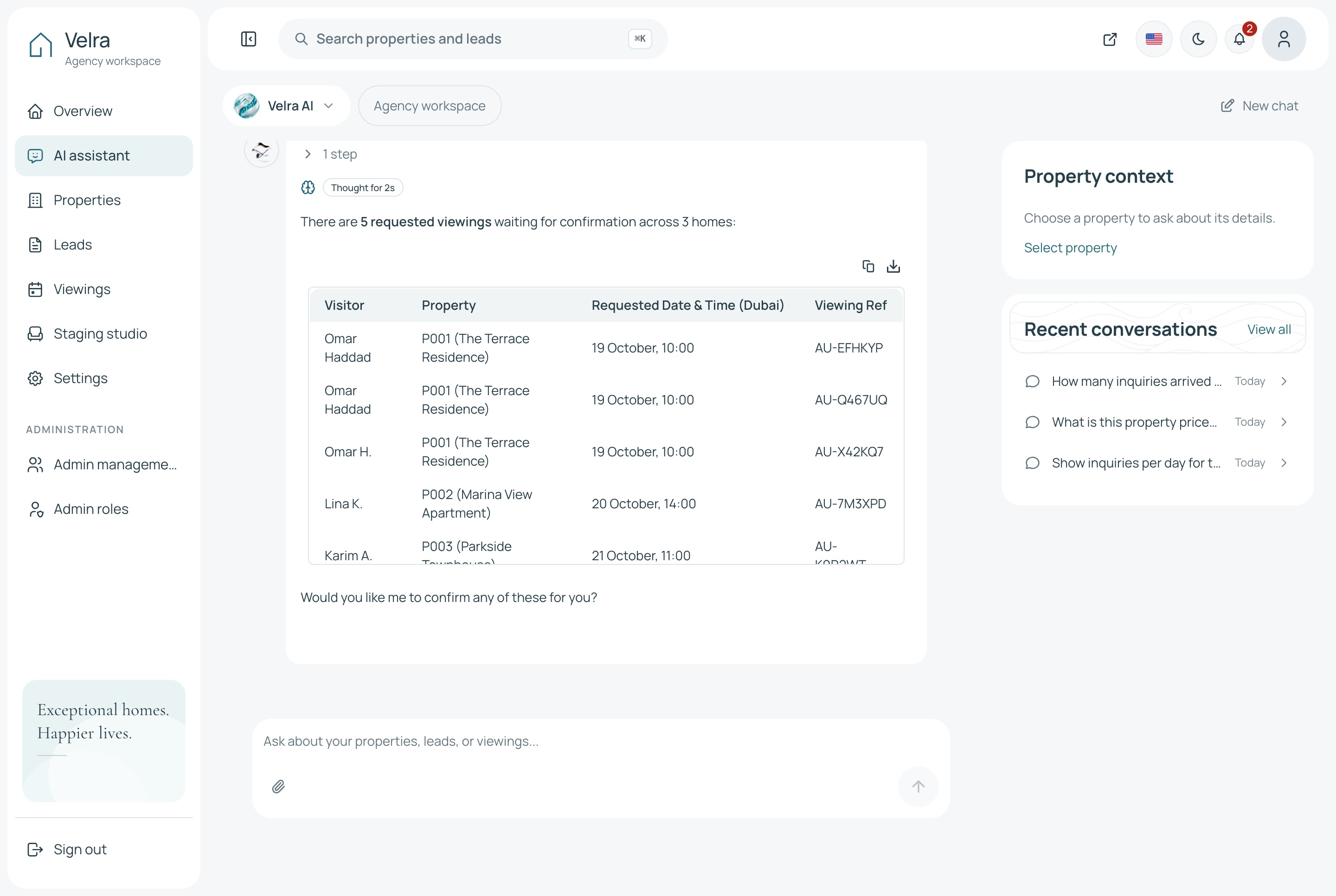
The assistant in conversation, light theme. Two questions answered from the agency's own data: the inquiries that arrived each day, then the viewings still waiting for confirmation, each with the home and the time, in the light theme
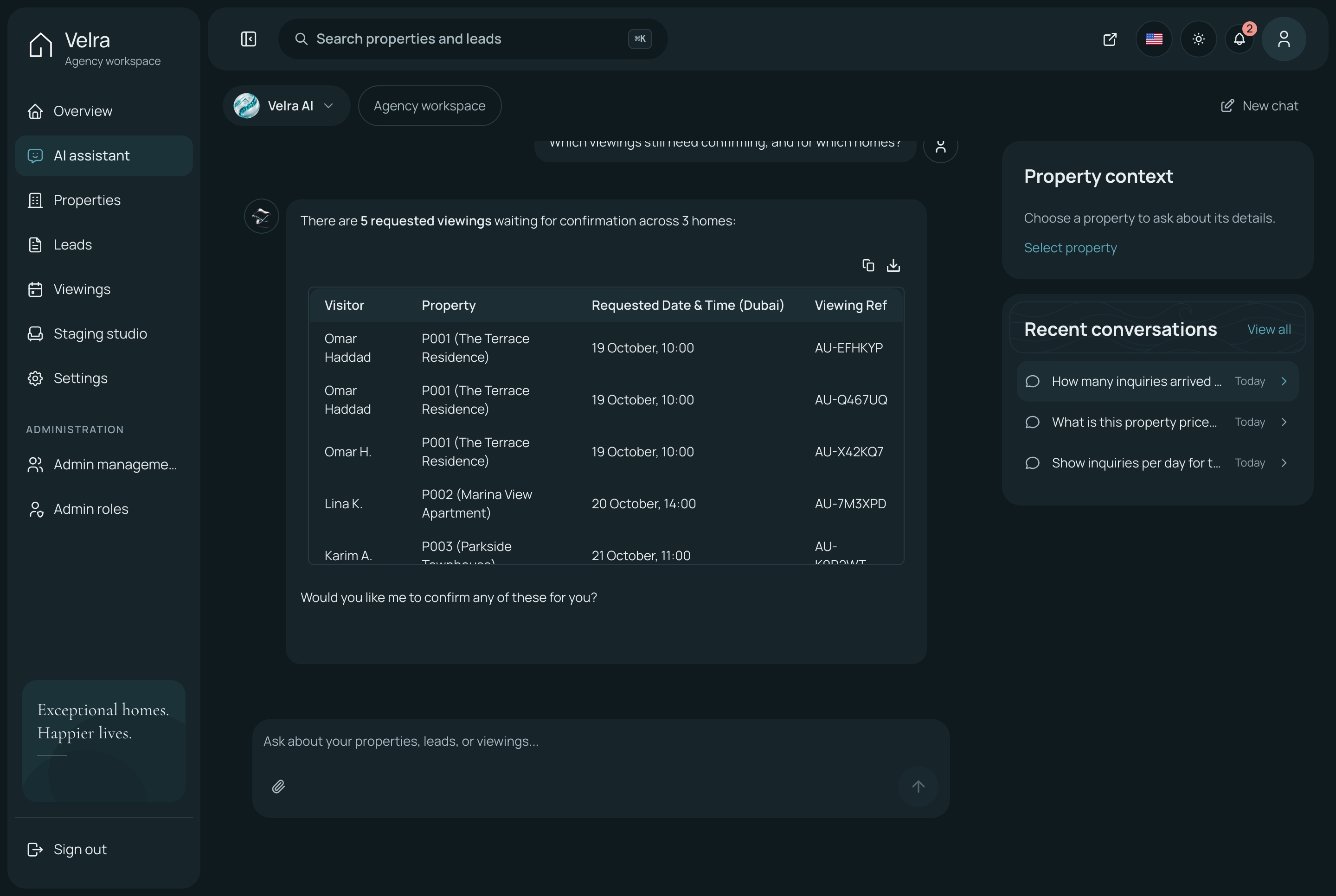
The assistant in conversation, dark theme. Two questions answered from the agency's own data: the inquiries that arrived each day, then the viewings still waiting for confirmation, each with the home and the time, in the dark theme
Settings the agency owns
The agency's name and contact details, the homes featured on the website, the neighborhoods it lists, the team's accounts and what each role may do.
Neighborhoods featured or hidden on the website as the agency chooses
Admins, roles and permissions
Menu items and actions hidden without the permission
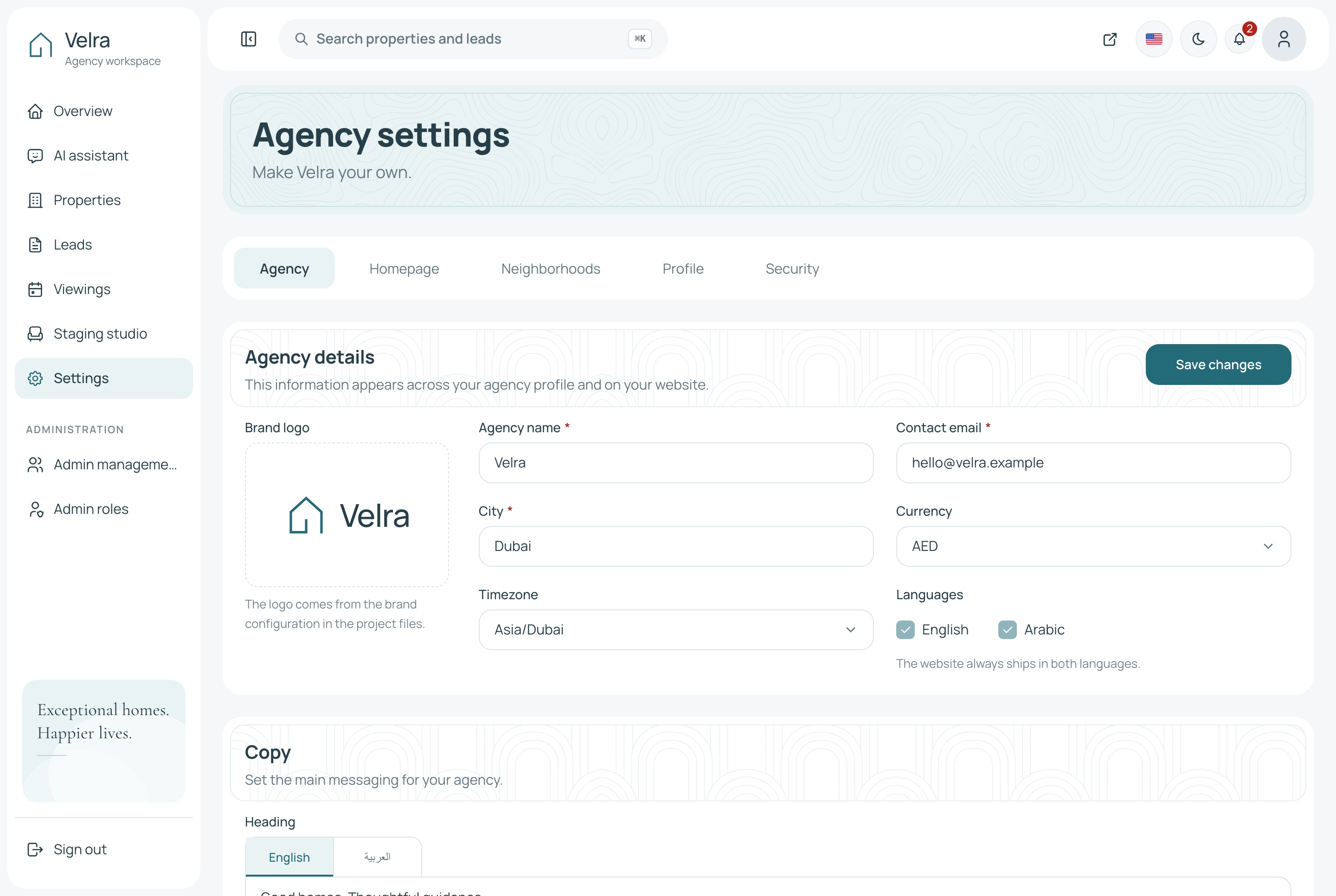
Settings, light theme. The agency's settings: details, homepage, neighborhoods, profile and security, in the light theme
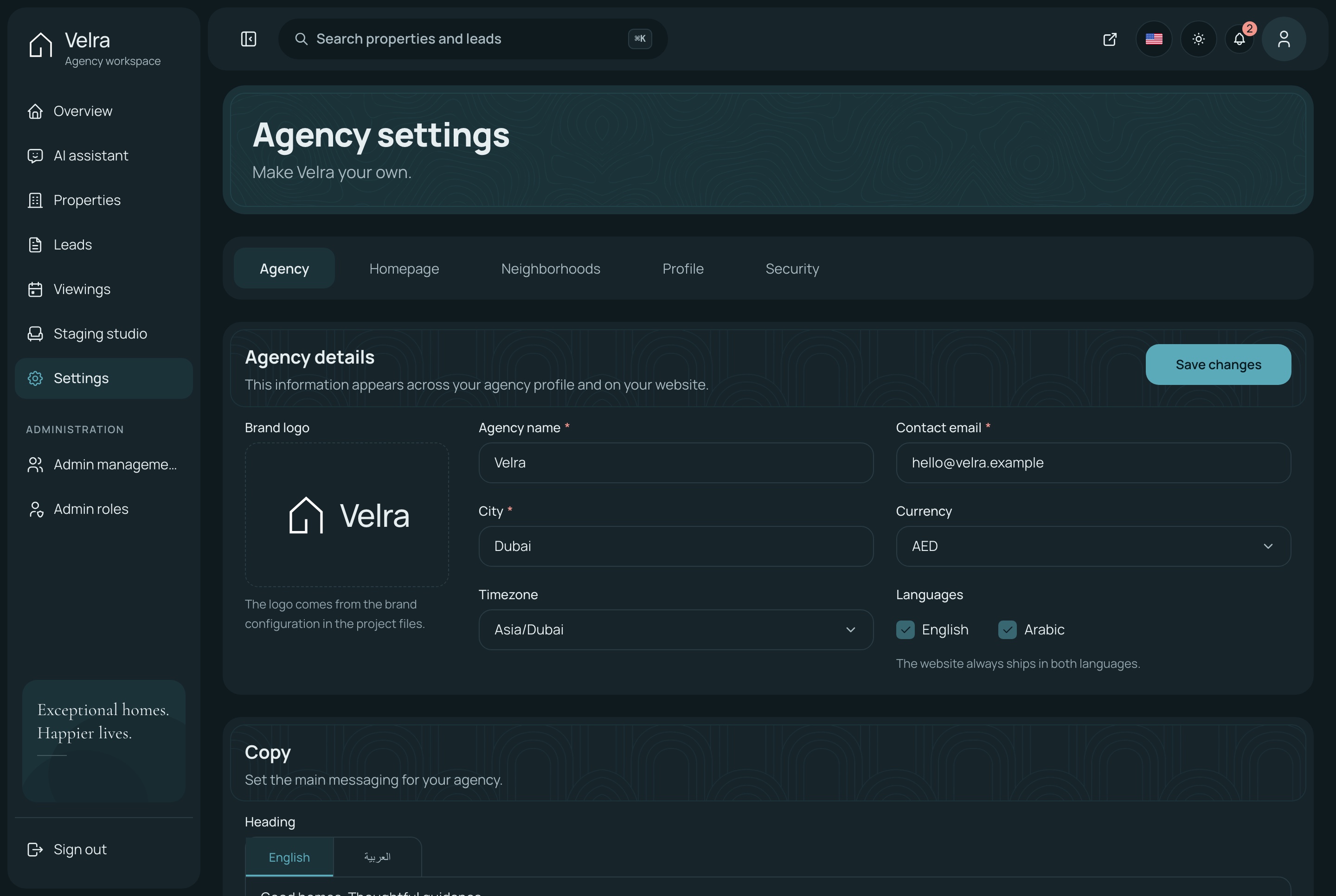
Settings, dark theme. The agency's settings: details, homepage, neighborhoods, profile and security, in the dark theme
Buying and renting
Search the way buyers and tenants think
Purpose, area, type, budget and bedrooms narrow the list, and every filter lives in the address bar, so a search can be shared, bookmarked or reopened with the back button.
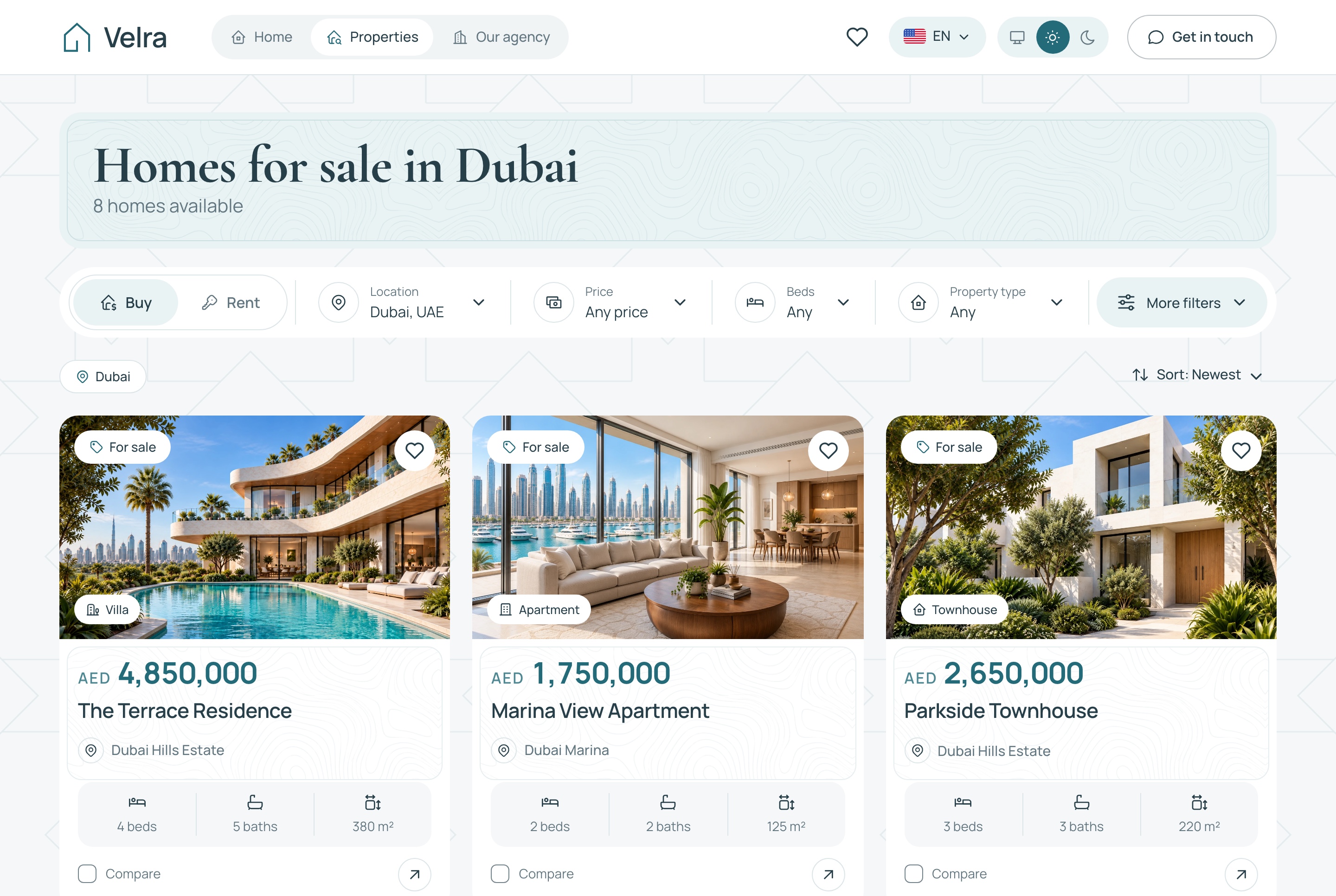
Homes for sale with the filter toolbar, light theme. Homes for sale narrowed by area, type, budget and bedrooms, with every filter kept in the address bar, in the light theme
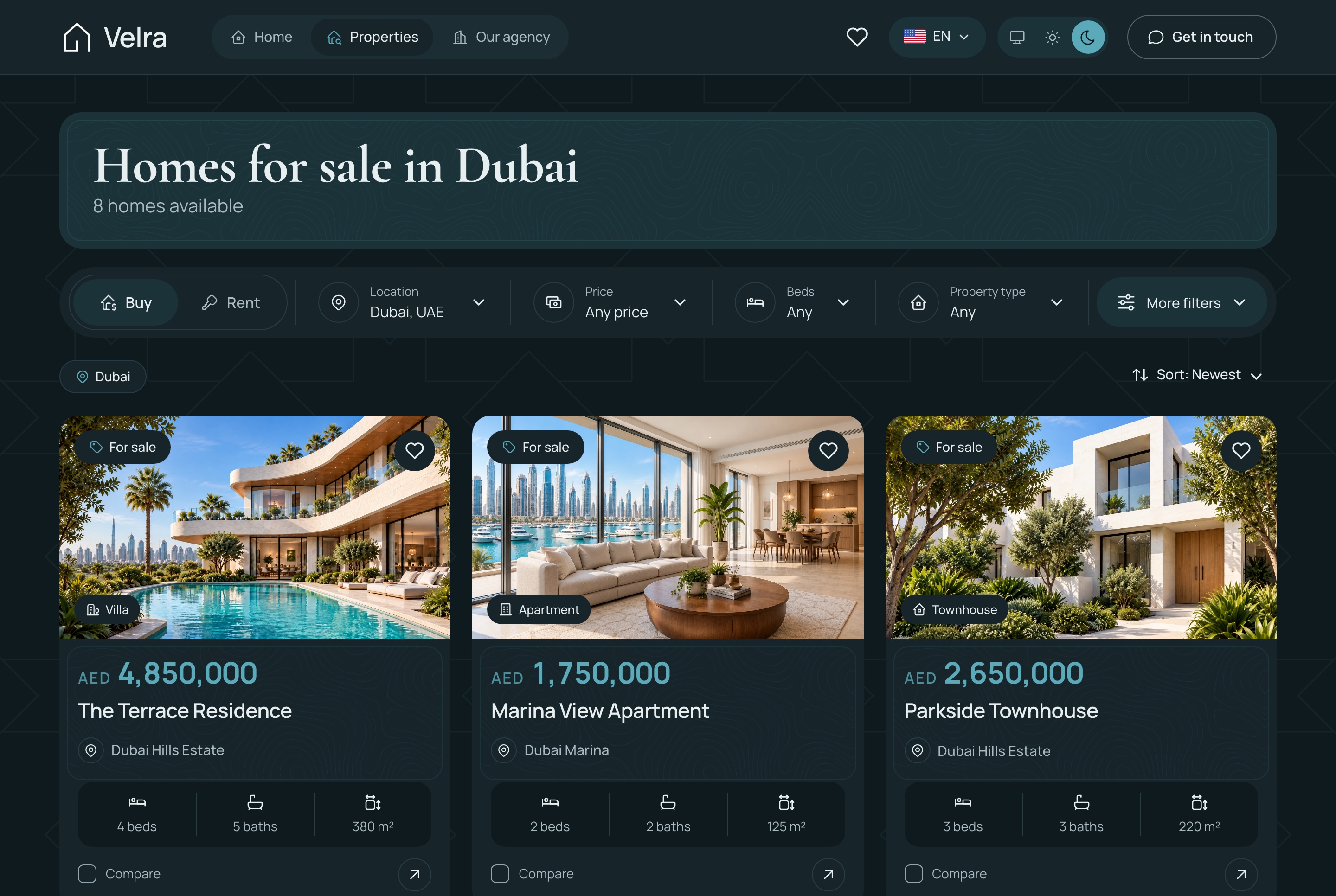
Homes for sale with the filter toolbar, dark theme. Homes for sale narrowed by area, type, budget and bedrooms, with every filter kept in the address bar, in the dark theme
Annual rentals, priced per year, light theme. Homes for rent, each priced per year from its own rental period, in the light theme
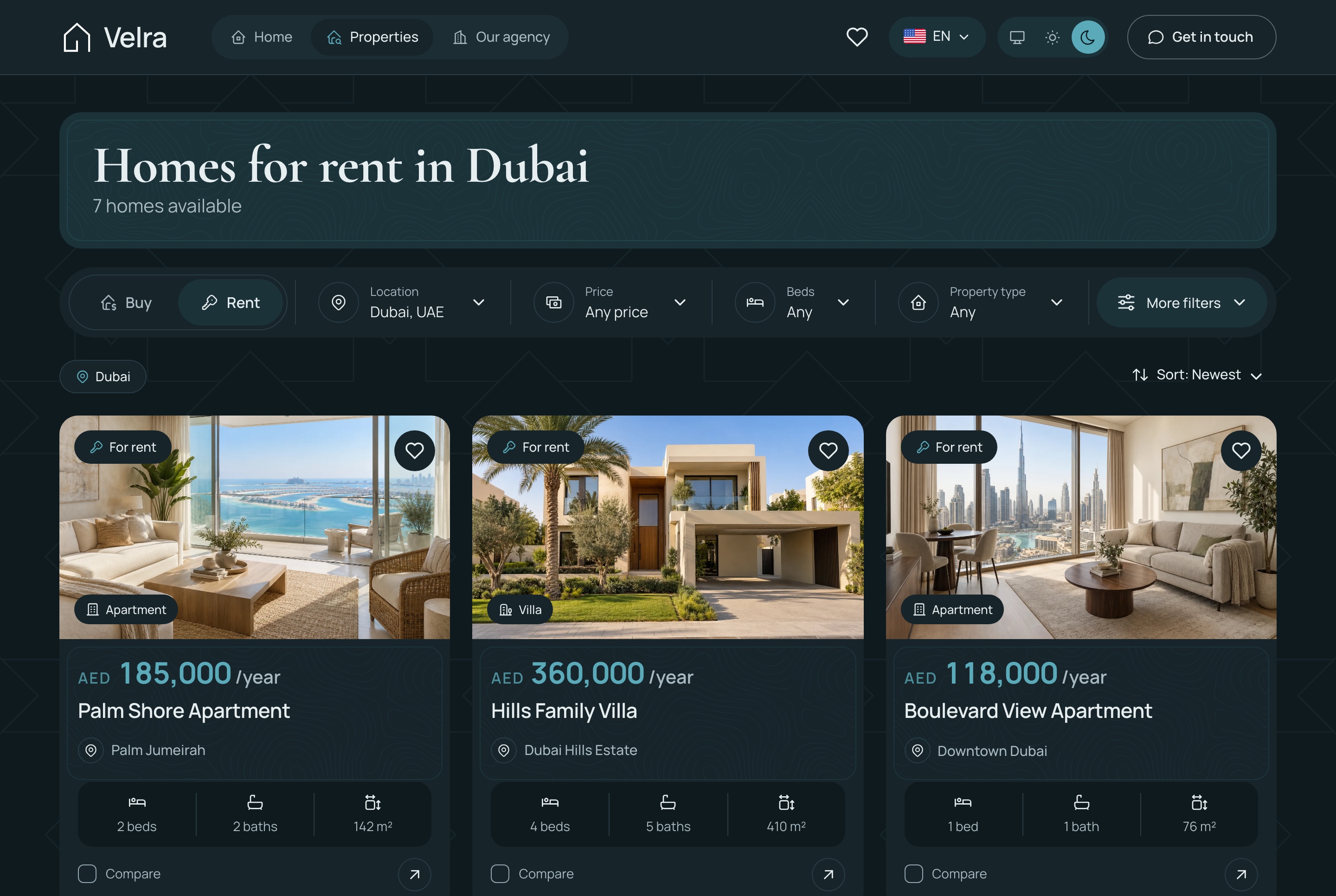
Annual rentals, priced per year, dark theme. Homes for rent, each priced per year from its own rental period, in the dark theme
A property page that answers the first questions
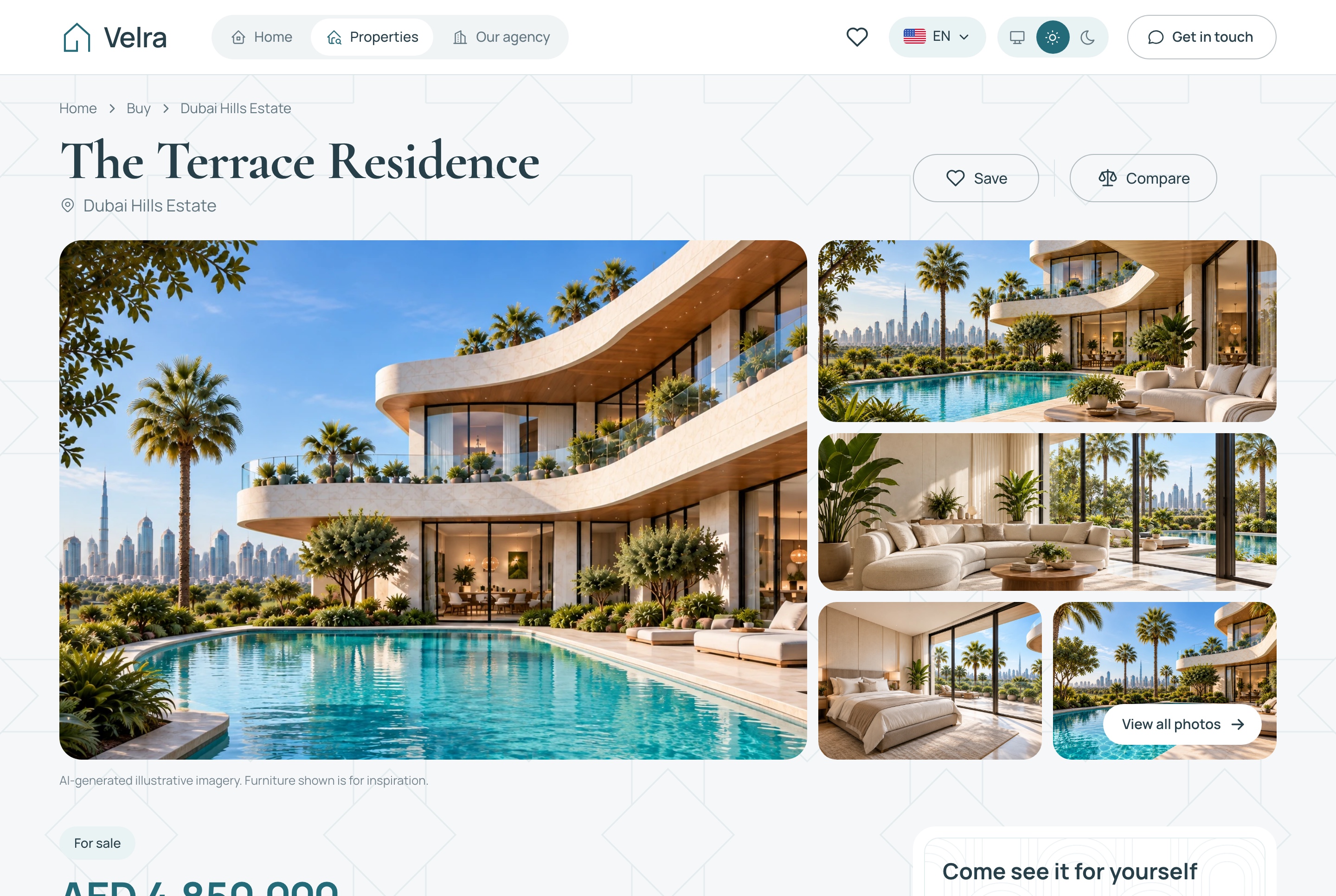
The gallery, the price, the facts and the amenities come first, with the viewing request card beside them.
Rentals priced per year from the listing's own rental period
Similar homes ranked by purpose, area and price
Drafts and archived listings never reach the public site
Page titles, descriptions and language alternates for search engines
Property detail: gallery, facts, price, viewing card, light theme. A property page: the photo gallery, the price, the key facts and the card for requesting a viewing, in the light theme
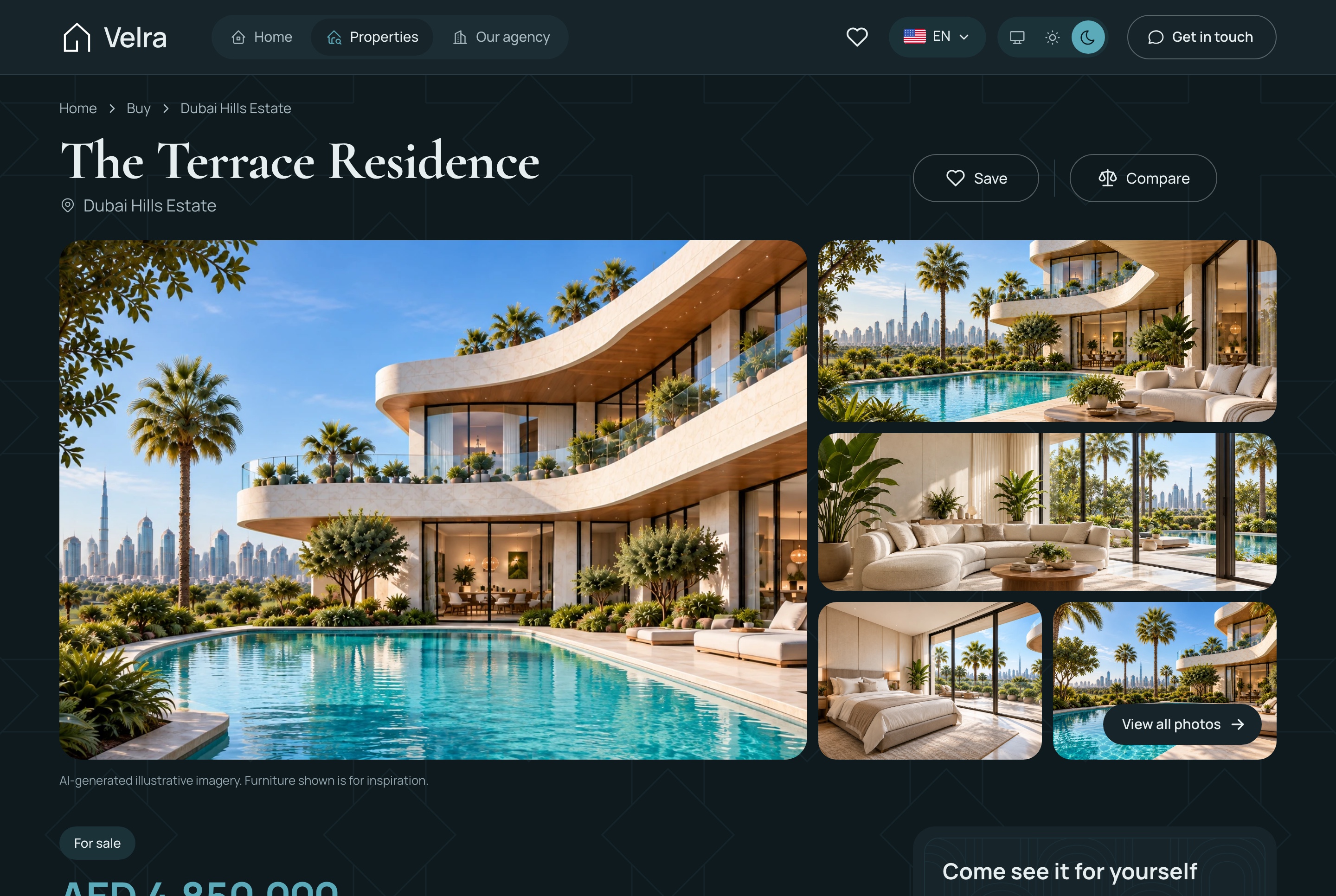
Property detail: gallery, facts, price, viewing card, dark theme. A property page: the photo gallery, the price, the key facts and the card for requesting a viewing, in the dark theme
Saved homes and a side by side comparison
Visitors keep a shortlist without creating an account. It stays on their device, and up to three homes can be compared row by row.
Price, size, bedrooms, bathrooms and amenities in one table
A save button on every listing card and property page
Nothing to sign up for
Three homes compared, light theme. Three saved homes compared row by row: price, size, rooms and amenities, in the light theme
Three homes compared, dark theme. Three saved homes compared row by row: price, size, rooms and amenities, in the dark theme
Saved homes on this device, light theme. The shortlist of saved homes, kept in the visitor's browser without an account, in the light theme
Saved homes on this device, dark theme. The shortlist of saved homes, kept in the visitor's browser without an account, in the dark theme
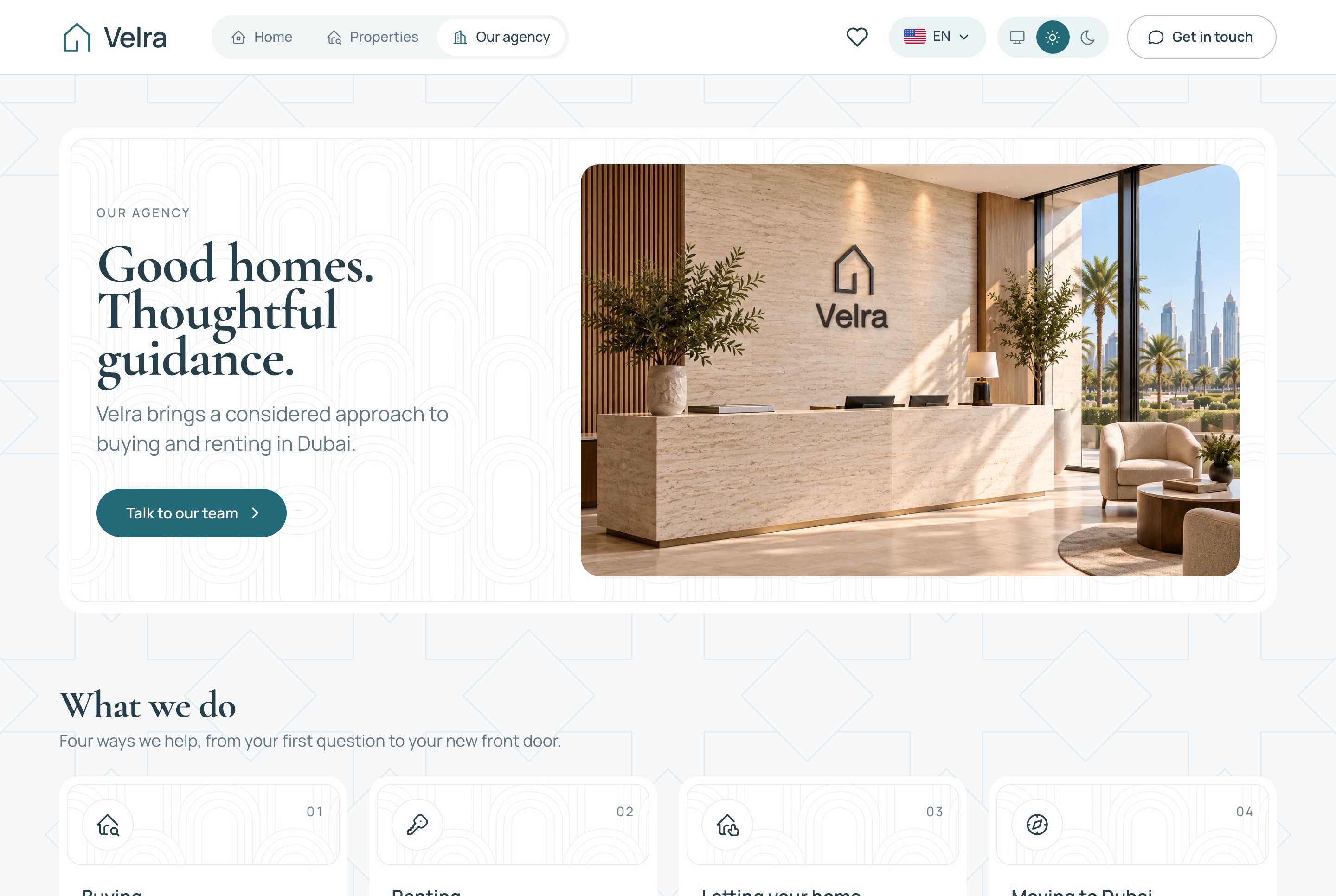
The agency page, light theme. The agency page: its welcome and what it does, from buying and renting to letting a home and moving to Dubai, in the light theme
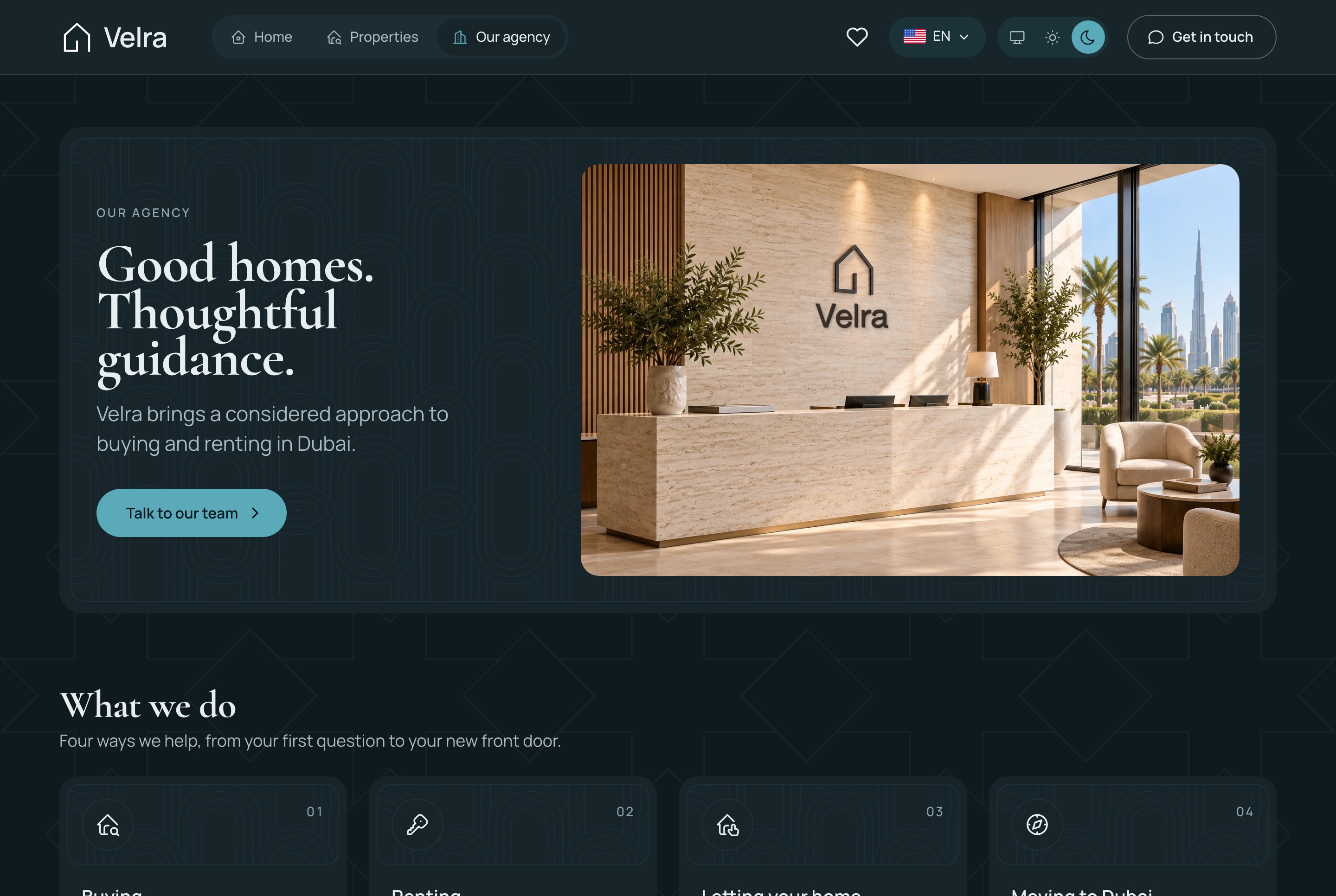
The agency page, dark theme. The agency page: its welcome and what it does, from buying and renting to letting a home and moving to Dubai, in the dark theme
From inquiry to viewing
Every request reaches the agency
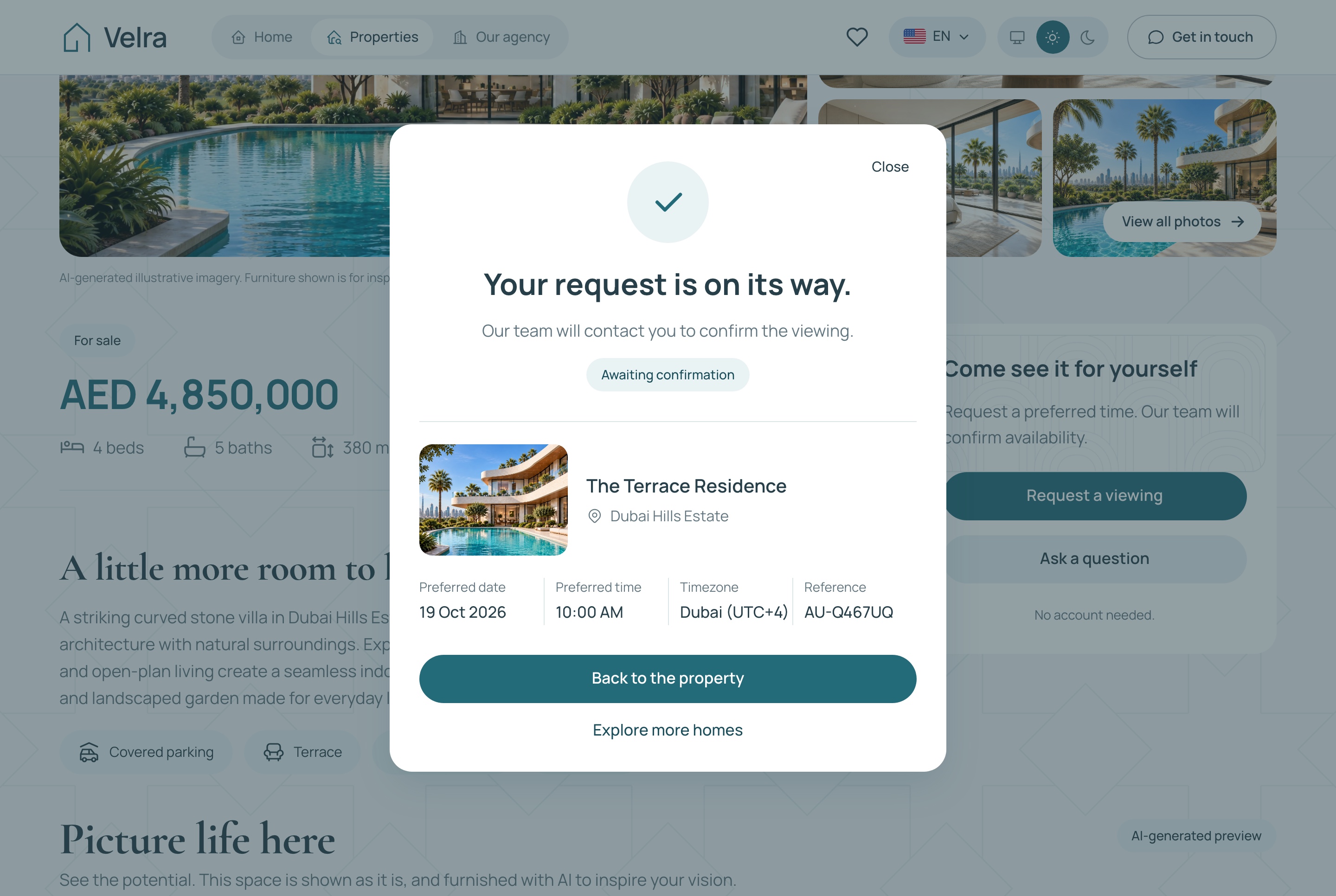
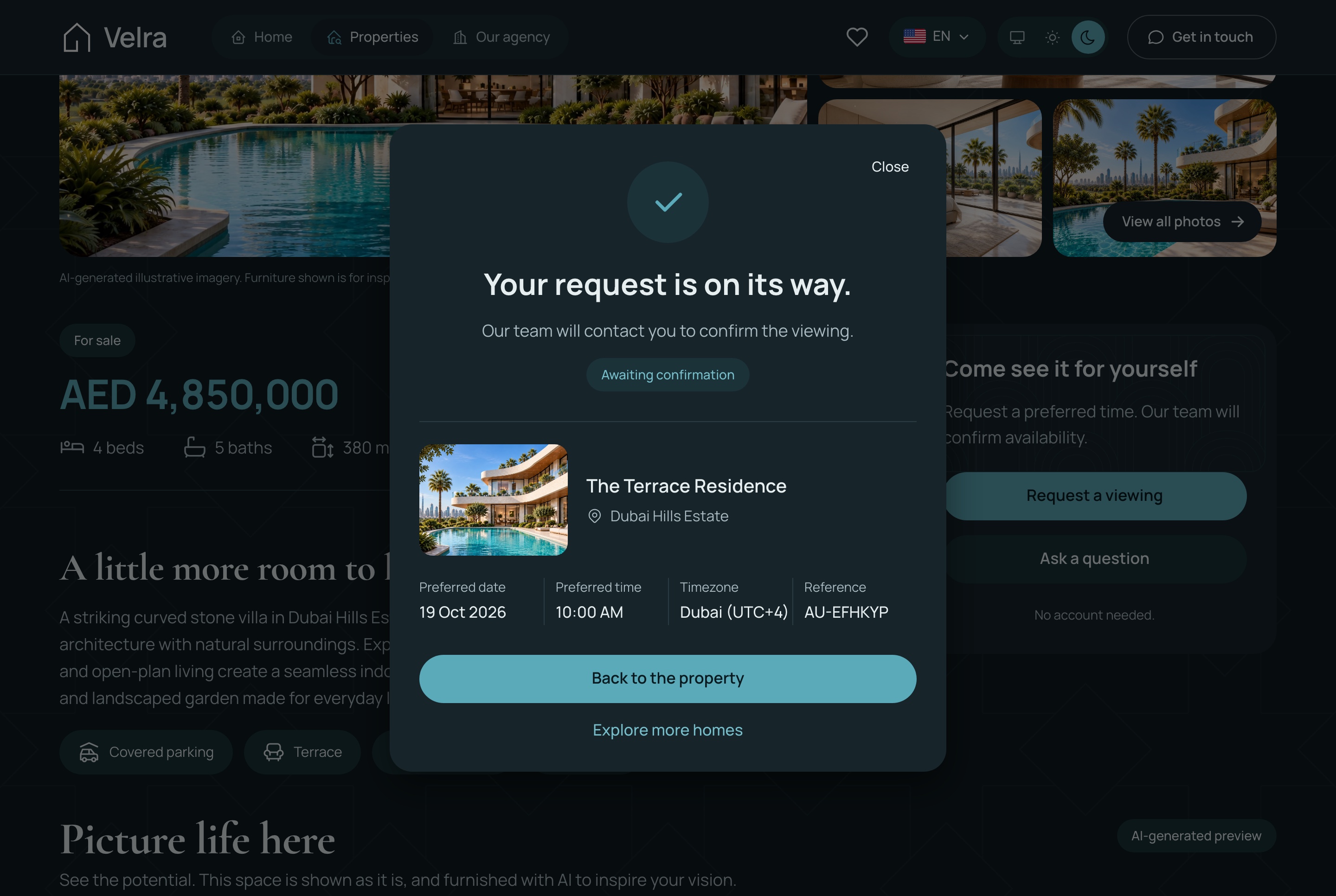
A viewing request asks for a preferred date and time and stays pending until the agency confirms it, so a visitor is never promised a slot nobody has checked.
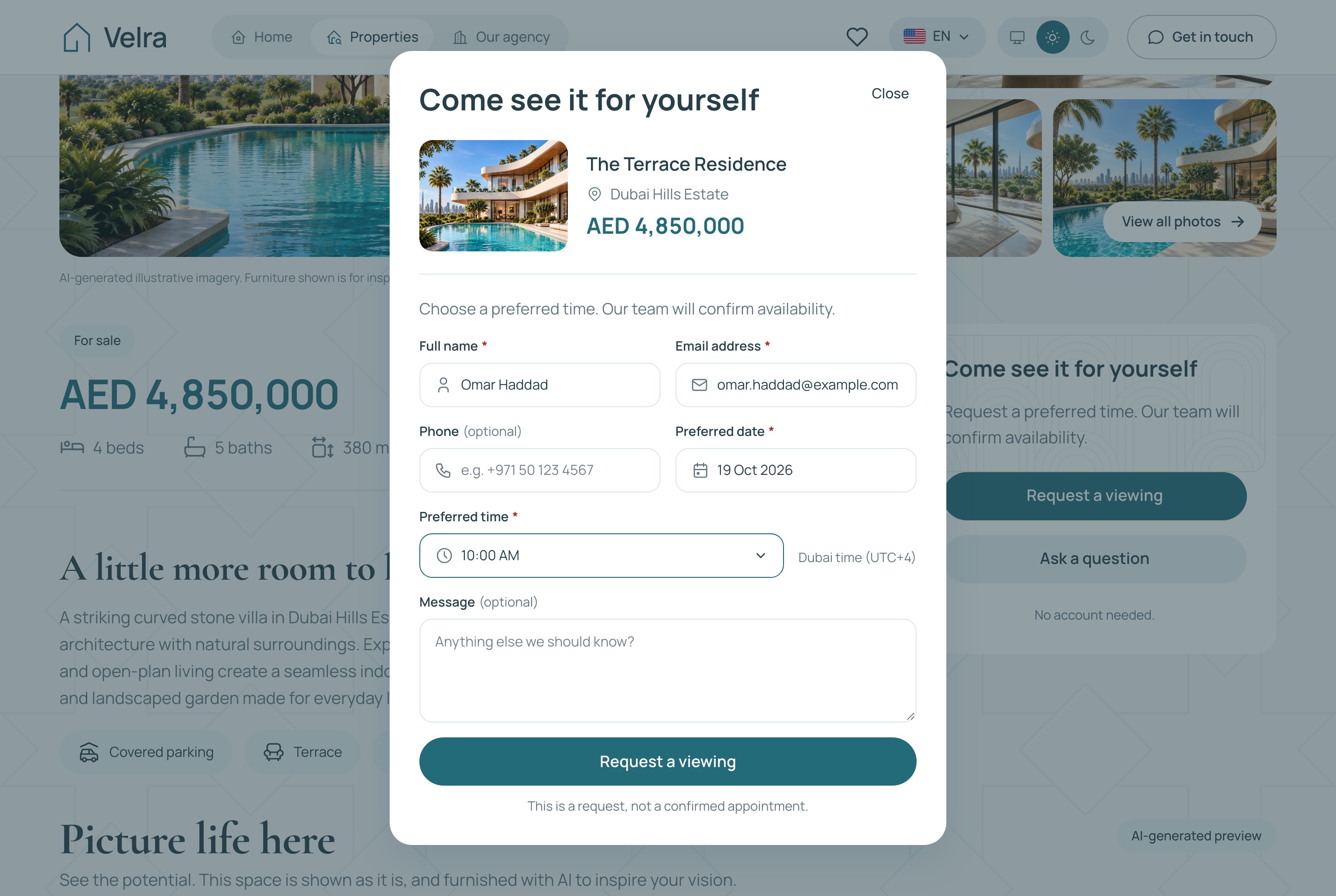
The viewing request dialog, light theme. The viewing request: a preferred date and time and the visitor's contact details, in the light theme
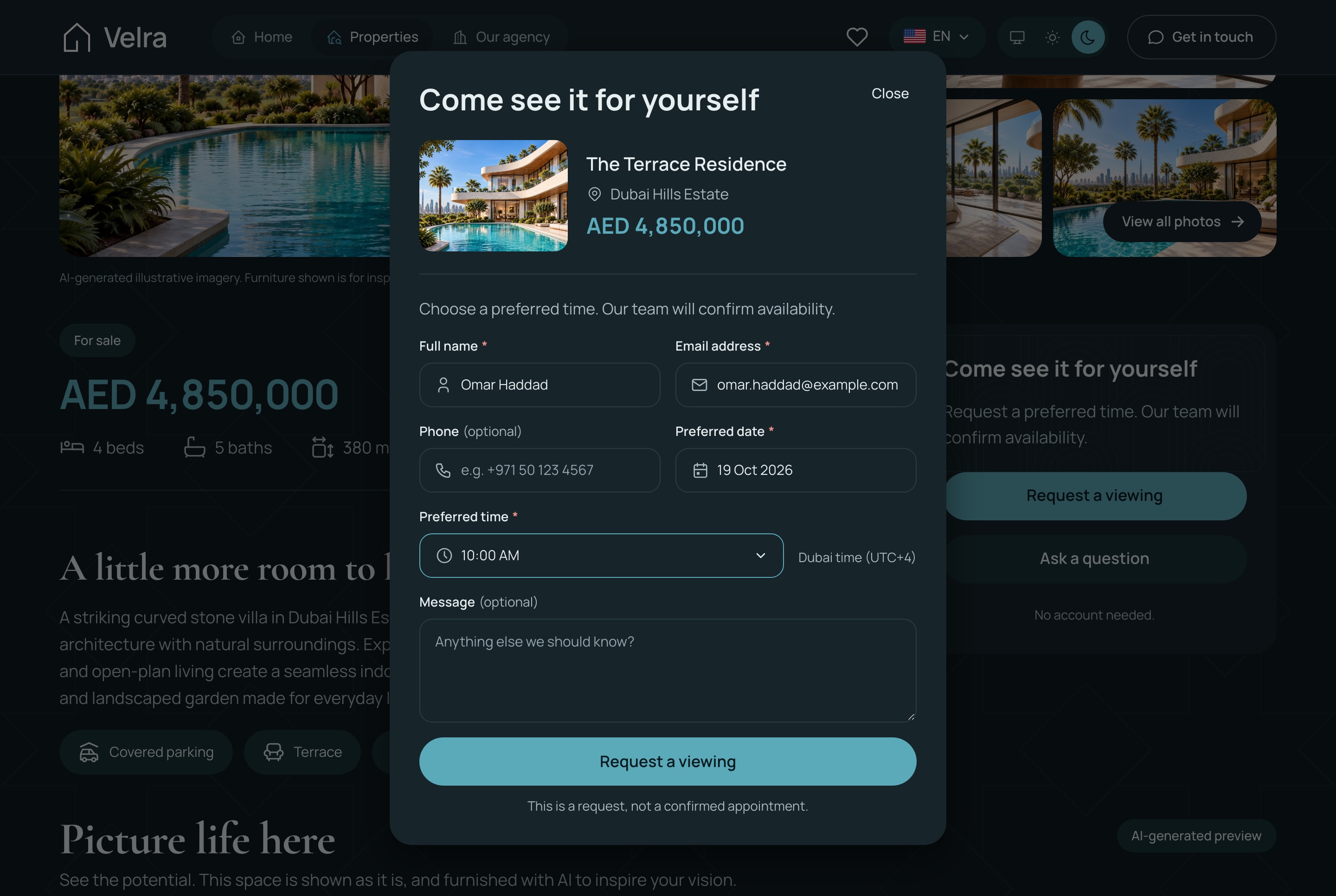
The viewing request dialog, dark theme. The viewing request: a preferred date and time and the visitor's contact details, in the dark theme
The pending confirmation state, light theme. After sending: the request waits for the agency to confirm the time, in the light theme
The pending confirmation state, dark theme. After sending: the request waits for the agency to confirm the time, in the dark theme
Forms that are safe to send twice
The viewing request and the contact form are built for real traffic, not only for a demo.
A repeated submission returns the request already stored
A hidden field and a per-address limit keep bots out
Times held in the agency's own time zone
A reference number the visitor can quote
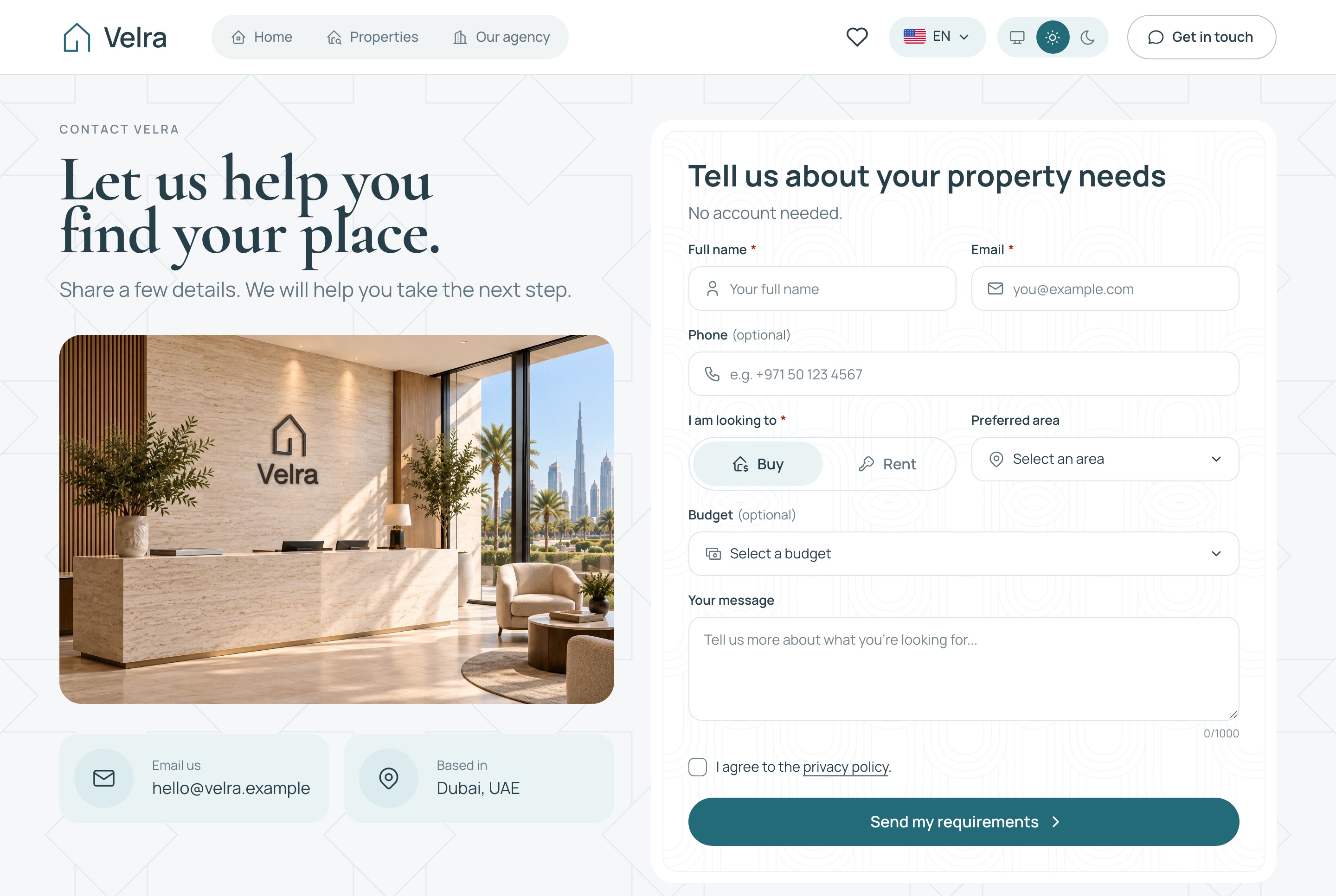
Contact and requirements form, light theme. The contact form, for a question or for the home a visitor is looking for, in the light theme
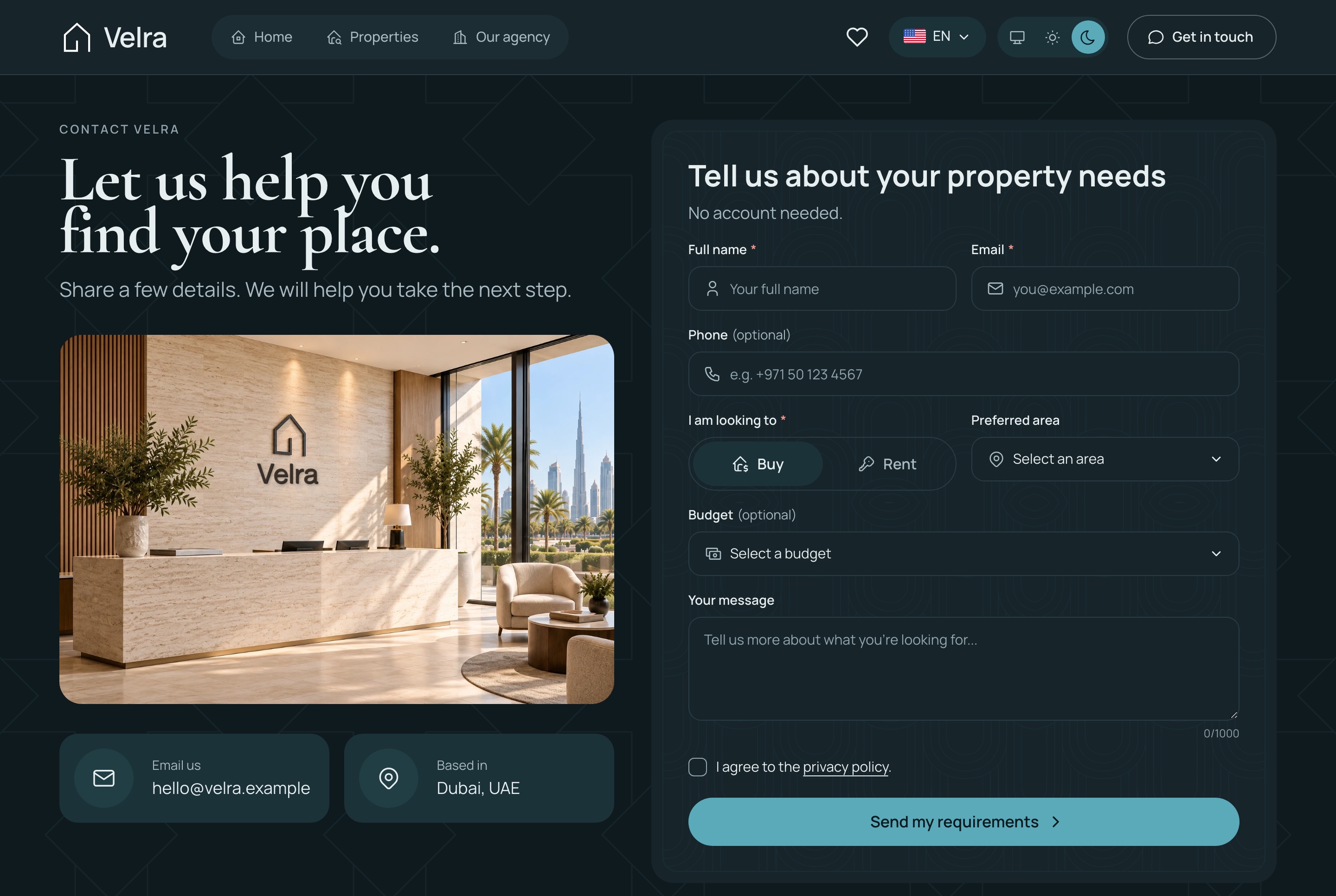
Contact and requirements form, dark theme. The contact form, for a question or for the home a visitor is looking for, in the dark theme
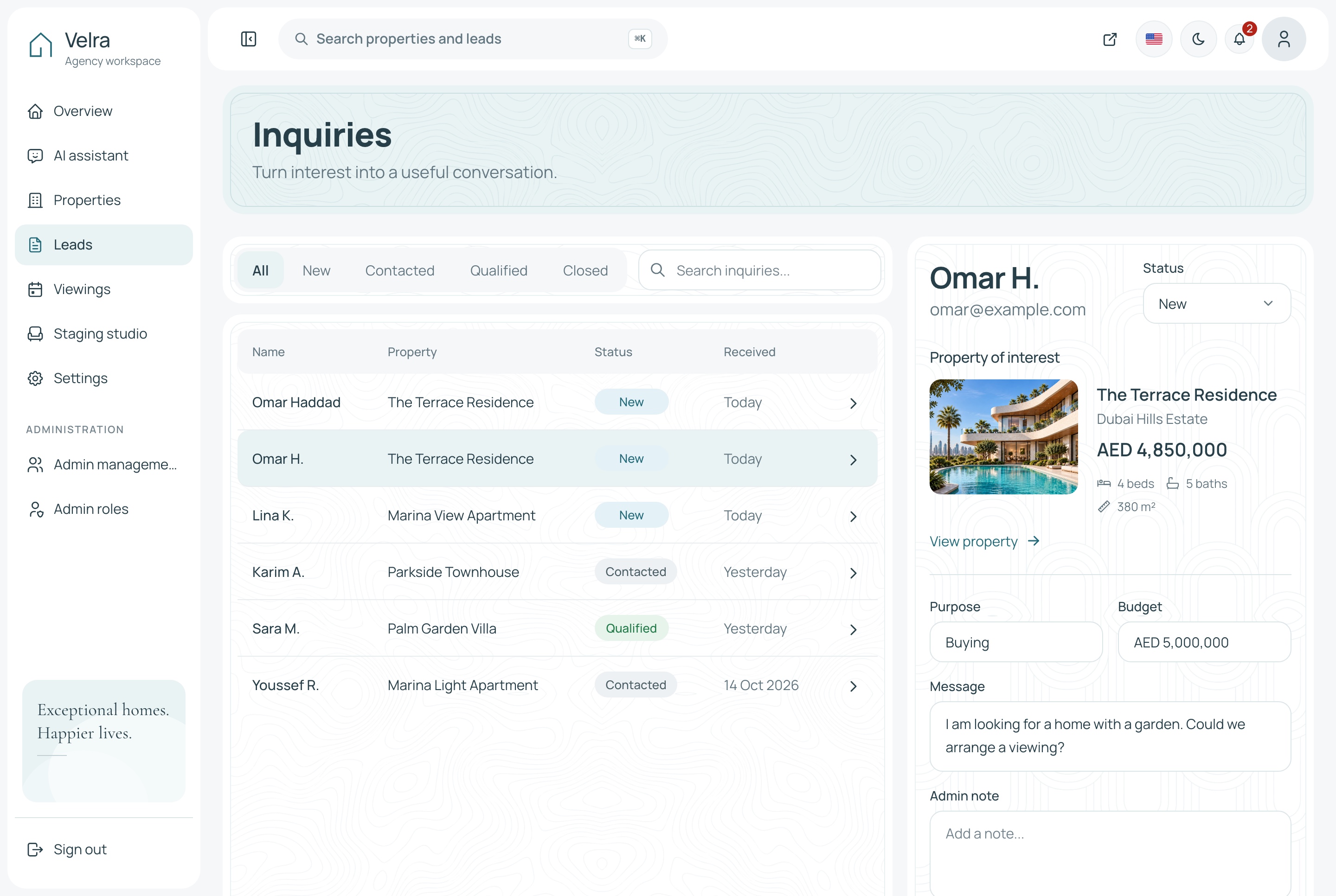
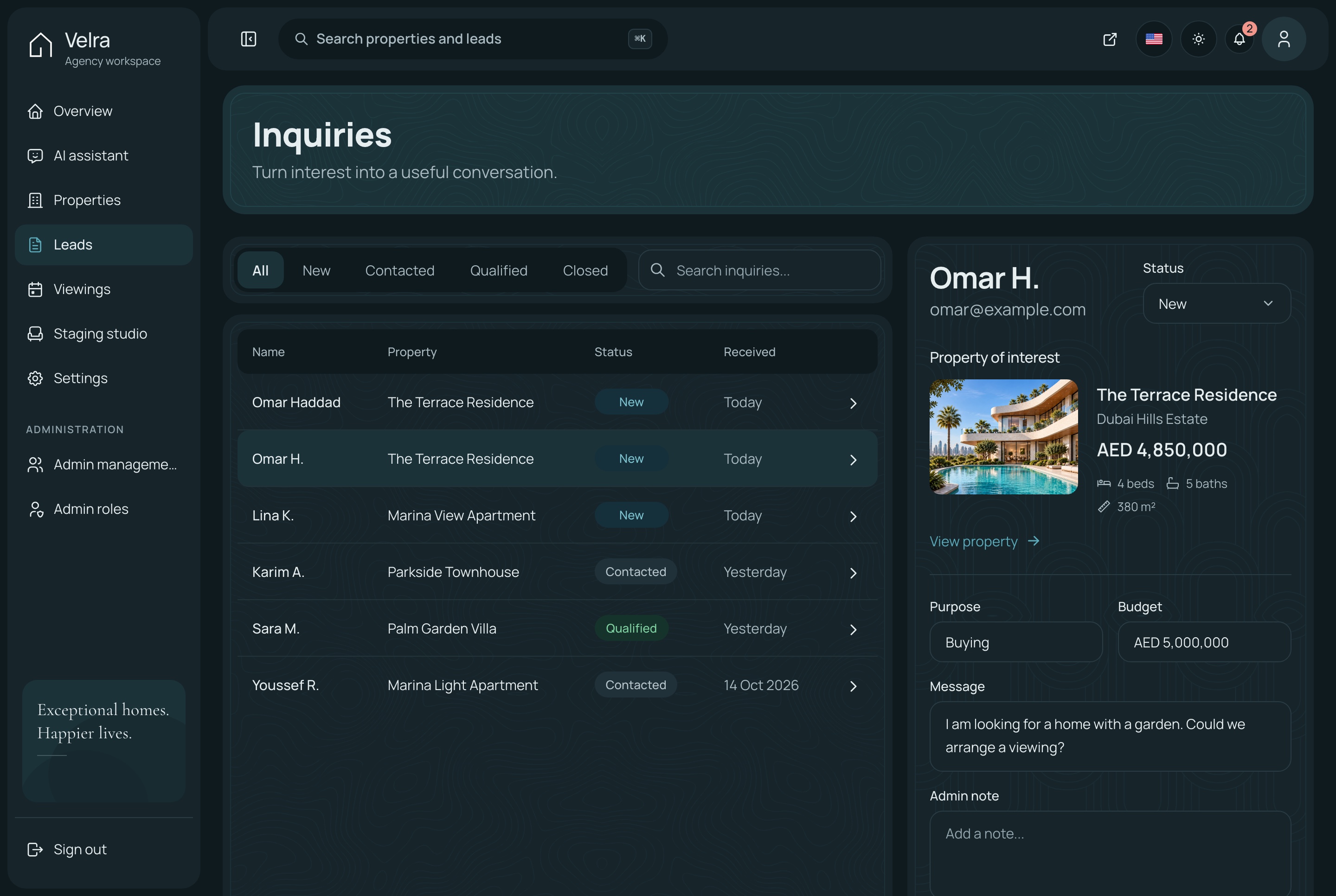
Inquiries with a status and notes
Each inquiry opens in a panel with the message, the property it concerns and the viewing it led to. The agency moves it along and writes notes as it goes.
Tabs for every status
Search across every inquiry
A notification the moment a request arrives
Leads with the detail panel, light theme. Inquiries by status, with one open in the detail panel: the message, the property, the viewing and the notes, in the light theme
Leads with the detail panel, dark theme. Inquiries by status, with one open in the detail panel: the message, the property, the viewing and the notes, in the dark theme
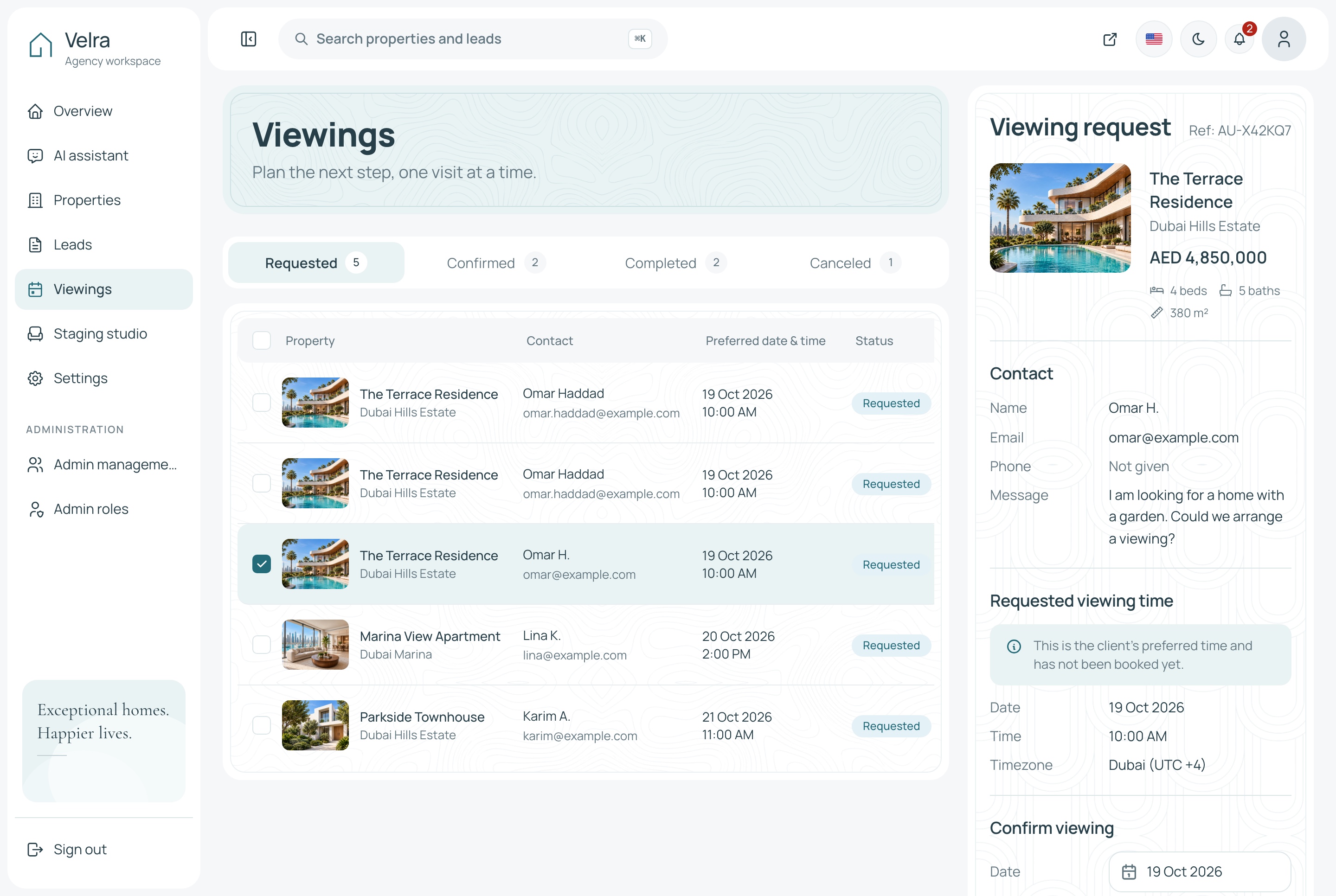
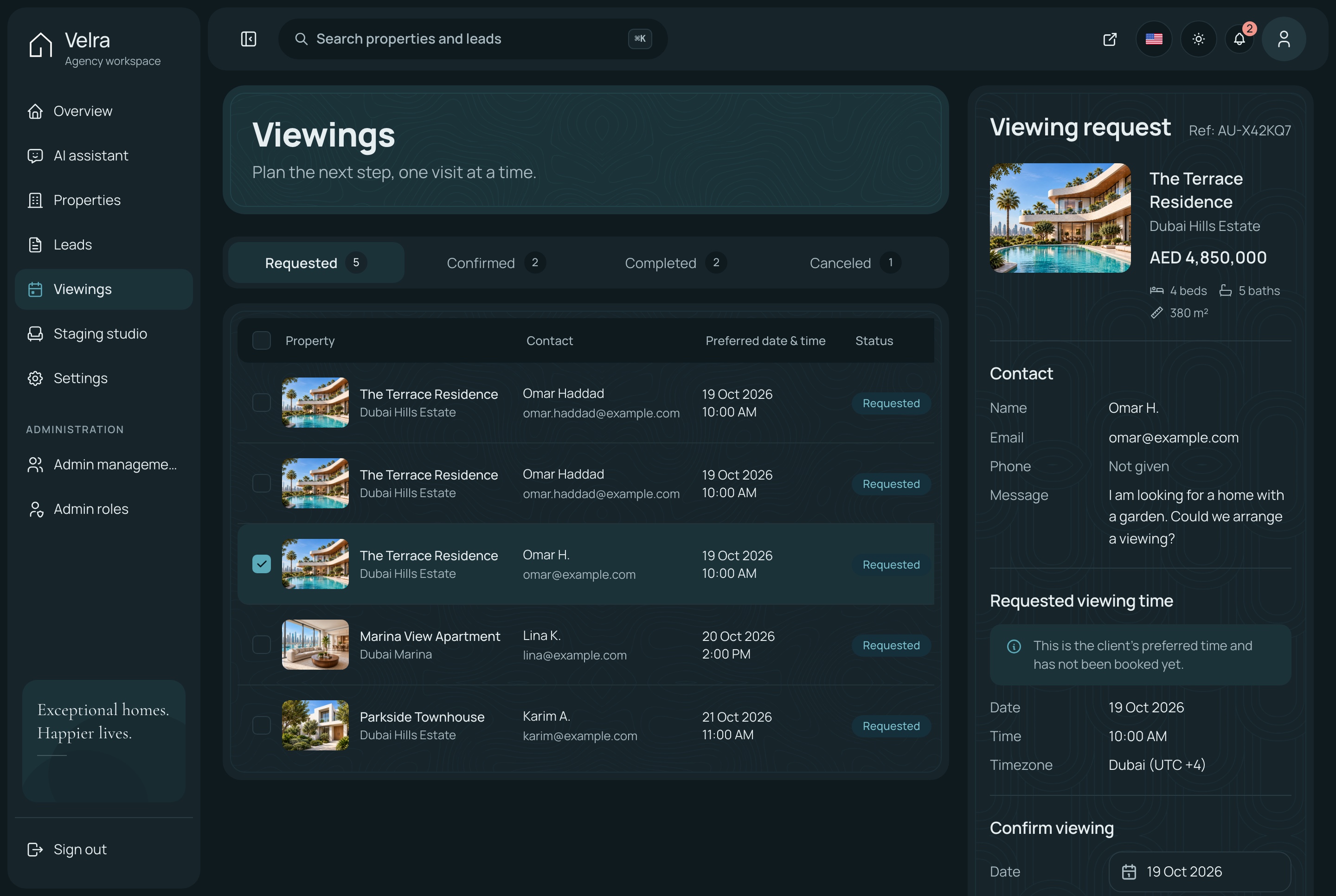
Viewings to confirm, complete or cancel
Requested viewings come first. Confirming, completing or cancelling one is a single action, and only the moves that make sense for its status are offered.
Tabs with a count for every status
Upcoming viewings on the overview
The visitor's contact details beside each request
Viewings, light theme. Viewing requests to confirm, complete or cancel, in the light theme
Viewings, dark theme. Viewing requests to confirm, complete or cancel, in the dark theme
AI virtual staging
Show an empty room furnished
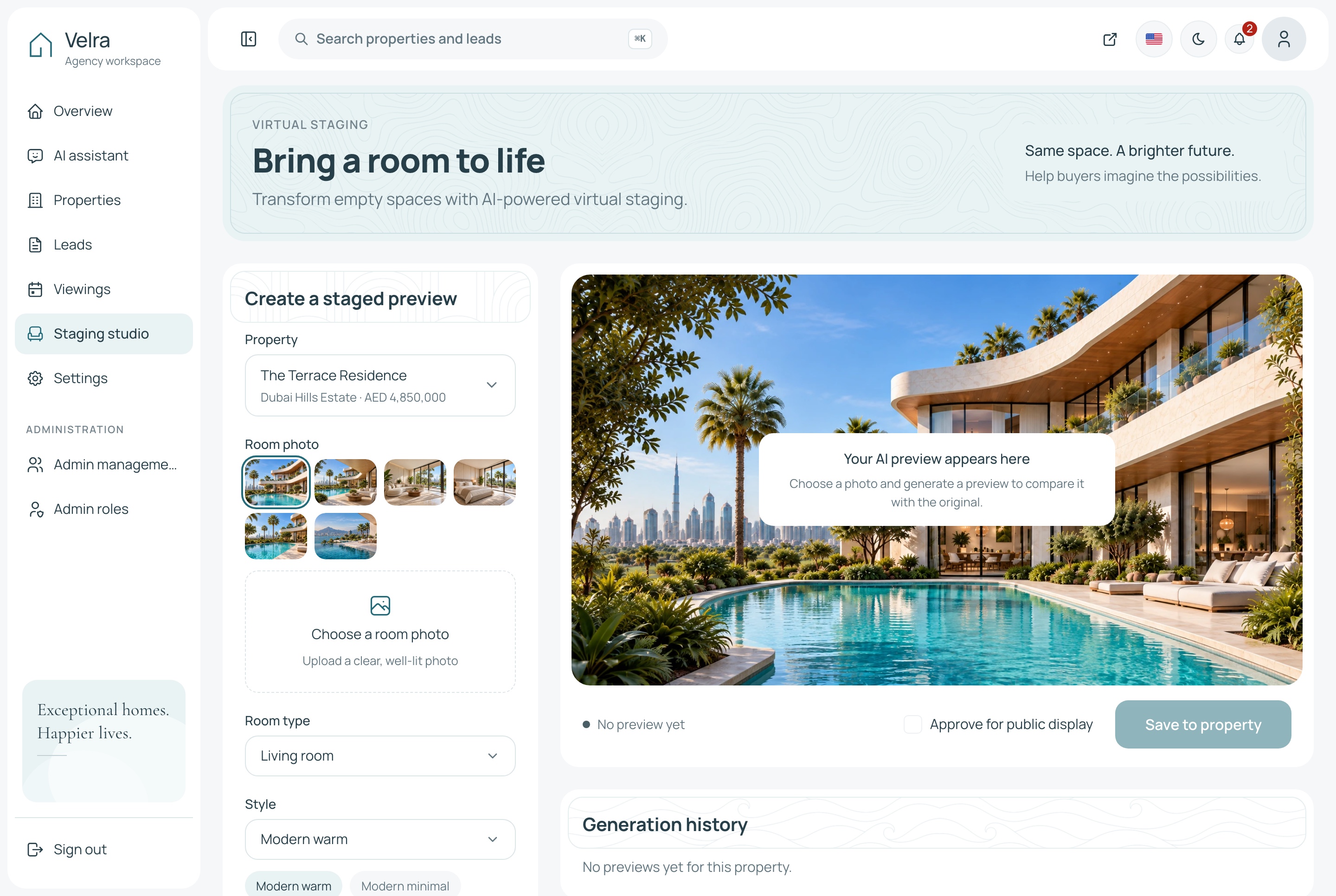
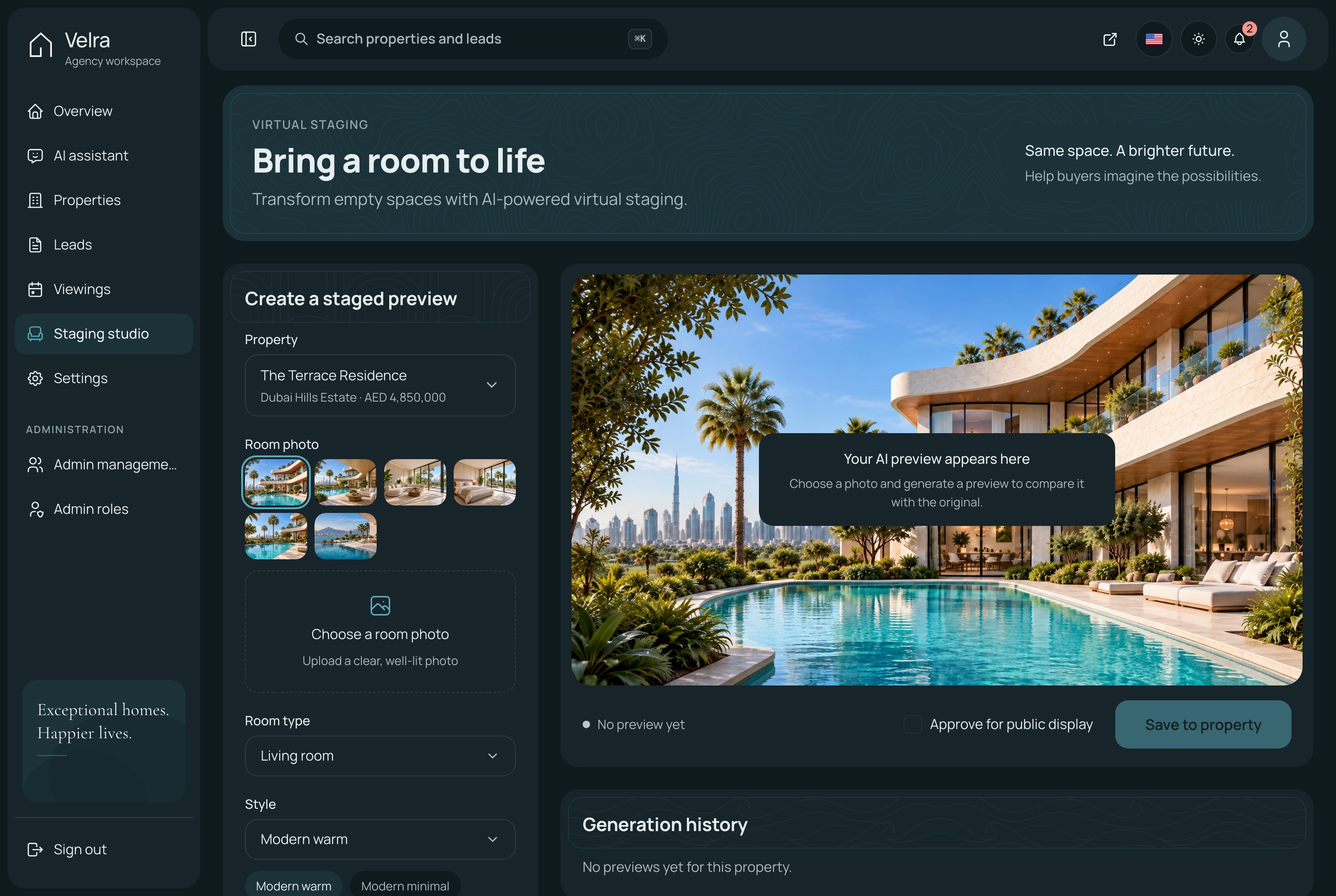
The staging studio sends a photo of an empty room to Google Gemini's image editor with a room type and a style, and gets it back furnished with its walls, windows and light kept. The agency approves a result before it appears anywhere.
Staging studio, light theme. The AI staging studio: a property's room photos, the room type and style, and the frame the furnished preview fills; on the demo, generating asks for your own Gemini key, in the light theme
Staging studio, dark theme. The AI staging studio: a property's room photos, the room type and style, and the frame the furnished preview fills; on the demo, generating asks for your own Gemini key, in the dark theme
Before and after, on the property page
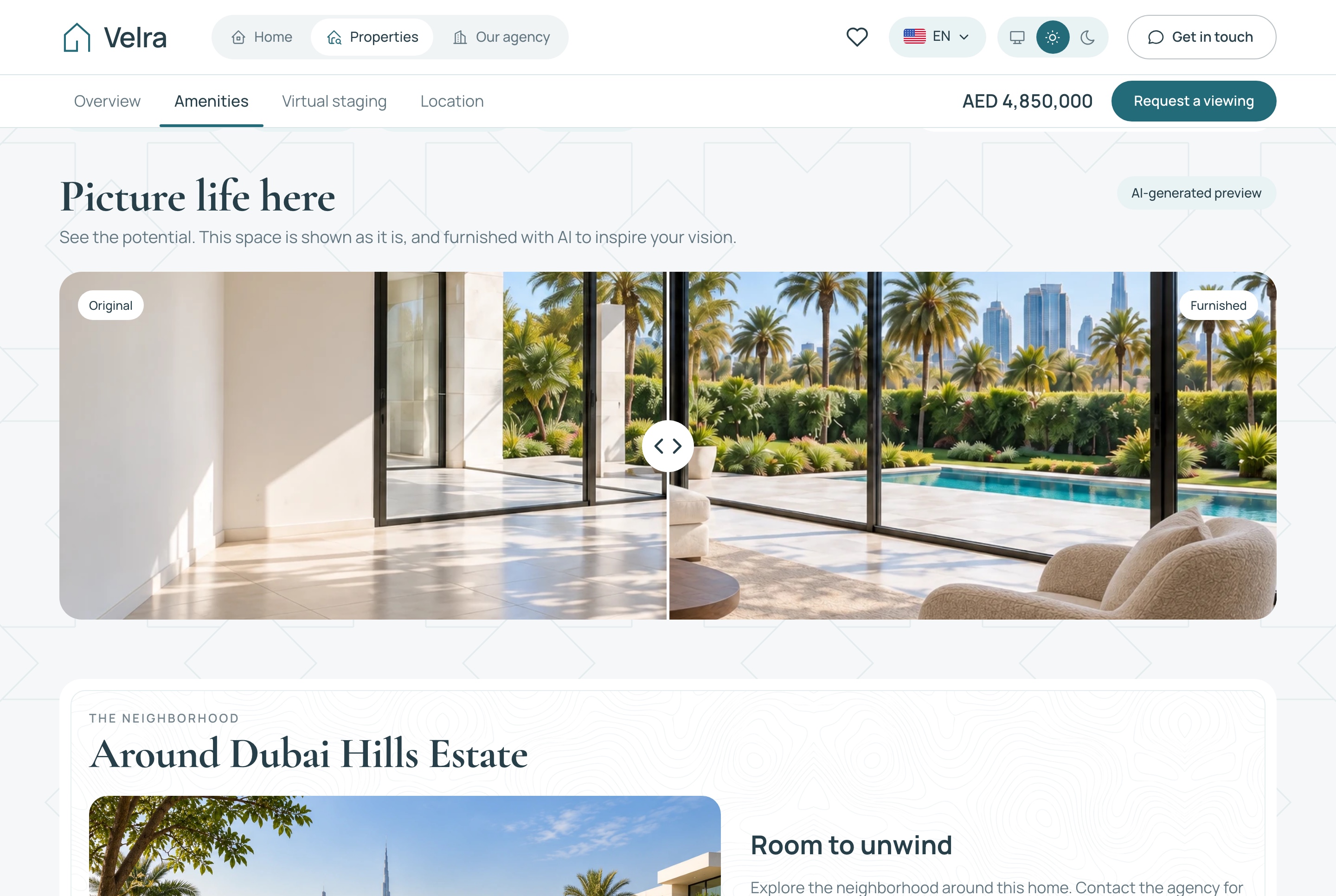
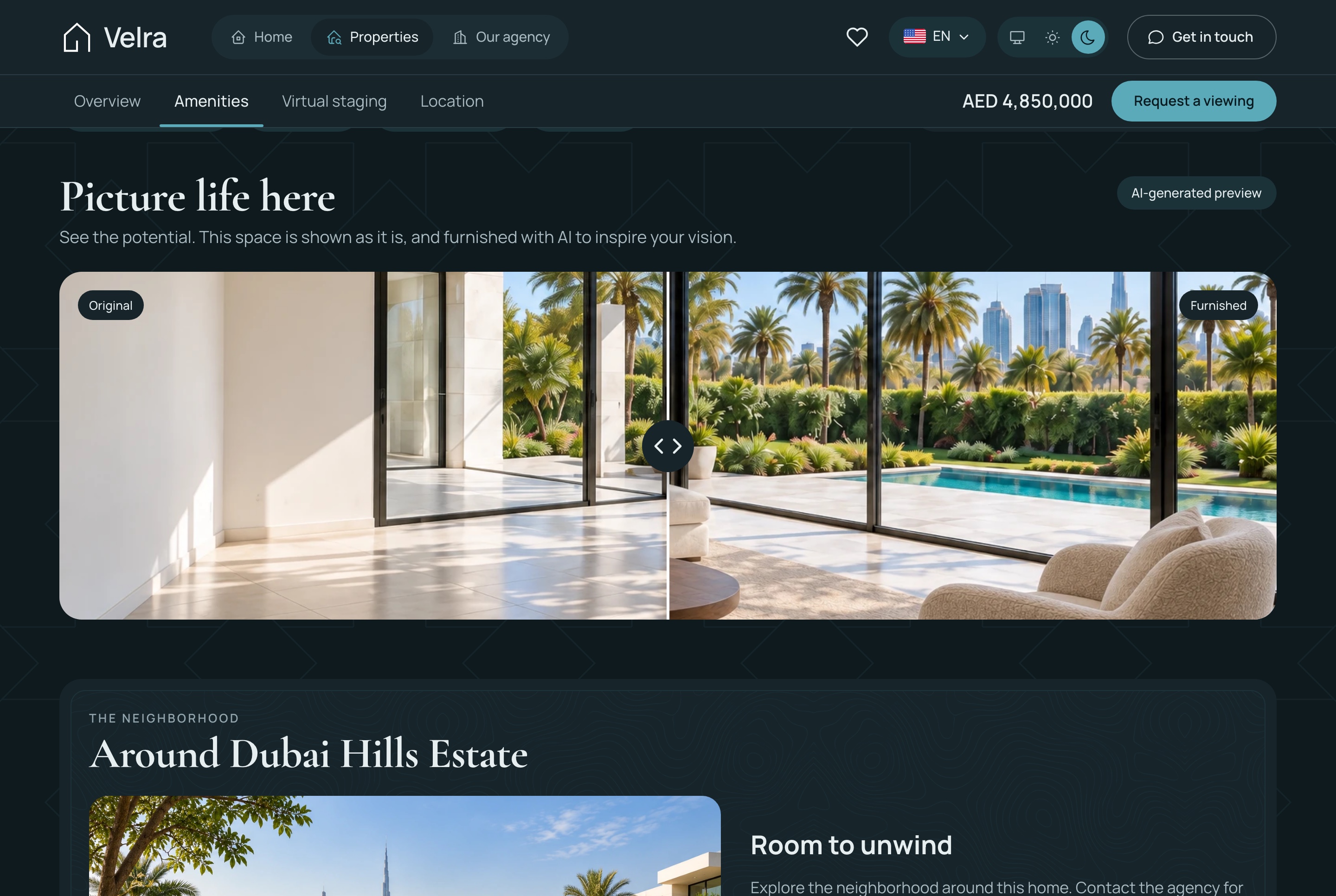
An approved pair appears on the public property page as a comparison the visitor drags, labelled as generated by AI so nobody mistakes it for the finished home.
One public pair per property, chosen by the agency
Room types and styles picked in the studio
Runs on your own Google Gemini key
Property detail: the AI staging comparison and the area, light theme. The before and after comparison of a staged room, labelled as generated by AI, and the neighborhood around the home, in the light theme
Property detail: the AI staging comparison and the area, dark theme. The before and after comparison of a staged room, labelled as generated by AI, and the neighborhood around the home, in the dark theme
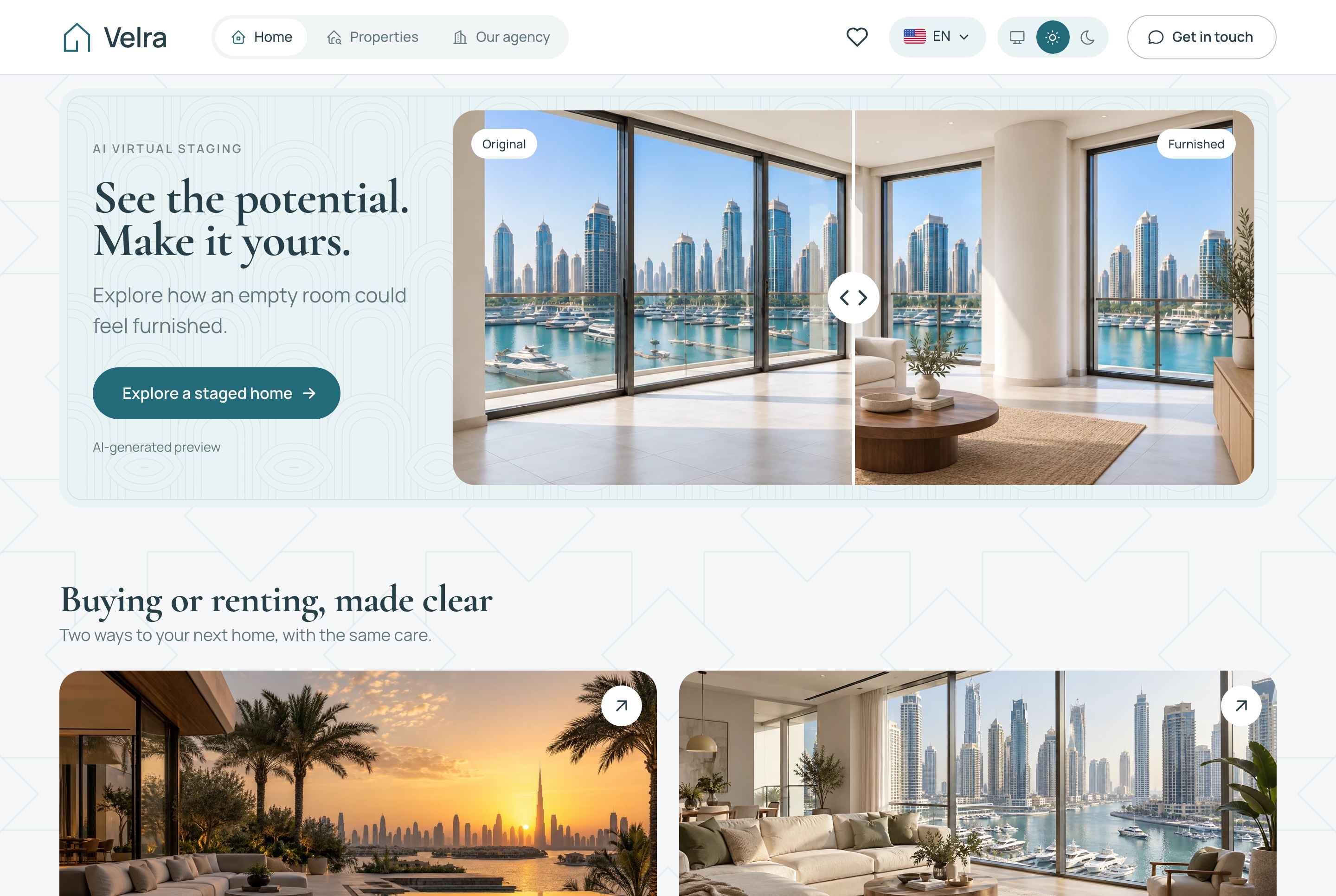
Home: virtual staging preview, buying or renting, light theme. Further down the home page: an approved before and after staging pair, then buying and renting side by side, in the light theme
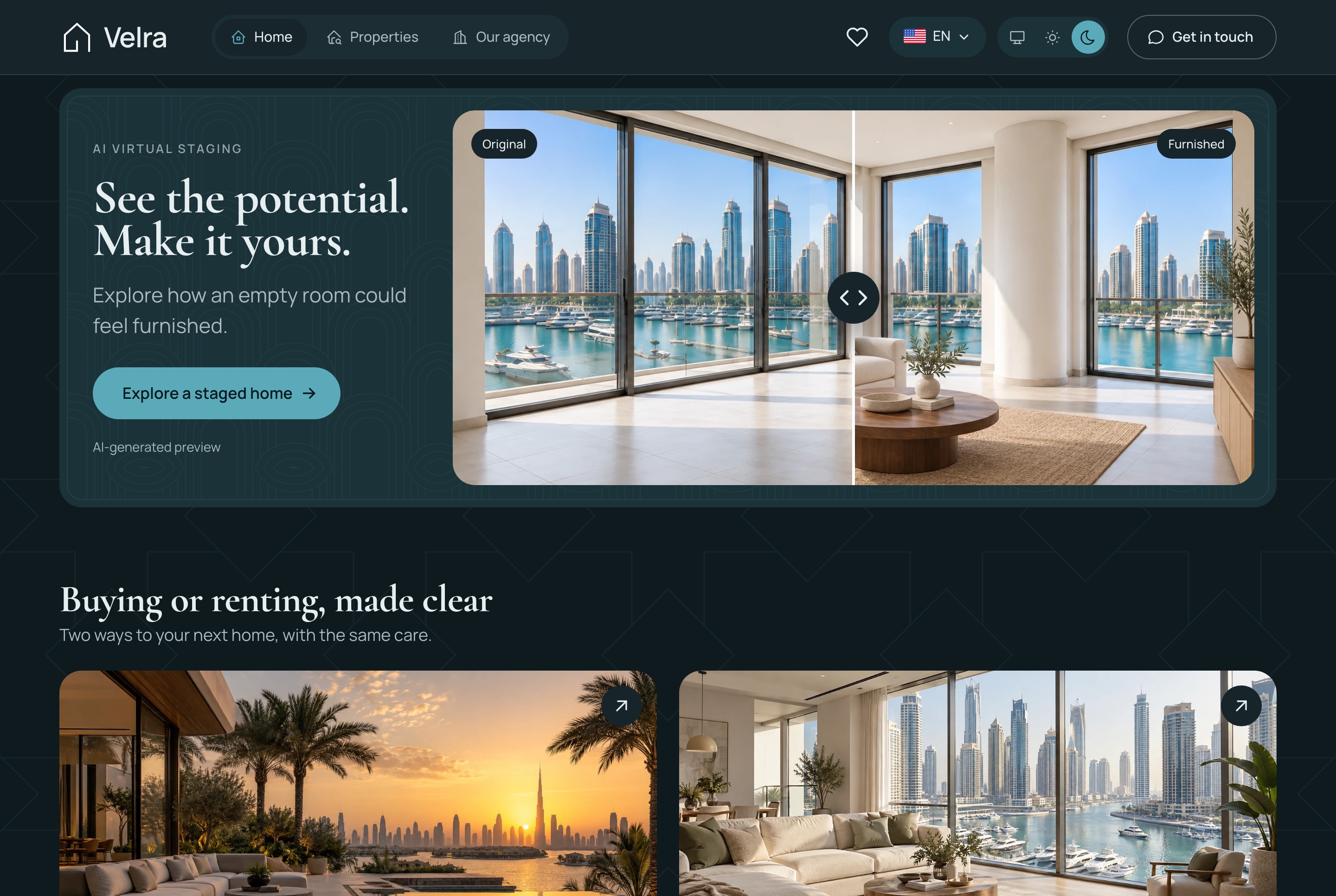
Home: virtual staging preview, buying or renting, dark theme. Further down the home page: an approved before and after staging pair, then buying and renting side by side, in the dark theme
Bilingual
English and Arabic, in both directions
Every screen of the website and the dashboard is written in both languages and mirrors for Arabic, with prices and figures kept in Latin digits.
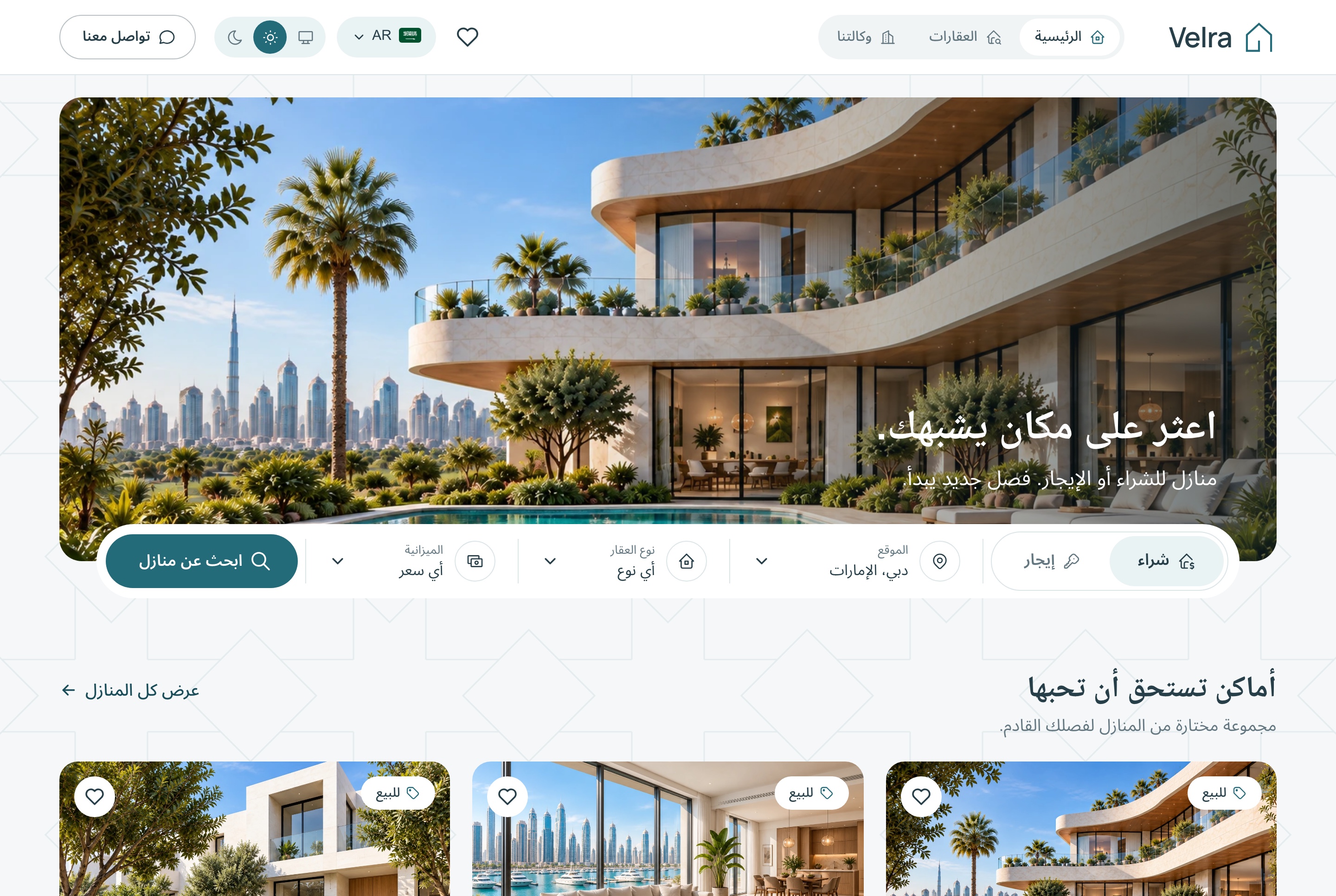
The home page in Arabic (RTL), light theme. The home page in Arabic, laid out right to left, in the light theme
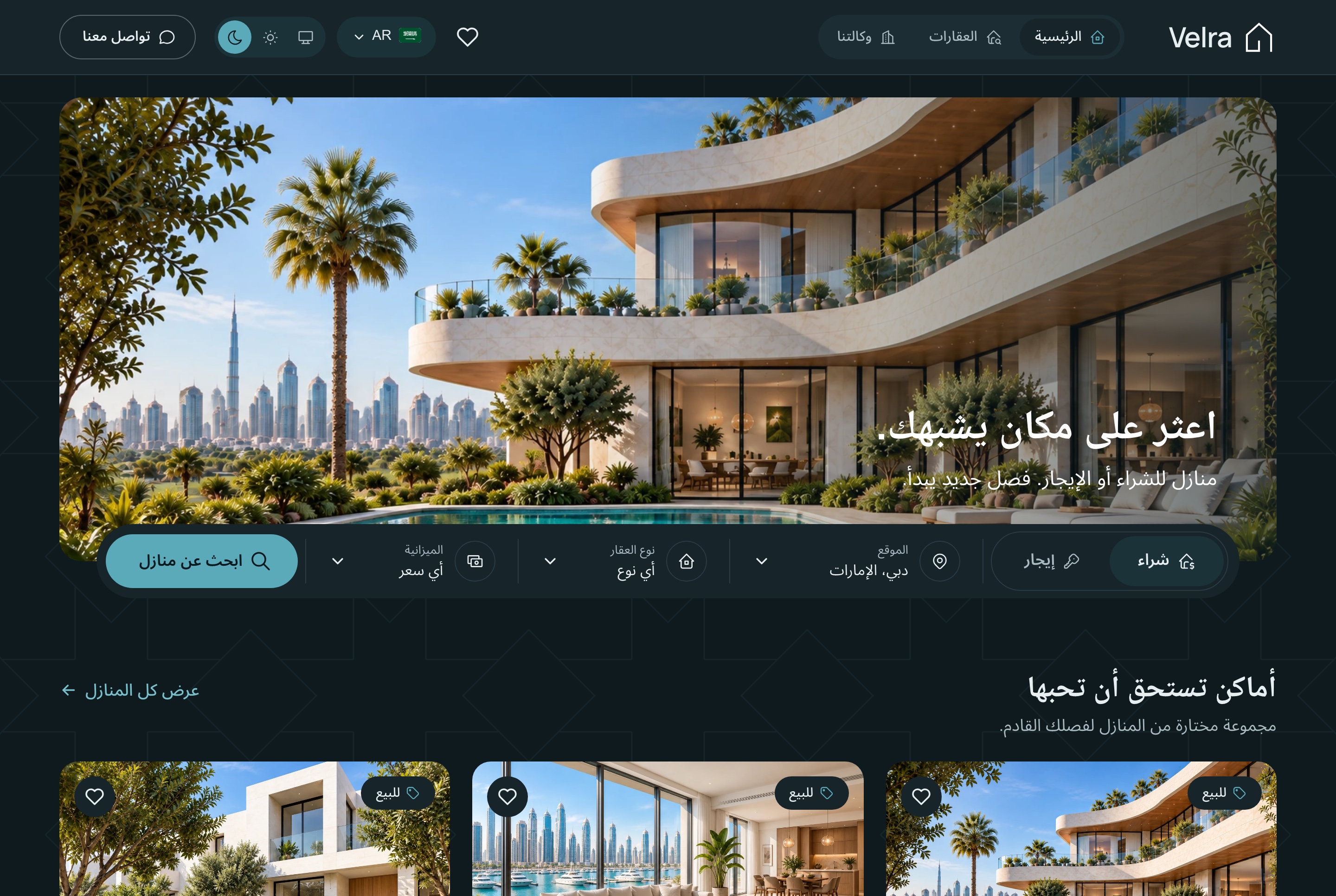
The home page in Arabic (RTL), dark theme. The home page in Arabic, laid out right to left, in the dark theme
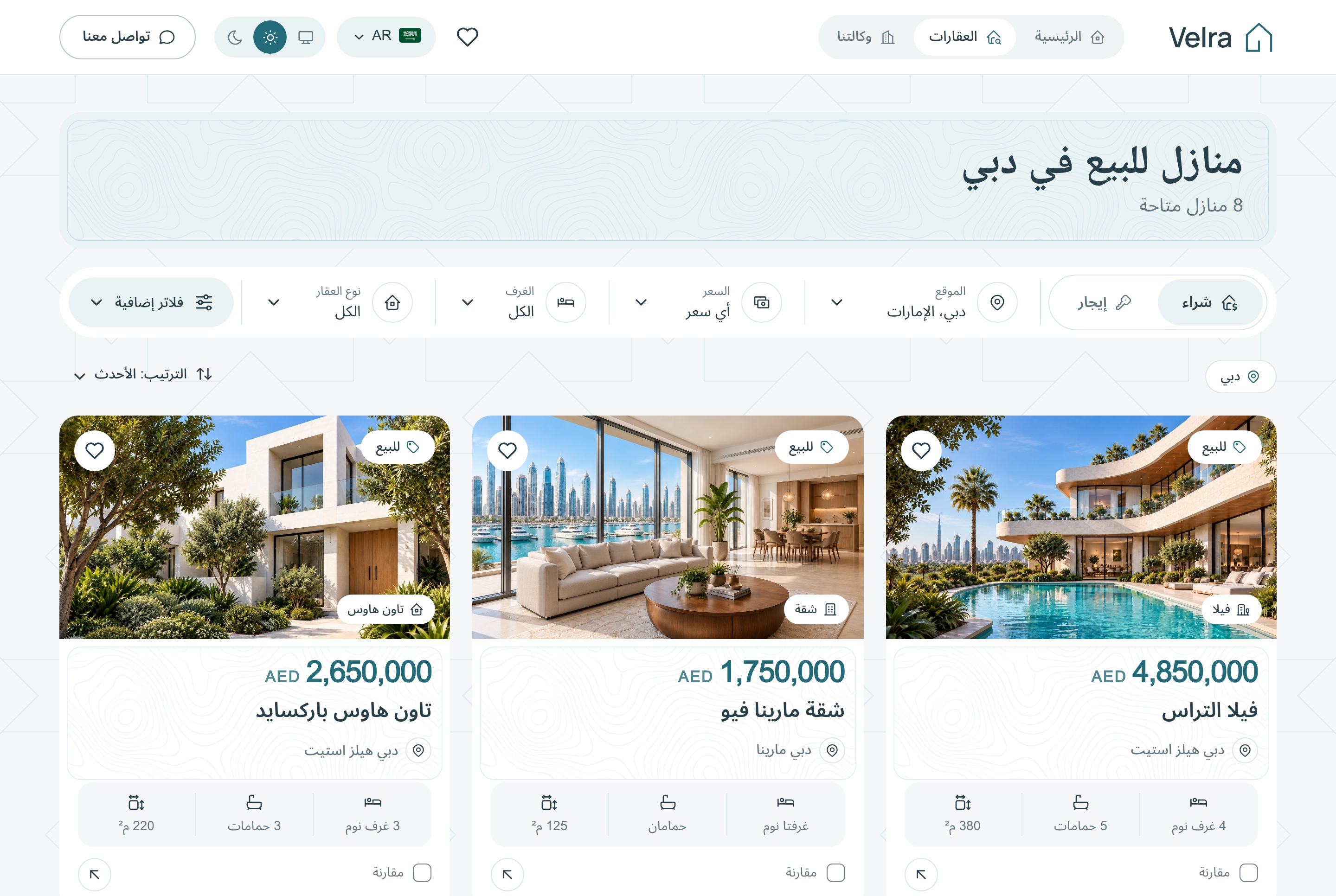
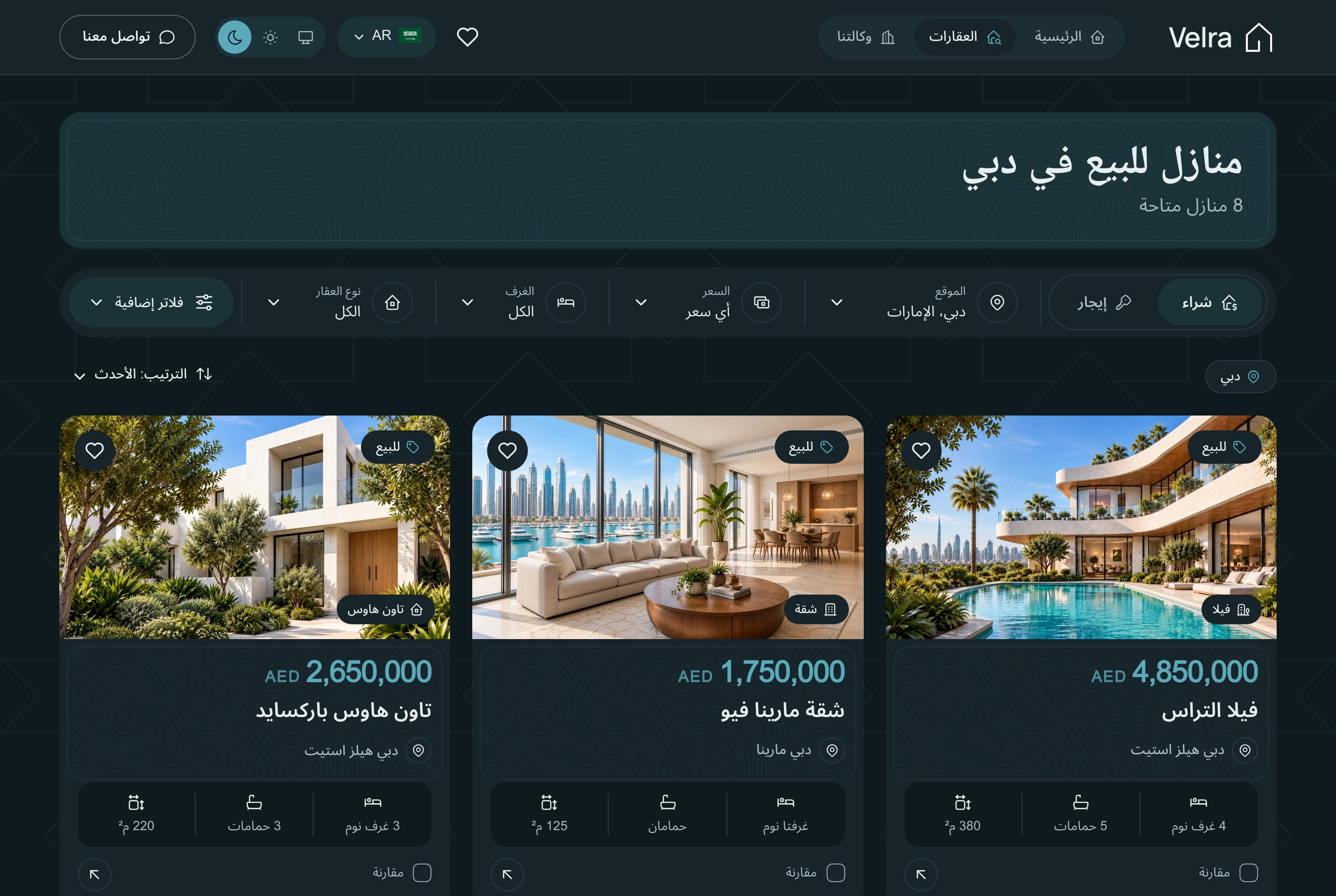
Listings in Arabic, light theme. The listings and their filters in Arabic, in the light theme
Listings in Arabic, dark theme. The listings and their filters in Arabic, in the dark theme
Responsive
Made for the phone a buyer is holding
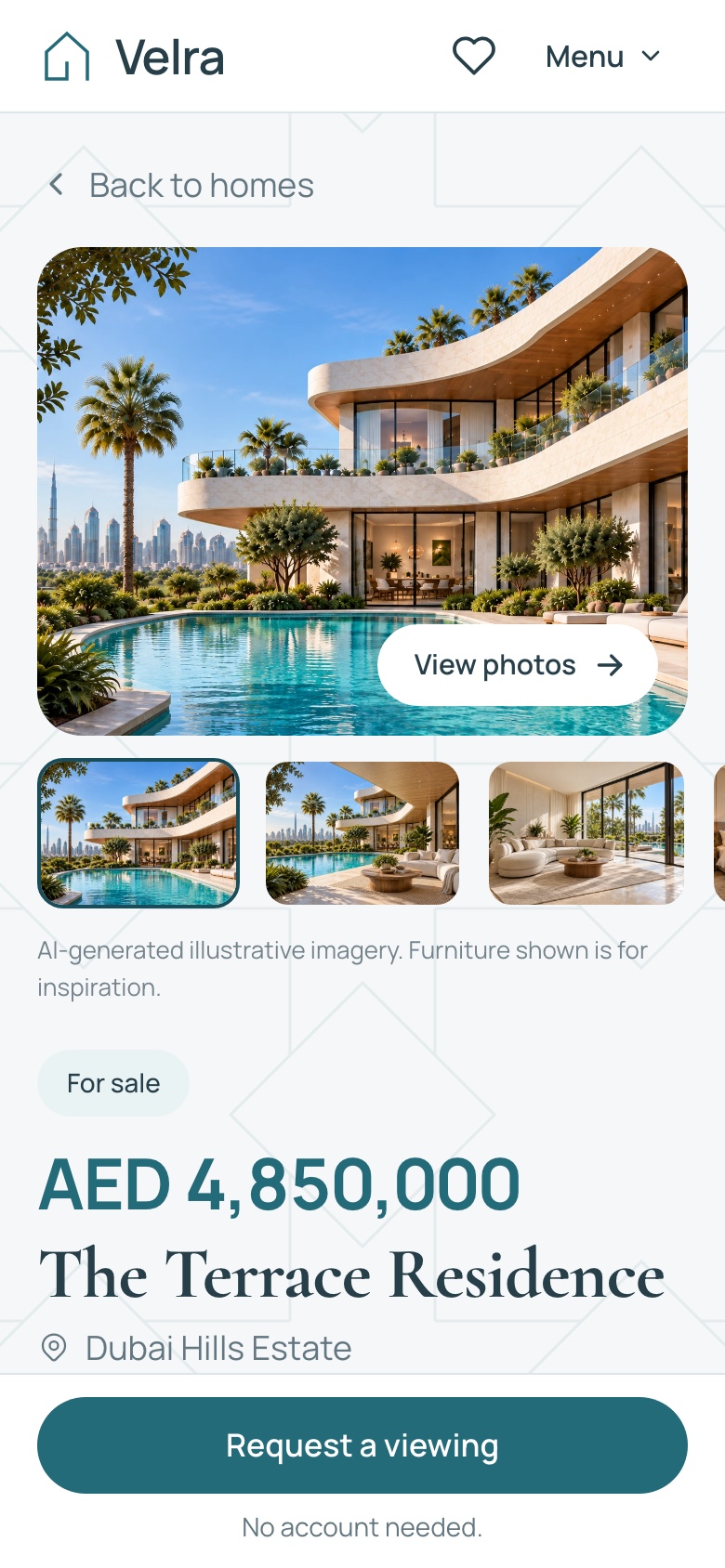
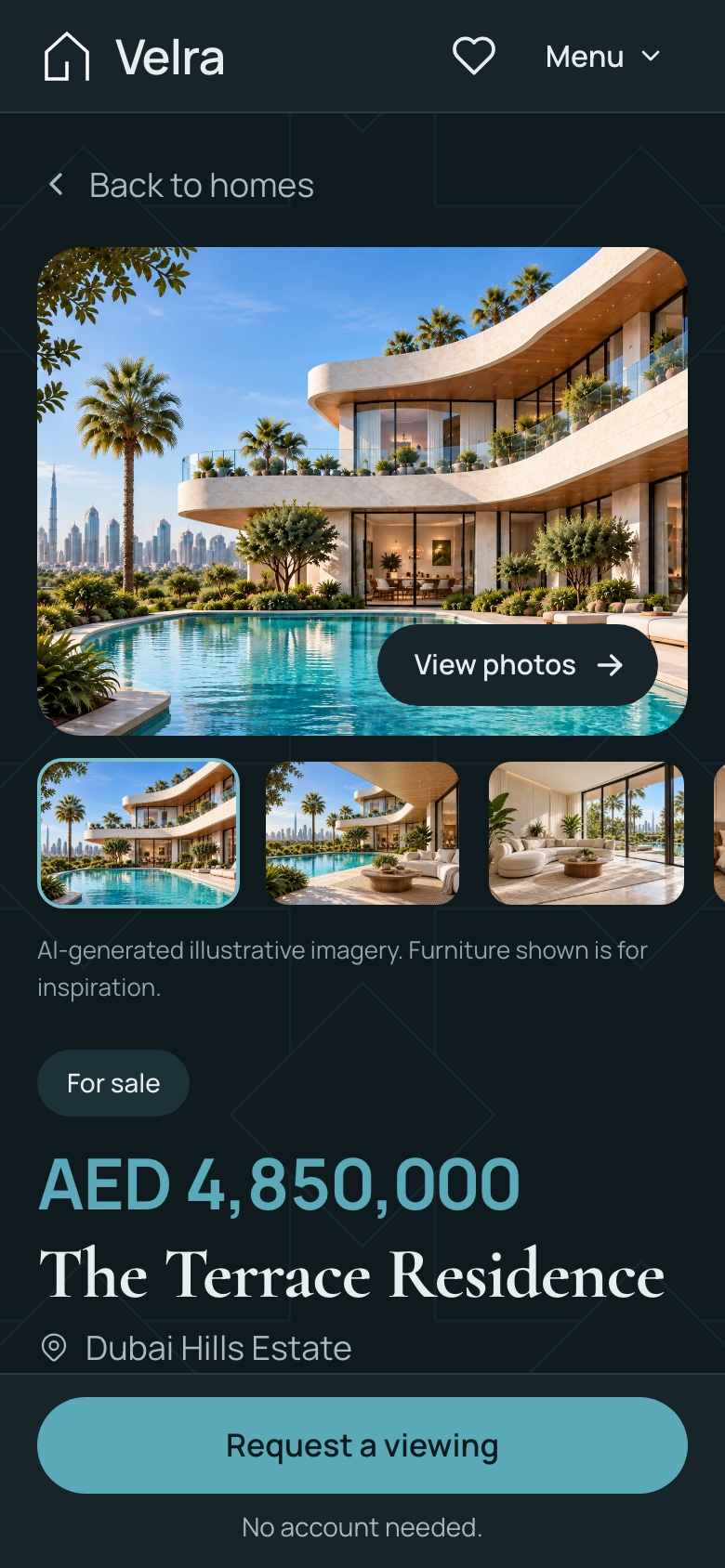
Listings, property pages and the forms are laid out for a narrow screen. On a phone the property page keeps a bar at the bottom with the viewing request button, so the next step is one tap away however far the visitor scrolls.
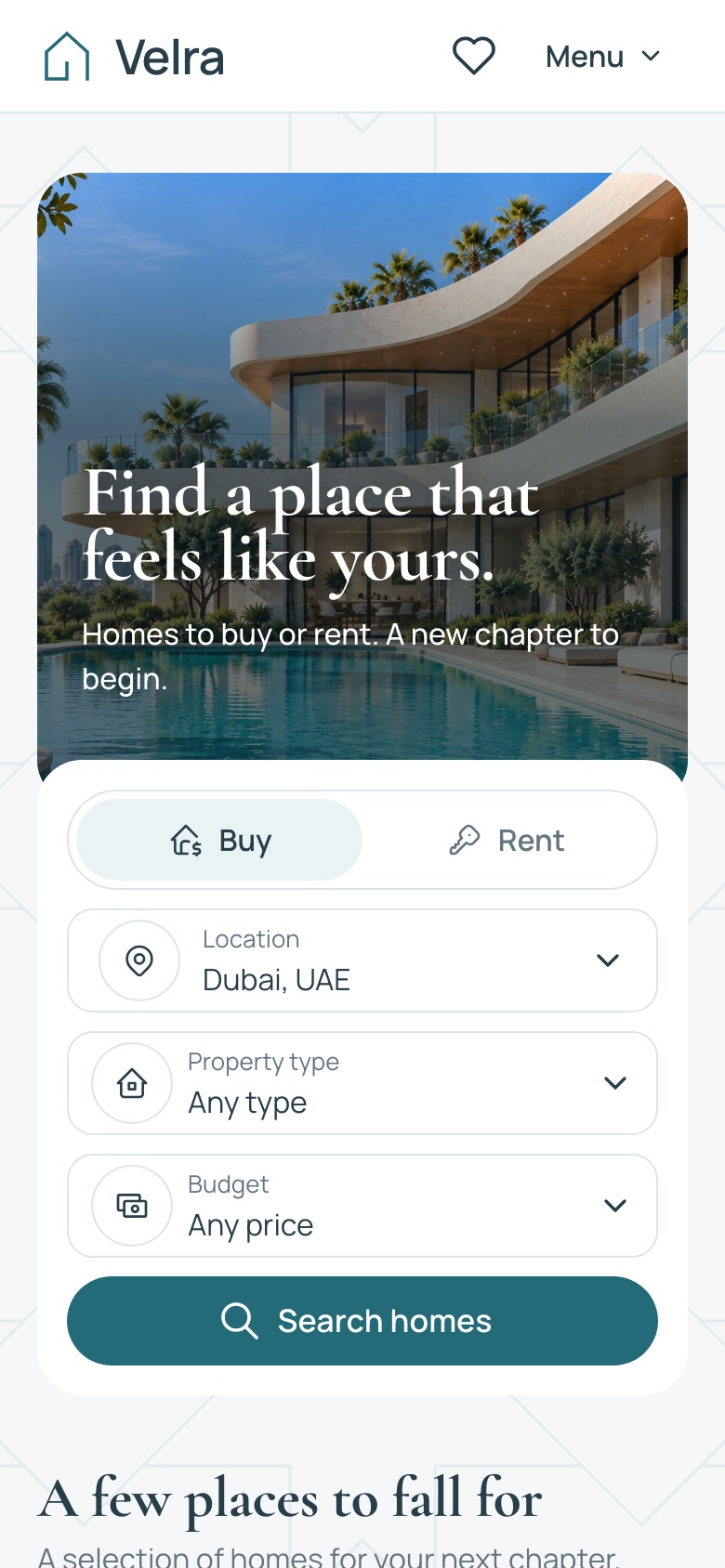
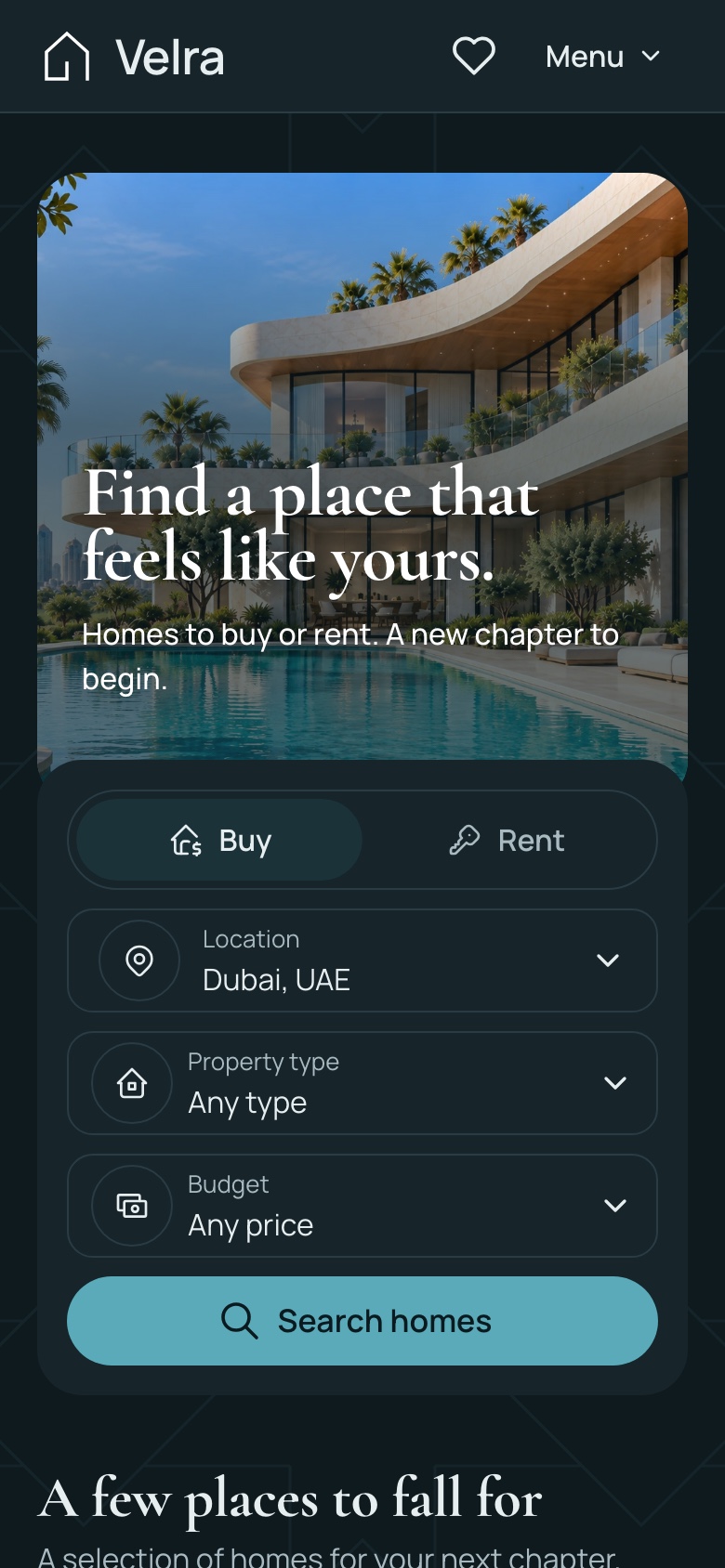
Mobile home (390), light theme. The home page on a phone, in the light theme
Mobile home (390), dark theme. The home page on a phone, in the dark theme
Mobile property detail with the sticky viewing bar, light theme. A property page on a phone, with the viewing request kept in a bar at the bottom, in the light theme
Mobile property detail with the sticky viewing bar, dark theme. A property page on a phone, with the viewing request kept in a bar at the bottom, in the dark theme
What you get
Everything to run it, not only the screens
Source code for all three apps, the data to start from and the documentation to take it further.
Source code
The website, the agency dashboard and the API
TypeScript throughout, with exact pinned dependencies
A commercial license for unlimited projects
Data
A seeder with properties, neighborhoods, inquiries and viewings
The demo homes' photos, served by the API
Two accounts: a super admin and an agent
Docs and demo mode
A quick start for the stack and for each app
A reference for every API response
A demo mode for public previews, off by default and removed with one command
Under the hood
Build on a familiar full-stack foundation
Next.js 16, React 19, TypeScript, Tailwind CSS 4, and a modular NestJS backend.
Frontend
Next.js 16 App Router, React 19, TypeScript
Tailwind CSS 4
TanStack Query for API data
React Hook Form and Zod for forms
next-intl for localization
Backend
NestJS with per-domain modules
TypeORM with SQLite, or MySQL through configuration
JWT authentication with roles and permissions
Socket.io for live notifications
An MCP server behind an API key
Media
Uploads to a local folder or a Cloudflare R2 bucket
Absolute media URLs from the API
Next.js image optimization on both frontends
Before you launch
What you configure yourself
Velra is a source-code template, not a managed hosting subscription. Configure your hosting, database, media storage and the external services you choose to use.
Hosting and data
A Node host for the API and the two Next.js apps
SQLite on a persistent disk, or MySQL
A persistent folder or an R2 bucket for uploads
AI
Your own Google Gemini key for staging
Gemini, OpenAI or DeepSeek for the assistant
Provider charges are not included
Not included
Online payments and deposits
Mortgage calculators
Several agencies on one install
Explore
Explore Velra before you build
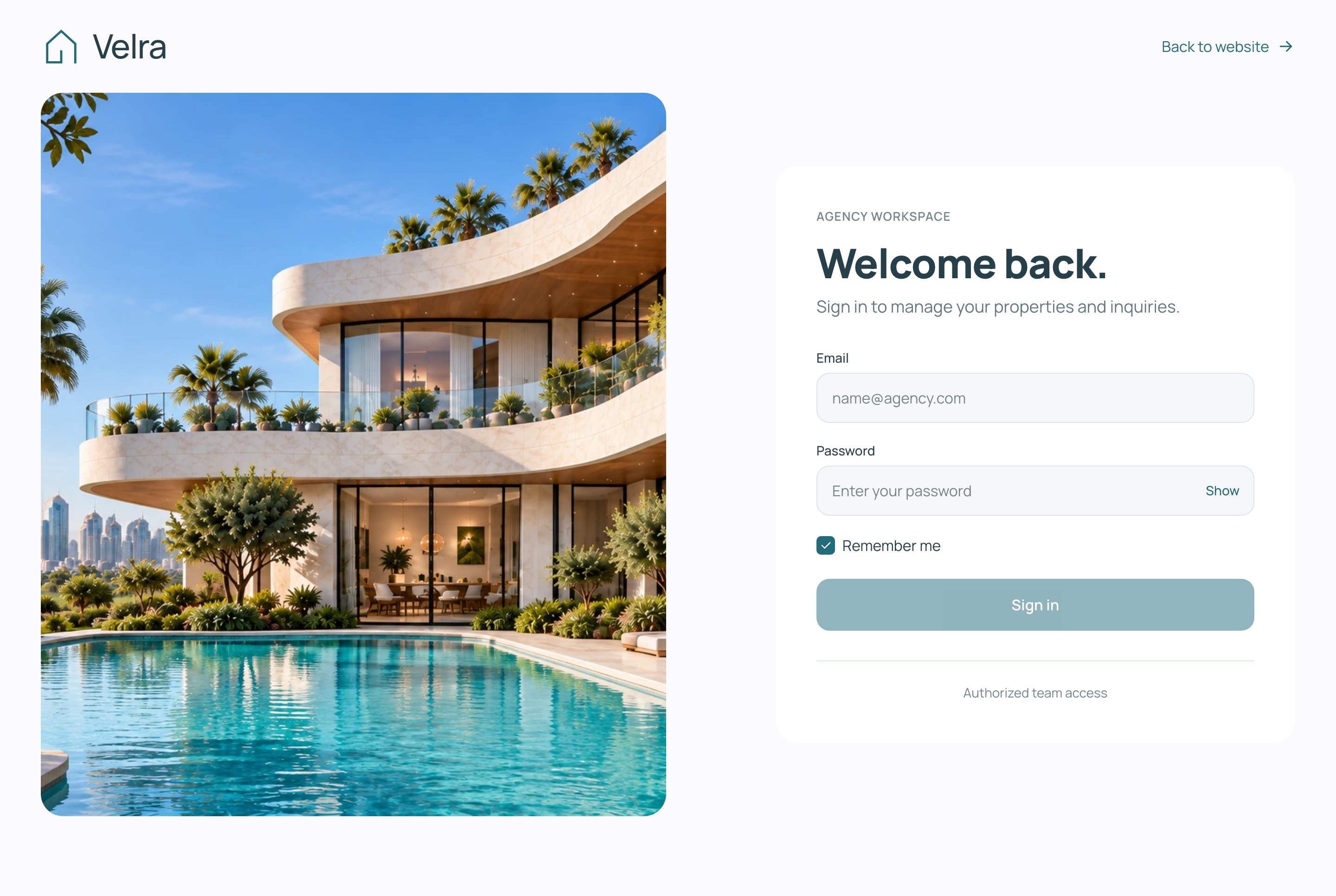
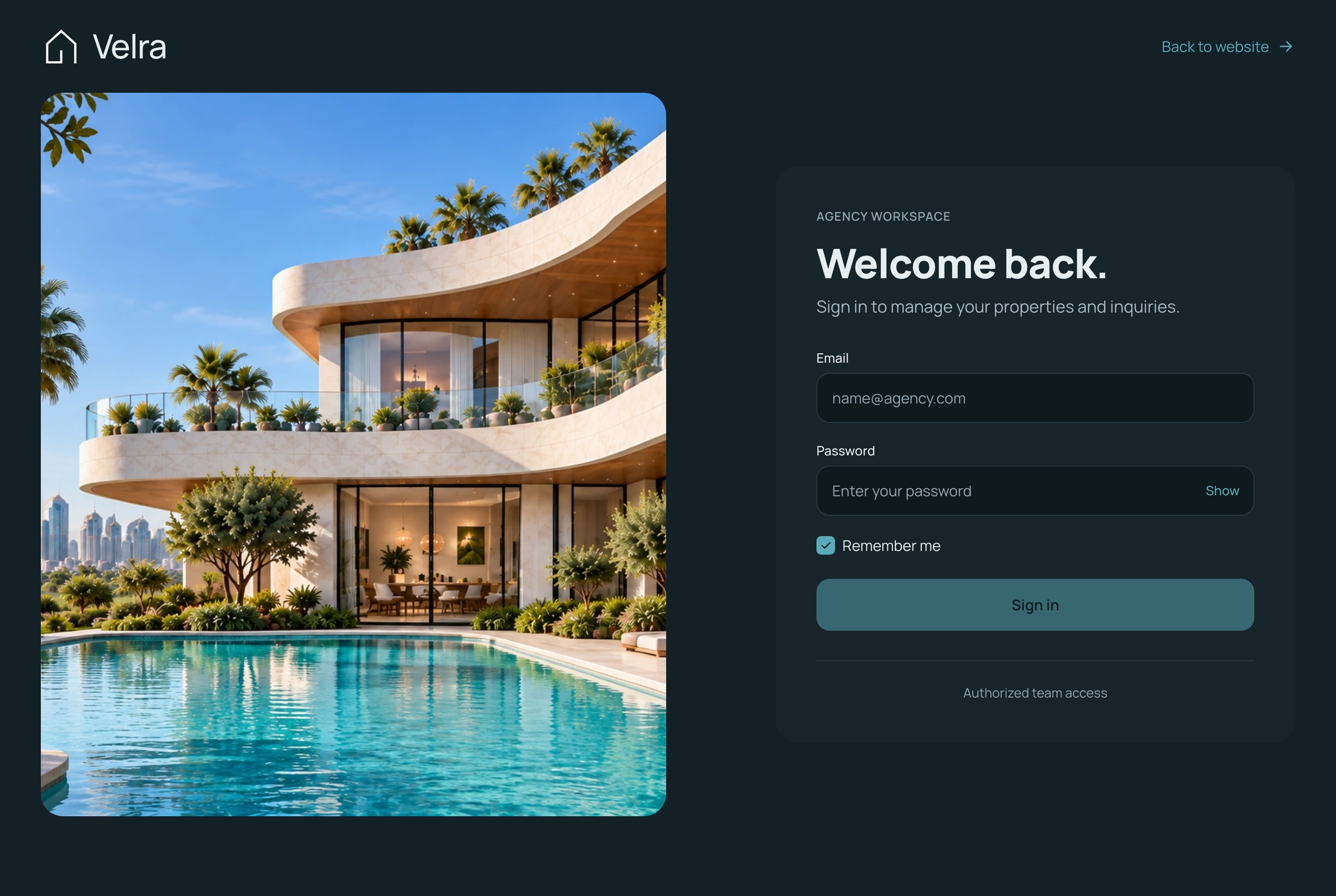
Browse the website as a visitor, then open the agency dashboard, whose sign-in page fills in a demo account for you. What you create in the dashboard is yours alone, and the demo data is rebuilt every day. In the demo, the assistant answers a few free messages per visitor, then asks for your own Google Gemini key; the staging studio runs on your own key from the start. Screenshots use sample data.
Agency sign-in, light theme. The agency dashboard's sign-in page, in the light theme
Agency sign-in, dark theme. The agency dashboard's sign-in page, in the dark theme
Real estate agenciesIndependent brokersDevelopers selling a projectRental and property managersAgencies building a client's property siteBilingual portals with Arabic and RTL
Technical Specifications
Framework
Next.js 16.3.5
React Version
React 19.3.0
Styling
Tailwind CSS 4.3.3
TypeScript
Yes
Responsive
Mobile, Tablet, Desktop
Support Period
Lifetime Included
Pro Tip: All templates include comprehensive documentation to get you started quickly.
Frequently asked questions
What do I get when I buy this template?
The complete source code of the package you choose, downloaded from your personal dashboard right after checkout. A business invoice is available for every purchase.
Can I use it for client and commercial projects?
Yes. Every paid template comes with a Commercial licence that covers unlimited commercial projects, including work you deliver to clients.
Do I get updates after buying?
Yes. Updates are free. New versions appear in your dashboard, where you can download every file you own again at any time.
Is support included?
Yes. The assistant on this page answers in seconds, and email support is included with every purchase, at support@aniq-ui.com, with a reply within 24 hours.
Can I try it before I buy?
Yes. This template has a full live demo, linked at the top of this page, so you can click through the real thing before you decide.
Pricing
Choose your package
One payment for the full source code, yours to change and ship.
Everything included
Full Stack
Public website + agency dashboard + NestJS API with TypeORM and auth
A VAT receipt is sent to your email after purchase.
Next.js Real Estate Template with Agency Dashboard and AI Staging
Full Stack
$125.30 $179R$627.90 R$897
$125.30$179R$627.90R$897
Related Templates
Restaurant
$179$125.30R$897R$627.90
Restaurant
Full Stack
New
AI
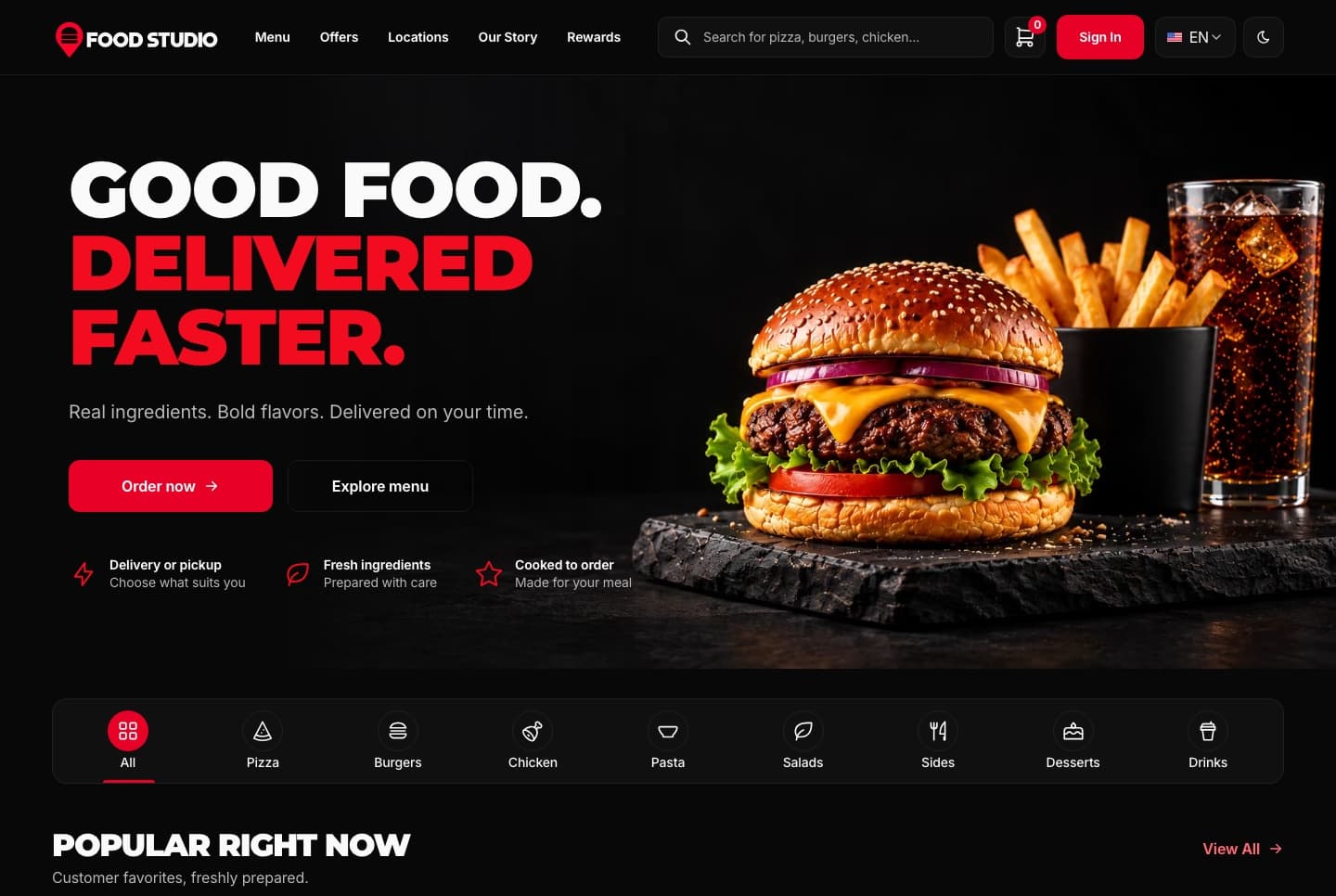
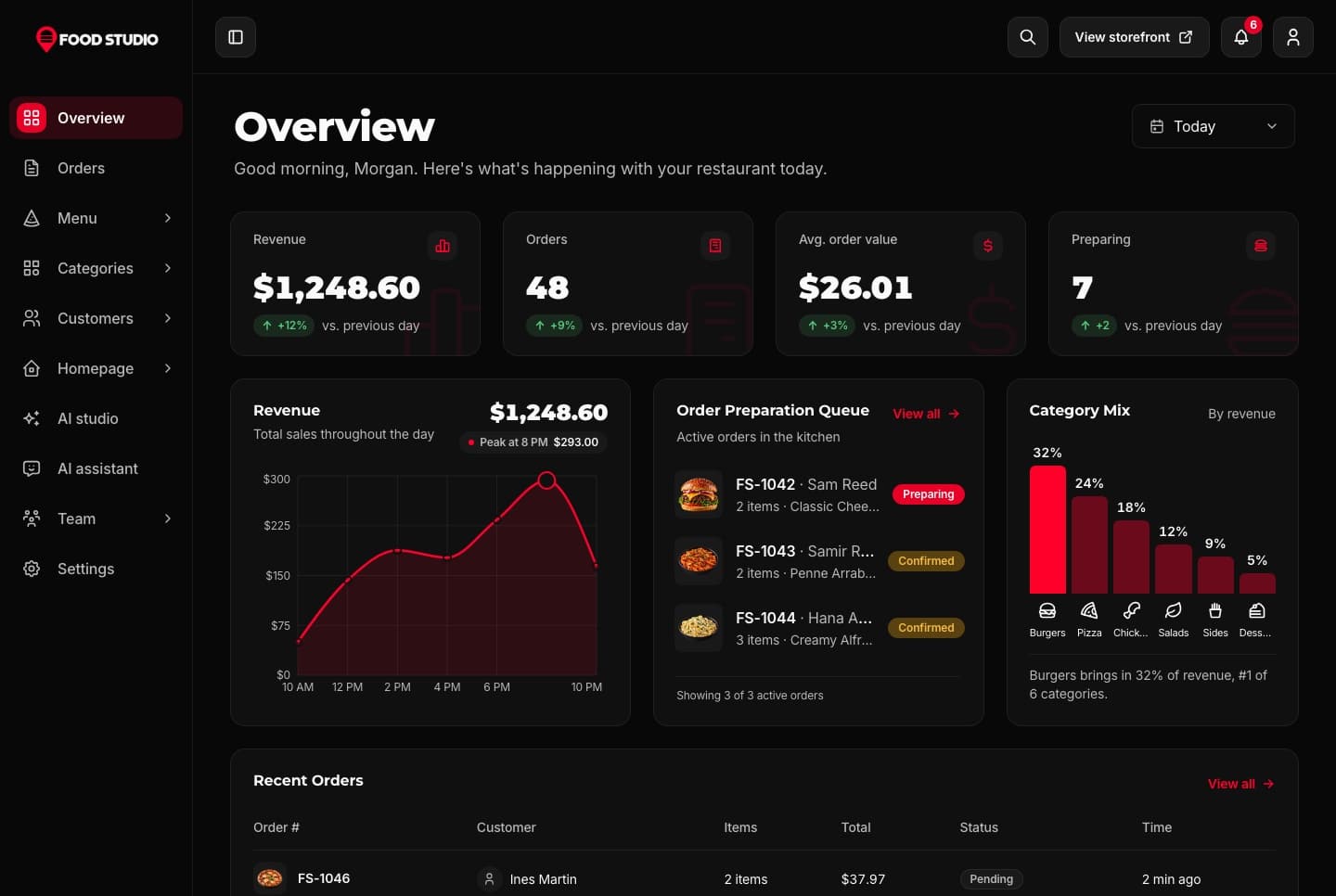
Food Studio is a full-stack Next.js restaurant template: an ordering website with menu, combos, cart, checkout and order tracking, a staff dashboard for orders, the menu and the kitchens, a NestJS API, AI tools for dish photos, and English and Arabic with RTL.
A Next.js 16 restaurant ordering website with a menu, combo meals, a meal builder, cart, checkout, order tracking and customer accounts, in English and Arabic.
A Next.js 16 restaurant admin dashboard for running orders, the menu, categories, customers, kitchens and the team, with an AI studio for dish photos, in English and Arabic.
Join thousands of developers worldwide who trust Aniq-UI for their projects. Our templates are being used across the globe to create stunning web experiences.
Contact Us
Questions about a template or your purchase? Get in touch with us
Full Name
Email Address
Message
Cookie Preferences
We use cookies to enhance your browsing experience, analyze site traffic, and personalize content. By clicking "Accept All", you consent to our use of cookies for analytics and personalized advertising.
 Learn more: Responsive Design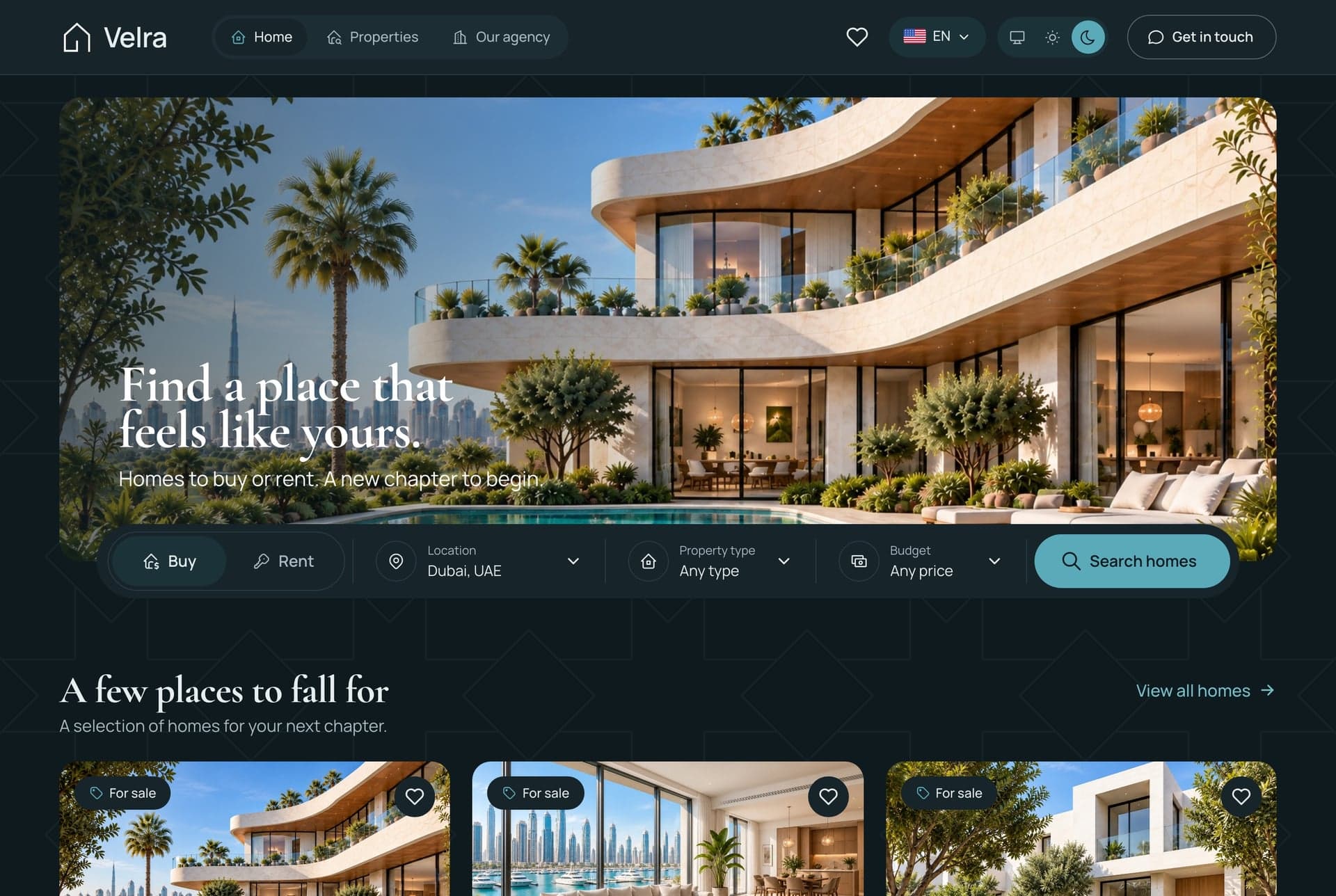
 Learn more: Accessibility
 Learn more: High Performance
 Learn more: TypeScript Support