Premium

Next.js Real Estate Agency Dashboard Template

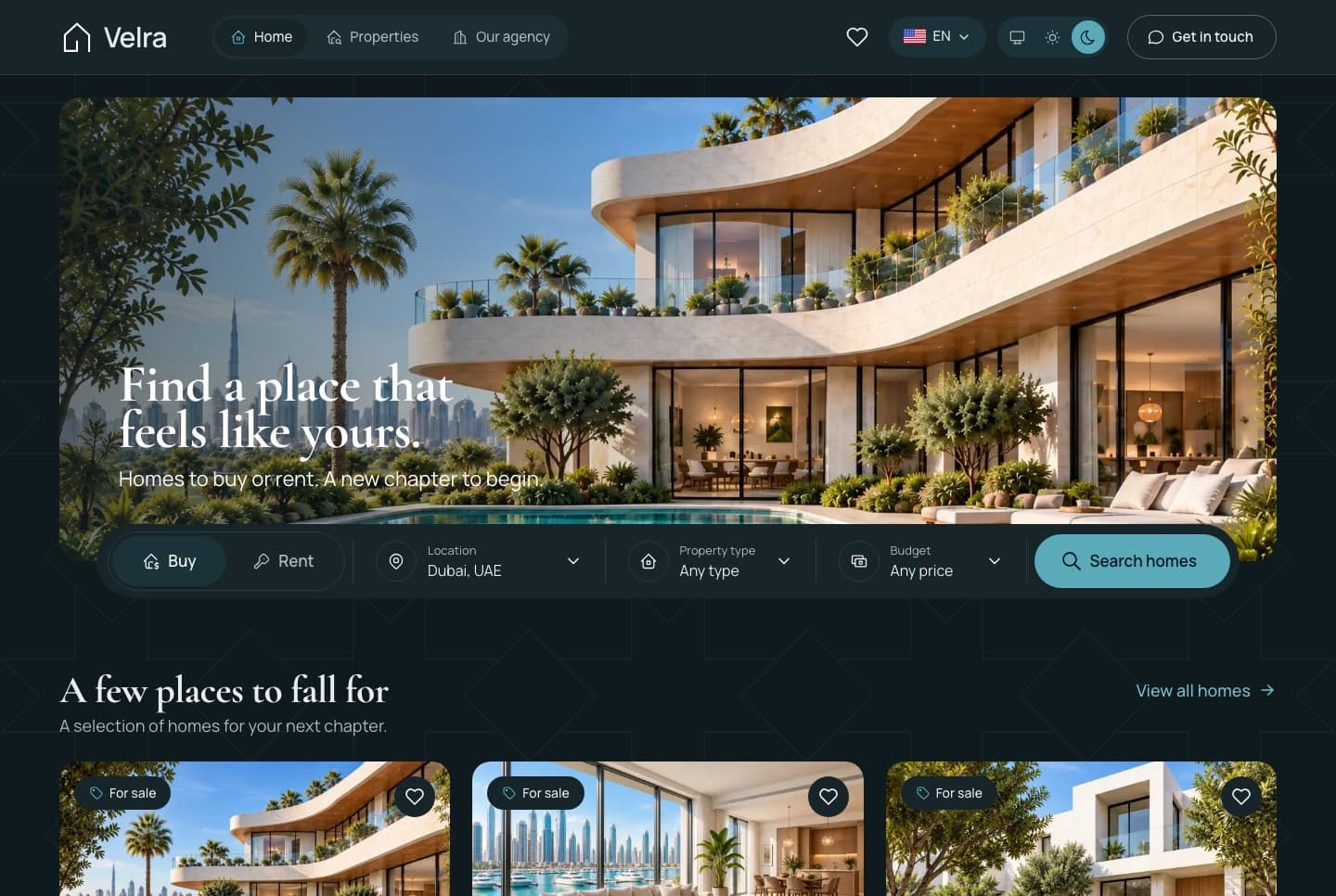
A Next.js 16 real estate agency dashboard with an overview of the day, a property editor in English and Arabic, every listing on a map, inquiries, viewings, an AI staging studio and an AI assistant, in English and Arabic.

Agency Dashboard

The Next.js 16 agency dashboard on its own. It reads its data from the Velra API, sold separately as the Backend API or together in Full Stack.

$99
Or get everything in Full Stack for $179
  • Use in unlimited commercial projects. Client work included.
  • One-time payment, free updates
  • Business invoice with your VAT or tax ID
  • Use in unlimited commercial projects. Client work included.
  • One-time payment, free updates
  • Business invoice with your VAT or tax ID

A Next.js 16 real estate agency dashboard with an overview of the day, a property editor in English and Arabic, every listing on a map, inquiries, viewings, an AI staging studio and an AI assistant, in English and Arabic.

Share:

A Next.js 16 real estate agency dashboard with an overview of the day, a property editor in English and Arabic, every listing on a map, inquiries, viewings, an AI staging studio and an AI assistant, in English and Arabic.

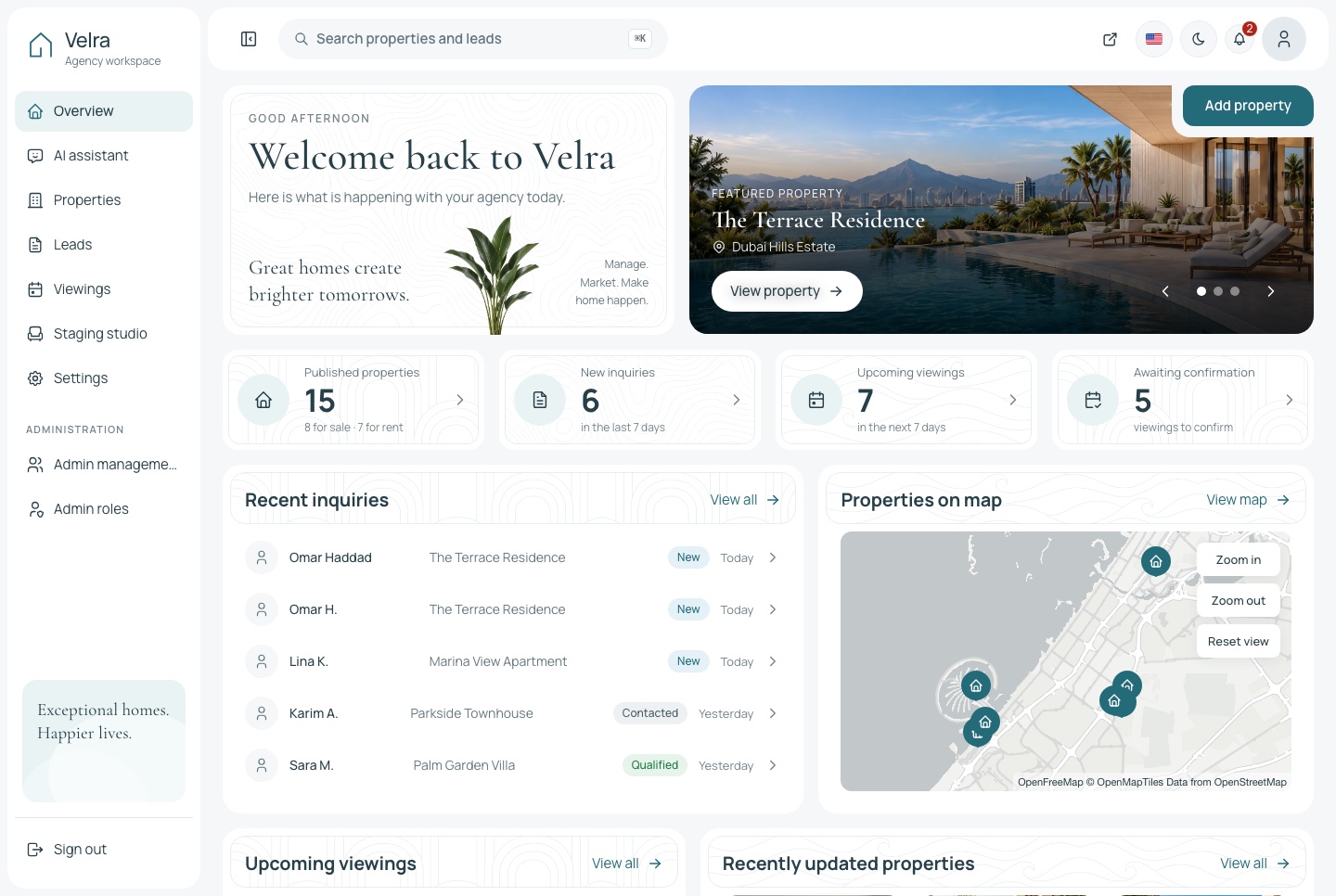
Overview, light theme
Overview, light theme. The agency's overview: published homes, new inquiries, viewings awaiting confirmation and what is coming up, in the light theme
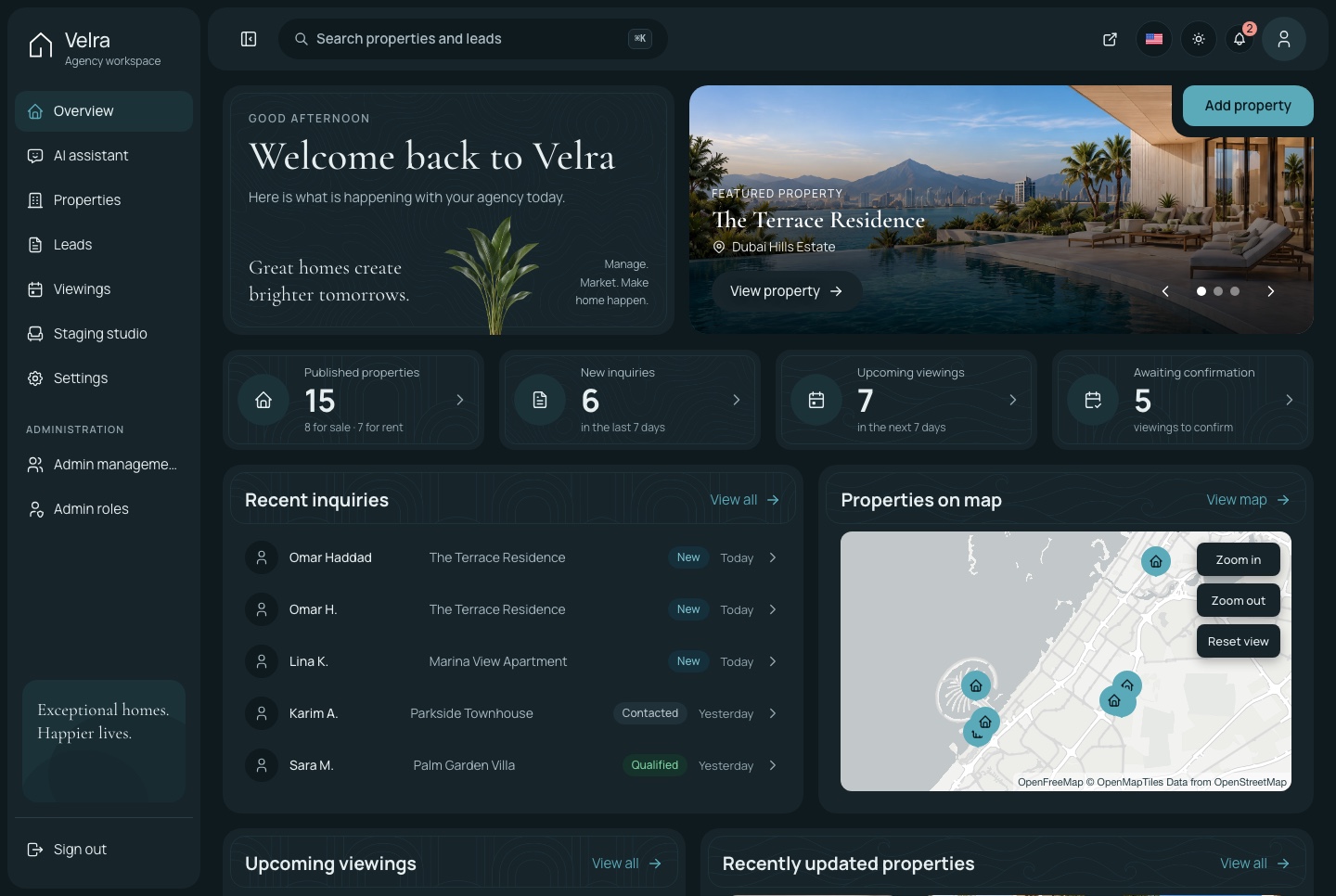
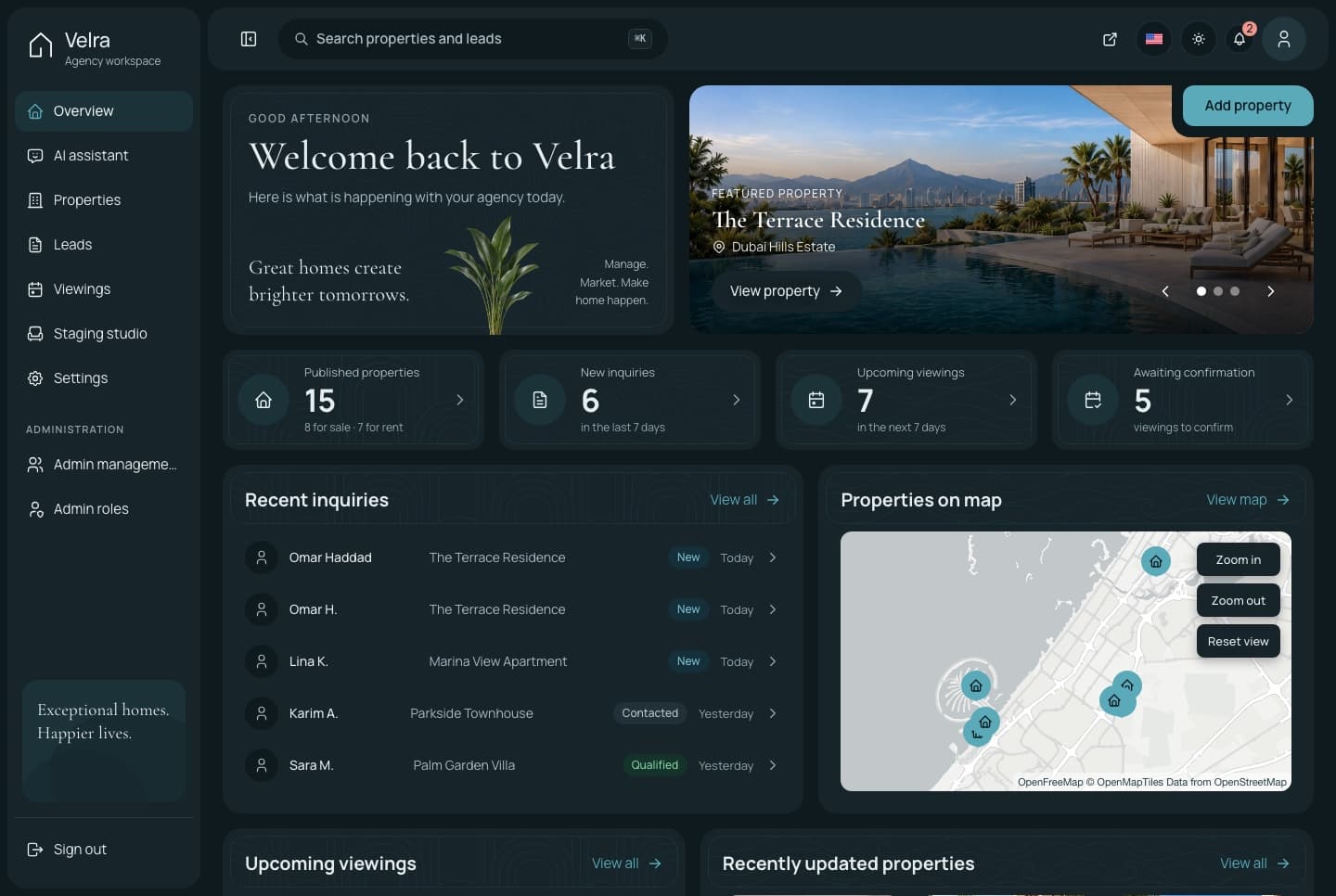
Overview, dark theme
Overview, dark theme. The agency's overview: published homes, new inquiries, viewings awaiting confirmation and what is coming up, in the dark theme
The agency's day

A dashboard built around listings, inquiries and viewings

The overview opens on what needs attention: new inquiries, viewings awaiting confirmation, the visits coming up and the properties changed most recently.

A property editor in two languages

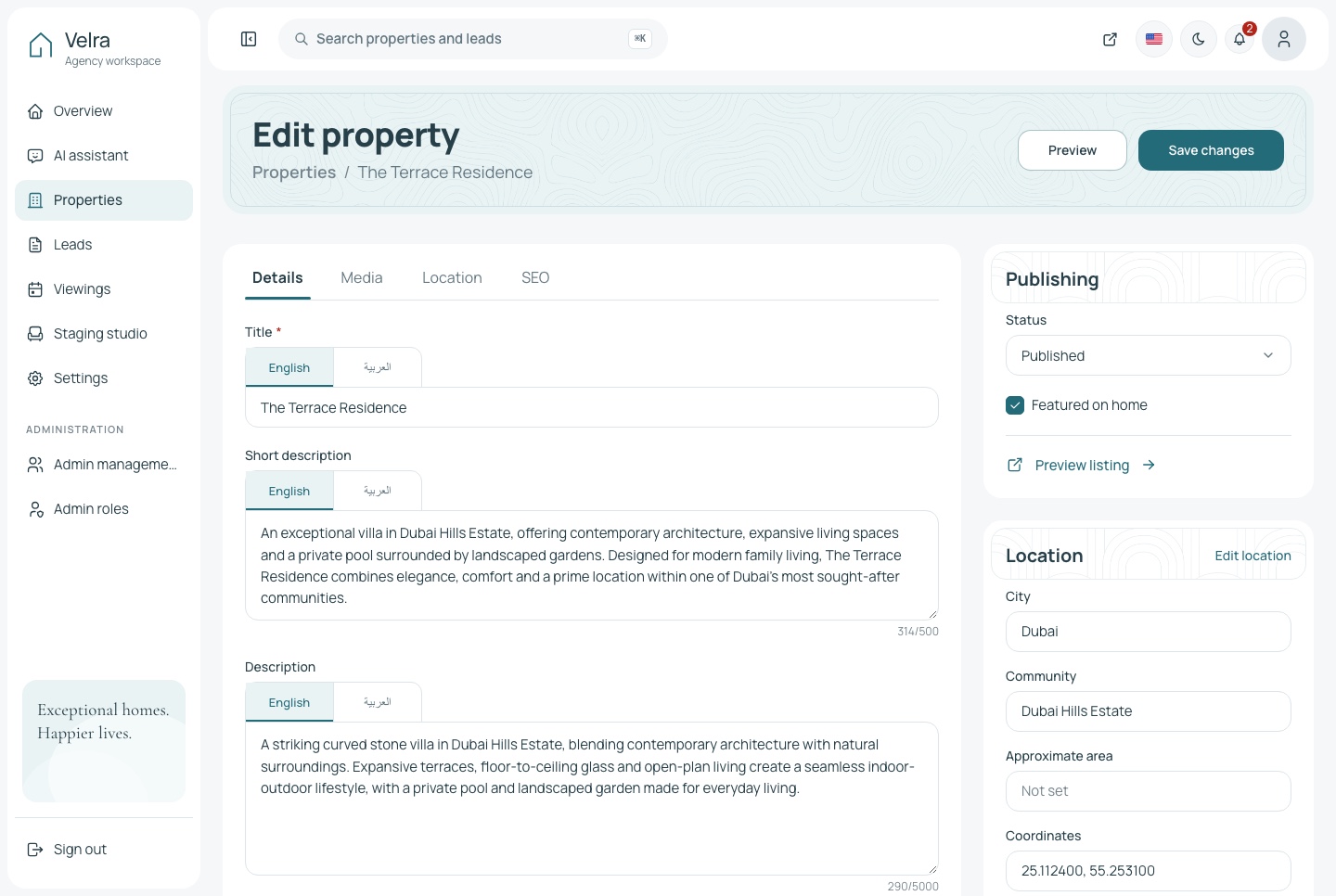
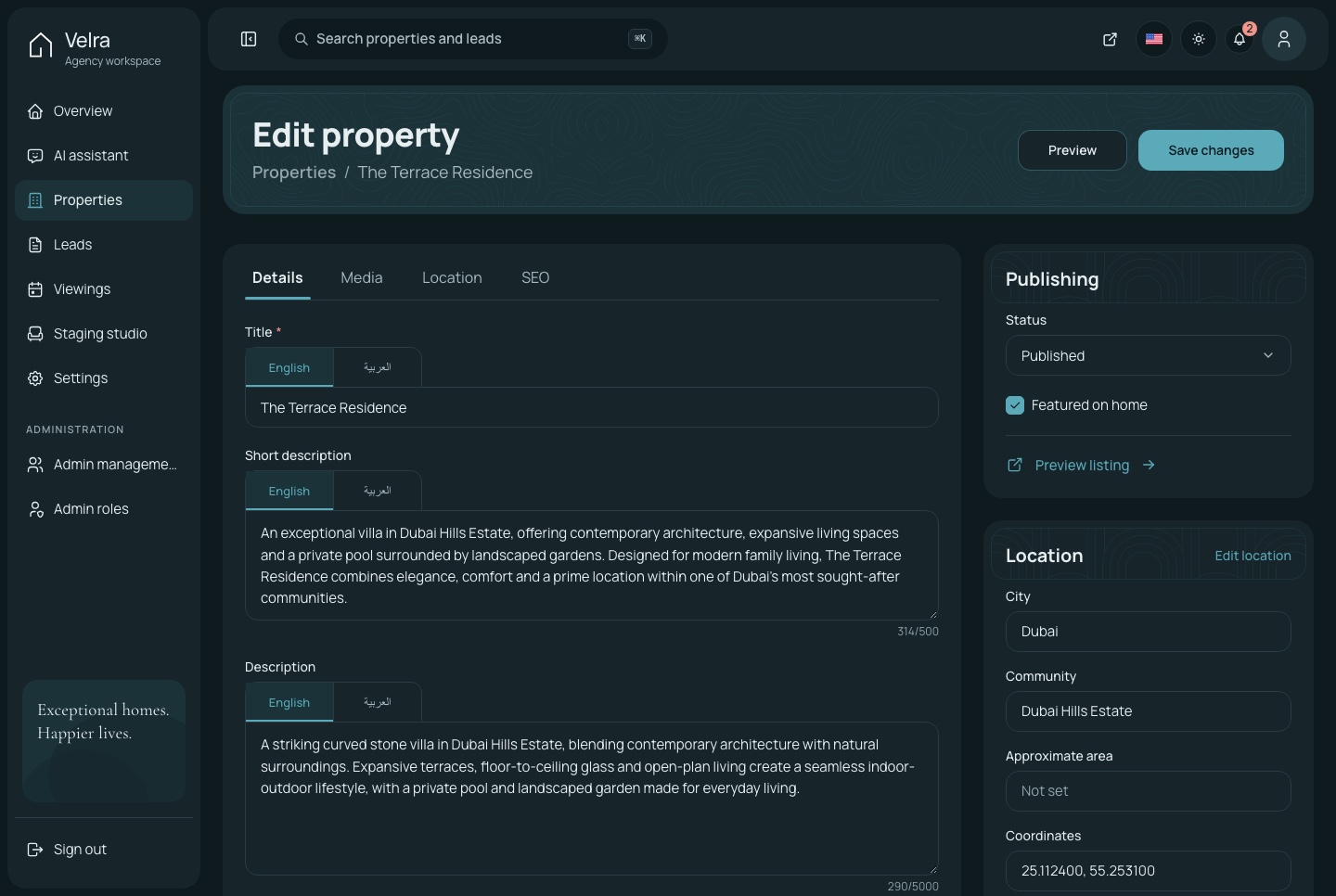
Title and description in English and Arabic, photos in the order they should appear with one cover, and a publishing flow from draft to published to archived.

  • Details, media, location and SEO in one editor
  • Reference numbers and unique page addresses generated for you
  • Tabs, search and filters on the property list
Property editor, light theme
Property editor, light theme. The property editor: the title and descriptions in one field with a tab per language, photos, location, SEO and publishing, in the light theme
Property editor, dark theme
Property editor, dark theme. The property editor: the title and descriptions in one field with a tab per language, photos, location, SEO and publishing, in the dark theme

Every home on the map

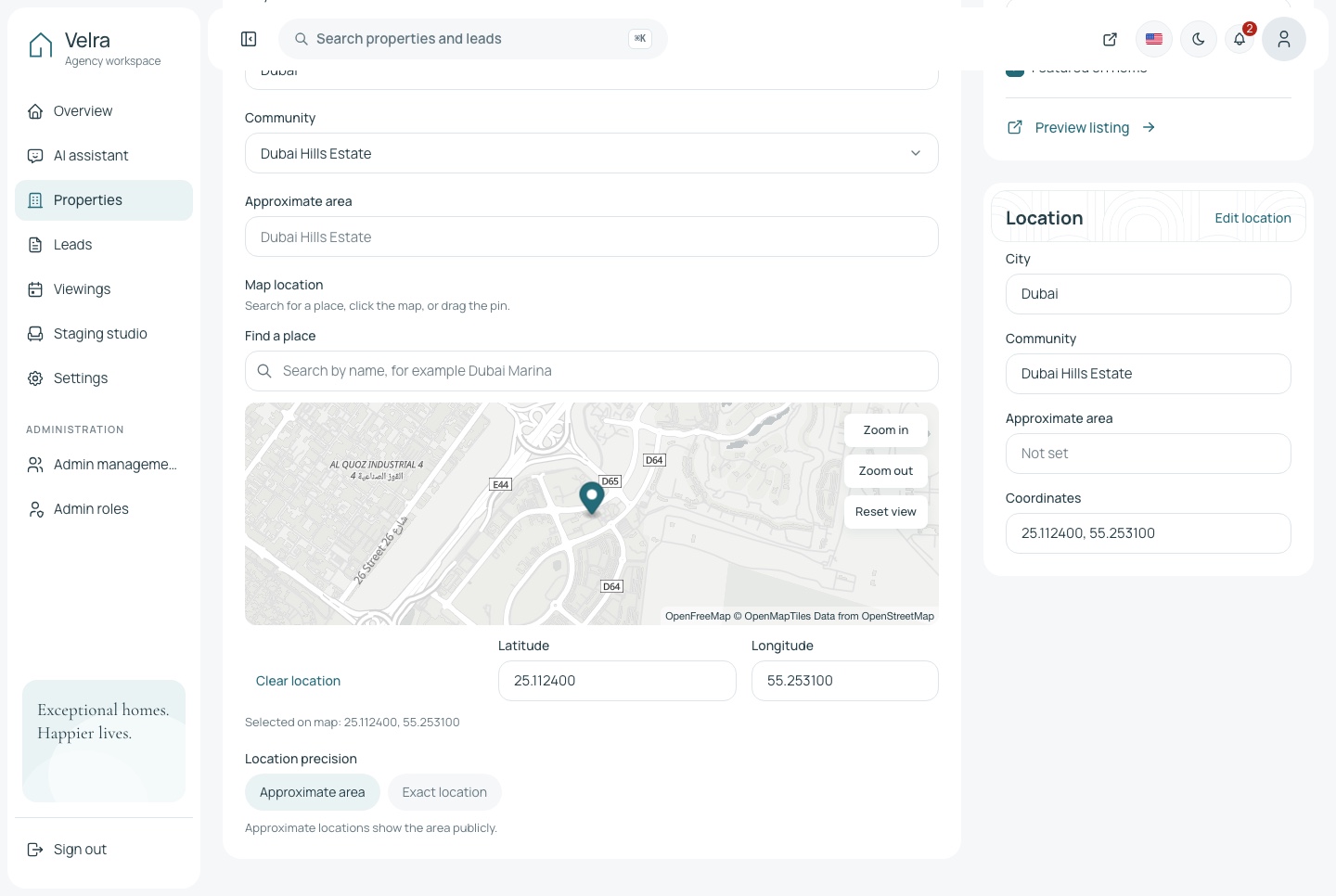
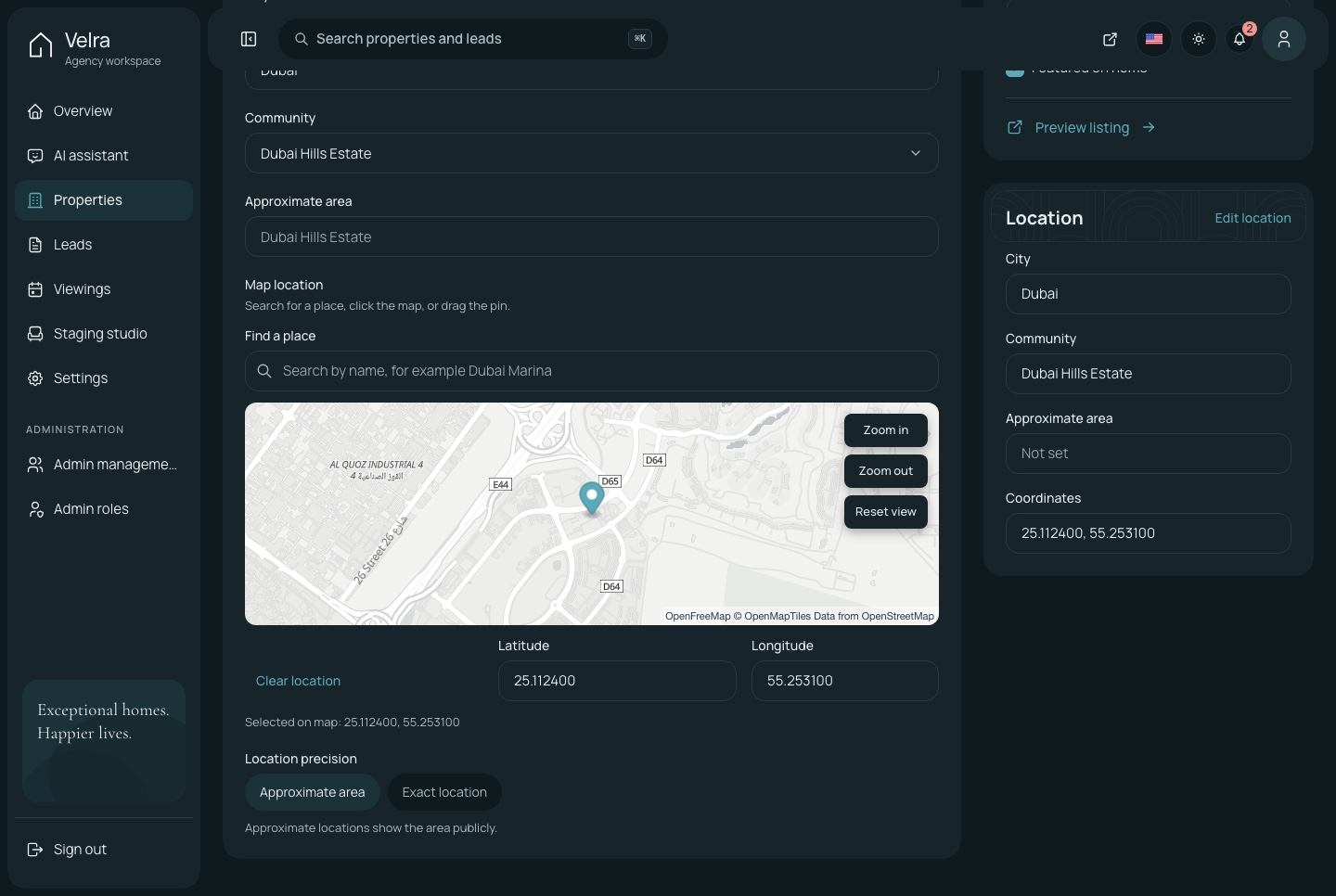
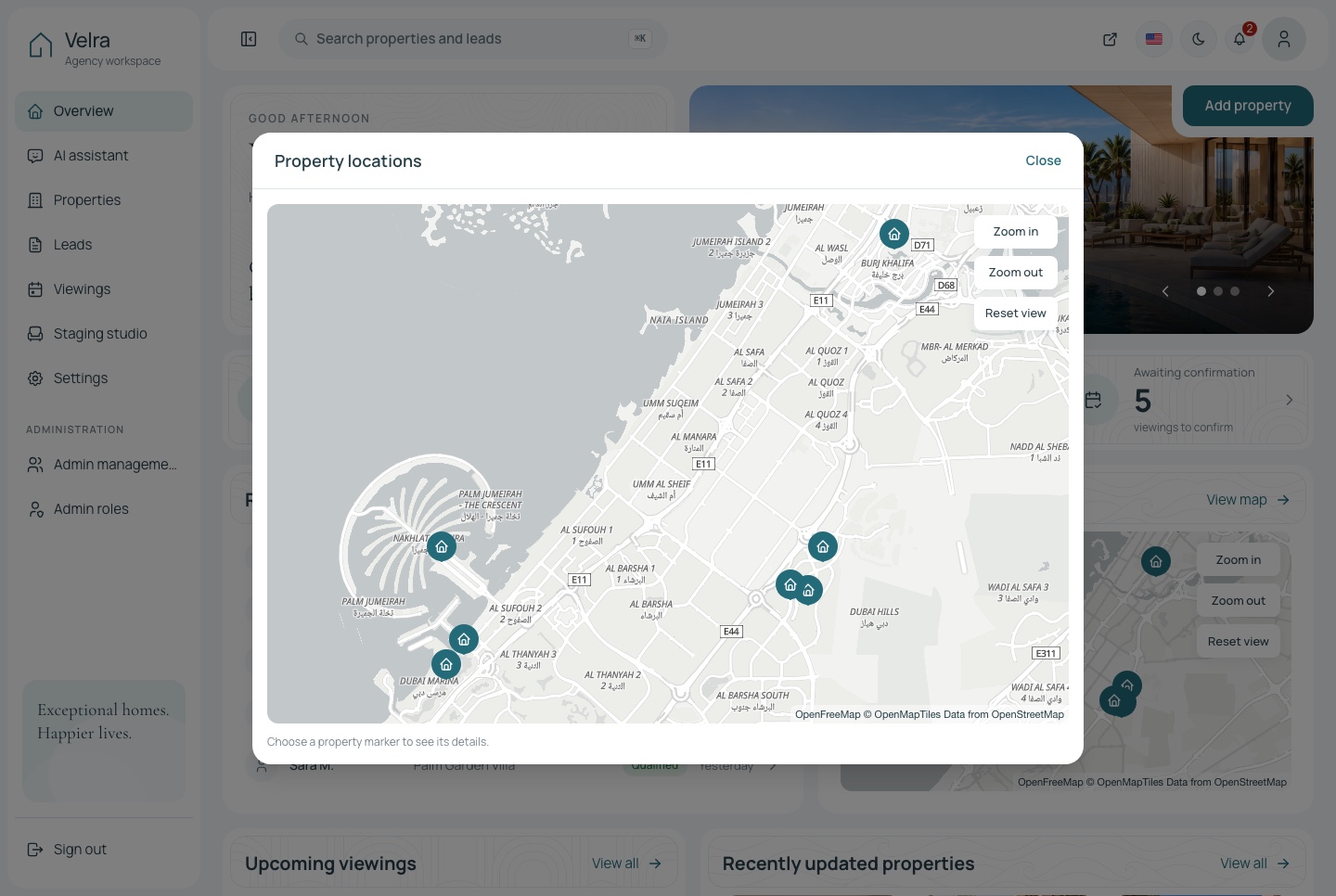
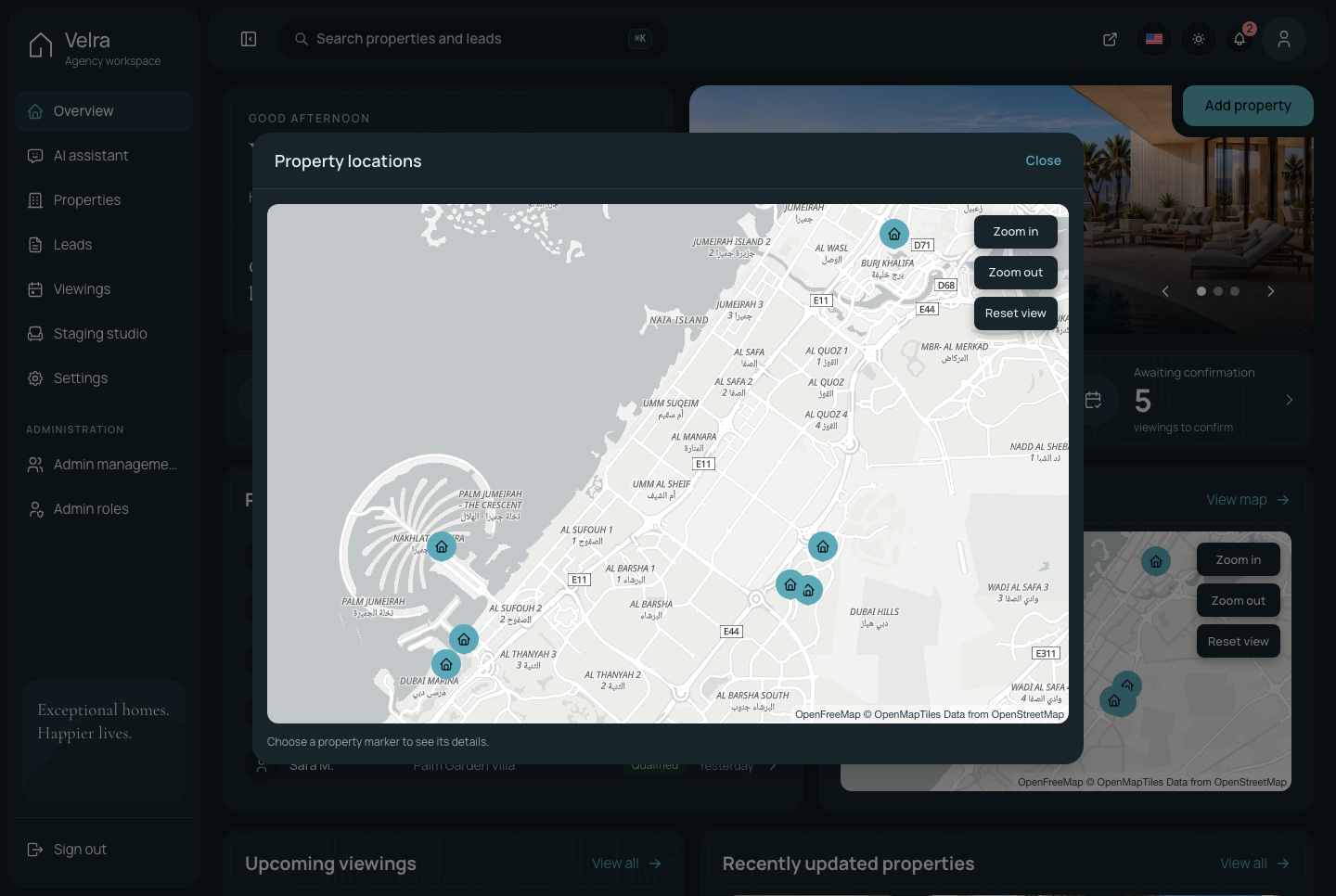
Each listing keeps its own coordinates, so the agency finds a place by name, drags the pin to the exact spot, and sees every home it manages on one map.

  • Find a place by name, or click the map to drop the pin
  • Approximate area or exact location, chosen per listing
  • Every property with a location on one map, from the overview
The listing's place on the map, light theme
The listing's place on the map, light theme. The editor's location tab: find a place by name, drag the pin, and keep the coordinates with the listing, in the light theme
The listing's place on the map, dark theme
The listing's place on the map, dark theme. The editor's location tab: find a place by name, drag the pin, and keep the coordinates with the listing, in the dark theme
Every property on one map, light theme
Every property on one map, light theme. The dialog behind View map on the overview: every listing with a saved location pinned over the city, in the light theme
Every property on one map, dark theme
Every property on one map, dark theme. The dialog behind View map on the overview: every listing with a saved location pinned over the city, in the dark theme
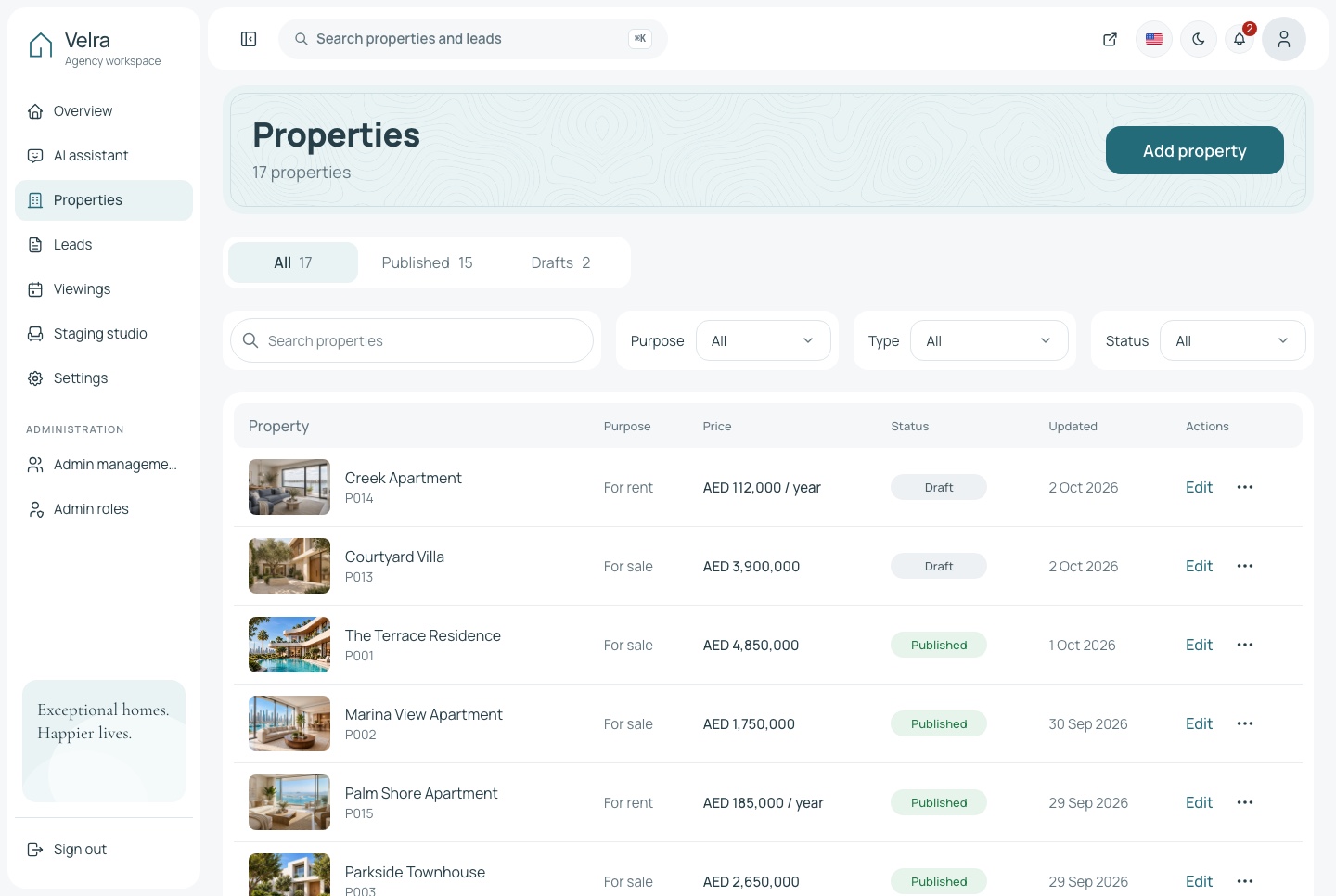
Properties, light theme
Properties, light theme. The property list with status tabs, search and filters, in the light theme
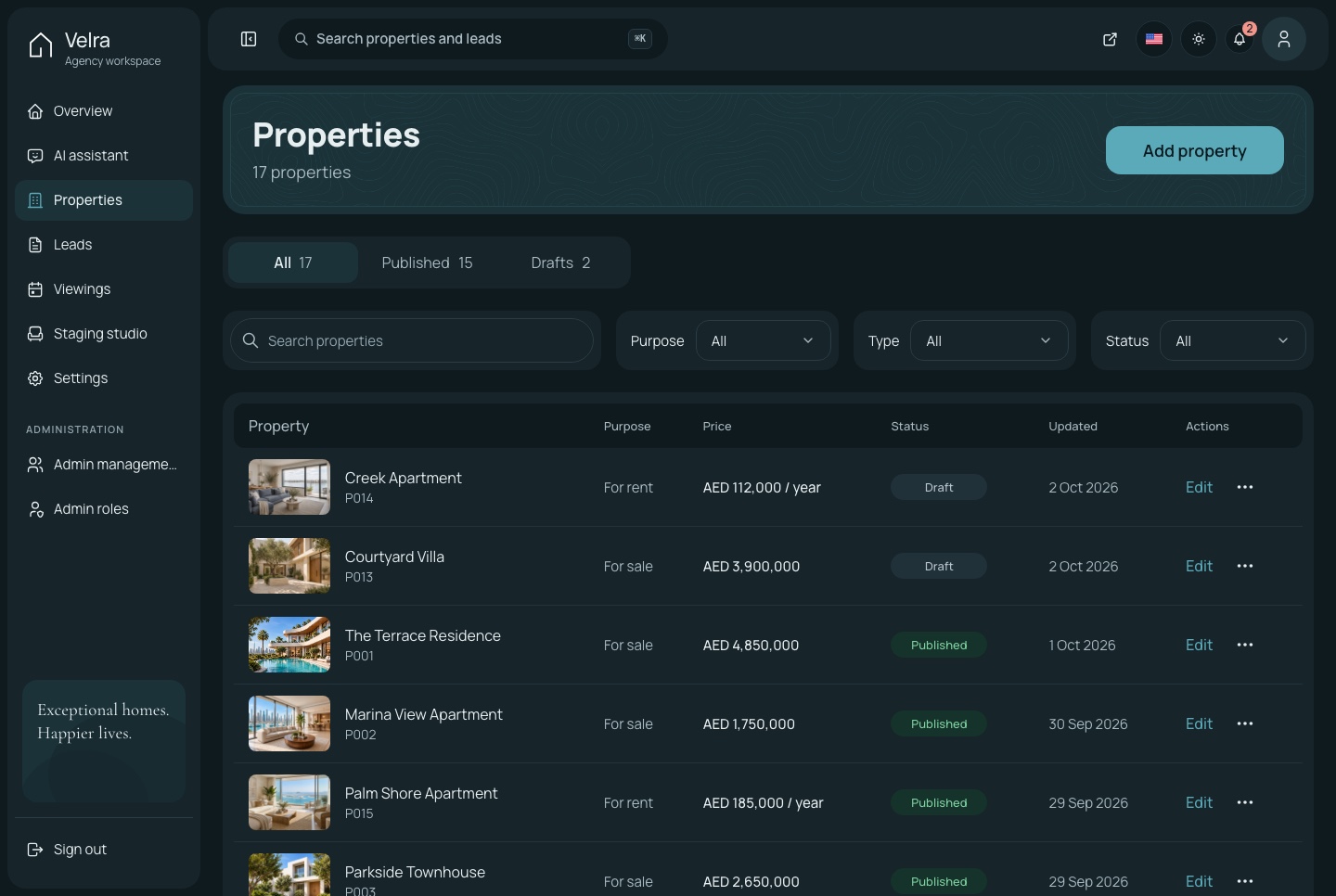
Properties, dark theme
Properties, dark theme. The property list with status tabs, search and filters, in the dark theme

An assistant that knows the agency

Ask how many inquiries arrived this week or which viewings still need confirming. The assistant answers from the agency's own data through MCP tools, and draws a chart when the question is about a trend.

  • Tools for properties, inquiries, viewings and the overview
  • Google Gemini, OpenAI, Anthropic or DeepSeek with your own key
  • The same tools open to coding agents at the MCP endpoint
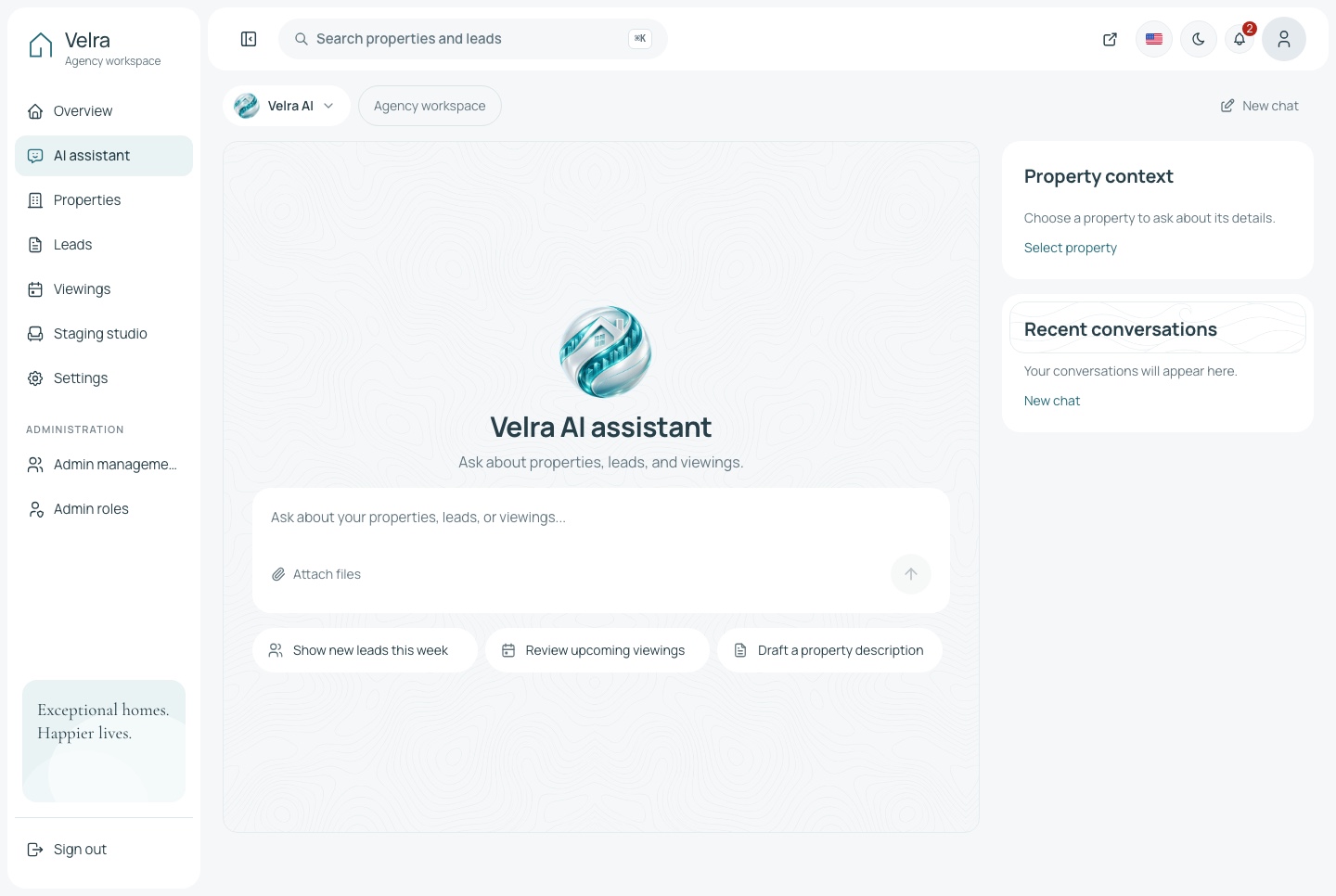
AI assistant, light theme
AI assistant, light theme. The assistant before the first question, with openers for the agency's leads, viewings and listings, in the light theme
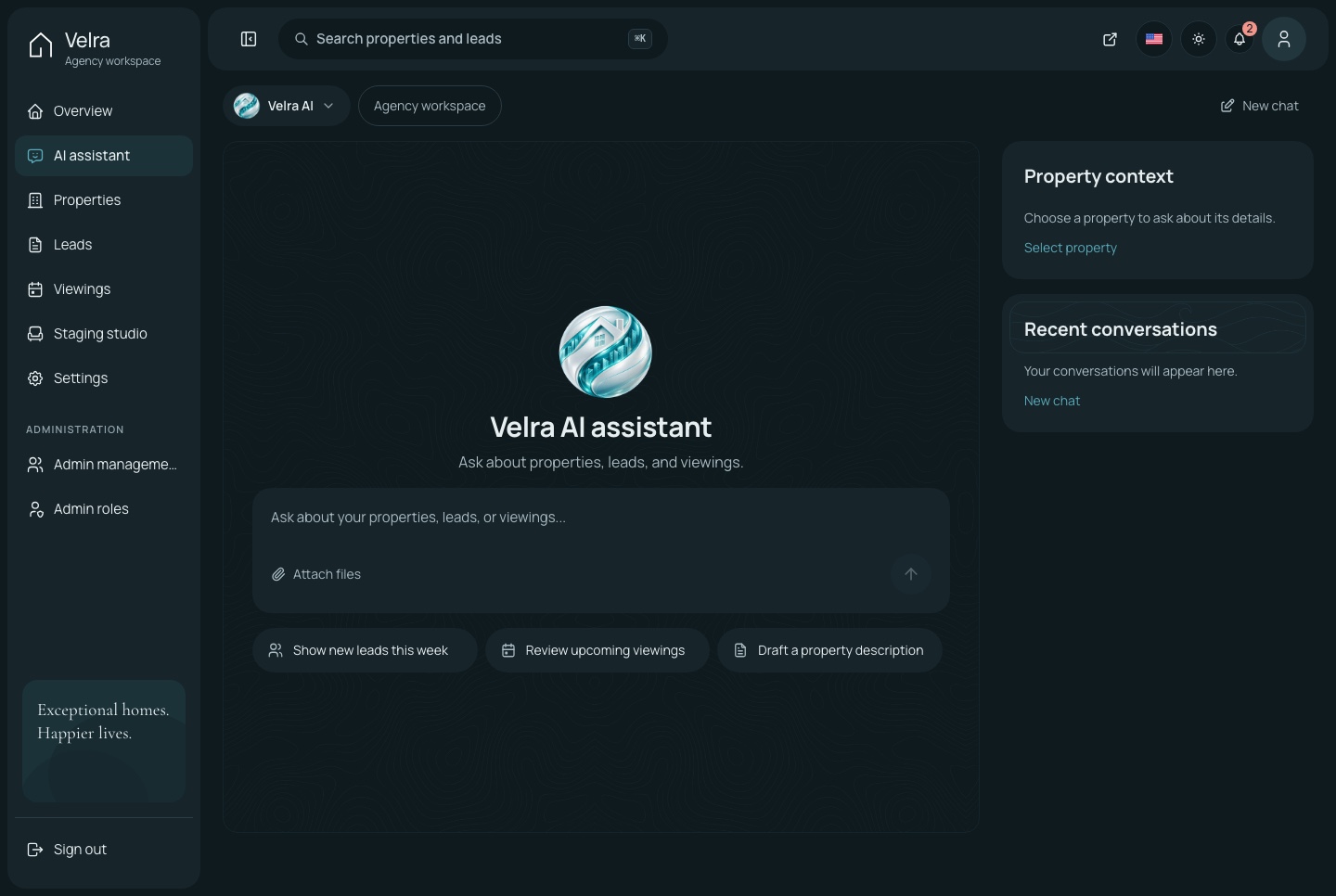
AI assistant, dark theme
AI assistant, dark theme. The assistant before the first question, with openers for the agency's leads, viewings and listings, in the dark theme
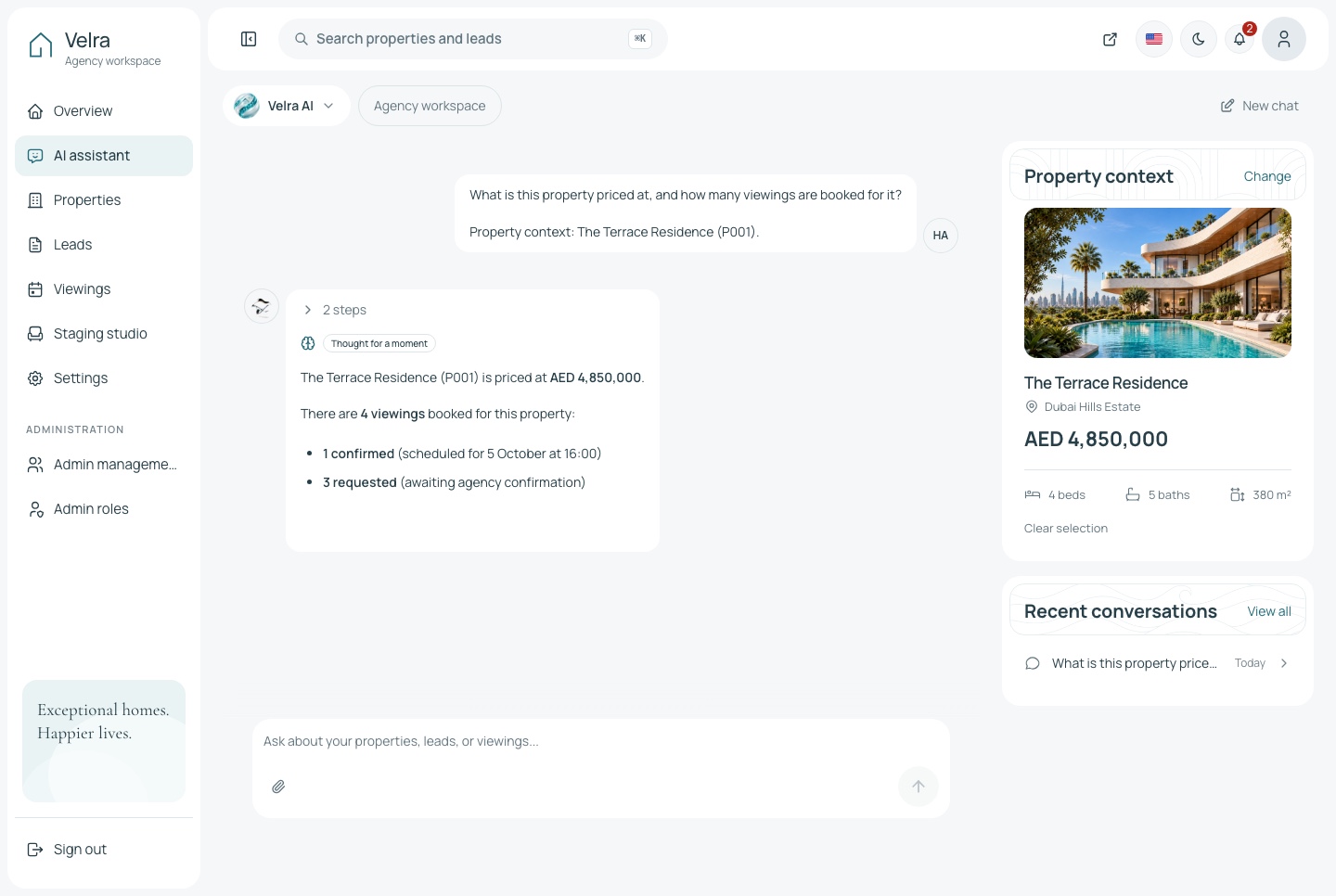
The assistant answering about a property, light theme
The assistant answering about a property, light theme. A property chosen as the context, a question about its price and viewings, and the answer the assistant reads from the agency's own data, in the light theme
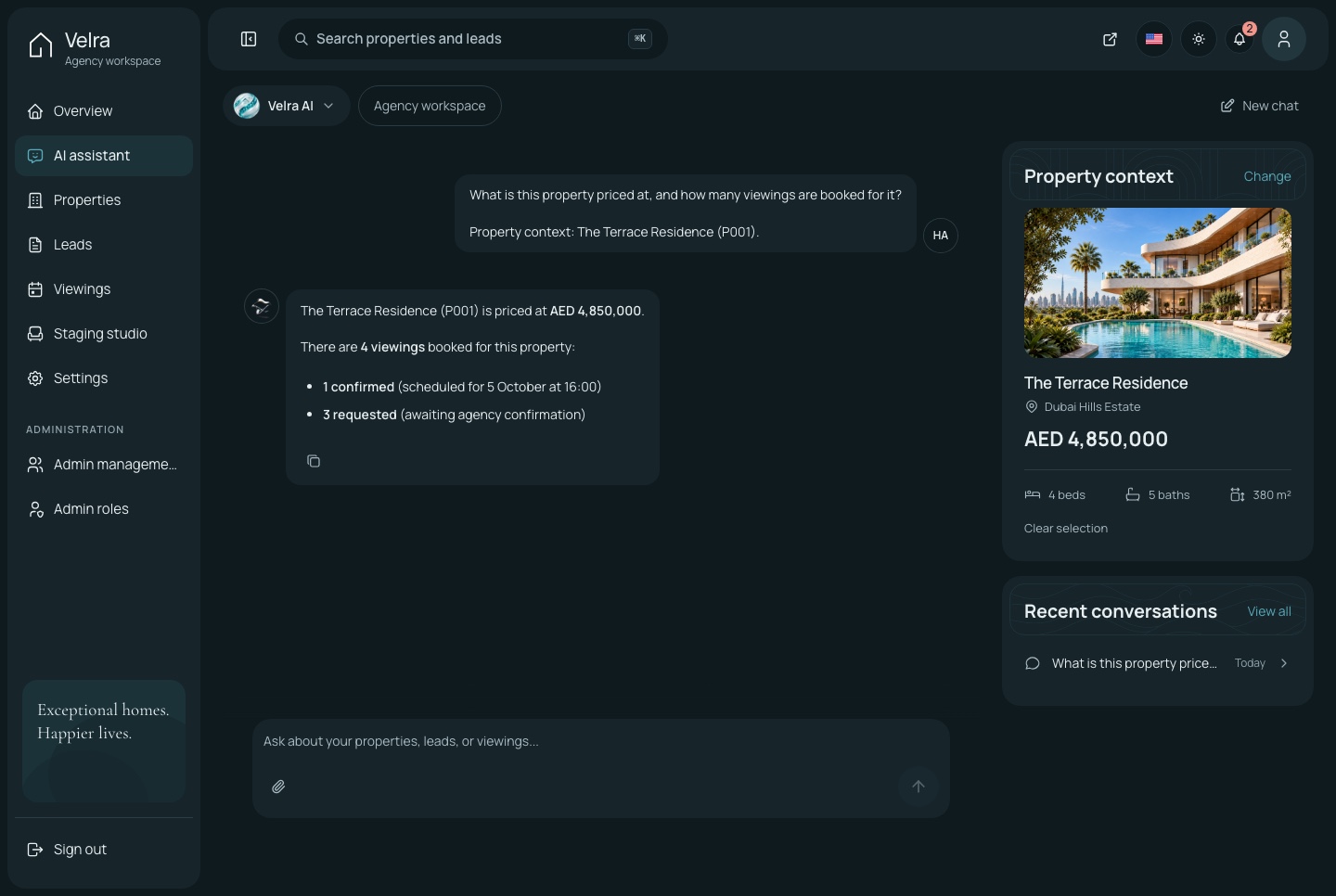
The assistant answering about a property, dark theme
The assistant answering about a property, dark theme. A property chosen as the context, a question about its price and viewings, and the answer the assistant reads from the agency's own data, in the dark theme
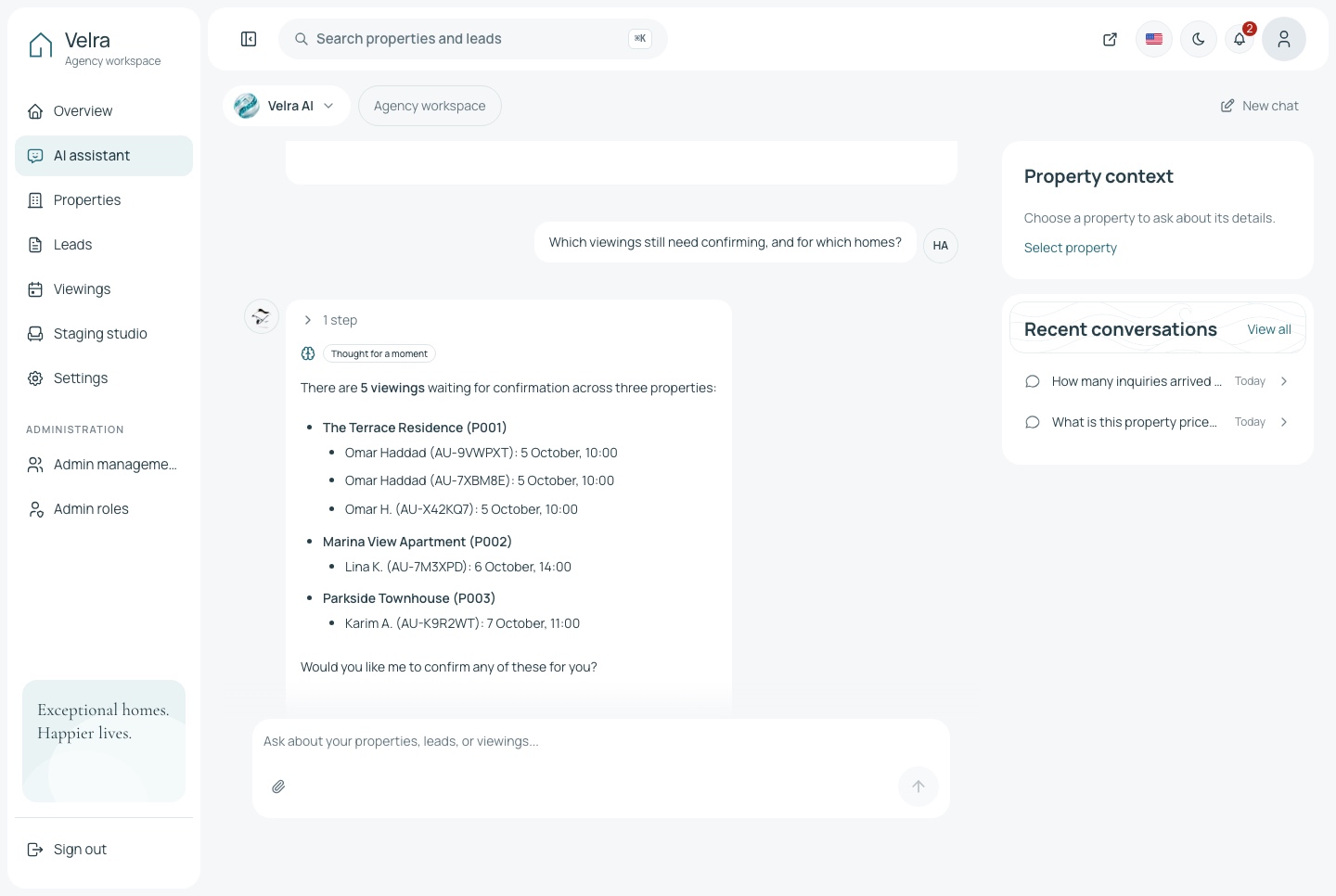
The assistant in conversation, light theme
The assistant in conversation, light theme. Two questions answered from the agency's own data: the inquiries that arrived each day, then the viewings still waiting for confirmation, each with the home and the time, in the light theme
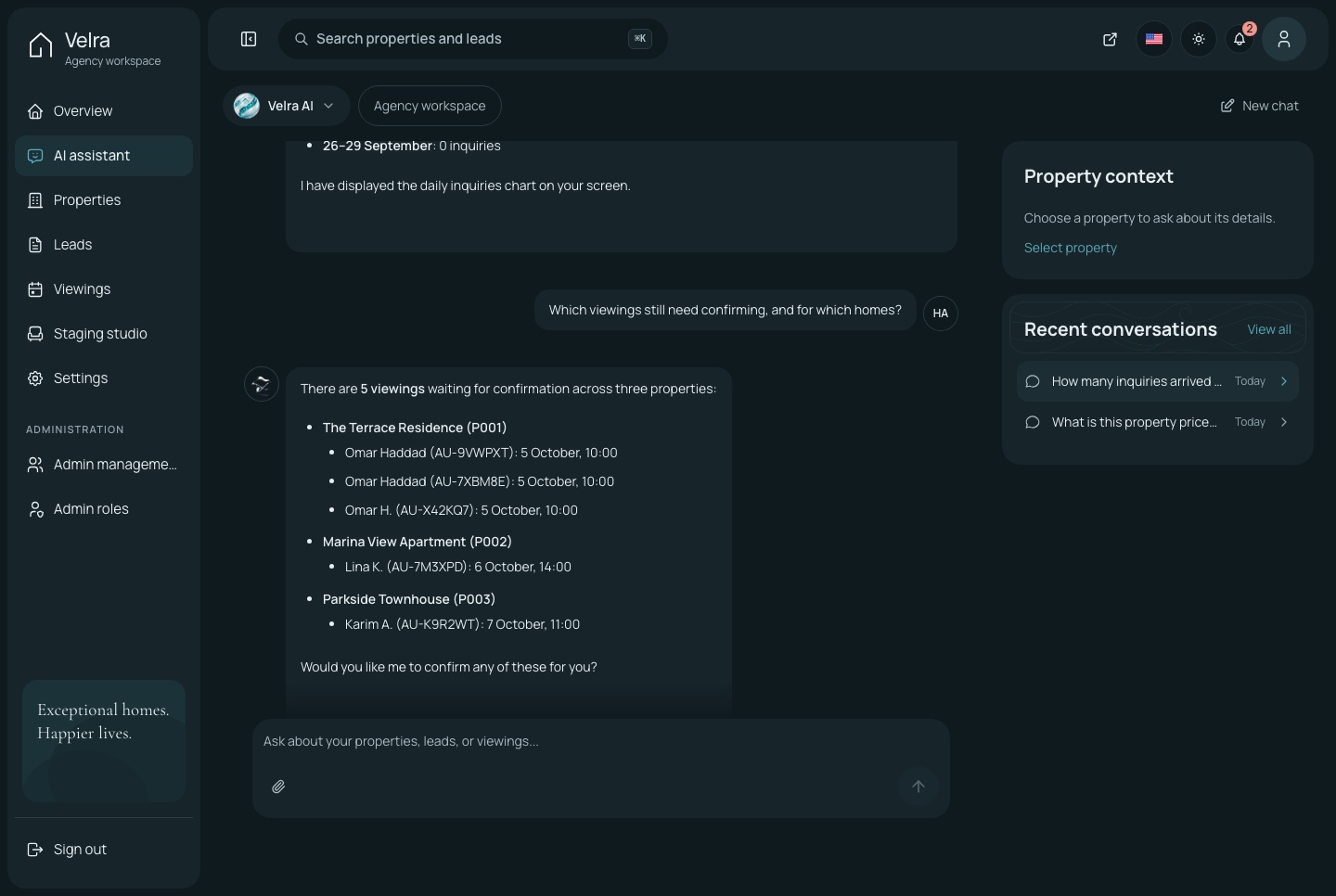
The assistant in conversation, dark theme
The assistant in conversation, dark theme. Two questions answered from the agency's own data: the inquiries that arrived each day, then the viewings still waiting for confirmation, each with the home and the time, in the dark theme

Settings the agency owns

The agency's name and contact details, the homes featured on the website, the neighborhoods it lists, the team's accounts and what each role may do.

  • Neighborhoods featured or hidden on the website as the agency chooses
  • Admins, roles and permissions
  • Menu items and actions hidden without the permission
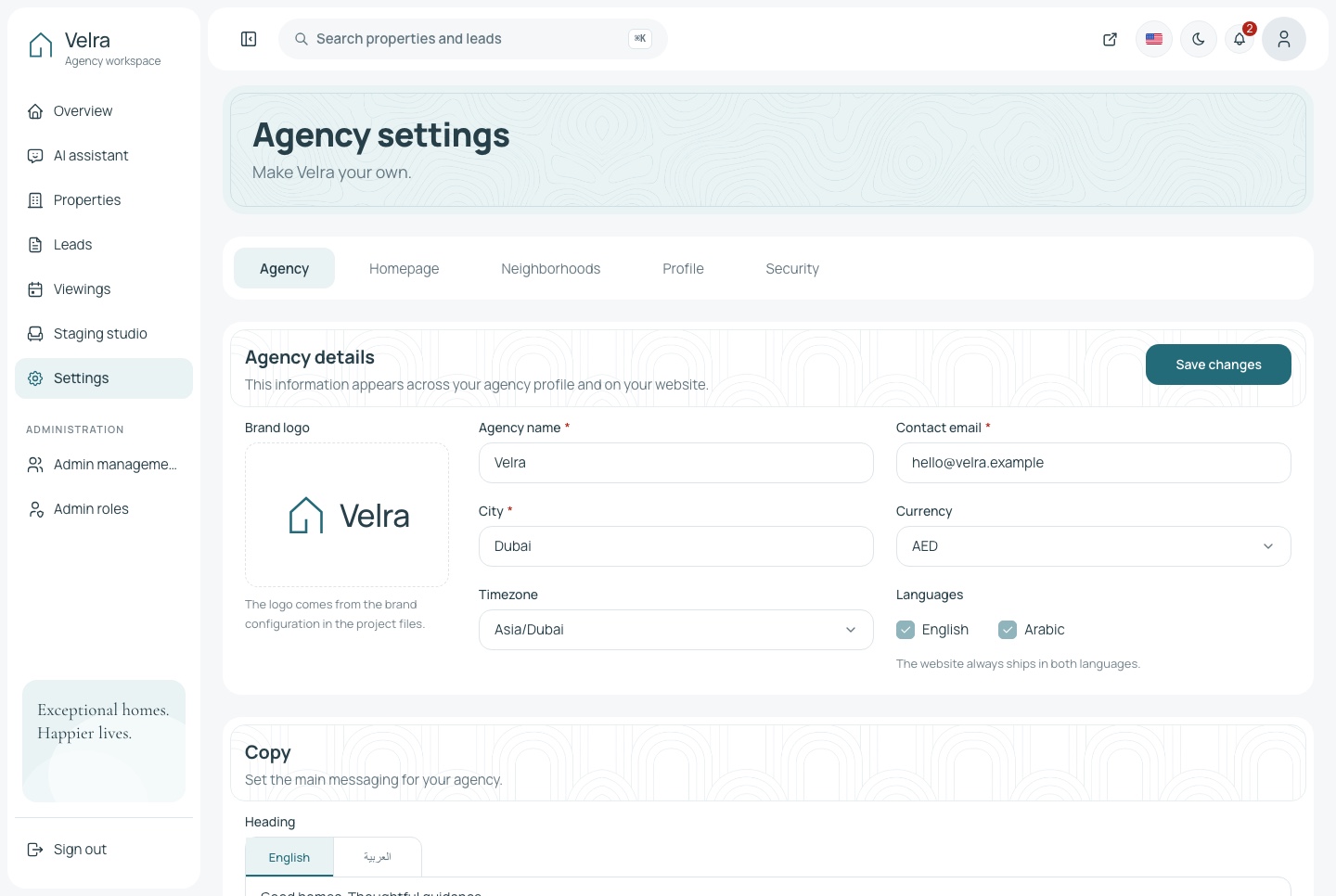
Settings, light theme
Settings, light theme. The agency's settings: details, homepage, neighborhoods, profile and security, in the light theme
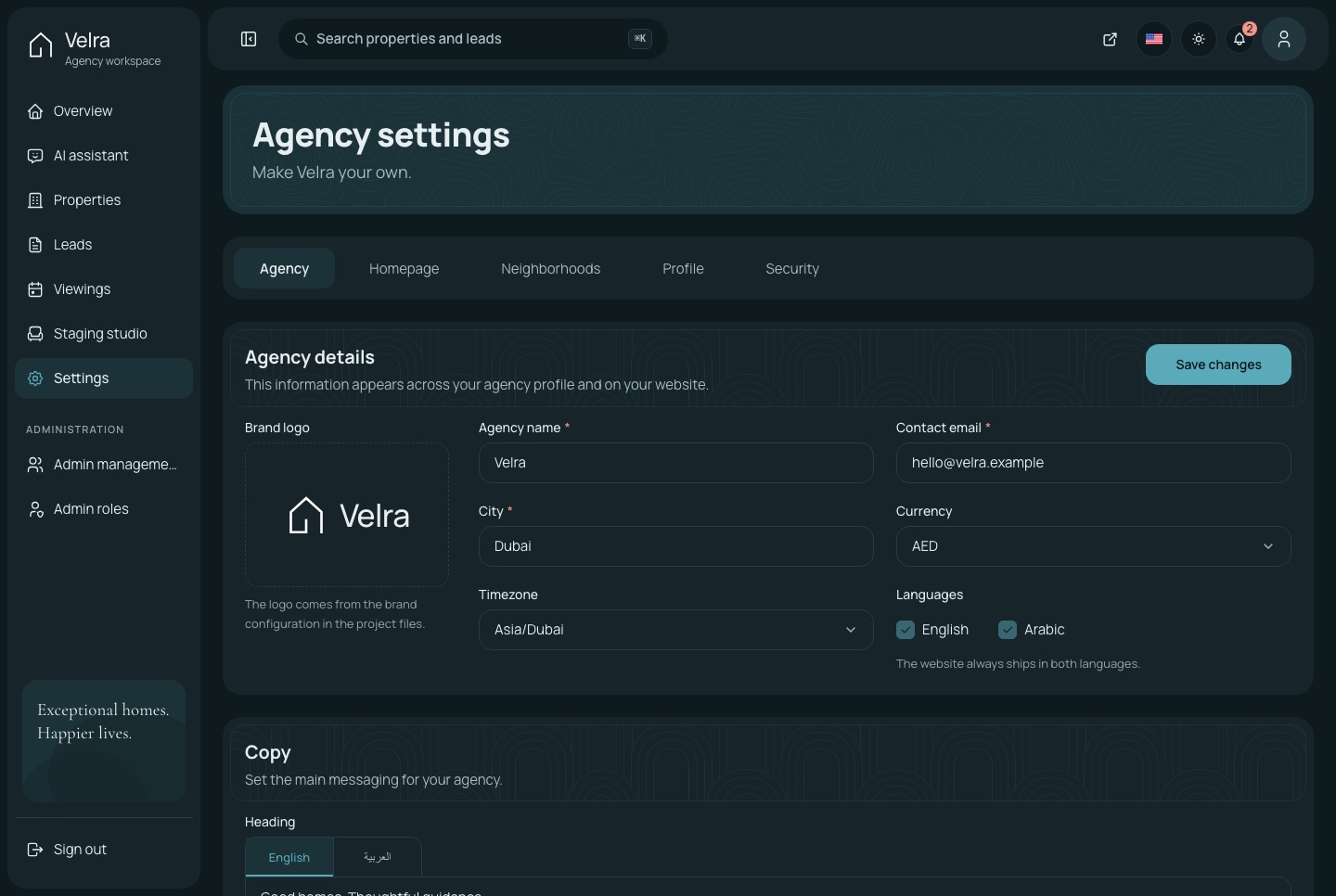
Settings, dark theme
Settings, dark theme. The agency's settings: details, homepage, neighborhoods, profile and security, in the dark theme
From inquiry to viewing

Every request reaches the agency

A viewing request asks for a preferred date and time and stays pending until the agency confirms it, so a visitor is never promised a slot nobody has checked.

Inquiries with a status and notes

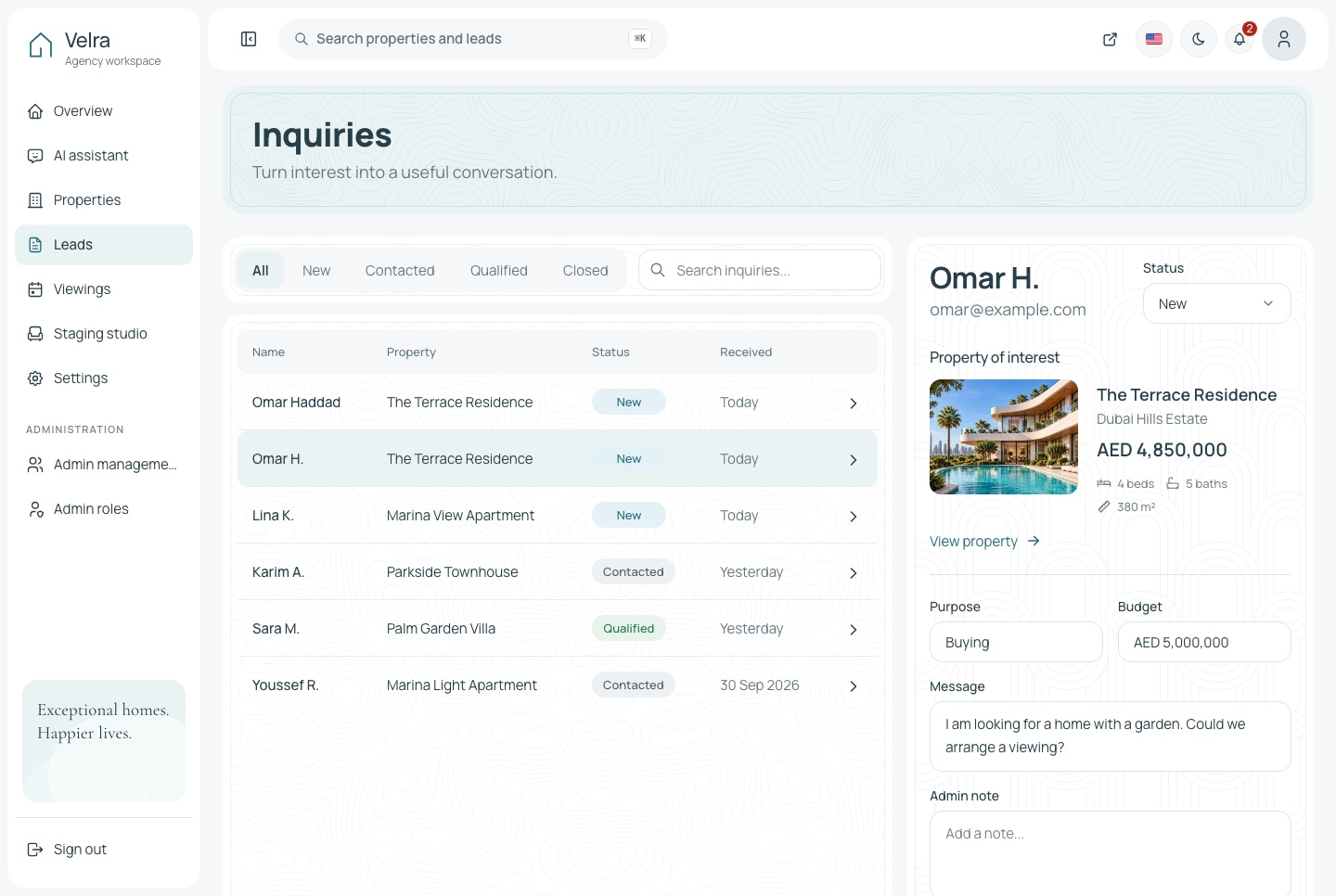
Each inquiry opens in a panel with the message, the property it concerns and the viewing it led to. The agency moves it along and writes notes as it goes.

  • Tabs for every status
  • Search across every inquiry
  • A notification the moment a request arrives
Leads with the detail panel, light theme
Leads with the detail panel, light theme. Inquiries by status, with one open in the detail panel: the message, the property, the viewing and the notes, in the light theme
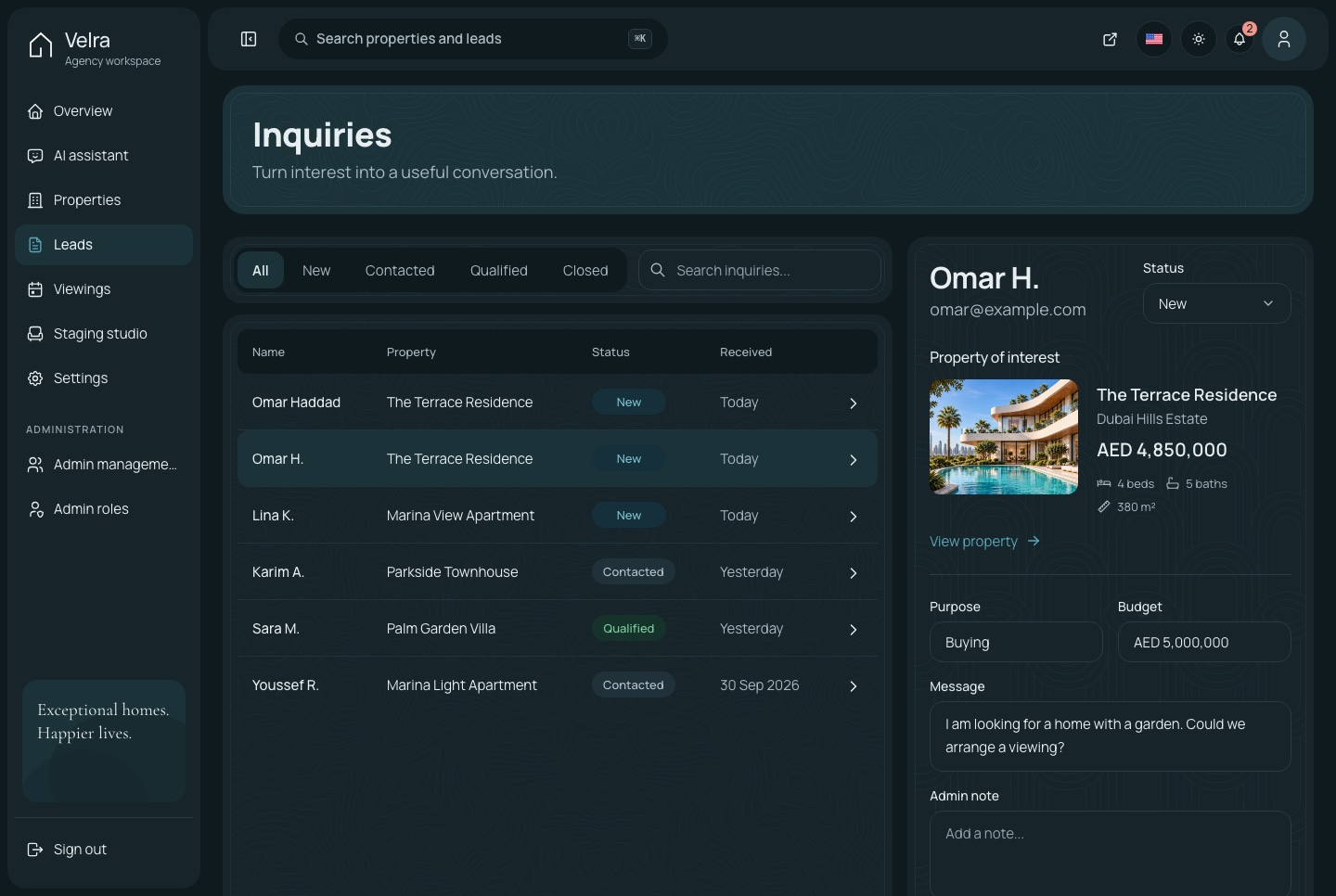
Leads with the detail panel, dark theme
Leads with the detail panel, dark theme. Inquiries by status, with one open in the detail panel: the message, the property, the viewing and the notes, in the dark theme

Viewings to confirm, complete or cancel

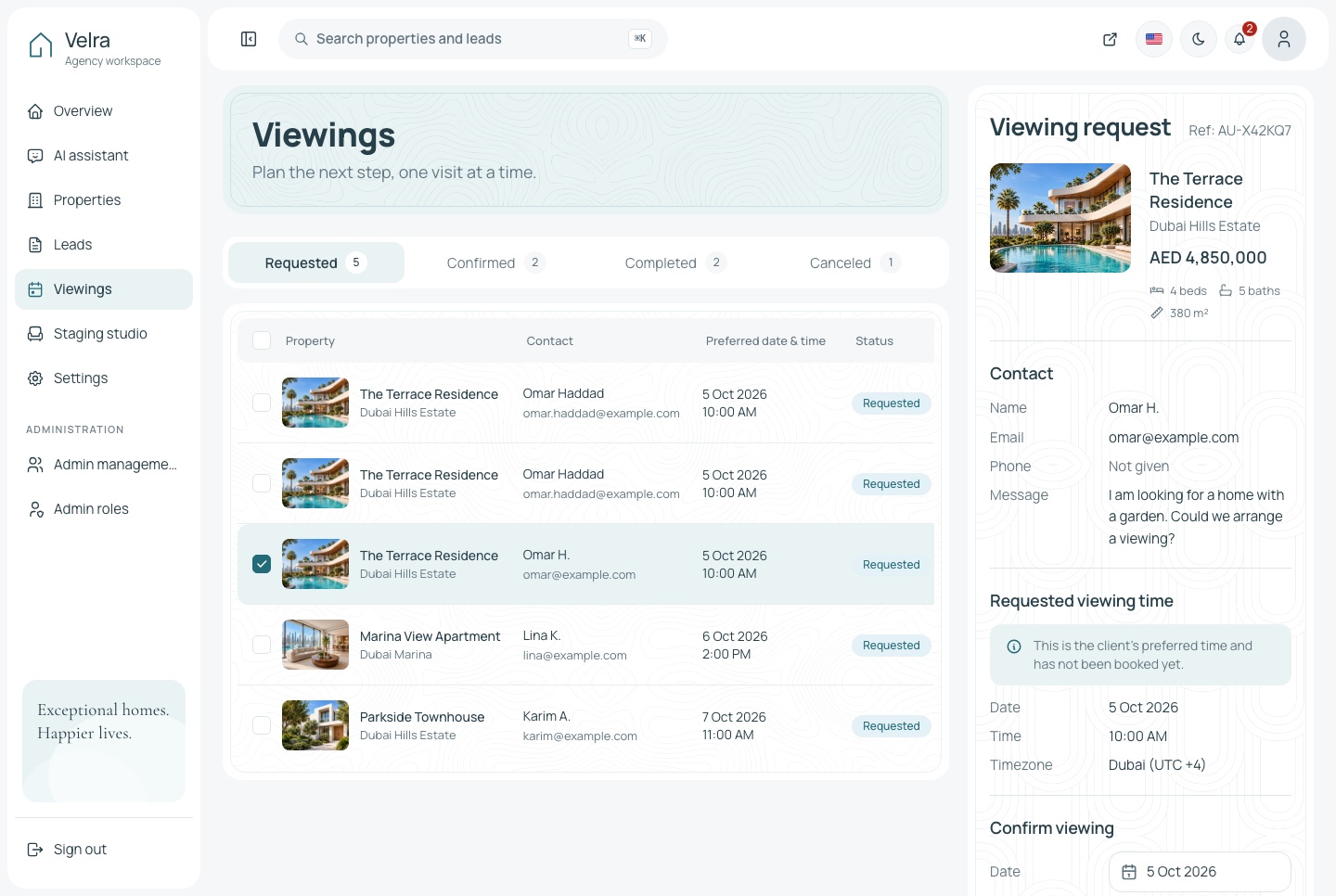
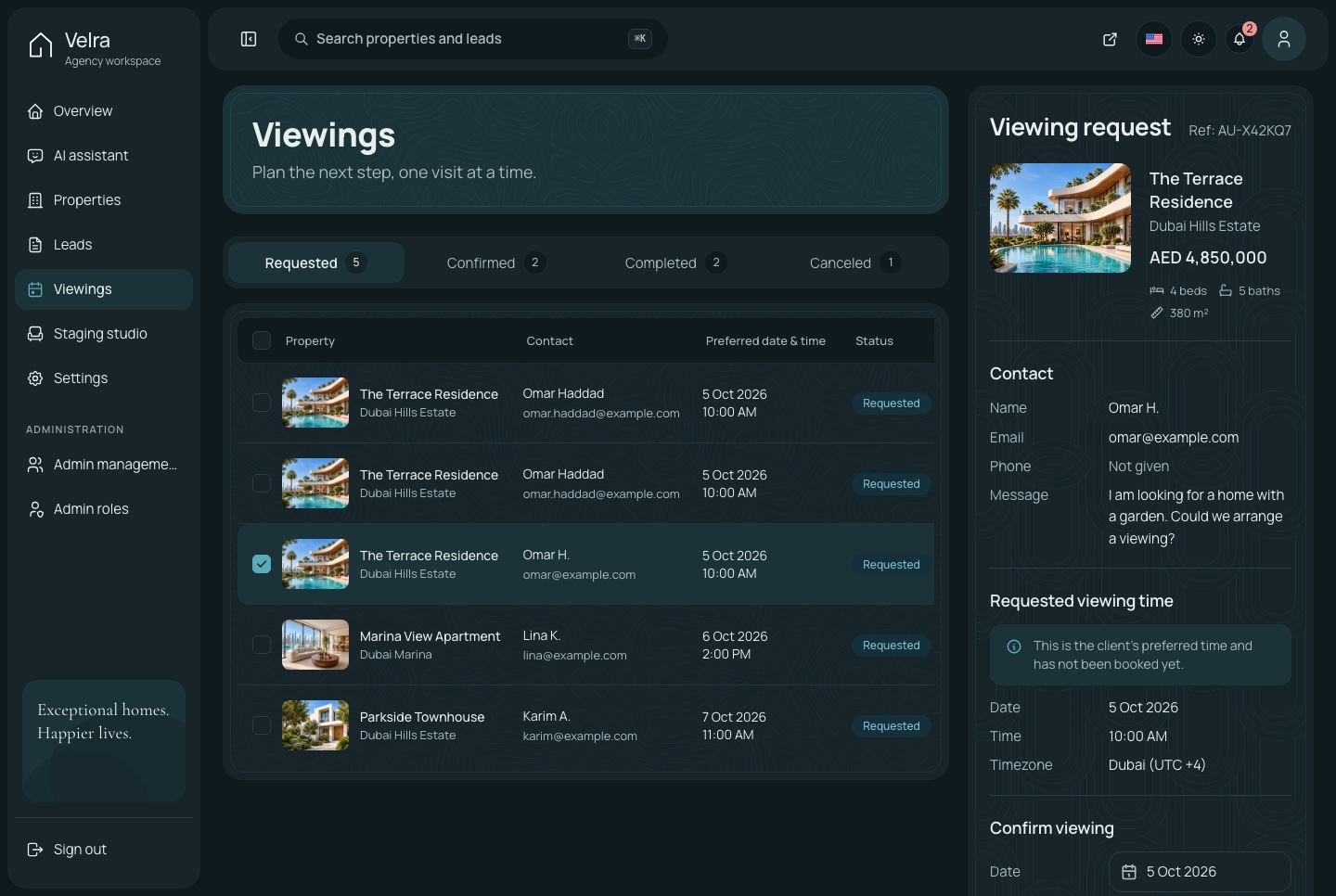
Requested viewings come first. Confirming, completing or cancelling one is a single action, and only the moves that make sense for its status are offered.

  • Tabs with a count for every status
  • Upcoming viewings on the overview
  • The visitor's contact details beside each request
Viewings, light theme
Viewings, light theme. Viewing requests to confirm, complete or cancel, in the light theme
Viewings, dark theme
Viewings, dark theme. Viewing requests to confirm, complete or cancel, in the dark theme
AI virtual staging

Show an empty room furnished

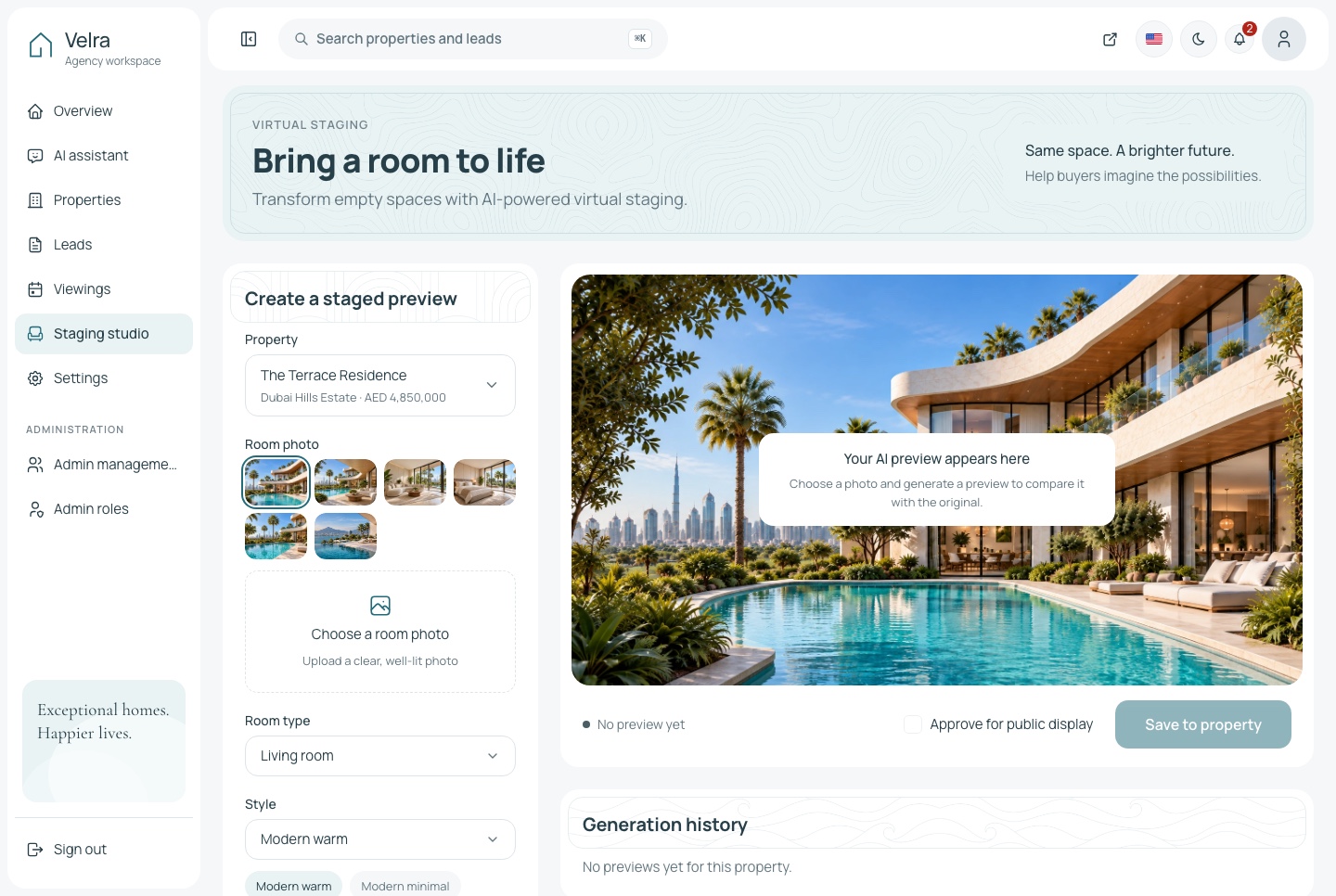
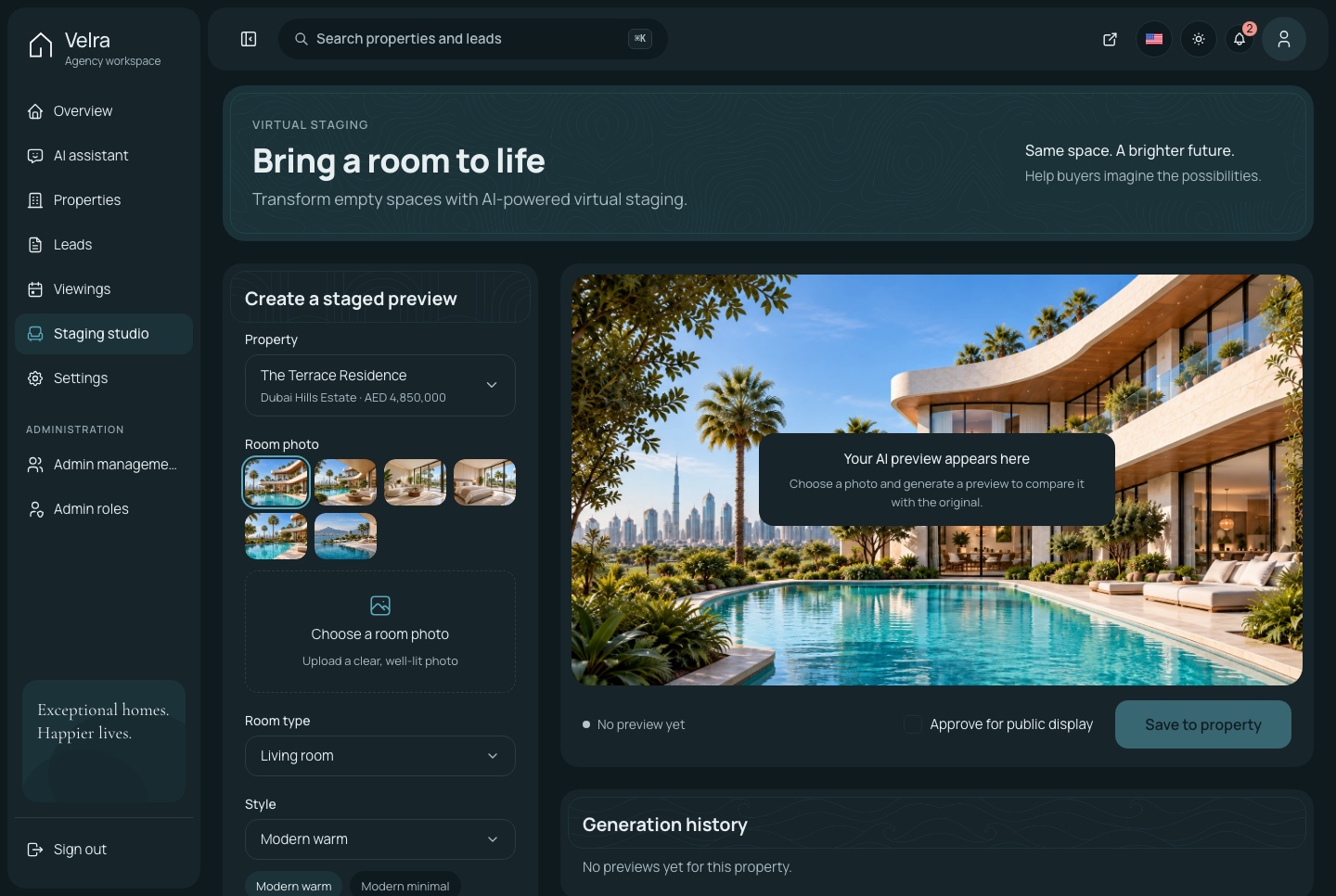
The staging studio sends a photo of an empty room to Google Gemini's image editor with a room type and a style, and gets it back furnished with its walls, windows and light kept. The agency approves a result before it appears anywhere.

Staging studio, light theme
Staging studio, light theme. The AI staging studio: a property's room photos, the room type and style, and the frame the furnished preview fills; on the demo, generating asks for your own Gemini key, in the light theme
Staging studio, dark theme
Staging studio, dark theme. The AI staging studio: a property's room photos, the room type and style, and the frame the furnished preview fills; on the demo, generating asks for your own Gemini key, in the dark theme
Bilingual

English and Arabic, in both directions

Every screen of the website and the dashboard is written in both languages and mirrors for Arabic, with prices and figures kept in Latin digits.

The dashboard in Arabic

The same components run right to left, so there is no second layout to maintain.

  • Listings written in both languages from one editor
  • Tables, forms and menus mirrored for Arabic
  • Figures in Latin digits in both locales
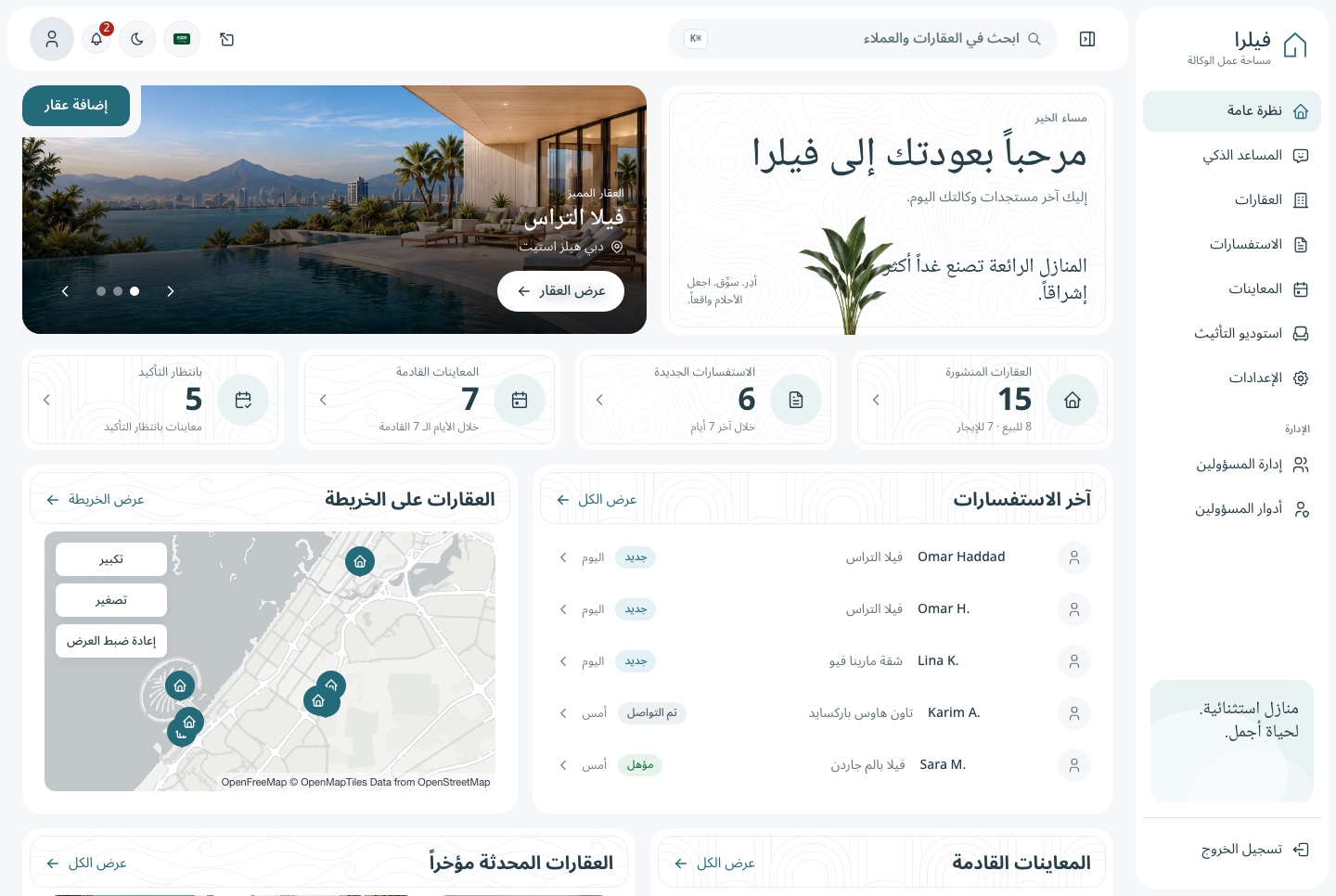
Overview in Arabic, light theme
Overview in Arabic, light theme. The dashboard overview in Arabic, right to left, in the light theme
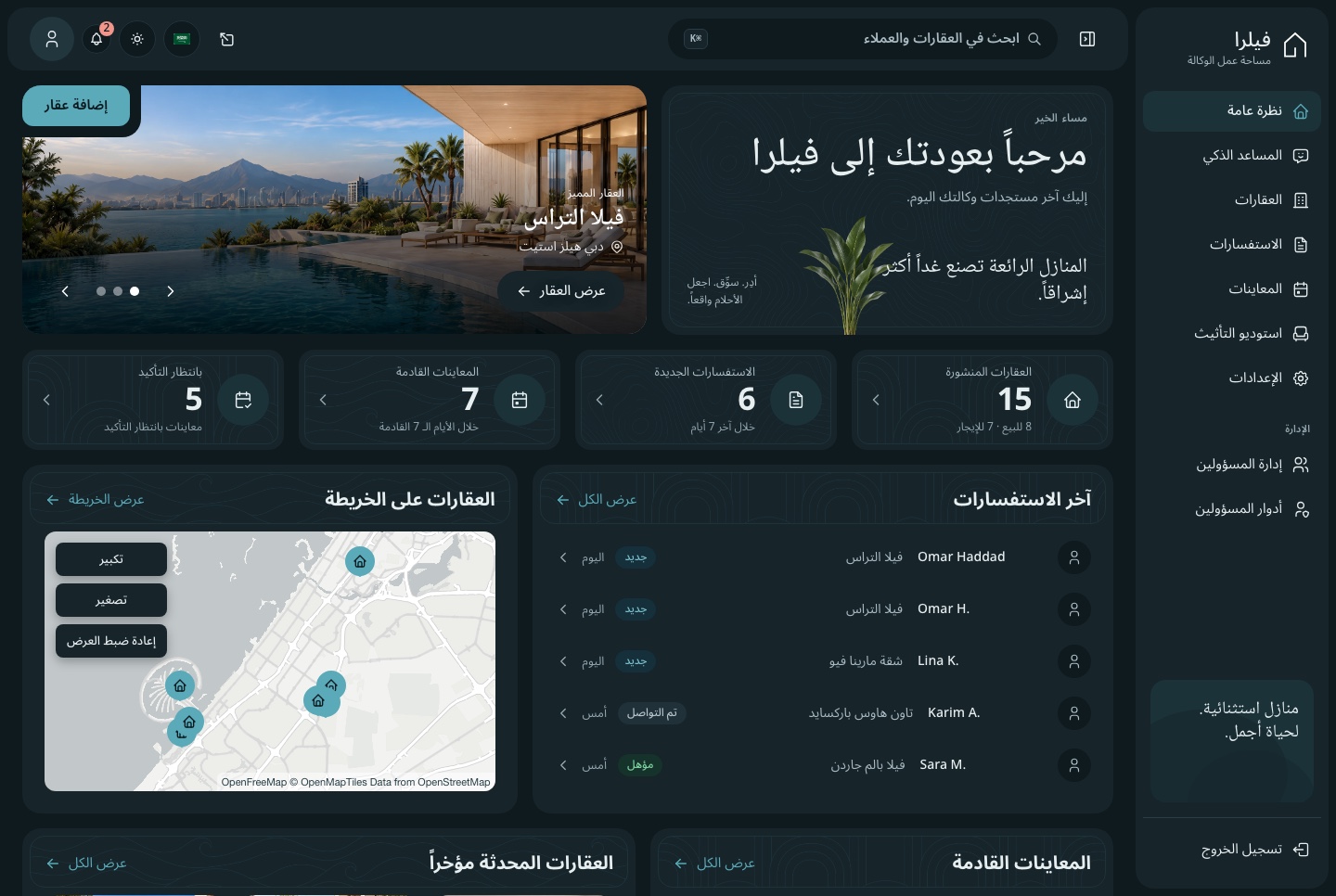
Overview in Arabic, dark theme
Overview in Arabic, dark theme. The dashboard overview in Arabic, right to left, in the dark theme
Explore

Explore Velra before you build

Browse the website as a visitor, then open the agency dashboard, whose sign-in page fills in a demo account for you. What you create in the dashboard is yours alone, and the demo data is rebuilt every day. In the demo, the staging studio and the assistant run on your own Google Gemini key. Screenshots use sample data.

Perfect for

Build your next property product with Velra

Real estate agenciesIndependent brokersDevelopers selling a projectRental and property managersAgencies building a client's property siteBilingual portals with Arabic and RTL

Technical Specifications

Framework

Next.js 16.3.5

React Version

React 19.3.0

Styling

Tailwind CSS 4.3.3

TypeScript

Yes

Responsive

Mobile, Tablet, Desktop

Support Period

Lifetime Included

Pro Tip: All templates include comprehensive documentation to get you started quickly.

Frequently asked questions

What do I get when I buy this template?
The complete source code of the package you choose, downloaded from your personal dashboard right after checkout. A business invoice is available for every purchase.
Can I use it for client and commercial projects?
Yes. Every paid template comes with a Commercial licence that covers unlimited commercial projects, including work you deliver to clients.
Do I get updates after buying?
Yes. Updates are free. New versions appear in your dashboard, where you can download every file you own again at any time.
Is support included?
Yes. The assistant on this page answers in seconds, and email support is included with every purchase, at support@aniq-ui.com, with a reply within 4 hours.
Can I try it before I buy?
Yes. This template has a full live demo, linked at the top of this page, so you can click through the real thing before you decide.

Part of a full-stack template

Next.js Real Estate Template with Agency Dashboard and AI Staging

This app is one part of a full-stack template. The full template brings every part together in one purchase.

See the full template

Pricing

Choose your package

One payment for the full source code, yours to change and ship.

Everything included

Full Stack

Public website + agency dashboard + NestJS API with TypeORM and auth

What is inside

Bought one by one$277
You save$98
$179

Or buy one part

Agency Dashboard

The Next.js 16 agency dashboard on its own. It reads its data from the Velra API, sold separately as the Backend API or together in Full Stack.

$99

Public Website

The Next.js 16 property website on its own. It reads its data from the Velra API, sold separately as the Backend API or together in Full Stack.

$79

Backend API

The NestJS API on its own, with TypeORM, JWT auth, properties, leads, viewings, staging, MCP tools and a one command seeder

$99

Safe and secure payments powered by Paddle

A VAT receipt is sent to your email after purchase.

Related Templates

Next.js Restaurant Template with Online Ordering and Kitchen Dashboard - Next.js Restaurant template preview - Aniq-UI

Restaurant

$179
Restaurant
Full Stack
New
AI

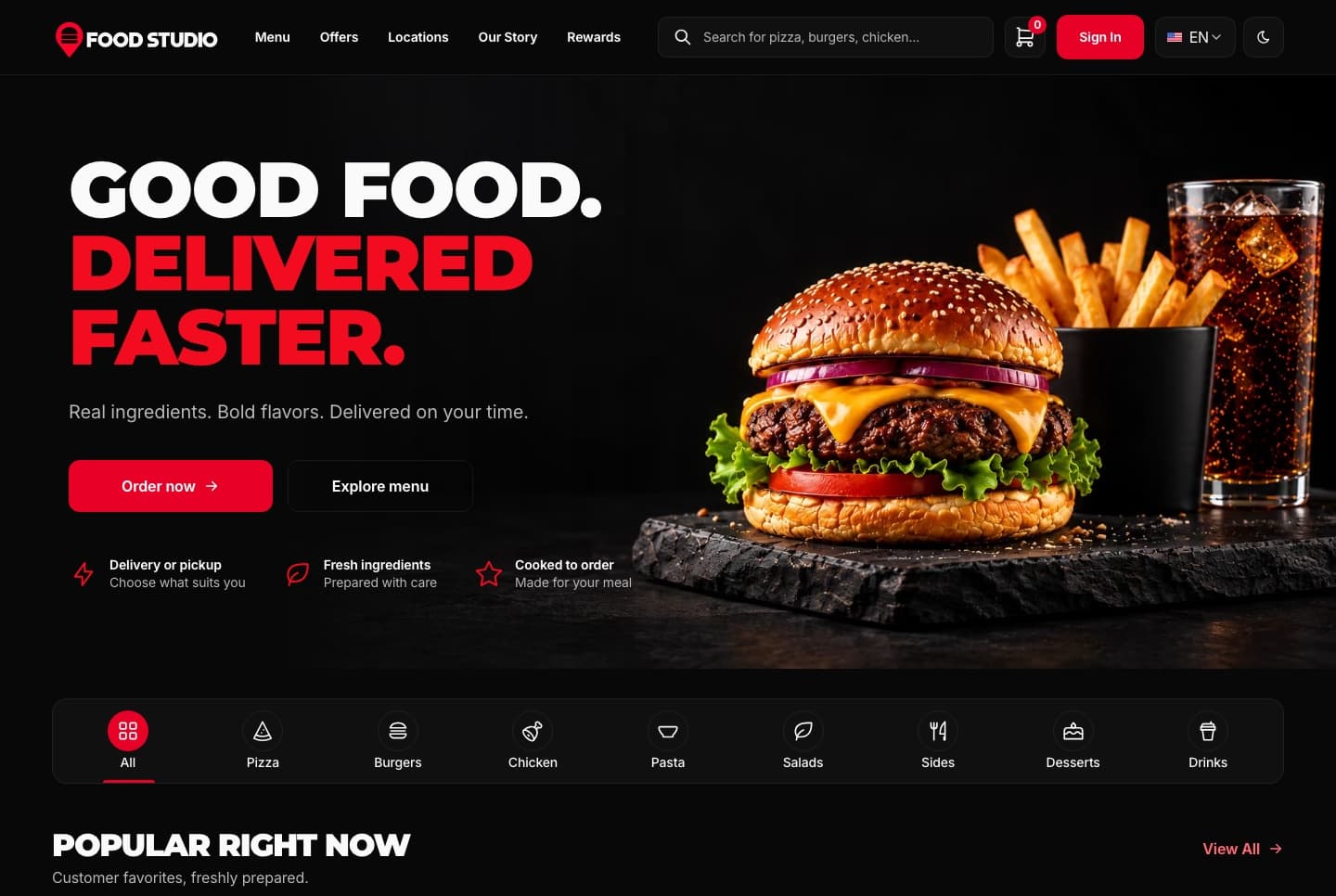
Food Studio is a full-stack Next.js restaurant template: an ordering website with menu, combos, cart, checkout and order tracking, a staff dashboard for orders, the menu and the kitchens, a NestJS API, AI tools for dish photos, and English and Arabic with RTL.

View Template
Next.js Restaurant Ordering Website Template - Next.js Restaurant template preview - Aniq-UI

Restaurant Ordering Website

$79
Restaurant
Ordering Website
New
AI

A Next.js 16 restaurant ordering website with a menu, combo meals, a meal builder, cart, checkout, order tracking and customer accounts, in English and Arabic.

View Template
Next.js Restaurant Admin Dashboard Template - Next.js Restaurant template preview - Aniq-UI

Restaurant Admin Dashboard

$99
Restaurant
Staff Dashboard
New
AI

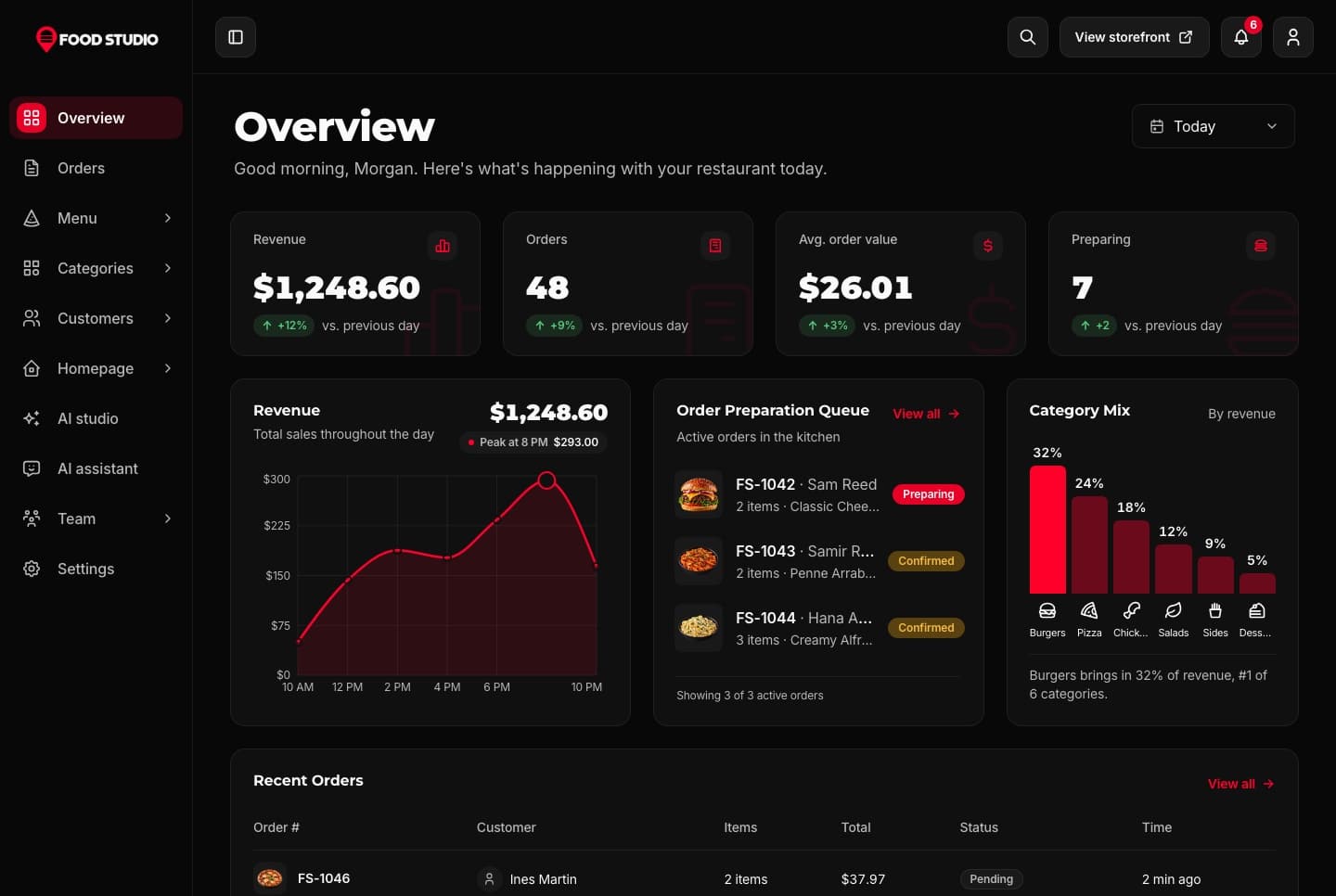
A Next.js 16 restaurant admin dashboard for running orders, the menu, categories, customers, kitchens and the team, with an AI studio for dish photos, in English and Arabic.

View Template
Technical Advantages

Built to Work on Every Screen, for Every User

Every premium template is responsive, accessible, fast and typed from the first commit, so your launch starts from production-ready code.

01 · Layout

Responsive Design

Phone, tablet and desktop layouts from one set of components, with a phone menu and 44px tap targets.

Learn more: Responsive Design

02 · Inclusive

Accessibility

Semantic HTML, labelled controls, a visible keyboard focus ring and reduced motion support.

Learn more: Accessibility

Enterprise-Grade Features Included

Developer Experience

  • TypeScript 5.0+ with strict type checking
  • Server & Client Components architecture
  • Quick start guide and feature docs

UX & Performance

  • Mobile-first responsive design system
  • Accessible markup with ARIA and keyboard navigation
  • Fast rendering with server components and optimized assets

Maintenance & Support

  • Support included with your purchase
  • Regular security & framework updates
  • SEO-optimized semantic structure
world map

Global User Community

Join thousands of developers worldwide who trust Aniq-UI for their projects. Our templates are being used across the globe to create stunning web experiences.

Aniq-uiAniq-ui

Cookie Preferences

We use cookies to enhance your browsing experience, analyze site traffic, and personalize content. By clicking "Accept All", you consent to our use of cookies for analytics and personalized advertising.