Premium

Next.js LMS Template with AI & Live Classes

Full Stack

Most popular

Student website + Admin and instructor dashboard + NestJS API with TypeORM and auth

$179
Buy separately: $277Save $98

Student Website

The Next.js 16 student website on its own, with the course catalog, course pages, checkout, and the learner dashboard

$79

Admin & Instructor Dashboard

The Next.js 16 management dashboard on its own, with course, people and enrollment management, the instructor workspace, and the AI assistant

$99

Backend API

The NestJS API on its own, with TypeORM, JWT auth, enrollments, assessments, orders, webhooks, email, and a one command seeder

$99

Building for clients?

Agency License

  • Everything in Full Stack
  • Unlimited projects
  • Priority email support (48h)
$599
* Business invoice available

Learnio is a full-stack Next.js LMS template with a NestJS backend, AI assistant, live classes, Stripe checkout, quizzes, certificates, and Arabic RTL.
Three connected apps: student website, management dashboard, and NestJS APICourse delivery with messaging, quizzes, assignments, and certificatesAI admin assistant, live classes, English and Arabic, light and dark themes
Full source code
Invoice AvailableAfter purchase, download a PDF invoice and manage billing details (VAT/tax ID, company address) anytime via the Paddle Customer Portal
Next.js LMS Template with AI & Live Classes - Next.js Education template preview - Aniq-UI
Share:

Learnio brings course discovery, teaching, and student progress together in one full-stack learning platform: a Next.js student website, a Next.js management dashboard, and a NestJS API behind both. Live classes, an AI admin assistant, Stripe checkout, quizzes, assignments and certificates, in English and Arabic with light and dark themes.

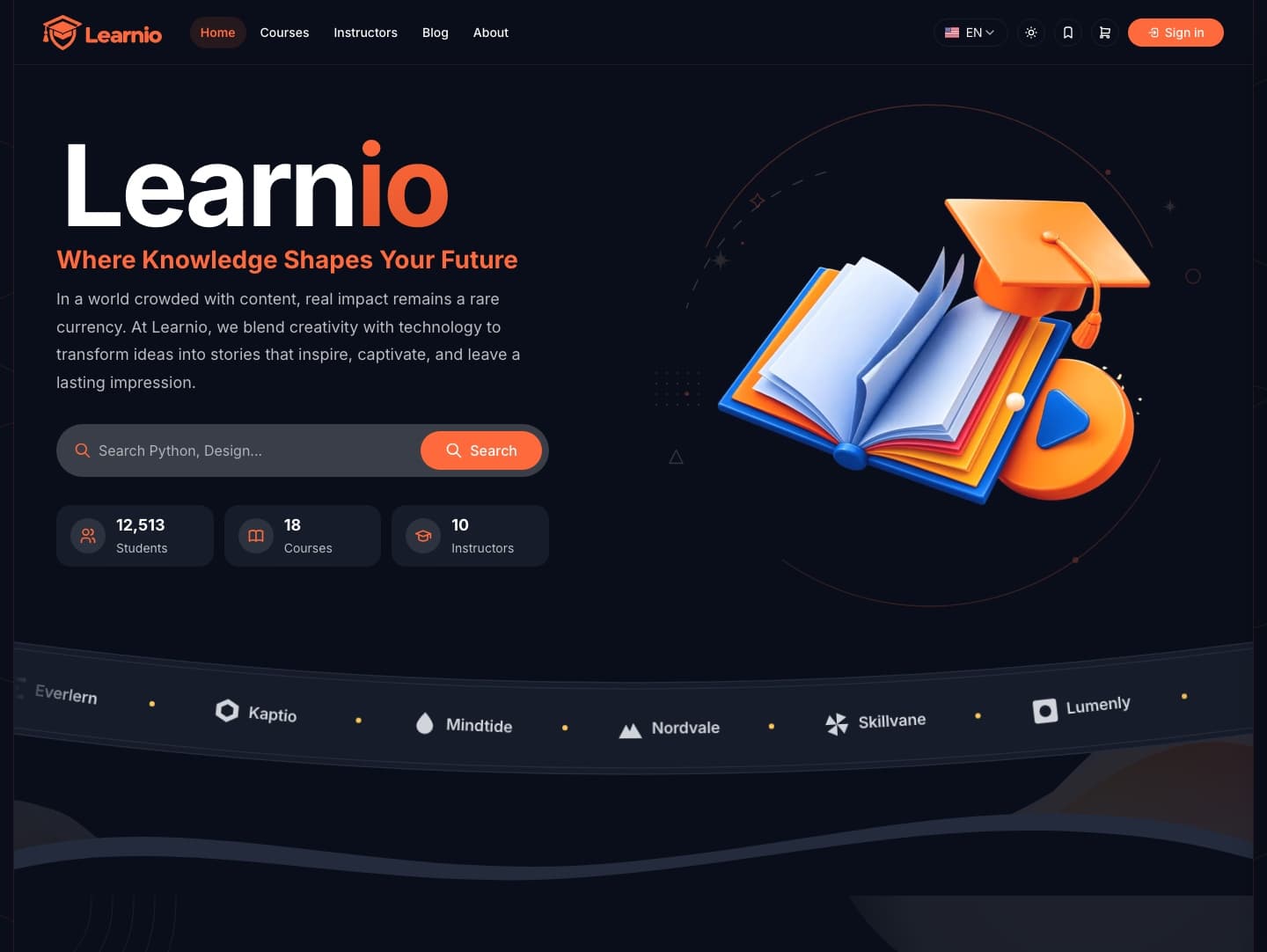
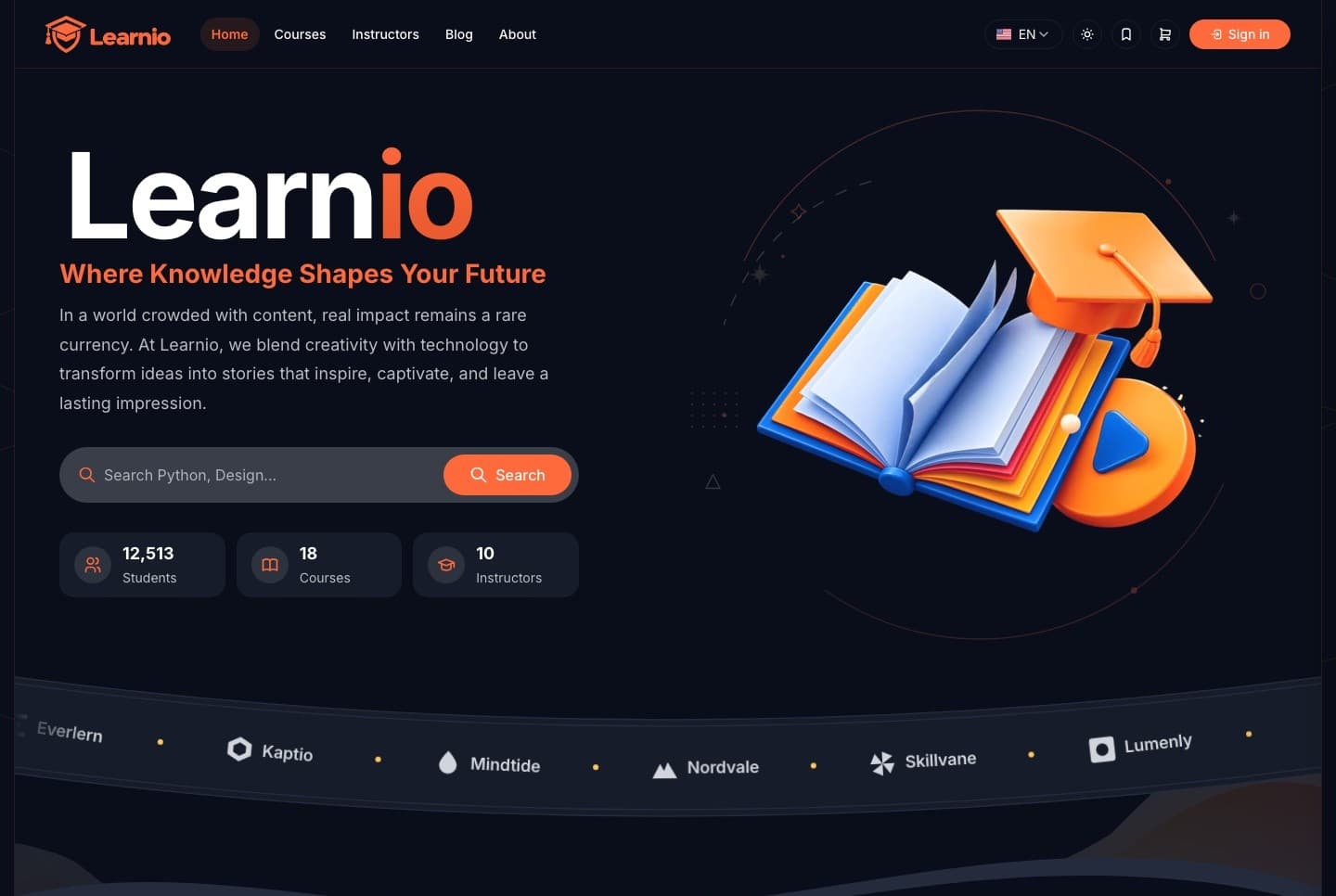
Student website, light
Student website, light. The Learnio home page with course search and the catalog entry points
Student website, dark
Student website, dark. Course search and the catalog entry points on the home page, dark theme
Management dashboard, administrator overview, light
Management dashboard, administrator overview, light. The administrator's overview in the light theme: platform totals, enrollment activity, top categories and the AI assistant widget
Management dashboard, administrator overview, dark
Management dashboard, administrator overview, dark. The administrator's overview: totals for courses, students, revenue and enrollments, the enrollment activity chart, top categories and the AI assistant widget
The package

Build your learning platform around your brand

A connected foundation for an online academy, training portal, or course platform, with source code you can customize for your project. The full-stack package includes three applications.

Next.js student website

  • Course catalog and course pages
  • Instructor profiles and a blog
  • A personal learning dashboard
  • Checkout for paid courses

Next.js management dashboard

  • Administrative tools for the whole platform
  • An instructor workspace for courses, students, and teaching activity
  • Overview cards, charts, and searchable records

NestJS backend

  • Authentication, courses, and enrollments
  • Learning progress, assessments, and messages
  • Orders and email workflows
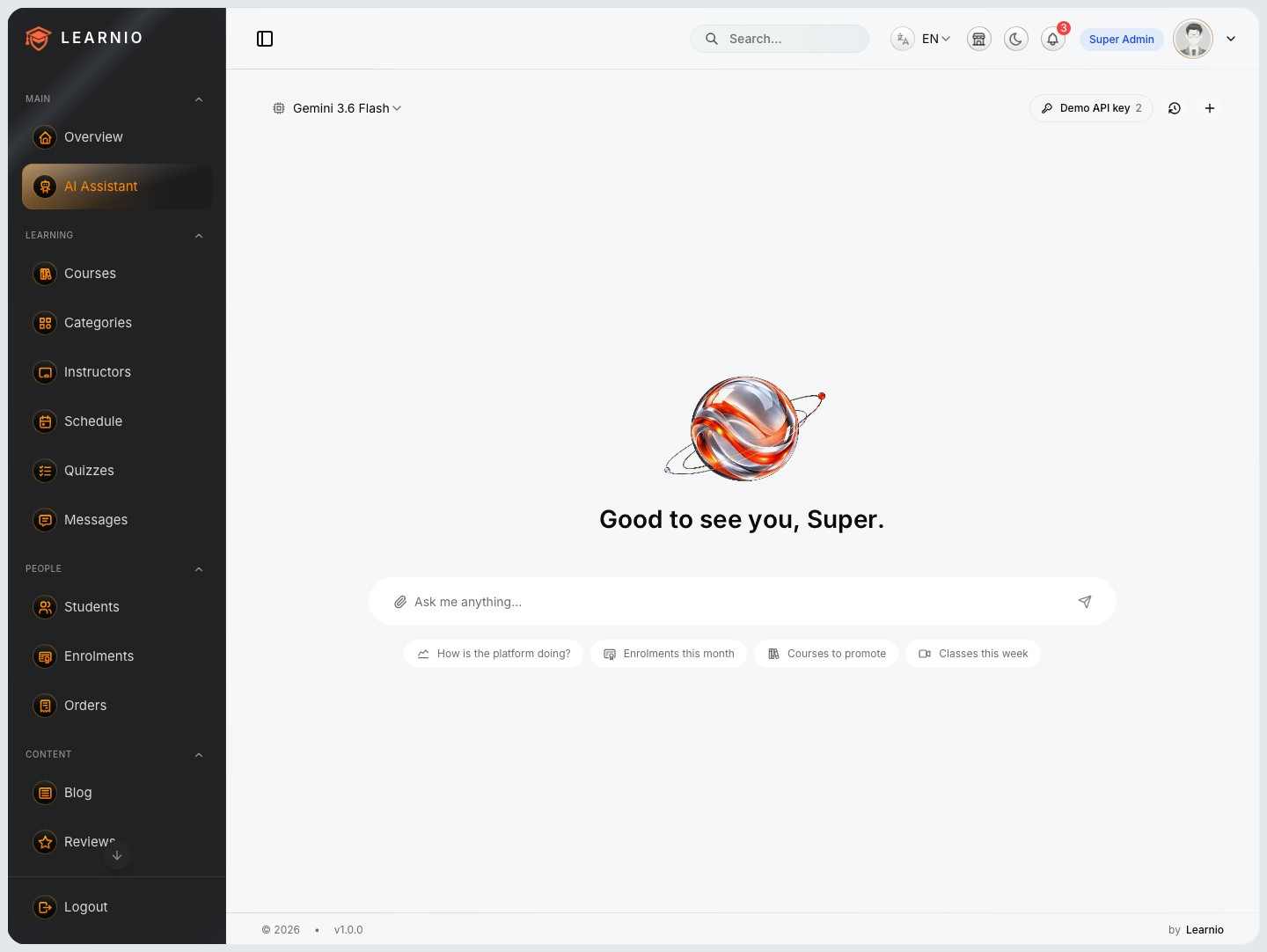
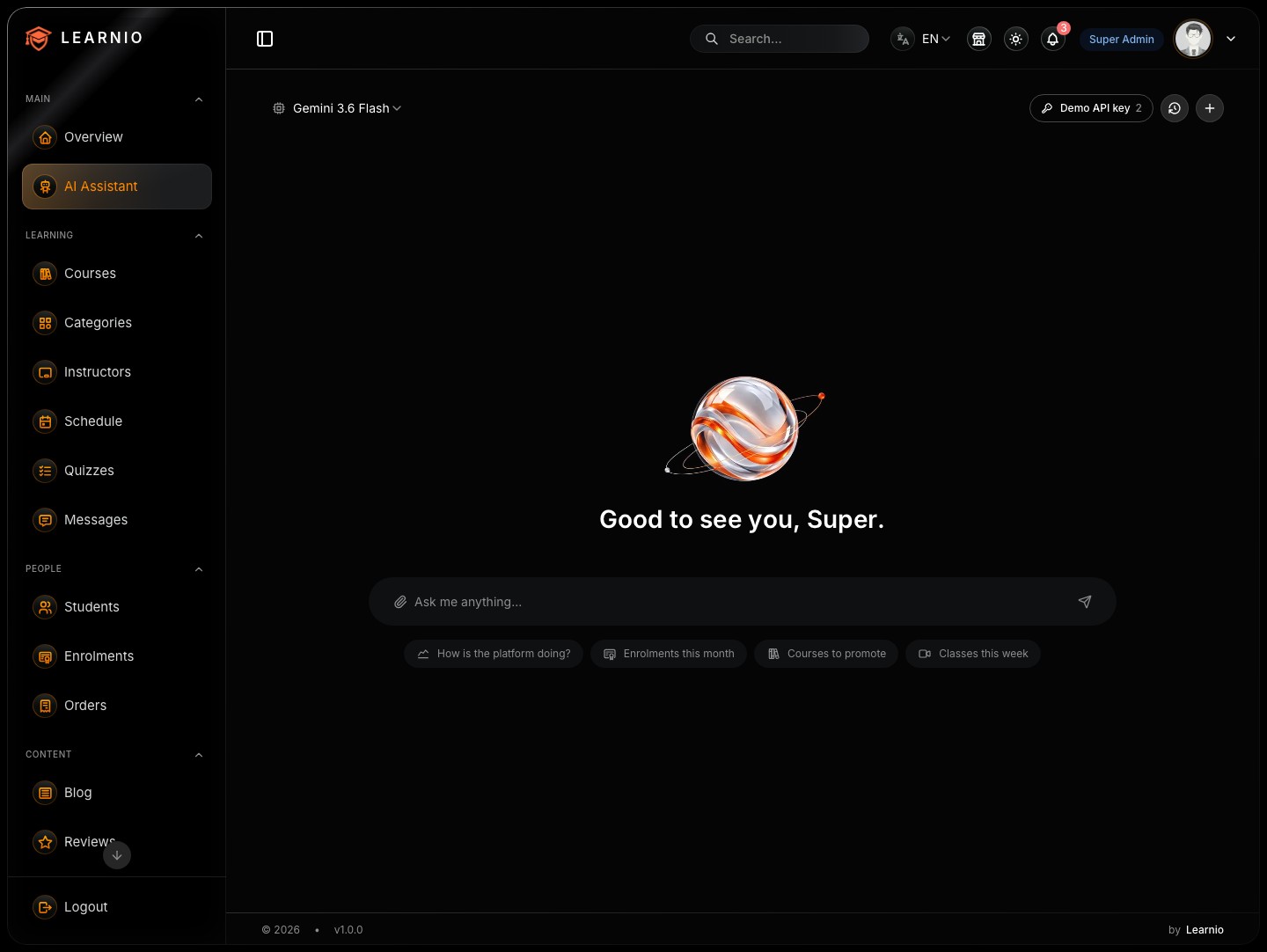
AI assistant

Put an AI assistant inside your admin workflow

Ask the admin assistant to look up platform information, create course drafts, update supported records, or schedule teaching activity.

Connected through MCP tools

Its MCP tools connect the conversation to supported management actions, including selected analytics displayed as charts.

  • Looks up courses, instructors, and enrollments through the API
  • Creates a course draft from one request, Arabic title and description included
  • Runs on Google Gemini, OpenAI or DeepSeek, with your own API key for the provider you pick
  • Review AI-generated content and changes as part of your workflow
Create a course draft through the AI assistant, light
Create a course draft through the AI assistant, light. The admin assistant reading the catalog and creating a draft course through MCP tools, with the card that opens it
Create a course draft through the AI assistant, dark
Create a course draft through the AI assistant, dark. A course draft created by the assistant through MCP tools, with the card that opens it, dark theme
Courses

Turn your course content into a learning experience

Create courses, order sections and lessons with drag and drop, manage lesson materials, and control what is draft and what is published.

Curriculum builder, light
Curriculum builder, light. Sections and lessons ordered with drag and drop, with draft and published states and a curriculum overview
Curriculum builder, dark
Curriculum builder, dark. Drag-and-drop ordering of sections and lessons, with draft and published states, dark theme
Lesson player, light
Lesson player, light. A lesson playing with the course content beside it, progress, and the next lesson one click away
Lesson player, dark
Lesson player, dark. The lesson player with the course outline beside the video and the next lesson one click away, dark theme

Learn at your own pace

Students watch lessons, return to their last accessed lesson, and track completion from their learning dashboard.

  • Video, reading, quiz, and assignment lessons
  • Personal notes saved on each lesson
  • Downloadable resources beside the notes
  • Progress counted lesson by lesson
Lesson notes and resources
Lesson notes and resources. A student's own notes saved on a lesson, with its downloadable resources on the tab beside them

Course pages that explain the course

  • What you will learn and who the course is for
  • The syllabus, the instructor, and reviews
  • Price, enrollment count, and the enroll action
  • A catalog with search and filters in front of them
Course page
Course page. A course with what you will learn, who it is for, the syllabus, price and enroll action
Live classes

Self-Hosted Live Classes

Run live classes on your own meeting server, with students and instructors joining directly inside your learning platform. Keep your teaching experience under your brand, with control over your meeting infrastructure.

Requires a separately configured meeting server. Hosting costs are not included.

Live class, instructor, light
Live class, instructor, light. An instructor hosting a live class inside Learnio on a self-hosted meeting server, with host controls
Live class, instructor, dark
Live class, instructor, dark. The instructor's view of a live class with host controls, dark theme

One calendar for classes and deadlines

Course calendars show live sessions and assignment deadlines together.

  • Live sessions and assignment deadlines per course
  • Scheduled joining windows around each class
  • Instructors schedule sessions from the dashboard
Course calendar
Course calendar. Live sessions, assignment deadlines and finished lessons on one calendar

Inside the class

Prejoin screens, scheduled joining windows, and host controls support the live-class workflow.

  • A prejoin screen before entering the room
  • Host controls for the instructor running the class
  • The student's seat in the same room
  • Configure the meeting server for your deployment
Live class, student view
Live class, student view. A student's seat in the live class, joined from the course calendar
Messaging

Keep students and instructors connected

Give learners a dedicated place to ask questions about their courses. Conversations keep their saved history, image attachments, and unread indicators.

Course conversation with an image attachment, light
Course conversation with an image attachment, light. A student to instructor thread with saved history and a picture in it
Course conversation with an image attachment, dark
Course conversation with an image attachment, dark. A course thread with saved history and an image attachment, dark theme

Notifications that point somewhere

Notifications bring attention to what changed, and each one opens the thing it is about.

  • New messages and session changes
  • Marked assignments and issued certificates
  • An instructor inbox scoped to the courses they teach
Notifications
Notifications. New messages, session changes, marked assignments and issued certificates in one list
Assessment

Assess learning and recognize progress

Quizzes, assignments, and certificates, from the question editor to a public verification page.

Quizzes graded on the server

Build course quizzes with questions, answer options, passing scores, and attempt limits.

  • Students receive server-graded results
  • Required quizzes can form part of course completion
  • Attempt limits, or unlimited attempts for practice
Quiz editor
Quiz editor. An instructor building a quiz with questions, answer options, passing score and attempt limit
Quiz result, light
Quiz result, light. A completed quiz with its server-graded result
Quiz result, dark
Quiz result, dark. Server-graded quiz results with the pass mark and attempts, dark theme
Assignment grading, light
Assignment grading, light. Submissions for one assignment, one already marked with feedback and one being graded
Assignment grading, dark
Assignment grading, dark. The marking queue with grades and individual feedback, dark theme

Grades, feedback, and certificates

Instructors review assignment submissions, save grades, and leave individual feedback. Eligible students receive course certificates.

  • Certificate numbers and public verification pages
  • Share a certificate, or print and save it as PDF through the browser
  • Earned certificates collected on the student dashboard
Earned certificates
Earned certificates. A student's certificates, ready to share or print and save as PDF
Certificate verification, light
Certificate verification, light. The public page that verifies an issued certificate by its number
Certificate verification, dark
Certificate verification, dark. Public certificate verification by number, dark theme
Checkout

Connect checkout, enrollment, and email

Learnio includes Stripe Checkout, order management, and payment-status handling linked to course enrollment. PayPal integration code is also included.

Checkout, light
Checkout, light. The checkout sheet with card and PayPal on offer; payment finishes on the provider's own page
Checkout, dark
Checkout, dark. The checkout sheet with card and PayPal on offer, dark theme

Enrolled once payment settles

Enrollment follows the settled payment, and the confirmation page reflects the order's real status.

  • Purchase receipts and enrollment confirmations by email
  • Resend integration for email verification, password resets, receipts, and confirmations
  • English and Arabic email templates
Checkout confirmation
Checkout confirmation. The page a settled purchase lands on, once the server confirms the order

Orders in full

  • Each order with its course, payment method, and payment status
  • Status handling linked to enrollment
  • Searchable order records for administrators
Order detail
Order detail. One order in the management dashboard with its payment method and status
Test-payment evidence

Stripe sandbox records and a received receipt

Successful test payments, the checkout webhook accepted by the API, and a purchase receipt as it arrived by email. These show test-payment evidence, not live charges.

Successful test payments in Stripe
Successful test payments in Stripe. Stripe's sandbox transactions list with succeeded test payments; test mode, not live charges
Stripe checkout webhook received and order marked settled
Stripe checkout webhook received and order marked settled. The checkout.session.completed event accepted by the API with a 201 and the order reference marked settled; sandbox mode
Purchase receipt received by email
Purchase receipt received by email. The receipt email as it arrived in a test inbox after a sandbox payment
Roles

Give each role the tools it needs

Administrators run the platform. Instructors work with their assigned courses and nothing else.

Administrators

  • Courses, students, instructors, and enrollments
  • Orders, reviews, and blog content
  • Staff, roles, and settings

Instructors

  • Their assigned courses and curriculum
  • Messages, quizzes, and sessions
  • Student submissions to mark

Everyday operations

  • Overview cards and charts
  • Searchable records
  • Roles and permissions
Enrollment management
Enrollment management. The enrollments table in the management dashboard
Bilingual

Start with English, Arabic, light, and dark

English and Arabic interfaces are included, with right-to-left layouts for Arabic and light and dark themes across the student and management experiences.

Student dashboard in Arabic, light
Student dashboard in Arabic, light. The learner dashboard mirrored right to left
Student dashboard in Arabic, dark
Student dashboard in Arabic, dark. The learner dashboard in Arabic with a right-to-left layout, dark theme

Right to left, end to end

Customize the branding and extend the translations for your audience.

  • Layouts written with logical properties, so they mirror in Arabic
  • next-intl messages split by feature and locale
  • Figures, dates, and clocks stay left to right inside Arabic text
  • Use the Light and Dark switch above the screenshots to compare each interface in both themes
Student website in Arabic
Student website in Arabic. The home page in Arabic with a right-to-left layout
Under the hood

Build on a familiar full-stack foundation

Next.js 16, React 19, TypeScript, Tailwind CSS 4, and a modular NestJS backend.

Frontend

  • Next.js 16 App Router, React 19, TypeScript
  • Tailwind CSS 4
  • TanStack Query for API data handling
  • React Hook Form and Zod for forms
  • next-intl for localization

Backend

  • NestJS with per-domain modules
  • TypeORM with SQLite for local development
  • MySQL configuration support
  • Separate JWT tokens for students and staff
  • Database seeders and sample content

Developer experience

  • Setup documentation for all three apps
  • Exact pinned dependencies
  • One API layer per frontend, consumed through query hooks
  • Mock data so a frontend runs before the API is up
Before you launch

What you configure yourself

Learnio is a source-code template, not a managed hosting subscription. Configure your hosting, database, media storage, and the external services you choose to use.

Payments

  • Your own eligible Stripe or PayPal accounts and credentials
  • Webhook configuration
  • End-to-end testing before accepting live payments

Email

  • Your Resend configuration
  • A verified sending domain

AI and video meetings

  • Your own API key for Google Gemini, OpenAI or DeepSeek
  • A meeting server you configure and host yourself
  • Hosting and provider charges are not included
Explore

Explore Learnio before you build

Browse the student website and the management dashboard in light and dark mode. The demo sign-in pages fill in a demo account for you. Screenshots use sample data, and the Stripe screenshots show test mode.

Perfect for

Build your next learning platform with Learnio

Course creators and online coachesTraining companies and academiesBootcamps and schools running live cohortsTutors and one to one coachingAgencies building an LMS for a clientBilingual platforms with Arabic and RTL

Technical Specifications

Framework

Next.js 16

React Version

React 19

Styling

Tailwind CSS 4

TypeScript

Yes

Responsive

Mobile, Tablet, Desktop

Support Period

Lifetime Included

Pro Tip: All templates include comprehensive documentation to get you started quickly.

Frequently asked questions

What do I get when I buy this template?
The complete source code of the package you choose, downloaded from your personal dashboard right after checkout. A business invoice is available for every purchase.
Can I use it for client and commercial projects?
Yes. Every paid template comes with a Commercial licence that covers one commercial project, including work you deliver to a client. To reuse the same template across several projects, choose the Agency licence, which covers unlimited projects.
Do I get updates after buying?
Yes. Updates are free. New versions appear in your dashboard, where you can download every file you own again at any time.
Is support included?
Yes. Support comes with your purchase, and you can reach the team anytime at support@aniq-ui.com.
Can I try it before I buy?
Yes. This template has a full live demo, linked at the top of this page, so you can click through the real thing before you decide.

Related Templates

Next.js E-Commerce Template with Admin Dashboard - Next.js E-Commerce template preview - Aniq-UI
E-Commerce
Full Stack
New
AI

E-Commerce

$179

Next.js 16 e-commerce template with a storefront, an admin dashboard and a NestJS API. Guest checkout, JWT auth, AI try-on, English and Arabic with RTL.

View Template
Nextjs Dashboard Template with AI Assistant (2026 Edition) - Next.js Dashboard template preview - Aniq-UI
Dashboard
Full Stack
New
AI

Dashboard with (AI Assistant)

$149

A complete admin dashboard built with Next.js 16, Tailwind CSS 4, TanStack Query, and Framer Motion. Comes with NestJS backend, TypeORM, JWT auth, RBAC, WebSocket-powered updates, AI assistant, and multilingual support.

View Template
Next.js Dashboard Template 2026: Financial & Banking Edition - Next.js Dashboard template preview - Aniq-UI
Dashboard
pro

Financial Dashboard

$59

Next.js 16 financial dashboard template with dark and light themes, English and Arabic RTL, Recharts analytics, drag and drop widgets and JWT auth. Live demo.

View Template

Professional Next.js Templates Technical Advantages

Our Next.js templates are engineered with performance optimization, TypeScript integration, and developer-friendly architecture to accelerate your web application development. Ready-to-use UI components save hours of design and coding time.

Responsive Design

Fully adaptive Next.js Templates with responsive breakpoints for mobile, tablet, and desktop viewport optimization.

Accessibility

Semantic HTML, ARIA attributes and keyboard navigation, built with accessibility in mind.

High Performance

Built on the Next.js App Router with server components and optimized assets, so pages stay fast as they grow.

TypeScript Support

Next.js App Router architecture with server components for reduced client-side JavaScript and faster time-to-interactive metrics.

Enterprise-Grade Features Included:

Developer Experience

Enterprise-grade development toolkit

  • TypeScript 5.0+ with strict type checking
  • Server & Client Components architecture
  • Comprehensive JSDoc documentation

UX & Performance

Optimized user experience metrics

  • Mobile-first responsive design system
  • Accessible markup with ARIA and keyboard navigation
  • Fast rendering with server components and optimized assets

Maintenance & Support

Long-term project sustainability

  • Support included with your purchase
  • Regular security & framework updates
  • SEO-optimized semantic structure

All Next.js Templates implement modern React 19 patterns, App Router architecture, and Web Vitals optimization for SEO-friendly performance.

world map

Global User Community

Join thousands of developers worldwide who trust Aniq-UI for their projects. Our templates are being used across the globe to create stunning web experiences.

Contact Us

Questions about a template or your purchase? Get in touch with us

Aniq-uiAniq-uiAniq-ui