Next.js Booking & Vacation Rental Template with Stripe and AI Assistant
Hollina is a full-stack Next.js vacation rental template: a stays website with availability calendars and Stripe, PayPal or pay on arrival checkout, a booking dashboard for the host, and a NestJS API. You get the source of all three apps, an AI assistant, a seeded demo company, and English and Arabic with RTL in light and dark themes.
Everything included
Full Stack
Stays website + booking dashboard + NestJS API with Stripe, PayPal, TypeORM and auth
Use in unlimited commercial projects. Client work included.
One-time payment, free updates
Business invoice with your VAT or tax ID
Hollina is a full-stack Next.js vacation rental template: a stays website with availability calendars and Stripe, PayPal or pay on arrival checkout, a booking dashboard for the host, and a NestJS API. You get the source of all three apps, an AI assistant, a seeded demo company, and English and Arabic with RTL in light and dark themes.
Share:
Hollina is a full-stack vacation rental template for one host company: a Next.js website where guests find a stay, choose their nights and pay, a Next.js dashboard where the team runs the calendar, the bookings and the stays, and a NestJS API behind both. Stripe, PayPal, an AI assistant, light and dark themes, and English and Arabic with RTL come with it.
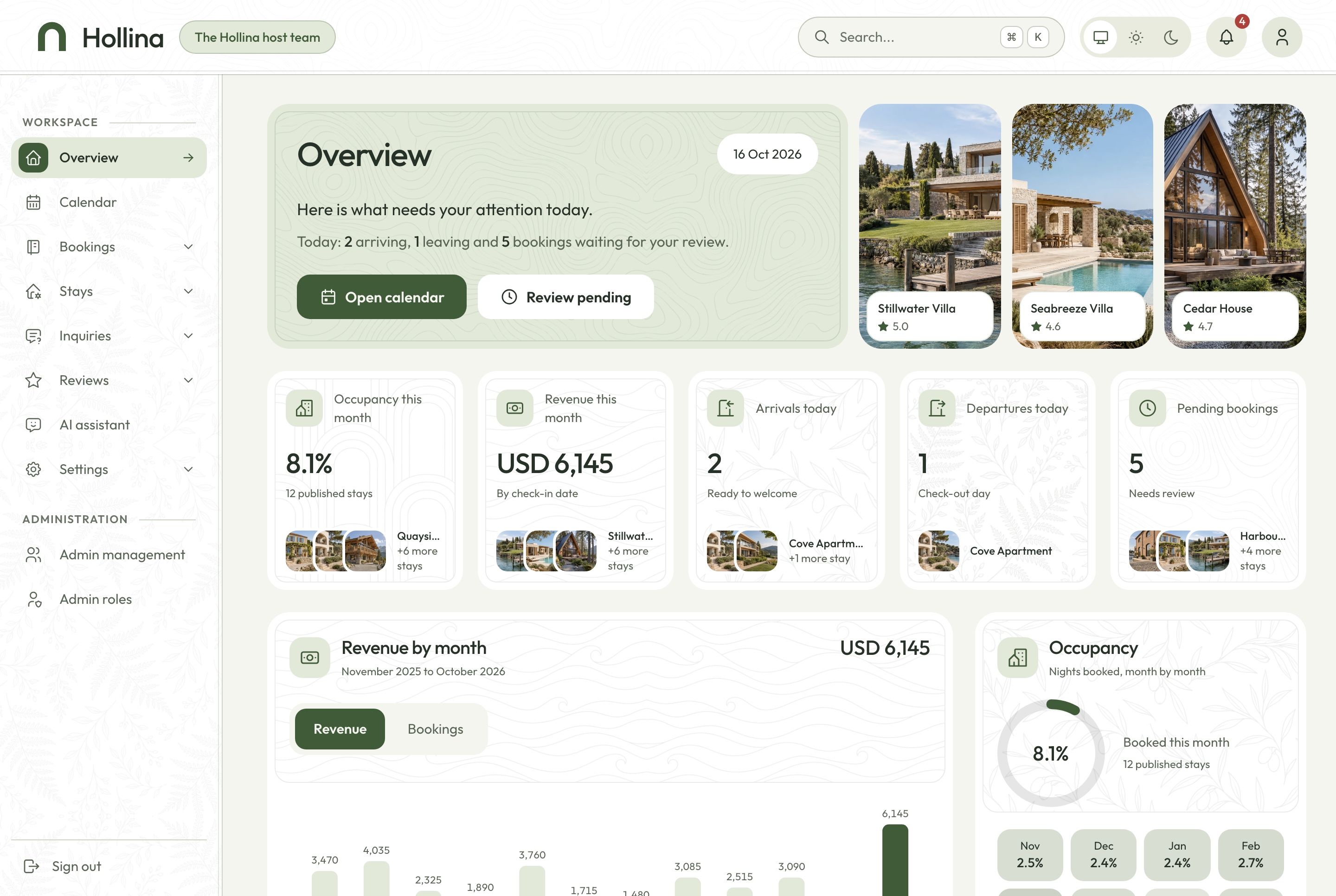
Booking dashboard overview, light theme. Occupancy, revenue, arrivals and departures today, pending bookings, twelve months of revenue and bookings, and the latest bookings, in the light theme
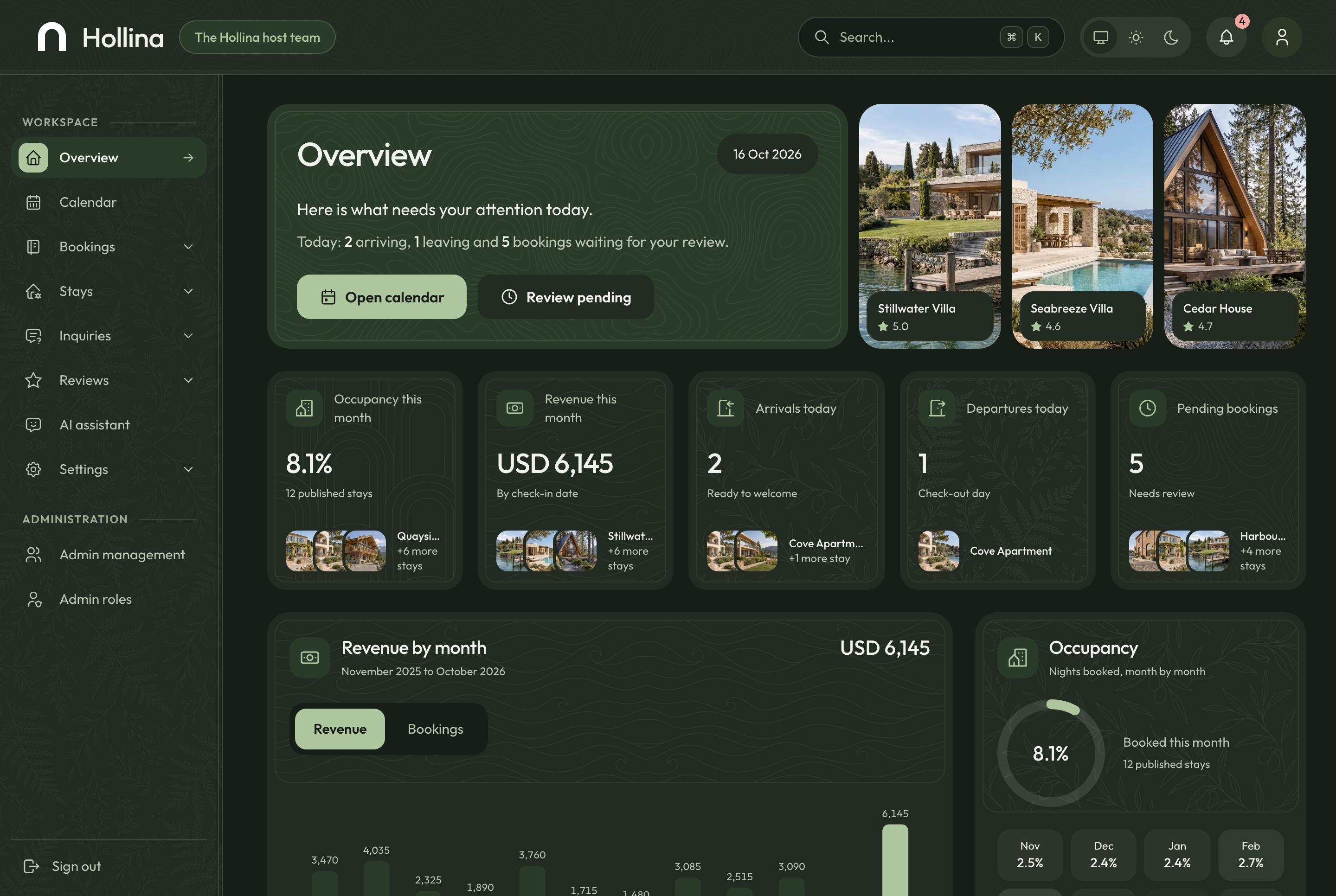
Booking dashboard overview, dark theme. Occupancy, revenue, arrivals and departures today, pending bookings, twelve months of revenue and bookings, and the latest bookings, in the dark theme
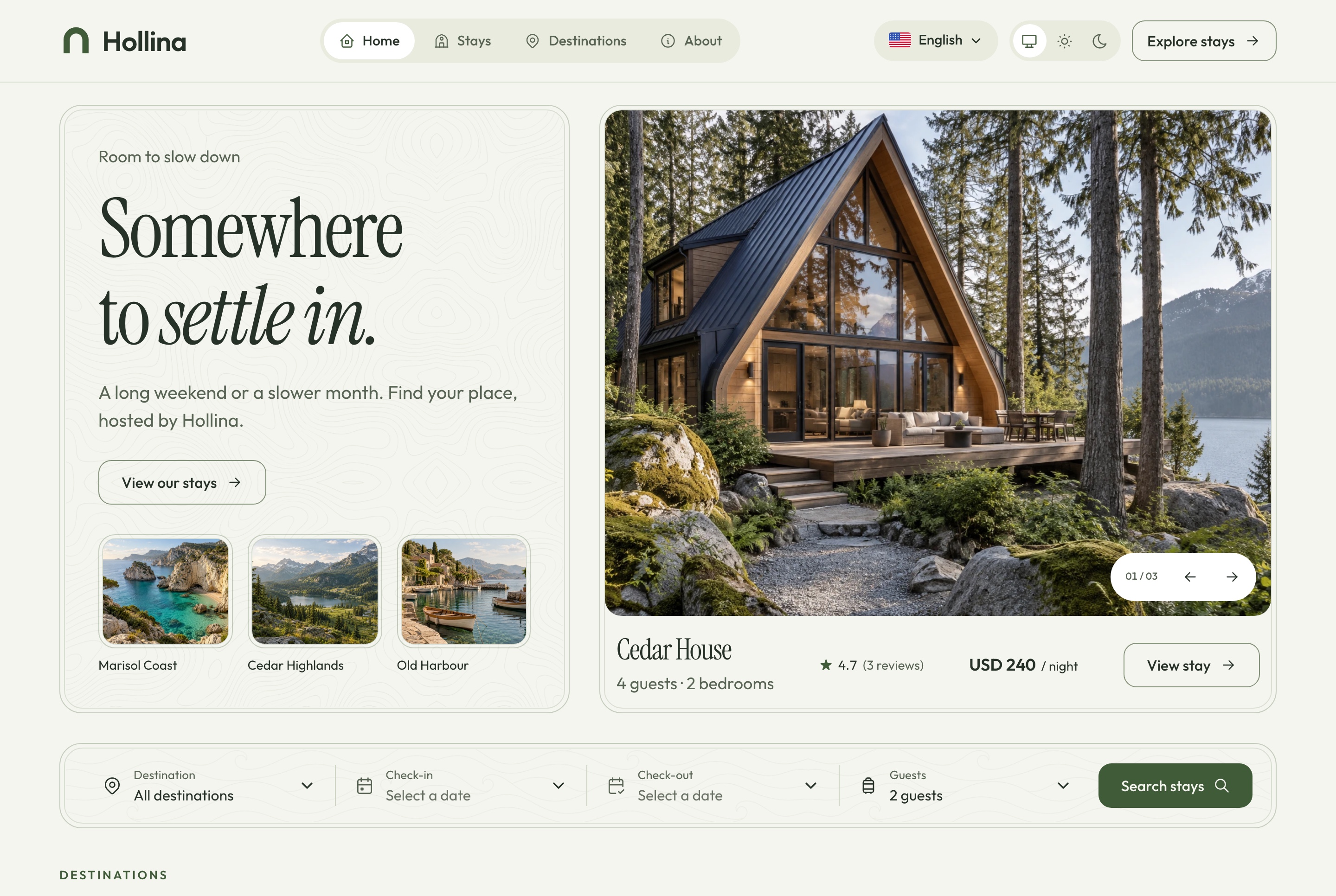
Booking website overview, light theme. The website's home page: the promise, the hero stay with its rate, and the search by destination, dates and guests, in the light theme
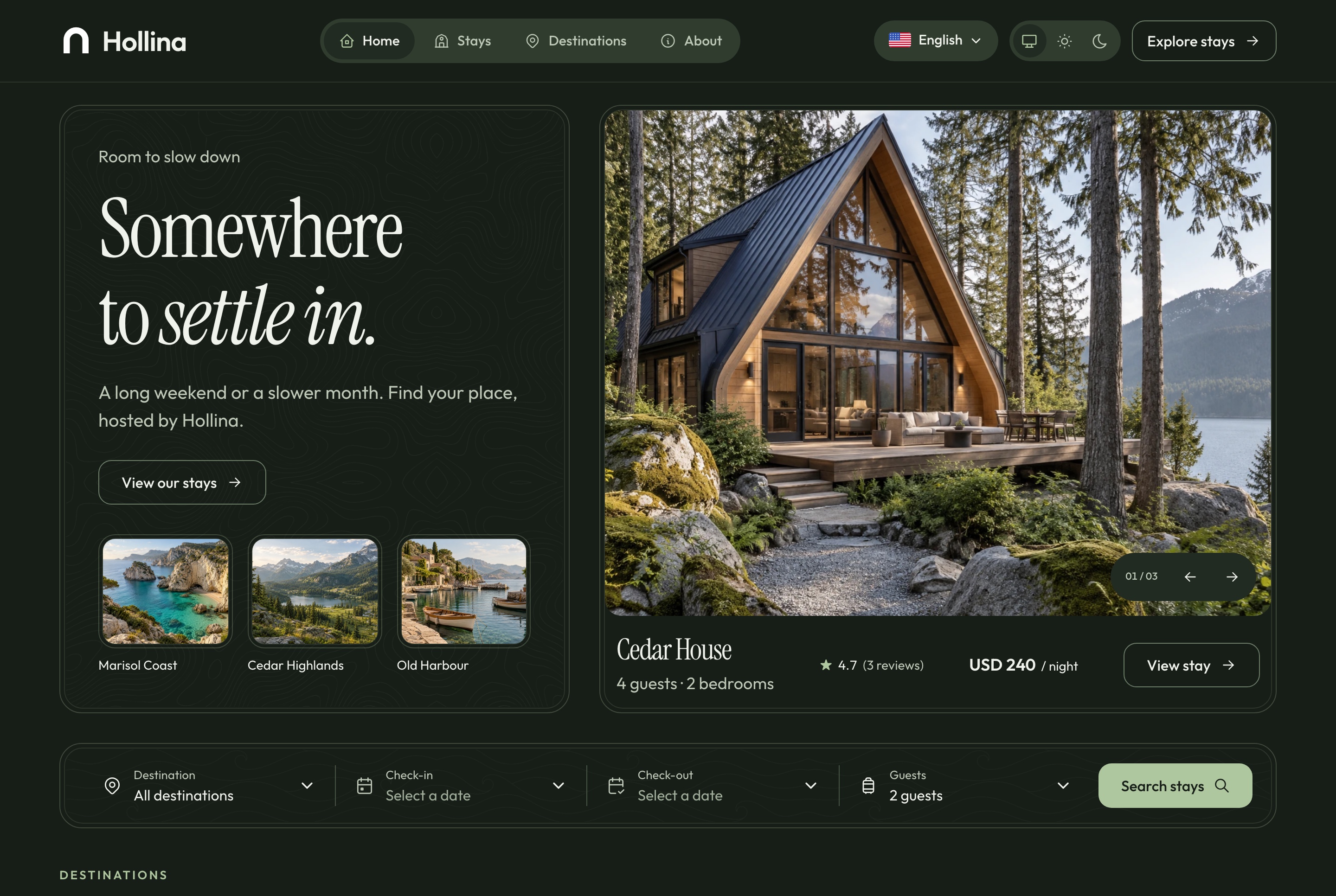
Booking website overview, dark theme. The website's home page: the promise, the hero stay with its rate, and the search by destination, dates and guests, in the dark theme
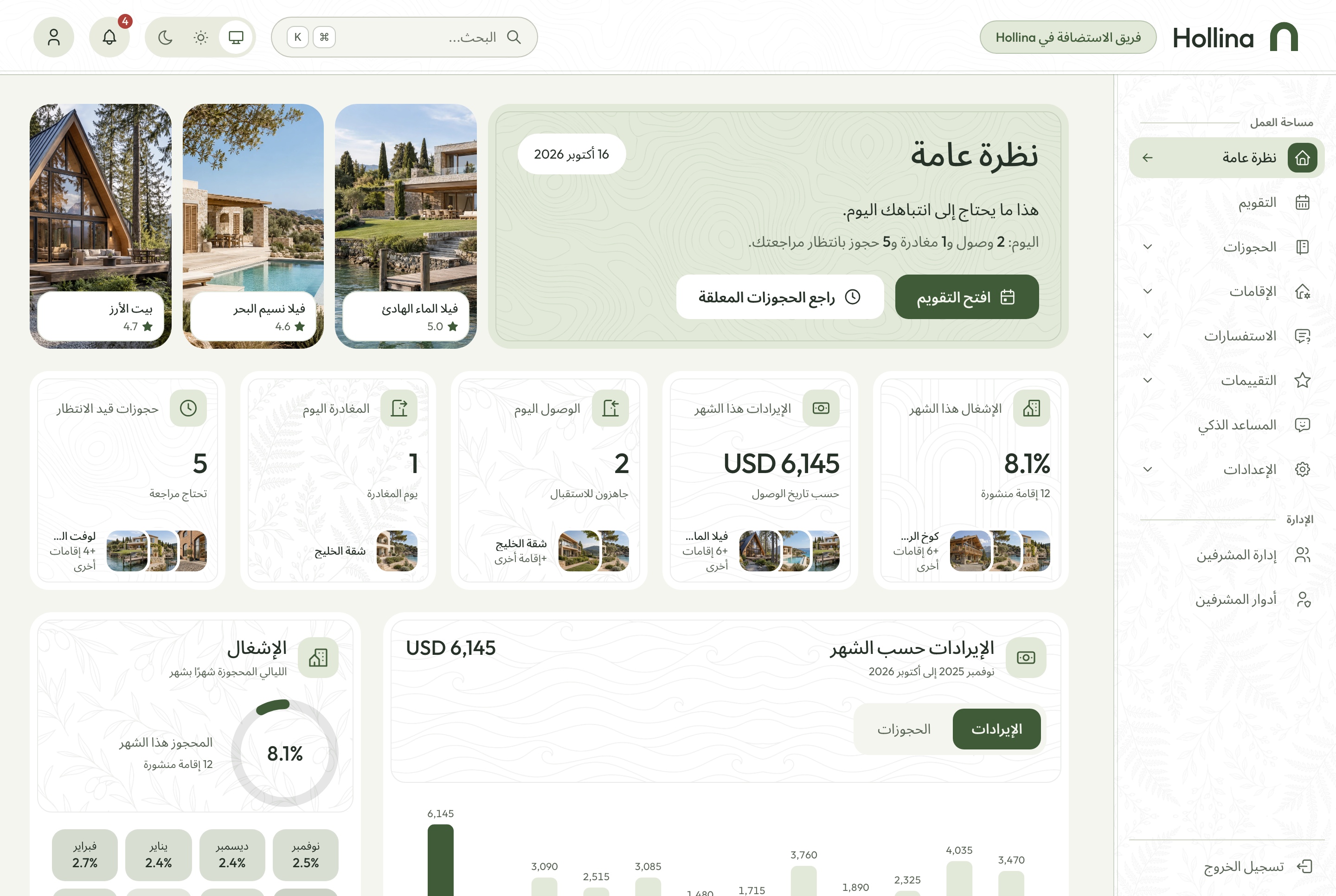
Arabic dashboard overview, light theme. The overview in Arabic with the sidebar on the right and the charts reversed, in the light theme
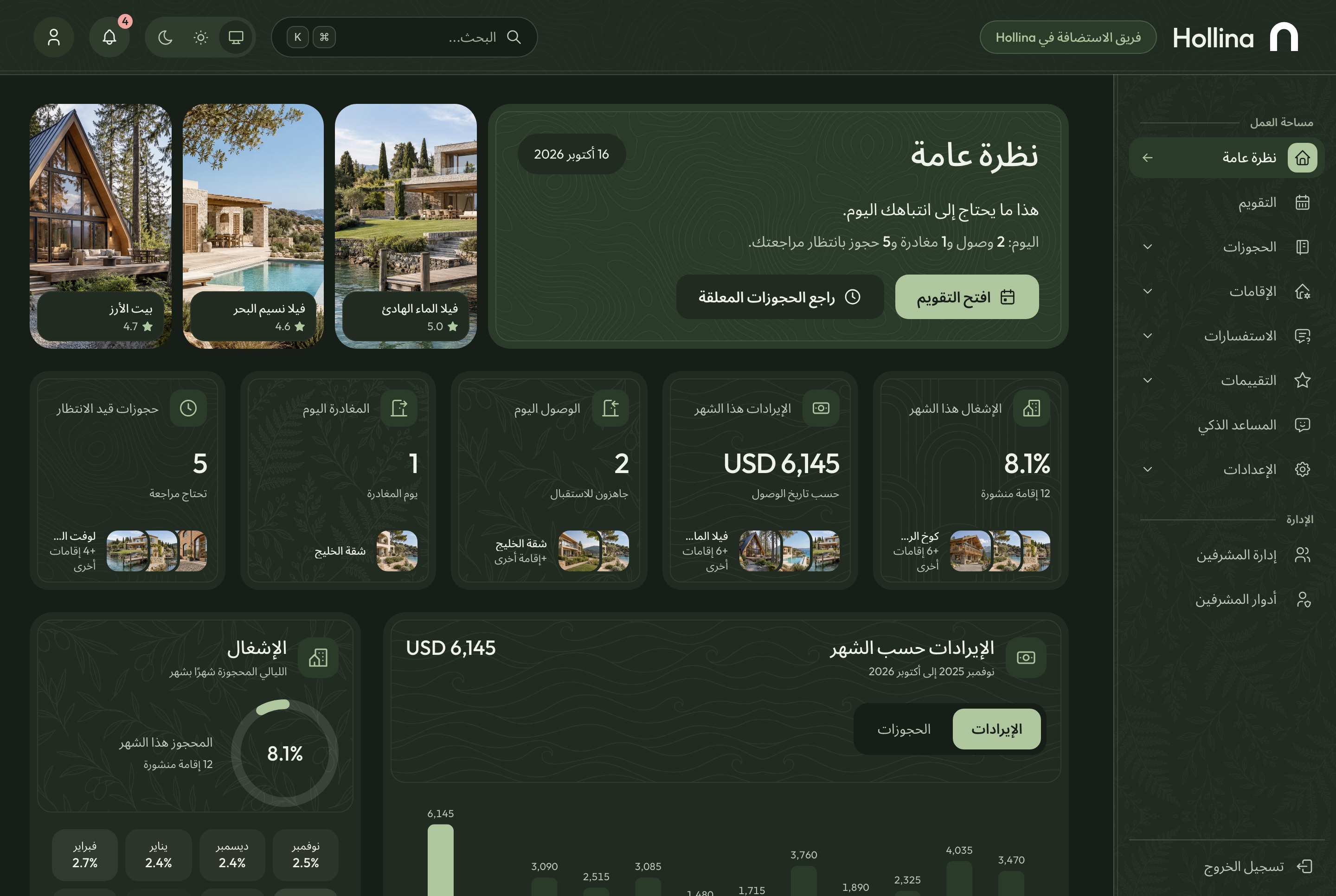
Arabic dashboard overview, dark theme. The overview in Arabic with the sidebar on the right and the charts reversed, in the dark theme
An assistant that reads the calendar
Ask which stays are free next weekend, how revenue compares month by month, or what is waiting today. The assistant answers from the company's own data through 27 MCP tools, draws a chart when the question is about a trend, and can block dates or move a booking along.
Tools for stays, availability, bookings, inquiries and reviews
Google Gemini with your own key
The same tools open to coding agents at the MCP endpoint
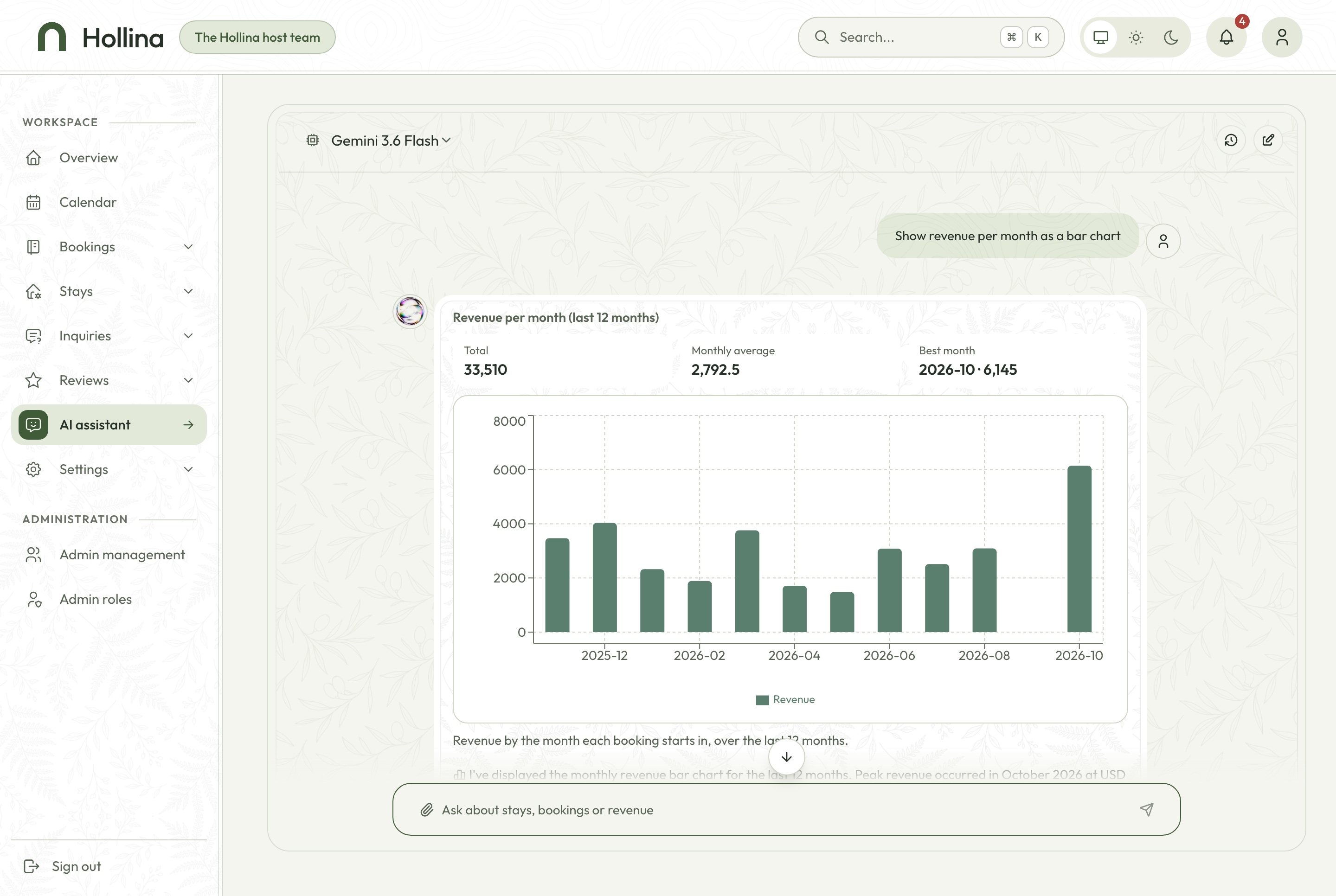
AI assistant answering with a revenue chart, light theme. The dashboard assistant asked to show revenue per month as a bar chart: twelve months of revenue as bars, with the total, the monthly average and the best month, in the light theme
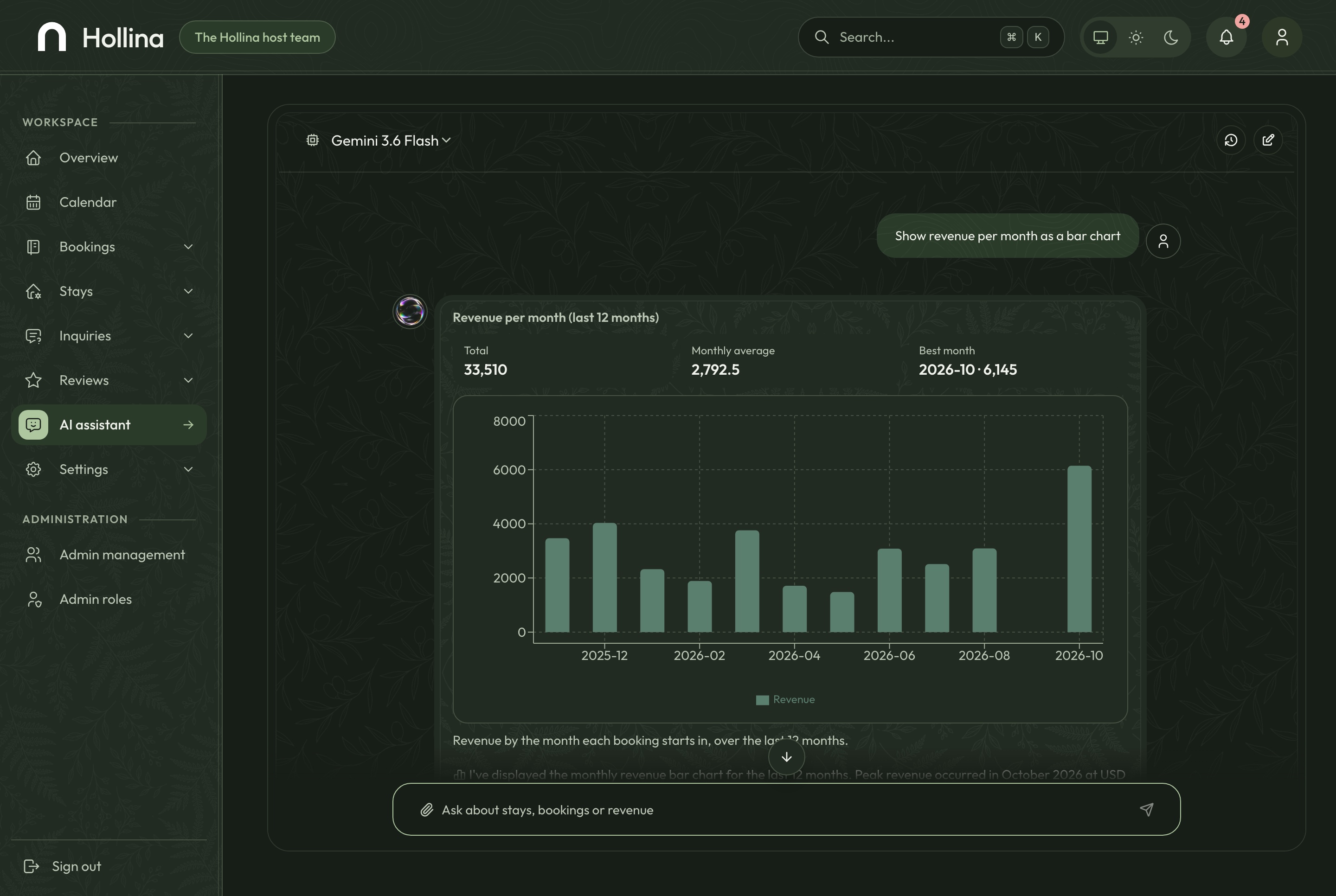
AI assistant answering with a revenue chart, dark theme. The dashboard assistant asked to show revenue per month as a bar chart: twelve months of revenue as bars, with the total, the monthly average and the best month, in the dark theme
A connected foundation for a vacation rental brand, a boutique hotel or a property manager's own booking site, with source code you can customize for your project. The full-stack package includes the website, the booking dashboard and the API behind them.
Booking dashboard
An overview of occupancy, revenue and today's arrivals
A month calendar with blocked dates
Bookings, stays, inquiries and reviews
AI assistant, team, roles and settings
Stays website
Stays with filters kept in the URL
Stay pages with an availability calendar and a live quote
Checkout by card, PayPal or on arrival
Find a booking, cancel it and review the stay
NestJS API
Authentication, roles and permissions
One availability service for every date question
Stripe and PayPal with signed webhooks
A seeder that builds a complete demo company
The host's day
A dashboard built around the calendar
The overview opens on what matters today: this month's occupancy and revenue, arrivals and departures, the bookings waiting for a decision, twelve months of revenue and bookings, and the latest bookings.
A month of nights, one row per stay
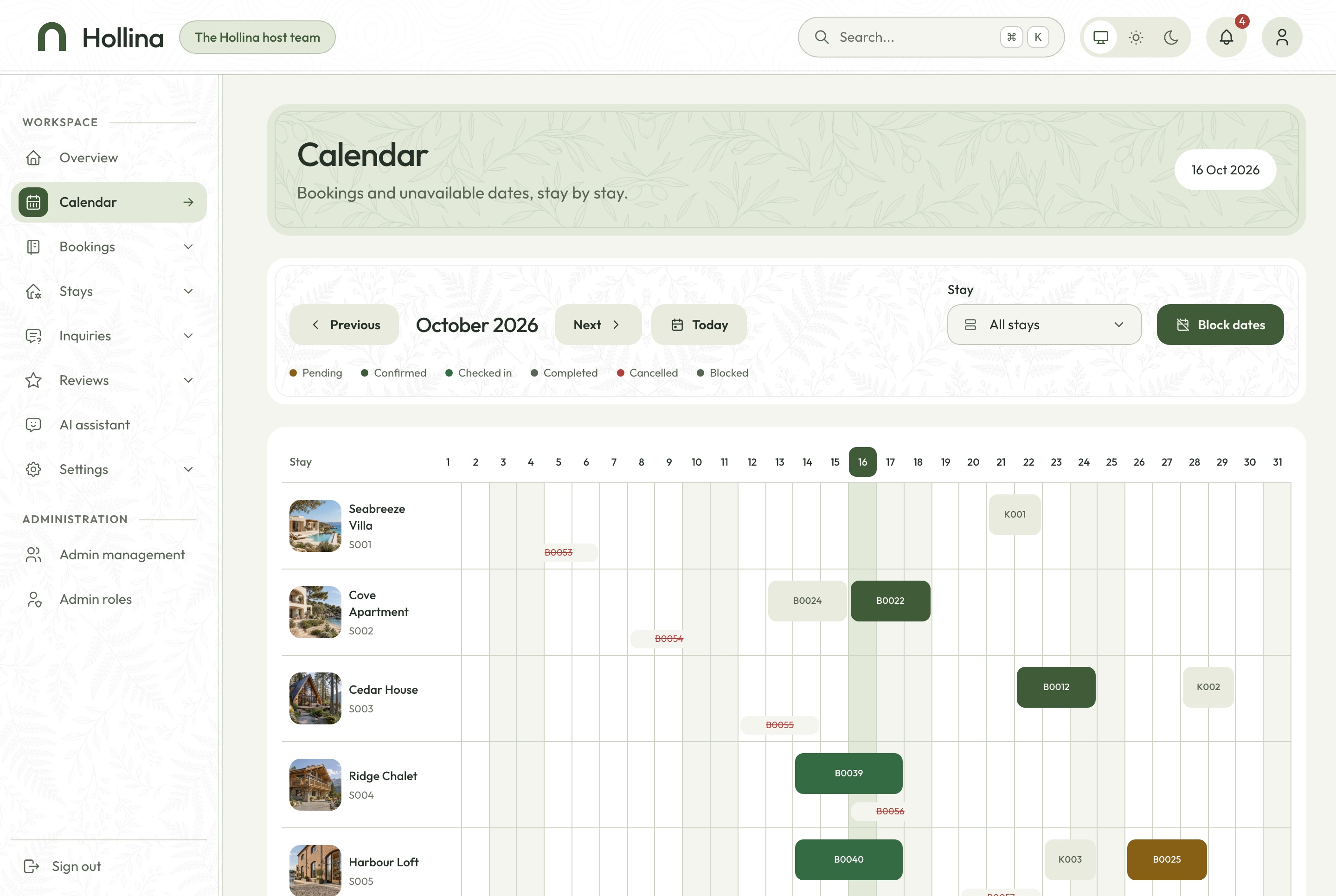
Every booking is a bar across its nights, coloured by status, with blocked dates beside them. Open a booking from its bar, or move between months.
Bookings drawn as nights, never days
Blocked dates with their reason
Today marked in the company's time zone
Calendar, light theme. A month of nights, one row per stay, bookings as bars by status and blocked dates beside them, in the light theme
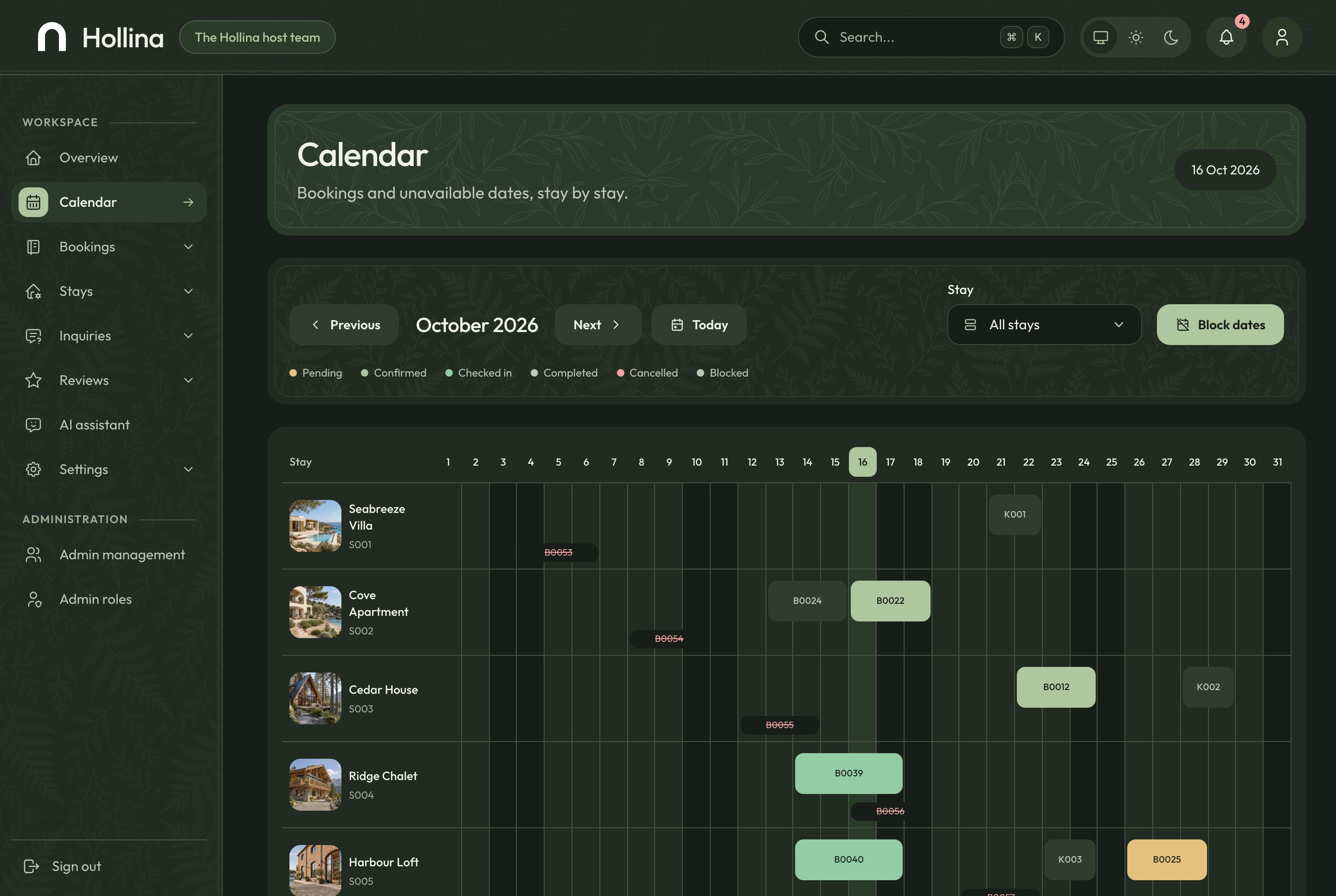
Calendar, dark theme. A month of nights, one row per stay, bookings as bars by status and blocked dates beside them, in the dark theme
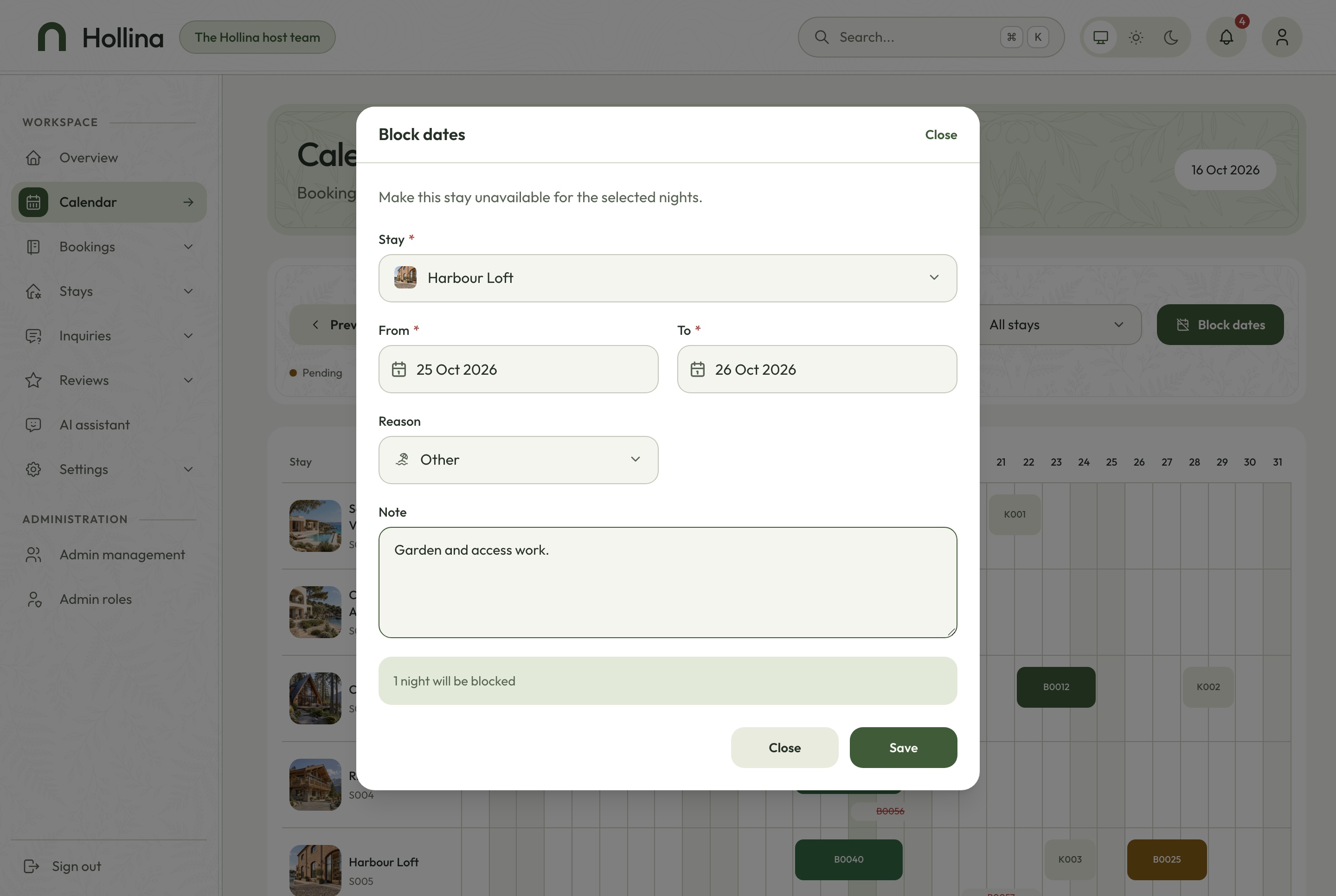
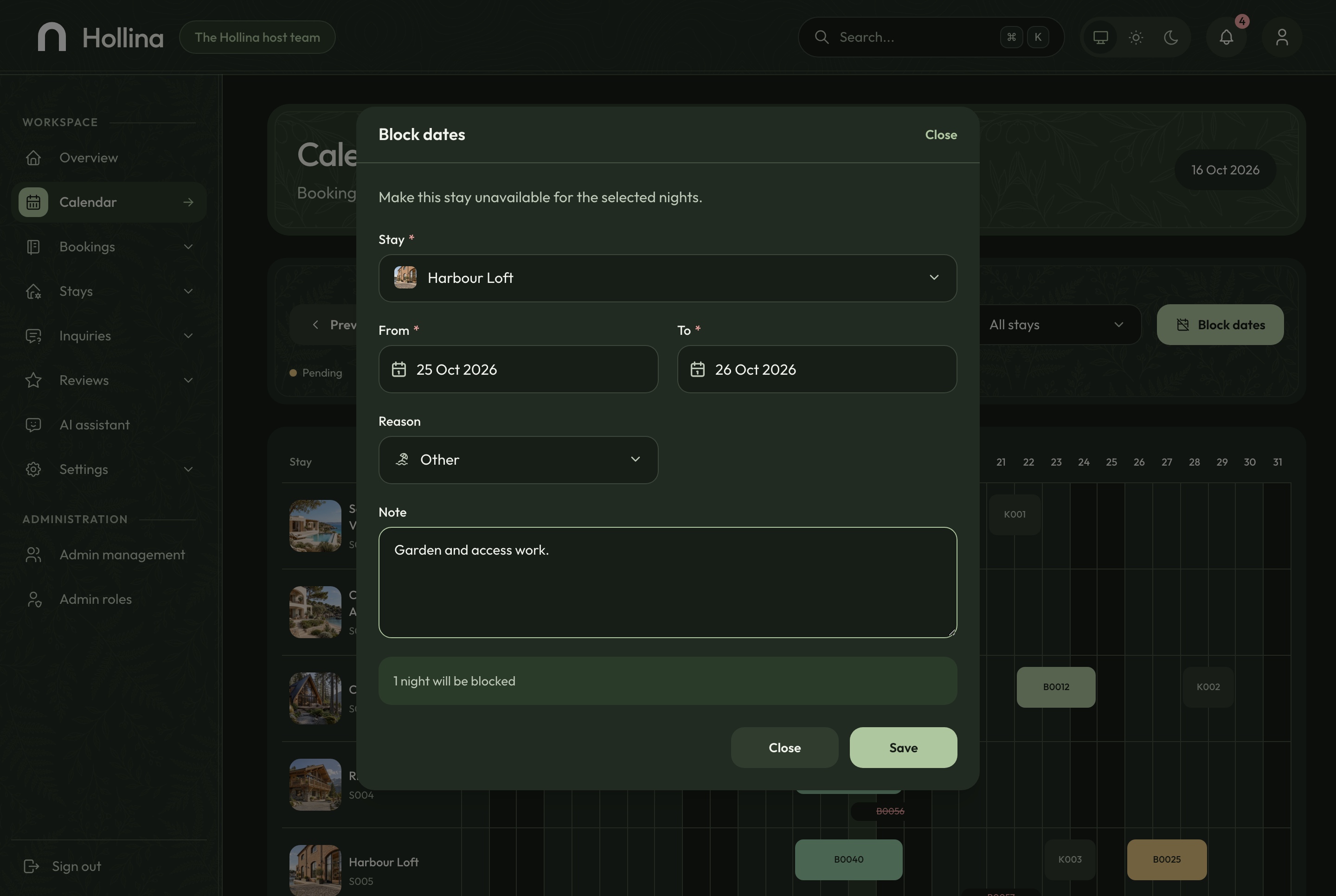
Take nights out for maintenance or company use
Blocking dates counts the nights and refuses a range that overlaps a booking or another block, naming what is in the way.
Maintenance, company use or other, with a note
A register of scheduled blocks
The same rule the assistant uses to block dates
Block dates dialog, light theme. Taking a stay's nights out for maintenance or company use, with the nights counted, in the light theme
Block dates dialog, dark theme. Taking a stay's nights out for maintenance or company use, with the nights counted, in the dark theme
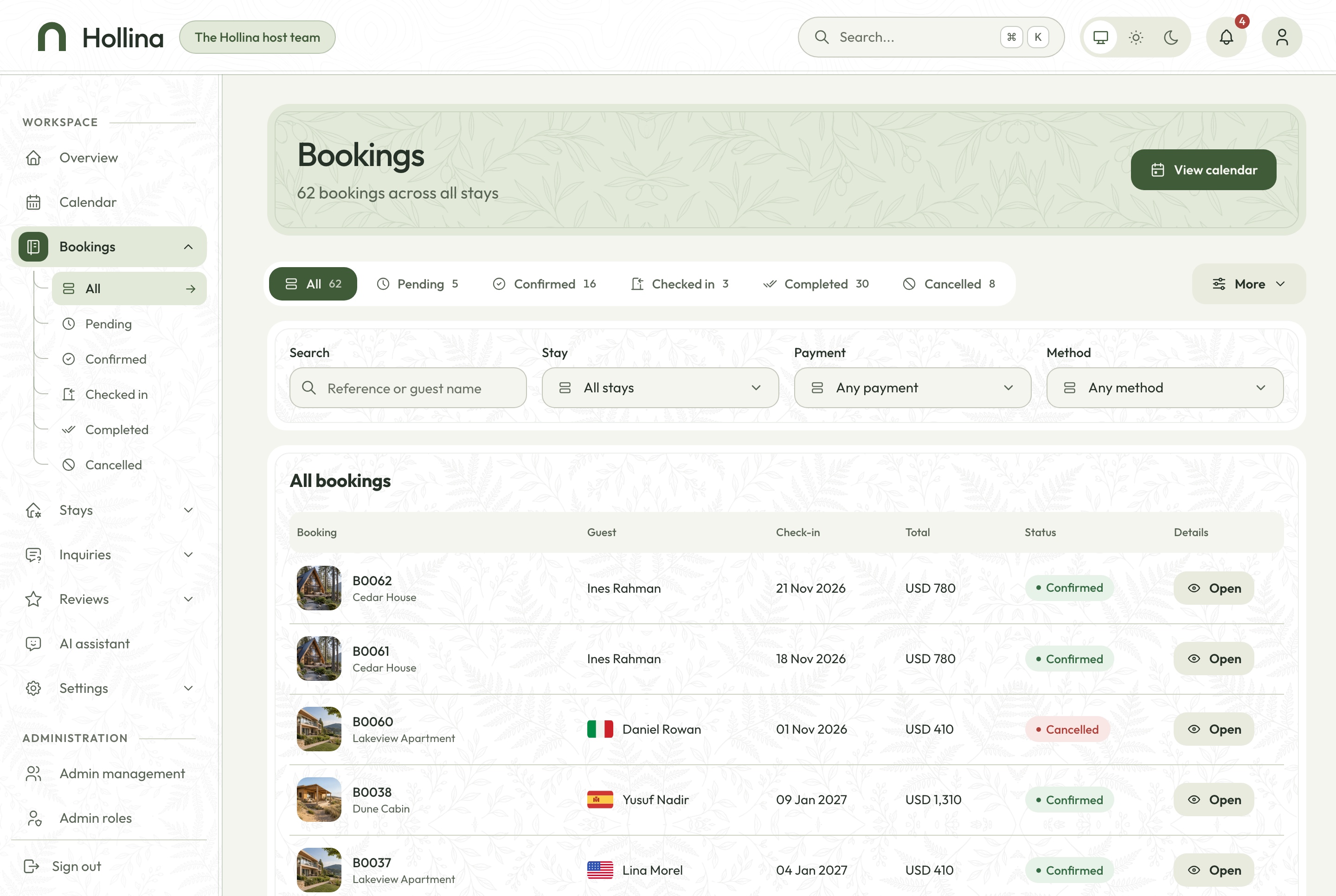
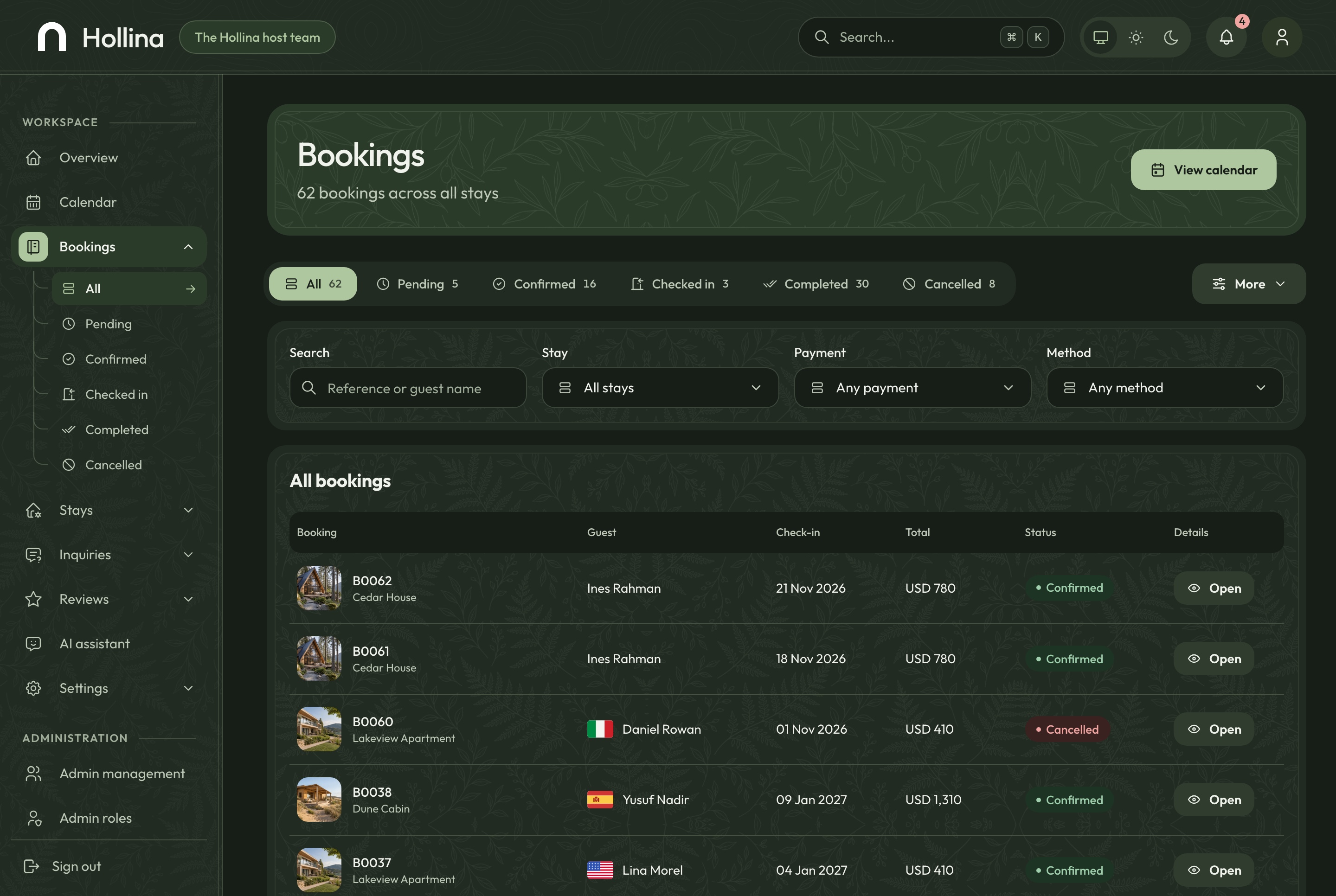
Every booking, filtered the way the team works
Tabs with a count for every status, a search by reference or guest, and a check-in range, ten to a page.
Pending, confirmed, checked in, completed and cancelled
The payment method and status on each row
A search palette that finds bookings, stays and inquiries
Bookings, light theme. Every booking with status tabs and counts, a search and a check-in range, in the light theme
Bookings, dark theme. Every booking with status tabs and counts, a search and a check-in range, in the dark theme
A stay editor in two languages
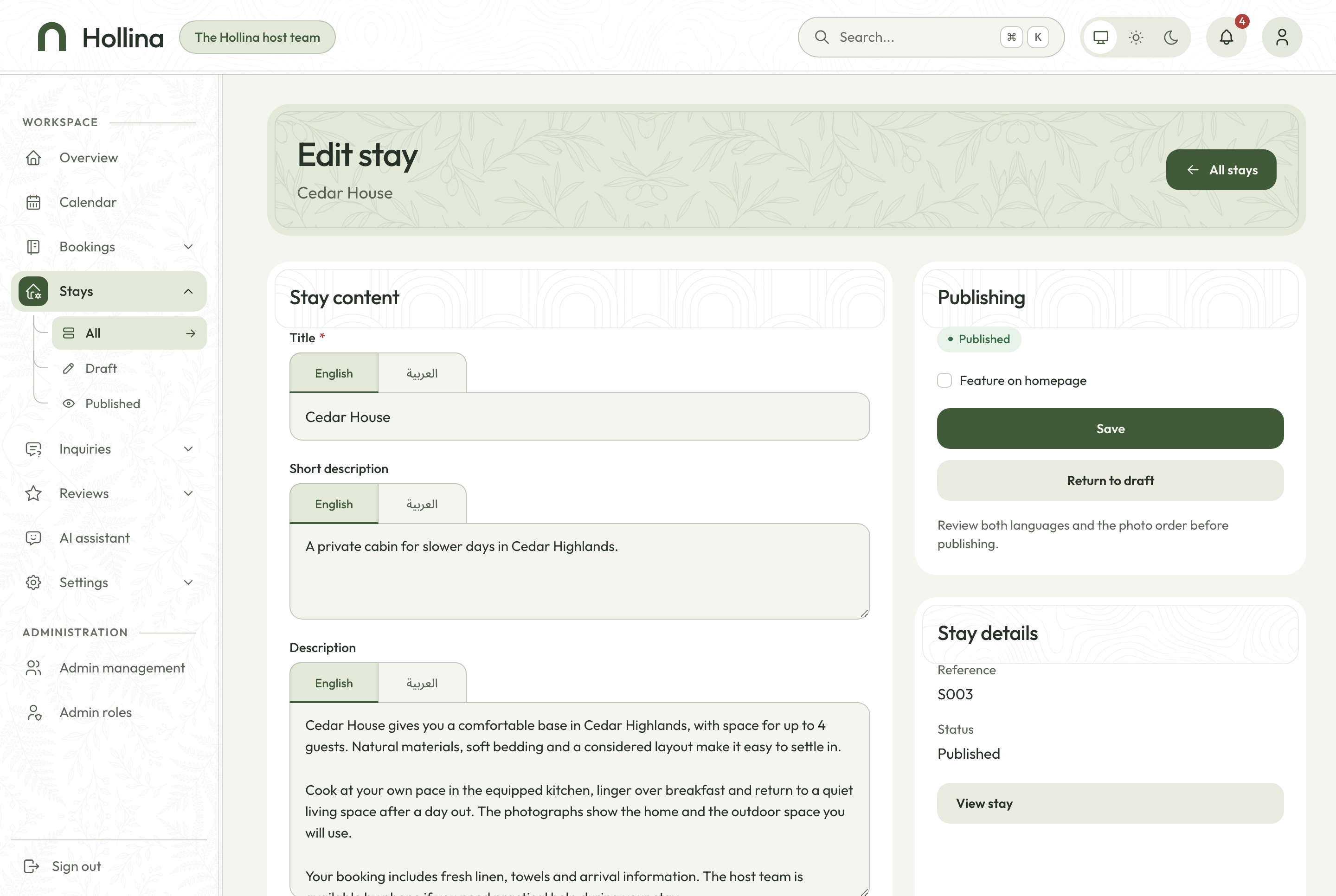
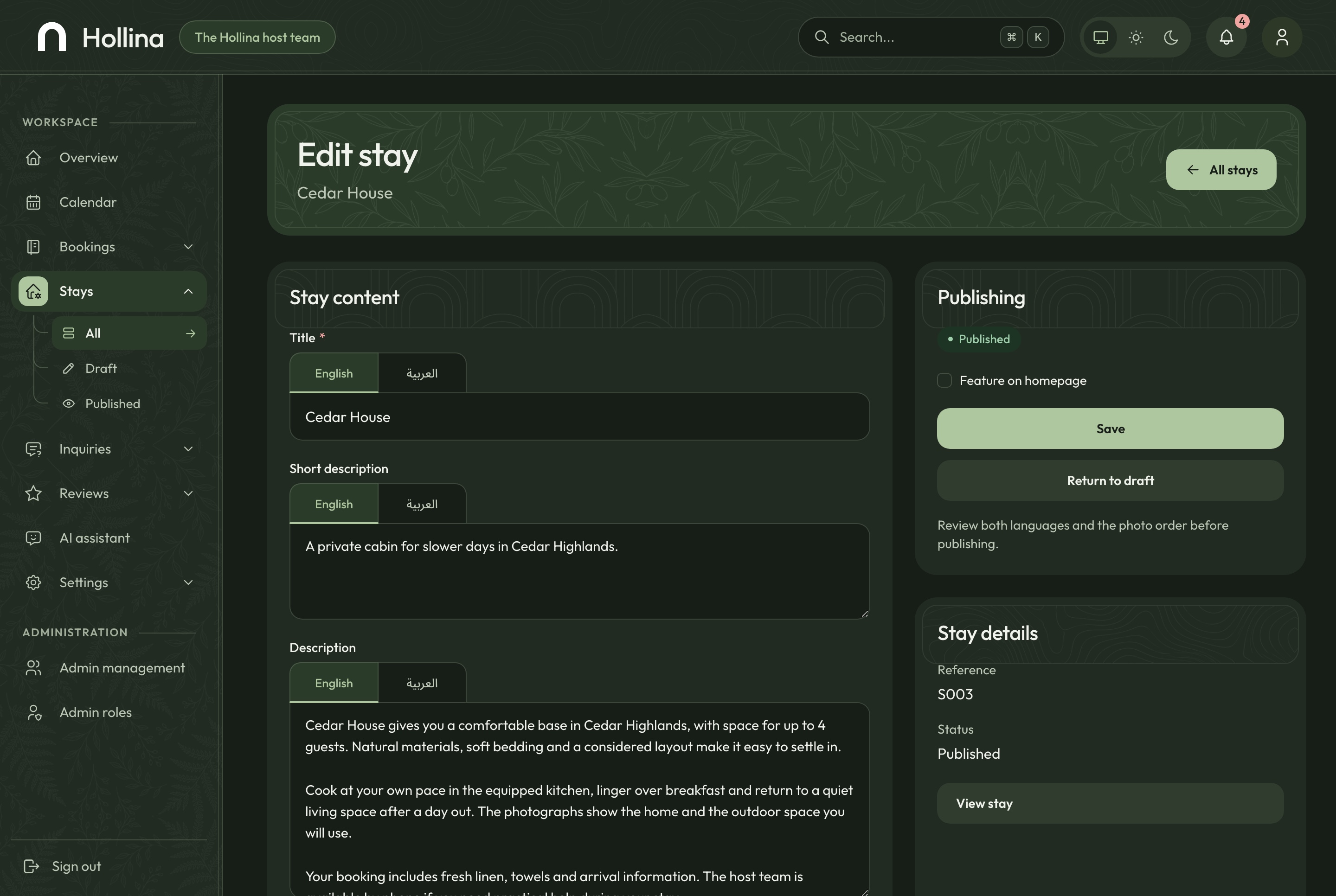
Title and description in English and Arabic under language tabs, capacity, the nightly rate, the cleaning fee and minimum nights, amenities, house rules and photographs in the order they should appear.
Publishing needs three photographs and both languages
Reference numbers and page addresses generated for you
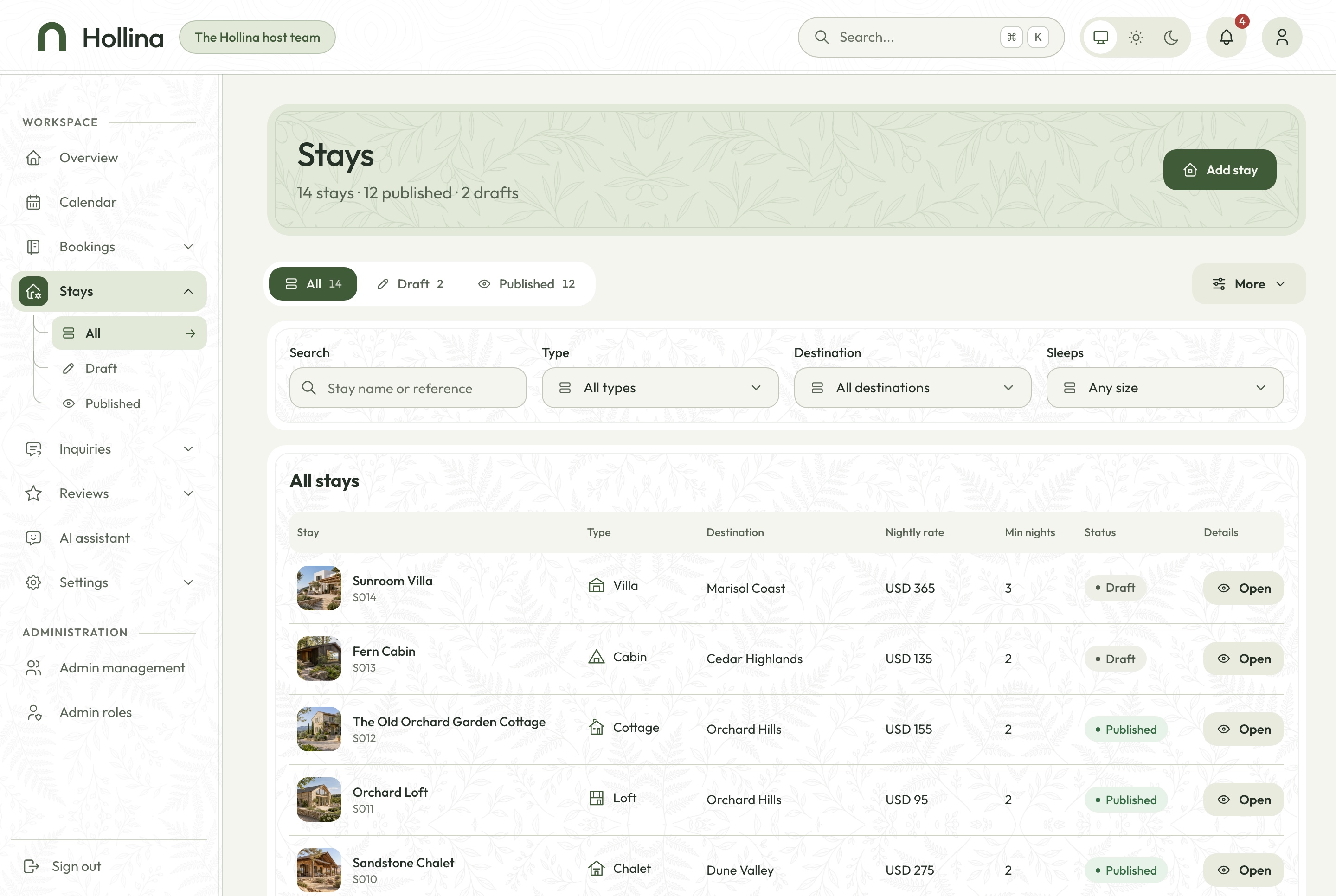
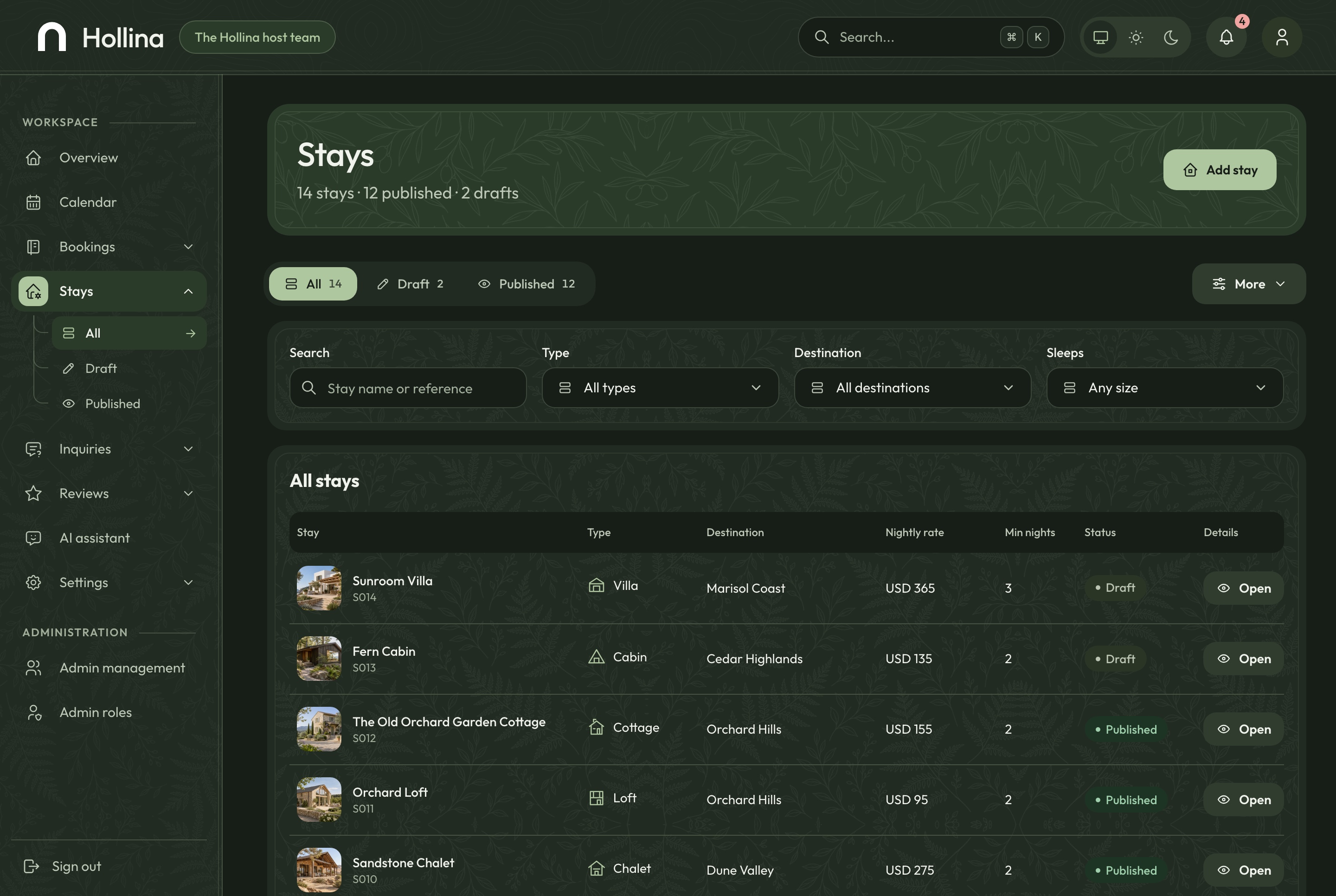
Search, status, type and destination filters on the stays list
Stay editor, light theme. Content in English and Arabic under language tabs, capacity, pricing, amenities, house rules and photographs, in the light theme
Stay editor, dark theme. Content in English and Arabic under language tabs, capacity, pricing, amenities, house rules and photographs, in the dark theme
Stays, light theme. Every stay with its type, destination, rate, minimum nights and status, in the light theme
Stays, dark theme. Every stay with its type, destination, rate, minimum nights and status, in the dark theme
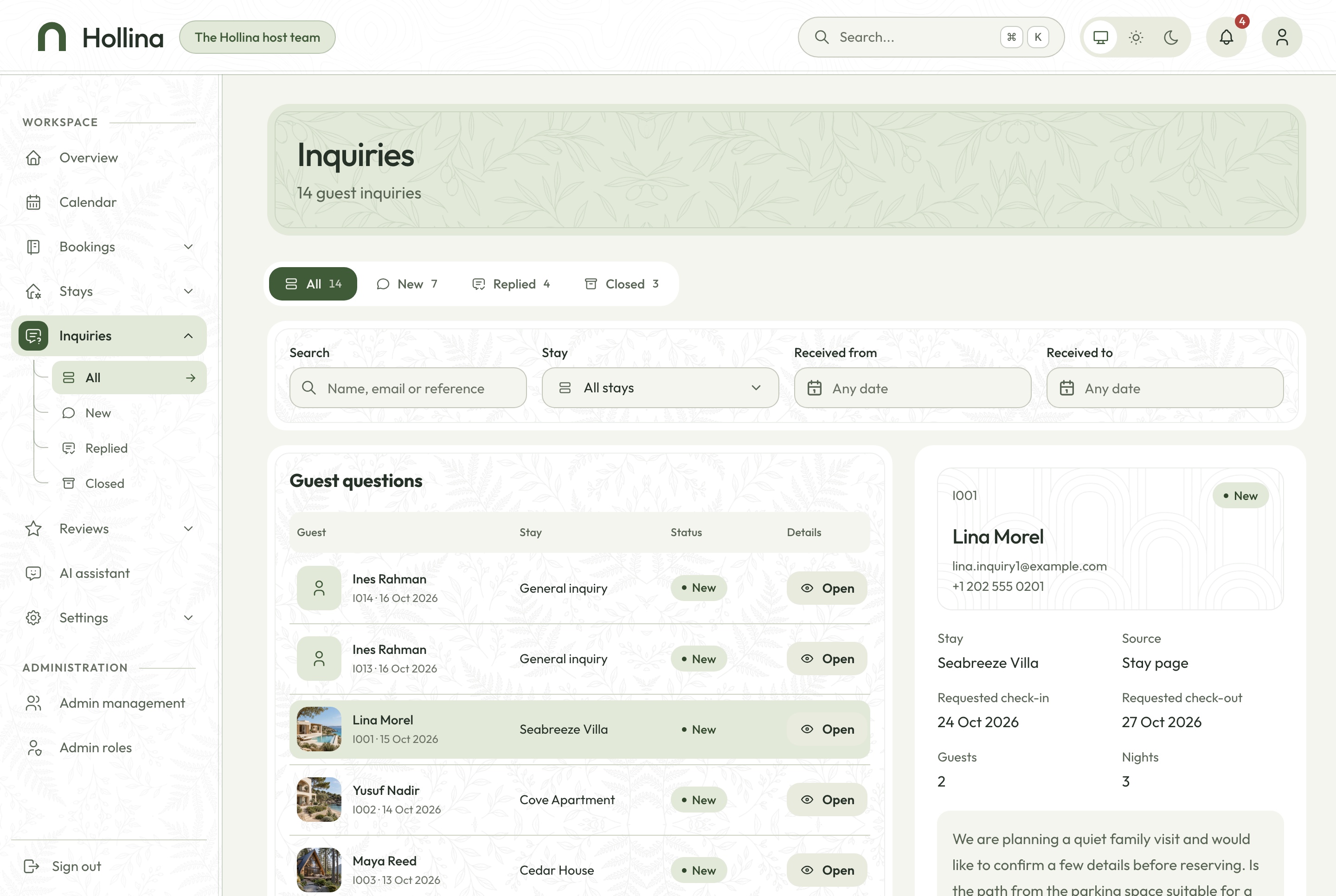
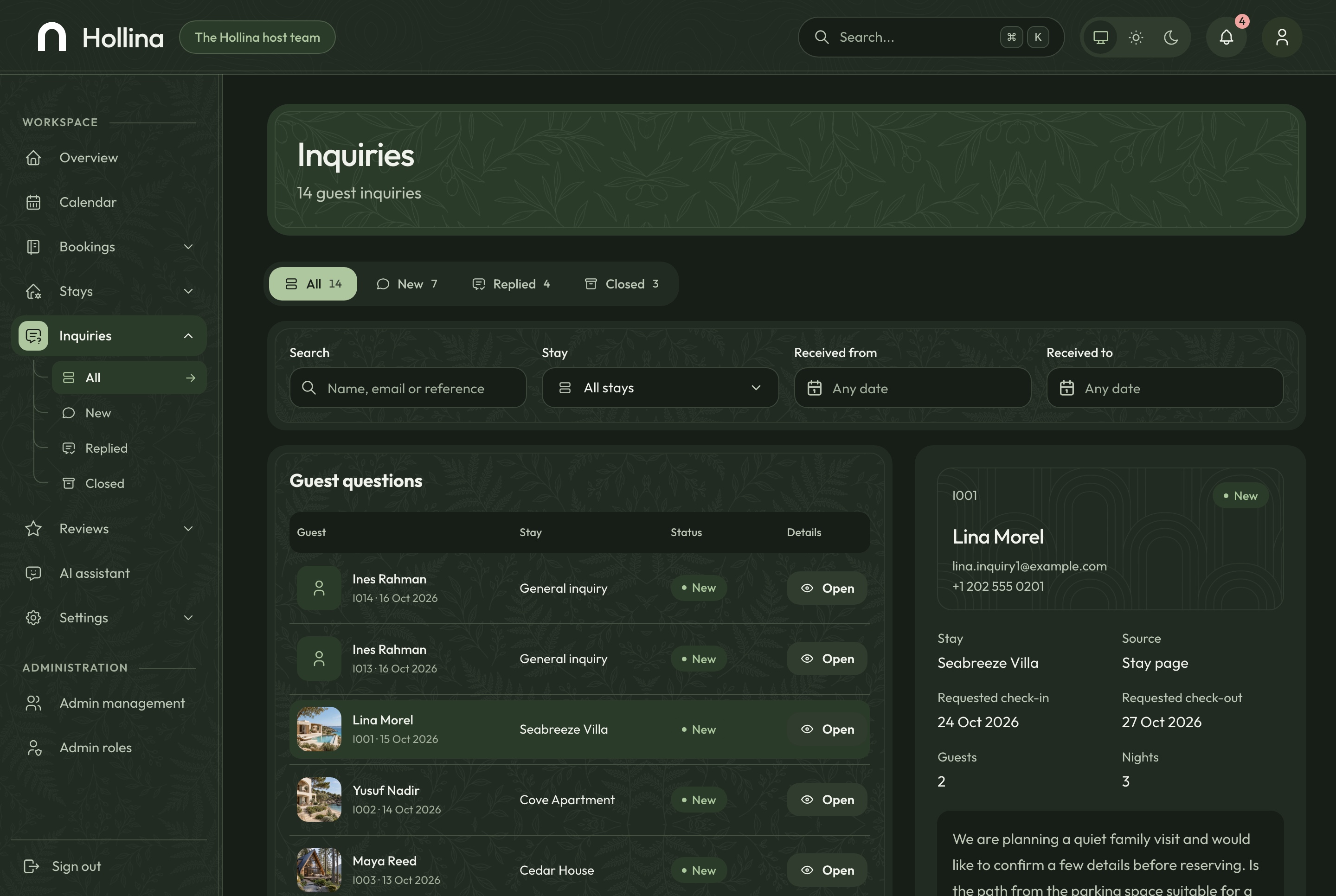
Guest questions with a status and notes
Each inquiry opens beside the list with the stay, the dates and guests asked about, where it came from and an internal note. The team marks it replied or closed as it goes.
The contact form and the stay page write the same inquiry
A notification the moment one arrives
Search across every inquiry
Inquiries, light theme. Guest questions with the one being read open beside the list: dates, guests, source and an internal note, in the light theme
Inquiries, dark theme. Guest questions with the one being read open beside the list: dates, guests, source and an internal note, in the dark theme
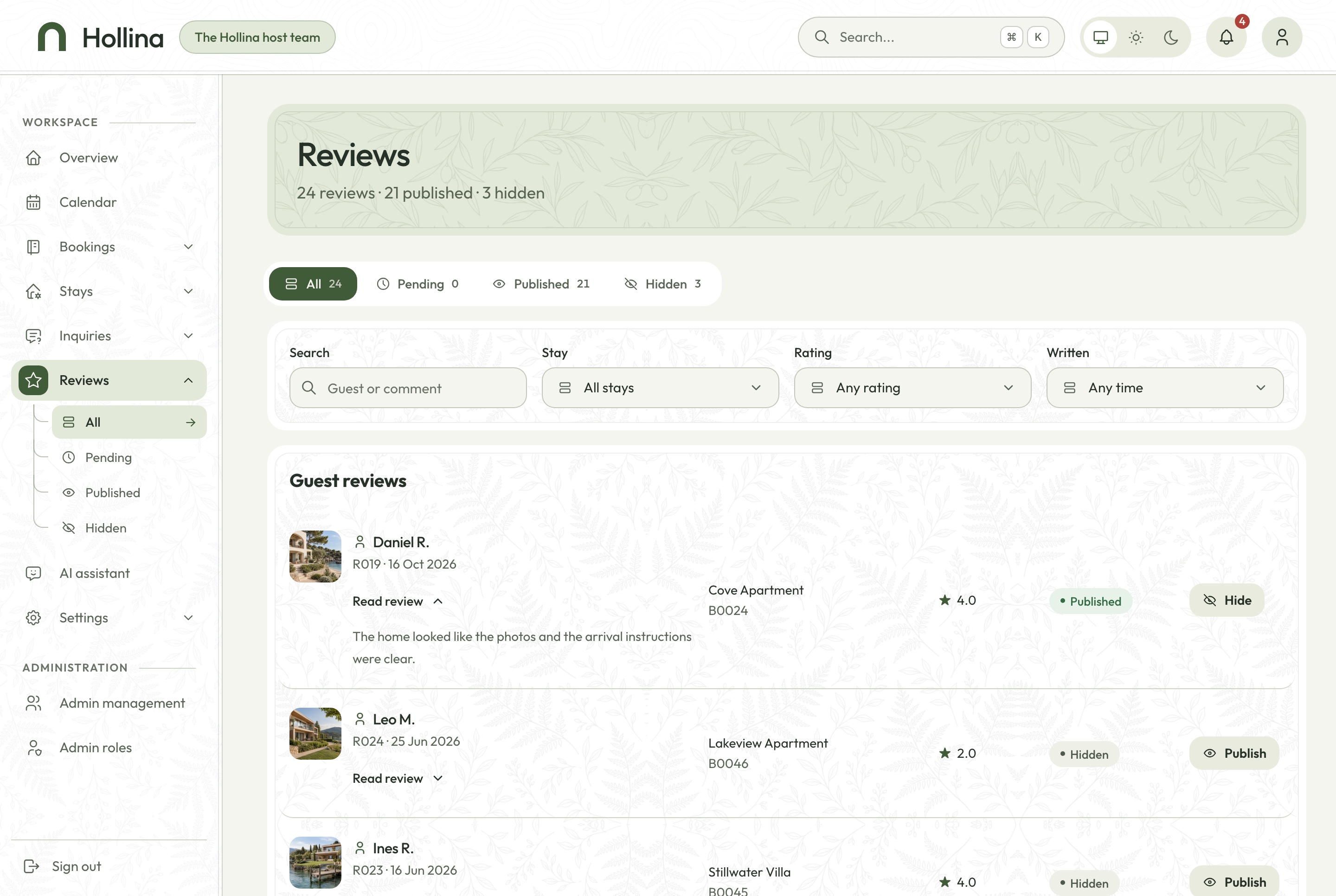
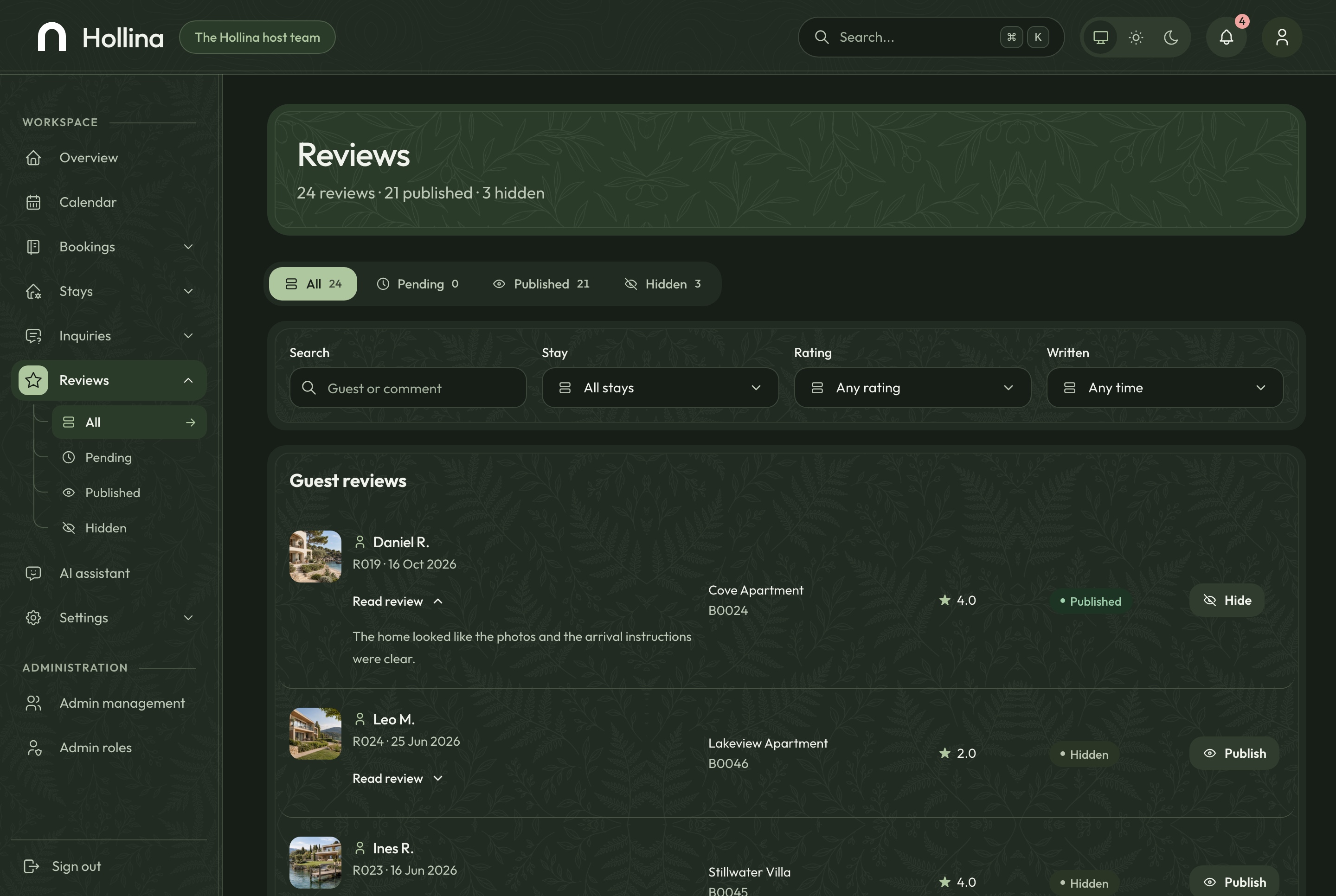
Reviews the team can hide
Reviews arrive from completed stays and appear on the website straight away. Hiding one takes it off the stay page and out of its rating; publishing it again puts it back.
Tabs for published and hidden reviews
The booking each review came from
The stay's average updated at once
Reviews, light theme. Reviews from completed stays, published or hidden by the team, in the light theme
Reviews, dark theme. Reviews from completed stays, published or hidden by the team, in the dark theme
Settings the company owns
The company's name and contact details in both languages with a live preview of the website's footer, the homepage's featured stays and questions, destinations, the team's accounts and what each role may do.
Admins, roles and 32 permissions
Menu items and actions hidden without the permission
Profile and password for every account
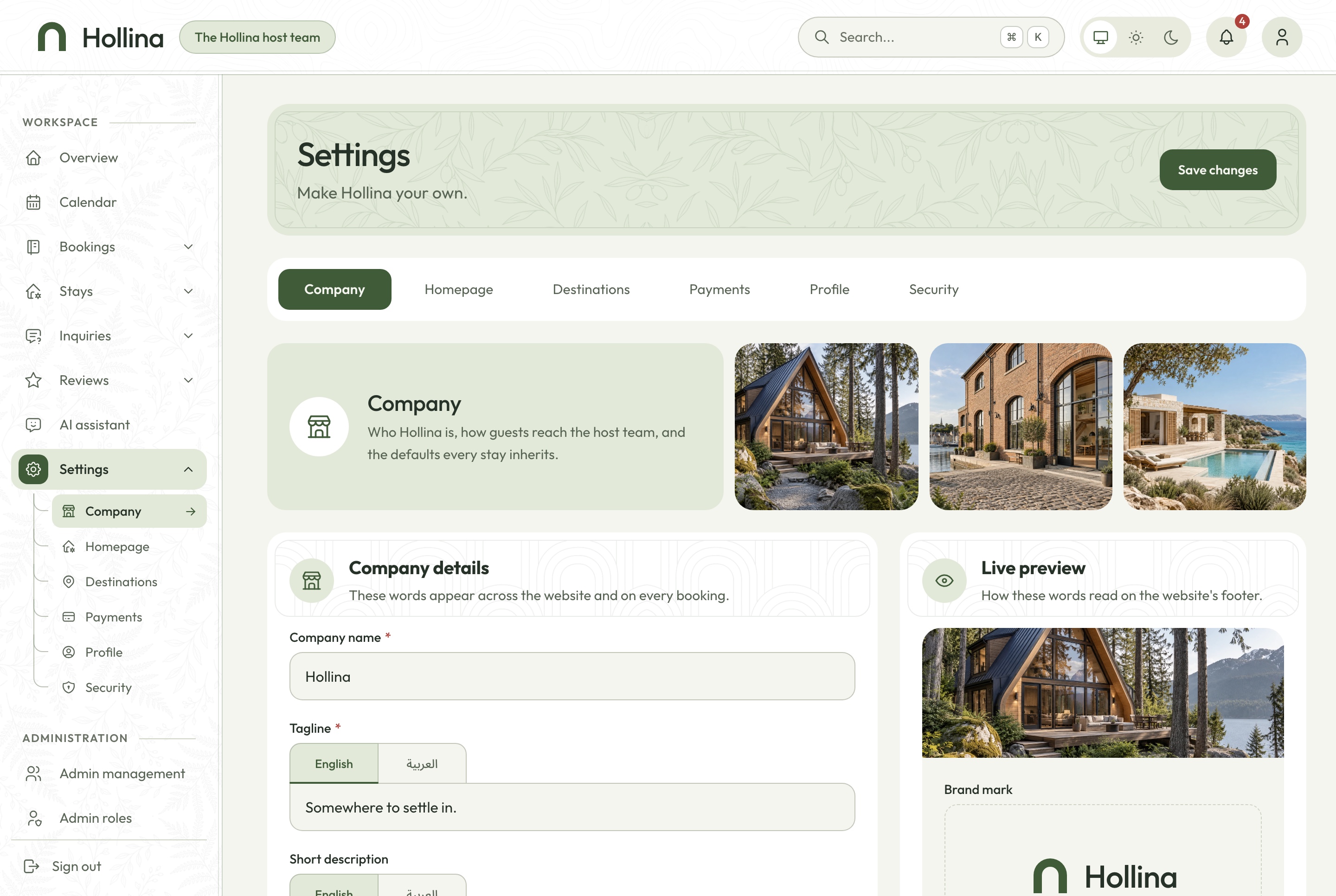
Settings: company, light theme. The company's details in both languages with a live preview of the website's footer, in the light theme
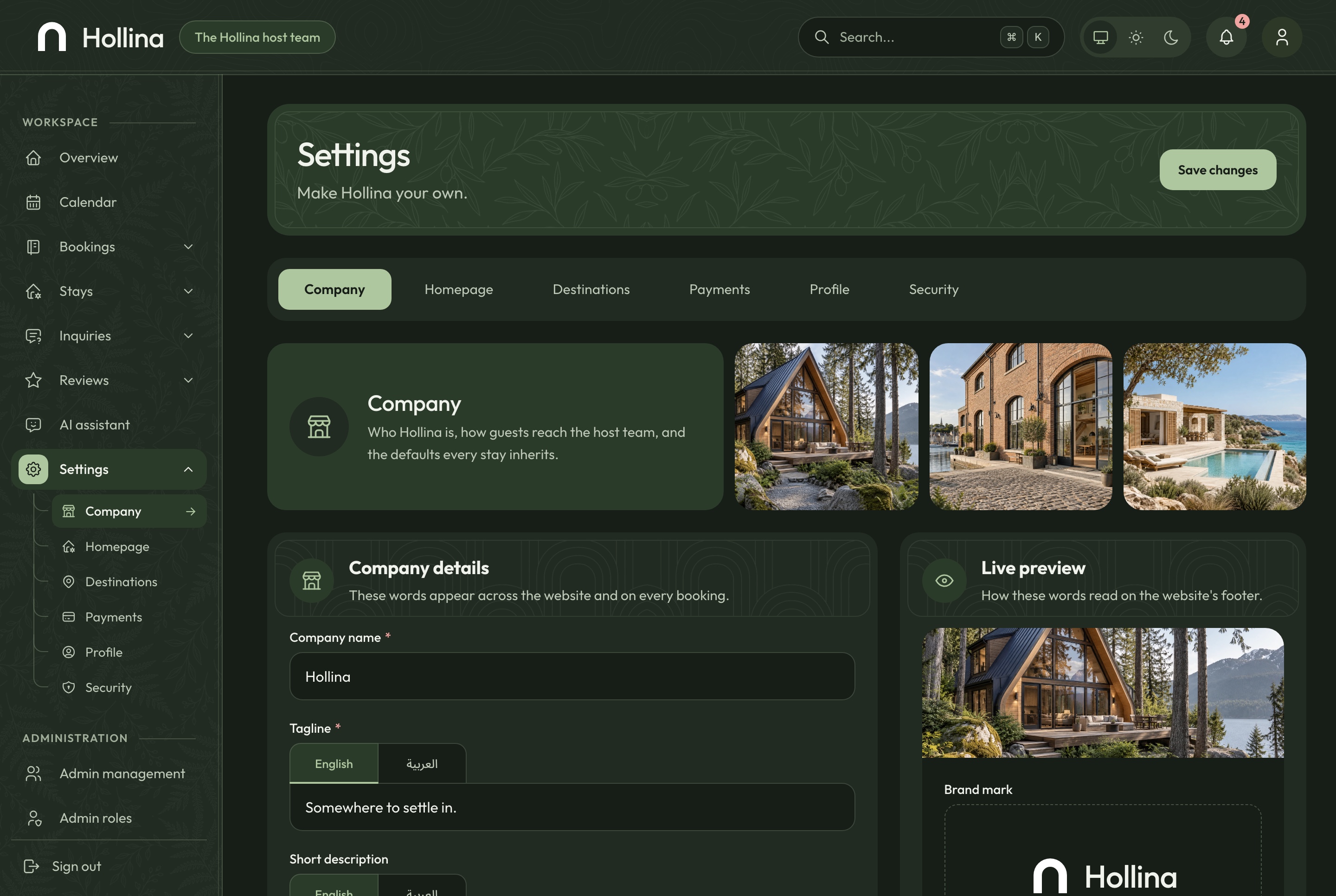
Settings: company, dark theme. The company's details in both languages with a live preview of the website's footer, in the dark theme
Finding a stay
Search the way guests plan a trip
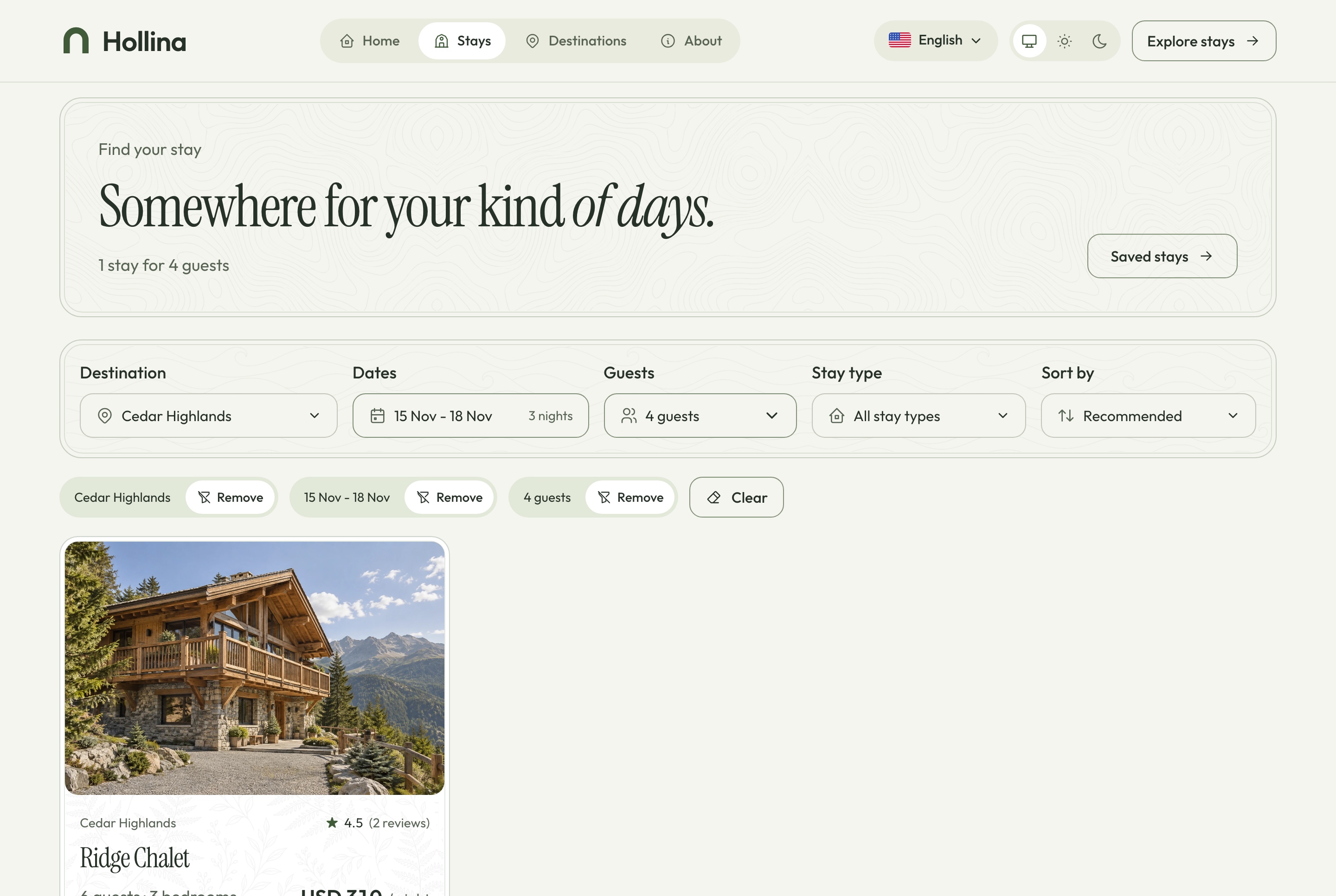
Destination, dates, guests and the kind of place narrow the list, and every filter lives in the address bar, so a search can be shared, bookmarked or reopened with the back button. Applied filters show as chips, each with its own Remove.
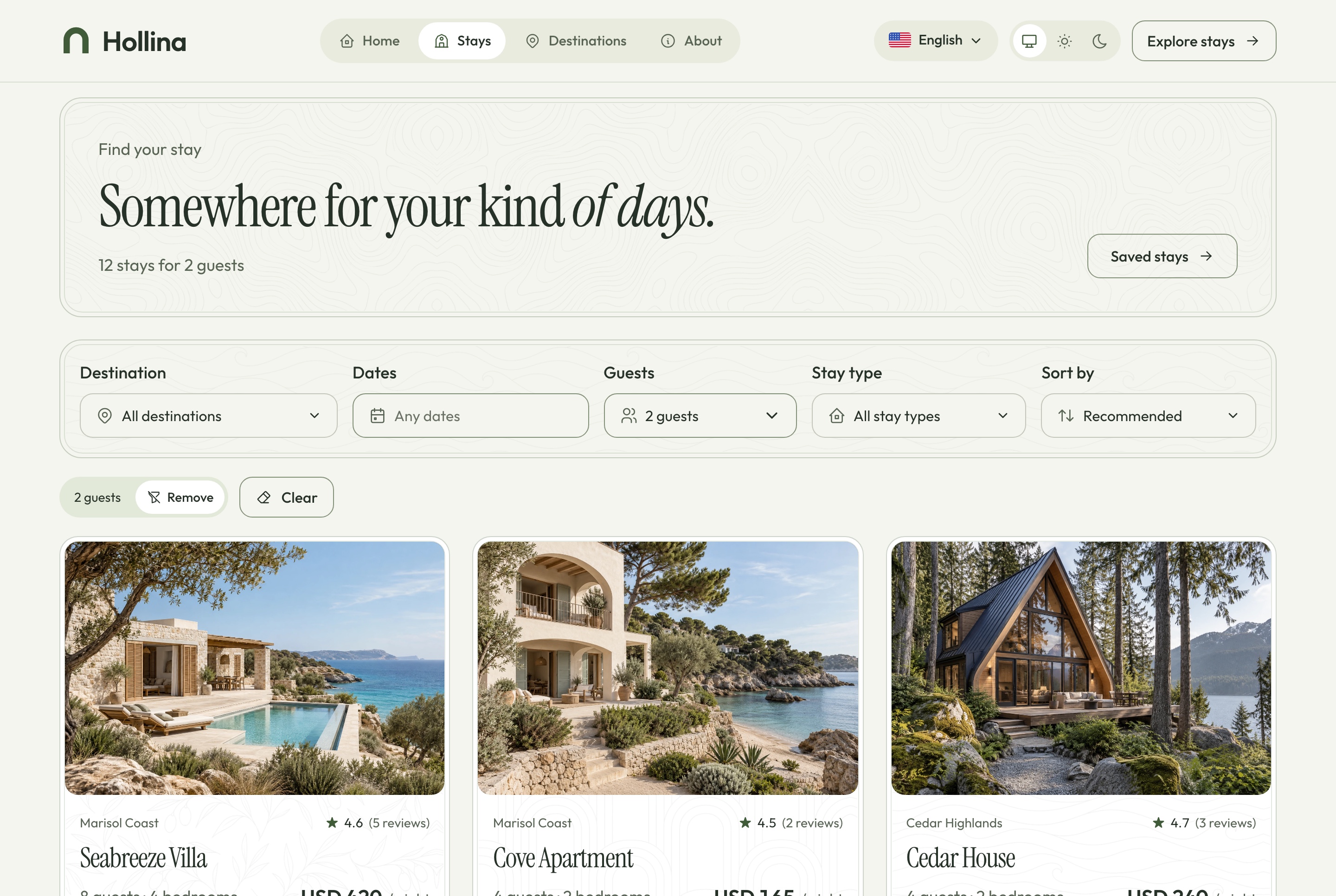
Stays list, light theme. Every published stay with the filters for destination, dates, guests, type and sort, kept in the address, in the light theme
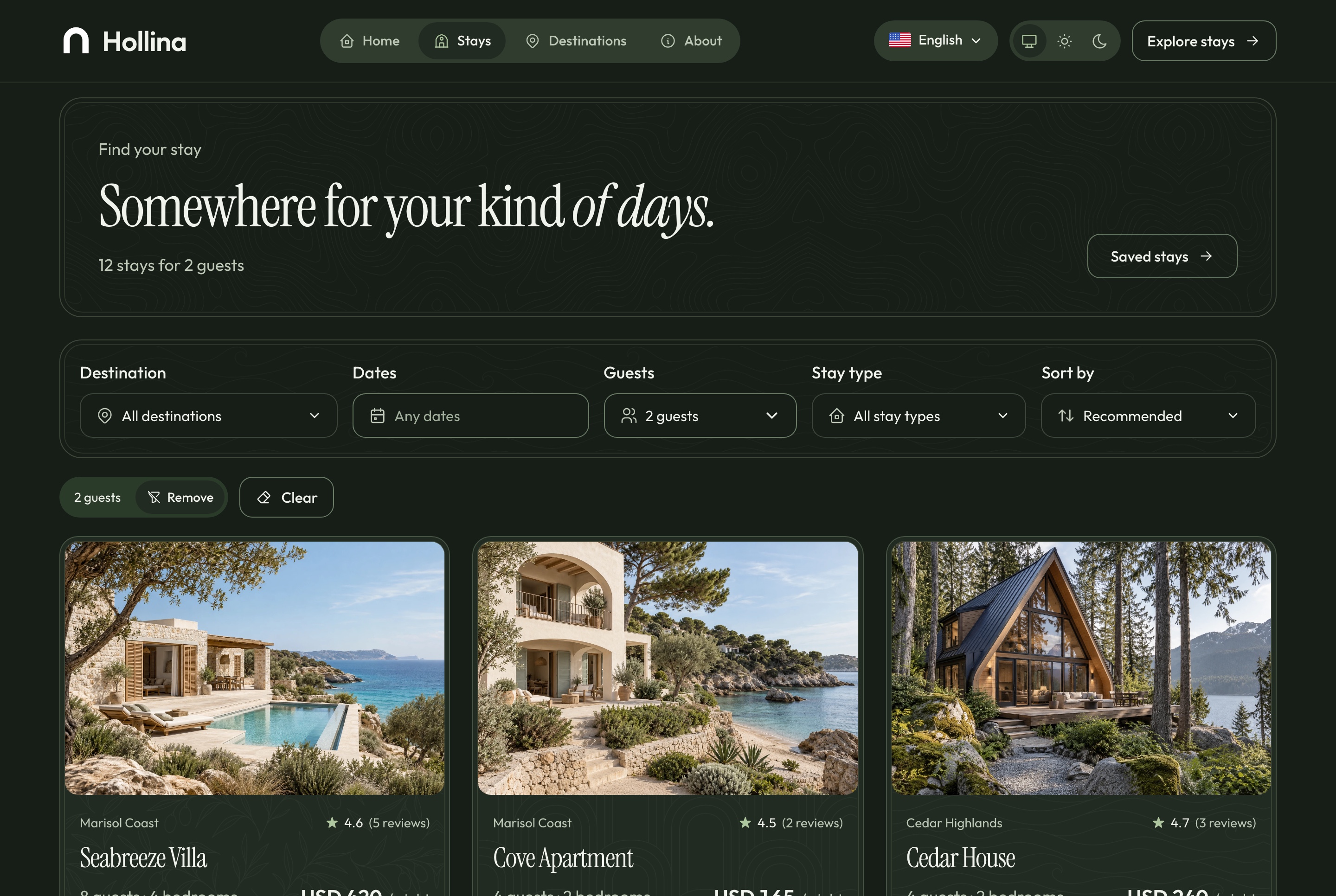
Stays list, dark theme. Every published stay with the filters for destination, dates, guests, type and sort, kept in the address, in the dark theme
Stays list, filtered, light theme. Cedar Highlands for four guests on three chosen nights, with the applied filters as chips and one result, in the light theme
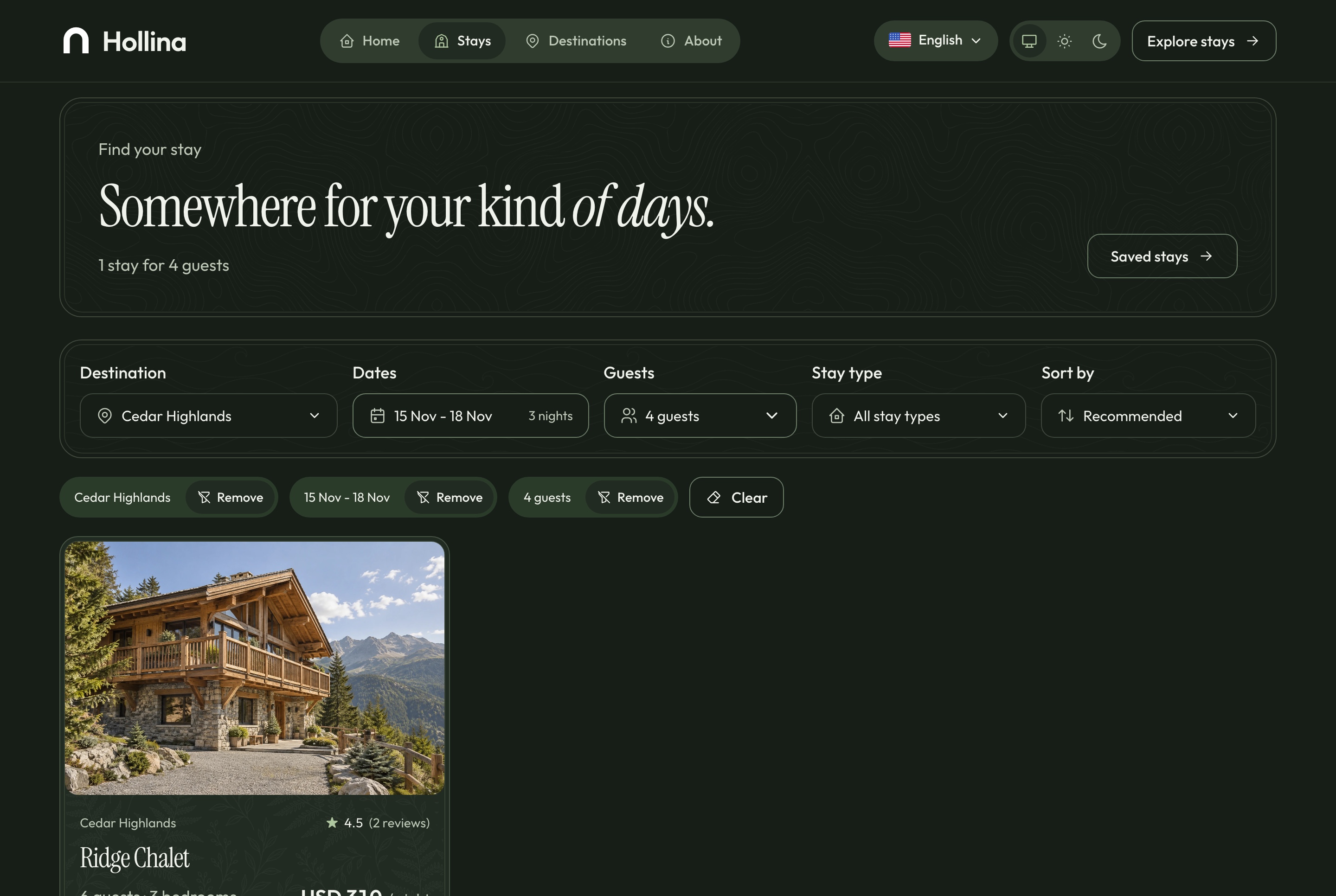
Stays list, filtered, dark theme. Cedar Highlands for four guests on three chosen nights, with the applied filters as chips and one result, in the dark theme
A stay page that prices the nights as they are chosen
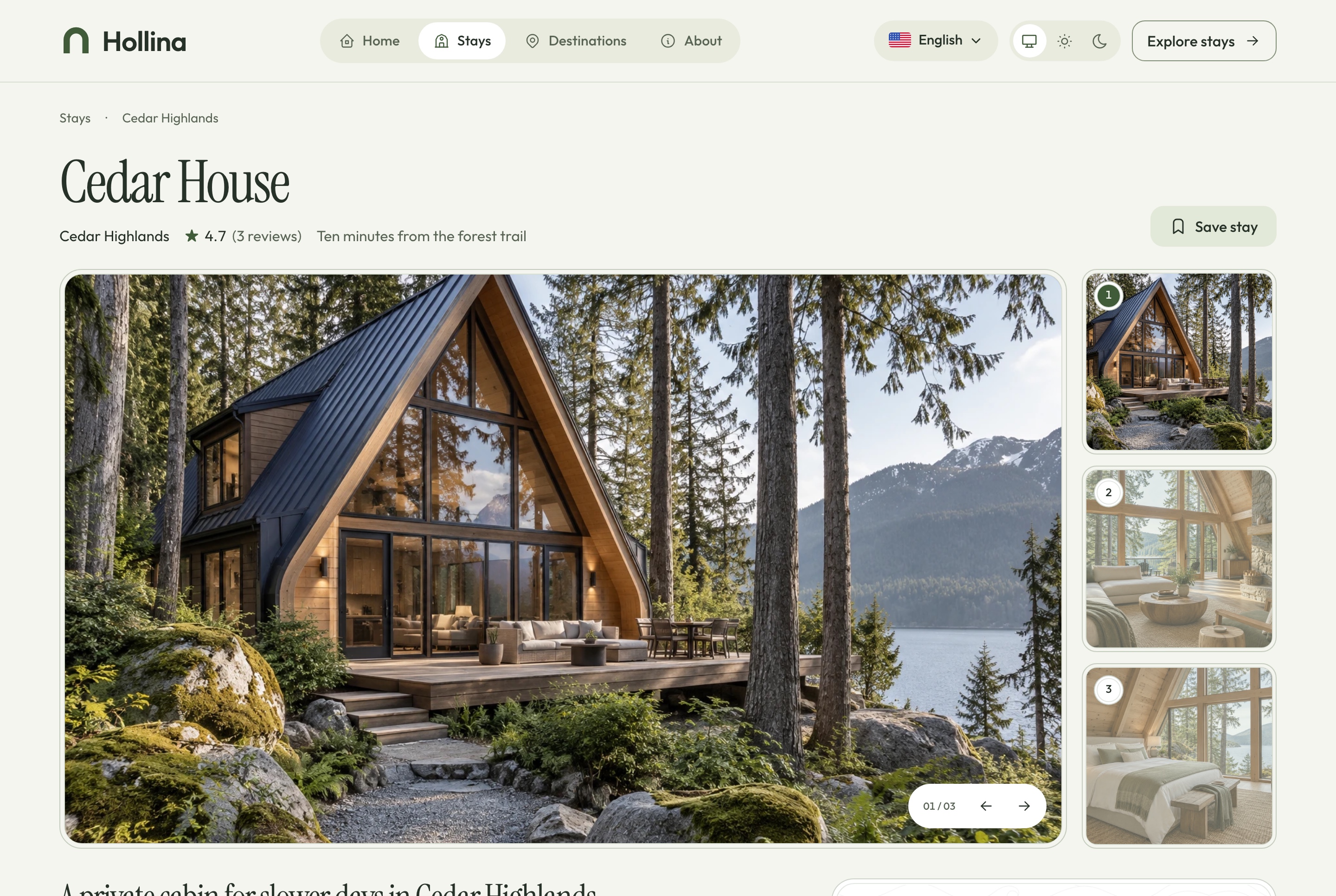
The gallery, the facts and the reserve card come first. Pick a check-in and a check-out and the card shows the nights, the cleaning fee and the total before the guest commits to anything.
House rules, amenities and the approximate location
Similar stays by destination, type and rate
A question dialog that reaches the dashboard's inquiries
Drafts never reach the public site
Stay page, light theme. Cedar House: the gallery, the facts, and the reserve card that prices the nights, in the light theme
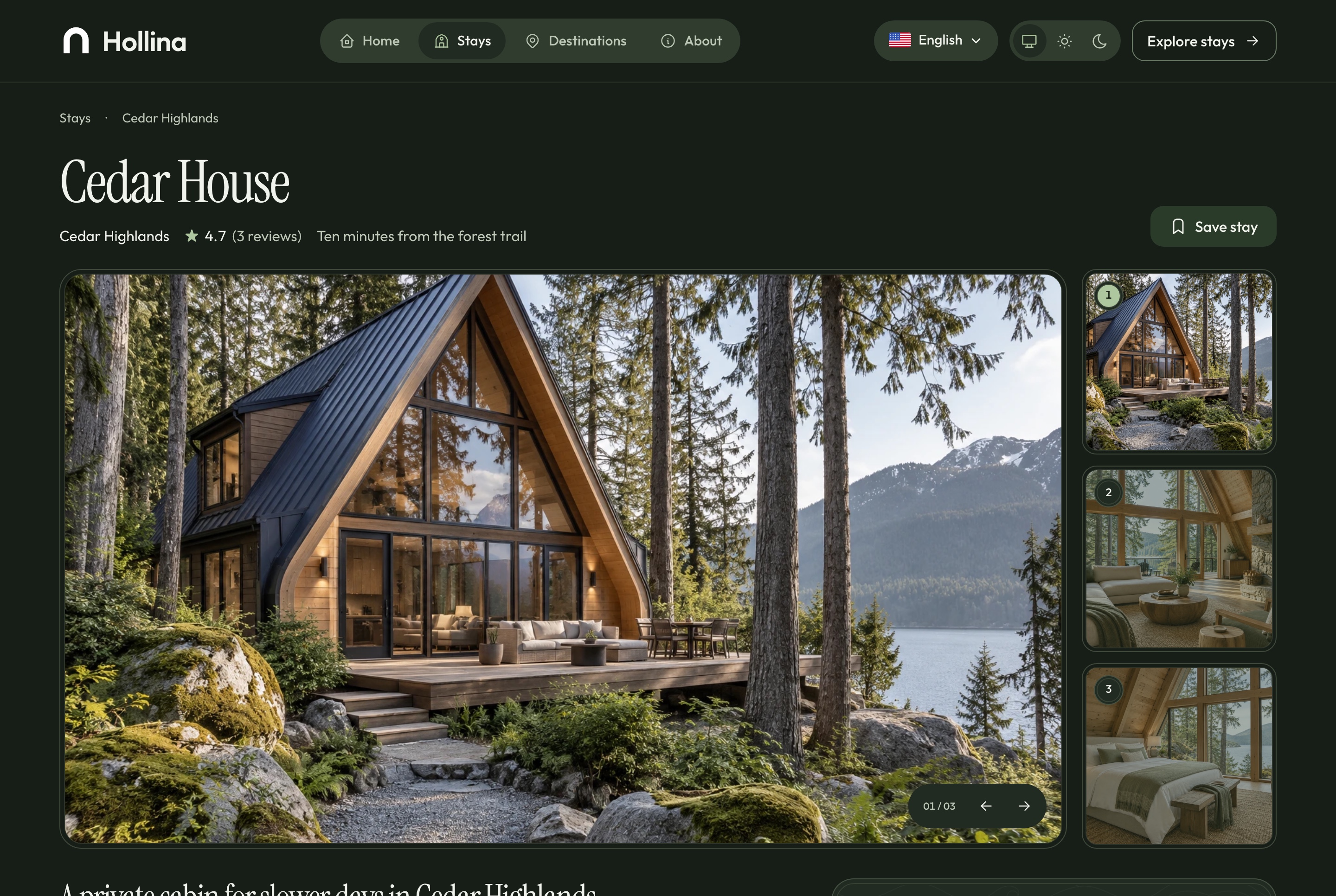
Stay page, dark theme. Cedar House: the gallery, the facts, and the reserve card that prices the nights, in the dark theme
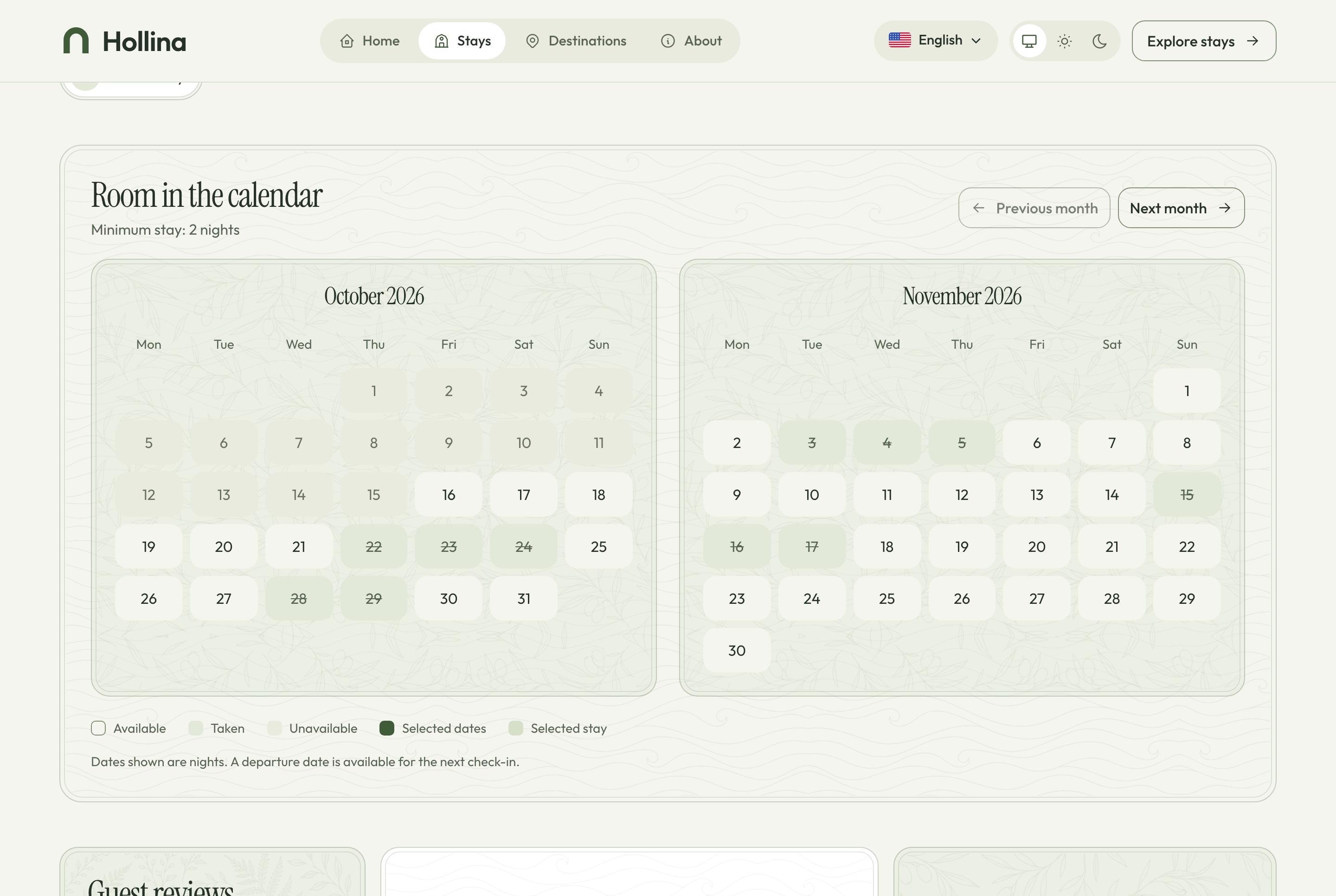
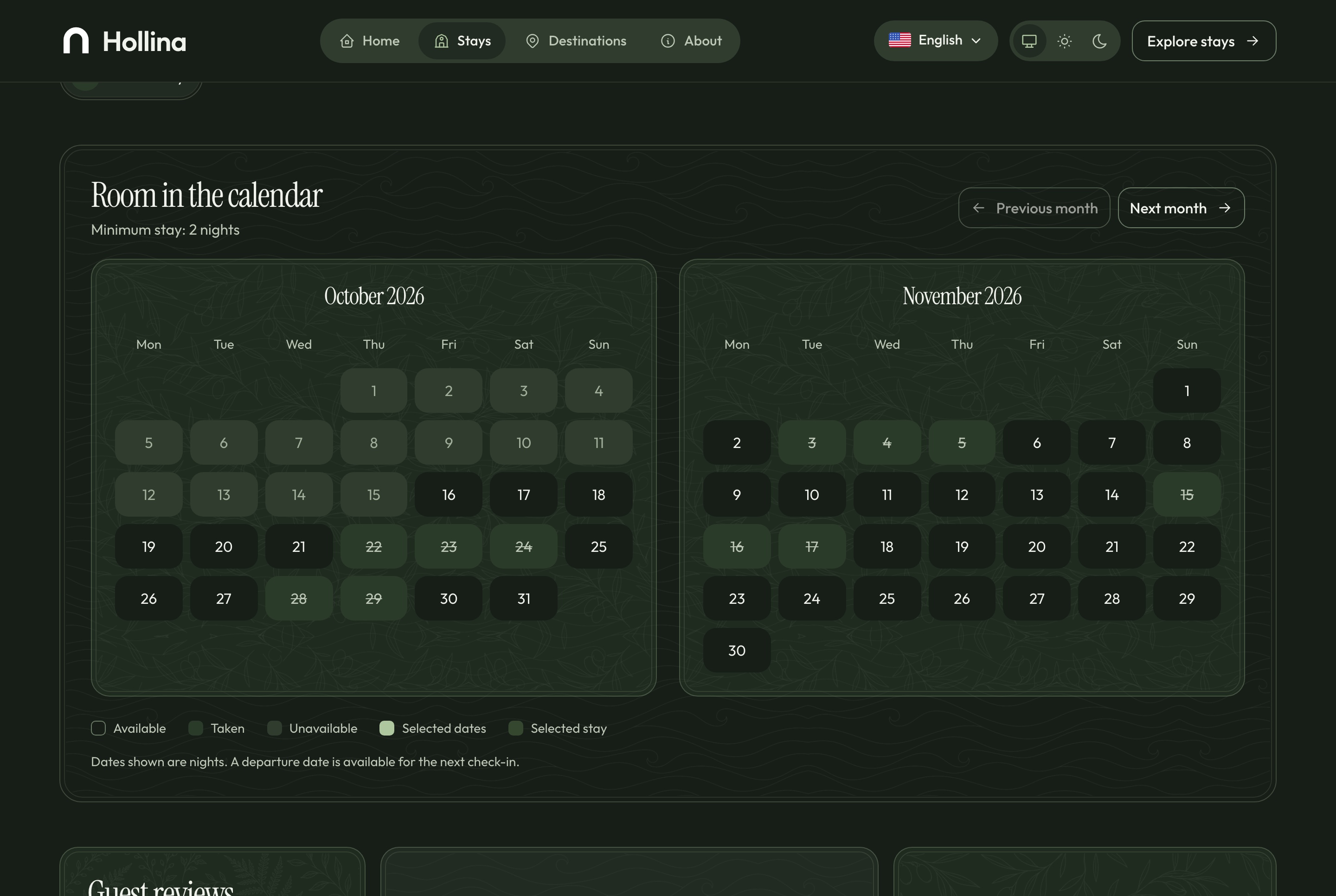
Two months of nights, drawn honestly
The availability calendar reads the same service as the checkout and the dashboard, so it can never promise a night that is already taken.
Available, unavailable, taken and selected nights, each with its own mark
The check-out day is free for the next arrival
Blocked dates and minimum stays respected
Stay page: availability calendar, light theme. Two months of nights: available, taken, and the check-out day free for the next arrival, in the light theme
Stay page: availability calendar, dark theme. Two months of nights: available, taken, and the check-out day free for the next arrival, in the dark theme
The home page
Nine sections that start the search
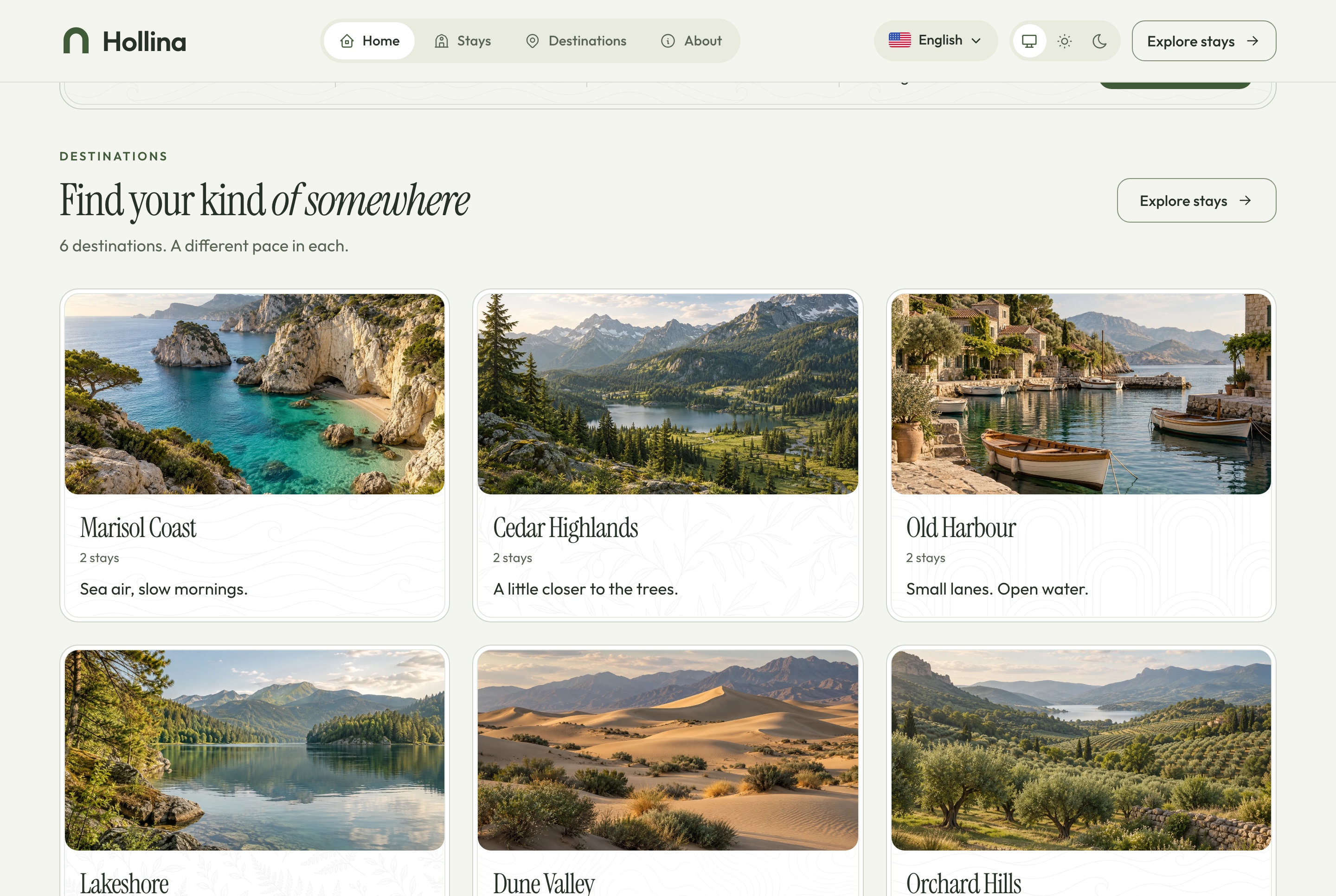
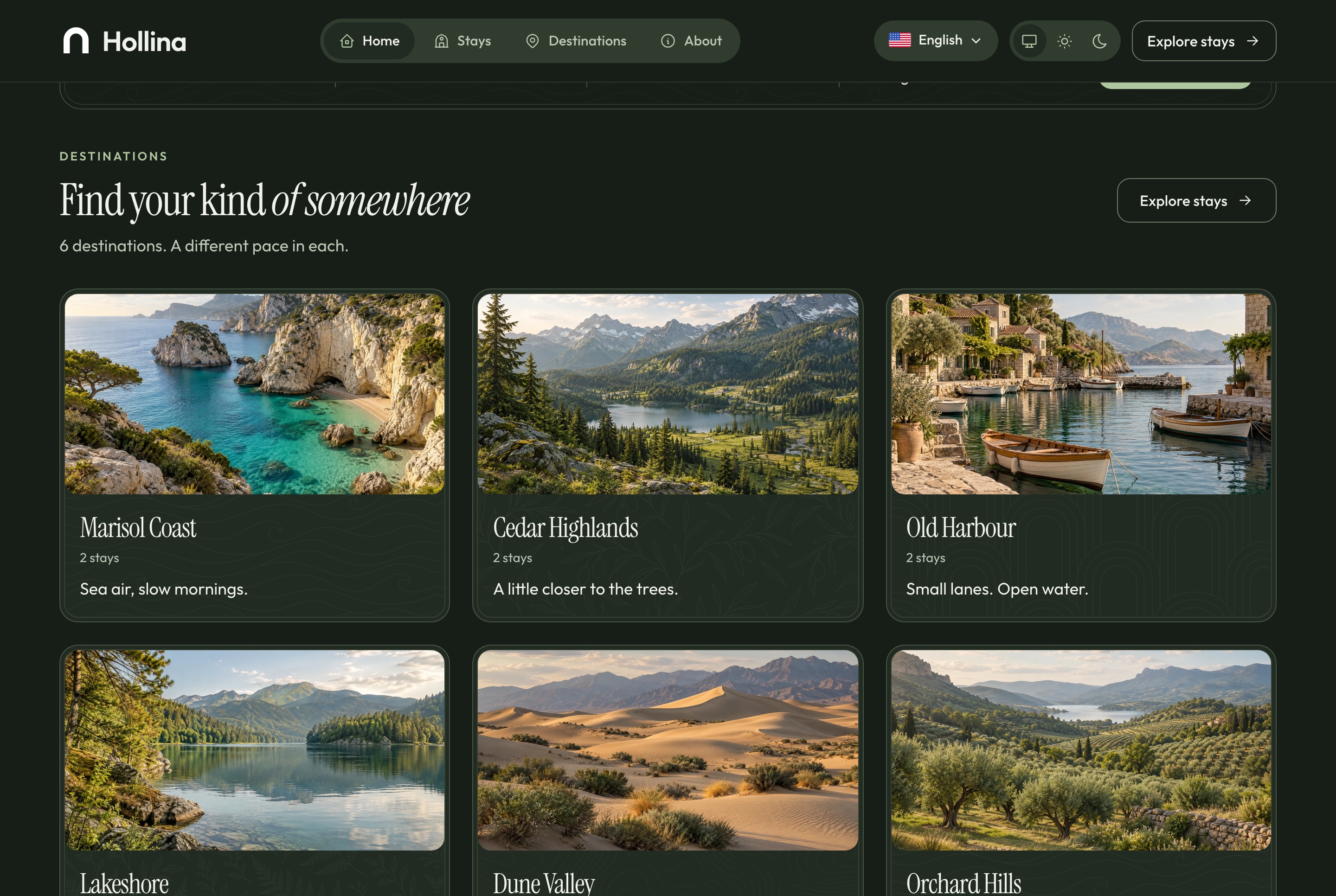
A hero with the search, six destinations, featured stays, the kinds of place, how booking works, two ways to stay, why to book direct, the questions guests ask and a way to get in touch. The hero's stay, the featured stays and the questions are chosen in the dashboard's settings.
Home: destinations, light theme. Six destinations, each with its tagline and the number of stays in it, in the light theme
Home: destinations, dark theme. Six destinations, each with its tagline and the number of stays in it, in the dark theme
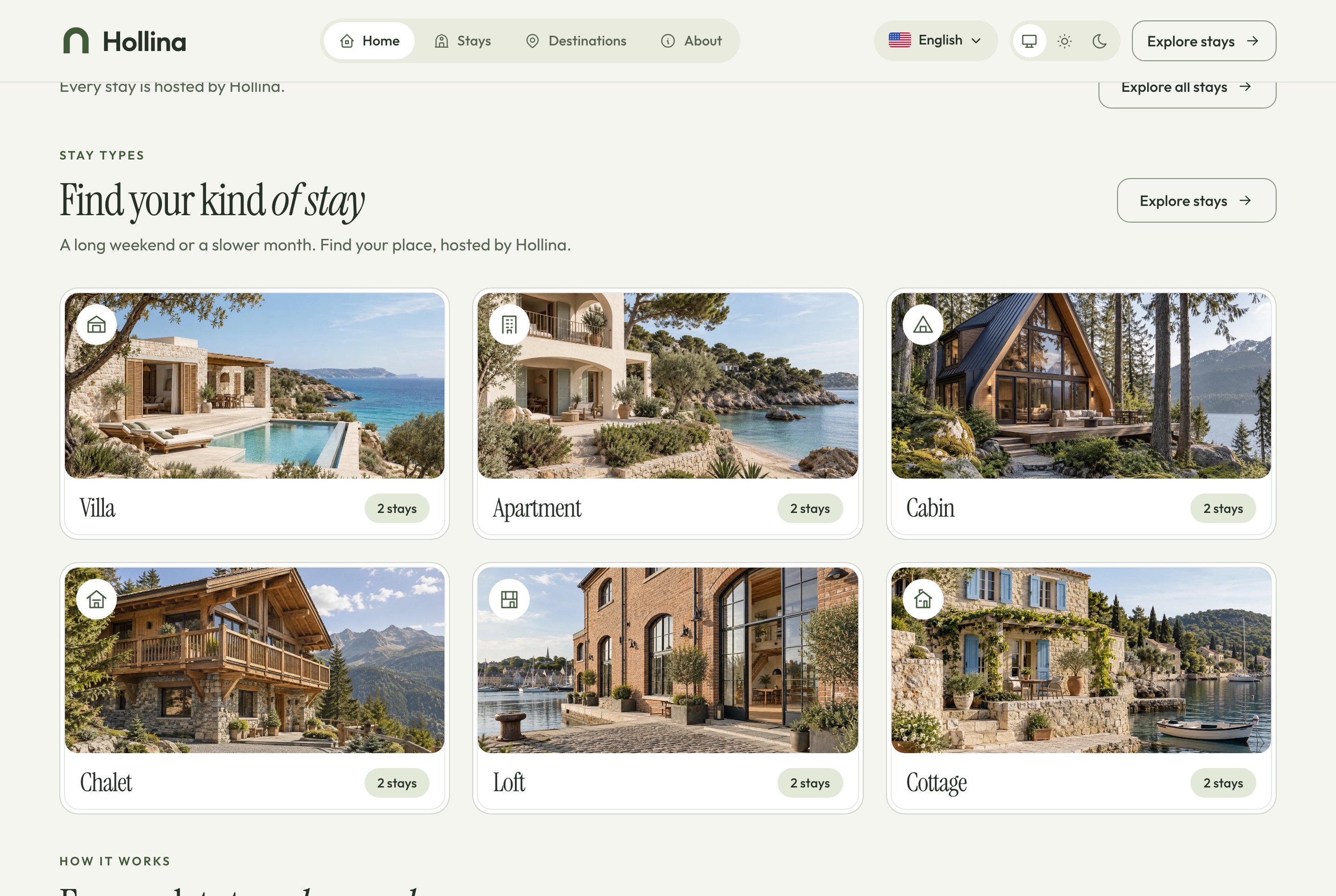
Home: stay types and how it works, light theme. The six kinds of place, each opening the stays list already filtered, then the booking steps, in the light theme
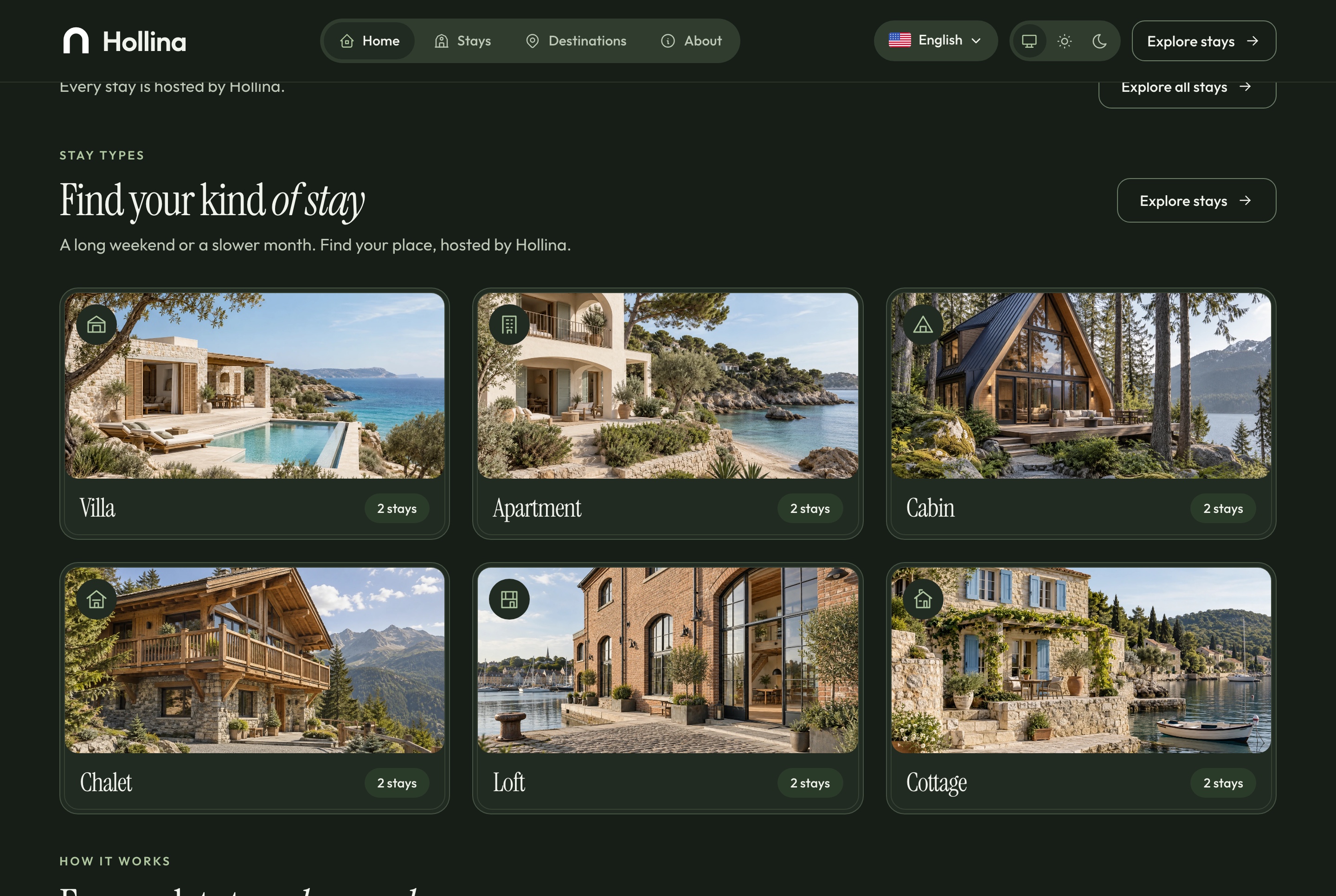
Home: stay types and how it works, dark theme. The six kinds of place, each opening the stays list already filtered, then the booking steps, in the dark theme
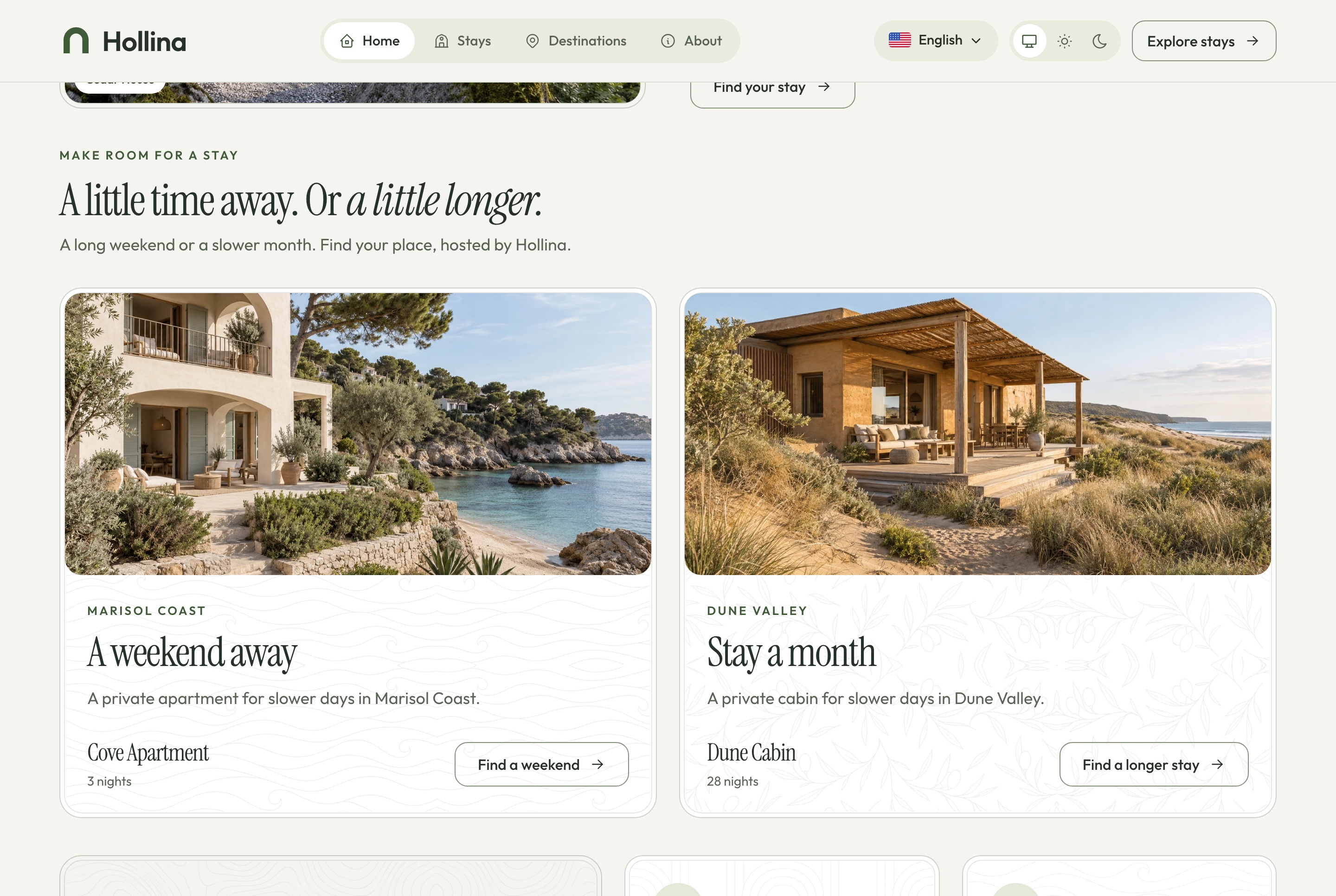
Home: two ways to stay and why book direct, light theme. A short break or a longer stay, and what booking with the host directly gives a guest, in the light theme
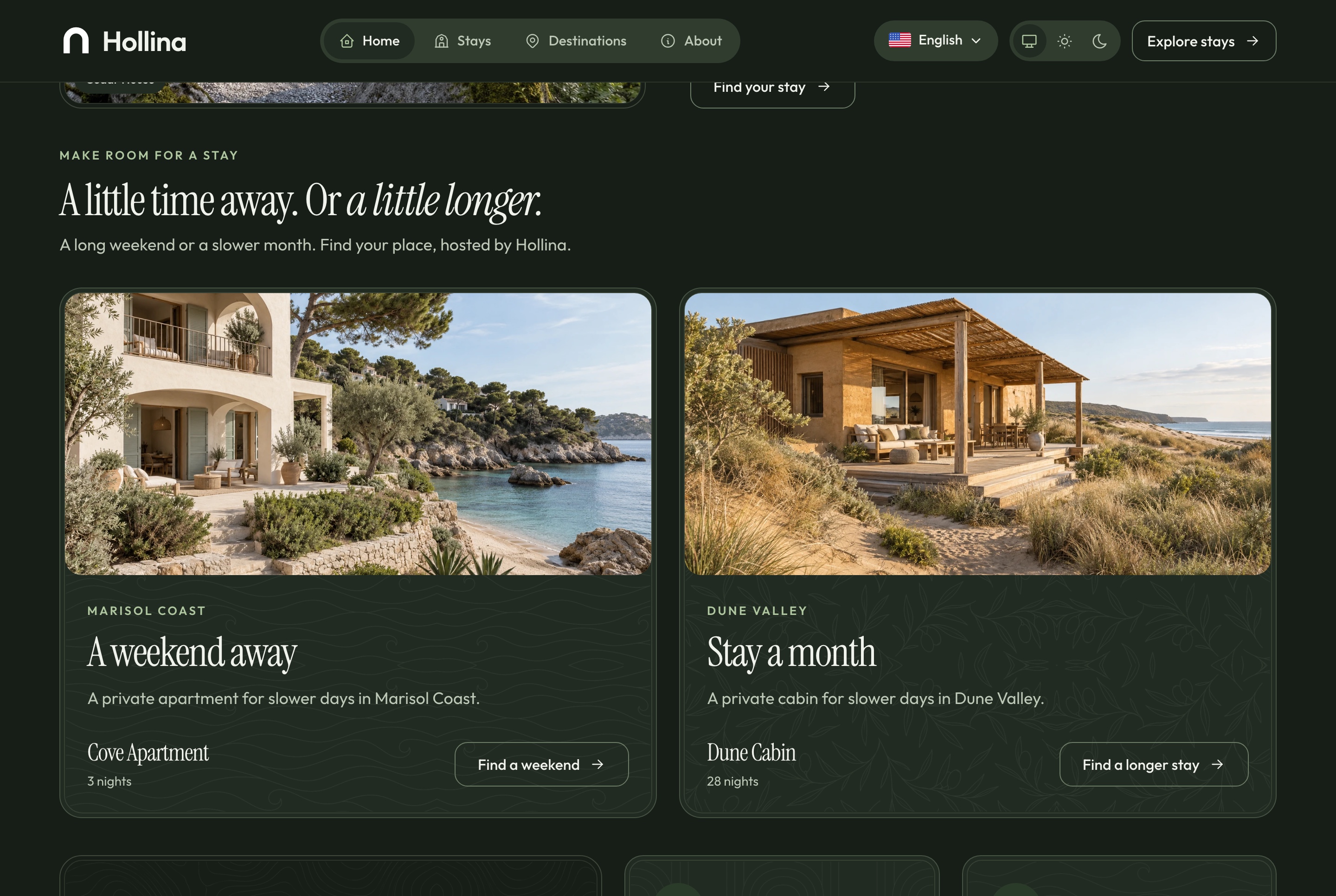
Home: two ways to stay and why book direct, dark theme. A short break or a longer stay, and what booking with the host directly gives a guest, in the dark theme
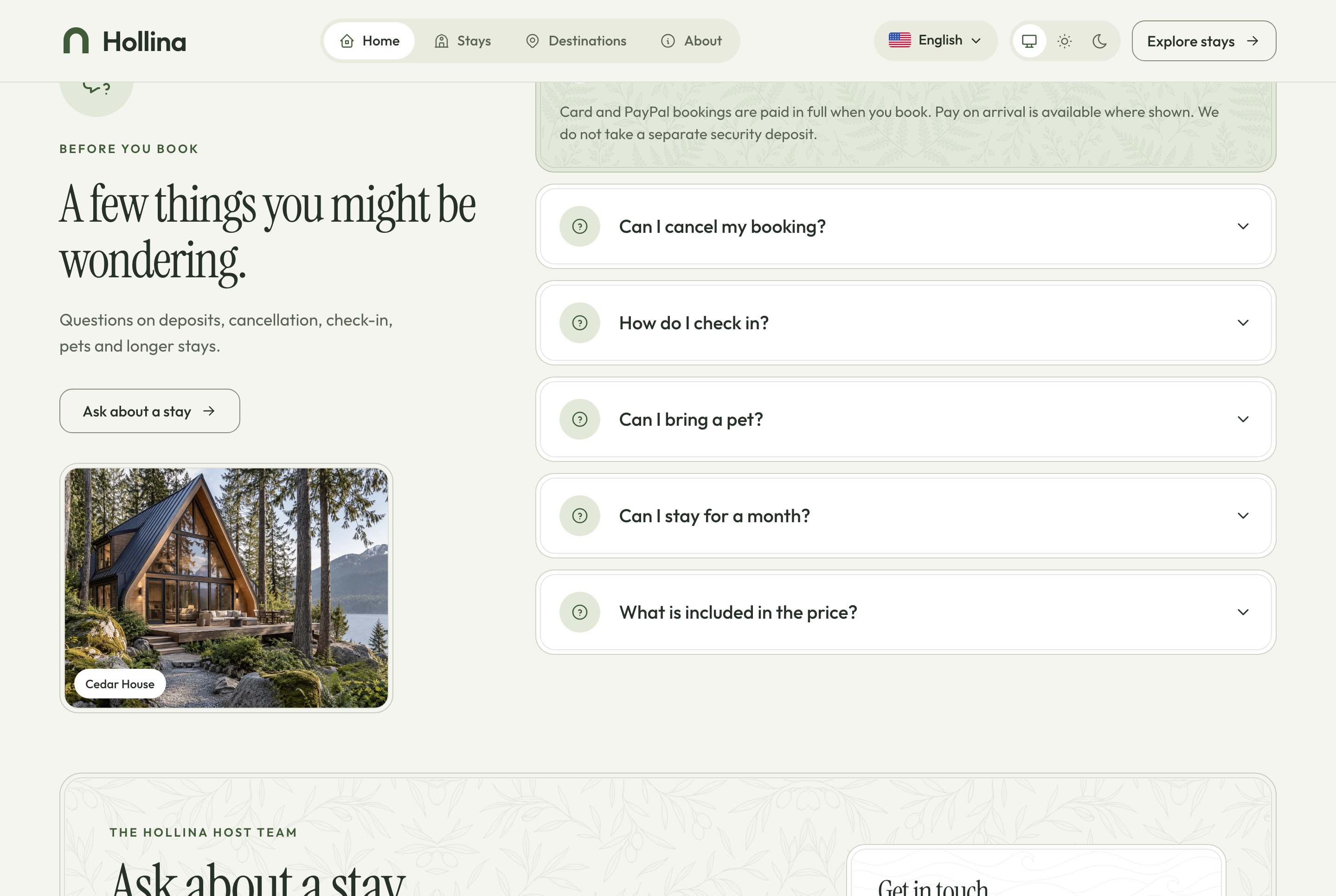
Home: questions and contact, light theme. The questions guests ask, answered, and the way to get in touch, in the light theme
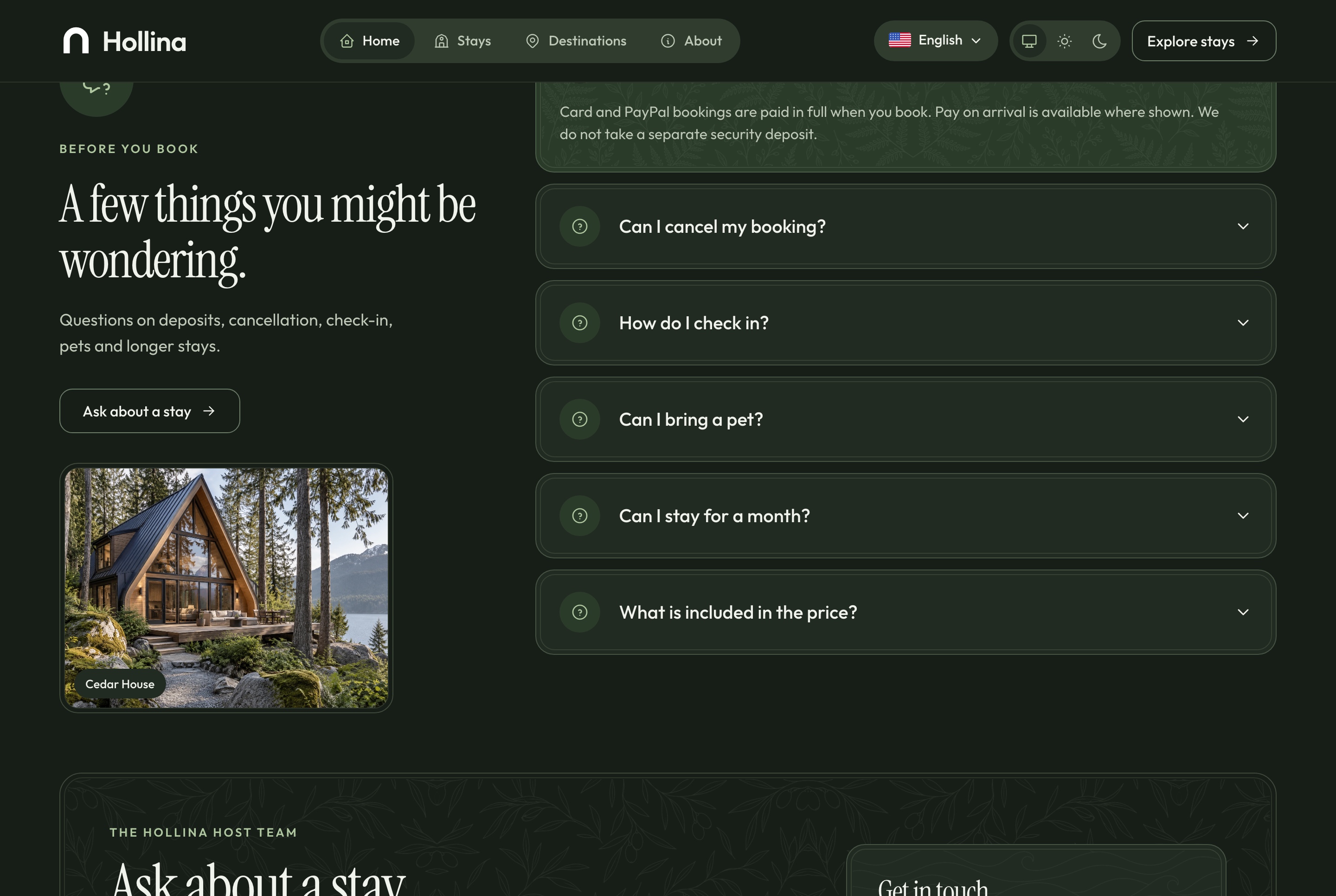
Home: questions and contact, dark theme. The questions guests ask, answered, and the way to get in touch, in the dark theme
Checkout
Pay by card, by PayPal or on arrival
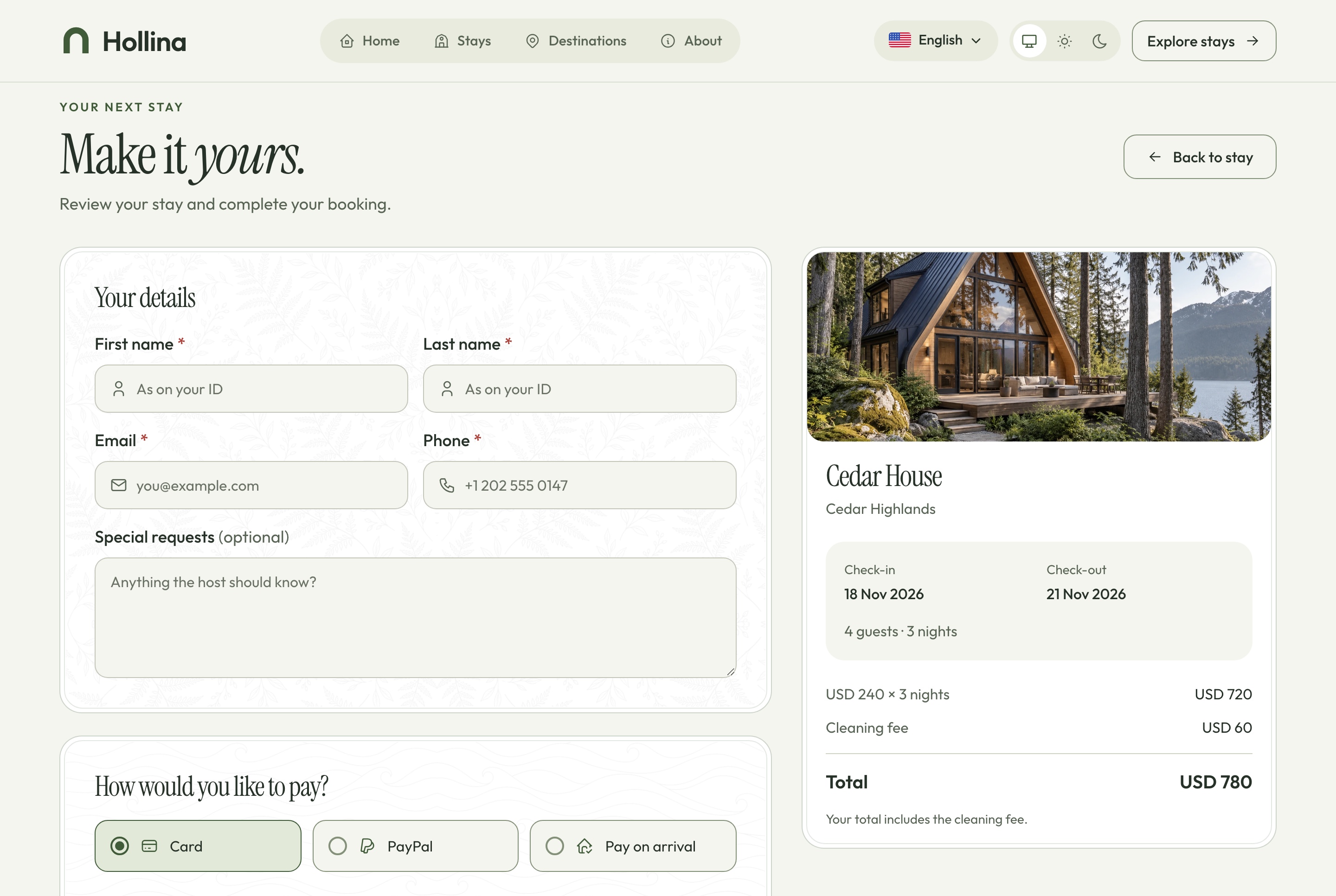
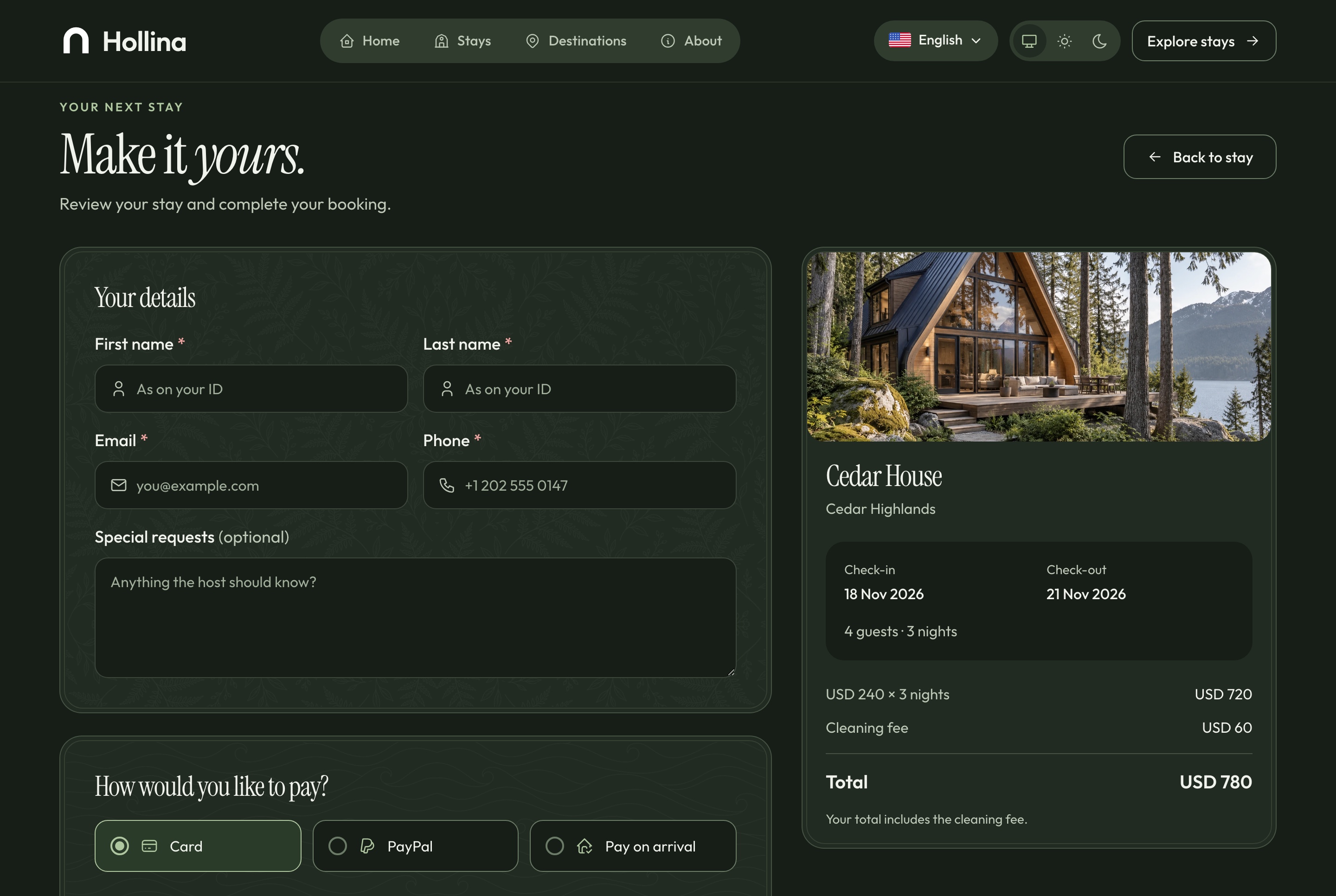
The guest enters their details, chooses how to pay and reads the cancellation policy beside a summary of the nights. A card goes to Stripe's hosted Checkout and a PayPal account to PayPal's own approval page, so with a processor configured no card number reaches your server. A signed webhook, never the guest's return, is what confirms a paid booking.
Checkout, light theme. The guest's details, card, PayPal or pay on arrival, the cancellation policy and the summary of the nights, in the light theme
Checkout, dark theme. The guest's details, card, PayPal or pay on arrival, the cancellation policy and the summary of the nights, in the dark theme
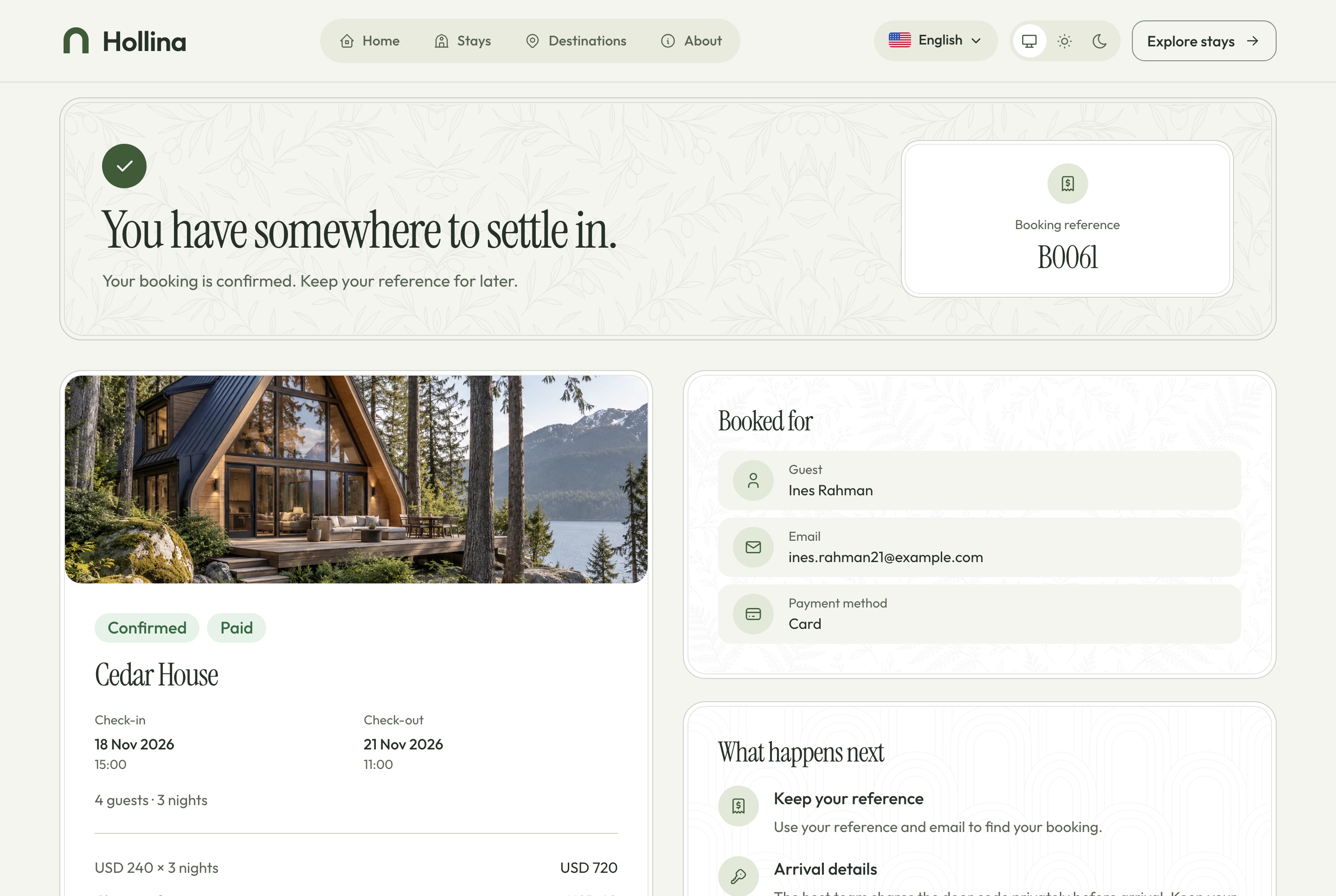
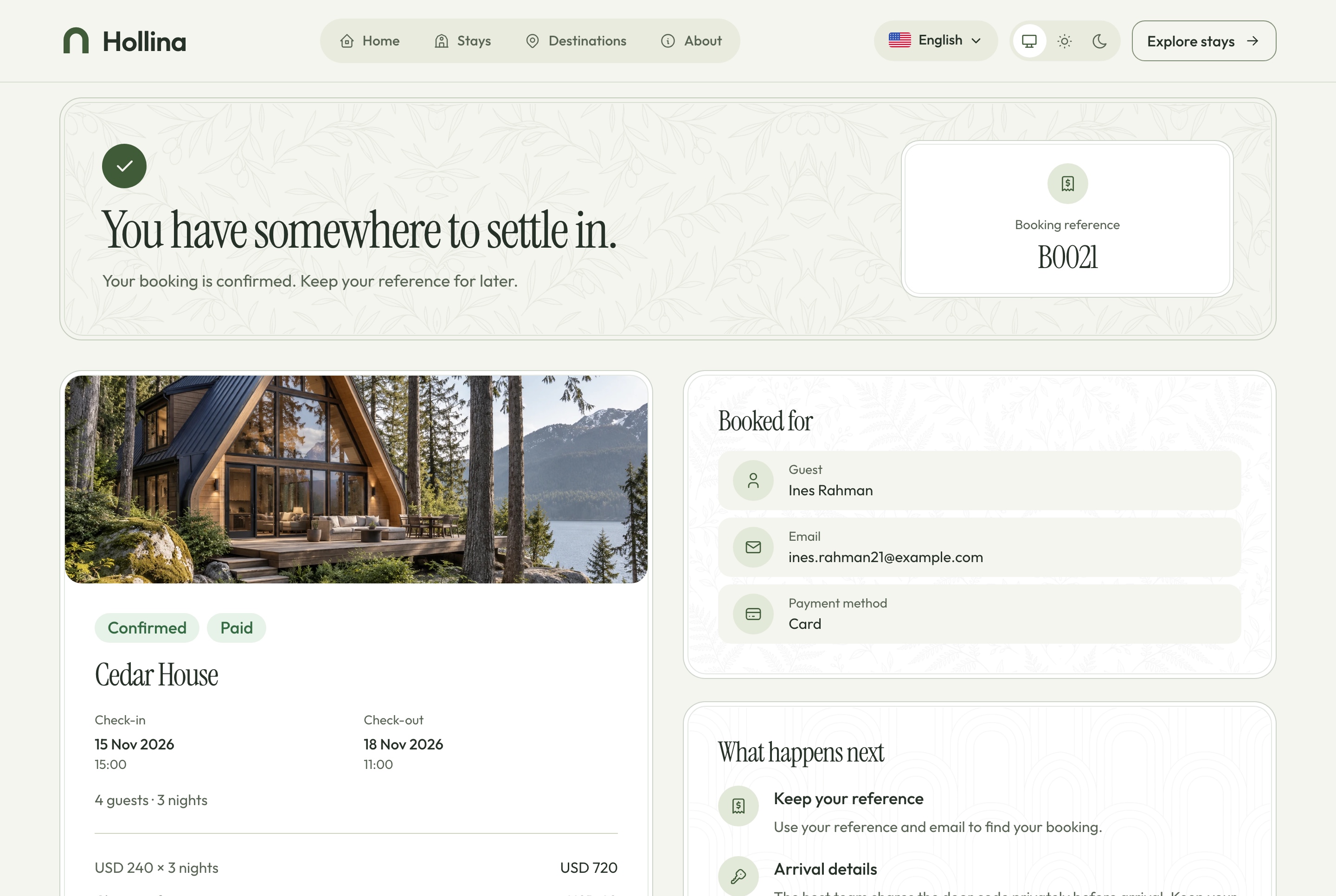
Booking confirmed, light theme. A paid booking: its reference, the stay, the nights, the total paid and what happens next, in the light theme
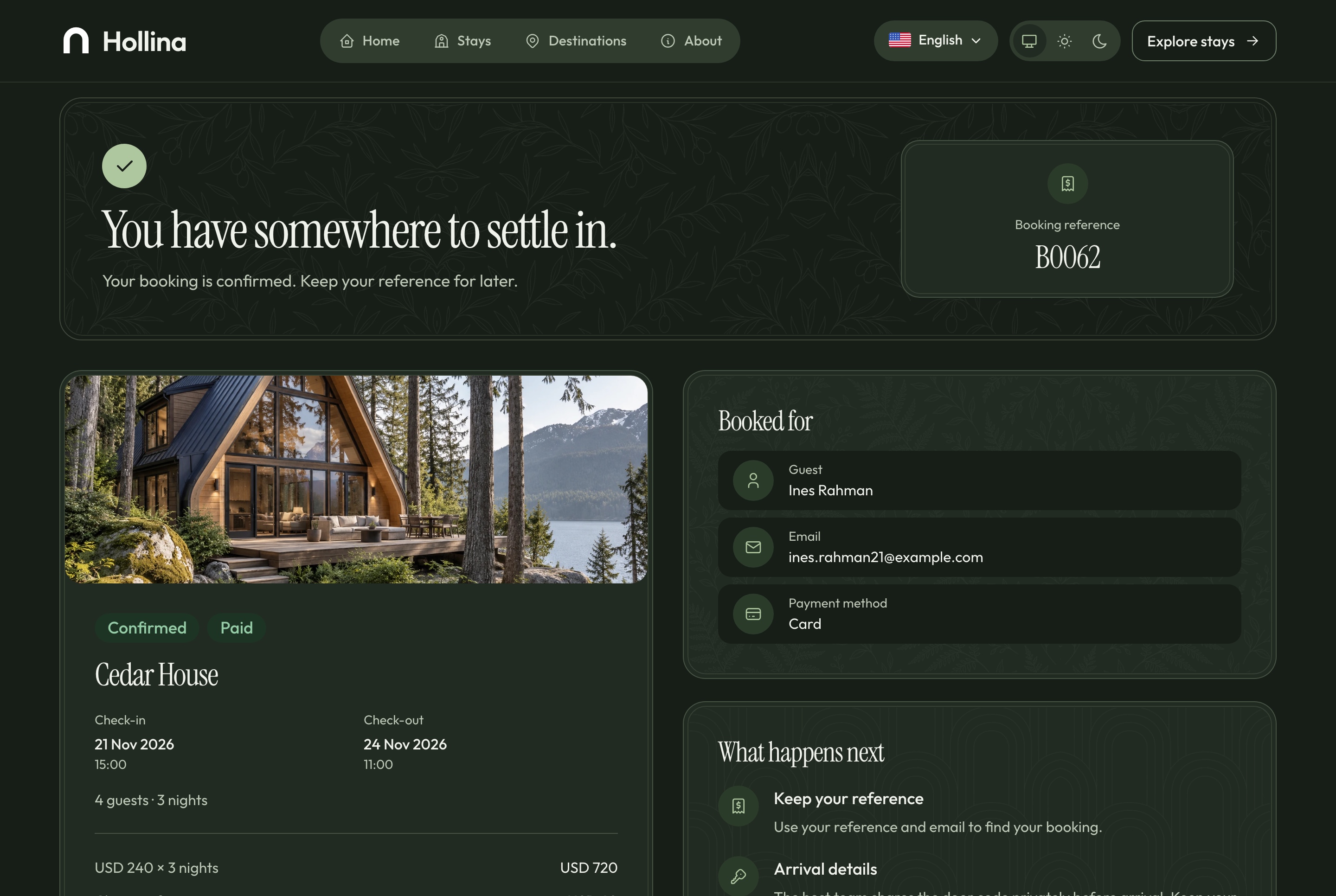
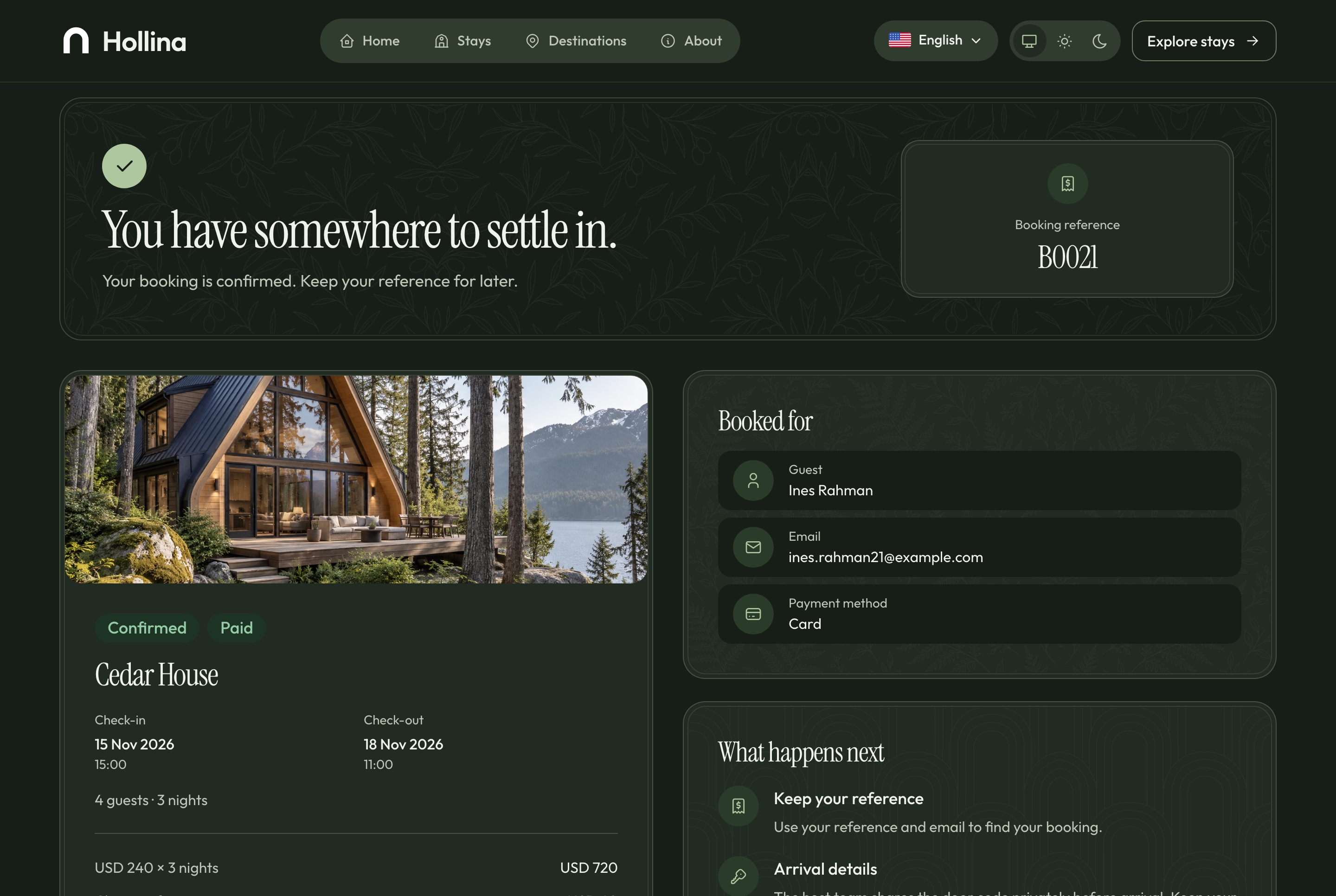
Booking confirmed, dark theme. A paid booking: its reference, the stay, the nights, the total paid and what happens next, in the dark theme
After the booking
A guest's booking, without an account
A booking is found by its reference and the email it was made with. While check-in is at least seven days away the guest can cancel it from that page; a paid booking becomes refund pending, and the host refunds it from the processor's dashboard.
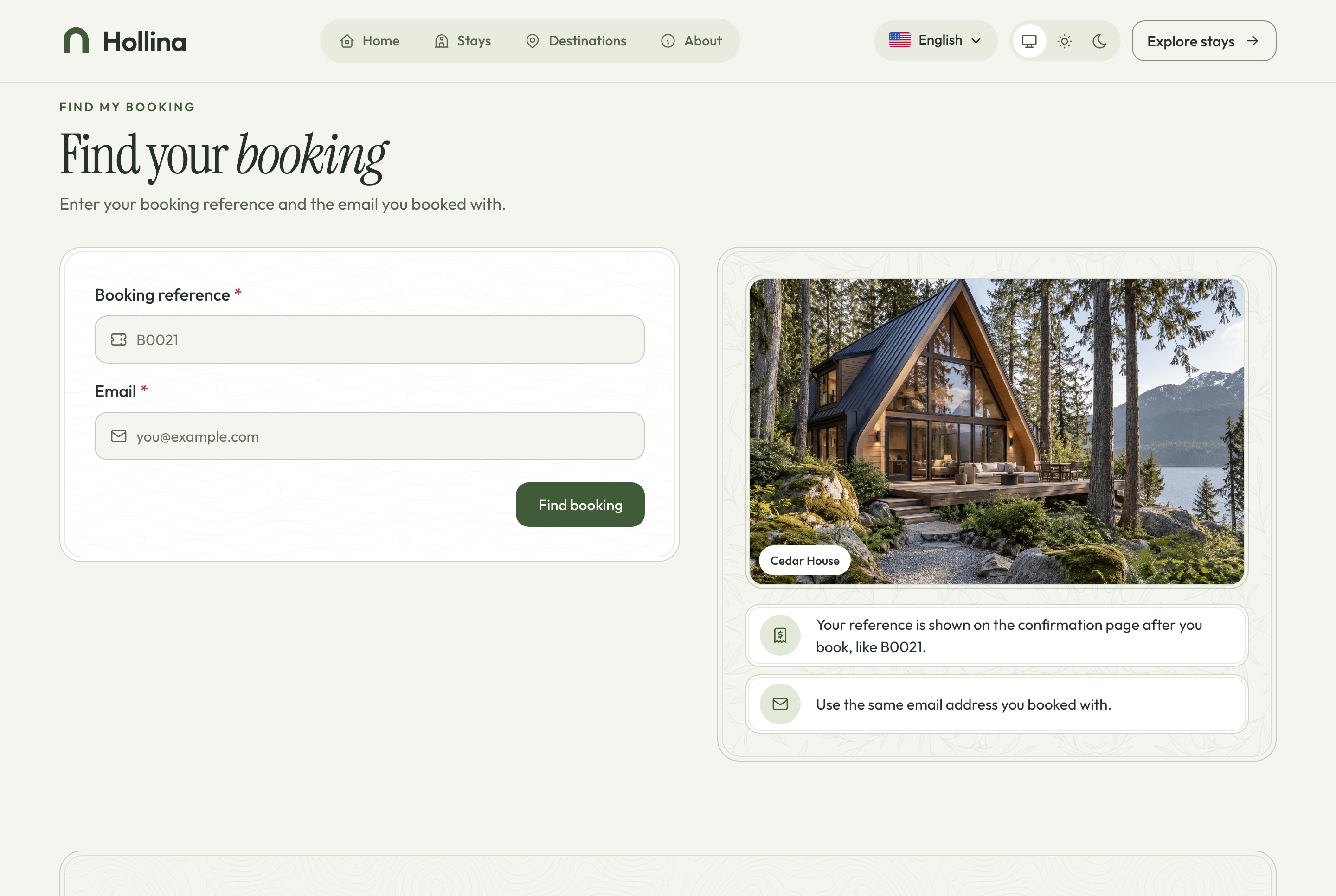
Find a booking, light theme. A guest looks a booking up with its reference and the email it was made with, in the light theme
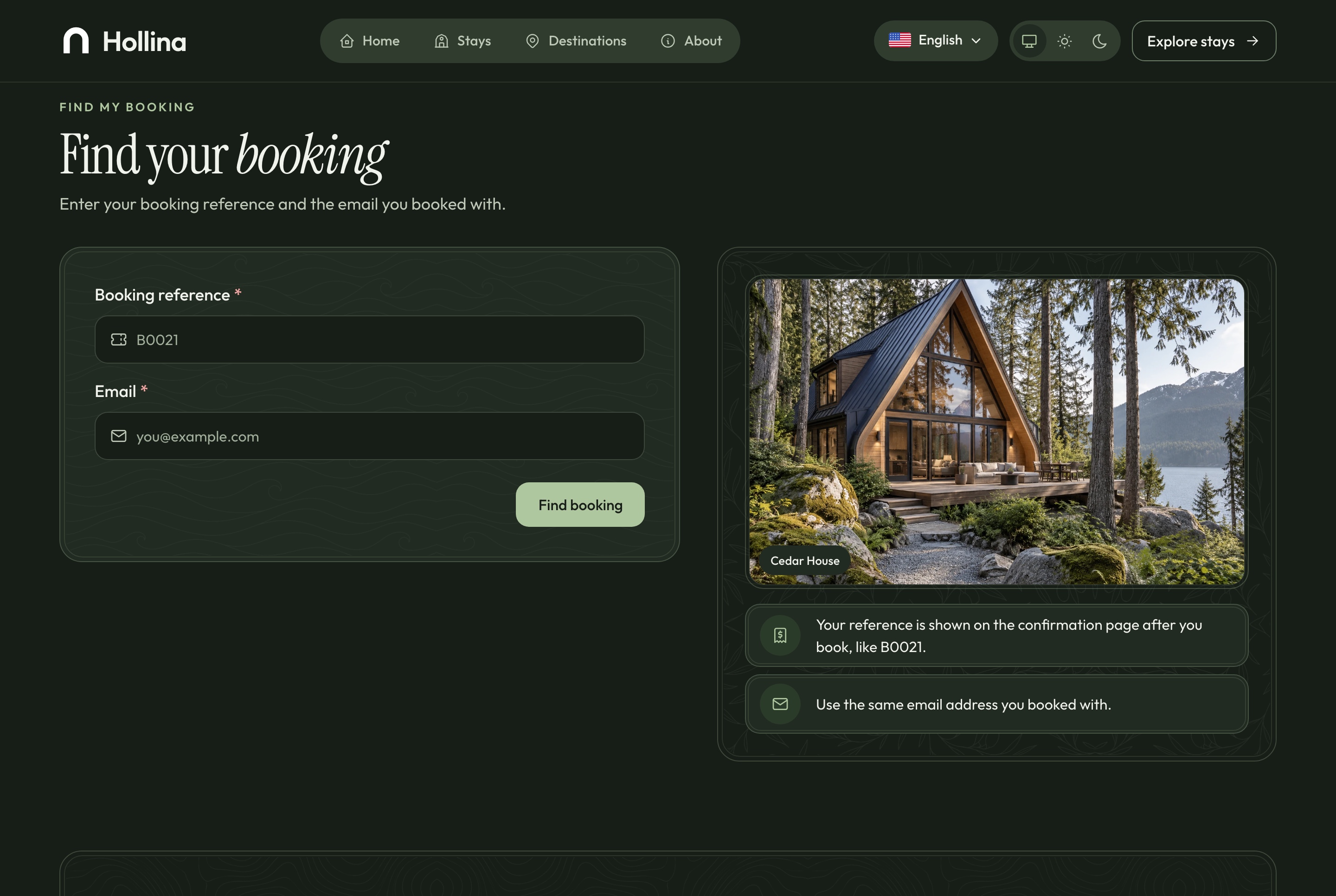
Find a booking, dark theme. A guest looks a booking up with its reference and the email it was made with, in the dark theme
A found booking, light theme. The booking a guest found, with cancellation under the policy while it still applies, in the light theme
A found booking, dark theme. The booking a guest found, with cancellation under the policy while it still applies, in the dark theme
Reviews from stays that really happened
Only a completed booking can be reviewed, from the guest's own booking page. The review appears on the stay at once, and the team can hide it or publish it again, with the stay's rating following each change.
The average and the count on every stay card
One review per completed booking
Published reviews on the stay page
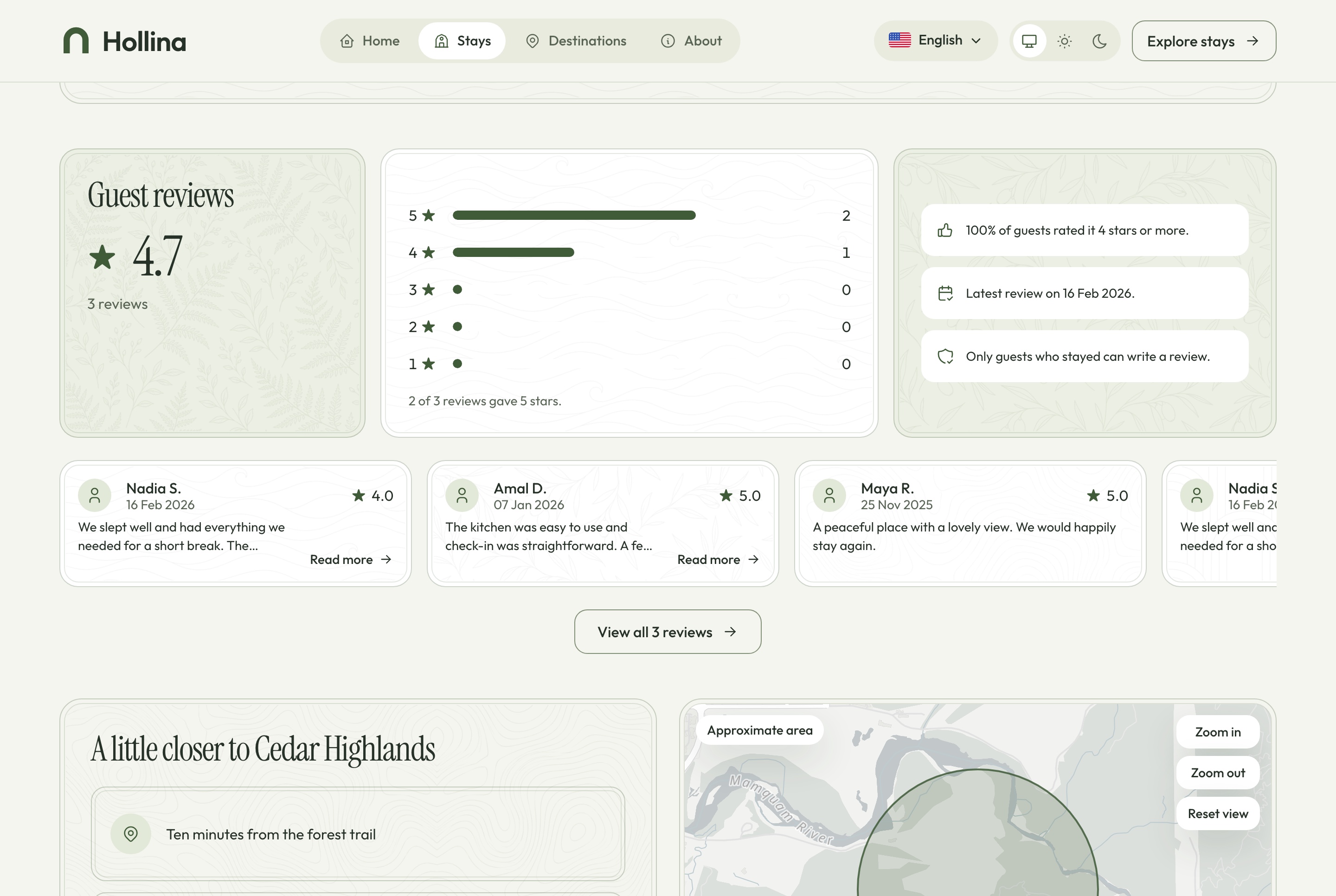
Stay page: guest reviews, light theme. Published reviews from completed stays and the rating they add up to, in the light theme
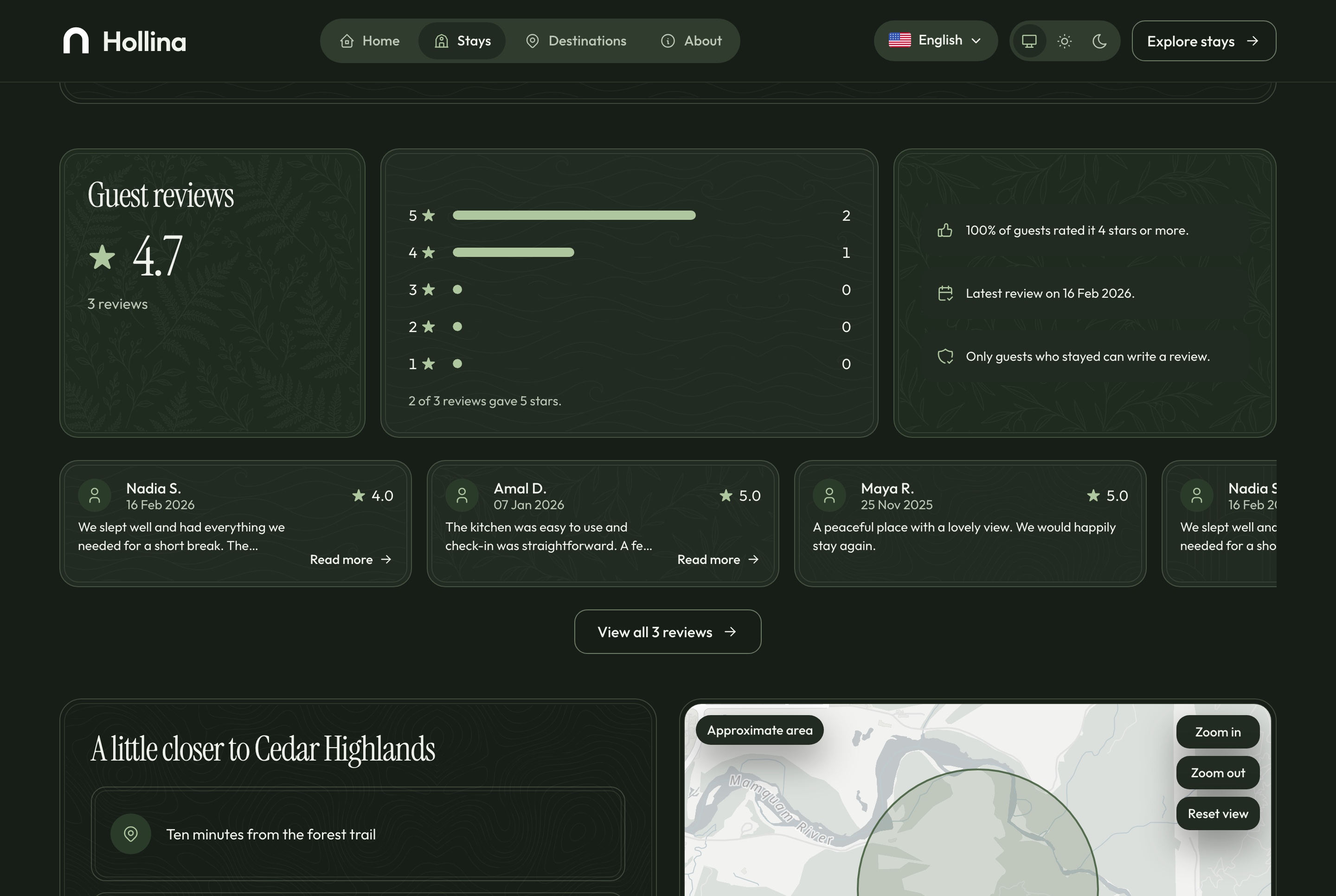
Stay page: guest reviews, dark theme. Published reviews from completed stays and the rating they add up to, in the dark theme
A booking, end to end
From a night on the calendar to a row in the dashboard
One booking touches every part of Hollina, and each part asks the same availability service, so the website, the checkout, the calendar and the assistant never disagree about a date.
On the website
The guest picks free nights on the calendar
The quote prices them with the cleaning fee
The dates are held for 30 minutes while the guest pays
At the processor
Stripe hosted Checkout or PayPal Orders v2
A signed webhook confirms, fails or refunds
A simulator stands in when no keys are set
In the dashboard
A notification arrives the moment it is paid
The booking appears on the calendar and the overview
The team checks the guest in and completes the stay
One booking with everything the team needs
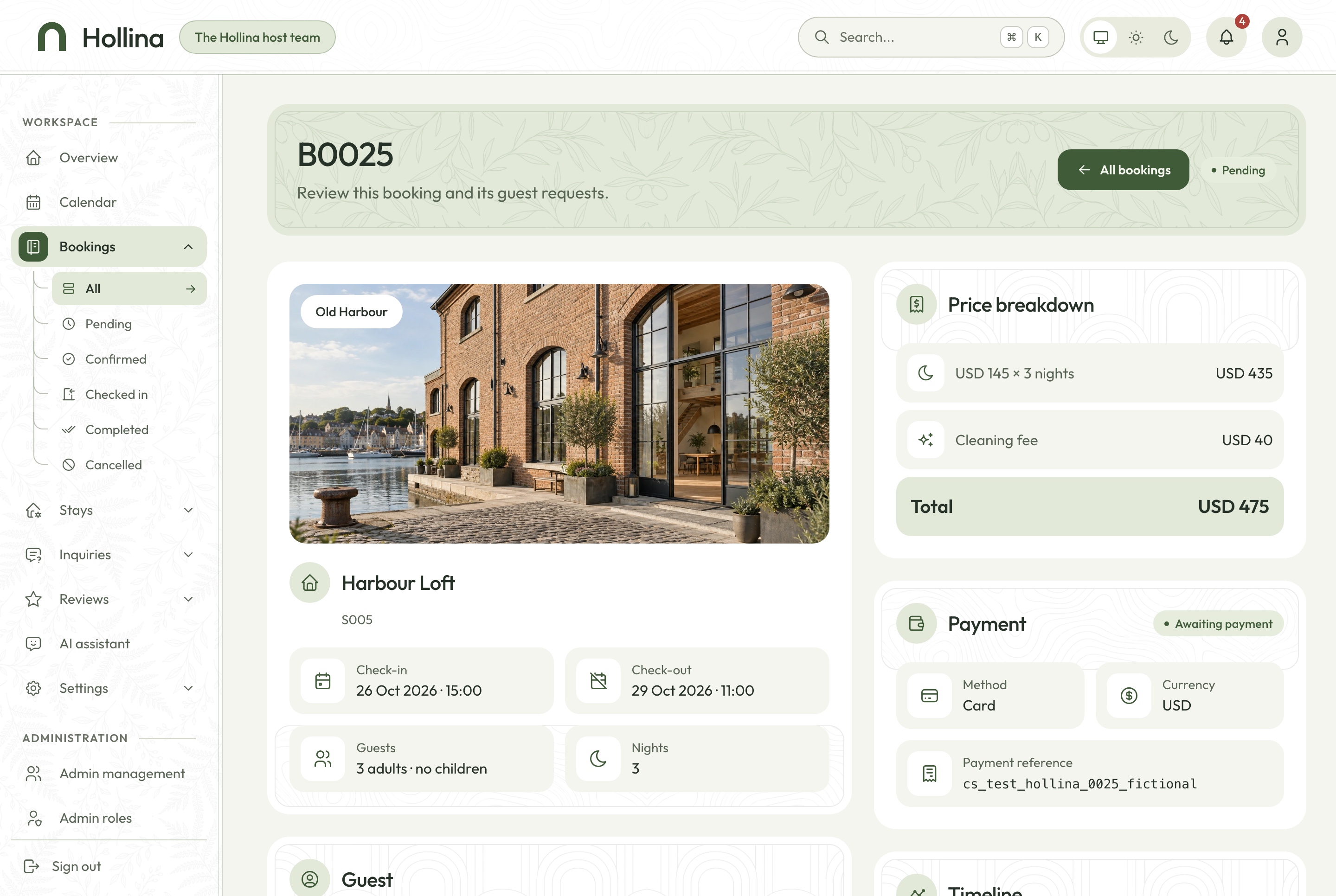
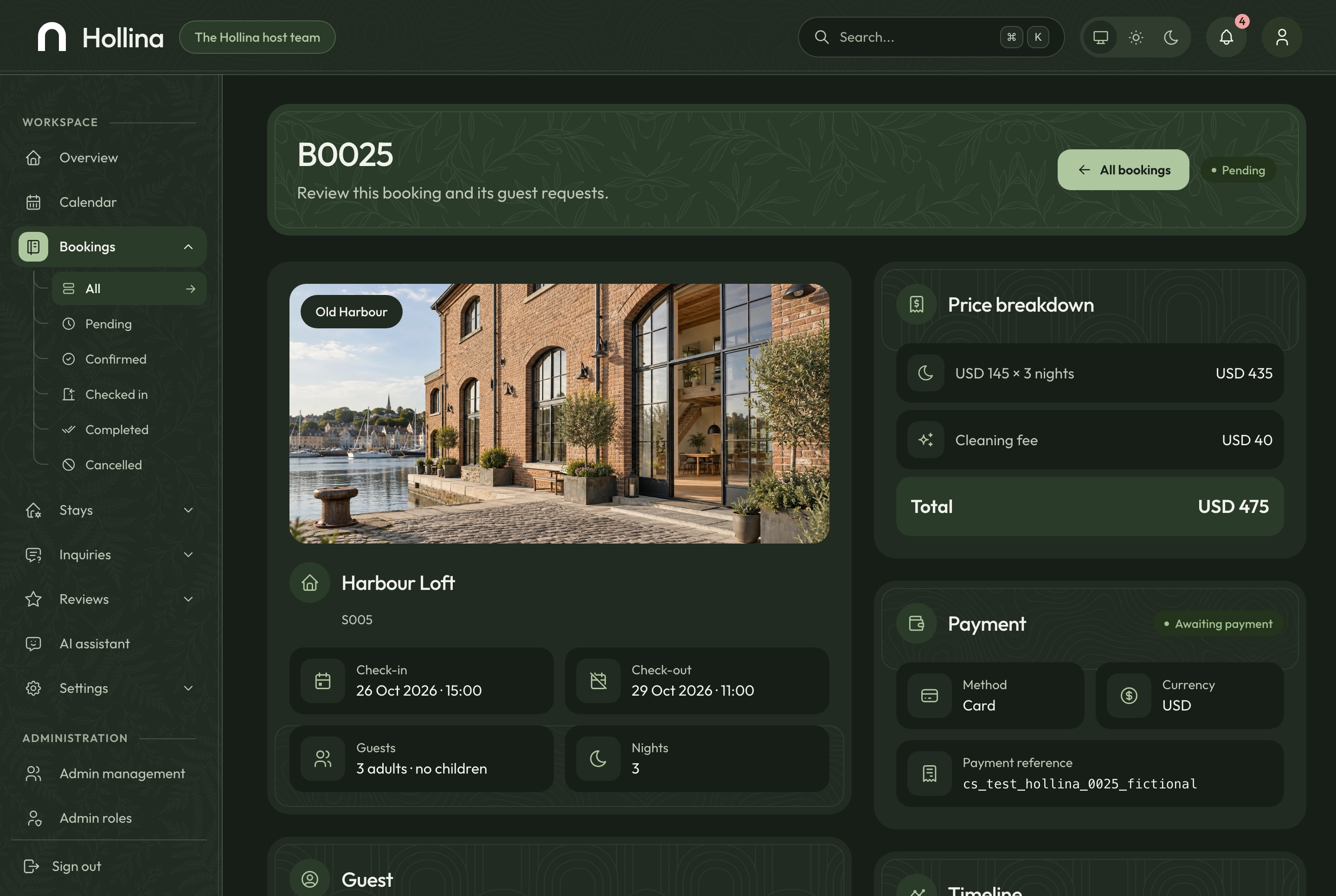
The stay, the guest, the price, the payment and a timeline of what happened, with the actions the booking's state allows. An action that is not available says why, so a card booking that is still unpaid cannot be confirmed by mistake.
Confirm, check in, complete or cancel
Pay on arrival marked paid at check-in
An internal note the guest never sees
Booking detail, light theme. One booking: the stay, the guest, the price, the payment, the timeline and the actions its state allows, in the light theme
Booking detail, dark theme. One booking: the stay, the guest, the price, the payment, the timeline and the actions its state allows, in the dark theme
Payments you can see, keys you cannot
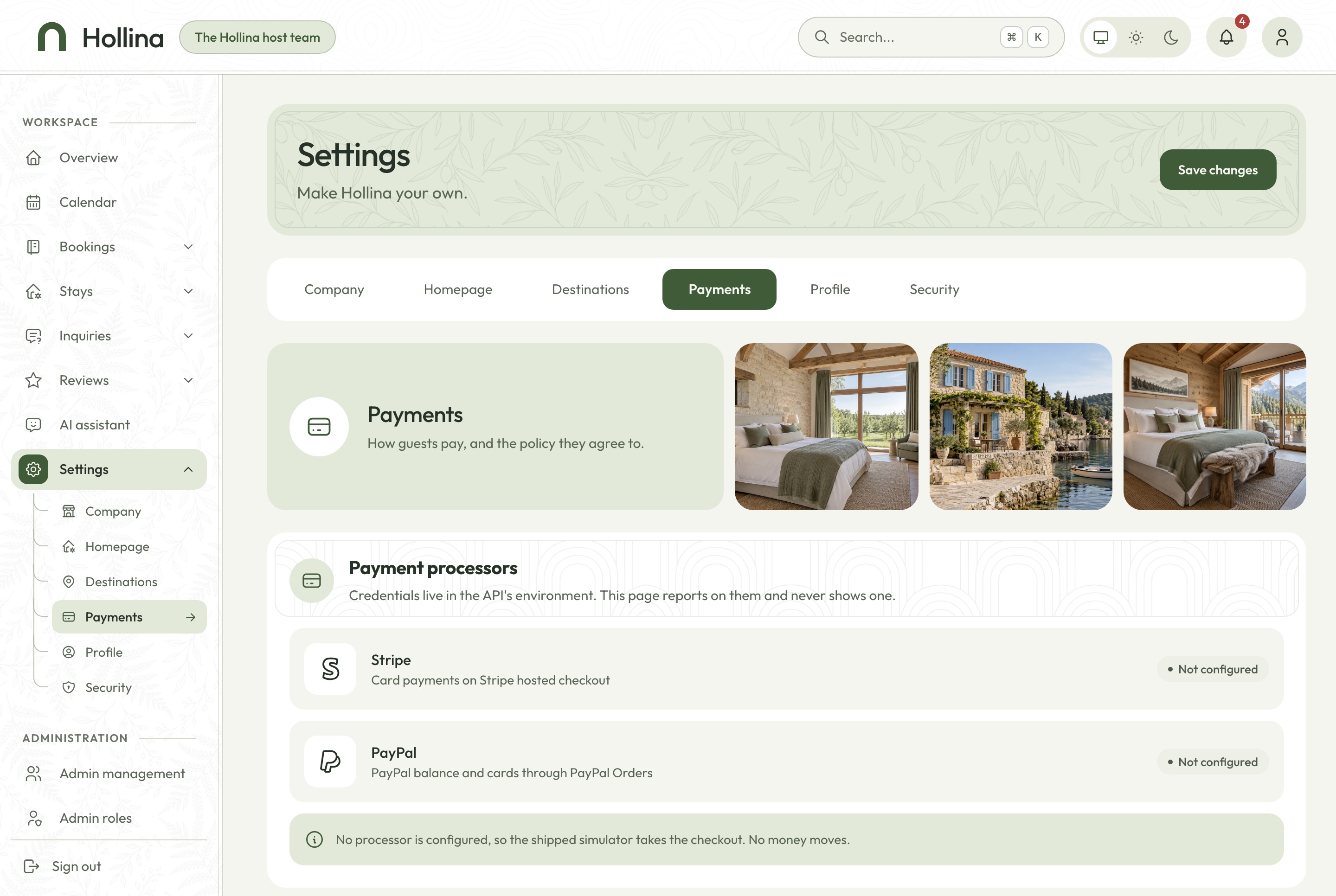
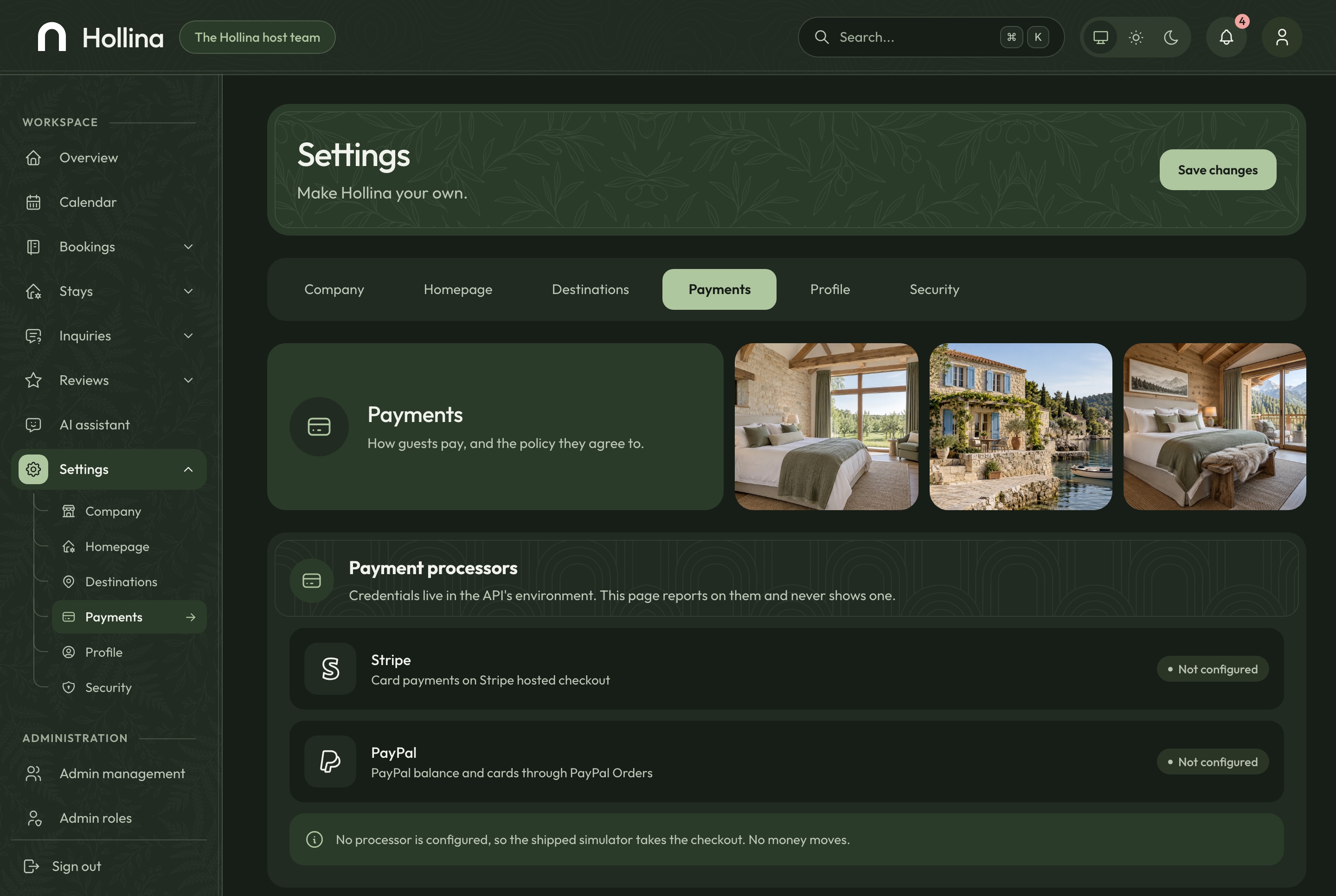
The Payments tab shows whether Stripe and PayPal are configured and in test or live mode, the pay on arrival switch and the cancellation policy guests read. Keys stay in the server's environment and never appear in the dashboard.
Add a processor with one class and one line
Test and live modes shown plainly
The policy text edited in both languages
Settings: payments, light theme. Which processor is configured, pay on arrival, and the cancellation policy guests read, in the light theme
Settings: payments, dark theme. Which processor is configured, pay on arrival, and the cancellation policy guests read, in the dark theme
Around the booking
The pages that help a guest decide
Destinations with their stays, a story about the host, a contact page, a privacy page and a list of saved stays, all in both languages and both themes.
Saved stays, no account needed
A guest keeps a shortlist on their device with the Save stay button, and comes back to it from the stays list.
A save button on every stay page
Kept in the browser, nothing to sign up for
Remove a stay from the list in one click
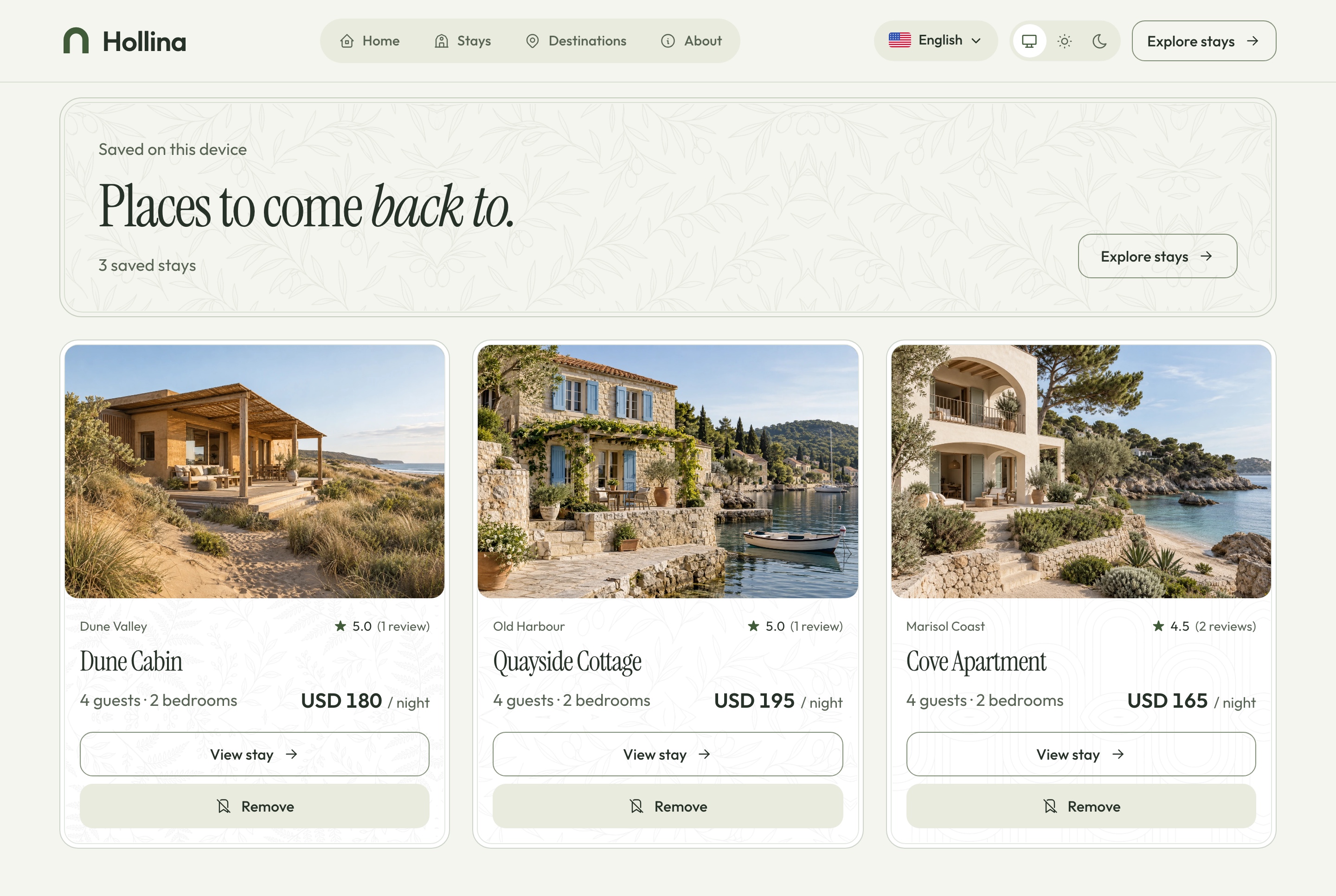
Saved stays, light theme. Stays a visitor kept on this device, no account needed, in the light theme
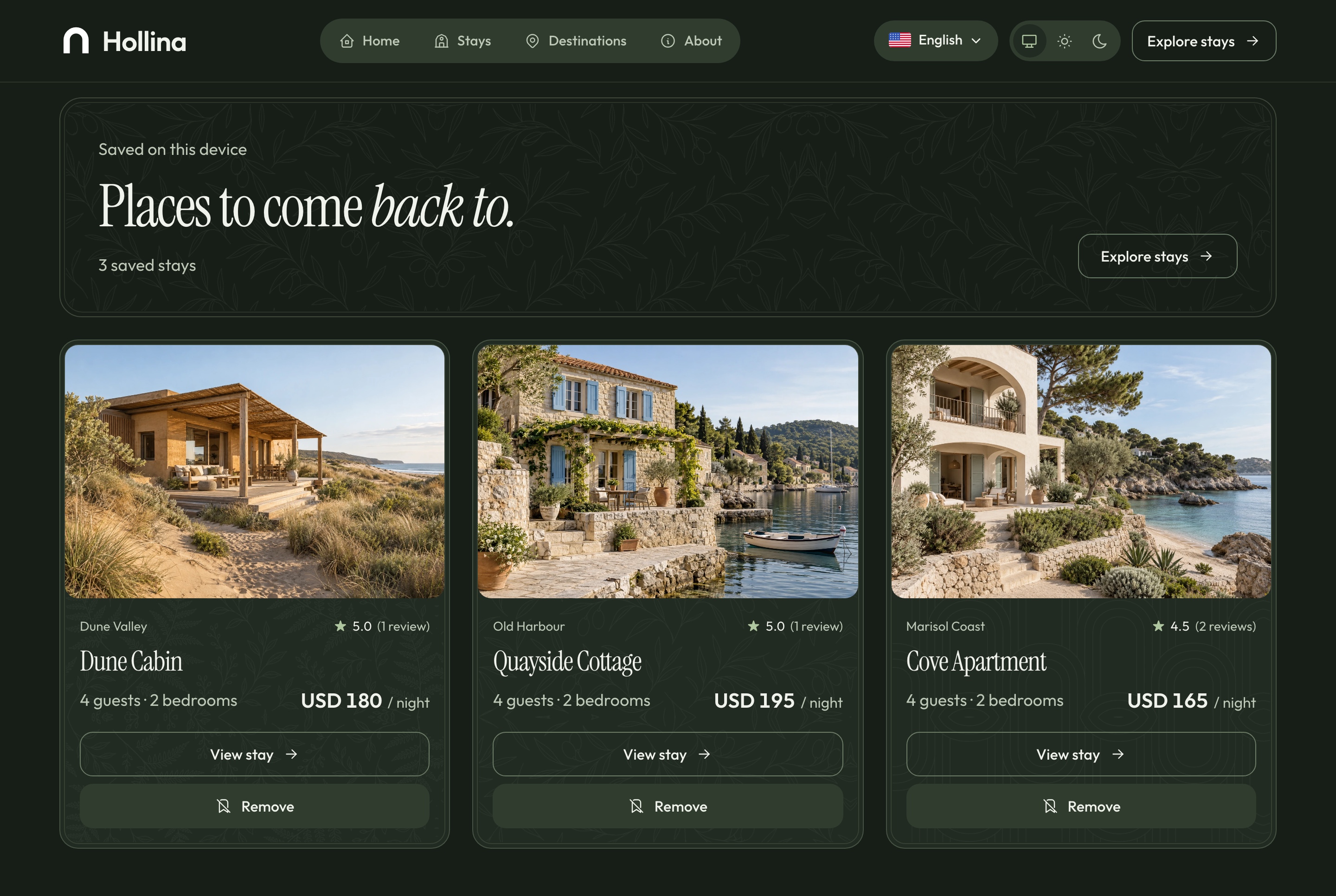
Saved stays, dark theme. Stays a visitor kept on this device, no account needed, in the dark theme
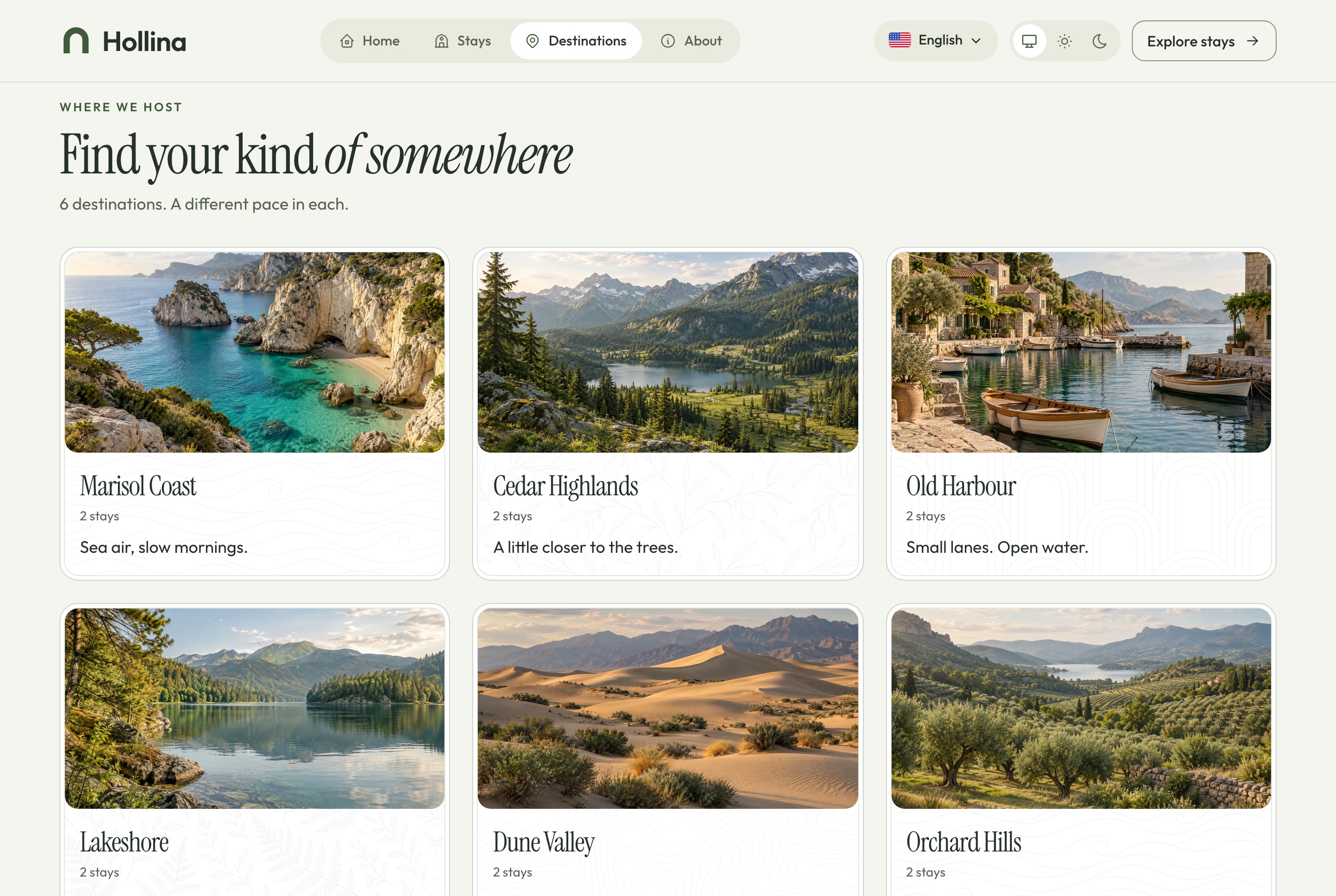
Destinations, light theme. Every destination as a large tile with its tagline and stay count, in the light theme
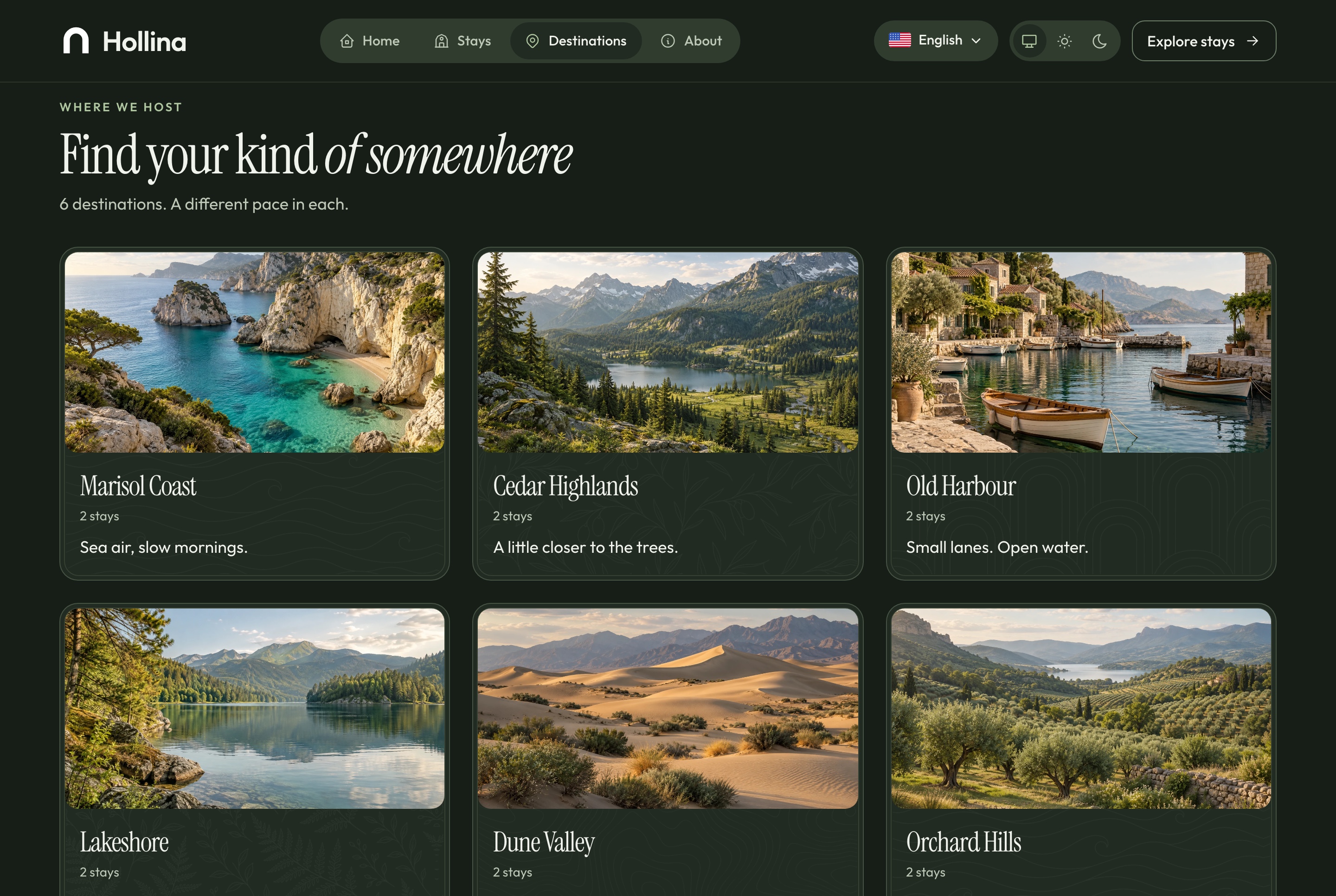
Destinations, dark theme. Every destination as a large tile with its tagline and stay count, in the dark theme
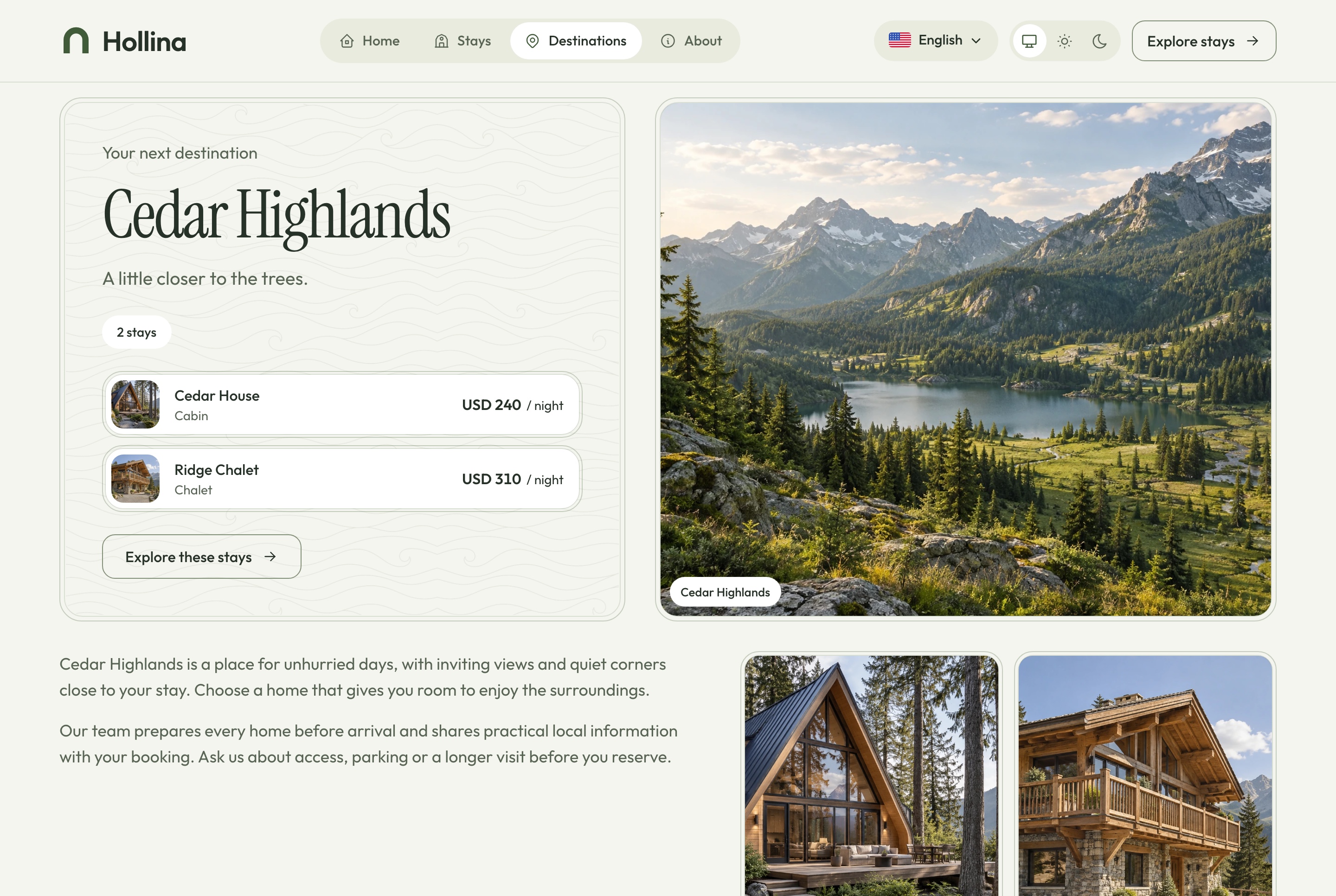
Destination page, light theme. Cedar Highlands: its introduction and the stays in it, in the light theme
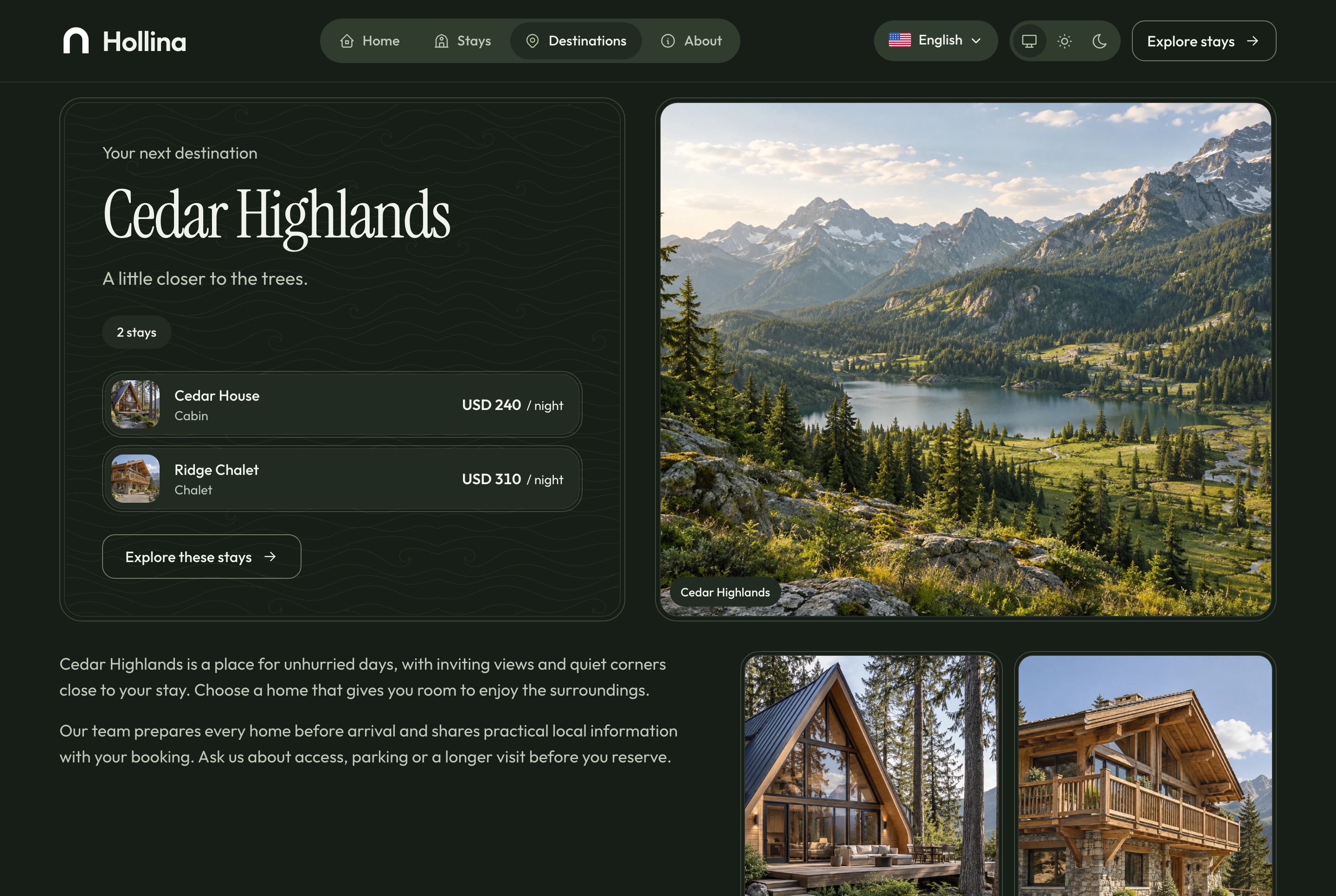
Destination page, dark theme. Cedar Highlands: its introduction and the stays in it, in the dark theme
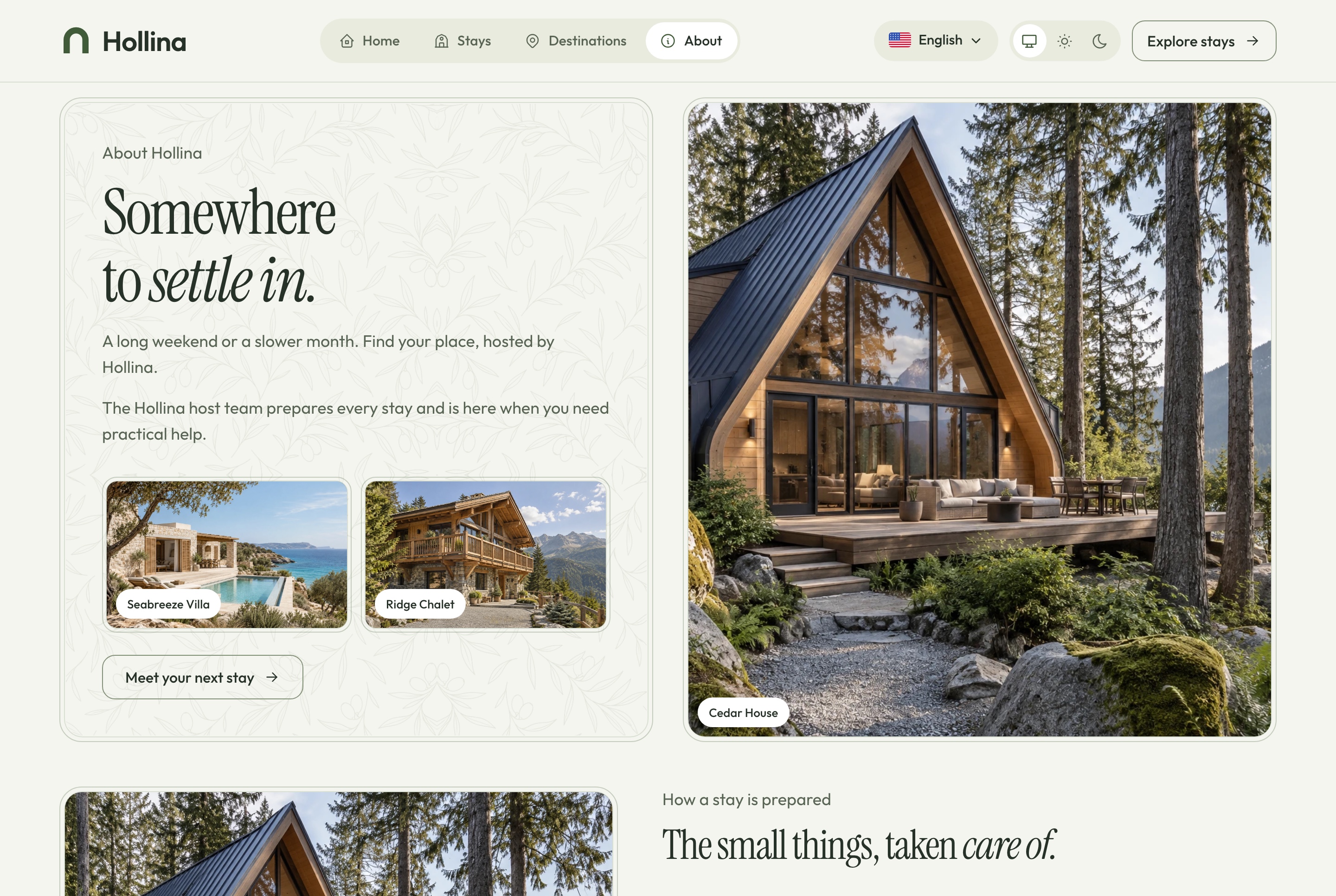
About, light theme. Who hosts the stays, how each one is prepared, what every stay includes, where they are, and how to ask about one, in the light theme
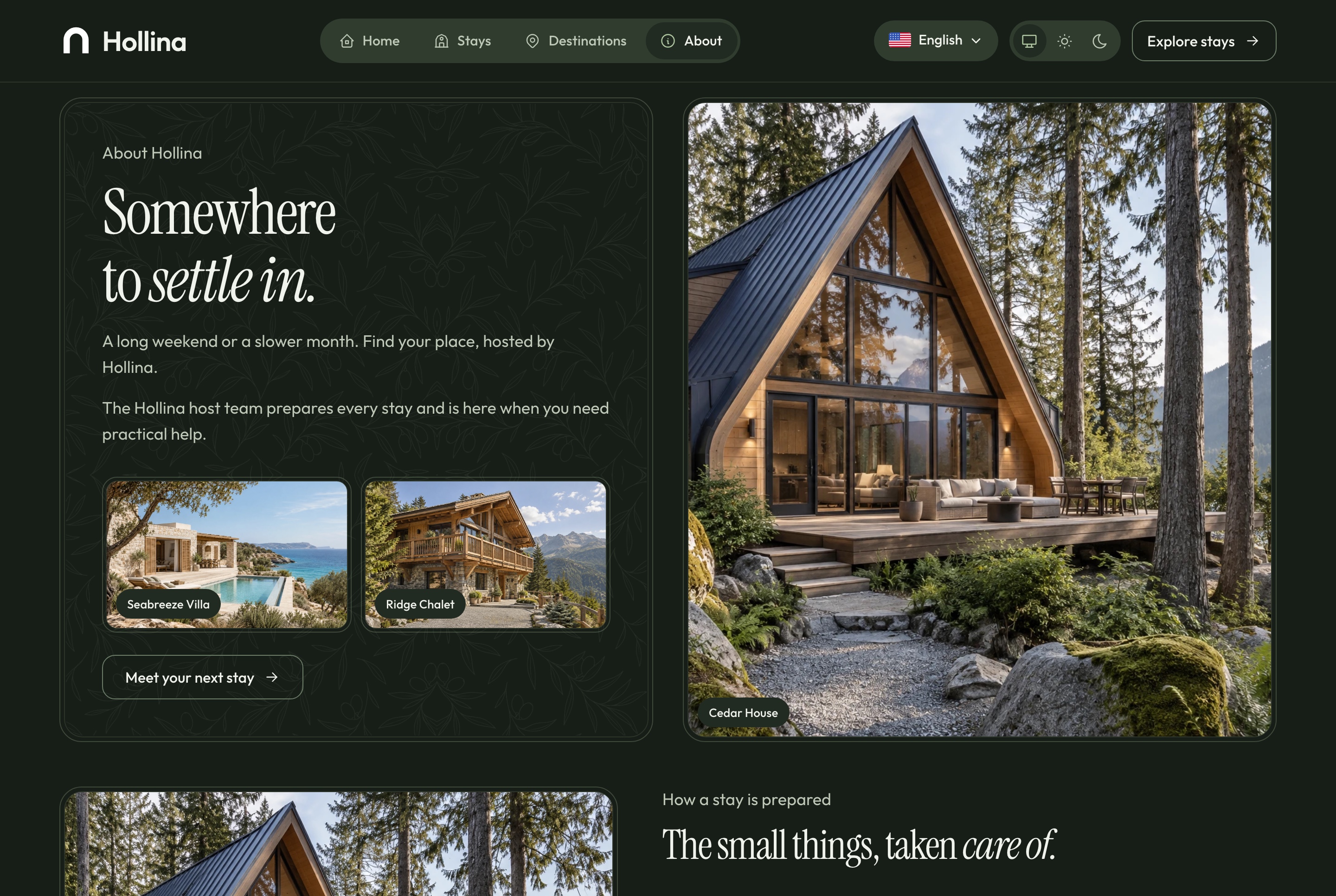
About, dark theme. Who hosts the stays, how each one is prepared, what every stay includes, where they are, and how to ask about one, in the dark theme
Forms that are safe to send twice
The contact form, the stay question and the checkout are built for real traffic, not only for a demo.
A repeated submission returns the record already stored
A hidden field and a per-address limit keep bots out
A reference number the guest can quote
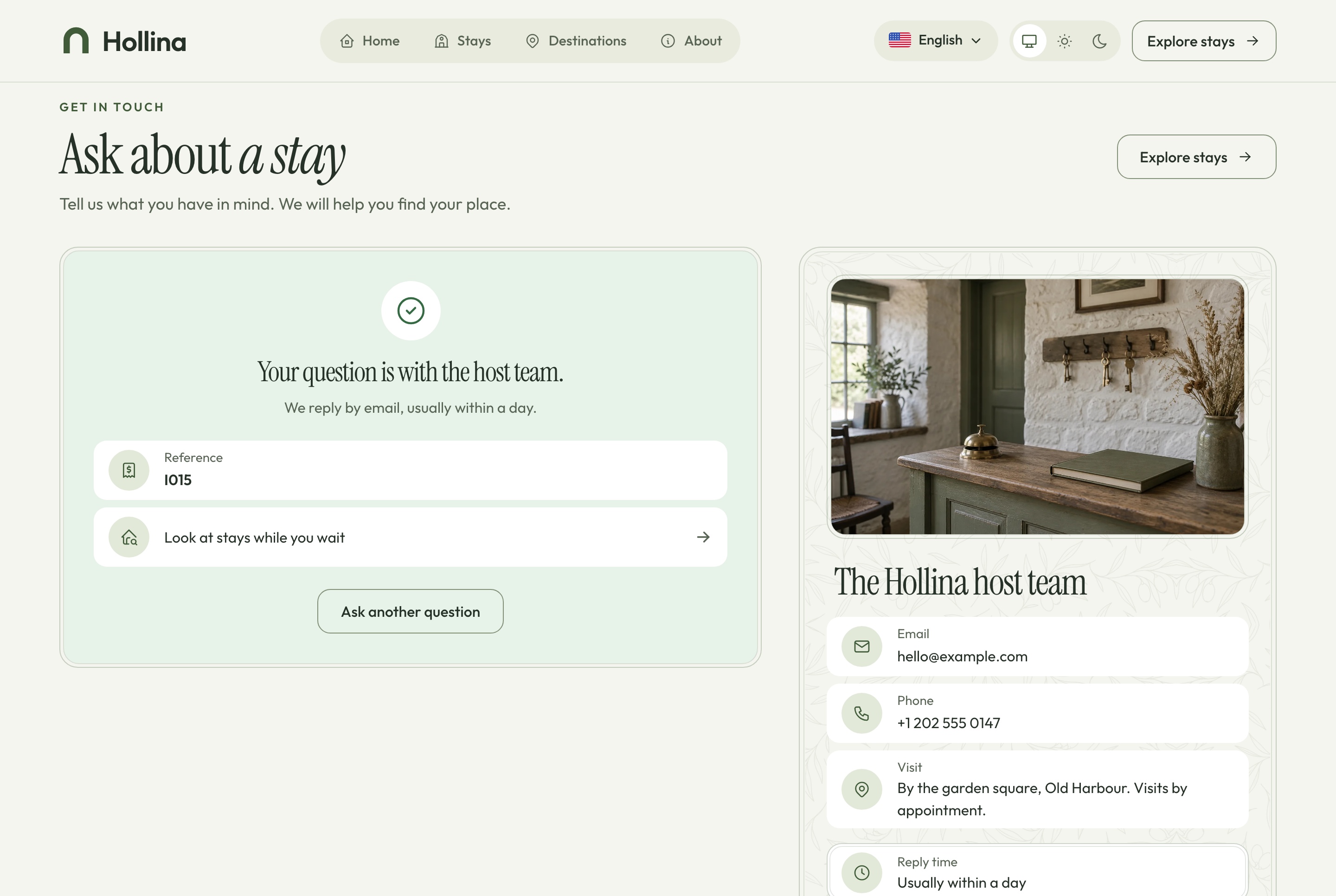
Contact, question sent, light theme. A question sent from the contact page and the confirmation the guest sees, in the light theme
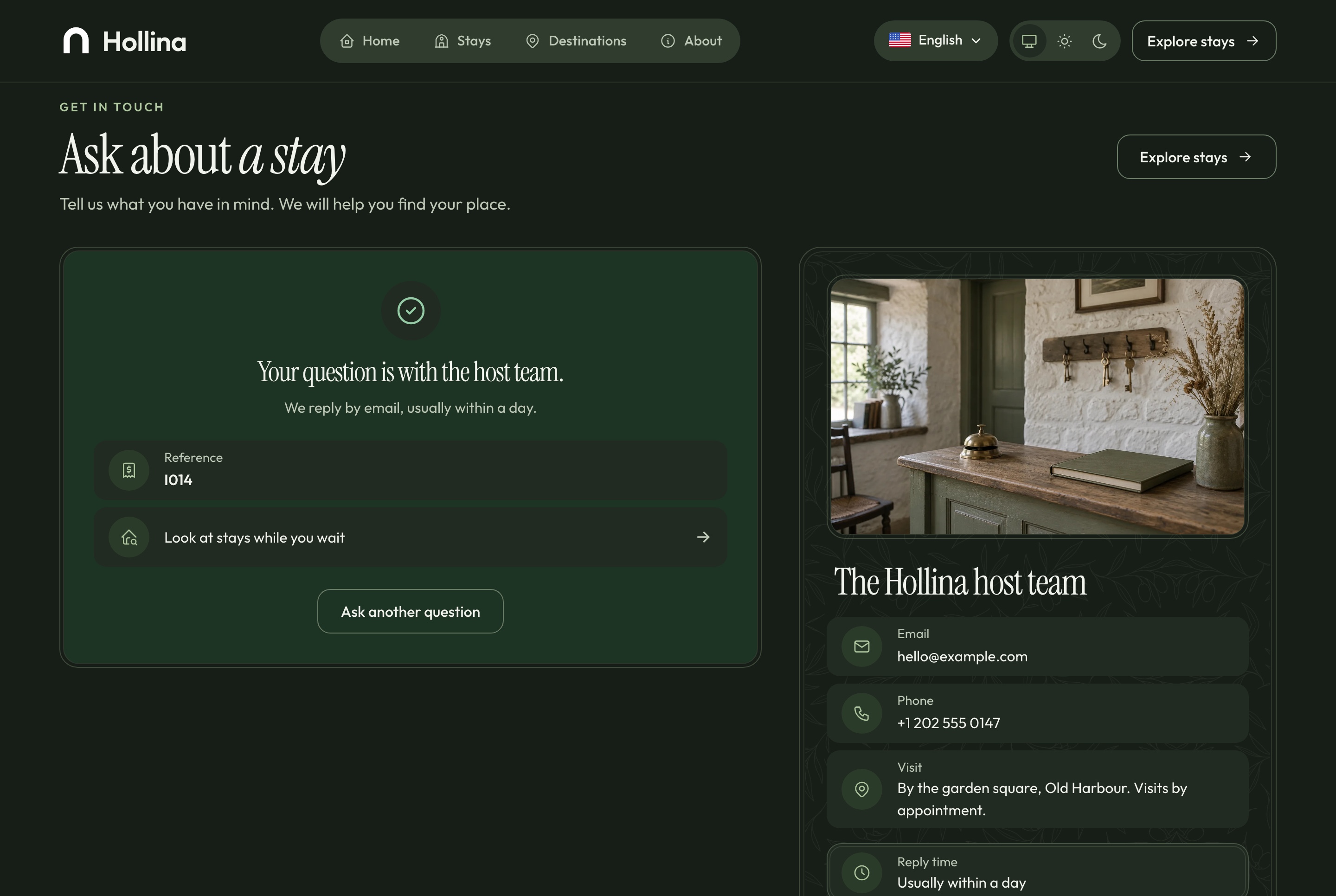
Contact, question sent, dark theme. A question sent from the contact page and the confirmation the guest sees, in the dark theme
Bilingual, light and dark
English and Arabic, in both directions and both themes
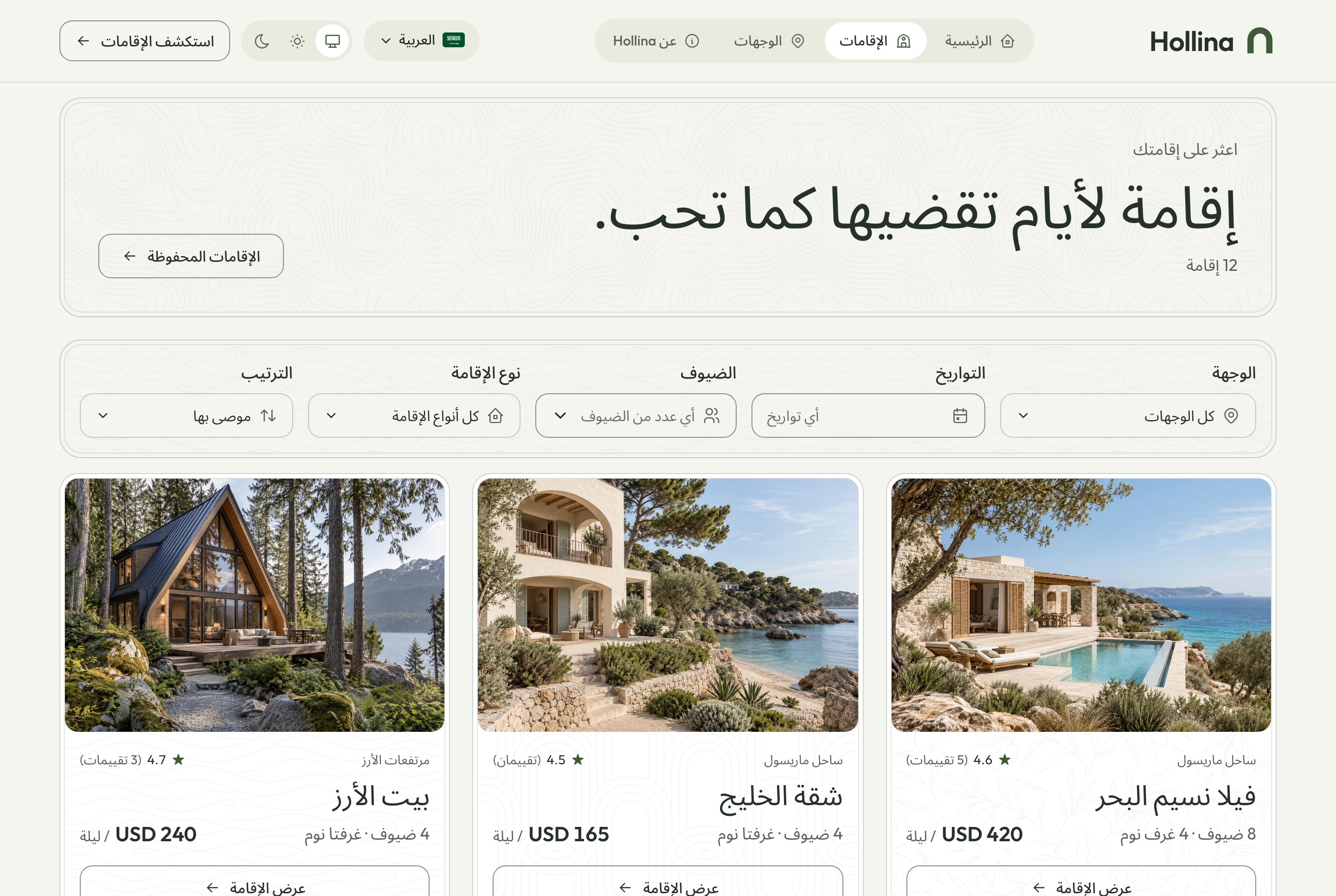
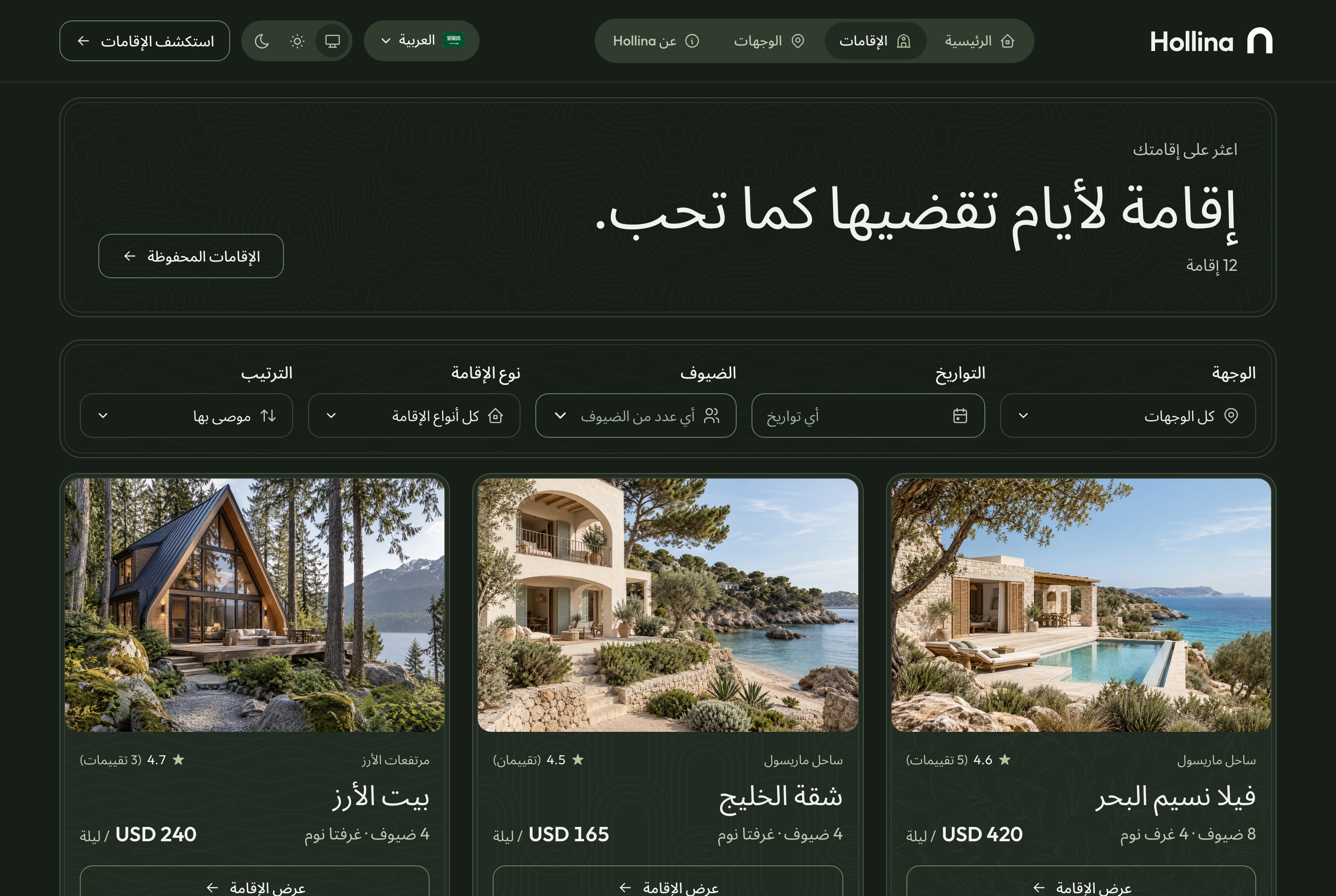
Every screen of the website and the dashboard is written in both languages and mirrors for Arabic, with prices, dates and references kept in Latin digits. Both apps follow the system theme or the one the visitor picks, set before the first paint so a page never flashes.
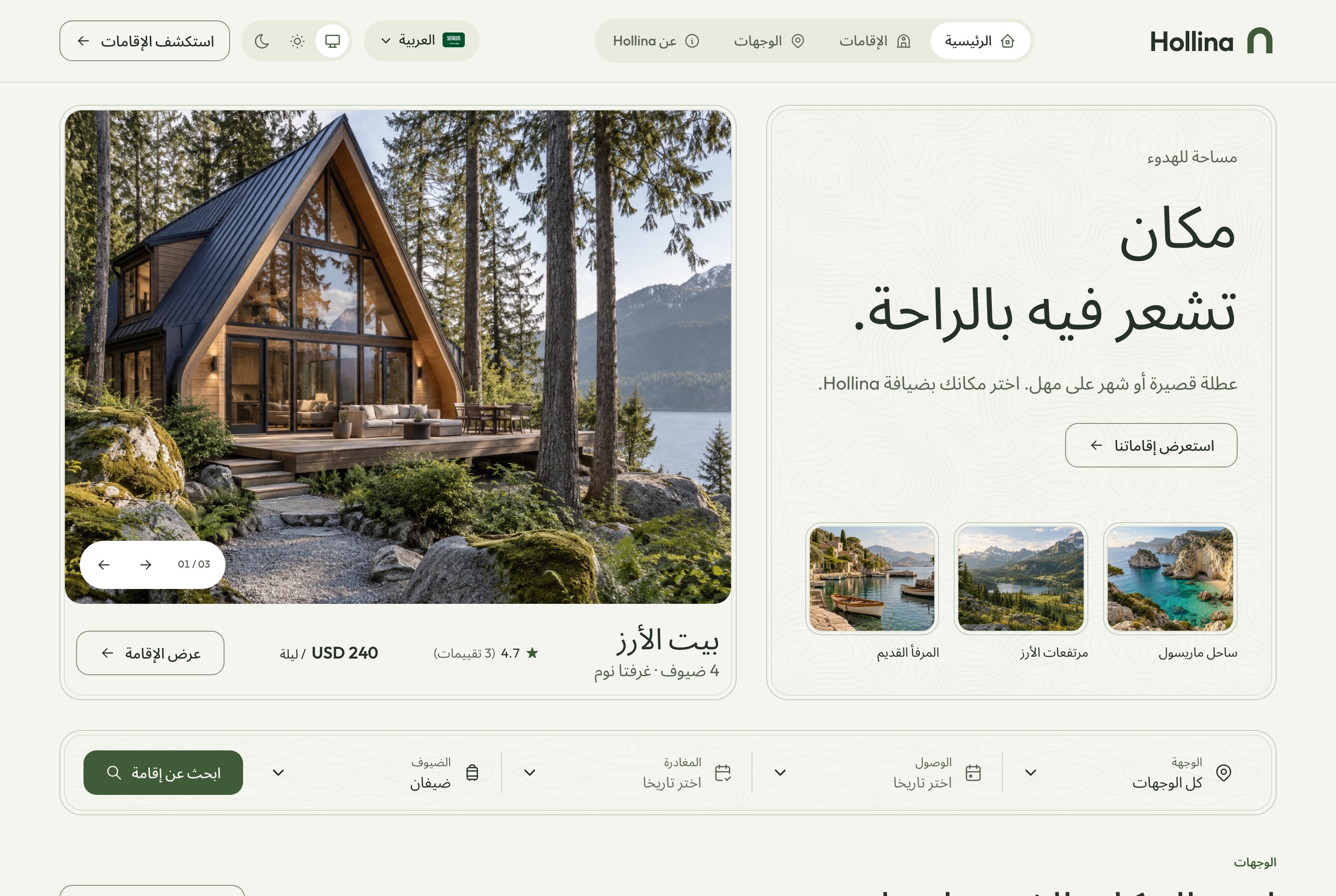
Arabic home page, light theme. The home page in Arabic, mirrored right to left, with figures kept in Latin digits, in the light theme
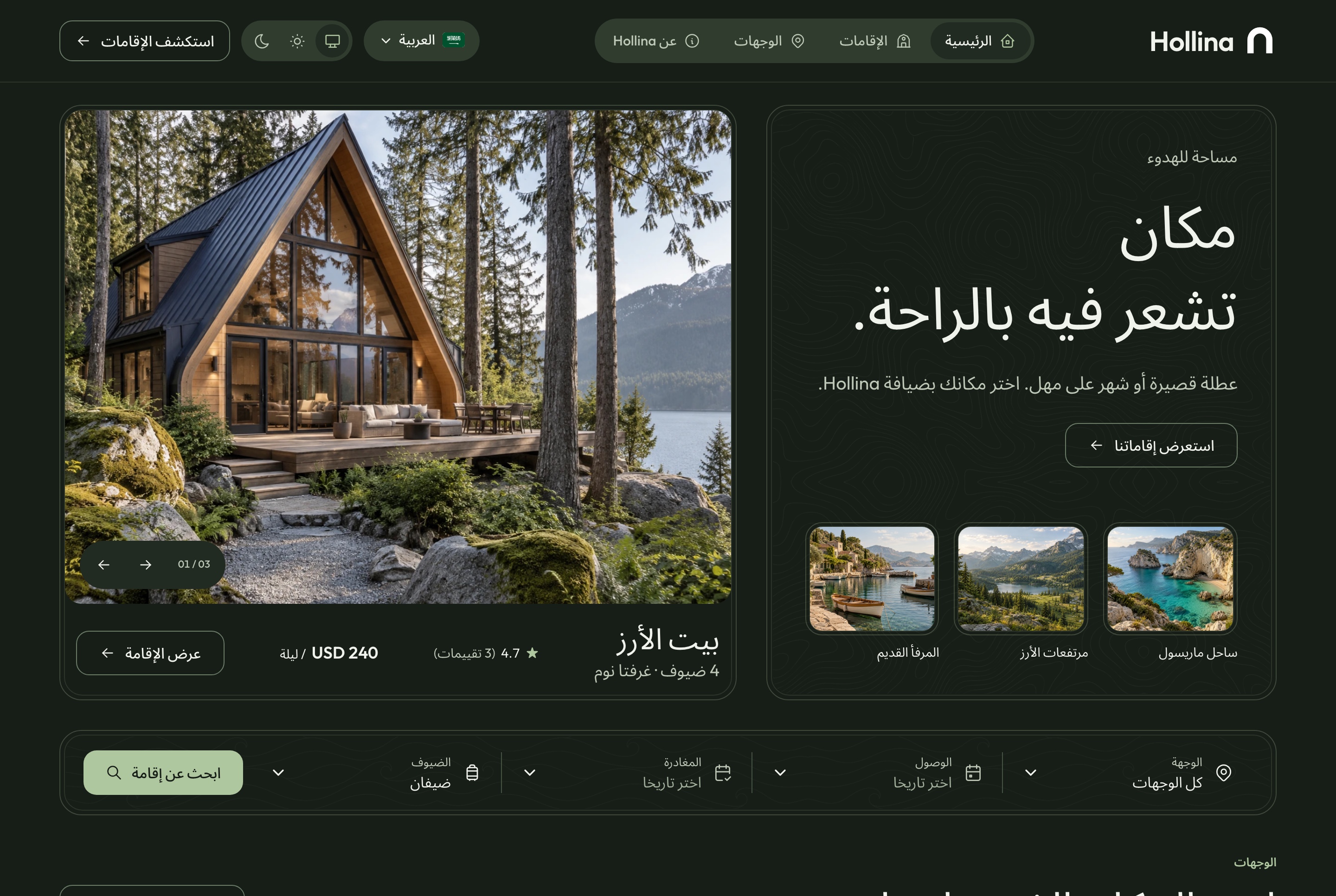
Arabic home page, dark theme. The home page in Arabic, mirrored right to left, with figures kept in Latin digits, in the dark theme
Arabic stays list, light theme. The stays list in Arabic with the filters mirrored, in the light theme
Arabic stays list, dark theme. The stays list in Arabic with the filters mirrored, in the dark theme
Responsive
Made for the phone a guest is holding
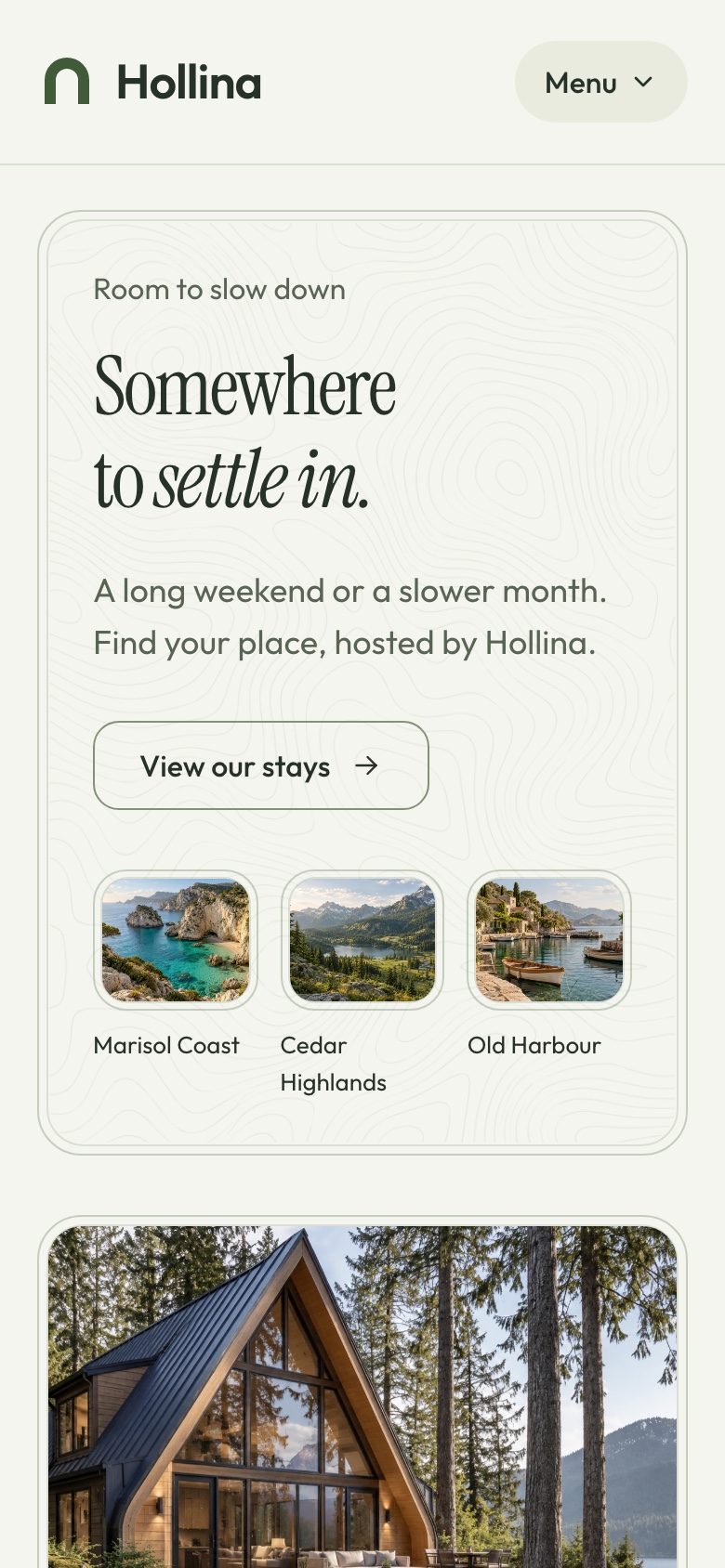
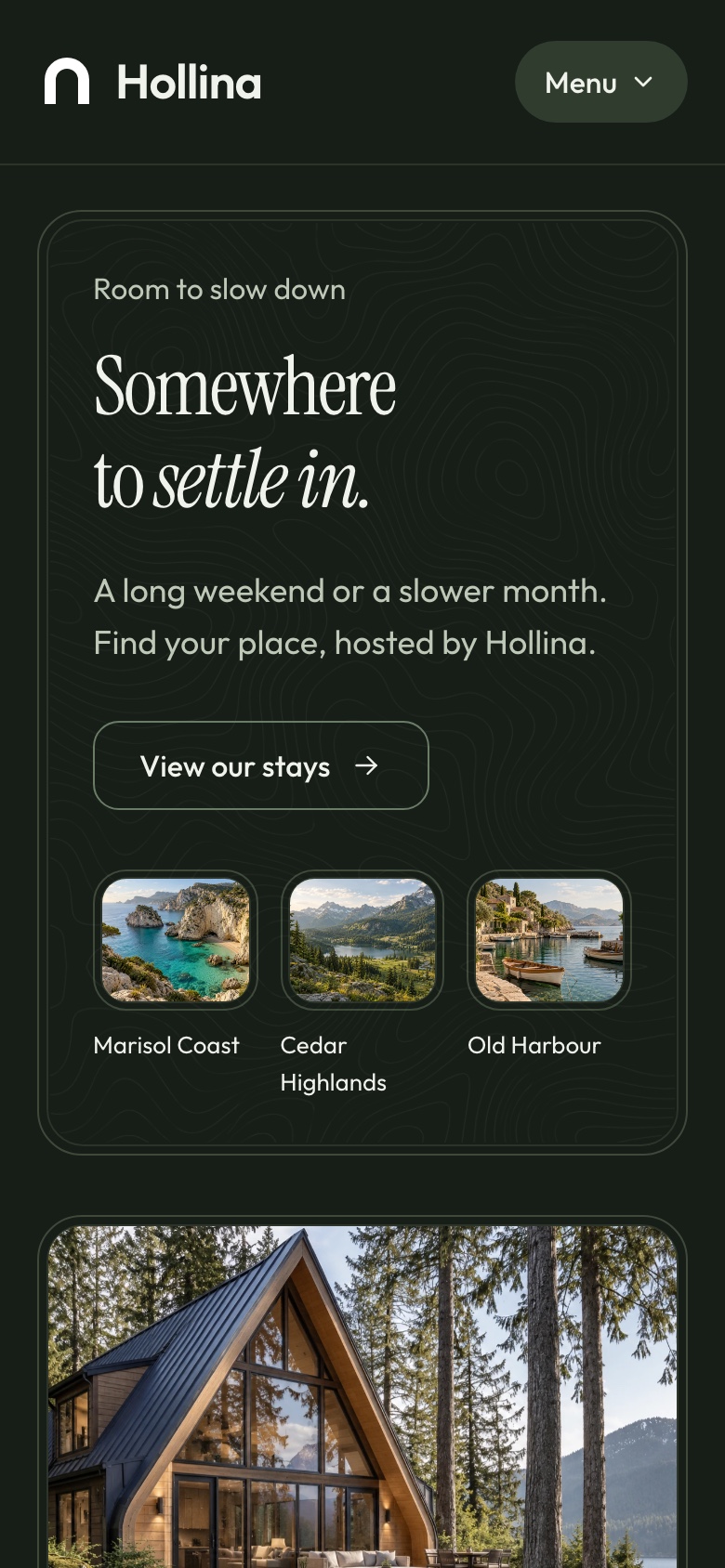
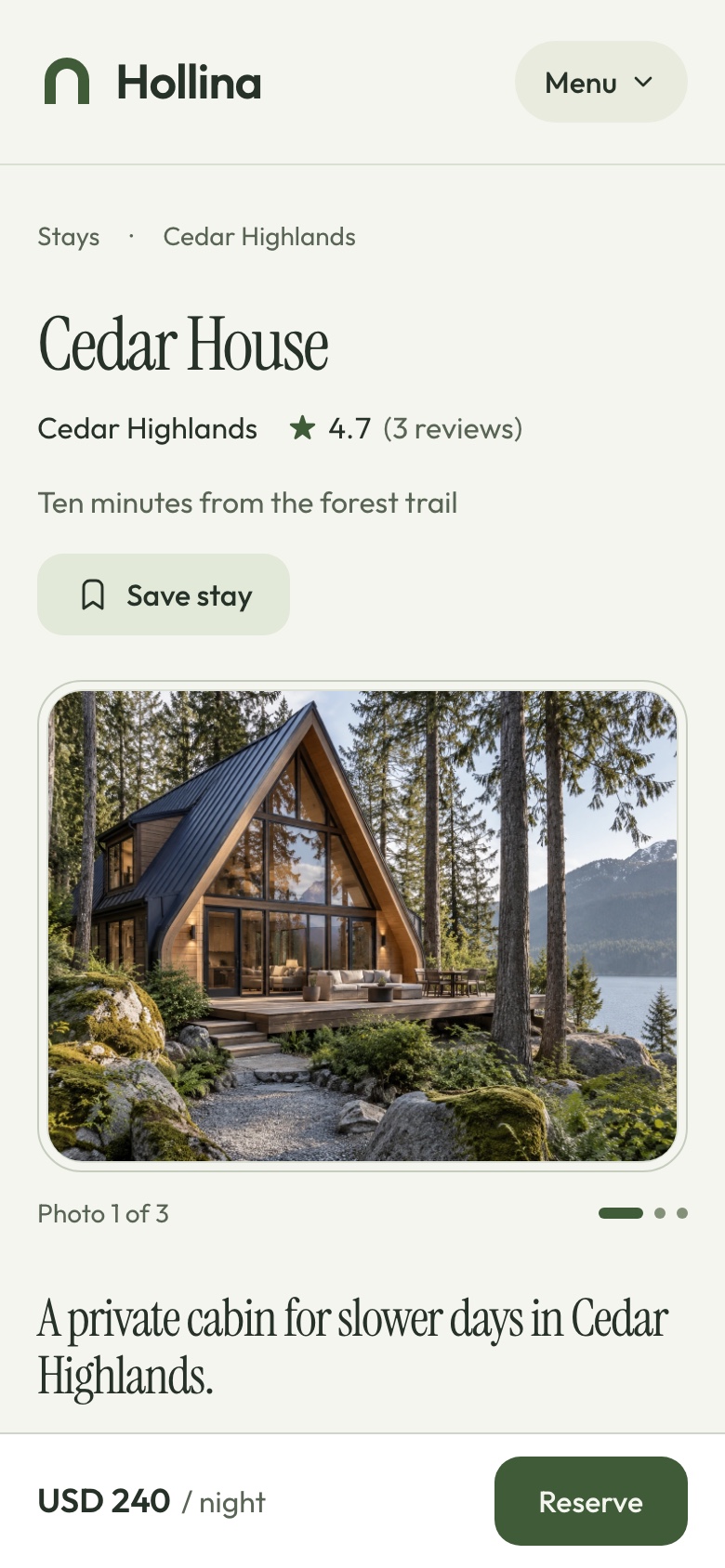
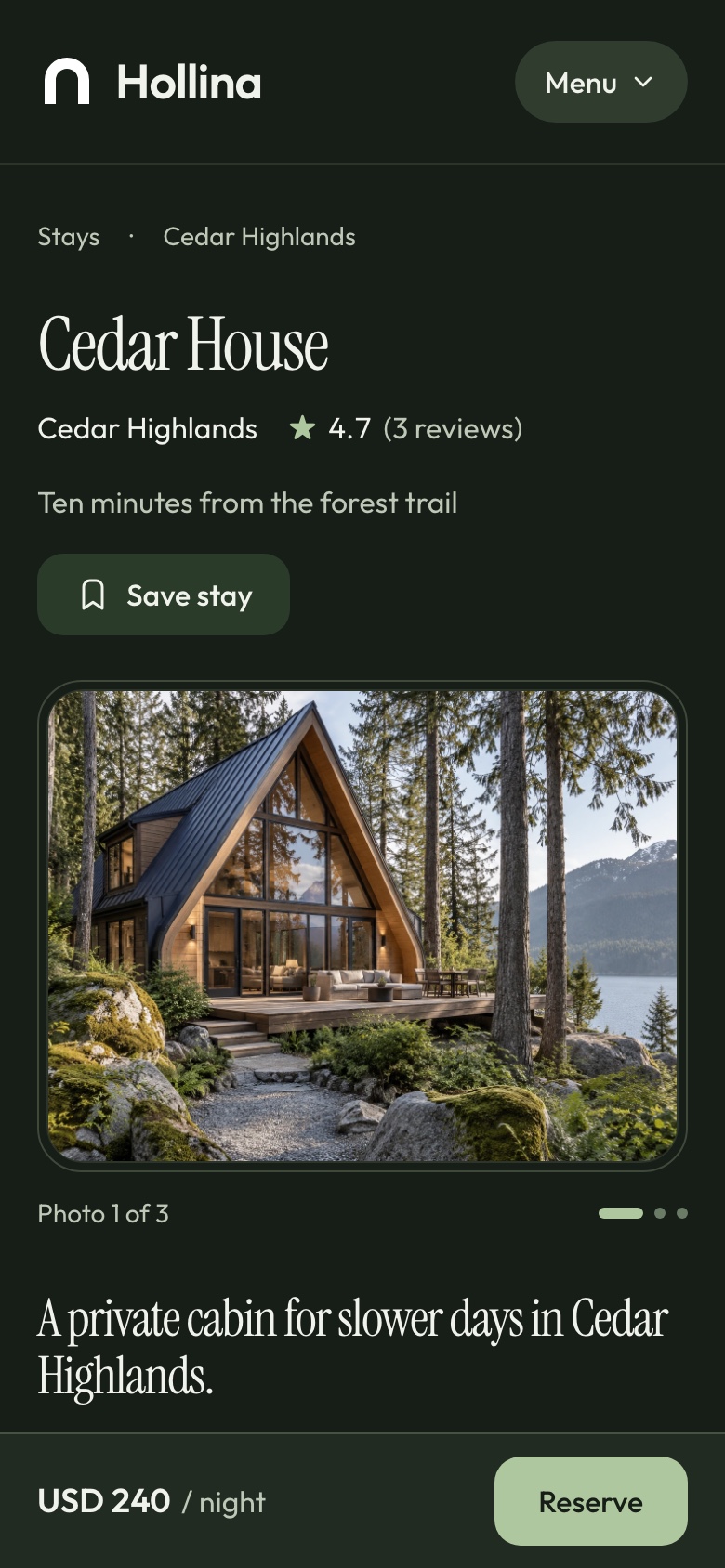
The stays, the stay page and the checkout are laid out for a narrow screen. On a phone the stay page keeps a reserve bar at the bottom with the price and the next step, however far the guest scrolls.
Phone: home, light theme. The home page at phone width, in the light theme
Phone: home, dark theme. The home page at phone width, in the dark theme
Phone: stay page, light theme. Cedar House at phone width with the reserve bar, in the light theme
Phone: stay page, dark theme. Cedar House at phone width with the reserve bar, in the dark theme
What you get
Everything to run it, not only the screens
Source code for all three apps, the data to start from and the documentation to take it further.
Source code
The website, the booking dashboard and the API
TypeScript throughout, with exact pinned dependencies
A commercial license for unlimited projects
Data
A seeder with 14 stays, 6 destinations, 60 bookings, inquiries and reviews
The demo stays' photos, served by the API
Two accounts: a super admin and a manager
Docs and demo mode
A quick start for the stack and for each app
A setup guide for Stripe and PayPal
A demo mode for public previews, off by default and removed with one command
Under the hood
Build on a familiar full-stack foundation
Next.js 16, React 19, TypeScript, Tailwind CSS 4, and a modular NestJS backend.
Frontend
Next.js 16 App Router, React 19, TypeScript
Tailwind CSS 4
TanStack Query for API data
React Hook Form and Zod for forms
next-intl for localization
Backend
NestJS with per-domain modules
TypeORM with SQLite, or MySQL through configuration
JWT authentication with roles and permissions
Stripe and PayPal behind one payment gateway registry
Socket.io for live notifications and an MCP server
Media
Uploads to a local folder or a Cloudflare R2 bucket
Absolute media URLs from the API
Next.js image optimization on both frontends
Before you launch
What you configure yourself
Hollina is a source-code template, not a managed hosting subscription. Configure your hosting, database, media storage and the external services you choose to use.
Hosting and data
A Node host for the API and the two Next.js apps
SQLite on a persistent disk, or MySQL
A persistent folder or an R2 bucket for uploads
Payments and AI
Your own Stripe account and PayPal app
Your own Google Gemini key for the assistant
Processor and provider charges are not included
Not included
Guest accounts and transactional email
Seasonal rates, discount codes and channel sync
Maps, several currencies and payouts to owners
Explore
Explore Hollina before you build
Browse the website as a guest and book a stay: the demo runs in Stripe's test mode, so Stripe's test card 4242 4242 4242 4242 pays for it and no money moves. Then open the booking dashboard, whose sign-in page fills in a demo account for you. What you create there is yours alone, and the demo data is rebuilt every day. In the demo, the assistant runs on your own Google Gemini key. Screenshots use sample data.
Vacation rental hostsBoutique hotels and guesthousesProperty managersAgencies building a client's booking siteCabin and lodge operatorsBilingual booking sites with Arabic and RTL
Technical Specifications
Framework
Next.js 16.3.5
React Version
React 19.3.0
Styling
Tailwind CSS 4.3.3
TypeScript
Yes
Responsive
Mobile, Tablet, Desktop
Support Period
Lifetime Included
Pro Tip: All templates include comprehensive documentation to get you started quickly.
Frequently asked questions
What do I get when I buy this template?
The complete source code of the package you choose, downloaded from your personal dashboard right after checkout. A business invoice is available for every purchase.
Can I use it for client and commercial projects?
Yes. Every paid template comes with a Commercial licence that covers unlimited commercial projects, including work you deliver to clients.
Do I get updates after buying?
Yes. Updates are free. New versions appear in your dashboard, where you can download every file you own again at any time.
Is support included?
Yes. The assistant on this page answers in seconds, and email support is included with every purchase, at support@aniq-ui.com, with a reply within 4 hours.
Can I try it before I buy?
Yes. This template has a full live demo, linked at the top of this page, so you can click through the real thing before you decide.
Pricing
Choose your package
One payment for the full source code, yours to change and ship.
Everything included
Full Stack
Stays website + booking dashboard + NestJS API with Stripe, PayPal, TypeORM and auth
What is inside
Stays Website$55.30
Booking Dashboard$69.30
Backend API$69.30
Bought one by one$193.90
You save$68.60
Launch price · 30% off
$179$125.30
3 of 3 launch places left · applied at checkout
Or buy one part
Stays Website
The Next.js 16 stays website on its own. It requires the Hollina API, sold separately as the Backend API or together in Full Stack.
Launch price · 30% off
$79$55.30
Booking Dashboard
The Next.js 16 booking dashboard on its own. It requires the Hollina API, sold separately as the Backend API or together in Full Stack.
Launch price · 30% off
$99$69.30
Backend API
The NestJS API on its own, with TypeORM, JWT auth, stays, availability, bookings, Stripe and PayPal payments, MCP tools and a one command seeder
Launch price · 30% off
$99$69.30
Safe and secure payments powered by Paddle
A VAT receipt is sent to your email after purchase.
Next.js Booking & Vacation Rental Template with Stripe and AI Assistant
Full Stack
$125.30 $179
$125.30$179
Related Templates
Restaurant
$179
Restaurant
Full Stack
New
AI
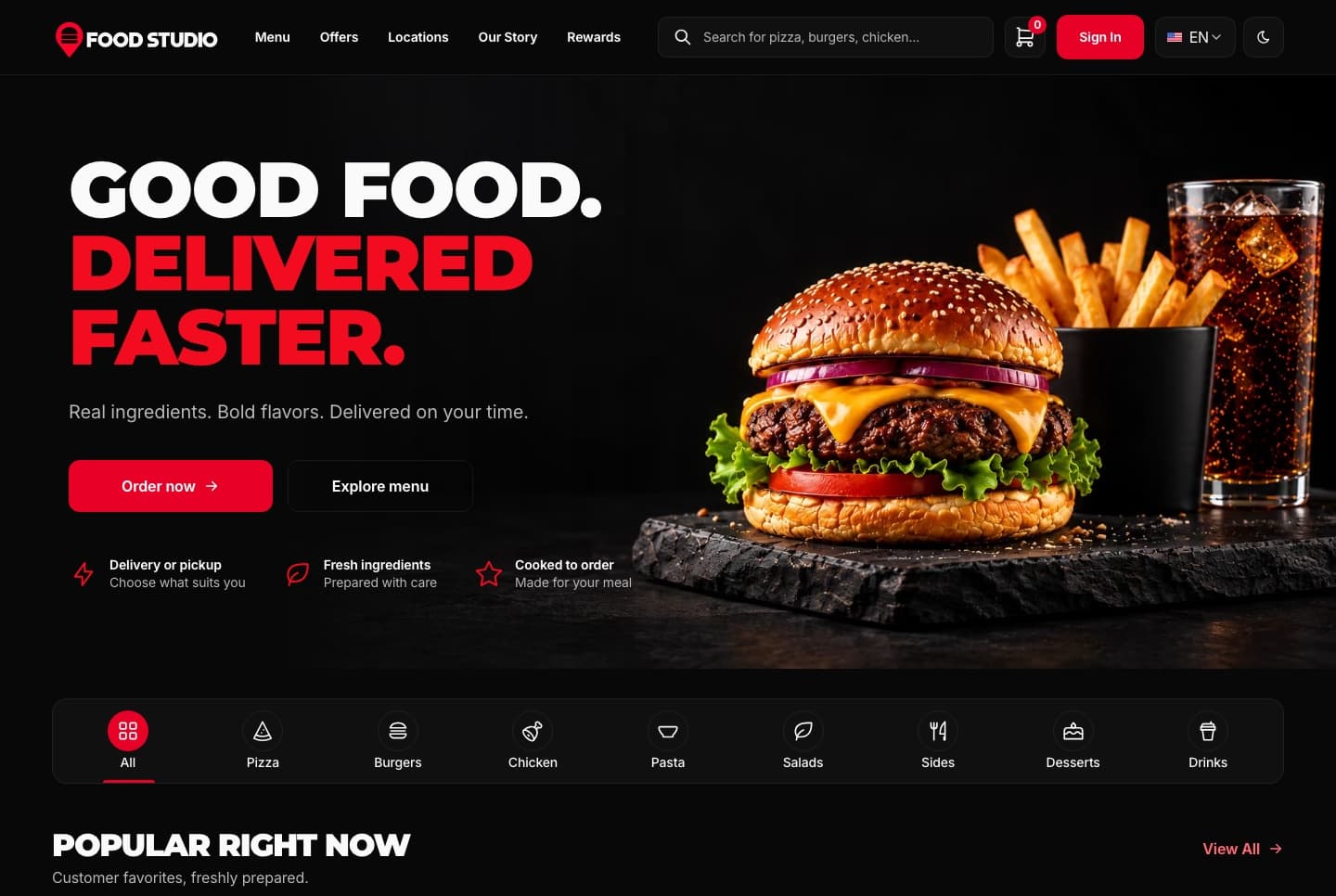
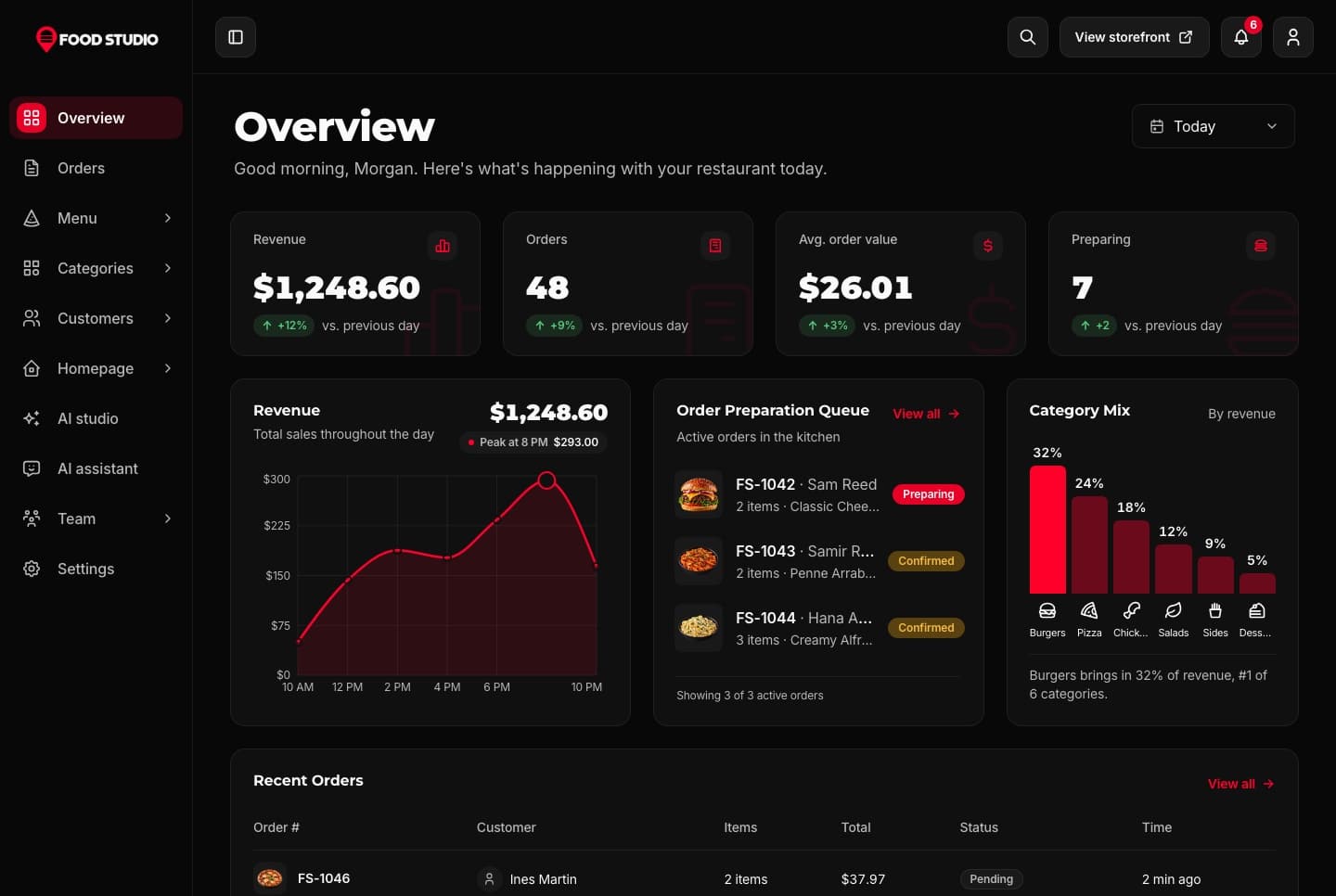
Food Studio is a full-stack Next.js restaurant template: an ordering website with menu, combos, cart, checkout and order tracking, a staff dashboard for orders, the menu and the kitchens, a NestJS API, AI tools for dish photos, and English and Arabic with RTL.
A Next.js 16 restaurant ordering website with a menu, combo meals, a meal builder, cart, checkout, order tracking and customer accounts, in English and Arabic.
A Next.js 16 restaurant admin dashboard for running orders, the menu, categories, customers, kitchens and the team, with an AI studio for dish photos, in English and Arabic.
Join thousands of developers worldwide who trust Aniq-UI for their projects. Our templates are being used across the globe to create stunning web experiences.
Contact Us
Questions about a template or your purchase? Get in touch with us
Full Name
Email Address
Message
Cookie Preferences
We use cookies to enhance your browsing experience, analyze site traffic, and personalize content. By clicking "Accept All", you consent to our use of cookies for analytics and personalized advertising.
 Learn more: Responsive Design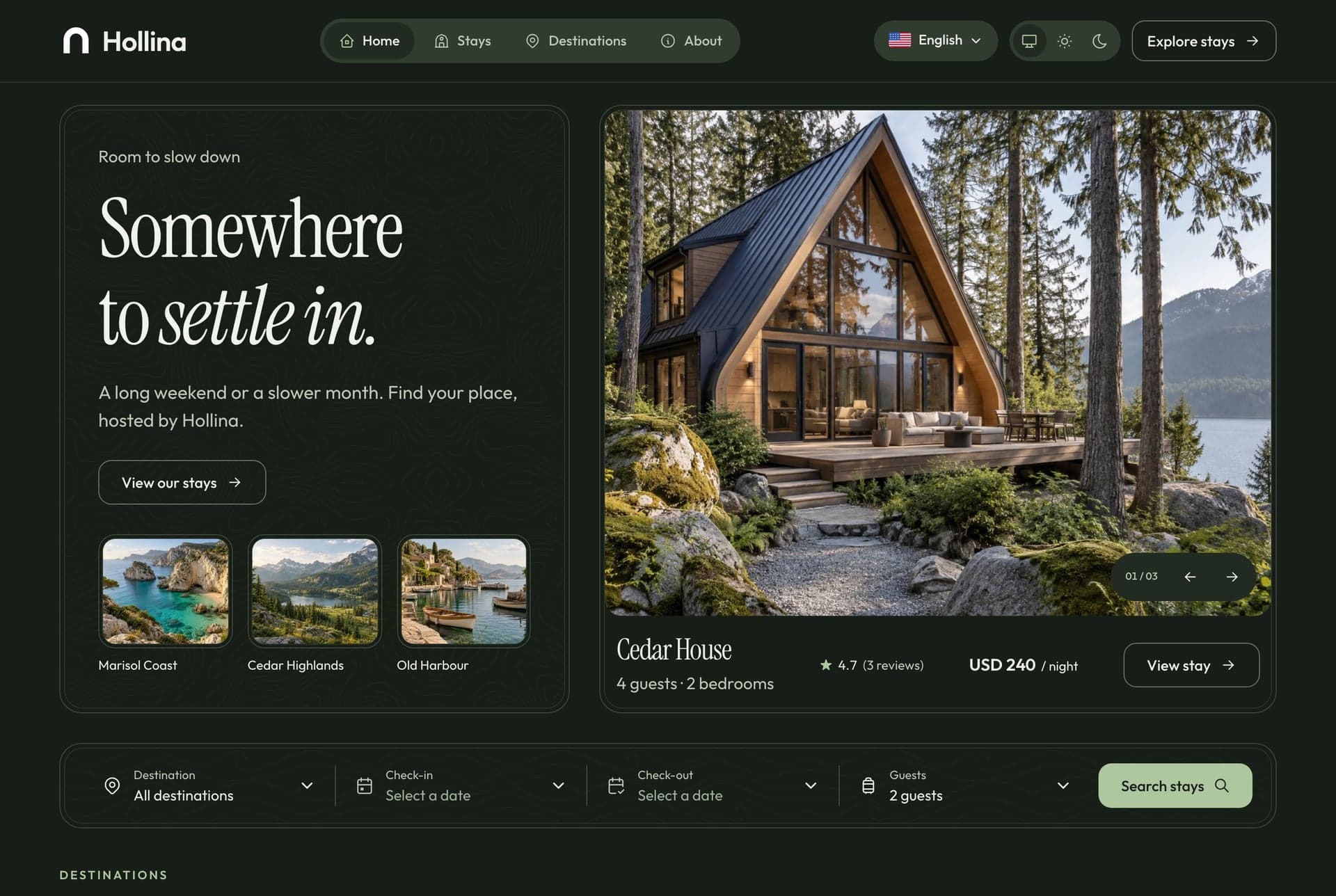
 Learn more: Accessibility
 Learn more: High Performance
 Learn more: TypeScript Support