Next.js Fitness & Coaching Dashboard with AI Assistant
Kinora is a full-stack Next.js fitness coaching template with a NestJS backend, AI assistant, client roster, workout logger, meal planner, and Arabic RTL.
Everything included
Full Stack
Member and coach dashboard + NestJS API with TypeORM and auth
Launch price · 30% off for the first 3 buyers
$149$104.30R$747R$522.90
+ IOF (3.5%) · Pay with Pix or cardPay in reais with Pix or card. Brazil adds 3.5% IOF tax at checkout.
Use in unlimited commercial projects. Client work included.
One-time payment, free updates
Business invoice with your VAT or tax ID
Kinora is a full-stack Next.js fitness coaching template with a NestJS backend, AI assistant, client roster, workout logger, meal planner, and Arabic RTL.
Share:
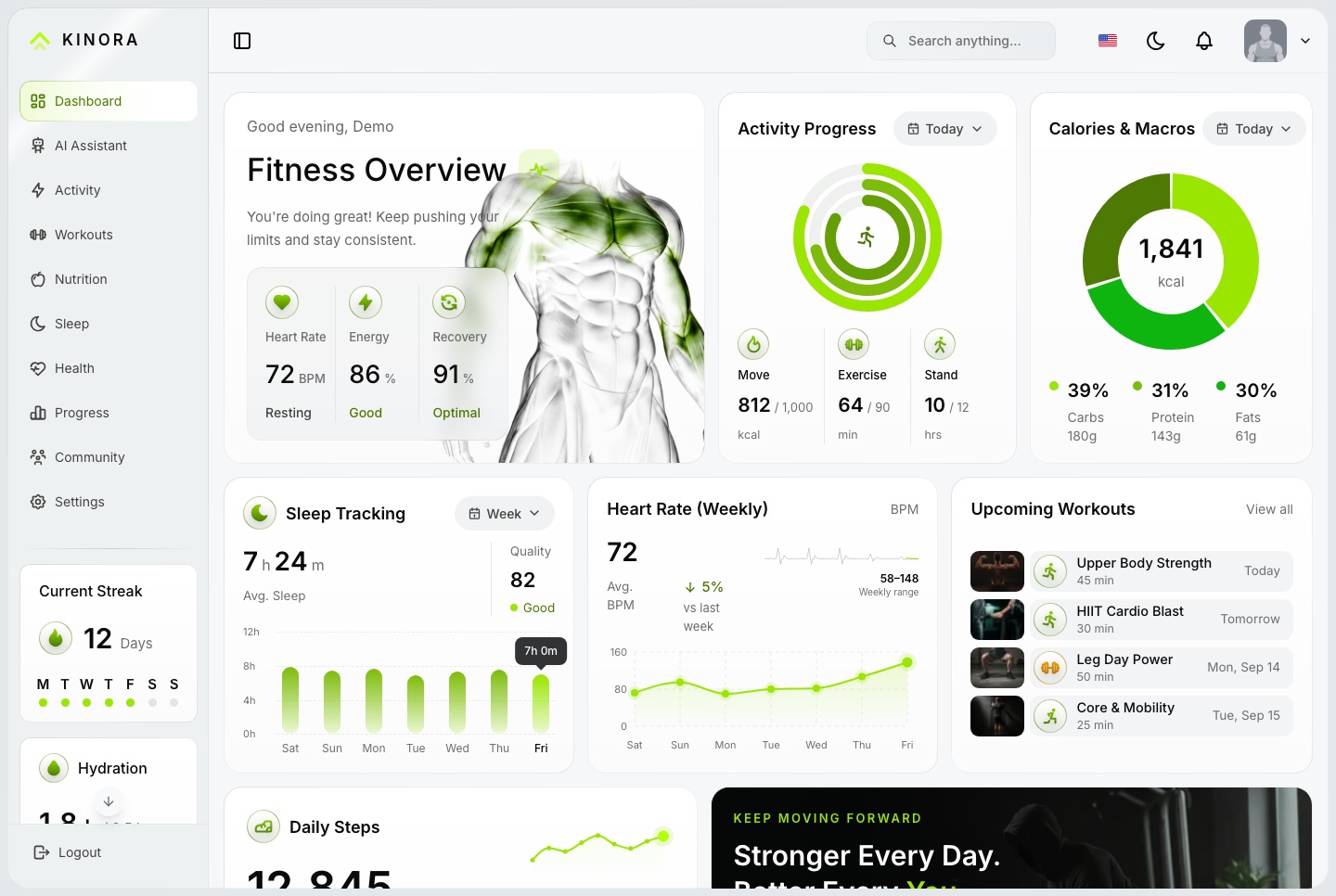
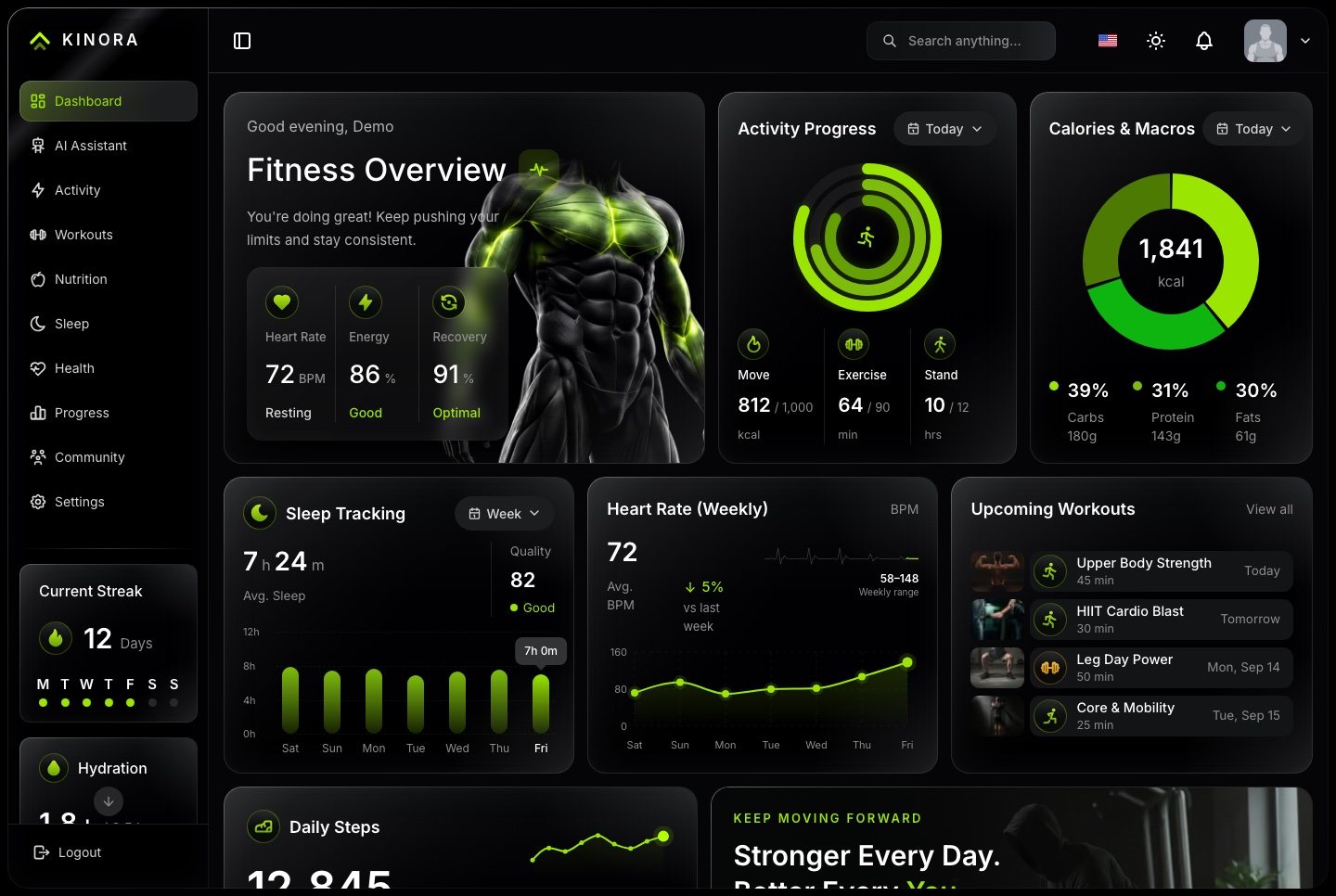
Kinora is a full-stack fitness and coaching platform: a Next.js dashboard that members train from and coaches run their clients from, over a NestJS API. Coaches keep a roster, assign workouts and answer weekly check-ins; members log live sessions, plan meals and follow their sleep, health and progress. An AI assistant, English and Arabic, and light and dark themes come with it.
A connected foundation for an online coaching business, a gym's member app or a wellness platform, with source code you can customize for your project. The full-stack package includes the dashboard and the API behind it.
Member side
Workouts, a live session logger and an exercise library
Nutrition with a meal planner
Activity, sleep, health and progress
Community groups and challenges
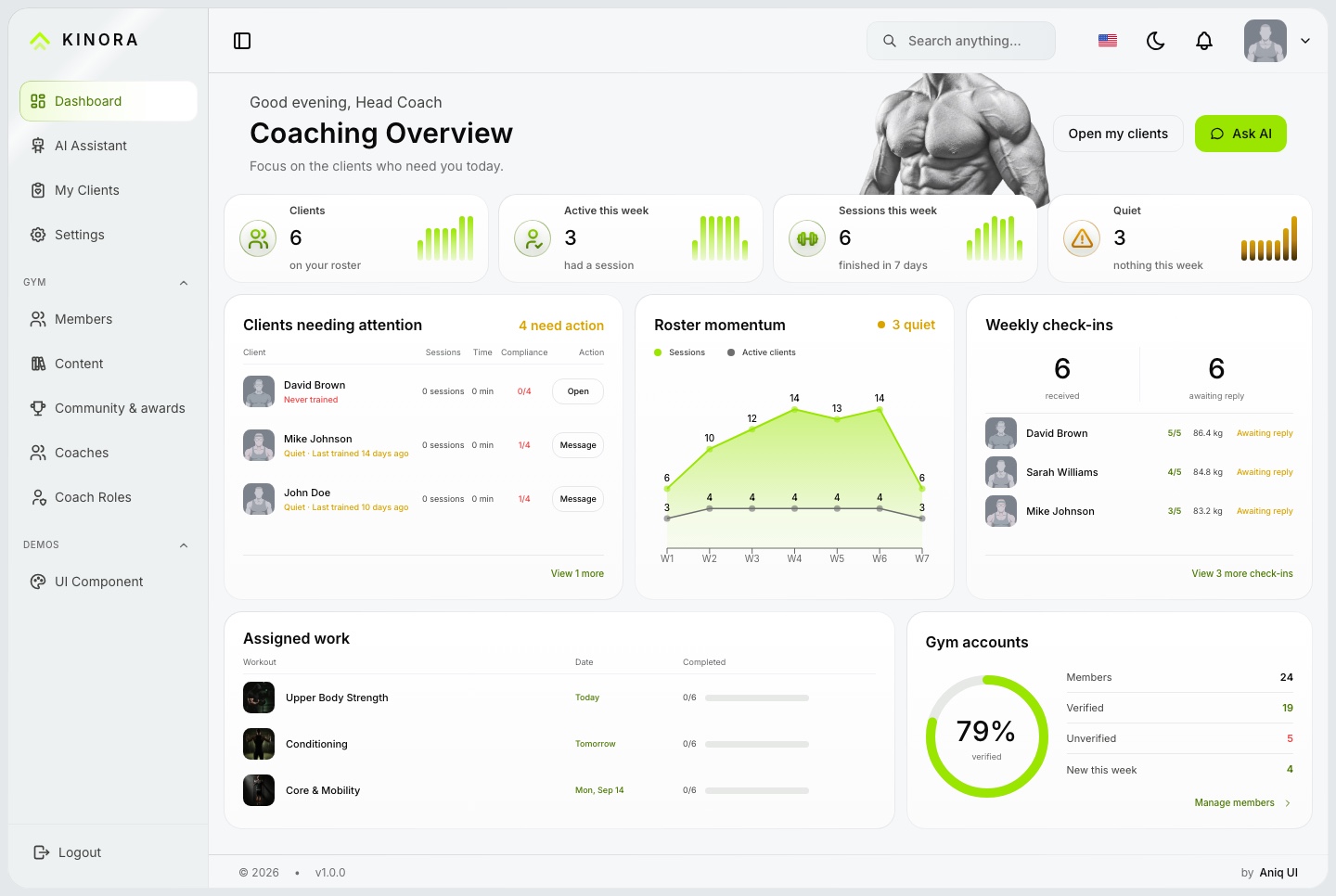
Coach and gym side
A roster of clients, quiet ones first
Assigned workouts, compliance and weekly check-ins
Members, coaches, roles and the content catalogue
NestJS backend
Authentication, roles and permissions
Training, nutrition, sleep, health and progress data
Coaching, community and live notifications
AI assistant
An AI assistant that knows who is asking
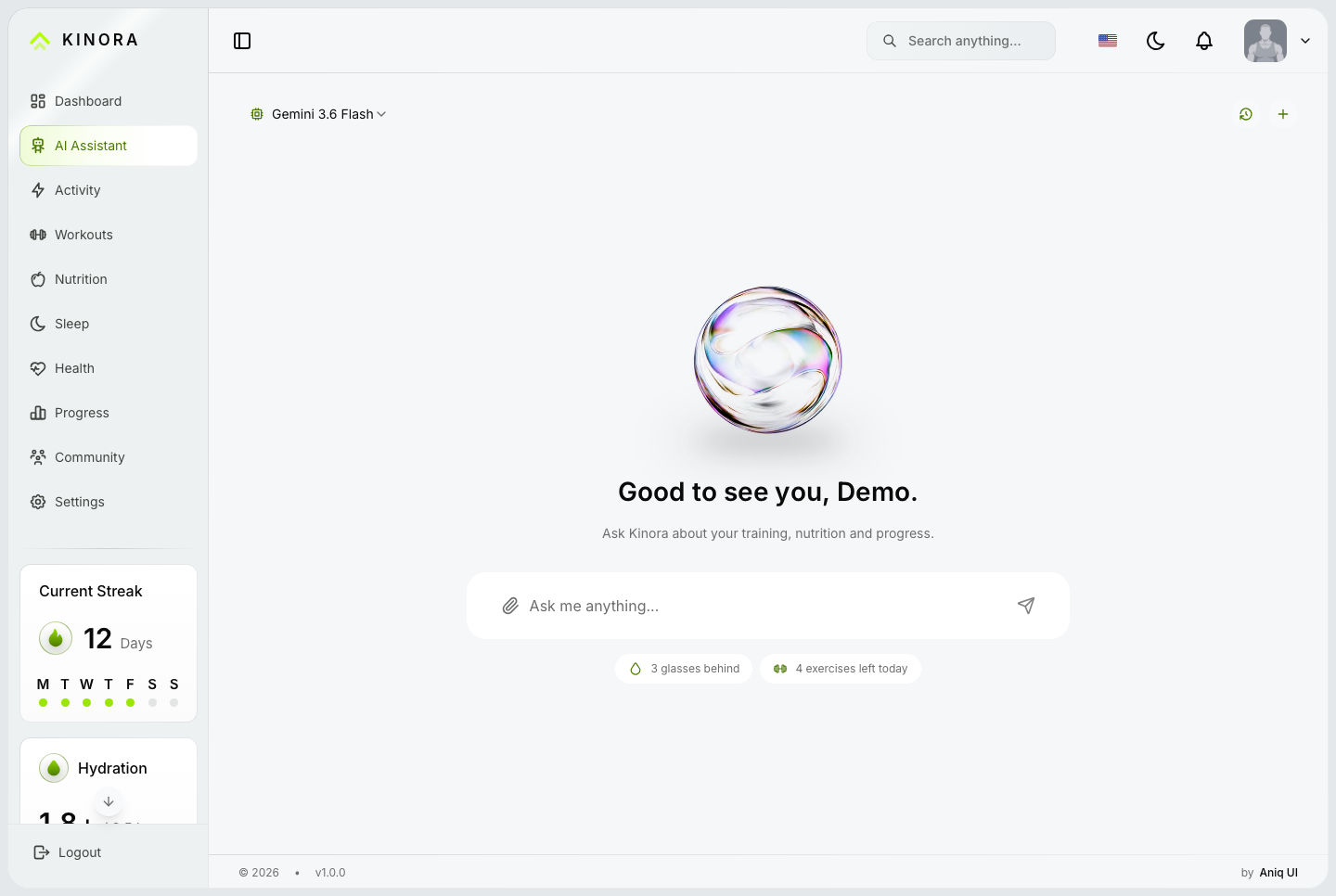
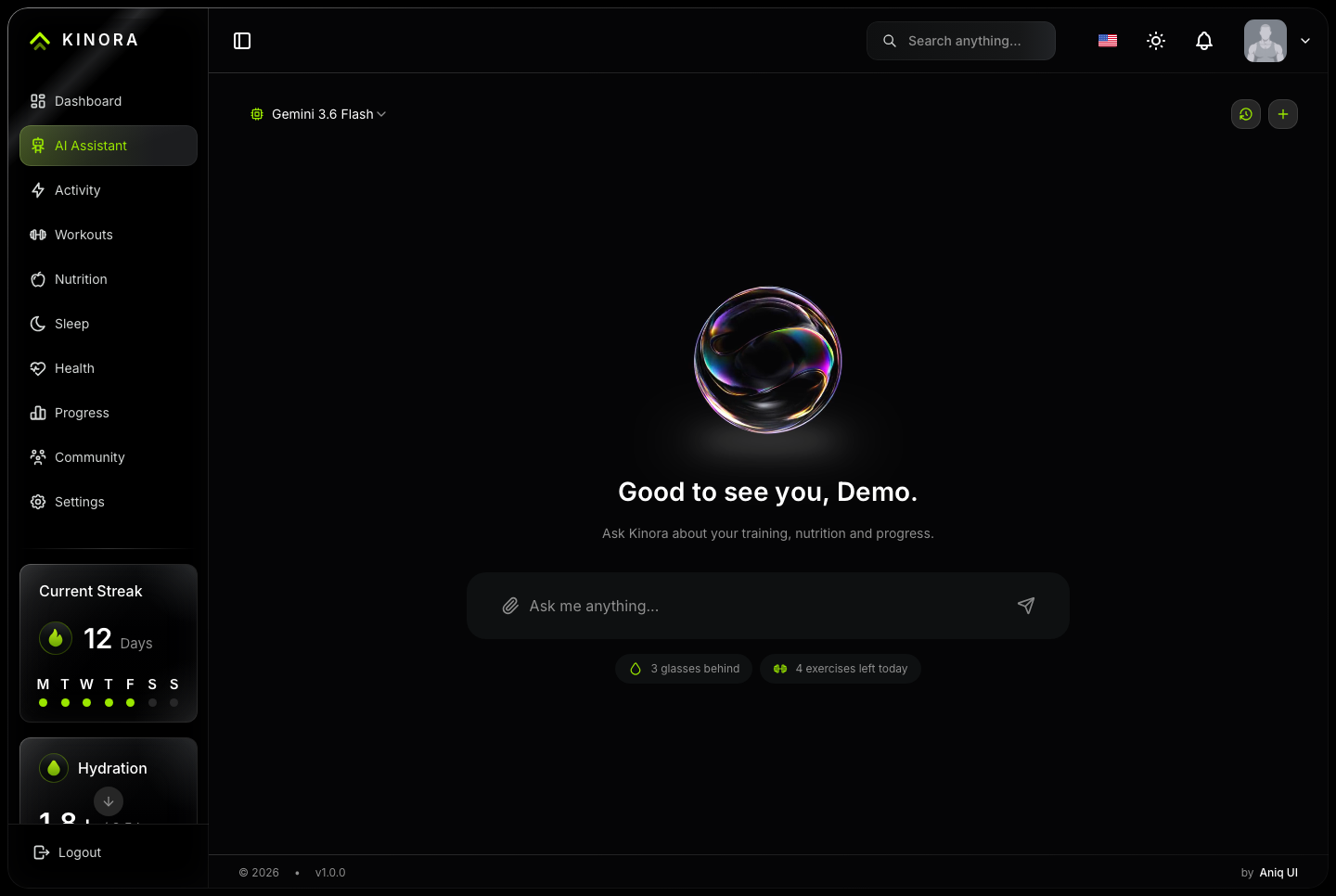
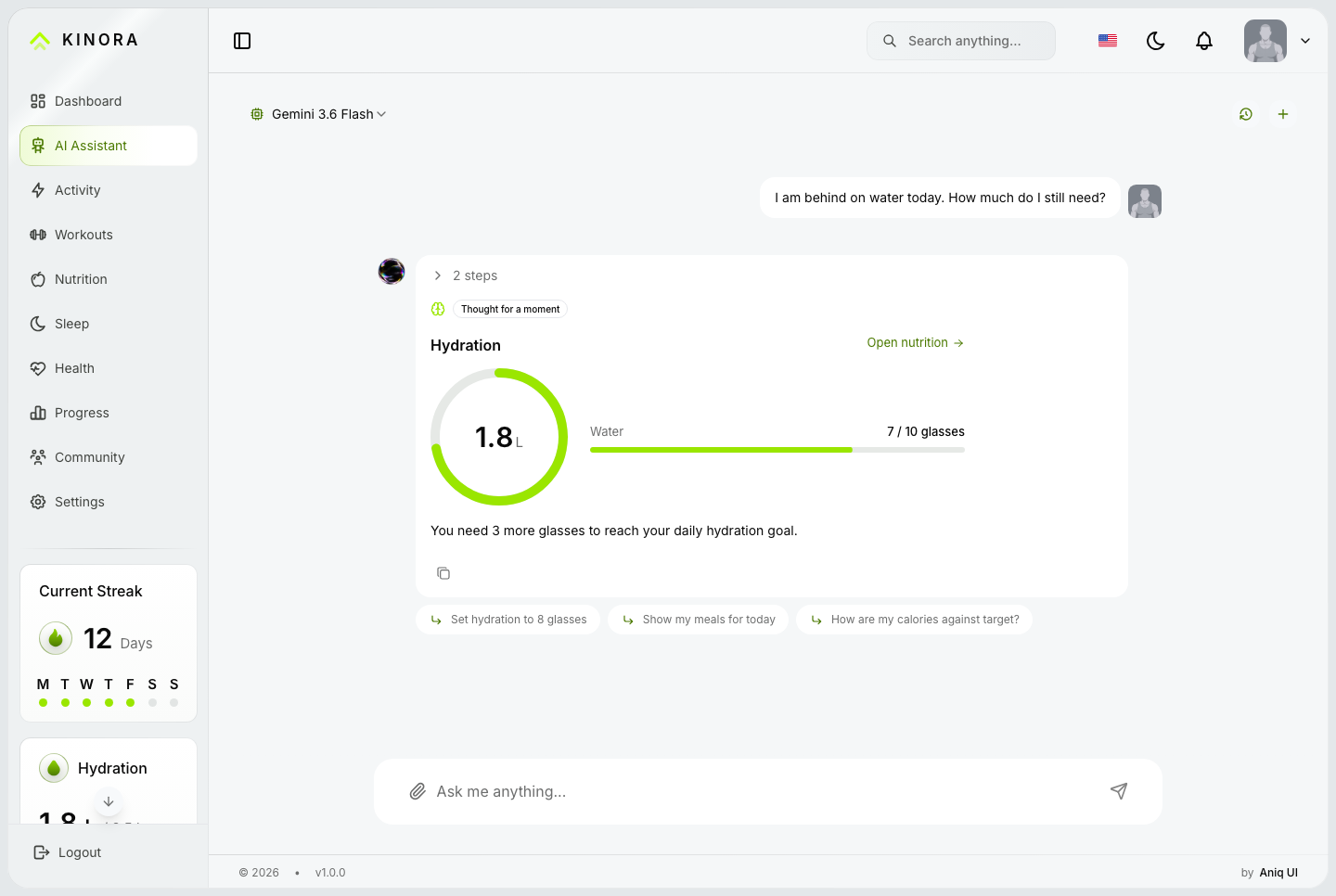
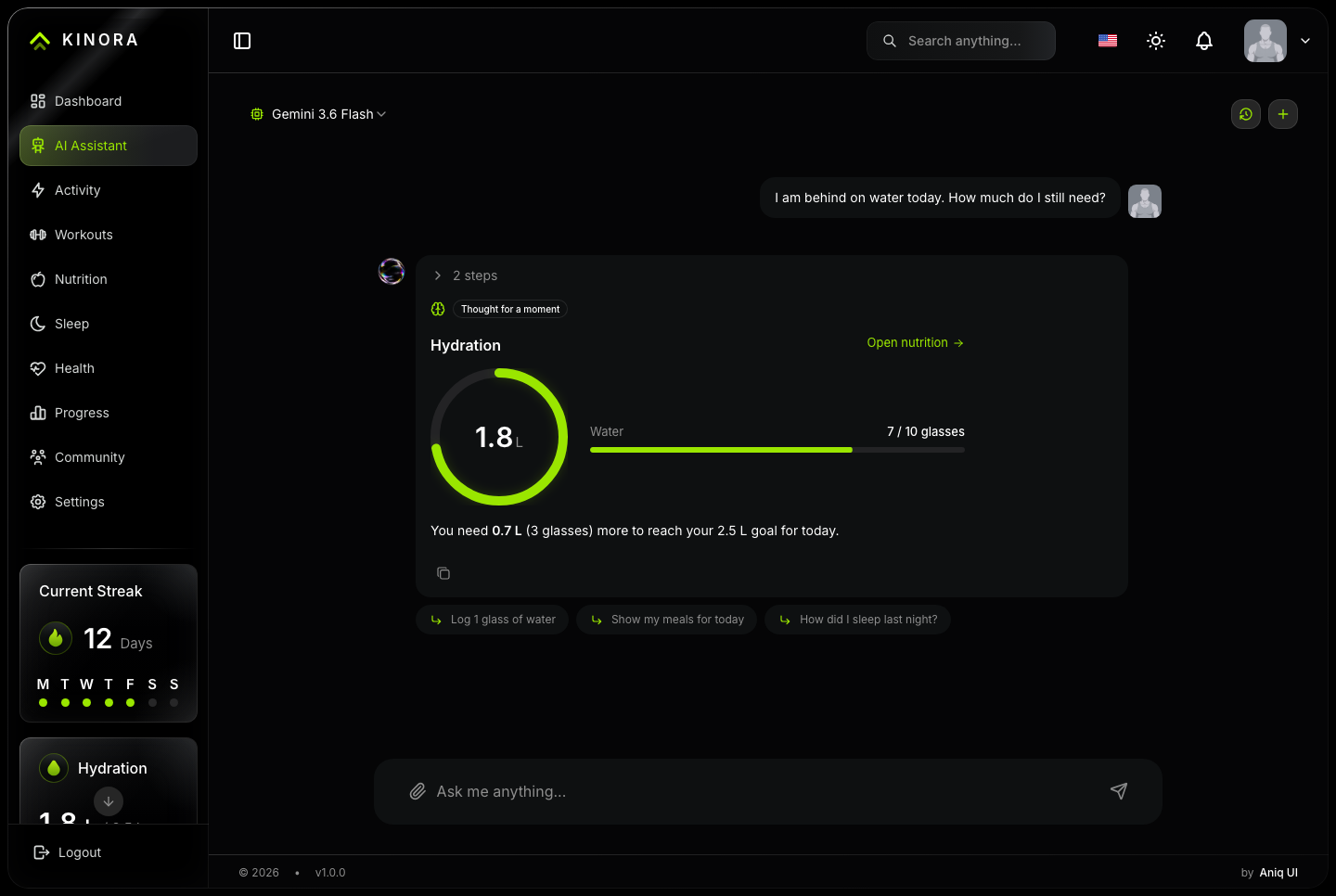
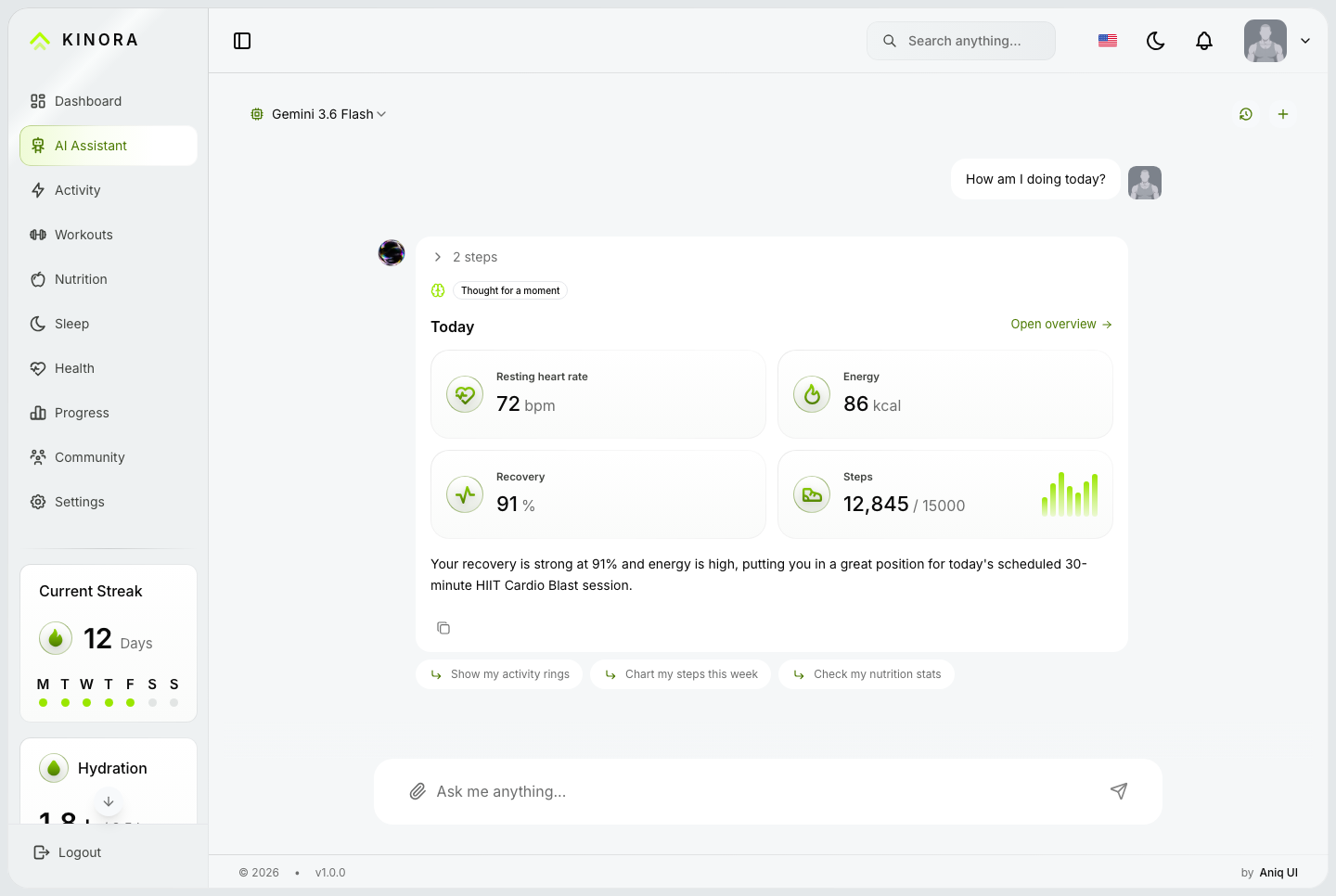
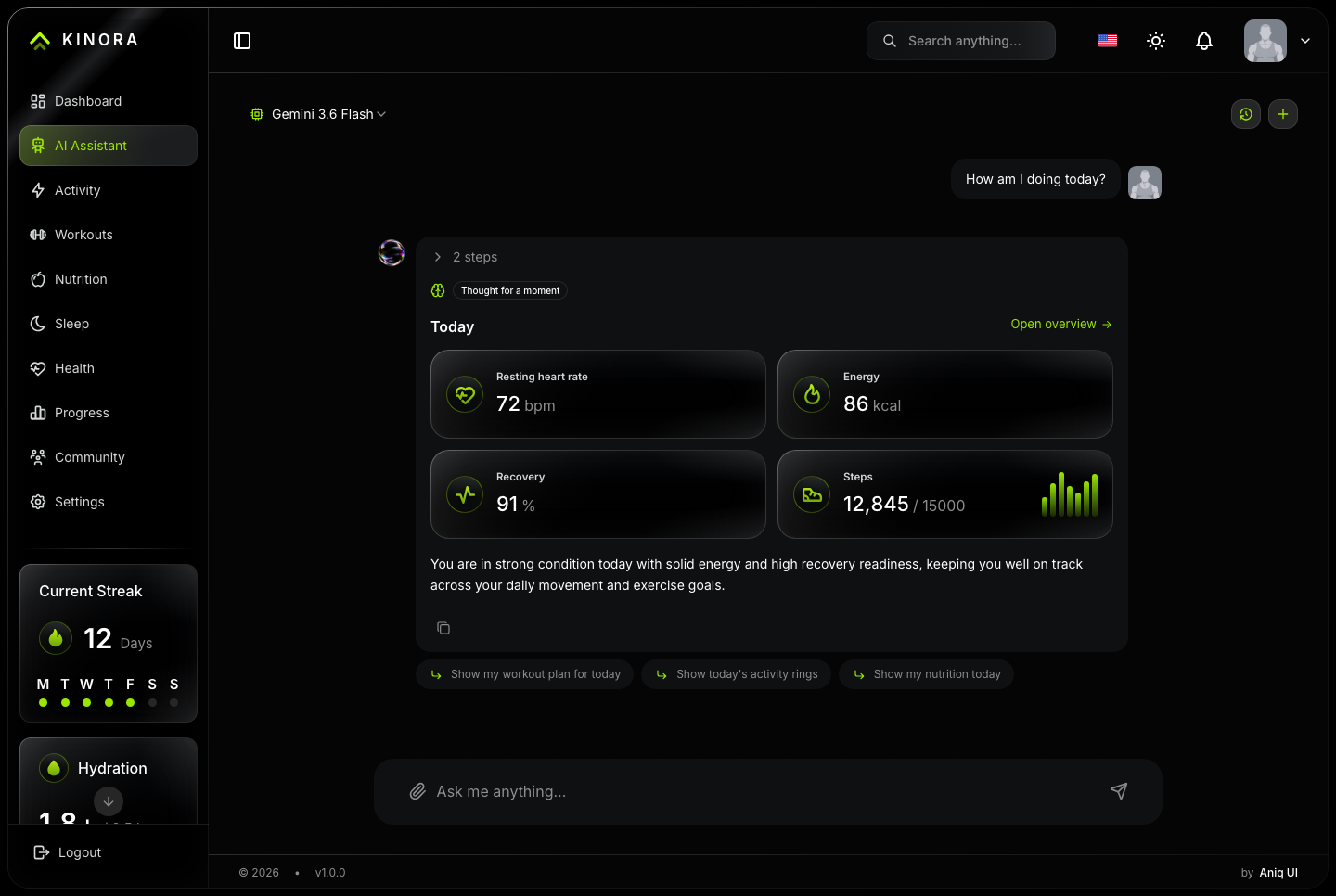
Members ask about their own day, and coaches ask about their roster. The assistant answers with cards and charts drawn from the account's own data, then offers three follow-up questions.
AI assistant, light. The assistant before the first question, with the openers computed from the member's own day
AI assistant, dark. The assistant before the first question, with the openers computed from the member's own day
AI assistant, hydration, light. The member asks how much water is left in the day; the assistant answers with the hydration gauge and the litres still to drink
AI assistant, hydration, dark. The member asks how much water is left in the day; the assistant answers with the hydration gauge and the litres still to drink
Connected through MCP tools
Its MCP tools call the same services the dashboard uses, and each account receives only the tools its role allows.
Roster, client, training, nutrition, sleep and progress lookups
Weekly check-ins and workout assignments from the conversation
Openers computed from the reader's own day, with no model call
Runs on Google Gemini, OpenAI or DeepSeek with your own API key
AI assistant, the day, light. Today's readings drawn as the dashboard's own cards: resting heart rate, energy, recovery and steps against the goal
AI assistant, the day, dark. Today's readings drawn as the dashboard's own cards: resting heart rate, energy, recovery and steps against the goal
It answers with the dashboard's own cards
A question about the week comes back as the card that screen already draws, not as a paragraph describing it.
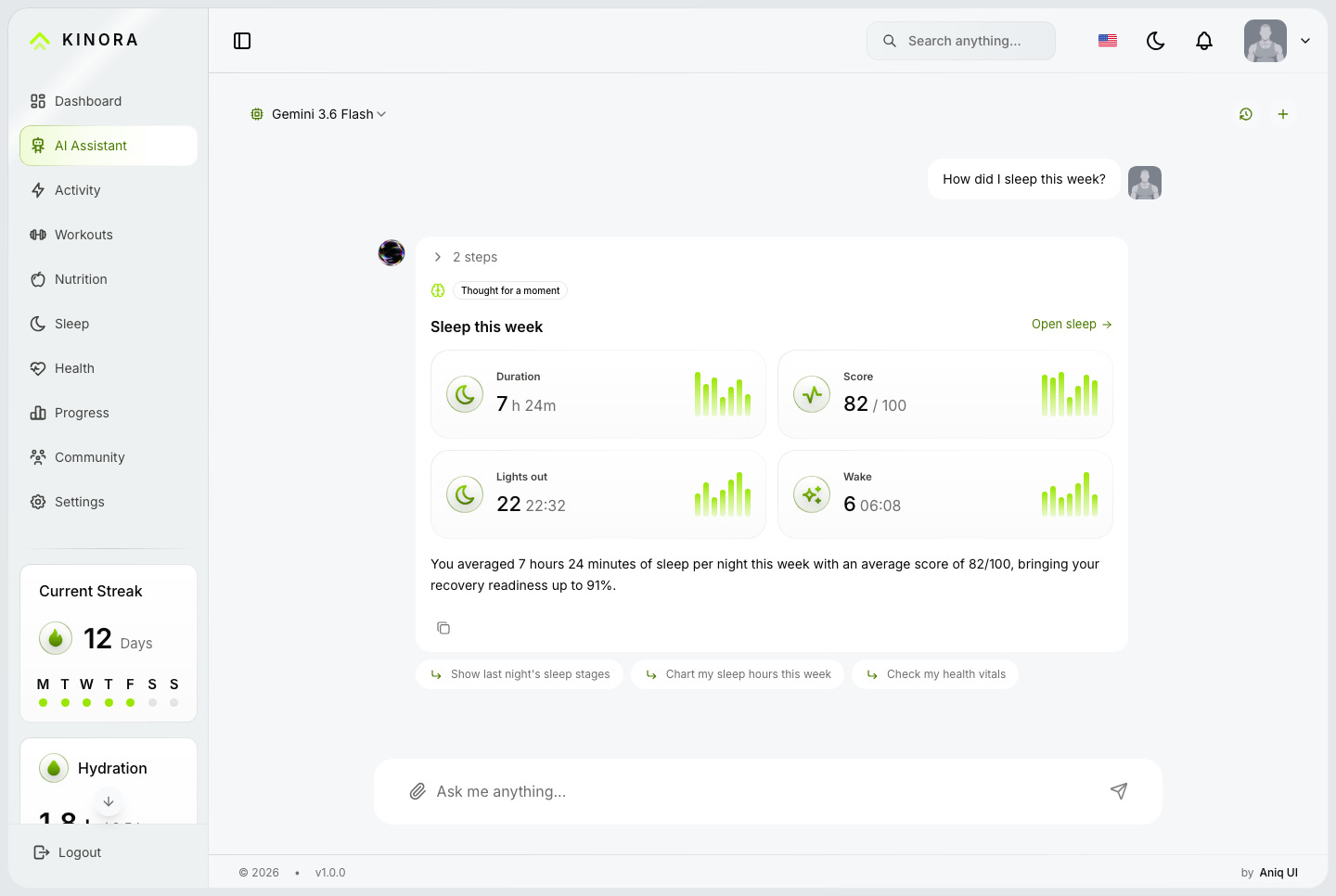
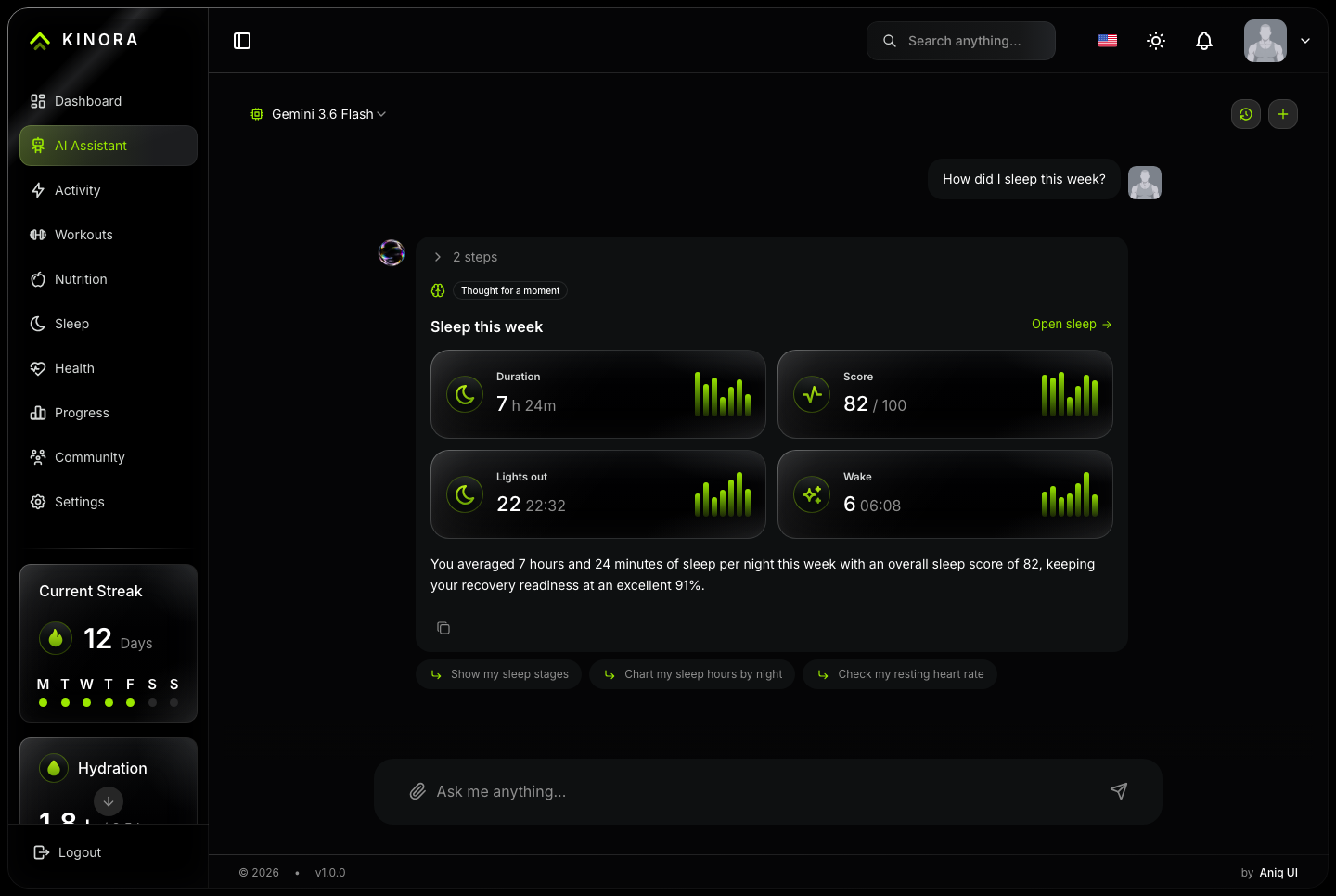
Sleep as duration, score, lights out and wake, each over its own run of nights
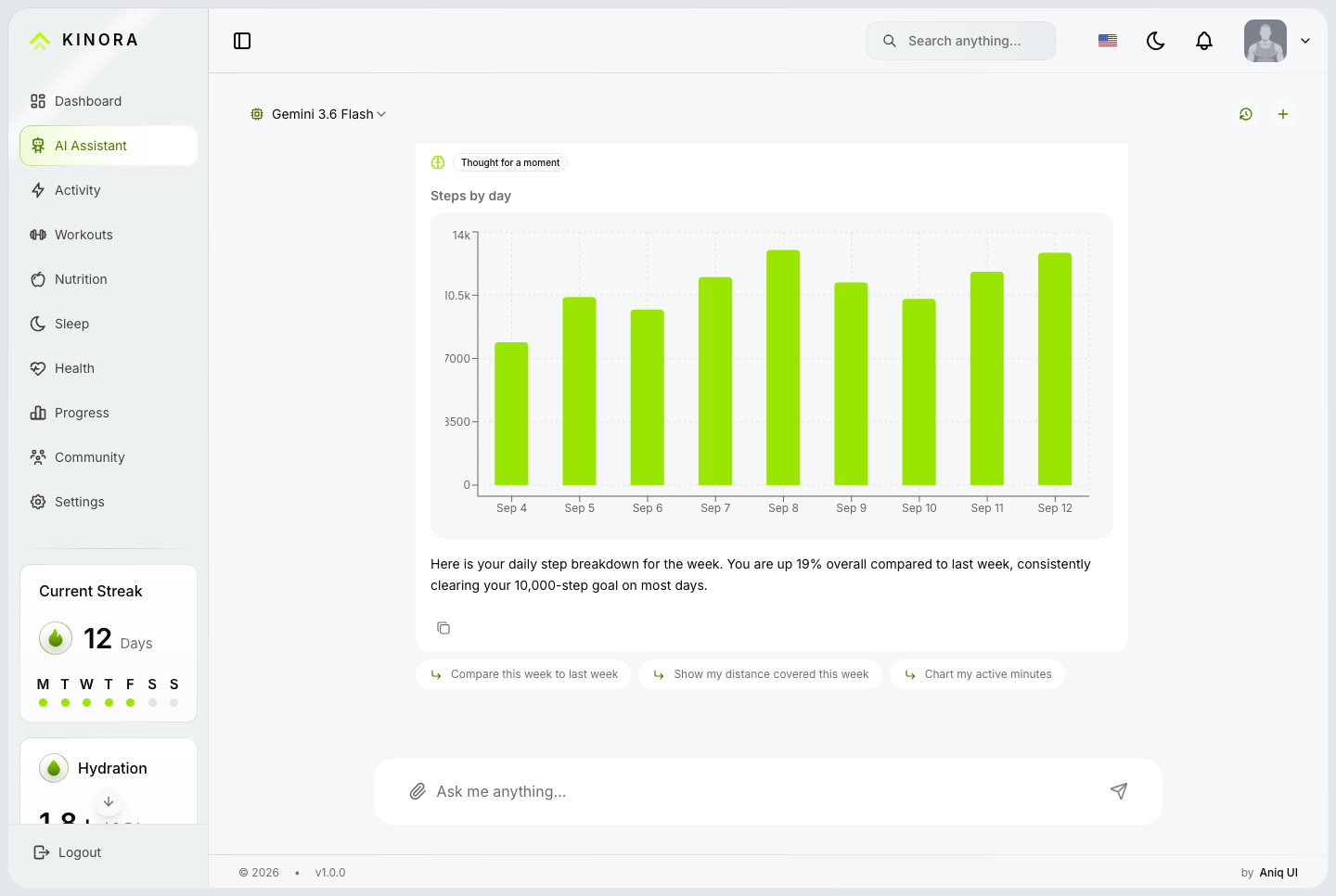
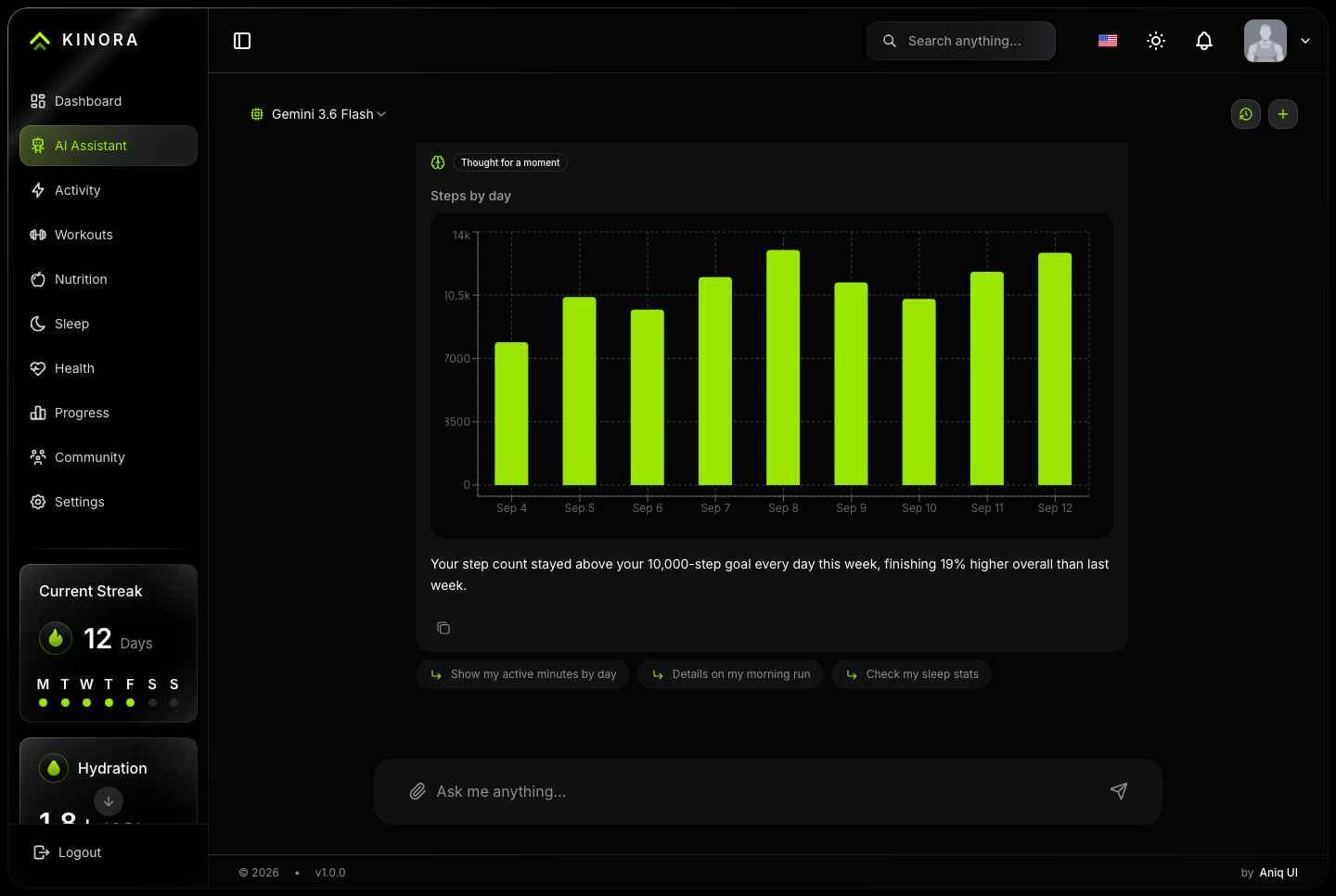
Steps as a chart of the week, drawn inside the answer
Every figure the same one its own page is showing
AI assistant, sleep, light. The week's sleep answered with duration, score, lights out and wake time, each over its own run of nights
AI assistant, sleep, dark. The week's sleep answered with duration, score, lights out and wake time, each over its own run of nights
AI assistant, steps, light. A question answered with a chart: steps by day across the week, drawn inside the conversation
AI assistant, steps, dark. A question answered with a chart: steps by day across the week, drawn inside the conversation
And it knows whose week it is
The assistant reads the account asking, so a member gets their own body and their own coaching rather than a general answer.
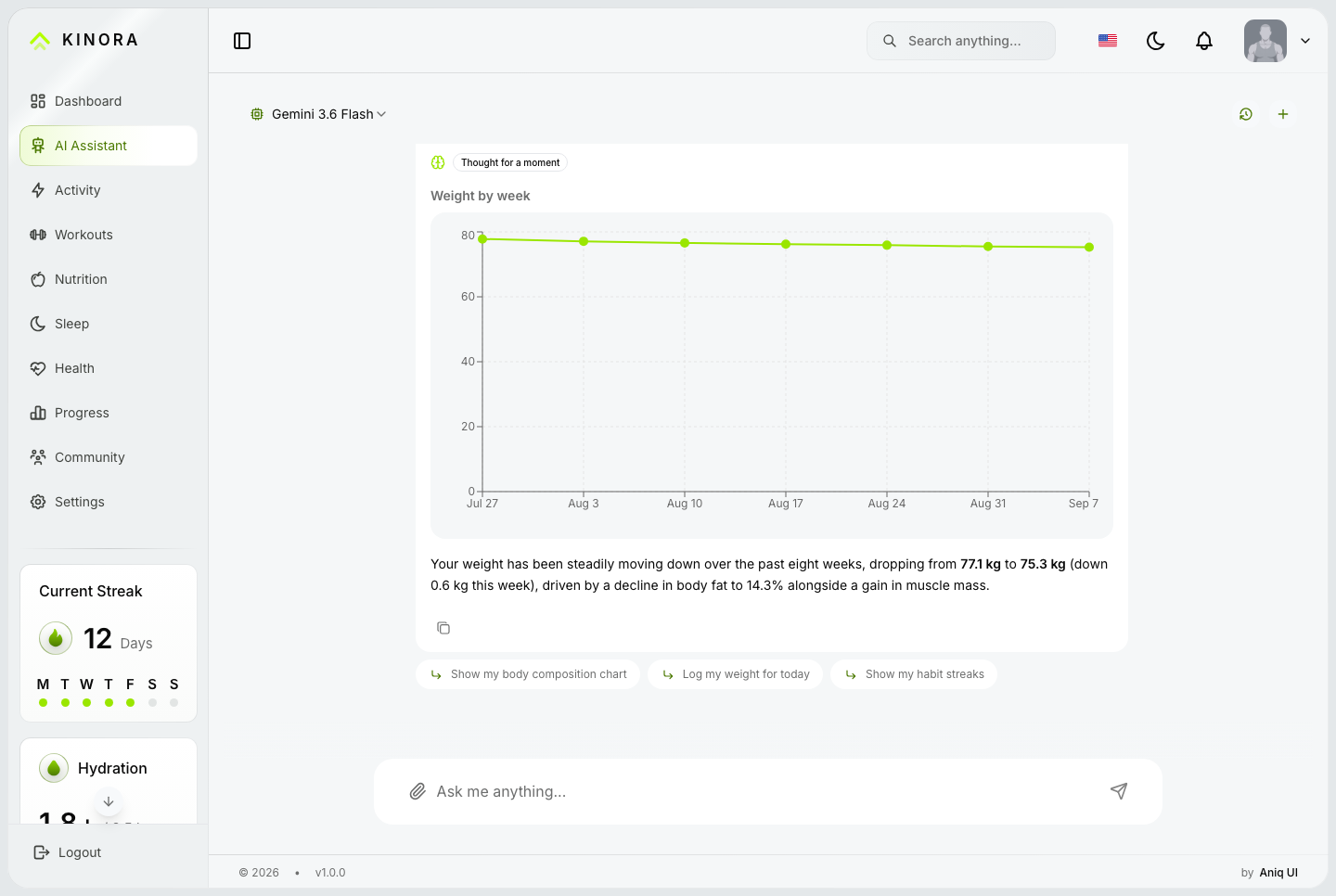
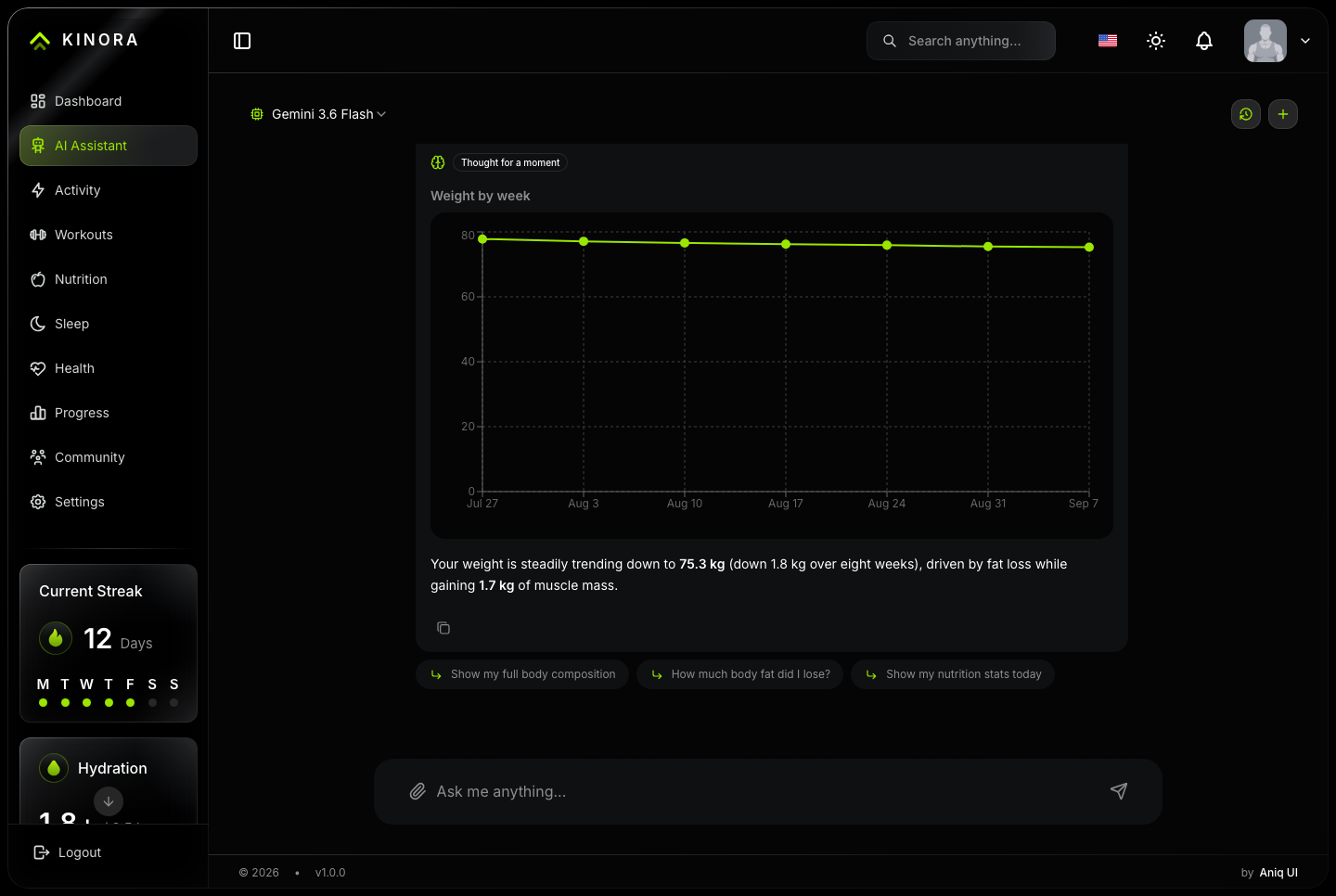
Body composition read as a direction, not a number on a scale
Their coach, the compliance ring and the plan for the days ahead
Three follow-up questions, computed from what was just said
AI assistant, body composition, light. Weight read as a direction rather than a number, with the body metrics behind it
AI assistant, body composition, dark. Weight read as a direction rather than a number, with the body metrics behind it
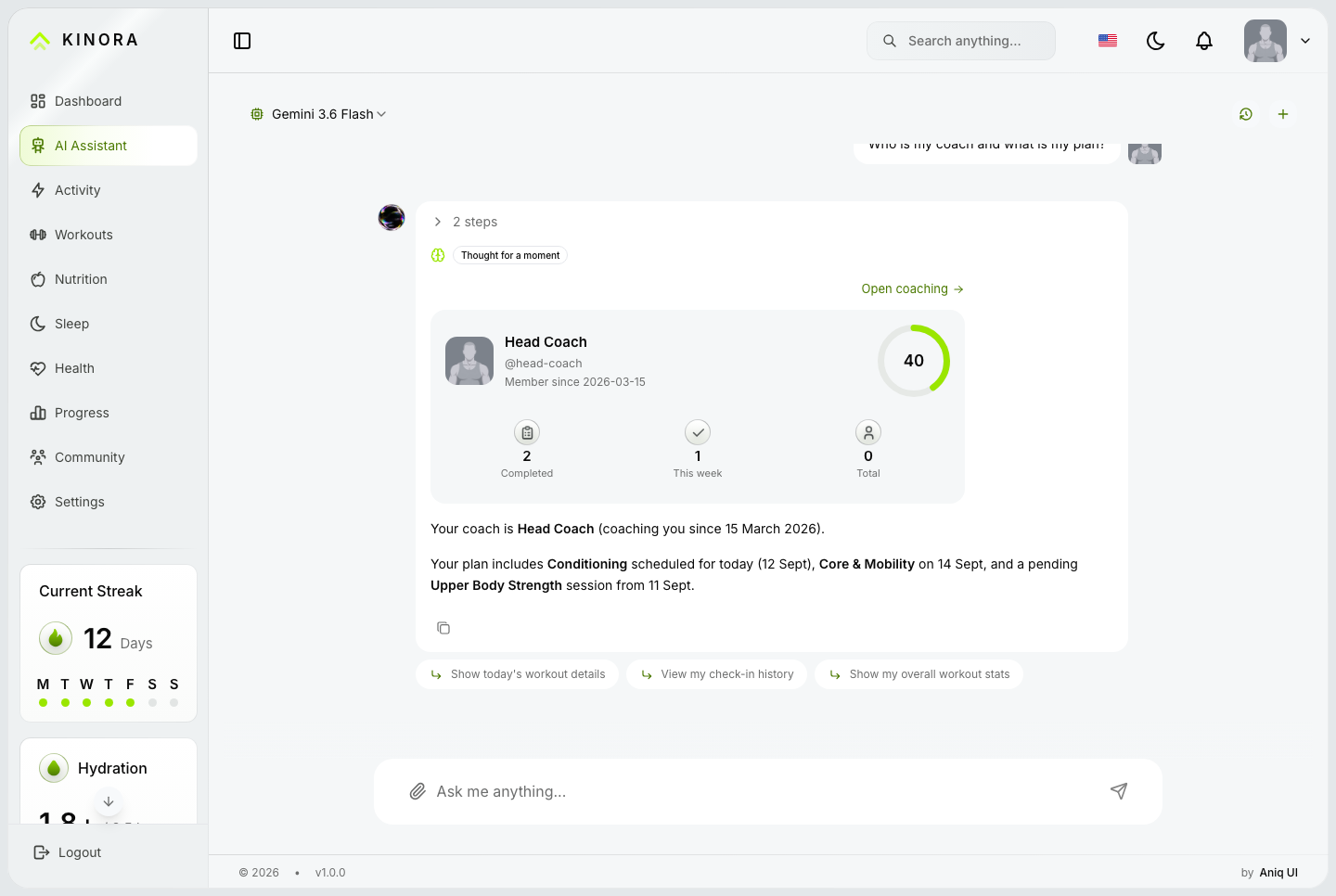
AI assistant, coaching, light. The member's own coach, the compliance ring, and the plan for the days ahead
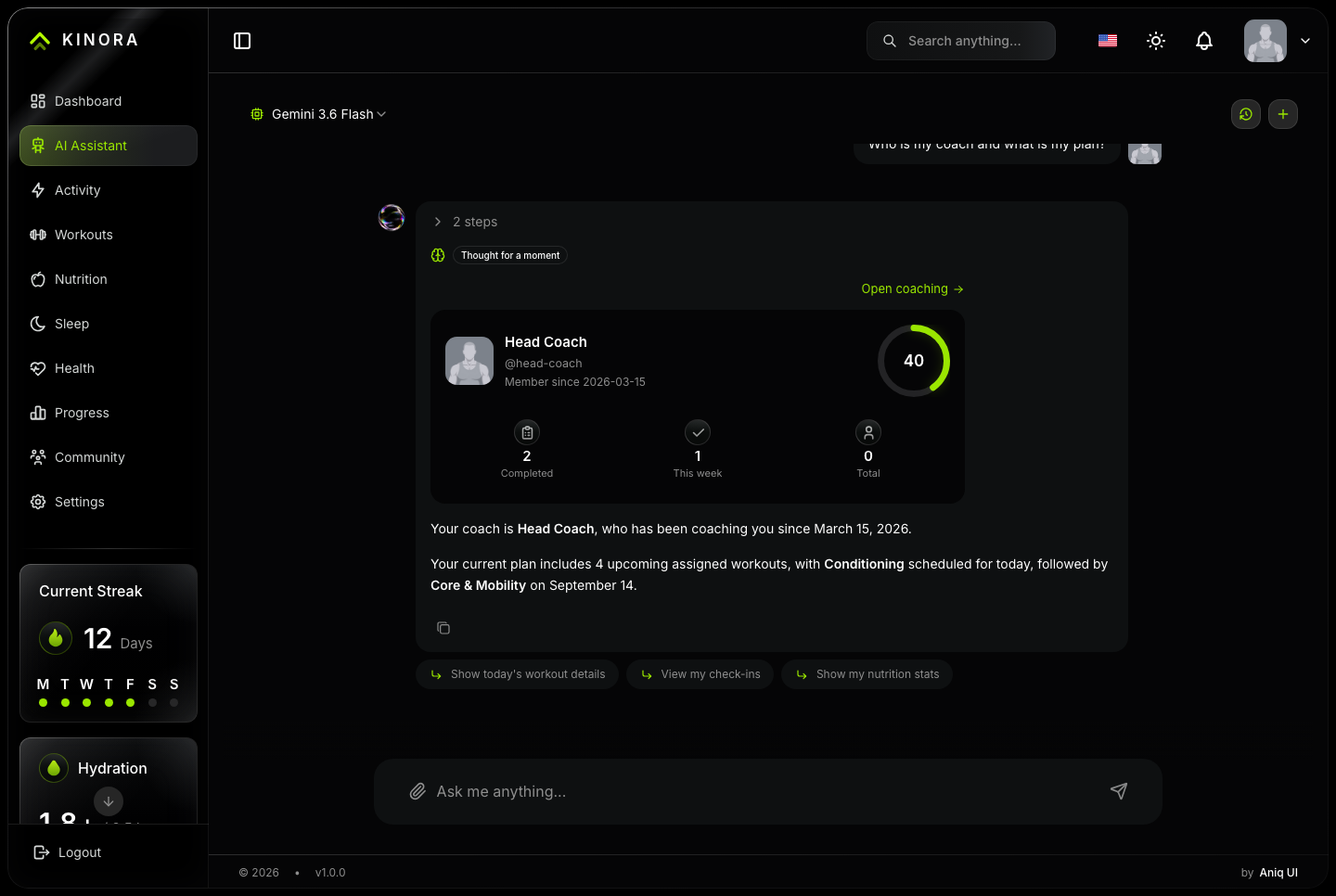
AI assistant, coaching, dark. The member's own coach, the compliance ring, and the plan for the days ahead
Training
A session you can actually run
Most dashboard templates draw a workout. This one logs it: write a set and the table, the queue and the figures move on.
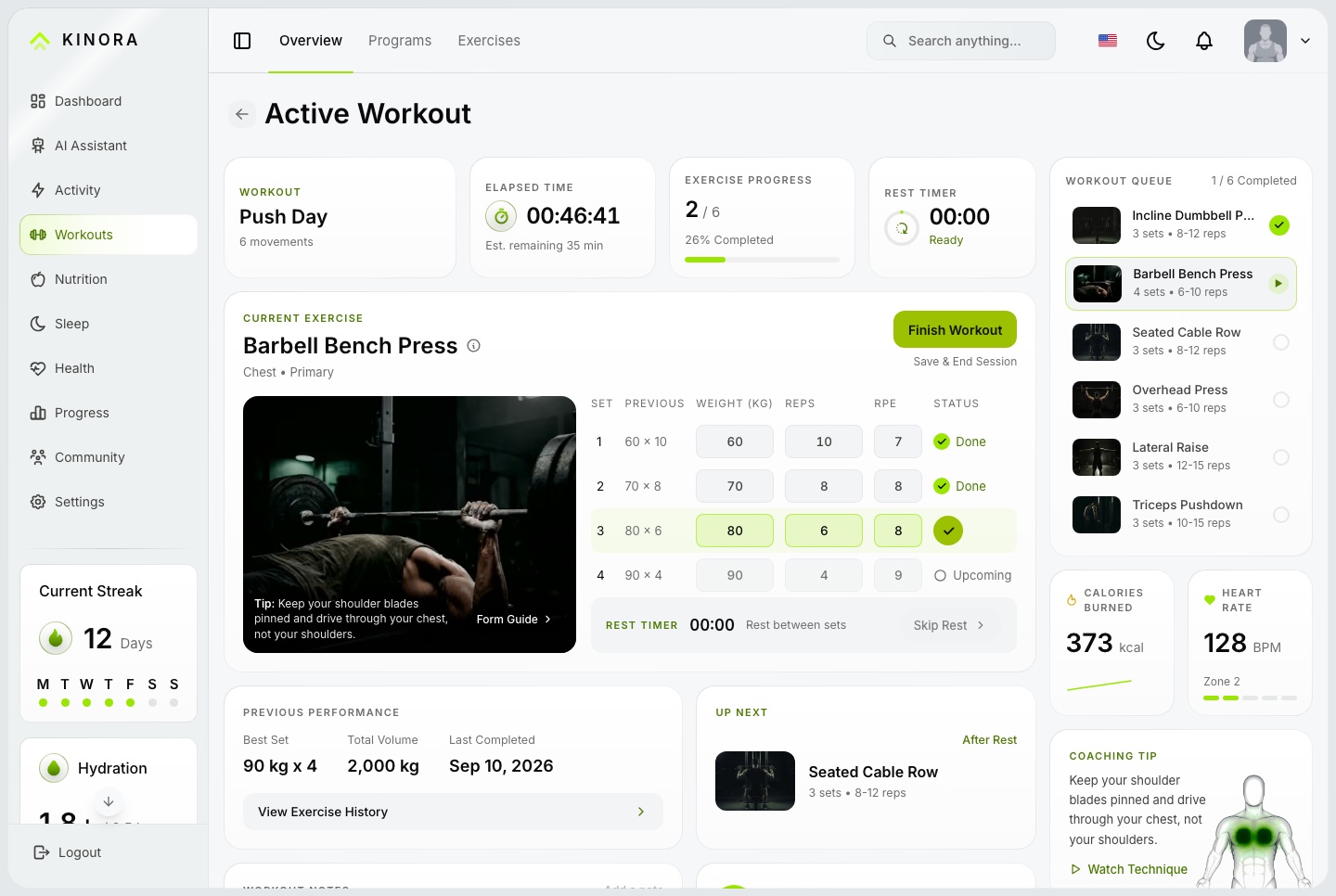
Live workout session, light. A running session: the set table with weight, reps and RPE, the elapsed and rest timers, the workout queue, previous performance and a coaching tip
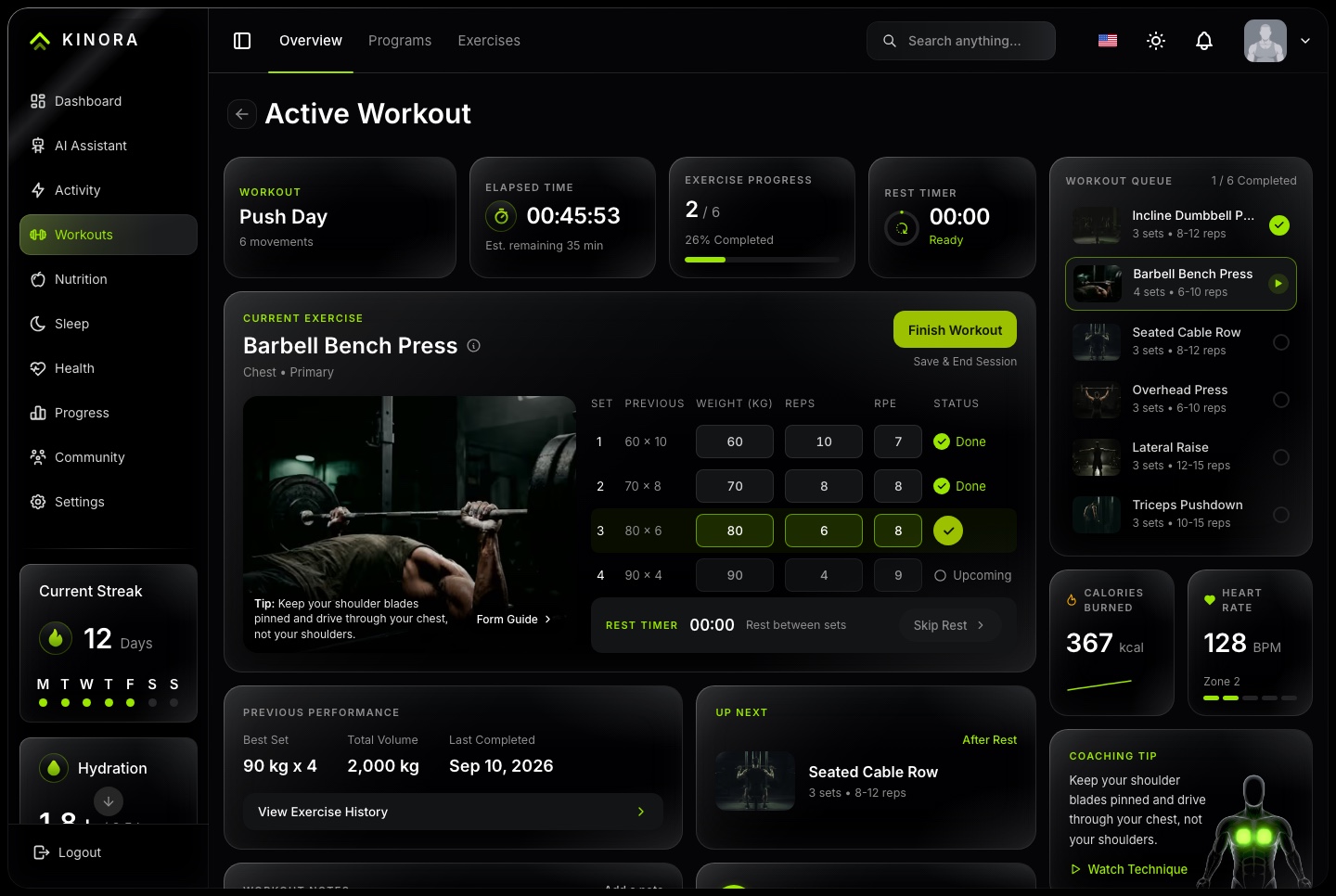
Live workout session, dark. A running session: the set table with weight, reps and RPE, the elapsed and rest timers, the workout queue, previous performance and a coaching tip
A plan for the week
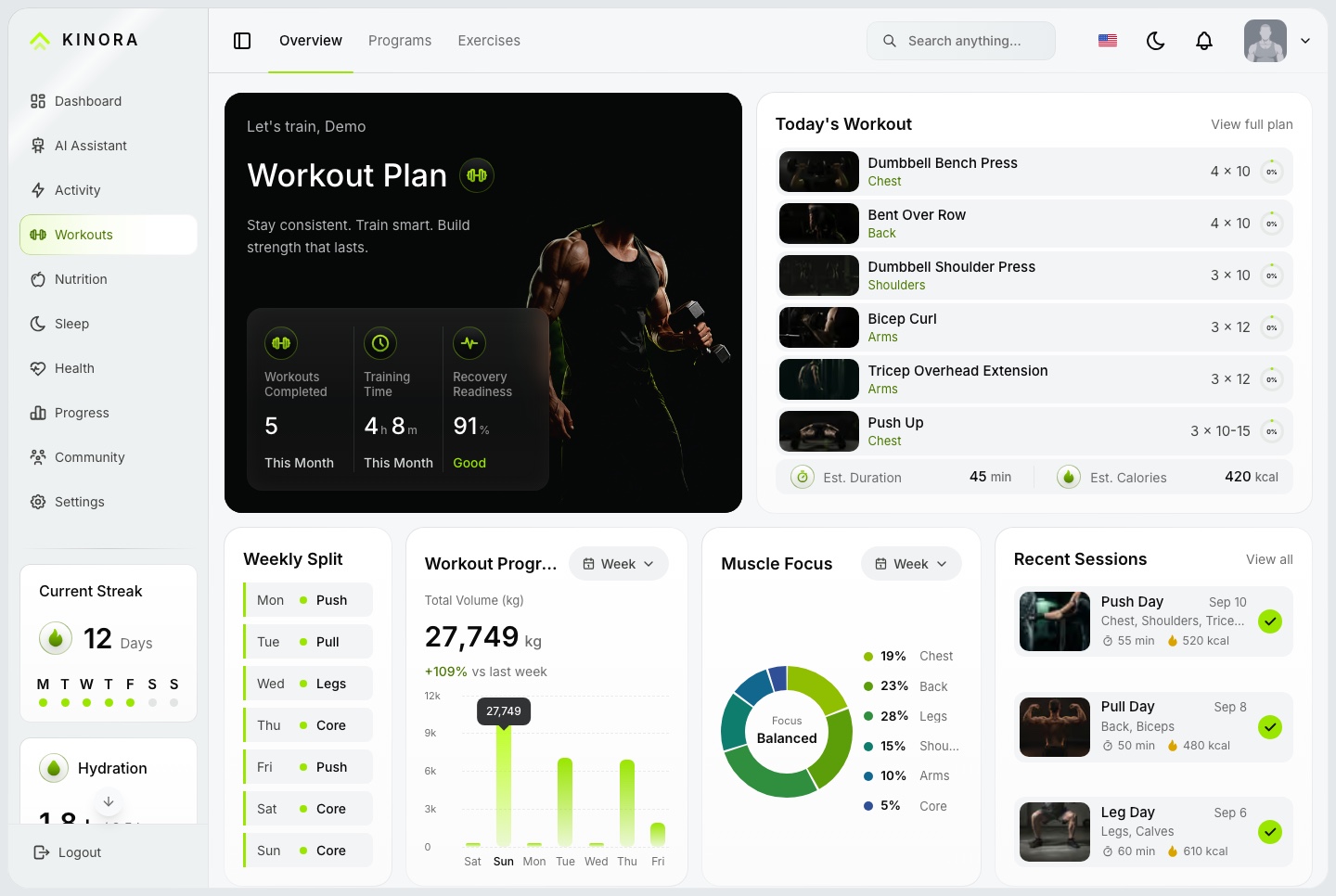
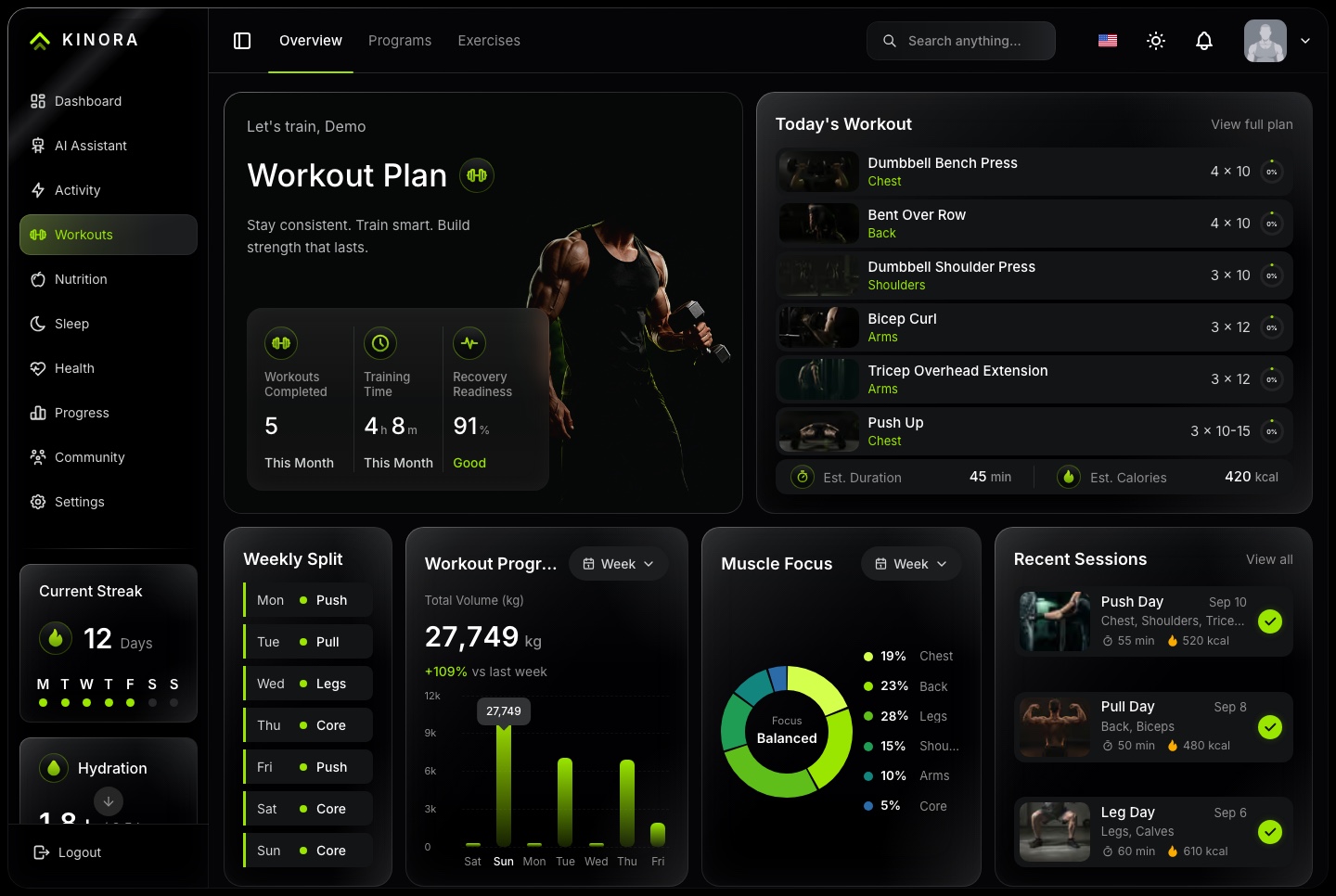
Today's workout, the weekly split, training volume and muscle focus, with the sessions behind them.
Editable set table with weight, reps and RPE
Stopwatch and rest timer anchored to the server
Training programs with enrollment and a weekly schedule
Recent sessions with duration and calories
Workout plan, light. Today's workout, the weekly split, training volume, muscle focus and recent sessions
Workout plan, dark. Today's workout, the weekly split, training volume, muscle focus and recent sessions
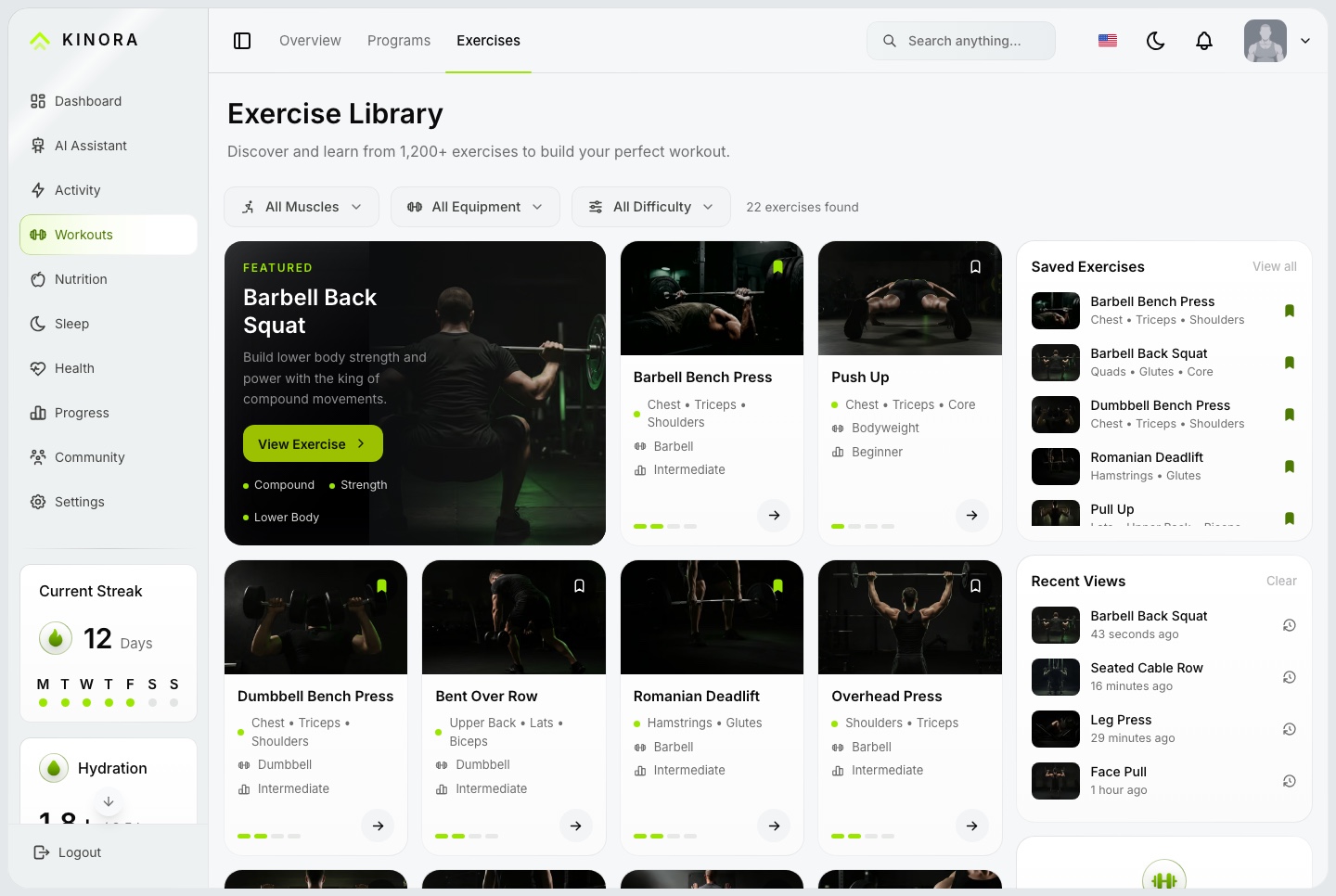
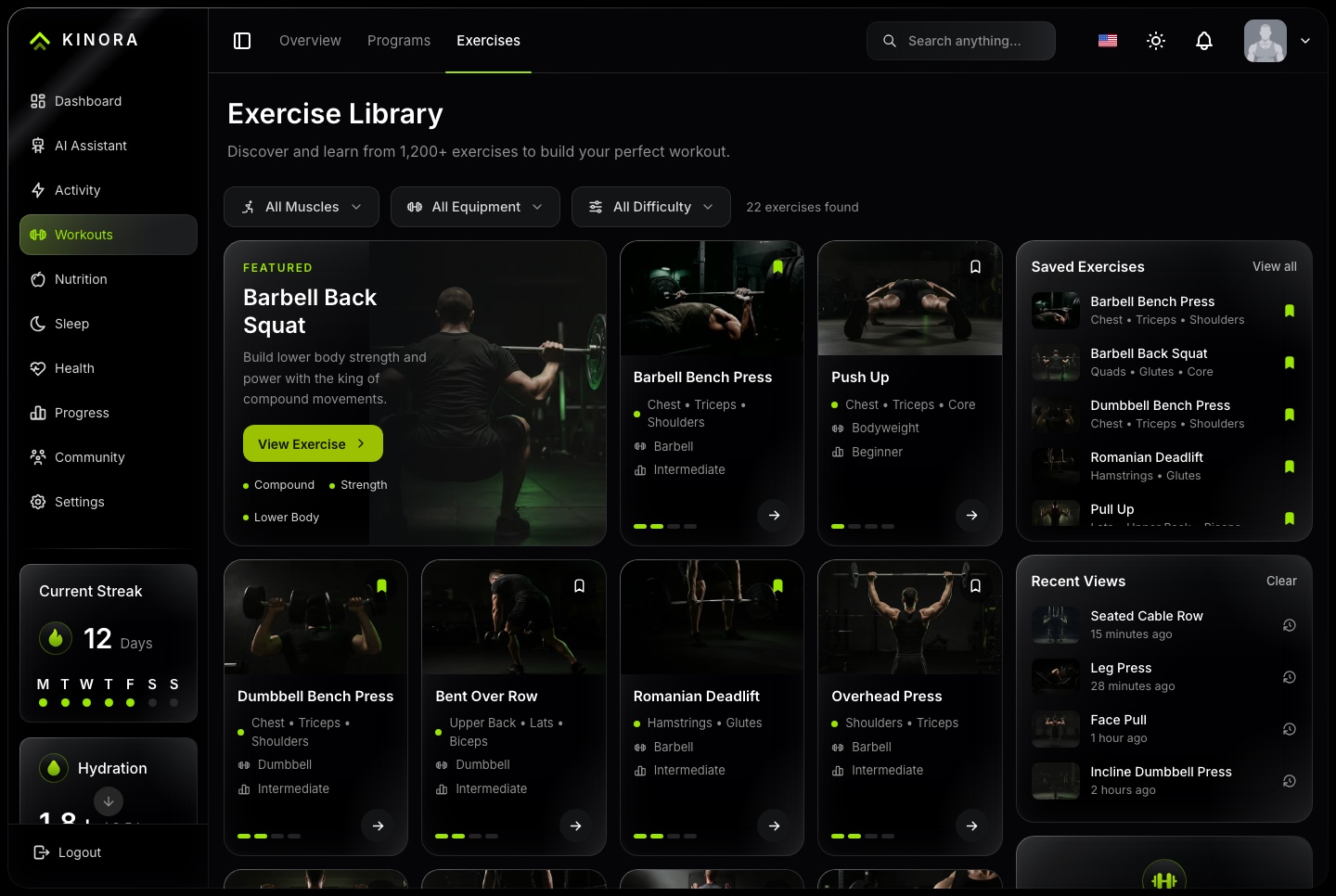
An exercise library wired to the logger
Filters for muscle, equipment and difficulty
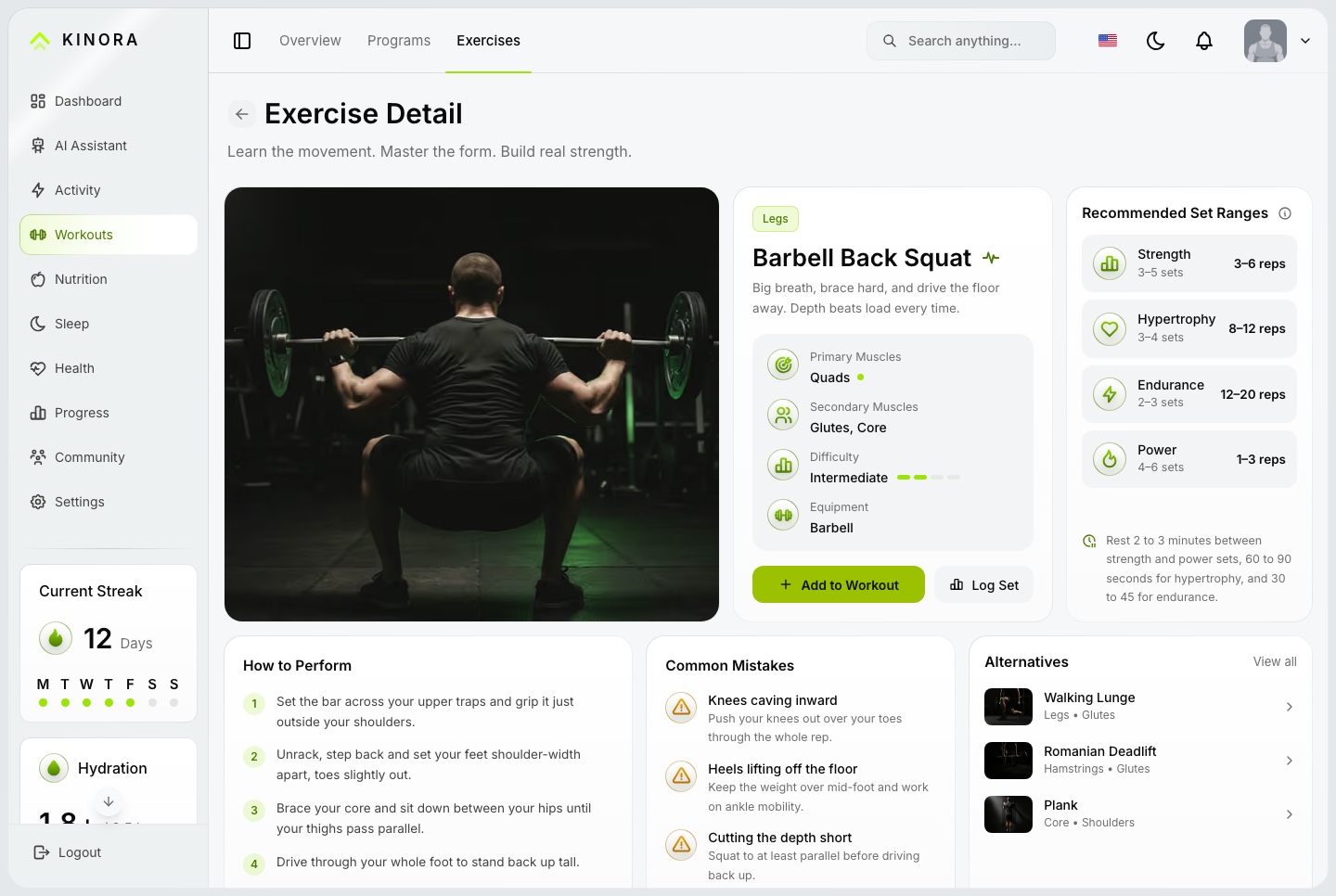
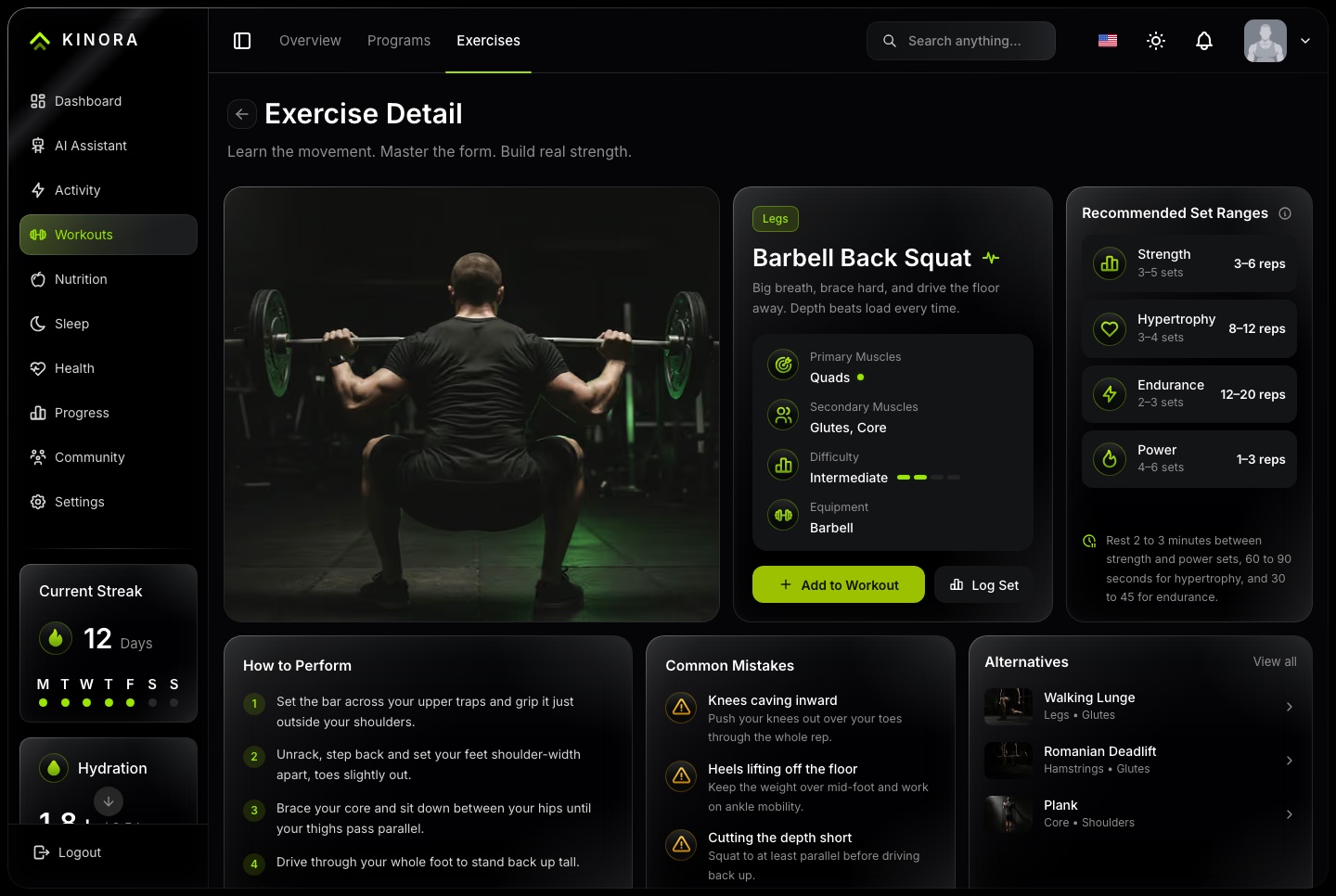
Detail pages with form steps and common mistakes
Recommended set ranges for four goals, and alternatives
Add to Workout puts a movement in today's queue
Exercise library, light. A featured movement beside a library filtered by muscle, equipment and difficulty, with saved exercises and recent views
Exercise library, dark. A featured movement beside a library filtered by muscle, equipment and difficulty, with saved exercises and recent views
Exercise detail, light. Form steps, common mistakes, recommended set ranges for four goals, and alternatives
Exercise detail, dark. Form steps, common mistakes, recommended set ranges for four goals, and alternatives
Nutrition
Meals planned on the clock
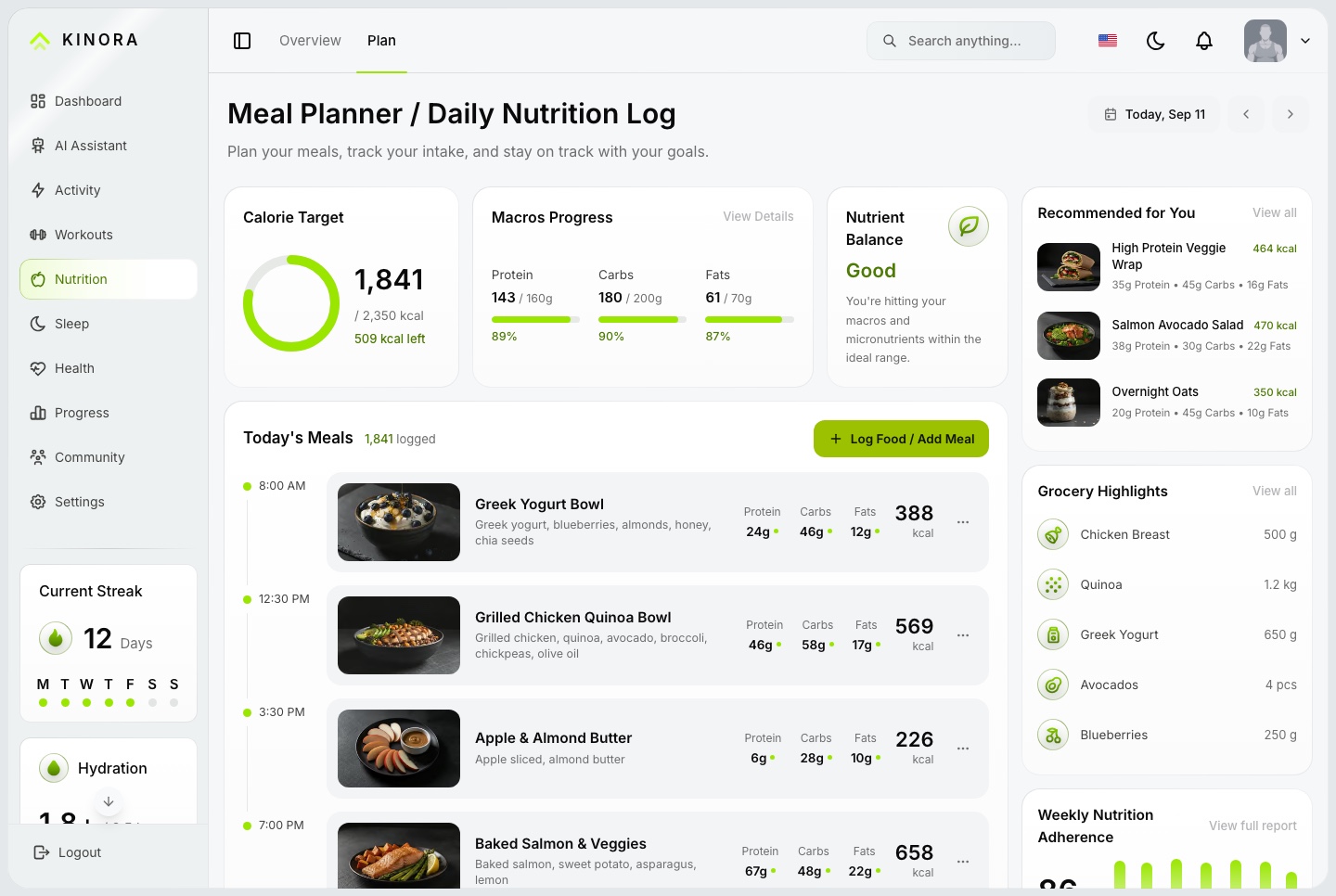
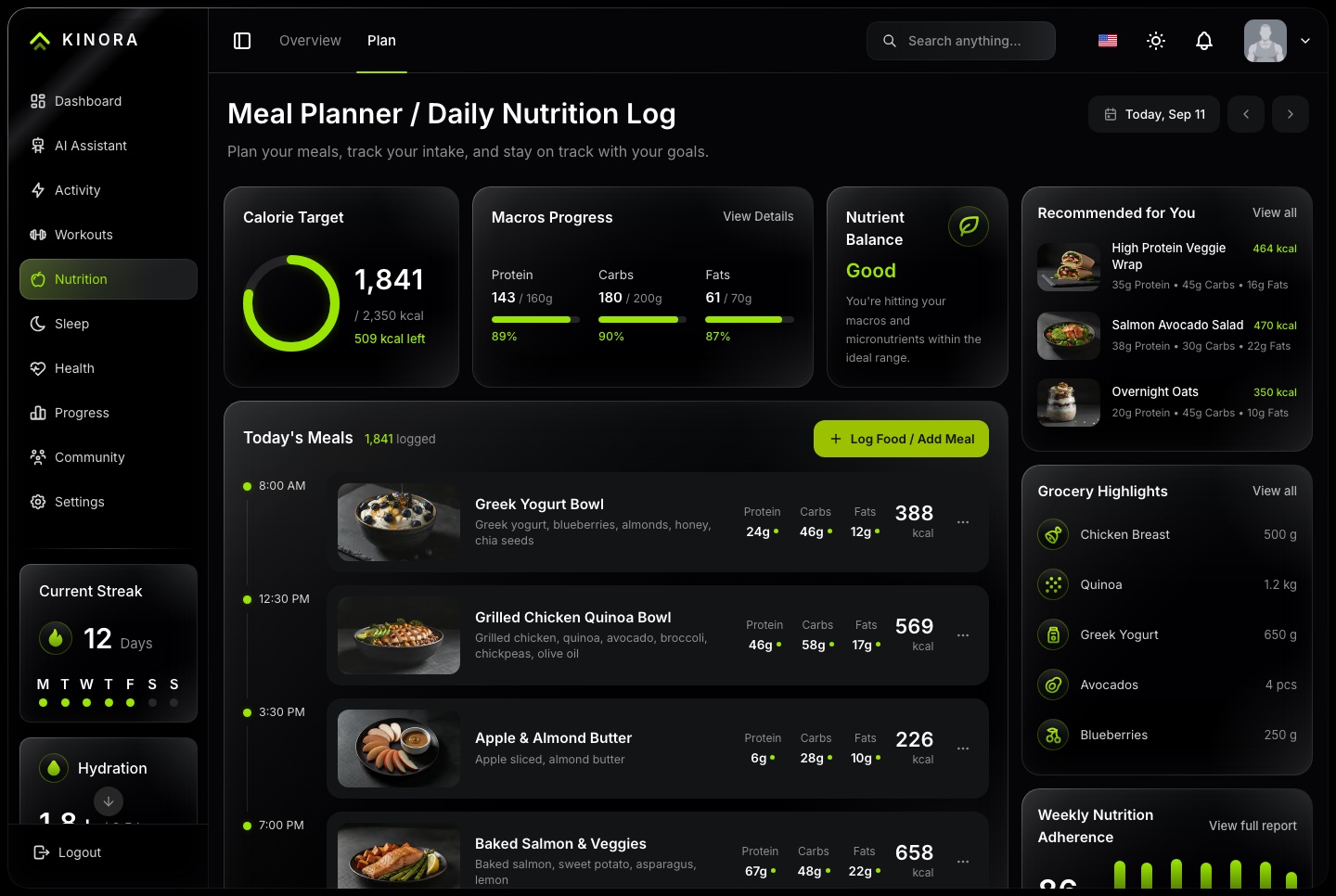
The day's meals on a timeline, sorted by the time they are eaten, with calories against the target and macros for every meal.
Meal planner, light. The day's meals on a timeline with macros per meal, the calorie target, macro progress, recommendations and grocery highlights
Meal planner, dark. The day's meals on a timeline with macros per meal, the calorie target, macro progress, recommendations and grocery highlights
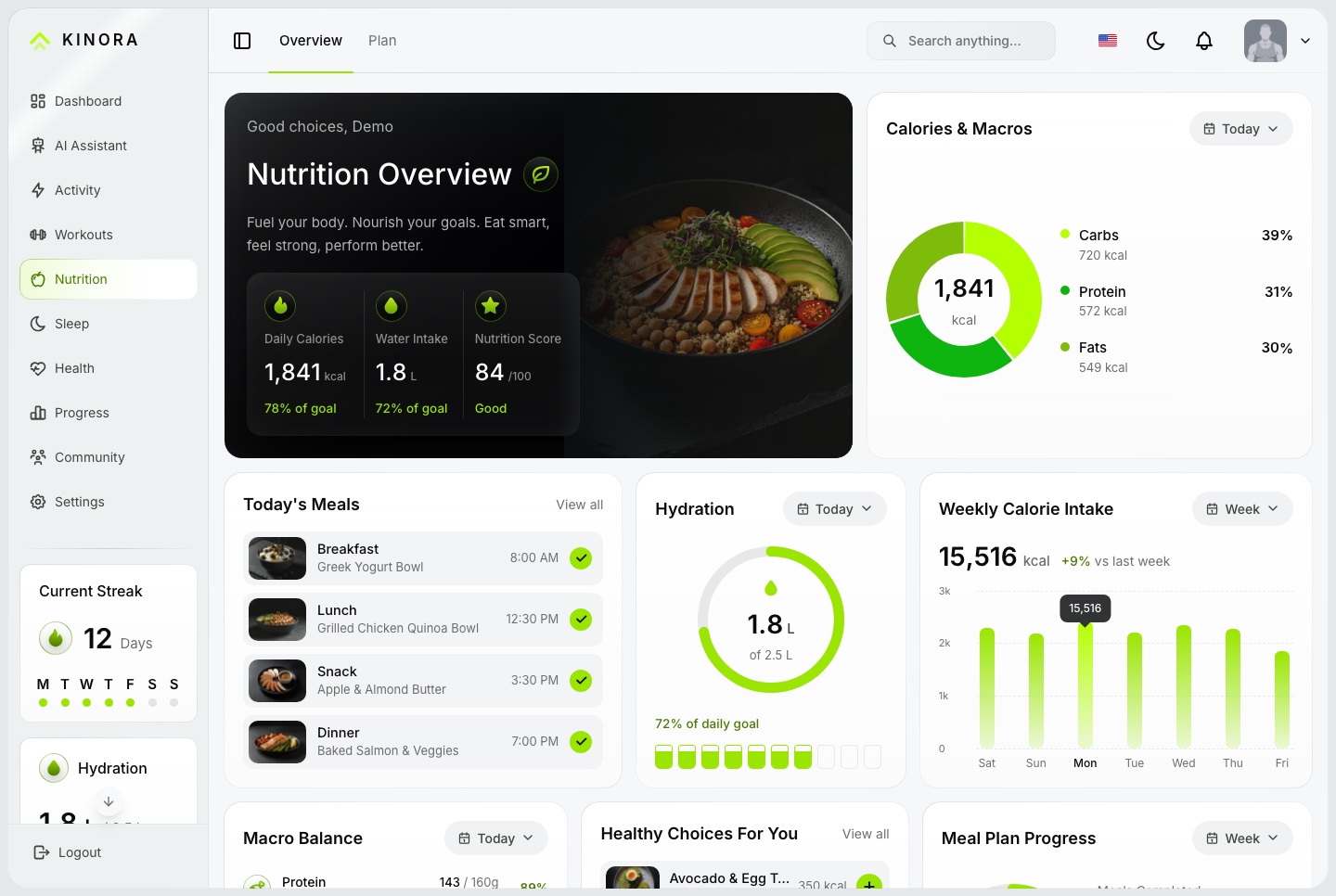
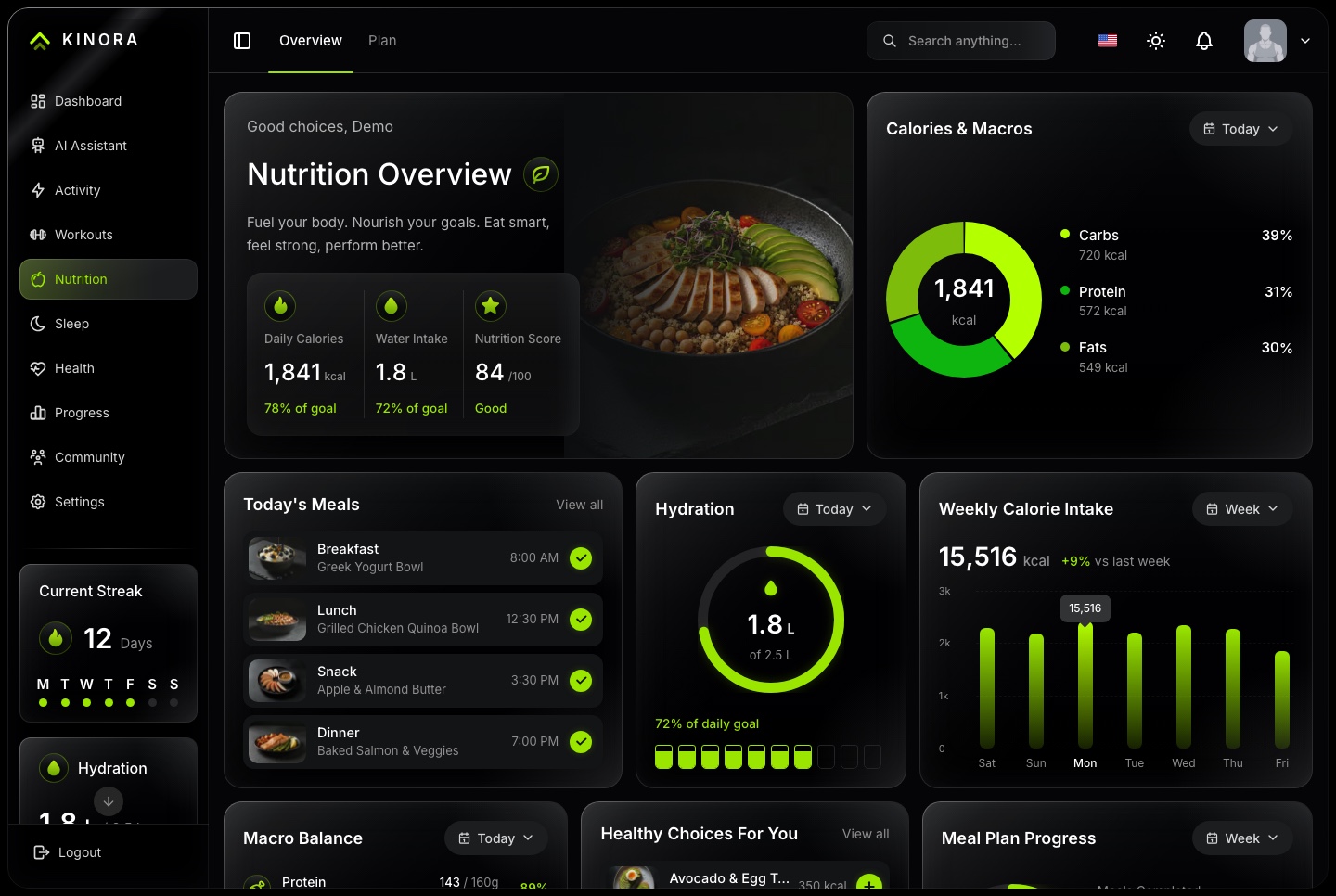
Calories, macros and water
A log food sheet with macros and time
Calories against target and the macro split
Hydration by the glass, and weekly intake
Recommendations and a grocery list
Nutrition, light. Calories and macros, today's meals, hydration, weekly calorie intake and macro balance
Nutrition, dark. Calories and macros, today's meals, hydration, weekly calorie intake and macro balance
Body
Activity, sleep, health and progress
Each section is built to the same depth as training, with figures that count up, charts that draw in and a tooltip that follows the pointer.
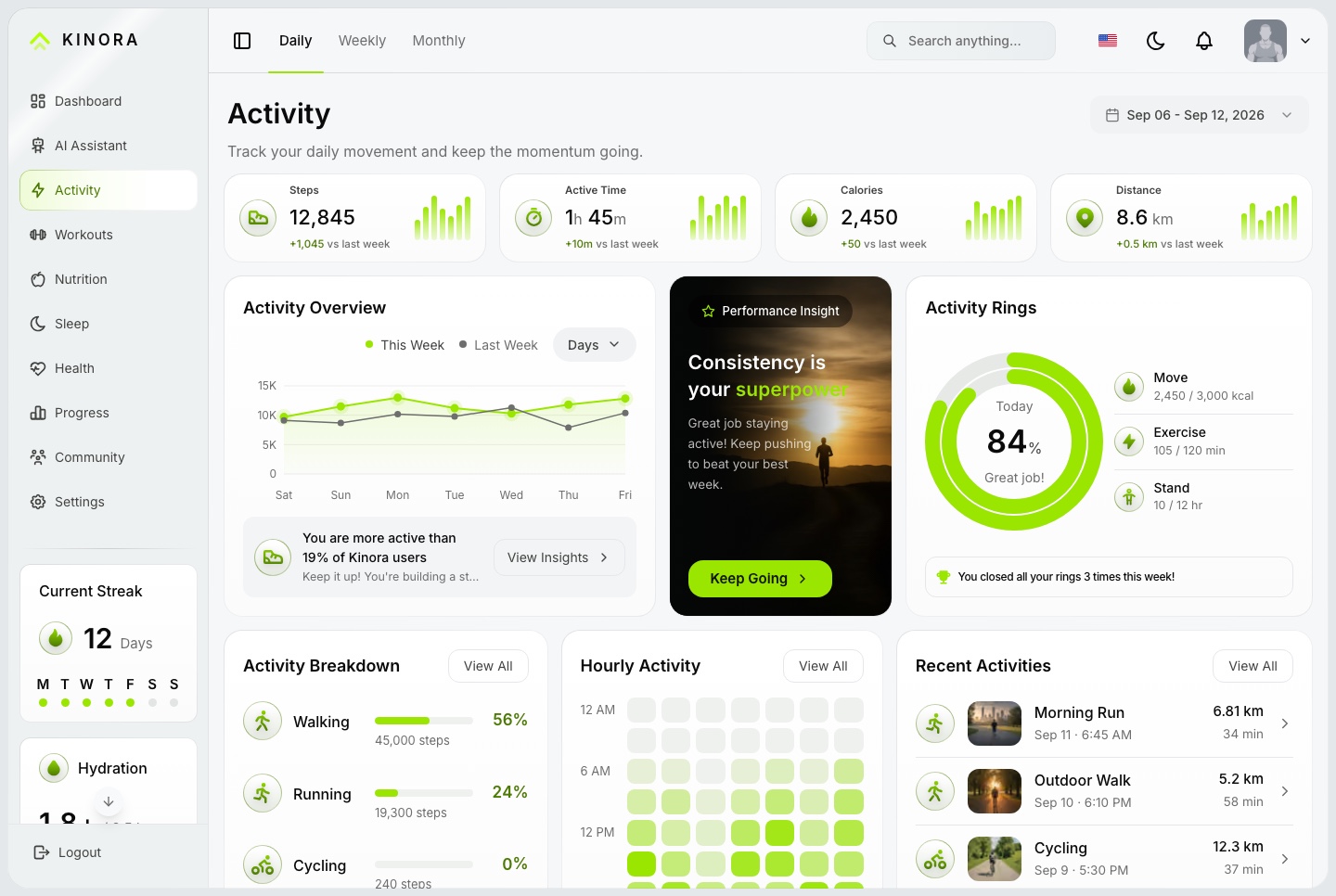
Activity, light. Steps, active time, calories and distance, this week against last, activity rings, the hourly heatmap and recent activities
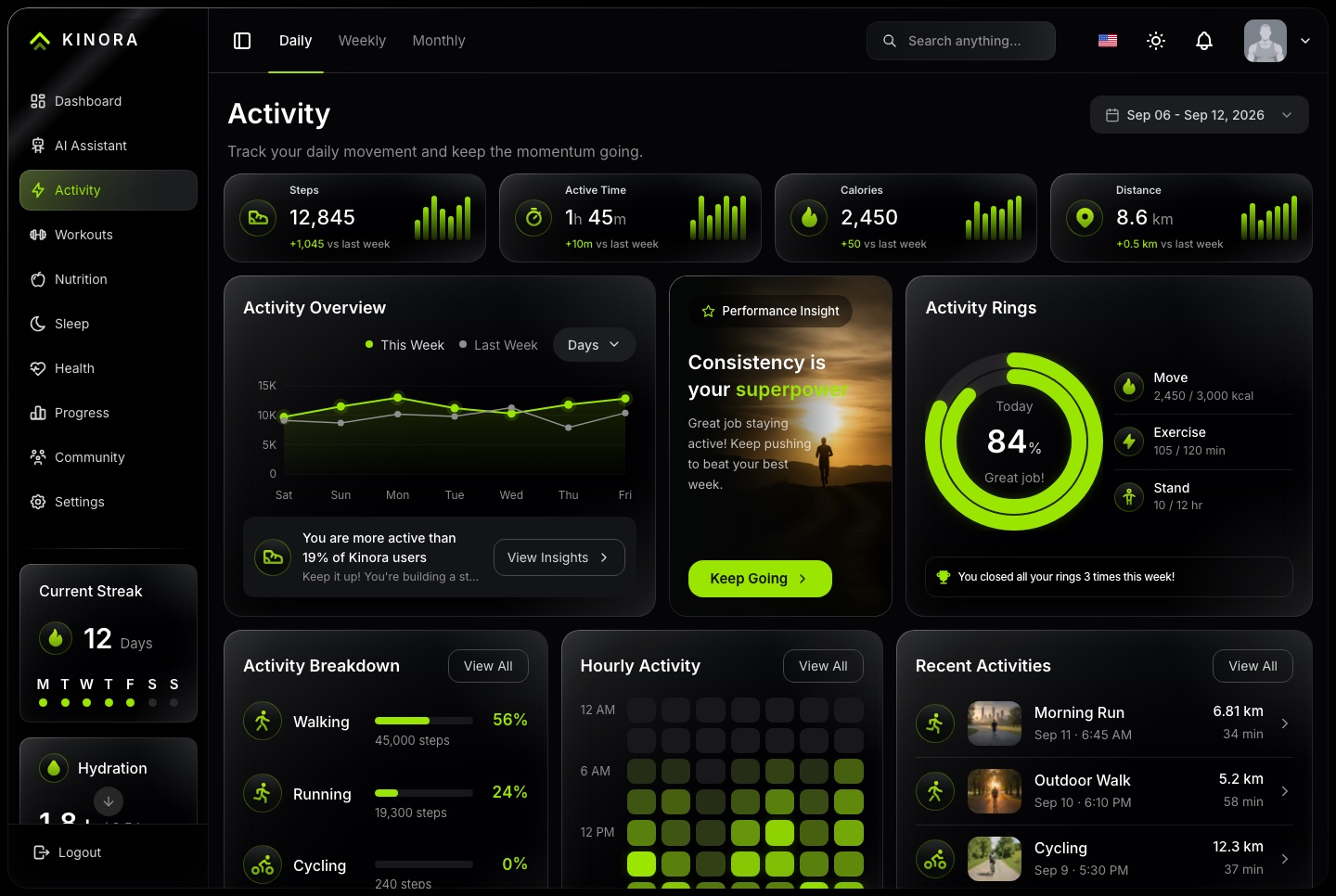
Activity, dark. Steps, active time, calories and distance, this week against last, activity rings, the hourly heatmap and recent activities
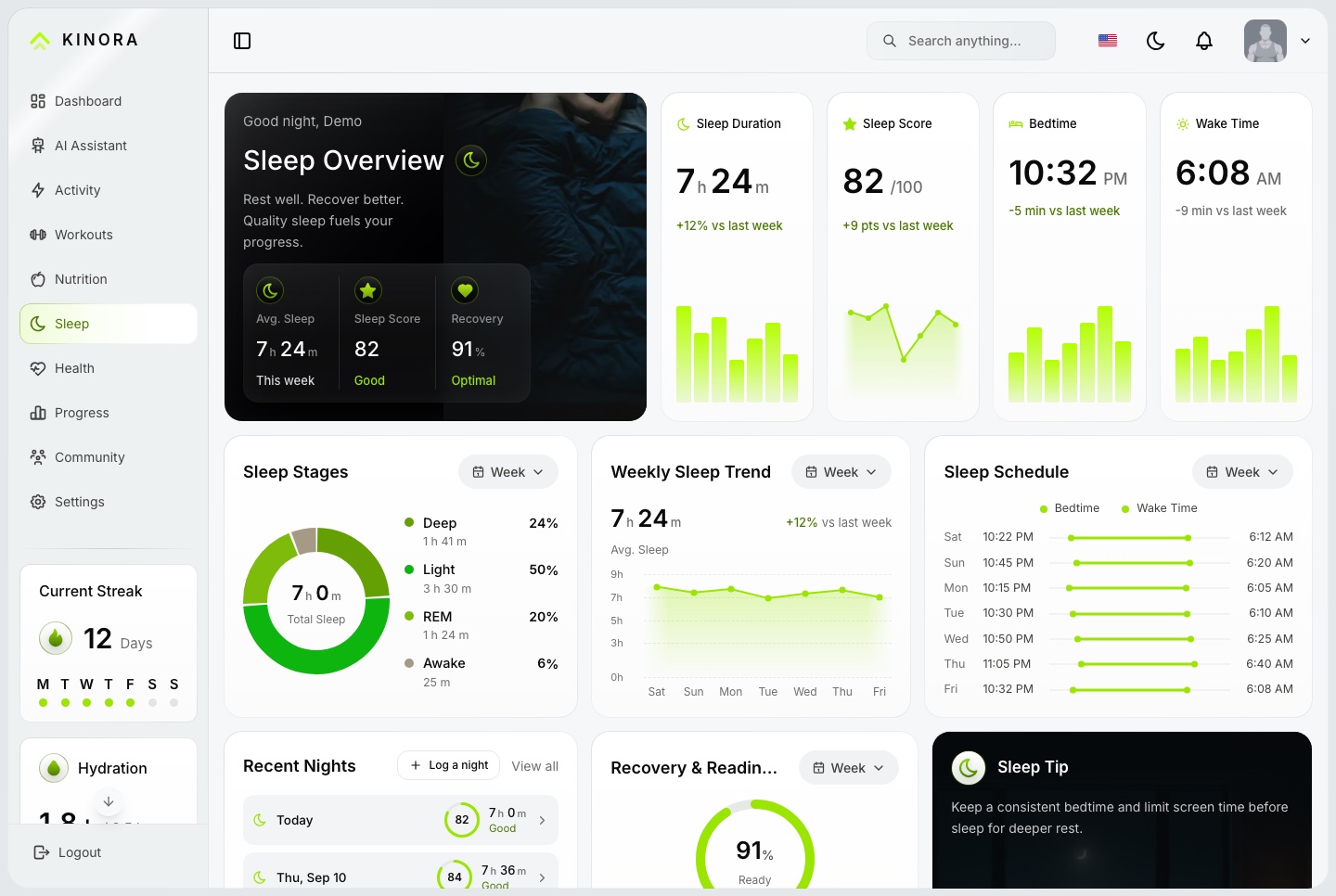
Sleep, light. Duration, score, bedtime and wake time, sleep stages, the weekly trend, the schedule and recent nights
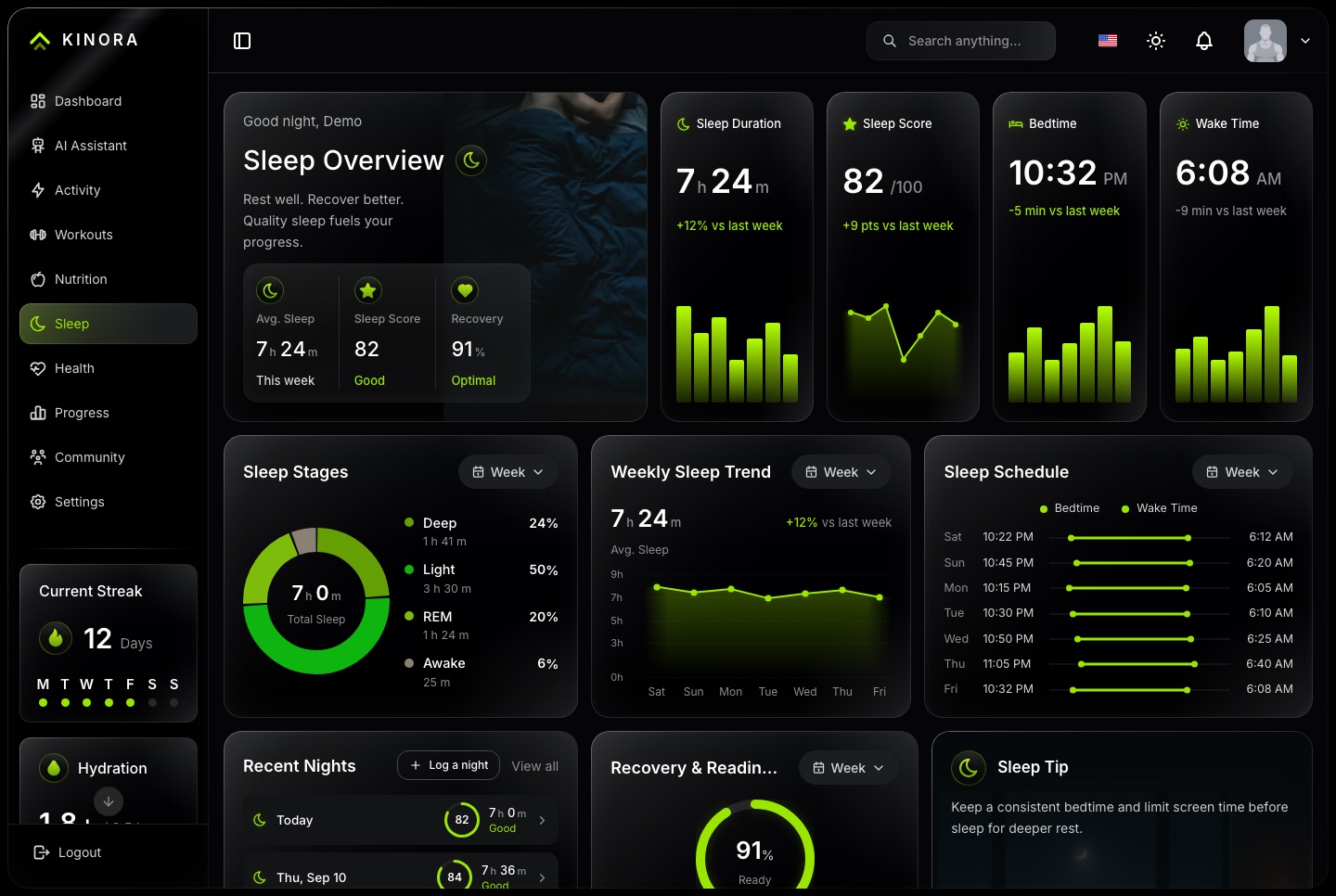
Sleep, dark. Duration, score, bedtime and wake time, sleep stages, the weekly trend, the schedule and recent nights
A health score with its reasons
Steps, active time, calories and distance, with an hourly heatmap
Sleep stages, the weekly trend and the schedule
A health score, what to focus on and the daily essentials
Readings logged by hand or written by a device provider
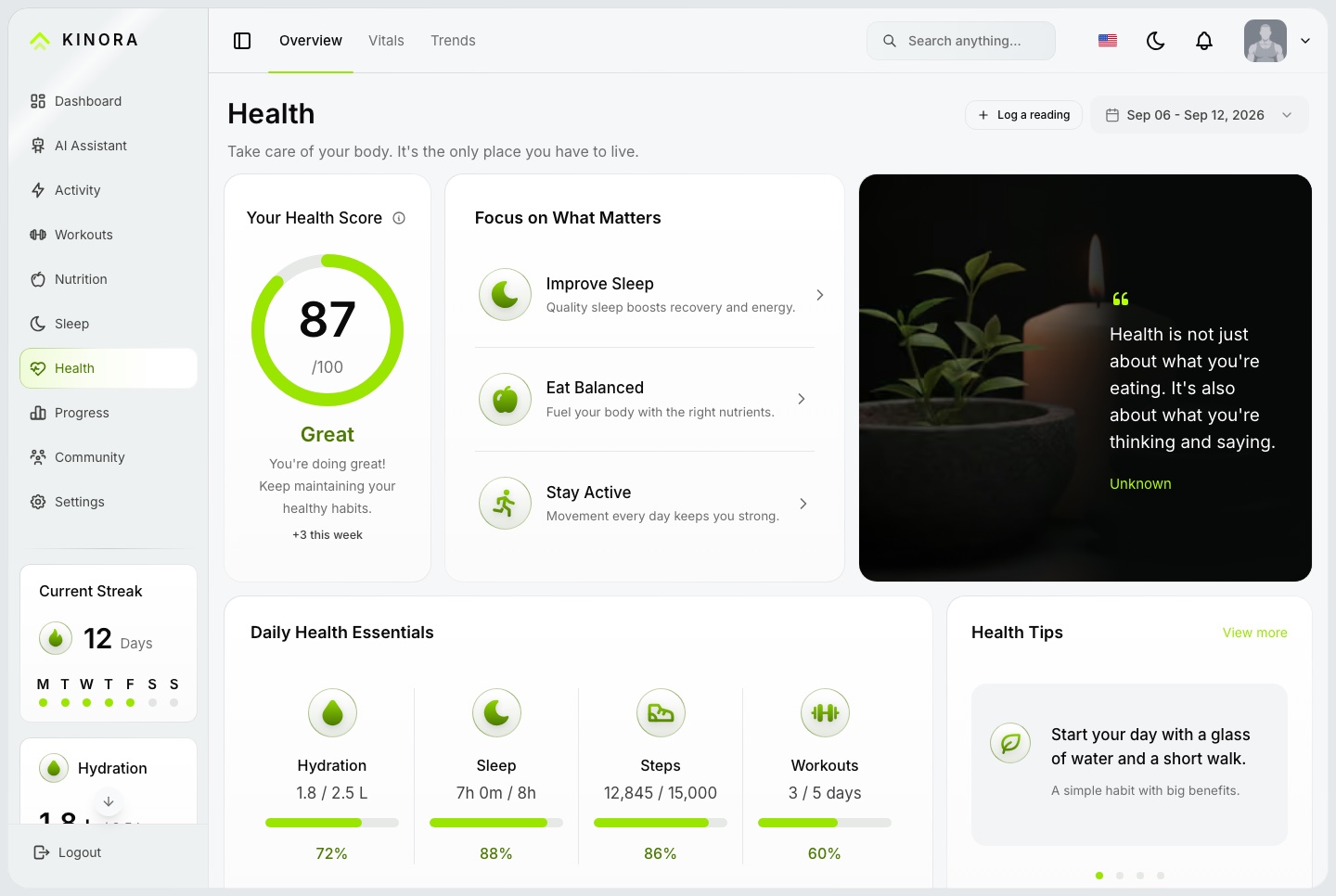
Health, light. A health score, what to focus on, the daily essentials against their goals, and health tips
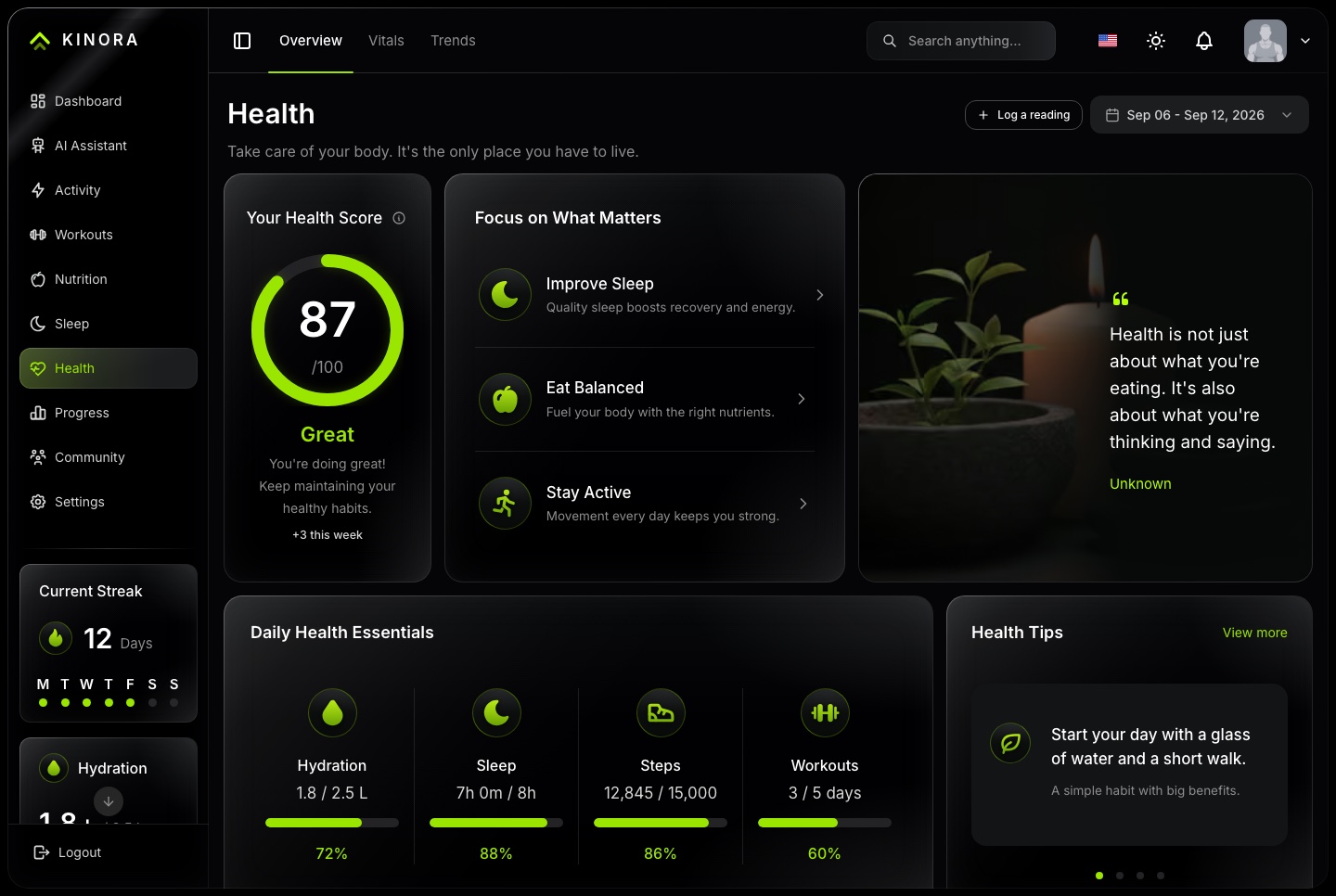
Health, dark. A health score, what to focus on, the daily essentials against their goals, and health tips
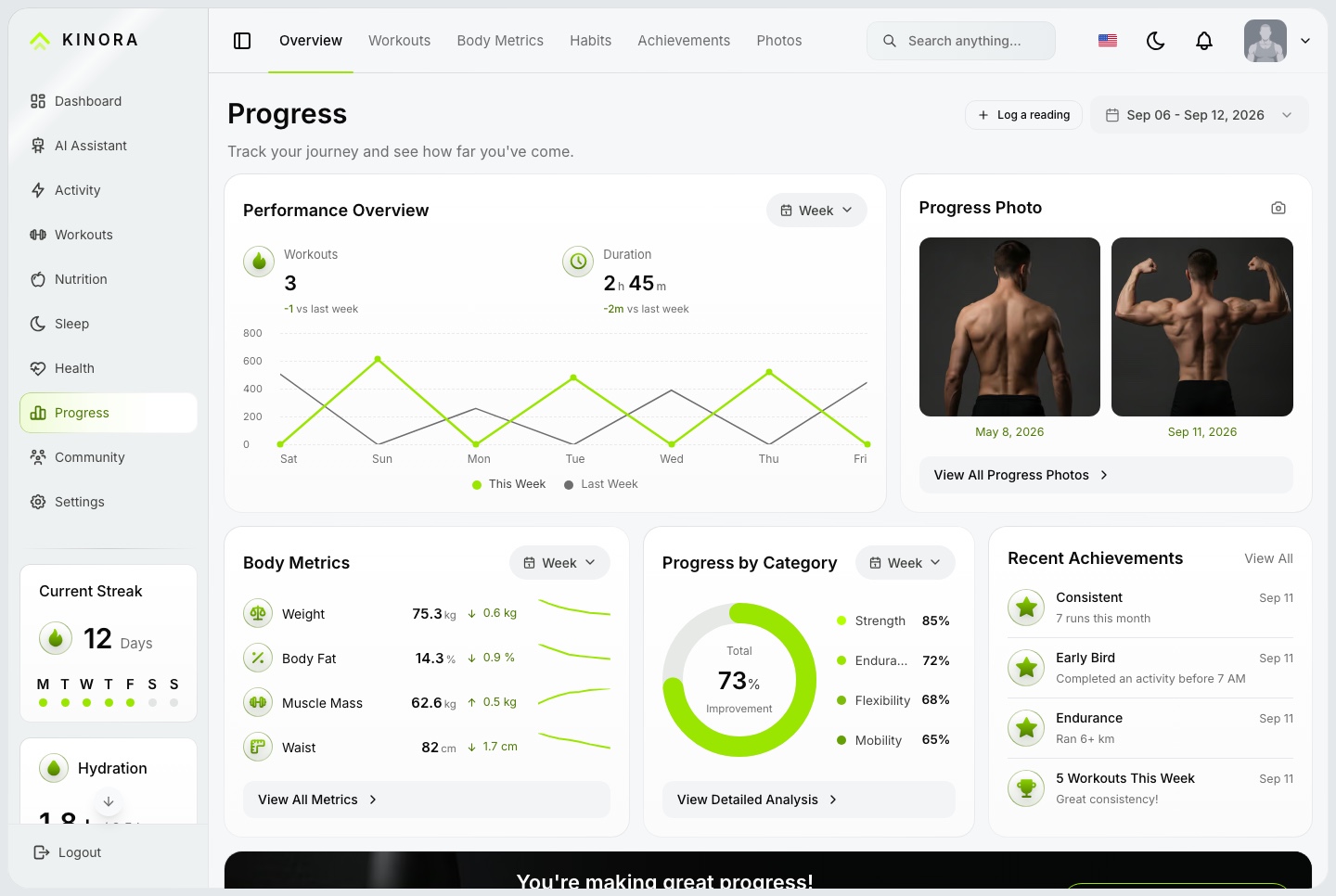
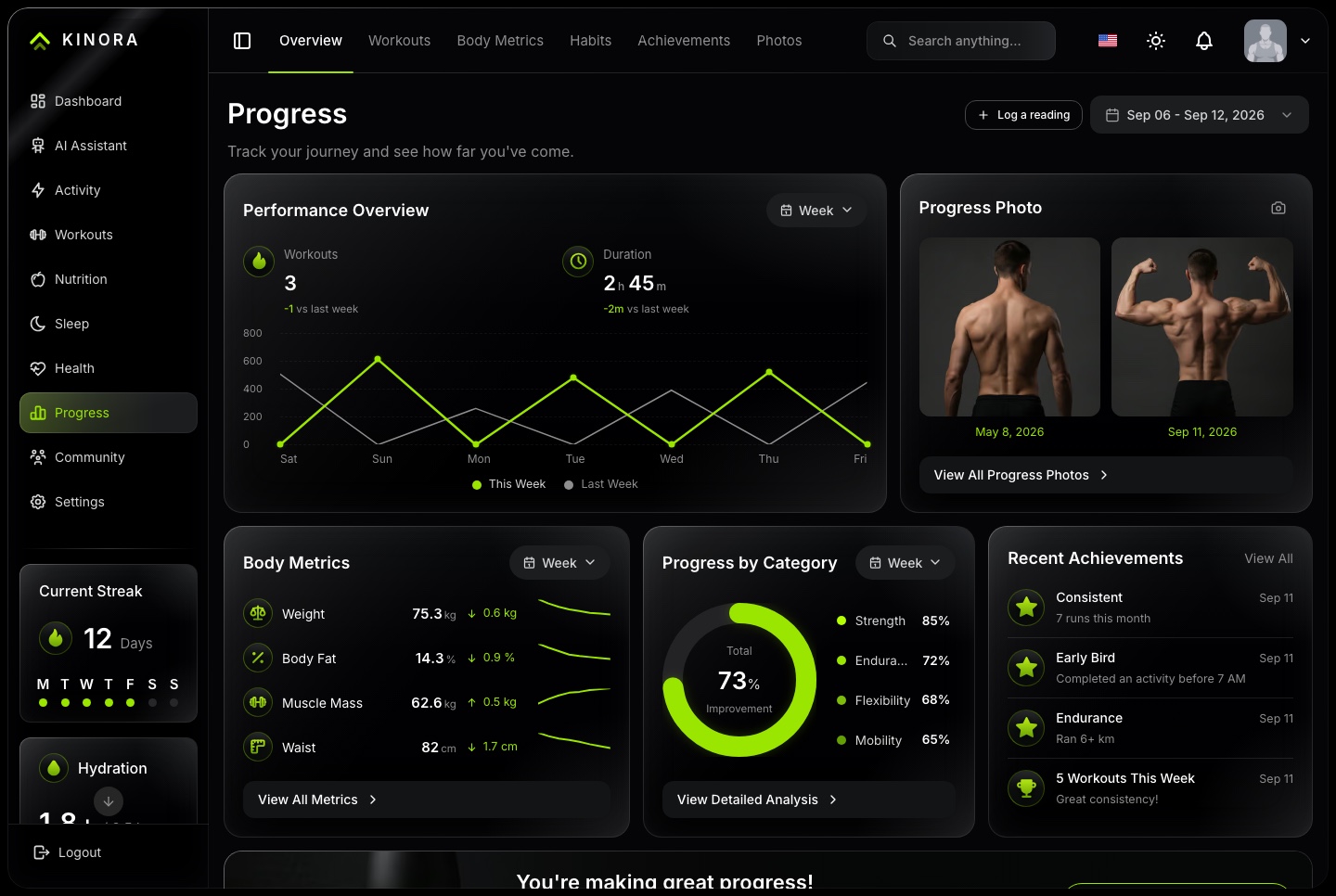
Progress you can see
Body metrics with their trend
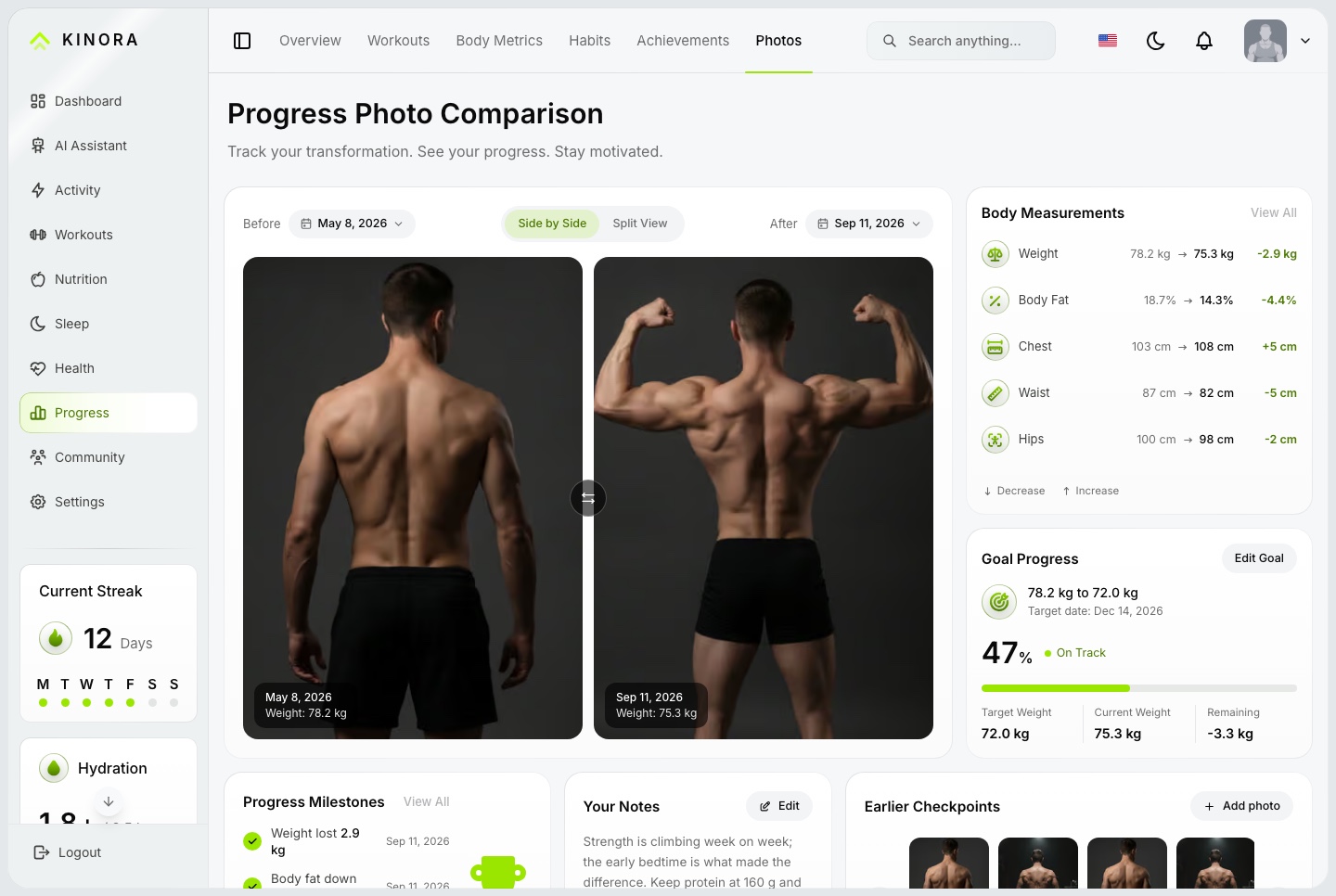
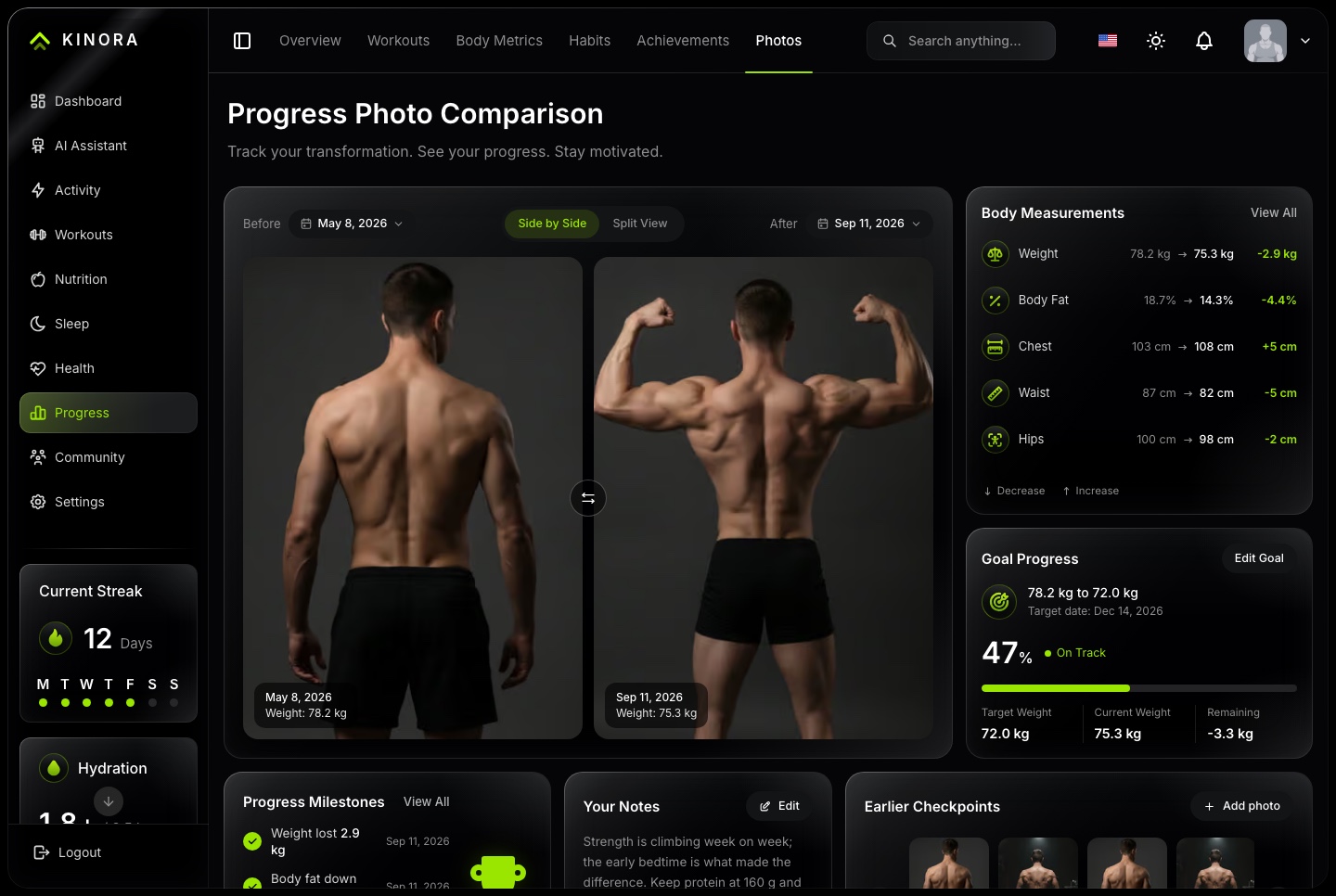
Before and after photos with measurements
A goal with its target date and how far along it is
Achievements earned along the way
Progress, light. Performance over the week, before and after photos, body metrics, progress by category and recent achievements
Progress, dark. Performance over the week, before and after photos, body metrics, progress by category and recent achievements
Progress photos, light. Before and after side by side, with body measurements, goal progress, milestones and earlier checkpoints
Progress photos, dark. Before and after side by side, with body measurements, goal progress, milestones and earlier checkpoints
Community
A community around the training
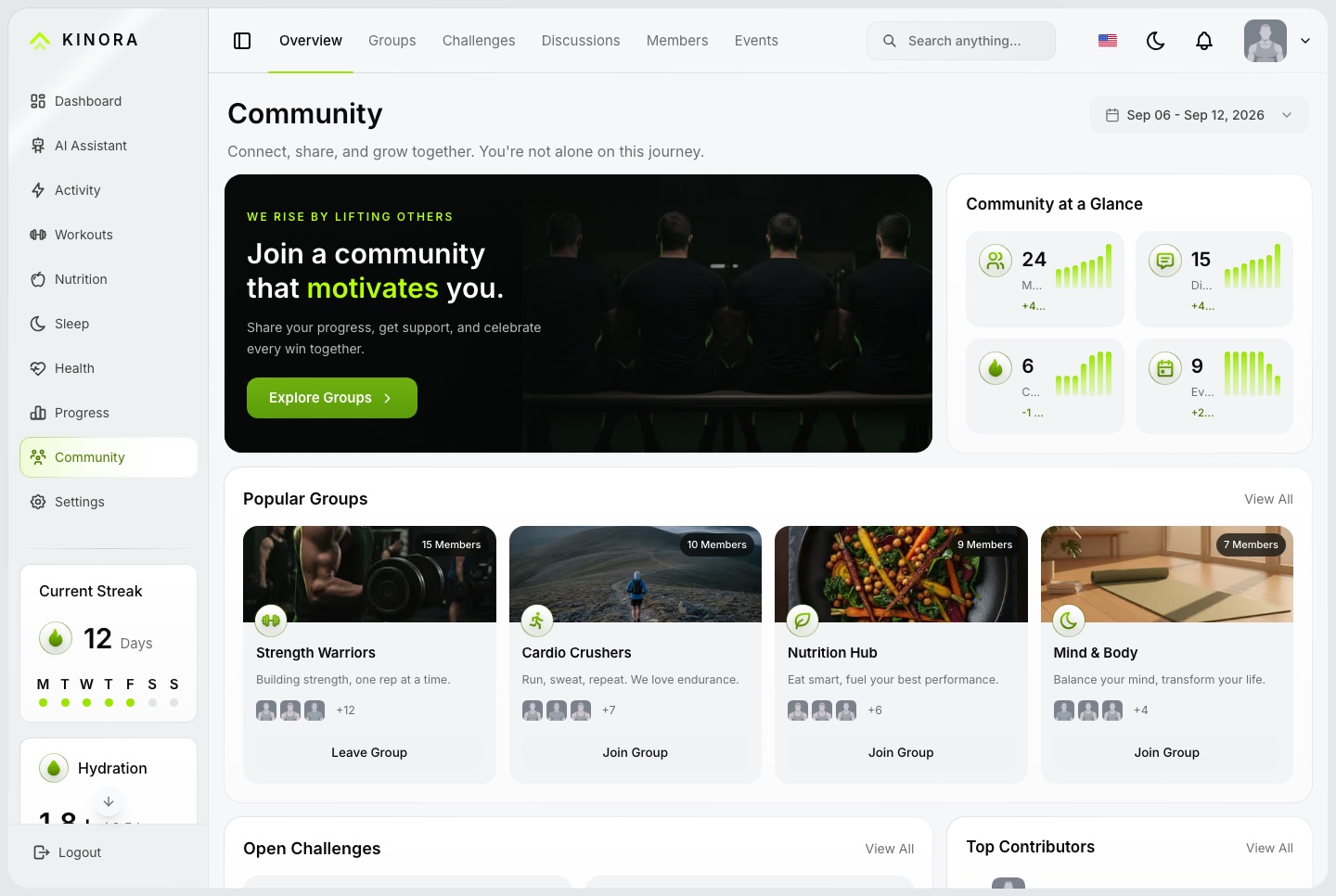
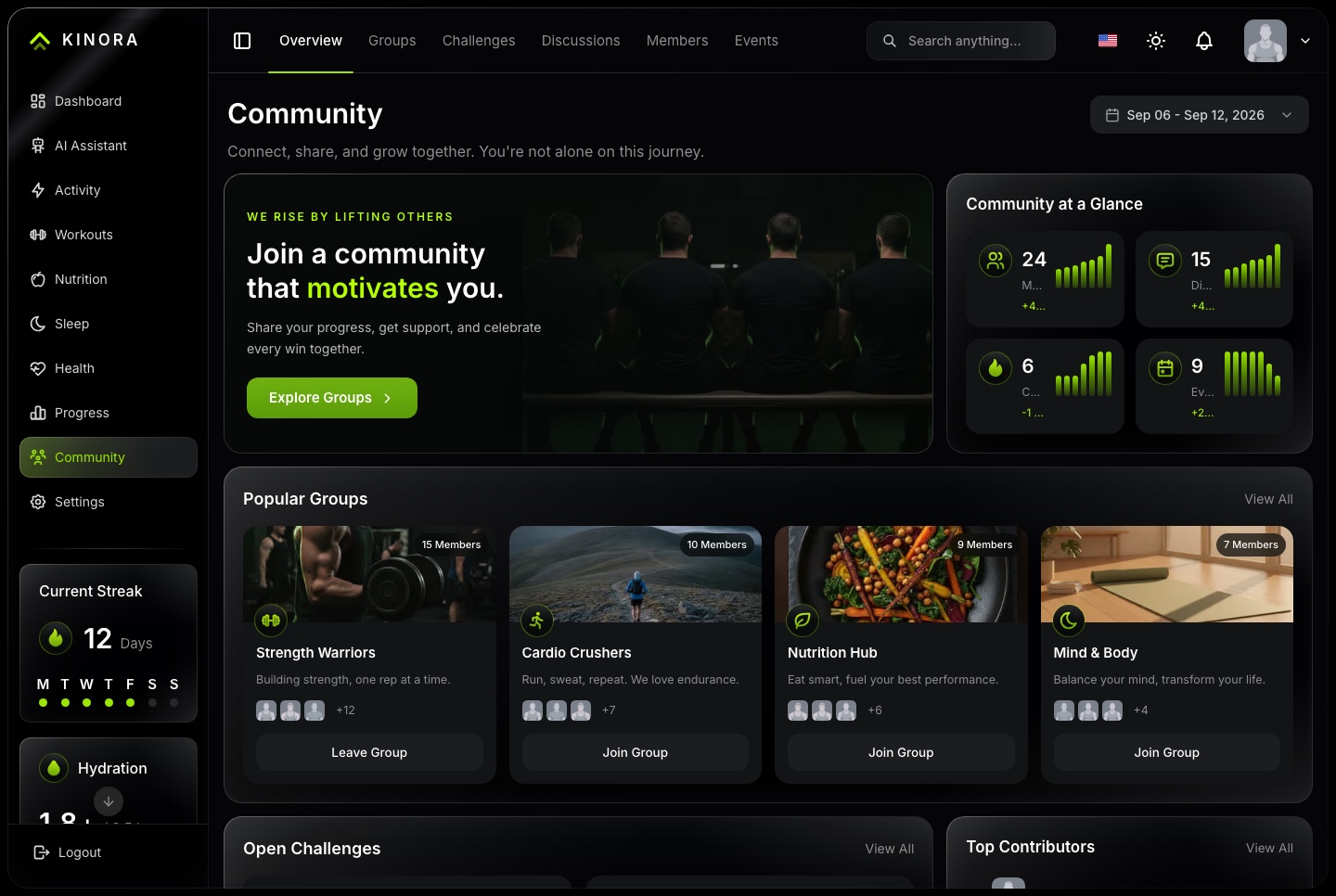
Groups, challenges, discussions and events, with a leaderboard of the members who show up.
Community, light. Community figures, popular groups, open challenges and top contributors
Community, dark. Community figures, popular groups, open challenges and top contributors
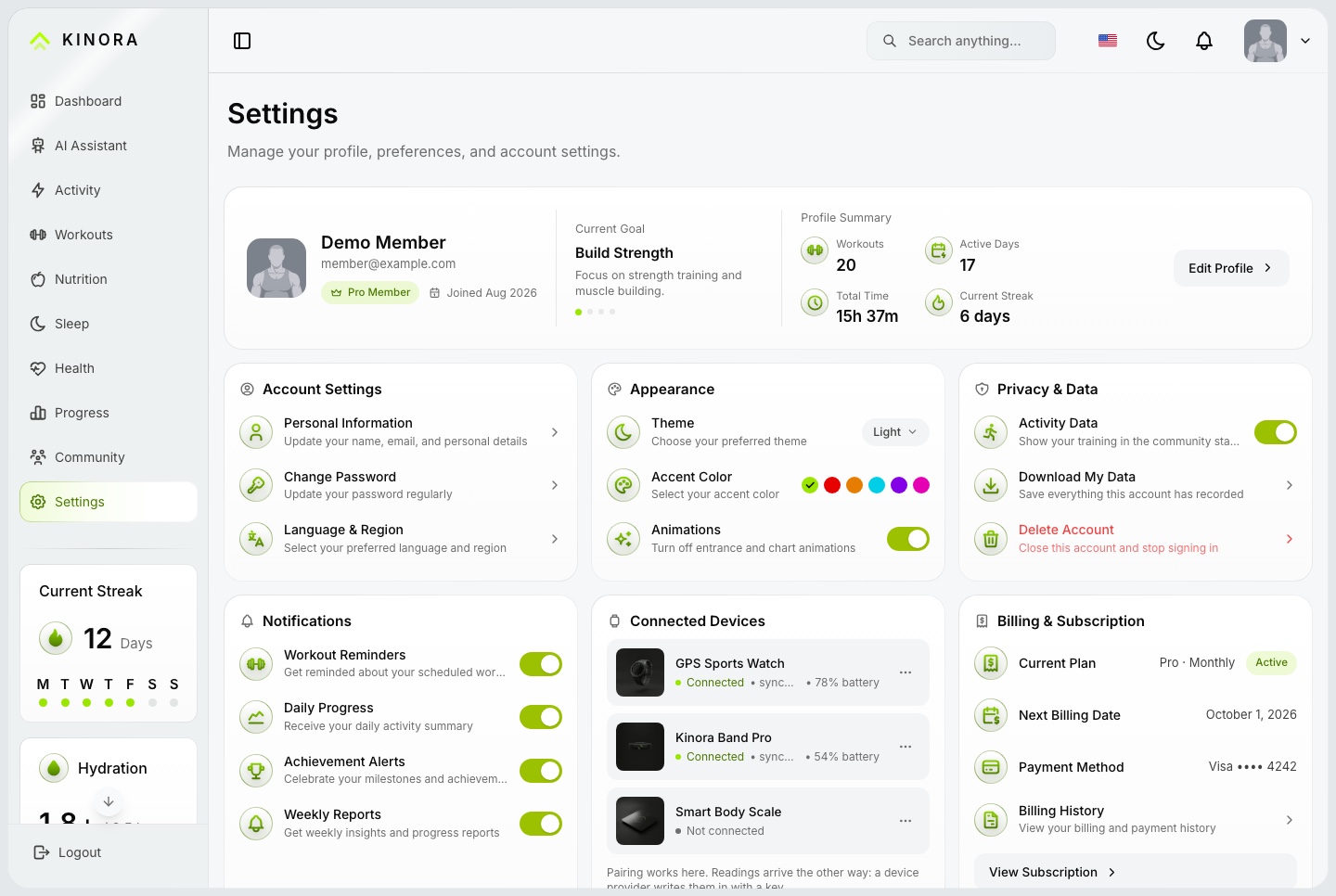
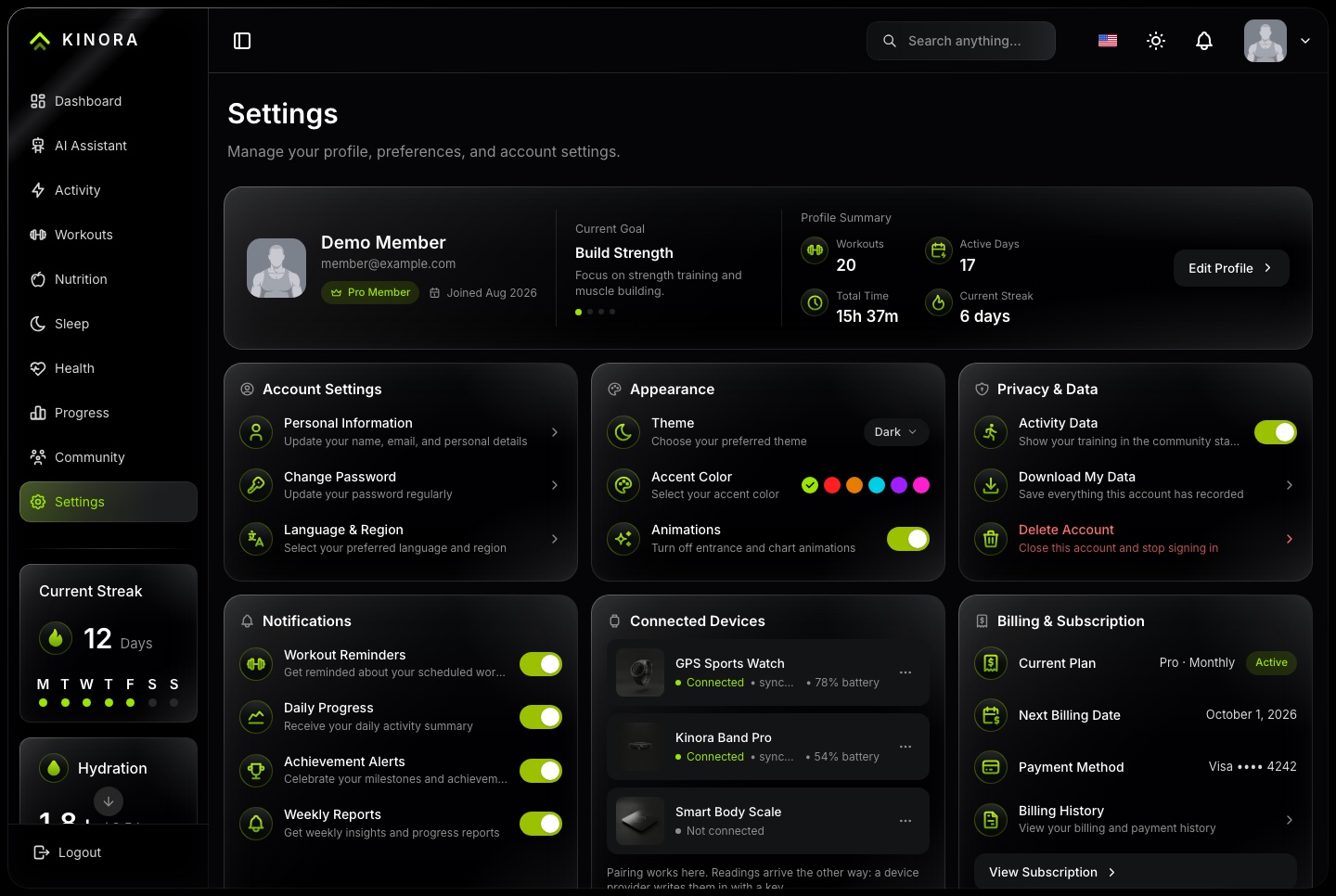
Settings where every control saves
Theme, accent color and animations, saved on the account
Notification and privacy switches, and a download of everything the account has recorded
Device data sources with keys created and revoked per account
A subscription card with the plan and its billing history
Settings, light. Profile summary, account settings, appearance with theme, accent and animations, privacy and data, notifications, connected devices and the subscription
Settings, dark. Profile summary, account settings, appearance with theme, accent and animations, privacy and data, notifications, connected devices and the subscription
Bilingual
Start with English, Arabic, light, and dark
English and Arabic interfaces are included, with right-to-left layouts for Arabic and light and dark themes on every screen.
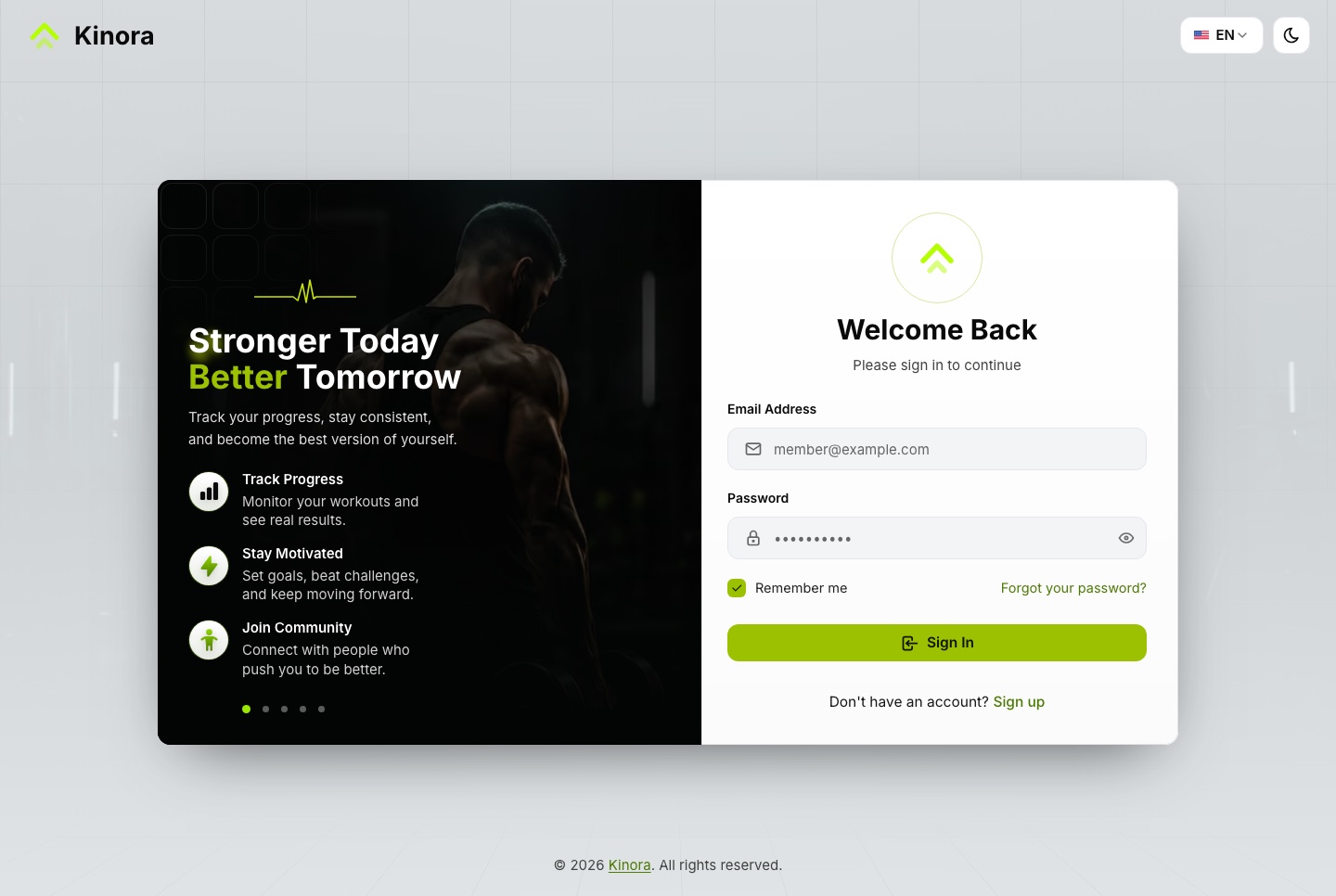
Sign in, light. The sign-in page, with the demo member filled in by the link
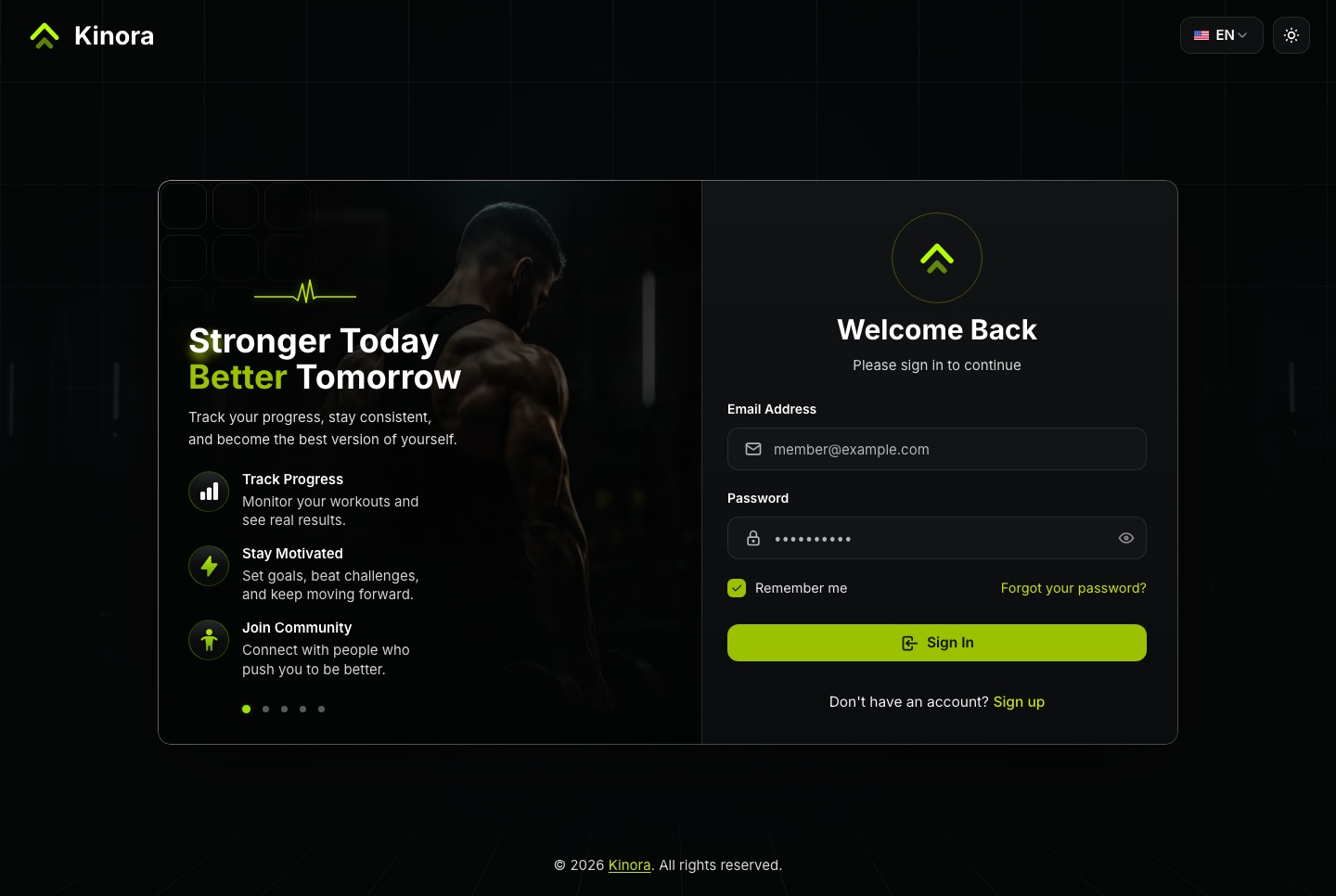
Sign in, dark. The sign-in page, with the demo member filled in by the link
Right to left, end to end
Customize the branding and extend the translations for your audience.
Layouts written with logical properties, so they mirror in Arabic
next-intl messages split by feature and locale
An accent picker that rebuilds every color token around one hue
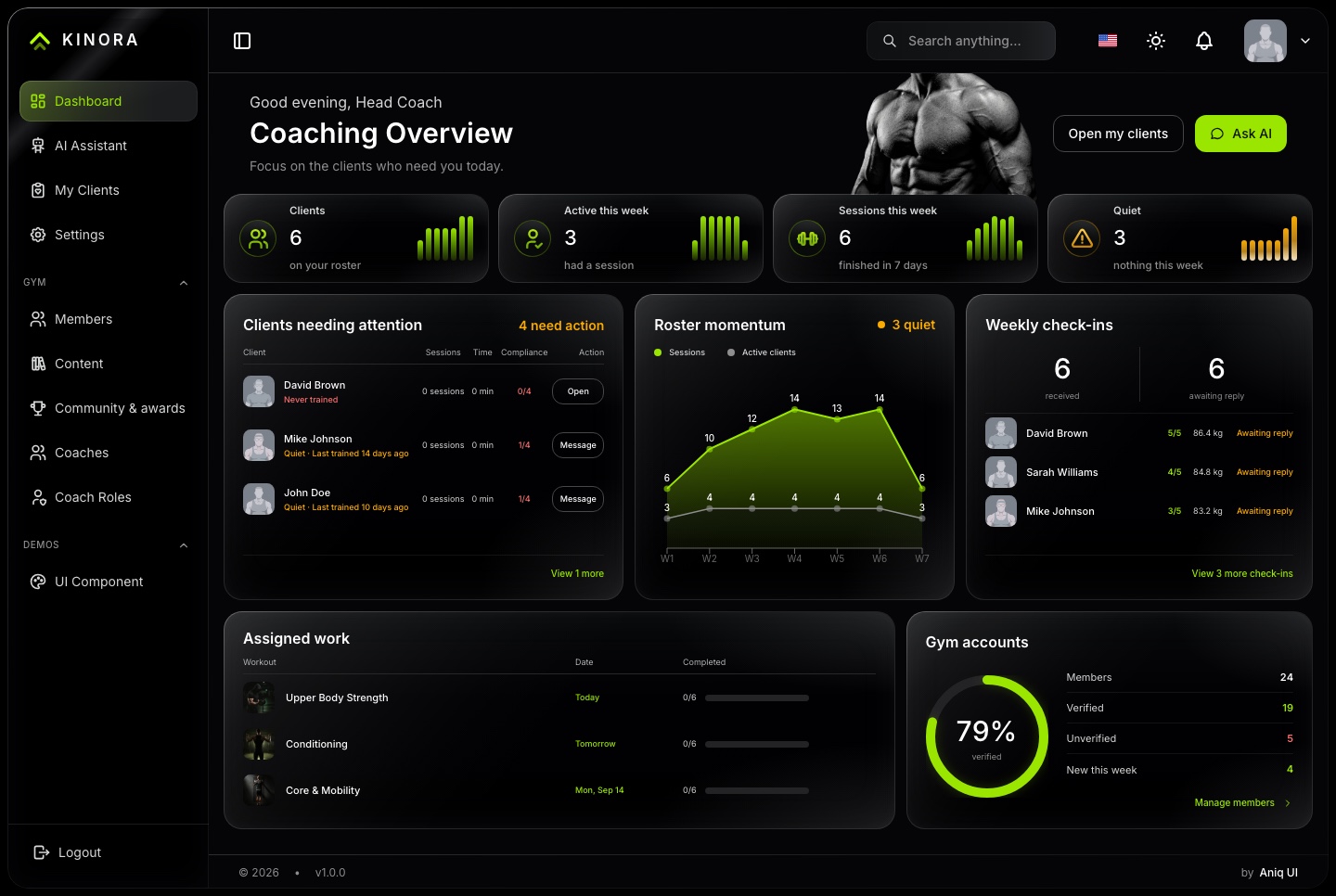
Use the Light and Dark switch above the screenshots to compare each screen in both themes
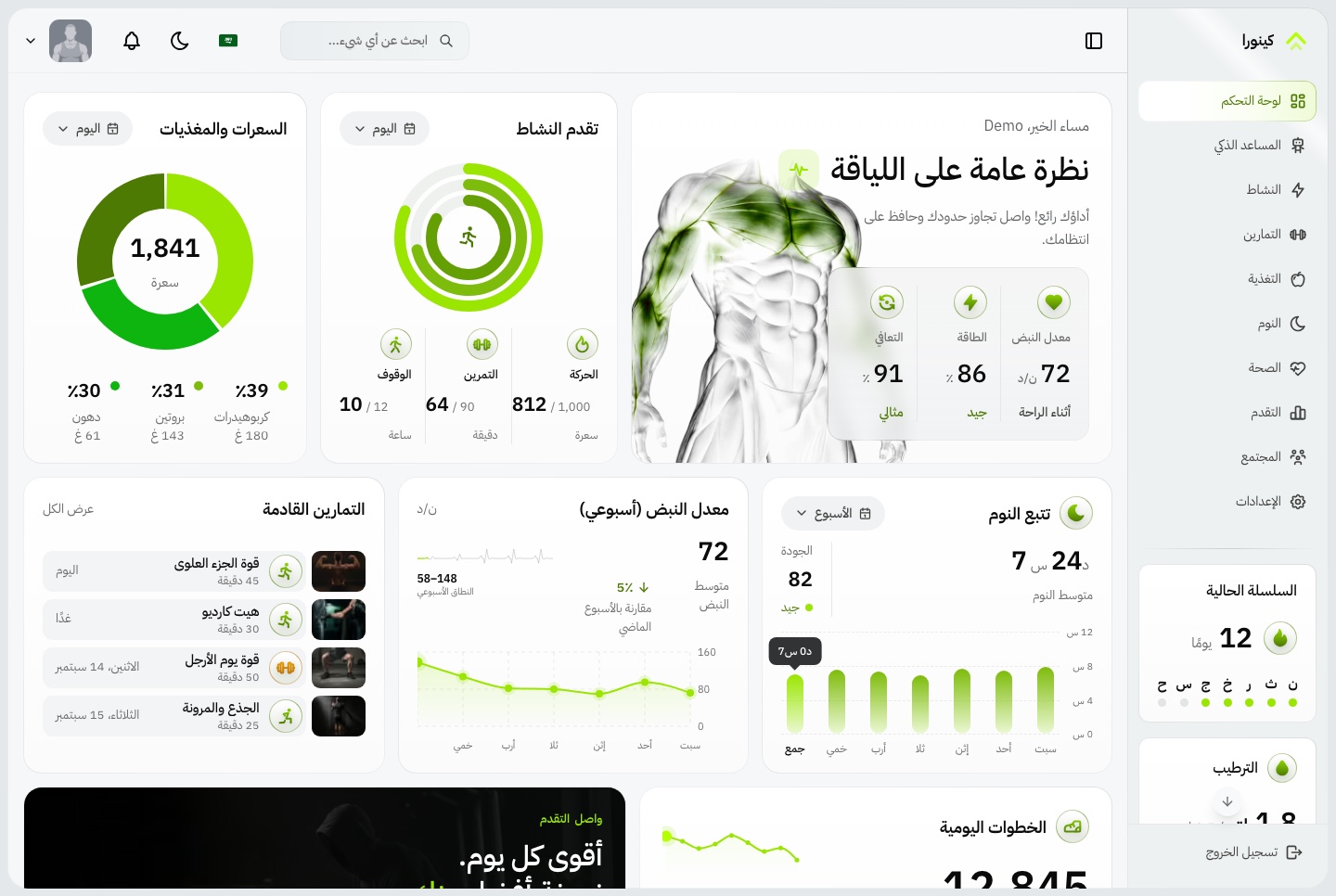
Member dashboard in Arabic, light. The member overview in Arabic, mirrored right to left
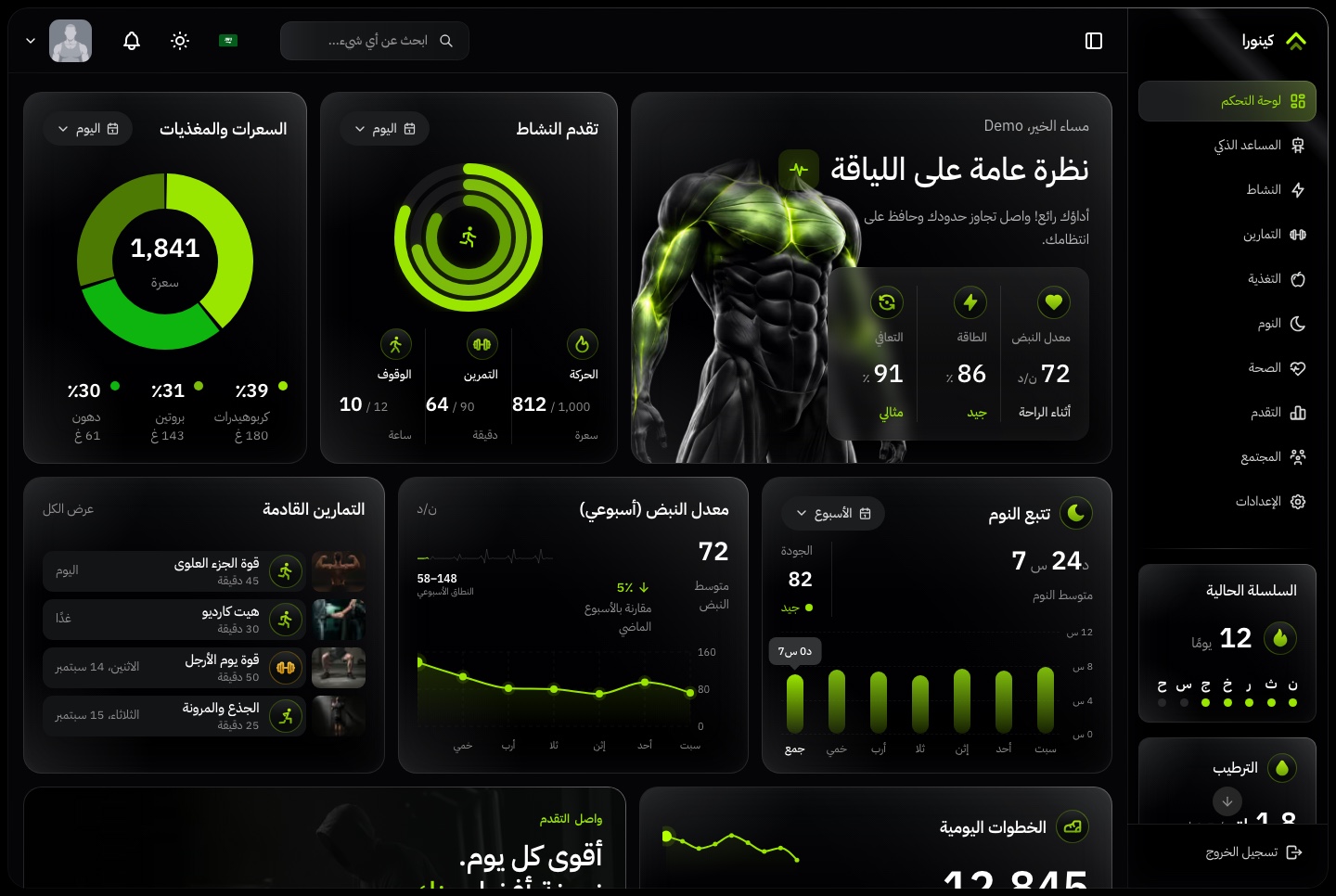
Member dashboard in Arabic, dark. The member overview in Arabic, mirrored right to left
Coaching
The half most fitness templates leave out
Charts are the easy part. What a gym sells is the loop between a coach and the person following them, and every step of it is here.
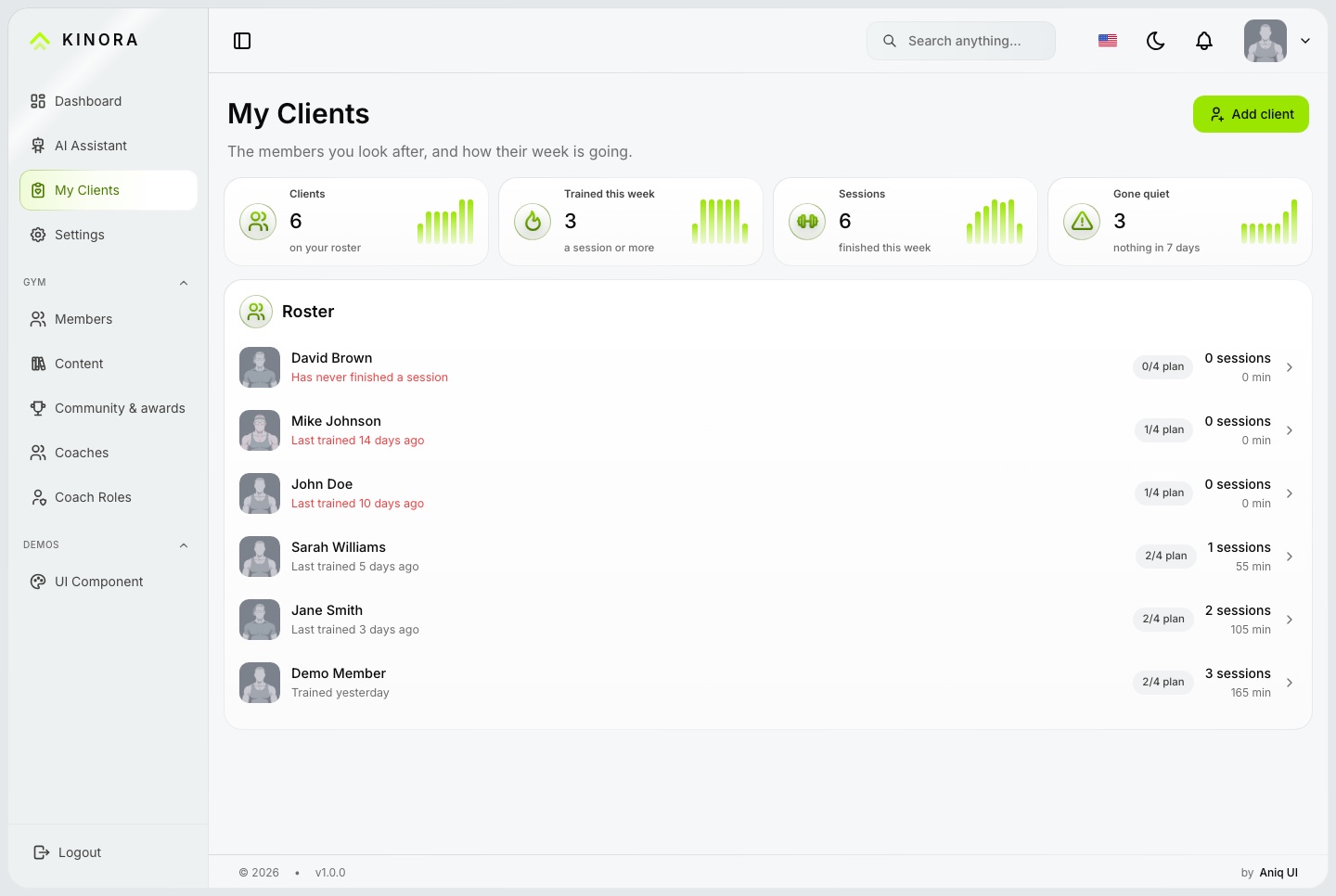
My clients, light. The coach's roster, quiet clients first, with each client's last session, plan compliance and sessions this week
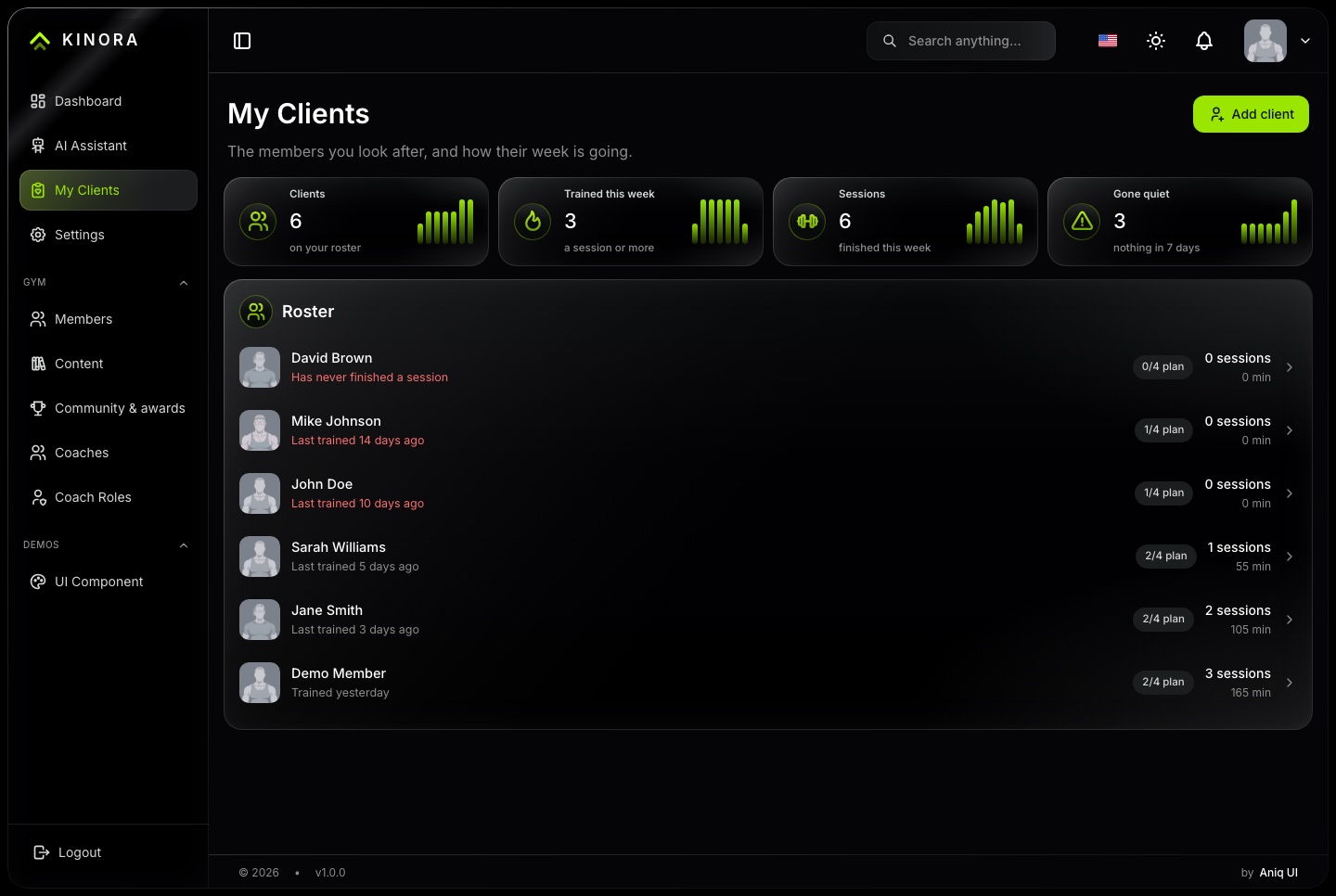
My clients, dark. The coach's roster, quiet clients first, with each client's last session, plan compliance and sessions this week
Assign the work, and watch it land
The coach sets a workout for a day. The member sees it ahead of anything they picked, and it counts as done when they finish a session of it.
A roster of the coach's own clients, quiet ones first
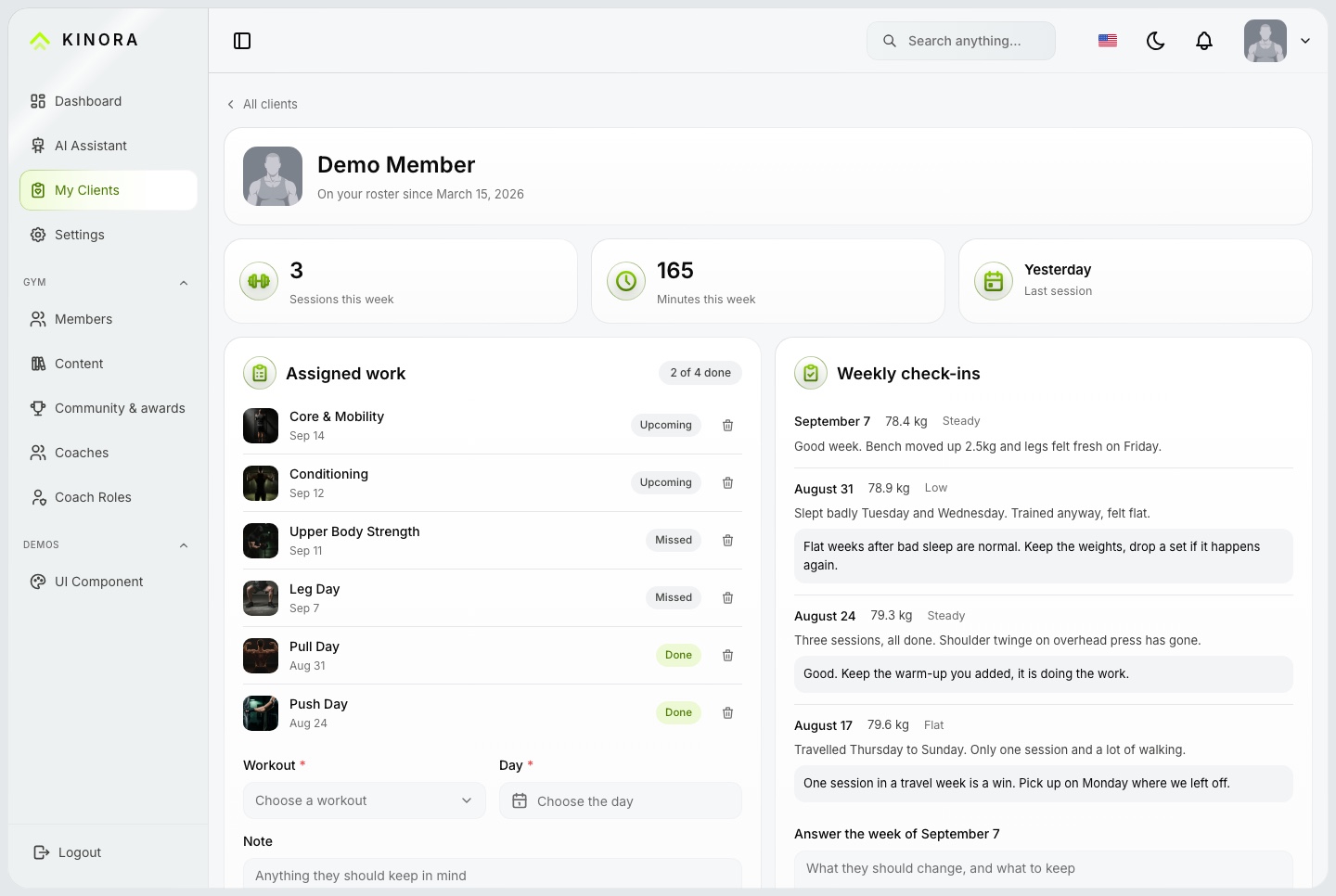
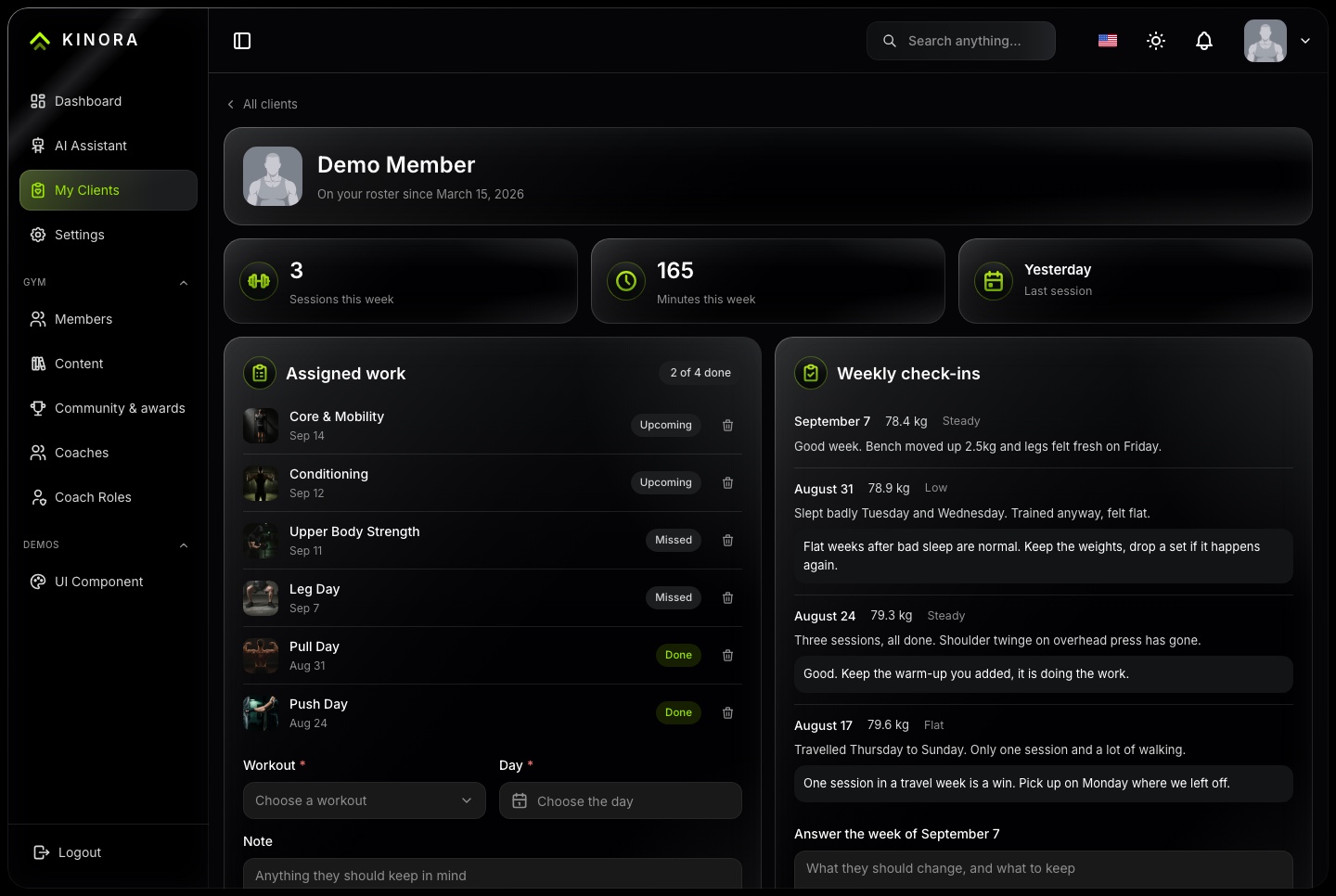
Assigned work with upcoming, missed and done states
Weekly check-ins with weight, how the week felt and a note, answered by the coach
One message thread per coach and client, delivered live
Client page, light. One client's week: sessions and minutes, assigned work with its state, weekly check-ins with the coach's replies, and the form that assigns the next workout
Client page, dark. One client's week: sessions and minutes, assigned work with its state, weekly check-ins with the coach's replies, and the form that assigns the next workout
The same assistant, on the coach's side
A coach asks about the roster and gets the roster back: who trained, who slipped, and who to message first.
Compliance across every client, ranked by who needs attention
Check-ins and assignments written from inside the conversation
Only the tools the coach role allows, on the same MCP server
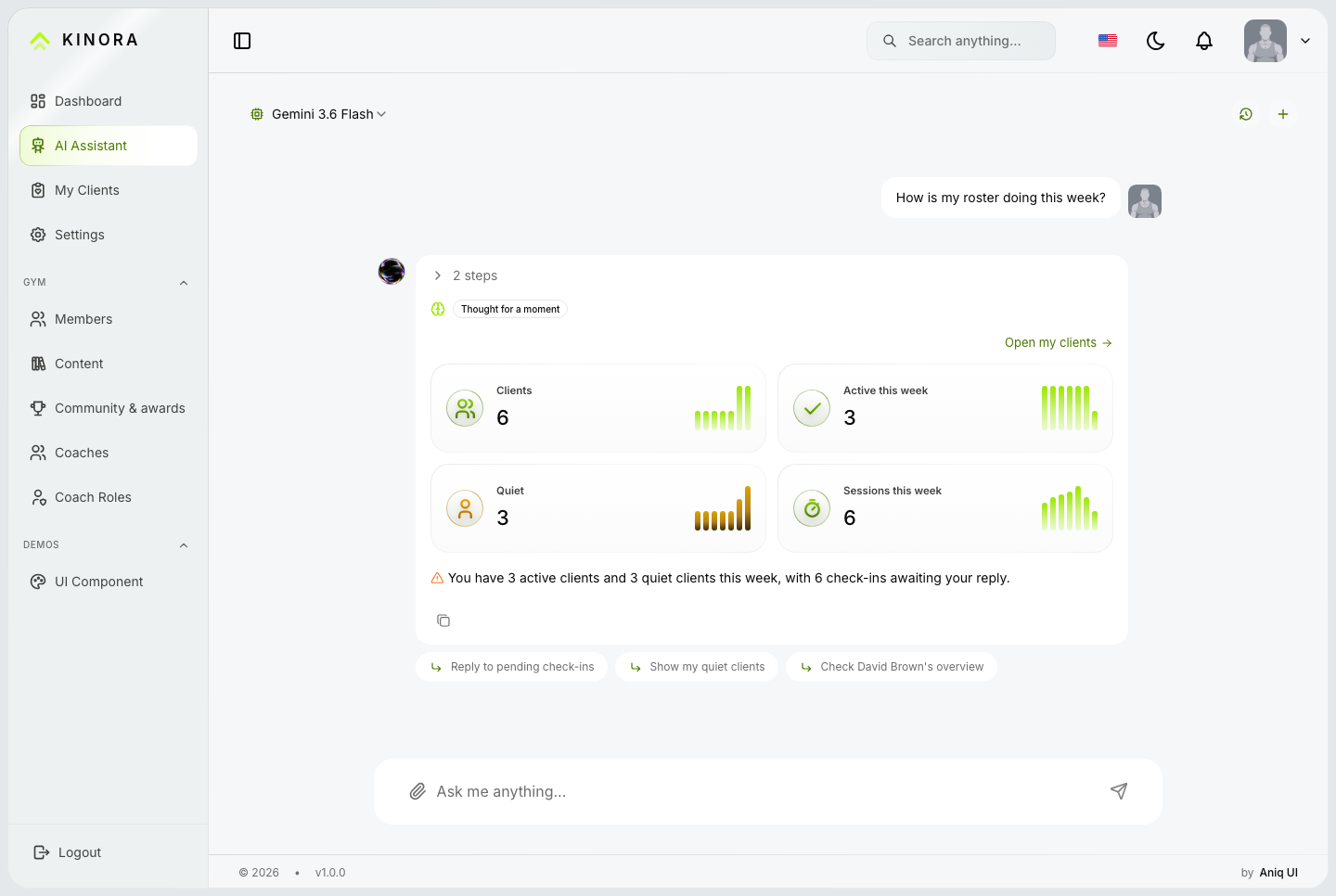
AI assistant, coach, light. The assistant answers a coach's question about the roster with a card per client, a short reading of the week and three follow-up questions
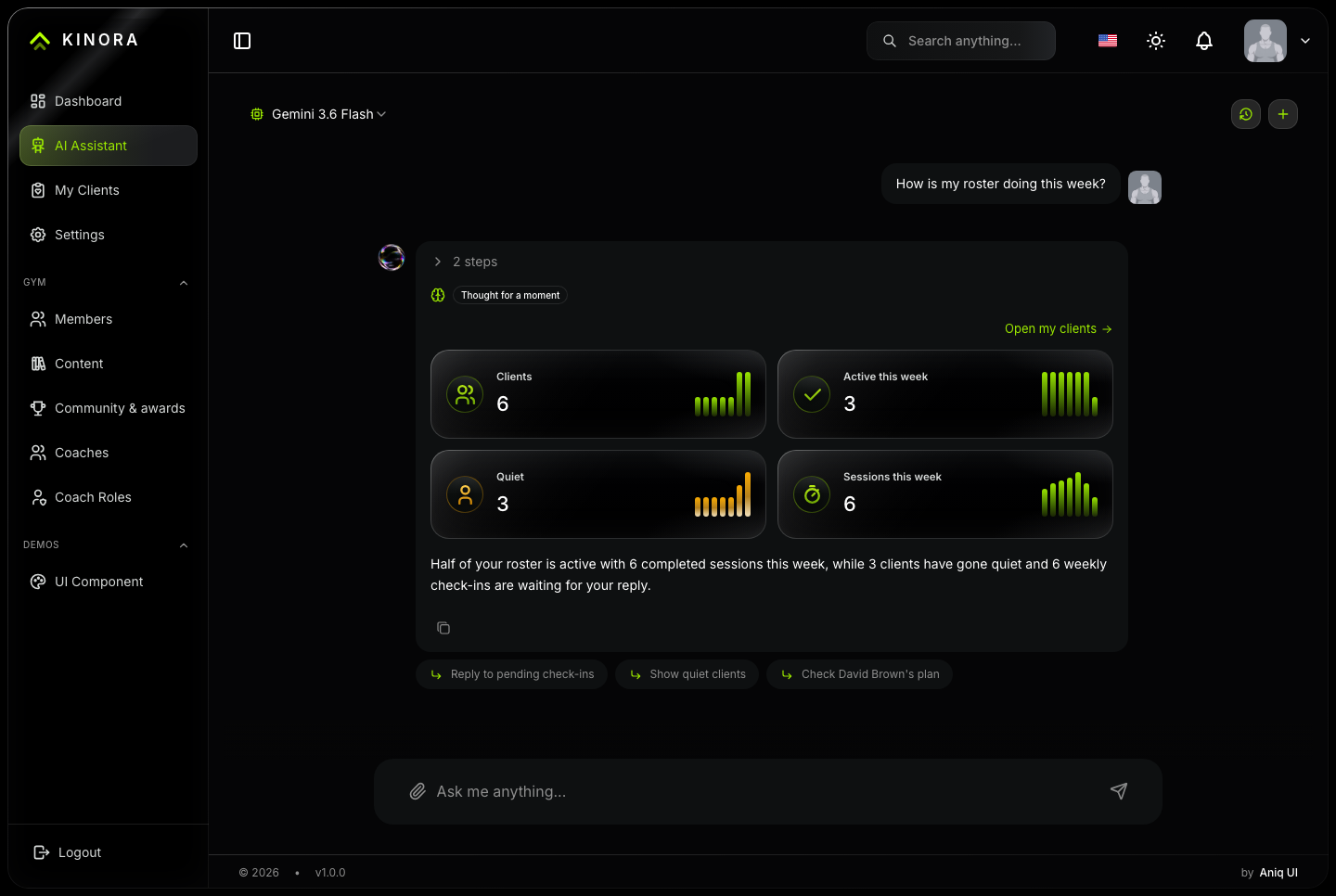
AI assistant, coach, dark. The assistant answers a coach's question about the roster with a card per client, a short reading of the week and three follow-up questions
Roles
Give each role the screens it needs
One account table for members and staff. The roles an account holds decide what its sidebar shows, and the API enforces the same permissions.
Members
Their own training, nutrition, sleep, health and progress
Their coach, their plan and their check-ins
Community groups and challenges
Coaches
Their own roster and nobody else's
Assigned work, check-ins and messages
The assistant, scoped to their clients
Gym staff
Members, coaches and coach roles
The catalogue: exercises, workouts, programs and dishes
Community, challenges, events and awards
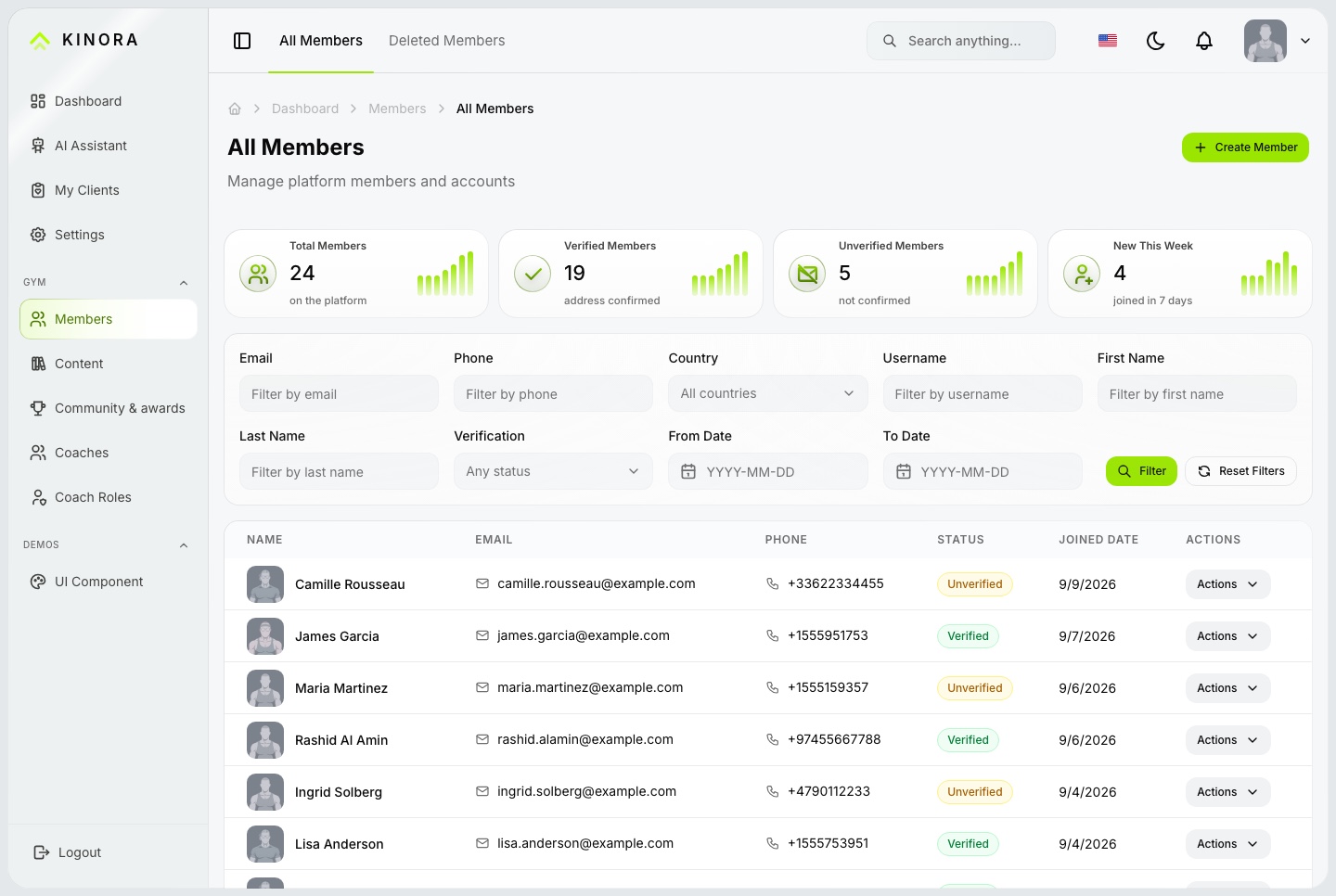
Members, light. The back office's member list with totals, filters, verification status and join dates
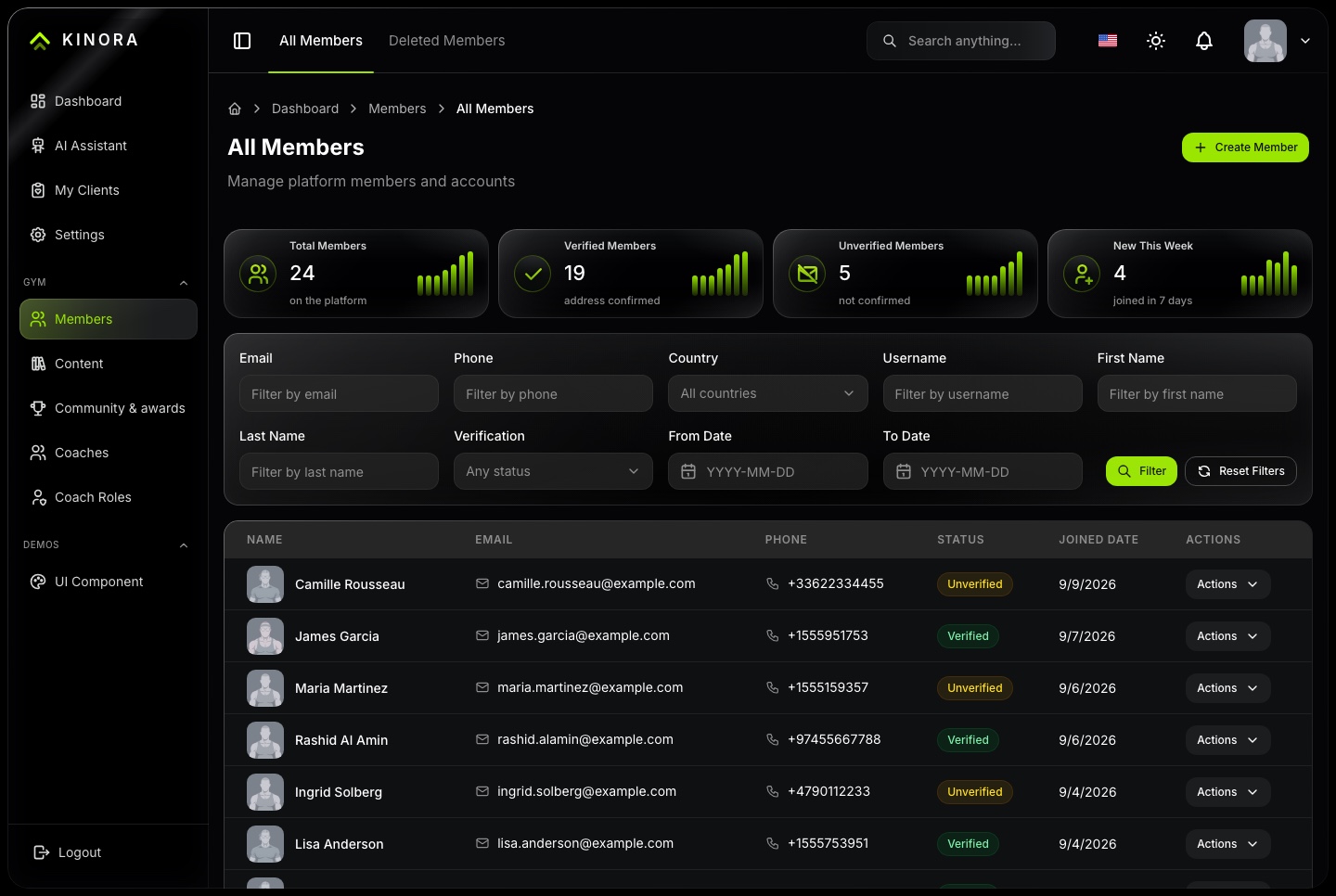
Members, dark. The back office's member list with totals, filters, verification status and join dates
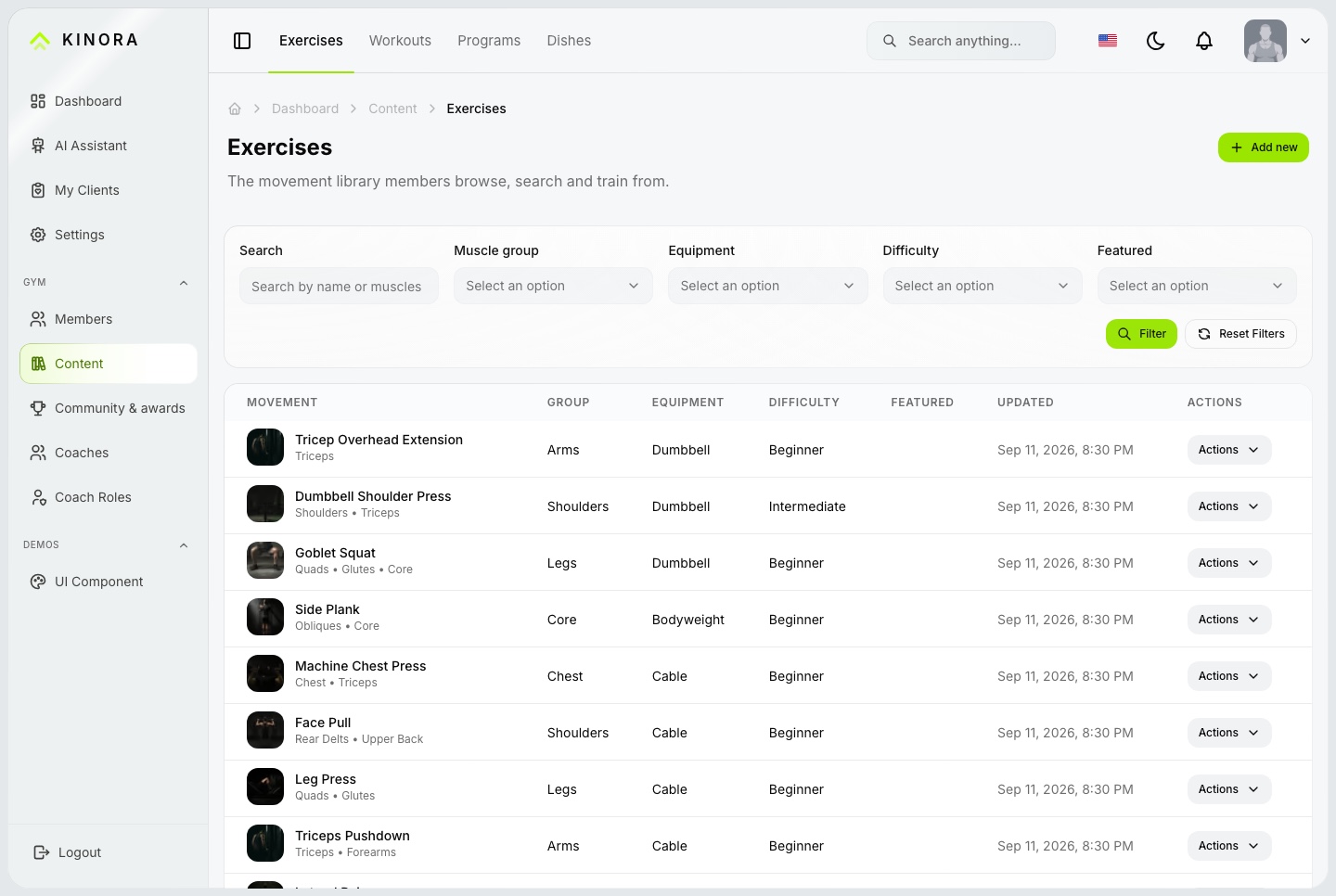
Content, light. The catalogue gym staff manage: exercises, workouts, programs and dishes, with filters and actions
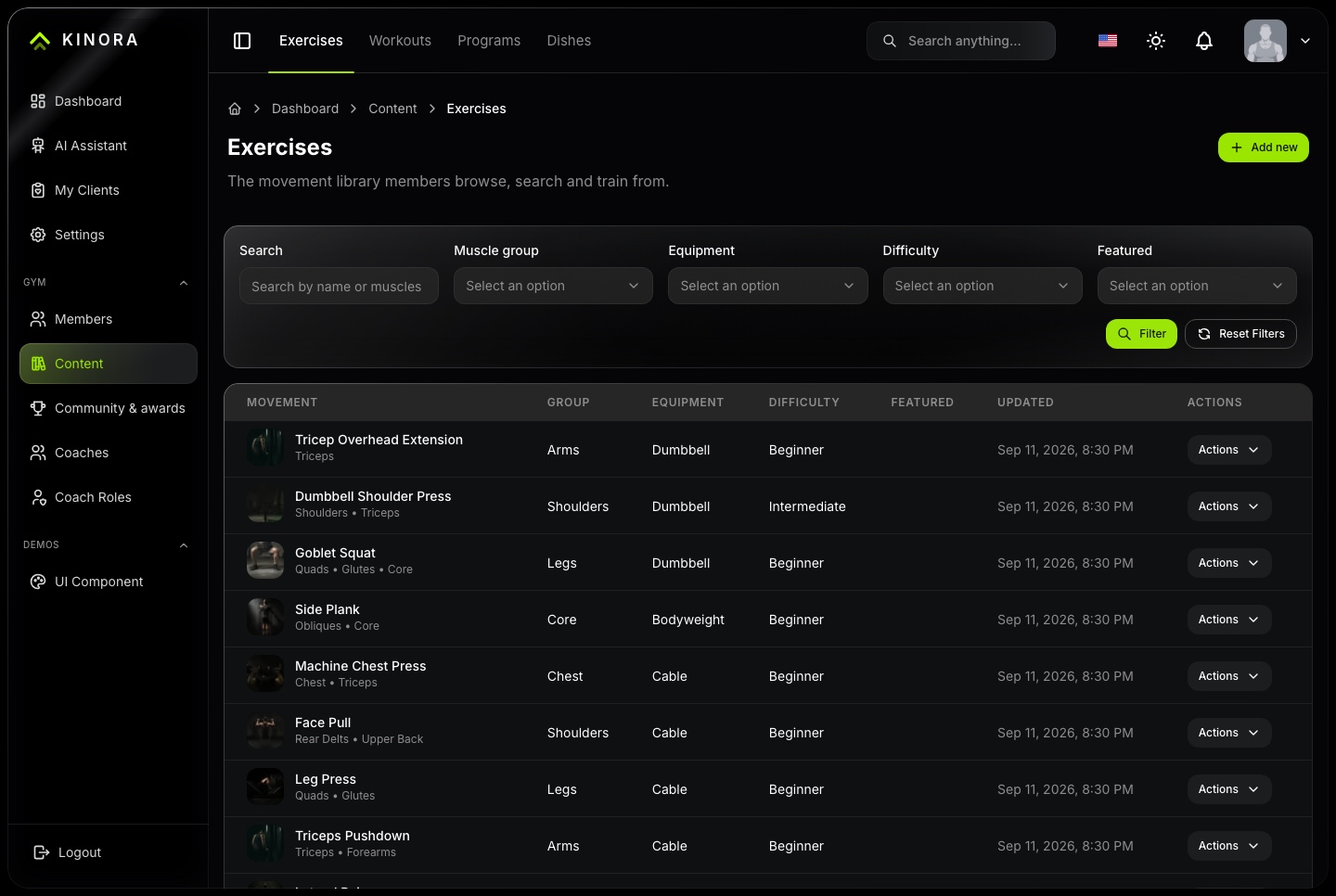
Content, dark. The catalogue gym staff manage: exercises, workouts, programs and dishes, with filters and actions
The coach side speaks Arabic too
Both roles ship in both languages, so the coaching screens mirror exactly as the member screens do.
The roster, the client detail and the assignment forms, all right to left
The same components, with no second layout to maintain
Light and dark on both sides of the product
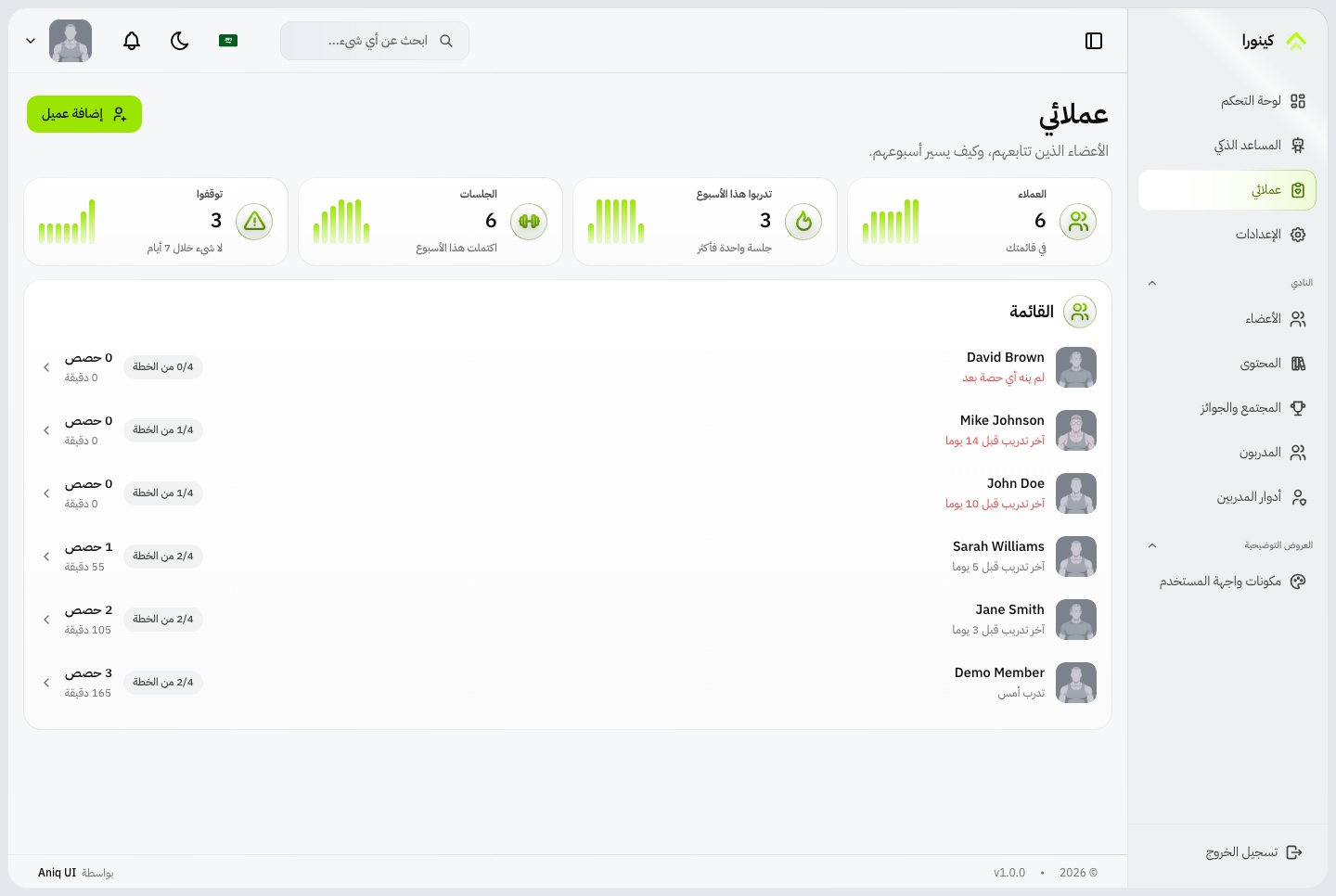
Client roster in Arabic, light. The coach's roster in Arabic, with figures kept left to right
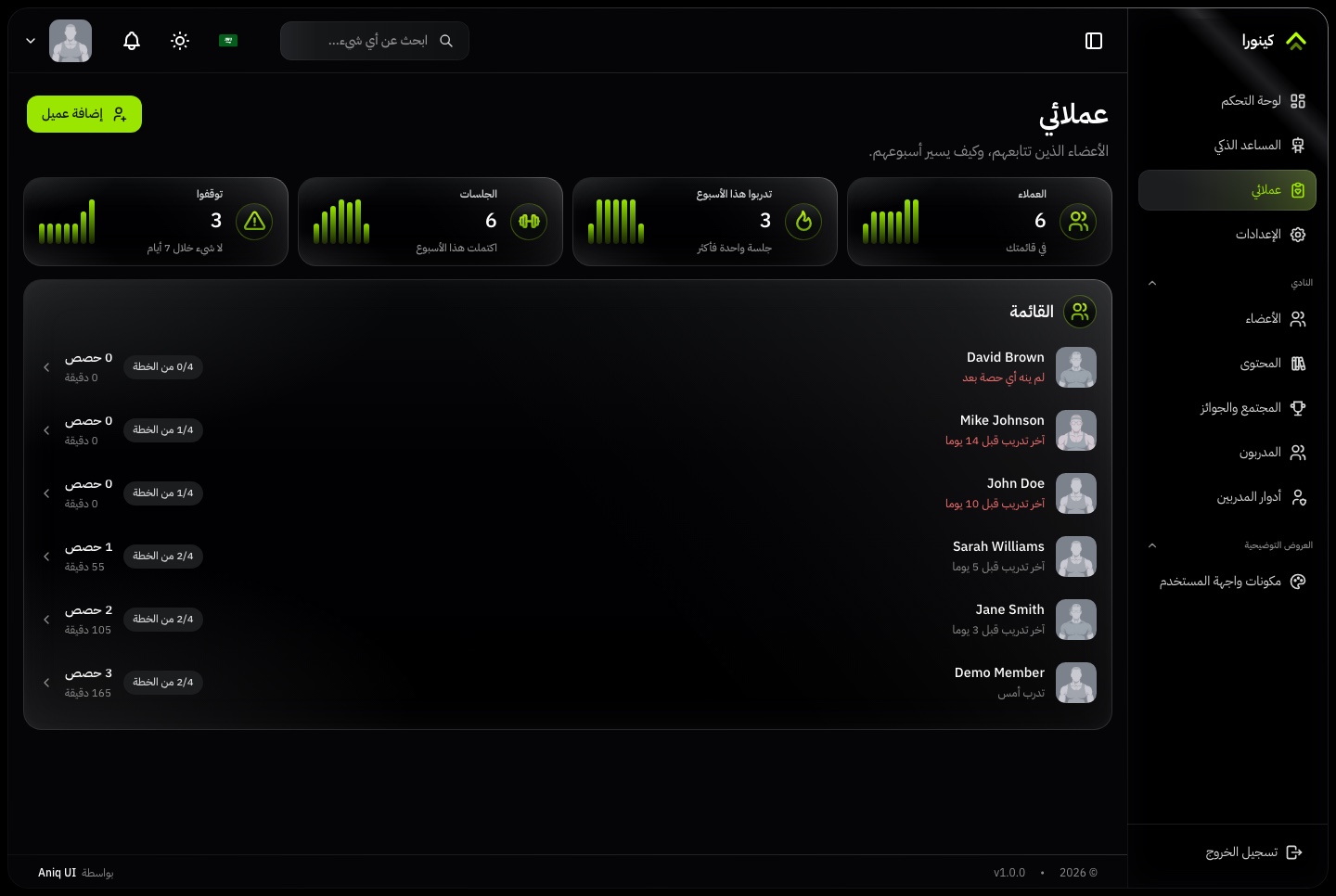
Client roster in Arabic, dark. The coach's roster in Arabic, with figures kept left to right
Under the hood
Build on a familiar full-stack foundation
Next.js 16, React 19, TypeScript, Tailwind CSS 4, and a modular NestJS backend.
Frontend
Next.js 16 App Router, React 19, TypeScript
Tailwind CSS 4
TanStack Query for API data, Redux Toolkit for the rest
React Hook Form and Zod for forms
next-intl for localization
Backend
NestJS with per-domain modules
TypeORM with SQLite for local development
MySQL support through configuration
JWT authentication with roles and permissions
Socket.io for live notifications and messages
Developer experience
Setup documentation for both apps
Exact pinned dependencies
One API layer, consumed through query hooks
An in-browser mock, so the dashboard runs before the API is up
Before you launch
What you configure yourself
Kinora is a source-code template, not a managed hosting subscription. Configure your hosting, database, media storage, and the external services you choose to use.
Hosting and data
A host for the dashboard and the API
SQLite, or MySQL with its migration generated once
S3-compatible storage for profile and progress photos
Devices
A device provider or bridge that writes readings with an account key
No watch or tracker integration is built in
AI
Your own Google Gemini, OpenAI or DeepSeek API key
Provider charges are not included
Explore
Explore Kinora before you build
Sign in as a member or as a coach, in light and dark mode. The demo sign-in page fills in a demo account for you, and the demo data is rebuilt every day. The demo includes a few free assistant messages, and you can add your own Google Gemini, OpenAI or DeepSeek key to carry on. Screenshots use sample data.
Online coaching platformsPersonal trainers with a client rosterGyms selling coaching alongside membershipFitness and wellness appsAgencies building a fitness product for a clientBilingual platforms with Arabic and RTL
Technical Specifications
Framework
Next.js 16
React Version
React 19
Styling
Tailwind CSS 4
TypeScript
Yes
Responsive
Mobile, Tablet, Desktop
Support Period
Lifetime Included
Pro Tip: All templates include comprehensive documentation to get you started quickly.
Frequently asked questions
What do I get when I buy this template?
The complete source code of the package you choose, downloaded from your personal dashboard right after checkout. A business invoice is available for every purchase.
Can I use it for client and commercial projects?
Yes. Every paid template comes with a Commercial licence that covers unlimited commercial projects, including work you deliver to clients.
Do I get updates after buying?
Yes. Updates are free. New versions appear in your dashboard, where you can download every file you own again at any time.
Is support included?
Yes. The assistant on this page answers in seconds, and email support is included with every purchase, at support@aniq-ui.com, with a reply within 4 hours.
Can I try it before I buy?
Yes. This template has a full live demo, linked at the top of this page, so you can click through the real thing before you decide.
Pricing
Choose your package
One payment for the full source code, yours to change and ship.
Everything included
Full Stack
Member and coach dashboard + NestJS API with TypeORM and auth
What is inside
Member & Coach Dashboard$69.30R$347.90
Backend API$69.30R$347.90
Bought one by one$138.60R$695.80
You save$34.30R$172.90
Launch price · 30% off
$149$104.30R$747R$522.90
Or buy one part
Member & Coach Dashboard
The Next.js 16 dashboard on its own, for members, coaches and gym staff, with an in-browser mock so it runs without the API
Launch price · 30% off
$99$69.30R$497R$347.90
Backend API
The NestJS API on its own, with TypeORM, JWT auth, the fitness and coaching modules, MCP tools, and a one command seeder
Launch price · 30% off
$99$69.30R$497R$347.90
Included in the 10-template bundle · About $30/templateAbout R$150/template
Get all 10 templates for $299Get all 10 templates for R$1,496.20
A VAT receipt is sent to your email after purchase.
Next.js Fitness & Coaching Dashboard with AI Assistant
Full Stack
$104.30 $149R$522.90 R$747
$104.30$149R$522.90R$747
Related Templates
Restaurant
$179$125.30R$897R$627.90
Restaurant
Full Stack
New
AI
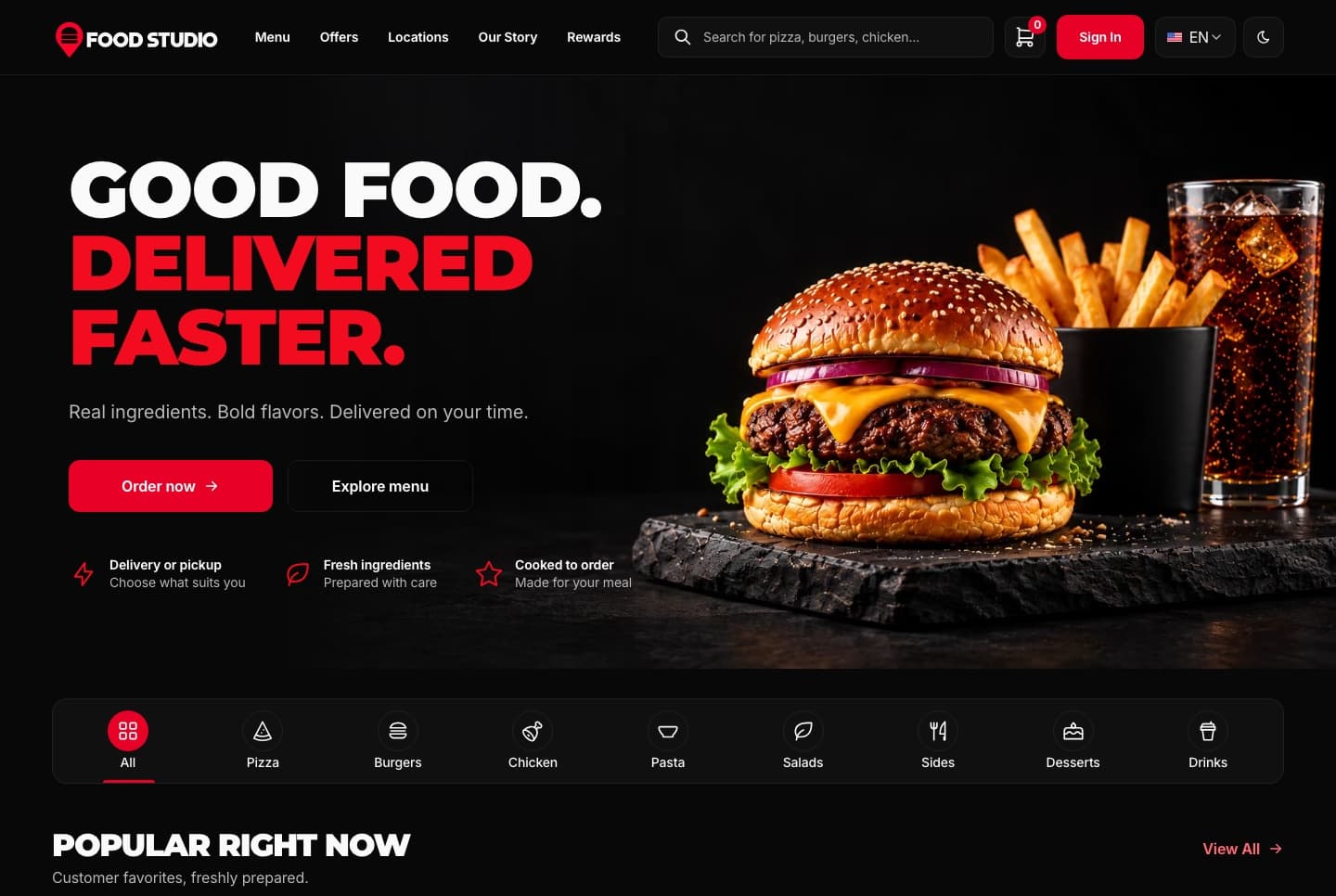
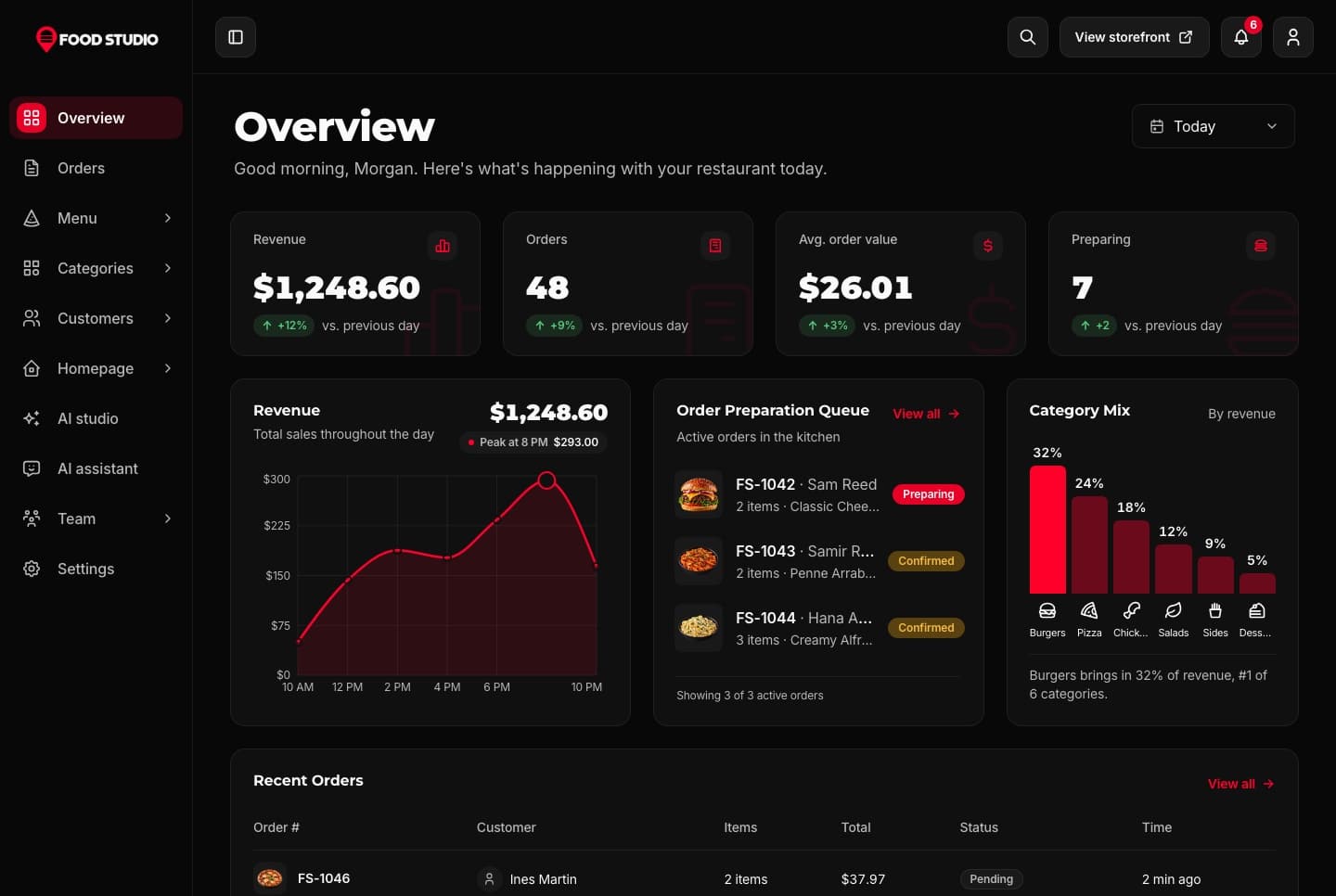
Food Studio is a full-stack Next.js restaurant template: an ordering website with menu, combos, cart, checkout and order tracking, a staff dashboard for orders, the menu and the kitchens, a NestJS API, AI tools for dish photos, and English and Arabic with RTL.
A Next.js 16 restaurant ordering website with a menu, combo meals, a meal builder, cart, checkout, order tracking and customer accounts, in English and Arabic.
A Next.js 16 restaurant admin dashboard for running orders, the menu, categories, customers, kitchens and the team, with an AI studio for dish photos, in English and Arabic.
Join thousands of developers worldwide who trust Aniq-UI for their projects. Our templates are being used across the globe to create stunning web experiences.
Contact Us
Questions about a template or your purchase? Get in touch with us
Full Name
Email Address
Message
Cookie Preferences
We use cookies to enhance your browsing experience, analyze site traffic, and personalize content. By clicking "Accept All", you consent to our use of cookies for analytics and personalized advertising.
 Learn more: Responsive Design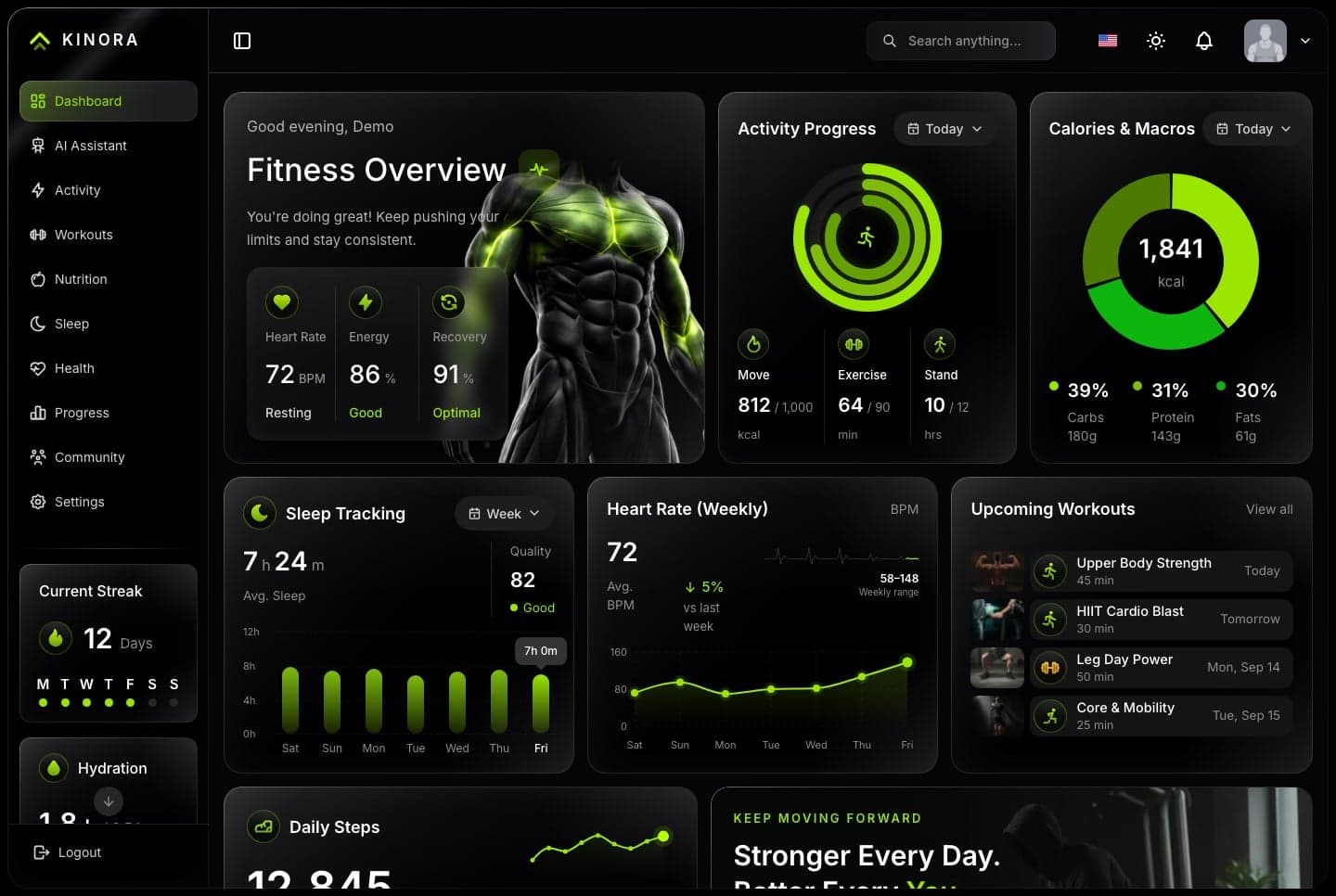
 Learn more: Accessibility
 Learn more: High Performance
 Learn more: TypeScript Support