Premium

Next.js SaaS Starter Template with Workspaces, Billing and AI Assistant

Northstack is a full-stack Next.js SaaS starter: a website with pricing, docs and a real license checkout, a multi-tenant workspace dashboard with projects, roles, billing and an AI assistant, a platform administration, a NestJS API with an MCP server, and English and Arabic with RTL.

Next.js SaaS Starter Template with Workspaces, Billing and AI Assistant

Everything included

Full Stack

SaaS website + workspace dashboard + NestJS API with TypeORM, auth, billing and the AI assistant

Launch price · 30% off for the first 3 buyers

$149$104.30R$747R$522.90

+ IOF (3.5%) · Pay with Pix or cardPay in reais with Pix or card. Brazil adds 3.5% IOF tax at checkout.

Documentation
Or buy a single part from $27.30Or buy a single part from R$137.90

Safe and secure payments powered by Paddle

  • Use in unlimited commercial projects. Client work included.
  • One-time payment, free updates
  • Business invoice with your VAT or tax ID

Latest from Aniq-ui

Follow on X
  • Use in unlimited commercial projects. Client work included.
  • One-time payment, free updates
  • Business invoice with your VAT or tax ID

Northstack is a full-stack Next.js SaaS starter: a website with pricing, docs and a real license checkout, a multi-tenant workspace dashboard with projects, roles, billing and an AI assistant, a platform administration, a NestJS API with an MCP server, and English and Arabic with RTL.

Share:

Northstack is a full-stack SaaS starter in a Bauhaus style: a Next.js website that sells your product with a real license checkout, a Next.js workspace dashboard with projects, teams, roles, billing and an AI assistant, a platform administration for the people who run the service, and a NestJS API behind all of them. English and Arabic with RTL, in light and dark.

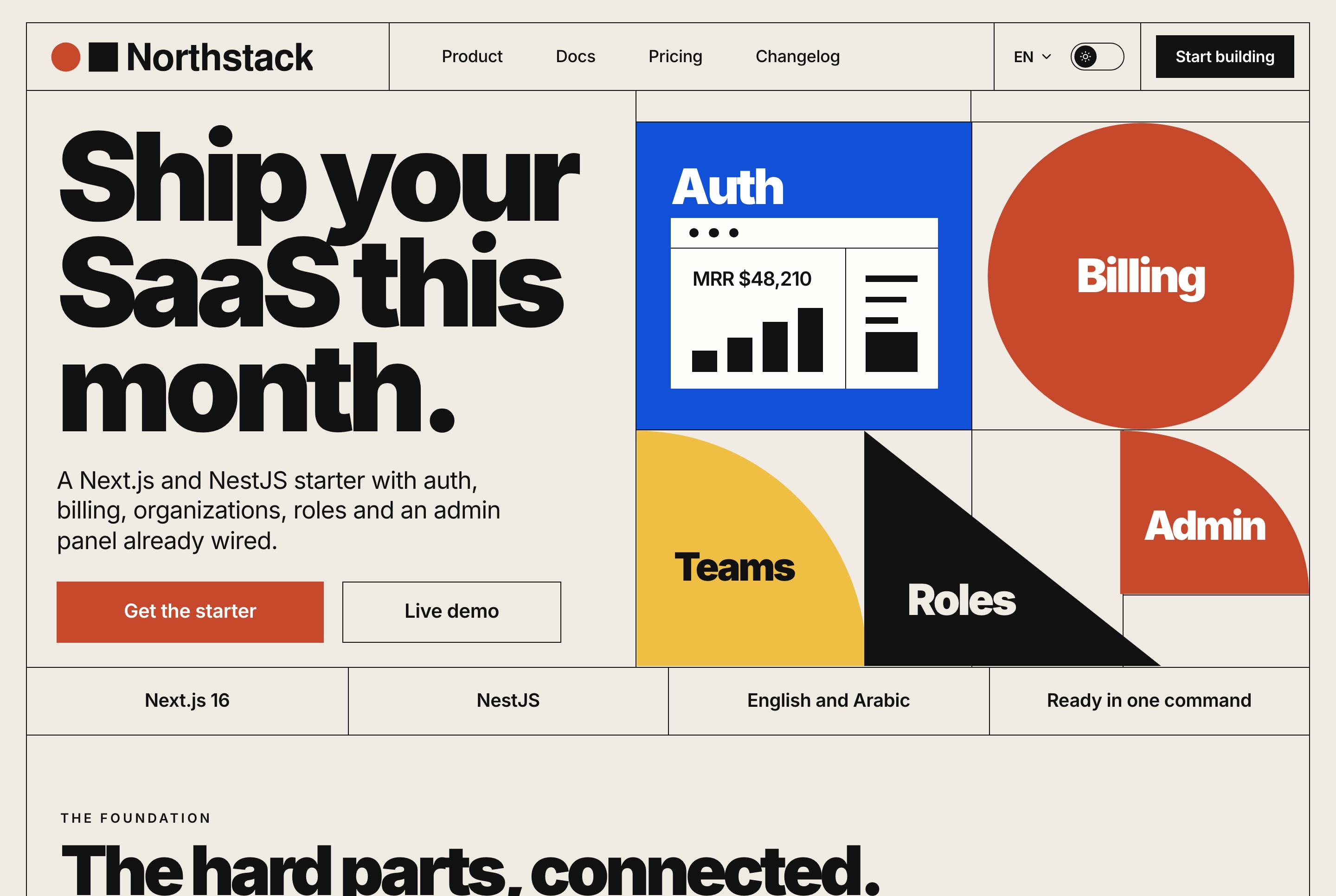
Website overview, light theme
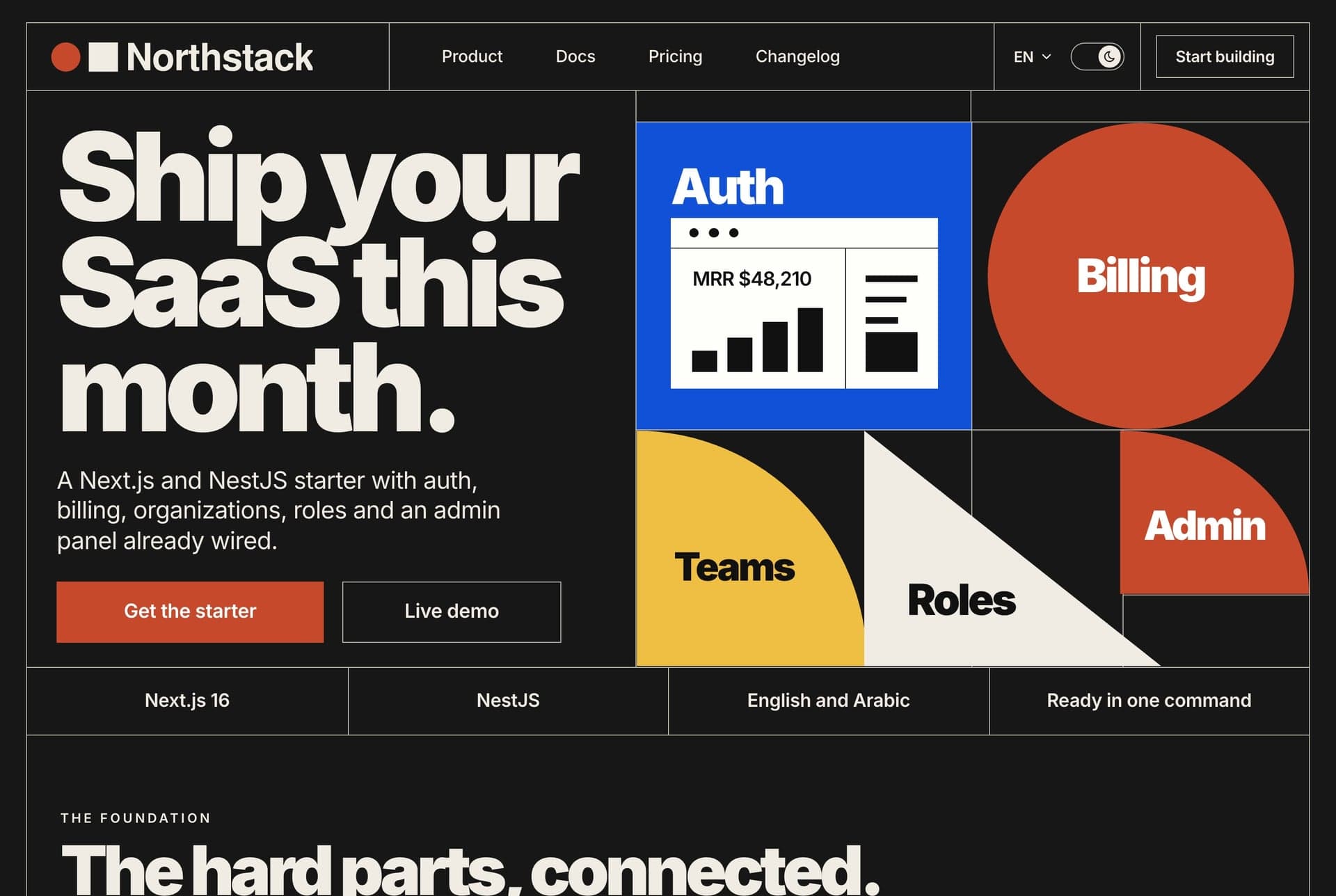
Website overview, light theme. The home page opens on the headline, the Bauhaus panel of auth, billing, teams, roles and admin, the two buttons and the stack strip.
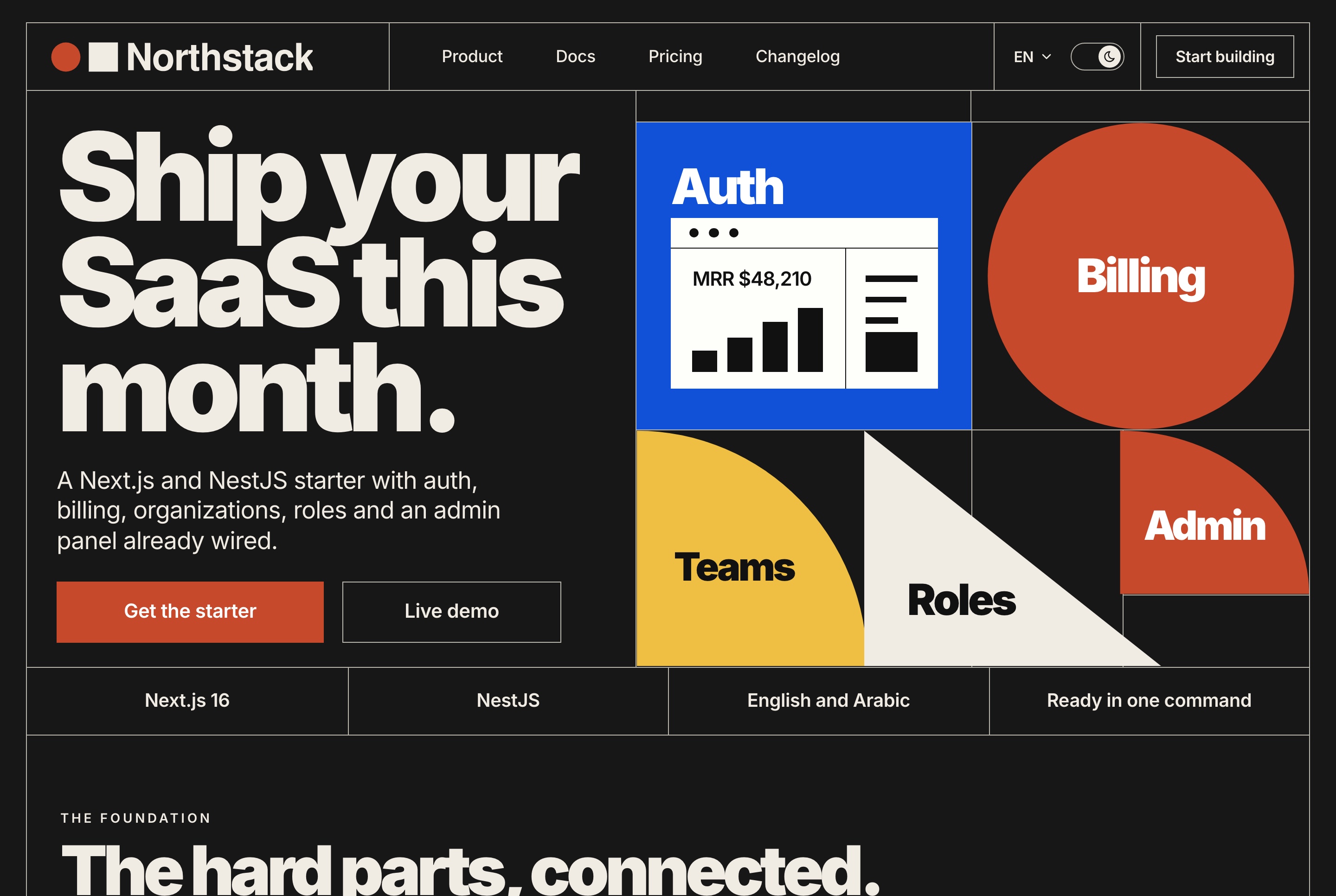
Website overview, dark theme
Website overview, dark theme. The home page opens on the headline, the Bauhaus panel of auth, billing, teams, roles and admin, the two buttons and the stack strip.
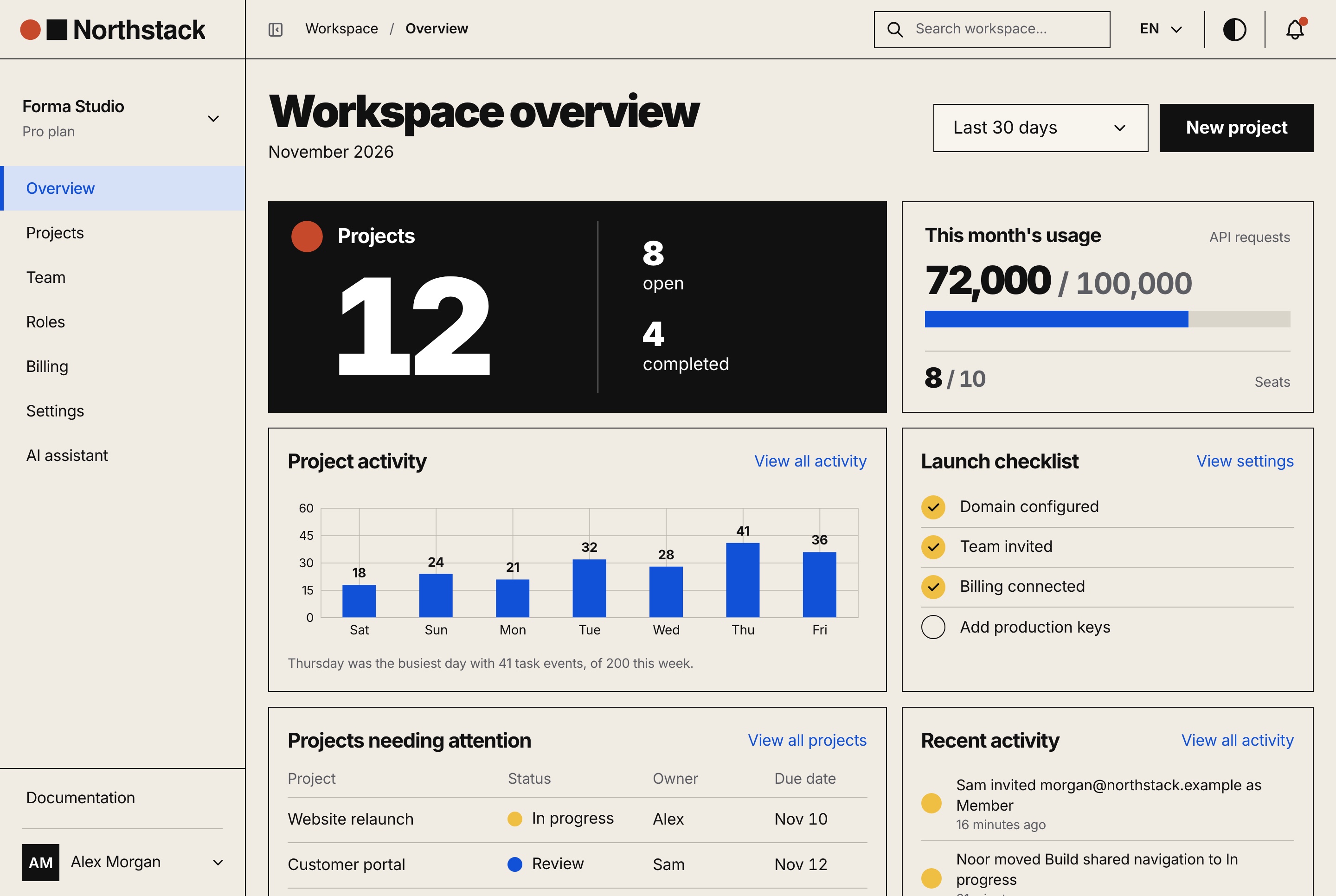
Workspace dashboard overview, light theme
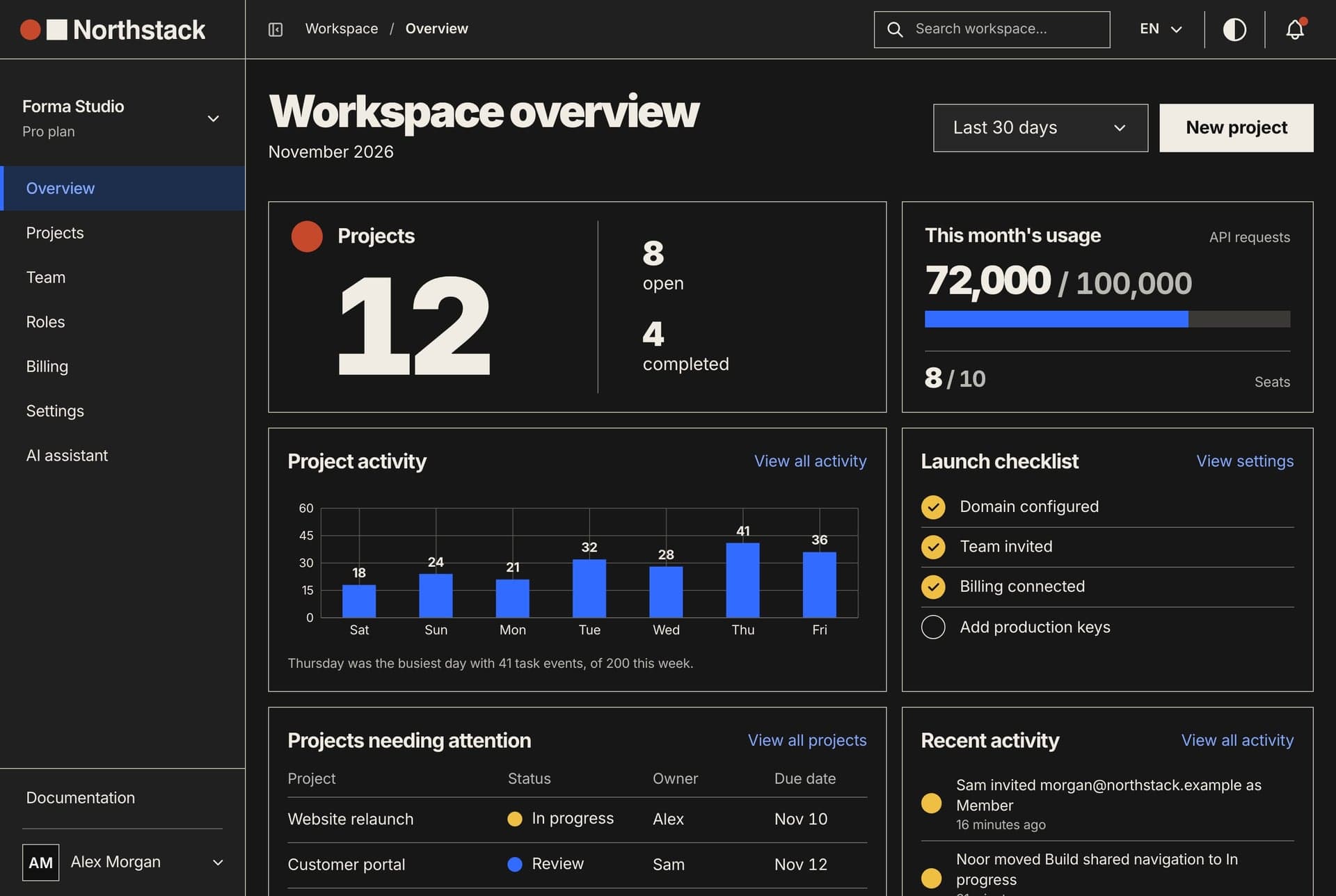
Workspace dashboard overview, light theme. The workspace's first page: projects open and completed, this month's usage and seats, task activity by day, the launch checklist, projects needing attention and recent activity.
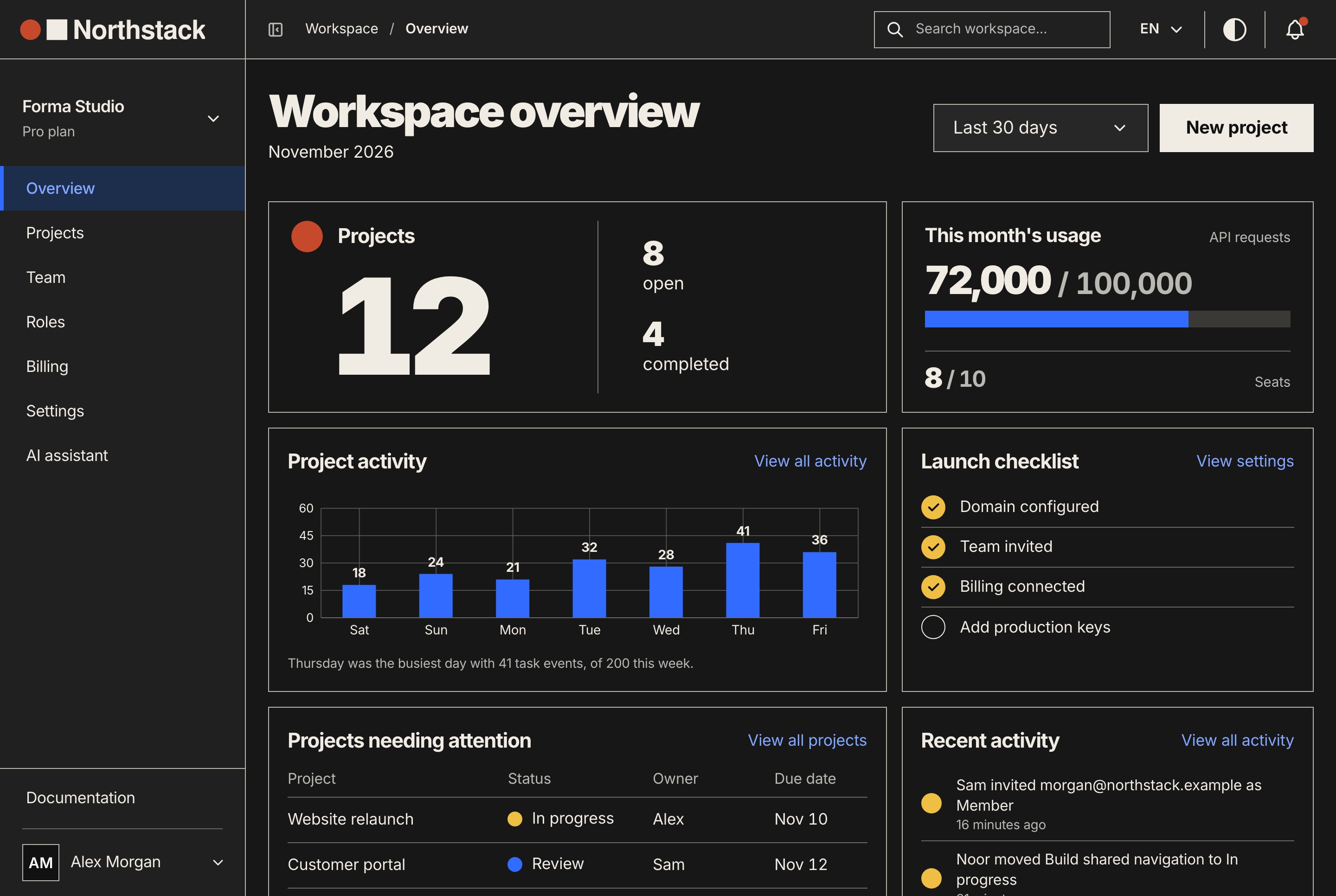
Workspace dashboard overview, dark theme
Workspace dashboard overview, dark theme. The workspace's first page: projects open and completed, this month's usage and seats, task activity by day, the launch checklist, projects needing attention and recent activity.
The package

The hard parts of a SaaS, connected

A connected foundation for your own SaaS, a client's product or an internal tool, with source code you can customize. The full-stack package includes the website, the dashboard and the API behind them, and each frontend also runs alone on built-in sample data.

SaaS website

  • Home, pricing and documentation
  • A license checkout with Stripe, PayPal or a test checkout
  • A journal, a changelog and a contact form
  • Runs alone on sample data with no API

Workspace dashboard

  • Sign-up, onboarding and invitations
  • Projects with task boards, files and activity
  • Roles, billing, settings and API keys
  • The AI assistant and the platform administration

NestJS API

  • Accounts, workspaces and four workspace roles
  • Billing with Stripe or a built-in simulator
  • License orders with Stripe and PayPal
  • A seeder with two full workspaces and 732 organizations
The workspace's day

An overview of the work and the account

The overview opens on the workspace's projects, open and completed, this month's API requests and seats against the plan, the week's task activity by day, a launch checklist, the projects that need attention and the latest activity, over the last 7, 30 or 90 days.

AI assistant

An assistant that proposes, and you apply

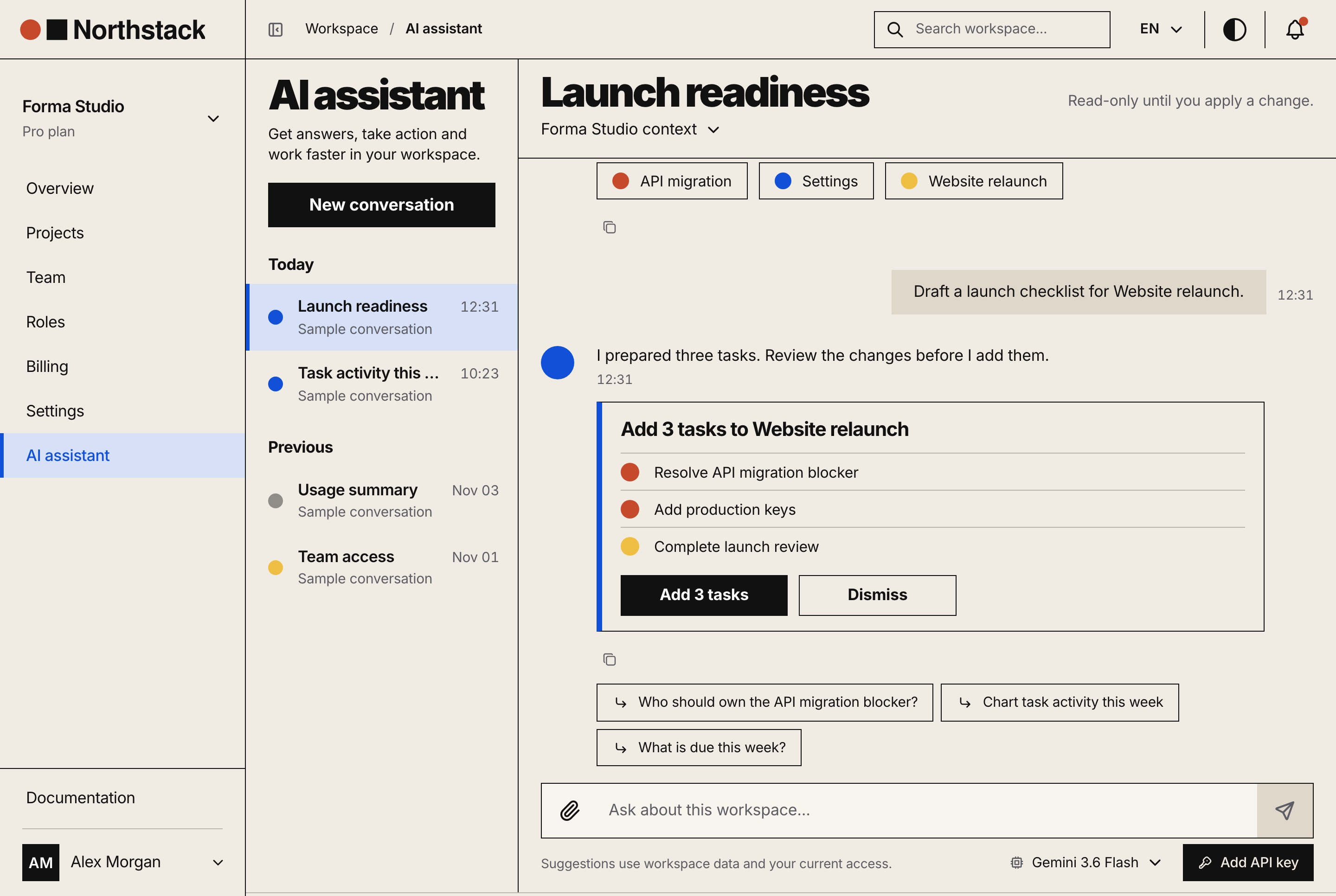
The assistant answers from the workspace's own data through twelve read-only tools, within the reader's permissions, on Google Gemini, OpenAI or DeepSeek. It never changes the workspace by itself: a change arrives as a card that a member applies or dismisses.

Changes you confirm

Ask what is due this week or for a launch checklist, and the assistant drafts the tasks as a proposal with Apply and Dismiss. Applying checks the member's access again and creates the tasks once.

  • Charts and tables of projects, tasks and usage
  • Follow-up questions after every answer
  • Conversations saved with their history
  • Each person can add their own key, kept in their browser
  • The same tools open to coding agents at the MCP endpoint
AI assistant with a change to apply, light theme
AI assistant with a change to apply, light theme. A saved conversation in the workspace assistant: the question, the three tasks it proposes to add and waits to be told to, follow-up suggestions and the model picker.
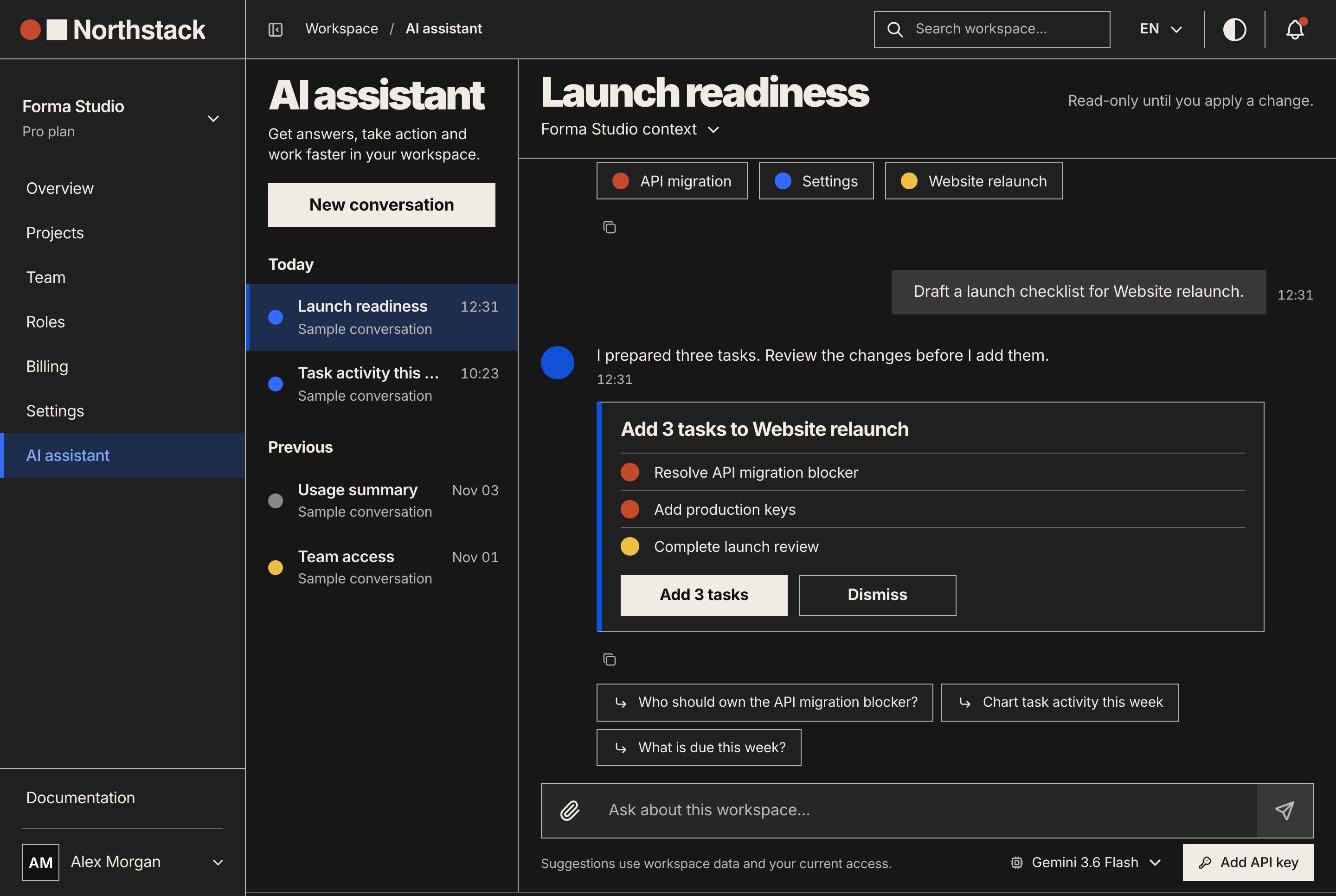
AI assistant with a change to apply, dark theme
AI assistant with a change to apply, dark theme. A saved conversation in the workspace assistant: the question, the three tasks it proposes to add and waits to be told to, follow-up suggestions and the model picker.
Teams and roles

Four roles, one matrix the owner edits

A permission matrix per workspace

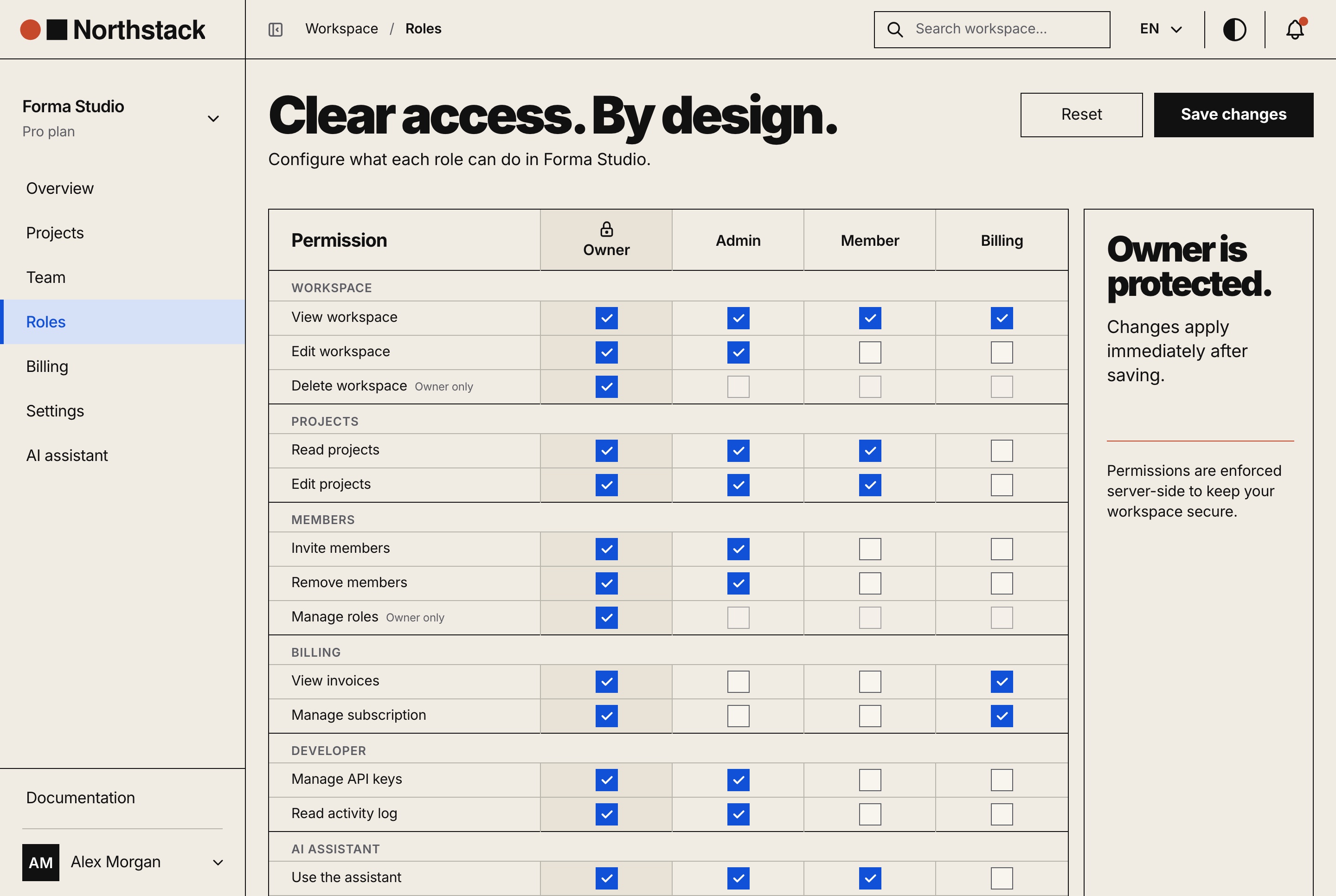
Owner, admin, member and billing come seeded across fourteen permissions in six groups. The owner grants or removes any of them, and the API reads the matrix again on every request.

  • Owner-only rights that stay with the owner
  • Every change written to the activity log
  • The same checks in the dashboard and the API
Roles and permissions matrix, light theme
Roles and permissions matrix, light theme. Which of the four workspace roles holds each permission, grouped by area, with the owner's permissions locked and the changes saved for everyone at once.
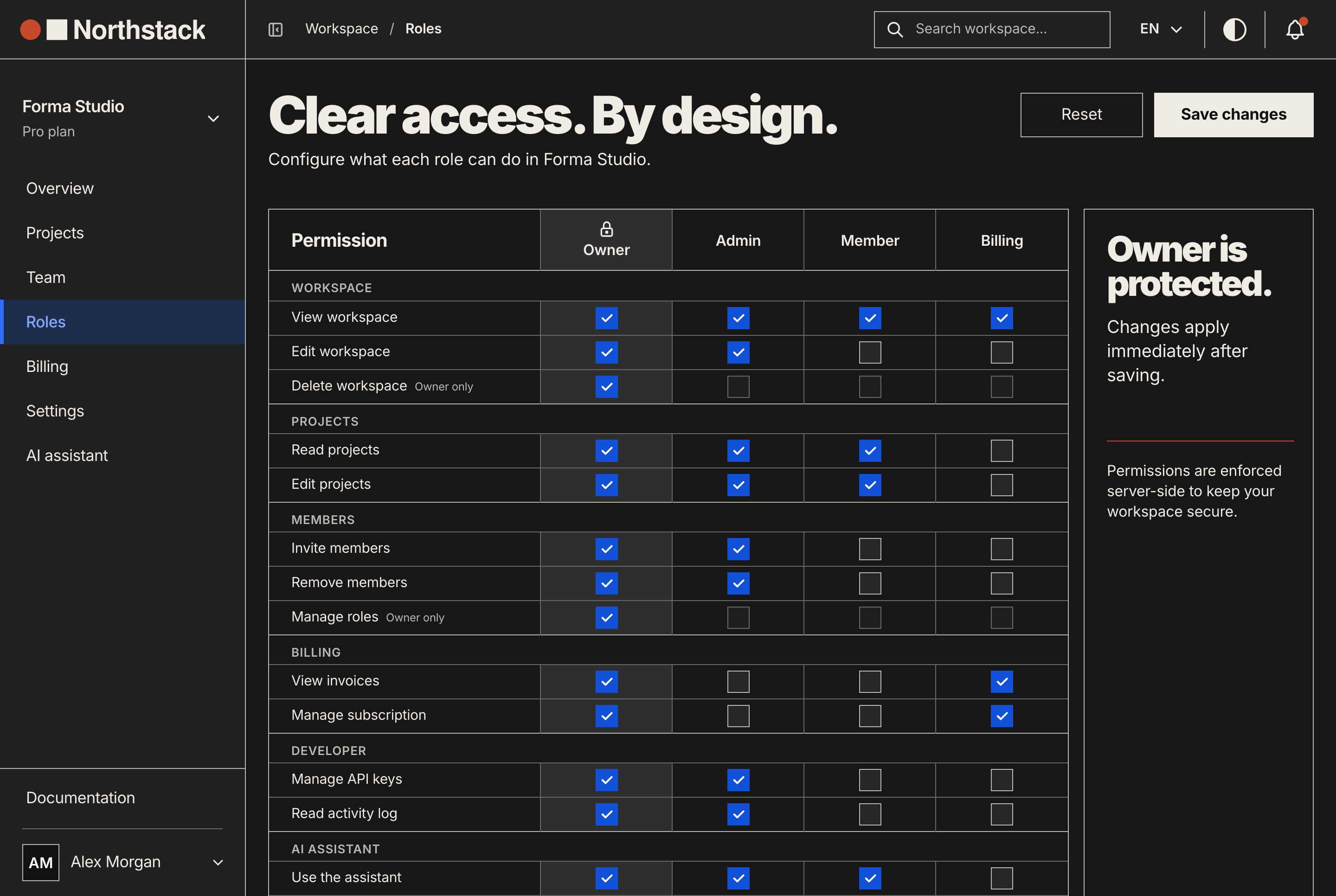
Roles and permissions matrix, dark theme
Roles and permissions matrix, dark theme. Which of the four workspace roles holds each permission, grouped by area, with the owner's permissions locked and the changes saved for everyone at once.

Members, invitations and seats

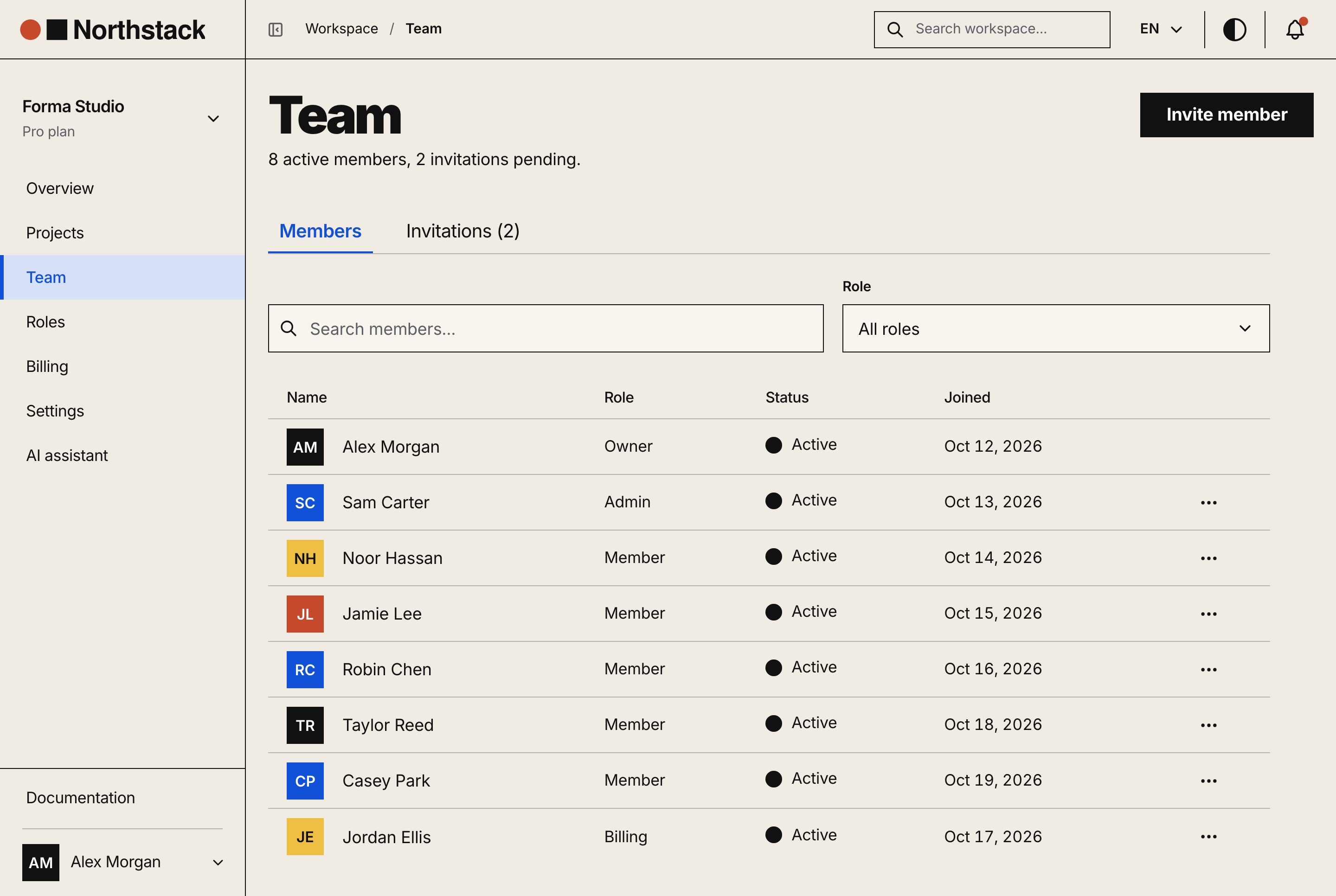
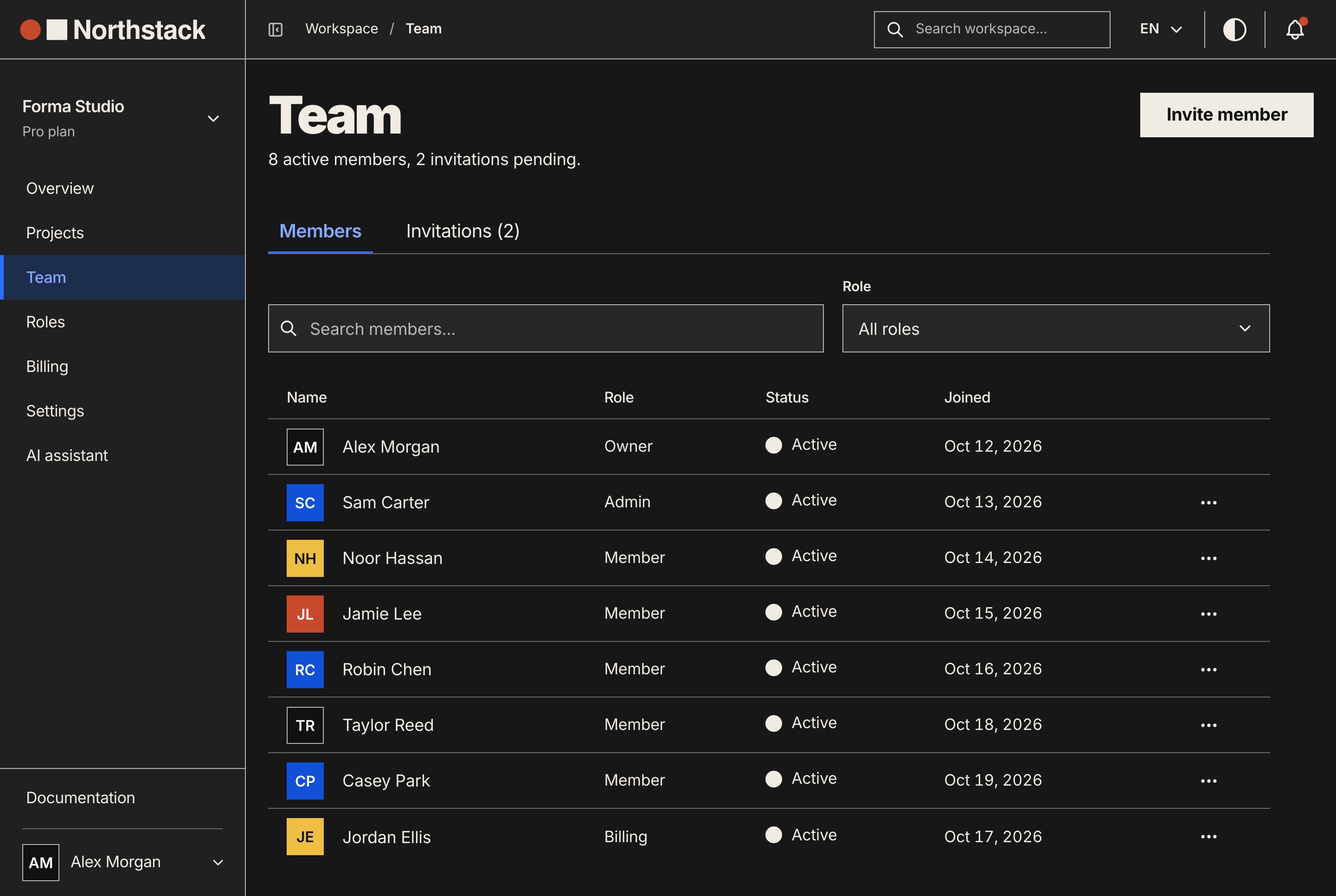
Invite by email with a role, resend or revoke, change a member's role, remove a member or transfer ownership, with the seats left on the plan always in view.

  • Invitation links that expire
  • Seats counted against the plan
  • An accept page for invited people
Team members and invitations, light theme
Team members and invitations, light theme. The workspace's members with their role, status and join date, a search and a role filter, and the invitations still pending.
Team members and invitations, dark theme
Team members and invitations, dark theme. The workspace's members with their role, status and join date, a search and a role filter, and the invitations still pending.
Projects

Projects with boards, files and a history

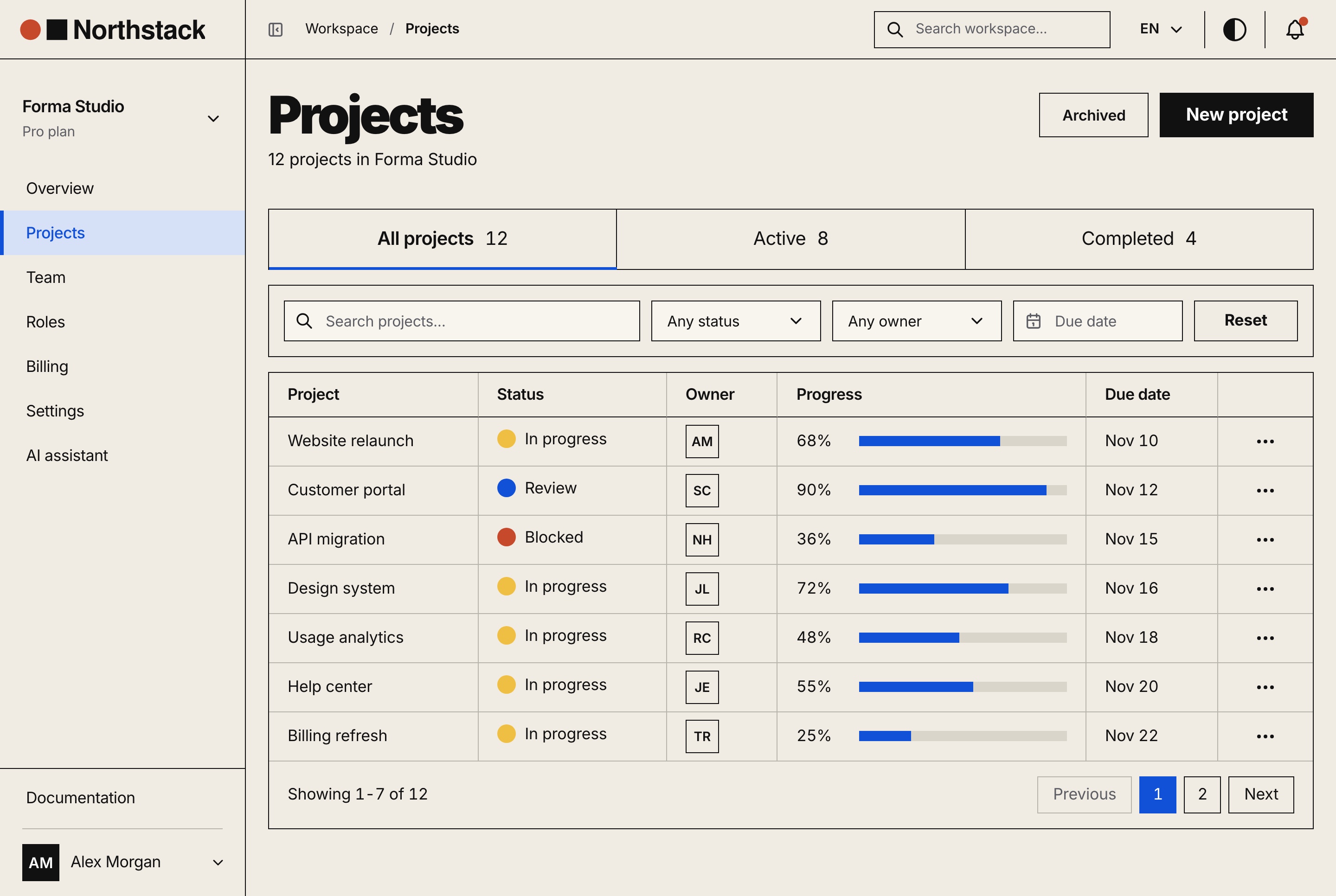
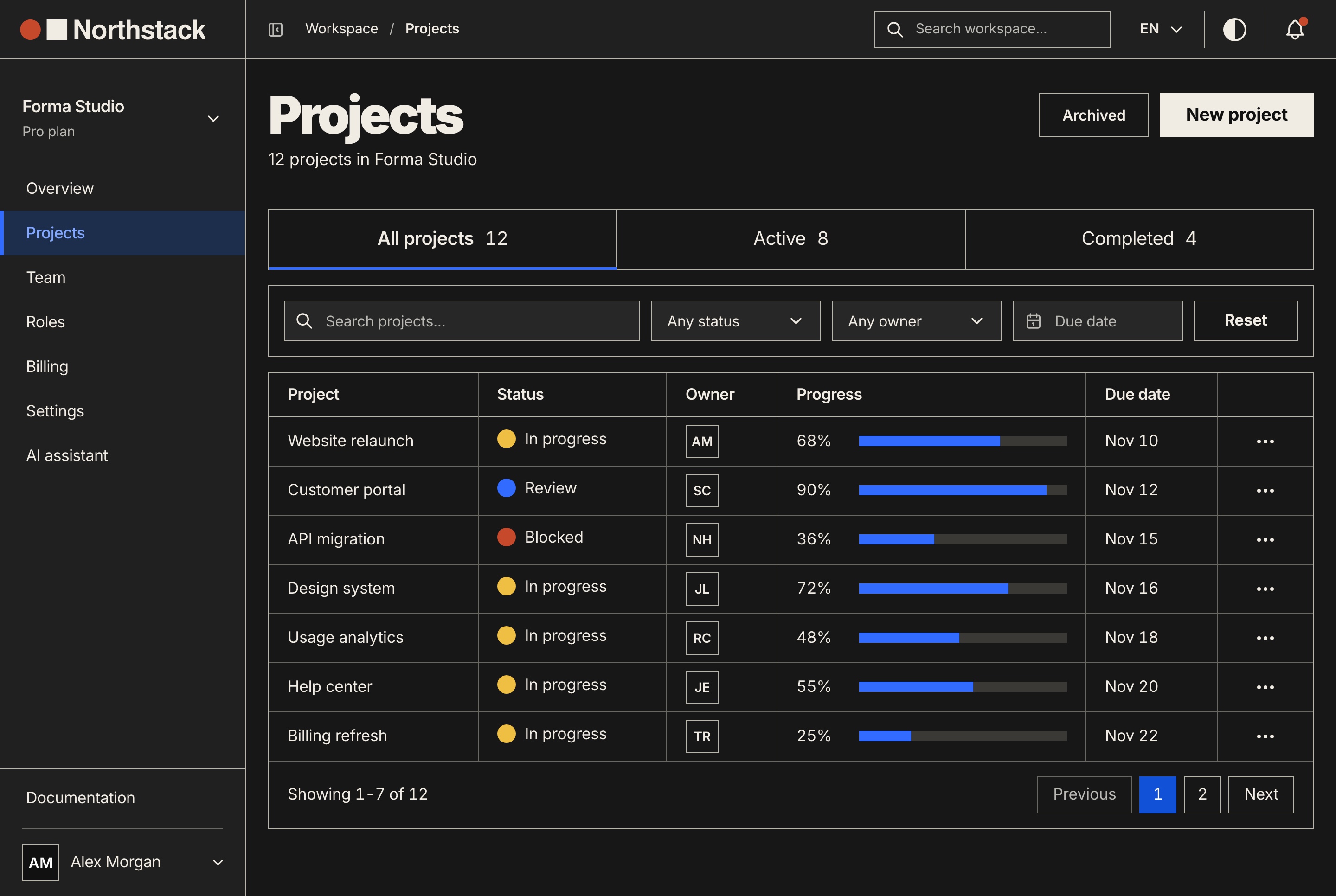
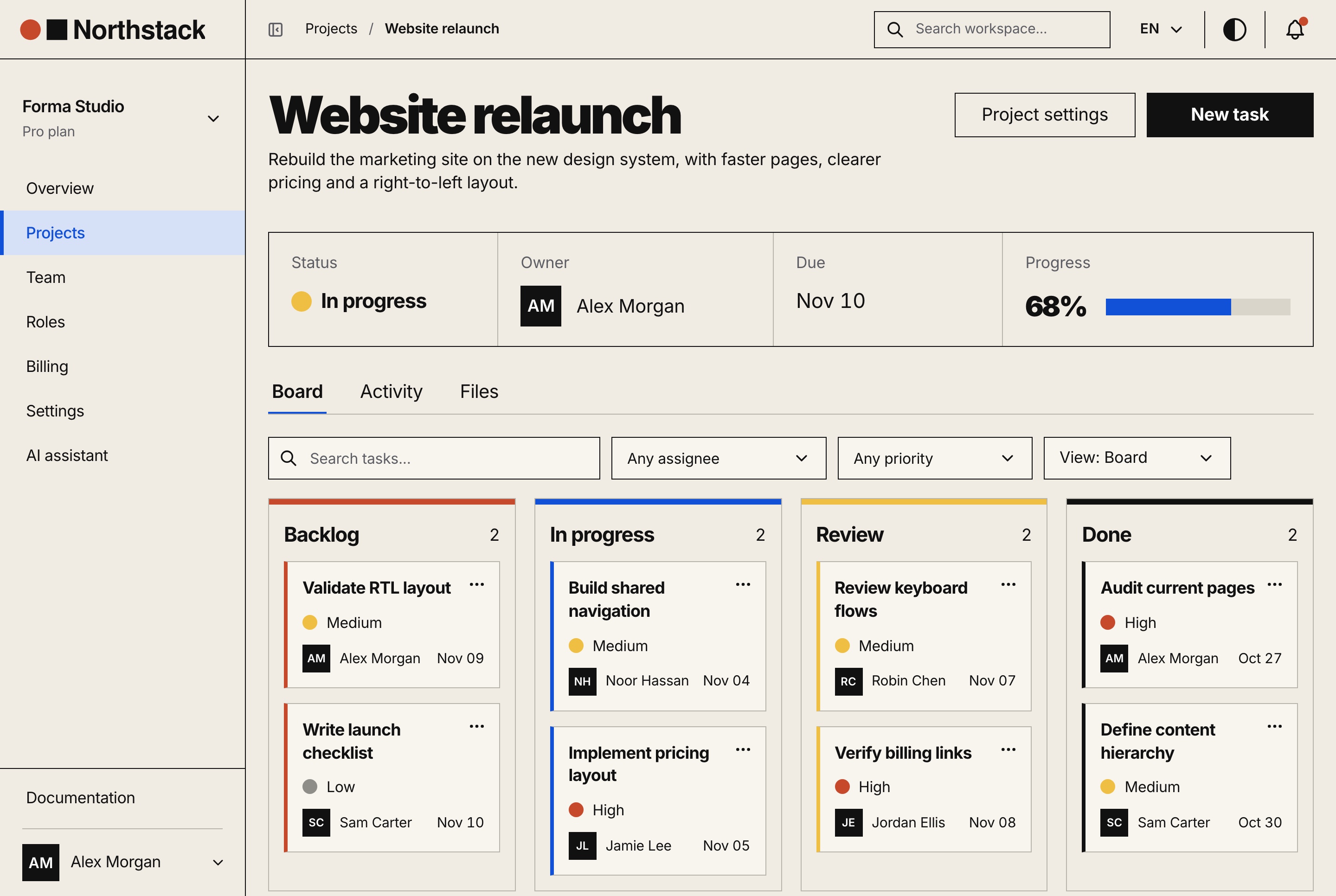
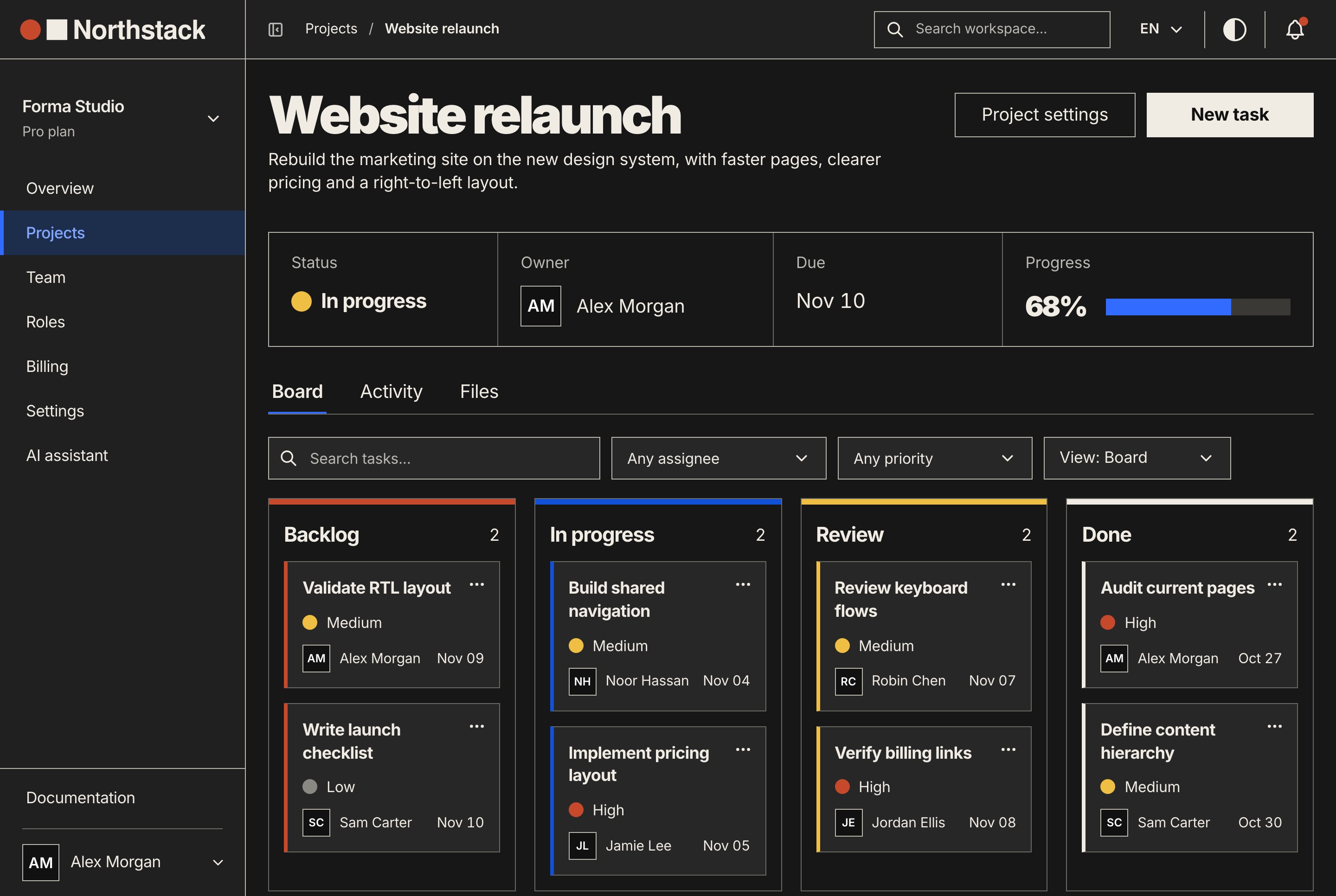
Projects carry a status, an owner, a due date and progress from their tasks, in English and Arabic, with tabs, search, status, owner and due-date filters and paging. Each one opens on a board of Backlog, In progress, Review and Done, with priorities, assignees and due dates, beside its files and its own activity.

Projects with tabs, filters and progress, light theme
Projects with tabs, filters and progress, light theme. Every project with its status, owner, progress and due date, in tabs with counts, filtered by status, owner and due date, and paged.
Projects with tabs, filters and progress, dark theme
Projects with tabs, filters and progress, dark theme. Every project with its status, owner, progress and due date, in tabs with counts, filtered by status, owner and due date, and paged.
Project page with its task board, light theme
Project page with its task board, light theme. One project's status, owner, due date and progress above its board of tasks in four columns, with assignee and priority filters.
Project page with its task board, dark theme
Project page with its task board, dark theme. One project's status, owner, due date and progress above its board of tasks in four columns, with assignee and priority filters.
Billing

Plans, usage and invoices, with Stripe or without

Change plan from the billing page

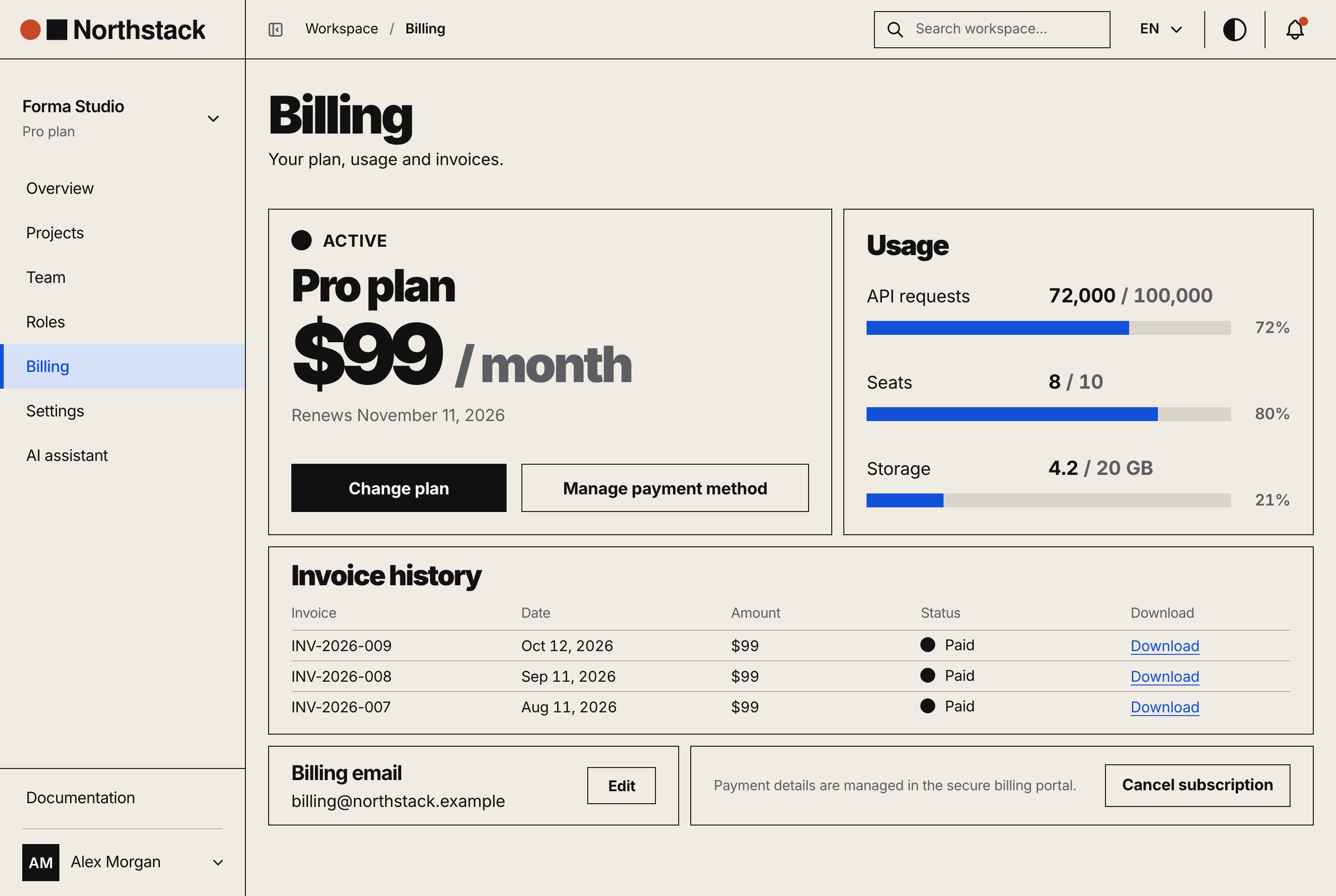
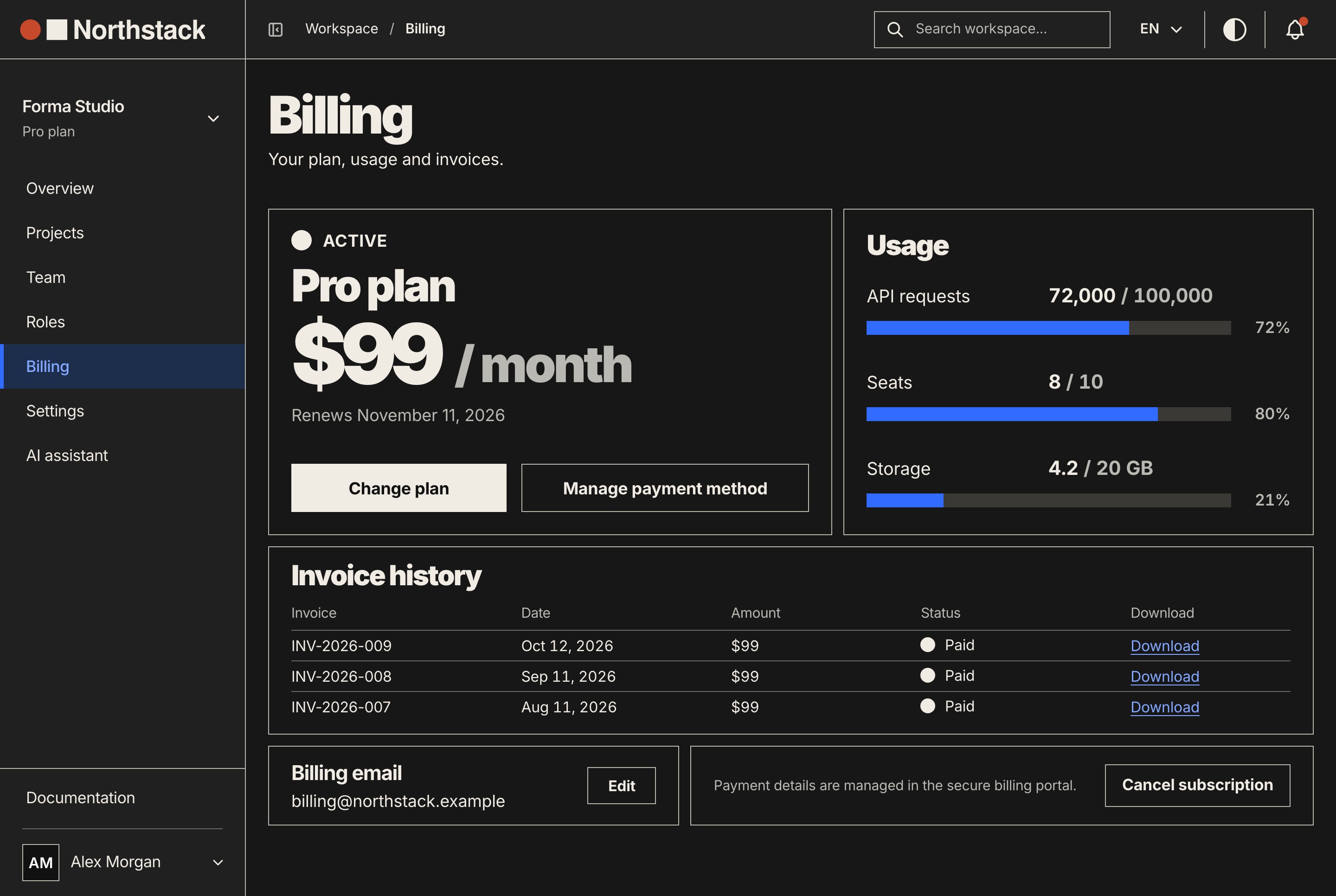
Starter, Pro and Scale come with their seats, API requests and storage. An upgrade opens Stripe's hosted Checkout, or the built-in test checkout when no Stripe key is set; a downgrade is scheduled for renewal, and the billing page confirms a payment before it shows the new plan.

  • Usage against each limit
  • Invoices as PDF downloads
  • Cancel at period end and resume
  • A grace period for past-due payments
Billing with plan, usage and invoices, light theme
Billing with plan, usage and invoices, light theme. The current plan and its renewal, usage against the plan's limits, the invoice history with downloads, the billing email and the subscription controls.
Billing with plan, usage and invoices, dark theme
Billing with plan, usage and invoices, dark theme. The current plan and its renewal, usage against the plan's limits, the invoice history with downloads, the billing email and the subscription controls.

Settings and API keys

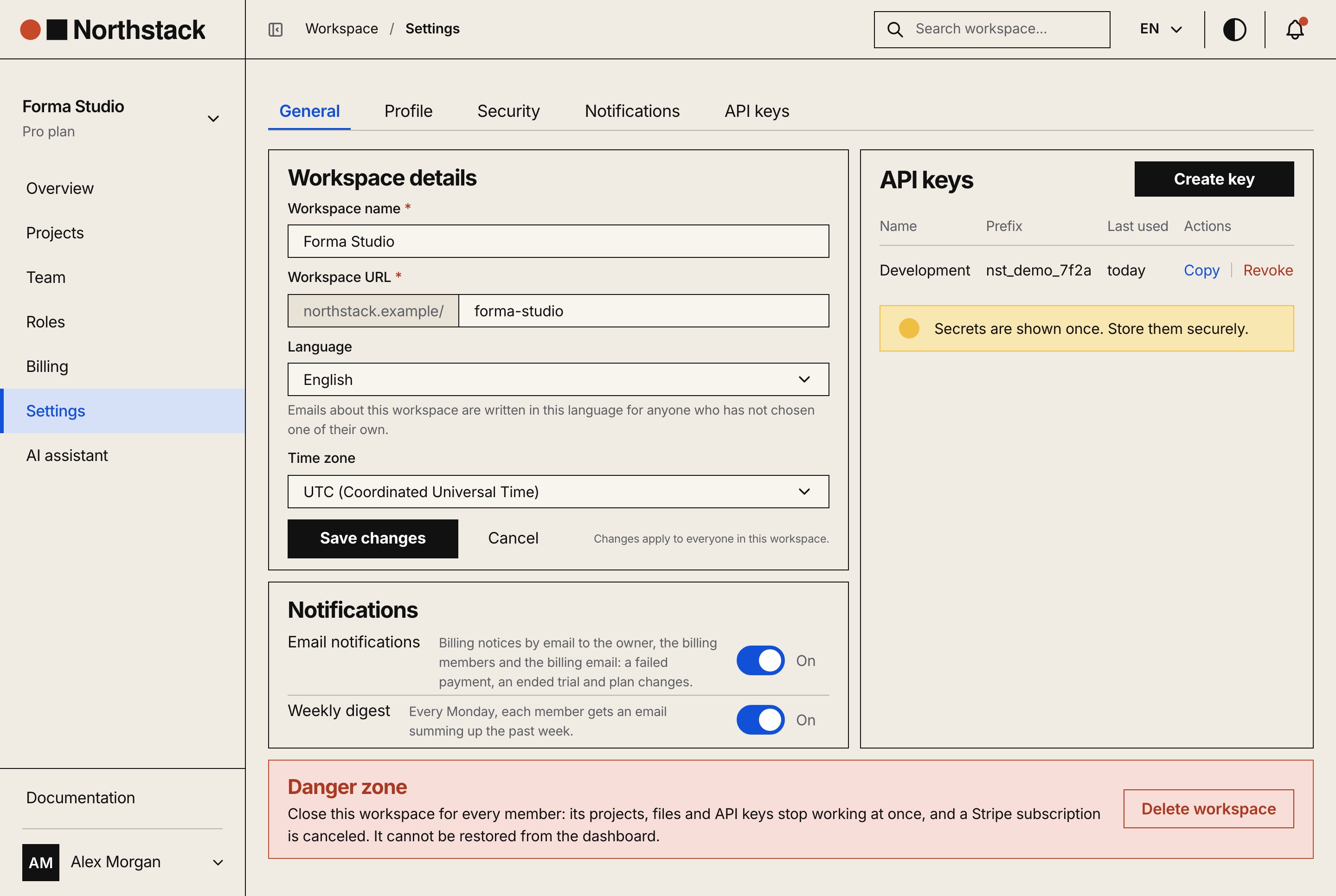
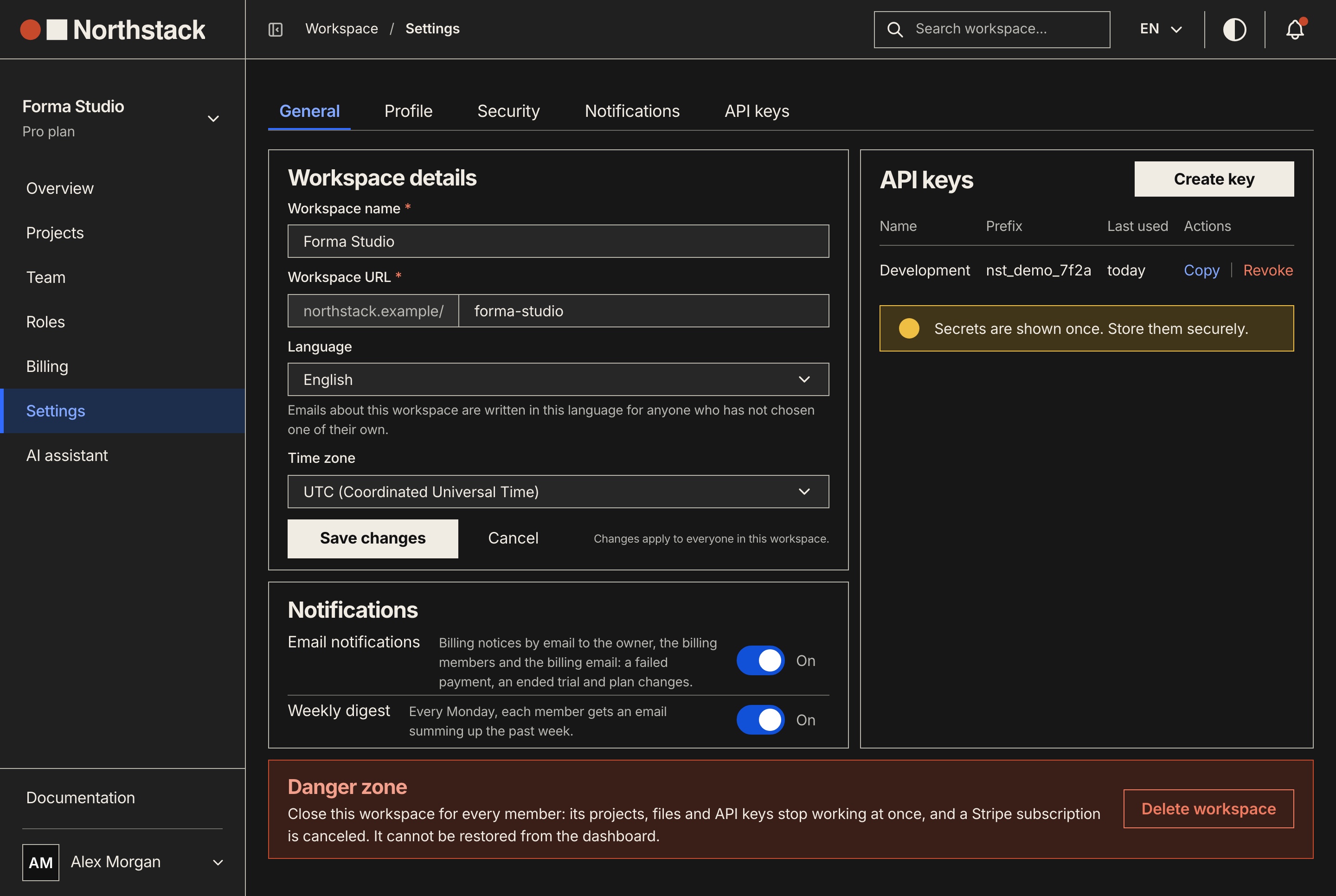
The workspace's name, address, language, time zone, domain and notifications, and API keys shown once at creation and revoked in one click.

  • Keys with scopes and an environment
  • Email and weekly digest switches
  • A danger zone to delete the workspace
Workspace settings and API keys, light theme
Workspace settings and API keys, light theme. The workspace's name, address, language and time zone, its notification switches, its API keys and the danger zone.
Workspace settings and API keys, dark theme
Workspace settings and API keys, dark theme. The workspace's name, address, language and time zone, its notification switches, its API keys and the danger zone.

An activity log you can export

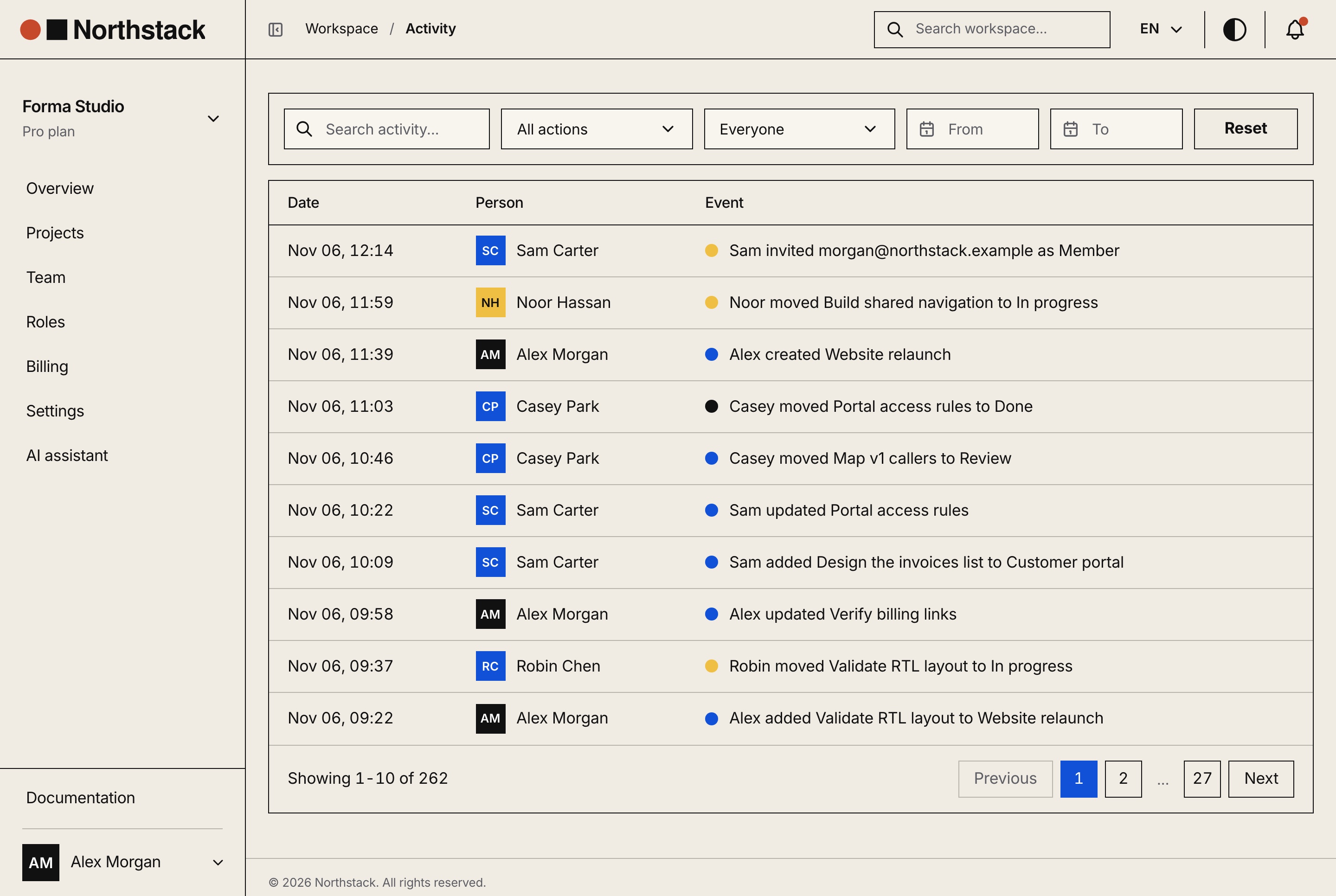
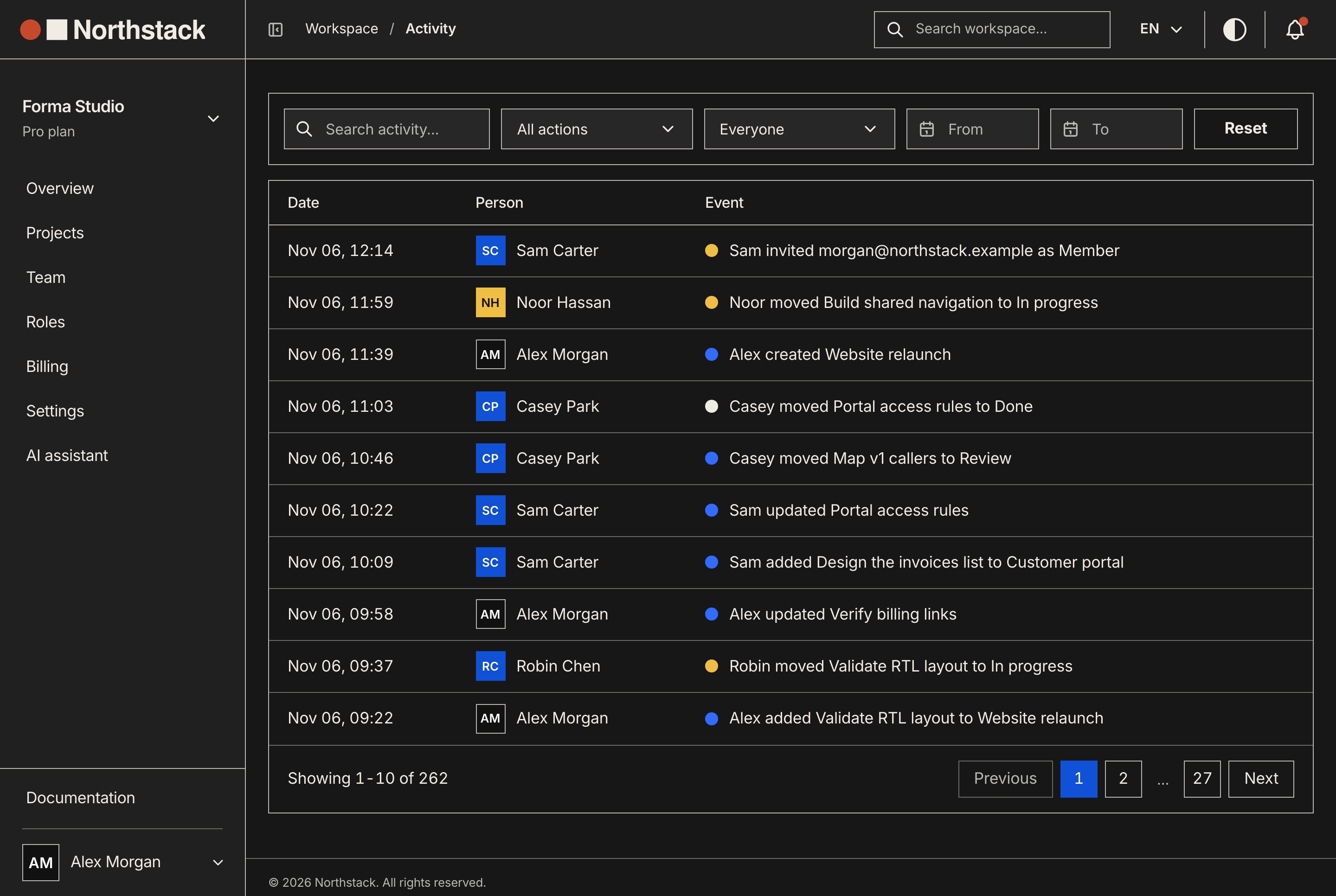
Every change is written to the audit log with who did it and when, filtered by type, person and dates, searched, and exported to CSV.

  • Sentences built in the reader's language
  • Notifications in the bell
  • A search palette for projects, tasks and members
Activity log with filters and CSV export, light theme
Activity log with filters and CSV export, light theme. Every change made in the workspace, newest first, with who made it, filtered by action, person and dates, and exported as a CSV file.
Activity log with filters and CSV export, dark theme
Activity log with filters and CSV export, dark theme. Every change made in the workspace, newest first, with who made it, filtered by action, person and dates, and exported as a CSV file.
Platform administration

Run the service, not only one workspace

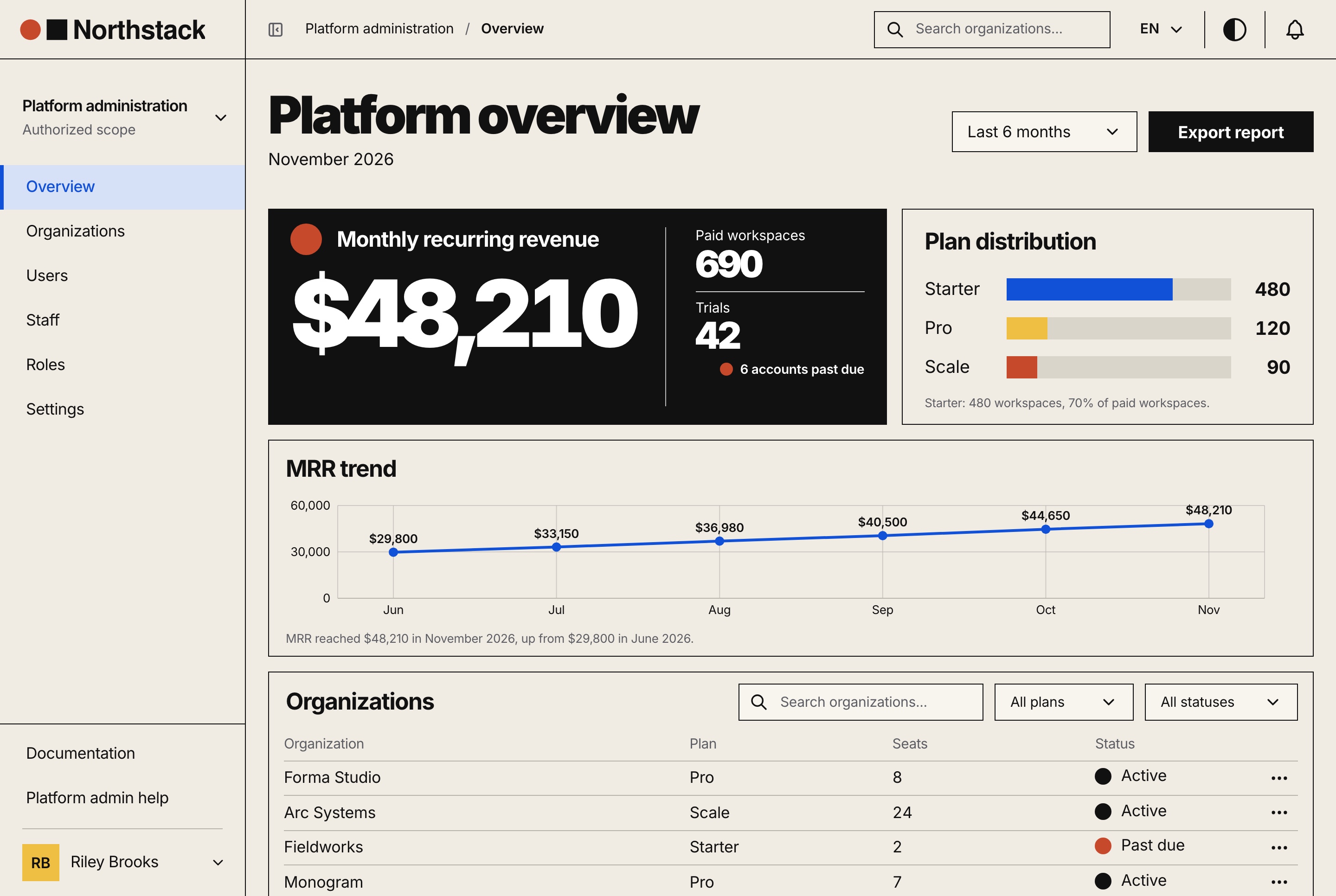
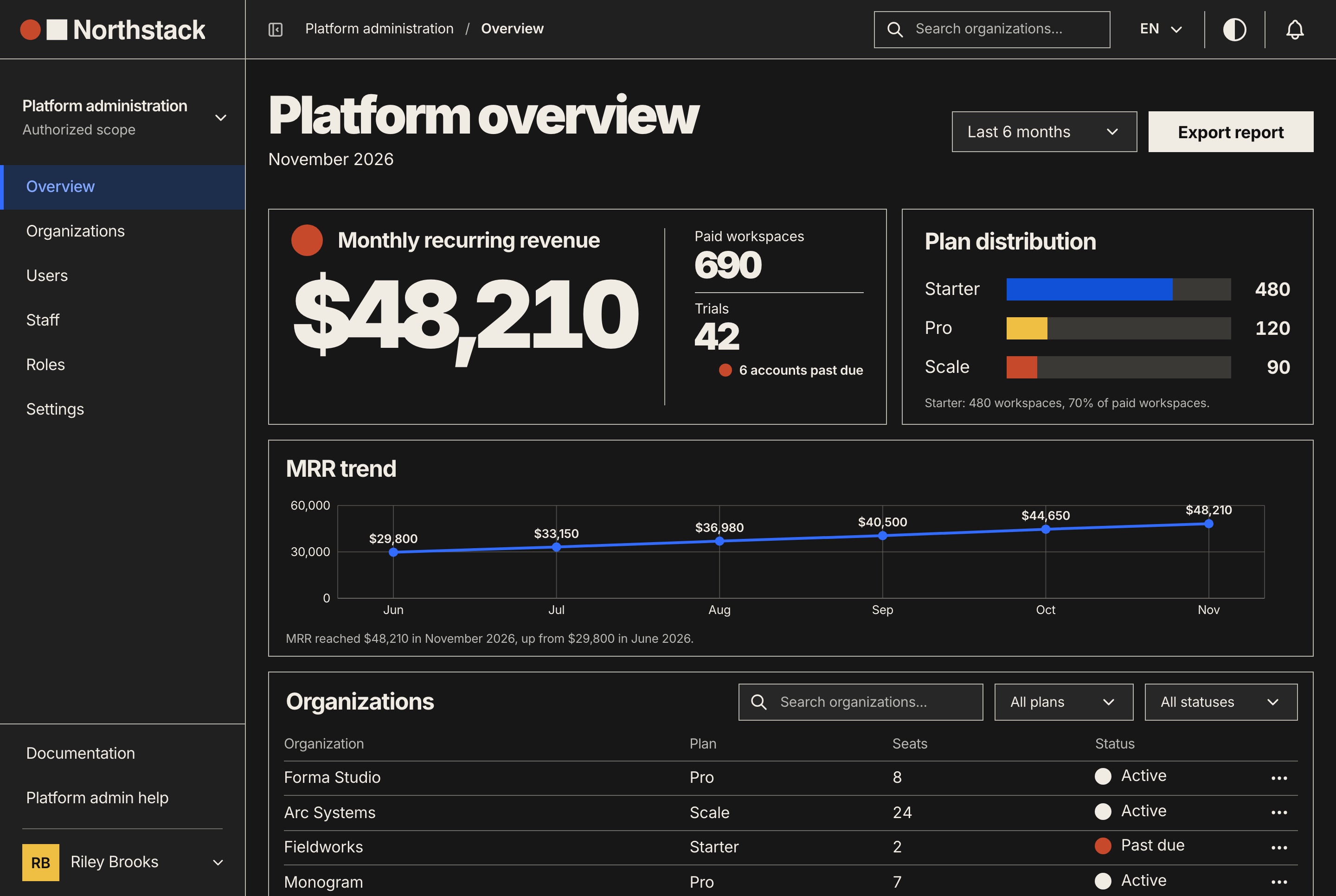
Platform staff get their own area: monthly recurring revenue and the plan mix over 30 days to 12 months, the paid, trialing, past-due and suspended workspaces, and every organization with its plan, seats and status.

Platform administration with revenue and plans, light theme
Platform administration with revenue and plans, light theme. The platform's monthly recurring revenue, paid and trial workspaces, the plan distribution, the revenue trend and the organizations list.
Platform administration with revenue and plans, dark theme
Platform administration with revenue and plans, dark theme. The platform's monthly recurring revenue, paid and trial workspaces, the plan distribution, the revenue trend and the organizations list.

Every organization in one list

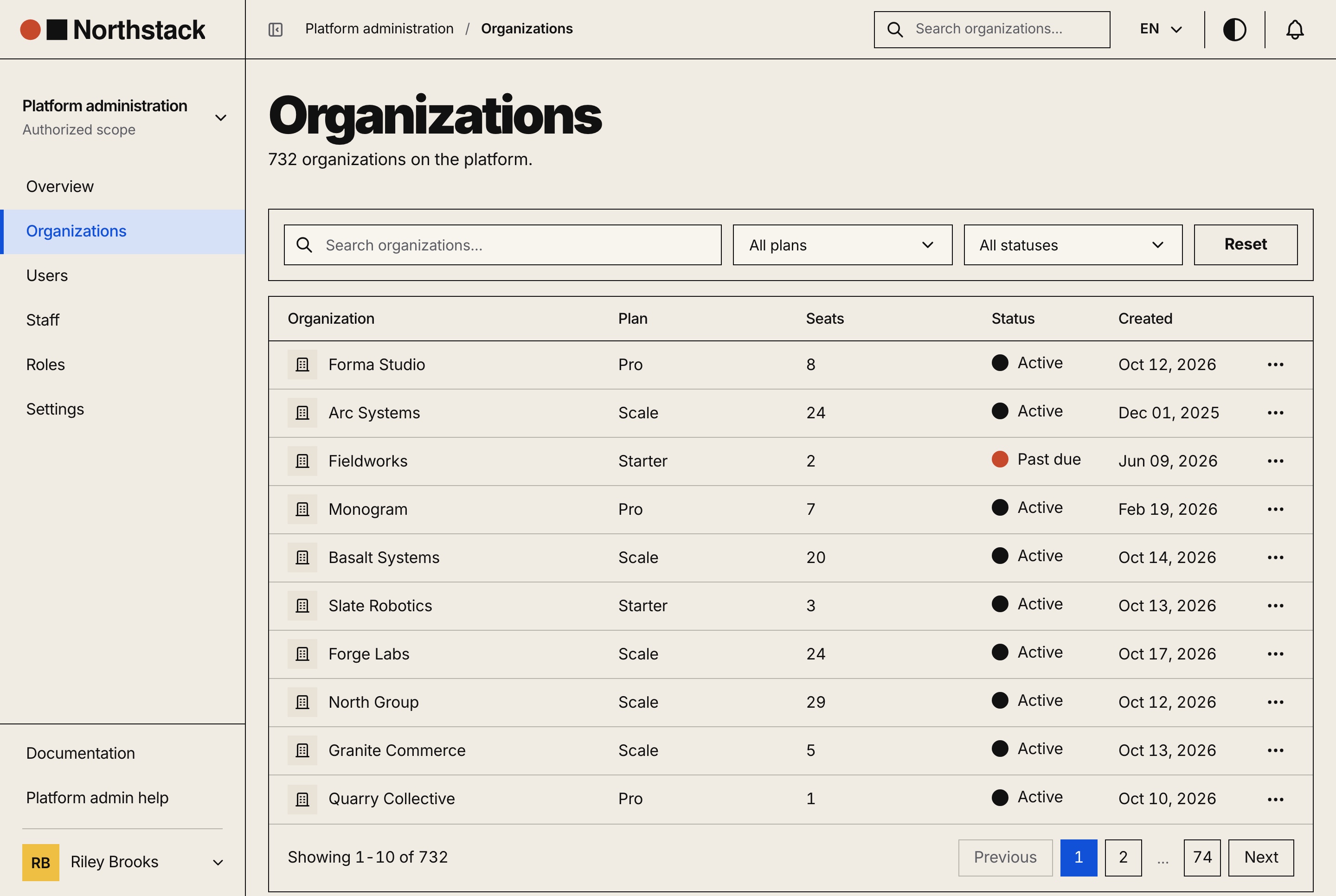
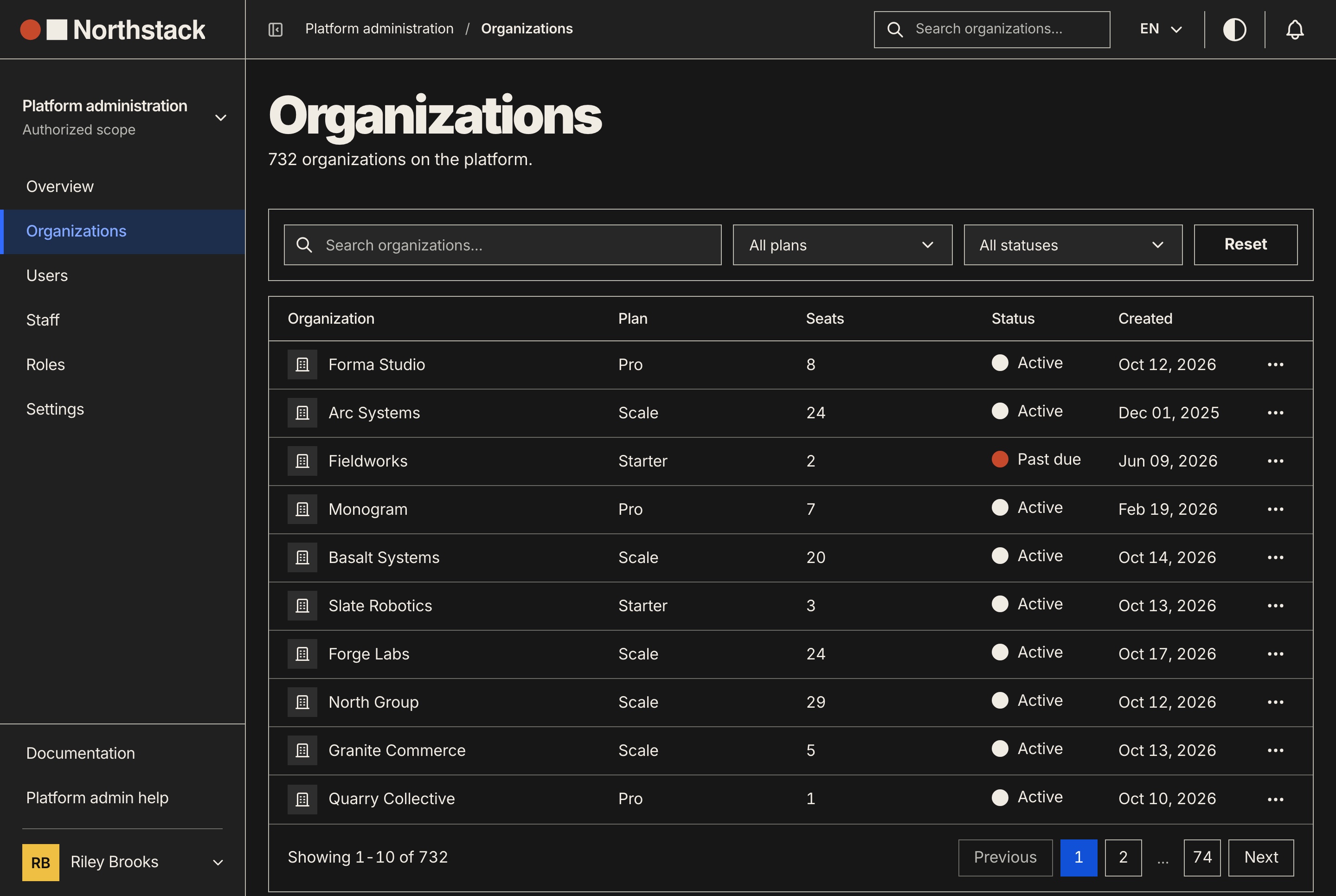
Search and filter the seeded 732 organizations by plan and status, and suspend or reactivate one with a reason. A suspended workspace keeps read access and refuses every write.

  • Users with soft delete and restore
  • Staff with the Platform admin and Support roles
  • App settings and a revenue report as CSV
Organizations with plan and status filters, light theme
Organizations with plan and status filters, light theme. Every organization on the platform with its plan, seats, status and creation date, searched and filtered, and paged.
Organizations with plan and status filters, dark theme
Organizations with plan and status filters, dark theme. Every organization on the platform with its plan, seats, status and creation date, searched and filtered, and paged.

Each organization's record

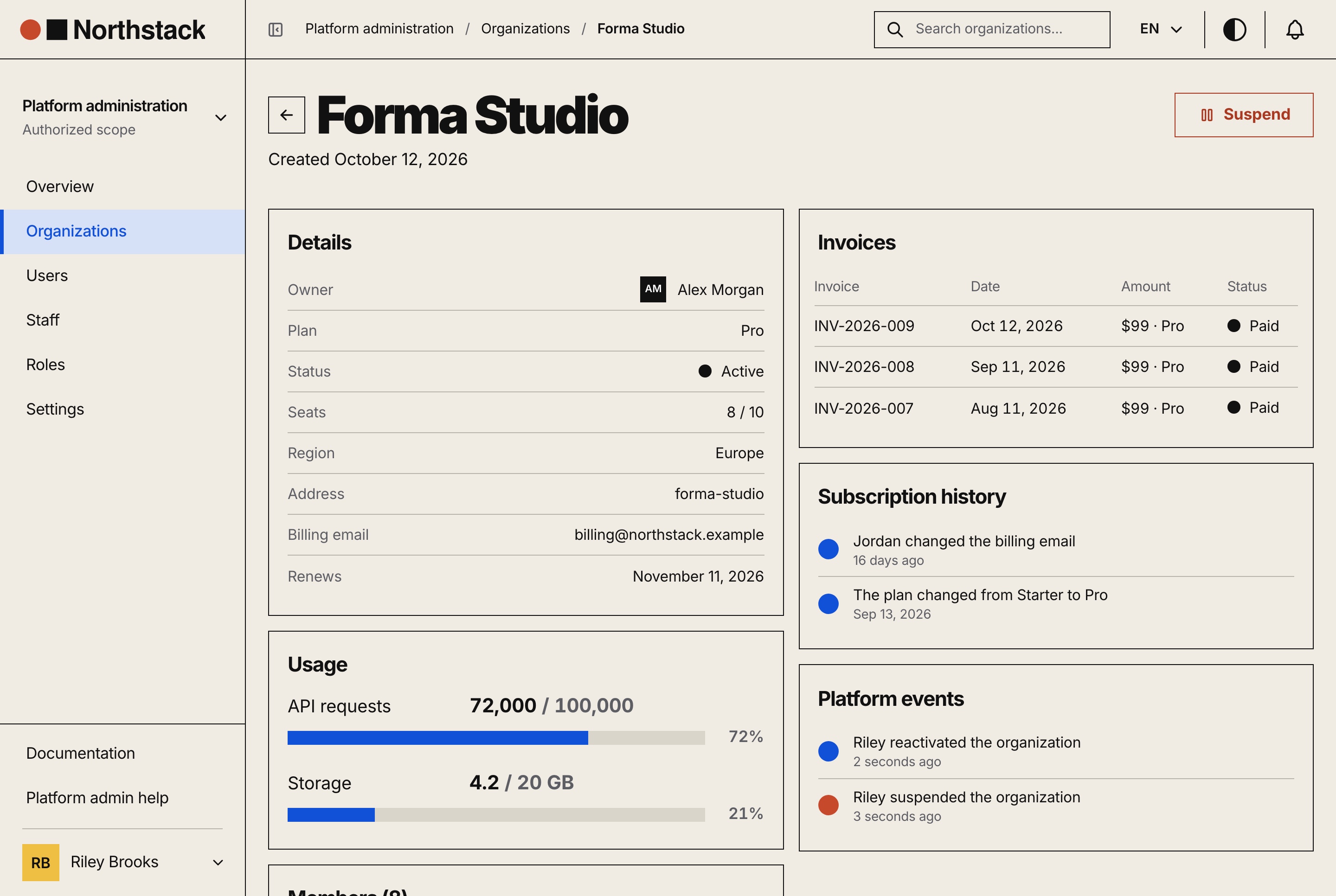
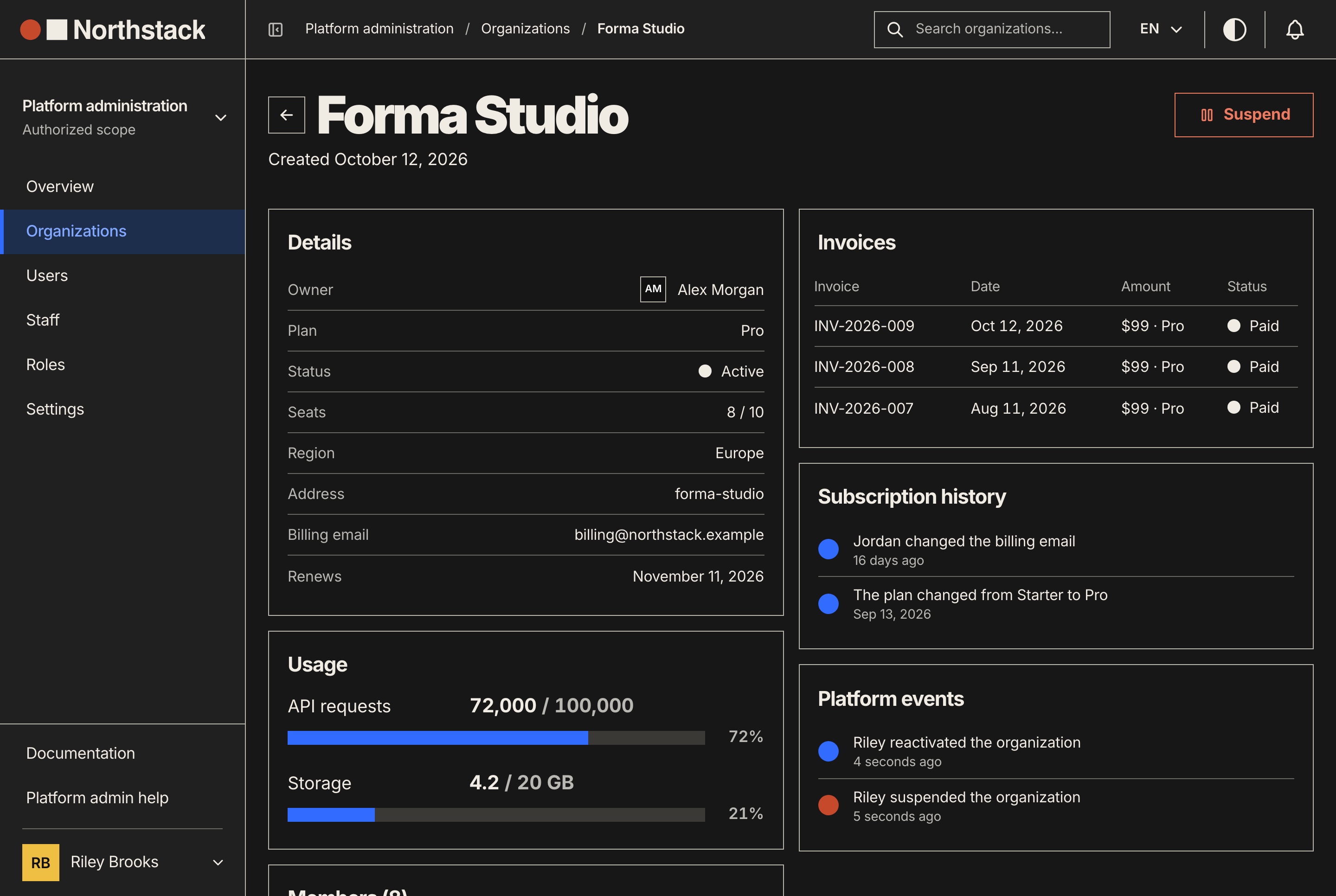
An organization opens on its owner and members, its usage, its invoices, its subscription history and the platform's own events about it, such as a suspension and its reason.

  • Invoices and plan changes
  • Suspensions written to the audit log
  • Platform roles edited permission by permission
Organization record with invoices and history, light theme
Organization record with invoices and history, light theme. One organization's details, usage, invoices, subscription history and platform events, with the button that suspends it.
Organization record with invoices and history, dark theme
Organization record with invoices and history, dark theme. One organization's details, usage, invoices, subscription history and platform events, with the button that suspends it.
The website

A website that sells the product

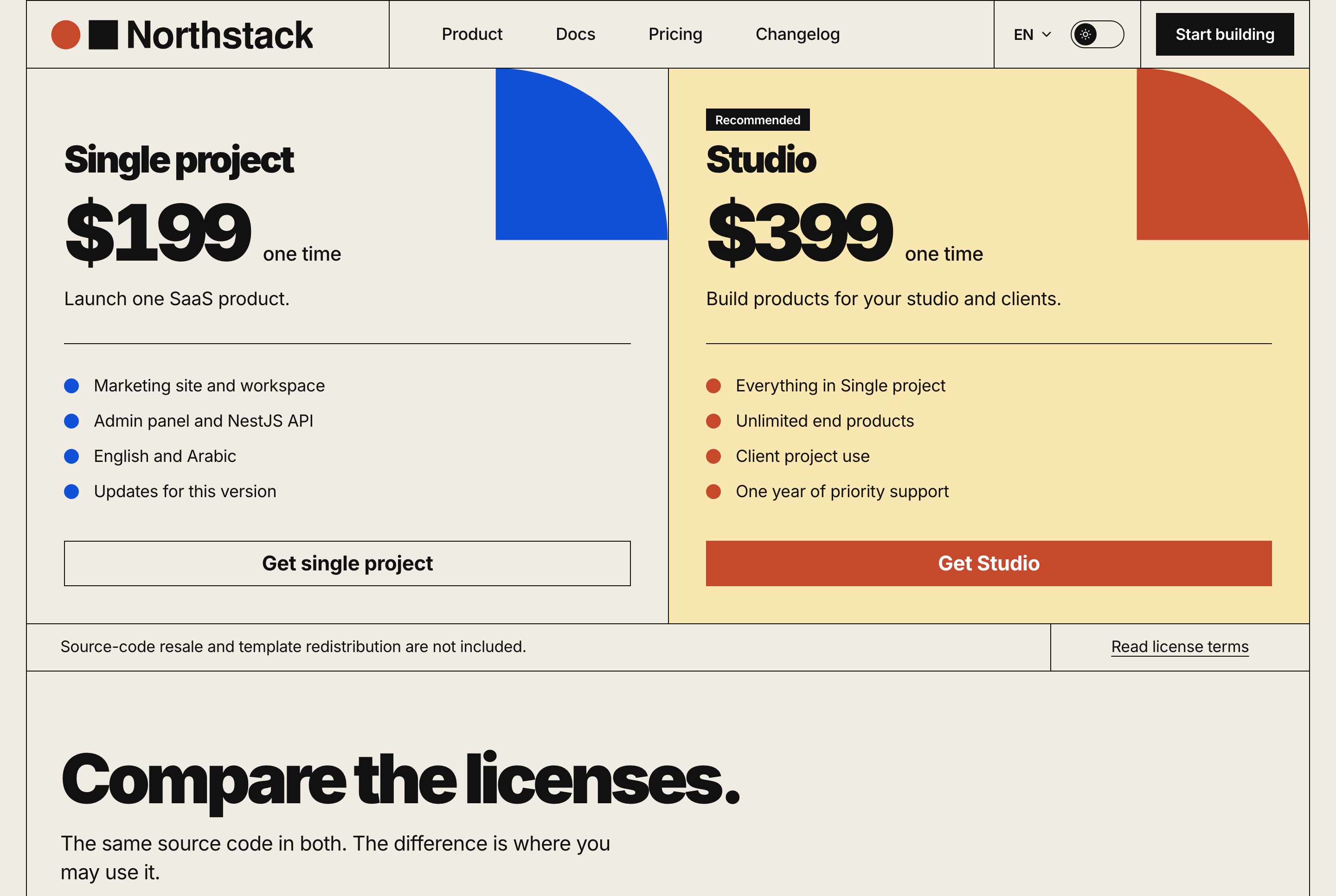
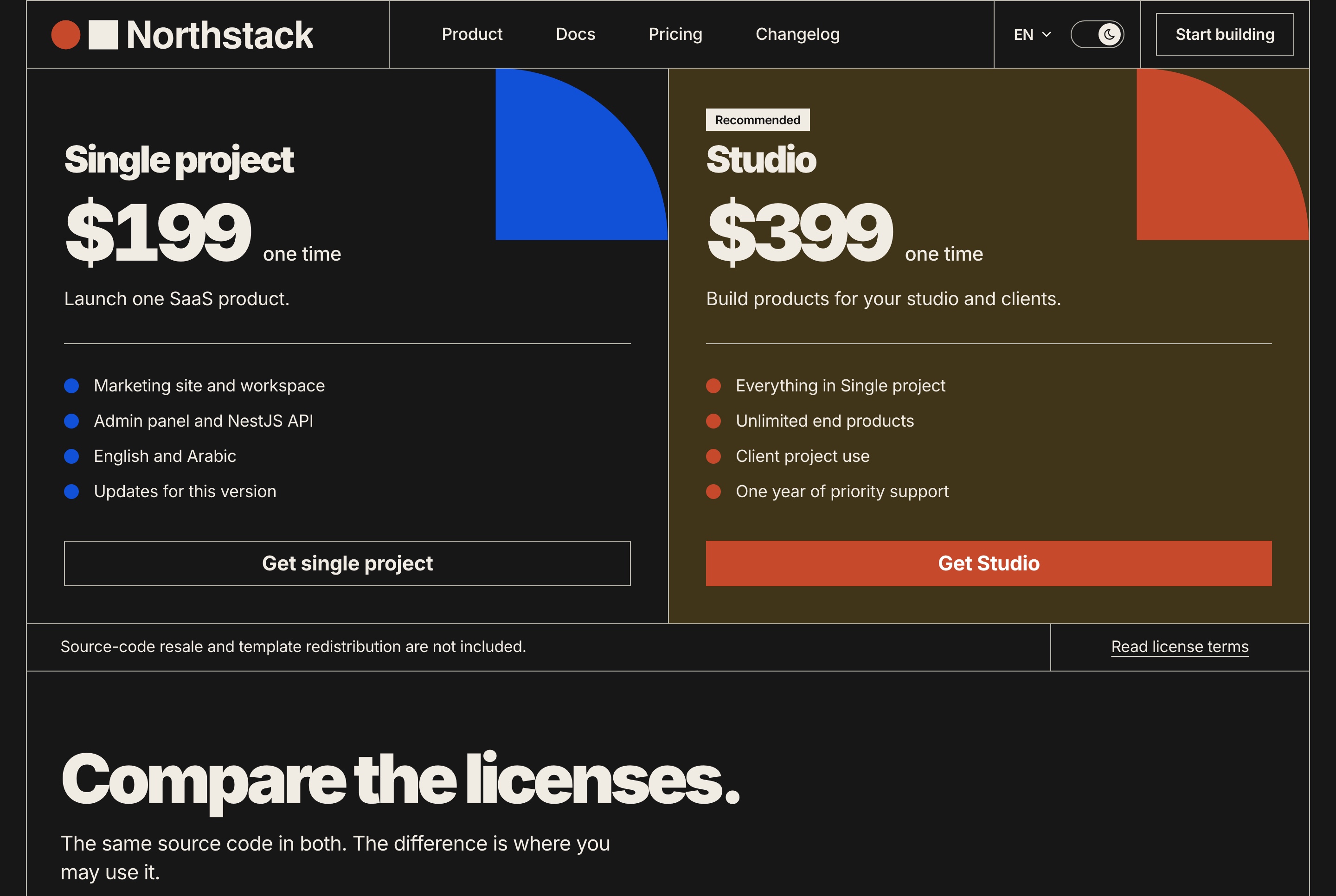
Pricing offers two one-time source-code licenses, and each one leads to the site's own checkout: the buyer gives an email and a name, chooses card or PayPal, and pays on Stripe's or PayPal's own page. The server confirms the payment before the receipt shows the license key, and without keys both methods go through a test checkout.

Pricing with two one-time licenses, light theme
Pricing with two one-time licenses, light theme. Single project and Studio as one-time source-code licenses, each with what it covers and the button that opens the checkout.
Pricing with two one-time licenses, dark theme
Pricing with two one-time licenses, dark theme. Single project and Studio as one-time source-code licenses, each with what it covers and the button that opens the checkout.
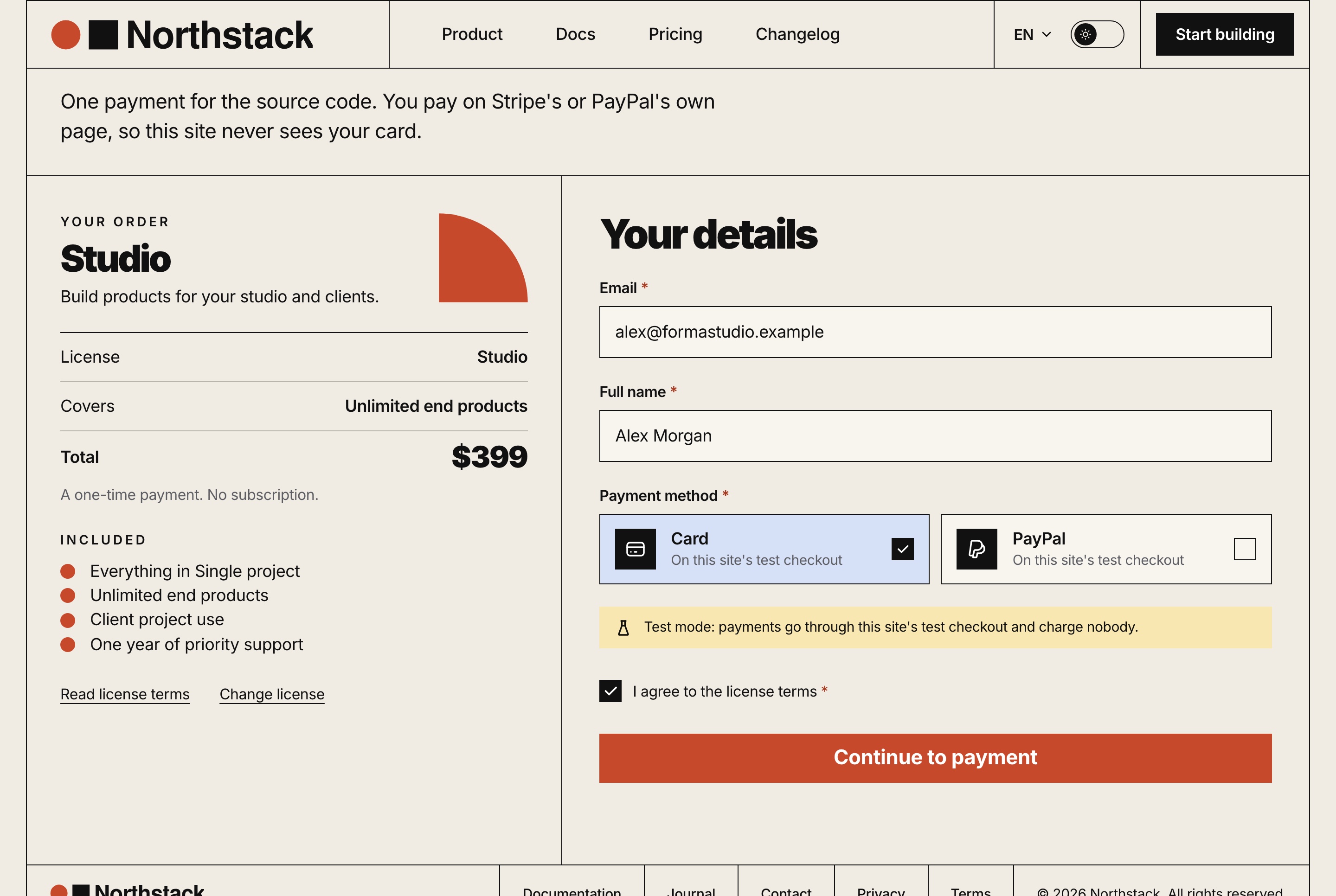
License checkout with card and PayPal, light theme
License checkout with card and PayPal, light theme. The buyer's order beside the checkout form: email, name, card or PayPal, the test-mode note and the license terms, paid on Stripe's or PayPal's own page.
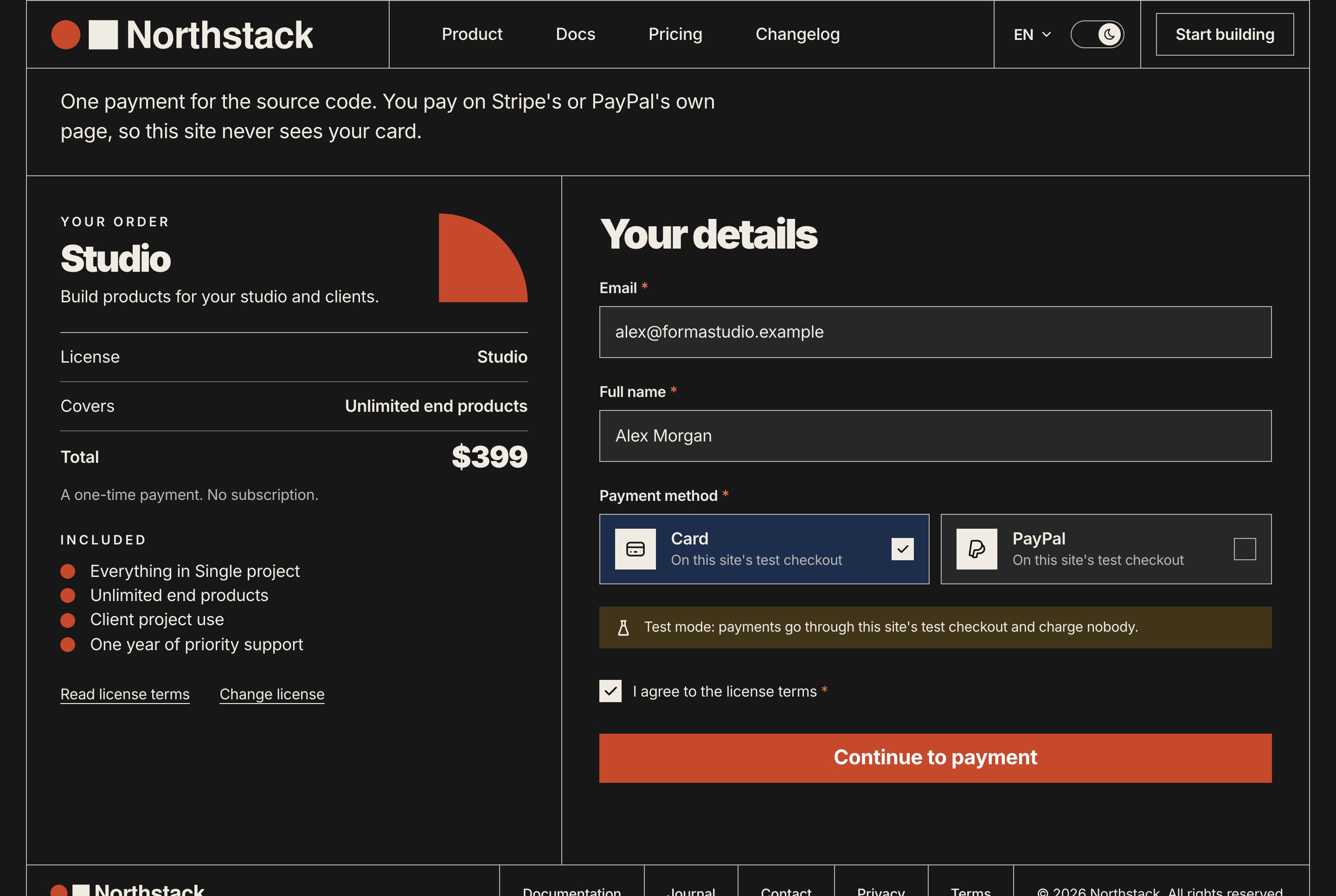
License checkout with card and PayPal, dark theme
License checkout with card and PayPal, dark theme. The buyer's order beside the checkout form: email, name, card or PayPal, the test-mode note and the license terms, paid on Stripe's or PayPal's own page.

Documentation with a table of contents

Ten articles, from the introduction and the quick start to roles, billing and the production checklist, with steps, tables and code, in both languages.

  • Anchored headings and a table of contents
  • Code blocks that copy
  • A search across the articles and a link to the next one
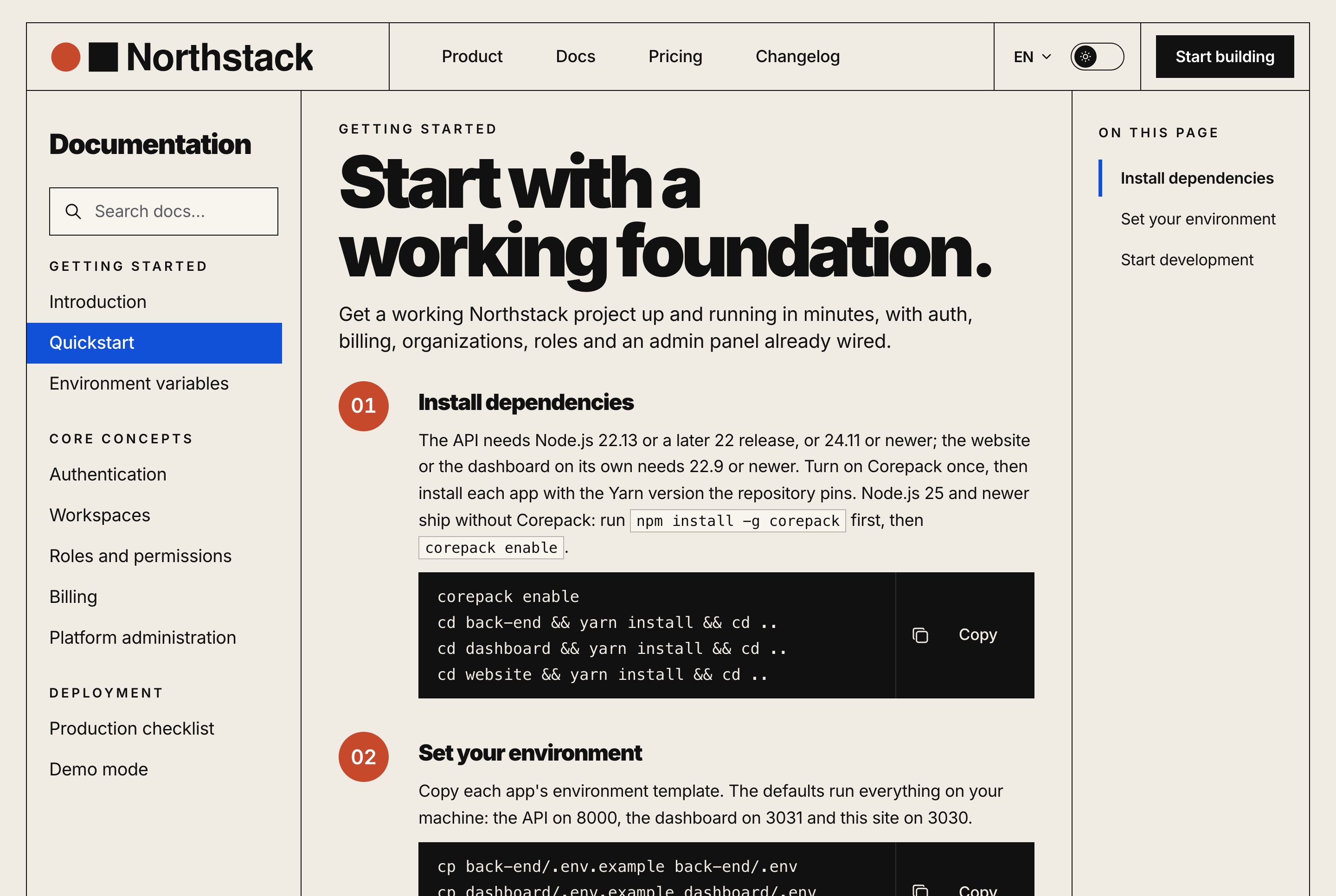
Documentation with steps and a table of contents, light theme
Documentation with steps and a table of contents, light theme. The quickstart article in the documentation: the sections in a sidebar with search, numbered steps with copyable commands, and an on-this-page list.
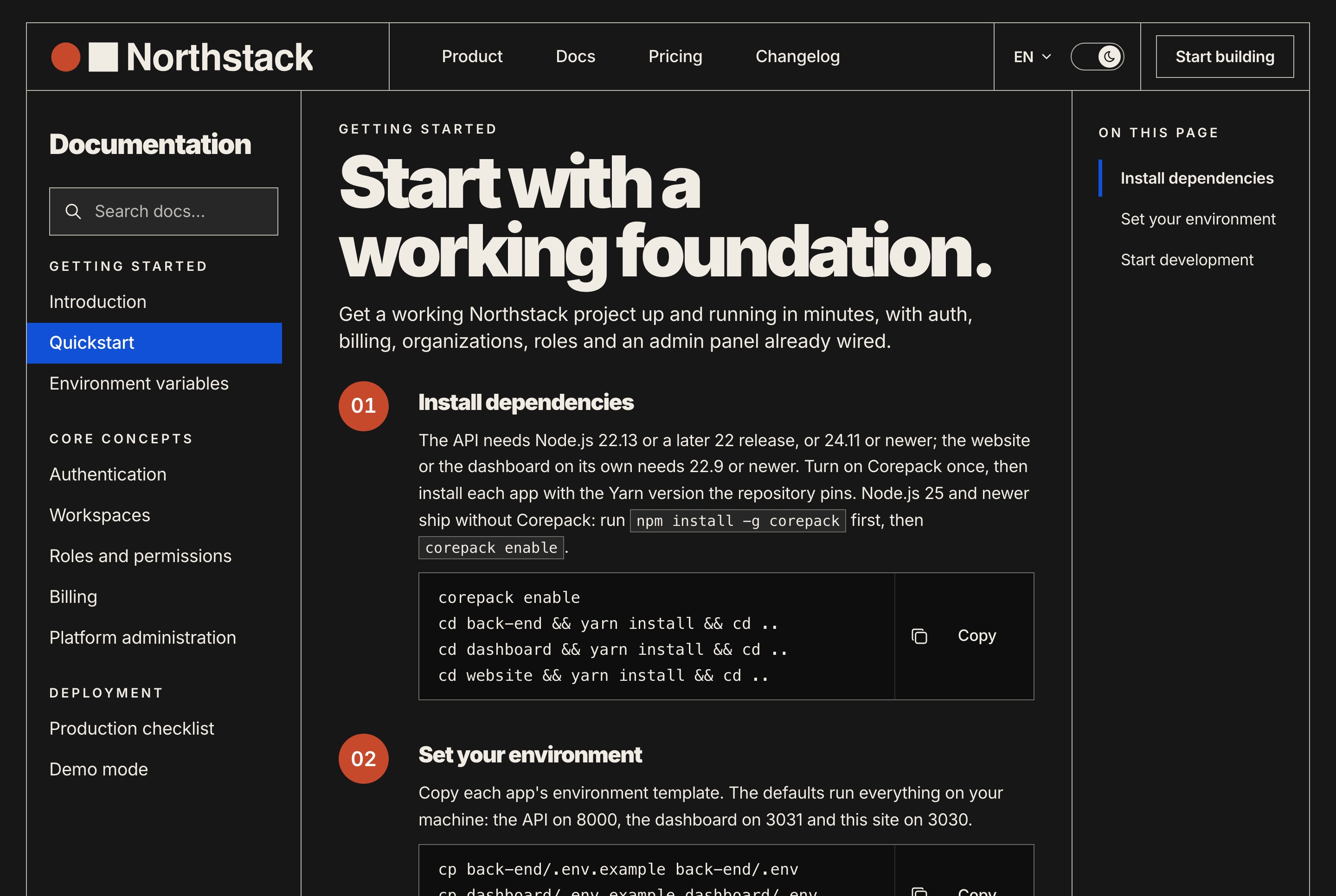
Documentation with steps and a table of contents, dark theme
Documentation with steps and a table of contents, dark theme. The quickstart article in the documentation: the sections in a sidebar with search, numbered steps with copyable commands, and an on-this-page list.
The website

A journal and a changelog

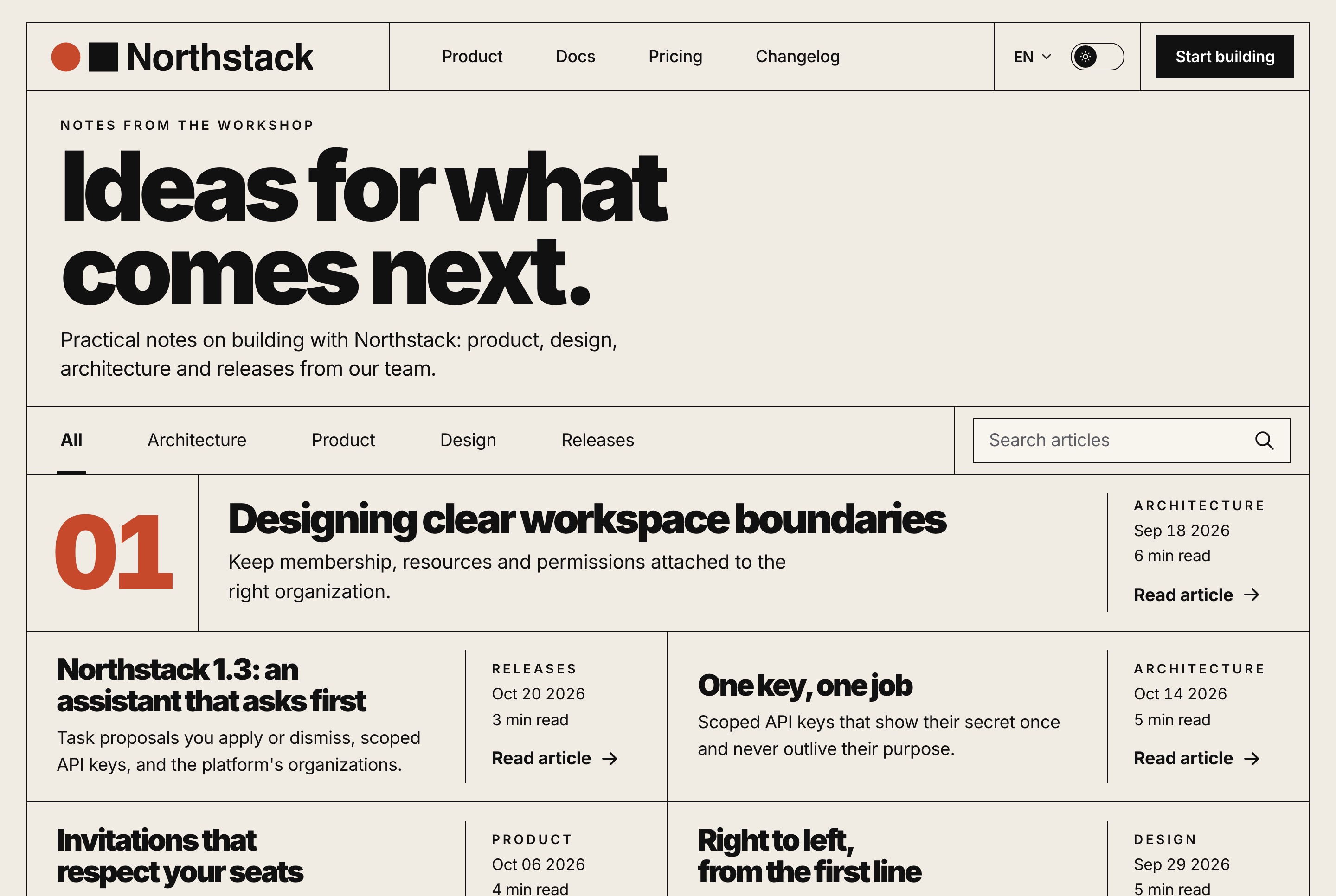
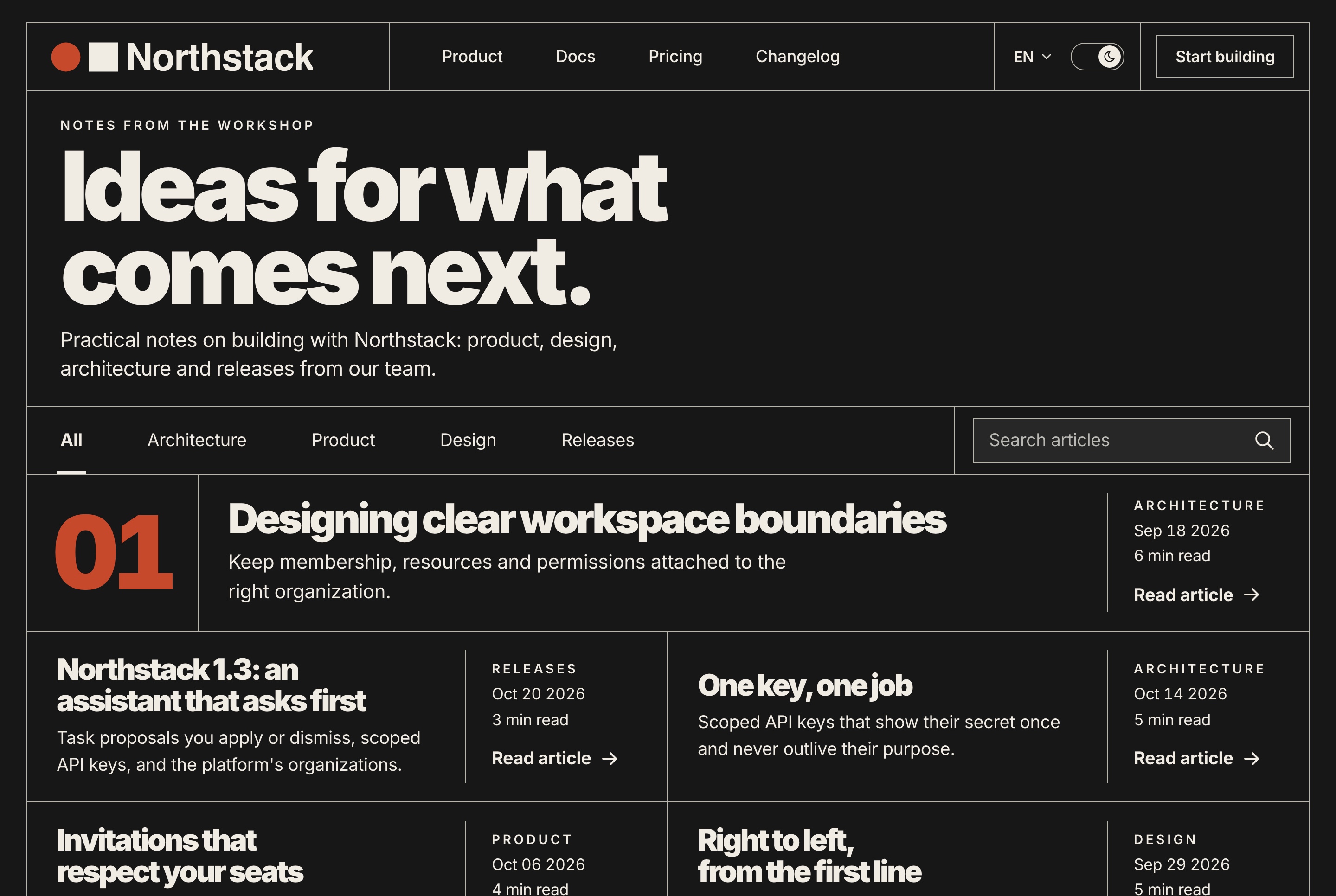
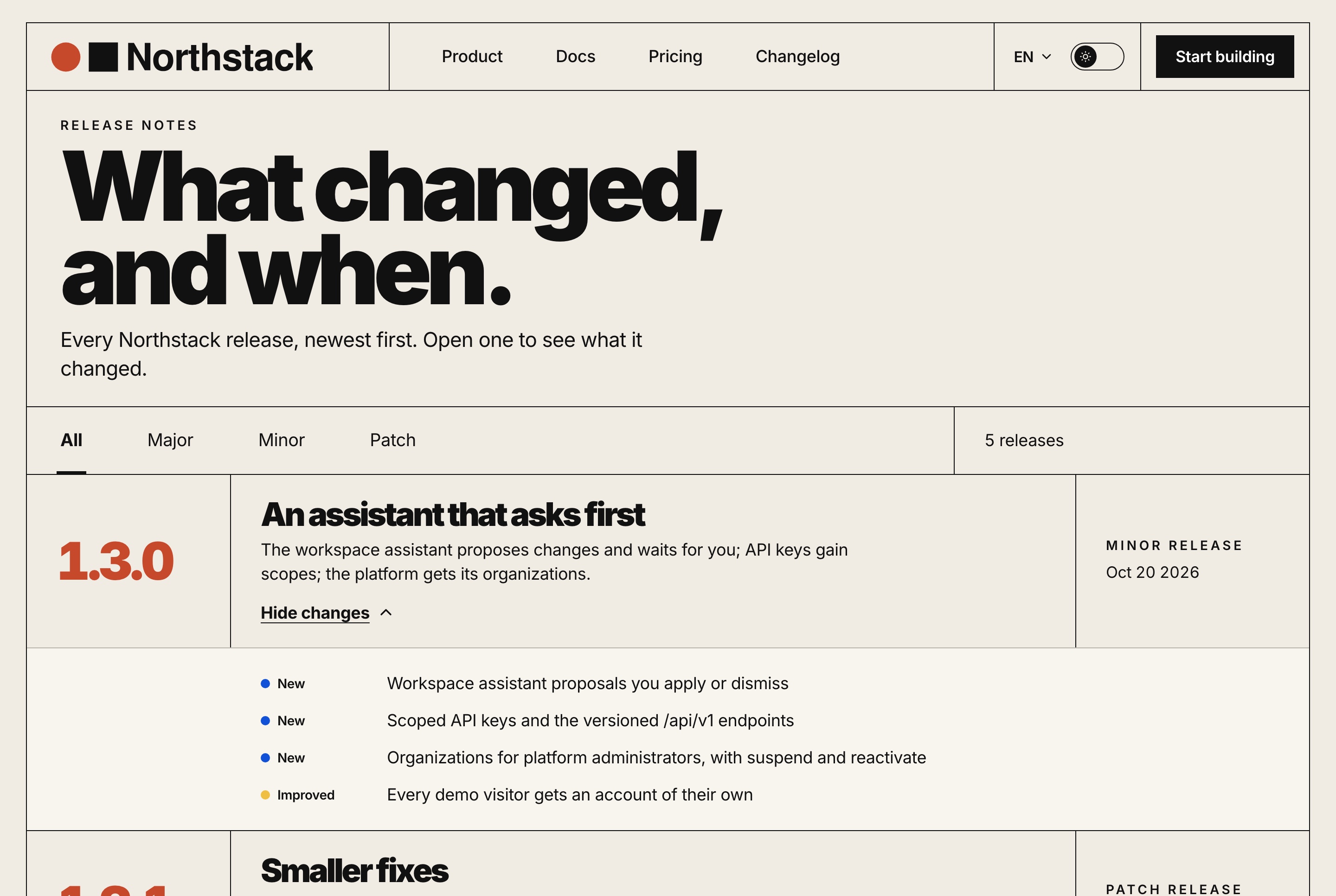
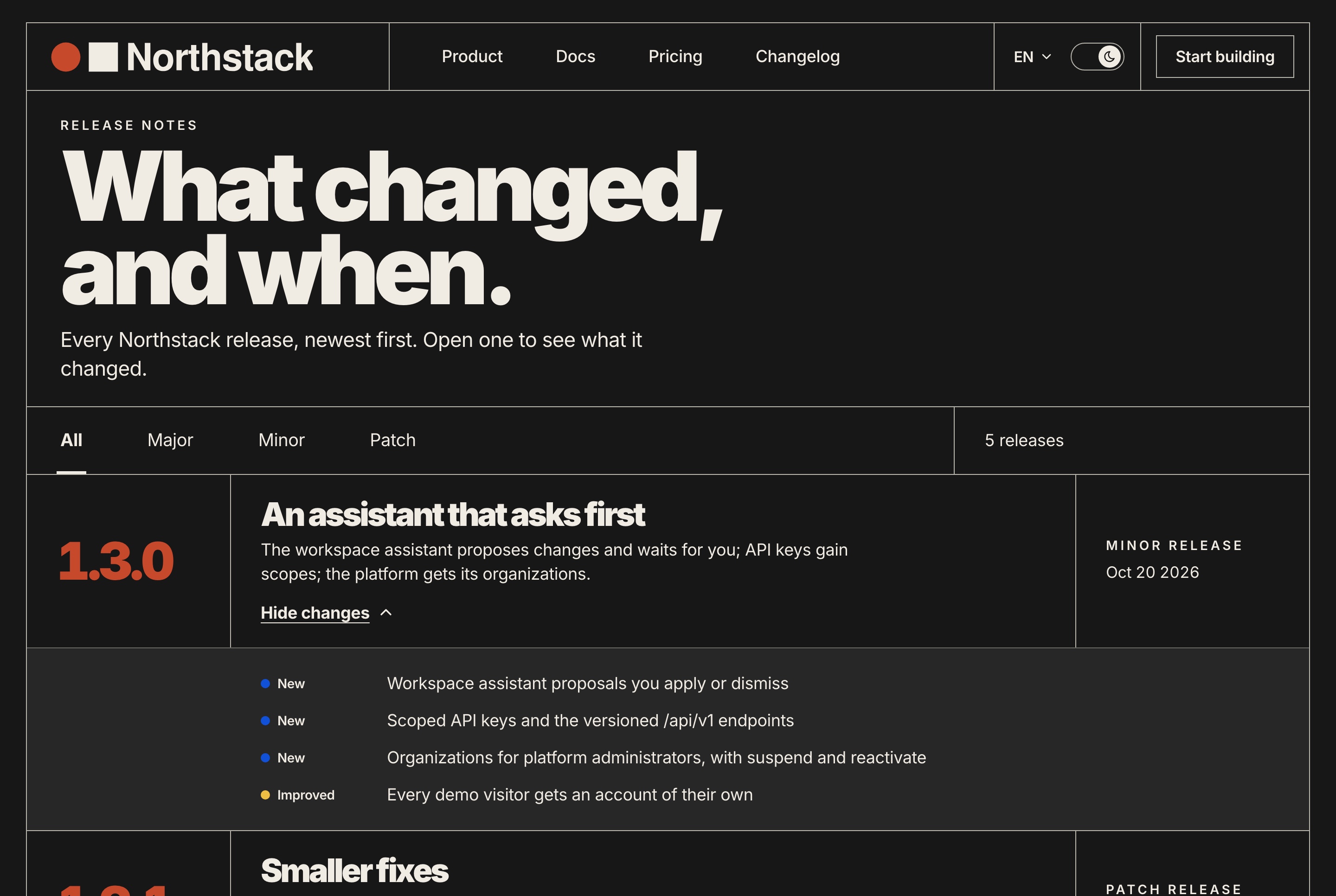
Seven journal articles with categories and search, and a changelog with every release, so the site has something to say on its first day.

Journal with categories and search, light theme
Journal with categories and search, light theme. The blog's index: a featured article, the newest notes in a grid, category tabs and a search field.
Journal with categories and search, dark theme
Journal with categories and search, dark theme. The blog's index: a featured article, the newest notes in a grid, category tabs and a search field.
Changelog with every release, light theme
Changelog with every release, light theme. Every release newest first, filtered by major, minor and patch, each opening on what it added, improved and fixed.
Changelog with every release, dark theme
Changelog with every release, dark theme. Every release newest first, filtered by major, minor and patch, each opening on what it added, improved and fixed.

A contact form with topics

Visitors choose a topic and write a message, checked field by field, and the API keeps every message and forwards it to your inbox when one is set.

  • A hidden field that stops bots
  • A limit per address
  • Every message kept by the API
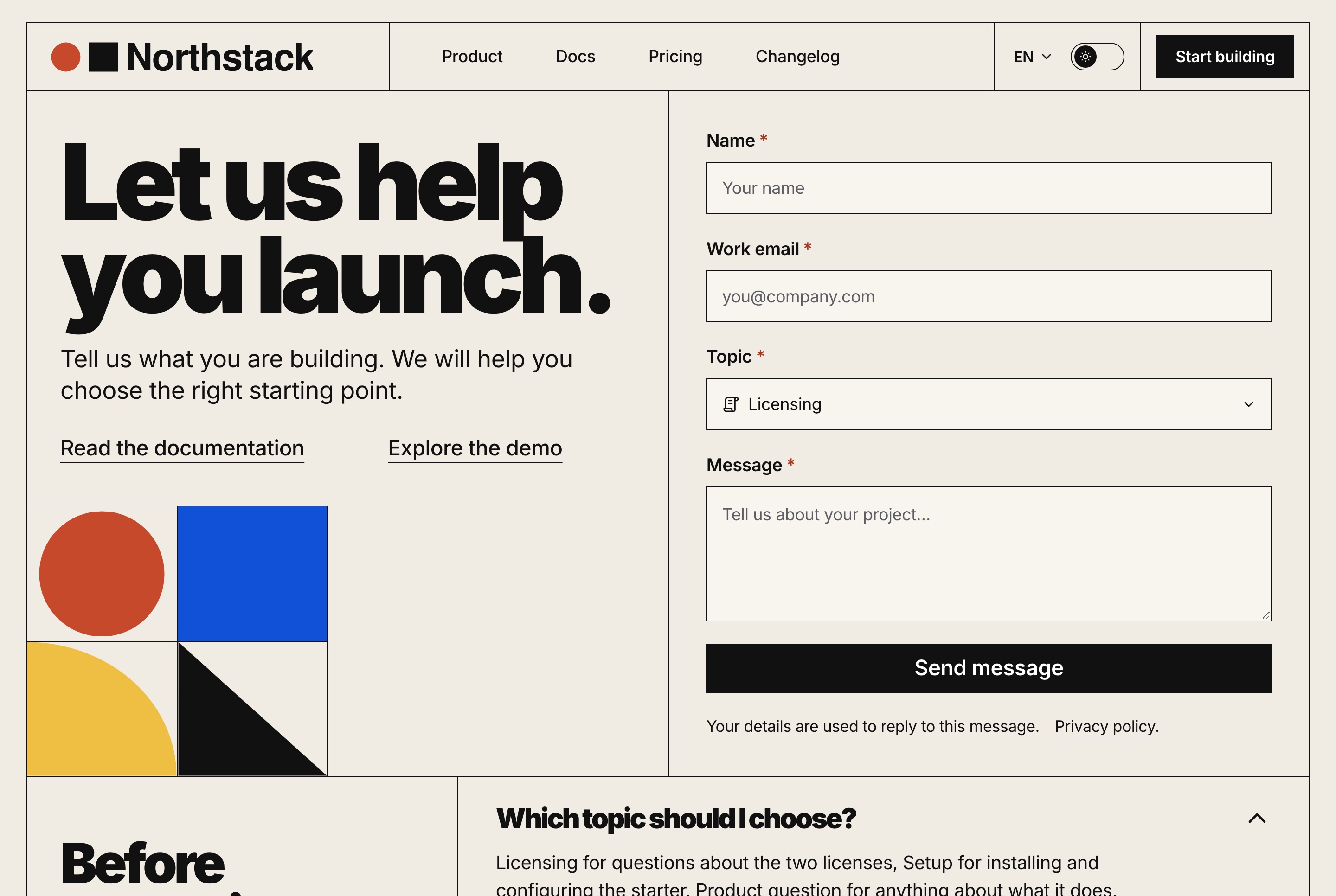
Contact form with topics, light theme
Contact form with topics, light theme. The contact page: a form with name, work email, topic and message, the links to the documentation and the demo, and the questions people ask first.
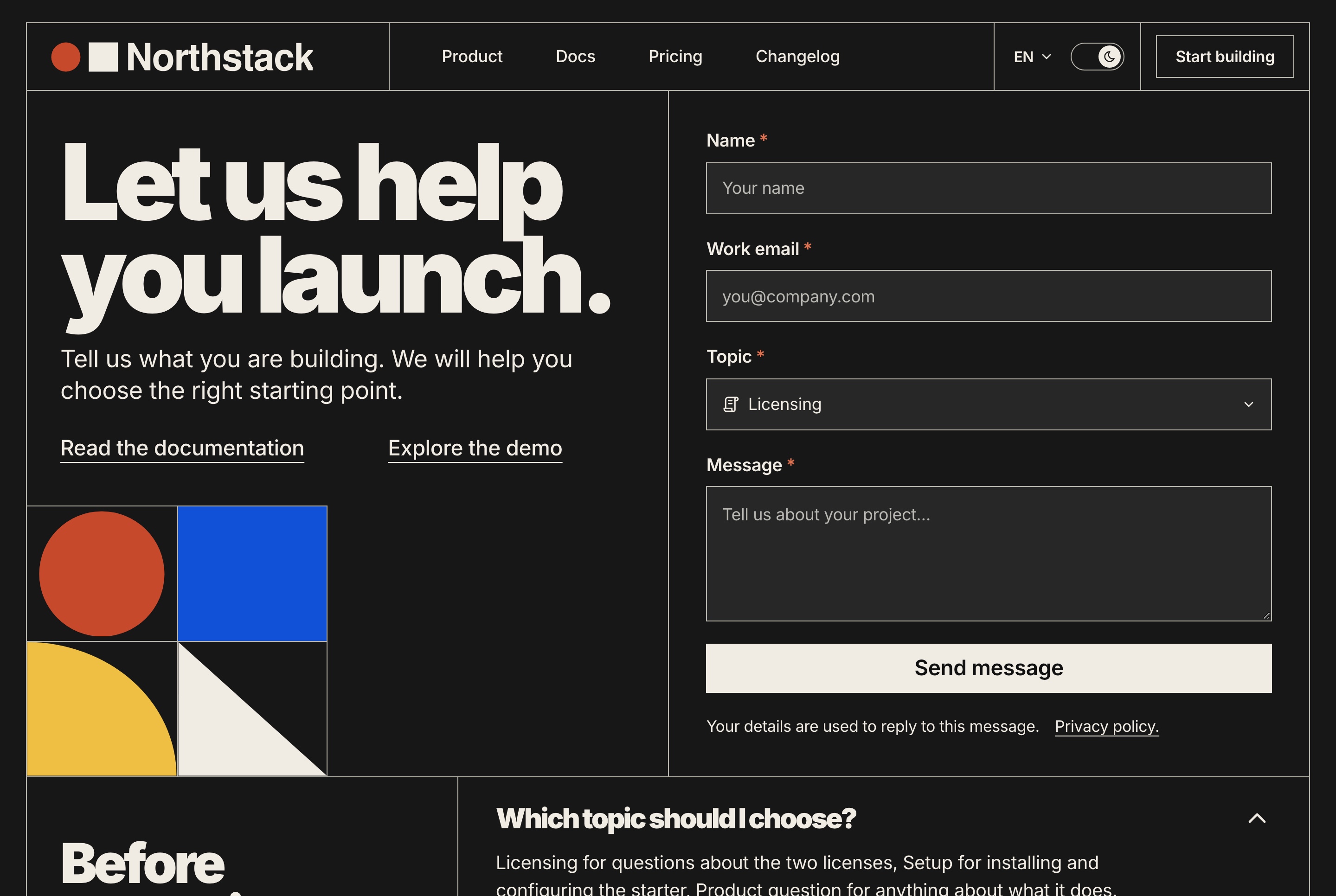
Contact form with topics, dark theme
Contact form with topics, dark theme. The contact page: a form with name, work email, topic and message, the links to the documentation and the demo, and the questions people ask first.
Bilingual

English and Arabic, in both directions

Every screen of the website and the dashboard is written in both languages and mirrors for Arabic, with an Arabic type stack. Projects and tasks are stored with their text in both, and figures stay in Latin digits.

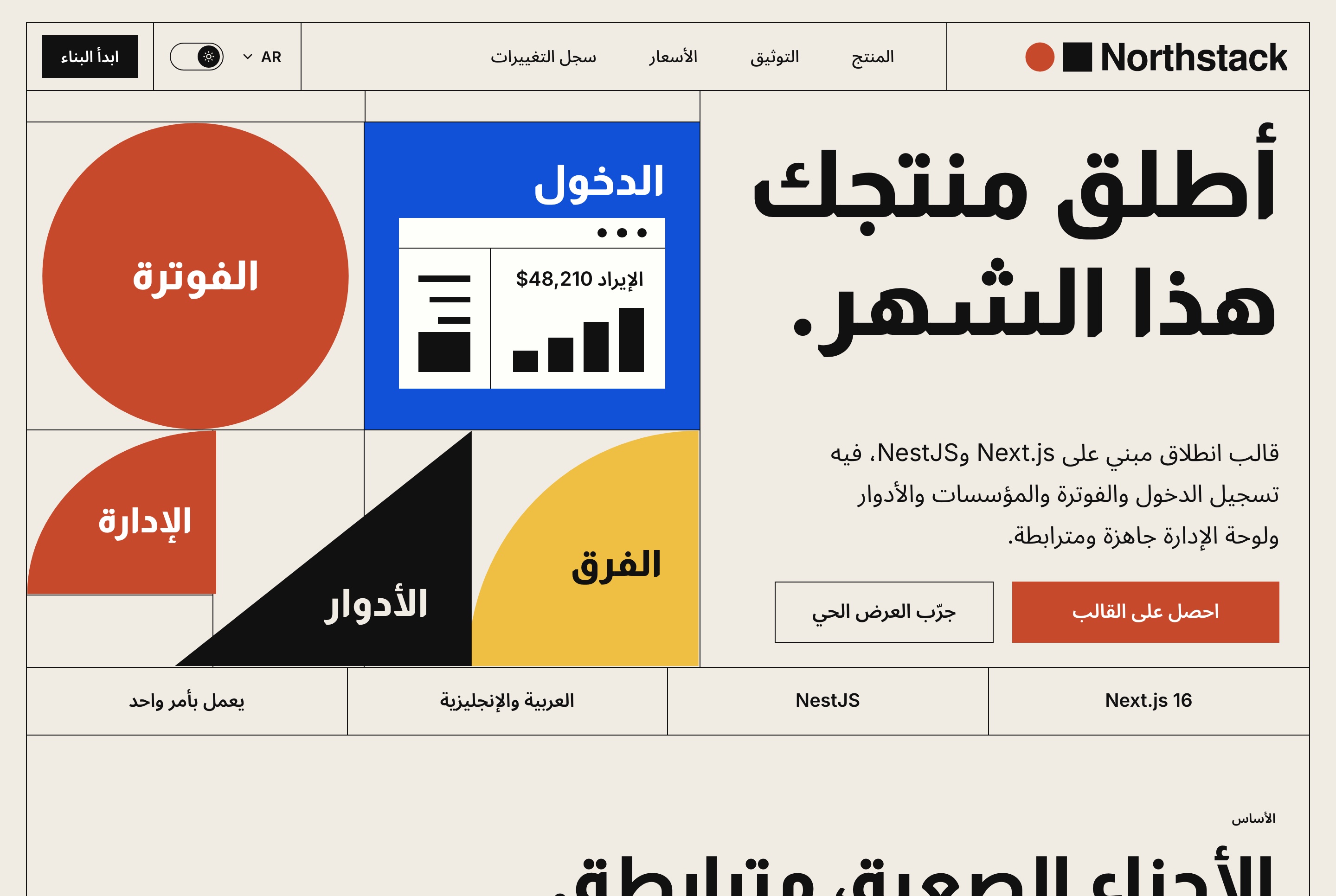
Arabic website overview, right to left, light theme
Arabic website overview, right to left, light theme. The home page in Arabic, laid out right to left with its own type, the same panel and the stack strip.
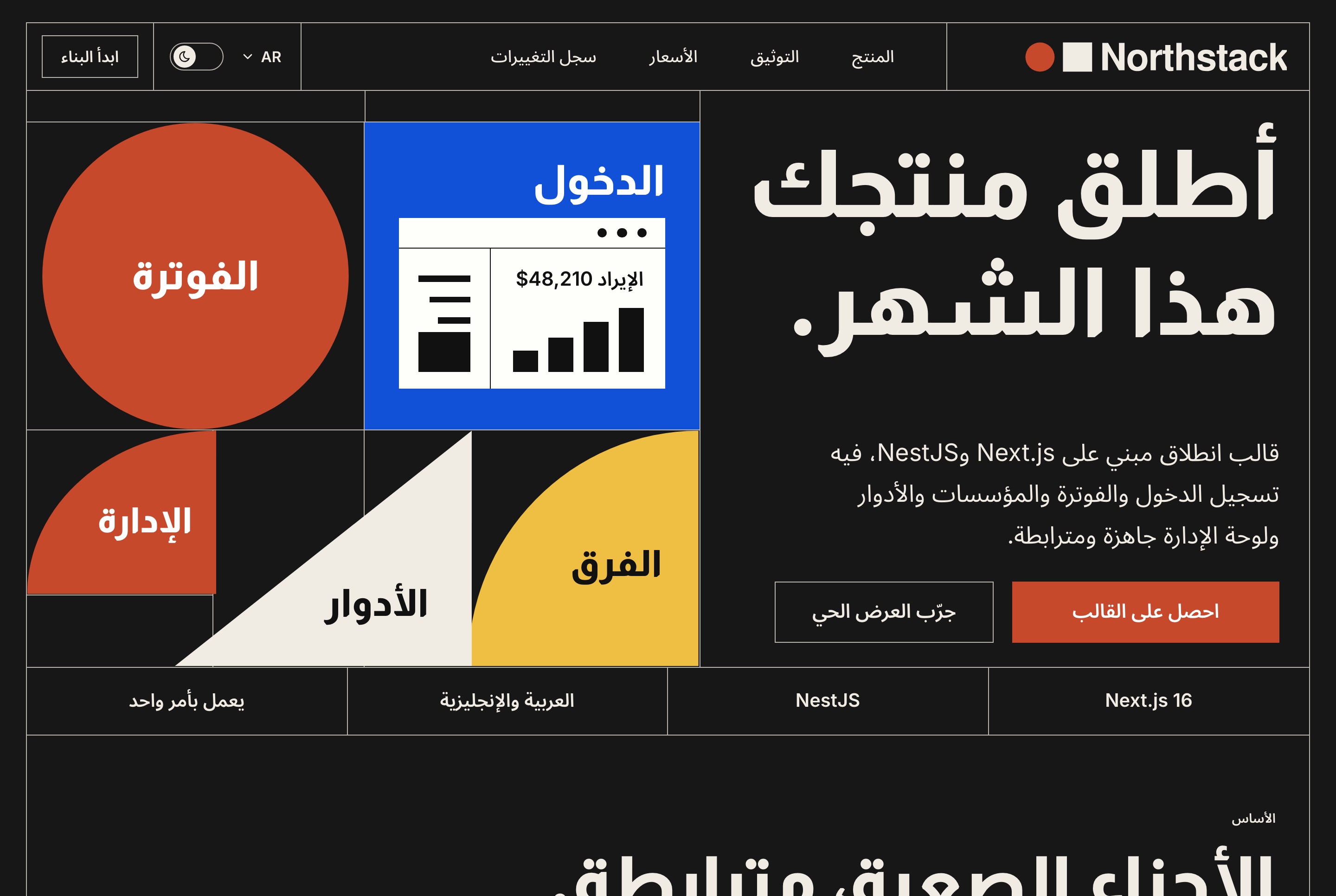
Arabic website overview, right to left, dark theme
Arabic website overview, right to left, dark theme. The home page in Arabic, laid out right to left with its own type, the same panel and the stack strip.
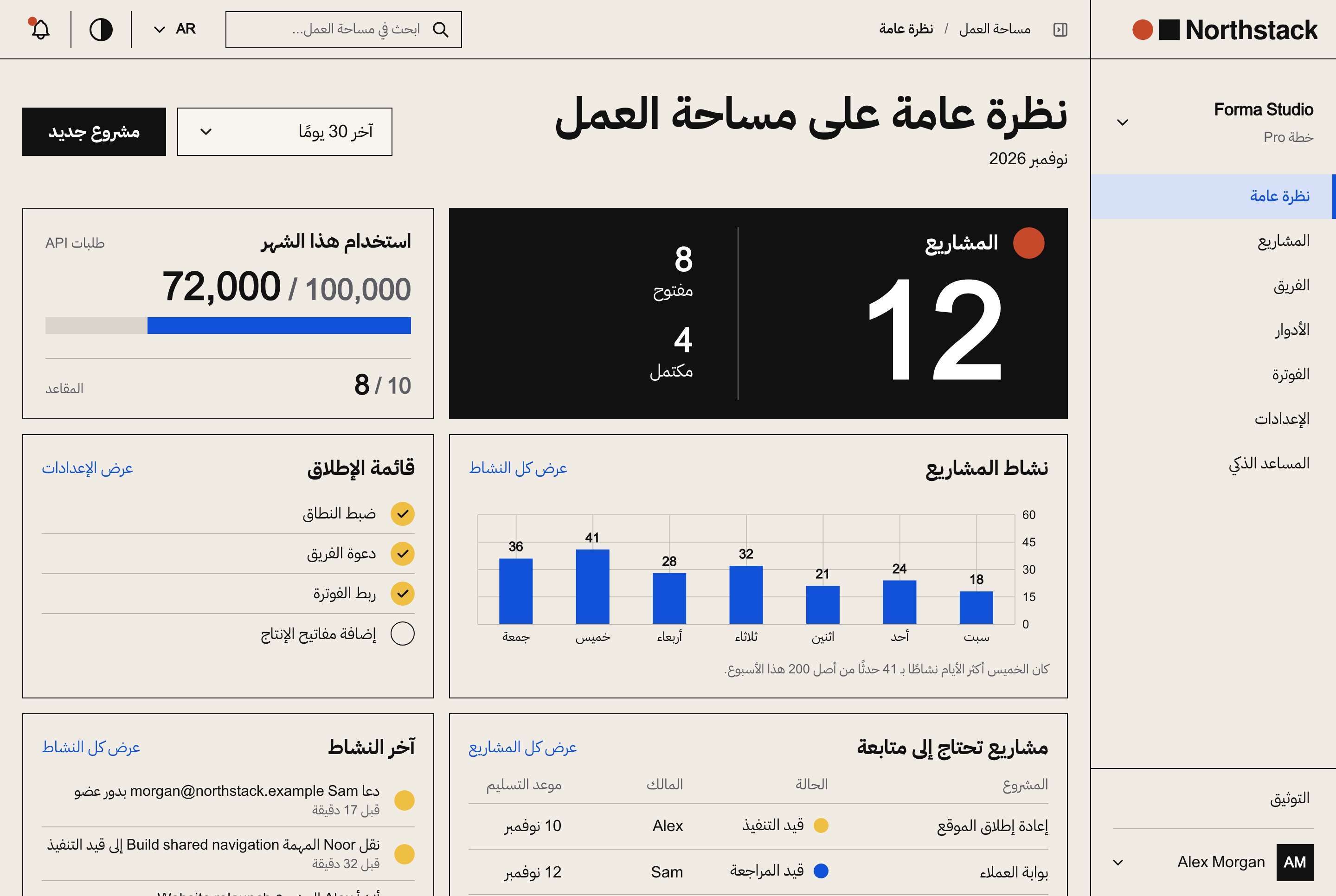
Arabic workspace dashboard overview, right to left, light theme
Arabic workspace dashboard overview, right to left, light theme. The workspace's first page in Arabic, mirrored right to left, with the same figures, chart, checklist and activity.
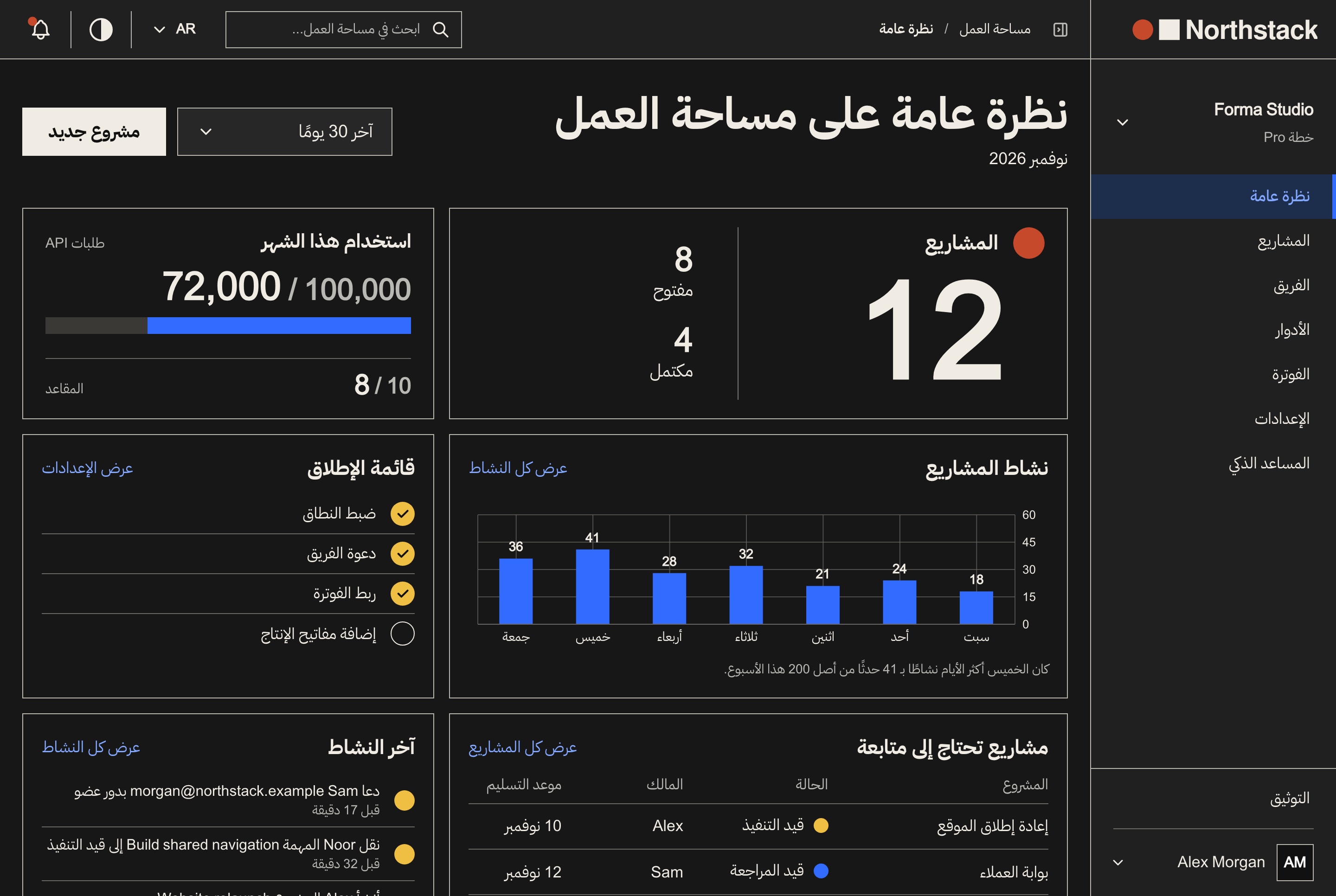
Arabic workspace dashboard overview, right to left, dark theme
Arabic workspace dashboard overview, right to left, dark theme. The workspace's first page in Arabic, mirrored right to left, with the same figures, chart, checklist and activity.
Responsive

Made for a phone as well as a desk

The website and the dashboard fit a narrow screen: the menus fold into drawers, tables become lists, and a project's board scrolls sideways.

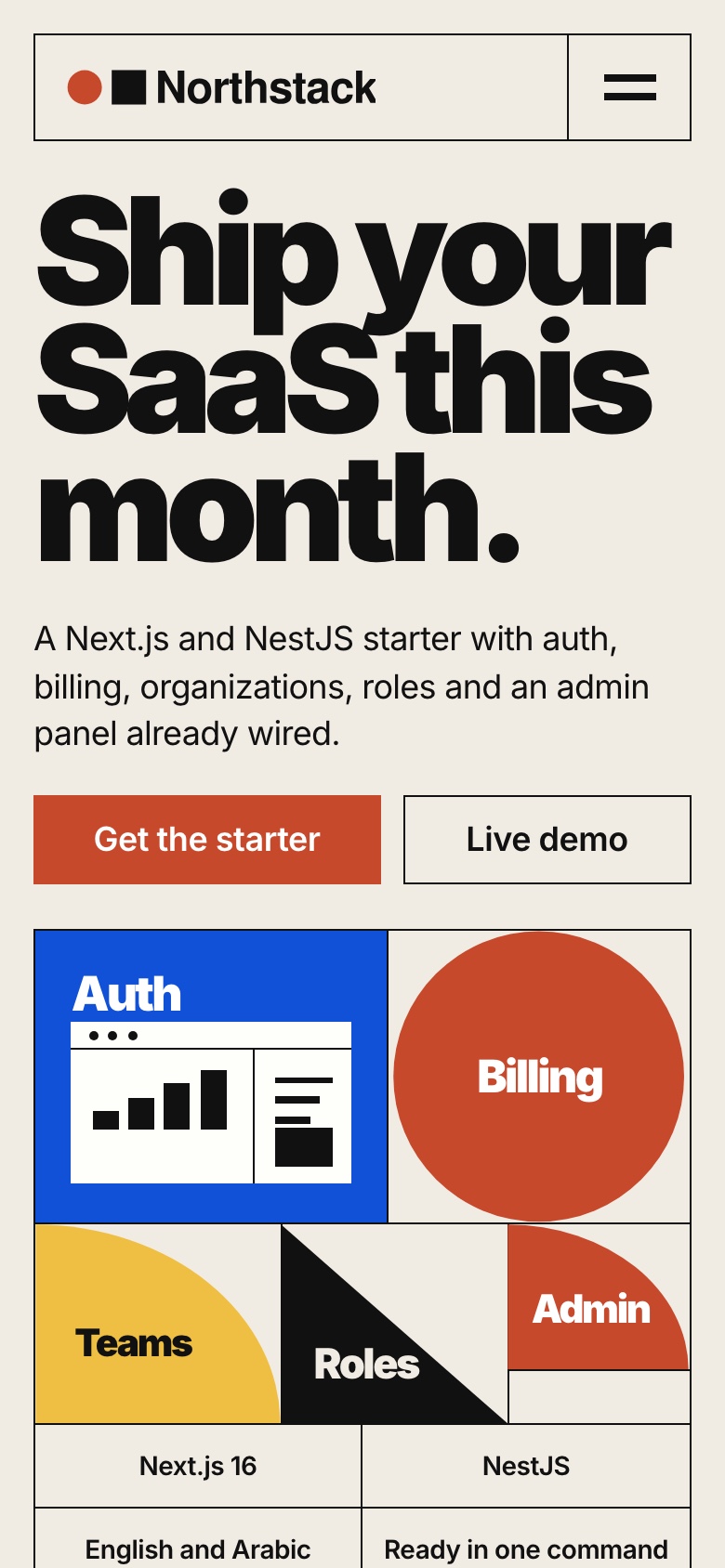
Website on a phone, light theme
Website on a phone, light theme. The home page at phone width: the headline, both buttons and the Bauhaus panel under them.
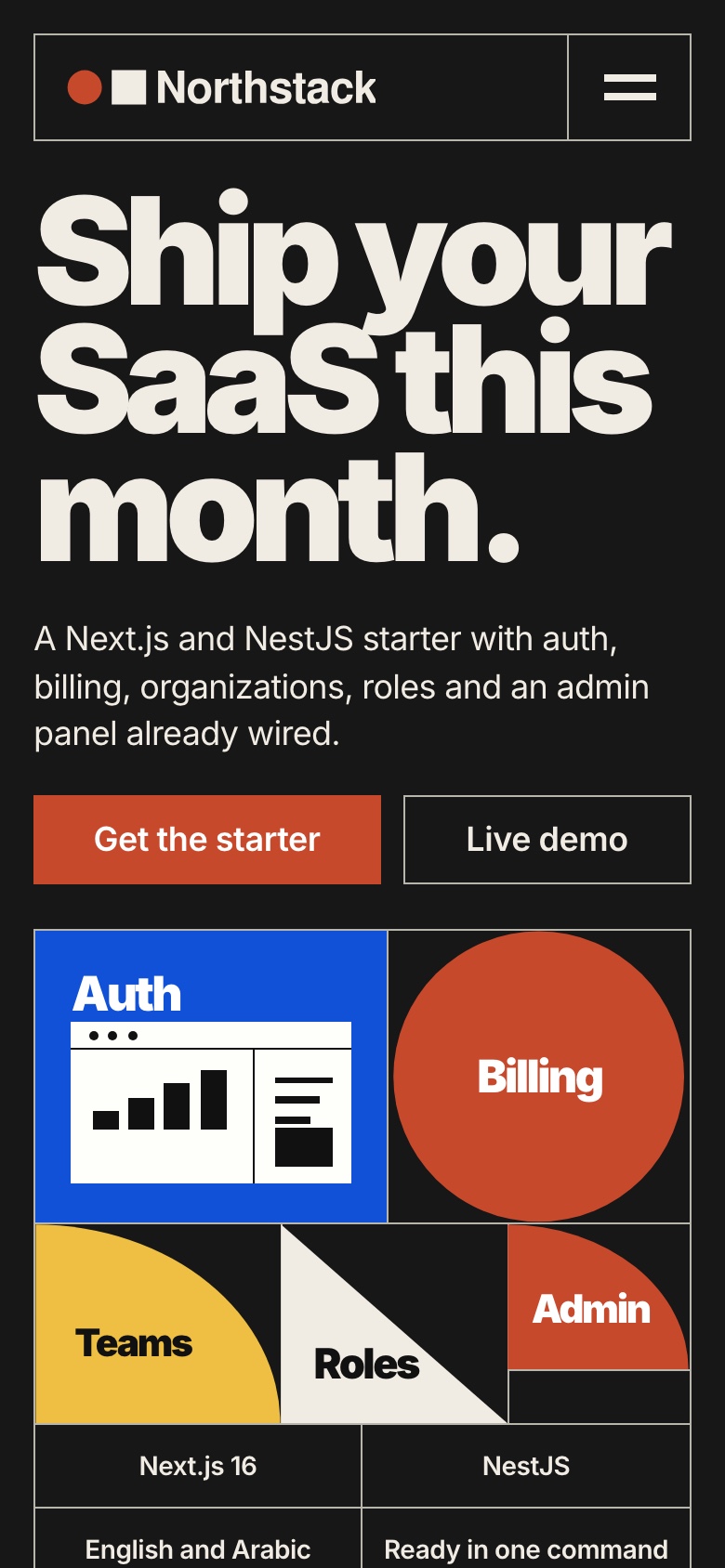
Website on a phone, dark theme
Website on a phone, dark theme. The home page at phone width: the headline, both buttons and the Bauhaus panel under them.
Task board on a phone, light theme
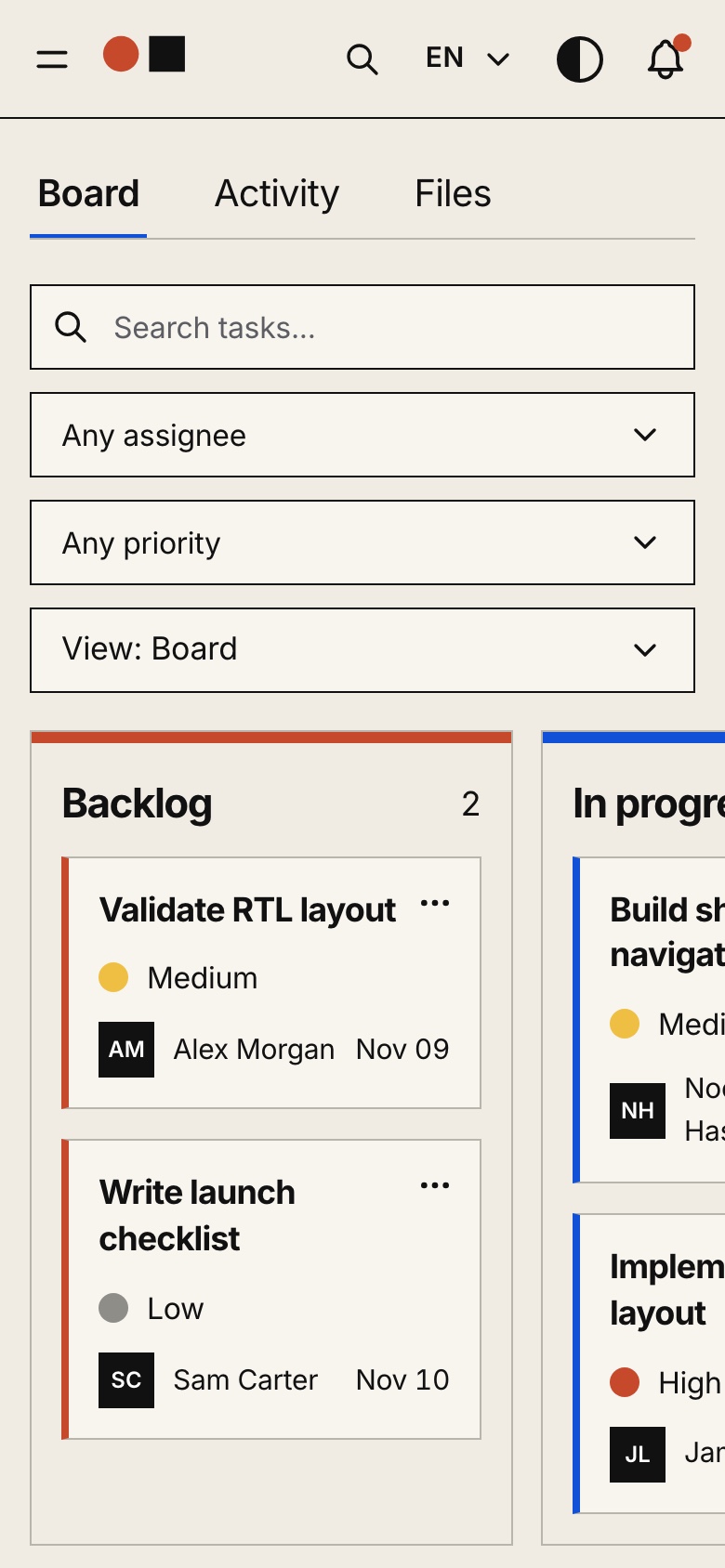
Task board on a phone, light theme. A project's board at phone width: its filters and the columns of tasks that scroll sideways.
Task board on a phone, dark theme
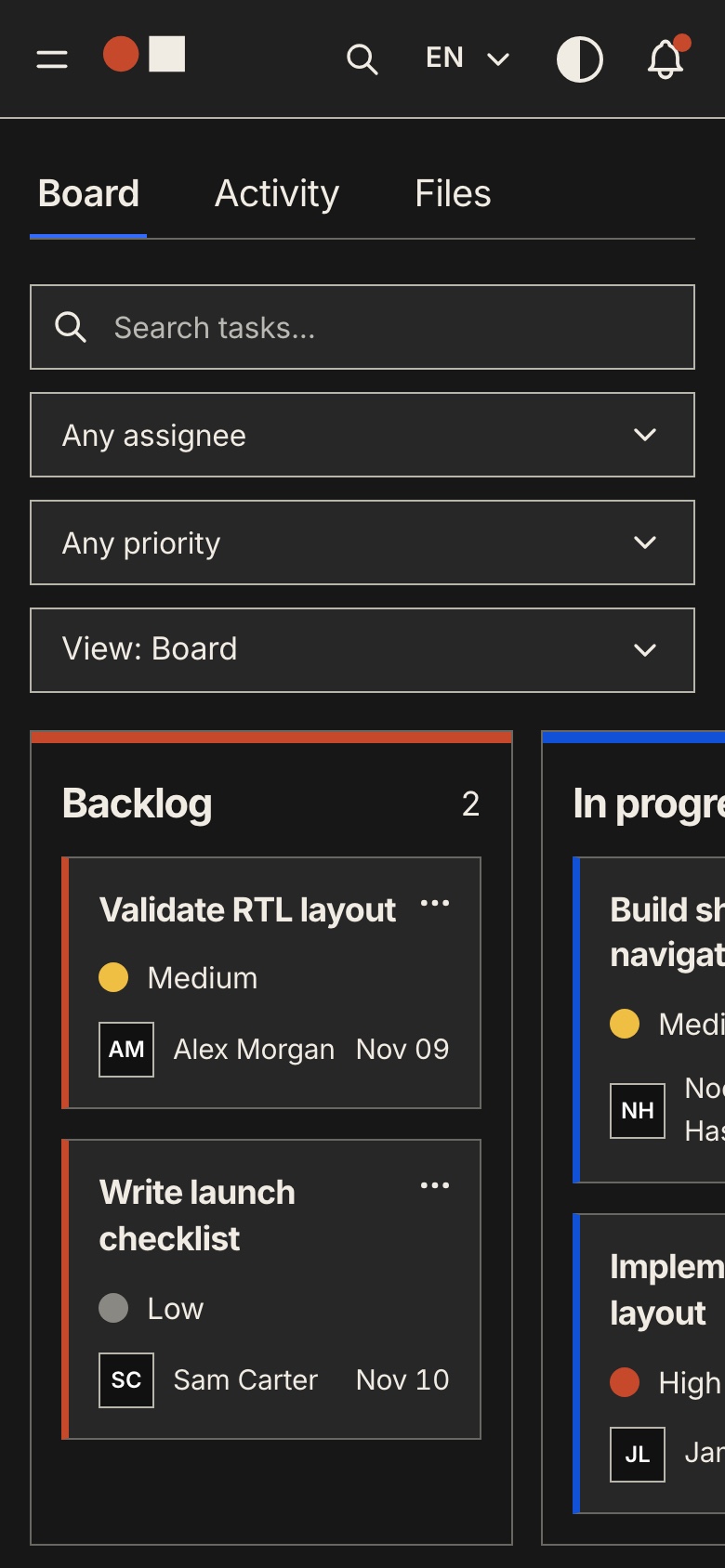
Task board on a phone, dark theme. A project's board at phone width: its filters and the columns of tasks that scroll sideways.
Sample data

Each frontend also runs on its own

Bought alone, the website or the dashboard opens as a working product: with no API address set, every request is answered in the browser from sample data exported from the seeded API, and a notice says so. Set the address and the same build talks to the API; one command removes the sample data for good.

Try the demo

A demo account for every visitor

The dashboard demo's sign-in gives each visitor an account of their own with the role they pick, and the assistant answers five messages for free. The seeded data is shared and stays as it is, what a visitor creates is theirs alone, payments are test payments only, and the demo resets every night.

What you get

Everything to run it, not only the screens

Source code for all three apps, the data to start from and the documentation to take it further.

Source code

  • The website, the dashboard and the API
  • TypeScript throughout, with exact pinned dependencies
  • A commercial license for unlimited projects

Data

  • A seeder with 42 accounts and 732 organizations
  • A workspace with 12 projects, 46 tasks and 262 events
  • One account per workspace role and two platform staff

Docs and demo mode

  • Docker with one command, or each app with Node.js
  • A quick start per app and a guide per API module
  • Demo mode and sample data, each removed with one command
Under the hood

Build on a familiar full-stack foundation

Next.js 16, React 19, TypeScript, Tailwind CSS 4, and a modular NestJS backend.

Frontend

  • Next.js 16 App Router, React 19, TypeScript
  • Tailwind CSS 4
  • TanStack Query for API data
  • React Hook Form and Zod for forms
  • next-intl and Recharts

Backend

  • NestJS with per-domain modules
  • TypeORM with SQLite, or MySQL through configuration
  • JWT authentication with workspace and platform permissions
  • Socket.io for live permission updates
  • An MCP server behind an API key

Search and media

  • Page titles, canonical links and hreflang alternates
  • A sitemap and robots rules
  • The dashboard kept out of search engines
  • Uploads to a local folder or a Cloudflare R2 bucket
Before you launch

What you configure yourself

Northstack is a source-code template, not a hosted service. Configure your hosting, database, storage, payment accounts and the external services you choose to use.

Hosting and data

  • A Node host or Docker for the API and the two Next.js apps
  • SQLite on a persistent disk, or MySQL
  • A persistent folder or an R2 bucket for uploads

Payments, mail and AI

  • Your own Stripe and PayPal accounts
  • An SMTP server for invitations and resets, which go to the API's log until then
  • Your own AI keys; provider and payment fees are not included

Not included

  • Tax rules for your country
  • Single sign-on with Google or SAML
  • Marketing emails to your users
Perfect for

Launch your SaaS on Northstack

Founders launching a SaaSAgencies building client productsInternal tools with workspacesDevelopers selling source-code licensesProducts that need billing and rolesBilingual products with Arabic and RTL

Technical Specifications

Framework

Next.js 16.4.5

React Version

React 19.3.1

Styling

Tailwind CSS 4.3.4

TypeScript

Yes

Responsive

Mobile, Tablet, Desktop

Support Period

Lifetime Included

Pro Tip: All templates include comprehensive documentation to get you started quickly.

Frequently asked questions

What do I get when I buy this template?
The complete source code of the package you choose, downloaded from your personal dashboard right after checkout. A business invoice is available for every purchase.
Can I use it for client and commercial projects?
Yes. Every paid template comes with a Commercial licence that covers unlimited commercial projects, including work you deliver to clients.
Do I get updates after buying?
Yes. Updates are free. New versions appear in your dashboard, where you can download every file you own again at any time.
Is support included?
Yes. The assistant on this page answers in seconds, and email support is included with every purchase, at support@aniq-ui.com, with a reply within 24 hours.
Can I try it before I buy?
Yes. This template has a full live demo, linked at the top of this page, so you can click through the real thing before you decide.

Pricing

Choose your package

One payment for the full source code, yours to change and ship.

Everything included

Full Stack

SaaS website + workspace dashboard + NestJS API with TypeORM, auth, billing and the AI assistant

What is inside

Bought one by one$130.90R$658.70
You save$26.60R$135.80

Launch price · 30% off

$149$104.30R$747R$522.90

Or buy one part

SaaS Website

The Next.js 16 SaaS website on its own. It reads the Northstack API (the Backend API, or Full Stack), and with no API address set it runs alone on built-in sample data.

Launch price · 30% off

$39$27.30R$197R$137.90

Workspace Dashboard

The Next.js 16 workspace dashboard and platform administration on their own. They read the Northstack API (the Backend API, or Full Stack), and with no API address set they run alone on built-in sample data.

Launch price · 30% off

$49$34.30R$247R$172.90

Backend API

The NestJS API on its own, with TypeORM, JWT auth, workspaces and roles, billing, license orders, the AI assistant, an MCP server and a one command seeder

Launch price · 30% off

$99$69.30R$497R$347.90

Safe and secure payments powered by Paddle

A VAT receipt is sent to your email after purchase.

Related Templates

Next.js SaaS Website Template with License Checkout - Next.js Dashboard template preview - Aniq-UI

SaaS Website

$39$27.30R$197R$137.90
Dashboard
SaaS Website
New
AI

A Next.js 16 SaaS website with a Bauhaus home page, pricing with one-time licenses, a license checkout through Stripe, PayPal or a test checkout, documentation, a journal, a changelog and a contact form, in English and Arabic. It runs on the Northstack API or alone on built-in sample data.

View Template
Next.js SaaS Dashboard Template with Workspaces, Roles and Billing - Next.js Dashboard template preview - Aniq-UI

SaaS Workspace Dashboard

$49$34.30R$247R$172.90
Dashboard
Workspace Dashboard
New
AI

A Next.js 16 SaaS dashboard with sign-up, onboarding and invitations, multi-tenant workspaces with projects and task boards, an editable roles matrix, billing with Stripe or a test checkout, API keys, an activity log, an AI assistant and a platform administration, in English and Arabic. It runs on the Northstack API or alone on built-in sample data.

View Template
Next.js Event Ticketing Template with Seat Maps and QR Check-in - Next.js Events template preview - Aniq-UINext.js Event Ticketing Template with Seat Maps and QR Check-in - Next.js Events template preview - Aniq-UI

Event Ticketing

$149$104.30R$747R$522.90
Events
Full Stack
New
AI

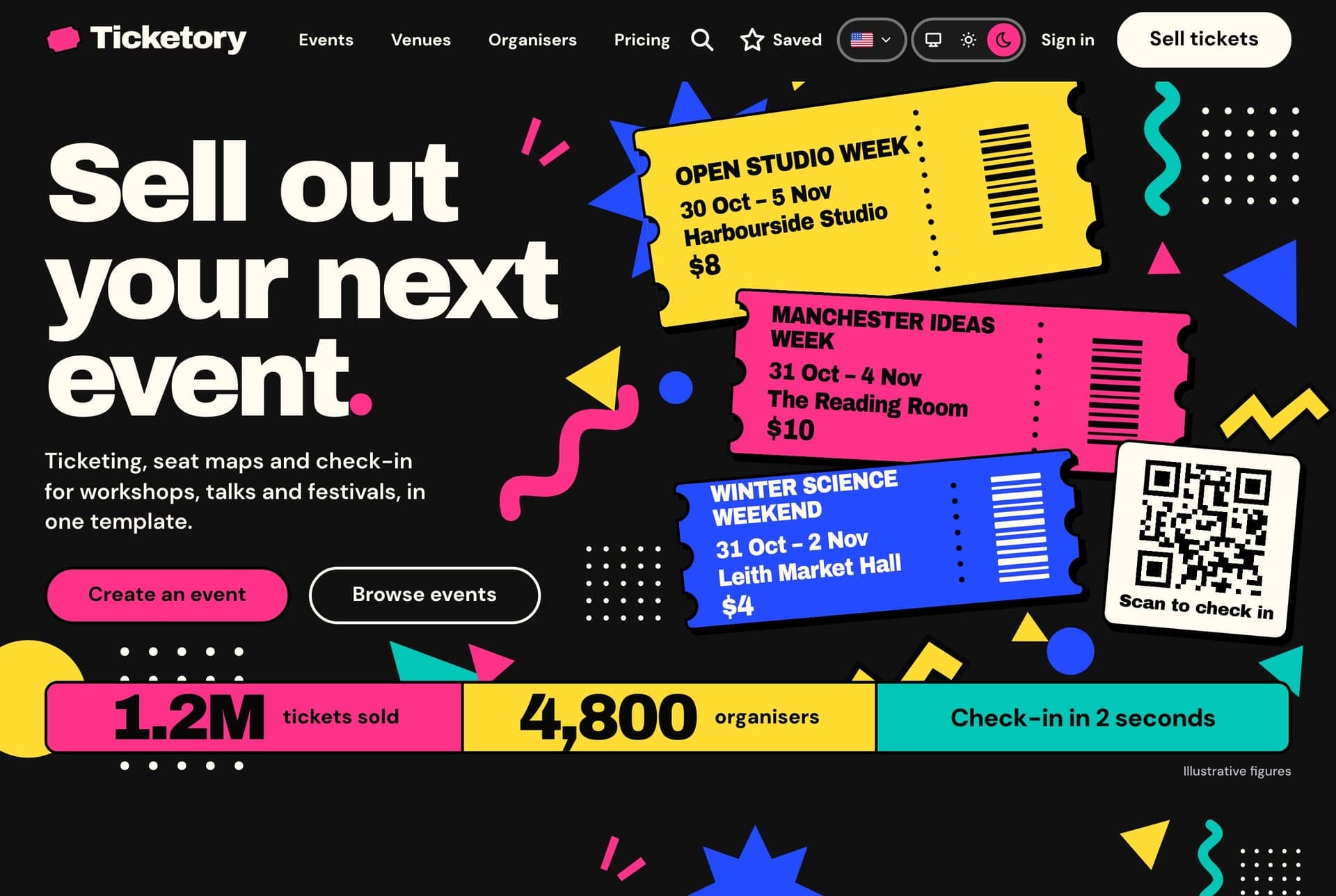
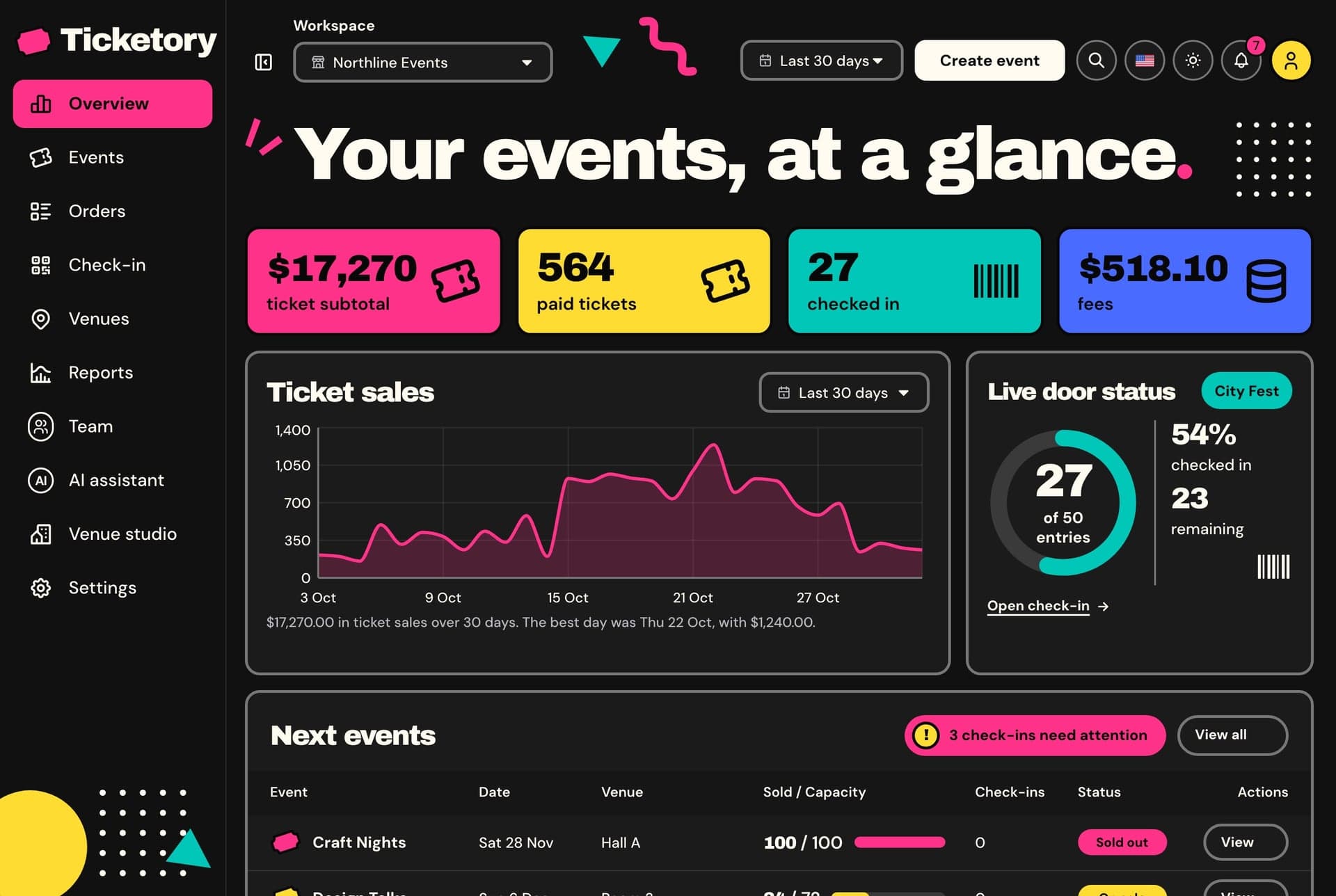
Ticketory is a full-stack Next.js event ticketing template: a public website with event search, live seat maps with timed holds, hosted checkout and QR ticket passes, an organiser dashboard for events, seat layouts, door check-in, refunds and reports, a NestJS API, AI tools, and English and Arabic with RTL.

View Template
Newsletter

Get notified when a new template ships

Be the first to know when a new template is released.

  • New template releases
  • See what is being built and vote on it
  • Free and premium releases
  • Unsubscribe in one click
Technical Advantages

Built to Work on Every Screen, for Every User

Every premium template is responsive, accessible, fast and typed from the first commit, so your launch starts from production-ready code.

01 · Layout

Responsive Design

Phone, tablet and desktop layouts from one set of components, with a phone menu and 44px tap targets.

Learn more: Responsive Design

02 · Inclusive

Accessibility

Semantic HTML, labelled controls, a visible keyboard focus ring and reduced motion support.

Learn more: Accessibility

Enterprise-Grade Features Included

Developer Experience

  • TypeScript 5.0+ with strict type checking
  • Server & Client Components architecture
  • Quick start guide and feature docs

UX & Performance

  • Mobile-first responsive design system
  • Accessible markup with ARIA and keyboard navigation
  • Fast rendering with server components and optimized assets

Maintenance & Support

  • Support included with your purchase
  • Regular security & framework updates
  • SEO-optimized semantic structure
world map

Global User Community

Join thousands of developers worldwide who trust Aniq-UI for their projects. Our templates are being used across the globe to create stunning web experiences.

Aniq-uiAniq-ui

Cookie Preferences

We use cookies to enhance your browsing experience, analyze site traffic, and personalize content. By clicking "Accept All", you consent to our use of cookies for analytics and personalized advertising.