Next.js Event Ticketing Template with Seat Maps and QR Check-in
Ticketory is a full-stack Next.js event ticketing template: a public website with event search, live seat maps with timed holds, hosted checkout and QR ticket passes, an organiser dashboard for events, seat layouts, door check-in, refunds and reports, a NestJS API, AI tools, and English and Arabic with RTL.
Everything included
Full Stack
Ticketing website + organiser dashboard + NestJS API with TypeORM, auth and payments
Launch price · 30% off for the first 3 buyers
$179$125.30R$897R$627.90
+ IOF (3.5%) · Pay with Pix or cardPay in reais with Pix or card. Brazil adds 3.5% IOF tax at checkout.
Use in unlimited commercial projects. Client work included.
One-time payment, free updates
Business invoice with your VAT or tax ID
Ticketory is a full-stack Next.js event ticketing template: a public website with event search, live seat maps with timed holds, hosted checkout and QR ticket passes, an organiser dashboard for events, seat layouts, door check-in, refunds and reports, a NestJS API, AI tools, and English and Arabic with RTL.
Share:
Ticketory is a full-stack event ticketing template for workshops, talks and festivals: a Next.js website where attendees find an event, choose their seats on a live seat map and pay on Stripe's or PayPal's own page, a Next.js dashboard where organisers build events and seat maps, check tickets in at the door, handle refunds and follow sales, and a NestJS API behind both. Free tickets skip payment, every ticket carries a QR code, and both apps run in English and Arabic with RTL.
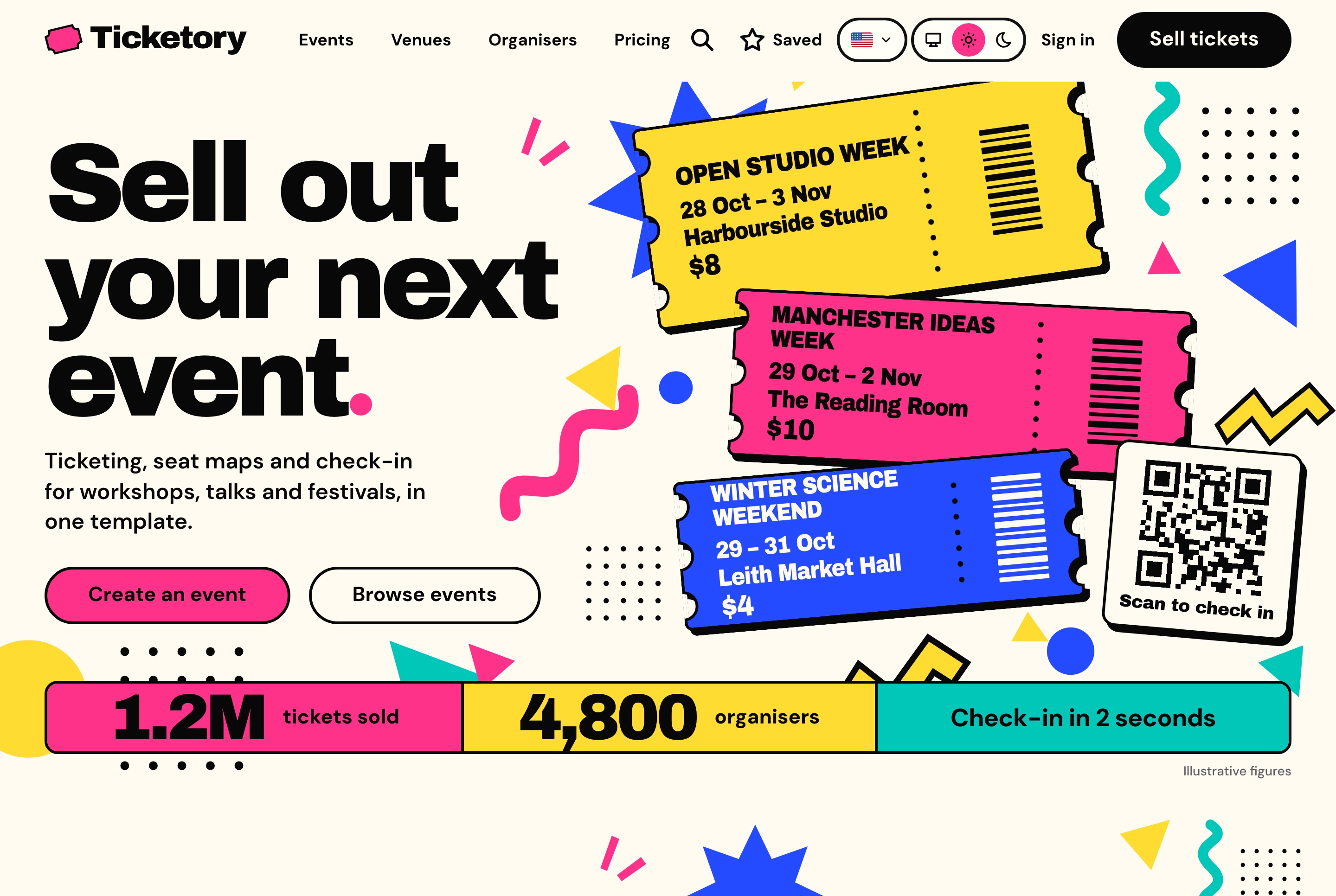
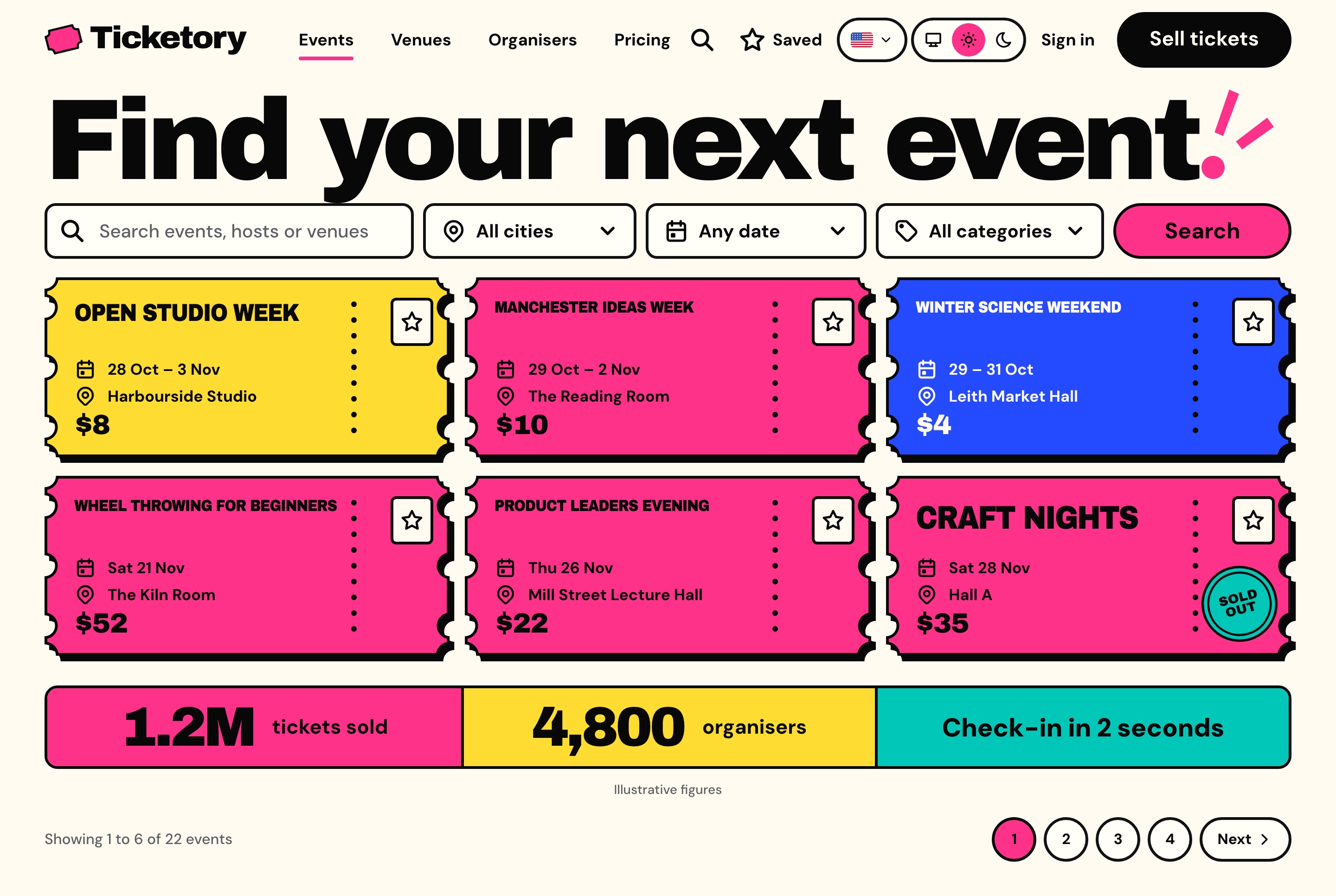
Ticketing website overview, light theme. The home page opens on the headline, a stack of tickets for the next events on sale, the scan-to-check-in card and the figures strip.
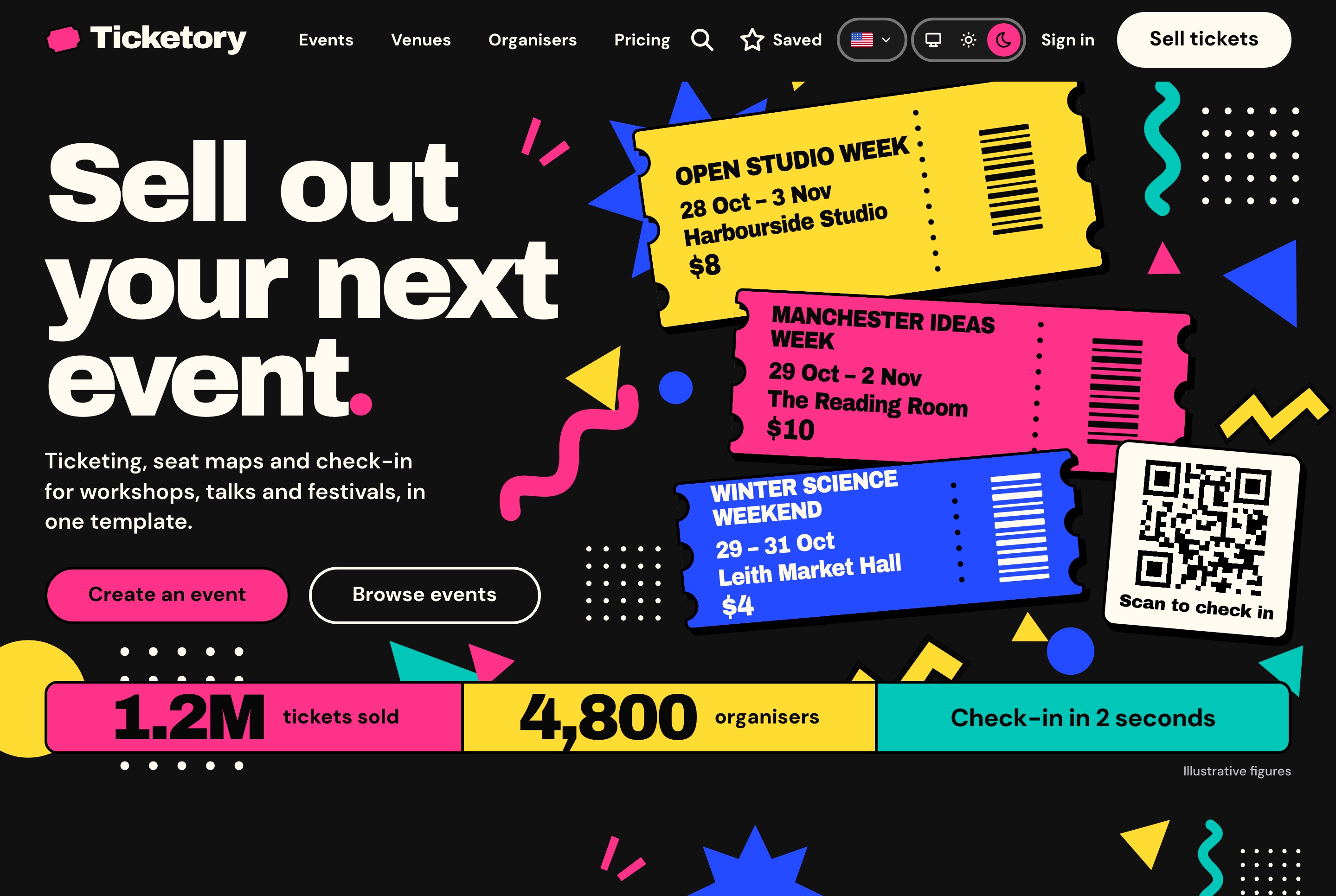
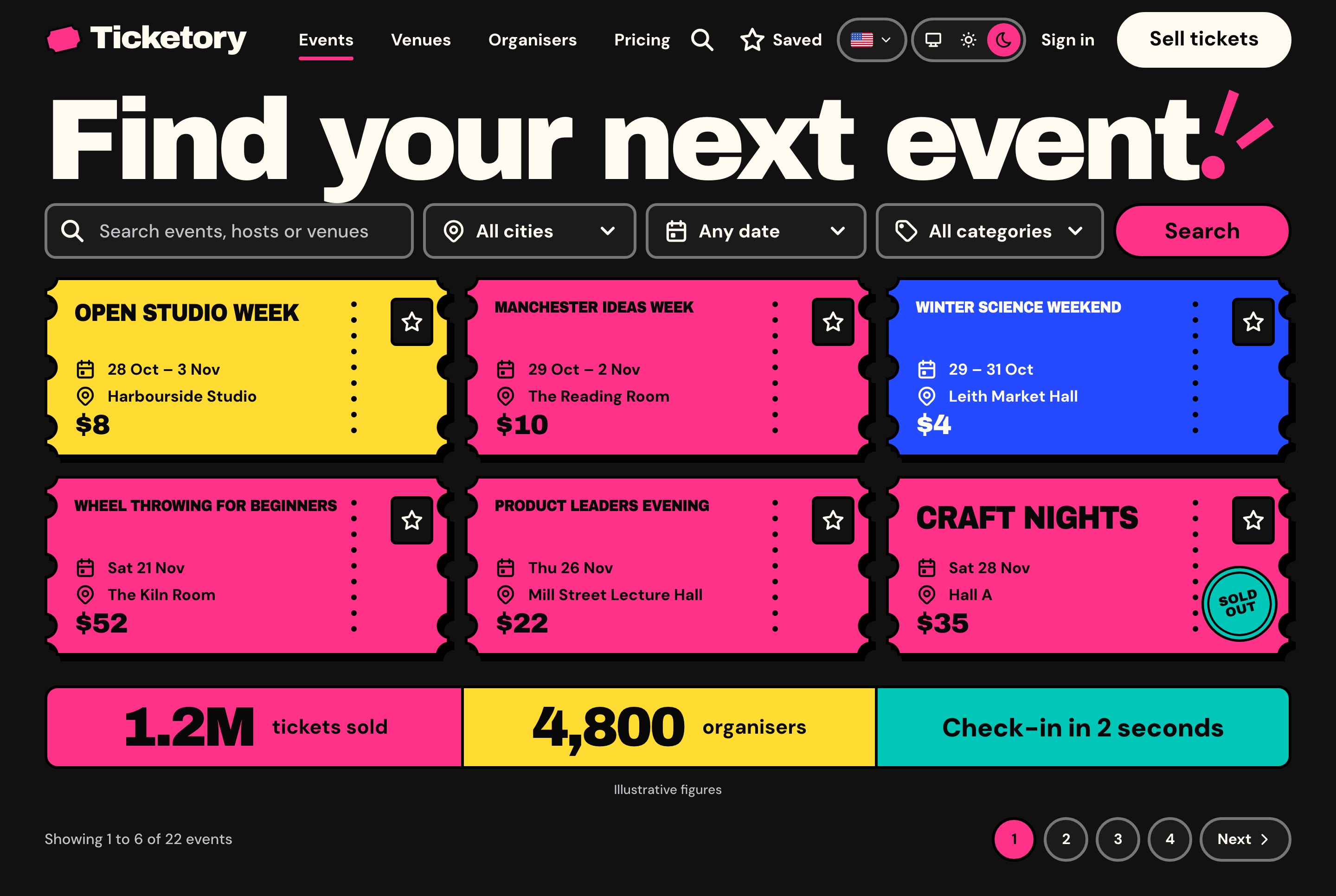
Ticketing website overview, dark theme. The home page opens on the headline, a stack of tickets for the next events on sale, the scan-to-check-in card and the figures strip.
The organiser's day
A dashboard built around sales and the door
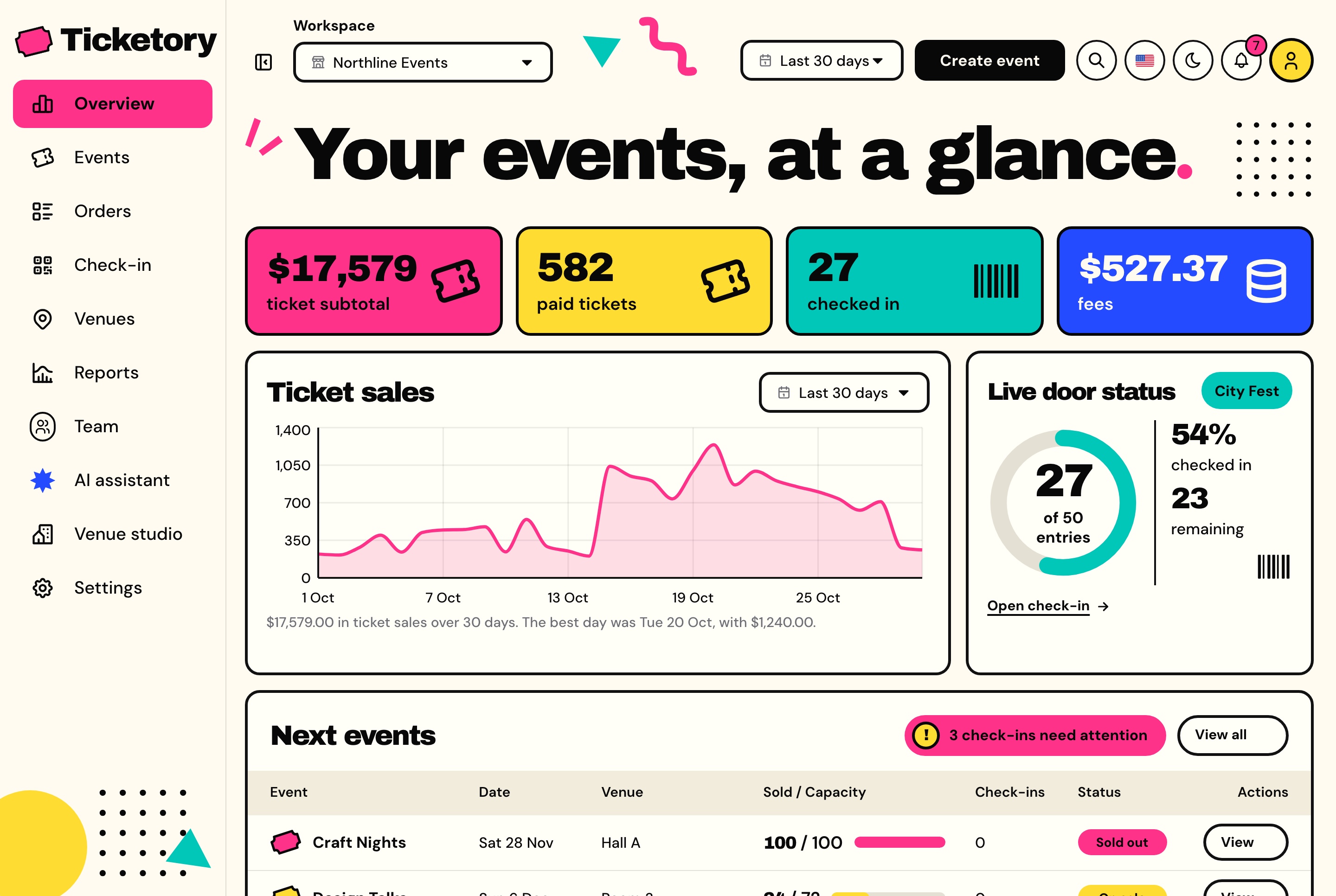
The overview opens on the ticket subtotal, paid tickets, check-ins and fees for the chosen period, with the daily ticket sales, the live door of the session whose doors are open, the next events with seats sold against capacity, and what needs attention.
Organiser dashboard overview, light theme. Ticket subtotal, paid tickets, check-ins and fees for the last 30 days, the daily ticket sales chart, the live door status at City Fest and the next events.
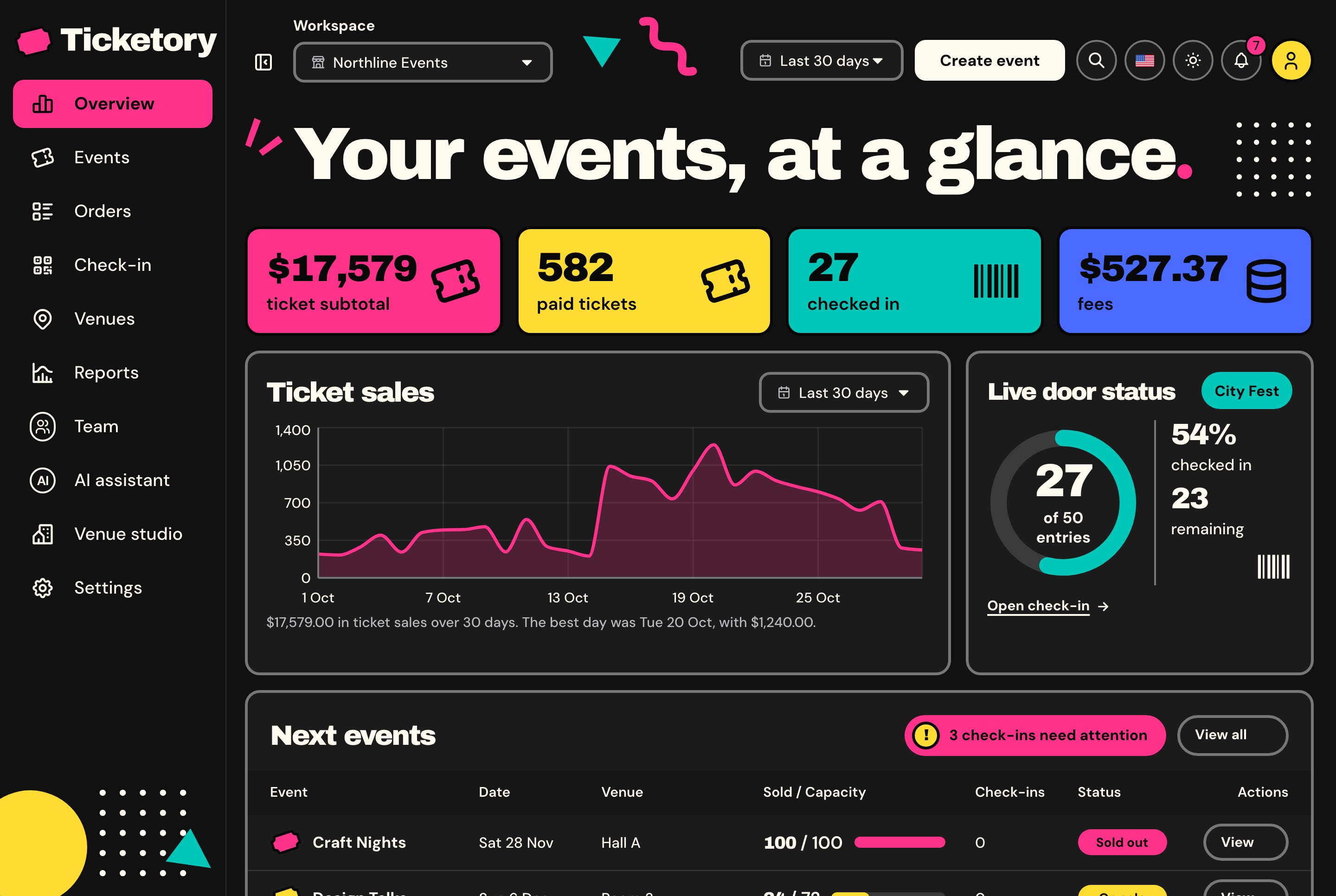
Organiser dashboard overview, dark theme. Ticket subtotal, paid tickets, check-ins and fees for the last 30 days, the daily ticket sales chart, the live door status at City Fest and the next events.
The package
An event's ticketing in one codebase
A connected foundation for an organiser selling their own events, a venue with a programme of its own or an agency's client project, with source code you can customize. The full-stack package includes the website, the organiser dashboard and the API behind them.
Ticketing website
Events with search, city, date and category filters
Seat selection on a live map with a ten-minute hold
Hosted checkout, QR passes, PDF tickets and calendar files
Attendee accounts with tickets, orders and saved events
Organiser dashboard
An overview of sales and the live door
An event editor and a seat layout editor
Check-in by camera or typed code
Orders, refunds, reports, the team, the AI assistant and the venue studio
NestJS API
Staff and attendee sign-in, roles and permissions
Holds, prices and totals decided on the server
Stripe and PayPal with signed webhooks
A seeder that fills four organisers' events, orders and doors
AI for organisers
An assistant and a studio, on your own keys
The event assistant runs on Google Gemini, OpenAI or DeepSeek, whichever keys the API holds, and the venue studio on Google Gemini. Without a key each one says it is not set up, and nothing is billed.
An event assistant that answers with charts
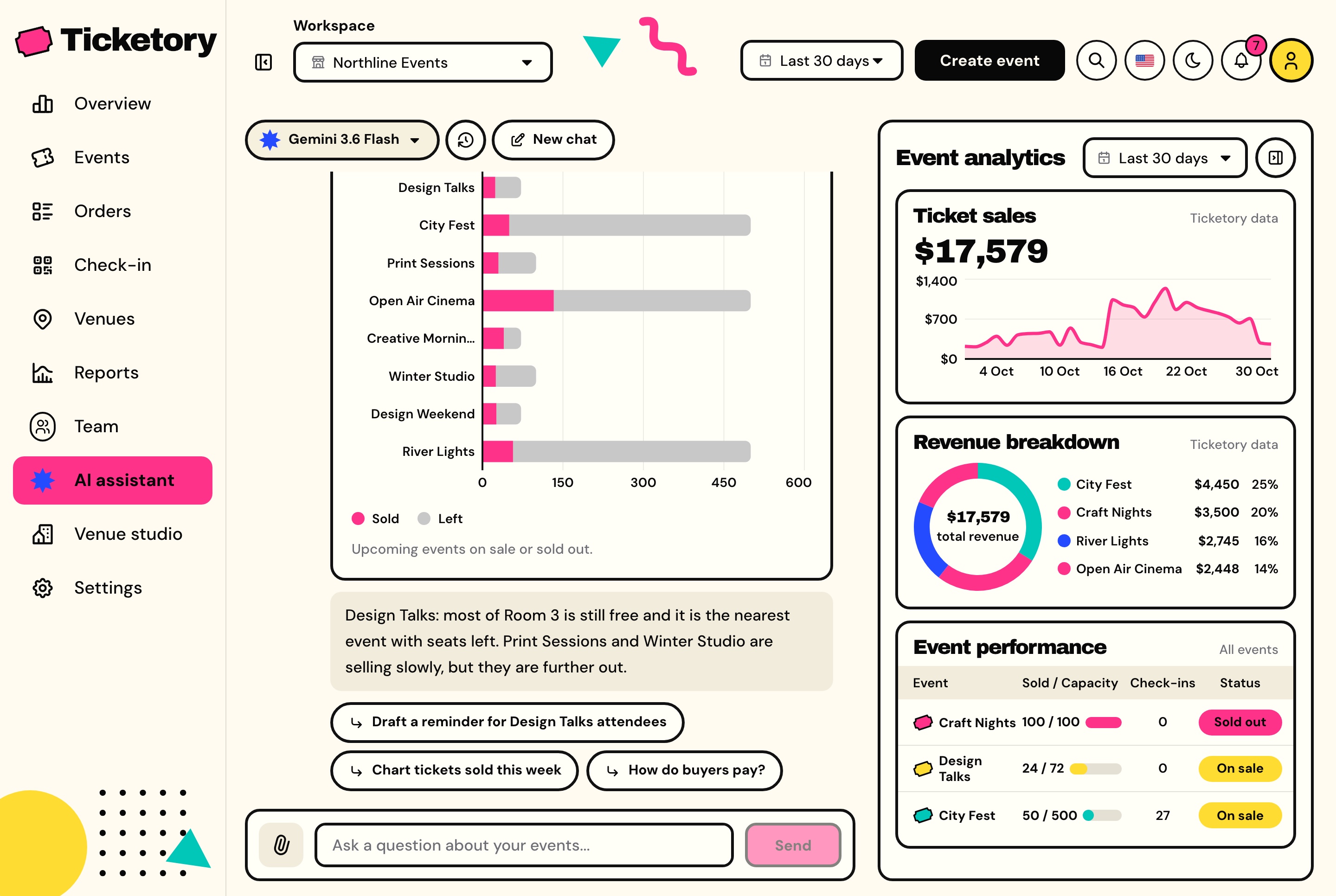
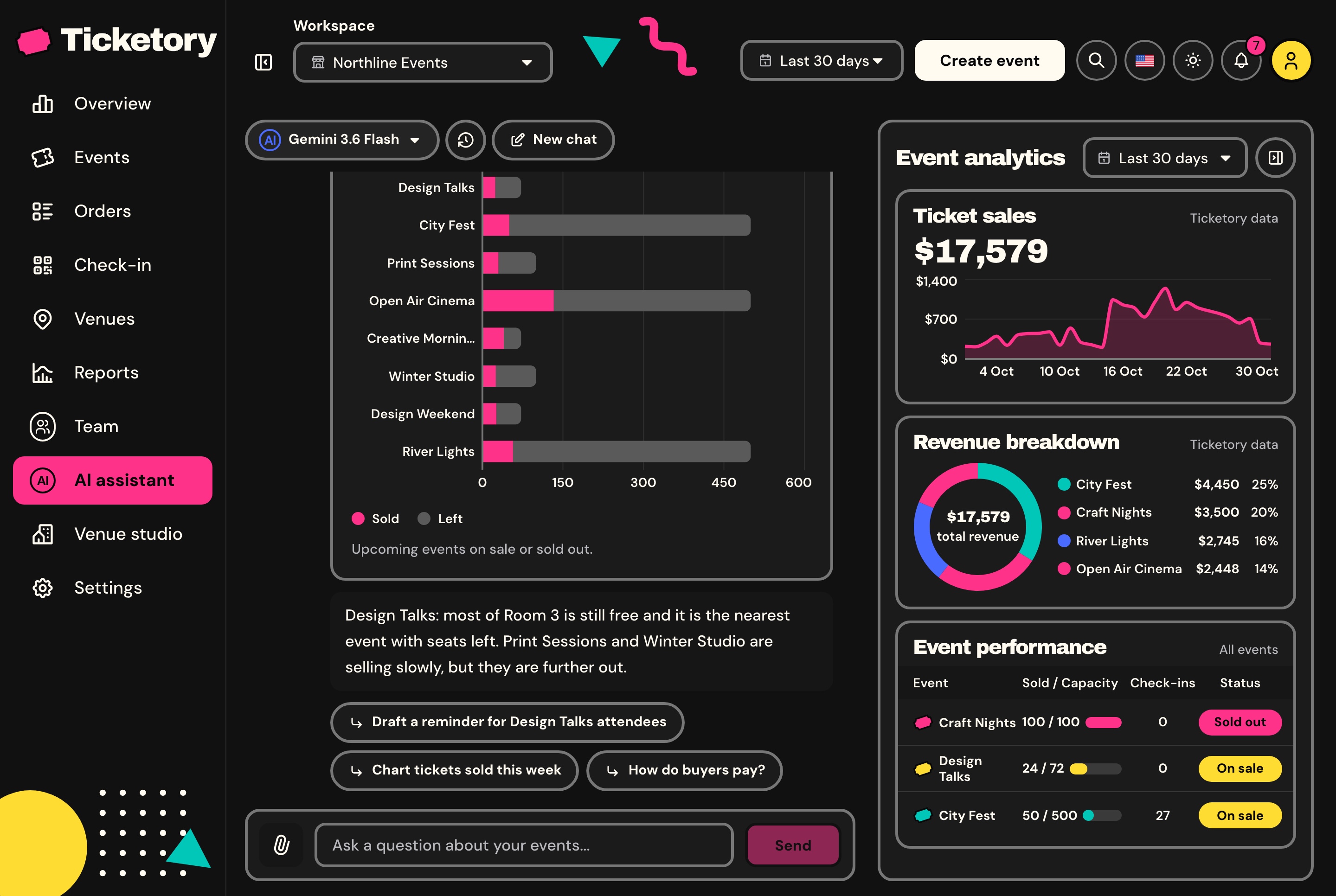
Ask how many seats are left per event or how sales went this month. The assistant answers from the workspace's own data through its tools, limited to what the person asking may see, draws a chart when one fits, and ends each reply with three follow-up questions.
Charts of revenue, tickets, seats, payment providers or ticket types
Attendee reminders drafted for a person to approve, never sent from the chat
Conversations saved with their history
The same 15 tools open to coding agents at the MCP endpoint
AI event assistant with a chart and follow-up questions, light theme. A saved conversation with the assistant: seats sold and left per event as a chart, a short answer and follow-up questions, beside the event analytics column.
AI event assistant with a chart and follow-up questions, dark theme. A saved conversation with the assistant: seats sold and left per event as a chart, a short answer and follow-up questions, beside the event analytics column.
A venue studio for event concepts
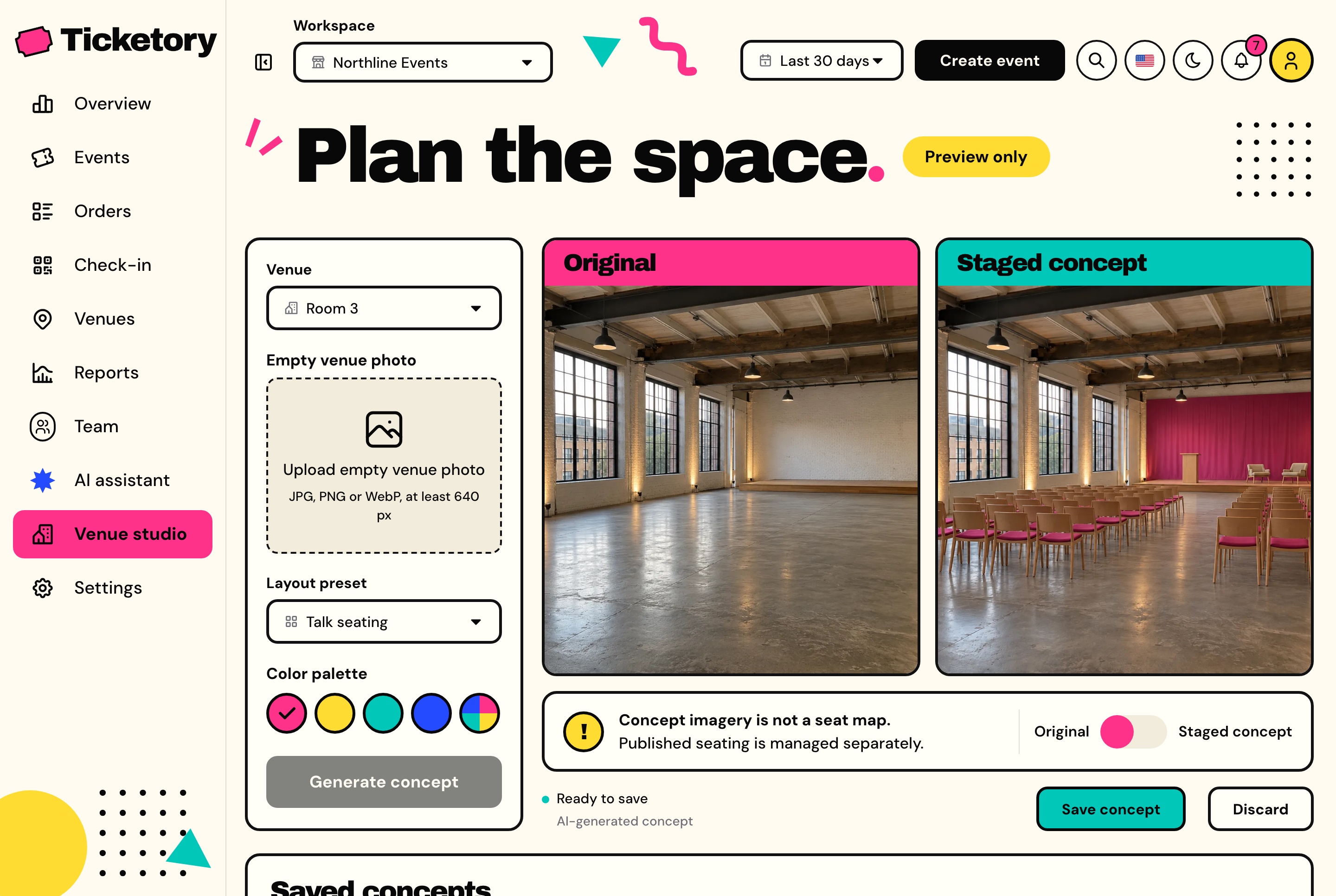
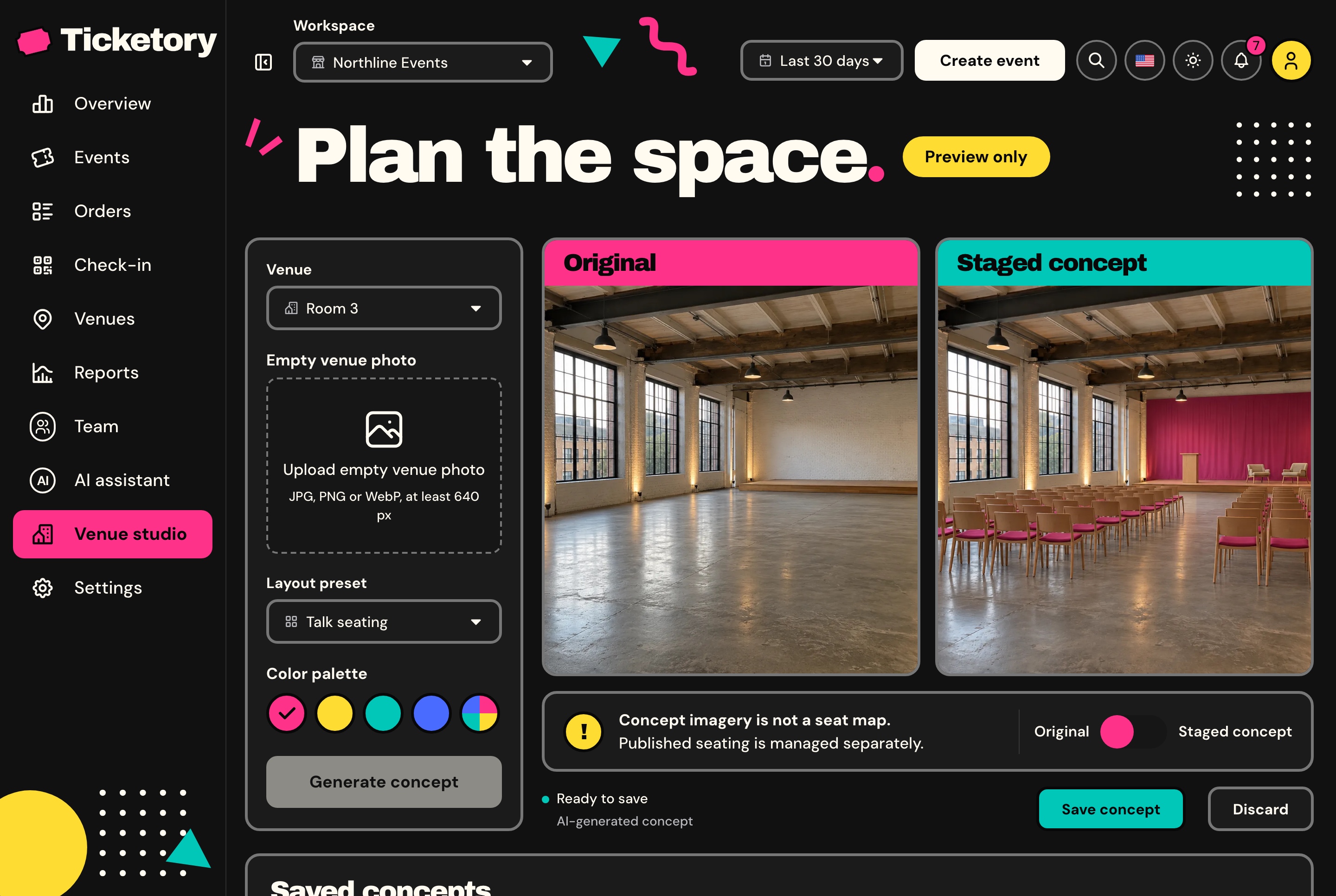
Upload a photo of an empty venue, choose talk seating, workshop tables, festival stalls or banquet rounds and a palette, and Google Gemini stages the same room for the event. Compare it with the original, then save it on the venue.
Walls, doors, floor, light and camera kept as they are
Each member's attempts kept for seven days
A concept is a picture: it never changes a seat map or what is on sale
AI venue studio with a staged concept, light theme. Room 3's empty photo beside a staged concept with talk seating in the pink palette, with the layout and palette that made it and the way to save it.
AI venue studio with a staged concept, dark theme. Room 3's empty photo beside a staged concept with talk seating in the pink palette, with the layout and palette that made it and the way to save it.
Check-in
Check-in at the door
Door staff scan a ticket's QR code with the device camera, decoded in the browser so no frame leaves it, or type the ticket's reference. A ticket is looked at first and admitted on a second step, and the database admits each ticket once per session, so two doors scanning it at the same moment let it in once.
Every scan answered in plain terms
A ticket shows as ready to admit, already in with the time and the name of whoever let it in, meant for another session, or void.
The count checked in so far and the recent scans
Door alerts kept until someone looks at them
Check-in staff limited to the sessions assigned to them
A scan retried after a dropped connection admits nobody twice
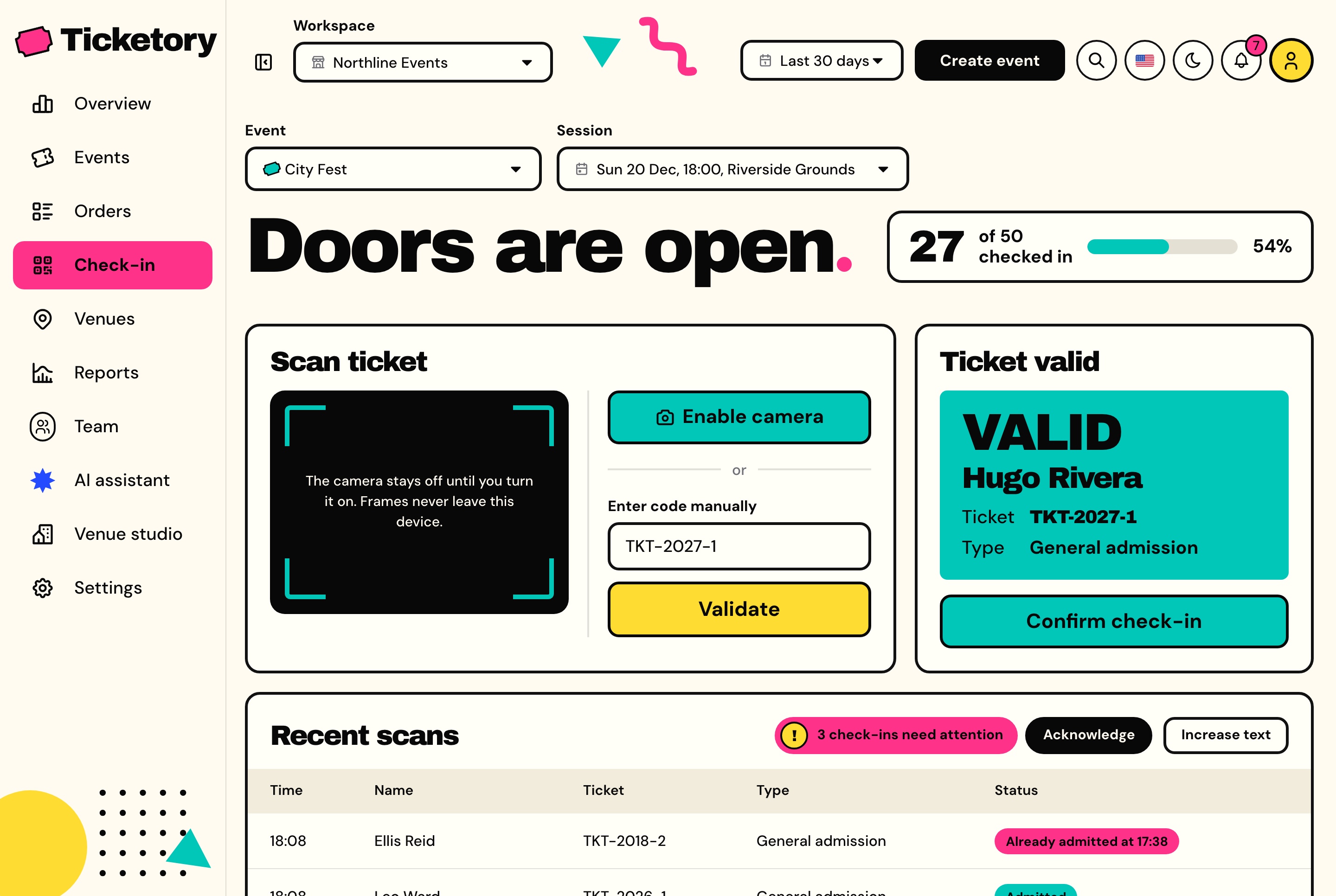
Door check-in with a validated ticket, light theme. City Fest's door with the count checked in so far, the camera and manual code entry, a ticket shown valid and ready to admit, and the recent scans.
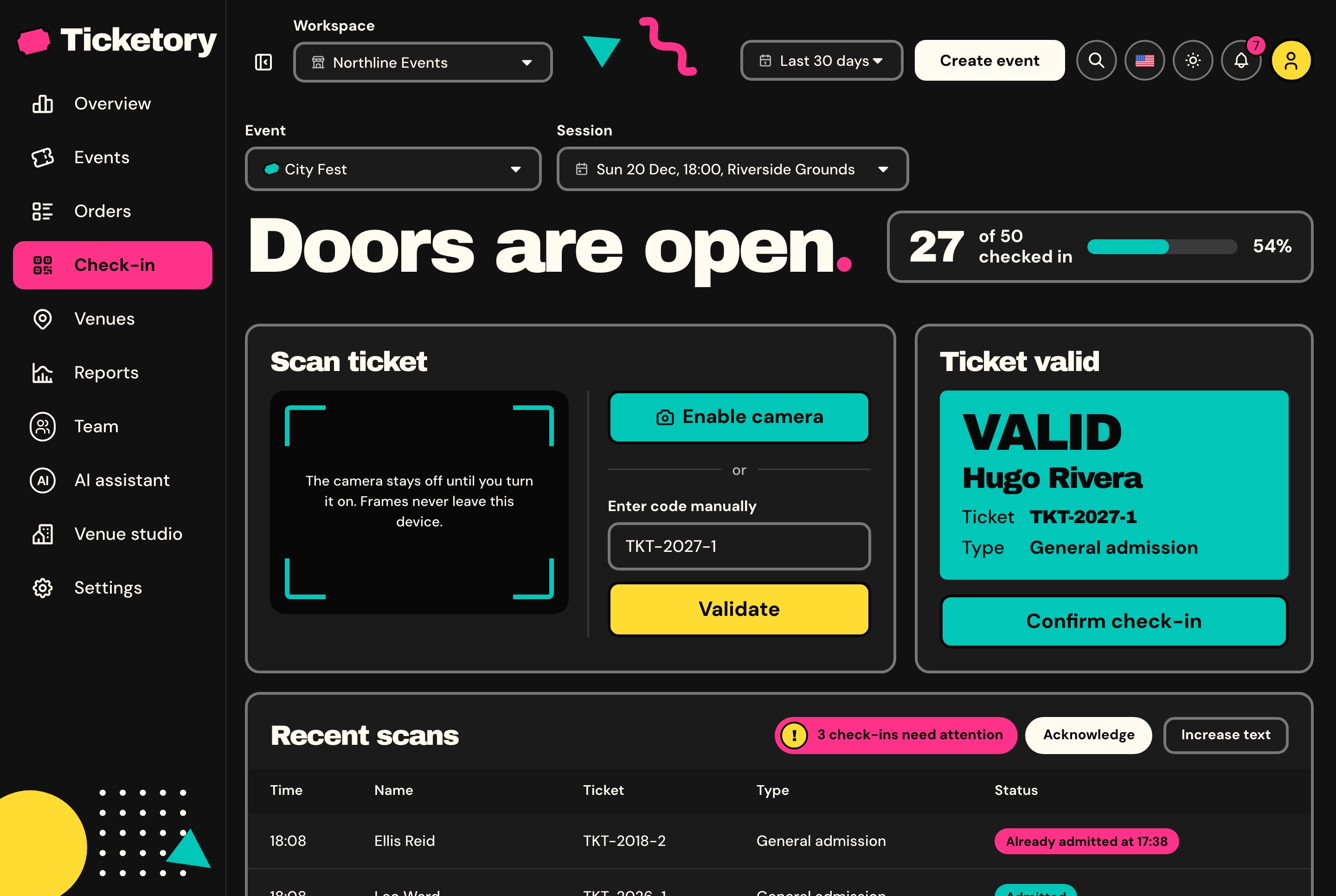
Door check-in with a validated ticket, dark theme. City Fest's door with the count checked in so far, the camera and manual code entry, a ticket shown valid and ready to admit, and the recent scans.
Finding an event
Every event drawn as a ticket
Attendees search events by title, venue, city or organiser, narrow them by city, dates and category, and can share a search, because the filters live in the address. Each event is drawn as a ticket in one of four colours with its title, dates, venue and lowest price, and its page holds About, Schedule and Venue tabs beside the booking panel and a preview of the room's seats.
Events with search, city, date and category filters, light theme. Every event on sale as a ticket with its dates, venue and lowest price, a save star on each, searched and filtered by city, date and category.
Events with search, city, date and category filters, dark theme. Every event on sale as a ticket with its dates, venue and lowest price, a save star on each, searched and filtered by city, date and category.
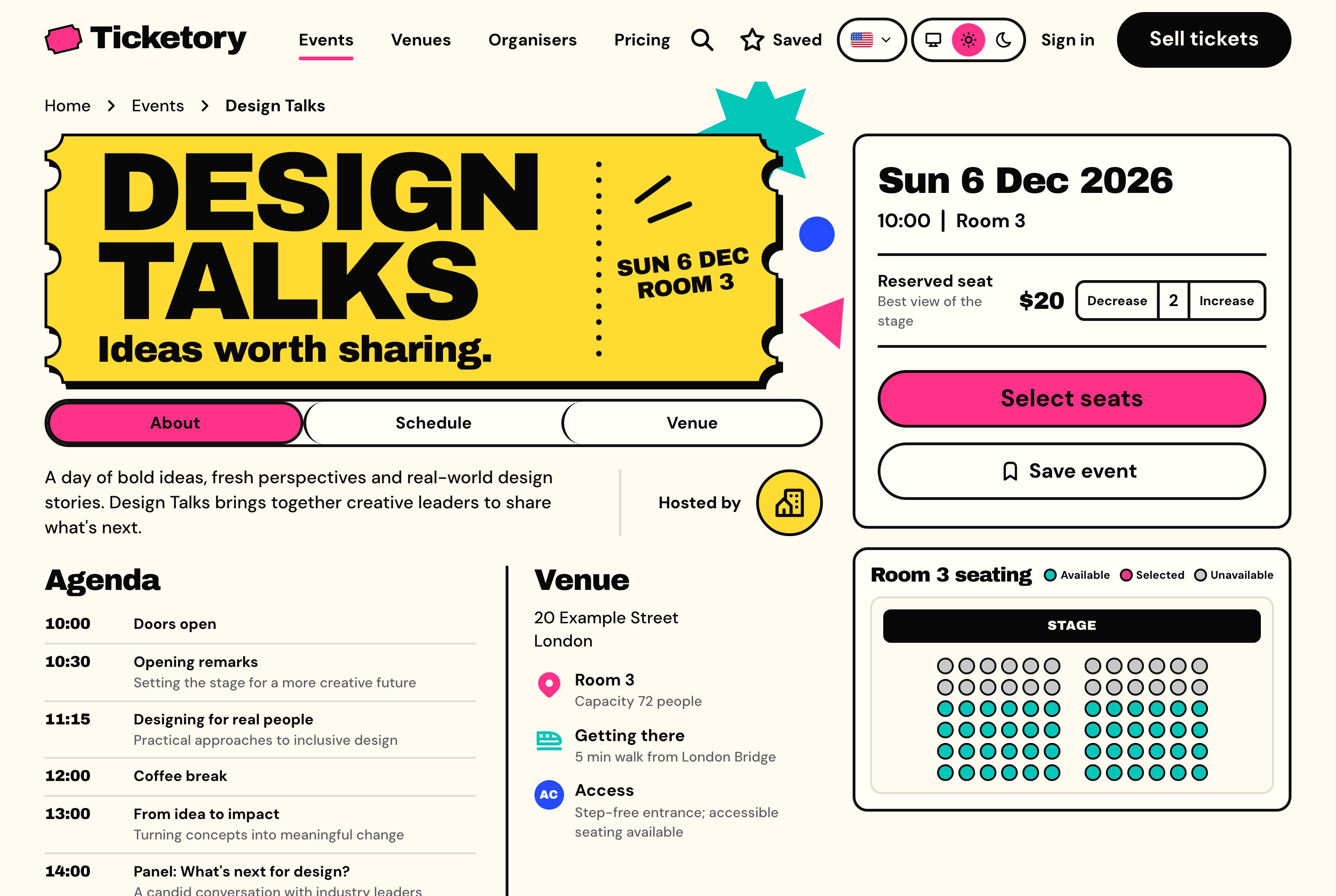
Event page with the booking panel and seat preview, light theme. Design Talks with its ticket, agenda and venue, two reserved seats chosen in the booking panel and the room's live seat preview beside them.
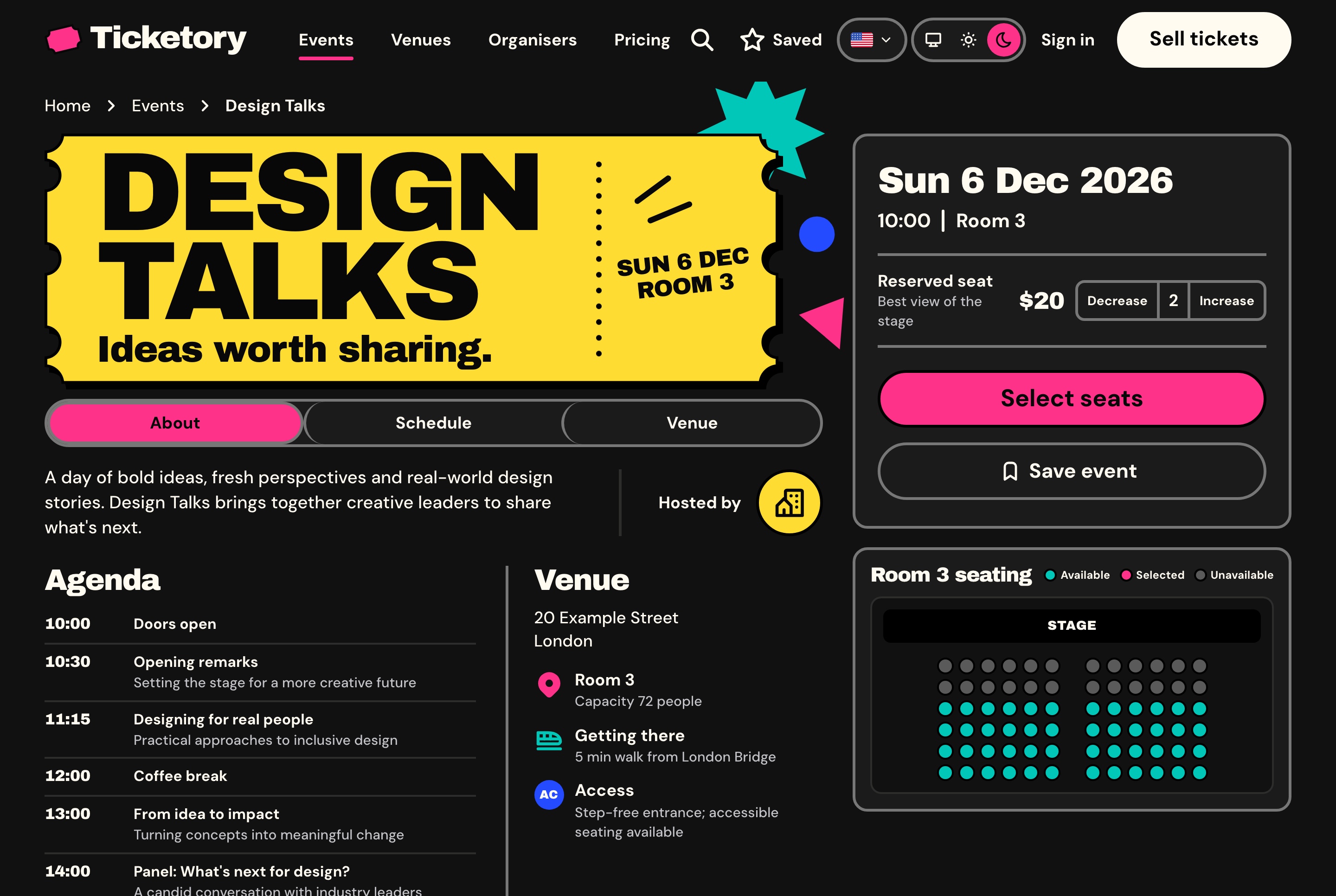
Event page with the booking panel and seat preview, dark theme. Design Talks with its ticket, agenda and venue, two reserved seats chosen in the booking panel and the room's live seat preview beside them.
Venues and organisers with pages of their own
Every venue has a page with its address, capacity, seating type, time zone, how to get there, its accessibility notes and its published seat layout. Every organiser has one too, with a short introduction and the events it has on sale.
Directories of every venue and organiser
Verified organisers marked with a badge
Unlisted events sold by link and kept out of the catalogue
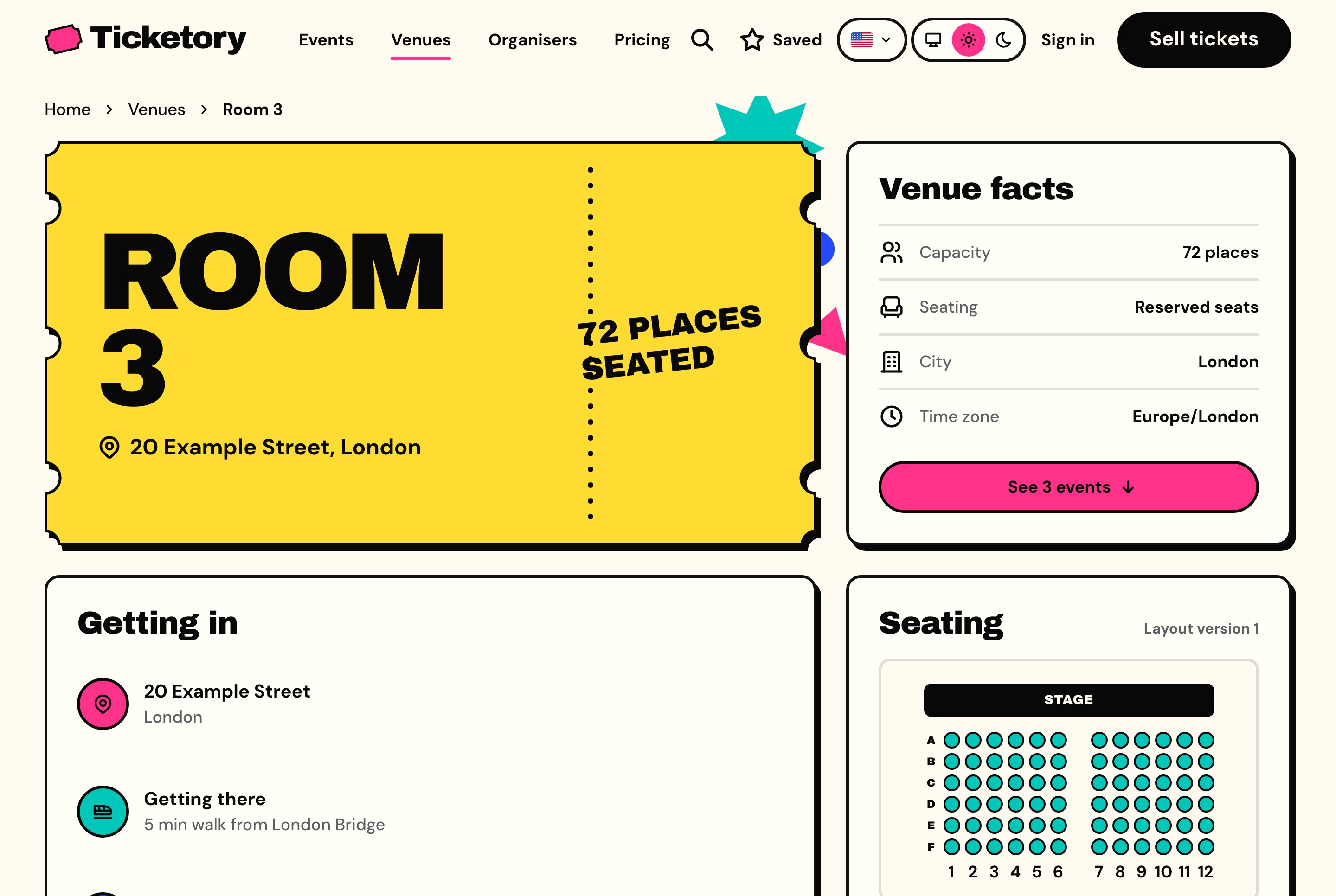
Venue page with its facts and seat layout, light theme. Room 3 with its address, capacity, seating type and time zone, how to get in, and the published seat layout.
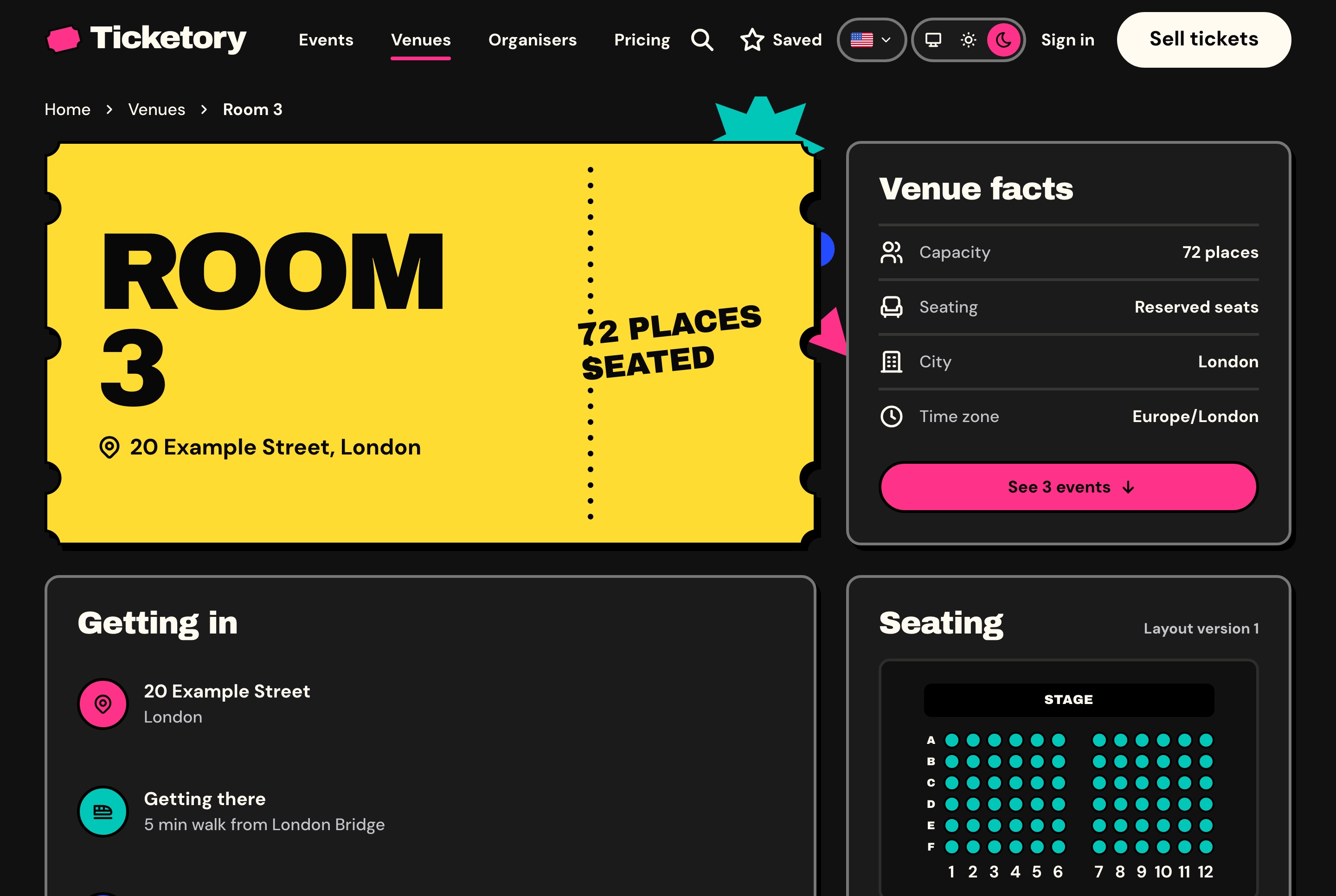
Venue page with its facts and seat layout, dark theme. Room 3 with its address, capacity, seating type and time zone, how to get in, and the published seat layout.
Seat maps
Seats held for the buyer, never sold twice
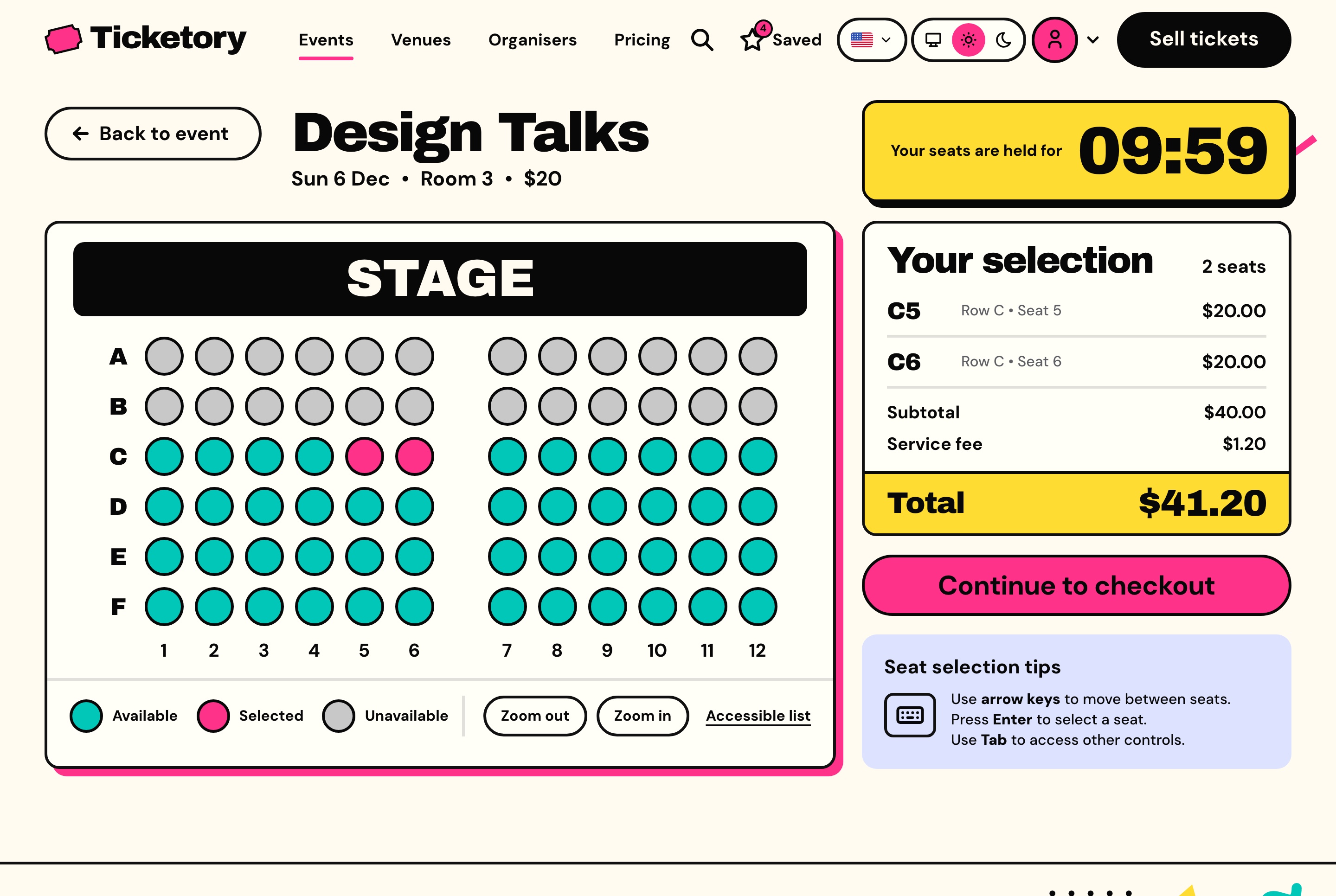
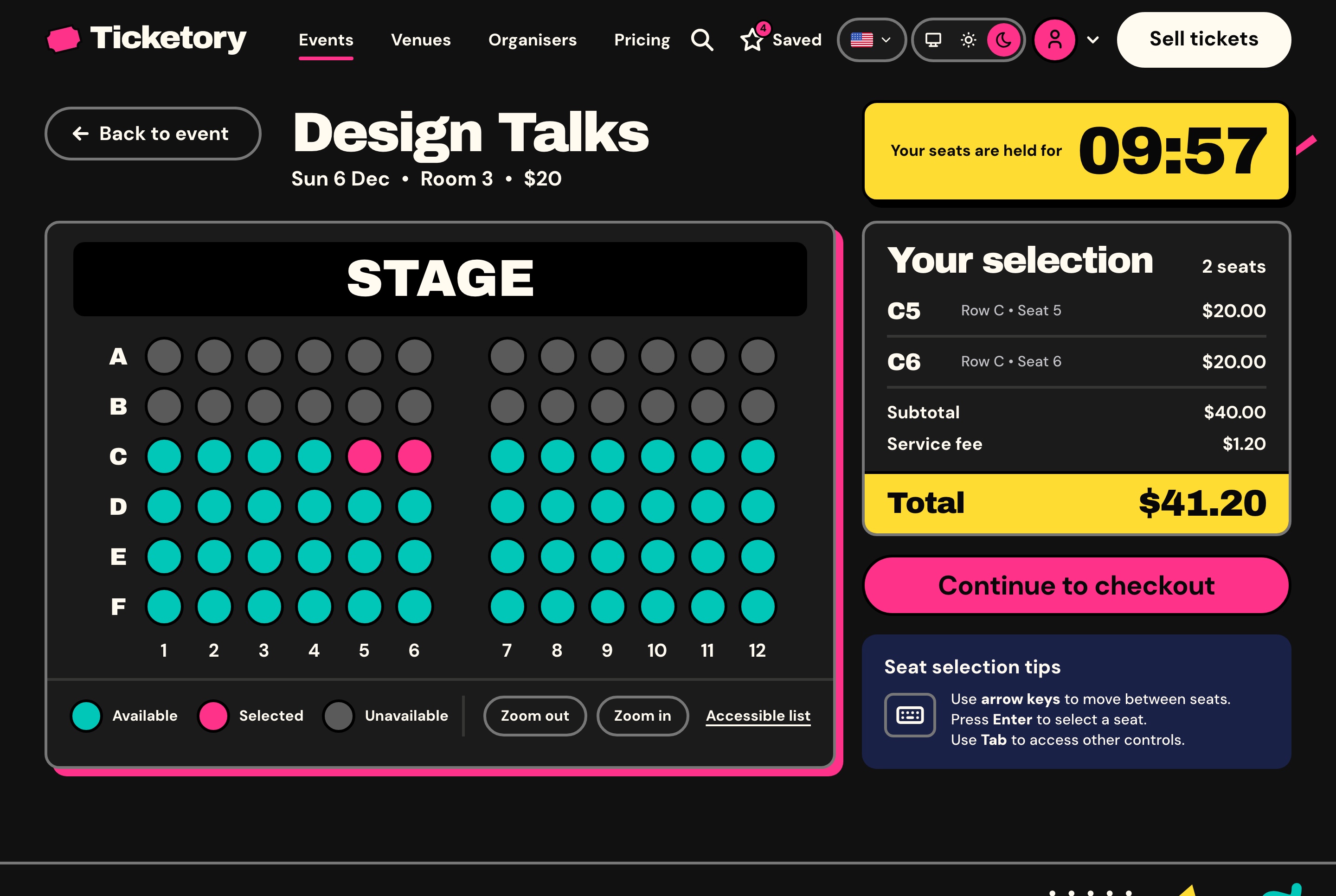
On a reserved-seating event, the attendee picks seats on the room's live map, and the first seat starts a hold for the workspace's hold time, ten minutes as seeded, counted down on the server's clock. Seats are taken with a conditional update on the server, so two buyers can never hold the same seat, and a seat whose hold runs out is free for others at once.
A seat map everyone can use
Availability refreshes every 20 seconds, accessible and companion seats are marked, and the selection, the fee and the total stay beside the map with the time left on the hold.
Keyboard navigation from seat to seat
An accessible list view of the same seats
Zoom for larger rooms
General admission holds a number of places instead
Seat selection on the live seat map, light theme. Two seats picked side by side on Room 3's seat map and held for ten minutes, with the selection, the service fee and the total beside them.
Seat selection on the live seat map, dark theme. Two seats picked side by side on Room 3's seat map and held for ten minutes, with the selection, the service fee and the total beside them.
Checkout
From a held seat to a ticket with a QR code
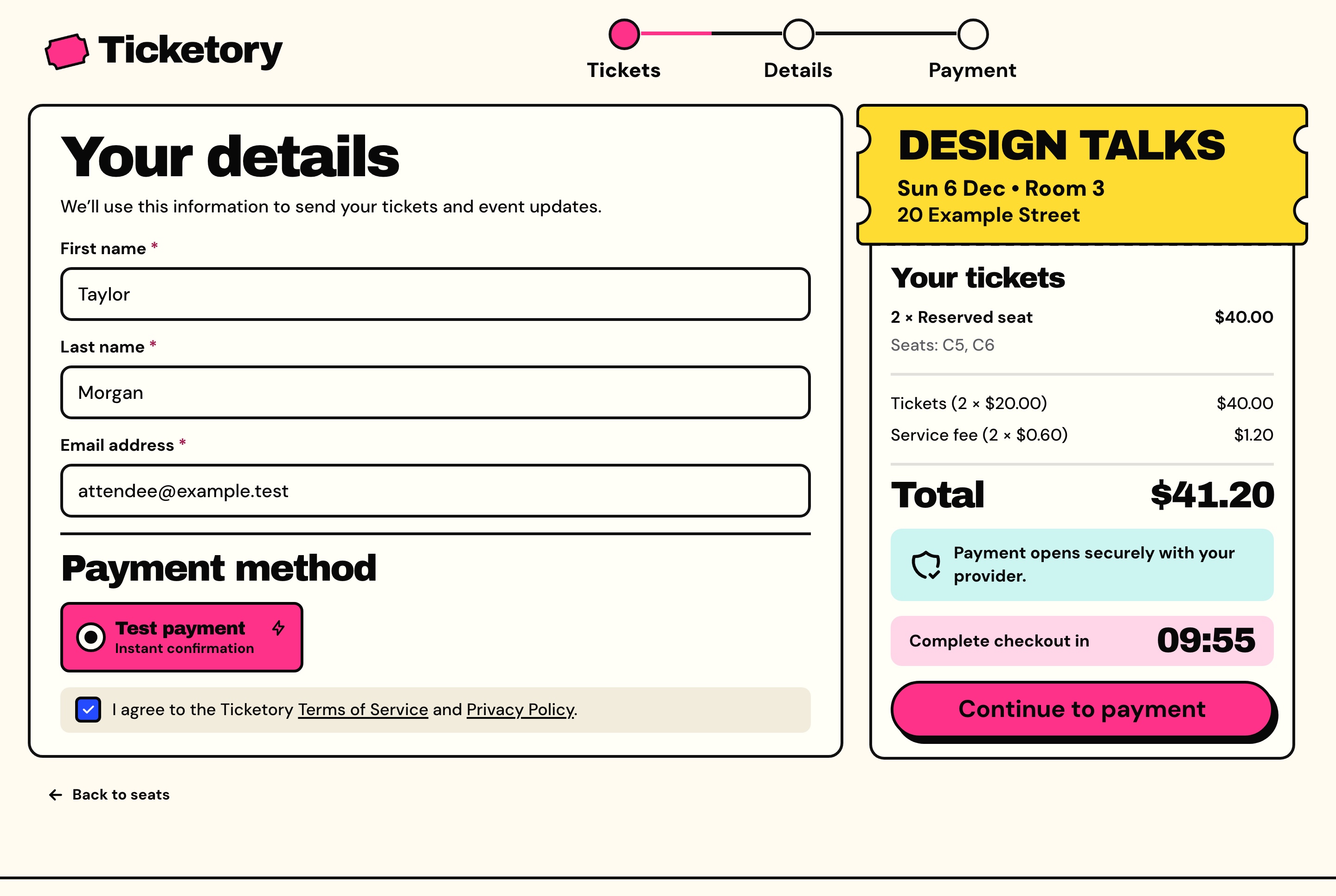
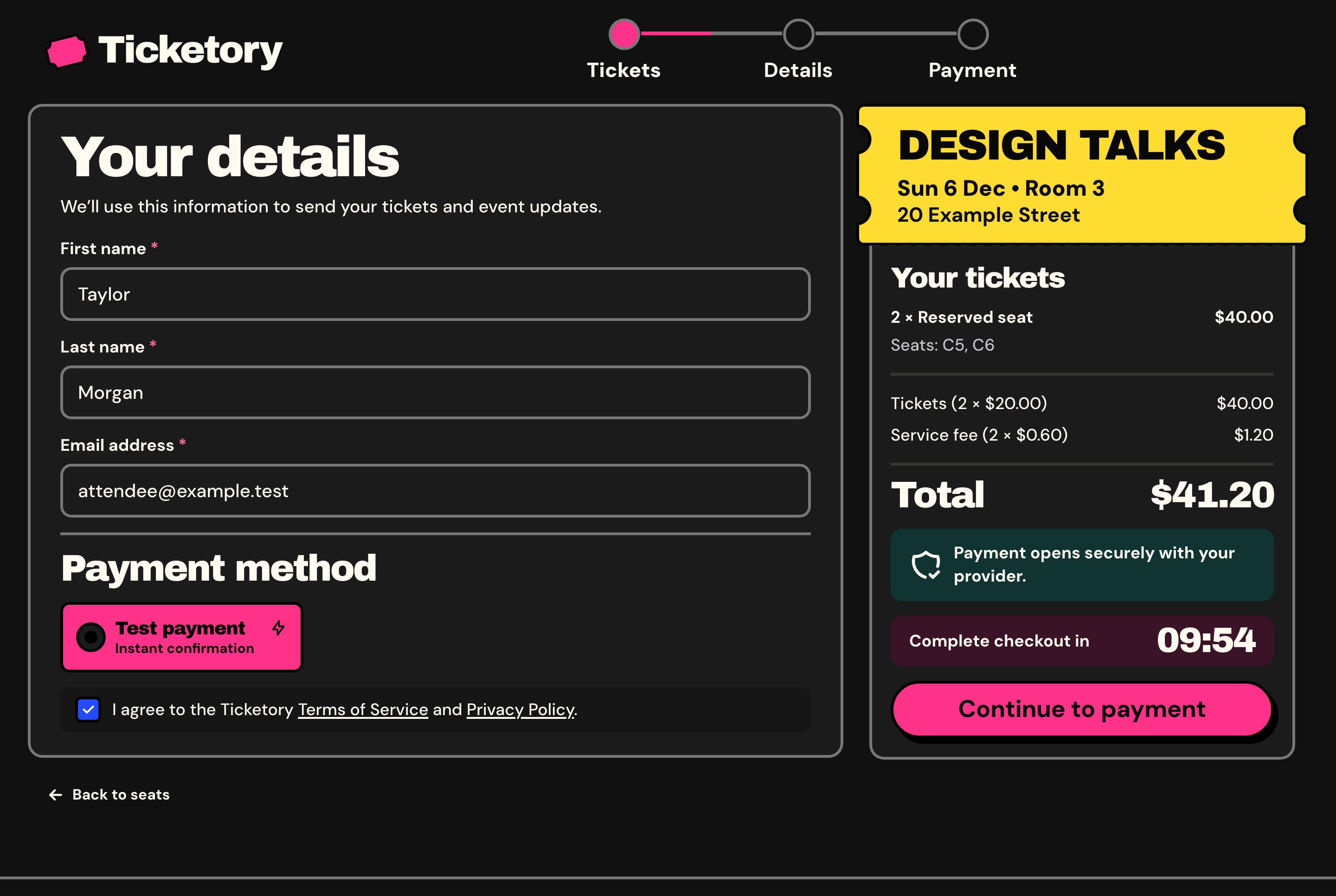
Checkout asks for the attendee's name and email, the payment method and the terms, and takes every amount from the hold, so the browser never sends a price. Guests buy without an account, and their orders join an account once someone signs up with that email and verifies it.
Payment on the provider's own page
The attendee pays on Stripe's hosted Checkout or on PayPal, and the API marks the order paid from the provider's signed webhook or by asking the provider itself, so the website never shows a card field.
One order per checkout, however many times it is sent
A test payment while no live key is set, which moves no money
A late payment for seats that went elsewhere never oversells: it is refunded in full
A booking fee per ticket, a percentage each organiser sets
Checkout with the held seats and the payment method, light theme. The attendee's details already filled in, the payment method and the terms, beside the order summary with the seats and the time left on the hold.
Checkout with the held seats and the payment method, dark theme. The attendee's details already filled in, the payment method and the terms, beside the order summary with the seats and the time left on the hold.
Tickets the door can trust
A paid order shows one pass per ticket with its QR code, and offers the tickets as a PDF, a calendar file and an email that can be sent again.
QR codes signed by the server, with only a hash of each stored
A reissued ticket's old code stops working at once
Passes shown only once the API reports the order paid
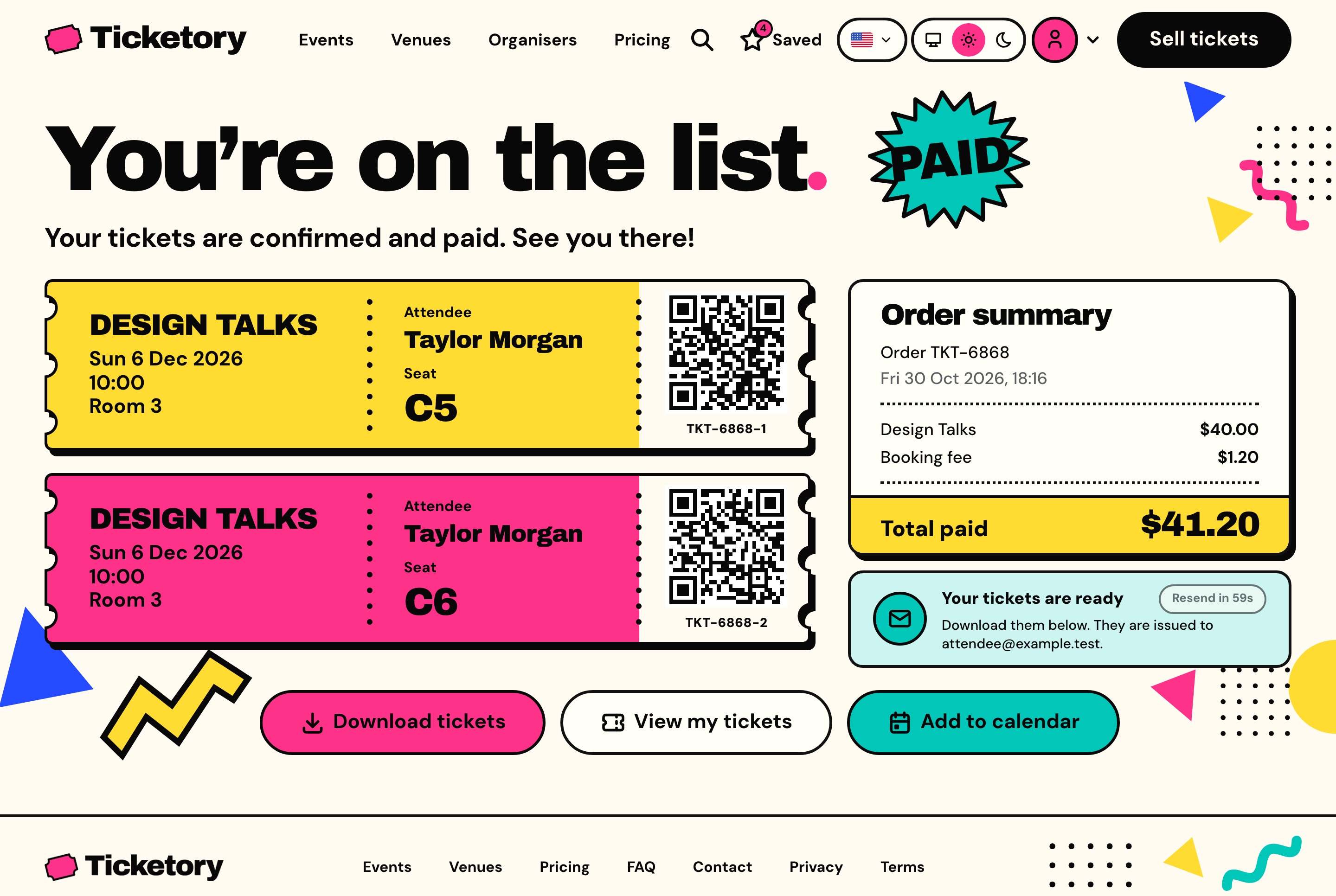
Order confirmation with QR passes, light theme. The paid order with one pass per seat and its QR code, the order summary, and buttons to download the tickets, open them or add the date to a calendar.
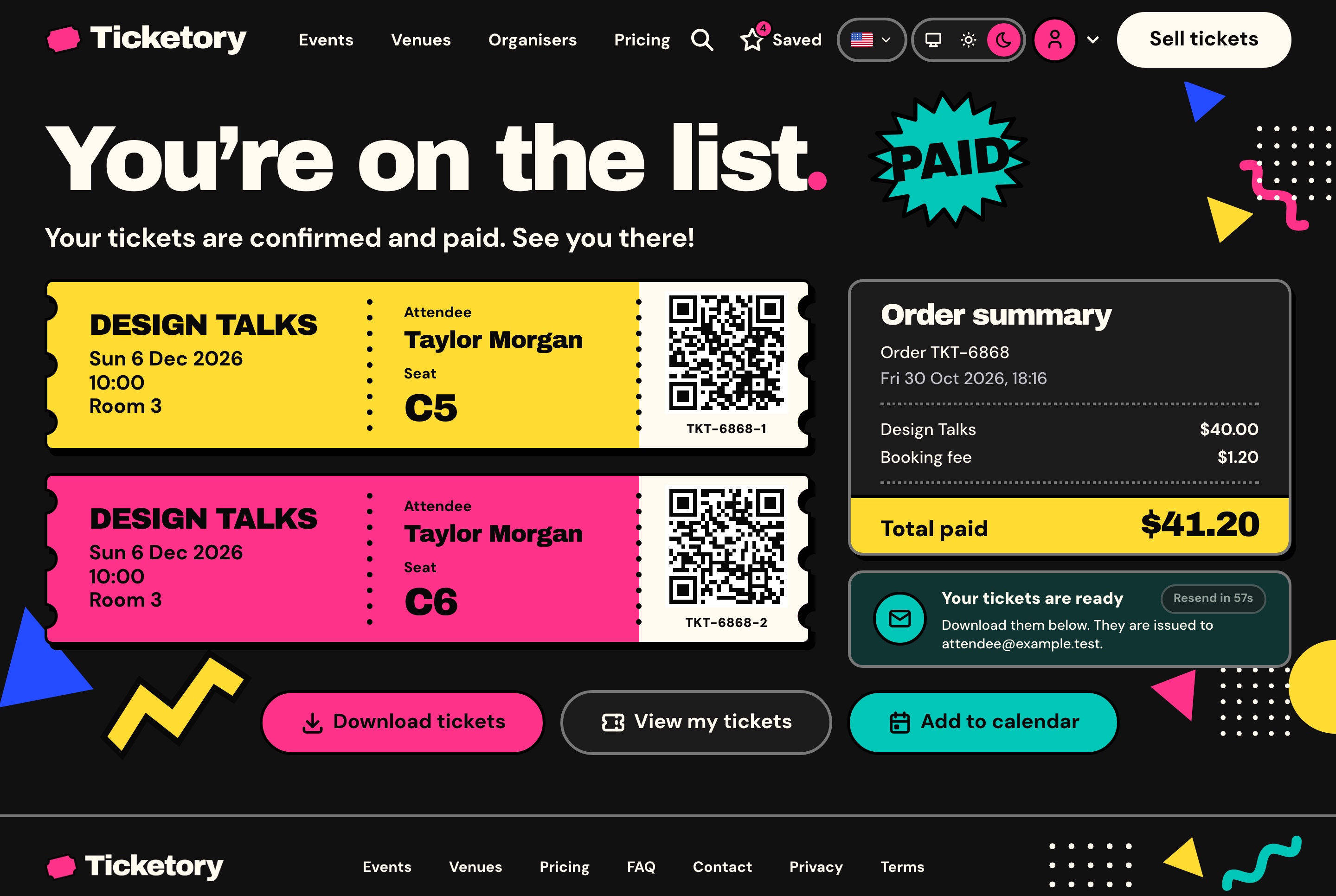
Order confirmation with QR passes, dark theme. The paid order with one pass per seat and its QR code, the order summary, and buttons to download the tickets, open them or add the date to a calendar.
Free tickets
Free tickets skip payment
When every ticket in a hold is free, the attendee presses Get tickets and goes straight to the confirmation. No payment page opens, not even the test payment, whatever keys are set, and the order still gets its passes, QR codes and email.
For the attendee
A Get tickets button in place of a payment method
The same passes, PDF and calendar file
As a guest or from an account
For the organiser
A ticket type priced at zero carries no fee
Free and paid ticket types on one event, such as free under-12 tickets
Capacity and the limit per order still apply
In the books
Recorded with the provider free
Counted among paid orders in the reports, adding nothing to the amounts
Voided rather than refunded, since nothing was paid
An account for every attendee
Signed-in attendees find their upcoming and past tickets beside a month calendar of their dates, every order with its receipt and timeline, the events they saved and their profile.
Sign-up confirmed with a six-digit email code
Guest orders joined to the account once the email is verified
A forgotten password reset by an email link
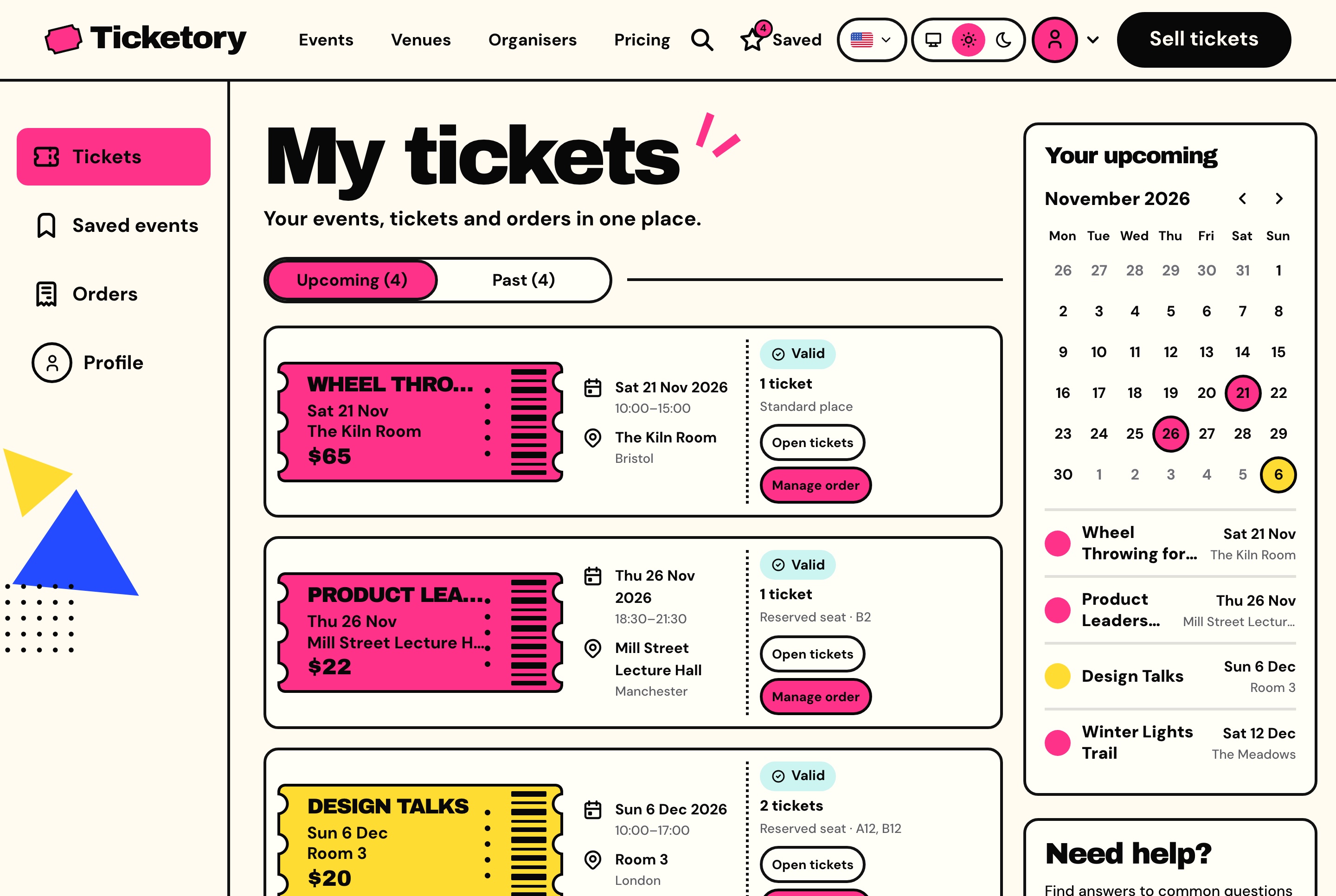
Attendee tickets with a calendar of upcoming dates, light theme. The signed-in attendee's upcoming tickets with their dates, venues, seats and status, and a month calendar marking each event.
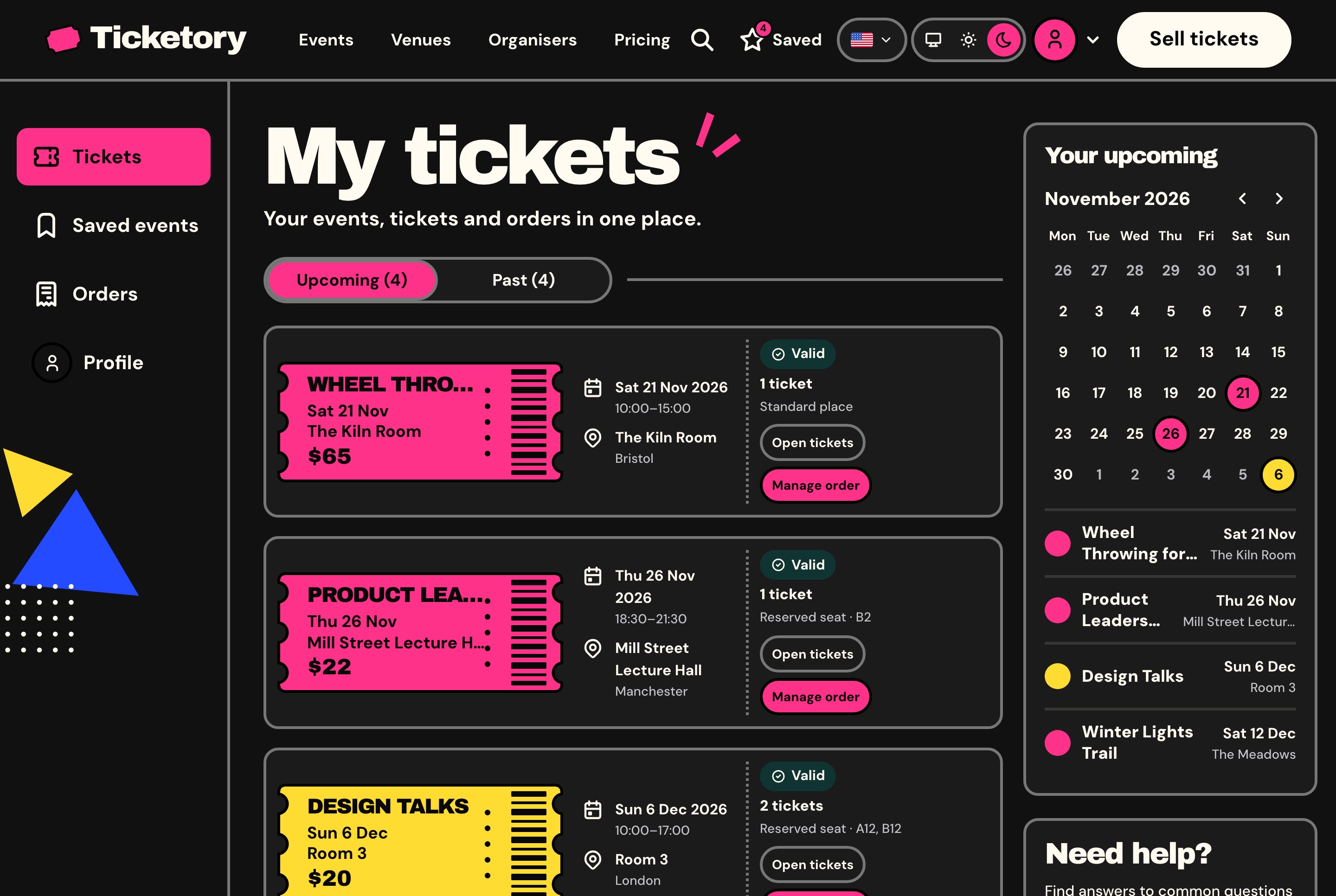
Attendee tickets with a calendar of upcoming dates, dark theme. The signed-in attendee's upcoming tickets with their dates, venues, seats and status, and a month calendar marking each event.
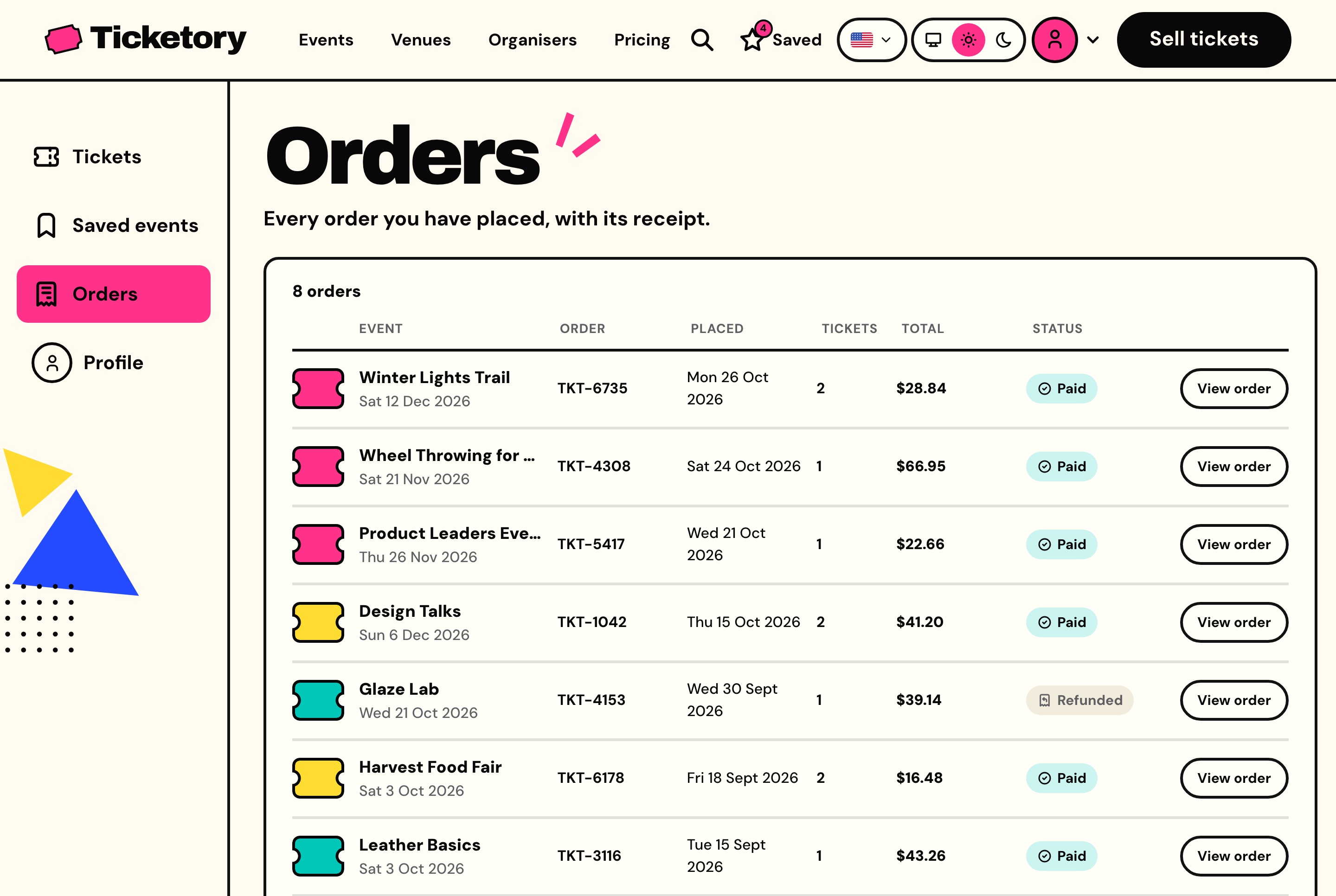
Attendee orders with their receipts, light theme. Every order the attendee has placed with its event, reference, date, ticket count, total and status, each opening its receipt.
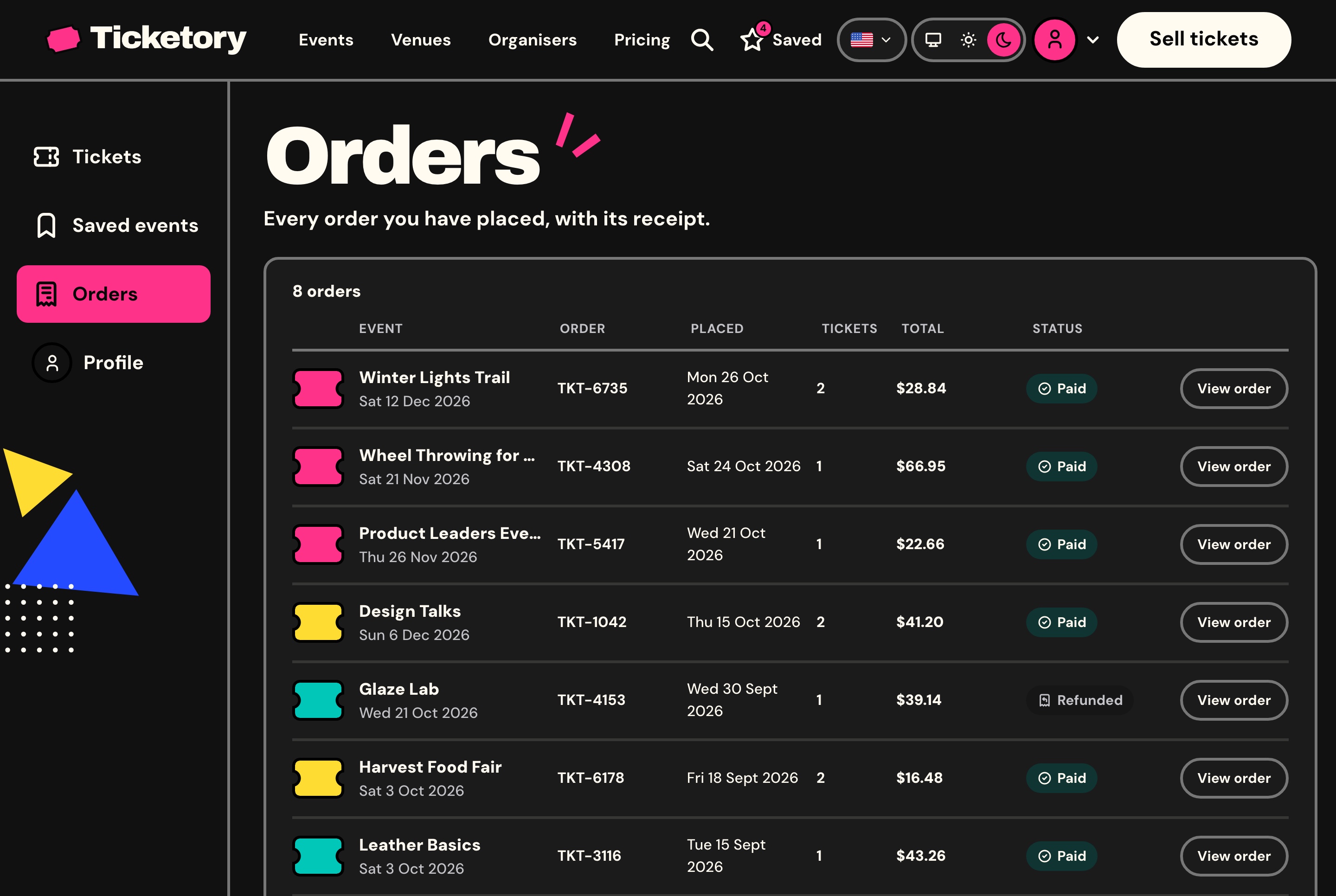
Attendee orders with their receipts, dark theme. Every order the attendee has placed with its event, reference, date, ticket count, total and status, each opening its receipt.
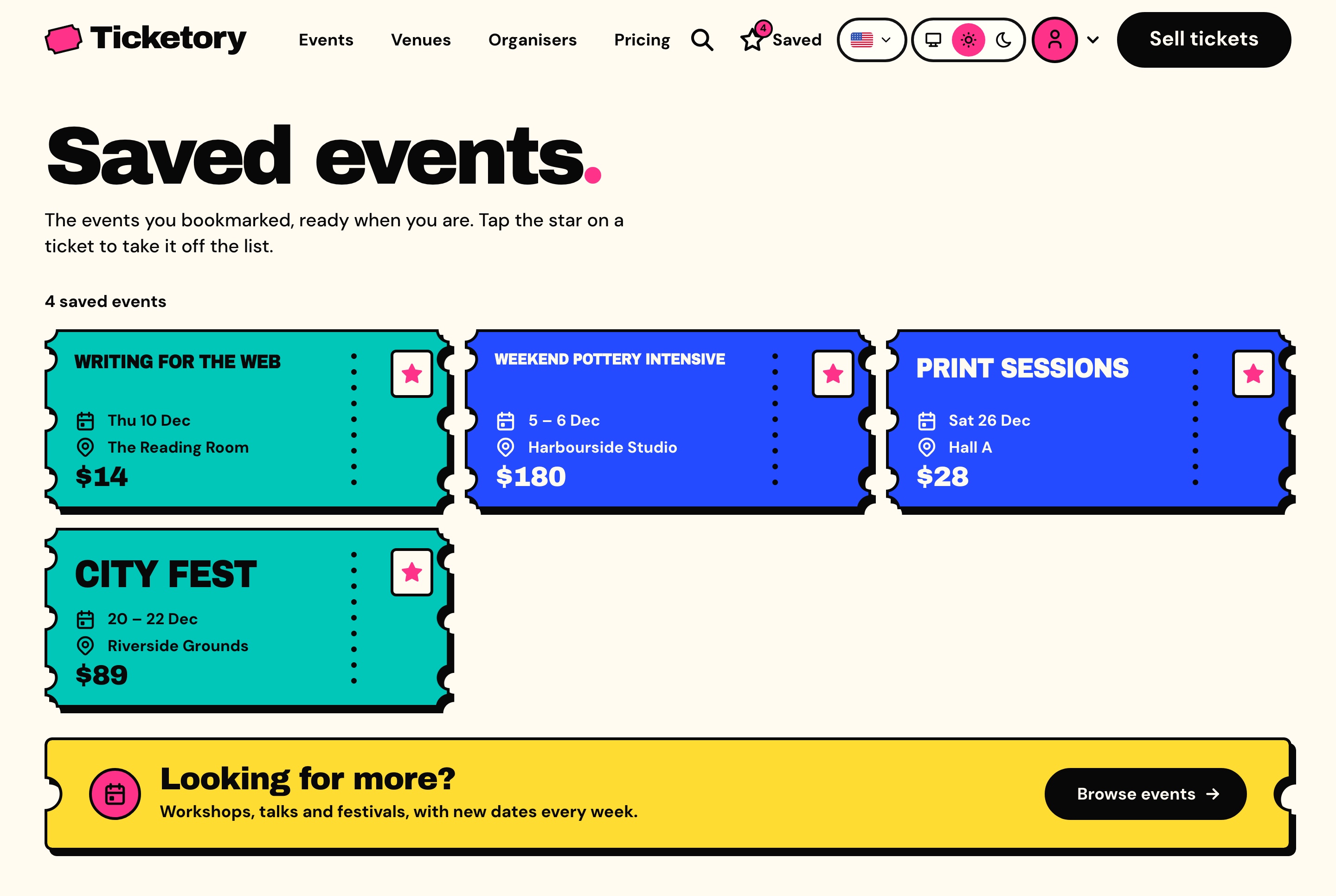
Saved events, light theme. The events the attendee starred, each still a ticket with its dates, venue and price, ready to book.
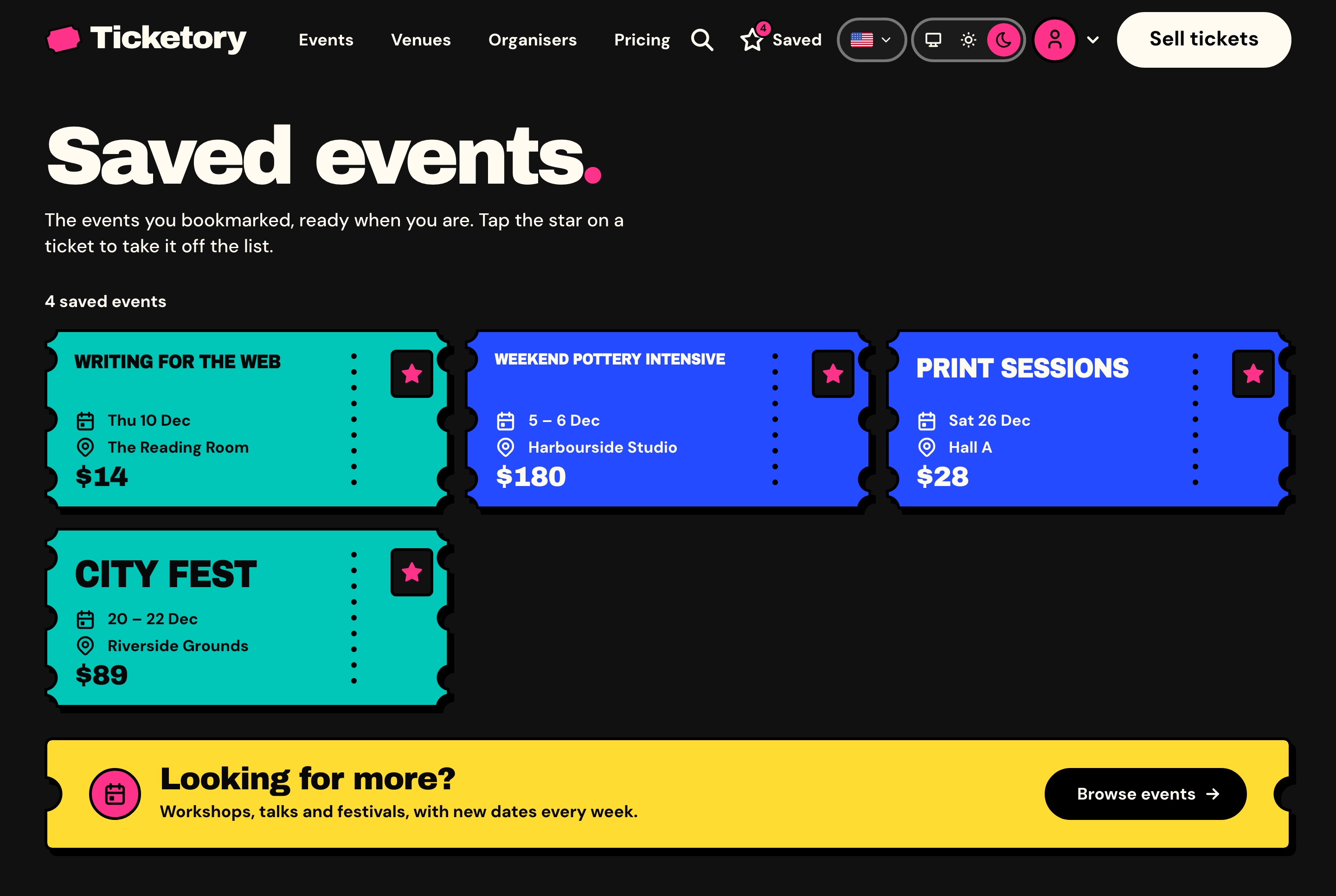
Saved events, dark theme. The events the attendee starred, each still a ticket with its dates, venue and price, ready to book.
Building an event
From a draft to an event on sale
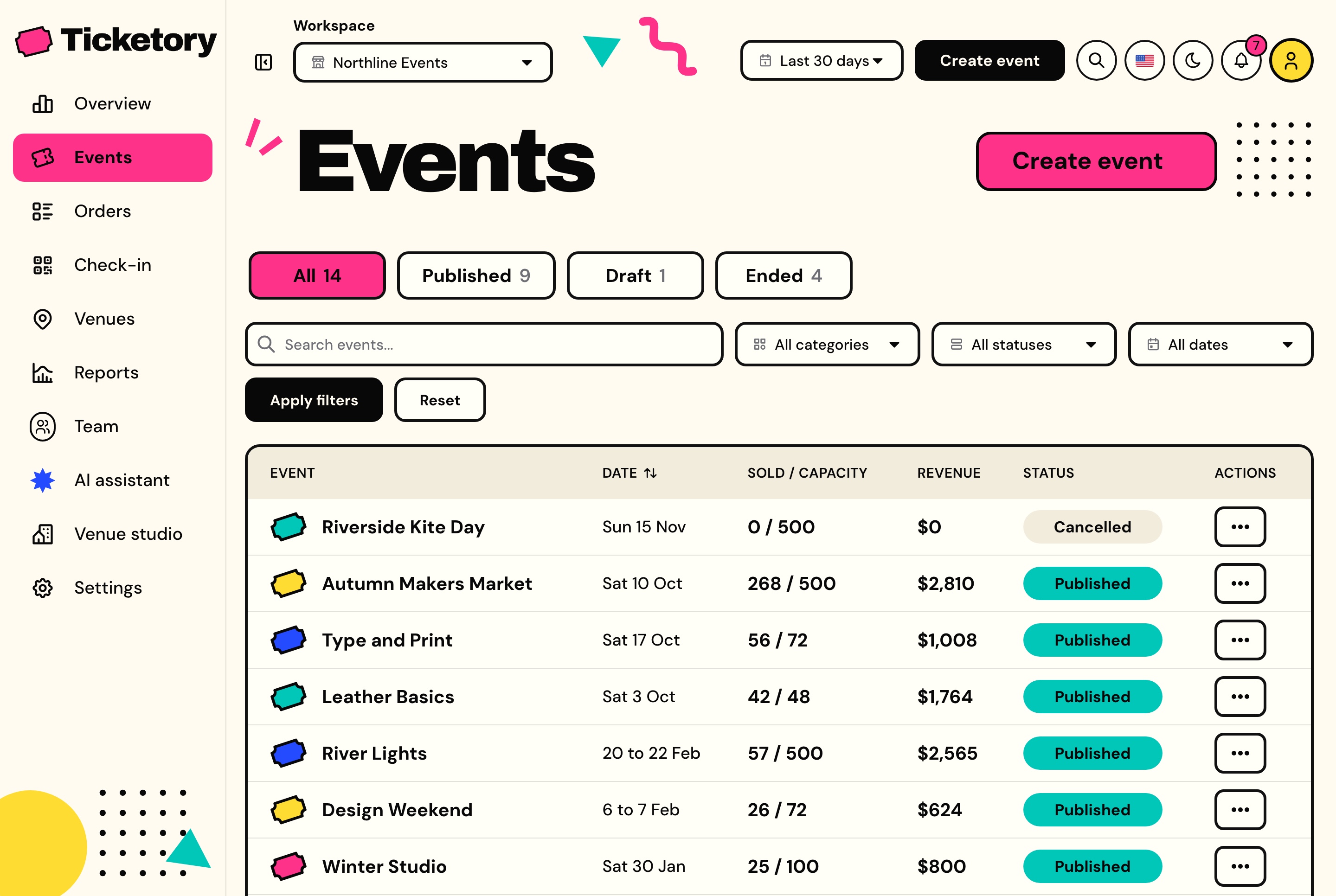
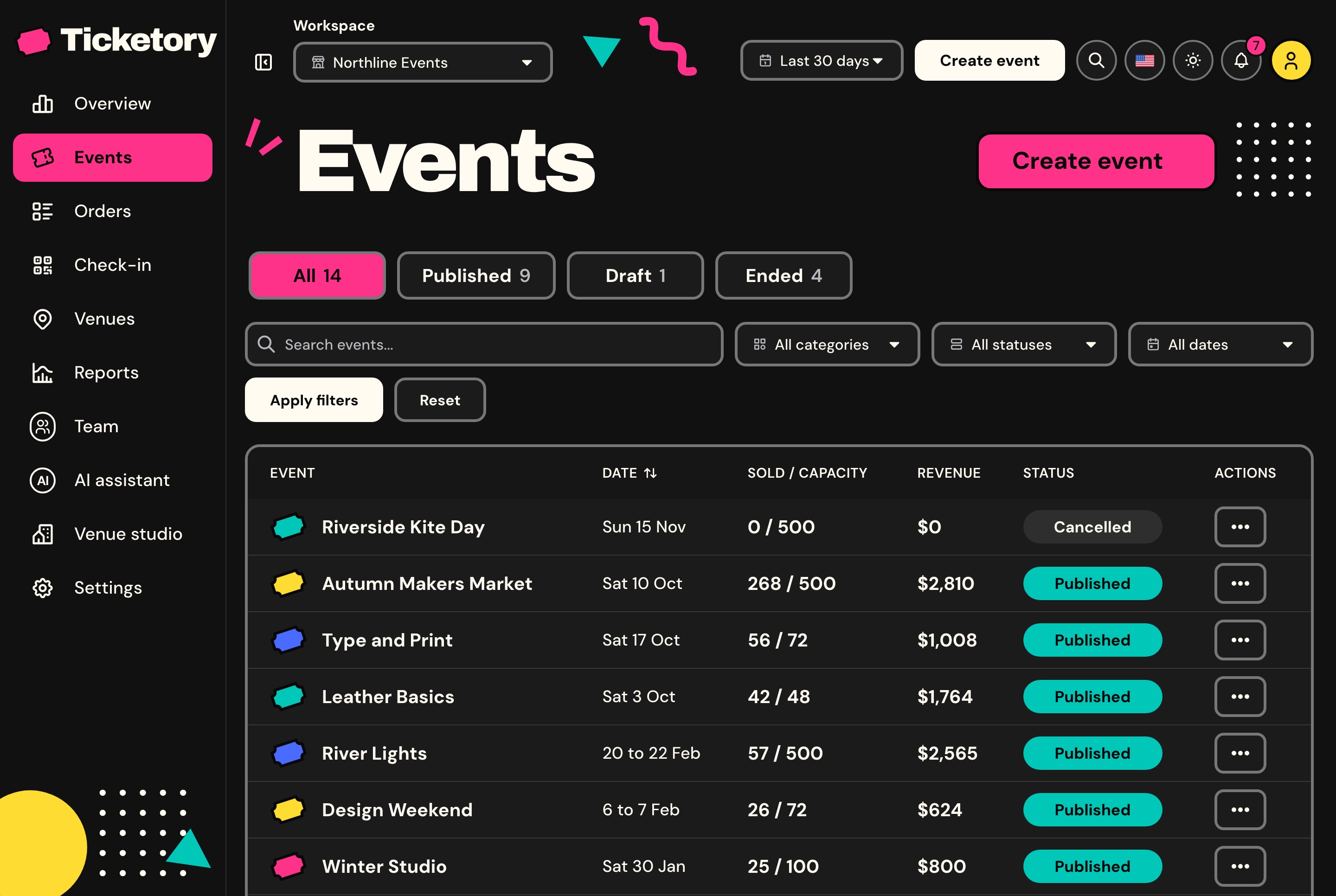
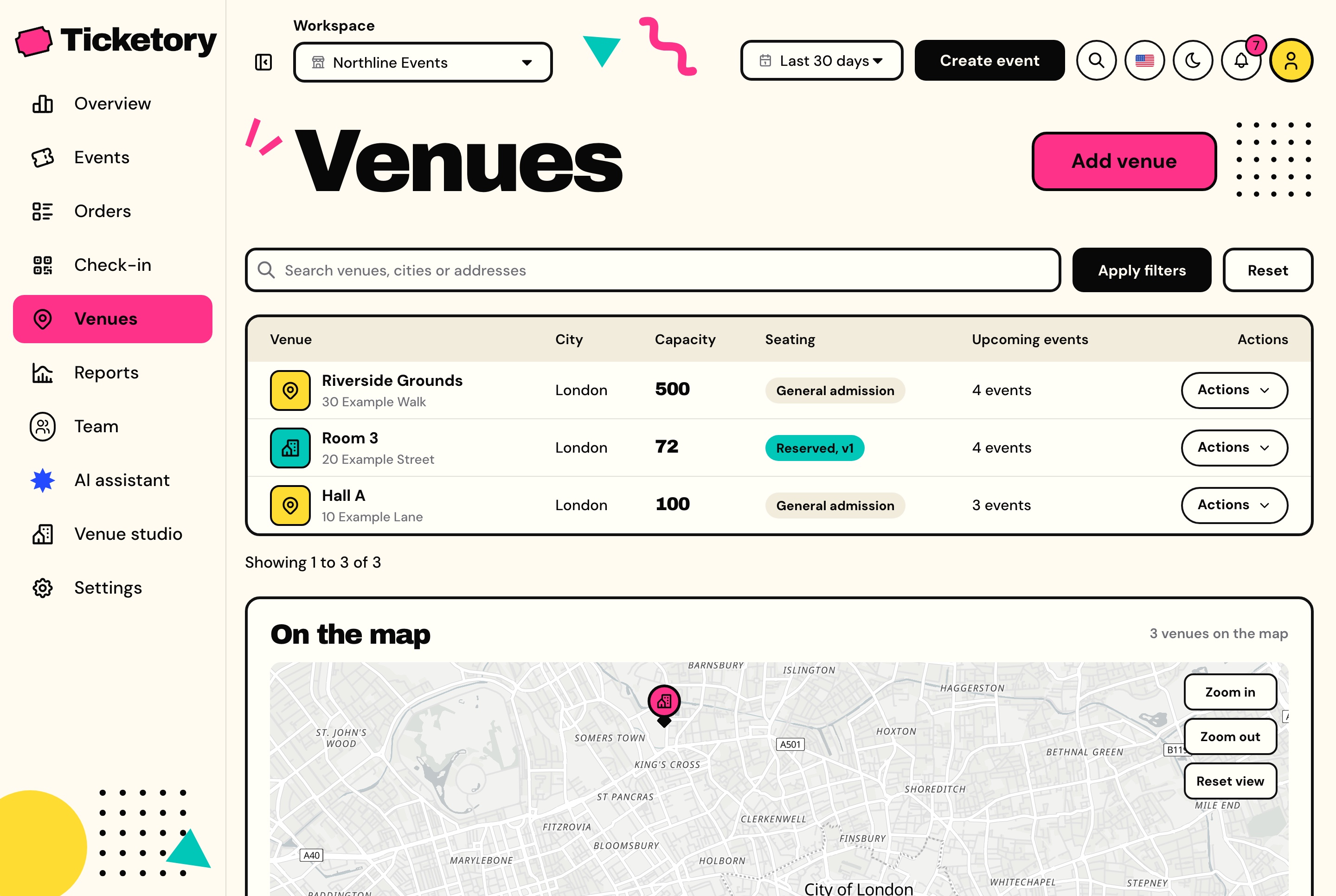
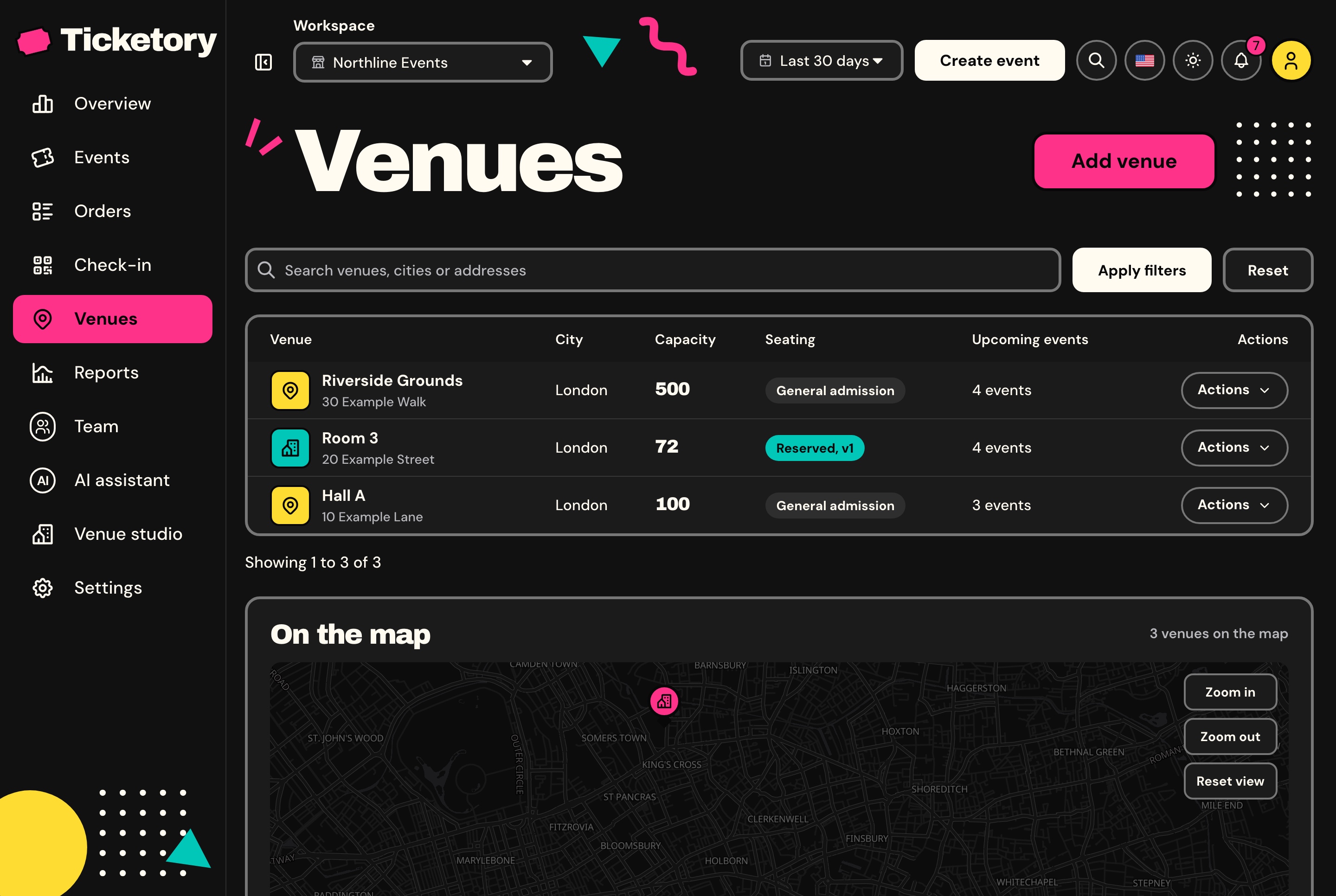
Events sit in All, Published, Draft and Ended tabs with seats sold against capacity, revenue and status on every row, and venues are listed with their capacity and seating type and pinned on a real map.
Events with status tabs and filters, light theme. Every event in the workspace with its date, seats sold against capacity, revenue and status, in tabs for published, draft and ended events.
Events with status tabs and filters, dark theme. Every event in the workspace with its date, seats sold against capacity, revenue and status, in tabs for published, draft and ended events.
Venues with seating type and a real map, light theme. Each venue with its city, capacity, seating type and upcoming events, and the venues pinned on a real map below.
Venues with seating type and a real map, dark theme. Each venue with its city, capacity, seating type and upcoming events, and the venues pinned on a real map below.
An event editor in two languages
Title, summary and description in English and Arabic, a category, a venue, a ticket colour, reserved seating or general admission, the dates in the event's own time zone, an agenda and up to ten ticket types, with a live ticket preview and a checklist of what publishing still needs.
A ticket type's price locks once it has sold
Two people editing at once never overwrite each other
Cancelling stops sales and the door at once, and emails every paid order
Public, or unlisted and sold by link
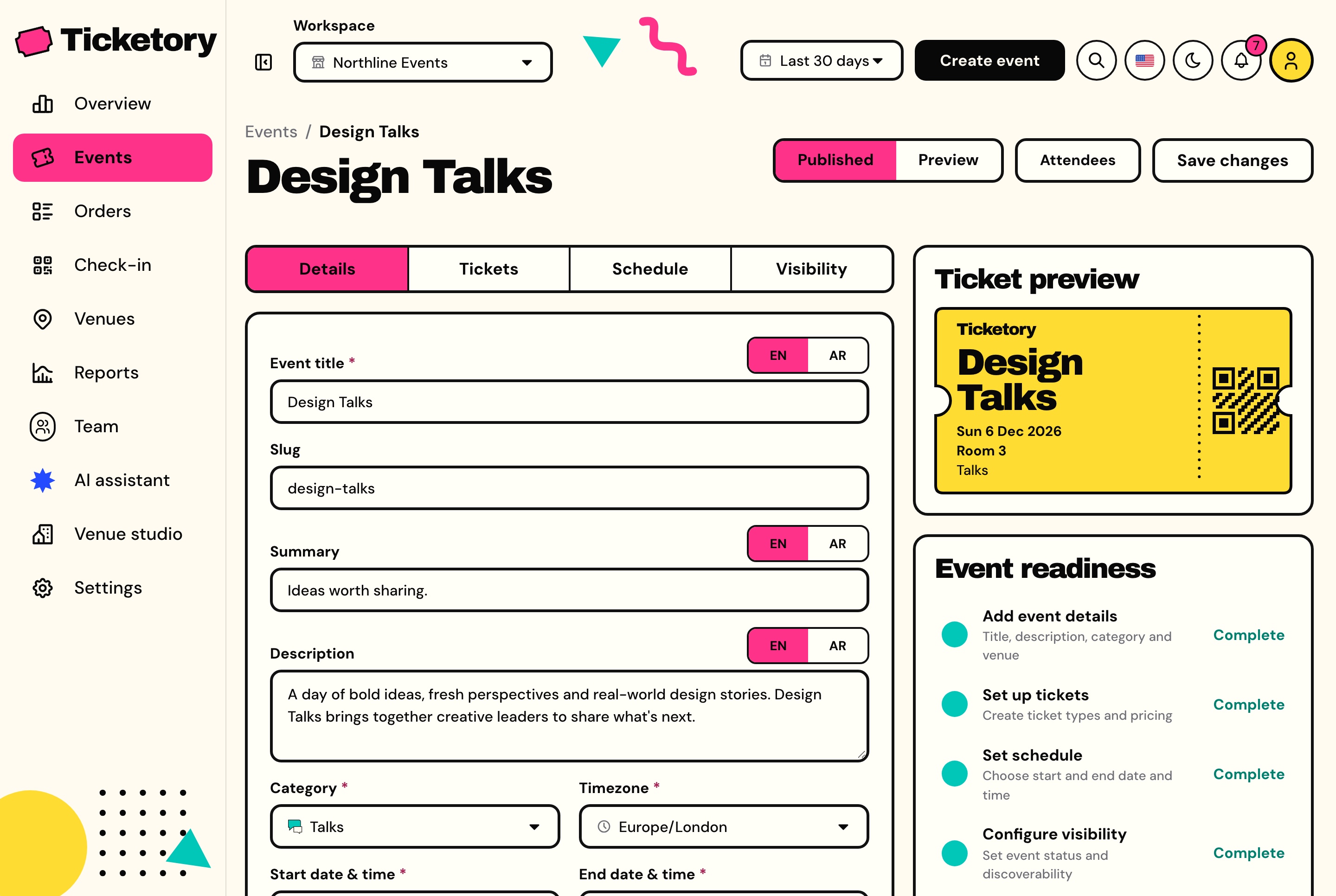
Event editor in English and Arabic, light theme. Editing Design Talks in English and Arabic, with the details, tickets, schedule and visibility tabs, a live ticket preview and the event's readiness checklist.
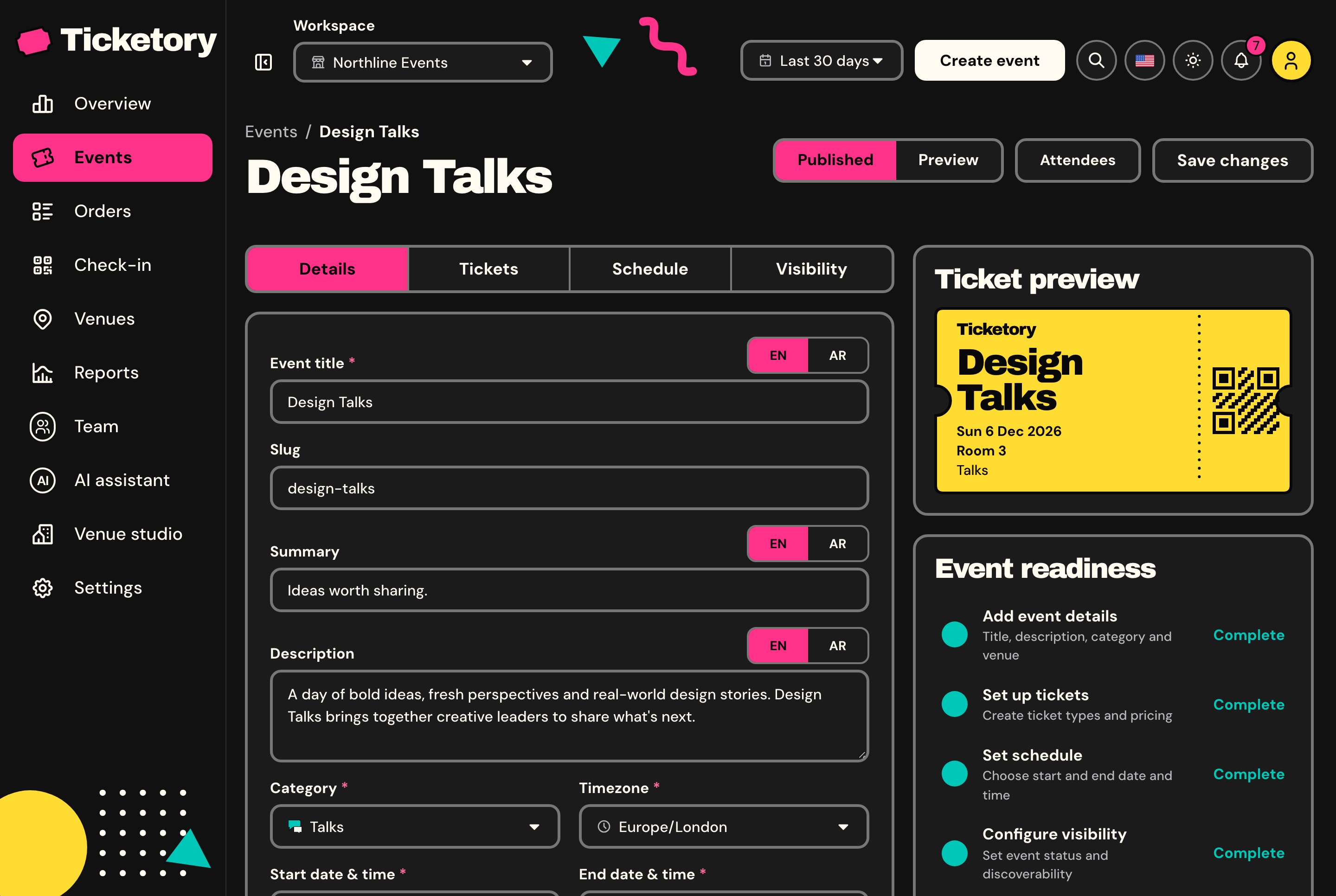
Event editor in English and Arabic, dark theme. Editing Design Talks in English and Arabic, with the details, tickets, schedule and visibility tabs, a live ticket preview and the event's readiness checklist.
Seat layouts with versions
A venue's seat map is a grid of rows and seats with aisles, and each seat can be marked accessible, companion or disabled and given a price tier. A draft is edited freely, and a published version never changes again, so seats already sold keep pointing at it.
Up to 40 rows of 60 seats
Never more seats than the venue holds
Each seat sold as the ticket type its price tier points at
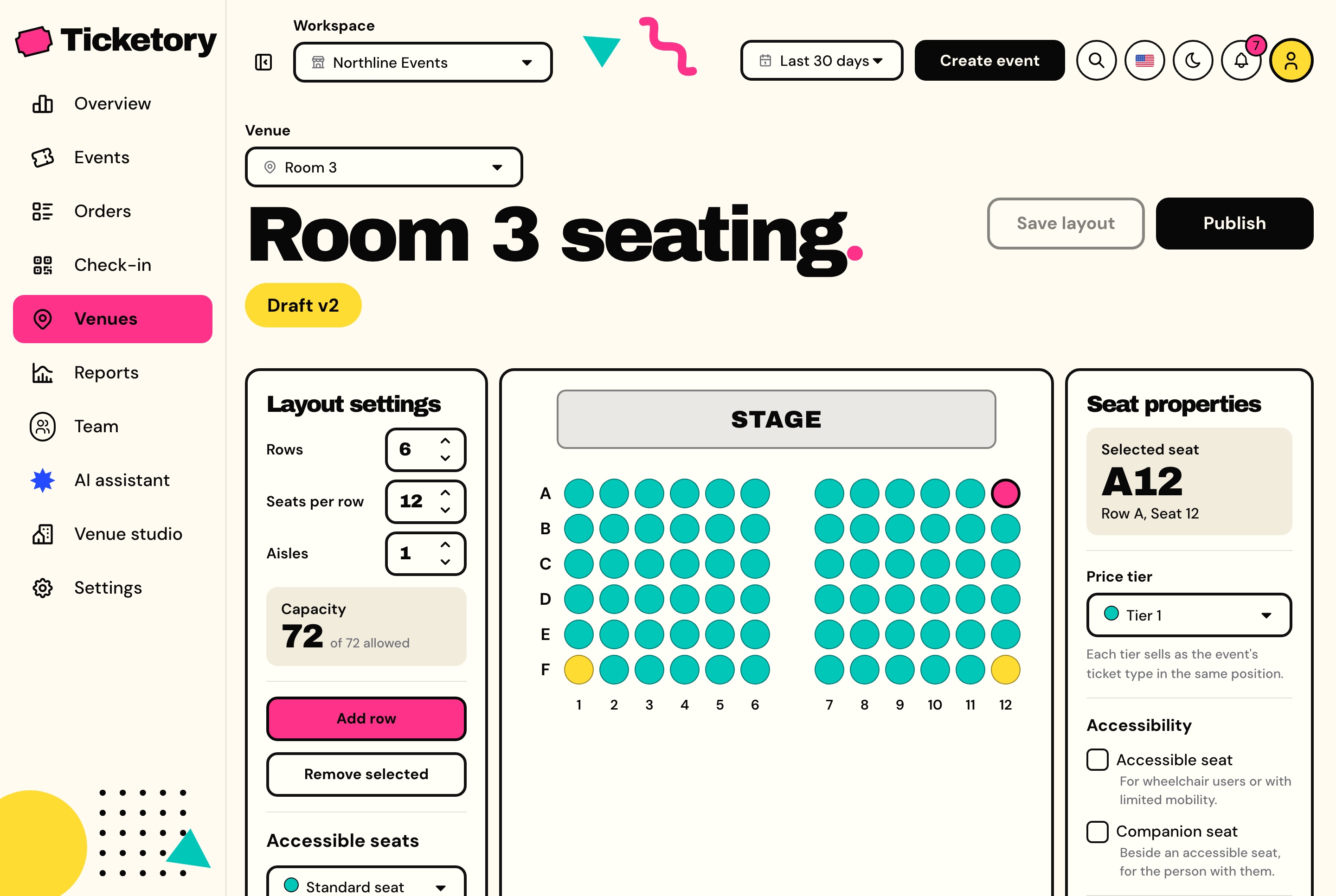
Seat layout editor on a draft version, light theme. A new draft of Room 3's seat layout with rows, seats per row and aisles, the seat grid facing the stage, and the selected seat's price tier and accessibility.
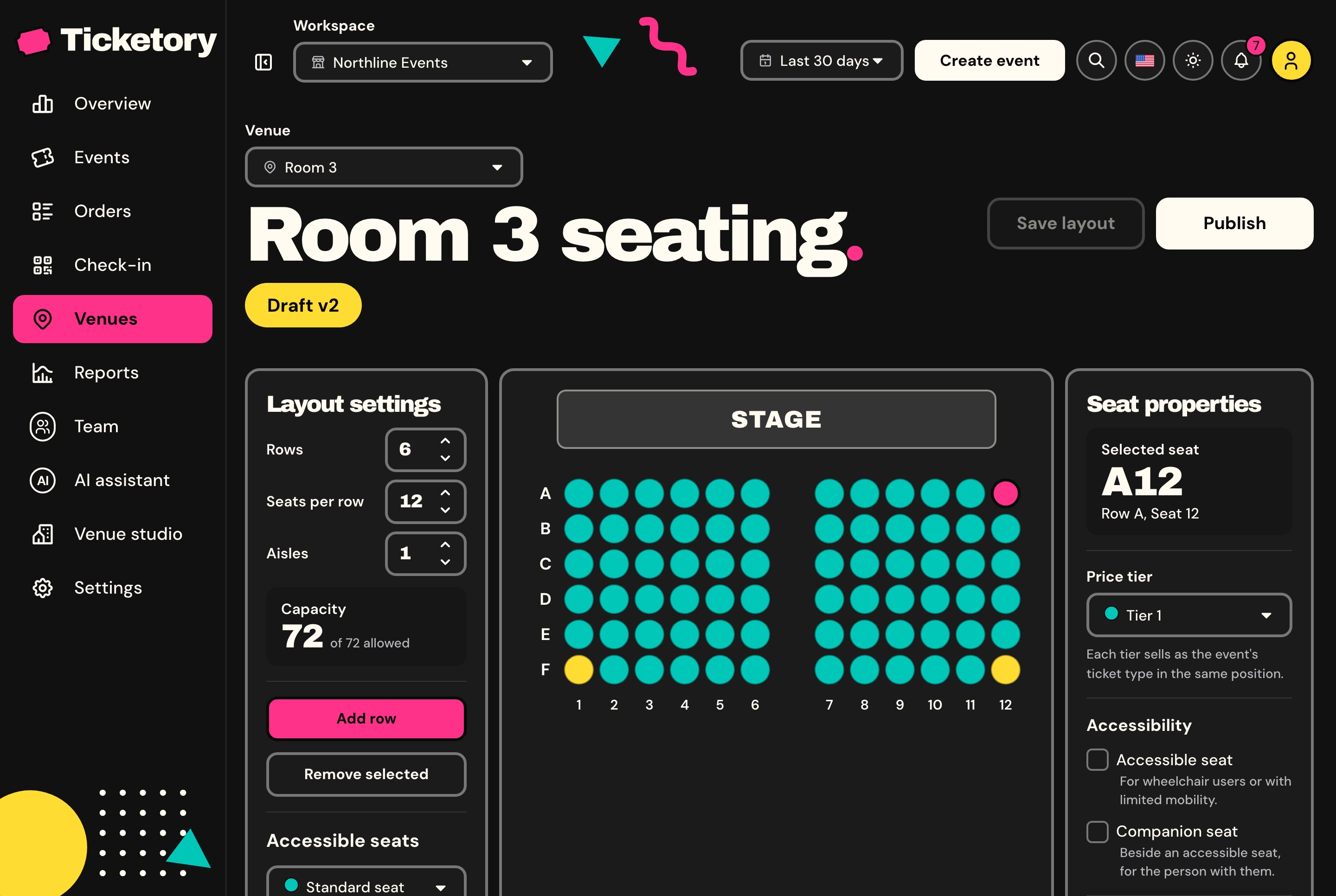
Seat layout editor on a draft version, dark theme. A new draft of Room 3's seat layout with rows, seats per row and aisles, the seat grid facing the stage, and the selected seat's price tier and accessibility.
Orders and refunds
Orders and refunds the provider confirms
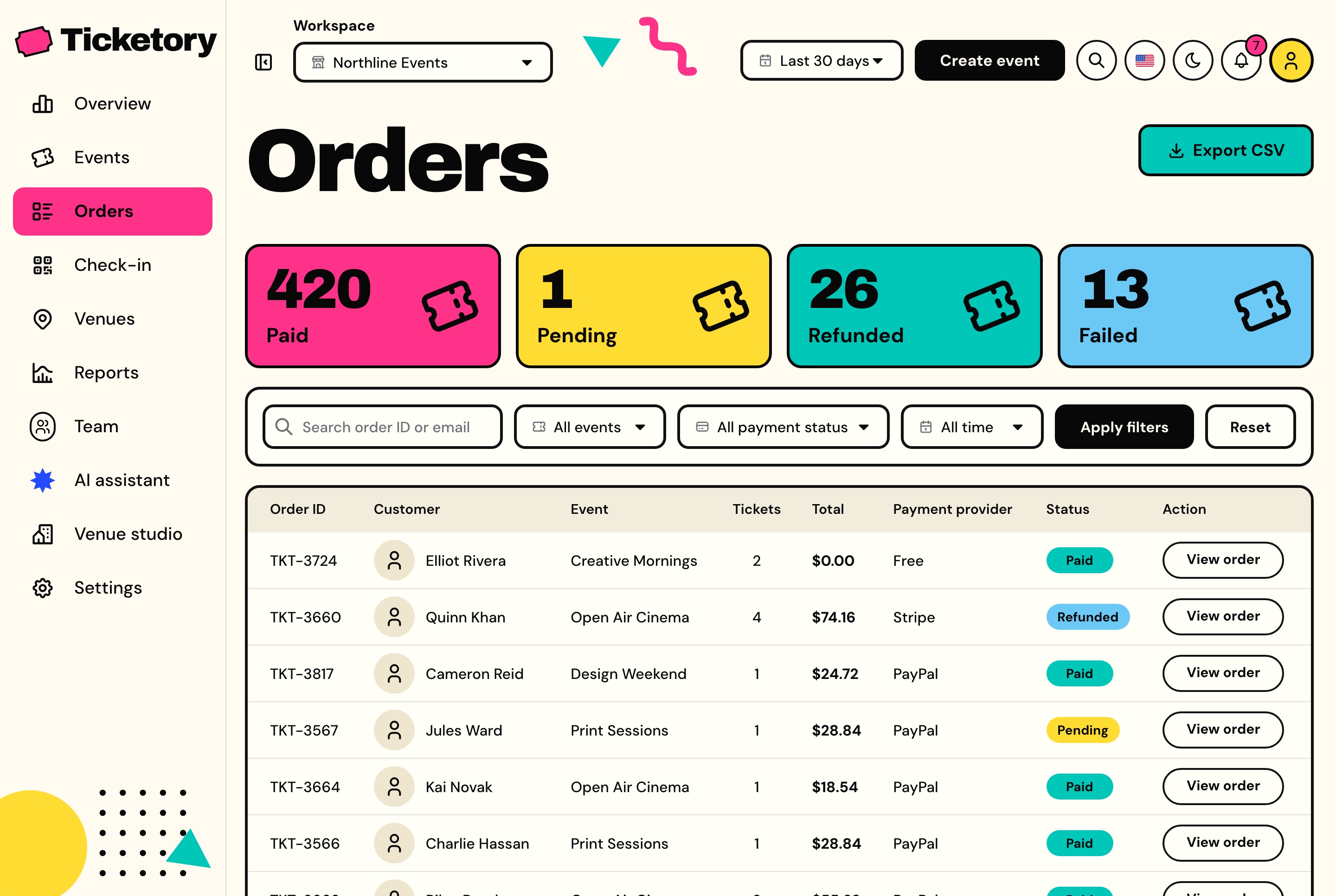
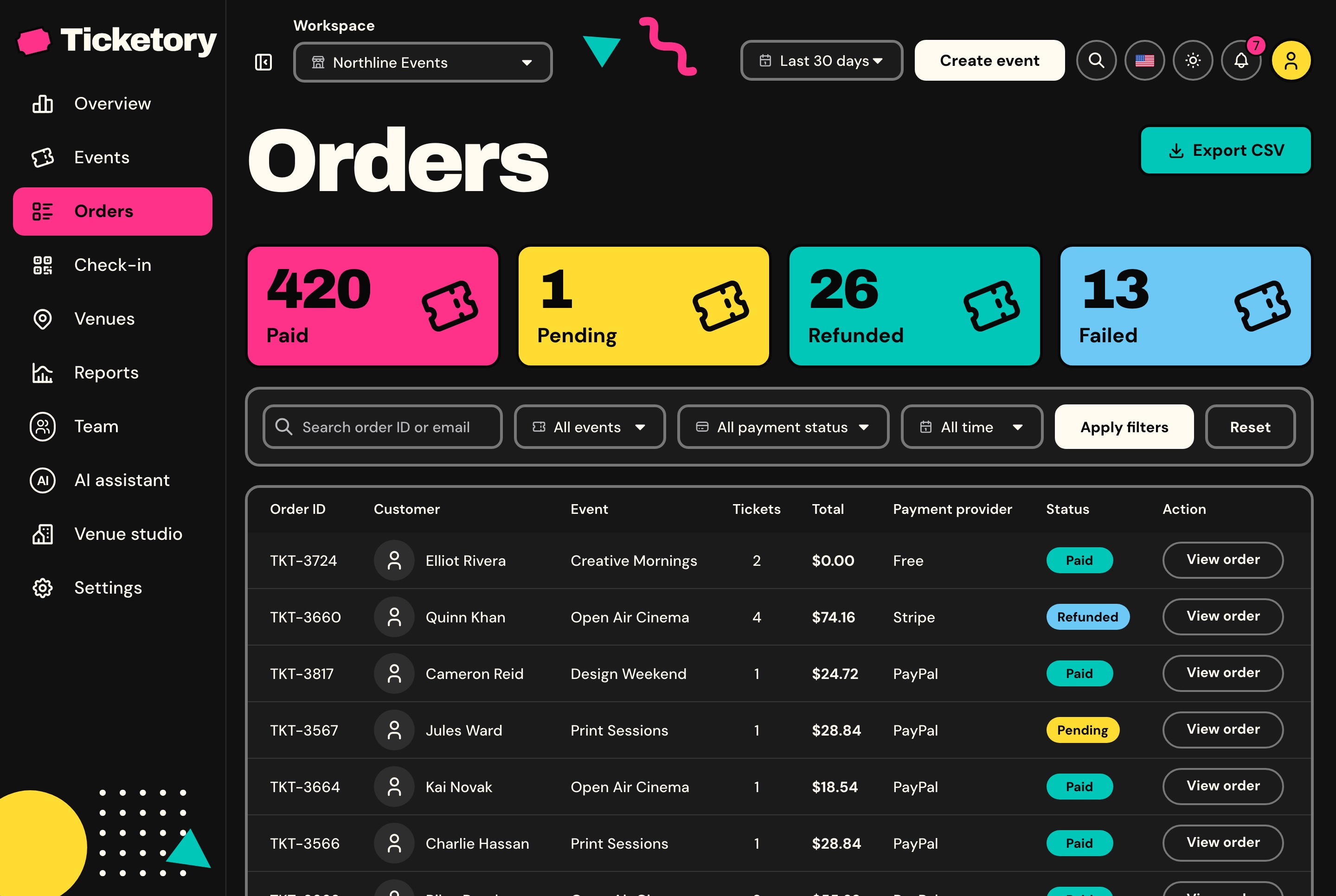
Every order with its customer, event, tickets, total, payment provider and status, counted by status, filtered by event and provider, and exported to CSV.
Orders with payment status and provider, light theme. Paid, pending, refunded and failed counts above every order with its customer, event, tickets, total, payment provider and status.
Orders with payment status and provider, dark theme. Paid, pending, refunded and failed counts above every order with its customer, event, tickets, total, payment provider and status.
Refunds of whole tickets
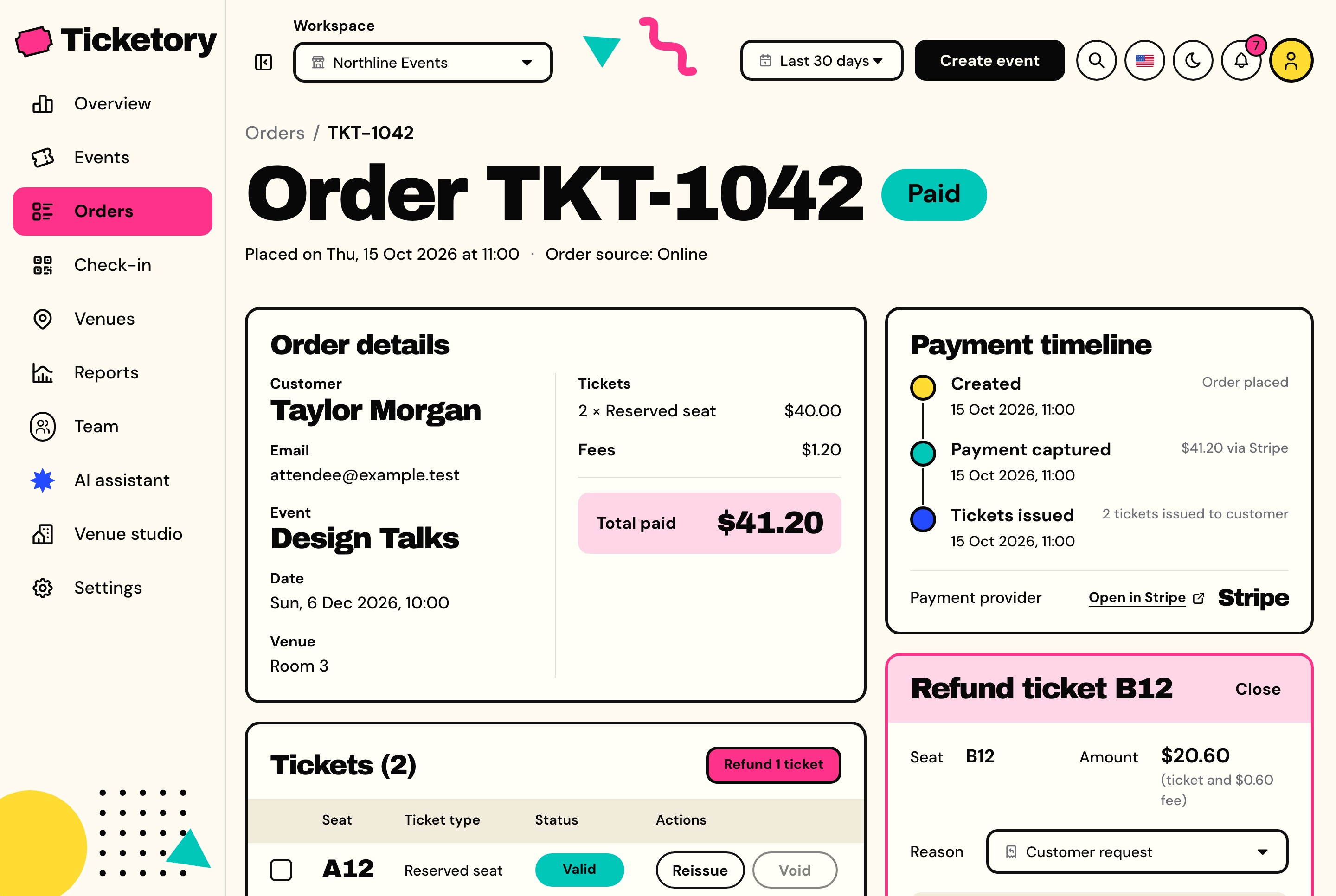
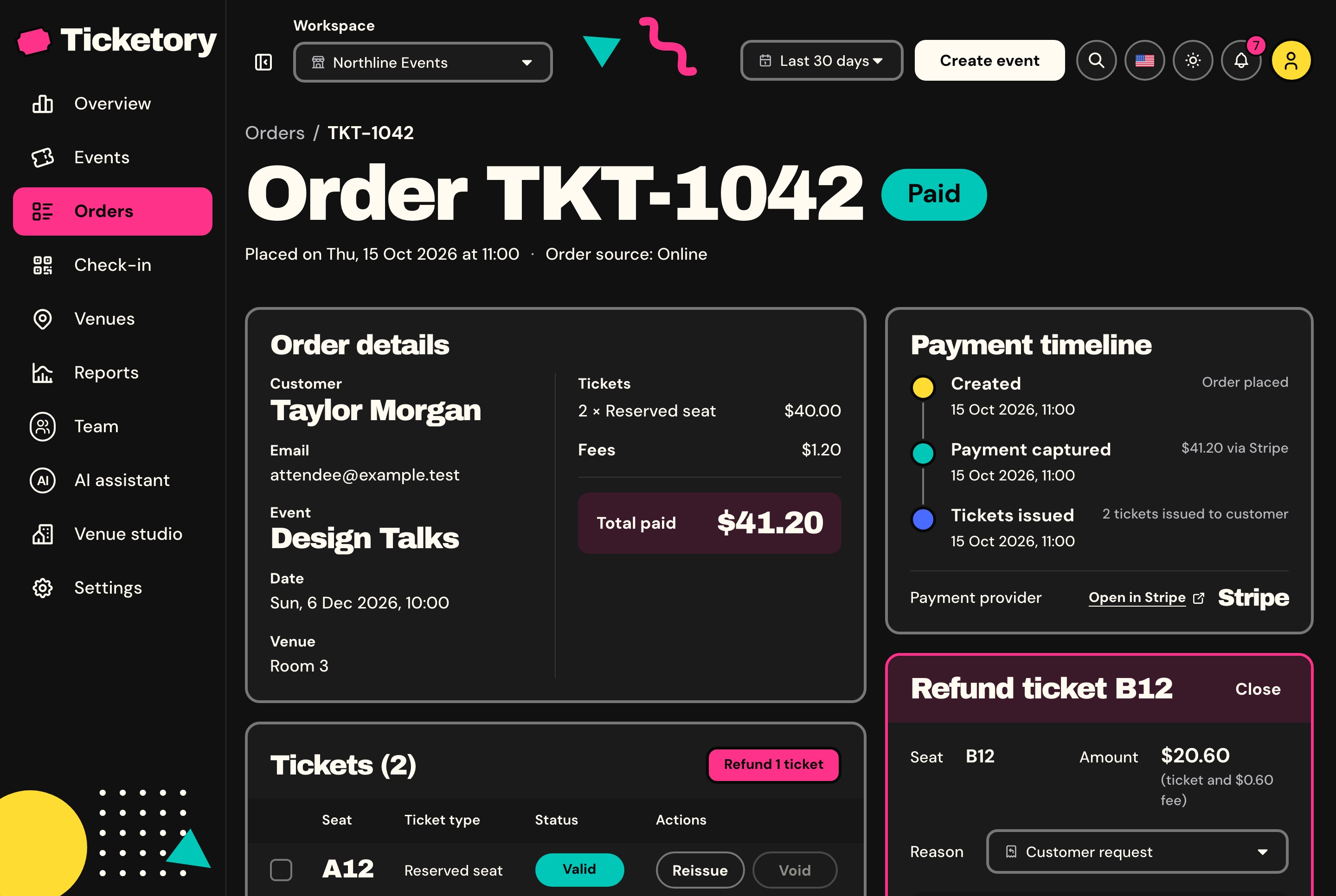
Staff choose the tickets to refund and a reason, and the server works out the amount: each ticket's price plus its fee. The tickets are suspended at once, so nobody gets in on them, and are voided when the provider confirms, which puts their seats or places back on sale unless the holder is already inside.
Pending until Stripe or PayPal confirms
A failed refund retried with the same key, so it never pays out twice
Admission given back if staff decide against the refund
Every step written to the audit trail
Order detail with the refund panel, light theme. Order TKT-1042 with the customer, the event, the totals and the payment timeline, its seats listed, and the refund panel open for seat B12.
Order detail with the refund panel, dark theme. Order TKT-1042 with the customer, the event, the totals and the payment timeline, its seats listed, and the refund panel open for seat B12.
Reports from the orders themselves
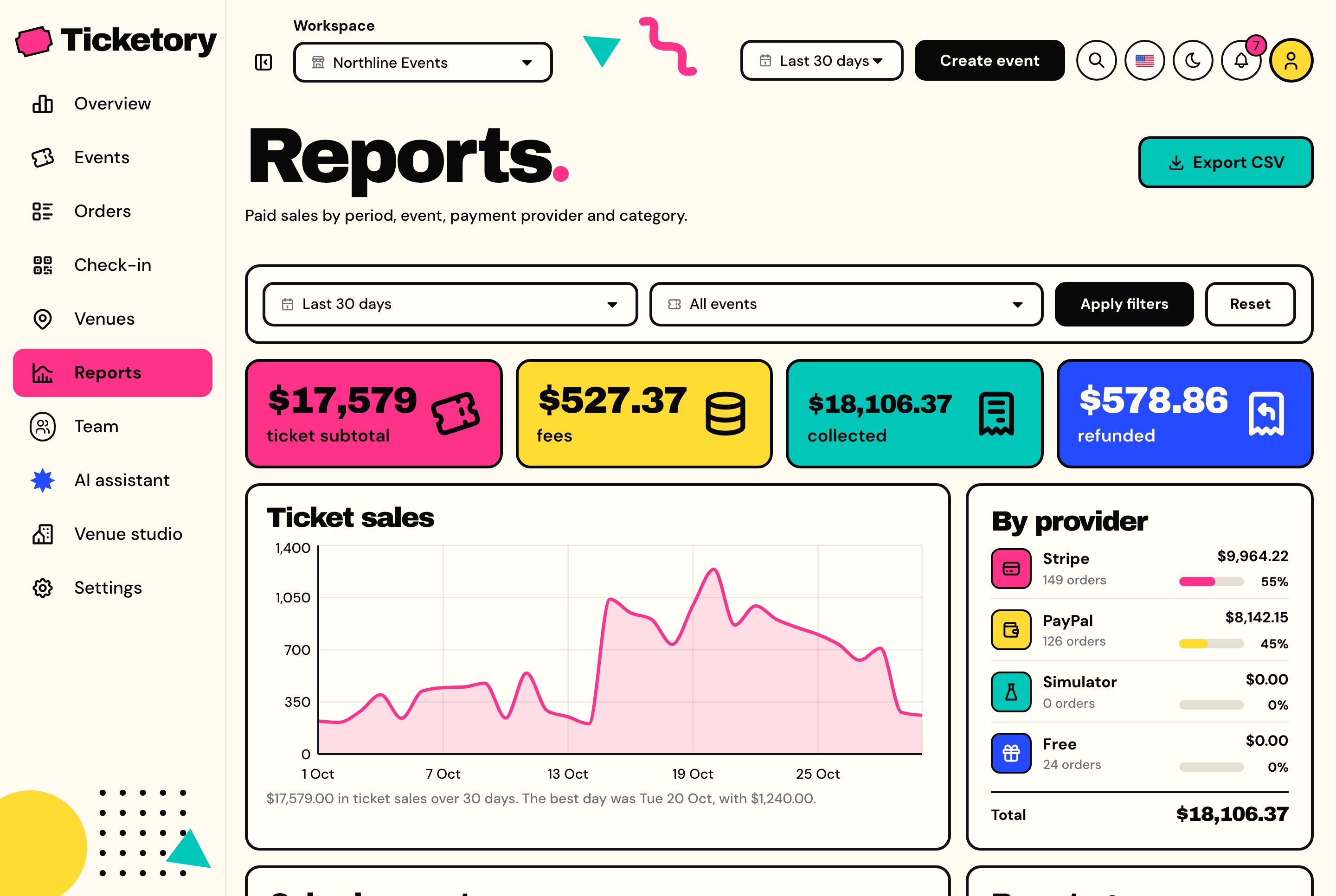
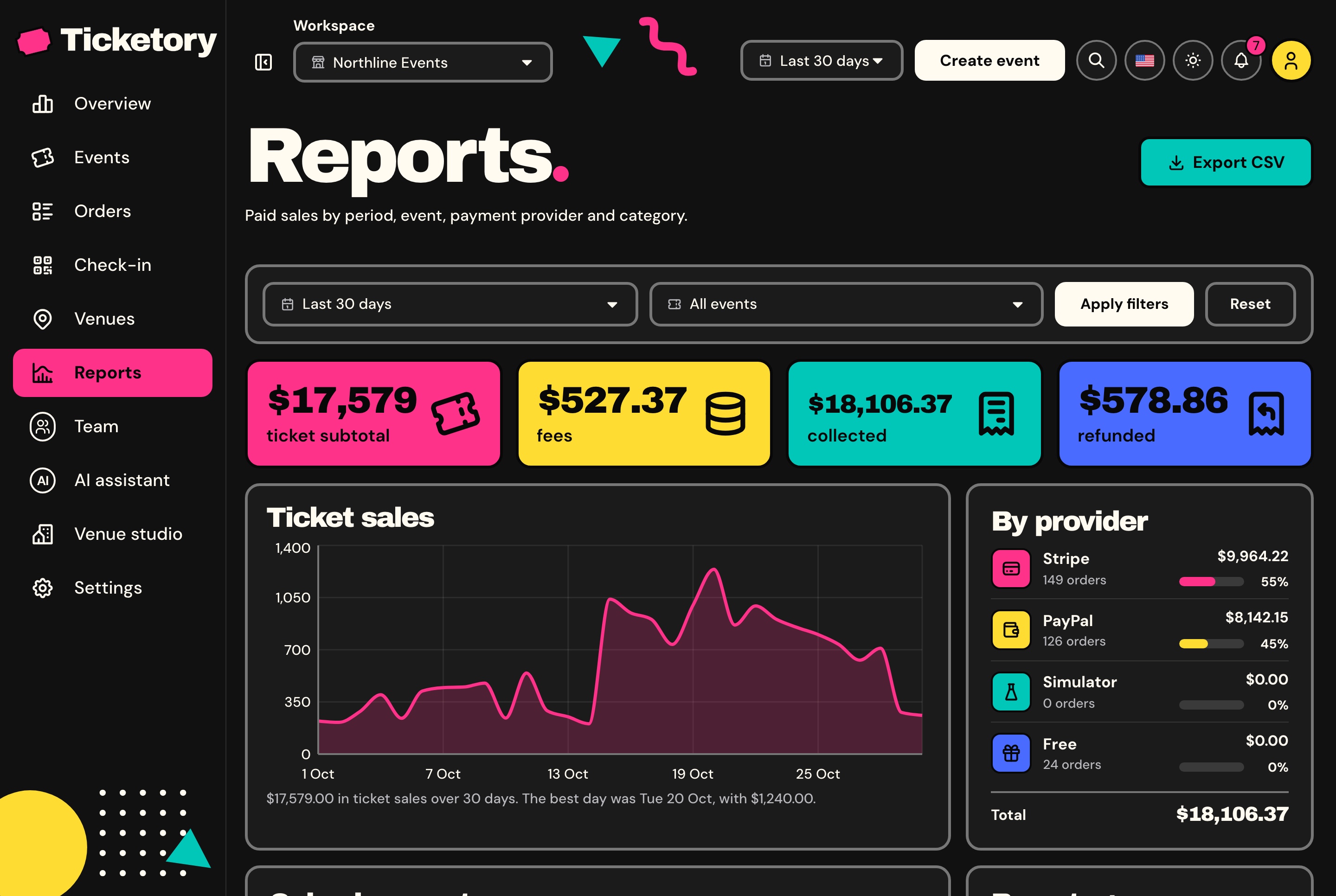
Ticket subtotal, fees, money collected and refunded for a period, one event or all of them, with the daily sales and the split by event, payment provider and category, counted in the workspace's own days.
One service behind the overview, the reports, the CSV files and the assistant, so no two disagree
CSV exports of orders and attendees, written in the background
Download links that expire after an hour
Reports by period, event, provider and category, light theme. Ticket subtotal, fees, money collected and refunded, the daily ticket sales chart and the split by payment provider, with an export to CSV.
Reports by period, event, provider and category, dark theme. Ticket subtotal, fees, money collected and refunded, the daily ticket sales chart and the split by payment provider, with an export to CSV.
Notifications as they happen
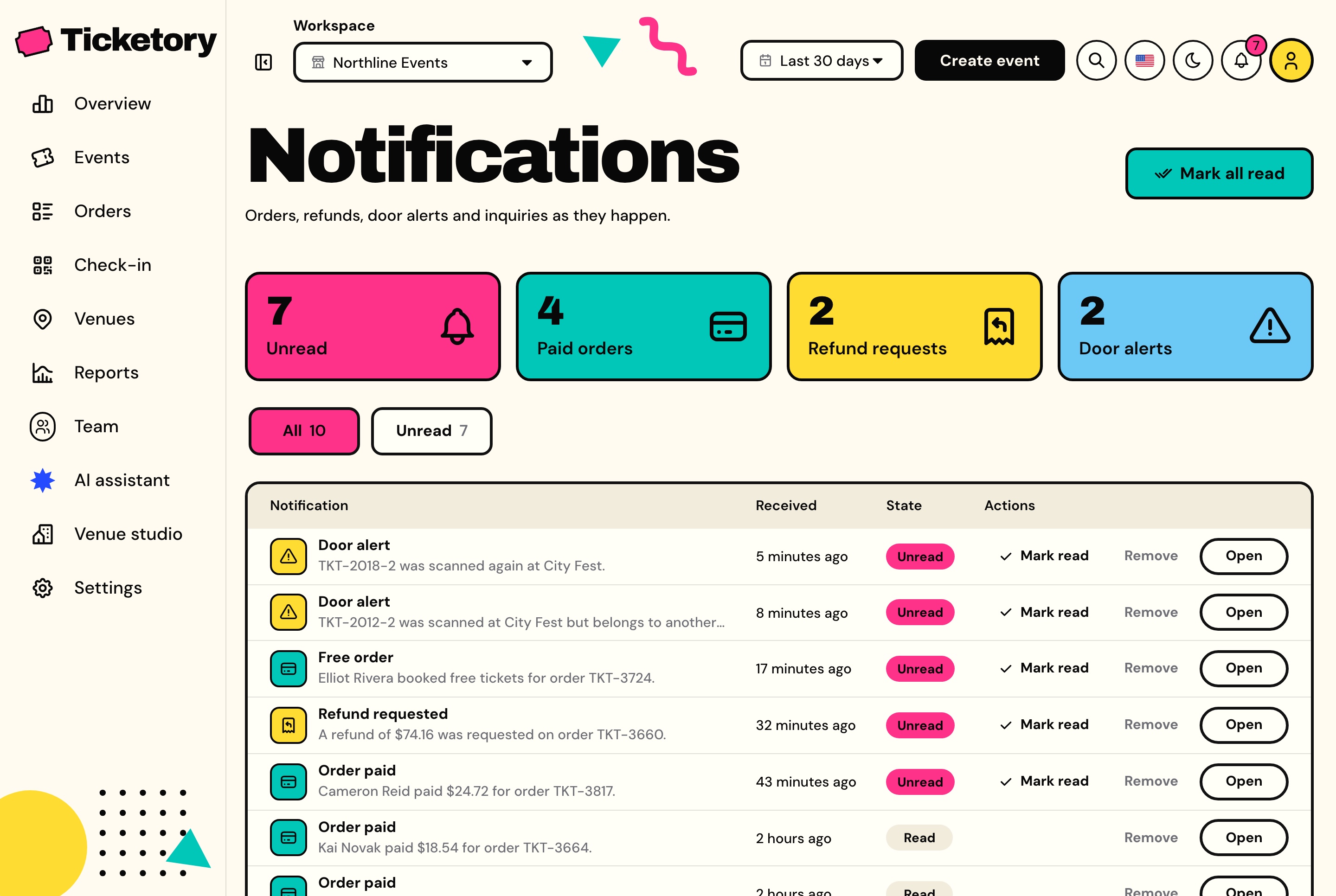
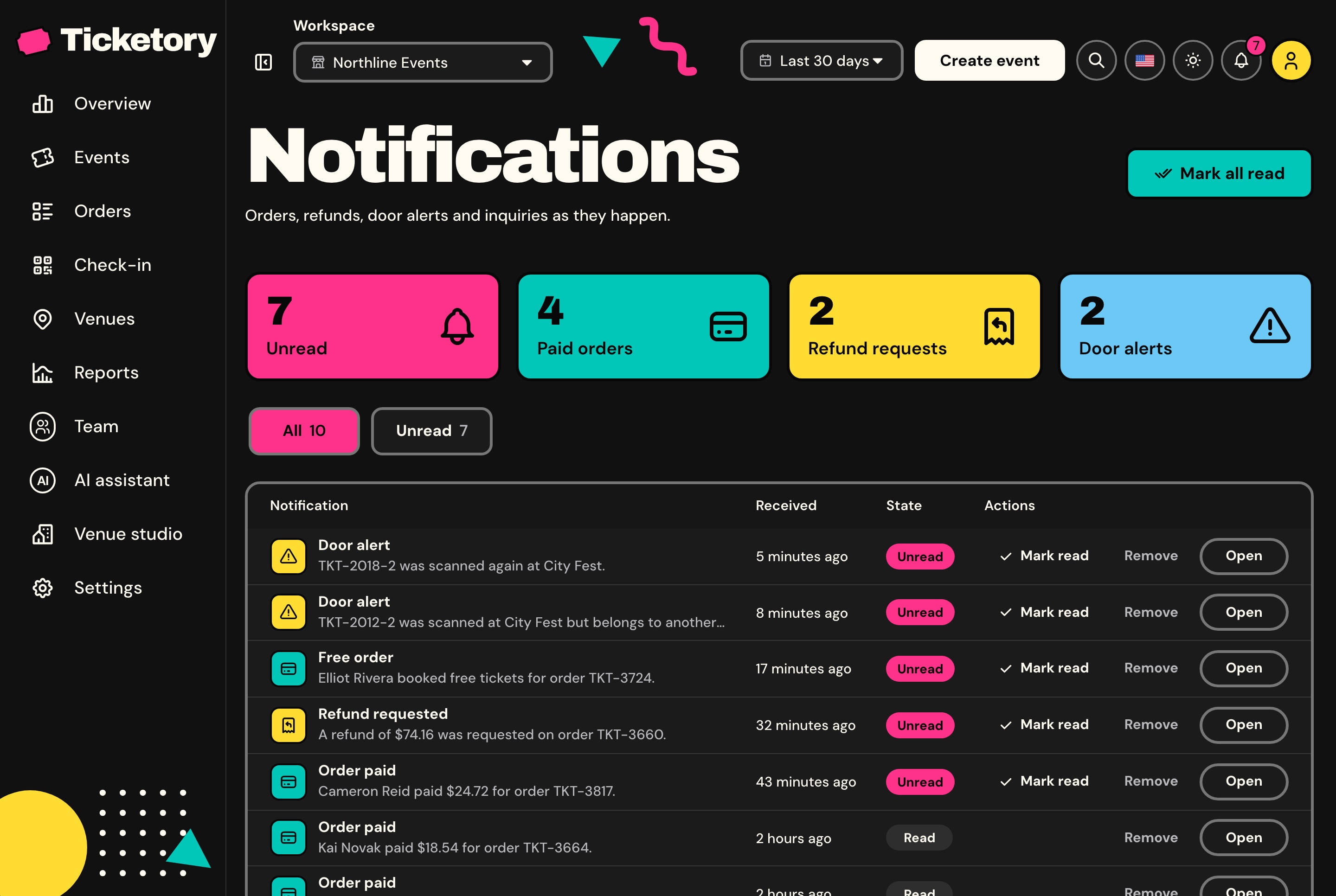
Paid orders, refund requests, door alerts and messages from the website's contact form arrive in the bell over a WebSocket, and each inquiry is kept with its status and the team's notes.
Order, refund and door notifications switched on or off per workspace
A search palette for pages, events, orders, venues and inquiries
Inquiries marked new, contacted or closed
Notifications for orders, refunds and the door, light theme. Unread, paid order, refund request and door alert counts above every notification, each marked read or opened from its row.
Notifications for orders, refunds and the door, dark theme. Unread, paid order, refund request and door alert counts above every notification, each marked read or opened from its row.
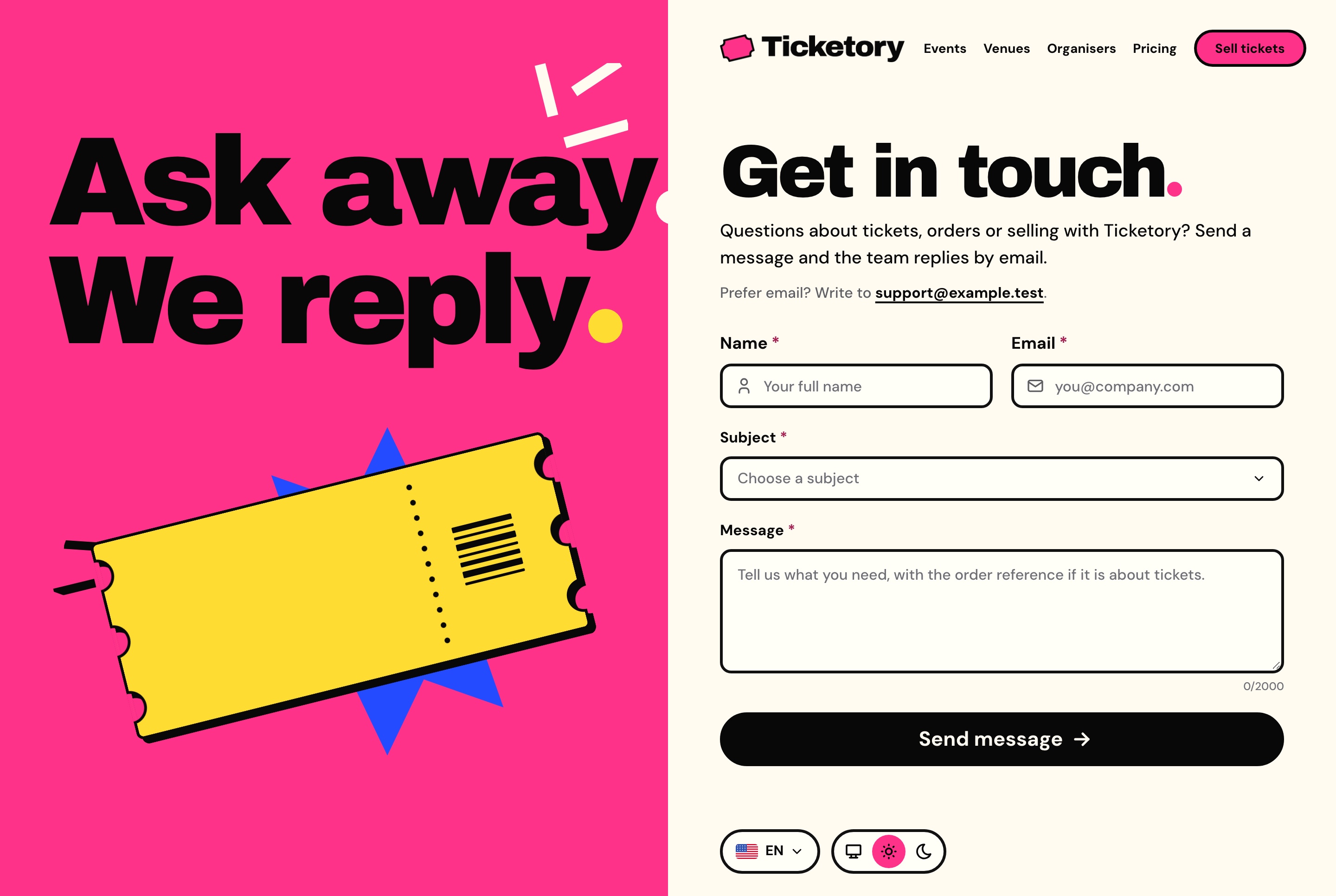
Contact form, light theme. A contact form with name, email, subject and message beside a bold illustrated panel, with the support email for anyone who prefers to write.
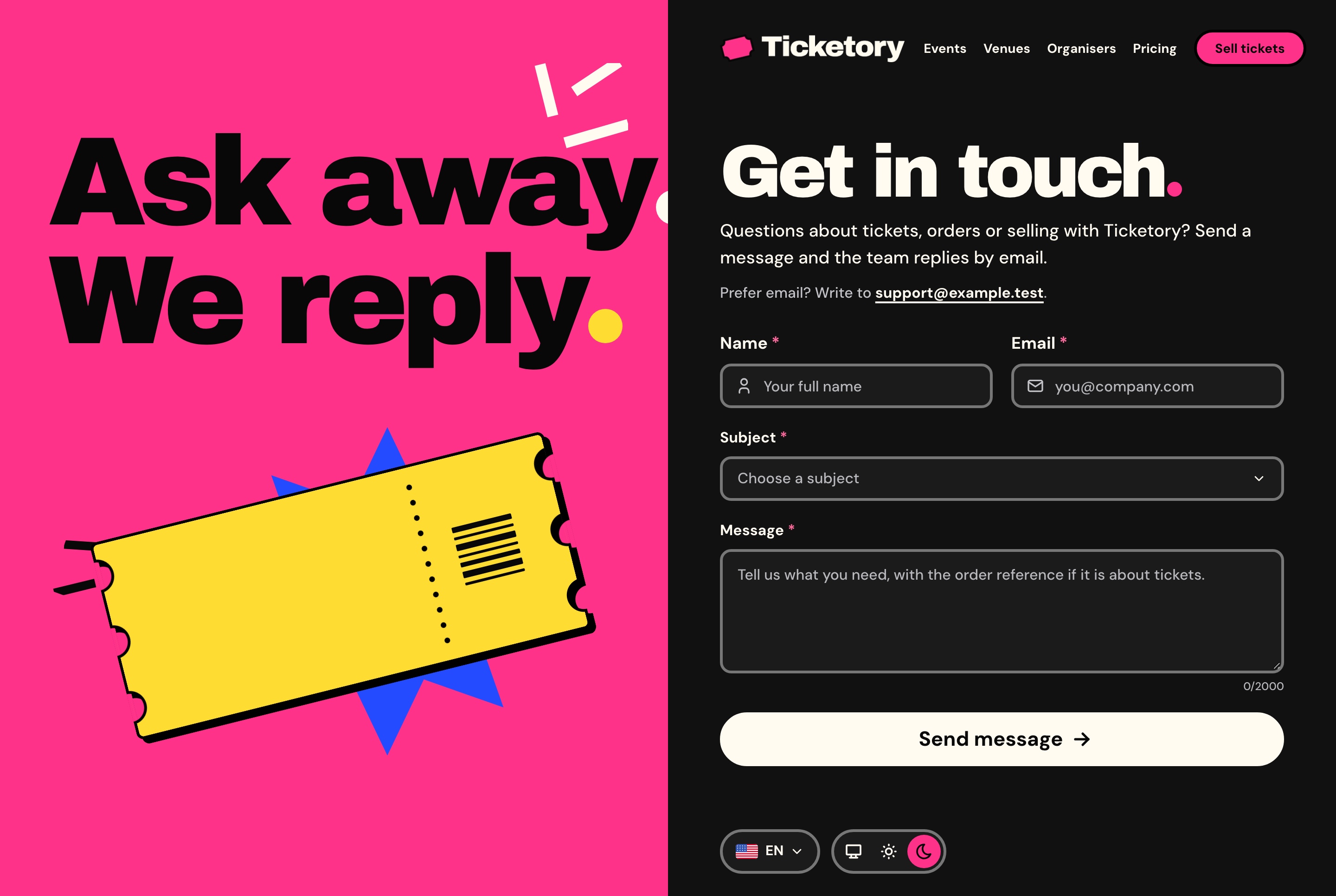
Contact form, dark theme. A contact form with name, email, subject and message beside a bold illustrated panel, with the support email for anyone who prefers to write.
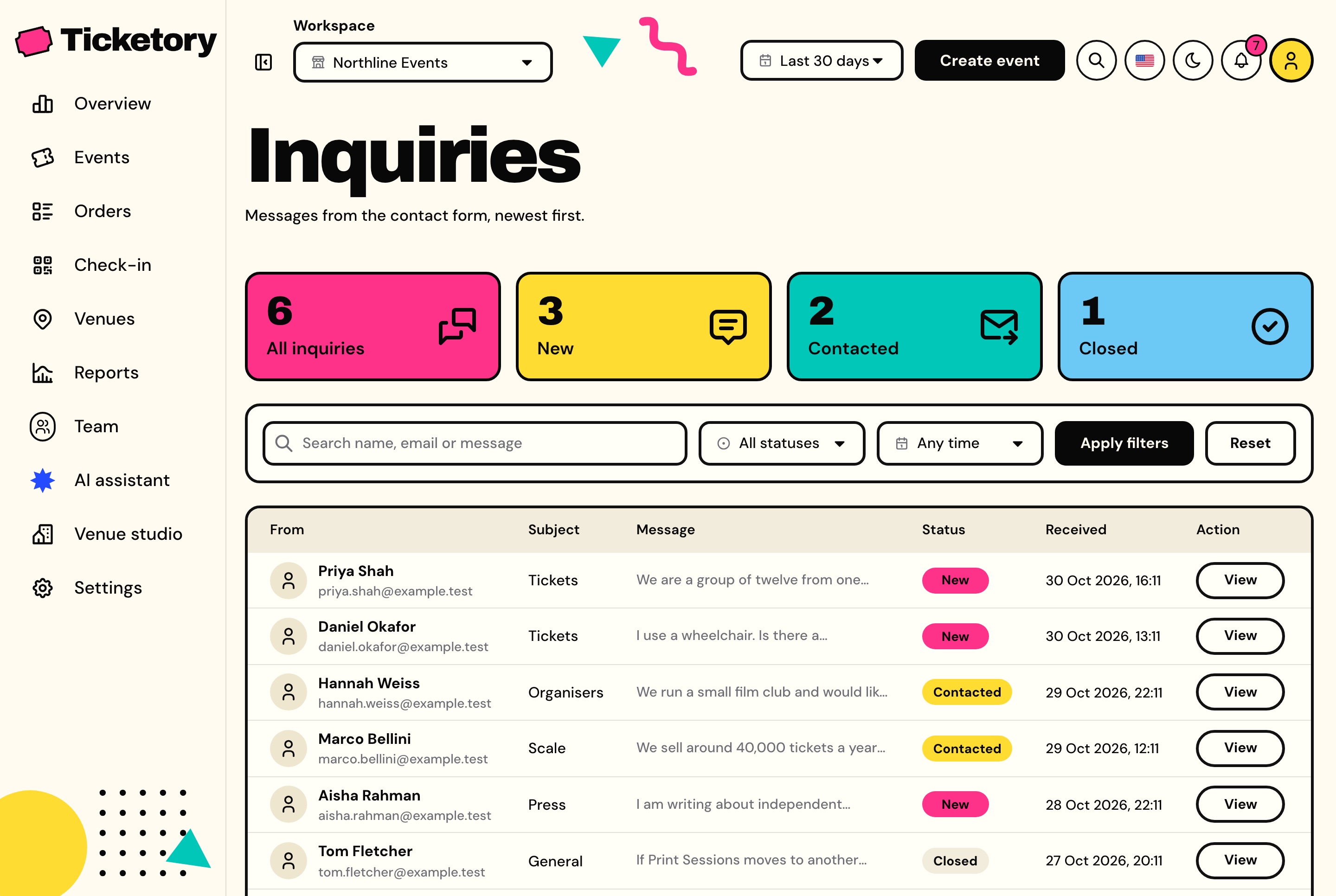
Inquiries from the contact form, light theme. Messages from the website's contact form with counts by status, each with its sender, subject, message, status and date.
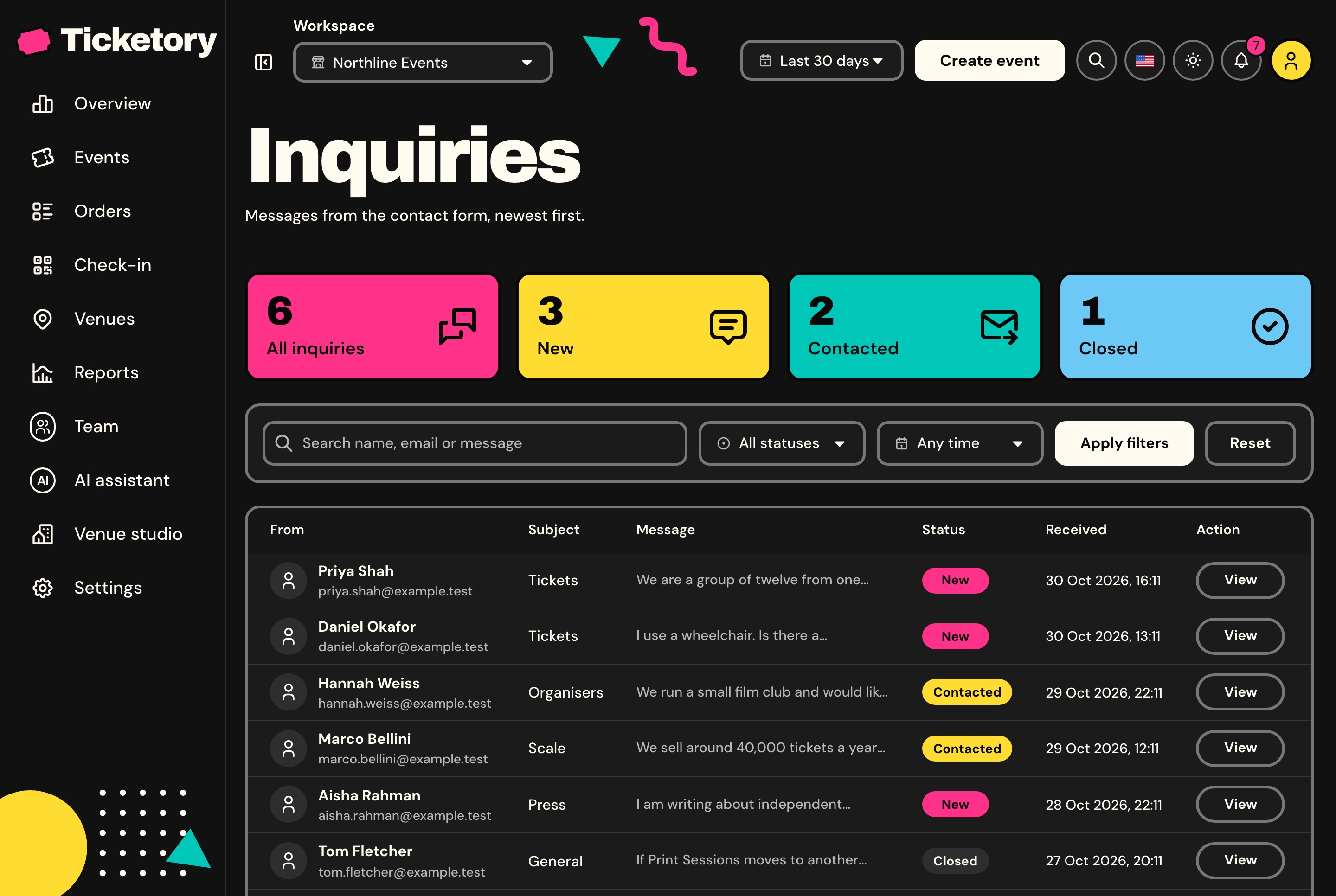
Inquiries from the contact form, dark theme. Messages from the website's contact form with counts by status, each with its sender, subject, message, status and date.
Workspaces
Several organisers in one dashboard
Each organiser is a workspace with its own currency, booking fee, hold time and time zone, and its own events, venues, orders, doors and team. A member switches between their workspaces from the navbar, and the seed fills four of them, so every screen opens full.
Settings each organiser owns
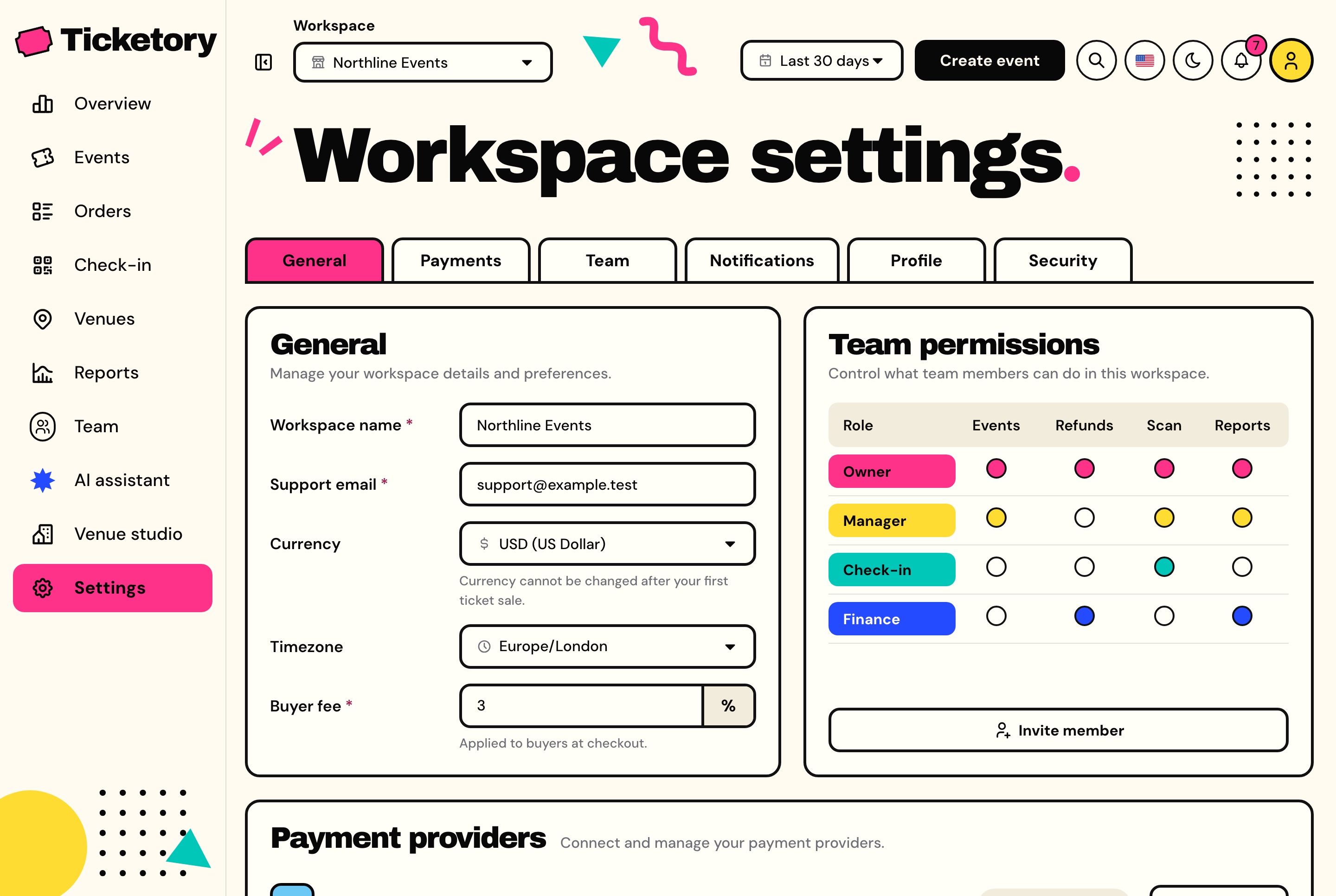
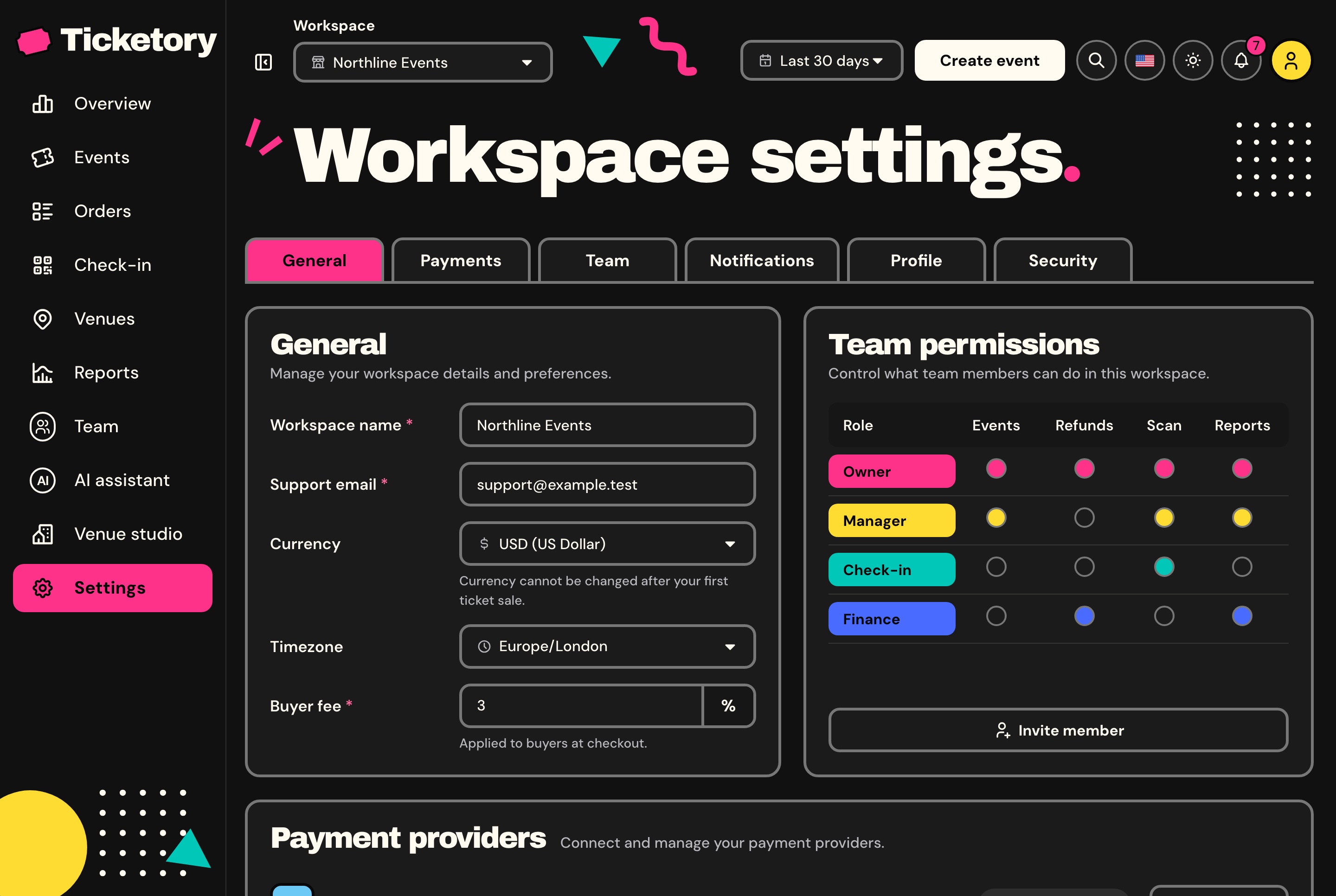
The workspace's name, support email, currency, time zone and booking fee, the status of each payment provider, the team's permissions and the notifications it wants.
Five currencies, locked once the first order is paid
A booking fee from 0 to 20 percent
Your own profile and password
Workspace settings, light theme. The workspace's name, support email, currency, time zone and buyer fee, with the team permissions beside them and tabs for payments, team, notifications, profile and security.
Workspace settings, dark theme. The workspace's name, support email, currency, time zone and buyer fee, with the team permissions beside them and tabs for payments, team, notifications, profile and security.
Roles with per-permission control
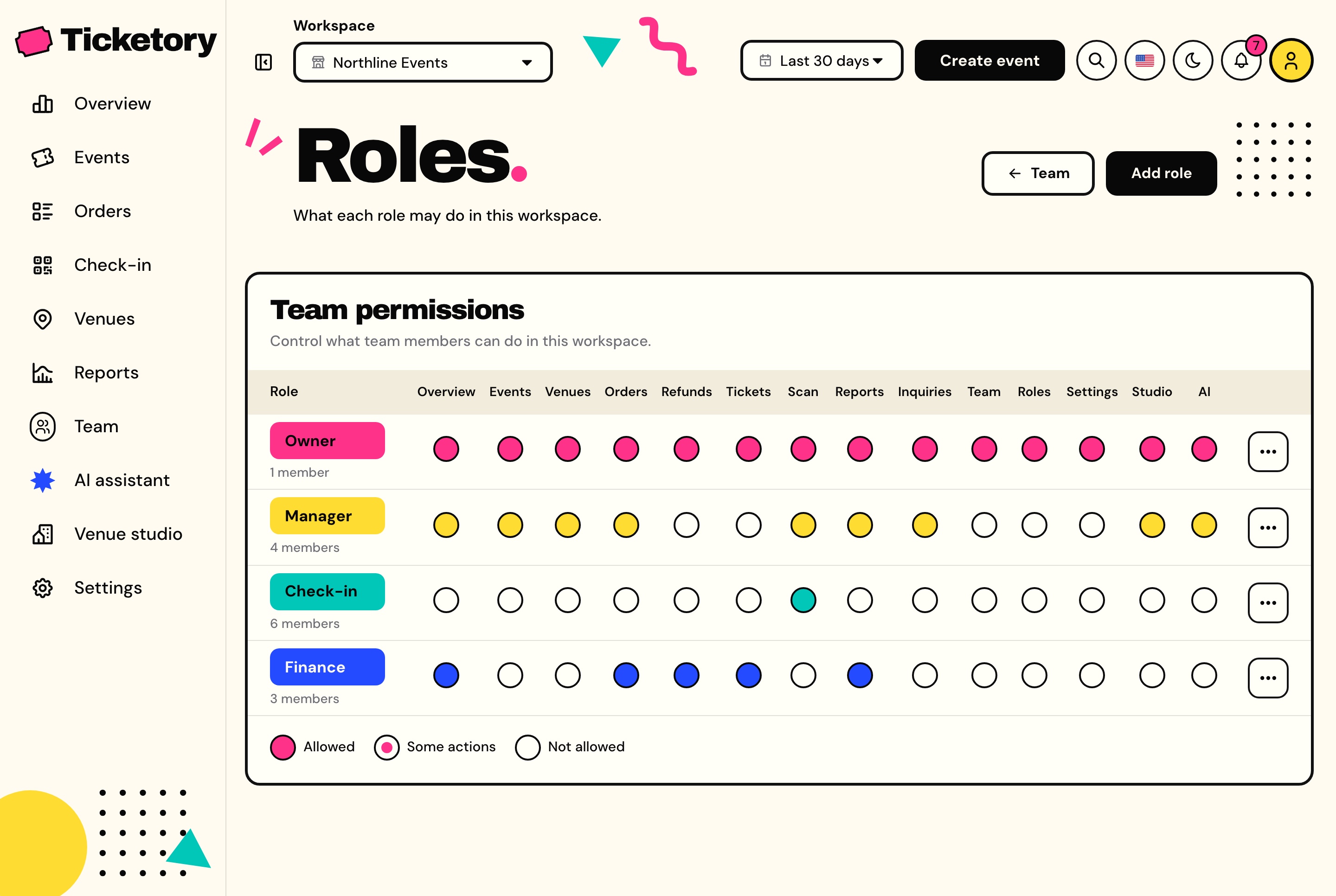
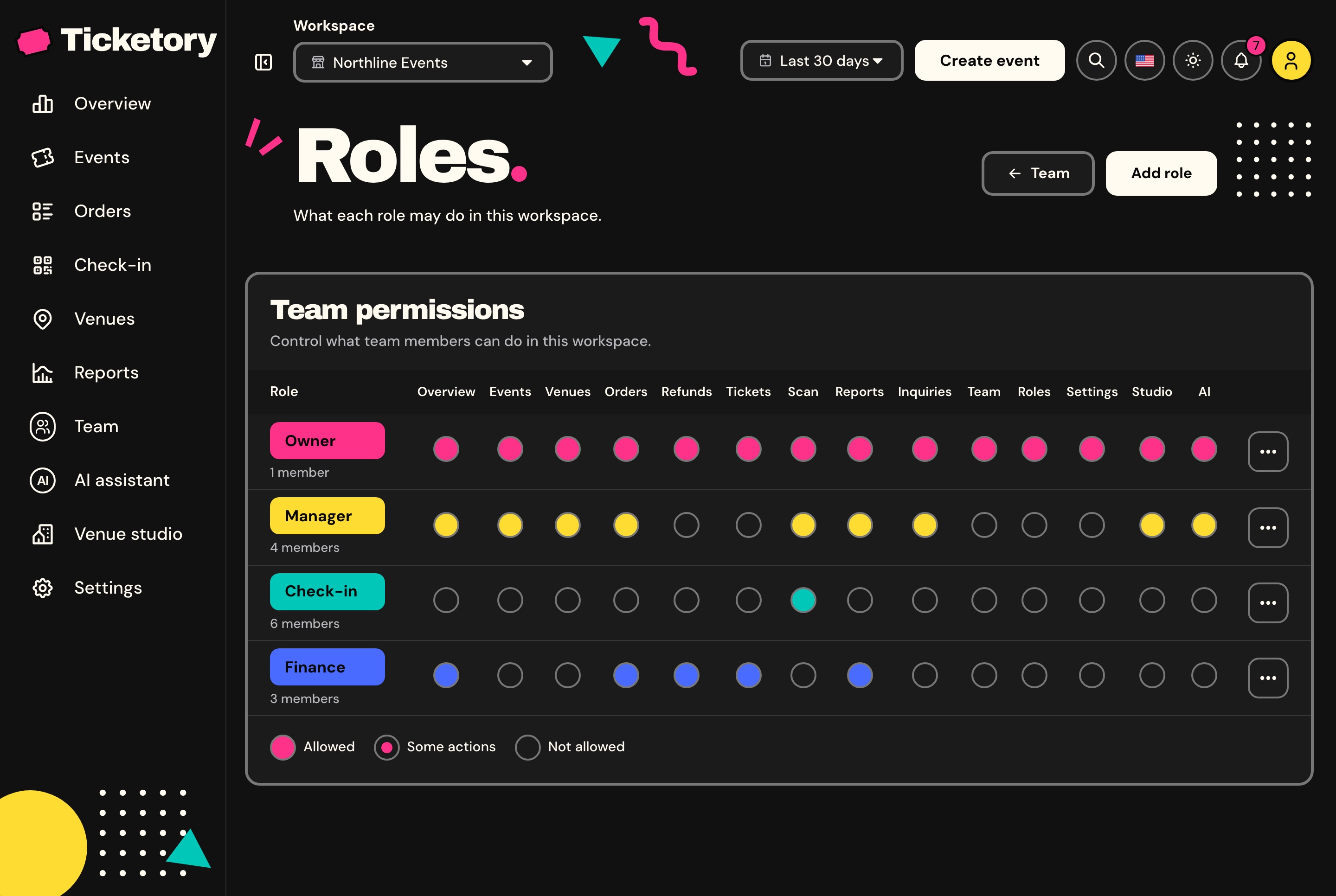
Owner, Manager, Finance and Check-in come seeded, and every role is edited permission by permission. Pages and actions follow the signed-in member's permissions, and the API checks the same ones.
Finance sees the overview, orders, refunds and reports
Check-in sees the door only
New roles created from the dashboard
Roles and permissions, light theme. A grid of what each role may do in the workspace, from the overview to the assistant, with the number of members holding each role.
Roles and permissions, dark theme. A grid of what each role may do in the workspace, from the overview to the assistant, with the number of members holding each role.
Bilingual
English and Arabic, in both directions
Every screen of the website and the dashboard is written in both languages and mirrors for Arabic. Events are stored with their title, summary and description in both, and figures stay in Latin digits.
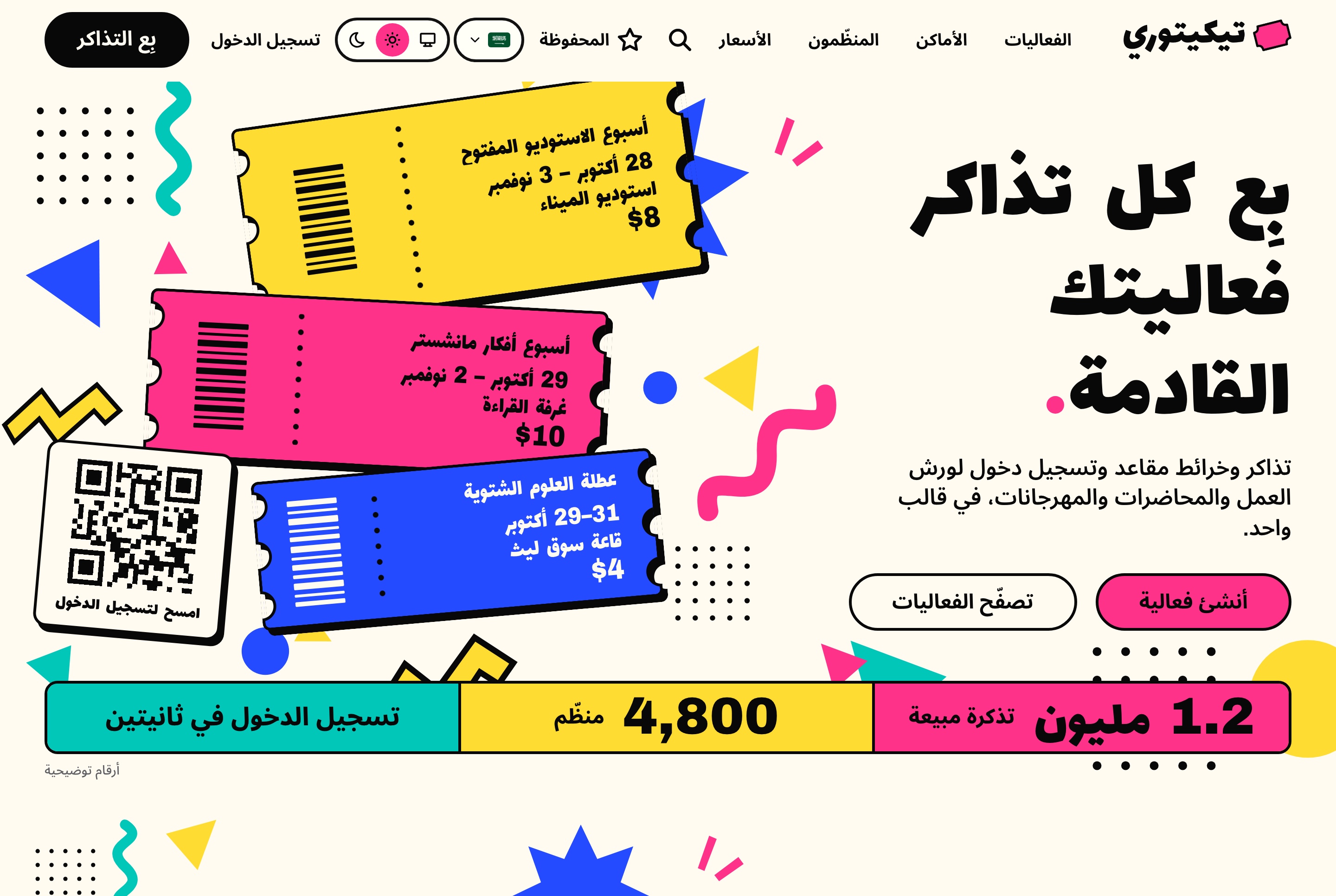
Arabic home page, right to left, light theme. The home page in Arabic, mirrored right to left, with the ticket stack, the figures strip and every word translated.
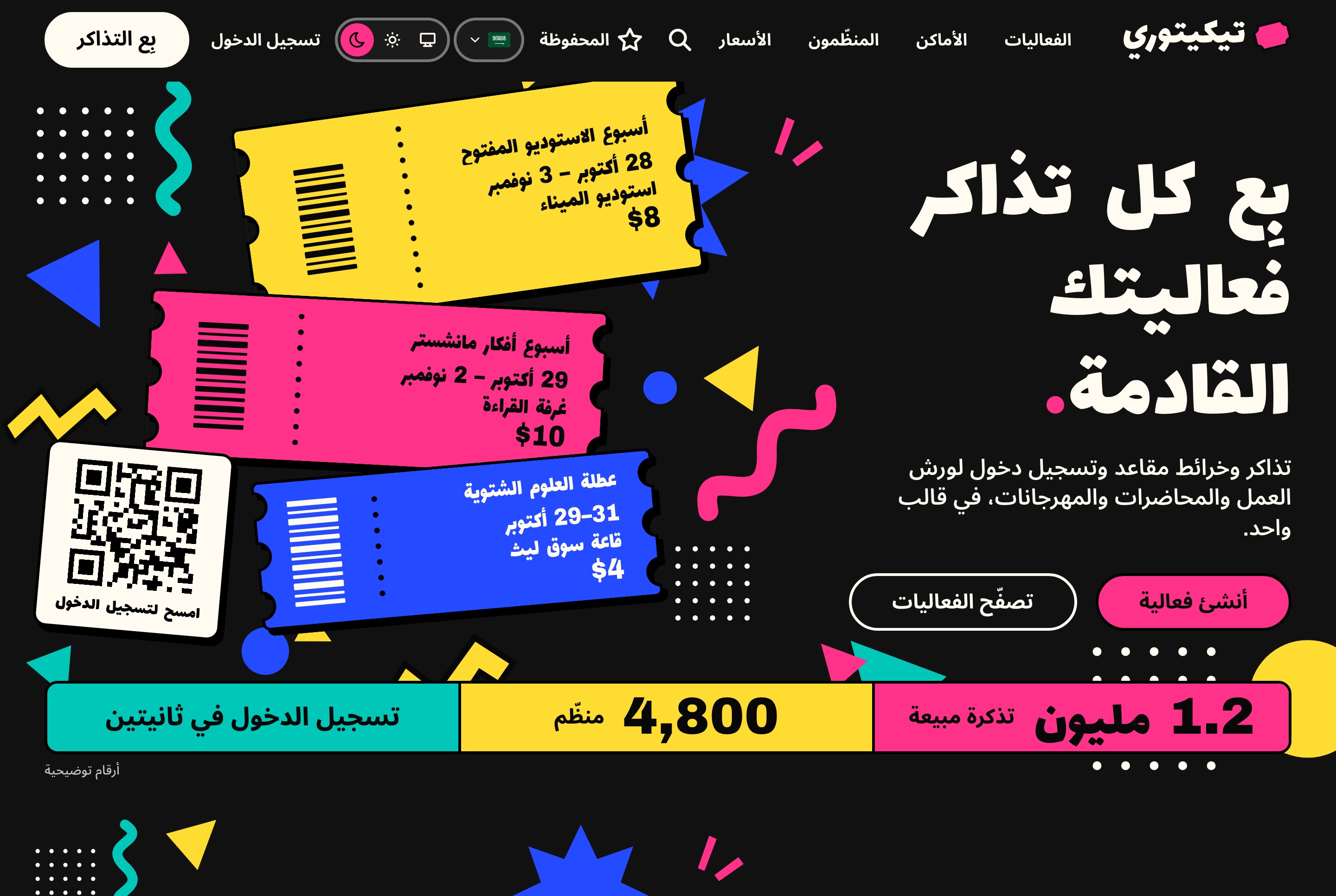
Arabic home page, right to left, dark theme. The home page in Arabic, mirrored right to left, with the ticket stack, the figures strip and every word translated.
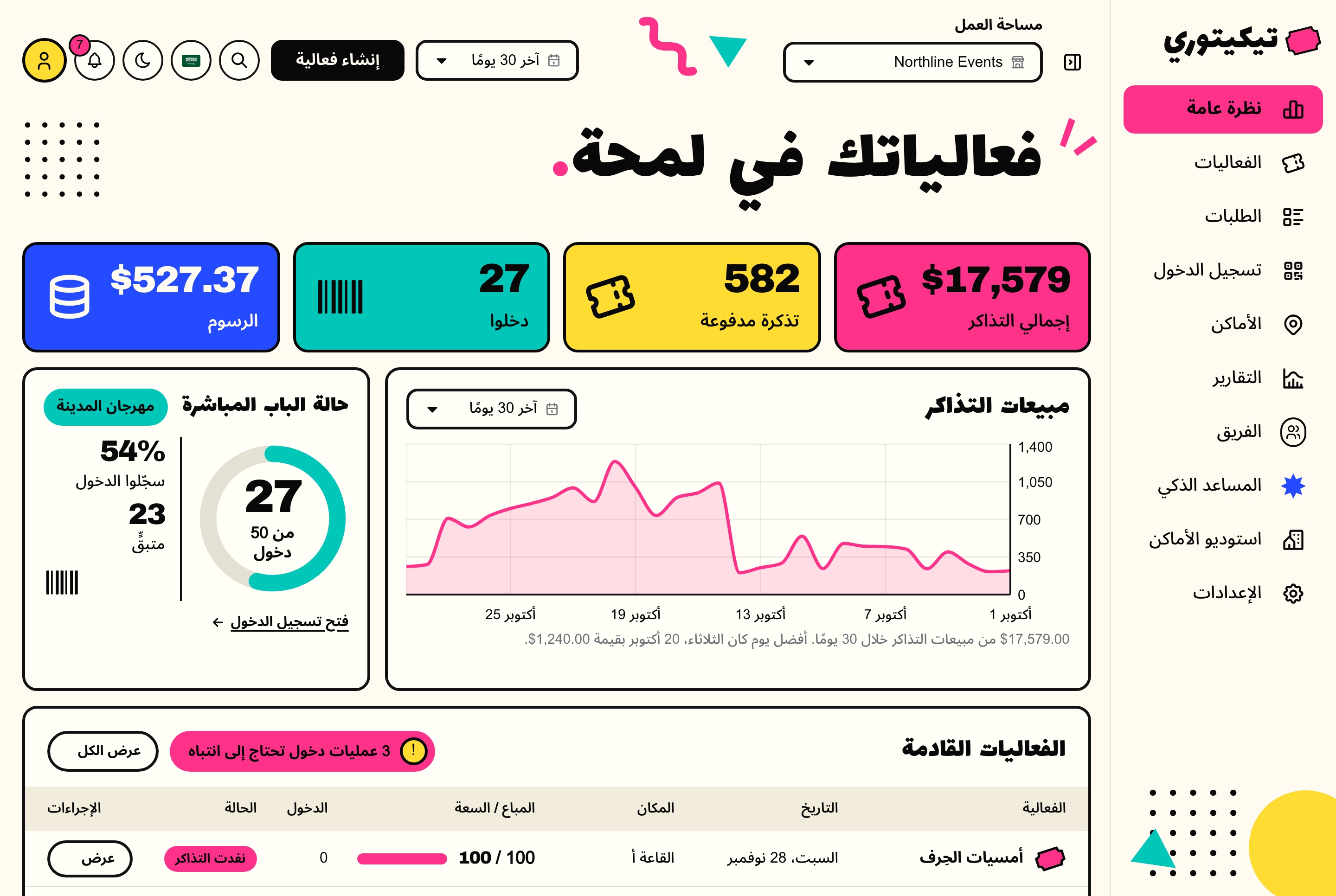
Arabic dashboard overview, right to left, light theme. The dashboard overview in Arabic, with the sidebar on the right, the sales chart mirrored and the figures in Latin digits.
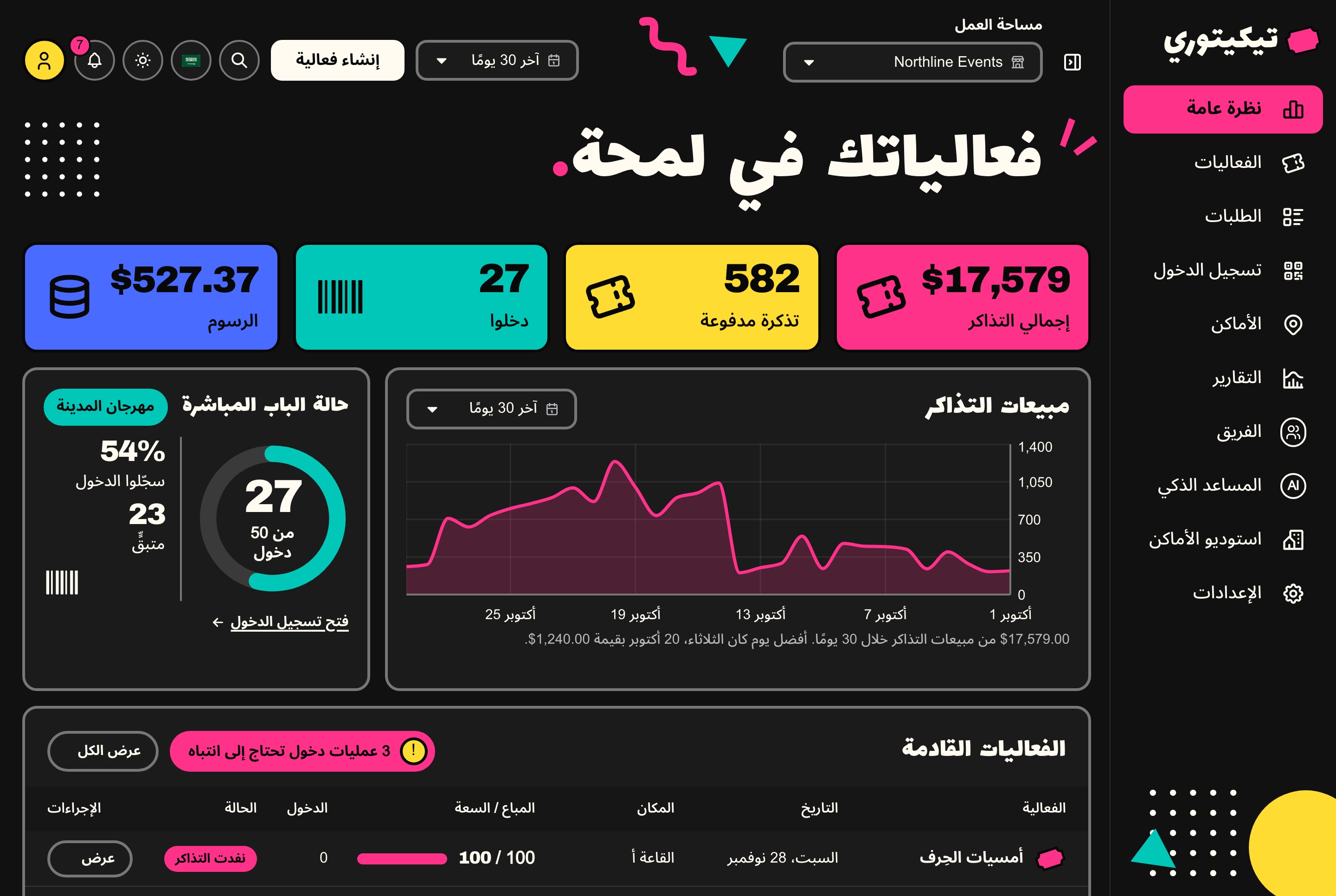
Arabic dashboard overview, right to left, dark theme. The dashboard overview in Arabic, with the sidebar on the right, the sales chart mirrored and the figures in Latin digits.
Responsive
Made for the phone in an attendee's hand, and at the door
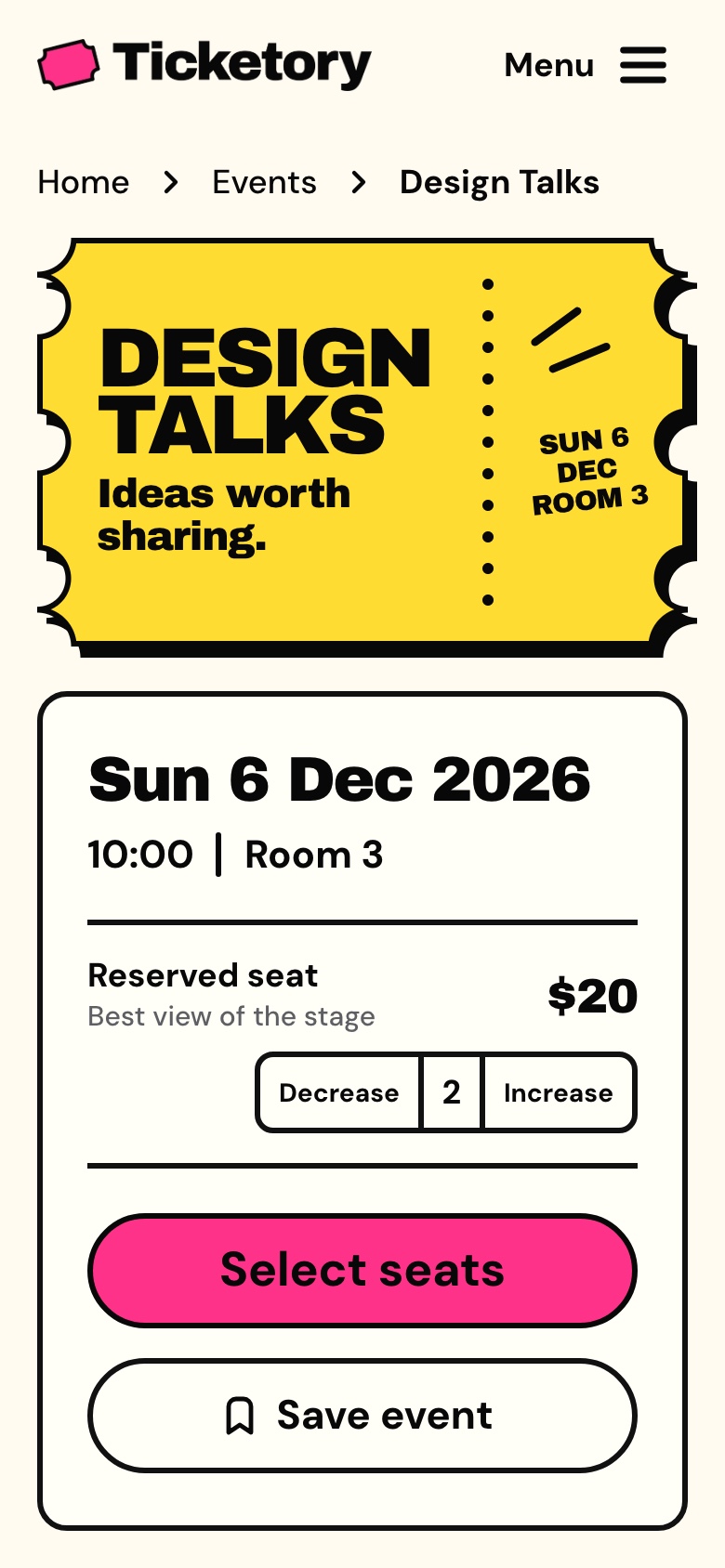
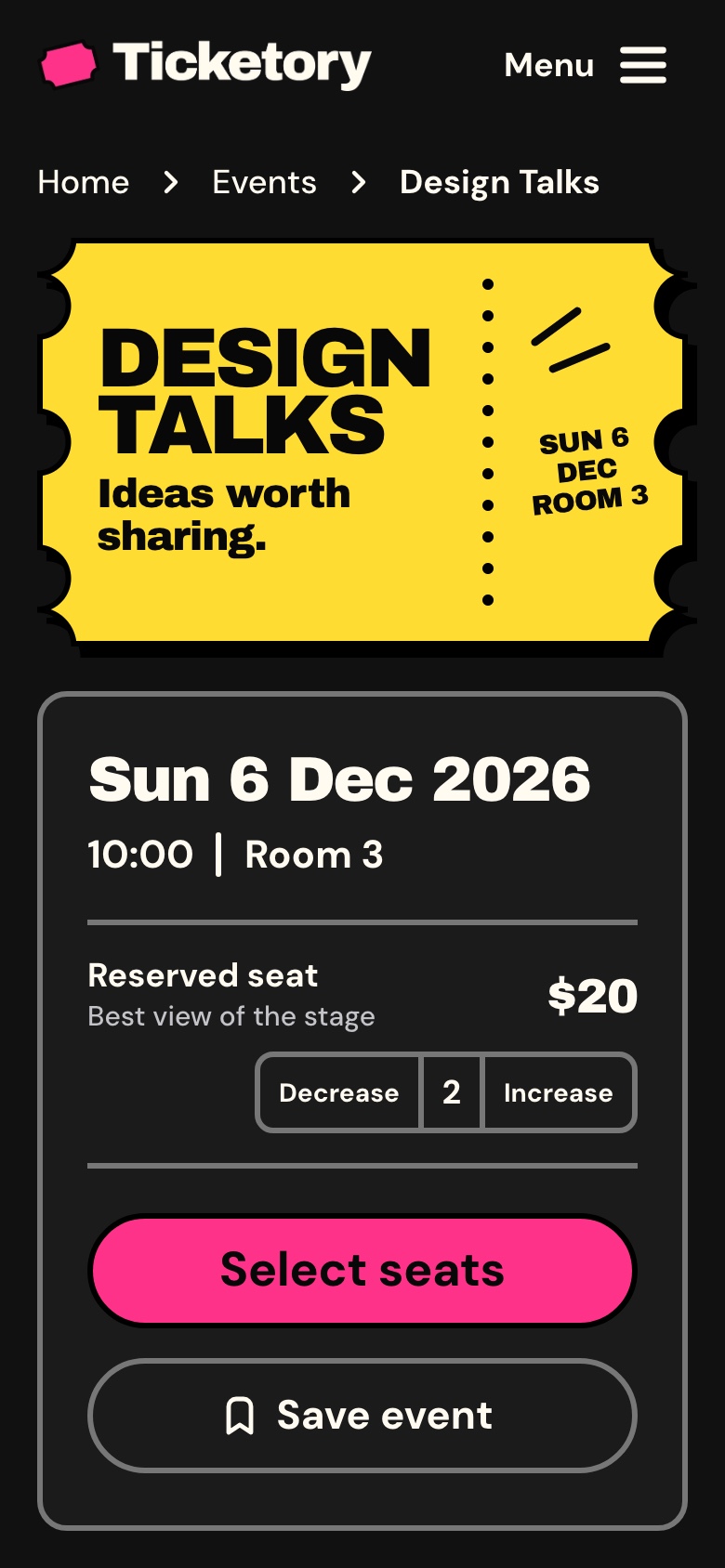
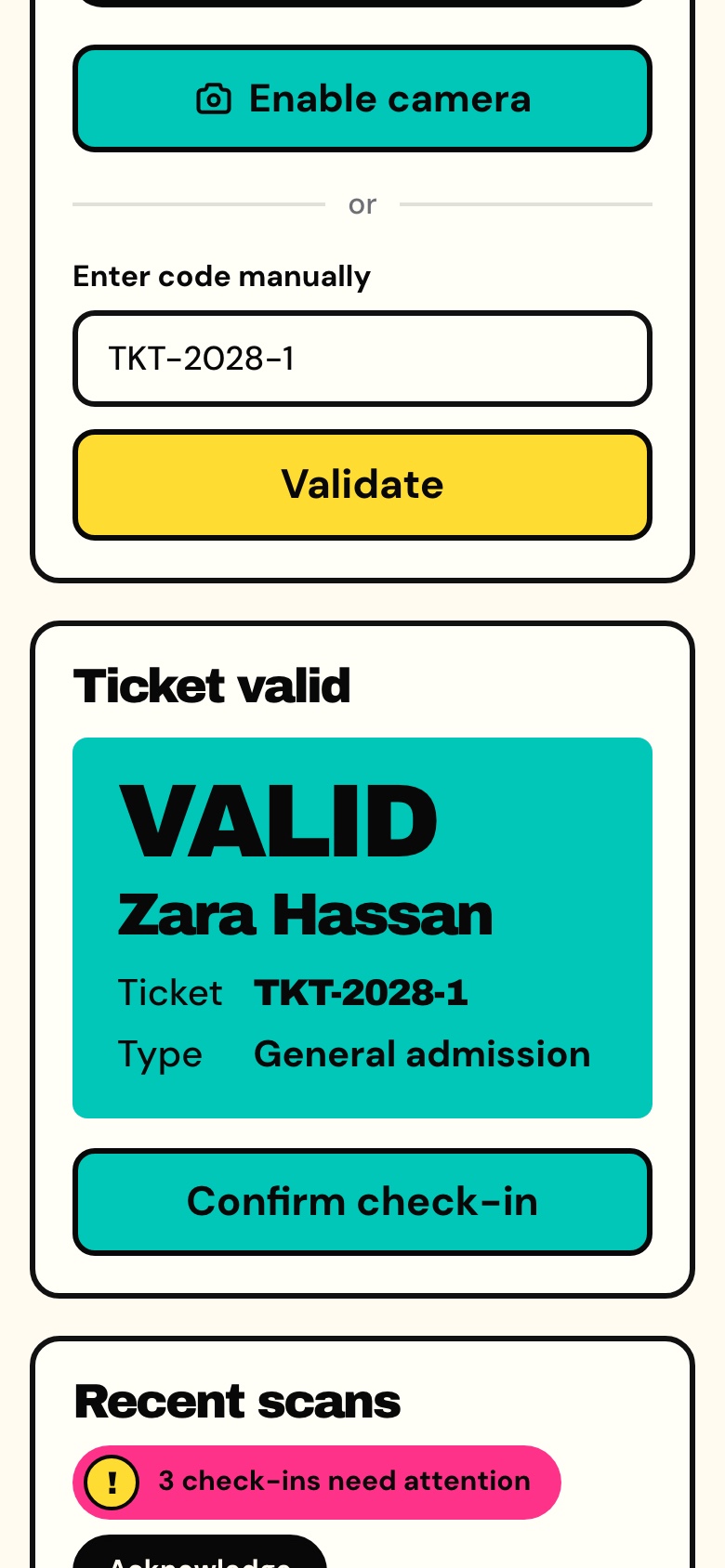
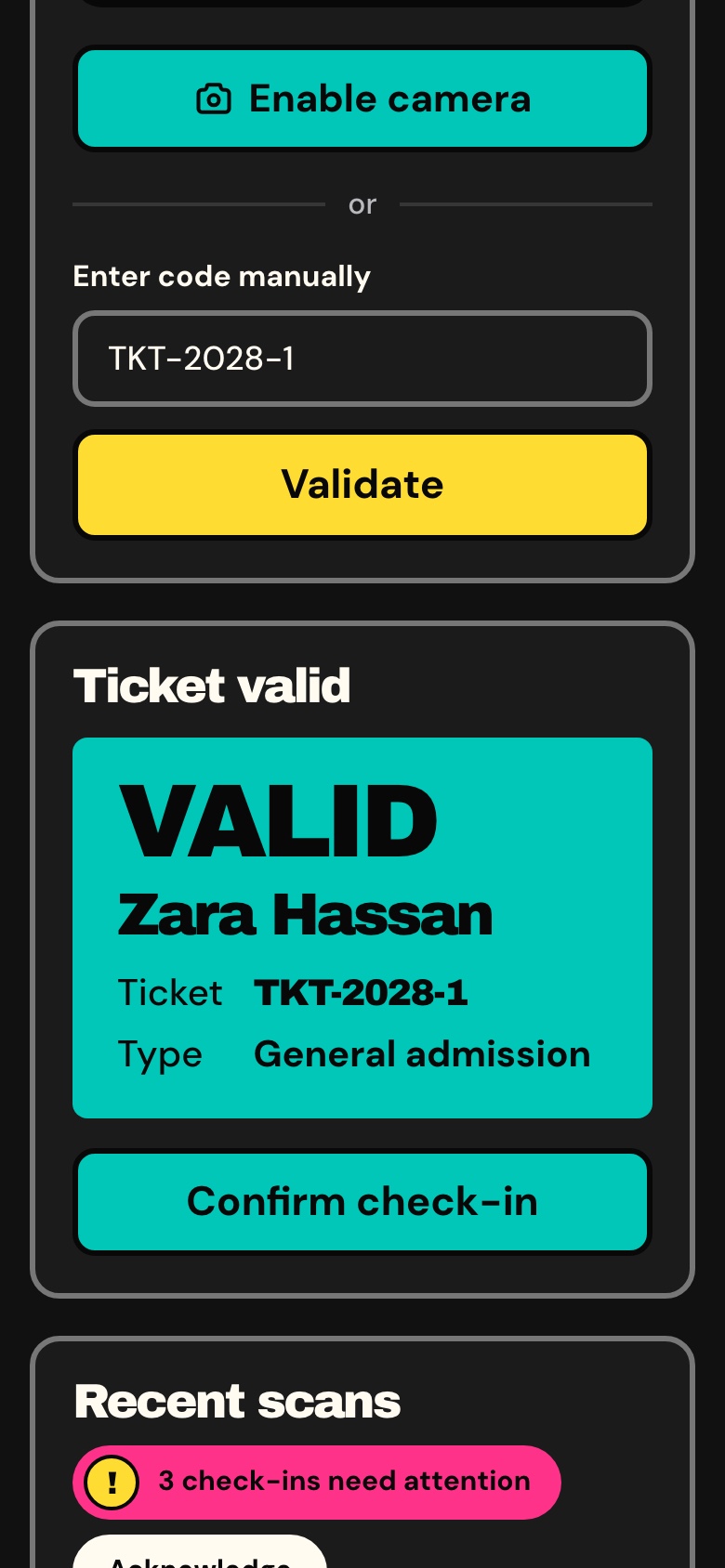
Event pages, seat selection and checkout fit a narrow screen, and the dashboard's check-in works on a phone held at the entrance.
Event page on a phone, light theme. Design Talks at phone width with two reserved seats chosen in the booking panel.
Event page on a phone, dark theme. Design Talks at phone width with two reserved seats chosen in the booking panel.
Door check-in on a phone, light theme. A ticket code typed at the door on a phone and shown valid, with the holder's name, the ticket and the button that admits them.
Door check-in on a phone, dark theme. A ticket code typed at the door on a phone and shown valid, with the holder's name, the ticket and the button that admits them.
What you get
Everything to run it, not only the screens
Source code for all three apps, the data to start from and the documentation to take it further.
Source code
The website, the organiser dashboard and the API
TypeScript throughout, with exact pinned dependencies
A commercial license for unlimited projects
Data
A seeder with four organisers, 9 venues and 36 events
1,145 orders, 2,180 valid tickets and 1,127 check-ins
Four staff accounts, one per role, and an attendee
Docs and demo mode
Docker with one command, or each app with Node.js
A quick start per app and a guide per API module
A demo mode for public previews, off by default and removed with one command in each app
Under the hood
Build on a familiar full-stack foundation
Next.js 16, React 19, TypeScript, Tailwind CSS 4, and a modular NestJS backend.
Frontend
Next.js 16 App Router, React 19, TypeScript
Tailwind CSS 4
TanStack Query for API data
React Hook Form and Zod for forms
next-intl, MapLibre and Recharts
Backend
NestJS with per-domain modules
TypeORM with SQLite, or MySQL through configuration
JWT authentication with roles and permissions
Socket.io for live notifications
An MCP server behind an API key
Search and media
Page titles, canonical links and hreflang alternates
A sitemap and robots rules
The dashboard kept out of search engines
Uploads to a local folder or a Cloudflare R2 bucket
Before you launch
What you configure yourself
Ticketory is a source-code template, not a managed ticketing service. Configure your hosting, database, media storage, payment accounts and the external services you choose to use.
Hosting and data
A Node host or Docker for the API and the two Next.js apps
SQLite on a persistent disk, or MySQL
A persistent folder or an R2 bucket for uploads
Payments, mail and AI
Your own Stripe and PayPal accounts
A Resend key for the emails, which go to the API's log until then
Your own AI keys; provider and payment fees are not included
Not included
Tax, which you set up for your country
News and offer emails to attendees
Check-in without a connection
Arabic text in the PDF tickets, which are Latin only; the Arabic ticket is the web pass
Perfect for
Sell tickets to your events with Ticketory
Workshop and class organisersTalk series and conferencesFestivals, markets and fairsVenues with reserved seatingAgencies building an event siteBilingual events with Arabic and RTL
Technical Specifications
Framework
Next.js 16.4.3
React Version
React 19.3.1
Styling
Tailwind CSS 4.3.3
TypeScript
Yes
Responsive
Mobile, Tablet, Desktop
Support Period
Lifetime Included
Pro Tip: All templates include comprehensive documentation to get you started quickly.
Frequently asked questions
What do I get when I buy this template?
The complete source code of the package you choose, downloaded from your personal dashboard right after checkout. A business invoice is available for every purchase.
Can I use it for client and commercial projects?
Yes. Every paid template comes with a Commercial licence that covers unlimited commercial projects, including work you deliver to clients.
Do I get updates after buying?
Yes. Updates are free. New versions appear in your dashboard, where you can download every file you own again at any time.
Is support included?
Yes. The assistant on this page answers in seconds, and email support is included with every purchase, at support@aniq-ui.com, with a reply within 24 hours.
Can I try it before I buy?
Yes. This template has a full live demo, linked at the top of this page, so you can click through the real thing before you decide.
Pricing
Choose your package
One payment for the full source code, yours to change and ship.
Everything included
Full Stack
Ticketing website + organiser dashboard + NestJS API with TypeORM, auth and payments
What is inside
Ticketing Website$55.30R$277.90
Organiser Dashboard$69.30R$347.90
Backend API$69.30R$347.90
Bought one by one$193.90R$973.70
You save$68.60R$345.80
Launch price · 30% off
$179$125.30R$897R$627.90
Or buy one part
Ticketing Website
The Next.js 16 ticketing website on its own. It reads its data from the Ticketory API, sold separately as the Backend API or together in Full Stack.
Launch price · 30% off
$79$55.30R$397R$277.90
Organiser Dashboard
The Next.js 16 organiser dashboard on its own. It reads its data from the Ticketory API, sold separately as the Backend API or together in Full Stack.
Launch price · 30% off
$99$69.30R$497R$347.90
Backend API
The NestJS API on its own, with TypeORM, JWT auth, events, seat holds, payments, tickets, check-in, refunds, reports, MCP tools and a one command seeder
Launch price · 30% off
$99$69.30R$497R$347.90
Safe and secure payments powered by Paddle
A VAT receipt is sent to your email after purchase.
Next.js Event Ticketing Template with Seat Maps and QR Check-in
Full Stack
$125.30 $179R$627.90 R$897
$125.30$179R$627.90R$897
Related Templates
Restaurant
$179$125.30R$897R$627.90
Restaurant
Full Stack
New
AI
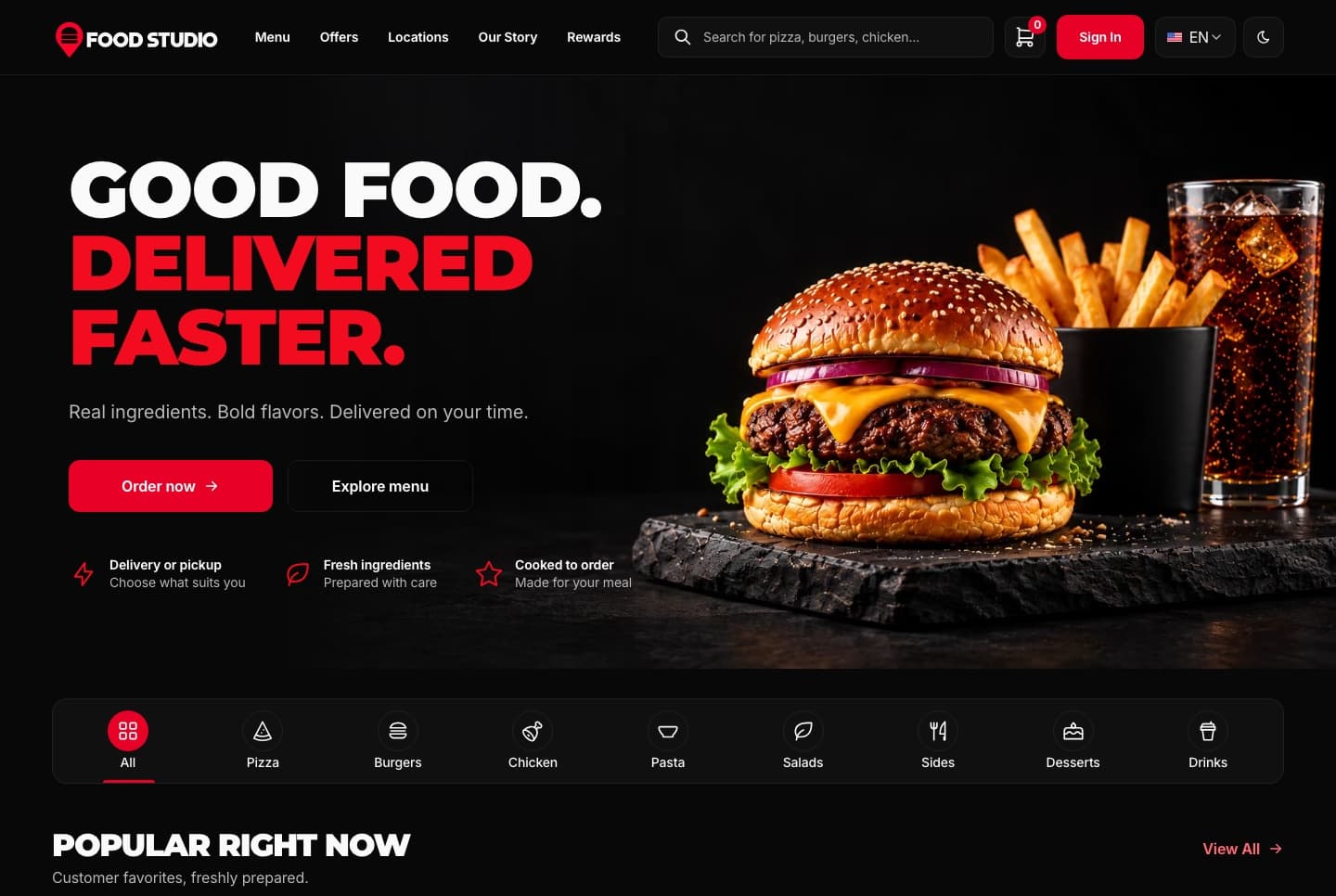
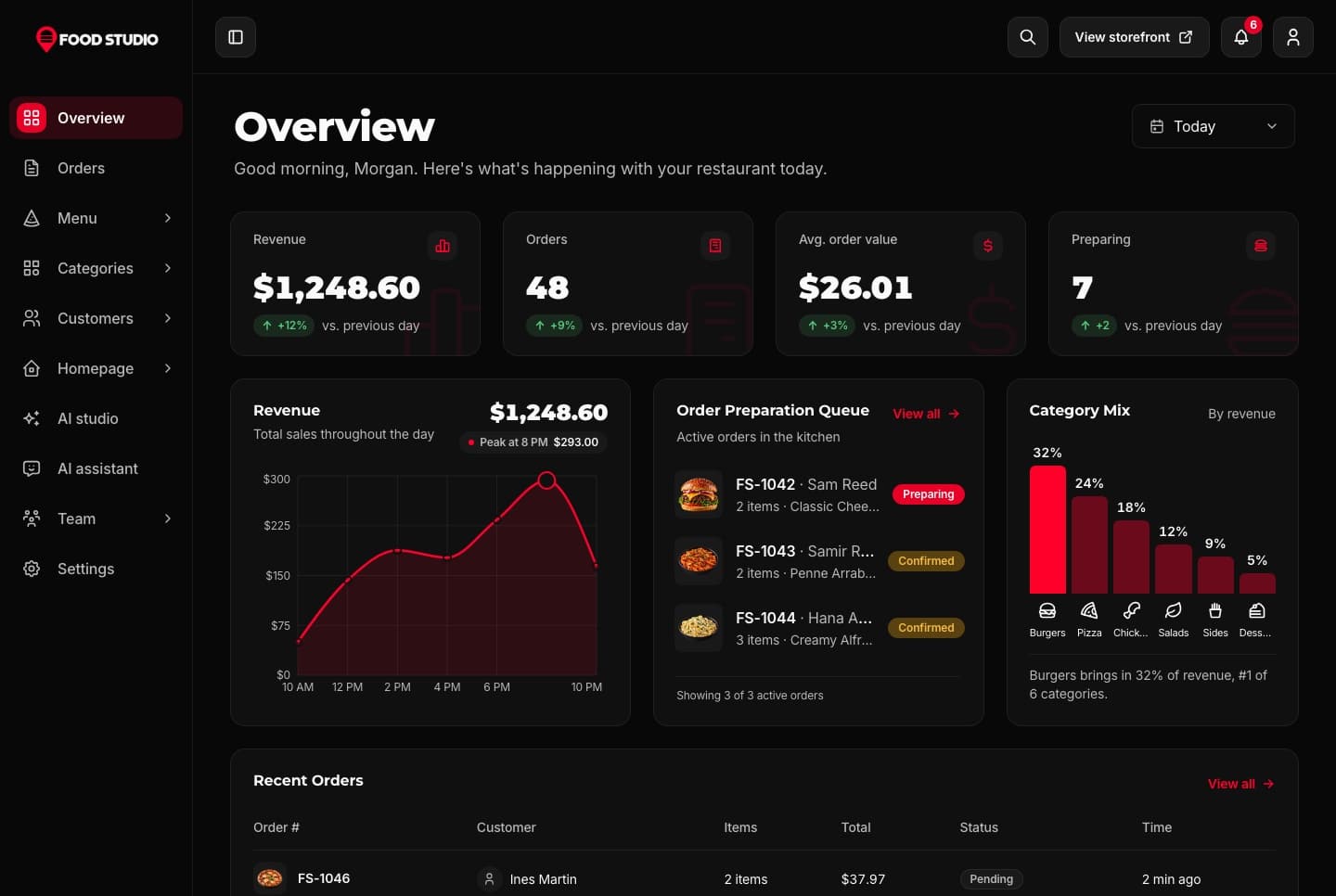
Food Studio is a full-stack Next.js restaurant template: an ordering website with menu, combos, cart, checkout and order tracking, a staff dashboard for orders, the menu and the kitchens, a NestJS API, AI tools for dish photos, and English and Arabic with RTL.
A Next.js 16 restaurant ordering website with a menu, combo meals, a meal builder, cart, checkout, order tracking and customer accounts, in English and Arabic.
A Next.js 16 restaurant admin dashboard for running orders, the menu, categories, customers, kitchens and the team, with an AI studio for dish photos, in English and Arabic.
Join thousands of developers worldwide who trust Aniq-UI for their projects. Our templates are being used across the globe to create stunning web experiences.
Contact Us
Questions about a template or your purchase? Get in touch with us
Full Name
Email Address
Message
Cookie Preferences
We use cookies to enhance your browsing experience, analyze site traffic, and personalize content. By clicking "Accept All", you consent to our use of cookies for analytics and personalized advertising.
 Learn more: Responsive Design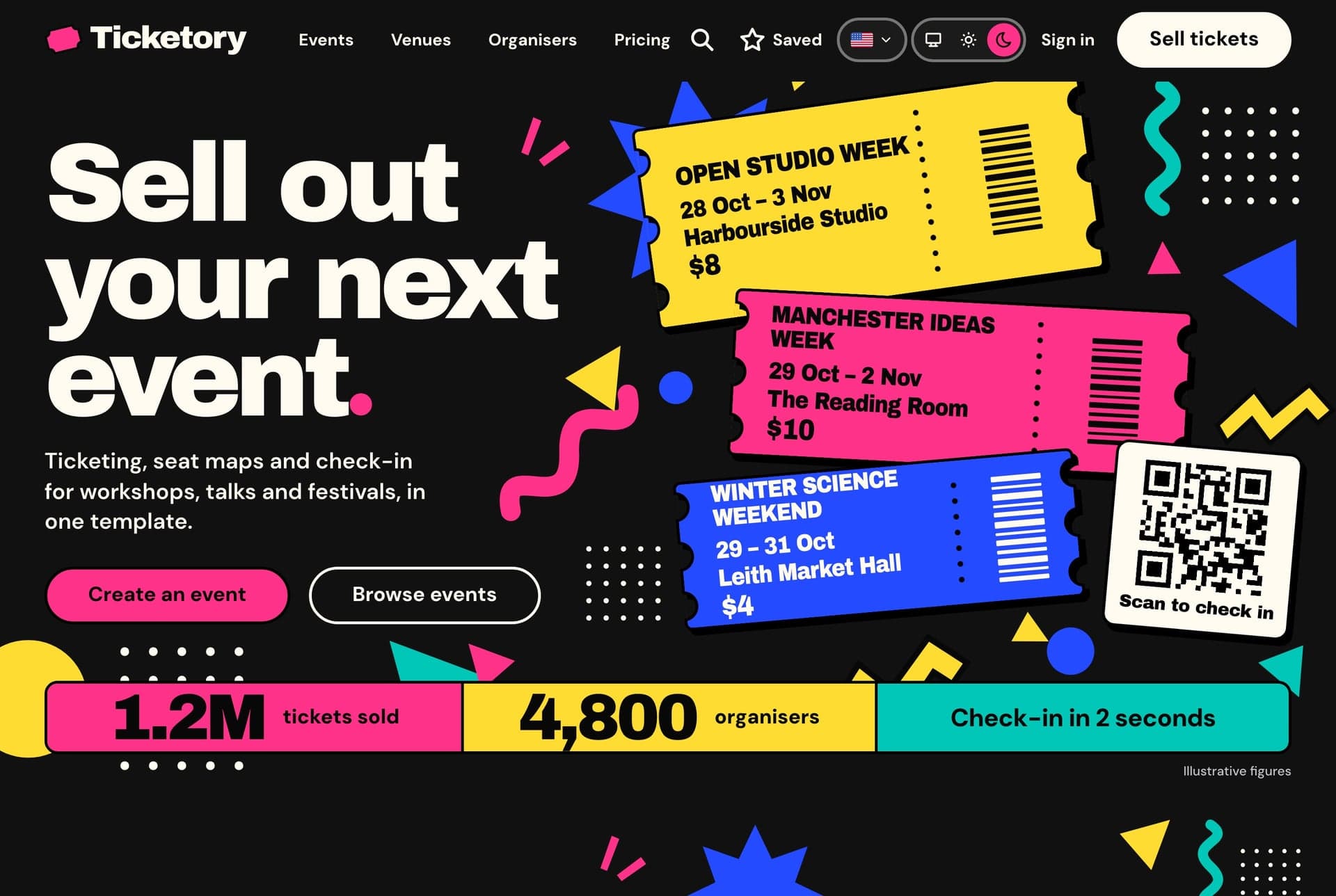
 Learn more: Accessibility
 Learn more: High Performance
 Learn more: TypeScript Support