Next.js Website Templates for Small Businesses (2026)
Choose a Next.js website template by business type: restaurant, real estate, courses, shop, rentals, events or services. What to check, picks and prices.
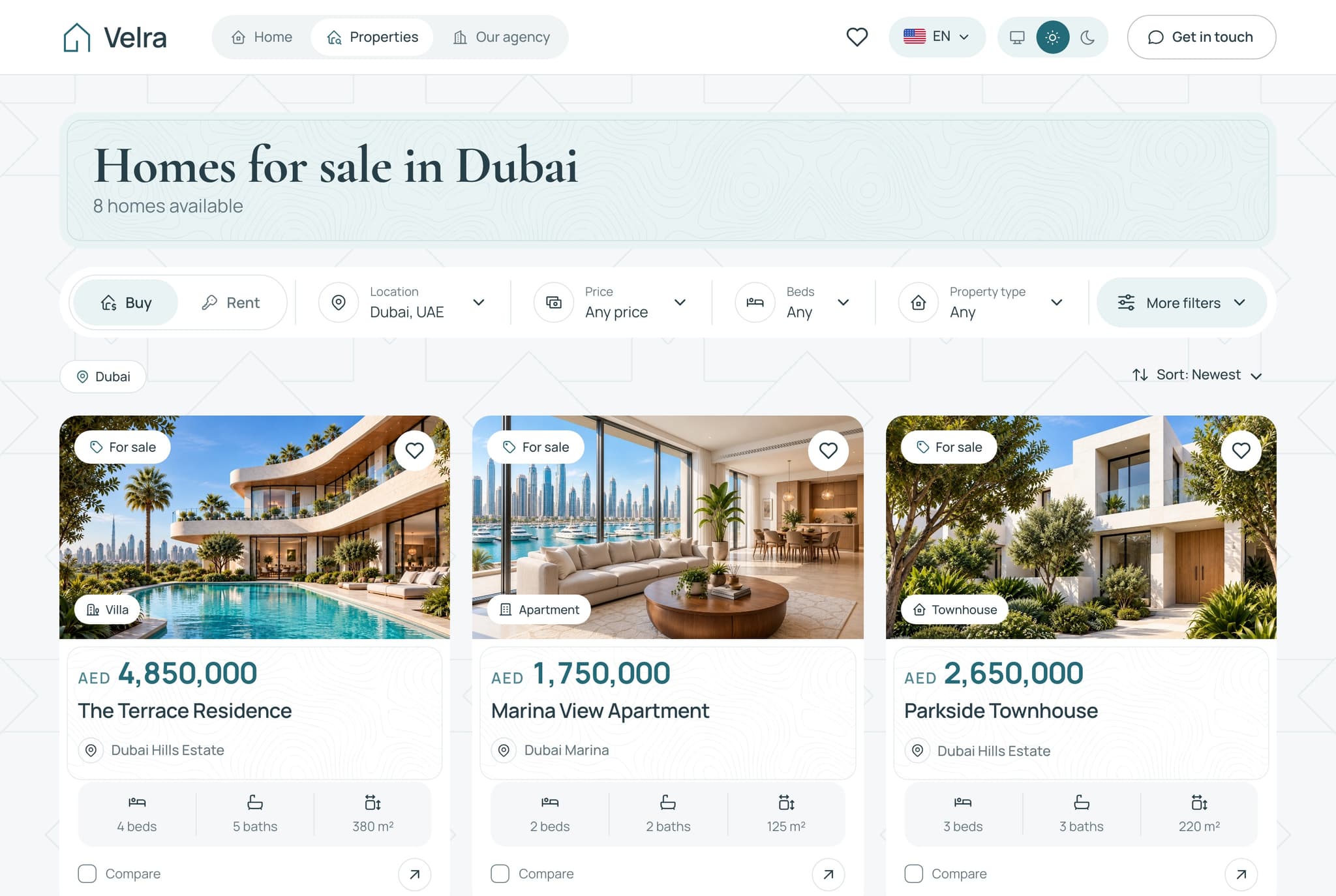
The right Next.js website template for a small business is one built for that kind of business: a restaurant needs online ordering, an estate agency needs property listings with filters, a school needs courses and a checkout. Choose by business type first, then check one thing many buyers miss: whether the template can take real orders, bookings or payments on its own, or needs a backend. This guide covers seven business types, what each site must do, what to check, and the templates we would pick, from free to $149.
It is written for small business owners and for the developers and agencies who build sites for them. If you want a general list of the best Next.js templates across every category, read our best Next.js templates for 2026 roundup. This page is narrower: it starts from the business, not from the template.
Checked November 2026: we opened every Aniq UI demo and the product page of every other template on this page on 5 November 2026, and the prices are the ones shown that day.
Which template fits which business? The comparison table
The table gives the Aniq UI pick for each business type, what it includes, and its price. The other options we checked are covered in each section below.
| Business type | Aniq UI template | What the website includes | Website alone | Full stack |
|---|---|---|---|---|
| Restaurant with online ordering | Food Studio ordering website | Menu with filters, combo meals, meal builder, cart, checkout, order tracking, customer accounts | $39 (needs the API) | $149 |
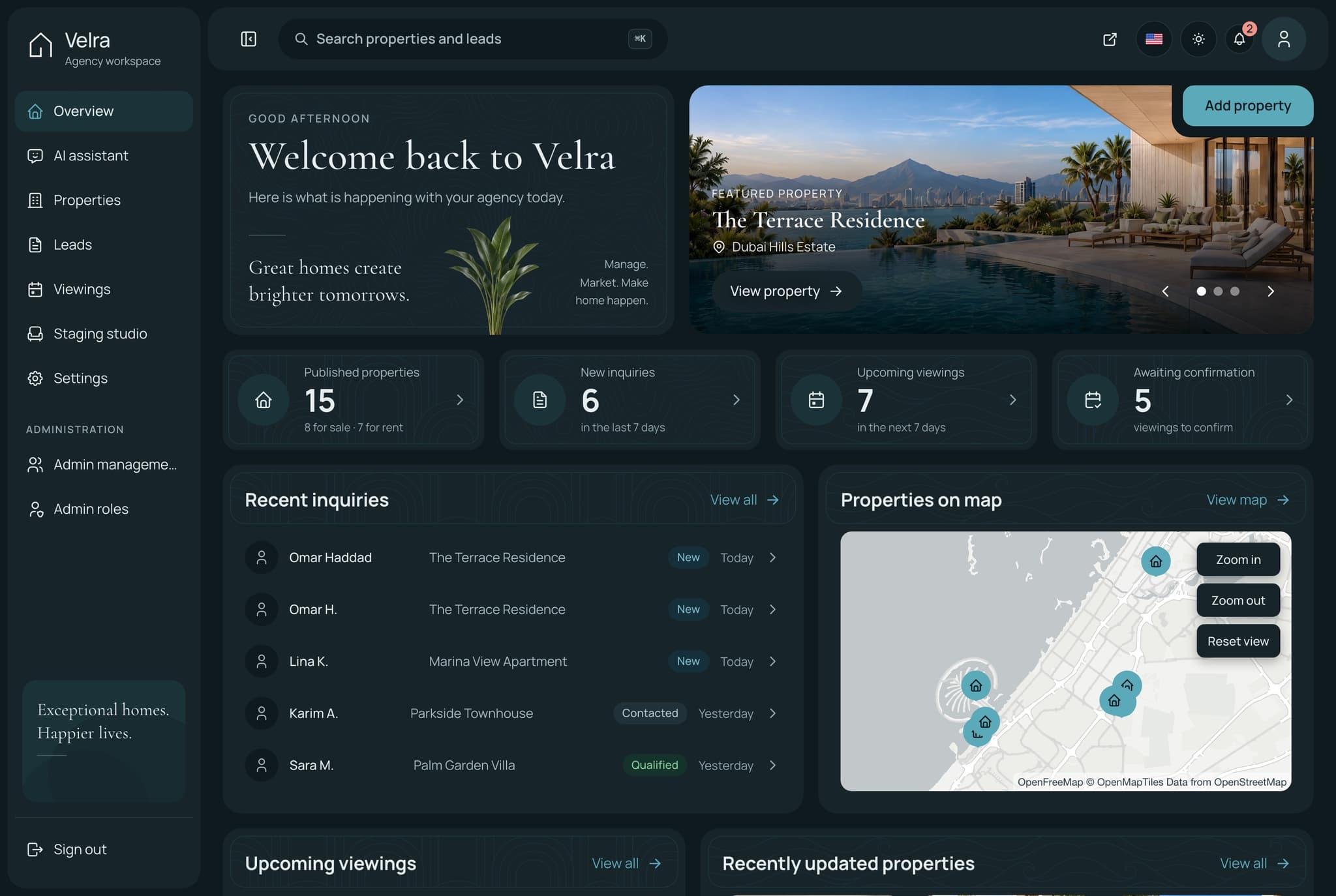
| Real estate agency | Velra real estate website | Homes for sale and rent, filters in the URL, property pages, saved homes, three-home comparison, viewing requests | $39 (needs the API) | $149 |
| School or online courses | Learnio student website | Course catalog, course pages, checkout, learner dashboard with lessons, quizzes, certificates and a calendar | $39 (runs on sample data) | $149 |
| Online shop | Fashion e-commerce storefront | Catalog with search and filters, product variants, reviews, cart, guest checkout, order tracking, AI try-on | $39 (runs on a mock API) | $149 |
| Holiday rental or booking | Hollina vacation rental website | Stays filtered by dates and guests, availability calendar, live quote, checkout by card, PayPal or on arrival, booking lookup | $39 (needs the API) | $149 |
| Events and ticketing | Ticketory ticketing website | Event search, live seat maps with a ten-minute hold, Stripe or PayPal checkout, free tickets, QR ticket passes | $39 (needs the API) | $149 |
| Service company or startup | Publino landing page | Home page, pricing page with monthly and yearly plans, contact page | $39 (no backend needed) | Not needed |
All seven are built on Next.js 16 and Tailwind CSS 4, and ship in English and Arabic with a full right-to-left layout. "Needs the API" means the website reads its data from that template's backend, which is sold on its own ($99) or inside the full stack package. The section on $39 versus $149 explains what that means in practice.
What should each type of small business website do?
Each section below answers three questions: what the site must do for that business, what to check in a template before you pay, and which templates we would pick.
Restaurant with online ordering
What the site must do. Show the menu clearly, let a customer build an order, choose delivery or pickup, pay, and follow the order until it arrives. Without online ordering, a restaurant site is a menu and an address, and a simple landing page does that job.
What to check. Does the menu have categories and dietary filters? Are allergens shown on each dish? Does checkout know about delivery zones, opening hours and a minimum order? Is payment taken on the payment provider's own page and confirmed by the server, or does the "thank you" page just appear? Is there a screen where staff see new orders?
Our picks.
- Aniq UI Food Studio ordering website ($39): a menu with search, category, dietary and sort filters, dish and combo pages with allergens and extras, a home page meal builder (a main, a side and a drink), cart, checkout, order tracking, customer accounts with reward points, and kitchens on a map with a postcode check. The website reads its data from the Food Studio API. The full stack package ($149) adds that API and a staff dashboard: delivery or pickup checked against each kitchen's postcodes, hours and minimum order, Stripe hosted Checkout and PayPal with signed webhooks, and order statuses enforced on the server.
- Munch by Shadcnblocks ($79): a 15-page restaurant template in Next.js and Astro editions, with shadcn/ui and Tailwind 4. The menu has categories and nutrition information and an order cart that persists in the browser. The page does not mention a checkout or payment, so treat it as a menu site with a cart.
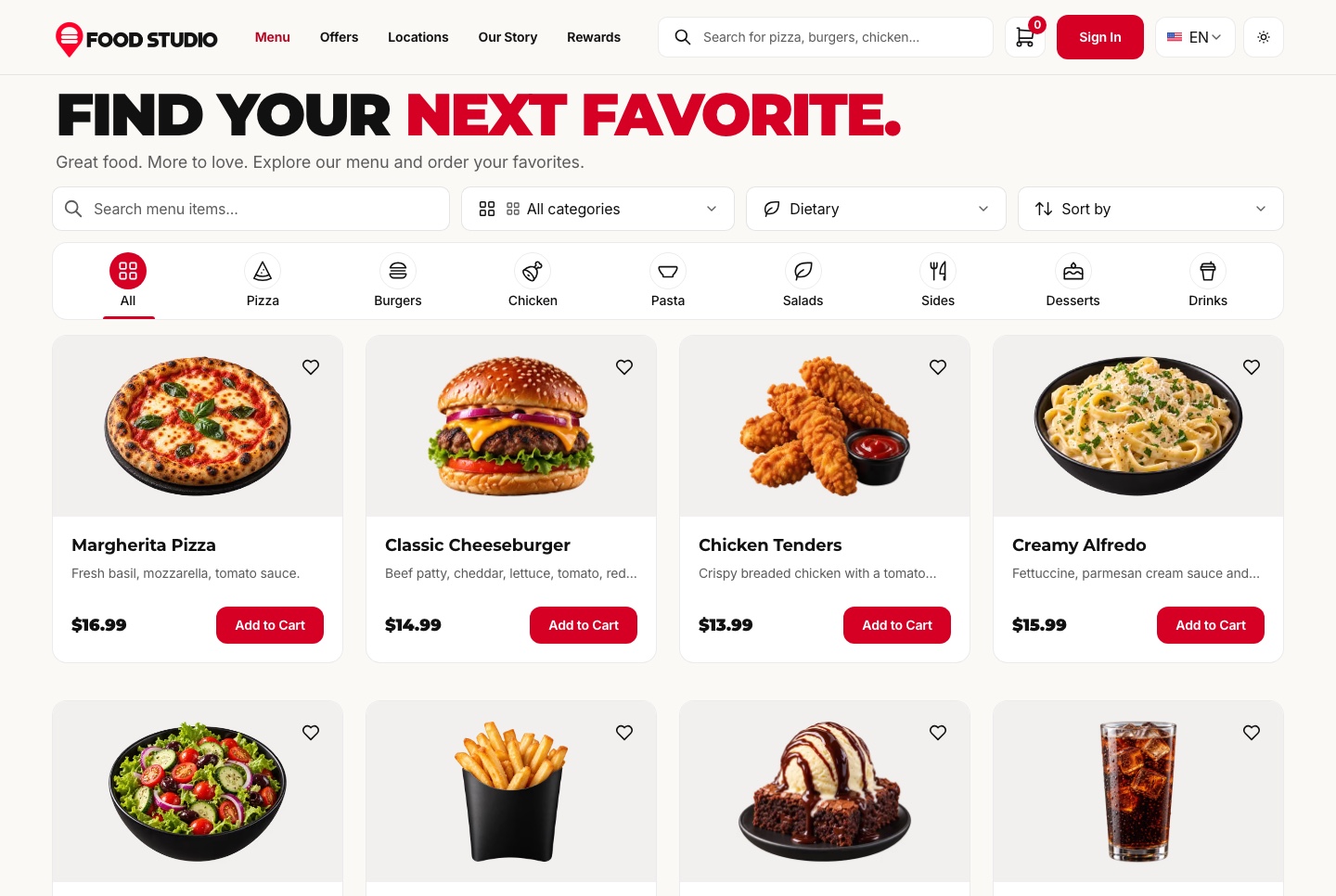
We compared more restaurant templates, with what each checkout really does, in restaurant website templates with online ordering.
Real estate agency
What the site must do. List homes for sale and for rent, let visitors filter by area, price, type and bedrooms, show each property with photos and facts, and turn interest into a lead: a viewing request or a contact message that reaches an agent.
What to check. Are the filters kept in the URL, so a search can be shared and found by Google? Does each property page have its own address and title? Where does a viewing request go: into a list an agent can act on, or nowhere? Can the agency add and edit listings without a developer?
Our picks.
- Aniq UI Velra real estate website ($39): a website for one agency with homes for sale and for rent, filters by location, price, beds and property type kept in the URL, property pages with a gallery, facts, amenities and an AI staging preview, saved homes and a three-home comparison on the visitor's device, and viewing request and contact forms. It reads its data from the Velra API. The full stack package ($149) adds the API and an agency dashboard for properties, inquiries and viewings, where a viewing request stays pending until the agency confirms it.
- Homez on ThemeForest ($24): 63+ pages, including grid, list and map listing styles, ten single-property layouts and 9+ dashboard pages. It moved to Next.js 16 in its 15 April 2026 update. No backend is described: the code is "JSON based API Ready", so you connect your own.
- EstateHaven by Rayso ($49): Next.js 16 with Sanity CMS, so the agency edits properties, agents and blog posts in Sanity Studio. Listings filter by status, type, price and bedrooms, and the contact form sends messages through Resend.
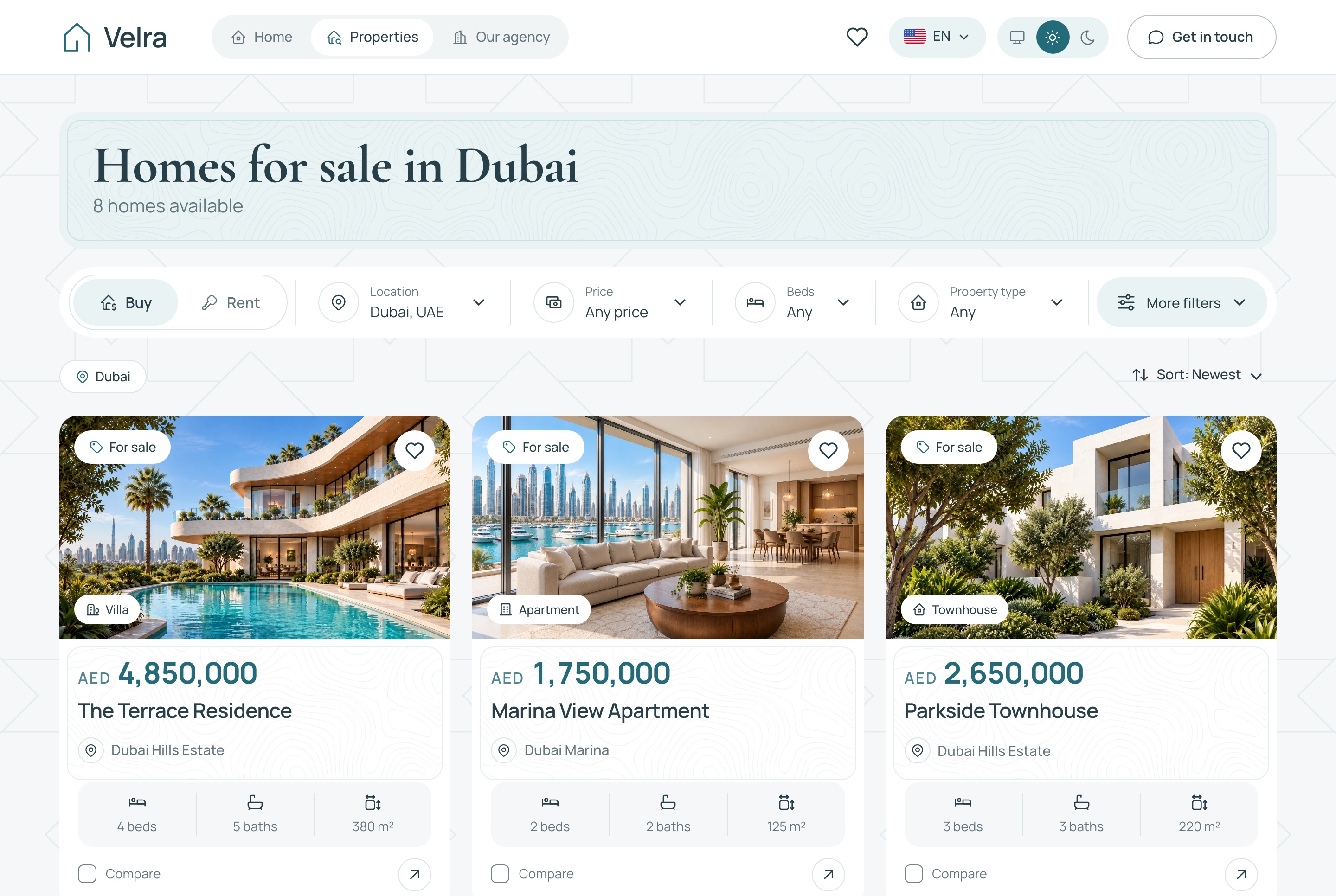
For how the pieces of an agency site fit together, see how to build a real estate agency website in Next.js.
School, training centre or online courses
What the site must do. Show the courses, sell them, and give each student a place to learn: lessons, progress, quizzes and, often, certificates and live classes.
What to check. Is there a real learner area, or only course pages? Are quizzes graded on the server, where a student cannot change the score? Does payment enrol the student automatically? For live classes, which video service does it use and who pays for it?
Our picks.
- Aniq UI Learnio student website ($39): a course catalog with search and filters, course pages with the syllabus, reviews and enrolment, checkout with Stripe Checkout and PayPal code paths, and a learner dashboard with lessons, notes, quizzes, certificates, a course calendar and messaging with instructors. It runs on bundled sample data without the API. The full stack package ($149) adds the NestJS API and an admin and instructor dashboard, with quizzes graded on the server, enrolment on payment, and certificates with public verification pages. Live classes need a meeting server you set up yourself, and its hosting is not included.
- CourseLit (free, AGPL-3.0): an open-source platform for selling courses and digital downloads from your own website, with about 1,300 GitHub stars. It uses Next.js 16 and MongoDB, takes payments through Stripe, and includes a page builder and a blog. The AGPL licence has conditions if you change the code and run it for others, so read it first.
- LMS Kit by thefrontkit (from $79): 39 screens for students, instructors and admins, built with shadcn/ui. All screens use mock data and there is no backend. The $79 Solo and $119 Team licences are for internal projects only; building for a client needs the $209 Agency licence (prices shown with a limited-time 40% discount).

Our step-by-step guide on building an LMS with live classes in Next.js covers the parts a school site needs.
Online shop
What the site must do. Show products with photos, sizes and colours, let customers search and filter, keep a cart, take payment, and let the buyer follow the order. Behind it, someone has to manage products, stock and orders.
What to check. Can guests buy without an account? Do product variants (size, colour) work in the cart? Where do products and orders live: a commerce platform you pay for monthly, such as Shopify, or your own database? Can the shop owner edit products without touching code?
Our picks.
- Aniq UI fashion e-commerce storefront ($39): a catalog with search, filters and sorting, product pages with galleries, variants and reviews, a cart and wishlist that persist across sessions, guest checkout and order tracking, customer accounts, and an AI virtual try-on. On its own it runs on a built-in mock API. Real orders, card payments through Stripe and the AI features need the NestJS API, which comes with the admin dashboard in the full stack package ($149). There is no monthly commerce platform fee: products and orders live in your own database.
- Vercel Shop (free, MIT): a Shopify storefront on Next.js 16, React 19 and Tailwind CSS 4. Products, cart, checkout and customer accounts come from Shopify, so you need a Shopify store and its plan. It replaces Next.js Commerce, which is now archived.
- Medusa DTC Starter (free, MIT): an open-source Medusa backend with a Next.js 16 storefront in one repository, with multi-step checkout, promotion codes and customer accounts. It needs Node.js 22 and PostgreSQL, so it suits a developer more than a shop owner working alone.
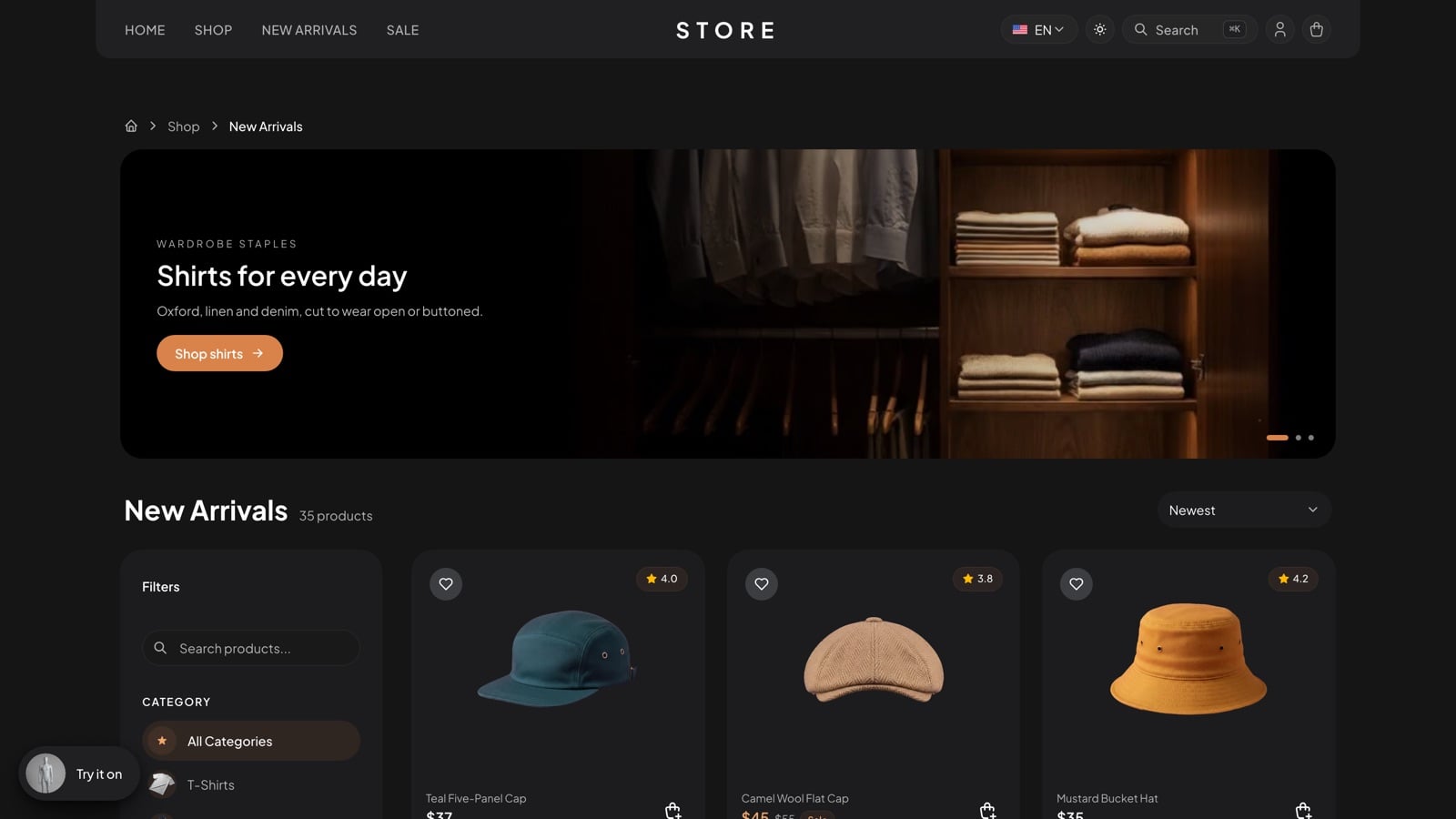
Our Next.js e-commerce templates comparison covers more shop options, free and paid.
Holiday rental, guesthouse or booking business
What the site must do. Show stays, take dates and guests, check that the nights are free, quote the price, take payment or a booking, and let the host see and manage bookings. The point of a direct booking site is to keep bookings off commission platforms.
What to check. Is the date picker connected to real availability, or is it just a calendar widget? Are unpaid dates held for a short time so two guests cannot book the same nights? Can a guest find and cancel a booking? Is there a calendar for the host?
Our picks.
- Aniq UI Hollina vacation rental website ($39): stays filtered by destination, dates and guests in the URL, stay pages with a two-month availability calendar and a live quote for the nights chosen, checkout by Stripe, PayPal or on arrival, and a booking found by reference and email, cancelled under the policy and reviewed. It requires the Hollina API. The full stack package ($149) adds the API, a 30-minute hold on unpaid dates, and a booking dashboard with occupancy, a month calendar and the booking steps (confirm, check in, complete, cancel).
- Chisfis on ThemeForest ($39): a wide set of booking pages (stays, listings with maps, a reserve flow, checkout and confirmation) on Next.js 16.3.5, updated on 27 October 2026. It has no backend: forms, filters and checkout run on local state, and there is no host dashboard.
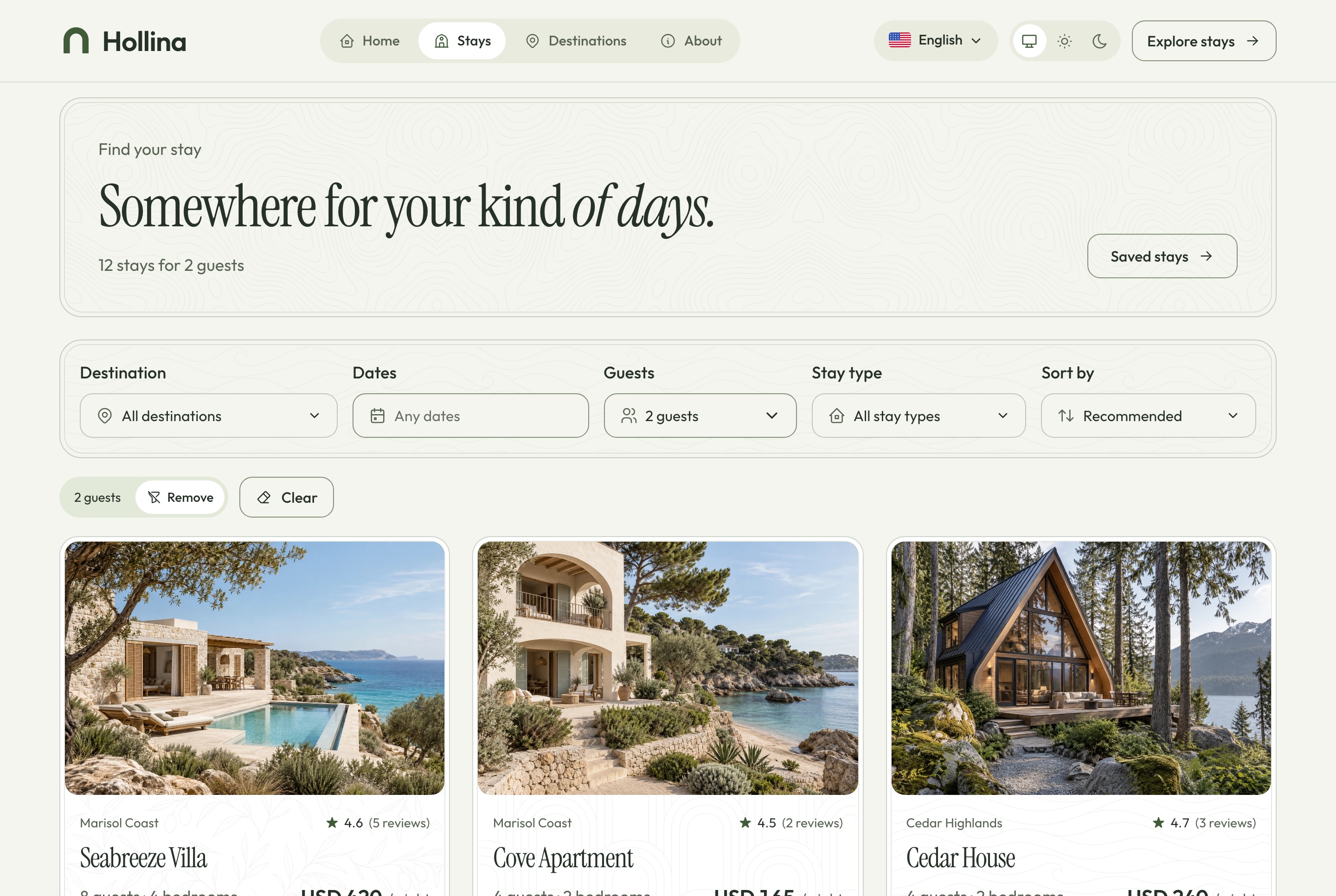
Seven booking templates are compared side by side in vacation rental and booking website templates.
Events, workshops and ticketing
What the site must do. List events, sell tickets (by seat or general admission), take payment, send each attendee a ticket, and let staff check tickets at the door.
What to check. When someone picks a seat, is it held on the server so nobody else can buy it during checkout? Can you sell free tickets without a payment step? Are tickets QR codes that the door team can scan, and does each work only once? Can you refund a ticket?
Our picks.
- Aniq UI Ticketory ticketing website ($39): event search with city, date and category filters kept in the address, event pages with a booking panel, live seat maps with a ten-minute hold on the server's clock, general admission, Stripe hosted Checkout and PayPal, free tickets with no payment step, QR ticket passes, PDF tickets, calendar files, ticket emails and attendee accounts. It requires the Ticketory API. The full stack package ($149) adds the API and an organiser dashboard with seat layouts, door check-in by camera or typed code (one admission per ticket per session), refunds and reports.
- Hi.Events (open source): not a Next.js template but a complete ticketing platform you host yourself, built with Laravel and React, with about 4,100 GitHub stars. Paid, free and tiered tickets, check-in by phone camera and payouts to your own Stripe account. Its AGPL-3.0 licence adds terms: generated pages and emails must show "Powered by Hi.Events", and reserved seating needs a separate Enterprise licence for production use.
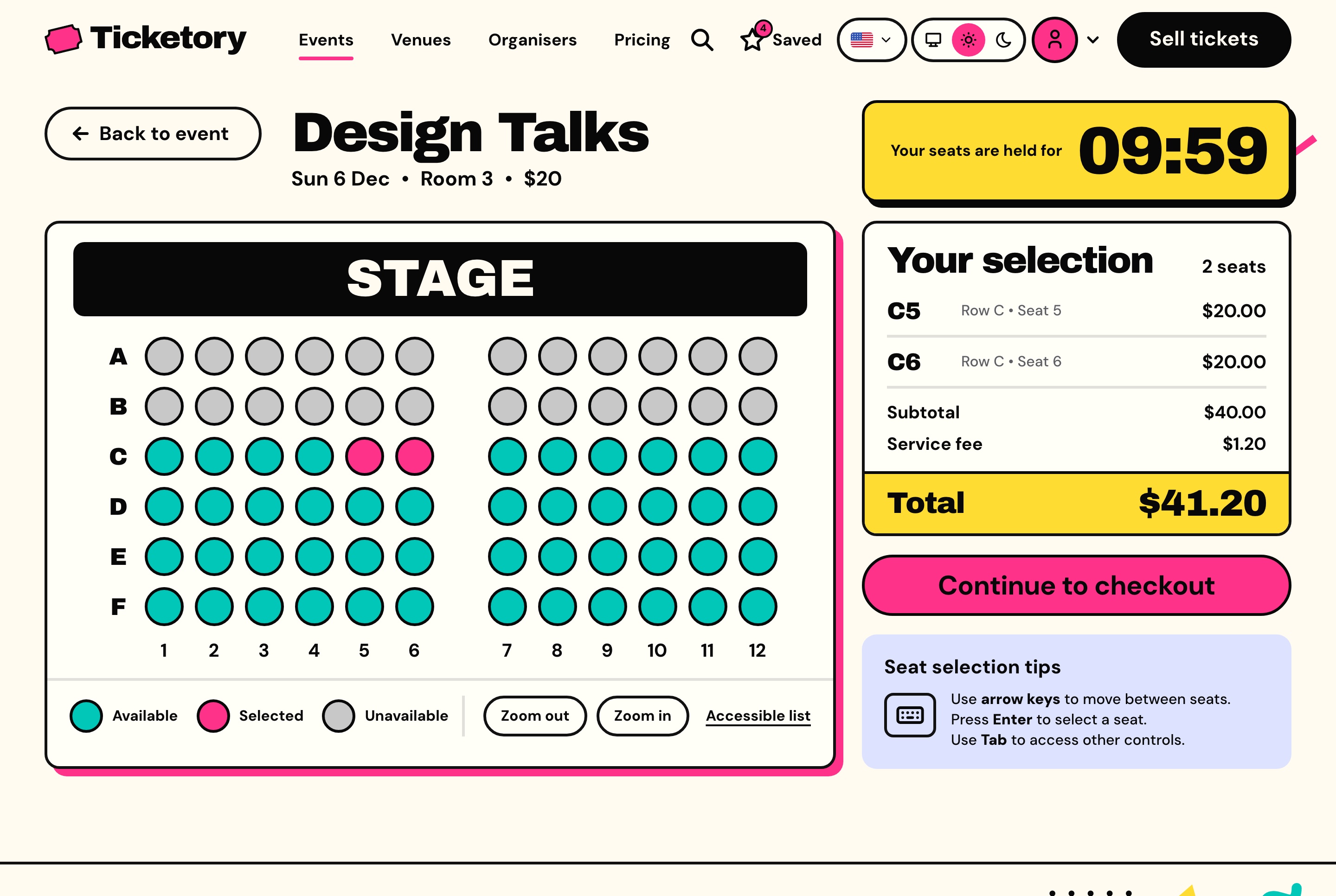
In our search we did not find another Next.js template with live seat maps and door check-in.
Service company, consultant or startup
What the site must do. Explain what you do in one screen, show proof (clients, results, testimonials), show prices if you publish them, and make contact easy. Most service businesses do not need a backend: the site is a few fast pages and a contact form.
What to check. Does the template have the pages you need (home, services or pricing, contact)? Can you change colours, text and the logo in one place? Where does the contact form send its messages? Is the metadata (title, description, social image) set per page?
Our picks.
- Aniq UI Publino landing page ($39): a home page, a pricing page with monthly and yearly plans, and a contact page with a validated form, in English and Arabic, dark and light. It suits a company that sells a subscription or a service package. A software startup can also look at the Aniq UI SaaS template ($39), a dark landing page for a SaaS product.
- Aniq UI Company Website template (free, MIT): a company site with a hero, how-it-works steps, an integrations grid, testimonials and article cards, on Next.js 15.
- Cruip Simple Light (free): a popular free landing page on the App Router with Tailwind v4 and about 4,500 GitHub stars. The README allows personal and commercial projects but not reselling the template.
More options, free and premium, are compared in the best Next.js landing page templates.
Why choose Next.js for a small business website?
Next.js gives a small business site three practical things: pages that arrive as ready HTML, so they load fast and search engines can read them; built-in tools for images, titles and sitemaps; and a free choice of hosting, from a static file host to your own server. It does not make a site fast by itself, and a heavy template can still be slow, so test the demo before you buy.
Speed. Pages are rendered on the server or prerendered at build time, so the browser receives content instead of an empty page waiting for JavaScript. The Next.js Image component resizes images, serves WebP (or AVIF, if you turn it on) to browsers that accept it, lazy loads images below the fold by default, and uses the width and height to reserve space so the page does not jump while images load. Google's Core Web Vitals call a page good when its largest content appears within 2.5 seconds, it responds to a tap within 200 milliseconds, and its layout shift stays at 0.1 or less, for at least 75% of page loads.
Search. Google crawls, renders and indexes JavaScript pages, but its own documentation says server-side or pre-rendering "is still a great idea because it makes your website faster for users and crawlers", and notes that not all bots can run JavaScript. In Next.js, each page sets its own title, description and social image through the Metadata API, and sitemap.xml and robots.txt can be generated from code. That matters for a restaurant with fifty dish pages or an agency with a page per property.
Hosting cost. Next.js can run on any provider that supports Node.js, in a Docker container, or as a static export served by any web host (static export does not support features that need a server). Vercel's free Hobby plan is for personal, non-commercial use only, so a business site on Vercel needs the Pro plan, at $20 per developer seat per month. A landing page exported as static files can sit on any static host. A full stack template needs a server that runs Node.js and a database.
$39 website or $149 full stack: who needs a backend?
If your site only shows information and a contact form, you do not need a backend. If it takes orders, bookings, enrolments or ticket sales, you do: something has to store them, take the payment safely, and show them to your staff. That is what the $149 full stack package adds.
In plain words, an Aniq UI full stack template has three parts:
- The website ($39 alone): the pages your customers see, such as the menu, the listings or the course pages.
- The dashboard ($49 alone): where you and your staff manage orders, bookings, listings or courses.
- The API ($99 alone): the backend in the middle. It stores the data, checks prices and availability on the server, takes payments through Stripe or PayPal, and sends emails.
Bought separately, the three cost $187. The full stack package is $149, which saves $38. If you need only the website and the API, that is $138, so for $11 more the full stack adds the staff dashboard.
| Website alone ($39) | Does it work on its own? |
|---|---|
| Food Studio (restaurant), Velra (real estate), Hollina (holiday rental), Ticketory (events) | No. It reads its data from that template's API, sold as the Backend API ($99) or inside the full stack ($149). |
| Learnio (courses) | It runs on bundled sample data, so you can show and adapt it. Real enrolments and payments go through the Learnio API. |
| Fashion storefront (shop) | It runs on a built-in mock API. Real orders, payments and the AI features need the NestJS API. |
| Publino (landing page) | Yes. It is a complete site with no backend. |
Who buys the $39 website? A developer who already has a backend, or who wants to connect the design to another service. Who buys the $149 full stack? A business, or the agency building for it, that wants orders, bookings or ticket sales working from the first day, with a dashboard for the staff. Every paid Aniq UI package allows use in unlimited commercial projects, client work included.
How do you check a template before you buy?
Spend fifteen minutes on the live demo, not on the screenshots. Five checks catch most bad buys:
- Do the main task on a phone. Place an order, book two nights, enrol in a course or buy a ticket in the demo, then run the demo through PageSpeed Insights on mobile.
- Ask what happens after payment. Does an order or booking appear somewhere your staff can see it? If the template has no backend, the answer is no until you build one.
- Check the Next.js version and the last update. A template on Next.js 14 that has not changed since 2024 will need work before it is current.
- Read the licence. Some licences cover one project, or internal projects only, which matters if you build for clients.
- Check the languages. If you need Arabic or another right-to-left language, open the demo in it. Adding right-to-left later touches every page.
FAQ
What is the best Next.js website template for a small business?
The best one is the template built for your type of business: an ordering site for a restaurant, a listings site for an estate agency, a course site for a school. For a service company or a startup, a landing page such as Aniq UI Publino ($39) or a free template is usually enough.
Is there a free Next.js website template for a small business?
Yes, for simple sites. The Aniq UI Company Website template is free under the MIT licence, and Cruip Simple Light is free for commercial projects. For online shops, Vercel Shop (for Shopify) and the Medusa DTC Starter are free and open source, and CourseLit is a free course platform. For restaurant ordering, bookings or ticketing with a staff dashboard, we found no free Next.js template we would recommend.
Do I need a backend for my small business website?
Only if the site takes orders, bookings, enrolments or payments, or if staff manage content in a dashboard. A site that shows information and a contact form does not need one.
Can I use a $39 Aniq UI template for a client's website?
Yes. Every paid Aniq UI package, from the $39 website to the $149 full stack, can be used in unlimited commercial projects, and client work is included.
How much does it cost to host a Next.js website?
It depends on the site. A landing page exported as static files can go on any static host. A full stack site needs a server for Node.js and its database. Vercel's free Hobby plan is for non-commercial use only; its Pro plan costs $20 per developer seat per month.
Is Next.js good for SEO?
Yes. Pages are rendered on the server or at build time, so search engines receive the full HTML, and each page can set its own title, description, social image and sitemap entry. Google recommends server-side or pre-rendering because it makes a site faster for users and crawlers.
Conclusion
Start from what the business does, not from how a template looks. A restaurant, an agency, a school, a shop, a rental, an event organiser and a consultant each need different pages and different things behind them. Pick the template made for that job, check on the live demo that the main task works, and decide early whether you need a backend: that decision is the difference between a $39 website and a $149 working system.
The Aniq UI templates in this guide, paid once, with source code, live demos and English and Arabic with right-to-left layouts:
- Websites (restaurant, real estate, courses, online shop, holiday rental, event ticketing): $39 each.
- Landing pages (Publino business landing page, SaaS template): $39.
- Dashboards alone (staff, agency, admin, booking, organiser): $49.
- Backend API alone: $99.
- Full stack (website, dashboard and API): $149.
- Company Website template: free.
- All 10 premium templates: the bundle, list price $499; check the page for the current offer.
Browse the templates and try each demo before you buy.
Related guides
- Best Next.js Templates for 2026: Free and Premium Picks
- Restaurant Website Templates with Online Ordering (2026)
- Vacation Rental and Booking Website Templates (2026)
- Best Next.js E-commerce Templates for 2026 (Free and Paid)
- Best Next.js Landing Page Templates for 2026 (Free and Premium)
- How to Build a Real Estate Agency Website in Next.js
Sources
- Next.js: Deploying (Node.js server, Docker, static export, adapters)
- Next.js: Image component
- Next.js: Metadata and OG images
- Google Search Central: JavaScript SEO basics
- web.dev: Web Vitals
- Vercel: Hobby plan (non-commercial use, Pro seat price)
- Shadcnblocks: Munch restaurant template
- ThemeForest: Homez
- Rayso: EstateHaven
- GitHub: CourseLit
- thefrontkit: LMS Kit
- GitHub: Vercel Shop
- GitHub: Next.js Commerce (archived)
- GitHub: Medusa DTC Starter
- ThemeForest: Chisfis
- GitHub: Hi.Events
- GitHub: Cruip Simple Light
Checked November 2026.
You might also like
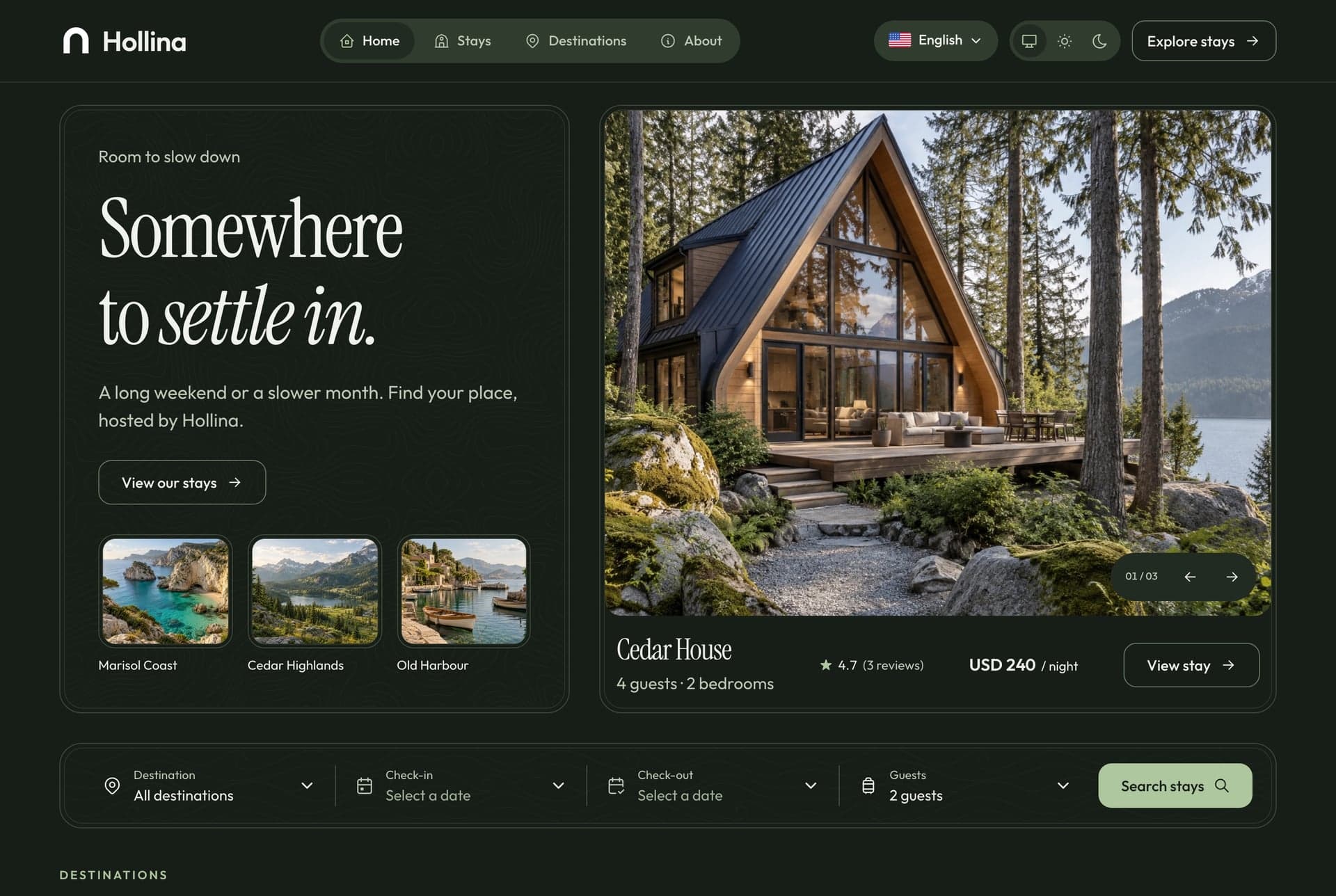
Vacation Rental and Booking Website Templates (2026)
Compare 7 vacation rental and booking website templates for 2026: Next.js with an availability calendar, Stripe and host dashboards, plus WordPress and Laravel.
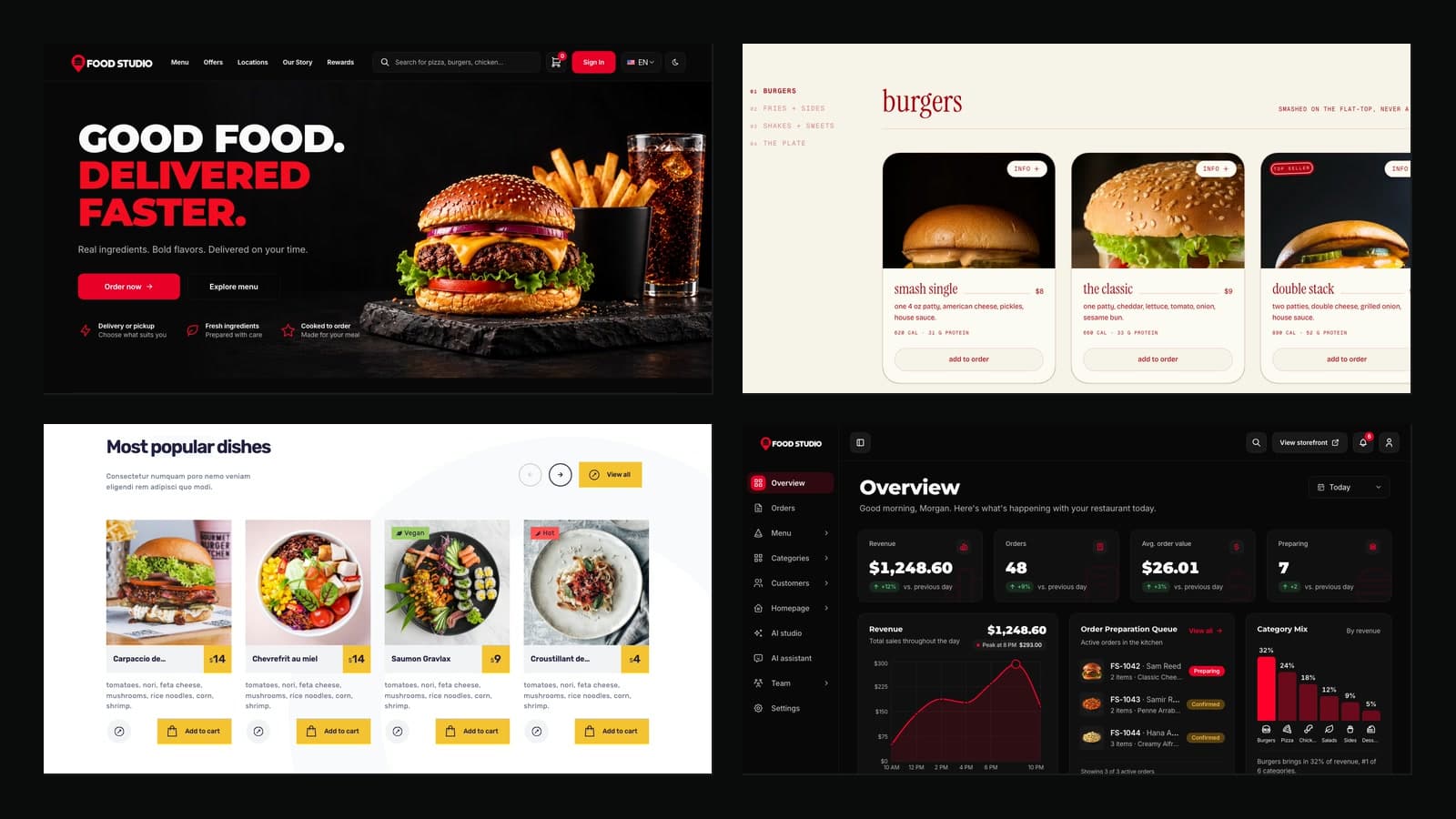
Restaurant Website Templates with Online Ordering (2026)
Compare 7 restaurant website templates with online ordering for 2026: Next.js and React picks, ThemeForest options, free GitHub code and a kitchen dashboard.
TailAdmin Alternatives for Next.js (2026)
TailAdmin is a good free Next.js admin template. Compare 7 alternatives for 2026 by price, stack, Arabic RTL support and backend, from free to full stack.
