Premium

Next.js Vacation Rental Website Template

A Next.js 16 vacation rental website for one host company, with stays filtered by destination, dates and guests in the URL, stay pages with a two-month availability calendar and a live quote, checkout by card, PayPal or on arrival, booking lookup and saved stays, in English and Arabic.

Next.js Vacation Rental Website Template

Stays Website

The Next.js 16 stays website on its own. It requires the Hollina API, sold separately as the Backend API or together in Full Stack.

Launch price · 30% off for the first 3 buyers

$79$55.30

3 of 3 launch places left · applied at checkout

Documentation
Or get everything in Full Stack for $125.30
  • Use in unlimited commercial projects. Client work included.
  • One-time payment, free updates
  • Business invoice with your VAT or tax ID

Latest from Aniq-ui

Follow on X
  • Use in unlimited commercial projects. Client work included.
  • One-time payment, free updates
  • Business invoice with your VAT or tax ID

A Next.js 16 vacation rental website for one host company, with stays filtered by destination, dates and guests in the URL, stay pages with a two-month availability calendar and a live quote, checkout by card, PayPal or on arrival, booking lookup and saved stays, in English and Arabic.

Share:

A Next.js 16 vacation rental website for one host company, with stays filtered by destination, dates and guests in the URL, stay pages with a two-month availability calendar and a live quote, checkout by card, PayPal or on arrival, booking lookup and saved stays, in English and Arabic.

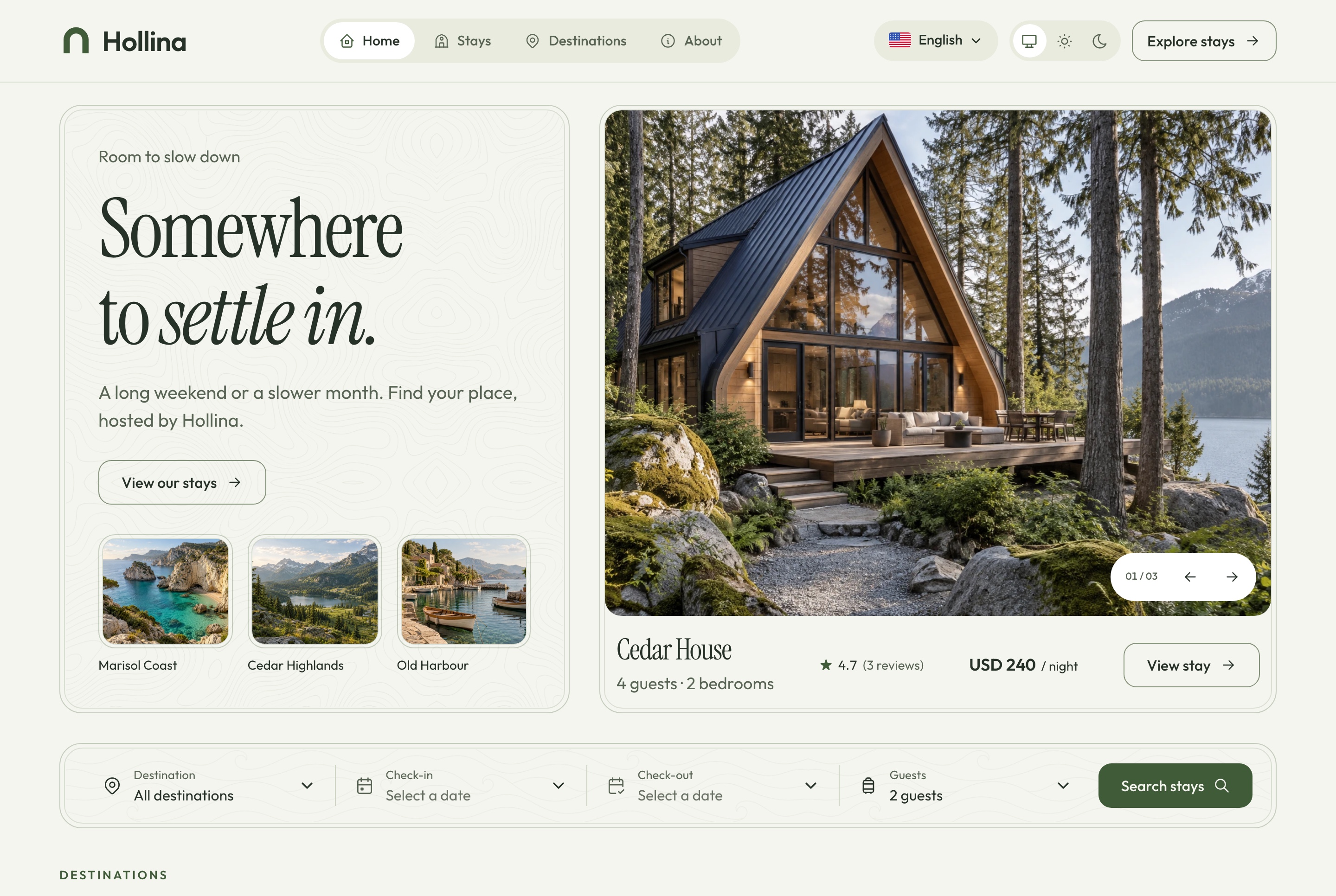
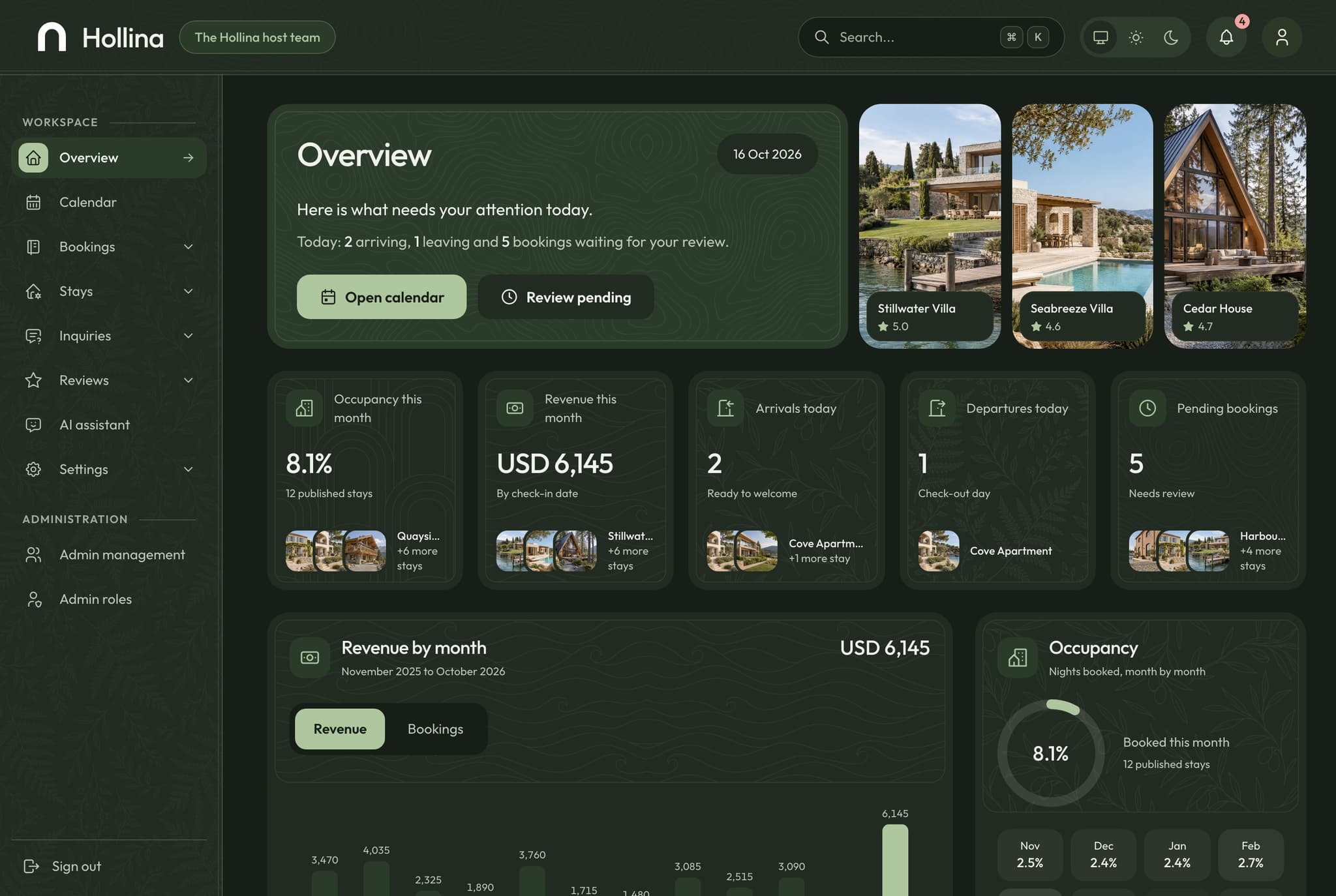
Booking website overview, light theme
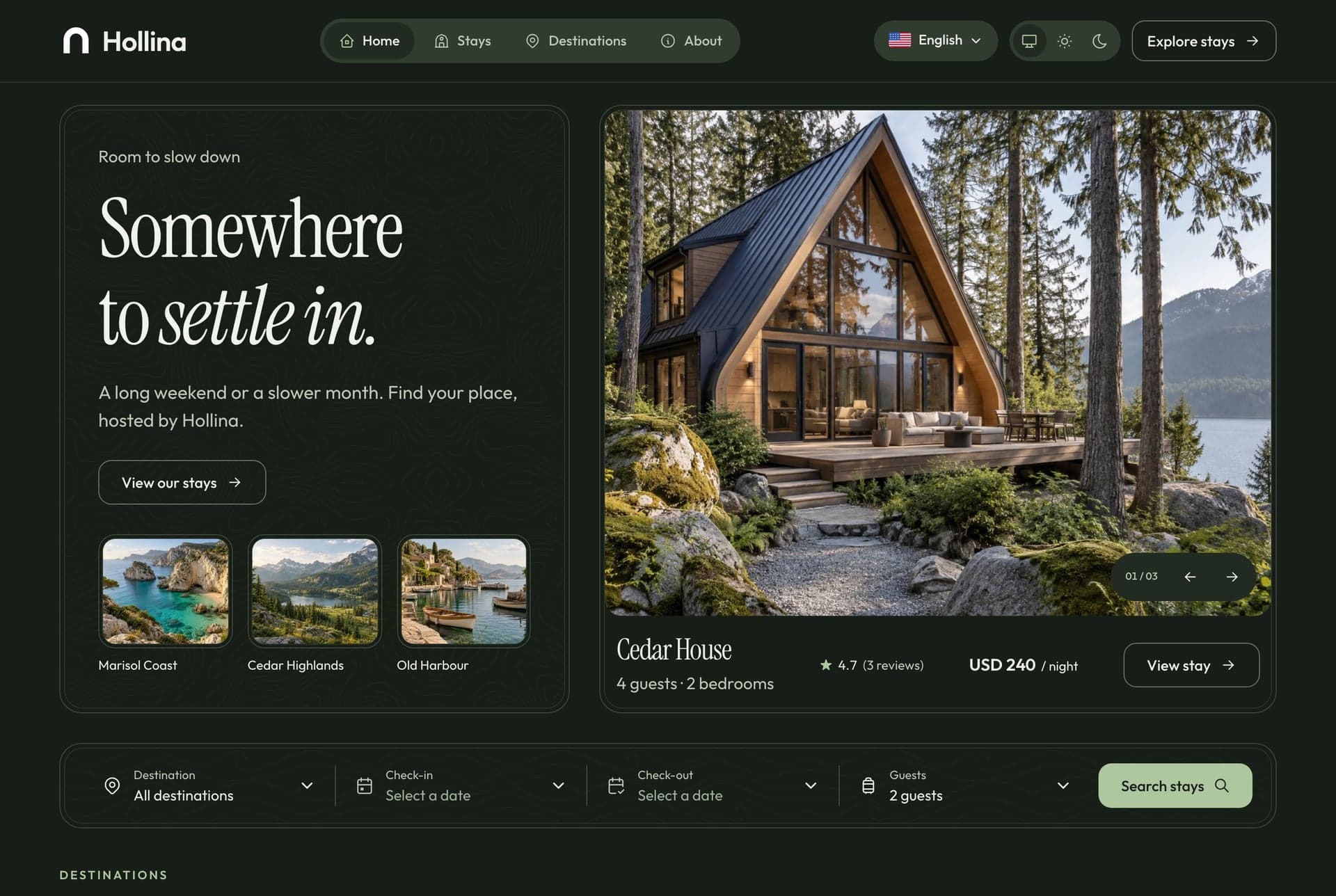
Booking website overview, light theme. The website's home page: the promise, the hero stay with its rate, and the search by destination, dates and guests, in the light theme
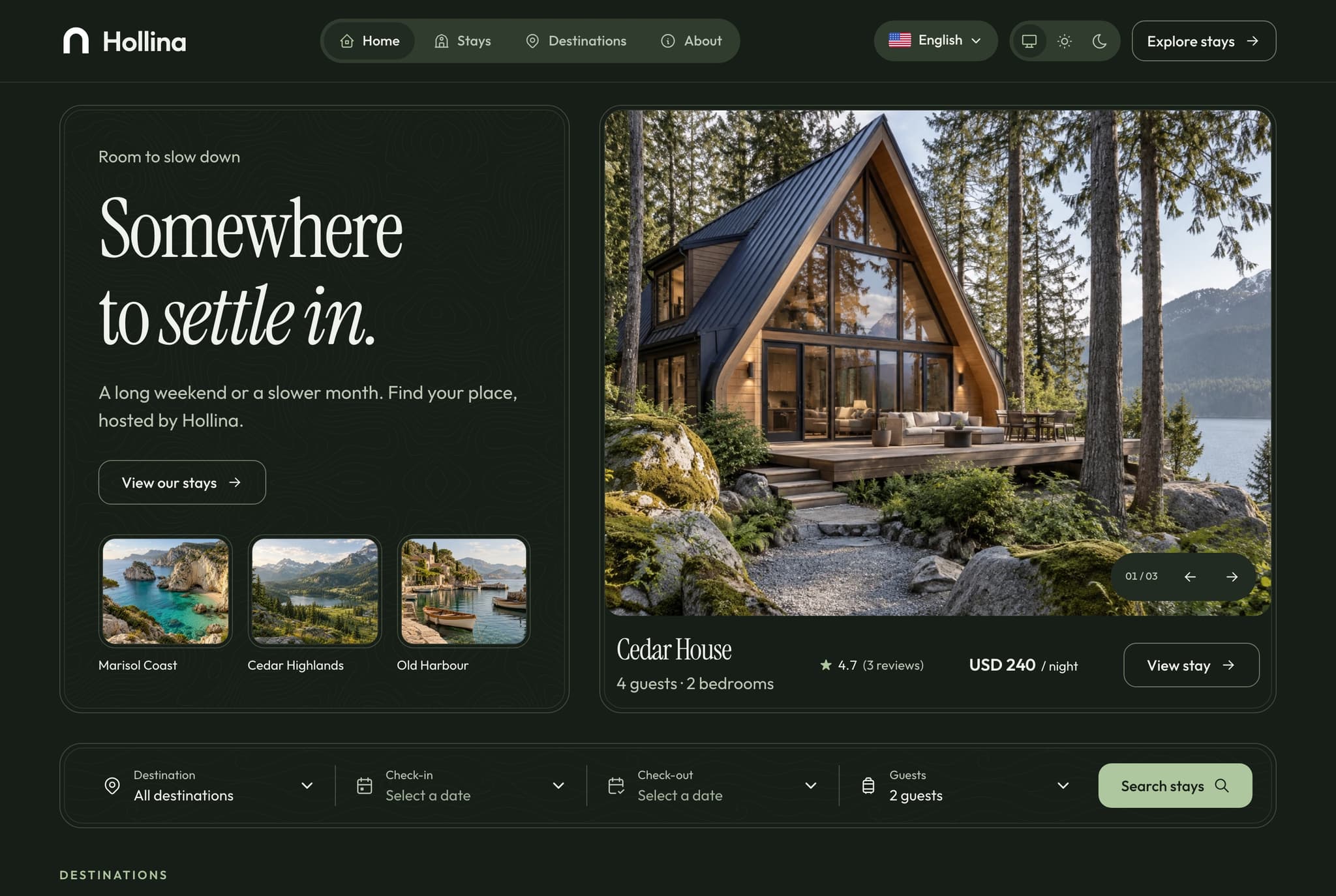
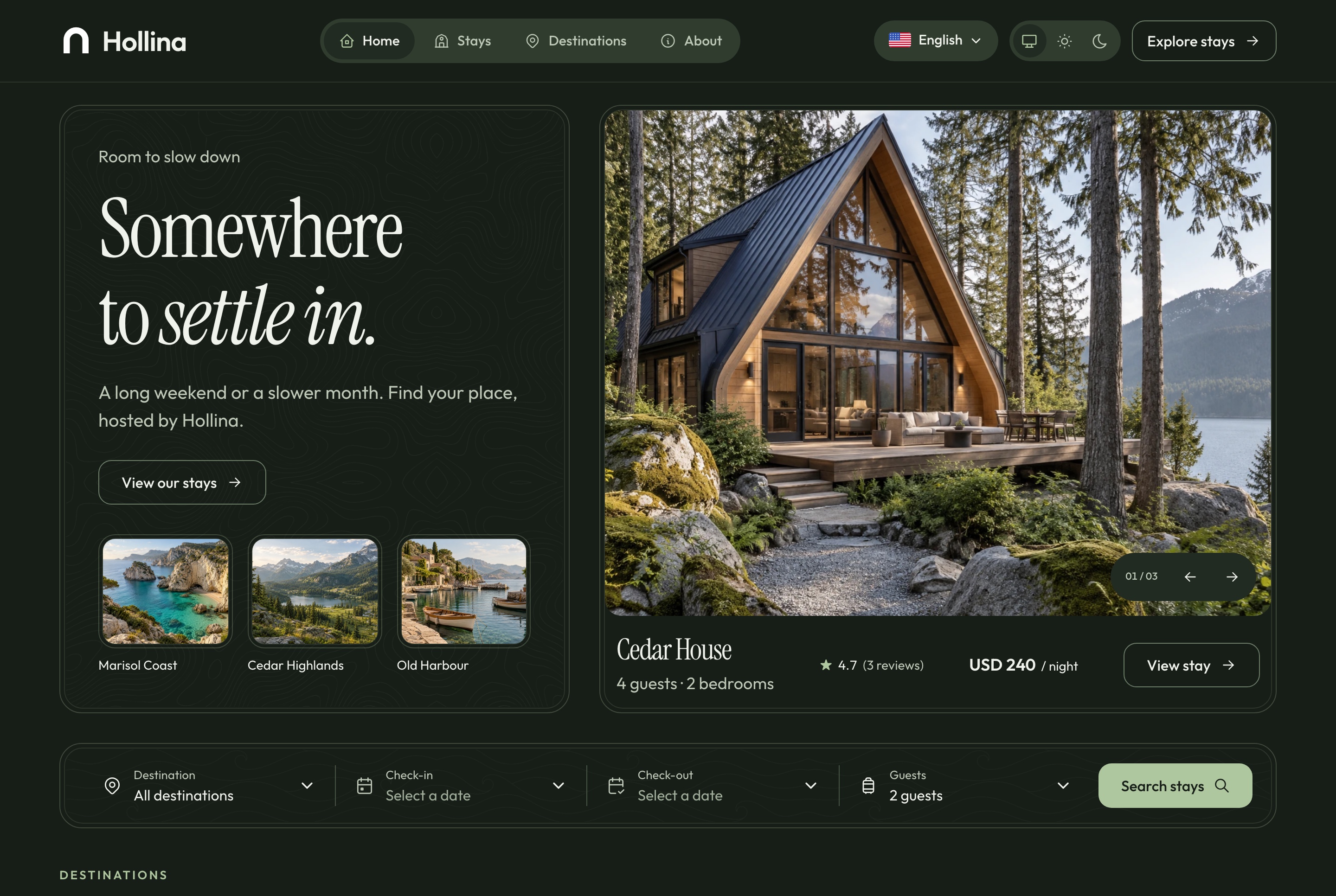
Booking website overview, dark theme
Booking website overview, dark theme. The website's home page: the promise, the hero stay with its rate, and the search by destination, dates and guests, in the dark theme
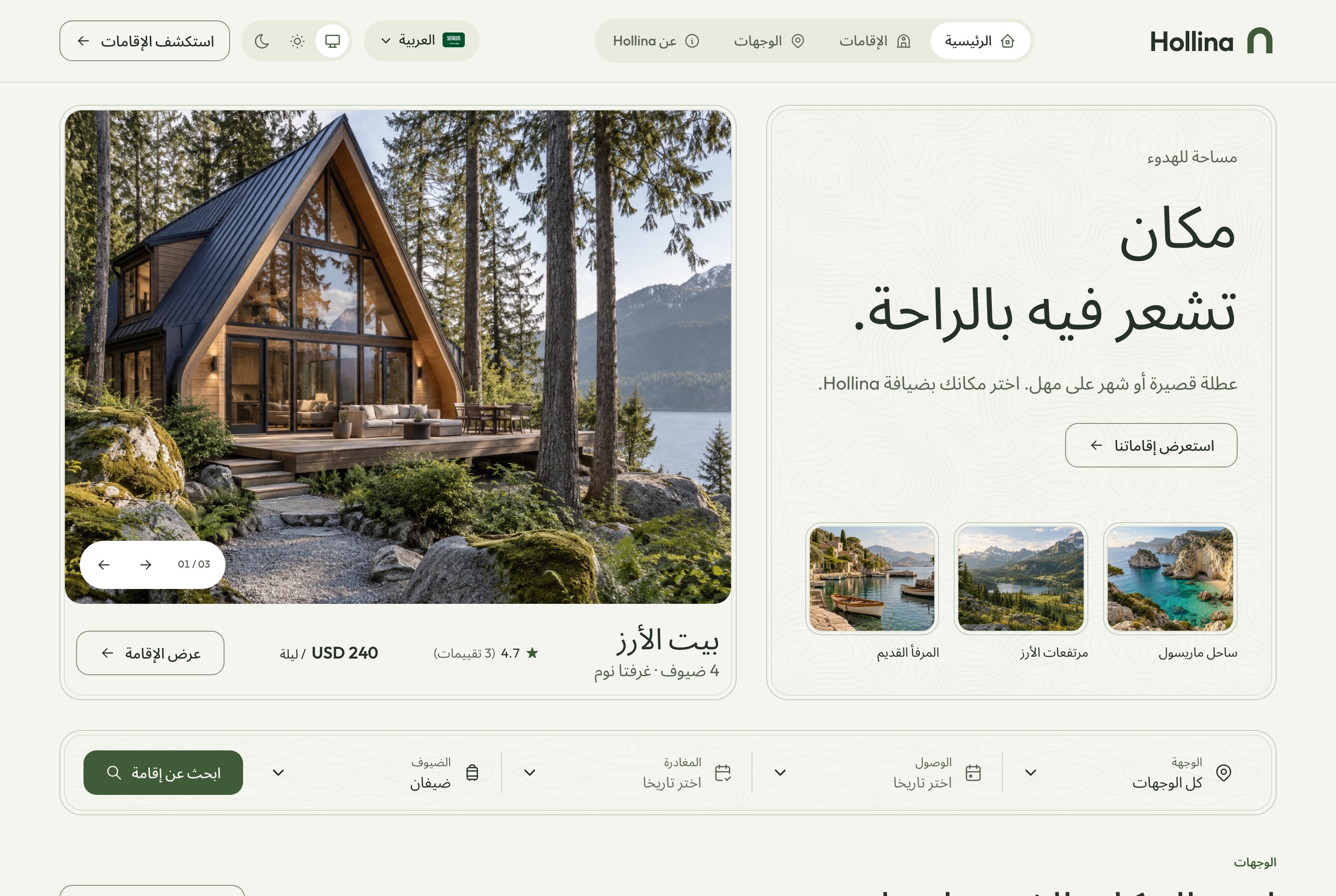
Arabic home page, light theme
Arabic home page, light theme. The home page in Arabic, mirrored right to left, with figures kept in Latin digits, in the light theme
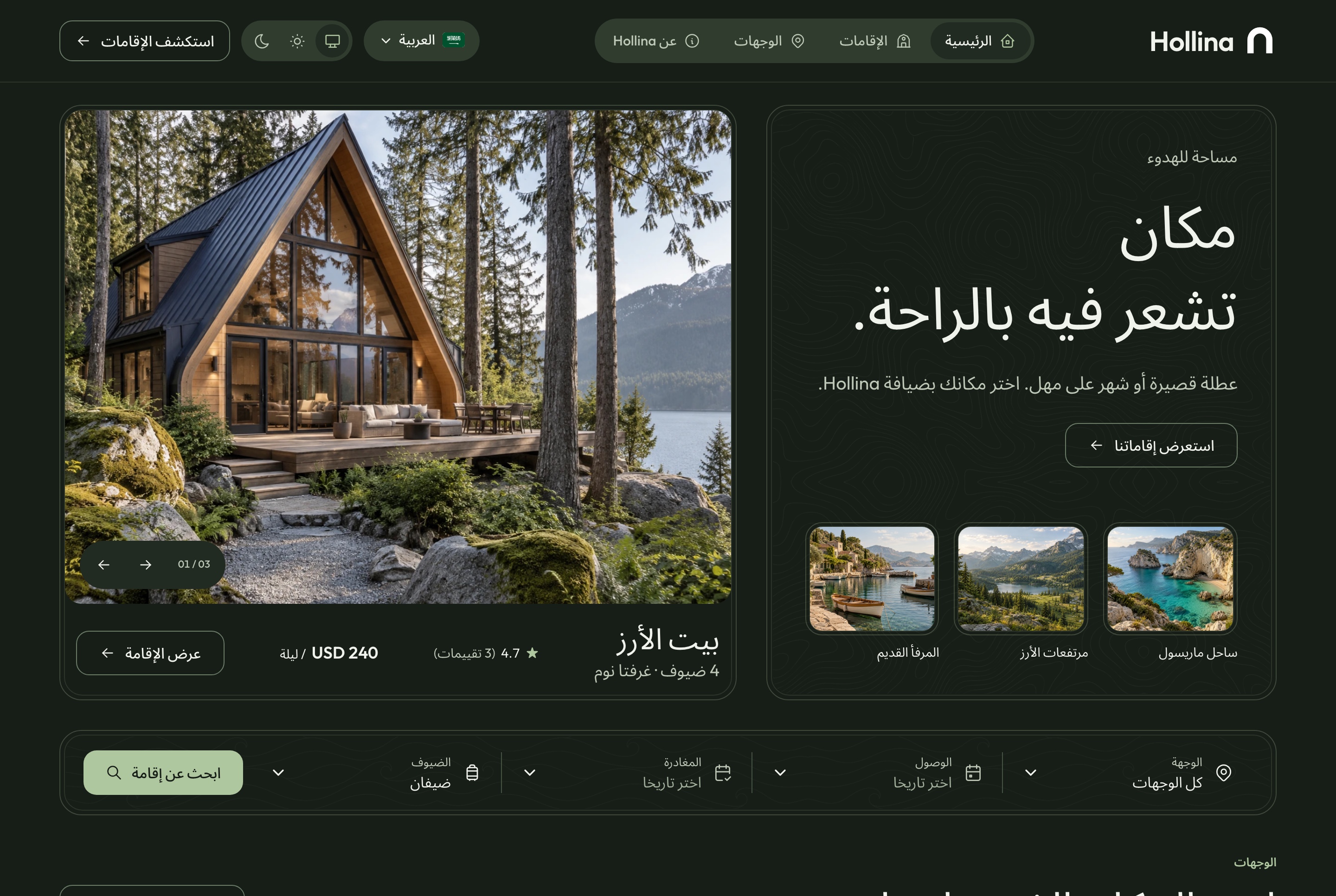
Arabic home page, dark theme
Arabic home page, dark theme. The home page in Arabic, mirrored right to left, with figures kept in Latin digits, in the dark theme
Finding a stay

Search the way guests plan a trip

Destination, dates, guests and the kind of place narrow the list, and every filter lives in the address bar, so a search can be shared, bookmarked or reopened with the back button. Applied filters show as chips, each with its own Remove.

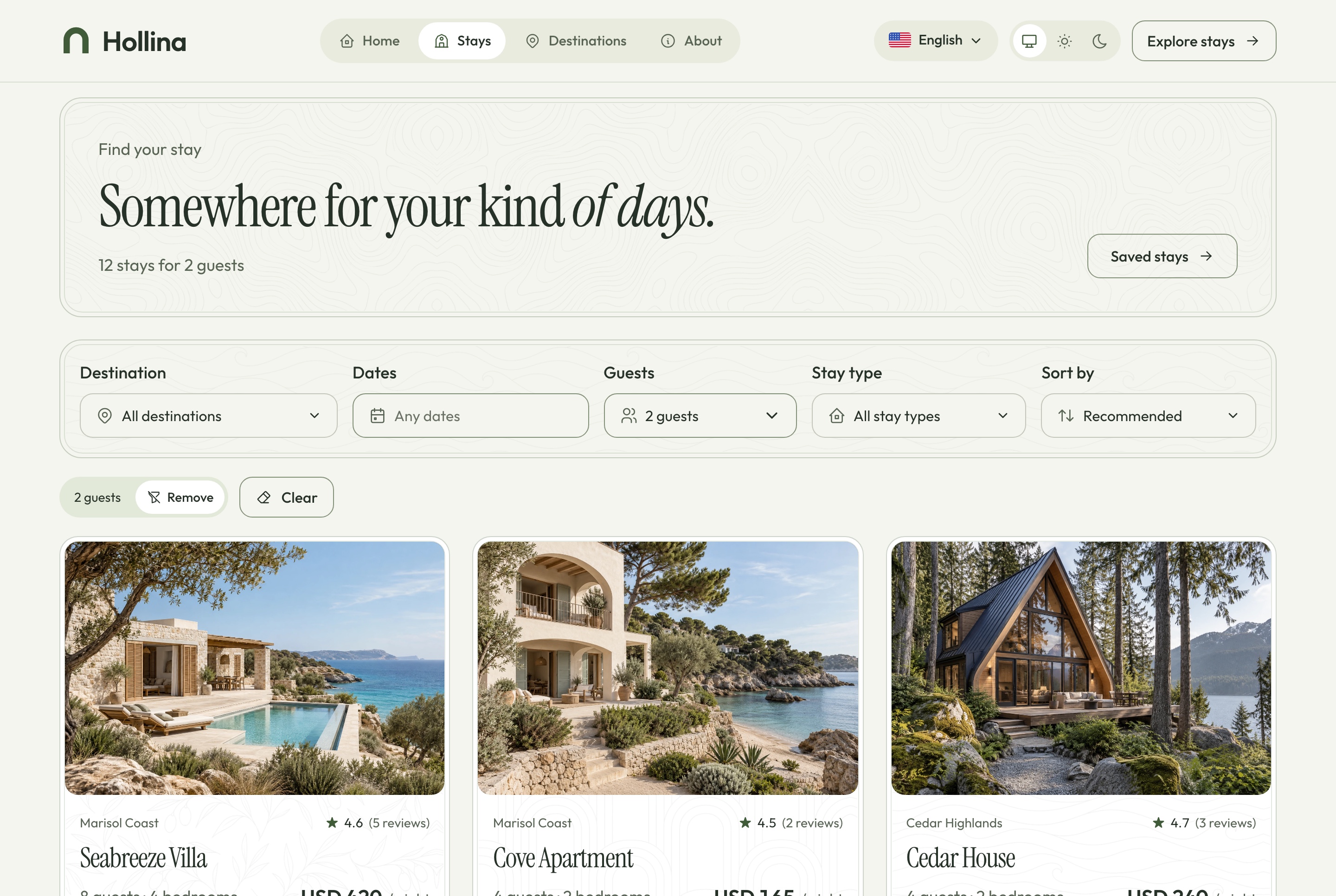
Stays list, light theme
Stays list, light theme. Every published stay with the filters for destination, dates, guests, type and sort, kept in the address, in the light theme
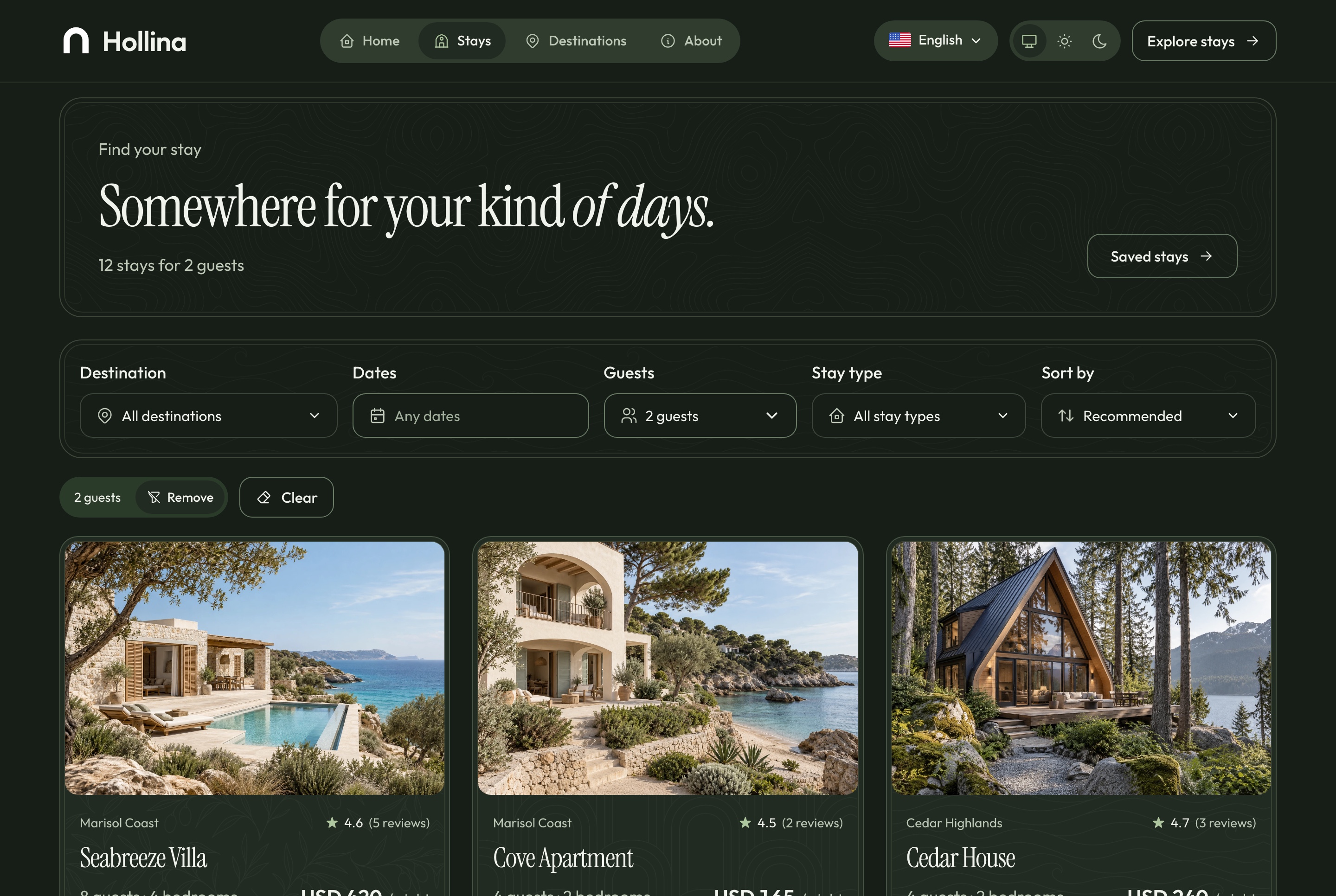
Stays list, dark theme
Stays list, dark theme. Every published stay with the filters for destination, dates, guests, type and sort, kept in the address, in the dark theme
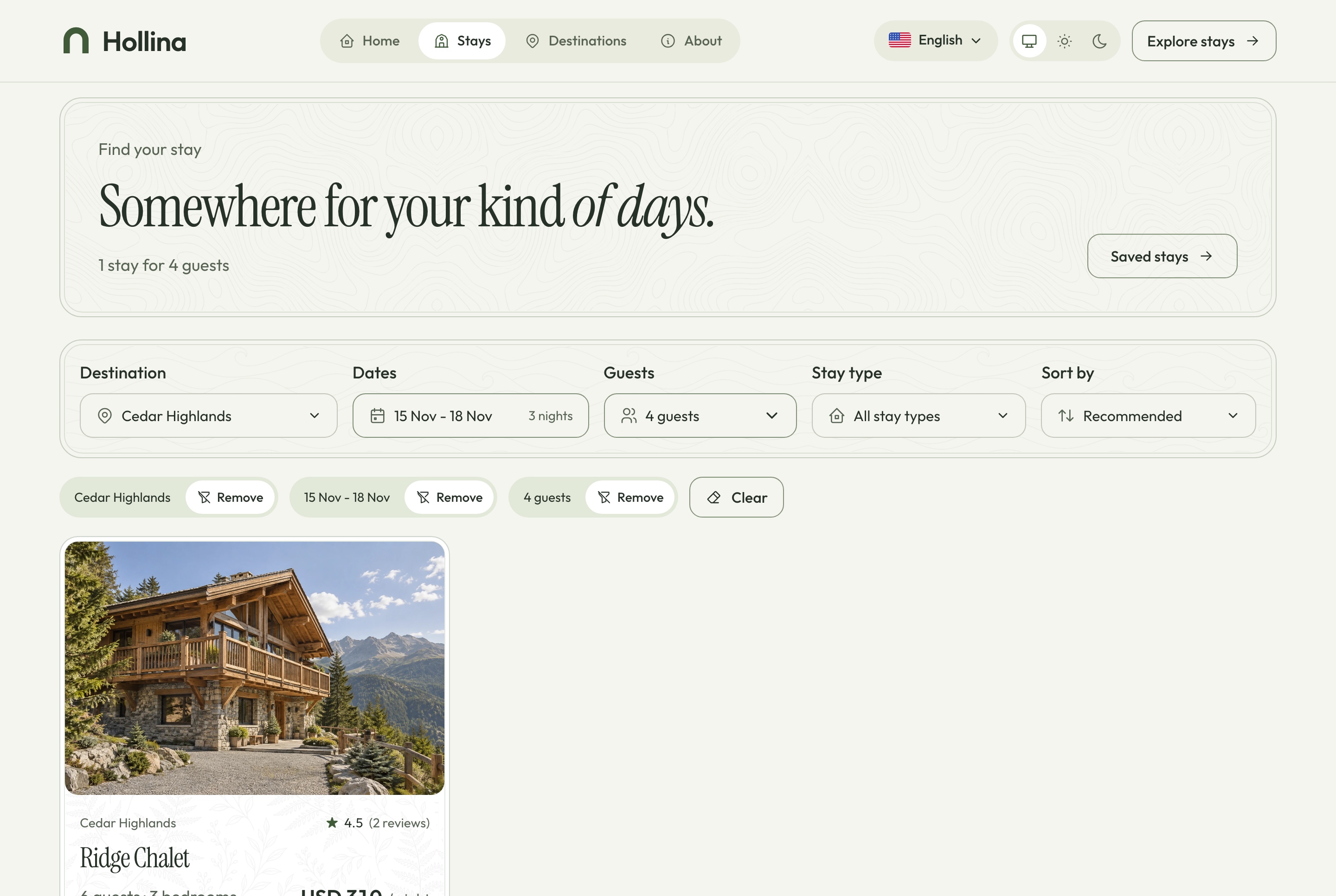
Stays list, filtered, light theme
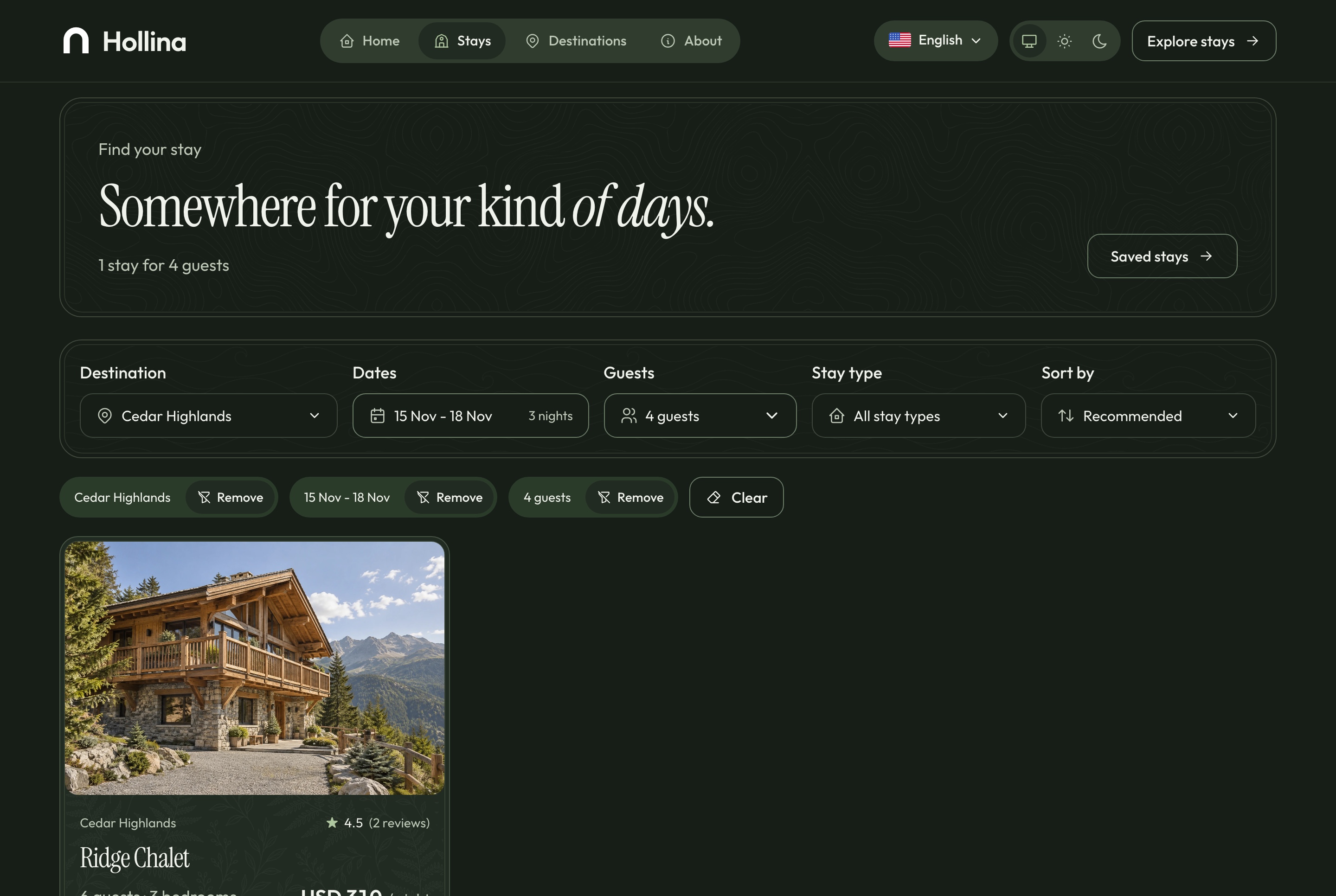
Stays list, filtered, light theme. Cedar Highlands for four guests on three chosen nights, with the applied filters as chips and one result, in the light theme
Stays list, filtered, dark theme
Stays list, filtered, dark theme. Cedar Highlands for four guests on three chosen nights, with the applied filters as chips and one result, in the dark theme

A stay page that prices the nights as they are chosen

The gallery, the facts and the reserve card come first. Pick a check-in and a check-out and the card shows the nights, the cleaning fee and the total before the guest commits to anything.

  • House rules, amenities and the approximate location
  • Similar stays by destination, type and rate
  • A question dialog that reaches the dashboard's inquiries
  • Drafts never reach the public site
Stay page, light theme
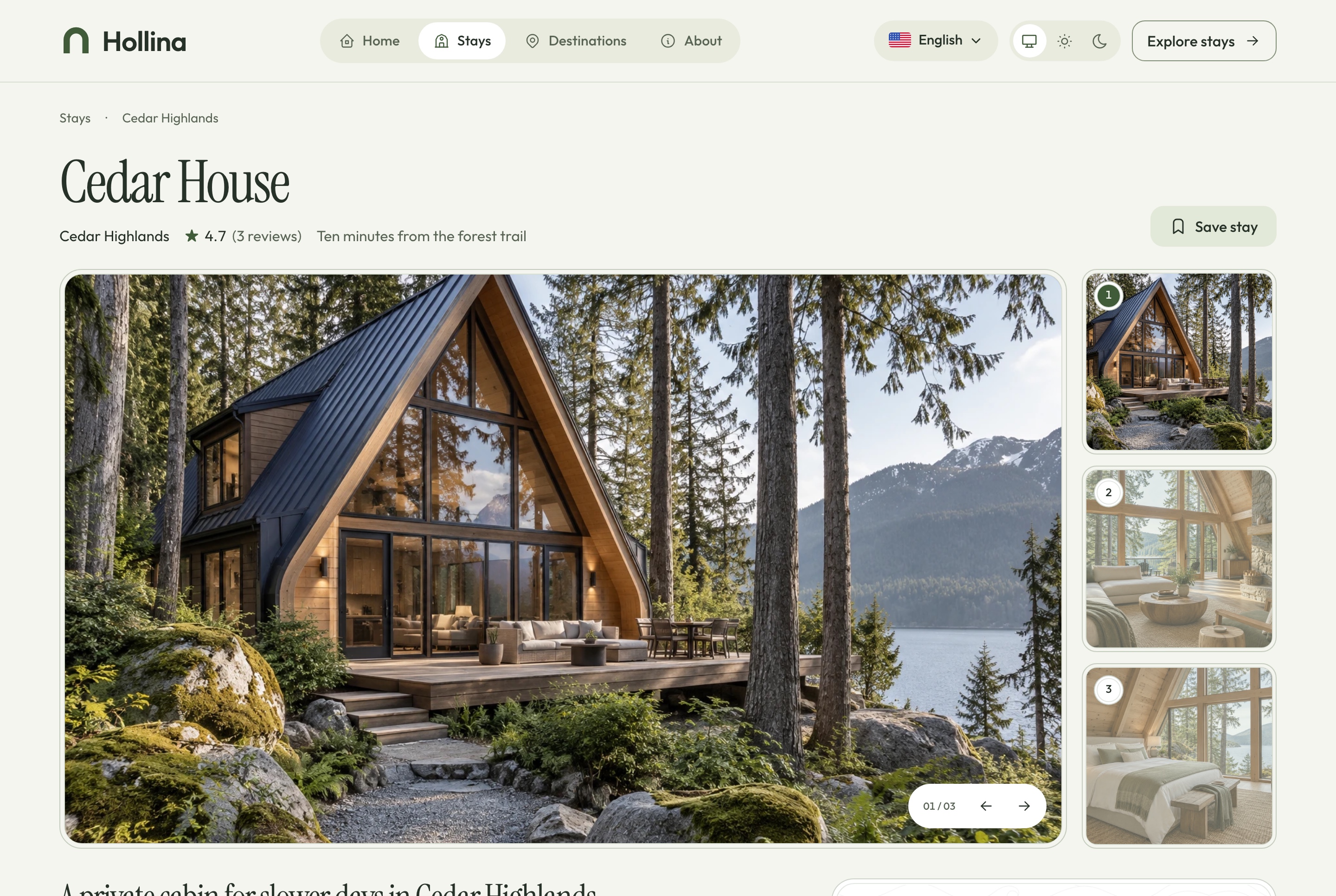
Stay page, light theme. Cedar House: the gallery, the facts, and the reserve card that prices the nights, in the light theme
Stay page, dark theme
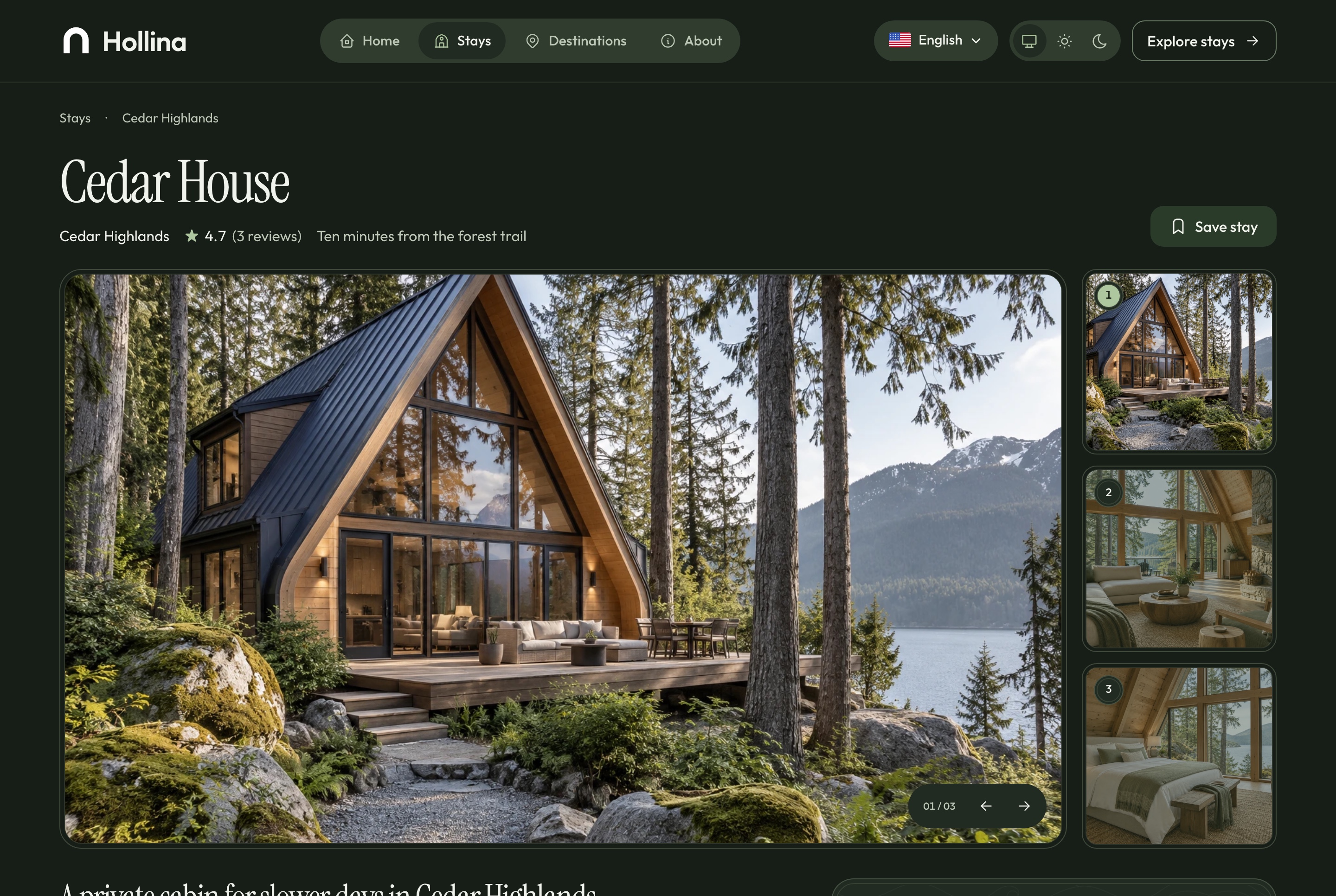
Stay page, dark theme. Cedar House: the gallery, the facts, and the reserve card that prices the nights, in the dark theme

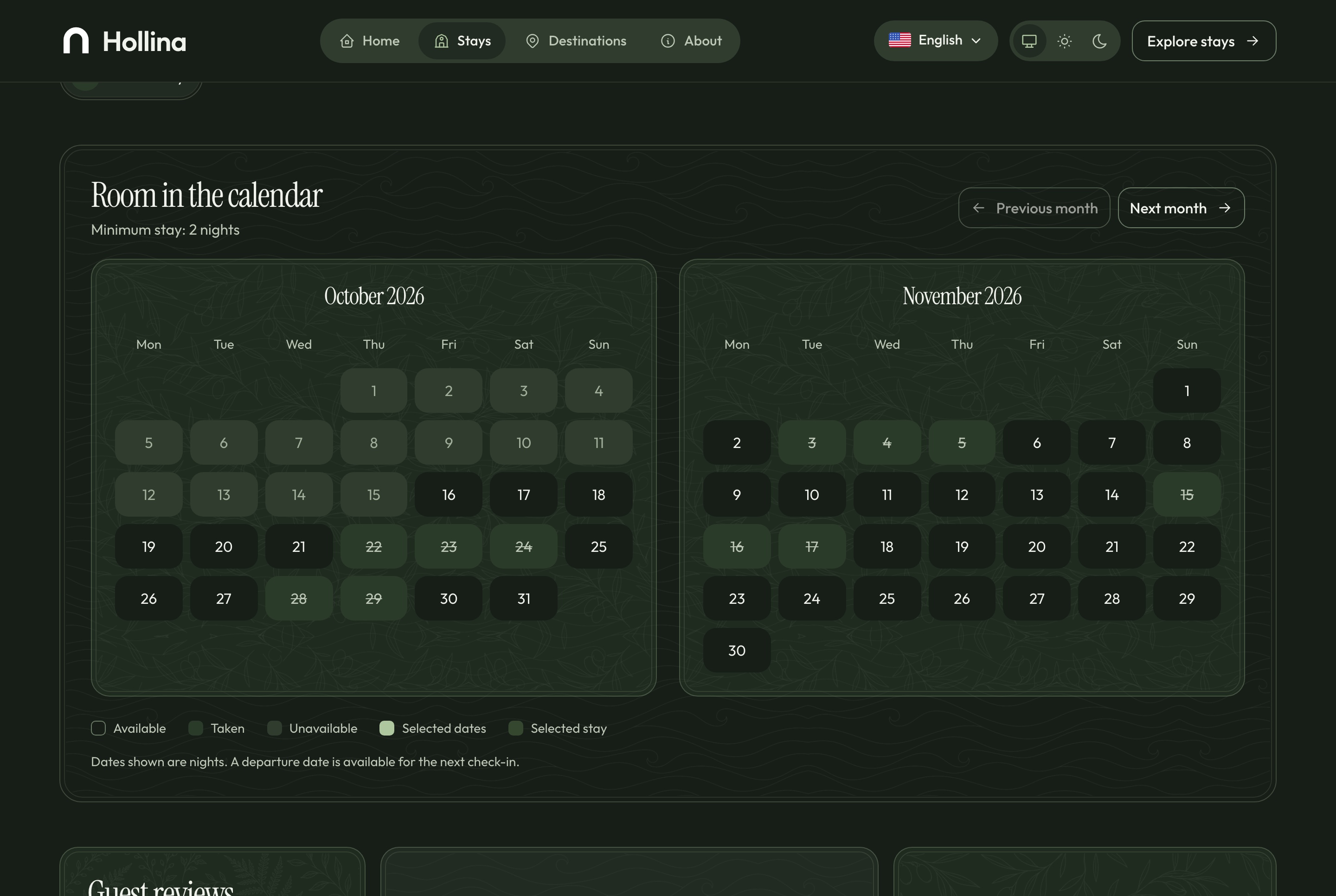
Two months of nights, drawn honestly

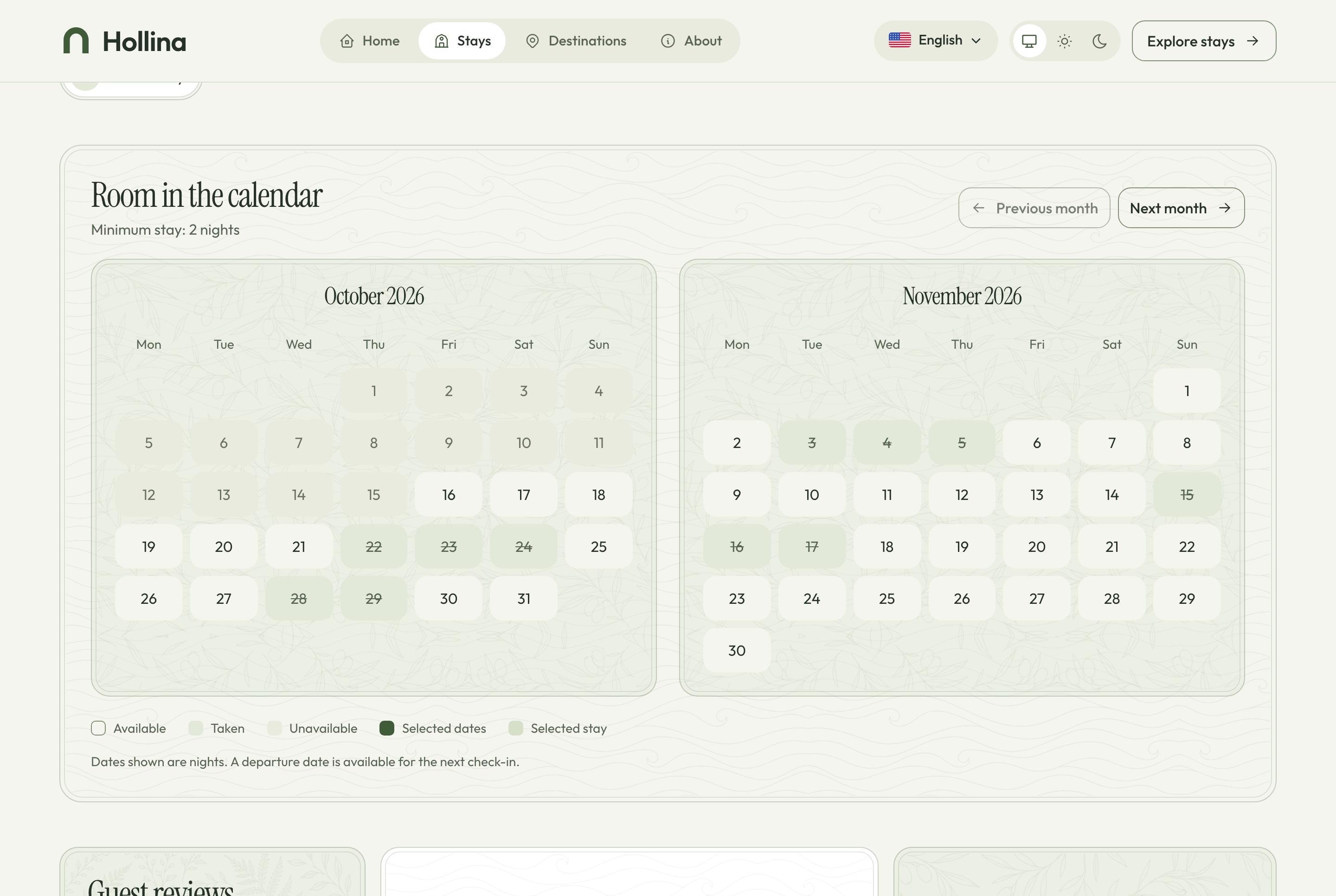
The availability calendar reads the same service as the checkout and the dashboard, so it can never promise a night that is already taken.

  • Available, unavailable, taken and selected nights, each with its own mark
  • The check-out day is free for the next arrival
  • Blocked dates and minimum stays respected
Stay page: availability calendar, light theme
Stay page: availability calendar, light theme. Two months of nights: available, taken, and the check-out day free for the next arrival, in the light theme
Stay page: availability calendar, dark theme
Stay page: availability calendar, dark theme. Two months of nights: available, taken, and the check-out day free for the next arrival, in the dark theme
The home page

Nine sections that start the search

A hero with the search, six destinations, featured stays, the kinds of place, how booking works, two ways to stay, why to book direct, the questions guests ask and a way to get in touch. The hero's stay, the featured stays and the questions are chosen in the dashboard's settings.

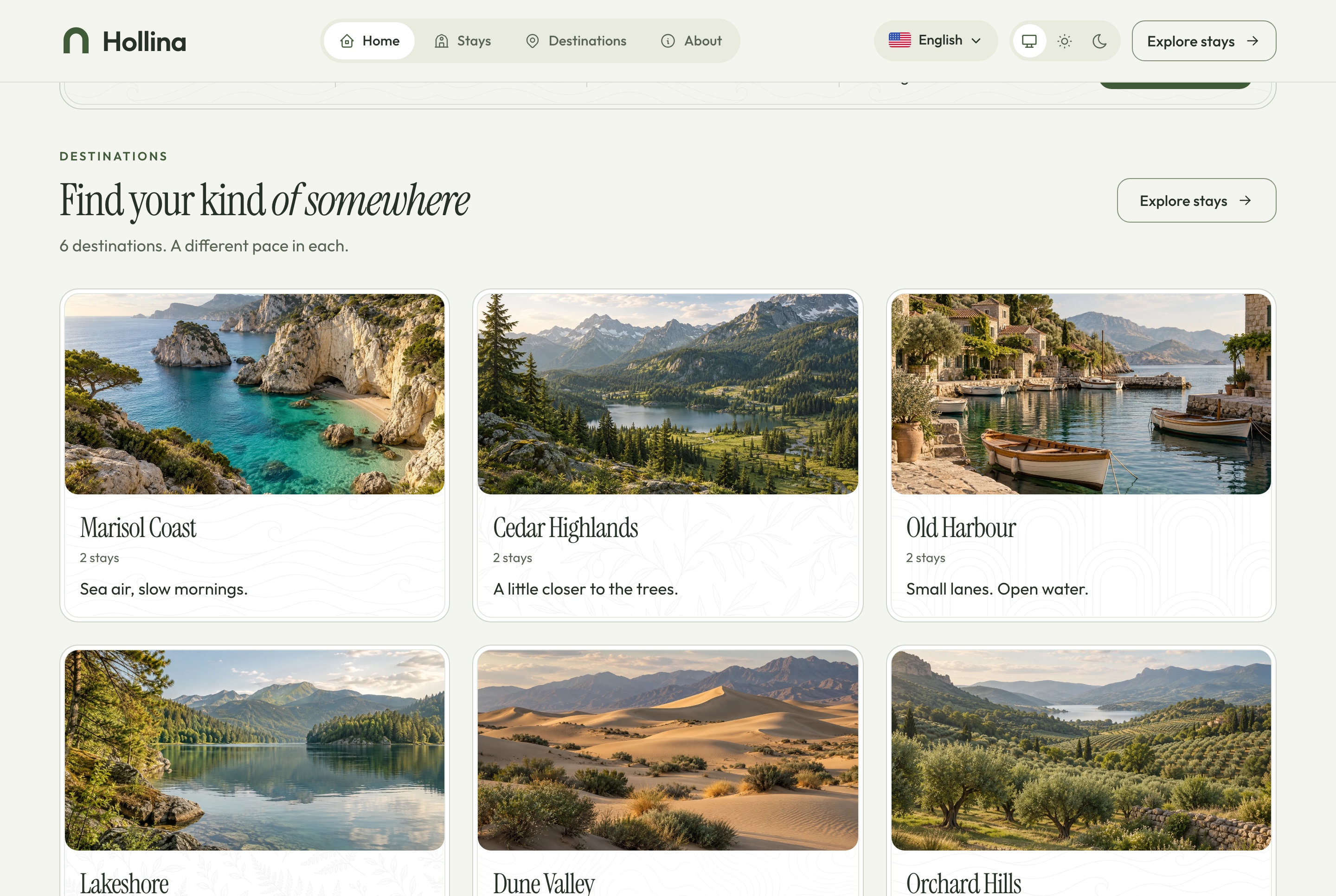
Home: destinations, light theme
Home: destinations, light theme. Six destinations, each with its tagline and the number of stays in it, in the light theme
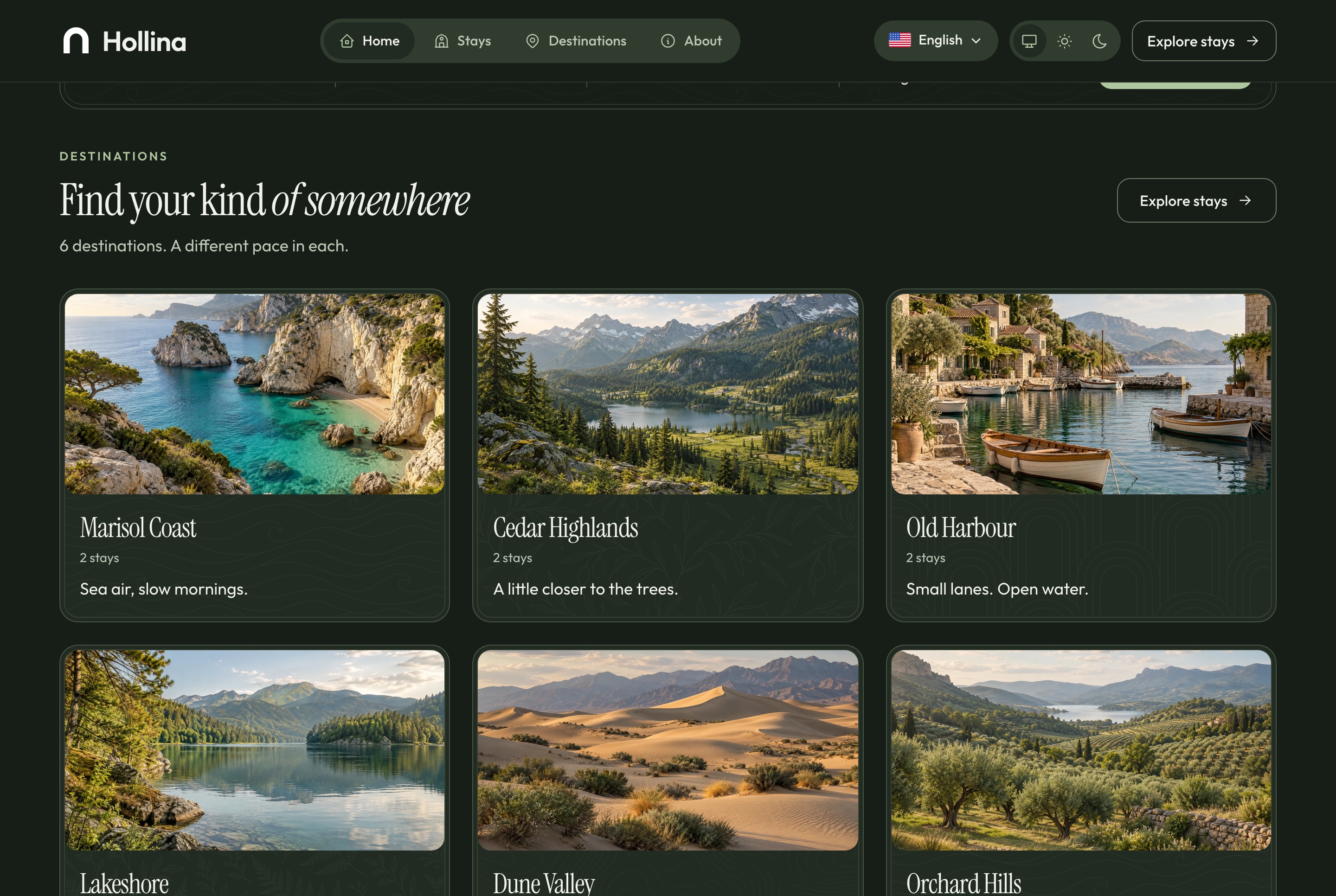
Home: destinations, dark theme
Home: destinations, dark theme. Six destinations, each with its tagline and the number of stays in it, in the dark theme
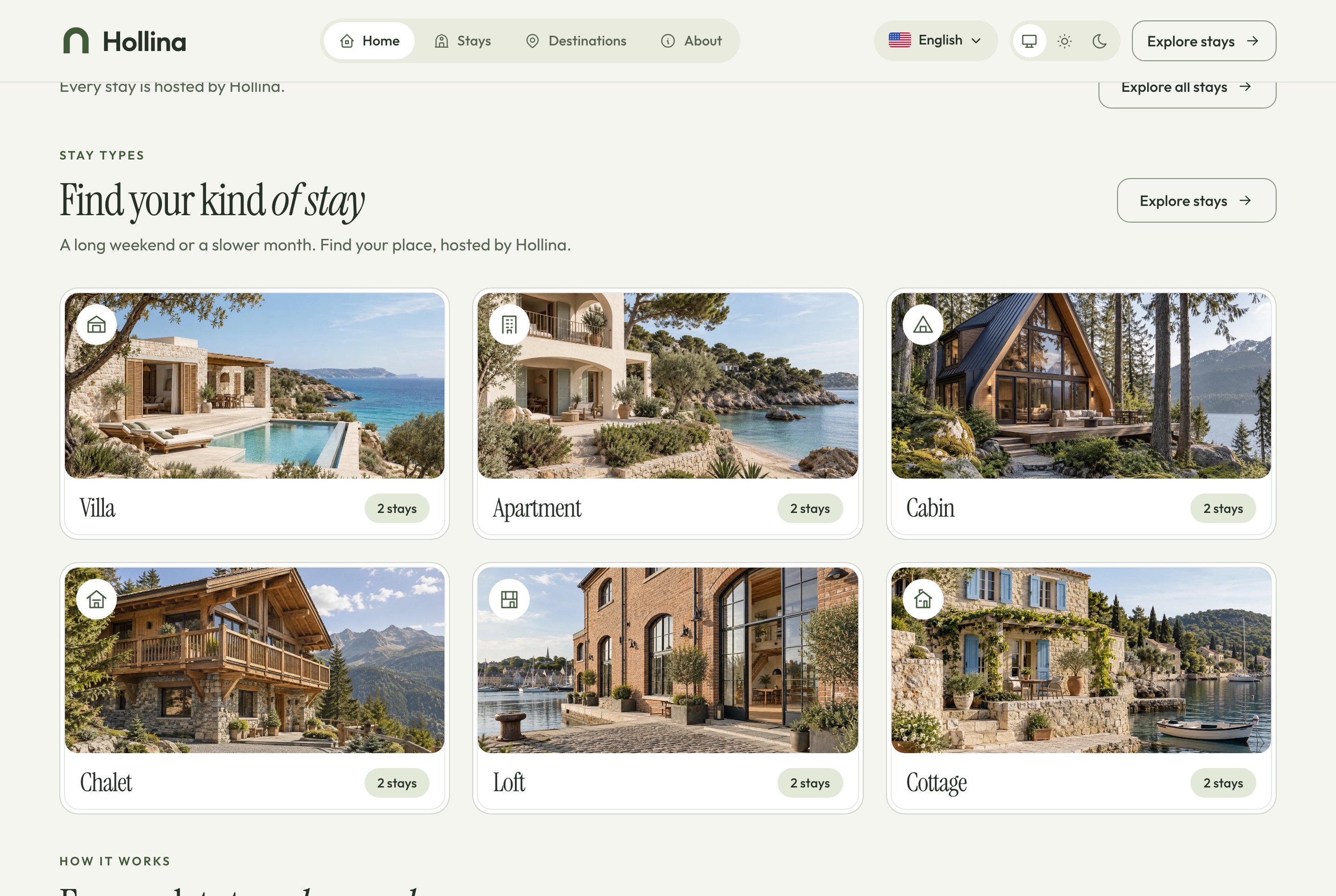
Home: stay types and how it works, light theme
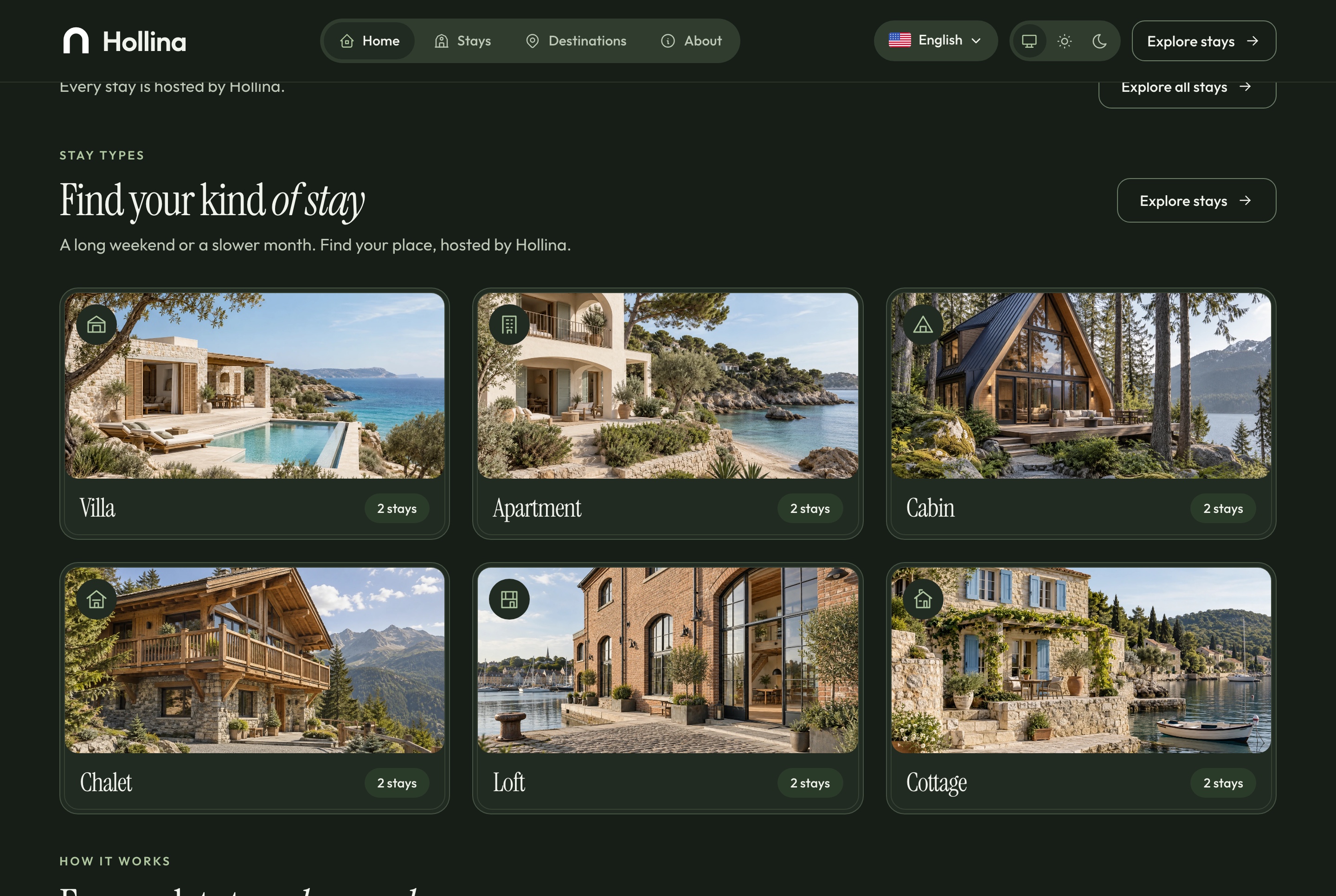
Home: stay types and how it works, light theme. The six kinds of place, each opening the stays list already filtered, then the booking steps, in the light theme
Home: stay types and how it works, dark theme
Home: stay types and how it works, dark theme. The six kinds of place, each opening the stays list already filtered, then the booking steps, in the dark theme
Home: two ways to stay and why book direct, light theme
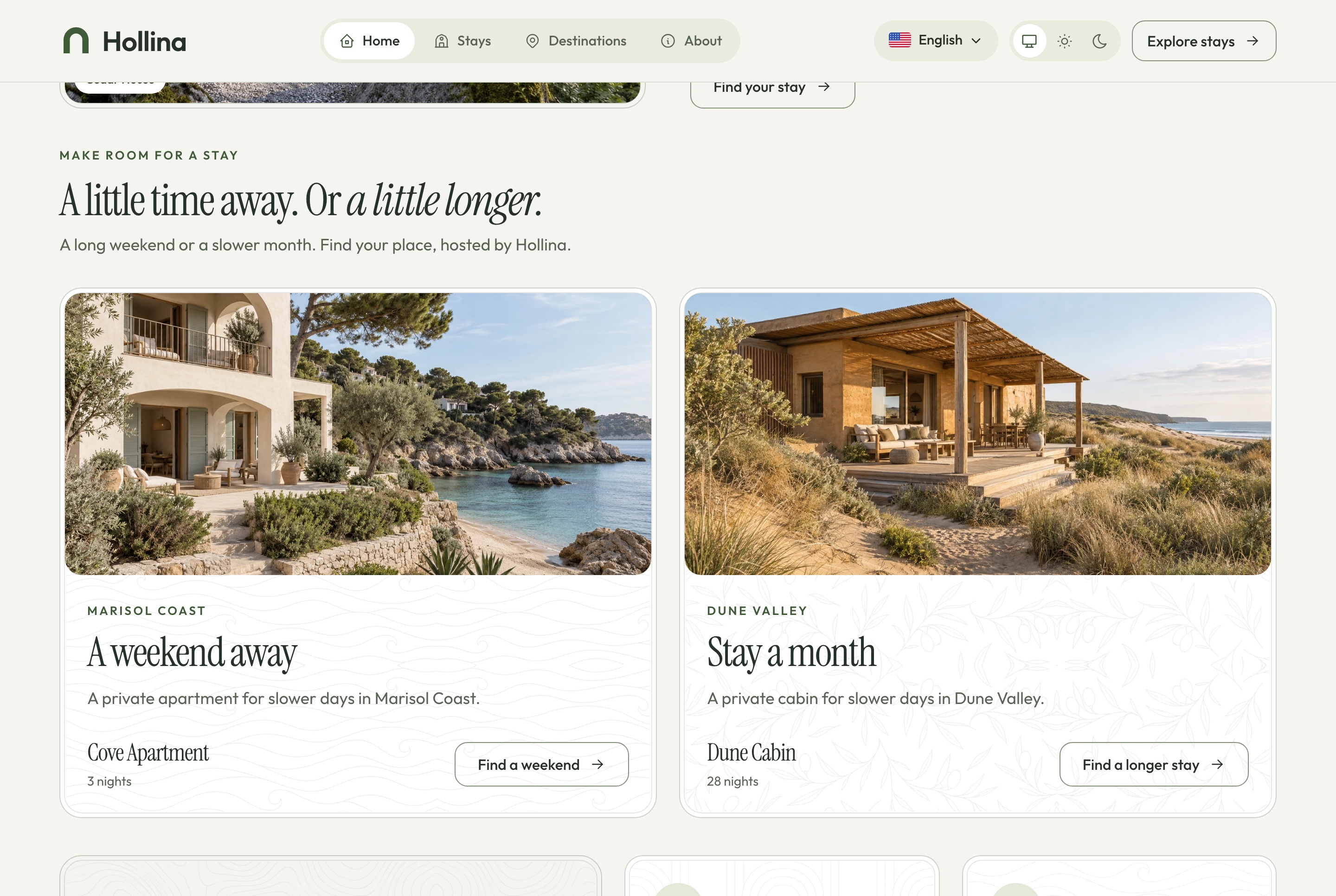
Home: two ways to stay and why book direct, light theme. A short break or a longer stay, and what booking with the host directly gives a guest, in the light theme
Home: two ways to stay and why book direct, dark theme
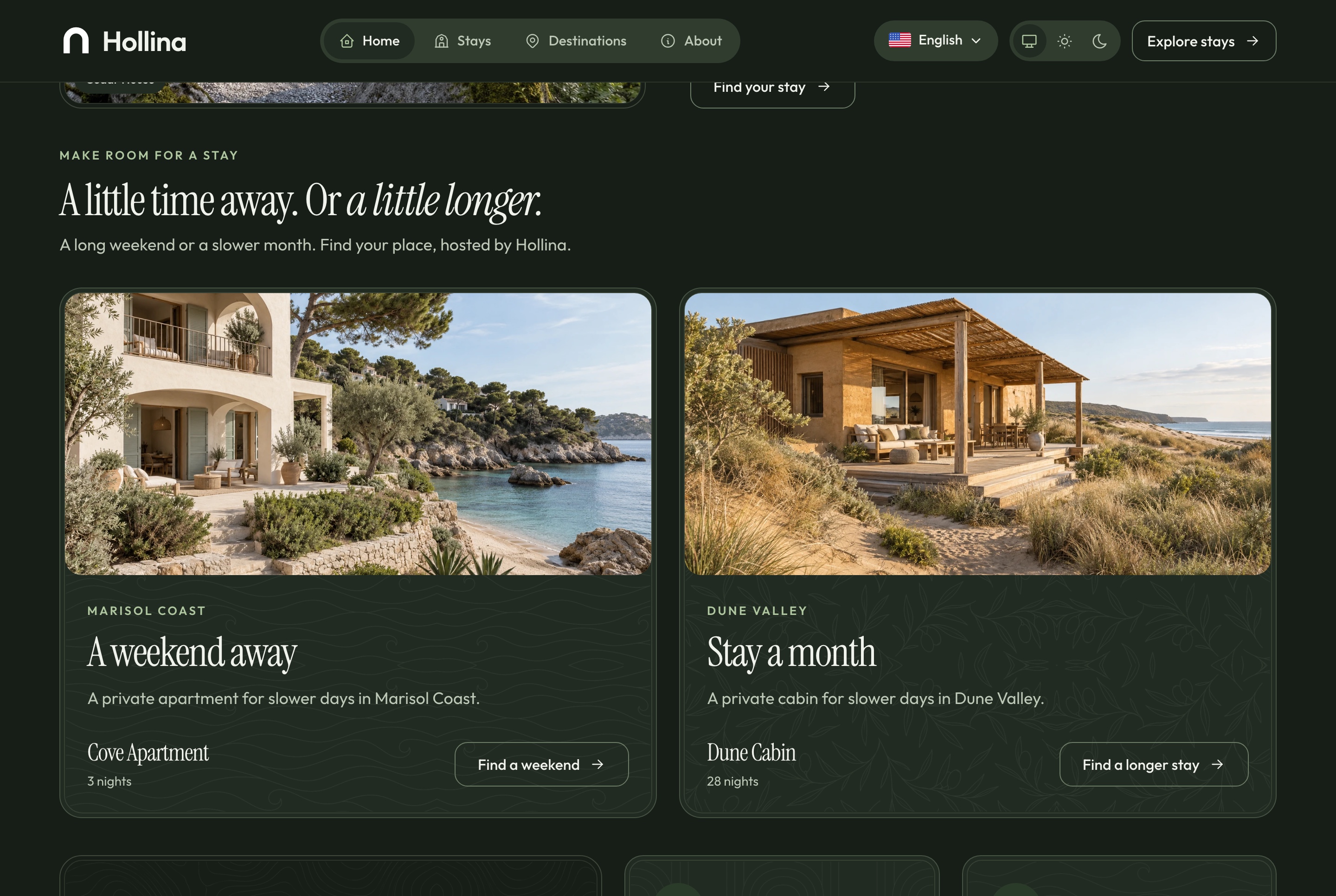
Home: two ways to stay and why book direct, dark theme. A short break or a longer stay, and what booking with the host directly gives a guest, in the dark theme
Home: questions and contact, light theme
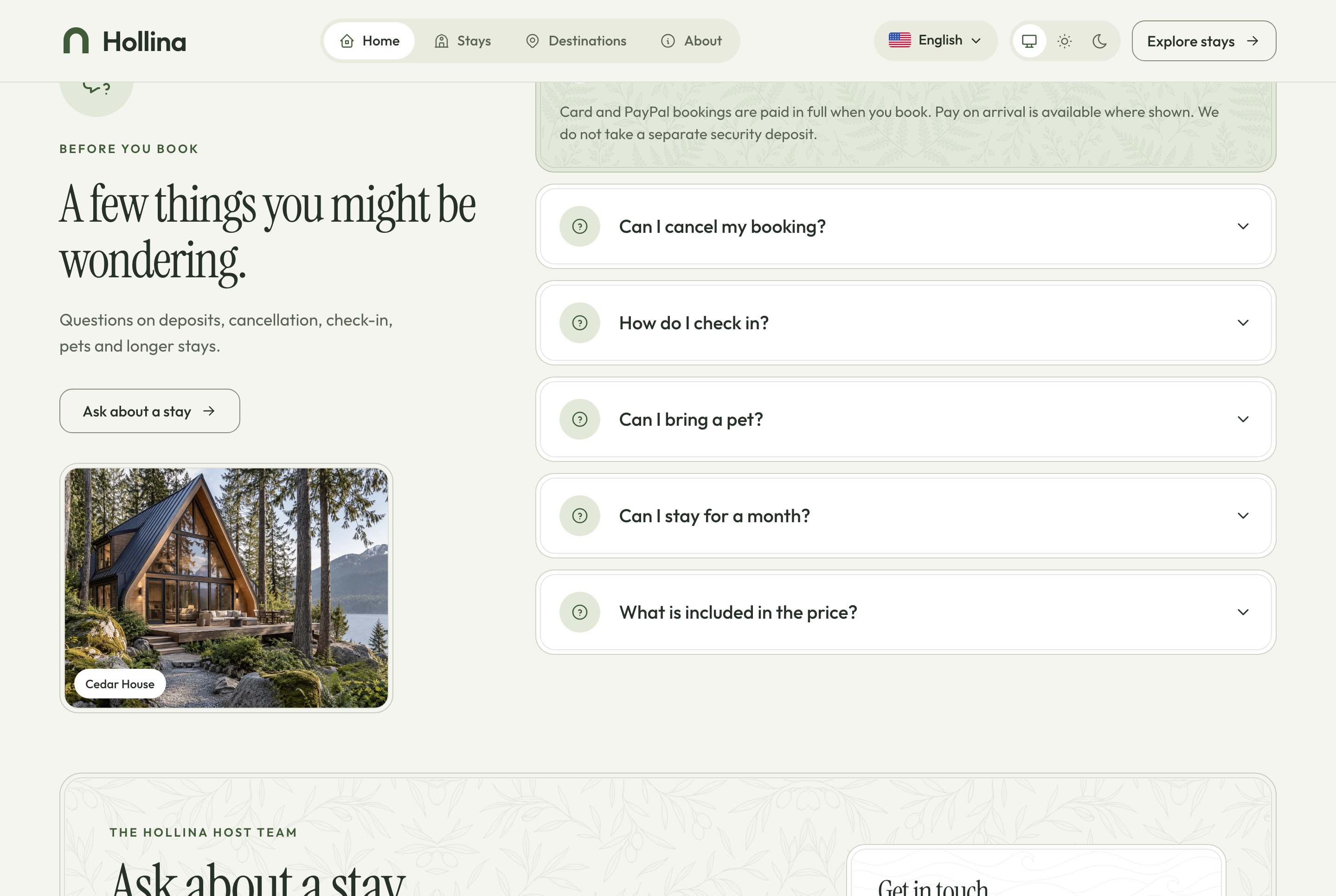
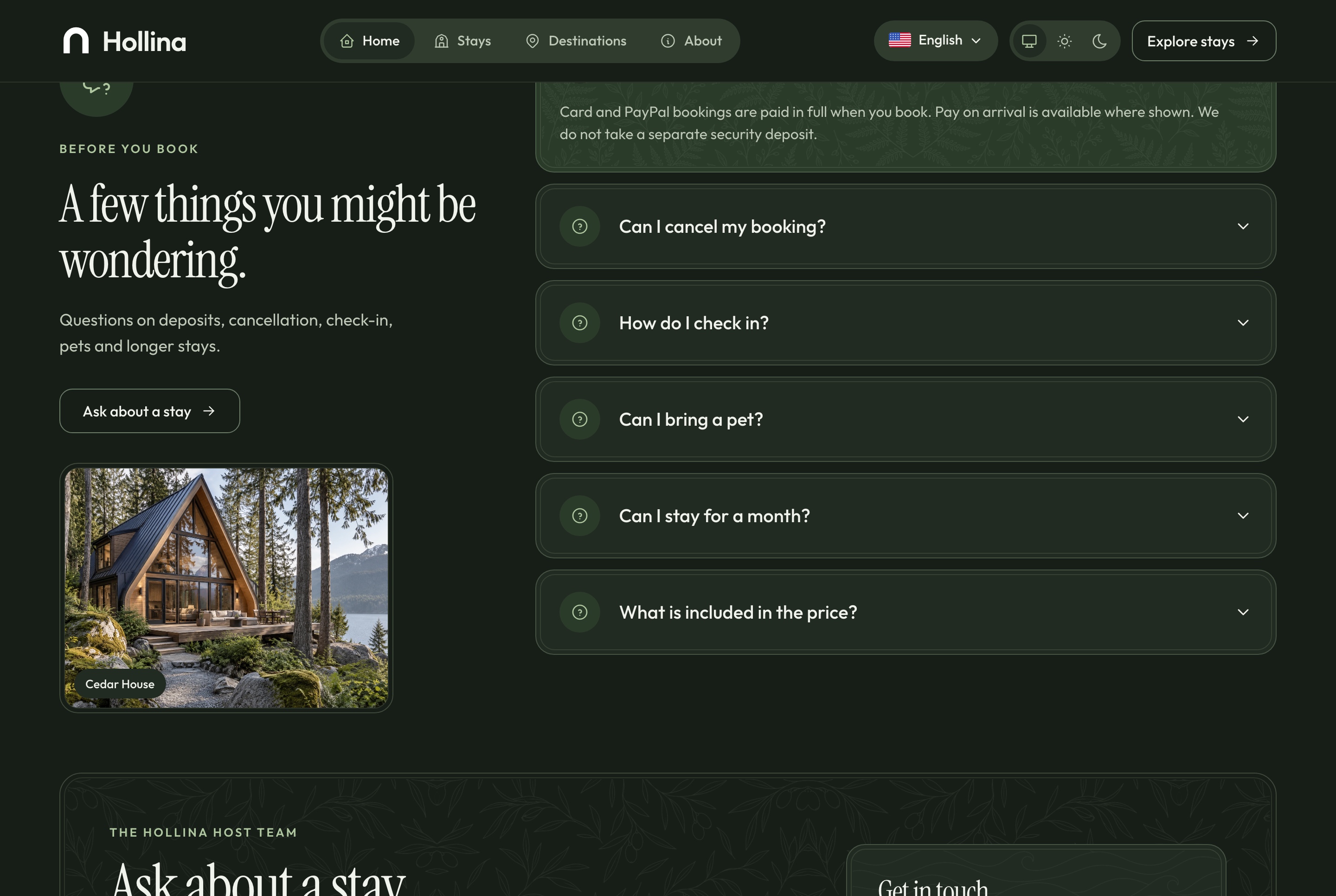
Home: questions and contact, light theme. The questions guests ask, answered, and the way to get in touch, in the light theme
Home: questions and contact, dark theme
Home: questions and contact, dark theme. The questions guests ask, answered, and the way to get in touch, in the dark theme
Checkout

Pay by card, by PayPal or on arrival

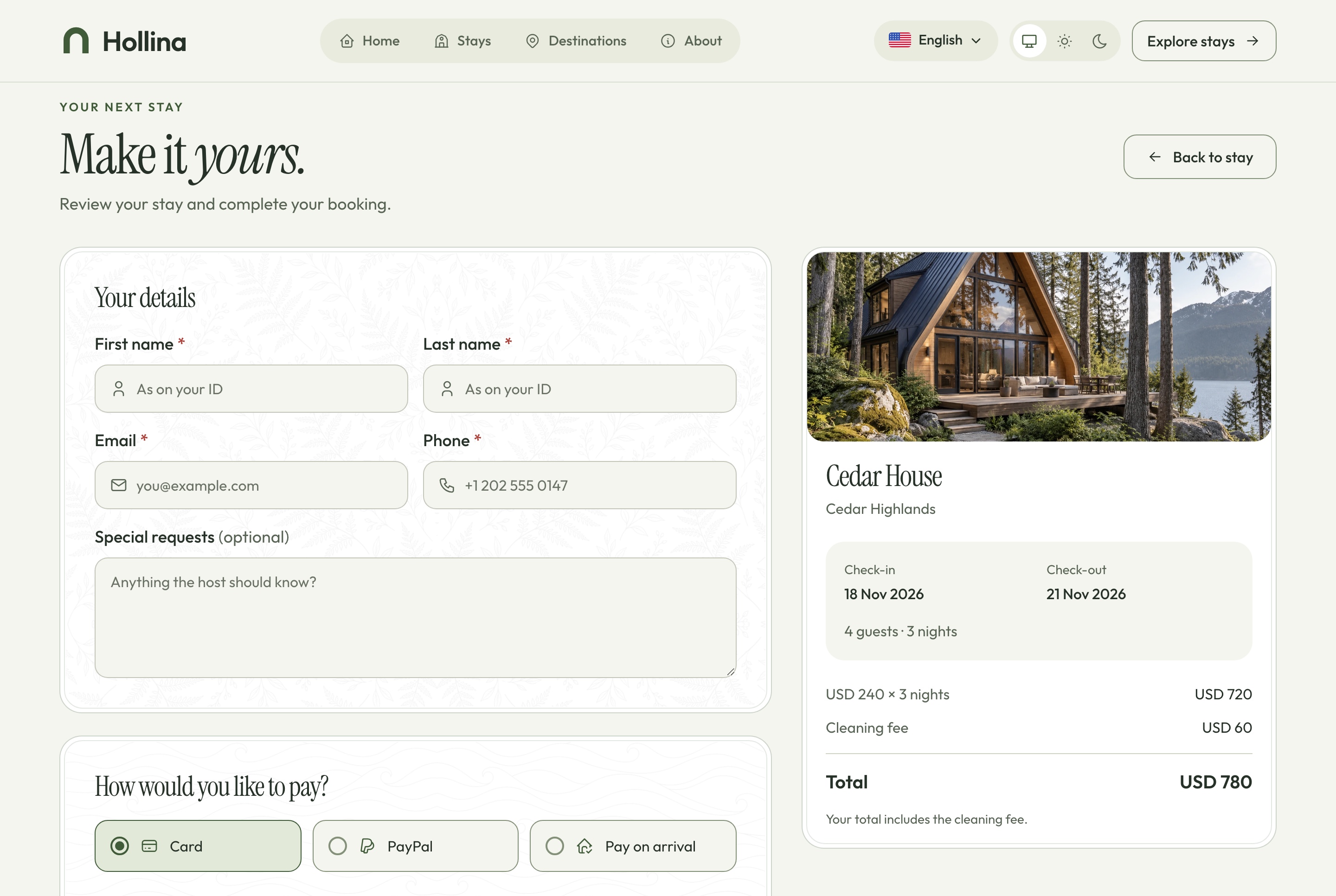
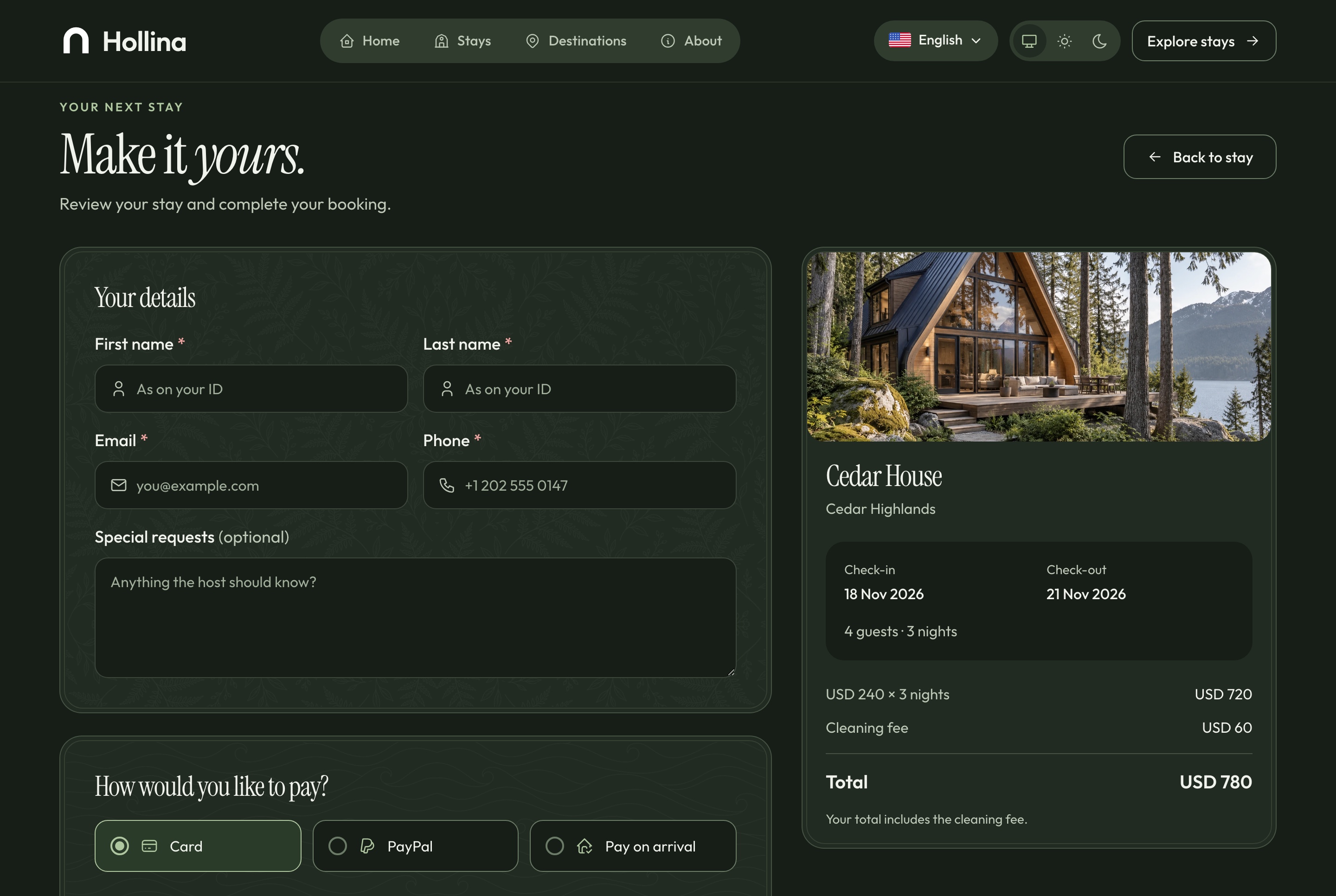
The guest enters their details, chooses how to pay and reads the cancellation policy beside a summary of the nights. A card goes to Stripe's hosted Checkout and a PayPal account to PayPal's own approval page, so with a processor configured no card number reaches your server. A signed webhook, never the guest's return, is what confirms a paid booking.

Checkout, light theme
Checkout, light theme. The guest's details, card, PayPal or pay on arrival, the cancellation policy and the summary of the nights, in the light theme
Checkout, dark theme
Checkout, dark theme. The guest's details, card, PayPal or pay on arrival, the cancellation policy and the summary of the nights, in the dark theme
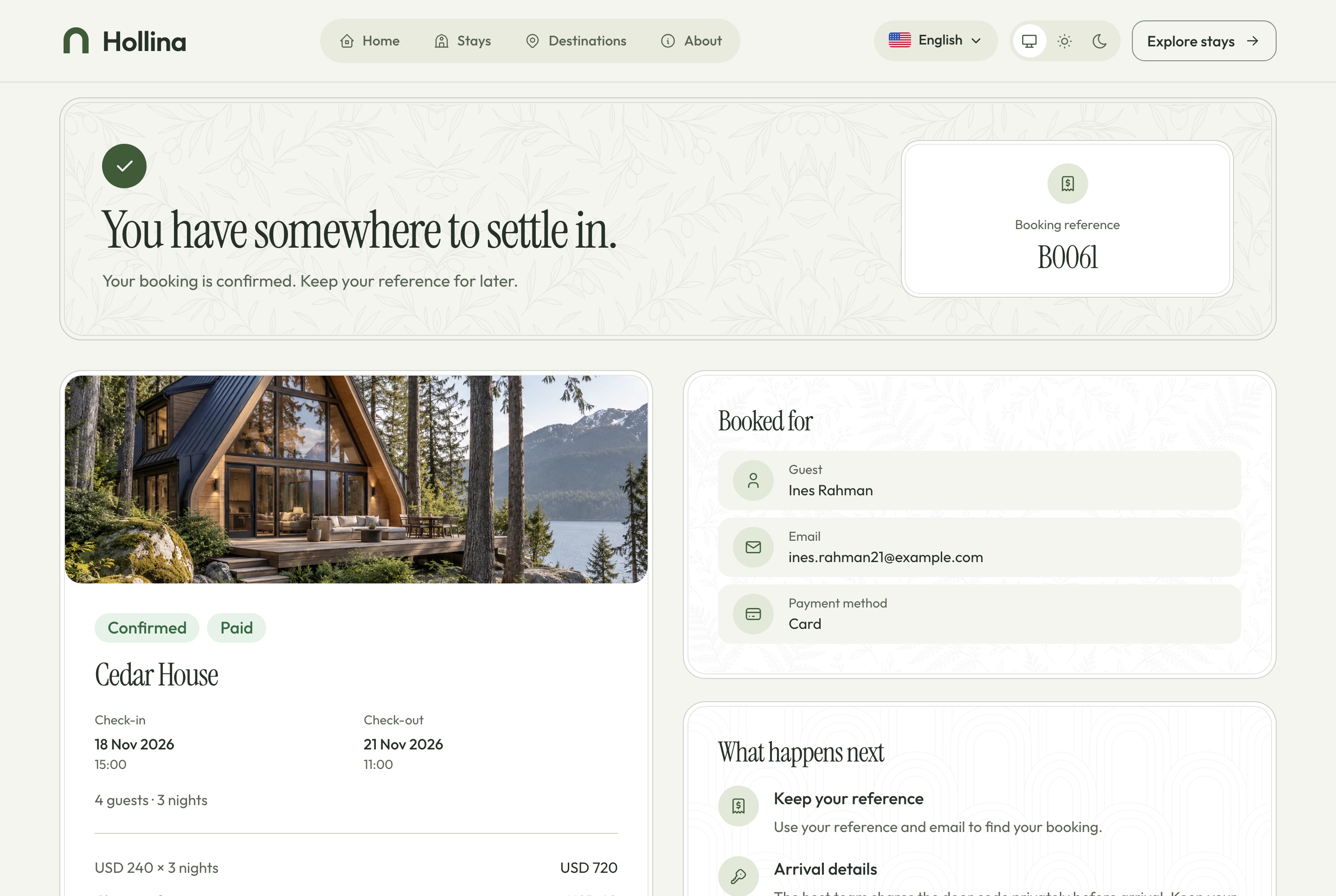
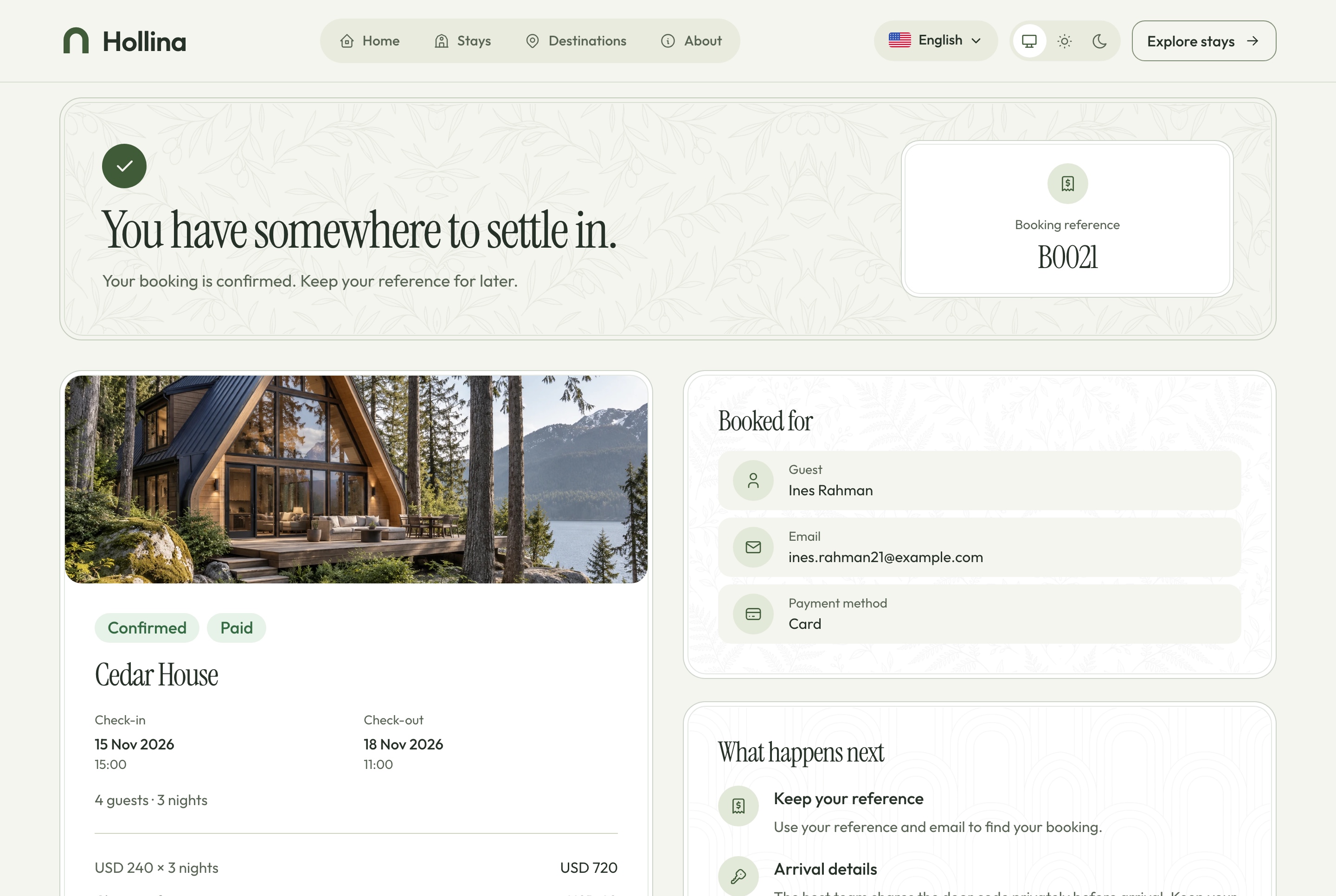
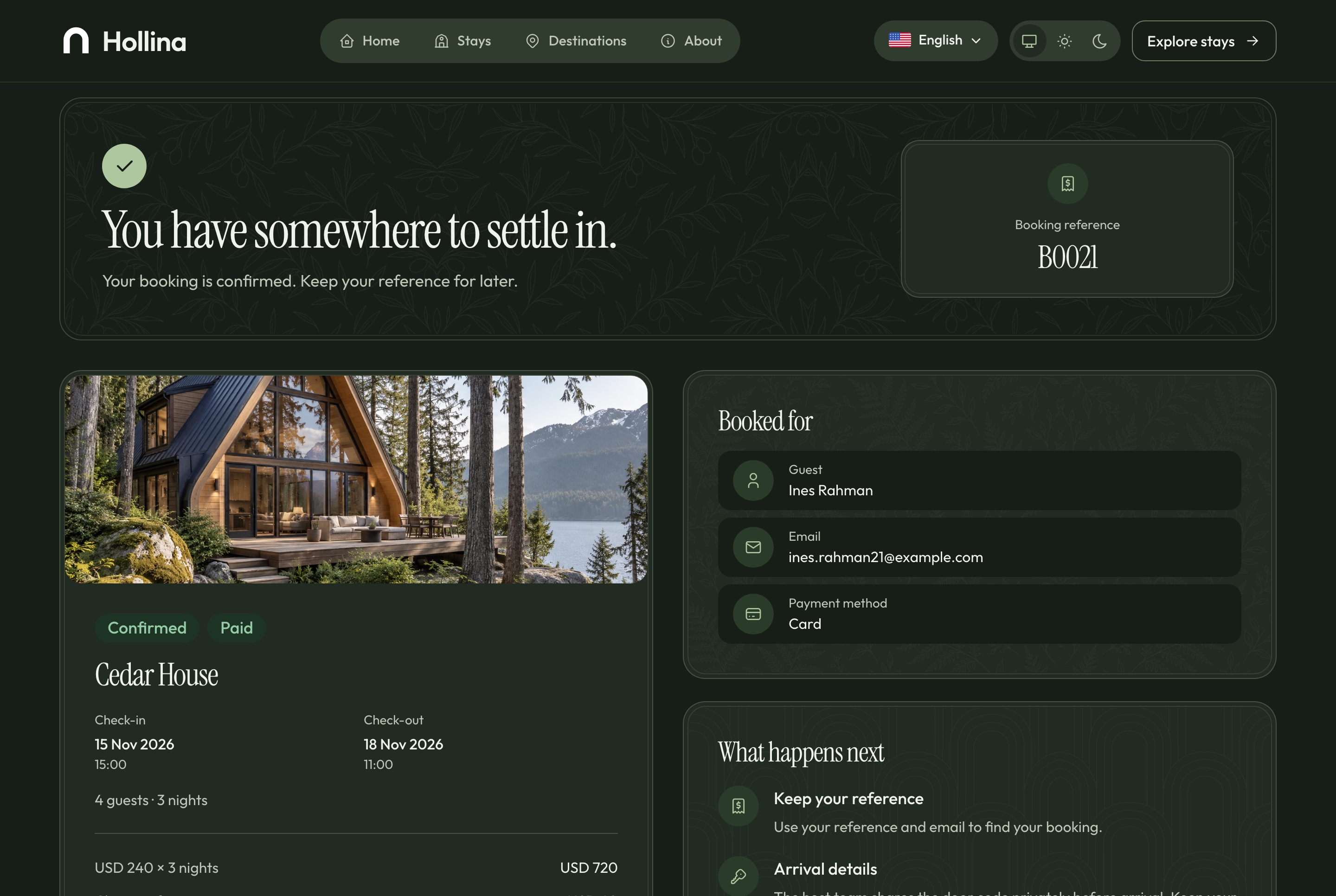
Booking confirmed, light theme
Booking confirmed, light theme. A paid booking: its reference, the stay, the nights, the total paid and what happens next, in the light theme
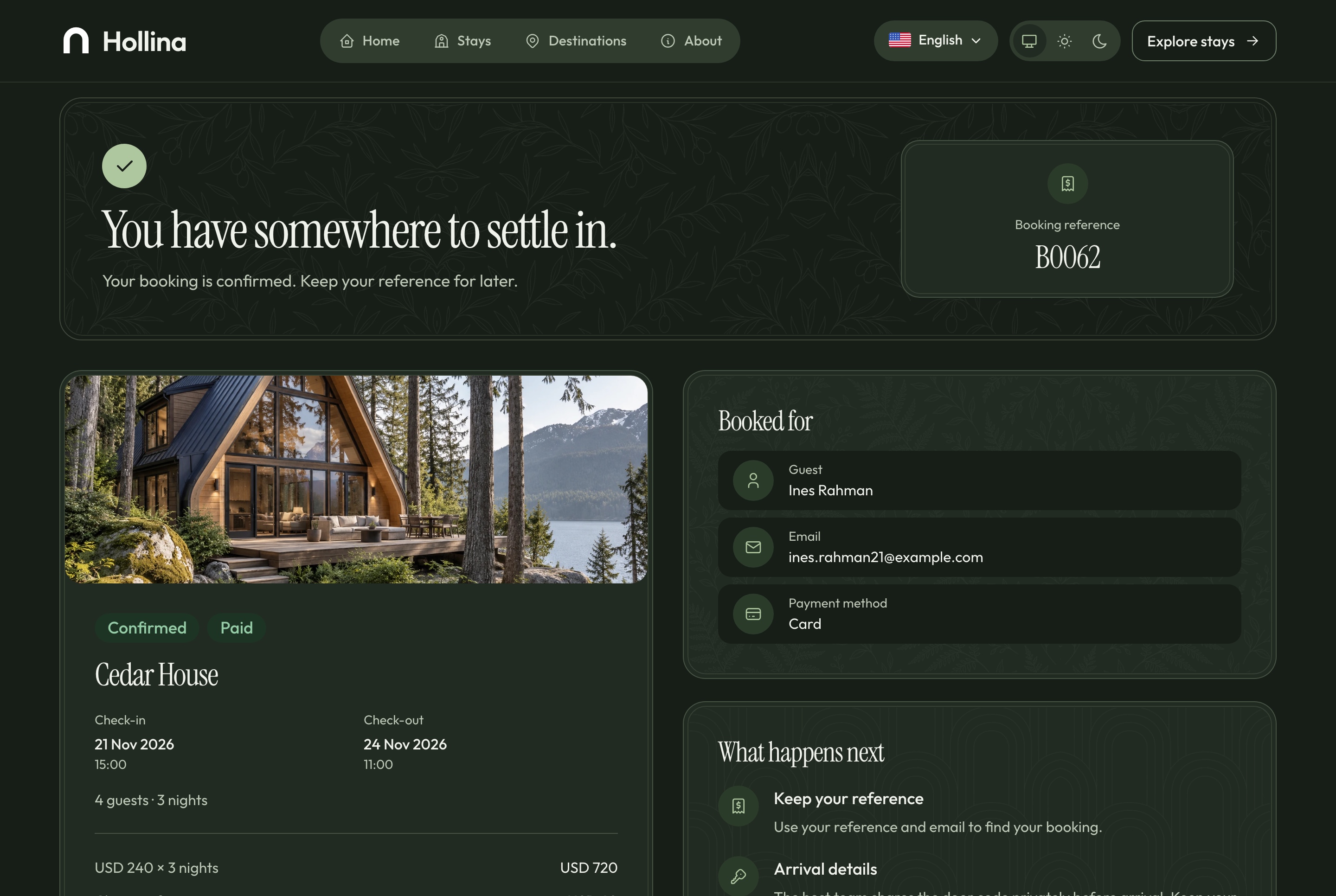
Booking confirmed, dark theme
Booking confirmed, dark theme. A paid booking: its reference, the stay, the nights, the total paid and what happens next, in the dark theme
After the booking

A guest's booking, without an account

A booking is found by its reference and the email it was made with. While check-in is at least seven days away the guest can cancel it from that page; a paid booking becomes refund pending, and the host refunds it from the processor's dashboard.

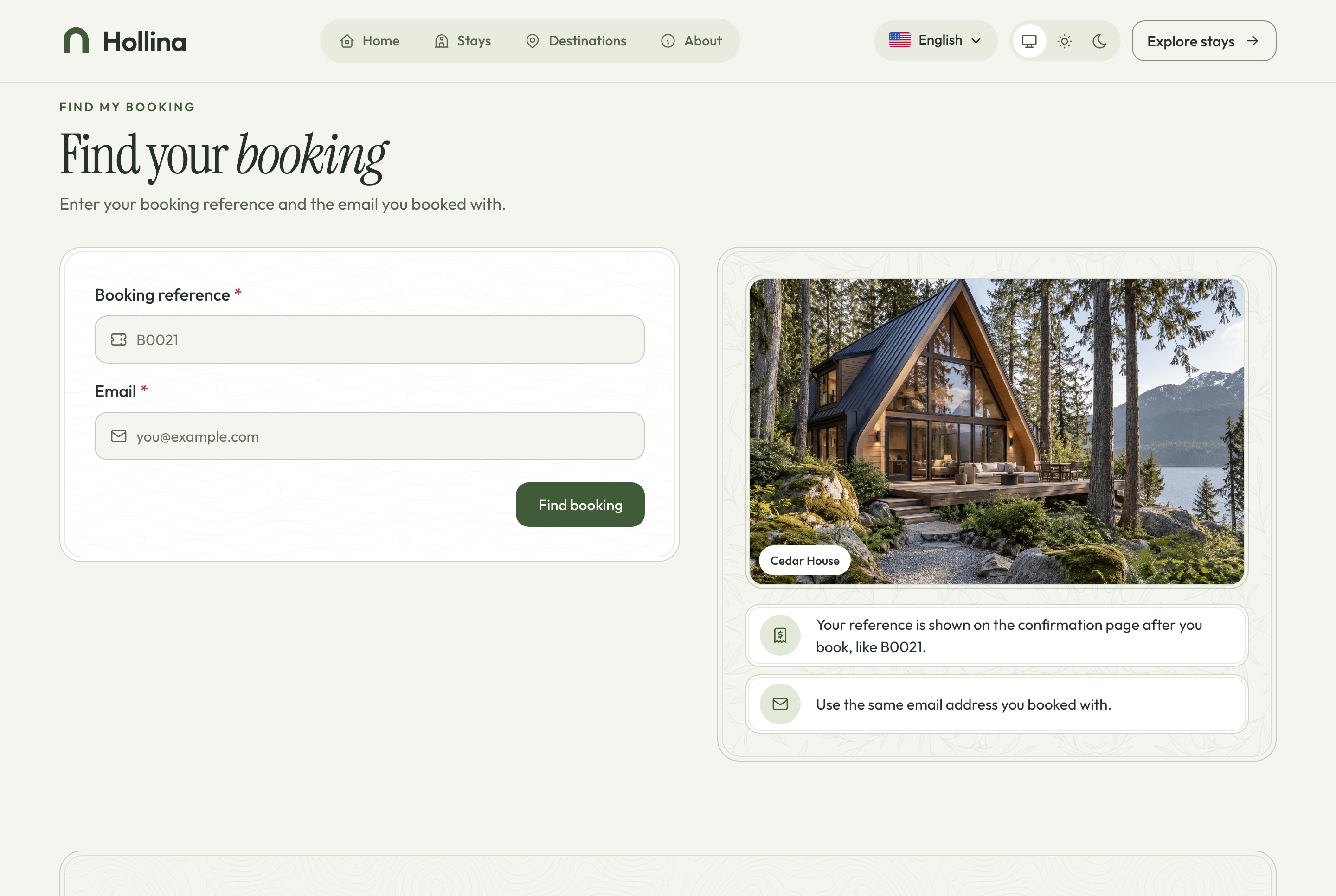
Find a booking, light theme
Find a booking, light theme. A guest looks a booking up with its reference and the email it was made with, in the light theme
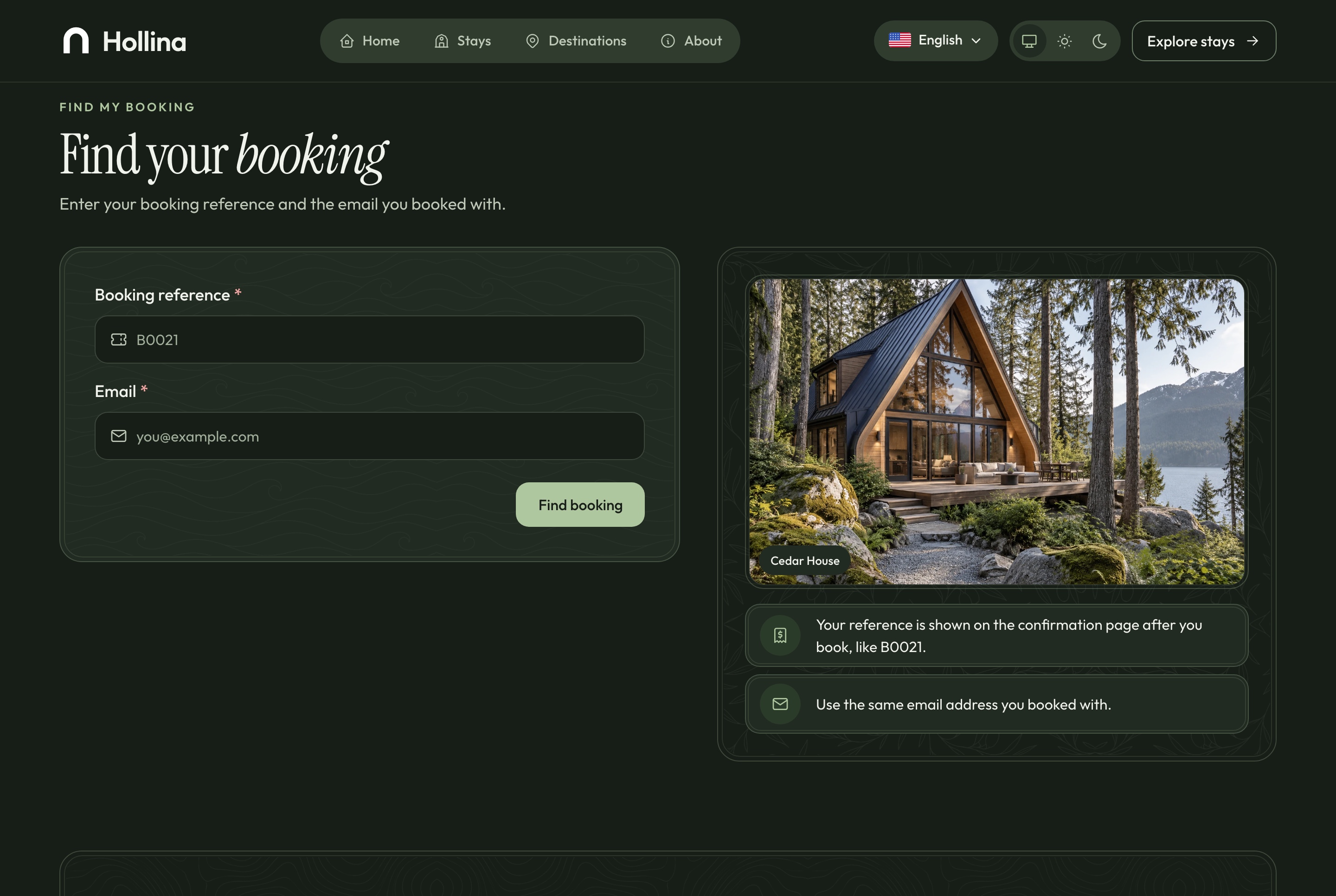
Find a booking, dark theme
Find a booking, dark theme. A guest looks a booking up with its reference and the email it was made with, in the dark theme
A found booking, light theme
A found booking, light theme. The booking a guest found, with cancellation under the policy while it still applies, in the light theme
A found booking, dark theme
A found booking, dark theme. The booking a guest found, with cancellation under the policy while it still applies, in the dark theme

Reviews from stays that really happened

Only a completed booking can be reviewed, from the guest's own booking page. The review appears on the stay at once, and the team can hide it or publish it again, with the stay's rating following each change.

  • The average and the count on every stay card
  • One review per completed booking
  • Published reviews on the stay page
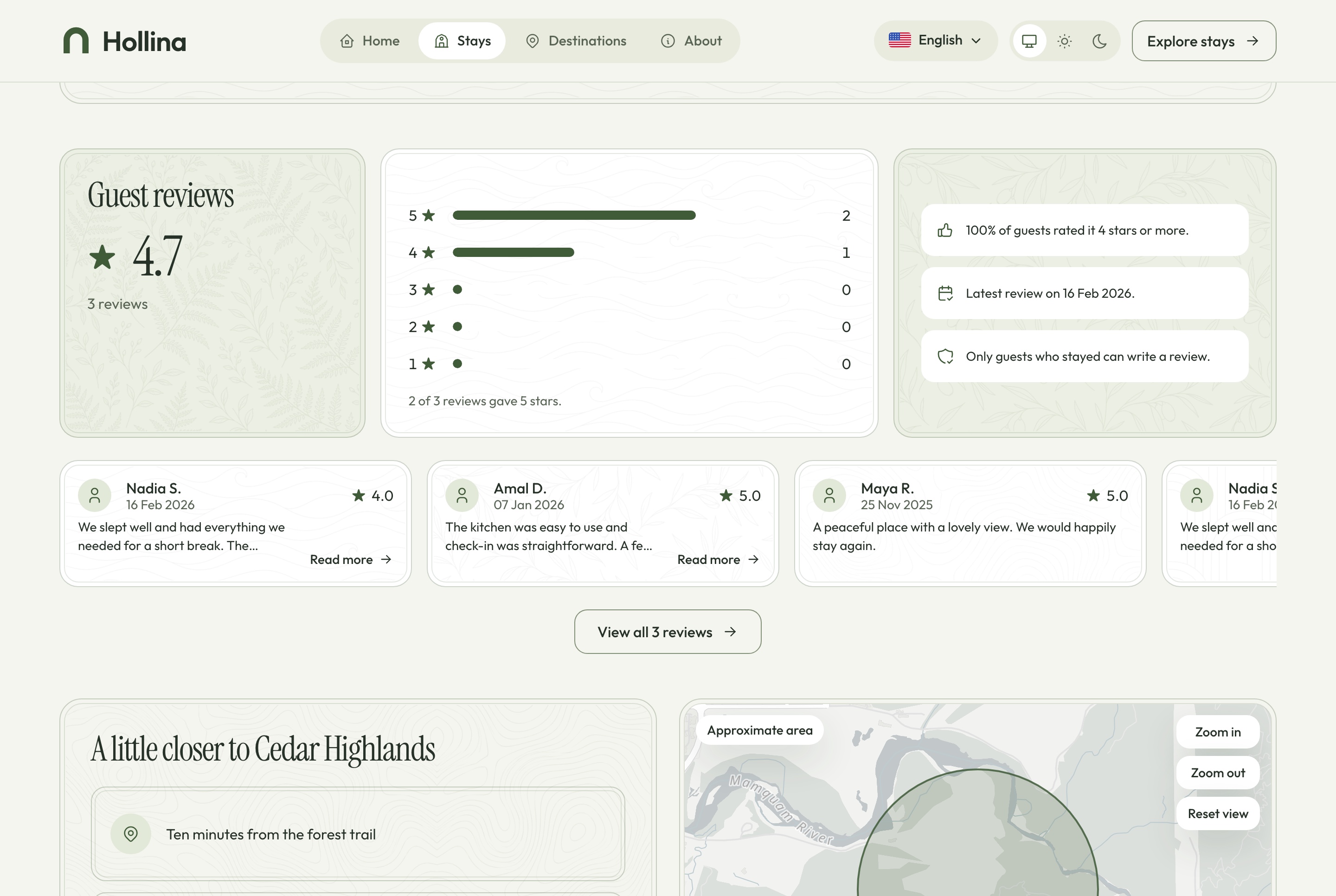
Stay page: guest reviews, light theme
Stay page: guest reviews, light theme. Published reviews from completed stays and the rating they add up to, in the light theme
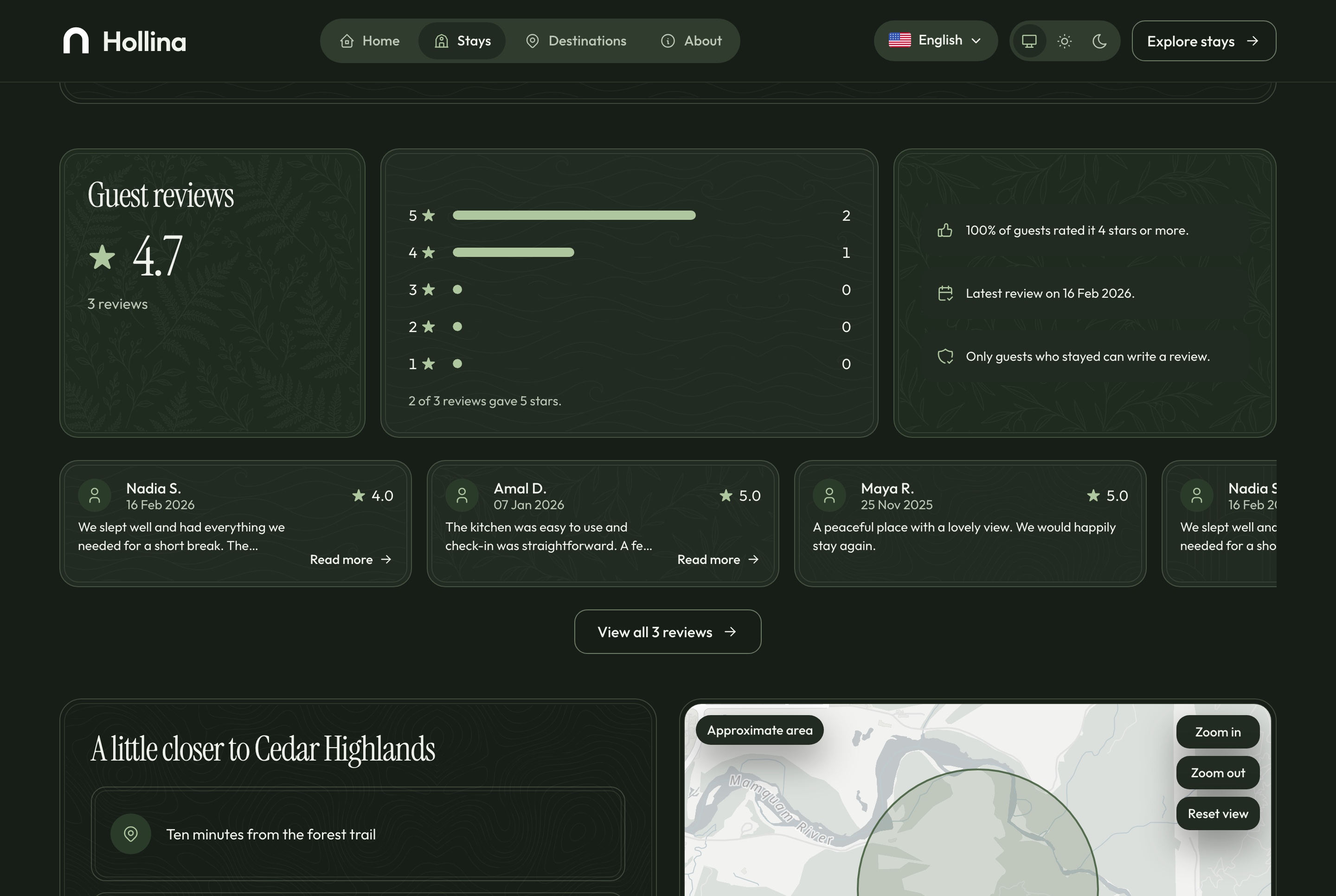
Stay page: guest reviews, dark theme
Stay page: guest reviews, dark theme. Published reviews from completed stays and the rating they add up to, in the dark theme
Around the booking

The pages that help a guest decide

Destinations with their stays, a story about the host, a contact page, a privacy page and a list of saved stays, all in both languages and both themes.

Saved stays, no account needed

A guest keeps a shortlist on their device with the Save stay button, and comes back to it from the stays list.

  • A save button on every stay page
  • Kept in the browser, nothing to sign up for
  • Remove a stay from the list in one click
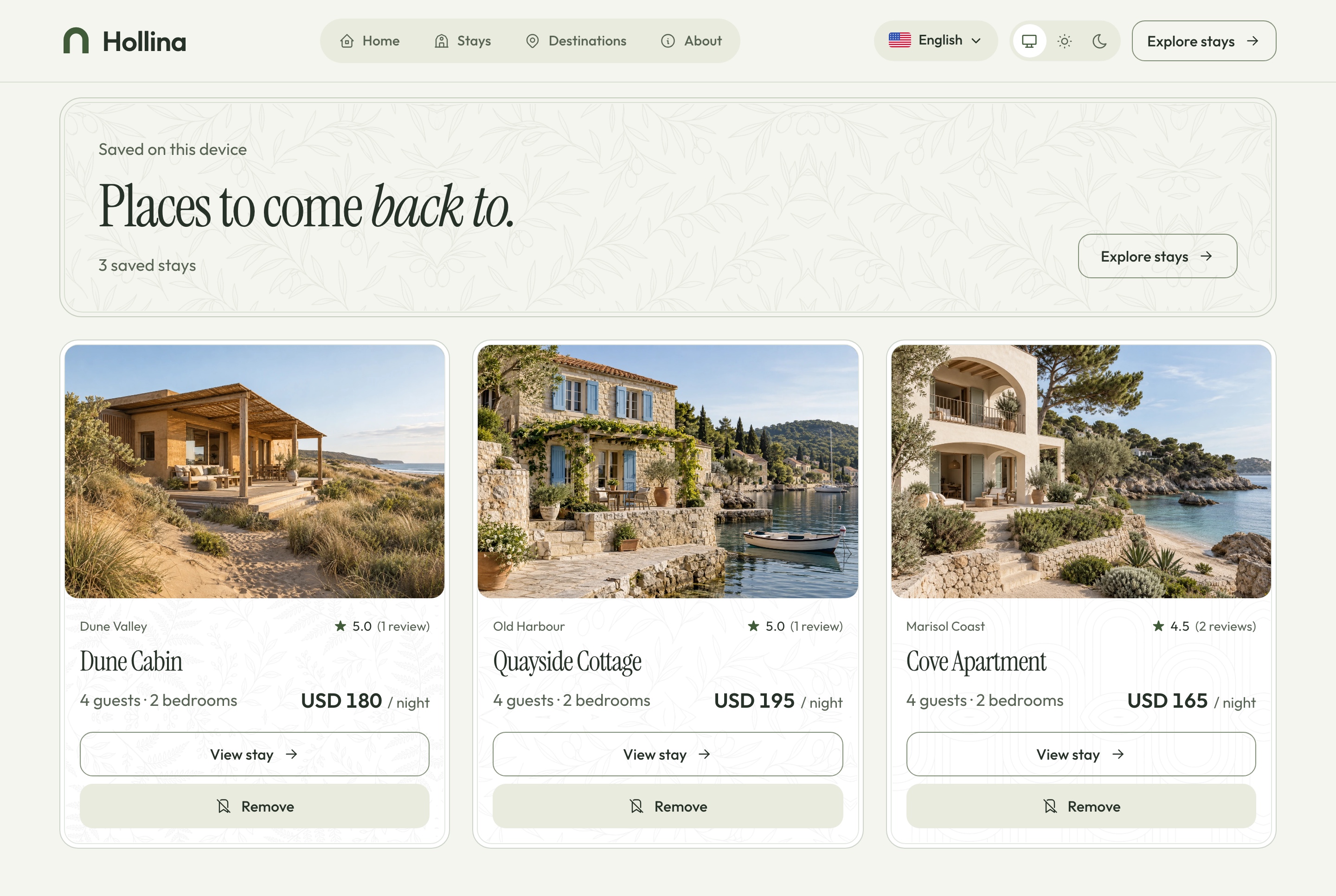
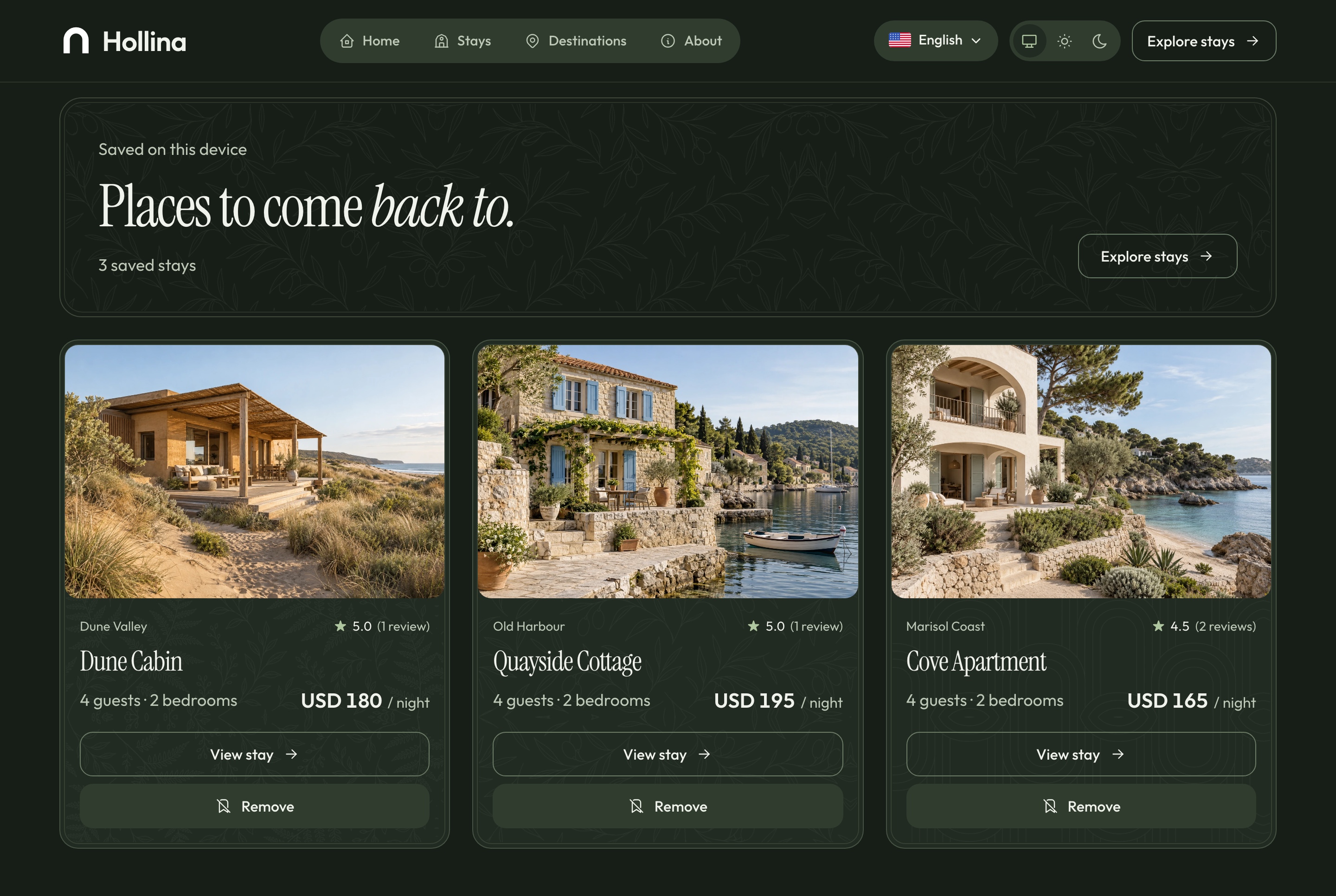
Saved stays, light theme
Saved stays, light theme. Stays a visitor kept on this device, no account needed, in the light theme
Saved stays, dark theme
Saved stays, dark theme. Stays a visitor kept on this device, no account needed, in the dark theme
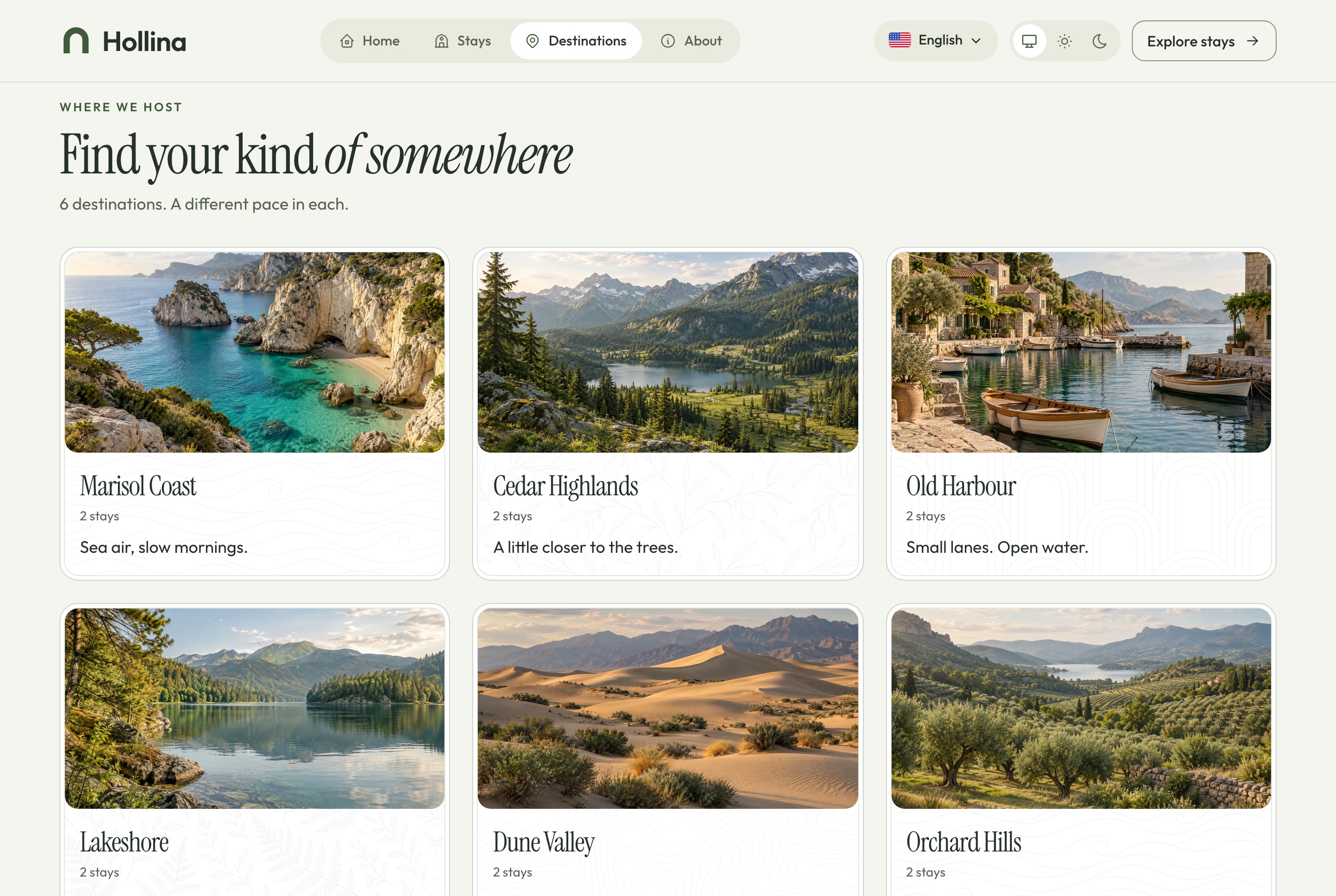
Destinations, light theme
Destinations, light theme. Every destination as a large tile with its tagline and stay count, in the light theme
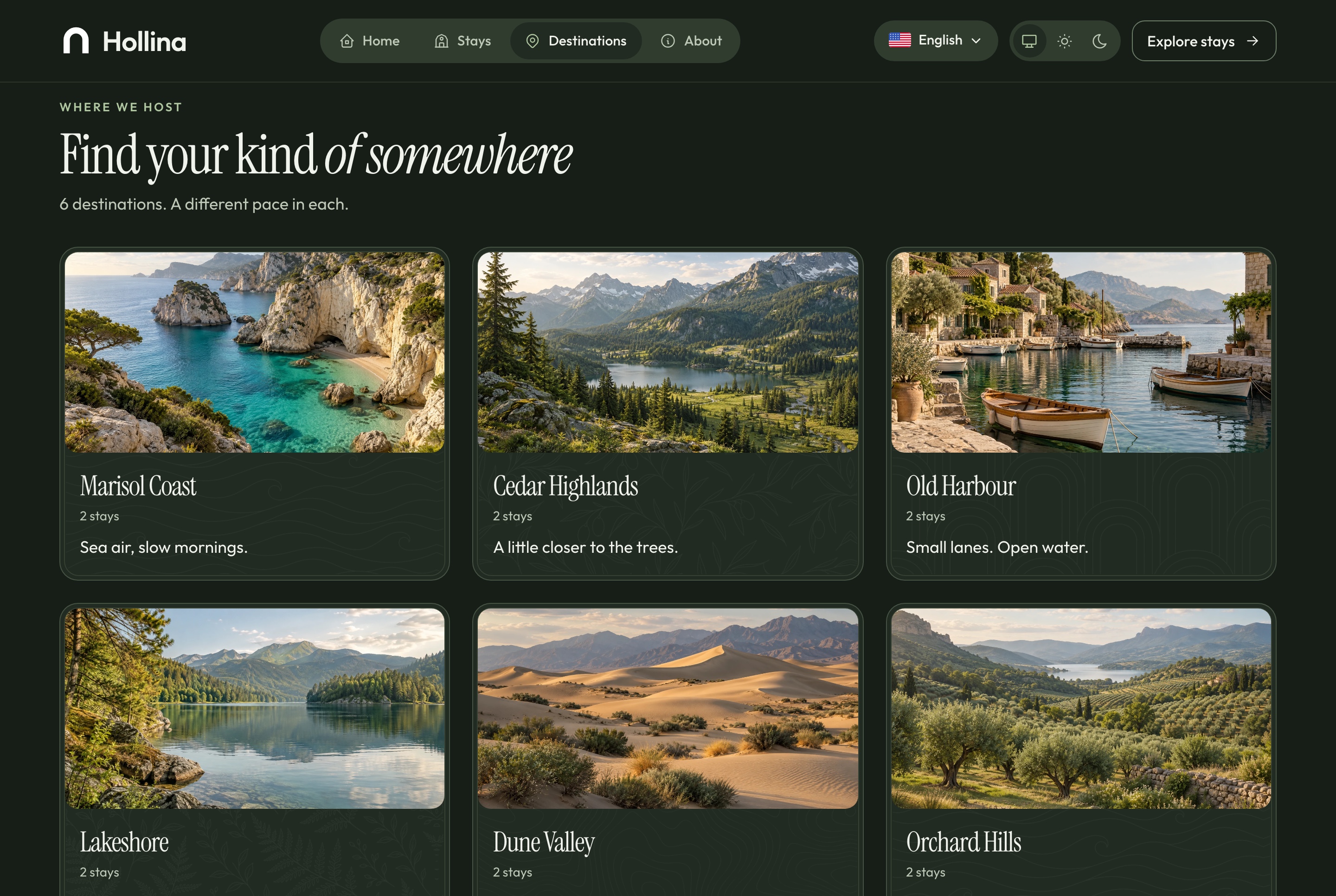
Destinations, dark theme
Destinations, dark theme. Every destination as a large tile with its tagline and stay count, in the dark theme
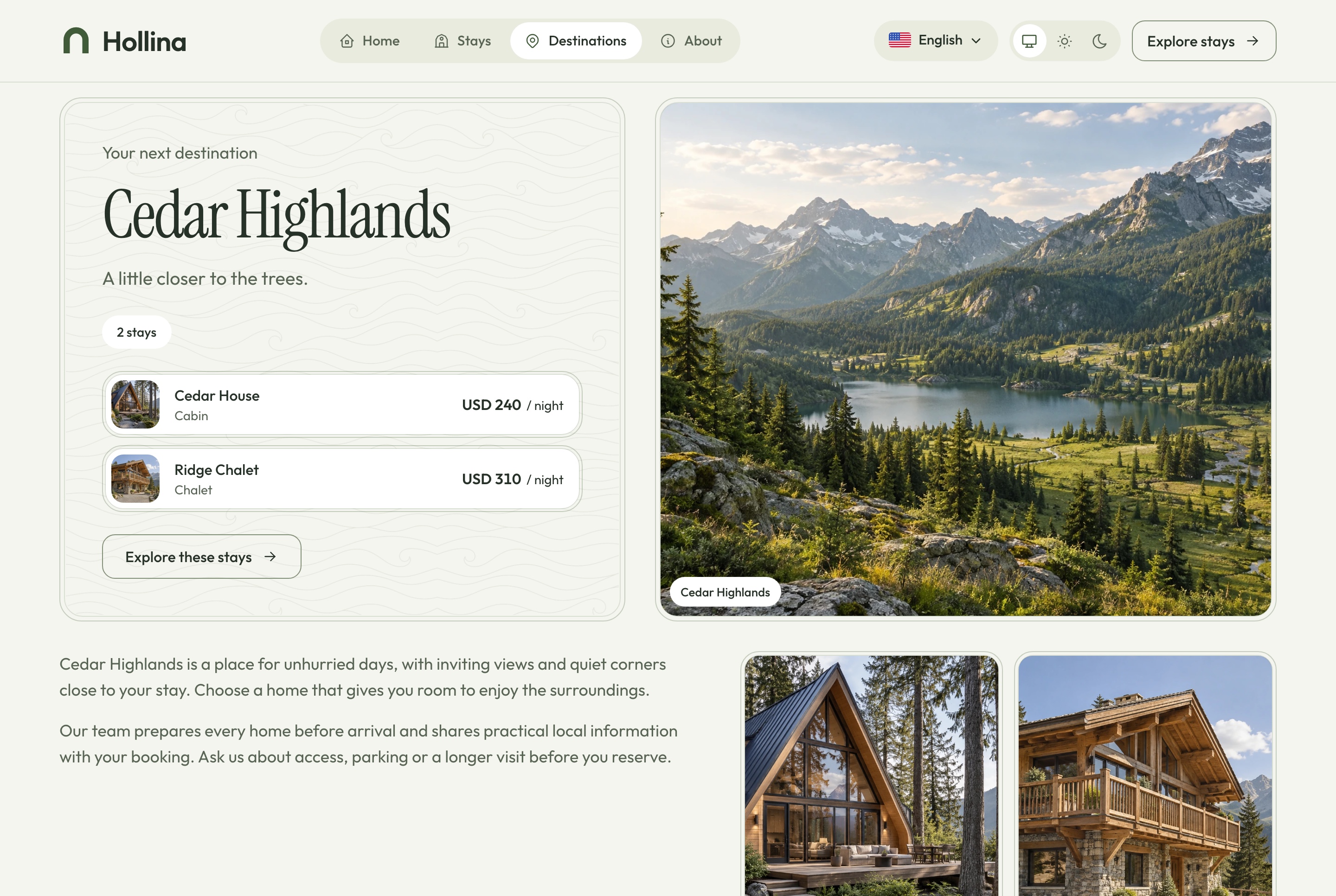
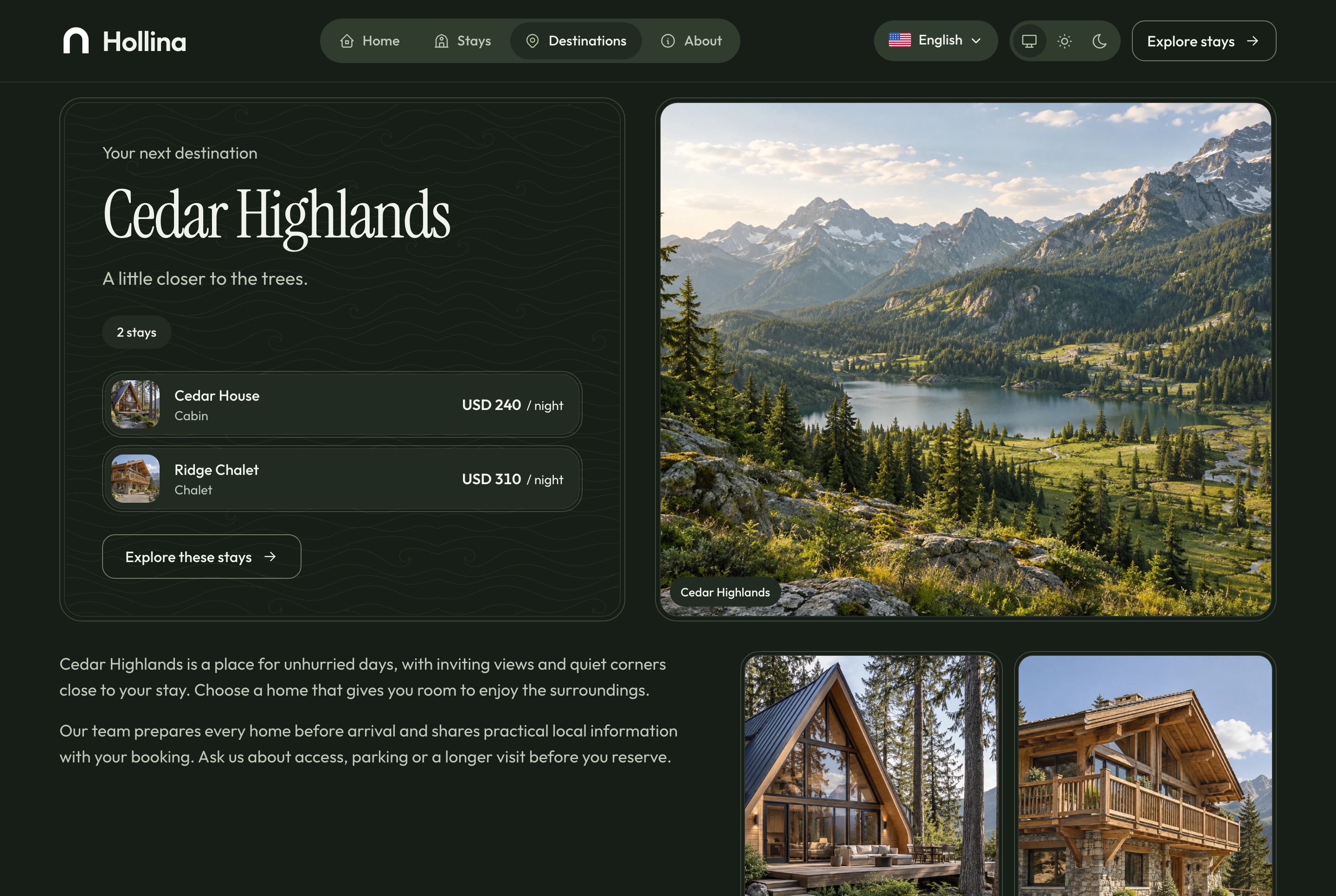
Destination page, light theme
Destination page, light theme. Cedar Highlands: its introduction and the stays in it, in the light theme
Destination page, dark theme
Destination page, dark theme. Cedar Highlands: its introduction and the stays in it, in the dark theme
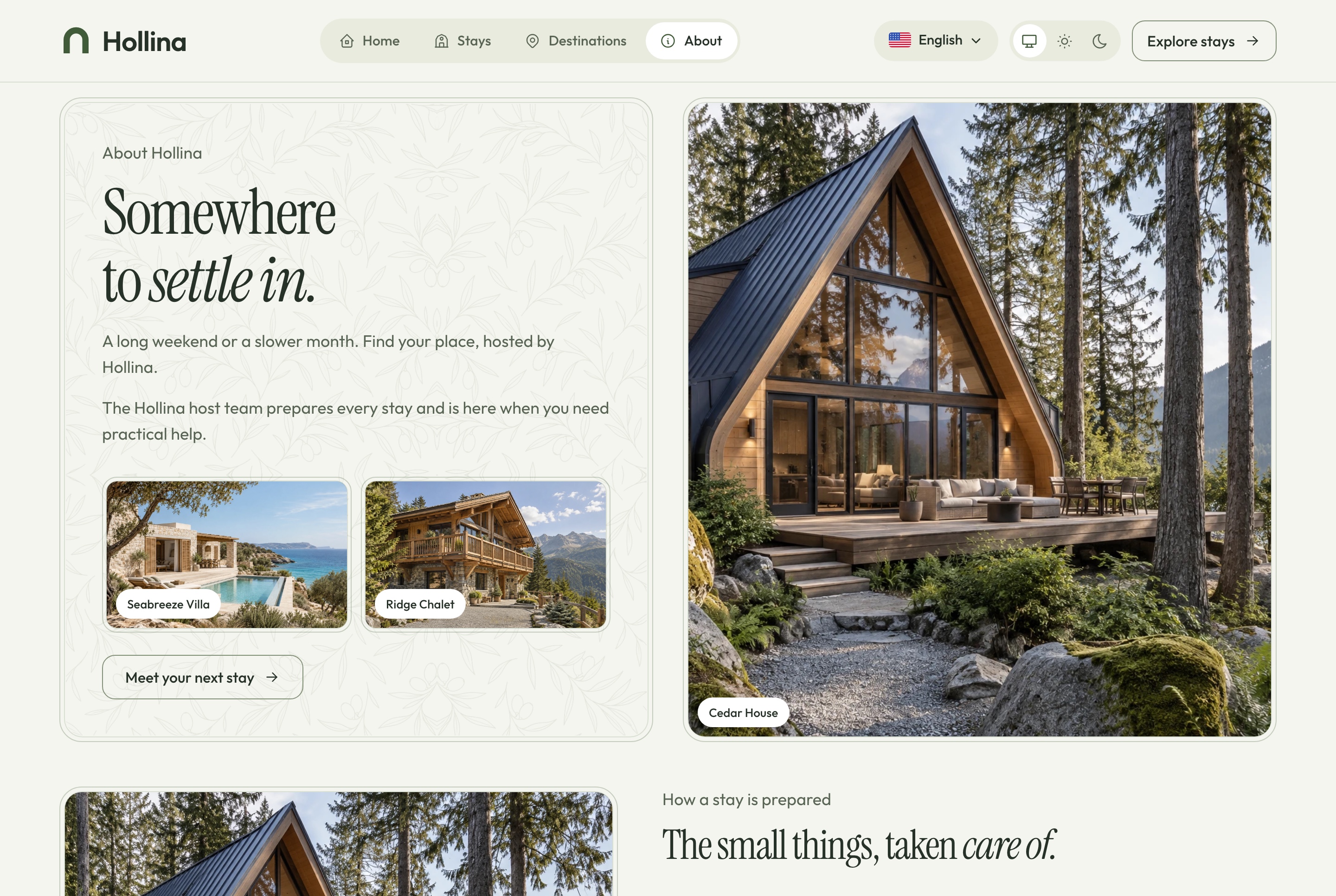
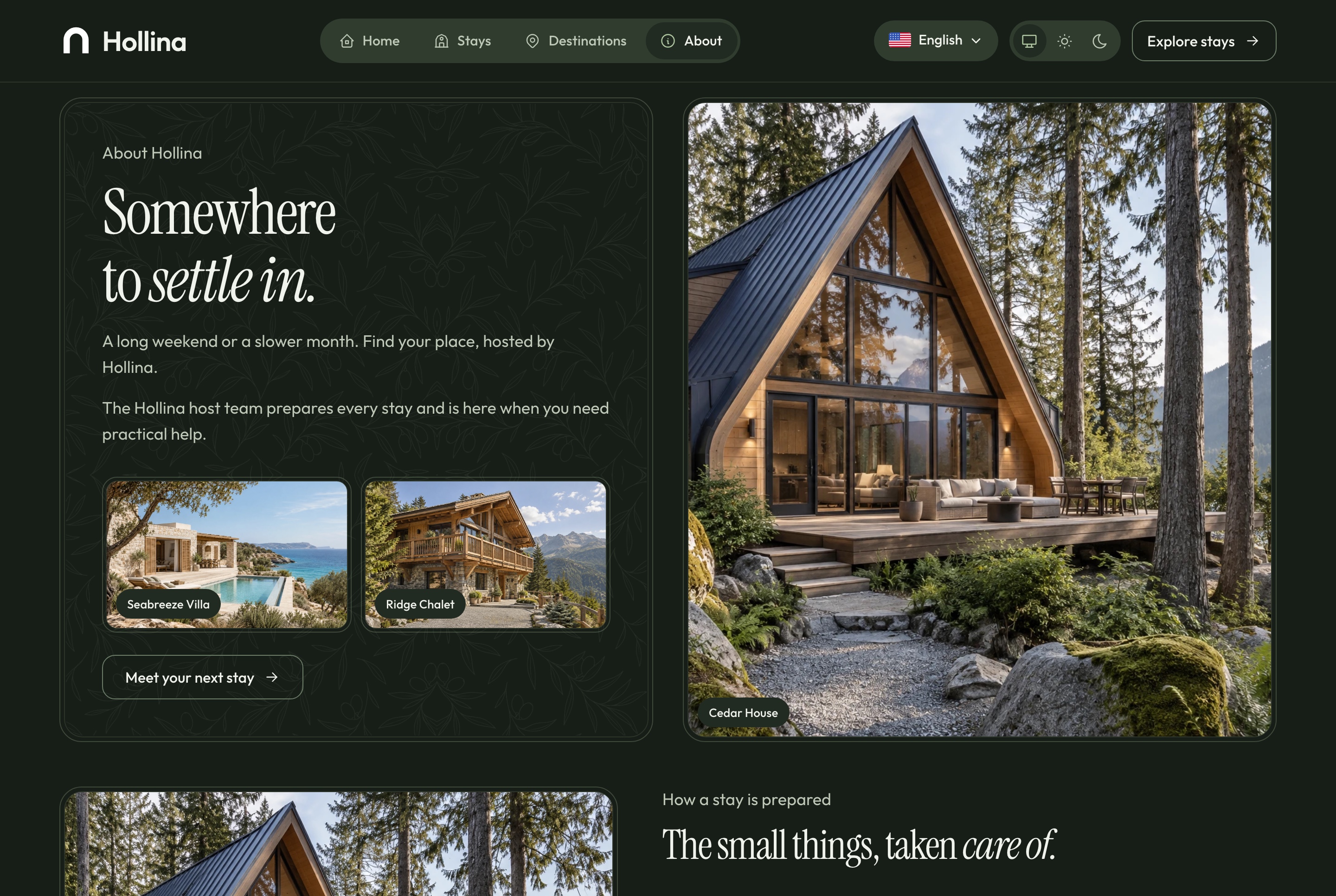
About, light theme
About, light theme. Who hosts the stays, how each one is prepared, what every stay includes, where they are, and how to ask about one, in the light theme
About, dark theme
About, dark theme. Who hosts the stays, how each one is prepared, what every stay includes, where they are, and how to ask about one, in the dark theme

Forms that are safe to send twice

The contact form, the stay question and the checkout are built for real traffic, not only for a demo.

  • A repeated submission returns the record already stored
  • A hidden field and a per-address limit keep bots out
  • A reference number the guest can quote
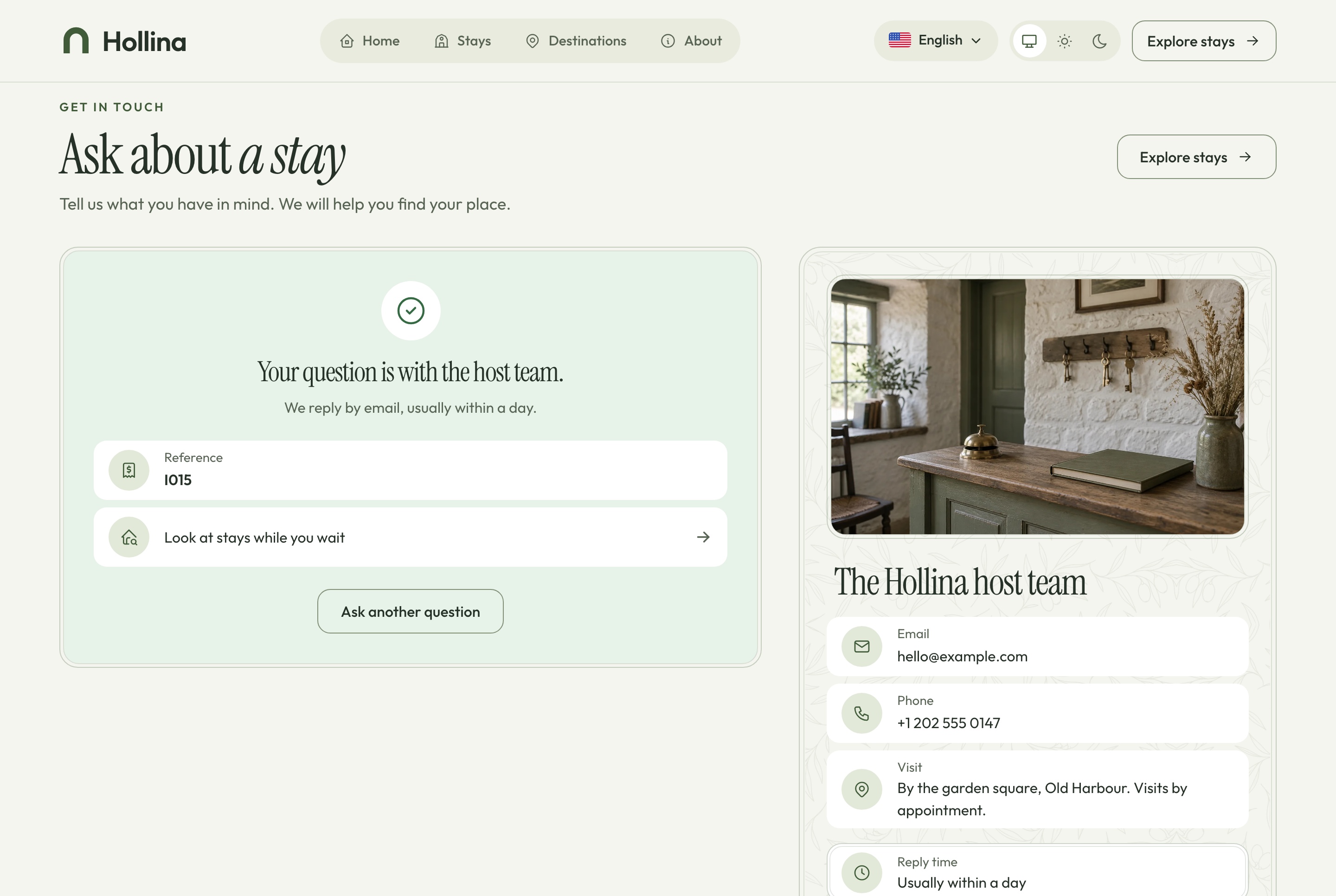
Contact, question sent, light theme
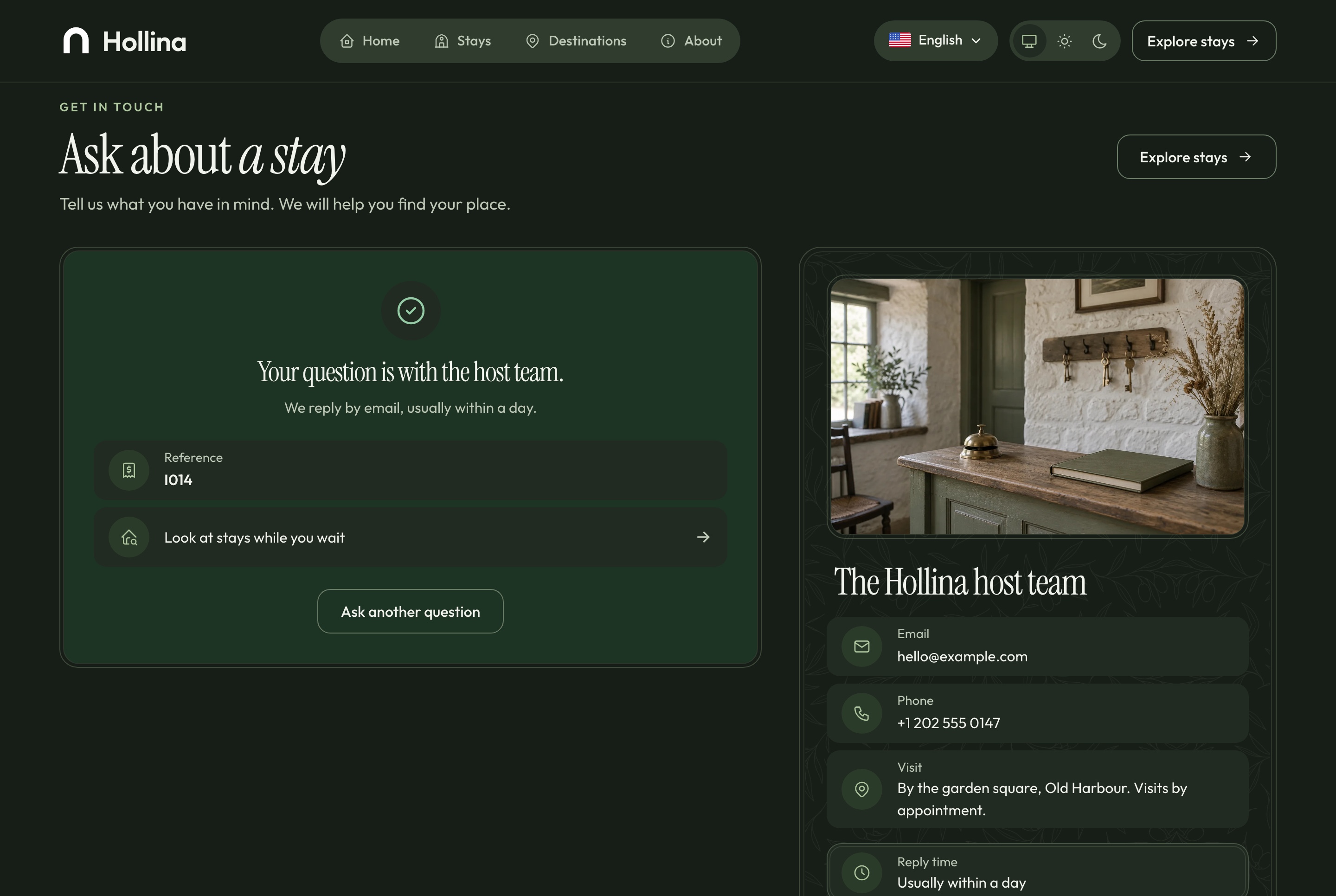
Contact, question sent, light theme. A question sent from the contact page and the confirmation the guest sees, in the light theme
Contact, question sent, dark theme
Contact, question sent, dark theme. A question sent from the contact page and the confirmation the guest sees, in the dark theme
Bilingual, light and dark

English and Arabic, in both directions and both themes

Every screen of the website and the dashboard is written in both languages and mirrors for Arabic, with prices, dates and references kept in Latin digits. Both apps follow the system theme or the one the visitor picks, set before the first paint so a page never flashes.

Arabic stays list, light theme
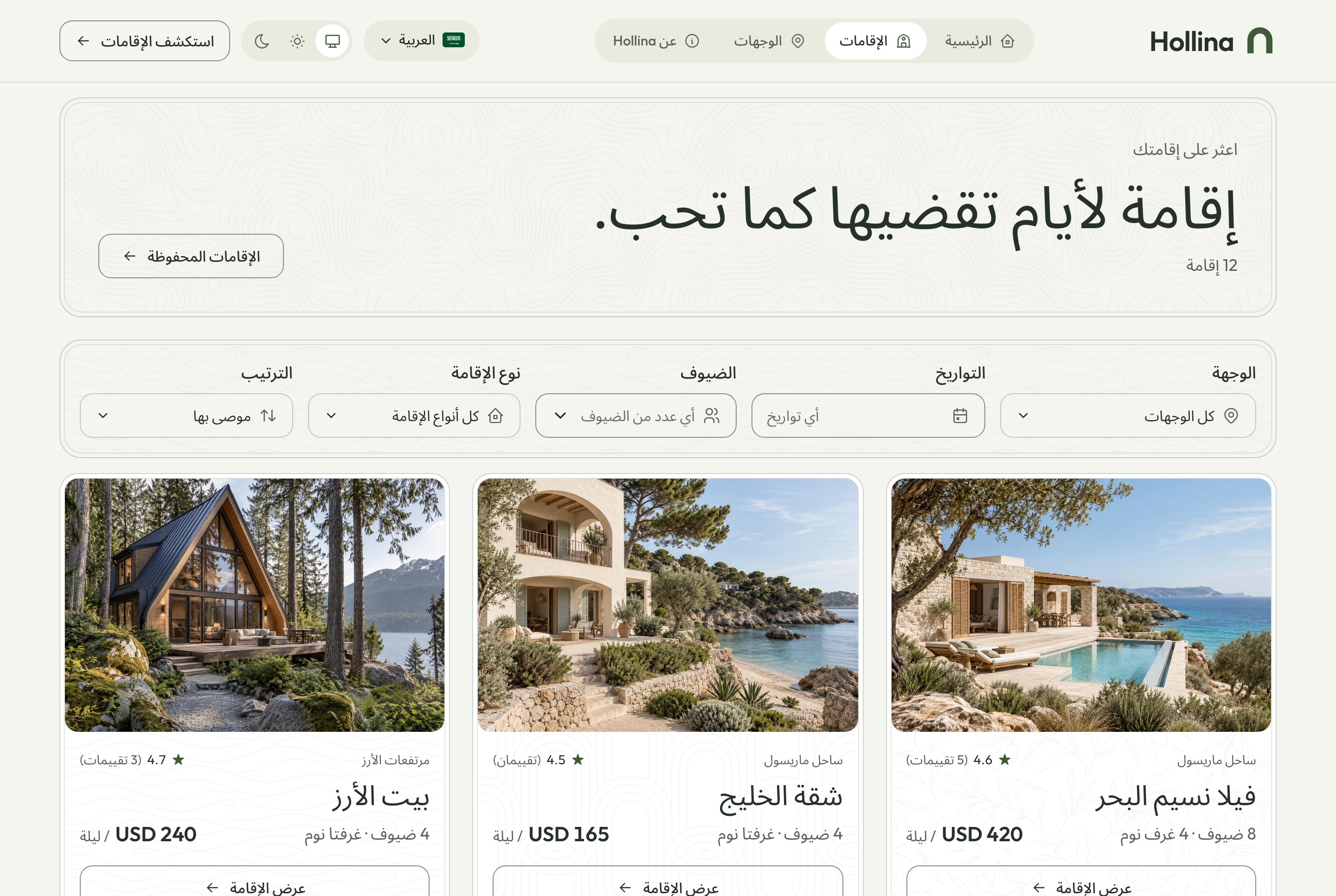
Arabic stays list, light theme. The stays list in Arabic with the filters mirrored, in the light theme
Arabic stays list, dark theme
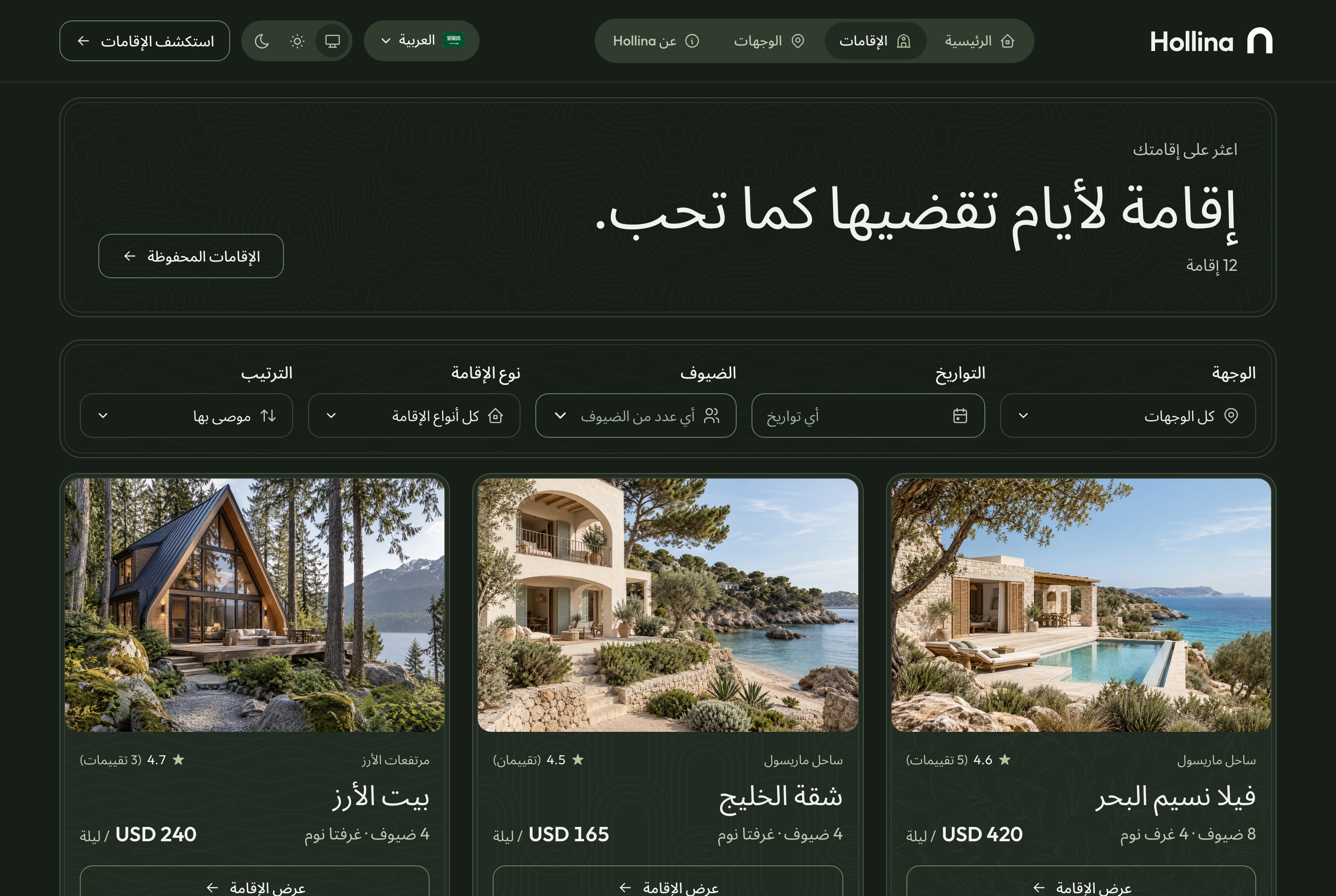
Arabic stays list, dark theme. The stays list in Arabic with the filters mirrored, in the dark theme
Responsive

Made for the phone a guest is holding

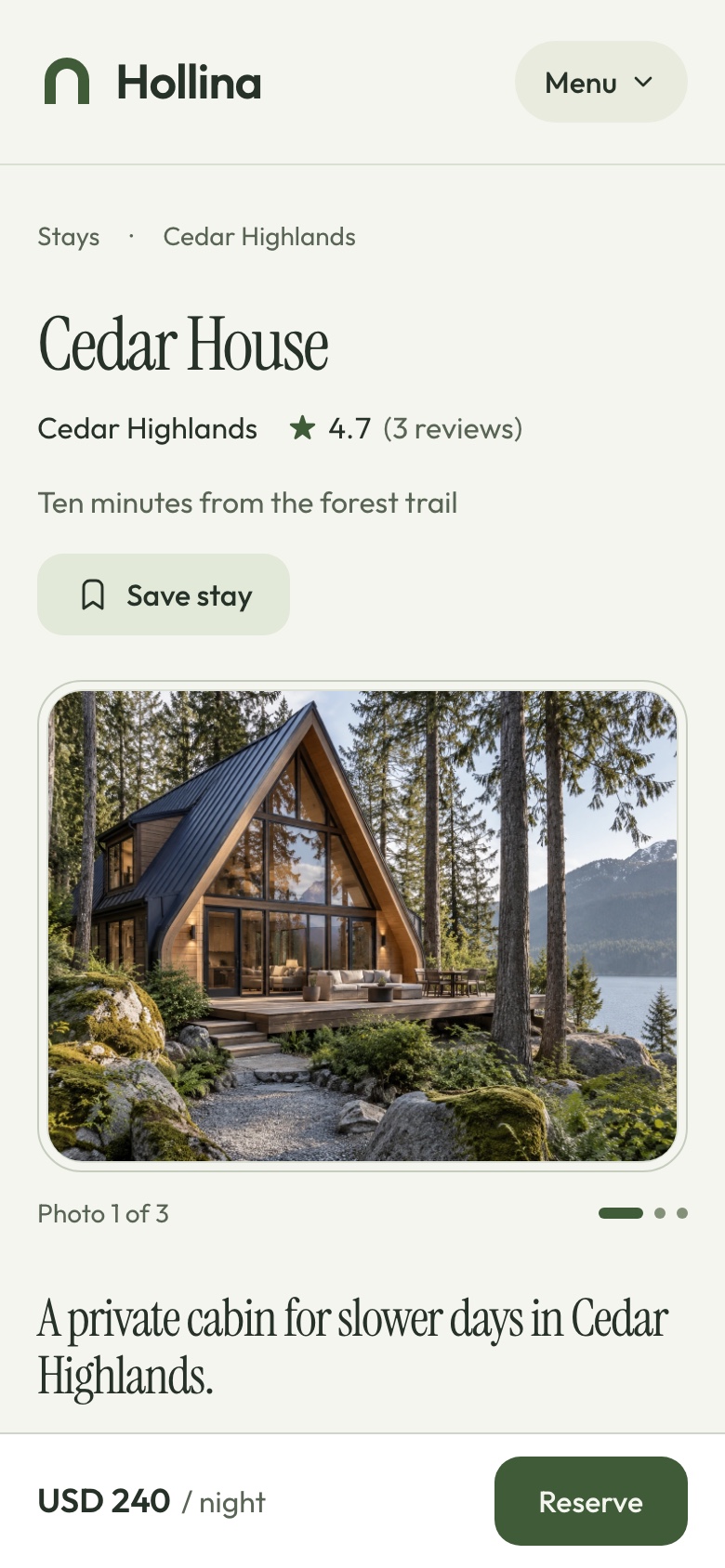
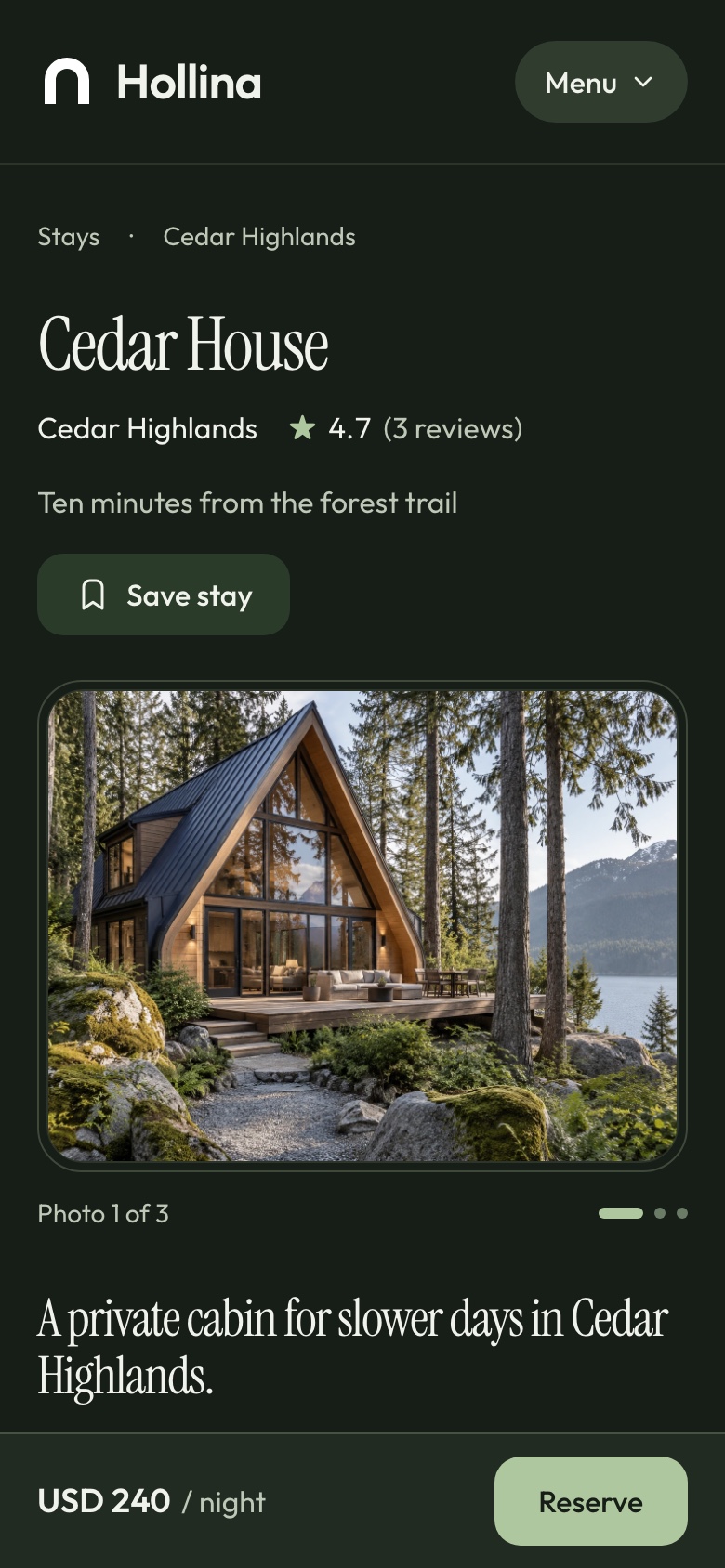
The stays, the stay page and the checkout are laid out for a narrow screen. On a phone the stay page keeps a reserve bar at the bottom with the price and the next step, however far the guest scrolls.

Phone: home, light theme
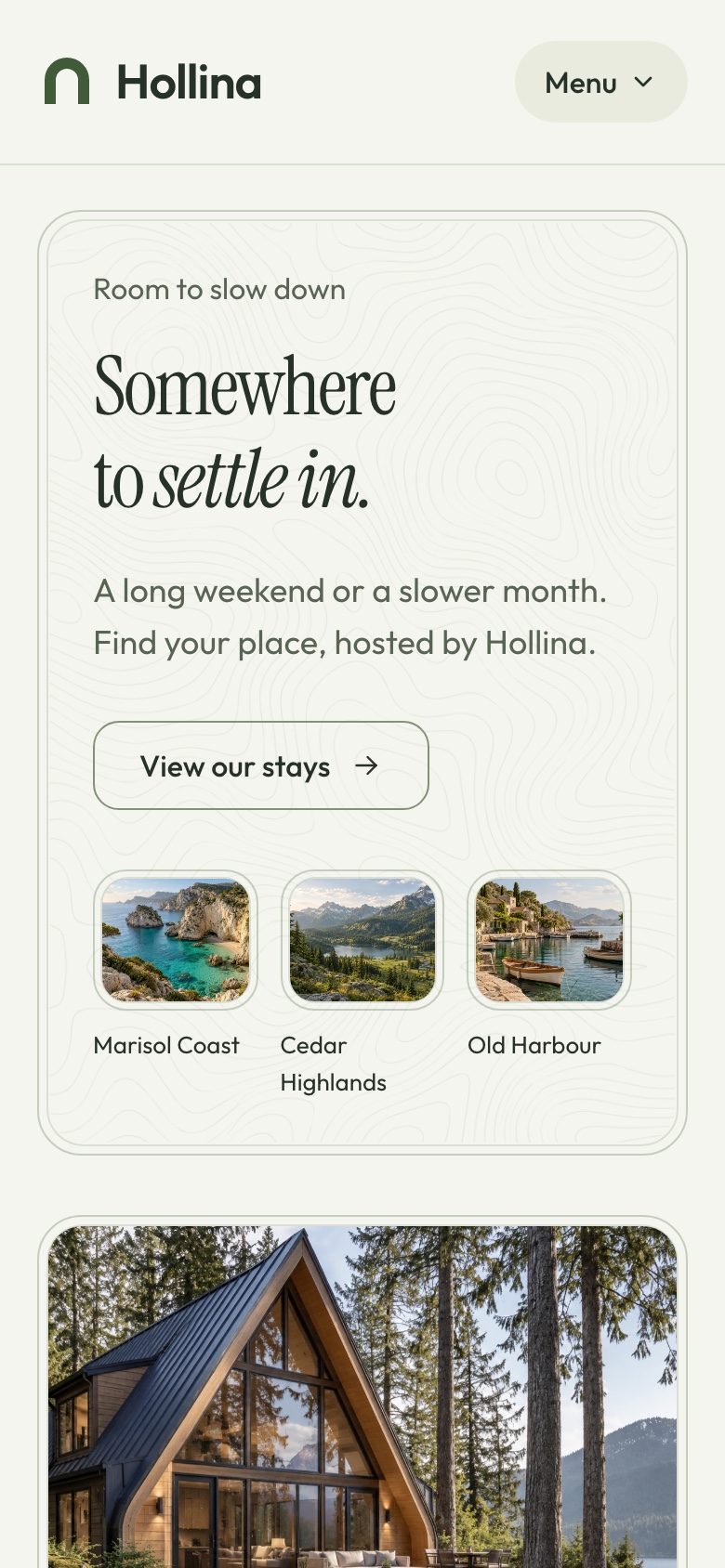
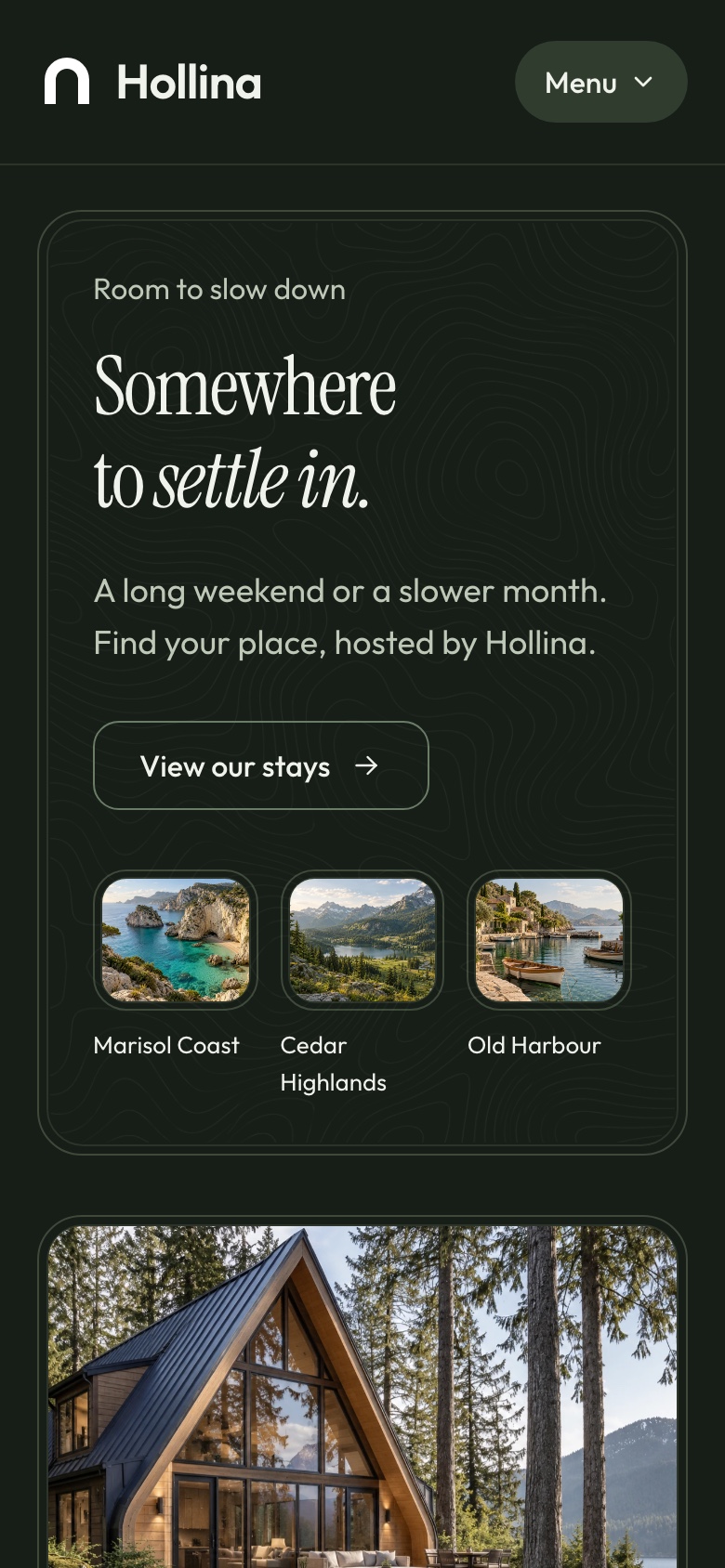
Phone: home, light theme. The home page at phone width, in the light theme
Phone: home, dark theme
Phone: home, dark theme. The home page at phone width, in the dark theme
Phone: stay page, light theme
Phone: stay page, light theme. Cedar House at phone width with the reserve bar, in the light theme
Phone: stay page, dark theme
Phone: stay page, dark theme. Cedar House at phone width with the reserve bar, in the dark theme
Explore

Explore Hollina before you build

Browse the website as a guest and book a stay: the demo runs in Stripe's test mode, so Stripe's test card 4242 4242 4242 4242 pays for it and no money moves. Then open the booking dashboard, whose sign-in page fills in a demo account for you. What you create there is yours alone, and the demo data is rebuilt every day. In the demo, the assistant answers a few free messages per visitor, then asks for your own Google Gemini key. Screenshots use sample data.

Perfect for

Build your next booking product with Hollina

Vacation rental hostsBoutique hotels and guesthousesProperty managersAgencies building a client's booking siteCabin and lodge operatorsBilingual booking sites with Arabic and RTL

Technical Specifications

Framework

Next.js 16.3.5

React Version

React 19.3.0

Styling

Tailwind CSS 4.3.3

TypeScript

Yes

Responsive

Mobile, Tablet, Desktop

Support Period

Lifetime Included

Pro Tip: All templates include comprehensive documentation to get you started quickly.

Frequently asked questions

What do I get when I buy this template?
The complete source code of the package you choose, downloaded from your personal dashboard right after checkout. A business invoice is available for every purchase.
Can I use it for client and commercial projects?
Yes. Every paid template comes with a Commercial licence that covers unlimited commercial projects, including work you deliver to clients.
Do I get updates after buying?
Yes. Updates are free. New versions appear in your dashboard, where you can download every file you own again at any time.
Is support included?
Yes. The assistant on this page answers in seconds, and email support is included with every purchase, at support@aniq-ui.com, with a reply within 4 hours.
Can I try it before I buy?
Yes. This template has a full live demo, linked at the top of this page, so you can click through the real thing before you decide.

Part of a full-stack template

Next.js Booking & Vacation Rental Template with Stripe and AI Assistant

This app is one part of a full-stack template. The full template brings every part together in one purchase.

See the full template

Pricing

Choose your package

One payment for the full source code, yours to change and ship.

Everything included

Full Stack

Stays website + booking dashboard + NestJS API with Stripe, PayPal, TypeORM and auth

What is inside

Bought one by one$193.90
You save$68.60

Launch price · 30% off

$179$125.30

3 of 3 launch places left · applied at checkout

Or buy one part

Stays Website

The Next.js 16 stays website on its own. It requires the Hollina API, sold separately as the Backend API or together in Full Stack.

Launch price · 30% off

$79$55.30

Booking Dashboard

The Next.js 16 booking dashboard on its own. It requires the Hollina API, sold separately as the Backend API or together in Full Stack.

Launch price · 30% off

$99$69.30

Backend API

The NestJS API on its own, with TypeORM, JWT auth, stays, availability, bookings, Stripe and PayPal payments, MCP tools and a one command seeder

Launch price · 30% off

$99$69.30

Safe and secure payments powered by Paddle

A VAT receipt is sent to your email after purchase.

Related Templates

Next.js Restaurant Template with Online Ordering and Kitchen Dashboard - Next.js Restaurant template preview - Aniq-UI

Restaurant

$179
Restaurant
Full Stack
New
AI

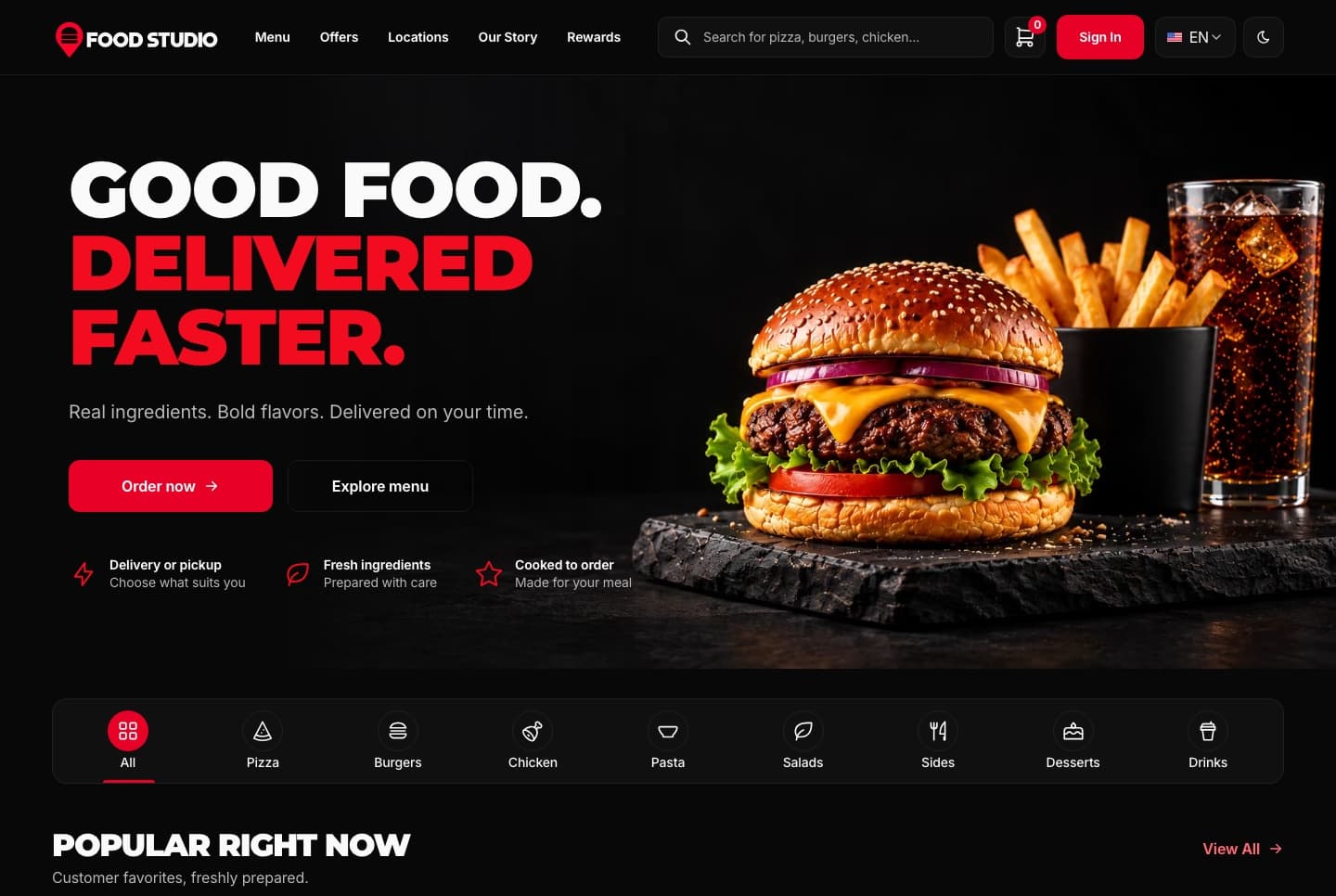
Food Studio is a full-stack Next.js restaurant template: an ordering website with menu, combos, cart, checkout and order tracking, a staff dashboard for orders, the menu and the kitchens, a NestJS API, AI tools for dish photos, and English and Arabic with RTL.

View Template
Next.js Restaurant Ordering Website Template - Next.js Restaurant template preview - Aniq-UI

Restaurant Ordering Website

$79
Restaurant
Ordering Website
New
AI

A Next.js 16 restaurant ordering website with a menu, combo meals, a meal builder, cart, checkout, order tracking and customer accounts, in English and Arabic.

View Template
Next.js Restaurant Admin Dashboard Template - Next.js Restaurant template preview - Aniq-UI

Restaurant Admin Dashboard

$99
Restaurant
Staff Dashboard
New
AI

A Next.js 16 restaurant admin dashboard for running orders, the menu, categories, customers, kitchens and the team, with an AI studio for dish photos, in English and Arabic.

View Template
Newsletter

Get notified when a new template ships

Be the first to know when a new template is released.

  • New template releases
  • See what is being built and vote on it
  • Free and premium releases
  • Unsubscribe in one click

Coming next

Technical Advantages

Built to Work on Every Screen, for Every User

Every premium template is responsive, accessible, fast and typed from the first commit, so your launch starts from production-ready code.

01 · Layout

Responsive Design

Phone, tablet and desktop layouts from one set of components, with a phone menu and 44px tap targets.
Learn more: Responsive Design

02 · Inclusive

Accessibility

Semantic HTML, labelled controls, a visible keyboard focus ring and reduced motion support.
Learn more: Accessibility

Enterprise-Grade Features Included

Developer Experience

  • TypeScript 5.0+ with strict type checking
  • Server & Client Components architecture
  • Quick start guide and feature docs

UX & Performance

  • Mobile-first responsive design system
  • Accessible markup with ARIA and keyboard navigation
  • Fast rendering with server components and optimized assets

Maintenance & Support

  • Support included with your purchase
  • Regular security & framework updates
  • SEO-optimized semantic structure
world map

Global User Community

Join thousands of developers worldwide who trust Aniq-UI for their projects. Our templates are being used across the globe to create stunning web experiences.

Aniq-uiAniq-ui

Cookie Preferences

We use cookies to enhance your browsing experience, analyze site traffic, and personalize content. By clicking "Accept All", you consent to our use of cookies for analytics and personalized advertising.