Restaurant Website Templates with Online Ordering (2026)
Compare 7 restaurant website templates with online ordering for 2026: Next.js and React picks, ThemeForest options, free GitHub code and a kitchen dashboard.
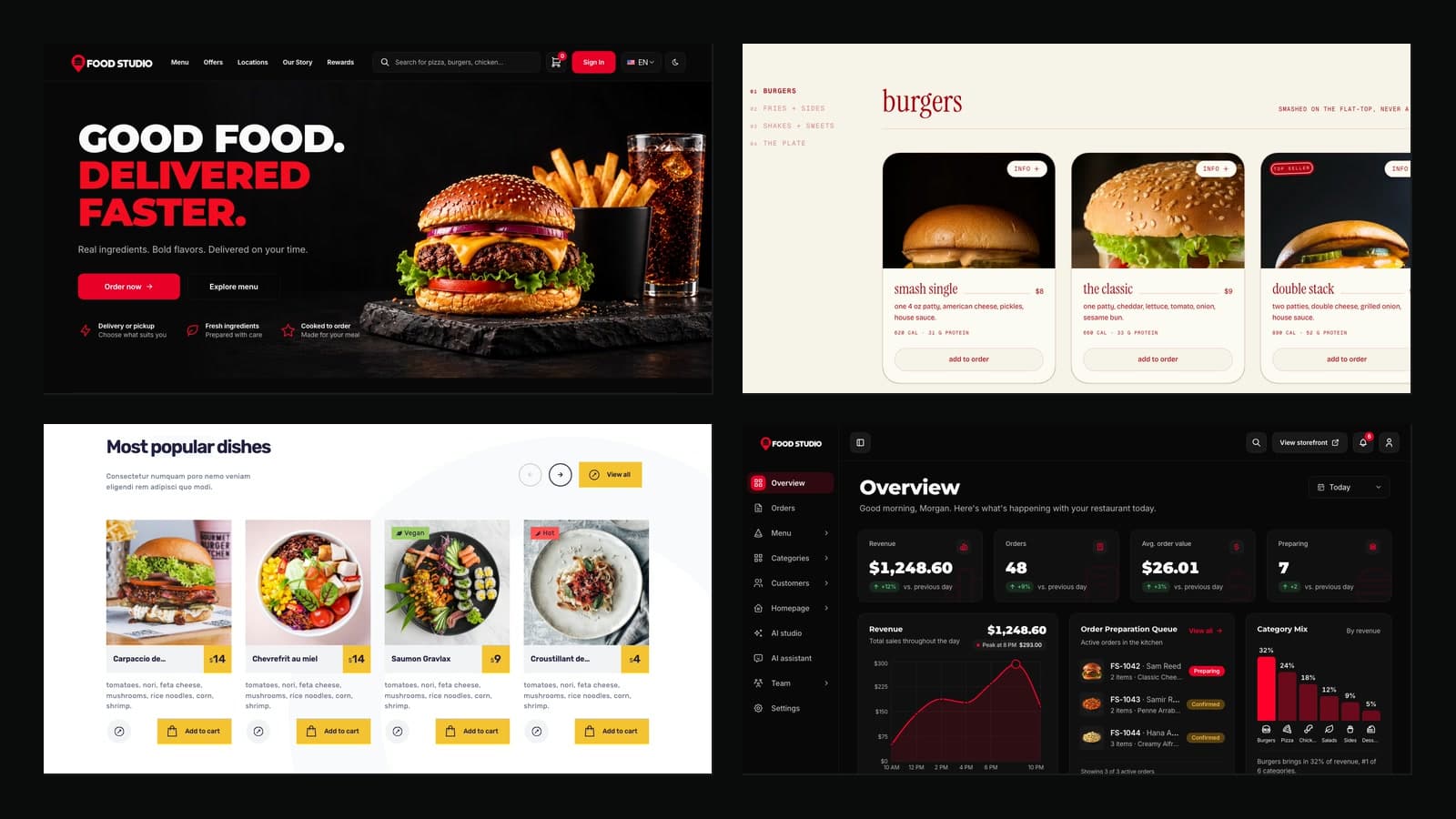
This is a buyer's list of restaurant website templates for 2026, written for restaurant owners, the developers they hire, and agencies that build food sites for clients. Every pick below has a working online menu, and most go further: a cart, a checkout page, order tracking, a kitchen screen or a full back office. They come from different places: a premium template store, ThemeForest and CodeCanyon, a shadcn/ui marketplace, and free open-source projects on GitHub.
The question that decides everything is what "online ordering" means in each template. In some, the cart and checkout are designed pages with no backend behind them, so an order goes nowhere until you connect one. In others, an order is saved, paid for and shown to the kitchen. The Ordering column in the table says which is which. We opened every live demo while writing this list, and prices were checked on each product page in November 2026.
| Template | Best for | Ordering | Backend | Arabic/RTL | Price |
|---|---|---|---|---|---|
| Aniq UI Food Studio | A restaurant that takes real orders online | Cart, delivery or pickup, Stripe and PayPal, order tracking, kitchen dashboard | Own NestJS API (Backend API or Full Stack package) | English and Arabic, full RTL | From $79, Full Stack $179 |
| Munch | A burger or fast food brand site | Cart kept in the browser, no payment step | None | Not listed | $79 |
| Starbelly | Cafes and small restaurants on a budget | Shop, cart and checkout pages (front end only) | None, content in JSON and Markdown | Not listed | $17 on ThemeForest |
| QuickEat | A delivery site listing several restaurants | Restaurant pages, cart and checkout pages (front end only) | None | Not listed | $17 on ThemeForest |
| Yummer | A phone-first ordering app for one restaurant | Cart, checkout, promo codes and order history screens | Payload CMS for dishes and offers, per the listing | Not listed | $78 on CodeCanyon |
| OrderWorder | Dine-in ordering from a QR code on the table | Menu, cart and orders, live kitchen view | Next.js API routes with MongoDB | Not listed | Free, no licence file |
| Medusa Eats | Studying a three-sided delivery platform | Customer, restaurant and driver flows | Medusa 2.0 | Not listed | Free (MIT) |
Best Restaurant Website Templates in 2026
1. Aniq UI Food Studio
Best for: restaurants, takeaways and small chains that want customers to order and pay on their own website, and staff to run the orders from a dashboard, with English and Arabic built in.
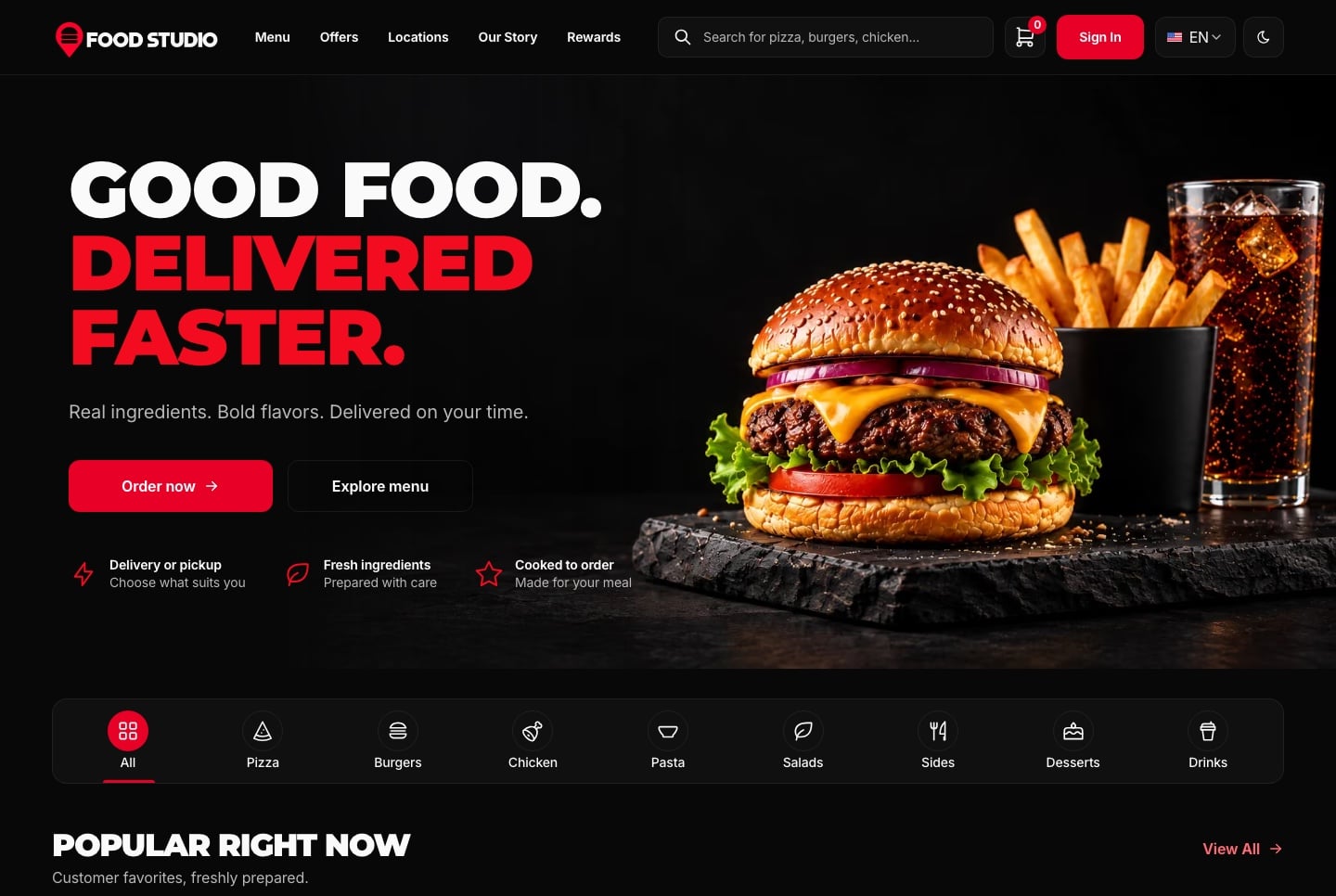
Food Studio is a full-stack Next.js restaurant template made of three apps: an ordering website for customers, a staff dashboard for the team, and a NestJS API that both of them use. Customers search and filter the menu, open a dish with its allergens and special instructions, build a combo from a main, a side and a drink, then choose delivery or pickup and pay. Card payments go through Stripe's hosted Checkout or PayPal, prices and totals are computed on the server, and the customer follows the order from placed to delivered.
Delivery is checked against each kitchen's postcodes, opening hours and minimum order, and the website shows the kitchens on a real map with a postcode search. Customers who sign up collect reward points, save dishes and addresses, and reorder past orders. Every screen runs in English and Arabic with a full right-to-left layout, in light and dark themes.
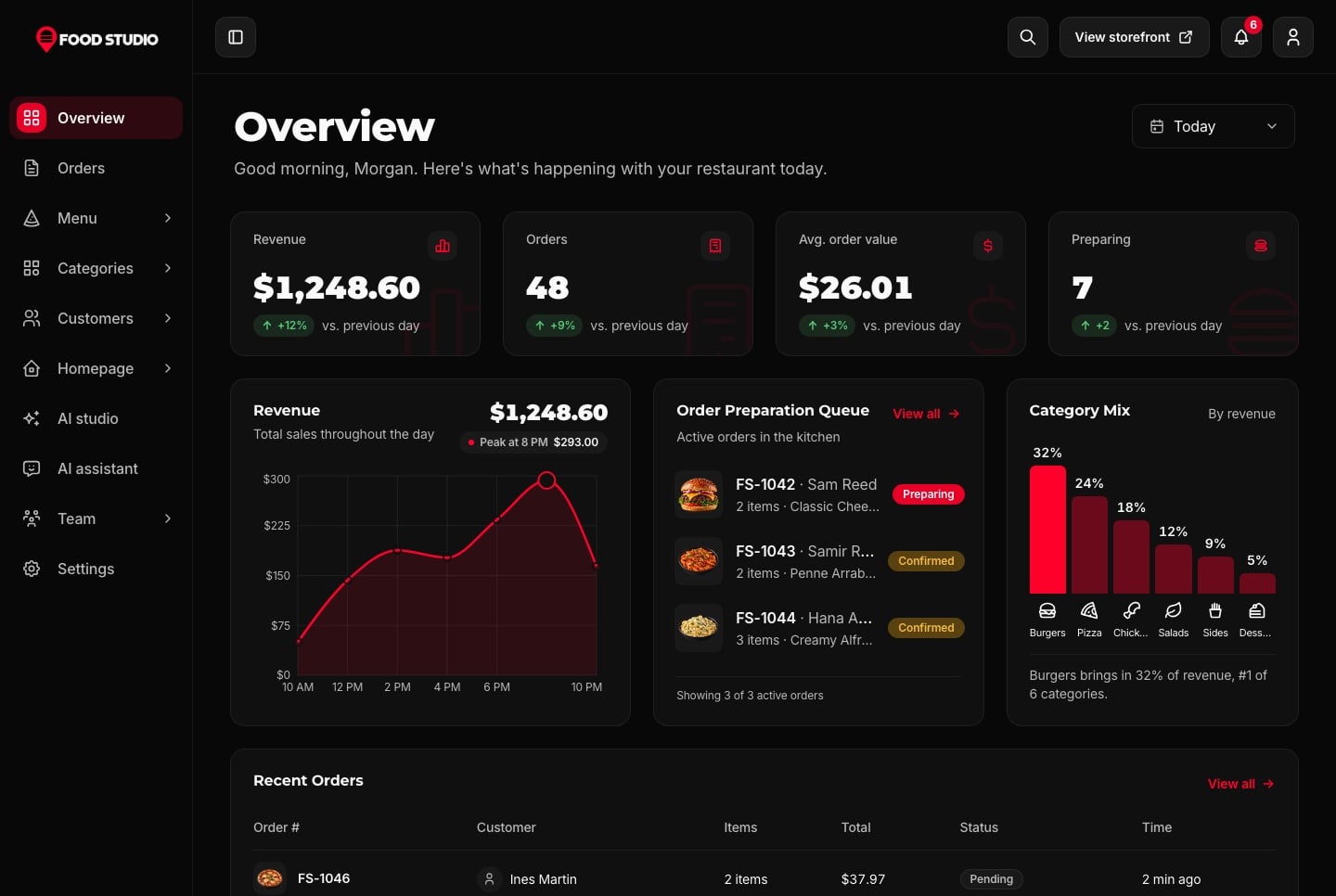
The staff dashboard is where Food Studio differs most from a template that only shows a menu. The overview has the day's sales and the kitchen queue, the orders page moves each order through statuses that the server enforces, and kitchen staff get accounts that see only their own kitchen. The team edits dishes in English and Arabic, arranges the home page section by section, and manages customers, roles and settings. An AI studio drafts dish details and restyles dish photos with Google Gemini, background removal runs on the server with no API key, and an AI assistant answers questions about orders, sales and the menu from the restaurant's own data.
- Ordering website: home, menu, dish and combo pages, cart, checkout, order tracking and a customer account
- Menu search with category, dietary and sort filters, and allergens on every dish
- Delivery or pickup per kitchen, with postcodes, hours and a minimum order
- Stripe hosted Checkout and PayPal with signed webhooks, plus a demo payment for testing
- Staff dashboard with orders, menu, categories, customers, homepage sections, team and settings, and live notifications over Socket.io
- NestJS API with TypeORM on SQLite or MySQL, JWT sign-in, roles and permissions, and a seeder that creates a complete demo restaurant
Stack: Next.js 16 App Router, React 19, TypeScript 5, Tailwind CSS 4, TanStack Query, next-intl, MapLibre, NestJS 10, TypeORM, Socket.io, Stripe.
Price (checked November 2026): the Full Stack package with all three apps is $179. The parts are sold on their own too: the ordering website is $79, the staff dashboard is $99 and the Backend API is $99. It is a one-time payment, and the licence covers unlimited commercial projects, client work included.
Good to know: the website and the dashboard read their data from the Food Studio API. If you buy one of them alone, you still need the Backend API (or the Full Stack package) for real orders. You host the API yourself, and Stripe, PayPal and Gemini run on your own accounts and keys, so their fees are billed to you. It is built for one restaurant brand with one or more kitchens, not for a marketplace of many restaurants. For a step-by-step walkthrough of how the pieces fit, read our guide on how to build a restaurant online ordering system with Next.js.
Links: Website demo · Staff dashboard demo · Product page
2. Munch by Shadcnblocks
Best for: a burger bar, a fast food brand or any restaurant that wants a site with a strong personality, a detailed menu and a simple cart, and will hand the actual payment to another service.
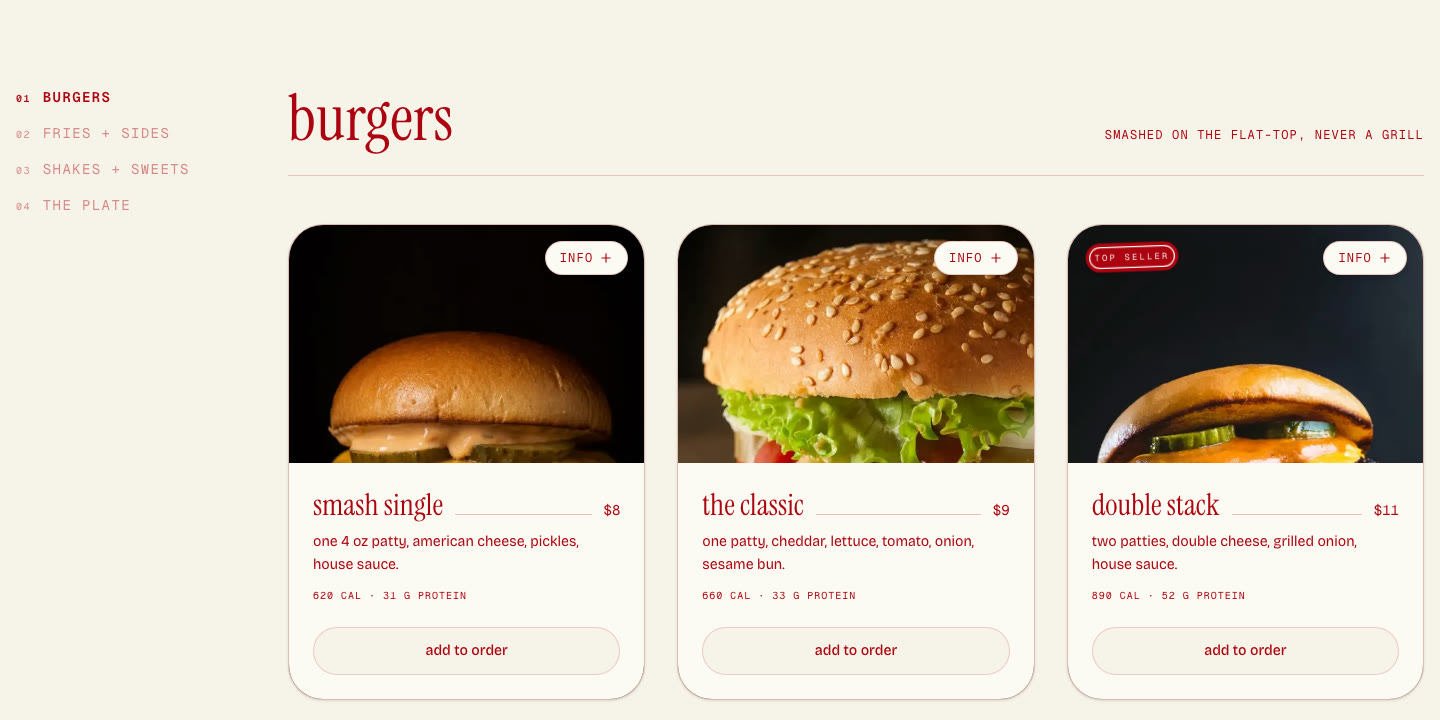
Munch is a restaurant template sold by Shadcnblocks, a marketplace of shadcn/ui blocks and templates. Its product page describes "a menu that lists a price and calorie count per item, an order cart that persists in the browser, and MDX news and legal pages." One purchase includes both a Next.js edition and an Astro edition.
The demo is a smash burger shop with a loud, editorial design: a red and cream palette, sticker graphics and a large serif type. The menu page groups items by section, each card shows calories and protein, and "add to order" fills a slide-out cart. In the demo, the cart shows a subtotal, a delivery fee and a minimum order before the check out button. The cart is saved in the browser's local storage, so it survives a page reload.
- 15 pages and more than 40 components, built from Shadcnblocks sections
- Full menu with categories, nutrition details and an order cart
- MDX news articles and legal pages
- SEO metadata in the Next.js edition, and a sitemap in the Astro edition
- Tested deployments on Vercel, Netlify and Cloudflare Pages, per the product page
Stack: Next.js or Astro, shadcn/ui, Tailwind CSS 4, TypeScript, Markdown and MDX. Template version 1.0.0, last updated August 26, 2026, according to the product page.
Price (checked November 2026): $79 for the template, both editions included. It is also part of the Shadcnblocks Premium plan. The Shadcnblocks licence allows unlimited end products for yourself, your company or your clients.
Good to know: there is no backend, no payment provider and no order dashboard. The cart is a front-end feature, so to take real orders you connect checkout to Stripe, to your POS or to an ordering platform yourself. Arabic and RTL are not listed.
Links: Next.js demo · Product page
3. Starbelly on ThemeForest
Best for: a cafe, bakery or small restaurant that needs a complete, polished site with many ready pages for a low price, and a developer who can wire up orders later if needed.
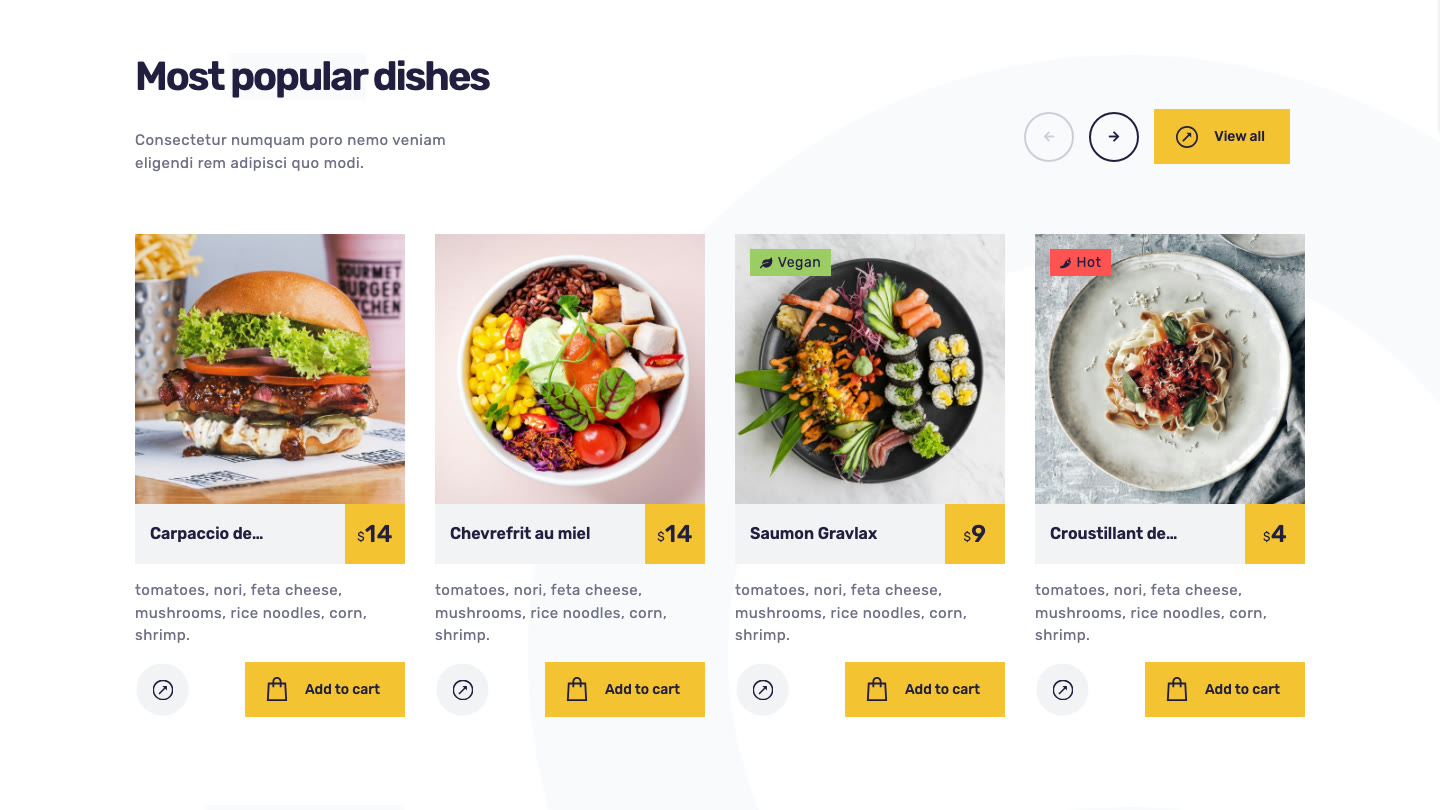
Starbelly is a restaurant and cafe template by bslthemes, an Elite Author on Envato. Its listing names Next.js 14 with the App Router, React 18, Bootstrap 5 and more than 35 pages. It covers the pages a restaurant site usually needs: six menu layouts, table reservation, a gallery with filters, chefs, testimonials, FAQ, a blog with categories, tags and search, and contact pages with a map.
It also has shop pages: a shop, product lists, a product page, a cart and a checkout. In the demo, dishes carry prices and "add to cart" buttons, and the cart icon in the header keeps a count. These pages are designs, though. The listing does not mention a backend, and content lives in JSON and Markdown files.
- 35+ pages, with 6+ menu layouts and two home pages
- Shop, product, cart and checkout pages
- Table reservation page and a contact form that works without PHP
- Blog with categories, tags, search, archive, authors and pagination
- All content in separate JSON and Markdown files
Stack: Next.js 14 App Router, React 18, Bootstrap 5, SCSS.
Price (checked November 2026): $17 for a Regular licence on ThemeForest. The author's own site lists it at $14. The Envato Regular licence covers one end product that users are not charged for.
Good to know: the images in the live preview are not included in the download, so plan your own food photography. The changelog lists only versions 1.0.0 and 1.0.1. Arabic and RTL are not listed. If you need the same author's style with a different look, Tastyc covers similar ground with OpenTable integration and Mailchimp.
Links: Live demo · ThemeForest page
4. QuickEat on ThemeForest
Best for: a local delivery service or a food court that lists several restaurants, and needs the front-end screens for choosing a restaurant, browsing its food and checking out.
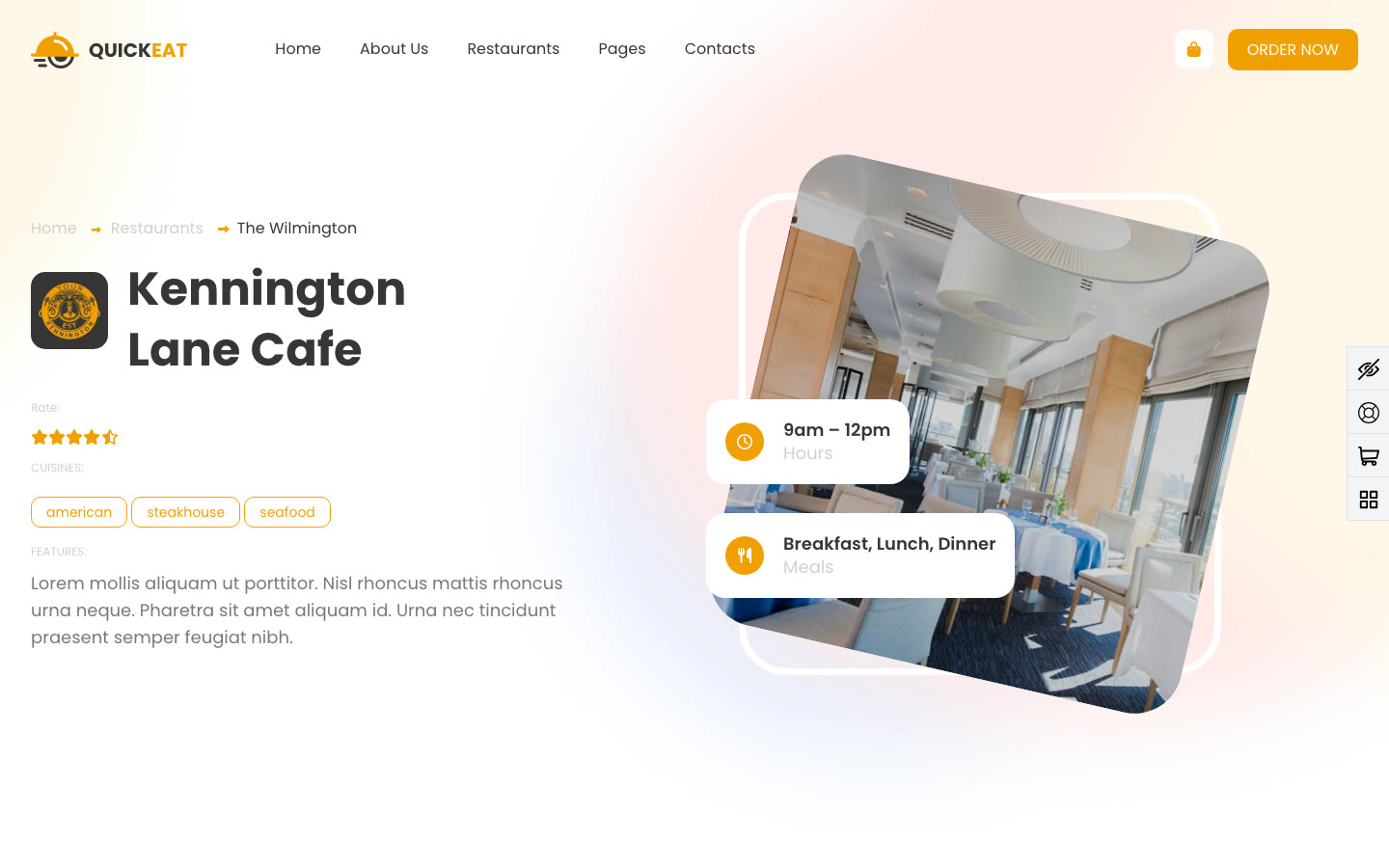
QuickEat is a food delivery template, also by bslthemes, built for sites that list more than one restaurant. The home page asks the visitor to choose a restaurant, the restaurants page lists them by cuisine, and each restaurant gets a page with its rating, hours and dishes. The checkout page has buyer details, a delivery address, and a choice between card and cash.
It also includes partner pages for couriers and restaurants who want to join, a pricing table, a blog and an FAQ. Like Starbelly, it is a set of designed pages: the listing does not include a backend, so restaurant data, carts and orders need one of your own.
- 11+ pages, including restaurant listing and single restaurant pages
- Cart and checkout pages with card or cash selection
- Become-a-partner pages for couriers and restaurants
- Pricing table, reservation, newsletter and feedback forms
- Google Maps
Stack: Next.js 13 with the Pages Router, React 18, Bootstrap 5.
Price (checked November 2026): $17 for a Regular licence on ThemeForest, with 43 sales shown on the listing. The author's own site lists it at $14.
Good to know: this is the oldest stack in the list. Next.js 13 with the Pages Router still runs, but new Next.js features and most current examples target the App Router, so budget time for an upgrade if you plan to grow it. The changelog shows a single release (1.0.0), and the demo images are not part of the download.
Links: Live demo · ThemeForest page
5. Yummer on CodeCanyon
Best for: a single restaurant that wants an app-like ordering experience on phones, installable from the browser, without building a native app.
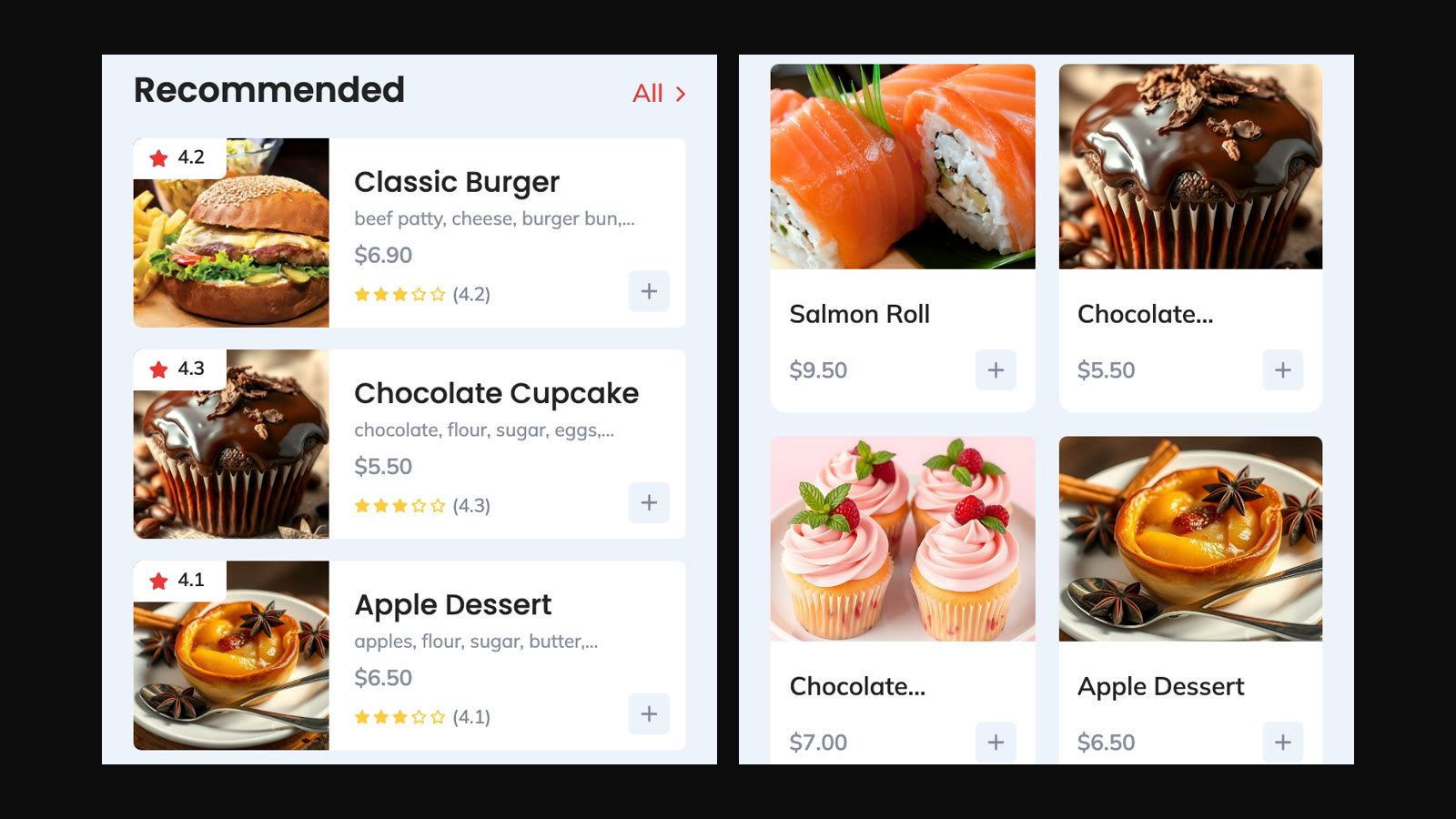
Yummer is a React Progressive Web App by George_Fx on CodeCanyon, described on its listing as "tailored for single-restaurant food delivery." It is designed for a phone screen: onboarding slides, a home page with hot offers and recommended dishes, a searchable shop, dish details, a cart, a checkout with shipping and card fields, and order success and failure screens.
Around the ordering flow it has the account screens you would expect from a delivery app: sign in and sign up, phone verification, profile editing, favourites, promo codes and order history. The listing says it is integrated with Payload CMS for managing dishes, offers and content, and as a PWA it works offline once installed.
- Mobile-first PWA with offline support
- Home, shop, search, dish, cart, checkout and order result screens
- Sign in, sign up, phone verification and profile pages
- Offers, promo codes, favourites and order history
- Payload CMS for dishes, offers and content, per the listing
Stack: React 19, TypeScript, Zustand, Sass, Payload CMS. It is a React app, not a Next.js one.
Price (checked November 2026): $78 for a Regular licence on CodeCanyon. The listing's last update is July 25, 2025.
Good to know: the listing does not name a payment gateway, so check how the checkout connects to payments before you buy. The demo shows the customer app only, with no kitchen or staff screen. On a desktop the layout stays phone-sized, so pair it with a separate website if you also want a full desktop site.
Links: Live demo · CodeCanyon page
6. OrderWorder on GitHub
Best for: developers who want to study or prototype dine-in ordering: guests scan a QR code at the table, order from their phone, and the kitchen sees the order on a screen.
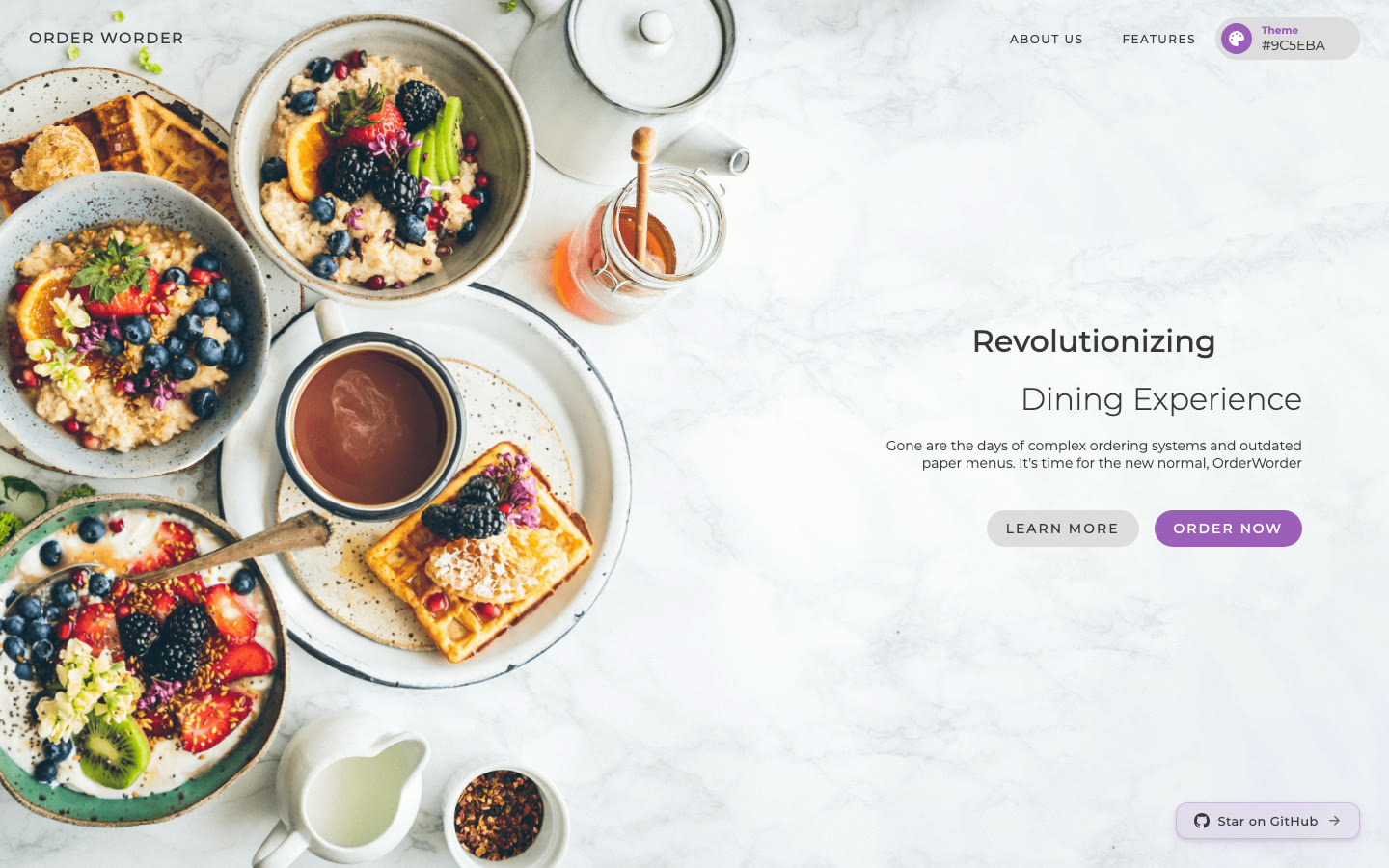
OrderWorder is an open-source "contactless restaurant ordering system" built with Next.js and MongoDB. Each table gets a QR code that opens the menu, guests place orders without installing an app, and a live kitchen dashboard shows incoming orders. An admin panel manages tables, orders and inventory, and an AI assistant called Jarvis, built on Google Gemini through the Vercel AI SDK, recommends dishes and answers ingredient and allergen questions from the live menu.
The public demo includes a sample coffee shop menu with categories, item descriptions, calories and allergens. Ordering and the AI chat ask the guest to sign in with a name and phone number first.
- QR code per table, with the menu in the browser
- Cart and order placement for dine-in guests
- Live kitchen dashboard and an admin panel for tables, orders and inventory
- AI menu assistant on Google Gemini
- Dark theme and a theme colour picker
Stack: Next.js 16 (16.3.6 in package.json), React 19, SCSS, MongoDB with Mongoose, NextAuth.js, Redux, Vercel AI SDK. About 139 GitHub stars, with the last push on September 29, 2026.
Price (checked November 2026): free to view. The repository has no licence file, which by default means the author keeps all rights, so ask the author for permission before you use the code in a commercial project.
Good to know: the README does not mention online payments, delivery or takeaway, because the project is built around ordering at the table. Treat it as a strong reference or a starting point after you have cleared the licence.
Links: Live demo · GitHub repository
7. Medusa Eats on GitHub
Best for: developers planning a delivery marketplace with customers, restaurants and drivers, who want to see how such a platform can be built on an open-source commerce engine.
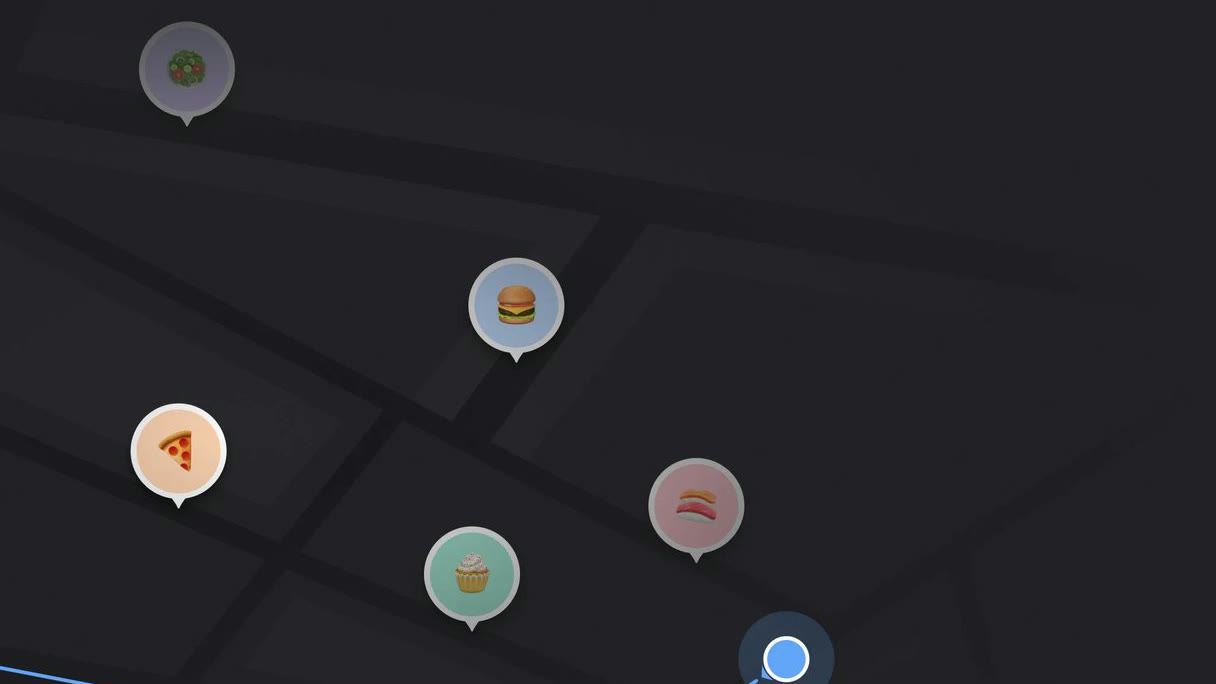
Medusa Eats is a food delivery platform "inspired by Uber Eats," built by the Medusa team on Medusa 2.0 and Next.js 14. The repository has a Medusa backend with custom restaurant, driver and delivery modules, and a Next.js frontend with restaurant storefronts and dashboards. A long-running Medusa workflow handles each order from the customer's choice to delivery, notifies the restaurant, finds a driver and streams status updates to the customer.
- Restaurant storefronts for customers
- Restaurant and driver dashboards with realtime order status
- User roles and authentication
- Order lifecycle as a Medusa workflow, with Server Sent Events
- MIT licence, about 269 GitHub stars
Stack: Next.js 14 (14.1.4 in the frontend's package.json), React 18, Tailwind CSS, TypeScript, Medusa 2.0.
Price (checked November 2026): free, under the MIT licence.
Good to know: the README is clear that this is "an architectural reference, not a starter project," that it is not actively maintained by the core team, and that it began as a hackathon demo. The last push was in September 2025, and there is no public live demo, so you run it locally to see it. Read it for ideas, then build on a maintained base.
Links: GitHub repository · Announcement post
How to Choose a Restaurant Website Template
1. Decide what online ordering means for you
Restaurant templates use the same words for very different things. Sort them into three groups before you compare designs.
- A menu site. The menu, opening hours, location and a phone number, with an "order" button that links to your delivery partner or POS. Any template here can do this, and Starbelly or Munch do it with the least work.
- A cart without a backend. Munch, Starbelly and QuickEat let customers fill a cart and reach a checkout page, but nothing saves or charges the order. That is a fine start if a developer will connect it to Stripe, to your POS or to an ordering platform.
- A working ordering system. Orders are stored, paid for, passed to the kitchen and tracked. Food Studio does this for one restaurant brand, OrderWorder for dine-in tables, and Medusa Eats shows how it looks for a marketplace.
2. Check where payment happens
Find out which payment providers are already connected and where the customer pays. Food Studio sends customers to Stripe's hosted Checkout or to PayPal, so card details never touch your server, and signed webhooks confirm each payment. The front-end templates show a payment form or a card and cash choice, which still needs a provider behind it. If your customers pay cash on delivery, check that the order flow can mark an order as unpaid until it is delivered.
3. Think about the kitchen, not just the customer
Every order has to reach someone who cooks it. Ask who will see new orders, how staff move them from confirmed to ready, and whether a cook in one kitchen should see another kitchen's orders. Food Studio has a staff dashboard with server-enforced statuses, live notifications and kitchen accounts limited to their own kitchen. OrderWorder has a live kitchen view. Medusa Eats has restaurant and driver dashboards. The other templates have no kitchen side.
4. Delivery rules, pickup and opening hours
Delivery is where real orders go wrong: an address outside the zone, an order placed after closing, a basket below the minimum. A working system checks these before payment. Food Studio checks postcodes, hours and the minimum order per kitchen. Munch's demo cart shows a delivery fee and a minimum order, but nothing enforces them on a server. If you deliver from more than one location, make sure the template understands kitchens or branches.
5. The menu data your customers need
Customers look for allergens, dietary filters, portion choices and combos. Food Studio has allergens on every dish, dietary filters and a combo builder. Munch lists calories and protein on each item. OrderWorder's demo shows calories and allergens in item descriptions. Count how many dishes you sell and how often the menu changes: a menu edited weekly belongs in a dashboard or a CMS, not in a JSON file.
6. Languages and right-to-left layout
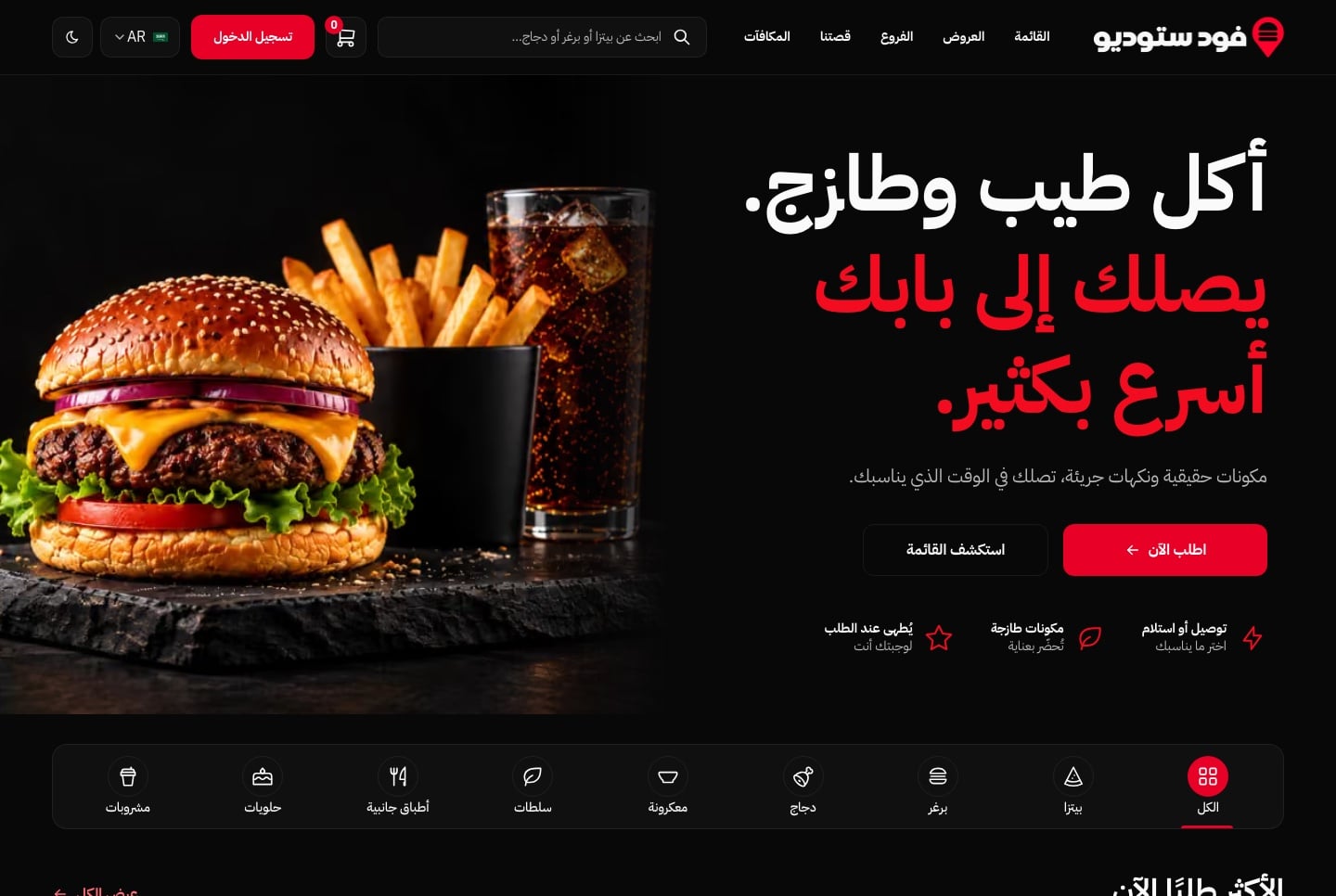
For restaurants serving Arabic-speaking customers, translation is only half the job. The layout has to mirror, the menu filters and the cart have to read right to left, and prices and phone numbers have to stay readable. Food Studio is the only pick here that lists English and Arabic with full RTL, across the website and the staff dashboard. For the others, plan to add a second language and the RTL layout yourself, and test the checkout and the order screens, not just the home page.
7. Count the full cost
The template price is the smallest line. A front-end template costs less to buy but more to finish, because a developer has to build the order backend and the payment step. A full-stack template costs more up front but needs hosting for its API and database, plus the payment provider's fees. Third-party ordering platforms usually charge a commission or a monthly fee instead. Compare a year of each, including the developer time, before you decide.
8. Read the licence and check maintenance
Envato's Regular licence (Starbelly, QuickEat, Yummer) covers a single end product that users are not charged for. The Shadcnblocks licence and the Aniq UI licence allow unlimited projects, client work included. Medusa Eats is MIT. OrderWorder has no licence file, so it is not open for reuse until the author says so. Look at the framework version and the last update too: Next.js 13 and 14 projects need an upgrade path, and Medusa Eats is no longer maintained.
9. When a template is the wrong choice
If nobody on your side writes code and you only need a menu, hours and online orders, a hosted website builder with an ordering add-on, or the online ordering page your POS provider already offers, is simpler than any template in this list. A template makes sense when you want your own design and your own data, no per-order commission, or a site an agency can hand over and keep extending.
Common Mistakes When Choosing a Restaurant Website Template
Taking a checkout page for a checkout
A designed checkout page does not charge a card or save an order. Before you buy, look for a database, a payment provider and an order list in the description, not only a "checkout" screenshot.
Forgetting the staff side
A site that takes orders with no screen for the kitchen means orders arrive by email or not at all. Decide how the team will see, accept and finish each order before you choose.
Hardcoding the menu
Menus change with seasons, prices and stock. If dishes live in code or JSON files, every change needs a developer. A dashboard or a CMS lets the restaurant edit its own menu.
Using demo photos you do not own
Several listings say the preview images are not part of the download. Plan your own food photography, or tools that prepare your own photos, from the start.
Skipping the licence check
Free code on GitHub is not always free to use. A repository without a licence file keeps all rights with its author, and Envato's Regular licence limits you to one end product.
FAQ
What is the best restaurant website template with online ordering?
If you want customers to order and pay on your own site and staff to run the orders from a dashboard, Aniq UI Food Studio is the most complete pick in this list, with a website, a staff dashboard and a NestJS API in one package.
If you only need a menu site with a cart and will connect ordering yourself, Munch and Starbelly are good starting points.
Is there a free restaurant website template with ordering?
OrderWorder and Medusa Eats are free on GitHub. OrderWorder covers dine-in QR ordering with a kitchen view, but it has no licence file, so ask the author before reusing it. Medusa Eats is MIT licensed but is an unmaintained architectural reference, not a starter.
Which restaurant template has a kitchen dashboard?
Food Studio has a staff dashboard with the kitchen queue, order statuses and kitchen-only accounts. OrderWorder has a live kitchen view for dine-in orders, and Medusa Eats has restaurant and driver dashboards.
Can I use a restaurant template without a developer?
Changing text and photos in a template usually needs someone comfortable with code, and connecting orders and payments always does. If nobody can do that, a hosted website builder or your POS provider's ordering page is the easier route.
Are ThemeForest restaurant templates worth buying?
They are good value for the design and the number of pages. Starbelly and QuickEat cost $17 each on ThemeForest (November 2026). Check three things first: the Next.js version, the last update, and whether the cart connects to anything. Both are front-end templates.
Which restaurant templates support Arabic and RTL?
Among the picks here, only Food Studio lists English and Arabic with a full right-to-left layout, on both the ordering website and the staff dashboard. With the others, Arabic and RTL are work you add yourself.
Should I pick a Next.js template or a React PWA for ordering?
A Next.js site is indexed well by search engines and works on every screen, which matters for a restaurant people find on Google. A PWA like Yummer feels like an app on phones and can be installed. Many restaurants start with the website and add an installable app later.
Conclusion
If you want a restaurant website that takes real orders, with payments, delivery rules, a kitchen dashboard and its own API, and English and Arabic from day one, start with Food Studio. You can buy the ordering website or the staff dashboard alone, as long as you add the Backend API.
If you mainly need a beautiful menu site, Munch gives a burger or fast food brand a distinctive look with a cart, and Starbelly gives a cafe dozens of ready pages for very little. QuickEat suits a delivery site that lists several restaurants, and Yummer suits a restaurant that wants an app-like experience on phones. For learning and prototyping, OrderWorder shows QR table ordering with a kitchen view, and Medusa Eats shows the architecture of a full delivery marketplace. You can open both live demos and compare every package on the Food Studio product page.
Related guides
- How to Build a Restaurant Online Ordering System with Next.js
- Best Next.js Templates for 2026: Free and Premium Picks
- Best Admin Dashboard Templates by Industry in 2026
- Best Next.js E-commerce Templates for 2026 (Free and Paid)
- Best RTL Admin Dashboard Templates with Arabic Support (2026)
- Best Next.js SaaS Templates and Starter Kits for 2026
- Best Next.js Landing Page Templates for 2026 (Free and Premium)
- Top 10 Best Next.js Admin Dashboard Templates for 2026
Sources
- Aniq UI Food Studio product page
- Munch on Shadcnblocks
- Shadcnblocks licence agreement
- Starbelly on ThemeForest
- Starbelly on bslthemes
- QuickEat on ThemeForest
- QuickEat on bslthemes
- Yummer on CodeCanyon
- OrderWorder on GitHub
- Medusa Eats on GitHub
- Announcing Medusa Eats
- Envato licences on ThemeForest
Checked November 2026.
You might also like
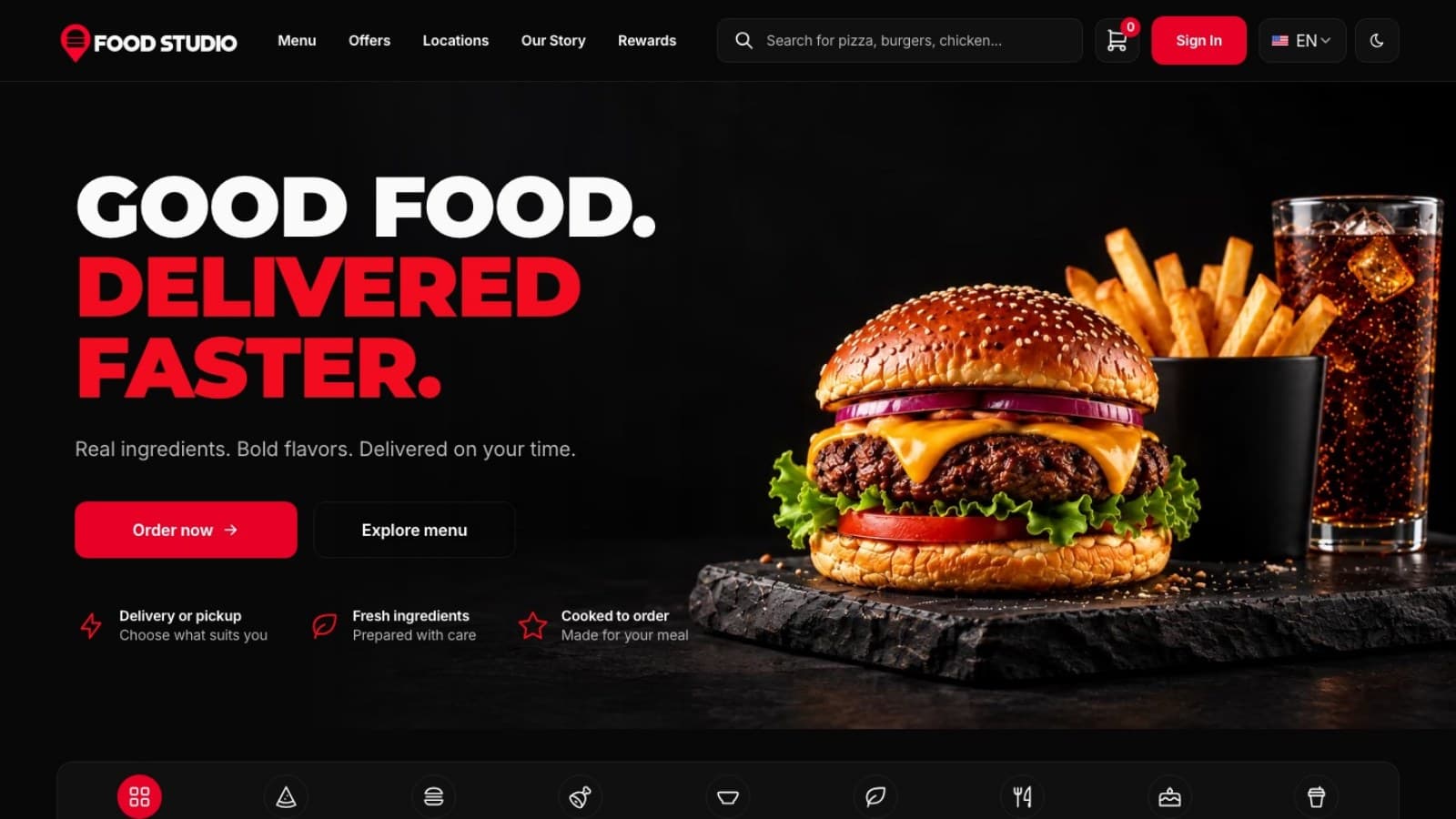
How to Build a Restaurant Online Ordering System with Next.js
Build an online ordering system for a restaurant with Next.js: run the stack, add kitchens and a bilingual menu, test payments and go live.
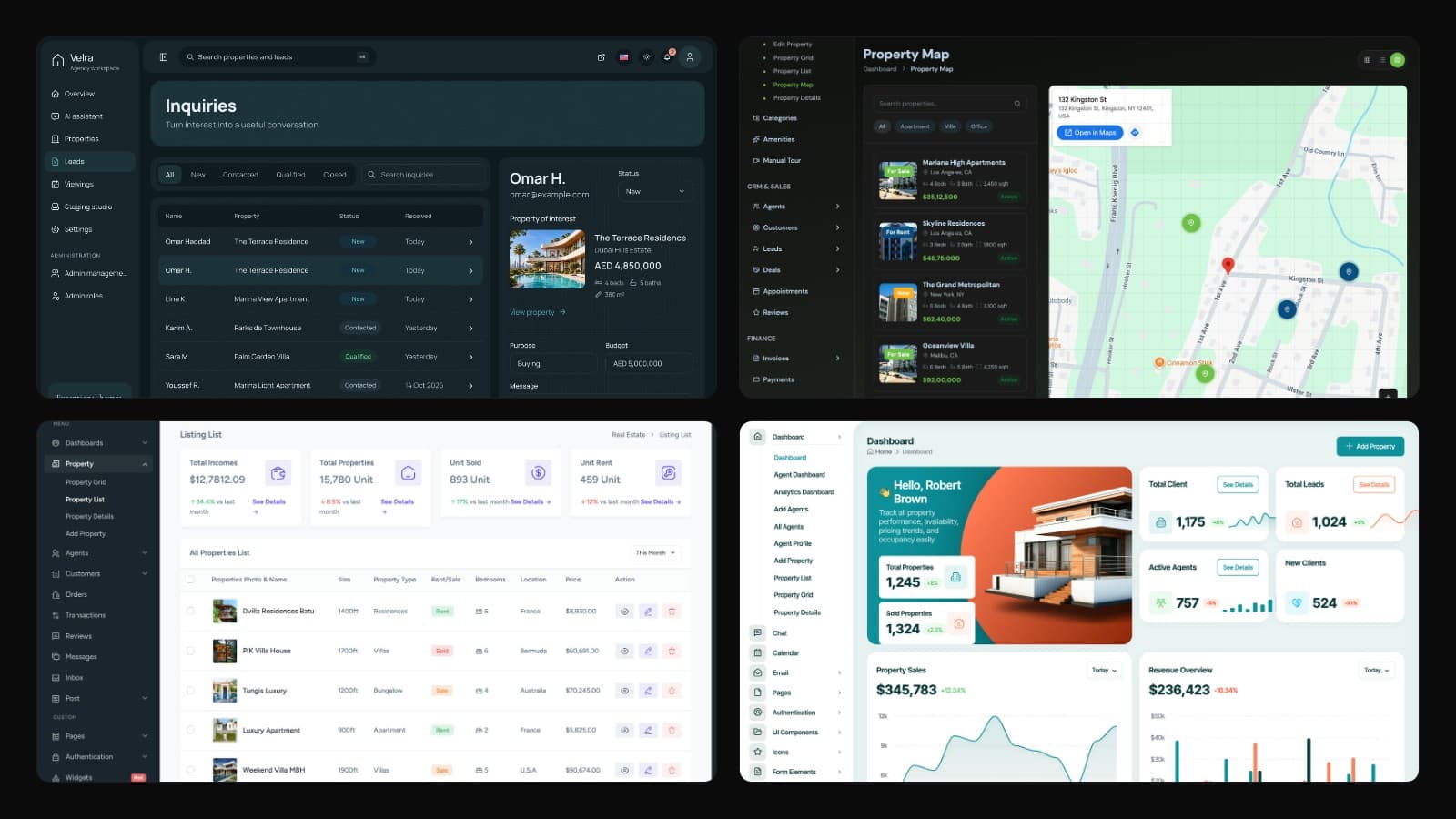
Real Estate Dashboard Templates (2026): Realtor and Property Management
Compare 7 real estate dashboard templates for 2026: realtor CRMs, Next.js admin panels and property management apps for listings, leads, viewings and rent.
How to Build a Fintech Dashboard in Next.js, Step by Step
Build a fintech or personal finance dashboard in Next.js with English and Arabic, charts and cards, and learn which parts you connect to your own API.
