Premium

Next.js Event Ticketing Website Template

A Next.js 16 event ticketing website for attendees, with event search kept in the address, event pages, live seat maps with a ten-minute hold, Stripe or PayPal checkout, free tickets, QR ticket passes and attendee accounts, in English and Arabic.

Next.js Event Ticketing Website Template

Ticketing Website

The Next.js 16 ticketing website on its own. It reads its data from the Ticketory API, sold separately as the Backend API or together in Full Stack.

$79R$397

+ IOF (3.5%) · Pay with Pix or cardPay in reais with Pix or card. Brazil adds 3.5% IOF tax at checkout.

Documentation
Or get everything in Full Stack for $179Or get everything in Full Stack for R$897

Safe and secure payments powered by Paddle

  • Use in unlimited commercial projects. Client work included.
  • One-time payment, free updates
  • Business invoice with your VAT or tax ID

Latest from Aniq-ui

Follow on X
  • Use in unlimited commercial projects. Client work included.
  • One-time payment, free updates
  • Business invoice with your VAT or tax ID

A Next.js 16 event ticketing website for attendees, with event search kept in the address, event pages, live seat maps with a ten-minute hold, Stripe or PayPal checkout, free tickets, QR ticket passes and attendee accounts, in English and Arabic.

Share:

A Next.js 16 event ticketing website for attendees, with event search kept in the address, event pages, live seat maps with a ten-minute hold, Stripe or PayPal checkout, free tickets, QR ticket passes and attendee accounts, in English and Arabic.

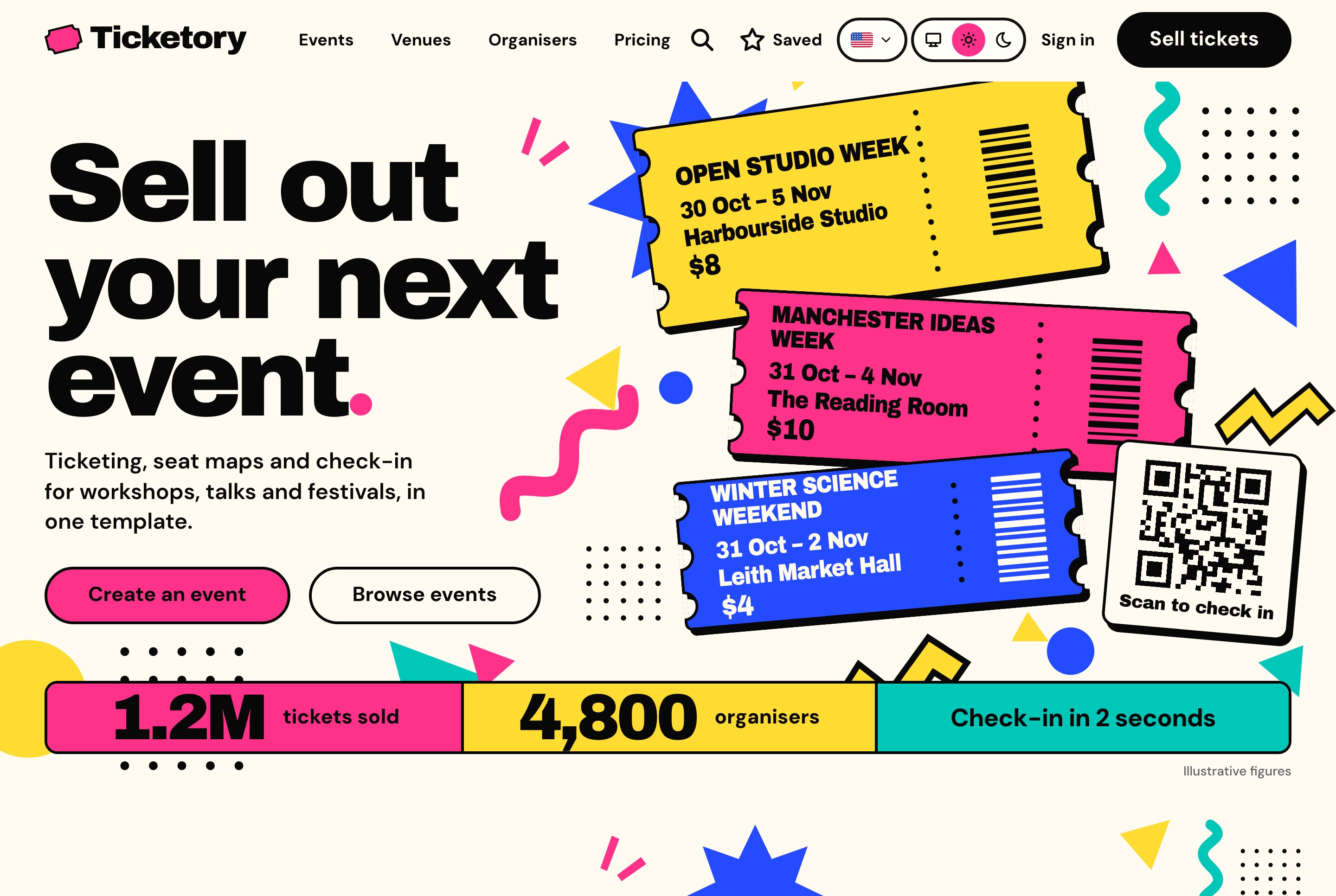
Ticketing website overview, light theme
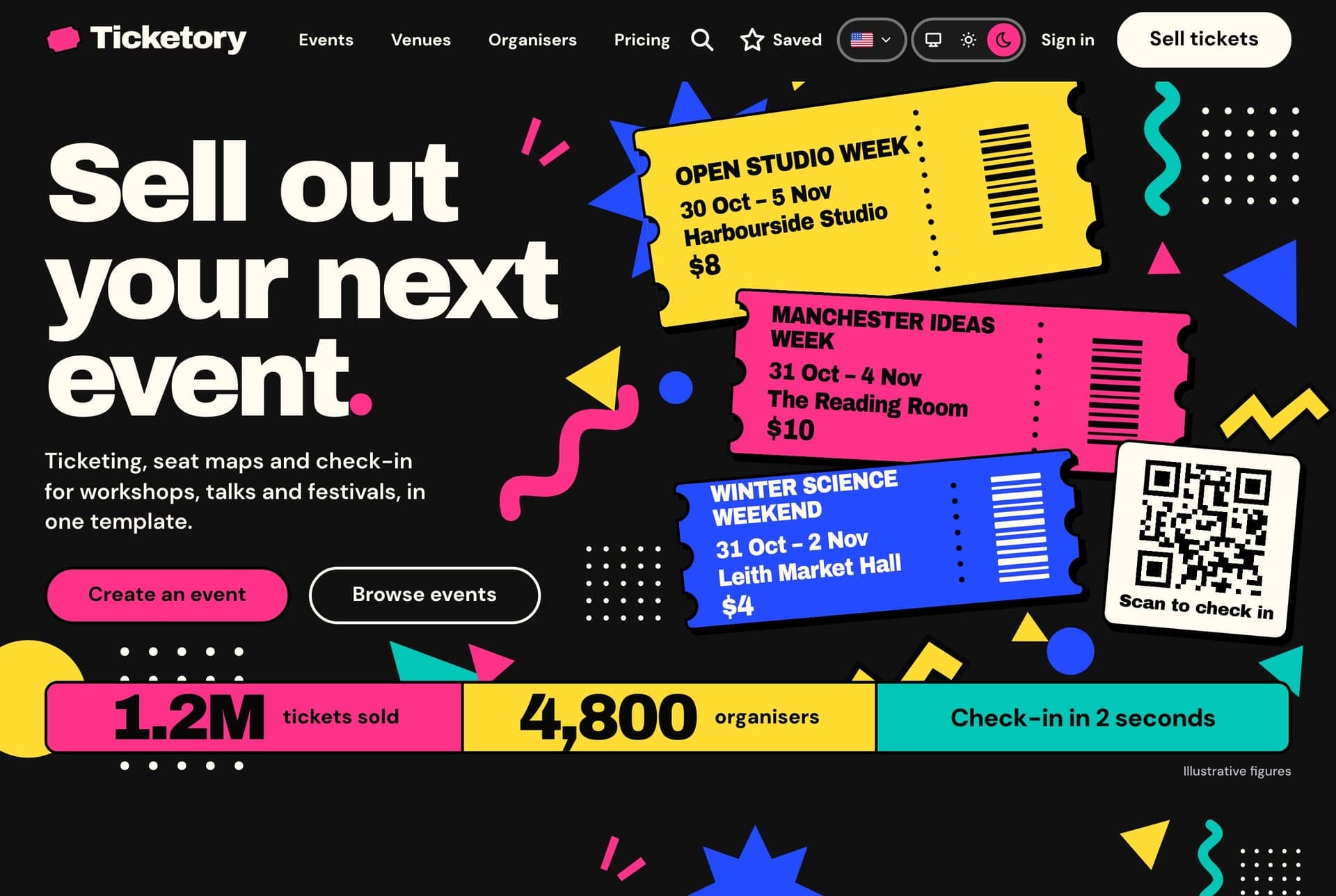
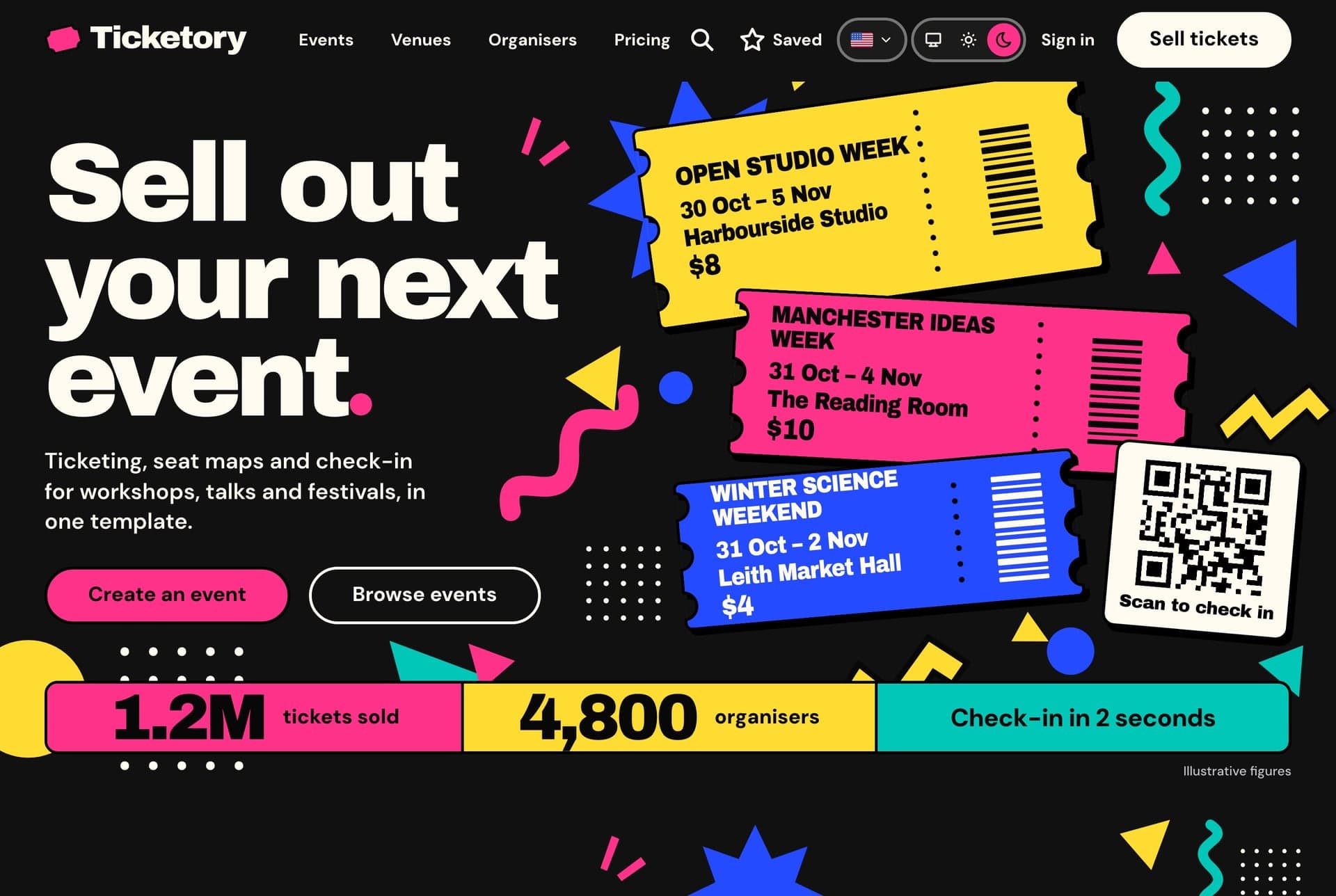
Ticketing website overview, light theme. The home page opens on the headline, a stack of tickets for the next events on sale, the scan-to-check-in card and the figures strip.
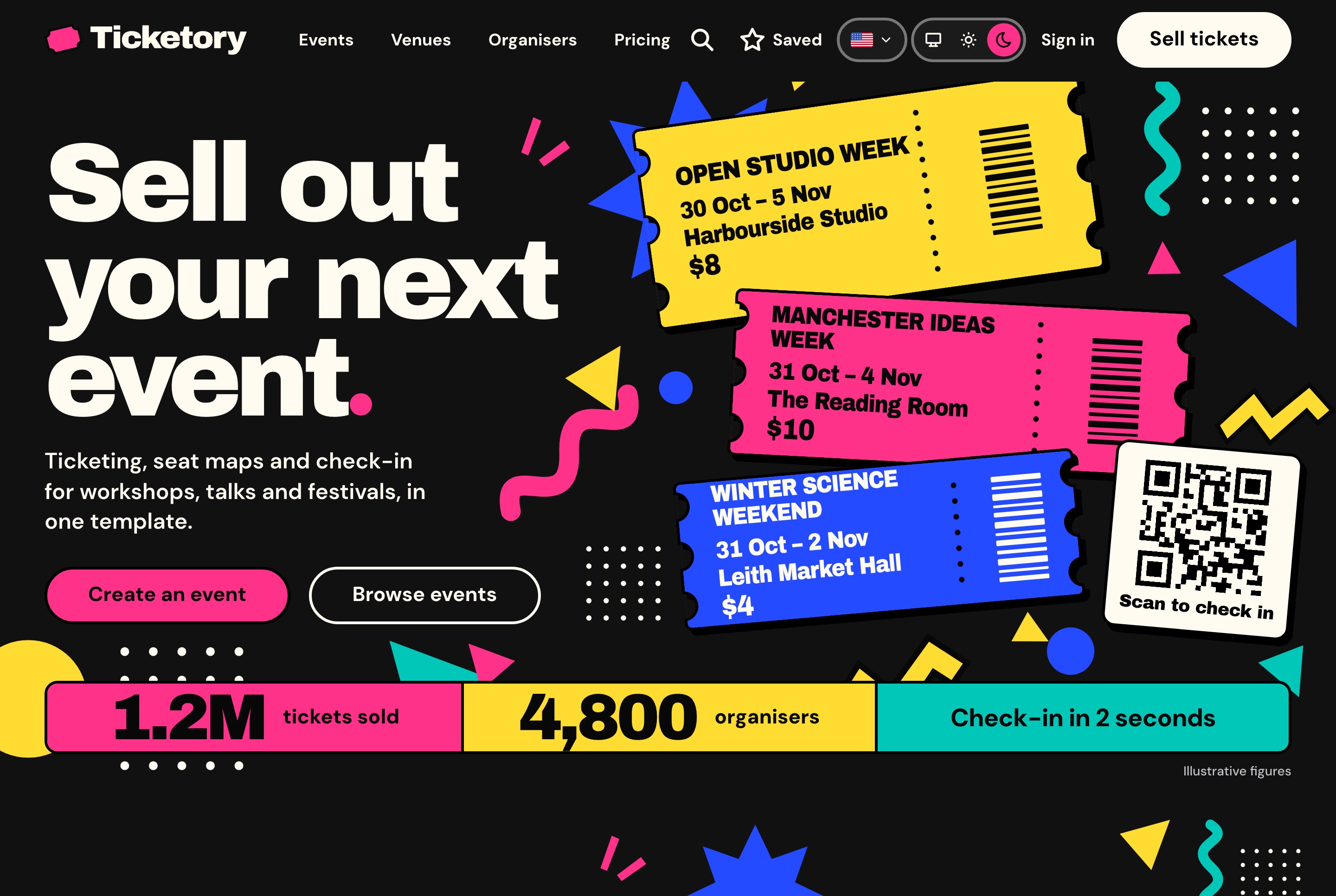
Ticketing website overview, dark theme
Ticketing website overview, dark theme. The home page opens on the headline, a stack of tickets for the next events on sale, the scan-to-check-in card and the figures strip.
Finding an event

Every event drawn as a ticket

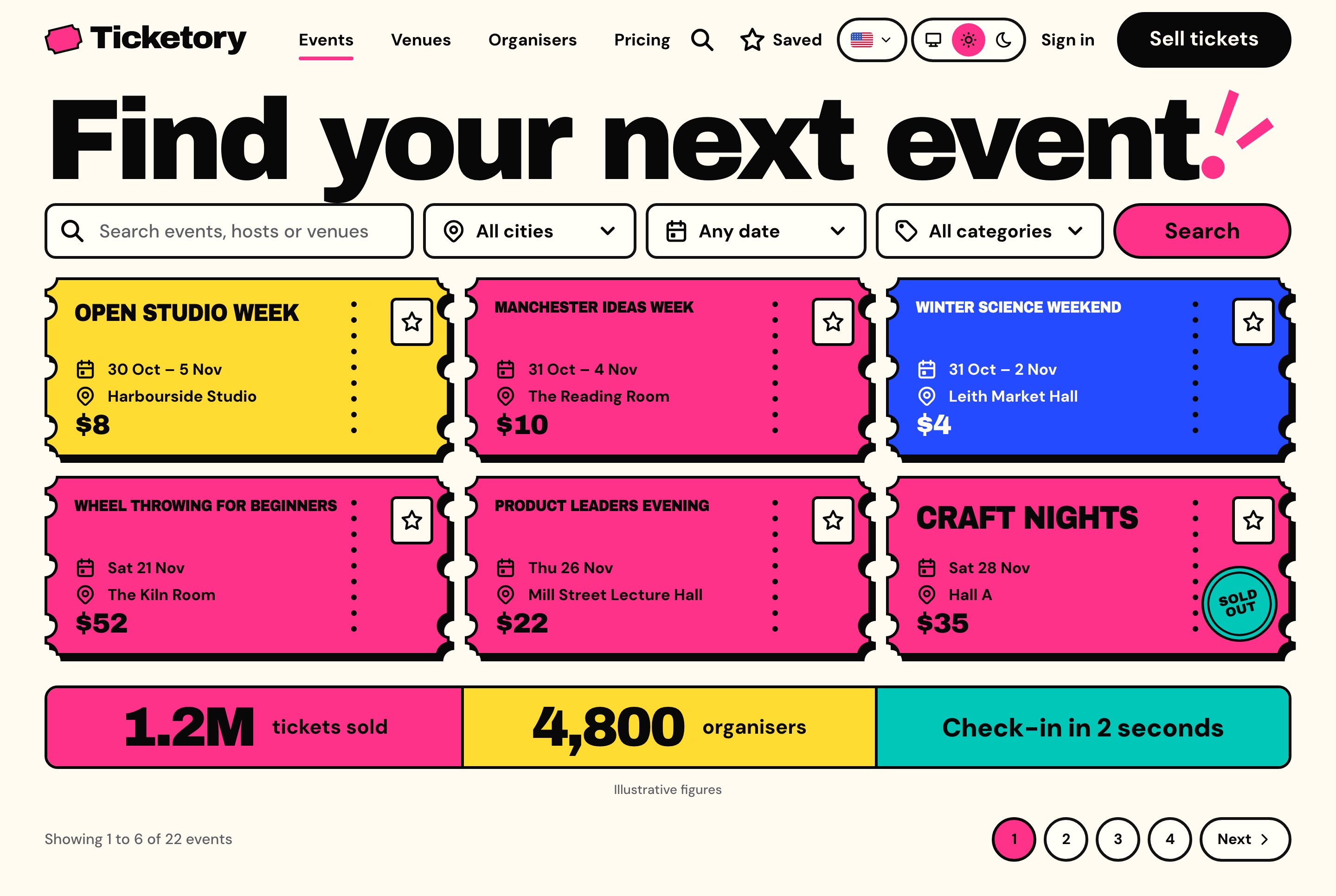
Attendees search events by title, venue, city or organiser, narrow them by city, dates and category, and can share a search, because the filters live in the address. Each event is drawn as a ticket in one of four colours with its title, dates, venue and lowest price, and its page holds About, Schedule and Venue tabs beside the booking panel and a preview of the room's seats.

Events with search, city, date and category filters, light theme
Events with search, city, date and category filters, light theme. Every event on sale as a ticket with its dates, venue and lowest price, a save star on each, searched and filtered by city, date and category.
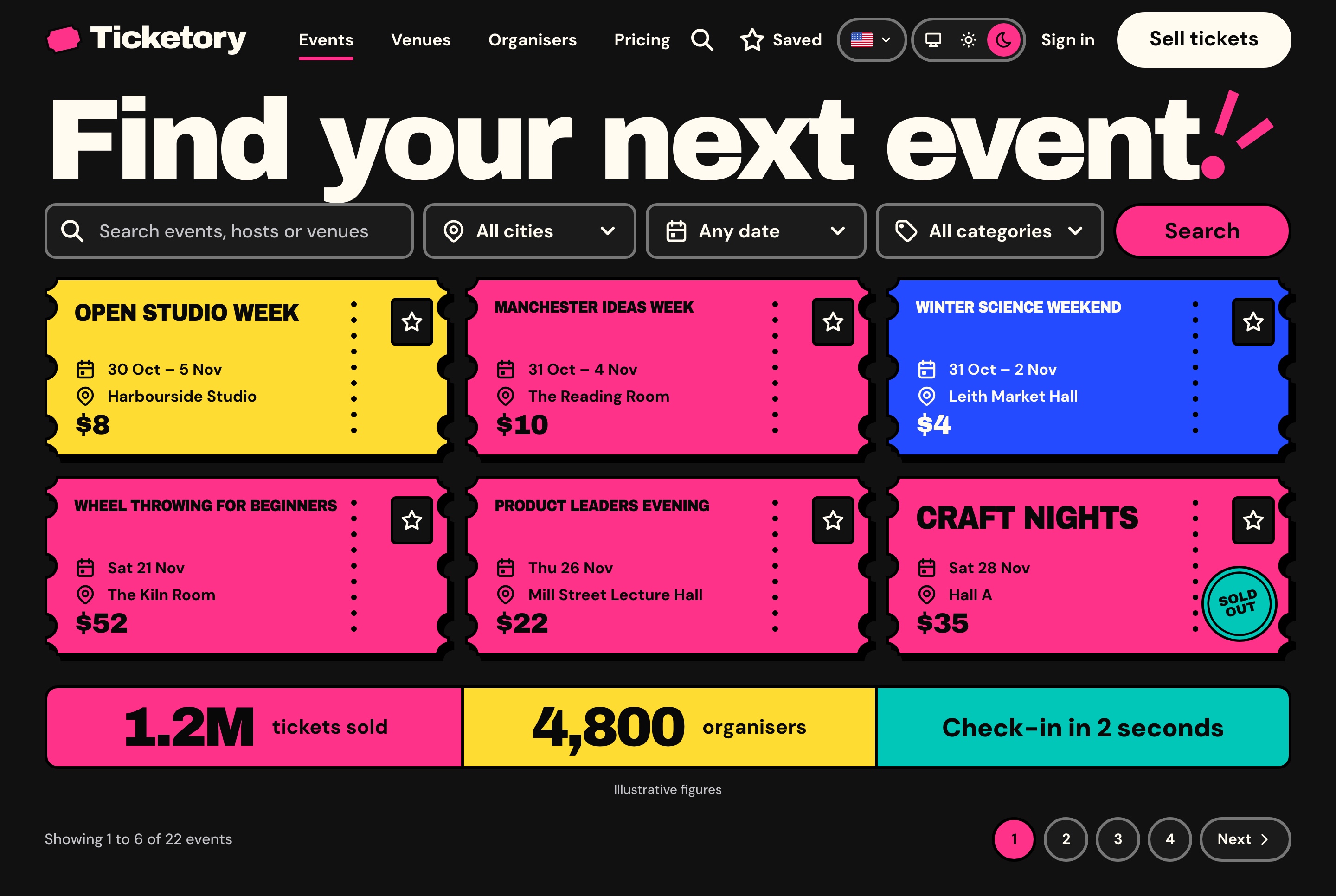
Events with search, city, date and category filters, dark theme
Events with search, city, date and category filters, dark theme. Every event on sale as a ticket with its dates, venue and lowest price, a save star on each, searched and filtered by city, date and category.
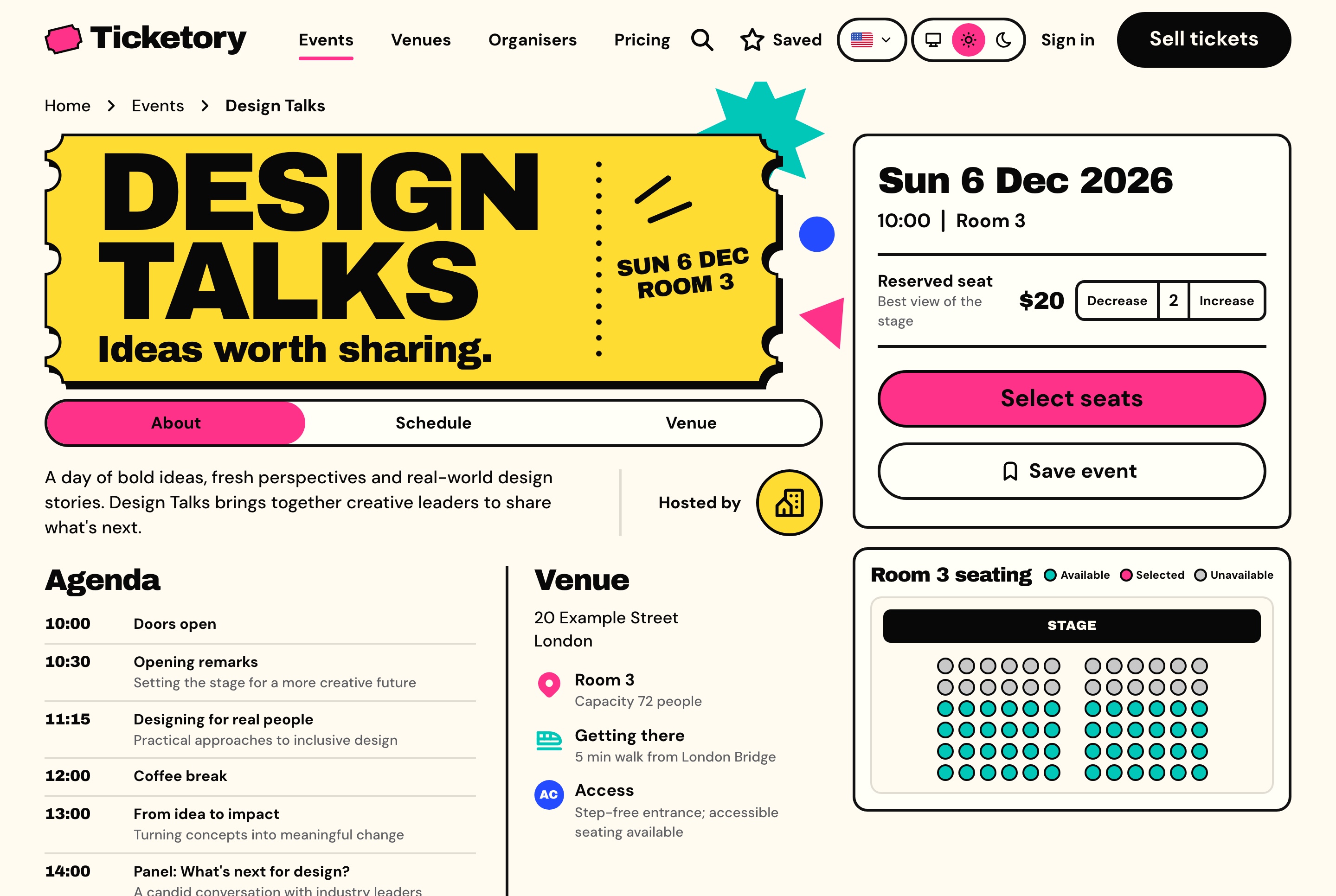
Event page with the booking panel and seat preview, light theme
Event page with the booking panel and seat preview, light theme. Design Talks with its ticket, agenda and venue, two reserved seats chosen in the booking panel and the room's live seat preview beside them.
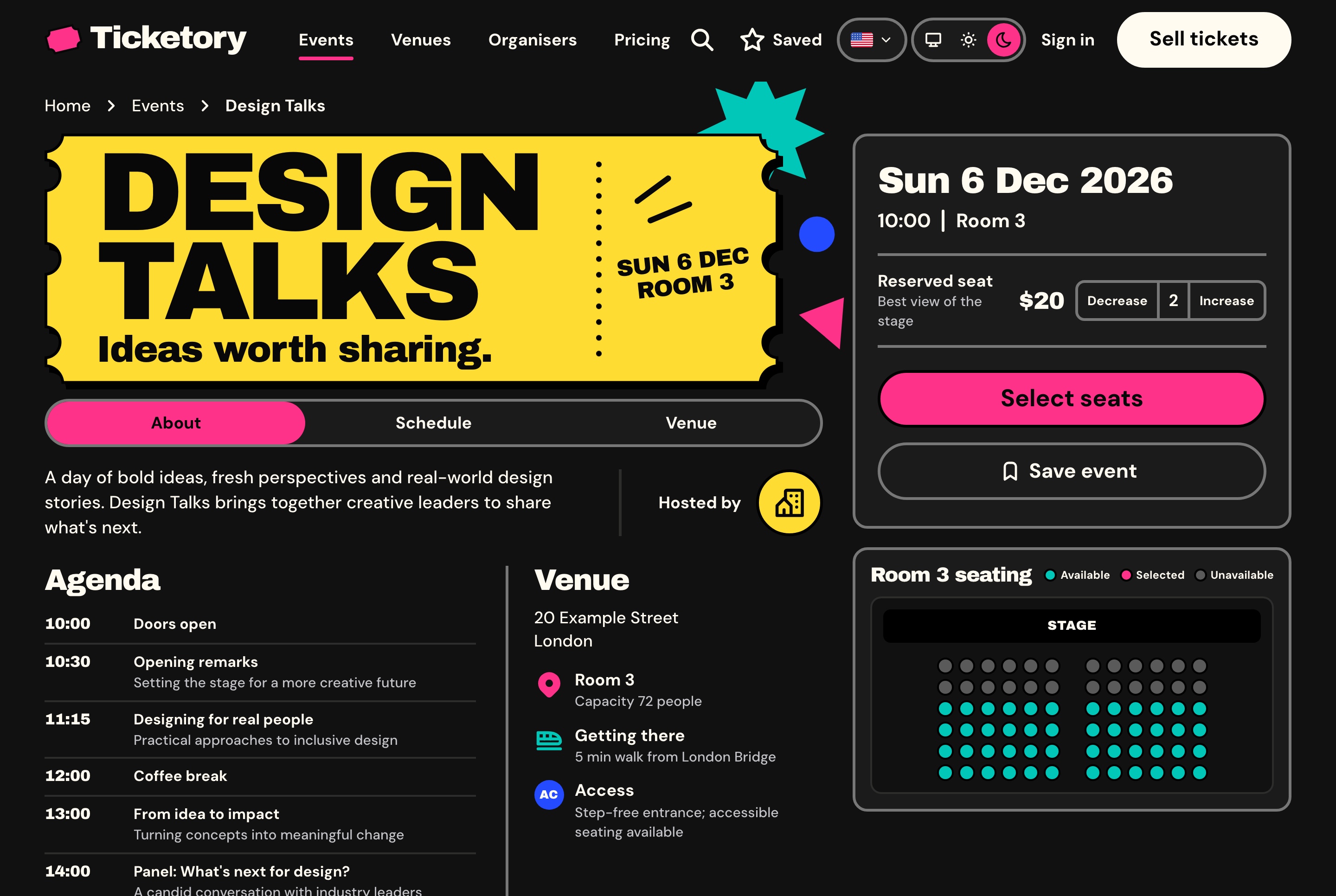
Event page with the booking panel and seat preview, dark theme
Event page with the booking panel and seat preview, dark theme. Design Talks with its ticket, agenda and venue, two reserved seats chosen in the booking panel and the room's live seat preview beside them.

Venues and organisers with pages of their own

Every venue has a page with its address, capacity, seating type, time zone, how to get there, its accessibility notes and its published seat layout. Every organiser has one too, with a short introduction and the events it has on sale.

  • Directories of every venue and organiser
  • Verified organisers marked with a badge
  • Unlisted events sold by link and kept out of the catalogue
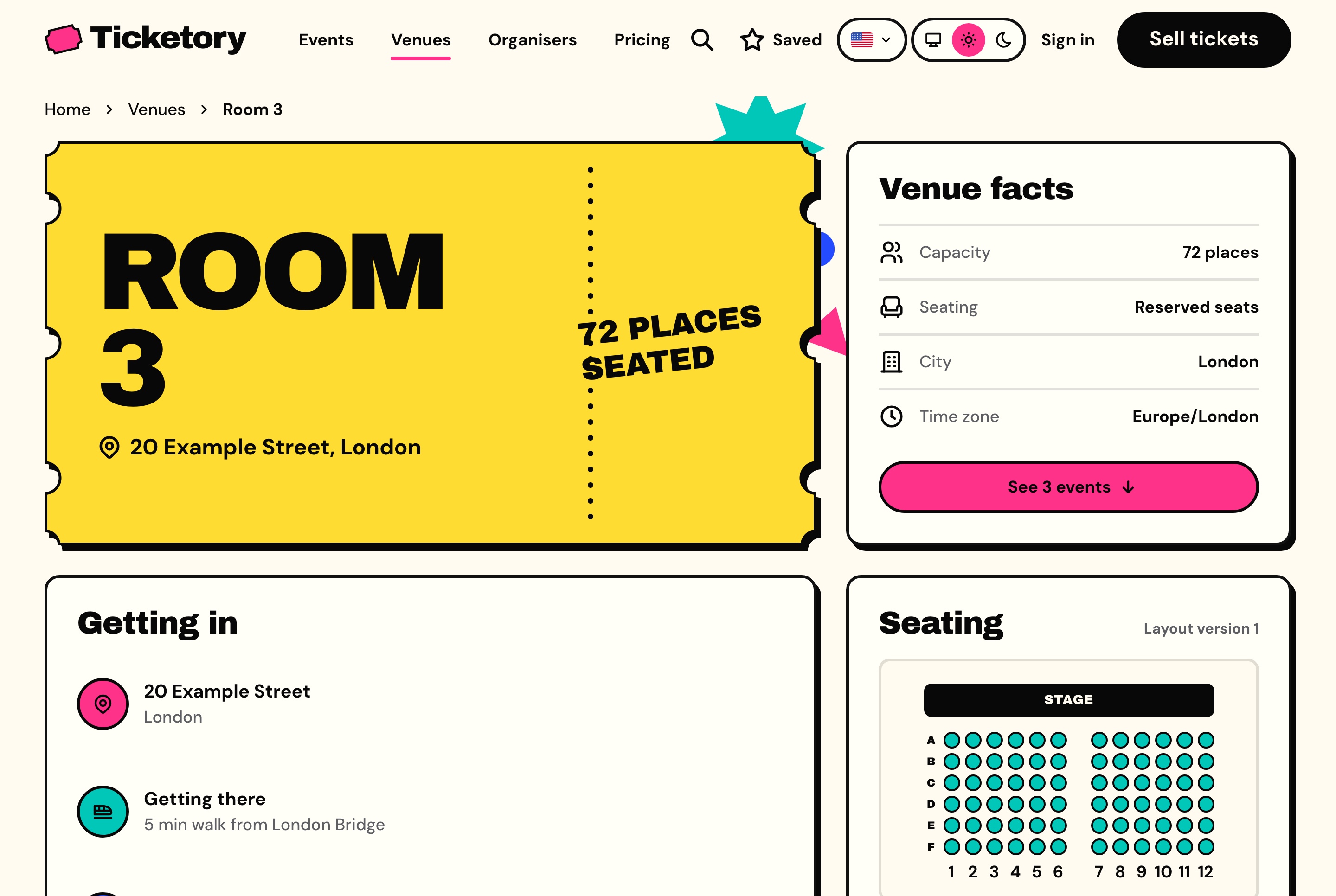
Venue page with its facts and seat layout, light theme
Venue page with its facts and seat layout, light theme. Room 3 with its address, capacity, seating type and time zone, how to get in, and the published seat layout.
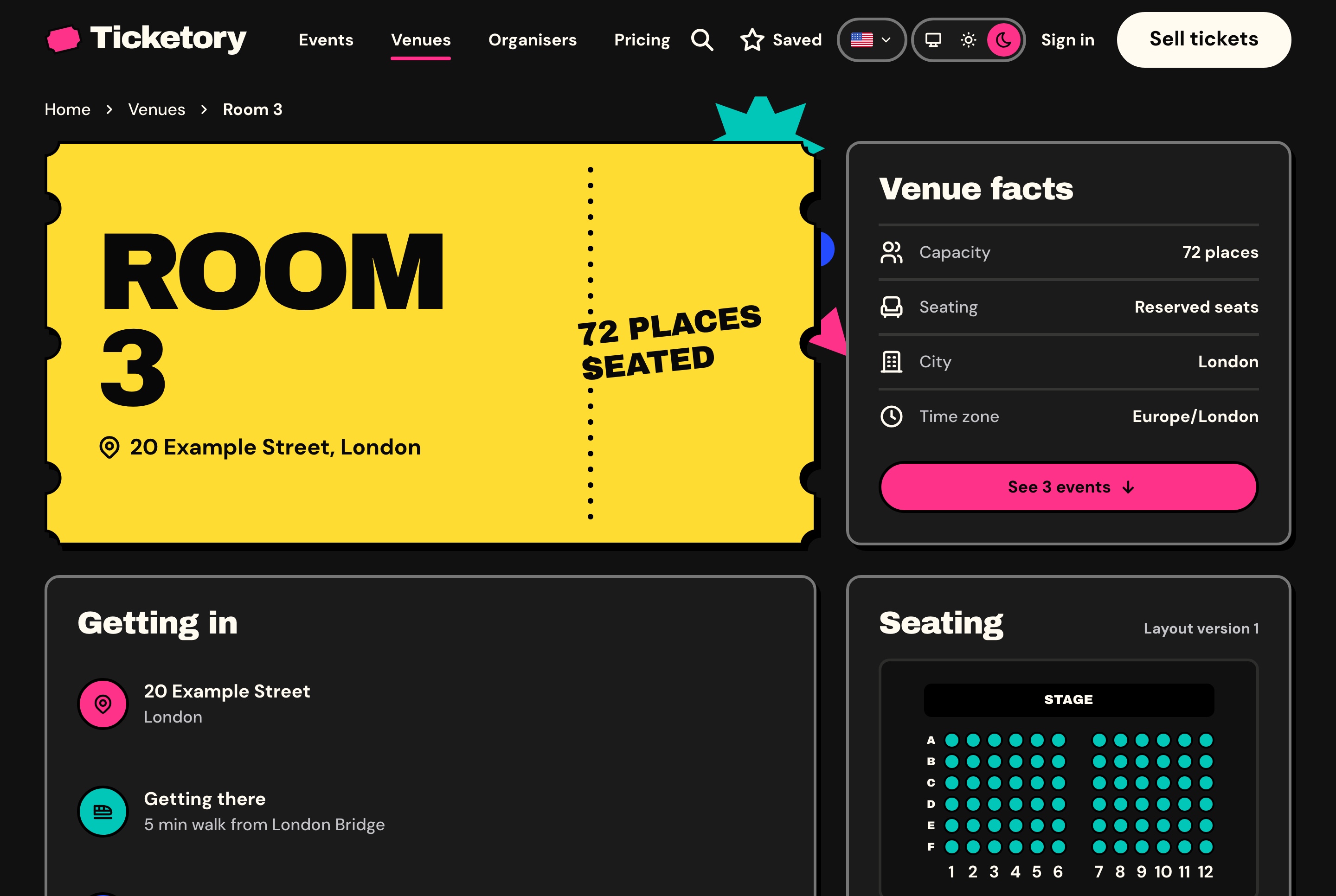
Venue page with its facts and seat layout, dark theme
Venue page with its facts and seat layout, dark theme. Room 3 with its address, capacity, seating type and time zone, how to get in, and the published seat layout.
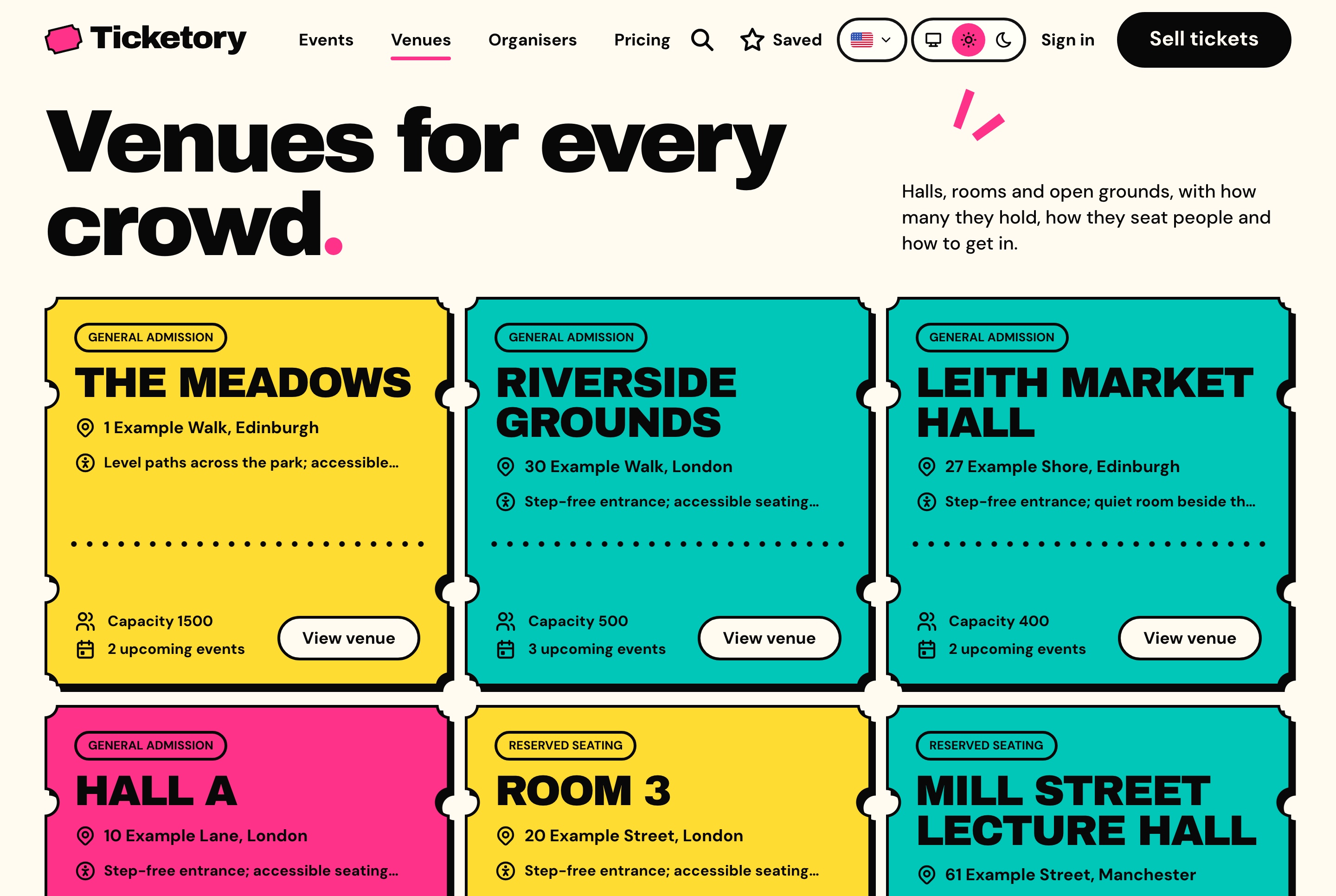
Venues with capacity and seating type, light theme
Venues with capacity and seating type, light theme. Every venue as a ticket with its address, access notes, capacity, number of upcoming events and whether it is general admission or reserved seating.
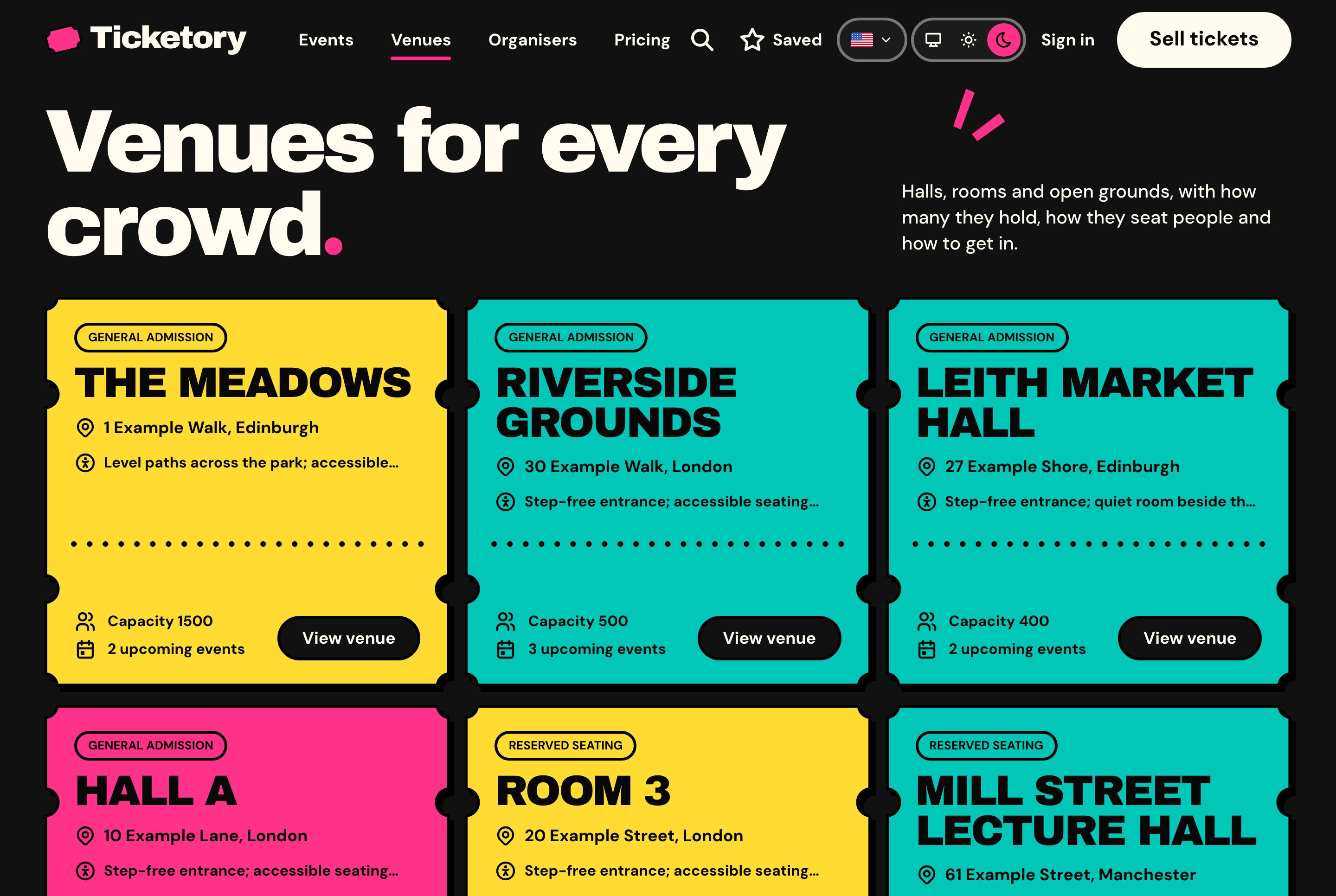
Venues with capacity and seating type, dark theme
Venues with capacity and seating type, dark theme. Every venue as a ticket with its address, access notes, capacity, number of upcoming events and whether it is general admission or reserved seating.
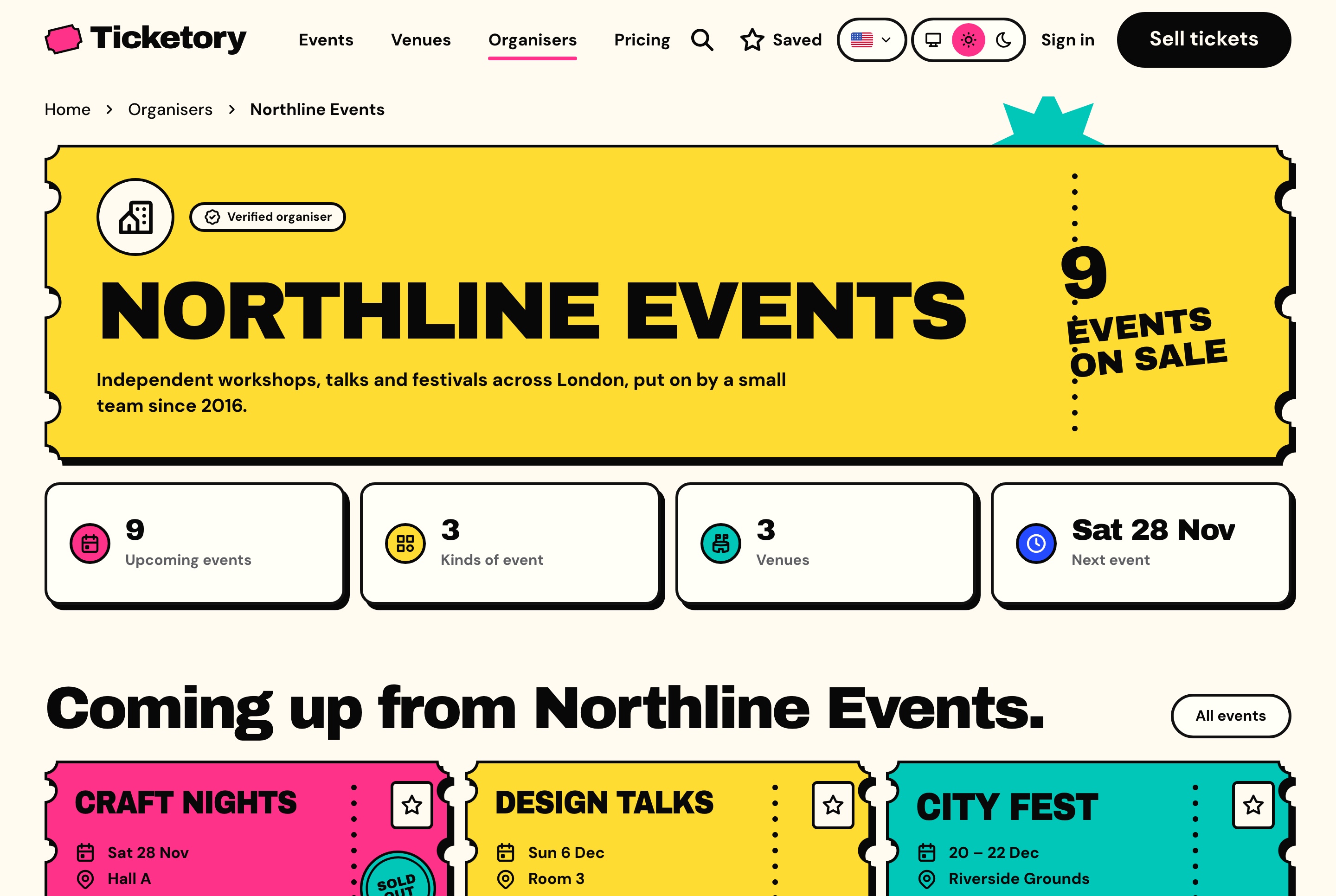
Organiser page with what is coming up, light theme
Organiser page with what is coming up, light theme. Northline Events with its verified badge and events on sale, its upcoming events, kinds of event, venues and next date, then the events coming up.
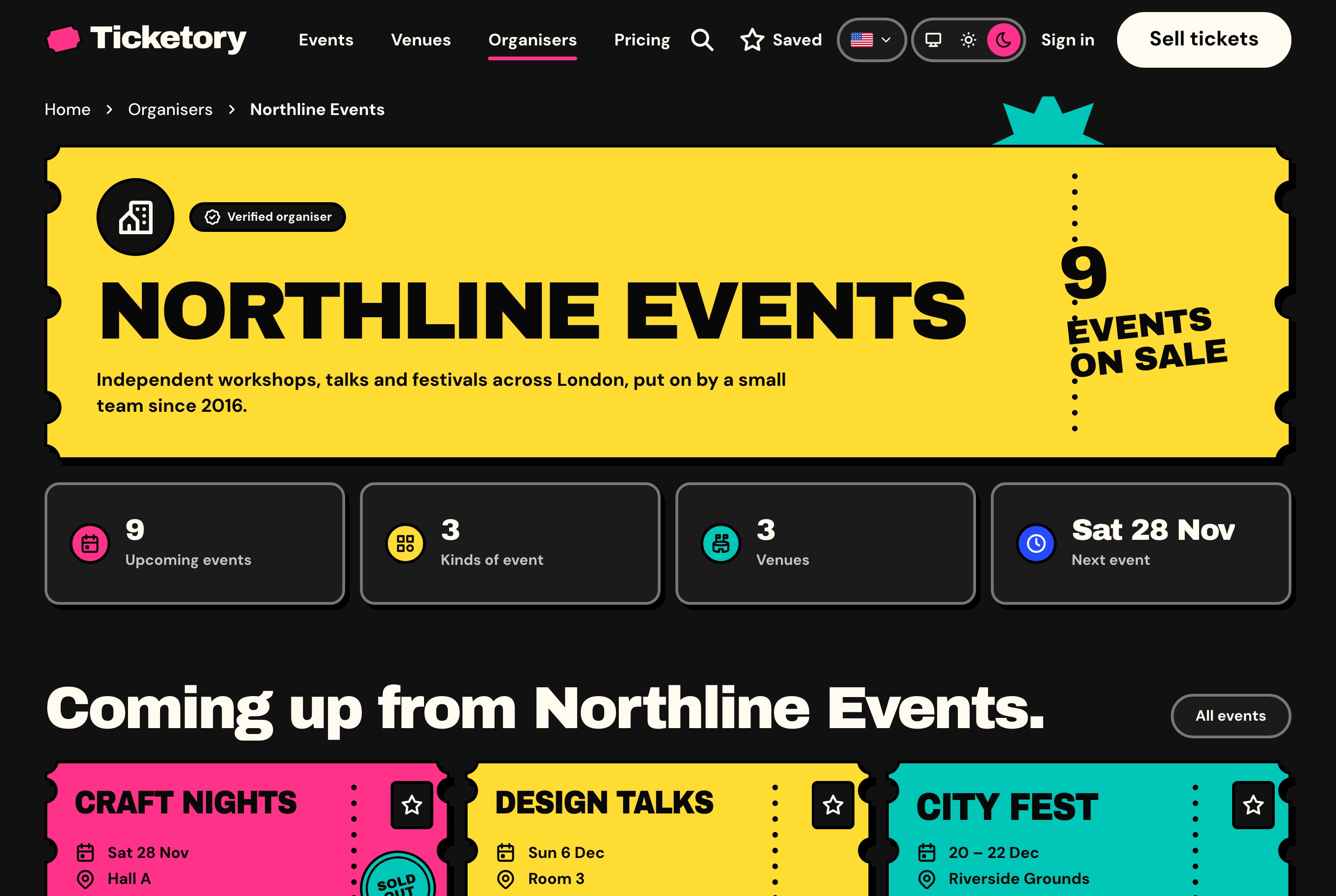
Organiser page with what is coming up, dark theme
Organiser page with what is coming up, dark theme. Northline Events with its verified badge and events on sale, its upcoming events, kinds of event, venues and next date, then the events coming up.
Seat maps

Seats held for the buyer, never sold twice

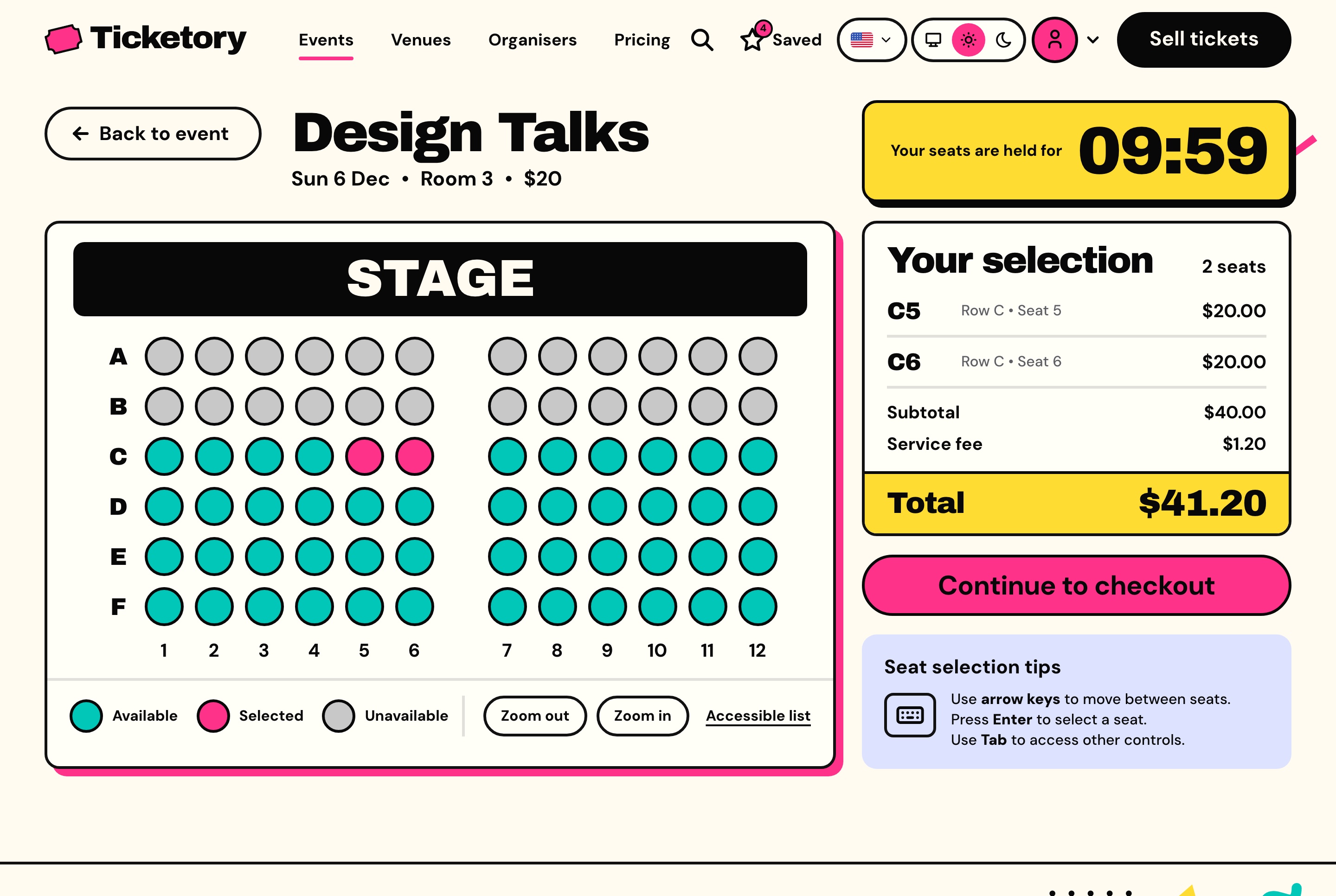
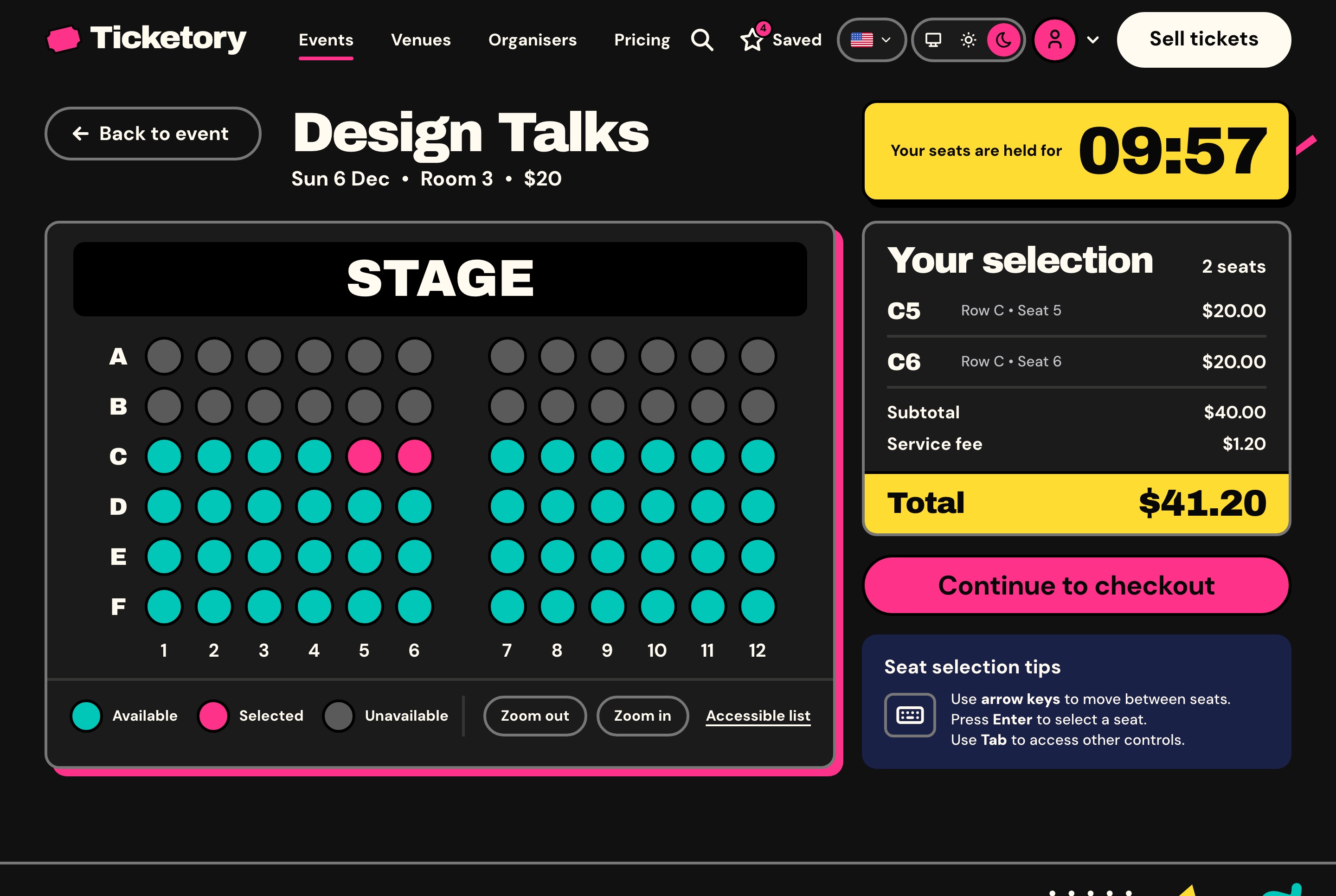
On a reserved-seating event, the attendee picks seats on the room's live map, and the first seat starts a hold for the workspace's hold time, ten minutes as seeded, counted down on the server's clock. Seats are taken with a conditional update on the server, so two buyers can never hold the same seat, and a seat whose hold runs out is free for others at once.

A seat map everyone can use

Availability refreshes every 20 seconds, accessible and companion seats are marked, and the selection, the fee and the total stay beside the map with the time left on the hold.

  • Keyboard navigation from seat to seat
  • An accessible list view of the same seats
  • Zoom for larger rooms
  • General admission holds a number of places instead
Seat selection on the live seat map, light theme
Seat selection on the live seat map, light theme. Two seats picked side by side on Room 3's seat map and held for ten minutes, with the selection, the service fee and the total beside them.
Seat selection on the live seat map, dark theme
Seat selection on the live seat map, dark theme. Two seats picked side by side on Room 3's seat map and held for ten minutes, with the selection, the service fee and the total beside them.
Checkout

From a held seat to a ticket with a QR code

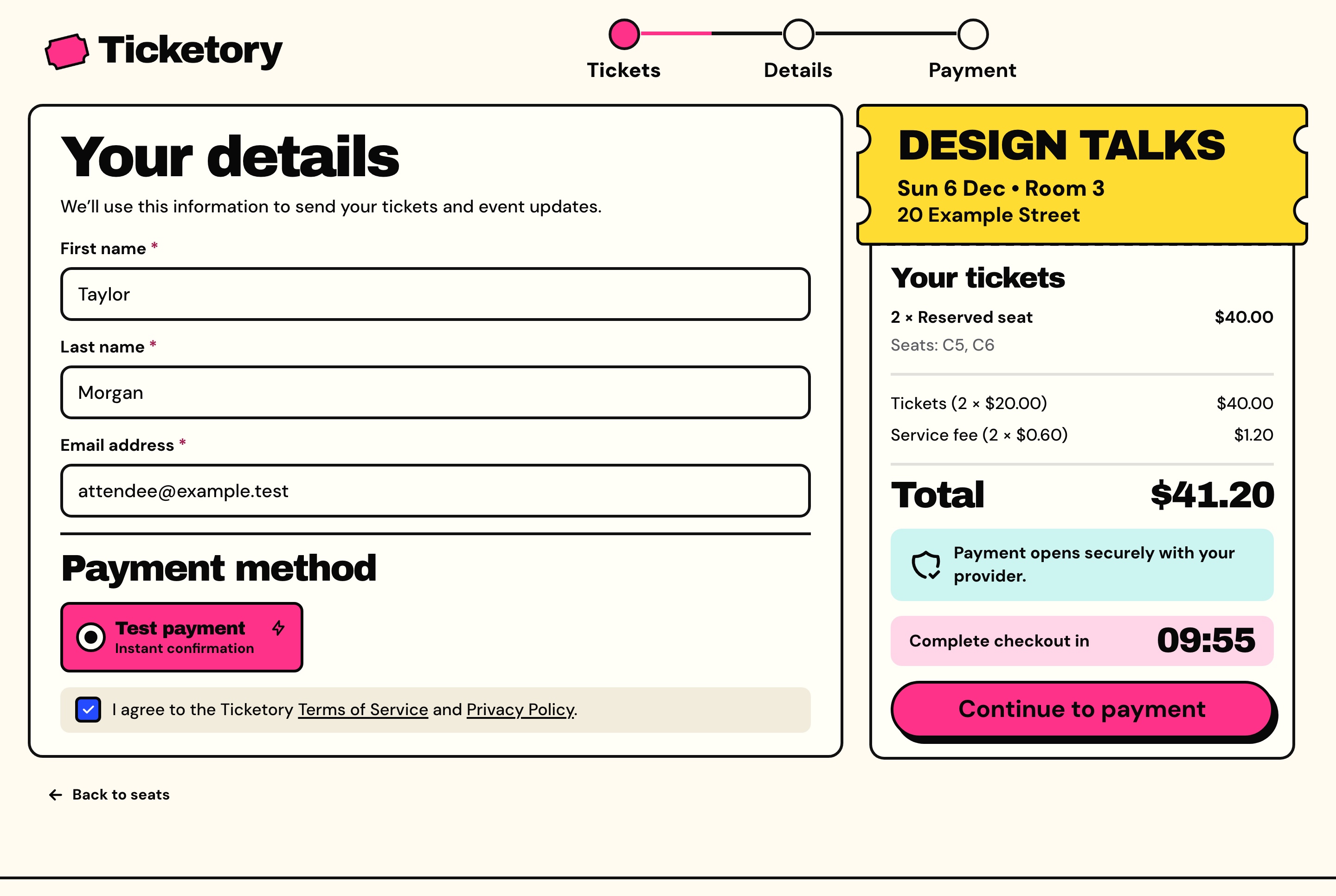
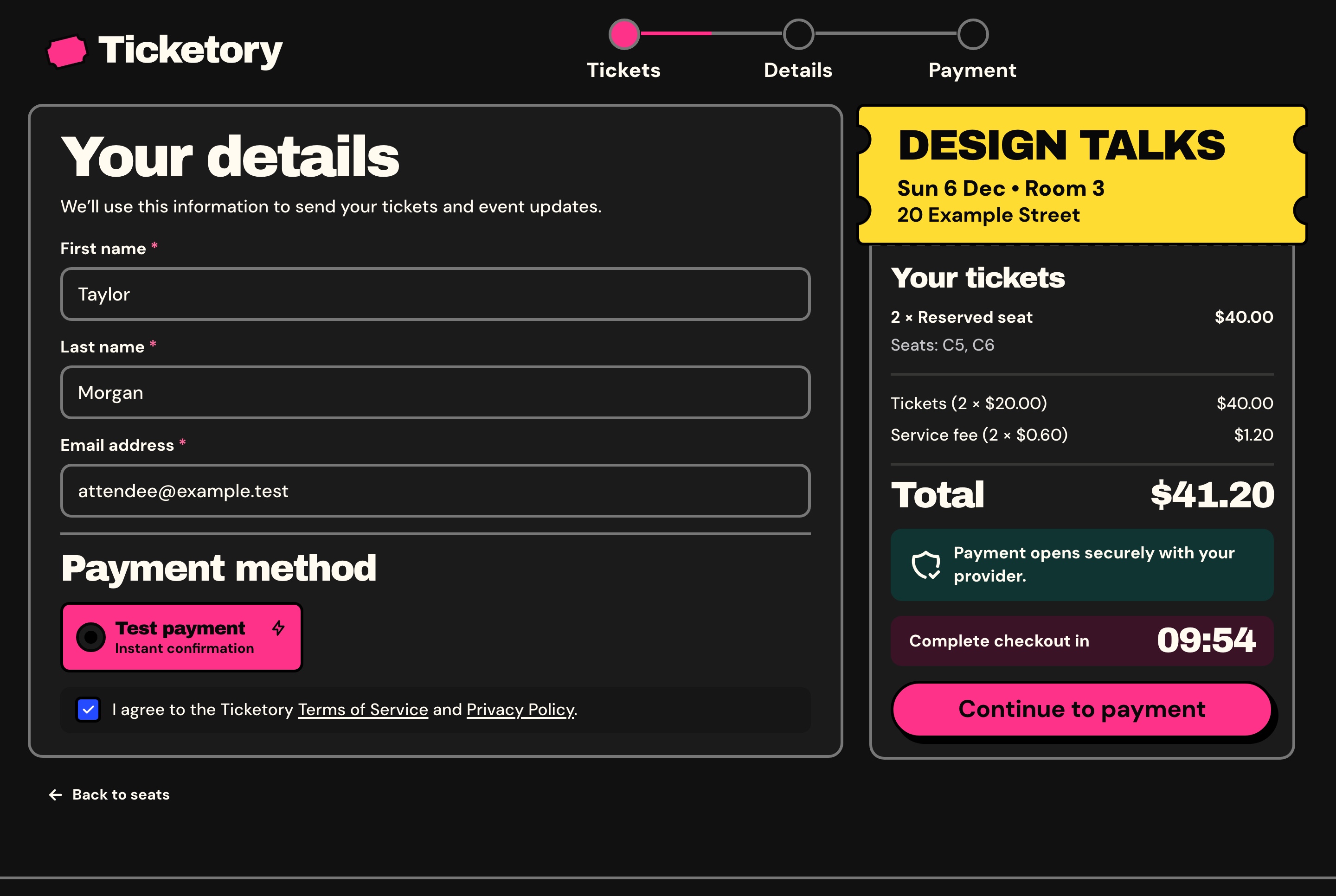
Checkout asks for the attendee's name and email, the payment method and the terms, and takes every amount from the hold, so the browser never sends a price. Guests buy without an account, and their orders join an account once someone signs up with that email and verifies it.

Payment on the provider's own page

The attendee pays on Stripe's hosted Checkout or on PayPal, and the API marks the order paid from the provider's signed webhook or by asking the provider itself, so the website never shows a card field.

  • One order per checkout, however many times it is sent
  • A test payment while no live key is set, which moves no money
  • A late payment for seats that went elsewhere never oversells: it is refunded in full
  • A booking fee per ticket, a percentage each organiser sets
Checkout with the held seats and the payment method, light theme
Checkout with the held seats and the payment method, light theme. The attendee's details already filled in, the payment method and the terms, beside the order summary with the seats and the time left on the hold.
Checkout with the held seats and the payment method, dark theme
Checkout with the held seats and the payment method, dark theme. The attendee's details already filled in, the payment method and the terms, beside the order summary with the seats and the time left on the hold.

Tickets the door can trust

A paid order shows one pass per ticket with its QR code, and offers the tickets as a PDF, a calendar file and an email that can be sent again.

  • QR codes signed by the server, with only a hash of each stored
  • A reissued ticket's old code stops working at once
  • Passes shown only once the API reports the order paid
Order confirmation with QR passes, light theme
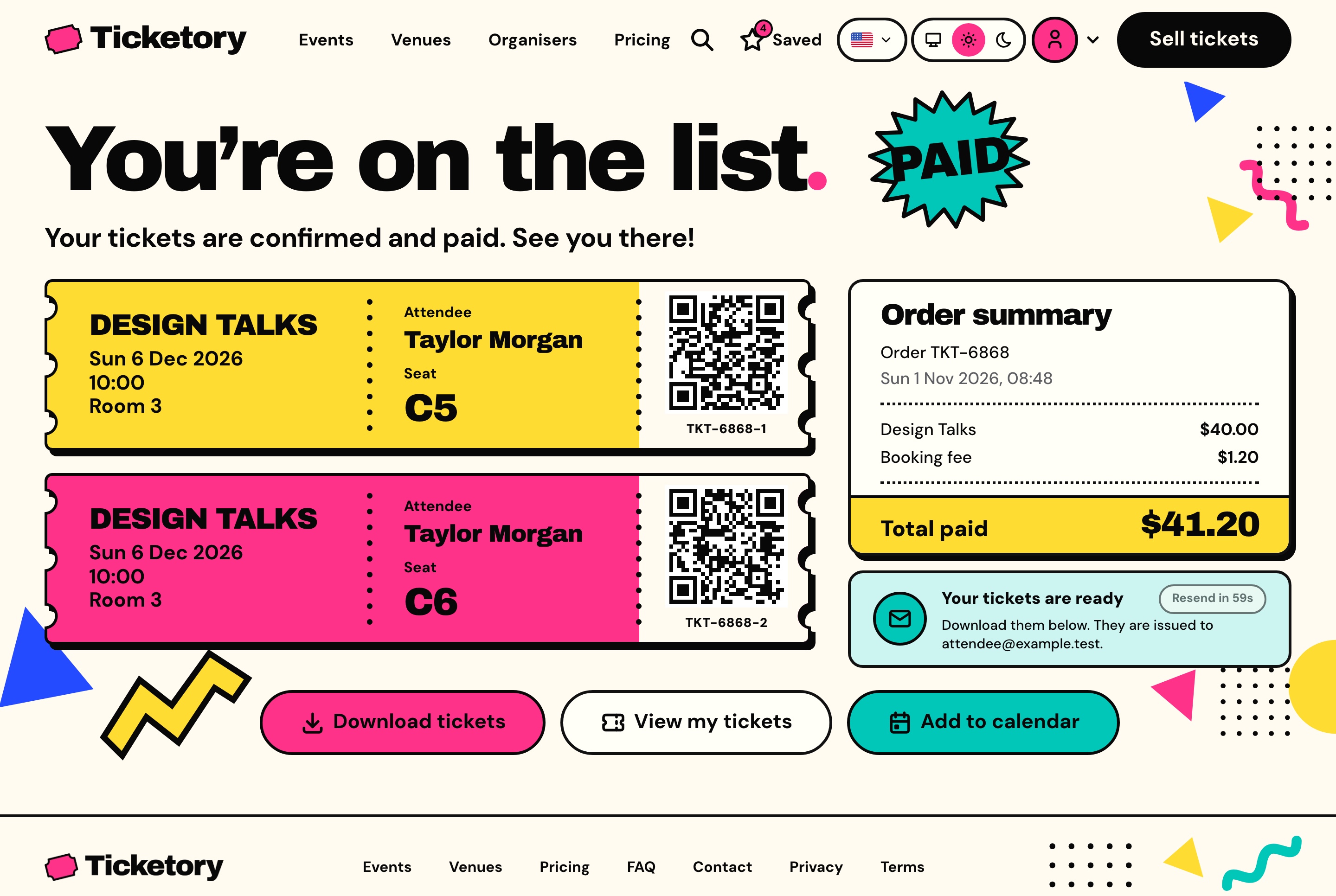
Order confirmation with QR passes, light theme. The paid order with one pass per seat and its QR code, the order summary, and buttons to download the tickets, open them or add the date to a calendar.
Order confirmation with QR passes, dark theme
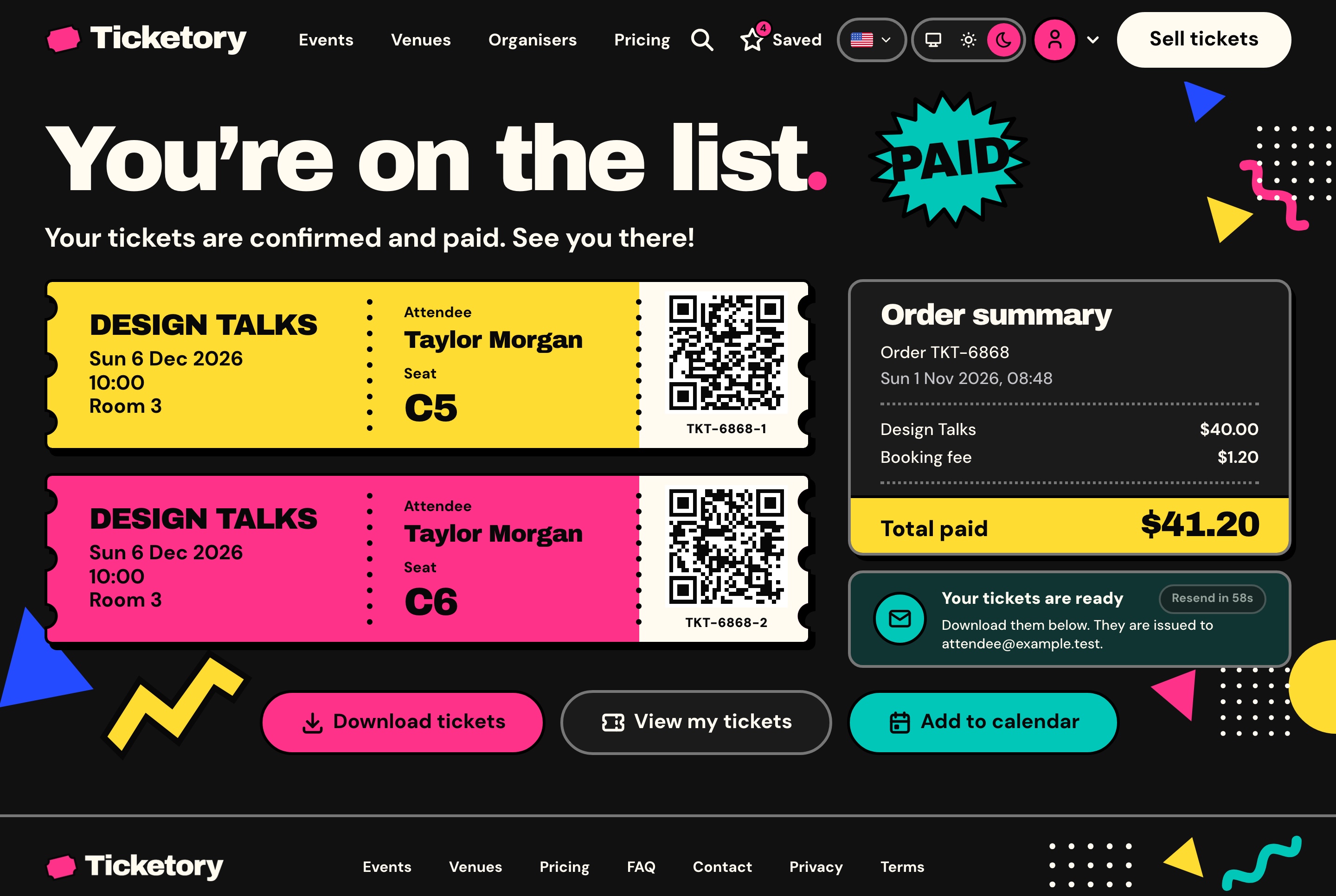
Order confirmation with QR passes, dark theme. The paid order with one pass per seat and its QR code, the order summary, and buttons to download the tickets, open them or add the date to a calendar.
Free tickets

Free tickets skip payment

When every ticket in a hold is free, the attendee presses Get tickets and goes straight to the confirmation. No payment page opens, not even the test payment, whatever keys are set, and the order still gets its passes, QR codes and email.

An account for every attendee

Signed-in attendees find their upcoming and past tickets beside a month calendar of their dates, every order with its receipt and timeline, the events they saved and their profile.

  • Sign-up confirmed with a six-digit email code
  • Guest orders joined to the account once the email is verified
  • A forgotten password reset by an email link
Attendee tickets with a calendar of upcoming dates, light theme
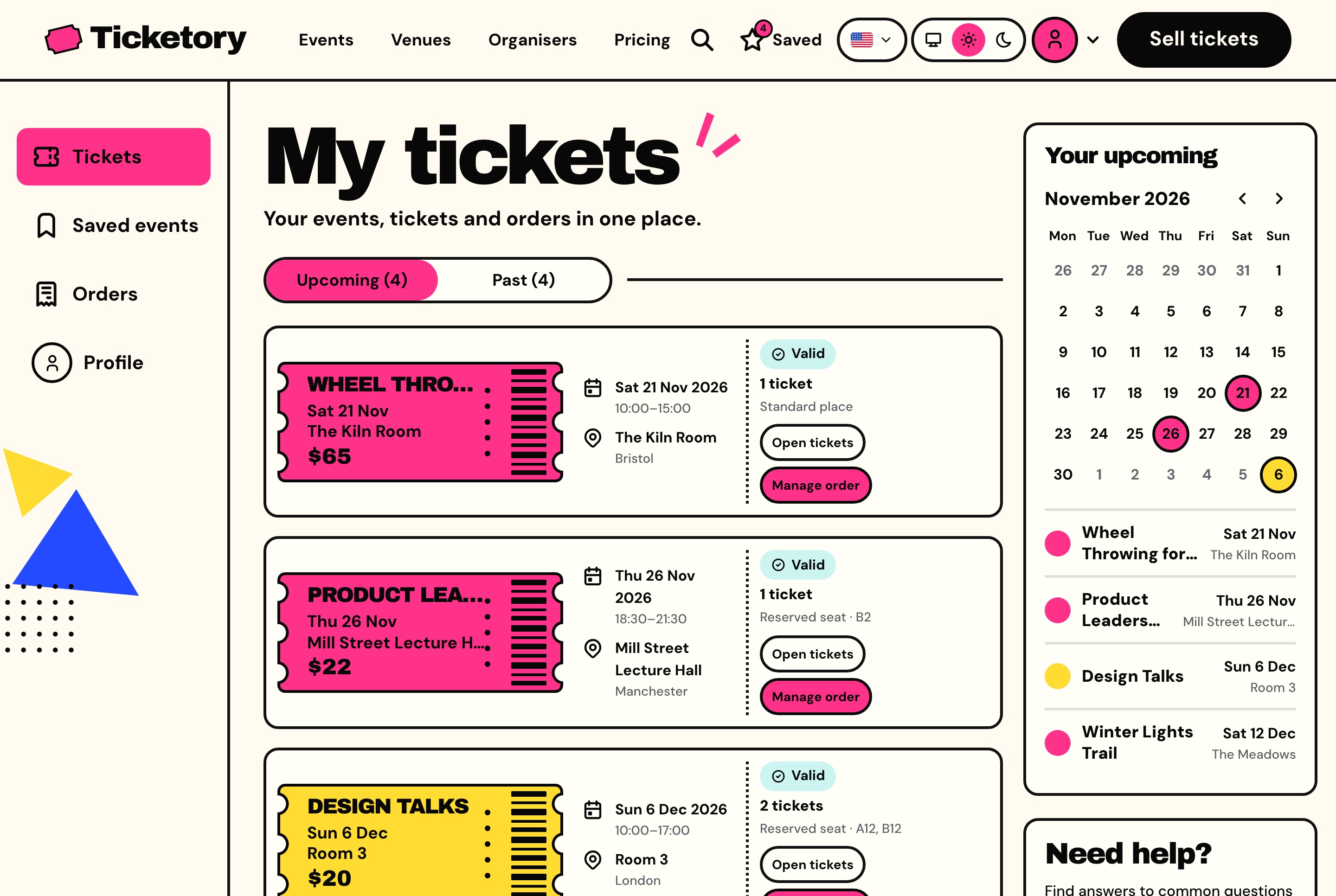
Attendee tickets with a calendar of upcoming dates, light theme. The signed-in attendee's upcoming tickets with their dates, venues, seats and status, and a month calendar marking each event.
Attendee tickets with a calendar of upcoming dates, dark theme
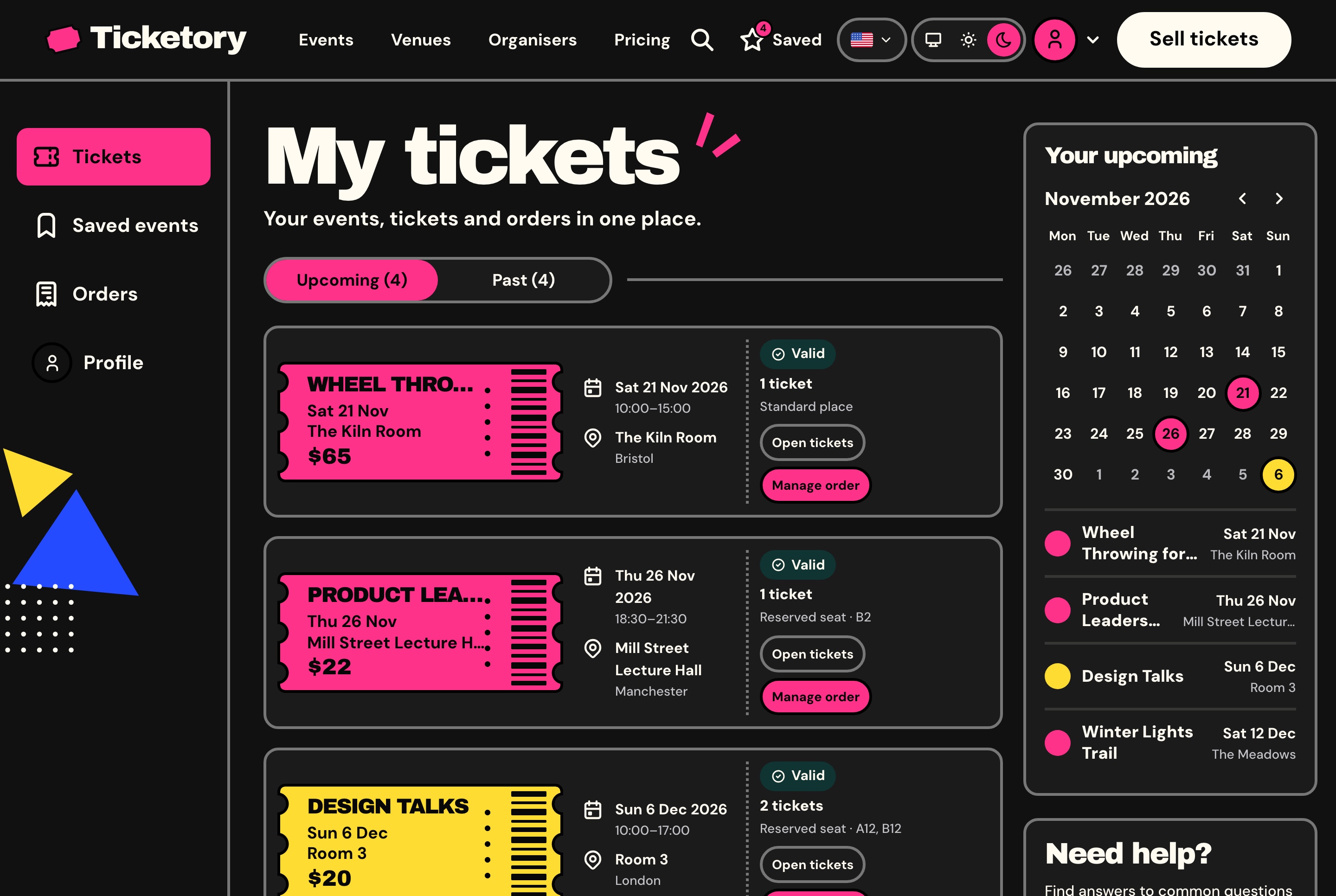
Attendee tickets with a calendar of upcoming dates, dark theme. The signed-in attendee's upcoming tickets with their dates, venues, seats and status, and a month calendar marking each event.
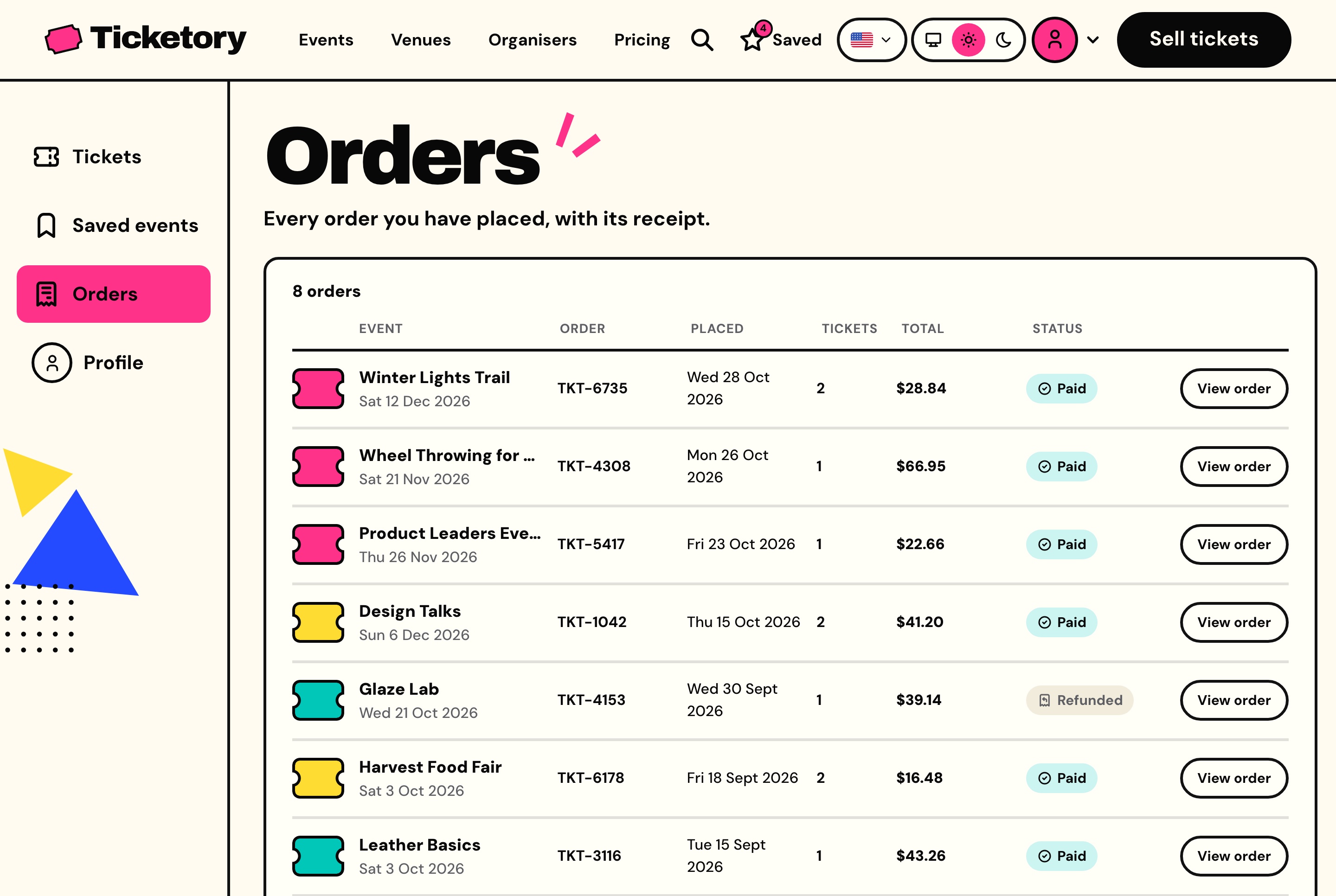
Attendee orders with their receipts, light theme
Attendee orders with their receipts, light theme. Every order the attendee has placed with its event, reference, date, ticket count, total and status, each opening its receipt.
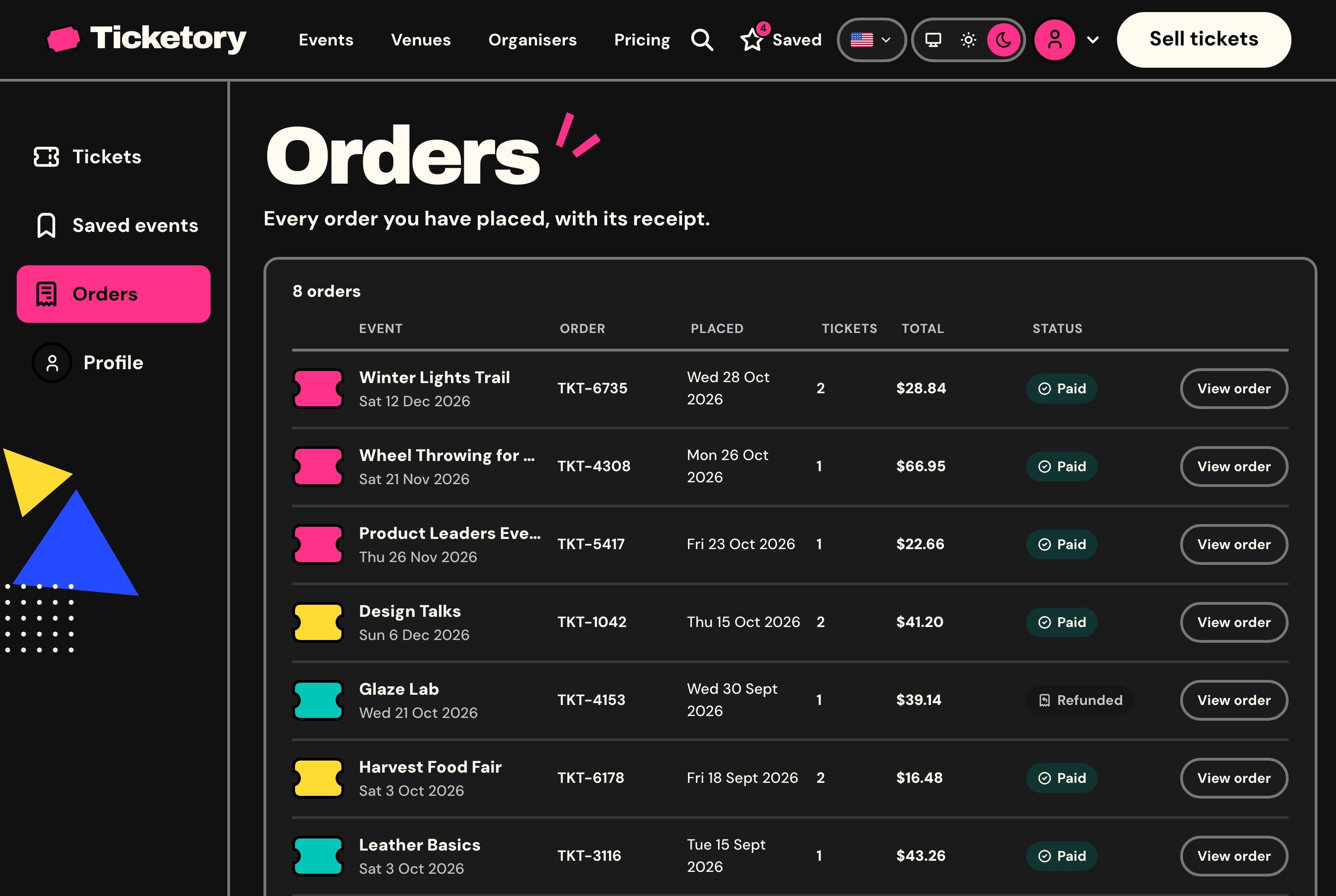
Attendee orders with their receipts, dark theme
Attendee orders with their receipts, dark theme. Every order the attendee has placed with its event, reference, date, ticket count, total and status, each opening its receipt.
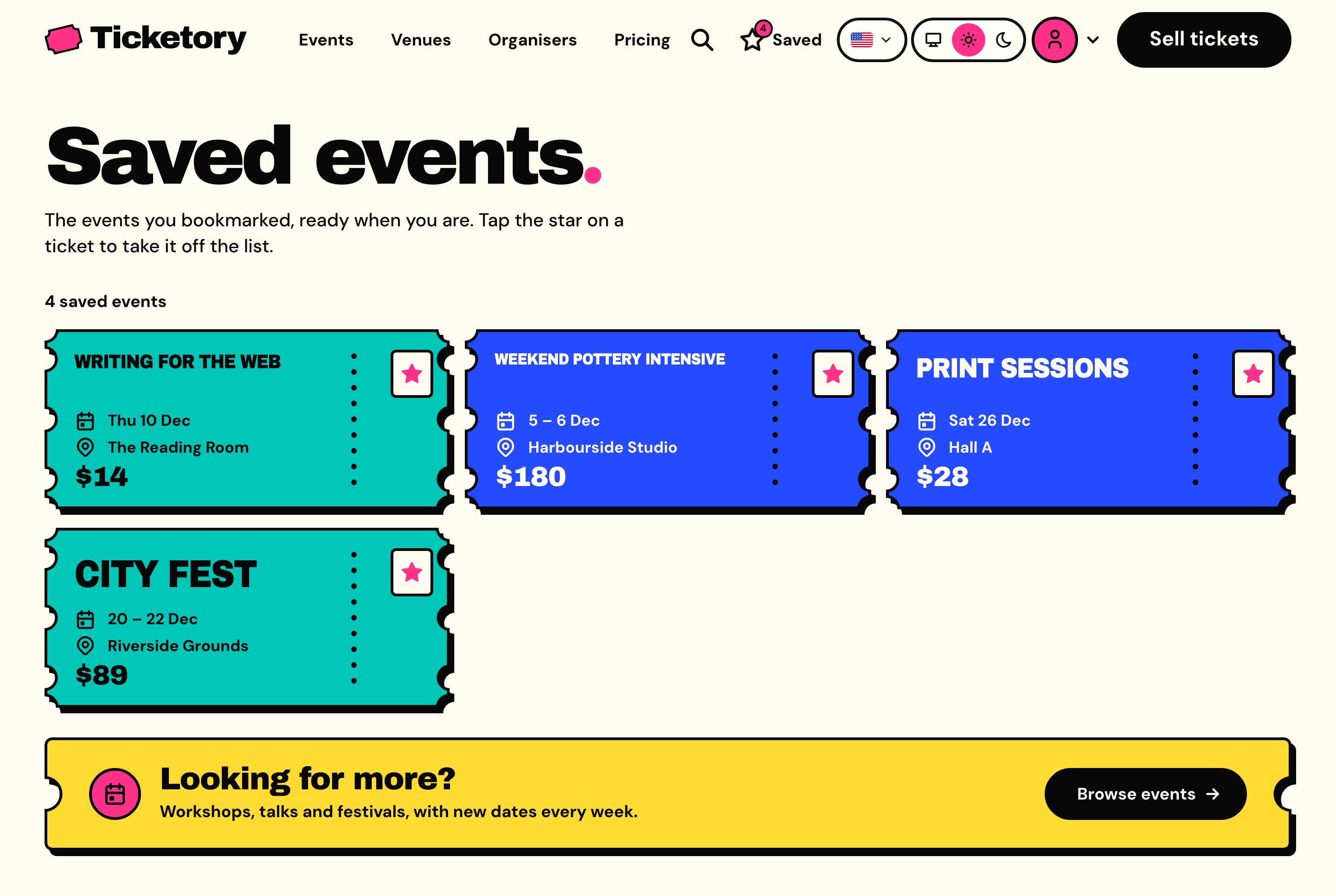
Saved events, light theme
Saved events, light theme. The events the attendee starred, each still a ticket with its dates, venue and price, ready to book.
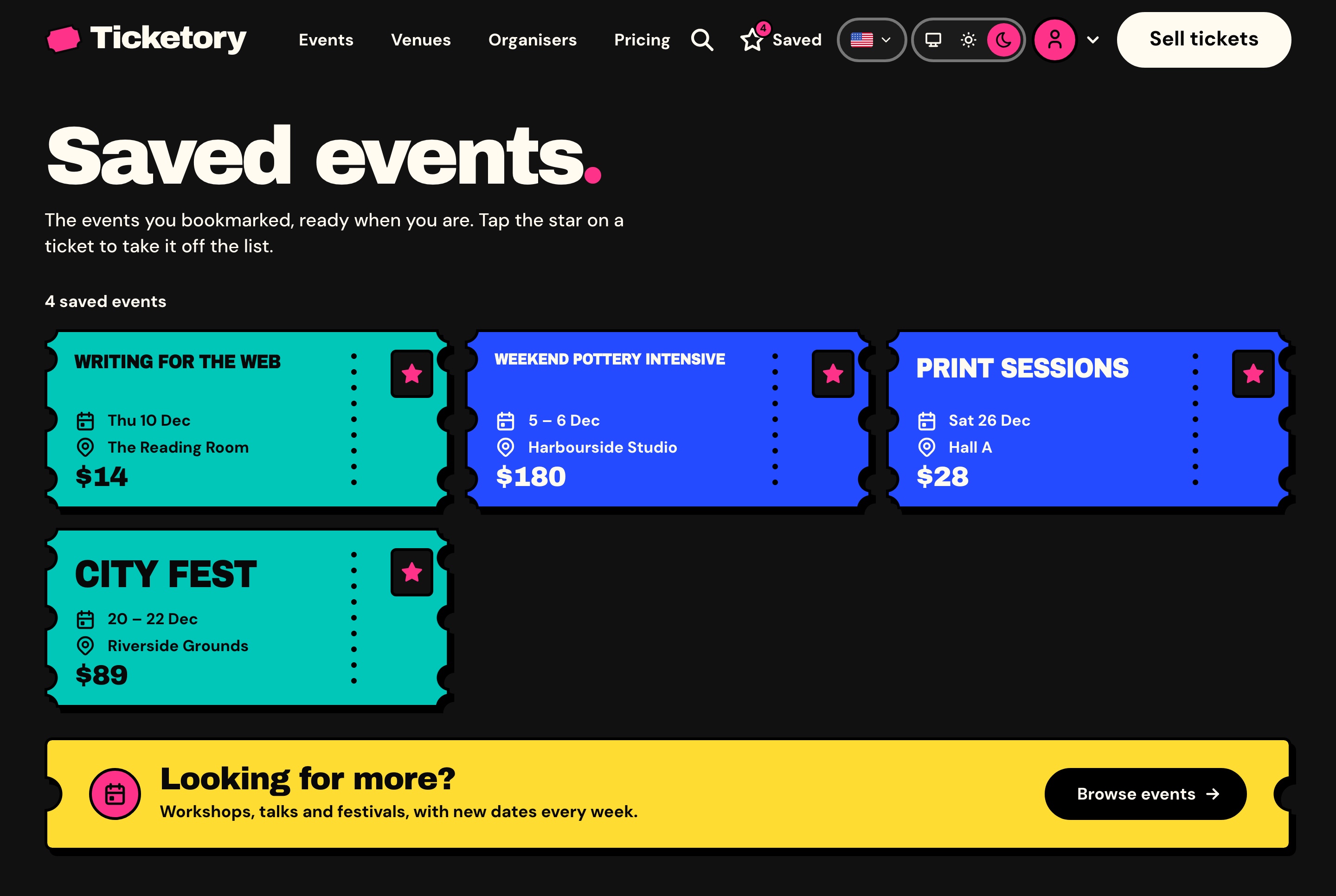
Saved events, dark theme
Saved events, dark theme. The events the attendee starred, each still a ticket with its dates, venue and price, ready to book.
Around the events

The pages an organiser's site needs

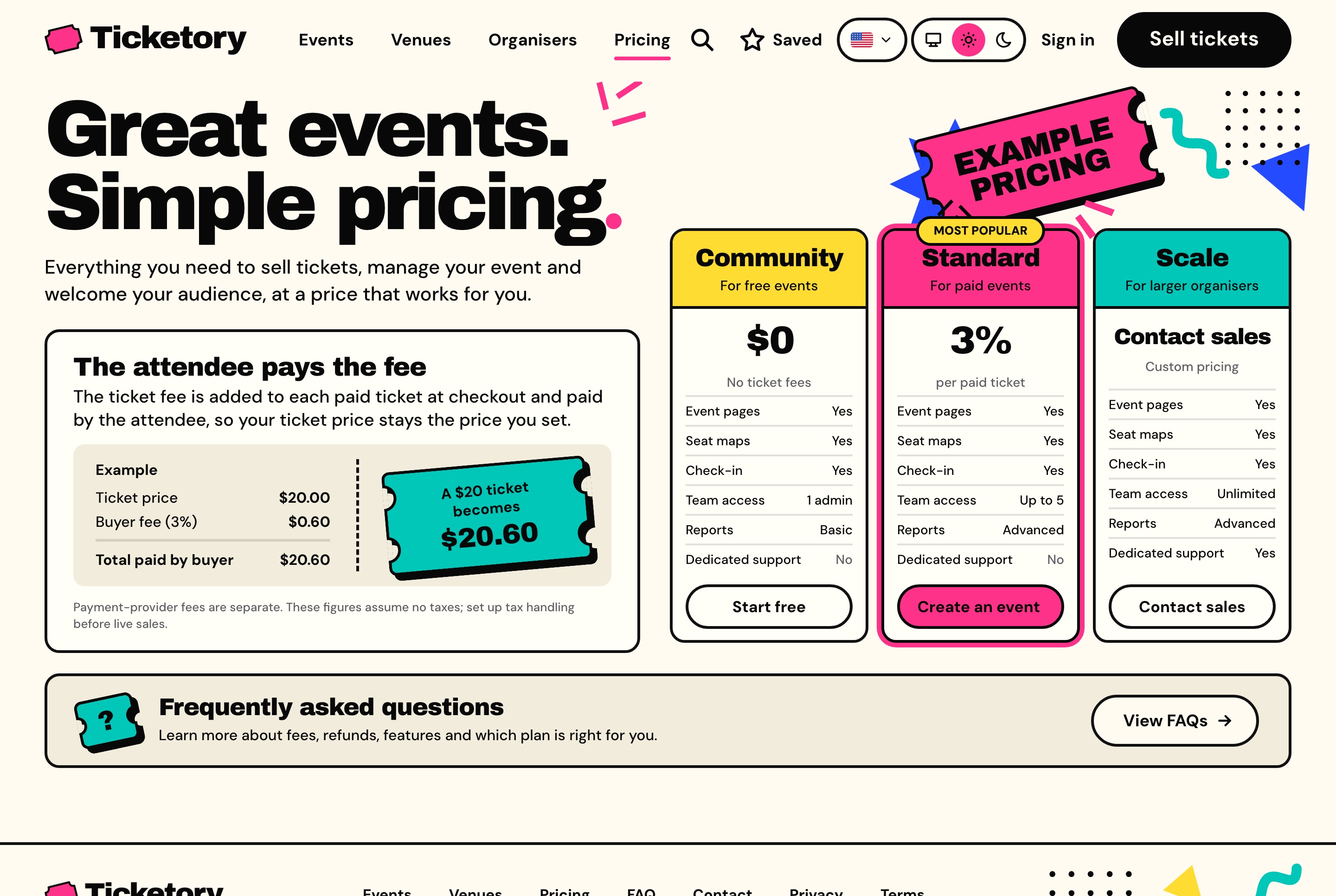
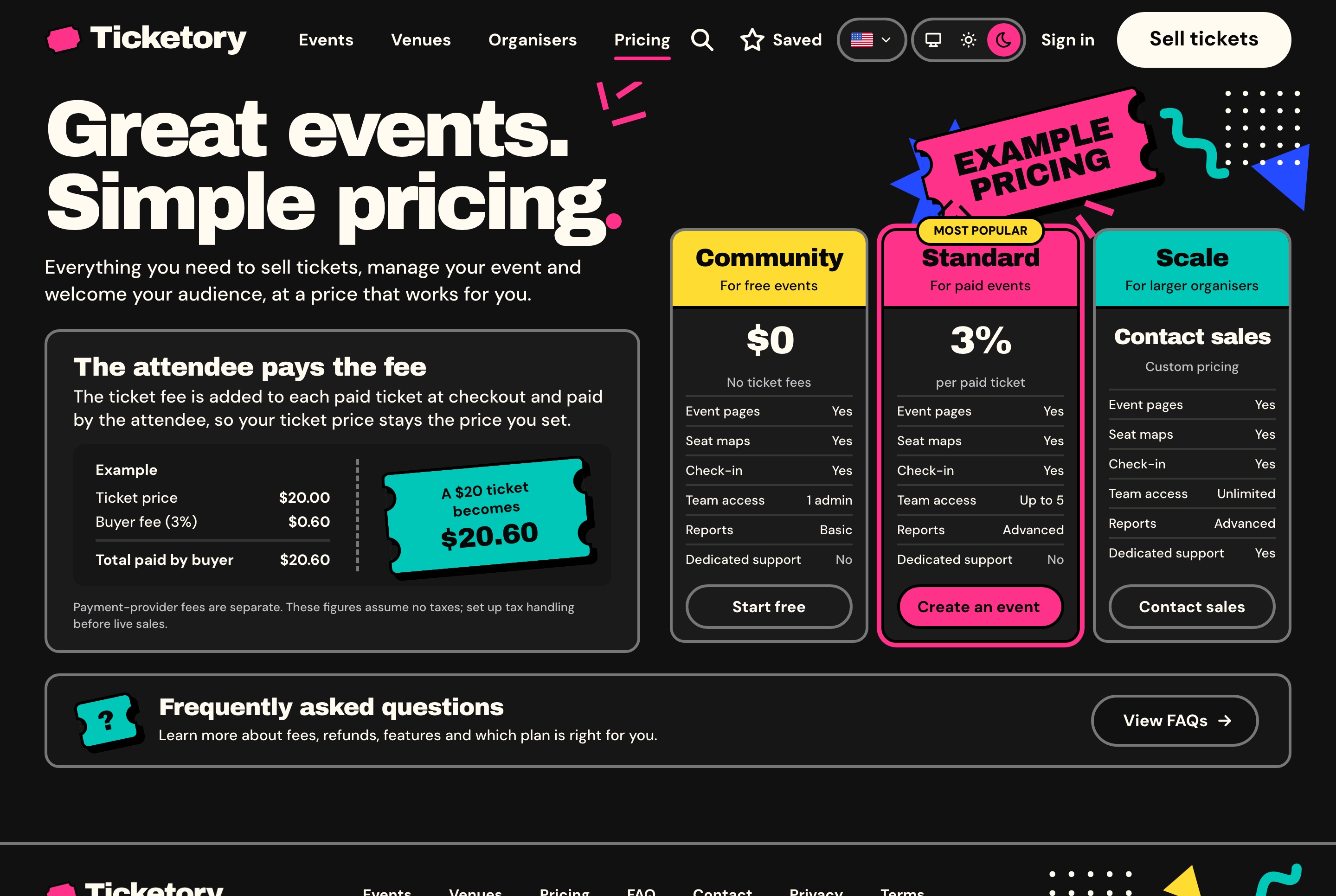
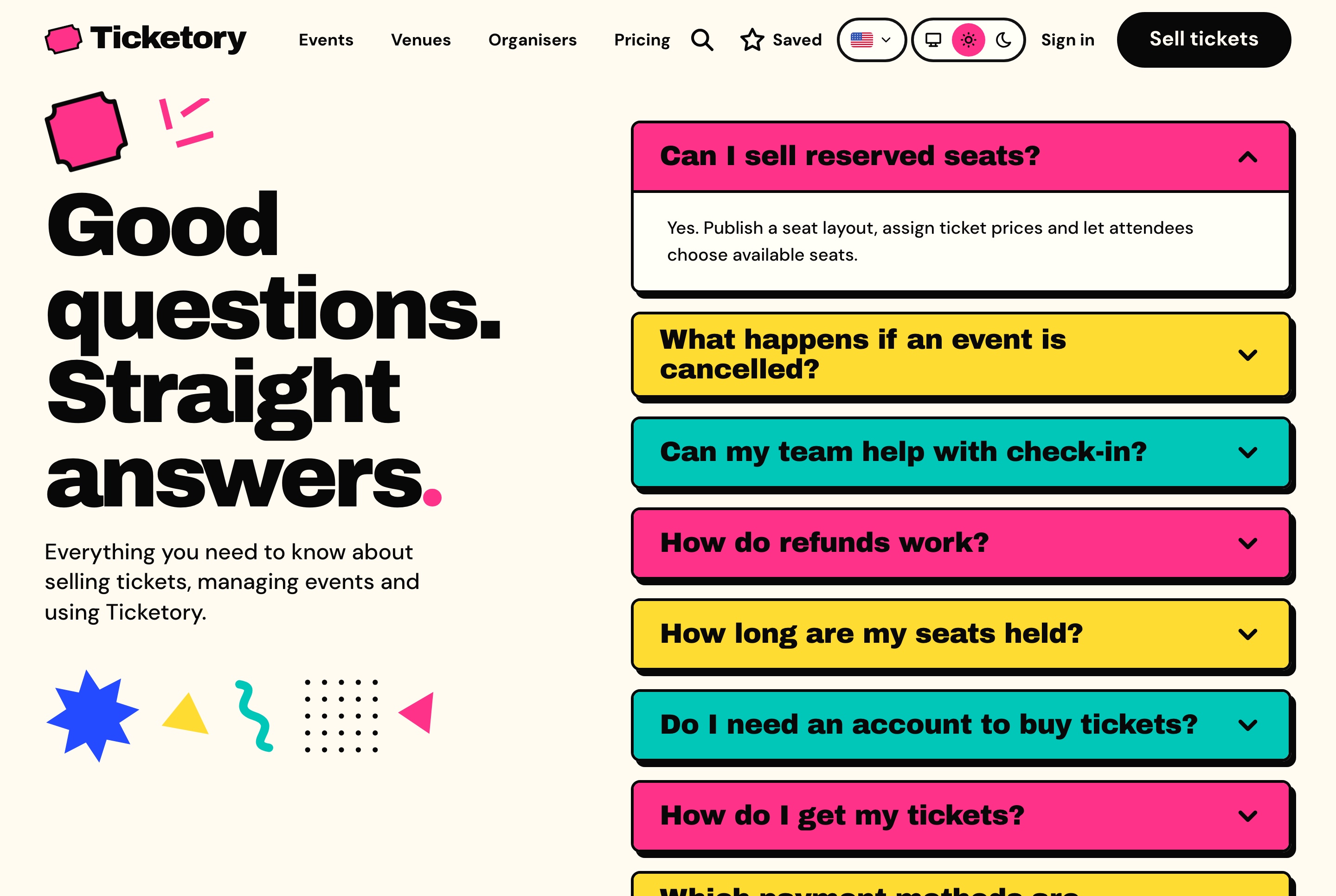
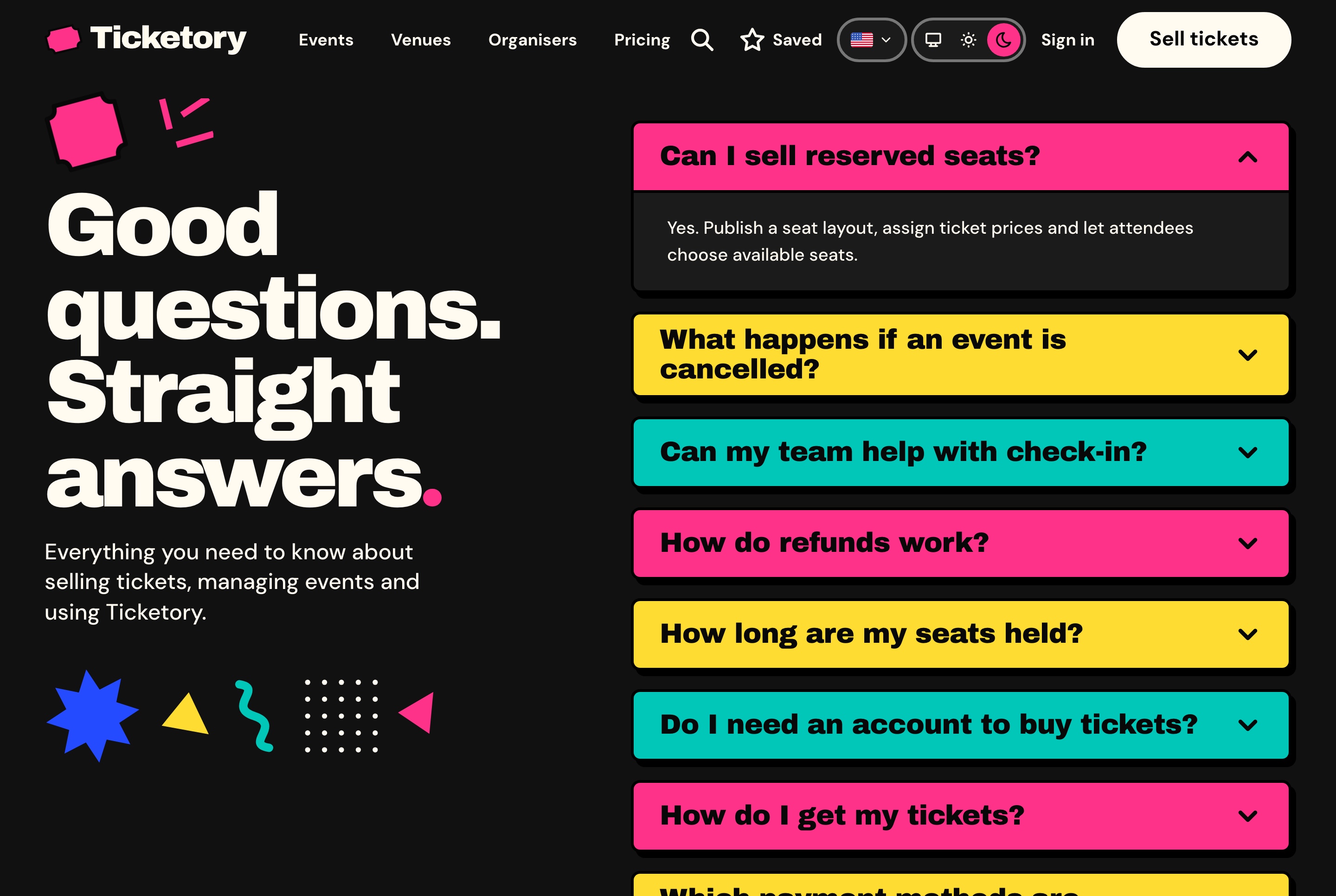
Pricing plans with a worked example of the booking fee, answers to the questions attendees ask, a contact form, and privacy, terms and cancellation pages to rewrite for your business.

Pricing plans with the buyer fee example, light theme
Pricing plans with the buyer fee example, light theme. Three example plans side by side with what each includes, and a worked example of the buyer fee added to a ticket at checkout.
Pricing plans with the buyer fee example, dark theme
Pricing plans with the buyer fee example, dark theme. Three example plans side by side with what each includes, and a worked example of the buyer fee added to a ticket at checkout.
Frequently asked questions, light theme
Frequently asked questions, light theme. Answers about reserved seats, cancelled events, check-in, refunds, seat holds, accounts and payment, one open at a time.
Frequently asked questions, dark theme
Frequently asked questions, dark theme. Answers about reserved seats, cancelled events, check-in, refunds, seat holds, accounts and payment, one open at a time.

A contact form that reaches the organiser

Name, email, subject and message, with the support email beside the form for anyone who prefers to write. Each message lands in the organiser dashboard's inquiries.

  • A repeated submission stores one message
  • A hidden field and a per-address limit keep bots out
  • A contact event sent to your analytics
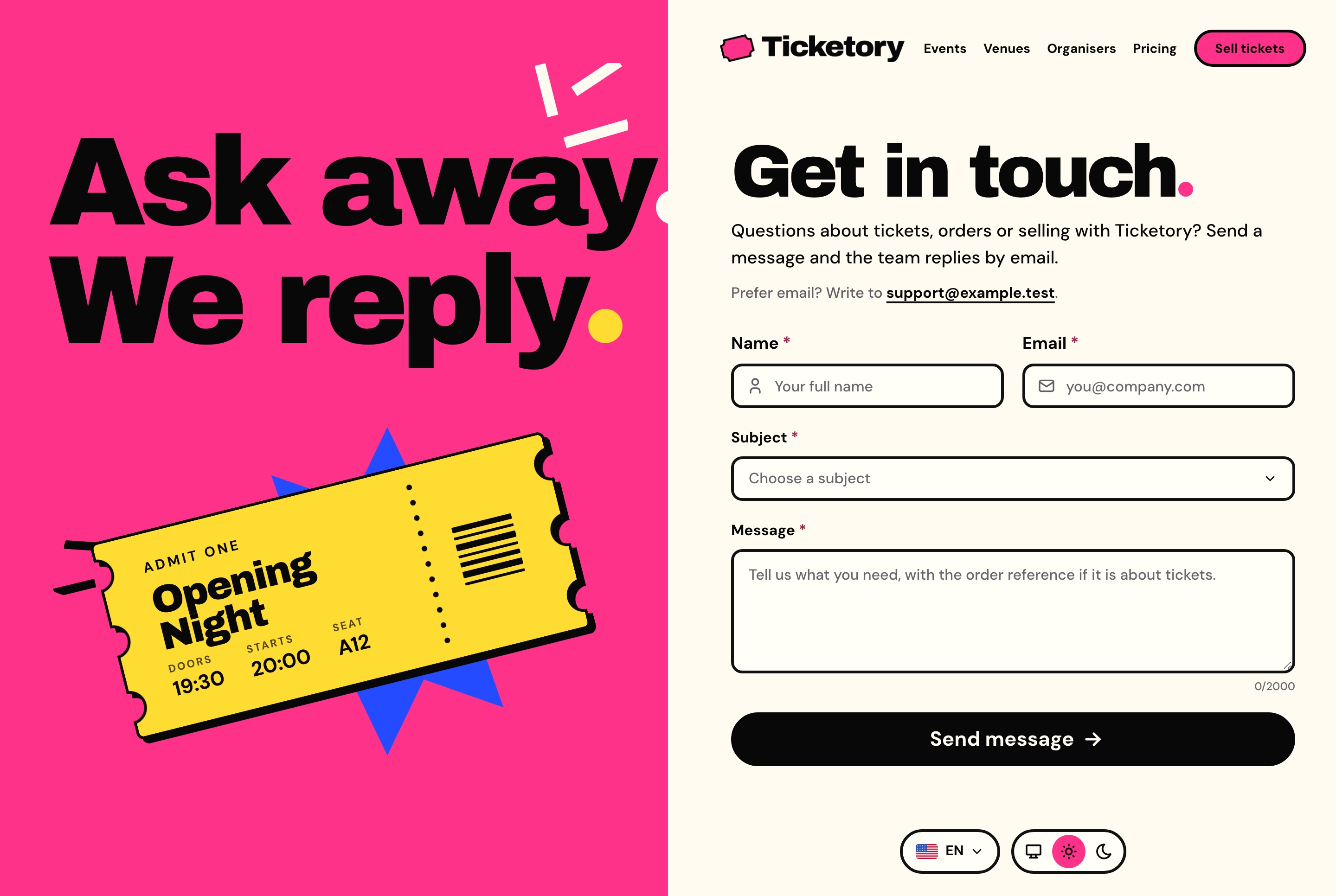
Contact form, light theme
Contact form, light theme. A contact form with name, email, subject and message beside a bold illustrated panel, with the support email for anyone who prefers to write.
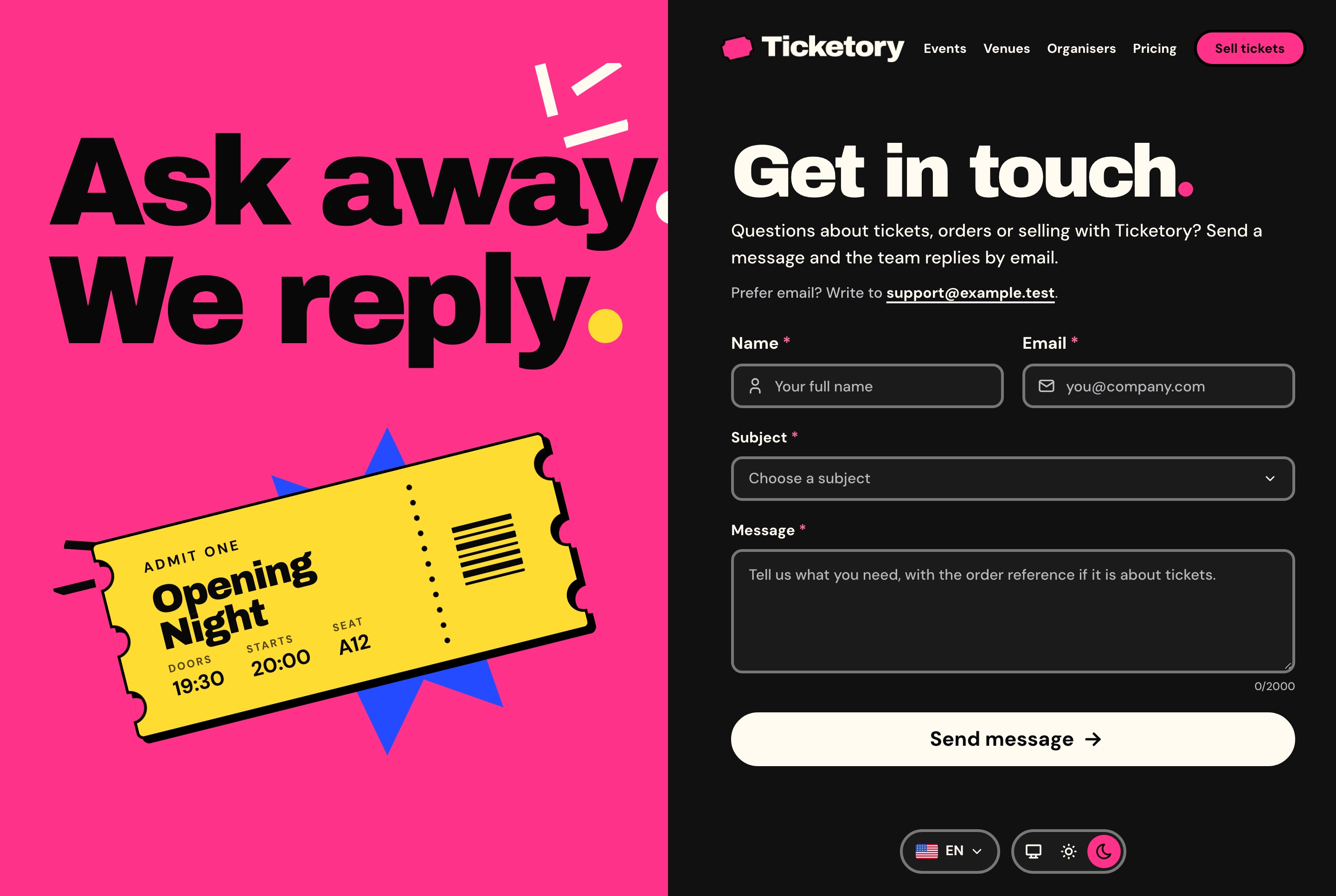
Contact form, dark theme
Contact form, dark theme. A contact form with name, email, subject and message beside a bold illustrated panel, with the support email for anyone who prefers to write.
Bilingual

English and Arabic, in both directions

Every screen of the website and the dashboard is written in both languages and mirrors for Arabic. Events are stored with their title, summary and description in both, and figures stay in Latin digits.

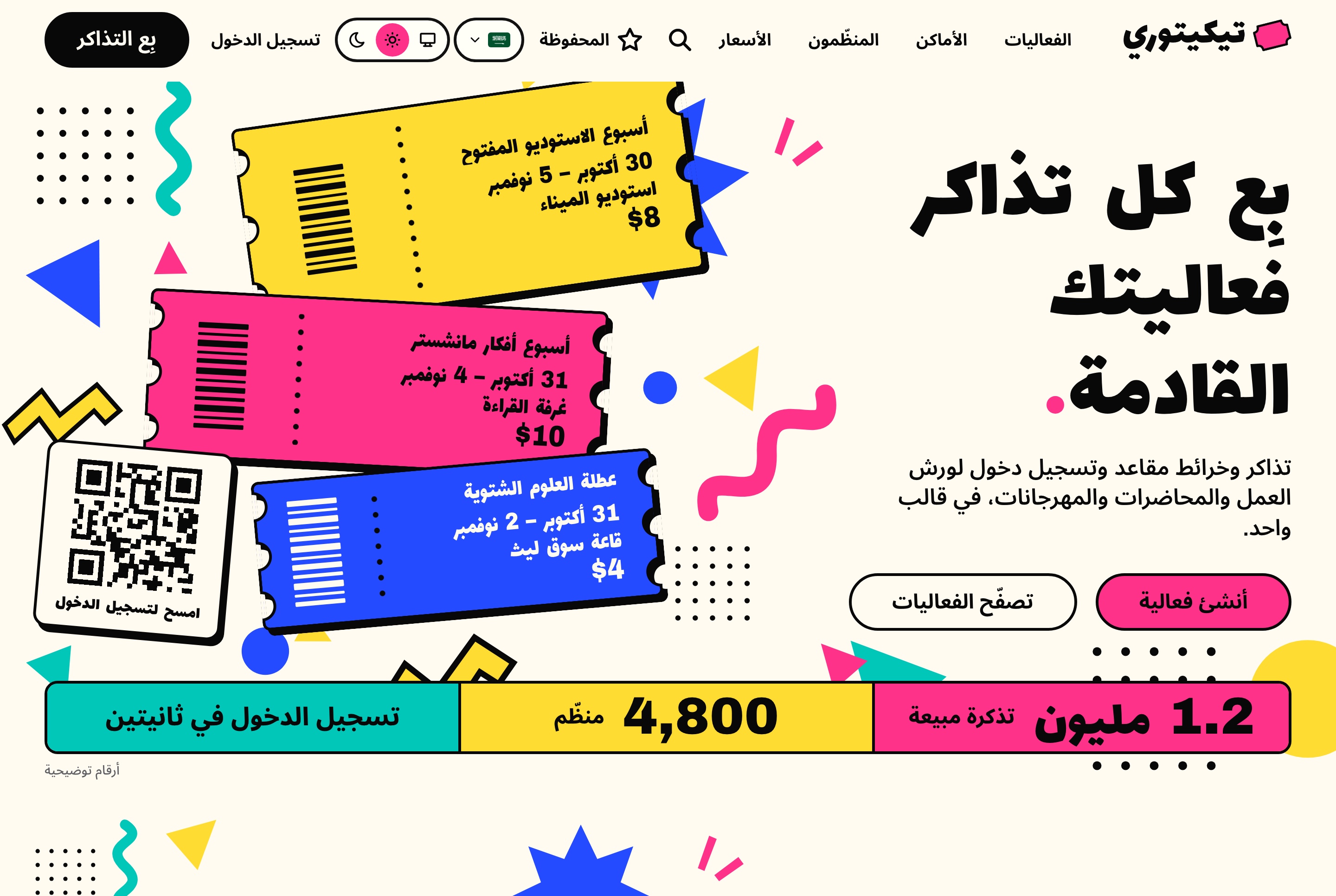
Arabic home page, right to left, light theme
Arabic home page, right to left, light theme. The home page in Arabic, mirrored right to left, with the ticket stack, the figures strip and every word translated.
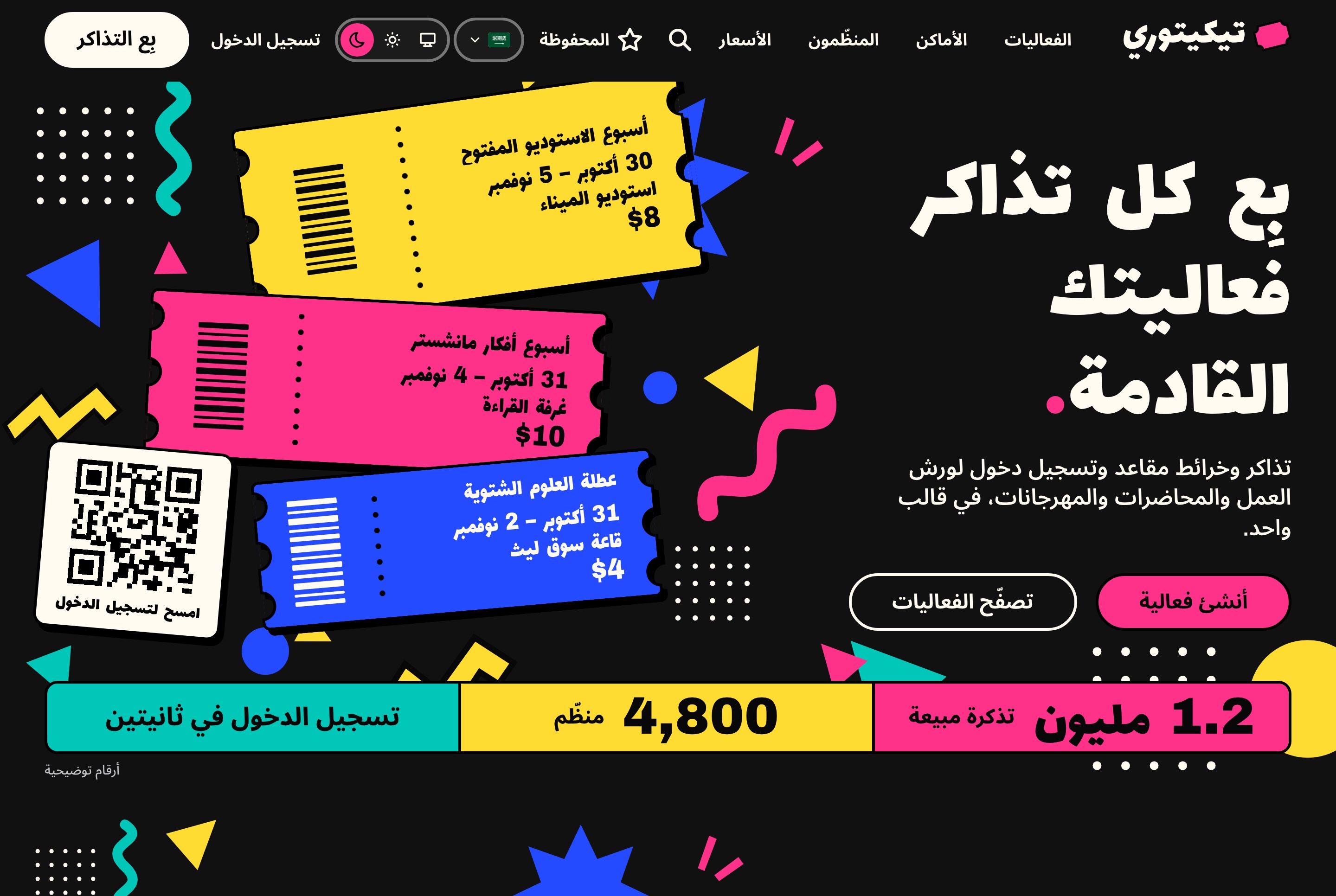
Arabic home page, right to left, dark theme
Arabic home page, right to left, dark theme. The home page in Arabic, mirrored right to left, with the ticket stack, the figures strip and every word translated.
Responsive

Made for the phone in an attendee's hand

The home page, event pages, seat selection and checkout fit a narrow screen, so an attendee can find an event, choose seats and pay from a phone.

Home page on a phone, light theme
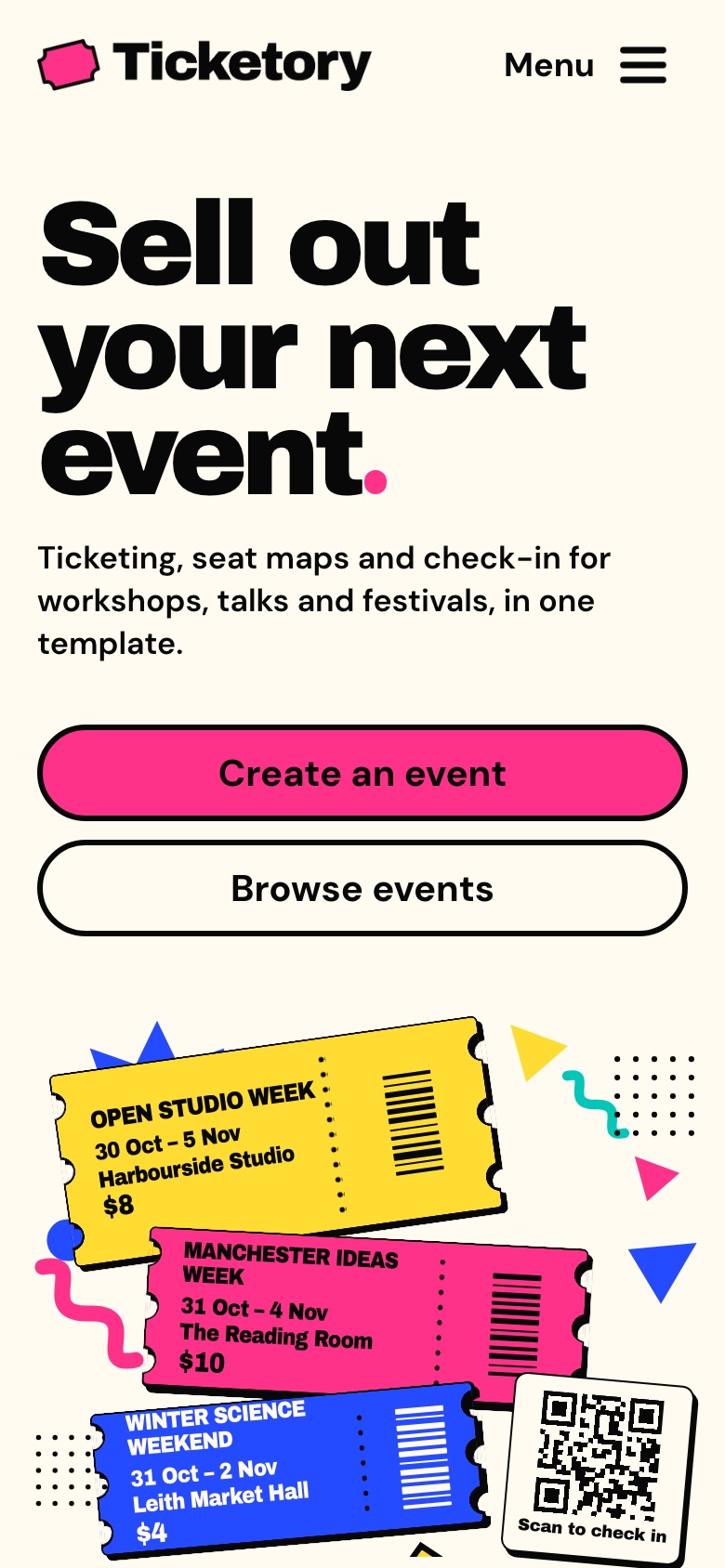
Home page on a phone, light theme. The home page at phone width with the headline, both buttons and the ticket stack.
Home page on a phone, dark theme
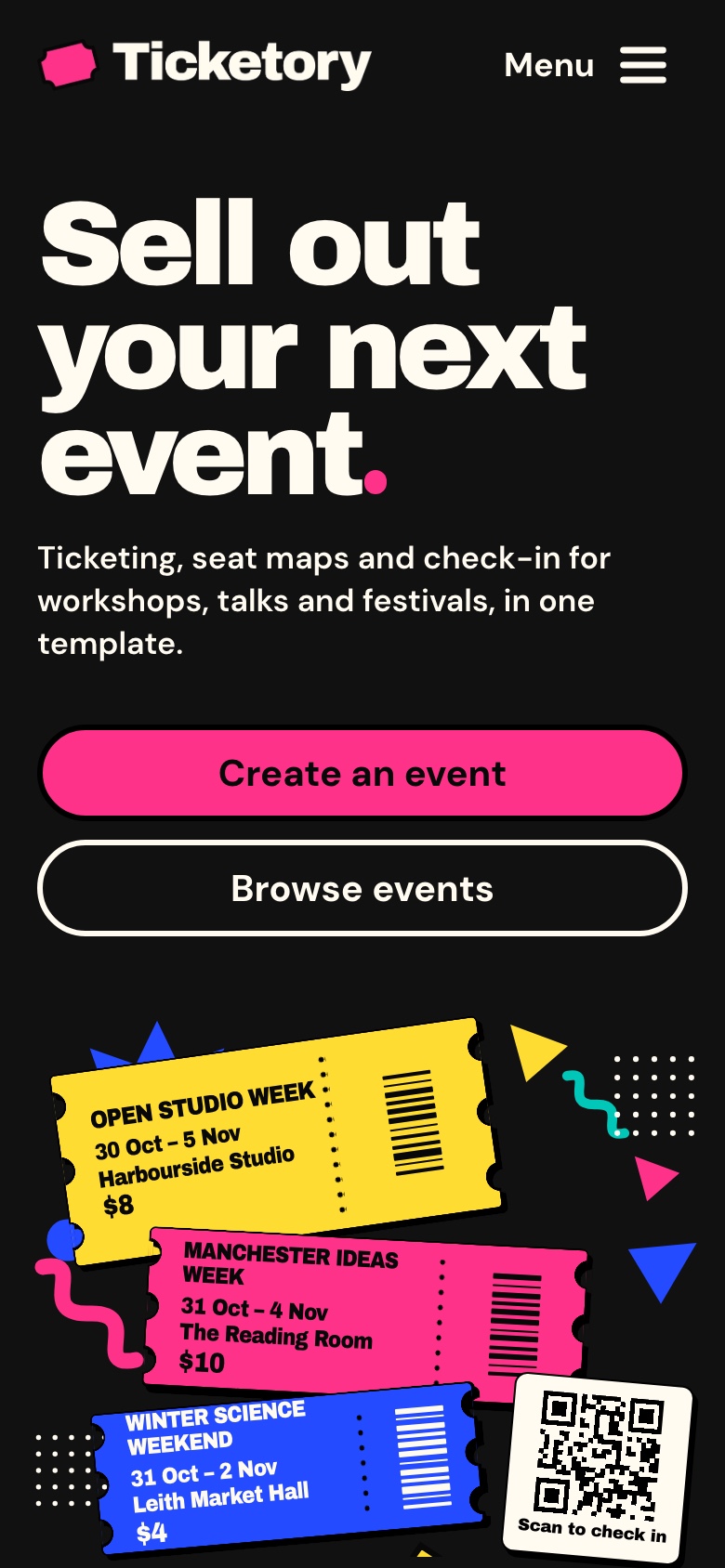
Home page on a phone, dark theme. The home page at phone width with the headline, both buttons and the ticket stack.
Event page on a phone, light theme
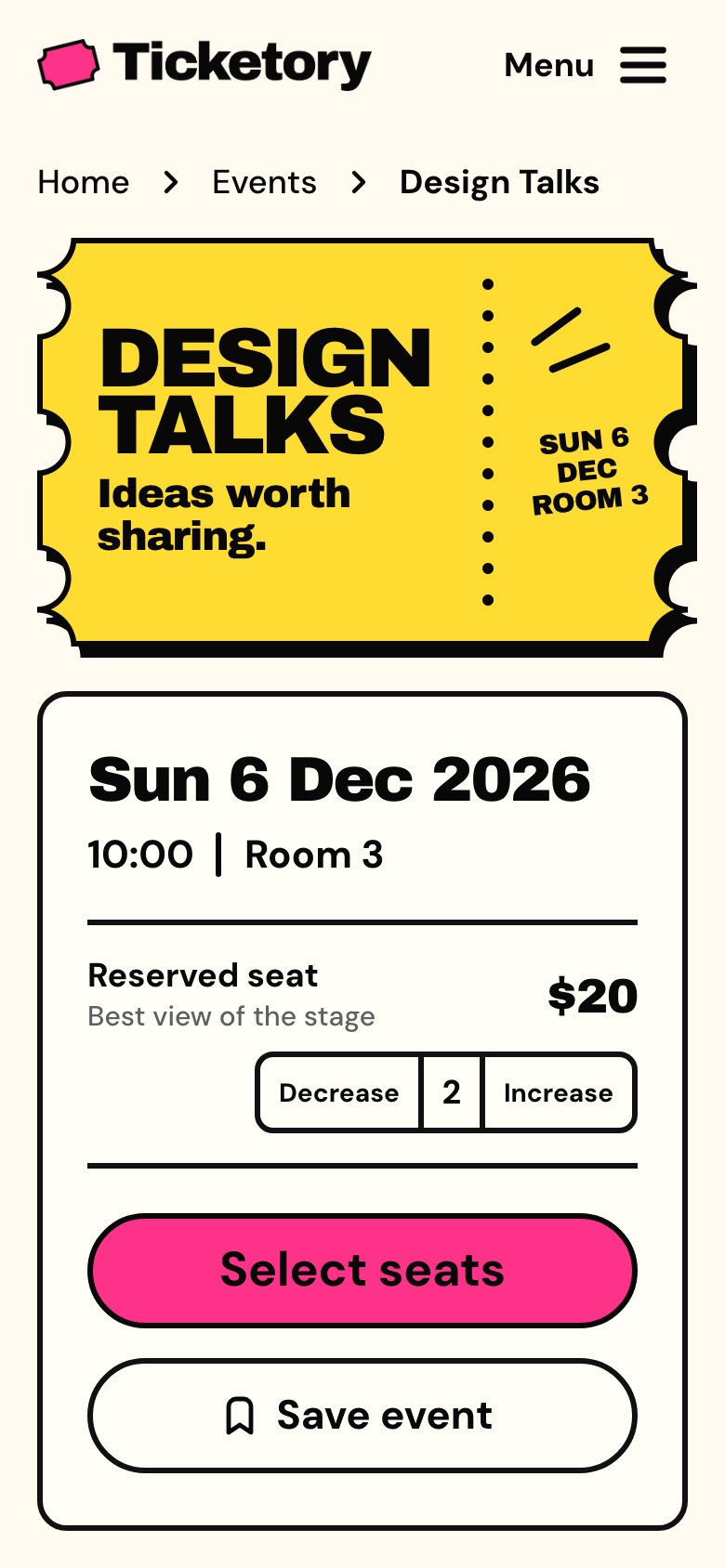
Event page on a phone, light theme. Design Talks at phone width with two reserved seats chosen in the booking panel.
Event page on a phone, dark theme
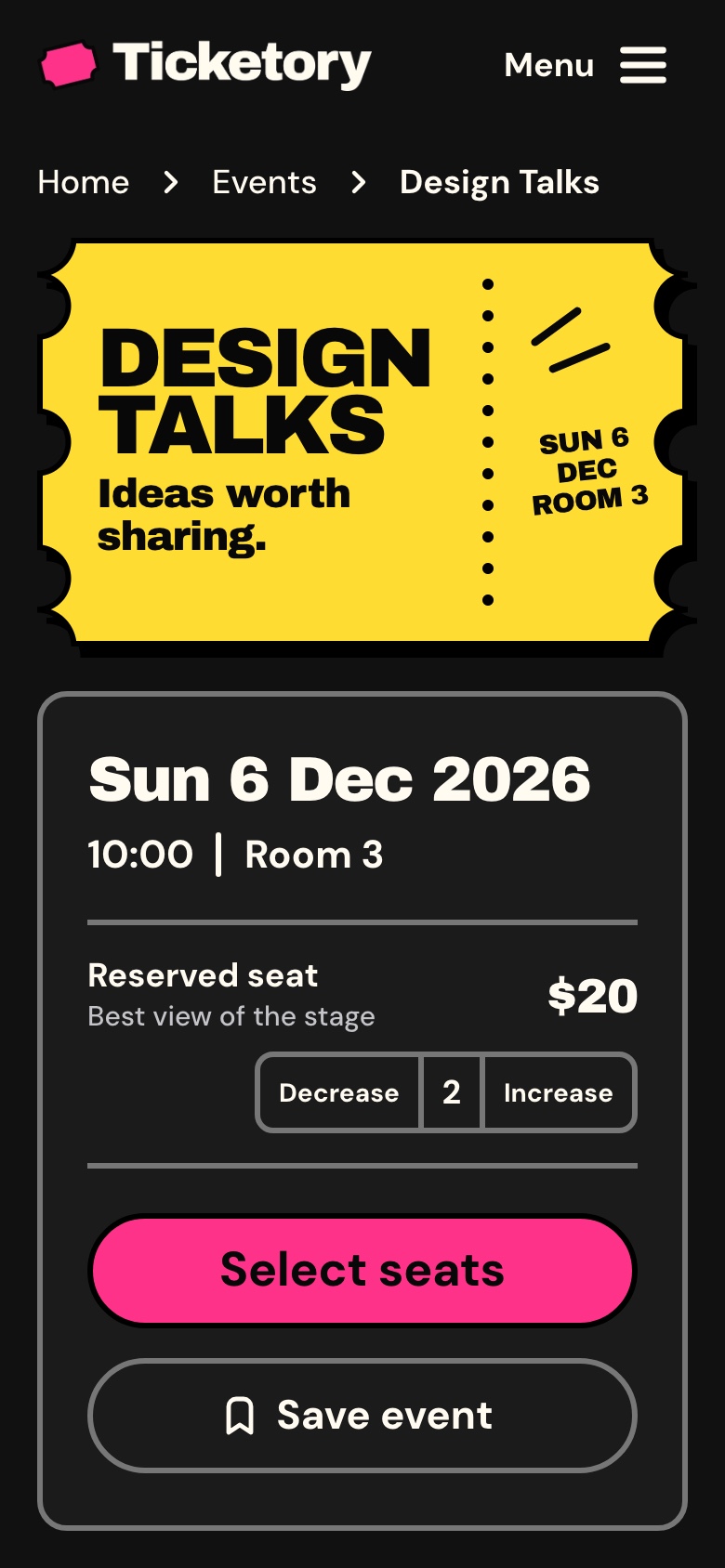
Event page on a phone, dark theme. Design Talks at phone width with two reserved seats chosen in the booking panel.
What you get

Everything to run the website, not only the screens

The source code, ready for search engines and analytics, with the documentation to take it further.

Source code

  • The Next.js website in TypeScript
  • Exact pinned dependencies
  • A commercial license for unlimited projects

Search engines

  • Page titles, canonical links and hreflang alternates
  • A sitemap of every public page, event, venue and organiser
  • Account, checkout and sign-in pages kept out of search

Docs, analytics and demo mode

  • A quick start with Docker or Node.js
  • Six analytics networks, off until you add an id
  • A demo mode removed with one command
Under the hood

Built on a familiar foundation

Next.js 16 App Router, React 19, TypeScript, Tailwind CSS 4, TanStack Query for API data, React Hook Form and Zod for forms, and next-intl for English and Arabic.

The package

The website and the API behind it

The website reads its events, seats, orders and tickets from the Ticketory API, sold on its own as the Backend API package. The Full Stack package includes the website, the organiser dashboard and the API, for buyers who want both apps.

Explore

Explore Ticketory before you build

Browse the website as a visitor, or press Use attendee demo on its sign-in page to open a demo attendee's tickets, orders and saved events. Checkout offers a demo autofill, and the demo payment moves no money. The demo data is rebuilt every night, and screenshots use sample data.

Perfect for

Sell tickets to your events with Ticketory

Workshop and class organisersTalk series and conferencesFestivals, markets and fairsVenues with reserved seatingAgencies building an event siteBilingual events with Arabic and RTL

Technical Specifications

Framework

Next.js 16.4.3

React Version

React 19.3.1

Styling

Tailwind CSS 4.3.3

TypeScript

Yes

Responsive

Mobile, Tablet, Desktop

Support Period

Lifetime Included

Pro Tip: All templates include comprehensive documentation to get you started quickly.

Frequently asked questions

What do I get when I buy this template?
The complete source code of the package you choose, downloaded from your personal dashboard right after checkout. A business invoice is available for every purchase.
Can I use it for client and commercial projects?
Yes. Every paid template comes with a Commercial licence that covers unlimited commercial projects, including work you deliver to clients.
Do I get updates after buying?
Yes. Updates are free. New versions appear in your dashboard, where you can download every file you own again at any time.
Is support included?
Yes. The assistant on this page answers in seconds, and email support is included with every purchase, at support@aniq-ui.com, with a reply within 24 hours.
Can I try it before I buy?
Yes. This template has a full live demo, linked at the top of this page, so you can click through the real thing before you decide.

Part of a full-stack template

Next.js Event Ticketing Template with Seat Maps and QR Check-in

This app is one part of a full-stack template. The full template brings every part together in one purchase.

See the full template

Pricing

Choose your package

One payment for the full source code, yours to change and ship.

Everything included

Full Stack

Ticketing website + organiser dashboard + NestJS API with TypeORM, auth and payments

What is inside

Bought one by one$277R$1,391
You save$98R$494
$179R$897

Or buy one part

Ticketing Website

The Next.js 16 ticketing website on its own. It reads its data from the Ticketory API, sold separately as the Backend API or together in Full Stack.

$79R$397

Organiser Dashboard

The Next.js 16 organiser dashboard on its own. It reads its data from the Ticketory API, sold separately as the Backend API or together in Full Stack.

$99R$497

Backend API

The NestJS API on its own, with TypeORM, JWT auth, events, seat holds, payments, tickets, check-in, refunds, reports, MCP tools and a one command seeder

$99R$497

Safe and secure payments powered by Paddle

A VAT receipt is sent to your email after purchase.

Related Templates

Next.js Event Ticketing Template with Seat Maps and QR Check-in - Next.js Events template preview - Aniq-UINext.js Event Ticketing Template with Seat Maps and QR Check-in - Next.js Events template preview - Aniq-UI

Event Ticketing

$179R$897
Events
Full Stack
New
AI

Ticketory is a full-stack Next.js event ticketing template: a public website with event search, live seat maps with timed holds, hosted checkout and QR ticket passes, an organiser dashboard for events, seat layouts, door check-in, refunds and reports, a NestJS API, AI tools, and English and Arabic with RTL.

View Template
Next.js Event Organiser Dashboard Template - Next.js Events template preview - Aniq-UI

Event Organiser Dashboard

$99R$497
Events
Organiser Dashboard
New
AI

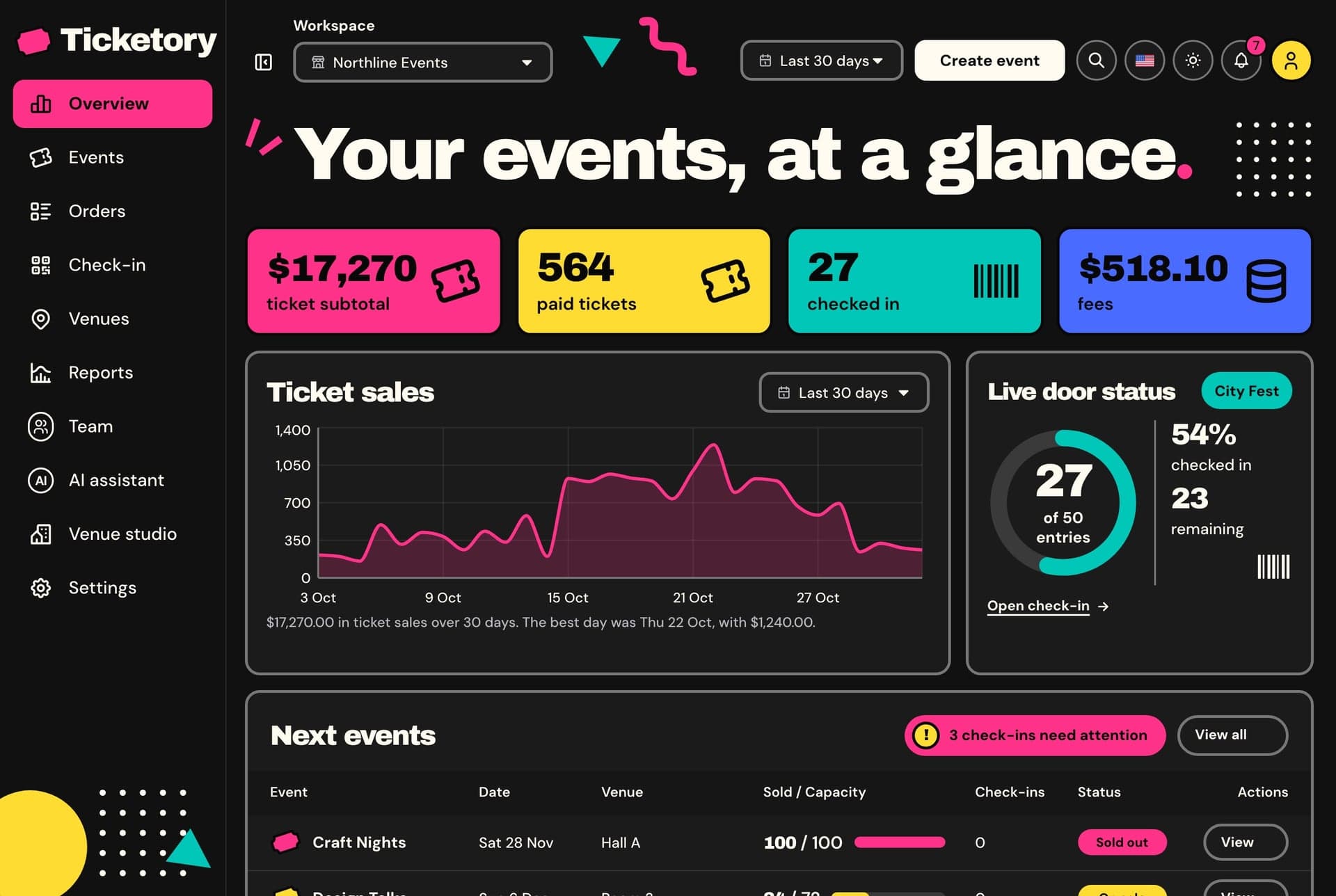
A Next.js 16 organiser dashboard for event ticketing, with an overview of sales and the live door, an event editor in English and Arabic, versioned seat layouts, QR check-in at the door, orders, refunds, reports, an AI event assistant and an AI venue studio, in English and Arabic.

View Template
Next.js Restaurant Template with Online Ordering and Kitchen Dashboard - Next.js Restaurant template preview - Aniq-UINext.js Restaurant Template with Online Ordering and Kitchen Dashboard - Next.js Restaurant template preview - Aniq-UI

Restaurant

$179$125.30R$897R$627.90
Restaurant
Full Stack
New
AI

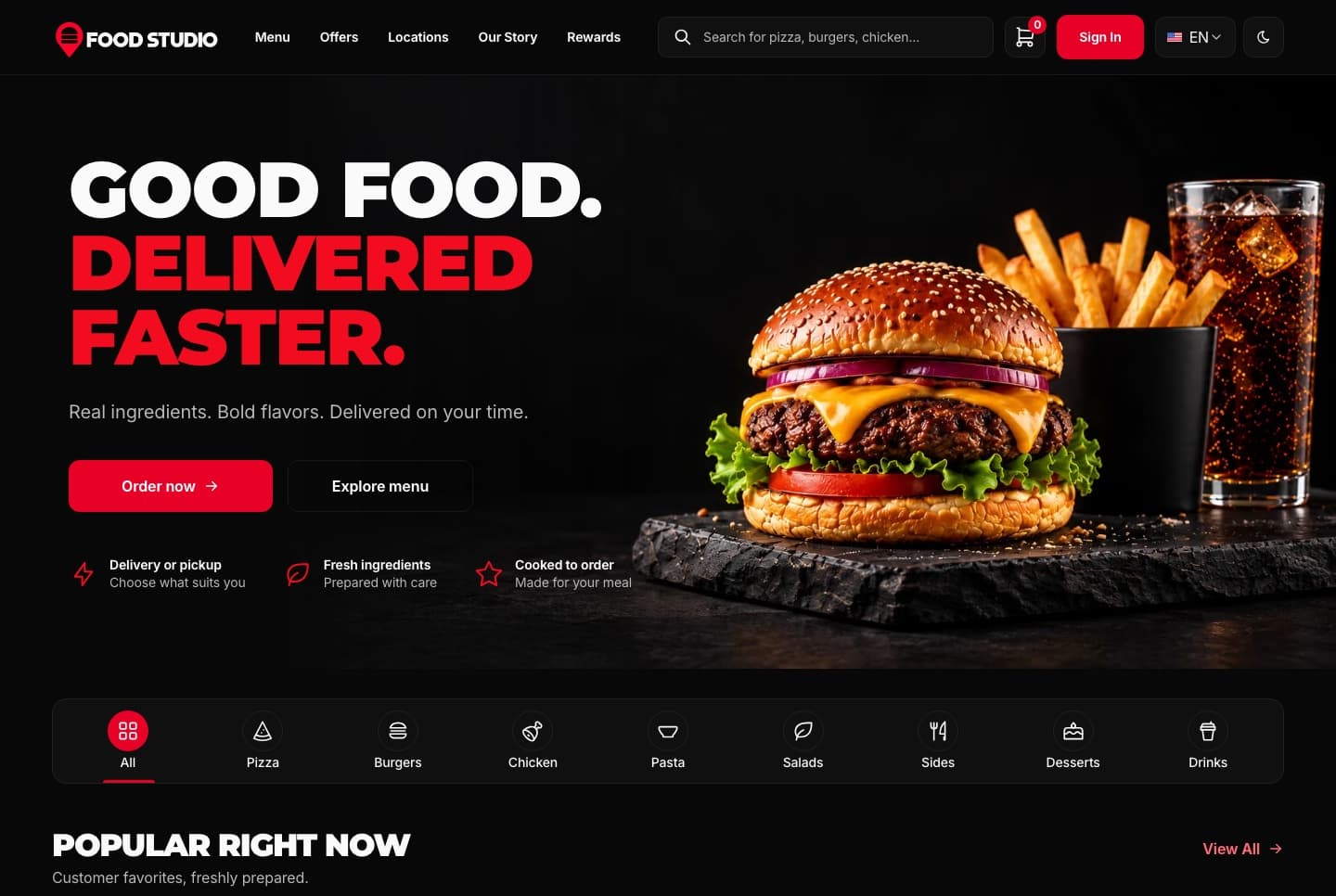
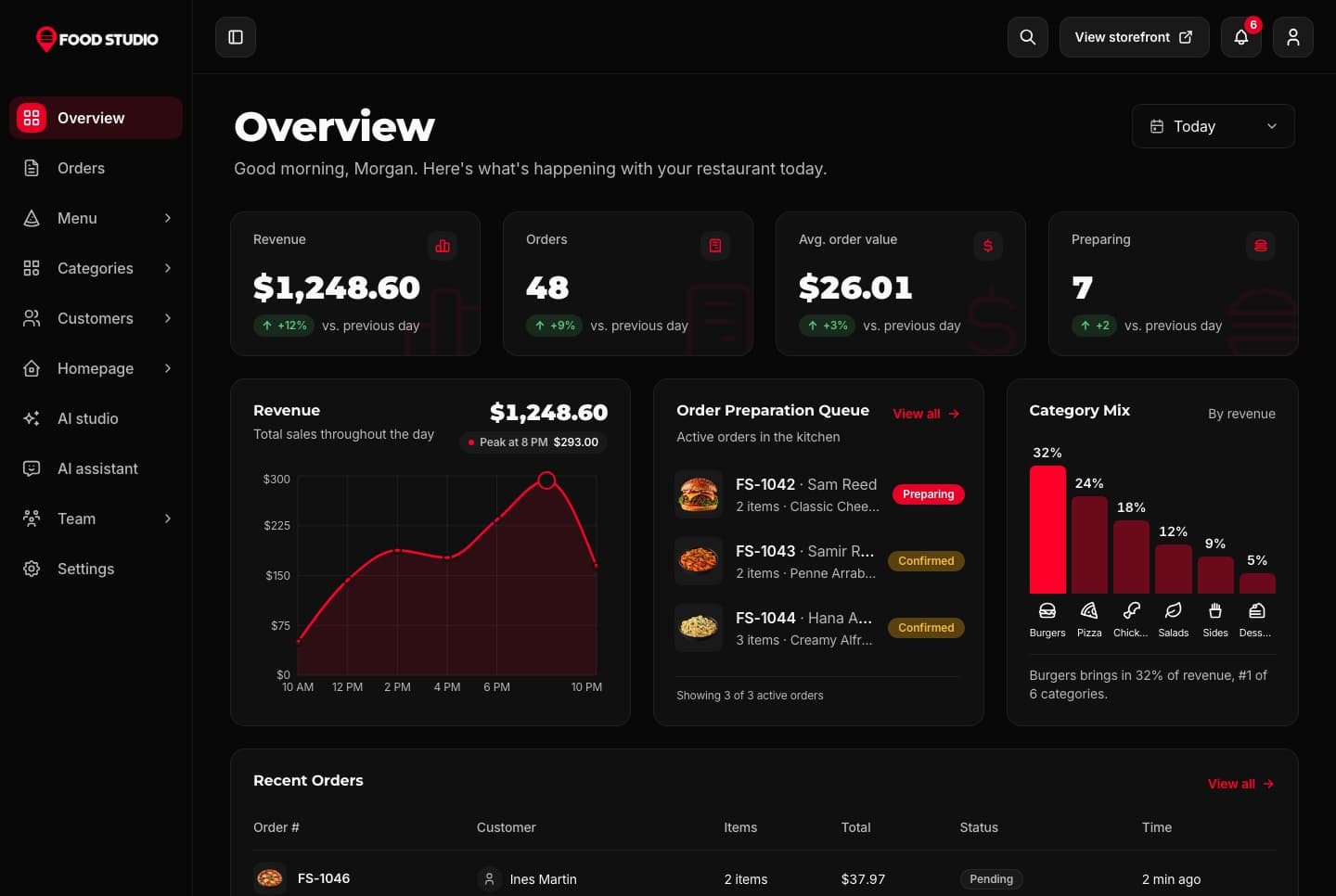
Food Studio is a full-stack Next.js restaurant template: an ordering website with menu, combos, cart, checkout and order tracking, a staff dashboard for orders, the menu and the kitchens, a NestJS API, AI tools for dish photos, and English and Arabic with RTL.

View Template
Newsletter

Get notified when a new template ships

Be the first to know when a new template is released.

  • New template releases
  • See what is being built and vote on it
  • Free and premium releases
  • Unsubscribe in one click
Technical Advantages

Built to Work on Every Screen, for Every User

Every premium template is responsive, accessible, fast and typed from the first commit, so your launch starts from production-ready code.

01 · Layout

Responsive Design

Phone, tablet and desktop layouts from one set of components, with a phone menu and 44px tap targets.

Learn more: Responsive Design

02 · Inclusive

Accessibility

Semantic HTML, labelled controls, a visible keyboard focus ring and reduced motion support.
Learn more: Accessibility

Enterprise-Grade Features Included

Developer Experience

  • TypeScript 5.0+ with strict type checking
  • Server & Client Components architecture
  • Quick start guide and feature docs

UX & Performance

  • Mobile-first responsive design system
  • Accessible markup with ARIA and keyboard navigation
  • Fast rendering with server components and optimized assets

Maintenance & Support

  • Support included with your purchase
  • Regular security & framework updates
  • SEO-optimized semantic structure
world map

Global User Community

Join thousands of developers worldwide who trust Aniq-UI for their projects. Our templates are being used across the globe to create stunning web experiences.

Aniq-uiAniq-ui

Cookie Preferences

We use cookies to enhance your browsing experience, analyze site traffic, and personalize content. By clicking "Accept All", you consent to our use of cookies for analytics and personalized advertising.