How to Start a SaaS Business in 2026, With or Without Code
How to start a SaaS business in 2026: validate the idea, compare five ways to get the product, price and launch it, with real costs and a first-year budget.
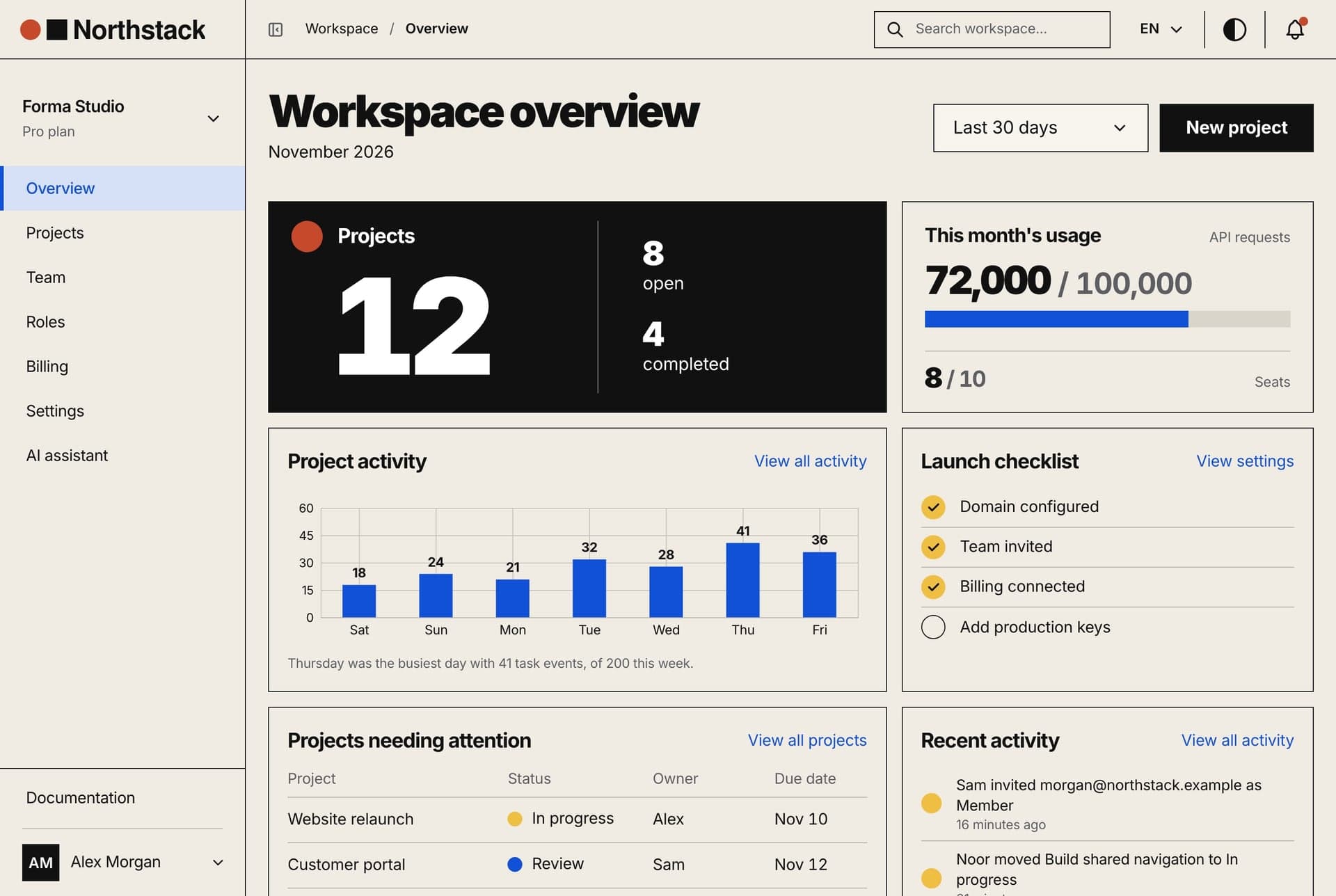
How to start a SaaS business in 2026: the seven steps from idea to paying customers, and the five ways to get the product itself, with prices checked on 22 November 2026, who owns the code and a first-year budget for each.
To start a SaaS business, pick a narrow market with a problem people already pay to solve, check that they will pay before you build, get a working product, connect payments, set a price and sell to your first customers by hand. The guides that rank for this question agree on those steps. Most of them then assume you will write the product from scratch, which is the slowest and most expensive way to get it.
This guide follows the steps in order, and in the middle it compares the five ways to get the product: building it from scratch, a SaaS boilerplate, a ready-made full-stack app you own, a white label platform you rent, and a no-code or AI app builder. For each one you get the price, the time it takes, who owns the code, the monthly fees and the skills it needs. Our own ready-made apps are the first pick in their section, and the guide says plainly where another way is the better choice.
What a SaaS business is
A SaaS (software as a service) business runs software on its own servers and charges customers for access, usually every month or every year. The customer never owns the code: they sign in, use it and keep paying while it is useful.
Step 1: Pick a niche and a painful problem
The fastest SaaS businesses to start are narrow. "Software for restaurants" is a market; "online ordering for takeaway brands with several kitchens" is a niche where you can find the buyers, learn their words and beat bigger tools on fit. Look for these signs:
- People already pay to solve it, with spreadsheets, an agency, a clumsy tool or staff time. Money already spent is the best proof of pain.
- You can reach the buyers. You know where they meet and what they read.
- The problem repeats every week or month: bookings, orders, invoices, classes, check-ins. SaaS earns monthly, so the job has to come back.
- The language or region is underserved. A tool that works properly in Arabic, right to left, can win a market that English-only tools treat as an afterthought.
Step 2: Validate before you spend
Validation means getting evidence that people will pay before you spend money or months on the product. It costs only time, and it is the step first-time founders skip most.
- Talk to 10 to 20 people in the niche. Ask how they handle the problem today and what it costs them. Do not pitch; listen for the same complaint in different words.
- Write one page with the problem, the promise, a price and a button, and send the people you spoke to.
- Ask for a commitment. An email address is weak evidence. A paid pre-order, a deposit or a booked onboarding call is strong evidence.
- Decide with a rule set in advance, for example: if five people pre-pay in a month, build; if not, change the niche or the offer.
Step 3: Choose how to get the product
This decision sets your cost, your launch date and how much you control later. There are five ways, and the table after them puts them side by side.
1. Build it from scratch
You, a co-founder or a hired developer write every part: sign-up, teams and roles, billing, emails, the admin side, the marketing site and finally the feature customers pay for. Next.js and NestJS are free and open source, so the cost is time, or a developer's rate.
Best when: no kit or app is close to your product, or the software itself is the hard, defensible part of the business. Watch out for: weeks spent on parts every SaaS has and customers never notice.
2. A SaaS boilerplate or starter kit
A boilerplate is a working foundation: sign-up, sign-in, subscription billing, usually teams, and a basic marketing page. You build your product's own screens on top, so you still need a developer.
Next.js SaaS Starter (free)
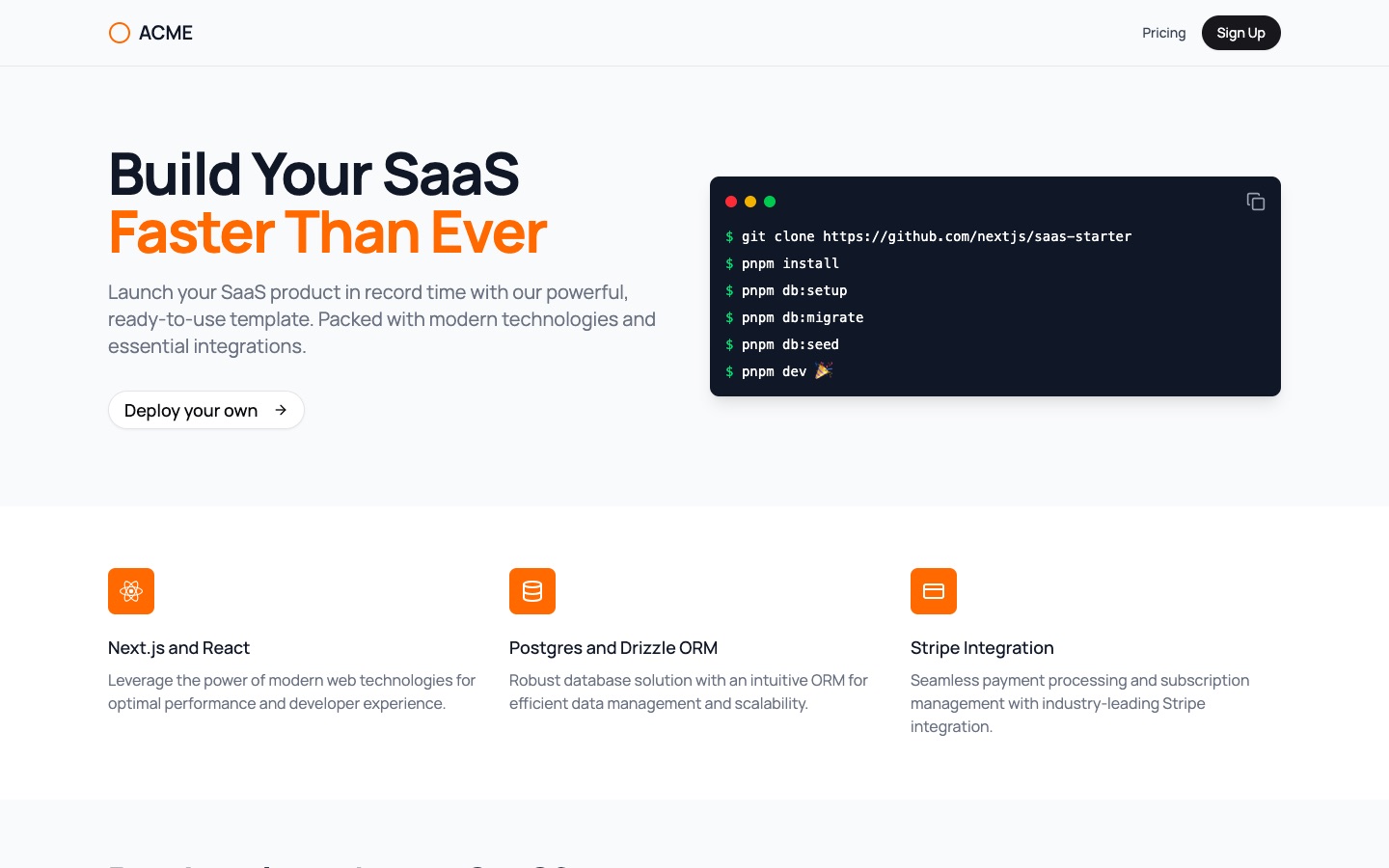
The free Next.js SaaS Starter is released under MIT and counts roughly 16.3k GitHub stars (checked November 2026). Per its README, a pricing page sends buyers to Stripe Checkout, customers manage their subscriptions in the Stripe Customer Portal, users log in by email and password, and each team gets an activity log plus Owner and Member roles. It is built on Postgres with Drizzle. Best when: you are a developer with no budget who wants to see how SaaS billing is put together.
ShipFast (paid)
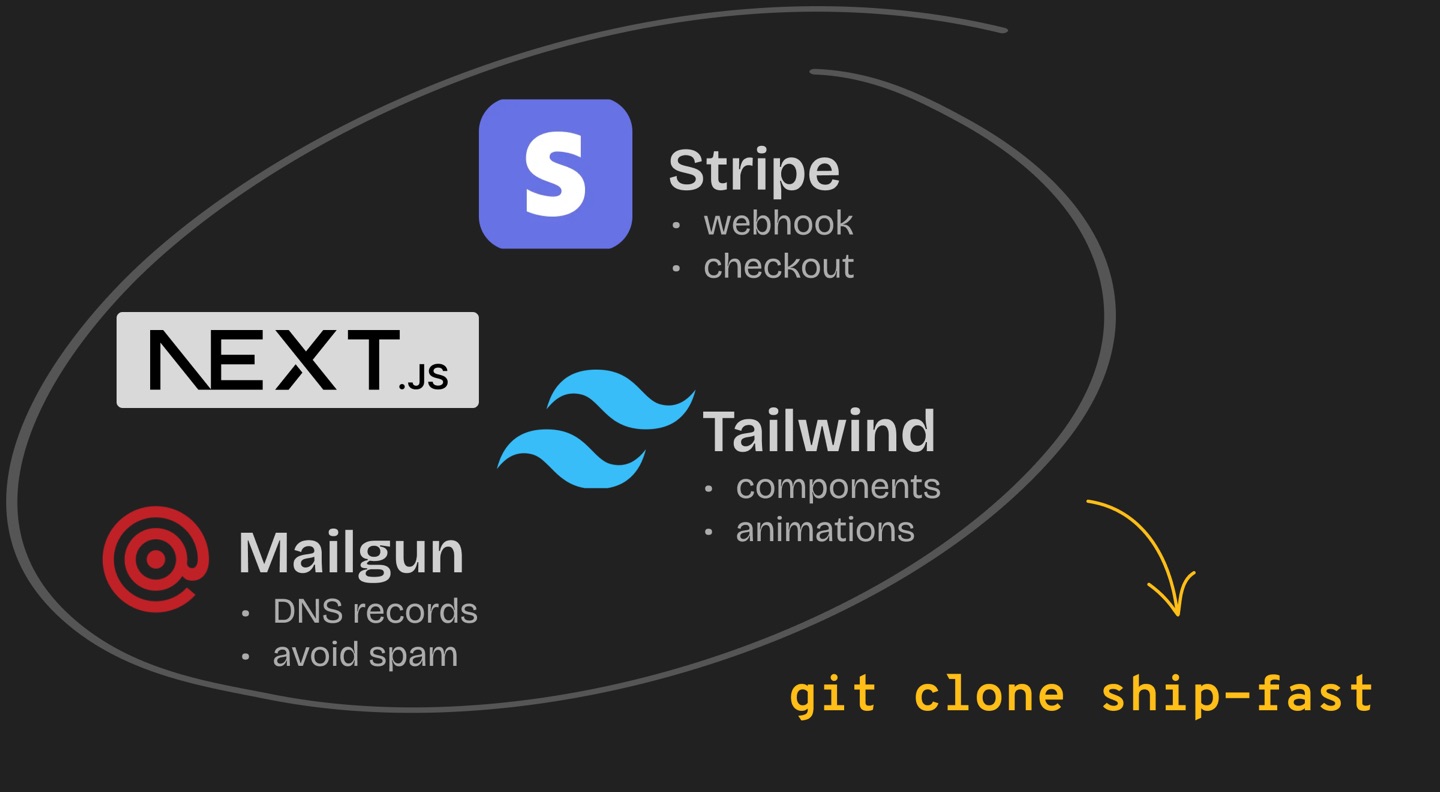
ShipFast lists sign-in through Google or a magic link, payments through Stripe or Lemon Squeezy, MongoDB or Supabase for data, and email through Mailgun or Resend. One payment covers unlimited projects: $199 for Starter, $249 for All-in, or $299 with the CodeFast course (checked November 2026). Best when: one developer is building a product for individual users.
Makerkit (paid)
Makerkit is a Next.js starter kit for multi-tenant B2B products, with team accounts, roles, invitations, per-seat and metered billing and a super admin. Pro is $226.85 (listed $349) for one developer and Teams $421.85 (listed $649) for up to five, paid once (checked November 2026). Its FAQ says freelancers building for clients need each client to hold their own licence. Best when: a developer builds a product for companies with several seats.
3. A ready-made full-stack app you own
A ready-made app goes one step further than a boilerplate: the product screens exist too. You get the full source code of a working product (website, dashboard and API with its database), change the brand, connect your payment account and host it. This is what Aniq UI sells, and it is the fastest way to a product you own.
This is not a no-code tool. Someone still has to run the apps on a server, enter the payment and email keys, and deploy. Every download comes with a quick start and a single Docker command that brings everything up, and an AI code editor can take care of those steps. When we tried it on 8 November 2026, Claude Code got the Food Studio Full Stack running roughly 4.5 minutes after the ZIP was unpacked.
Northstack: a B2B workspace SaaS
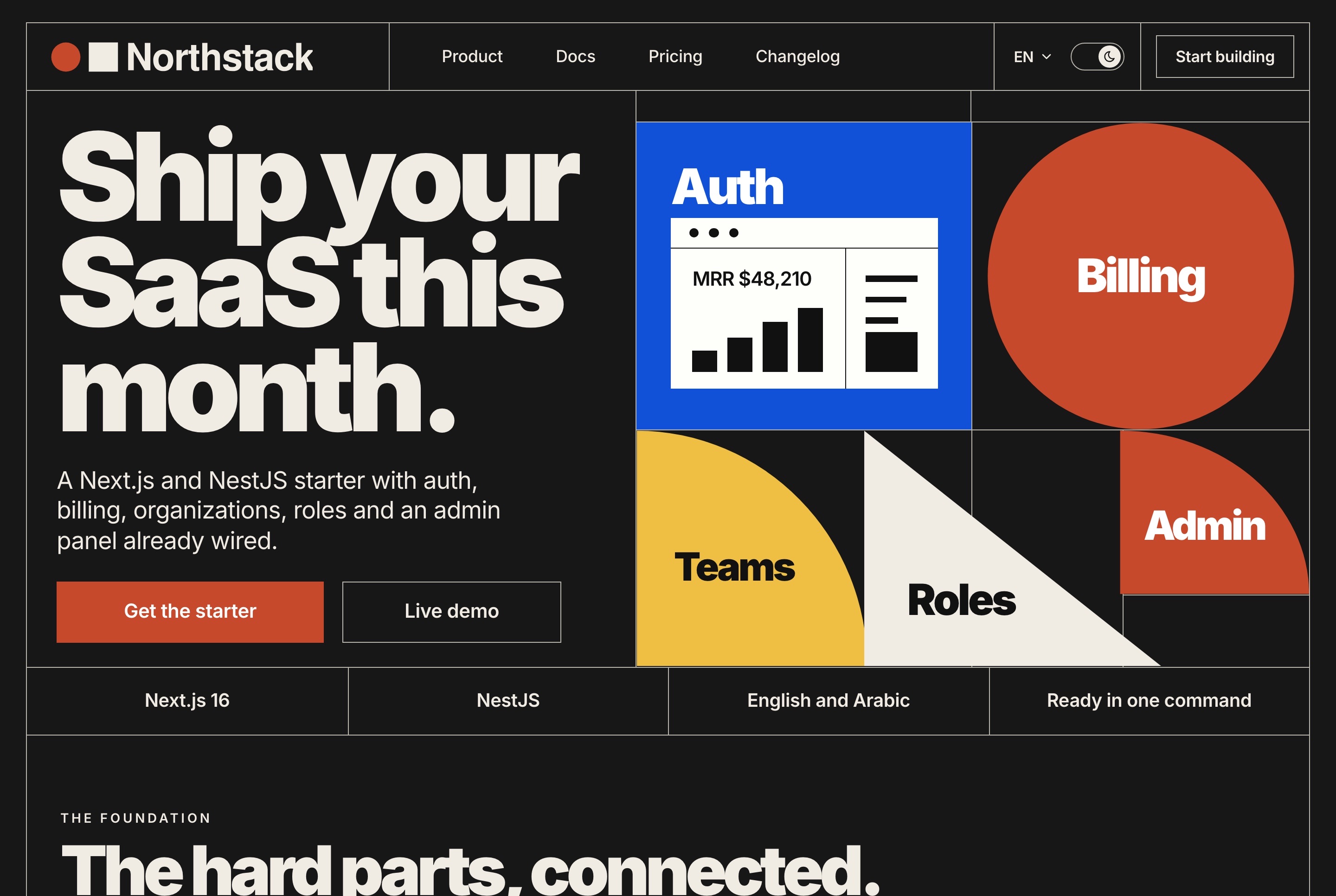
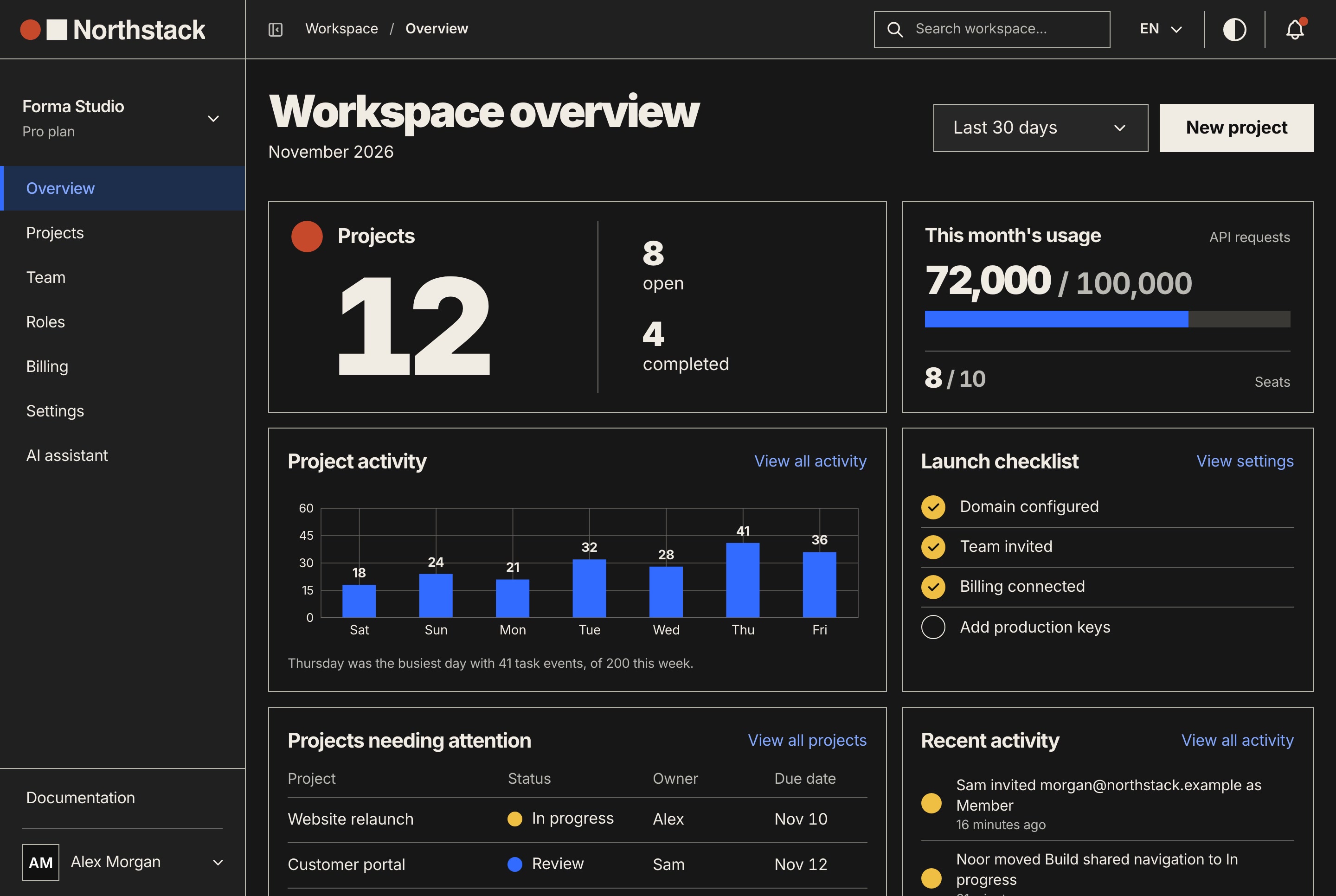
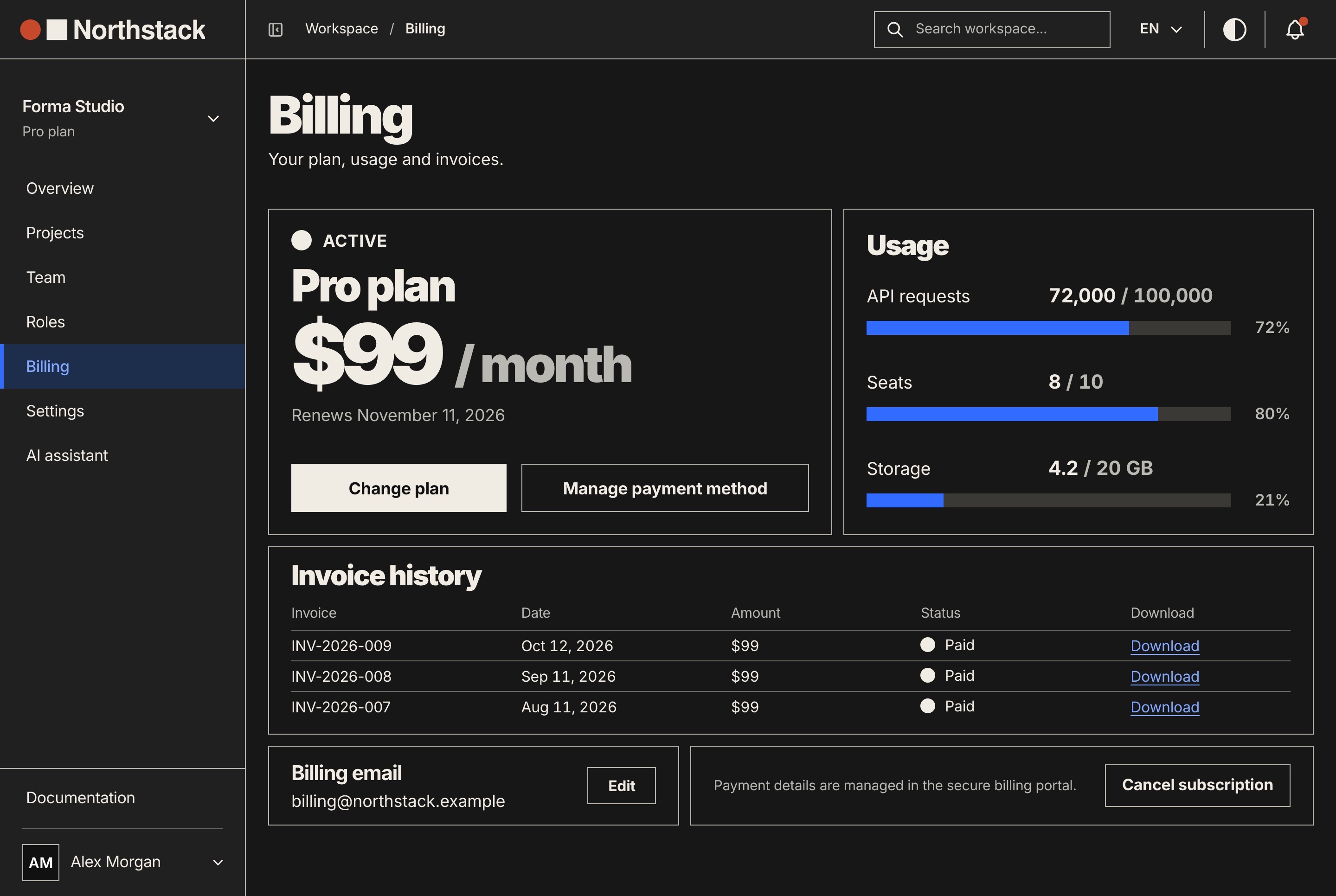
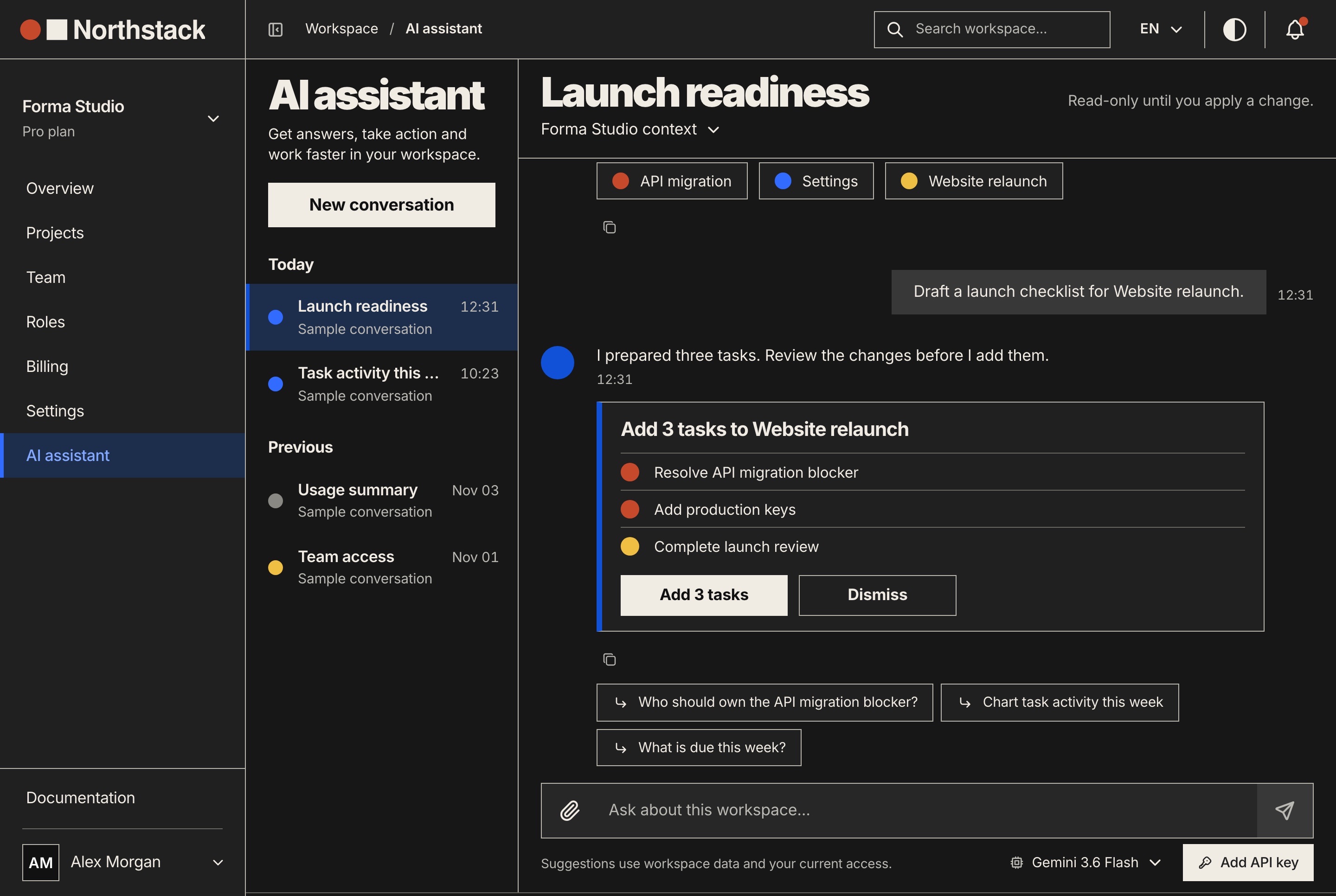
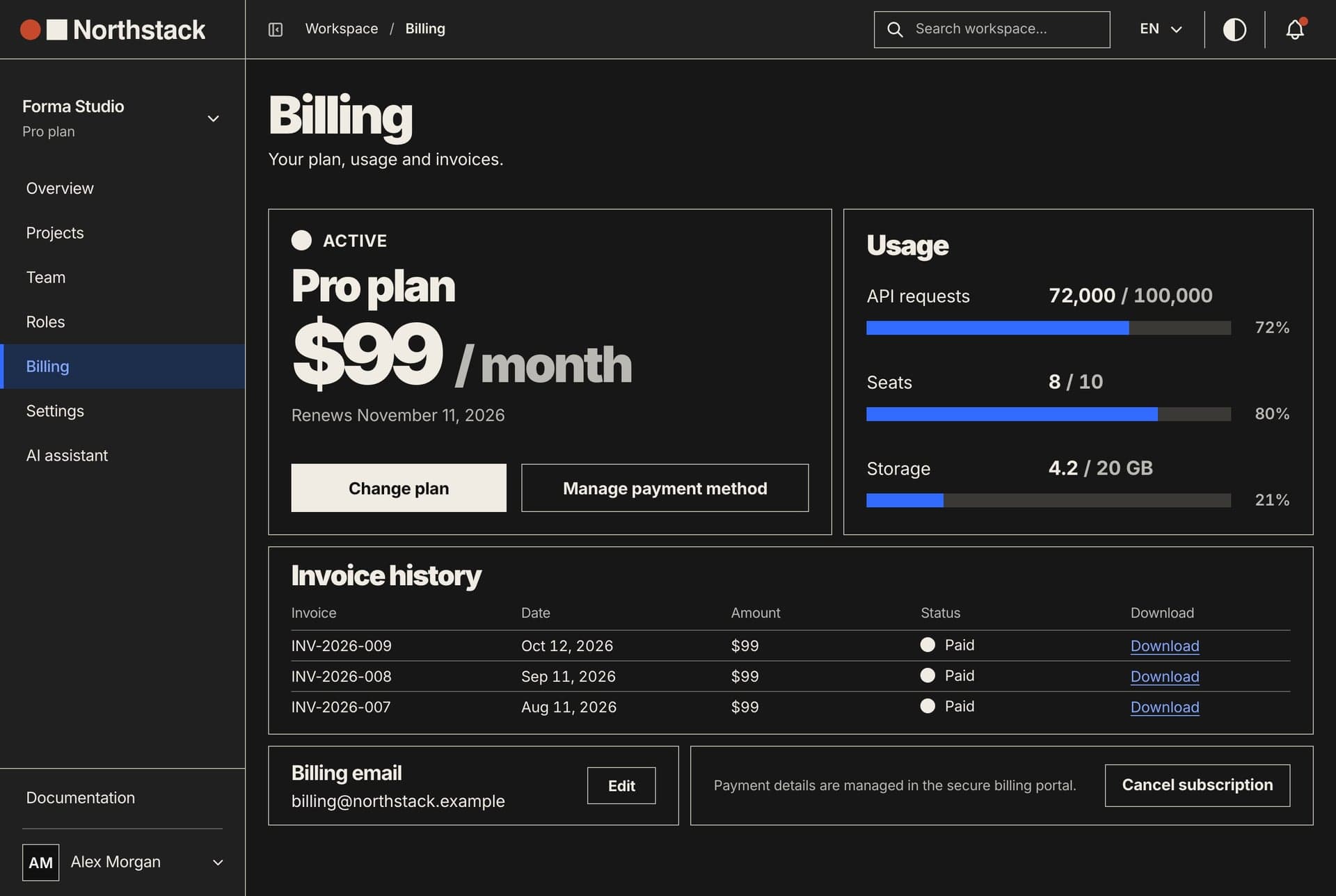
Northstack is the closest thing in this guide to a SaaS product you can brand and sell as it is:
- A website with pricing, documentation, a journal, a changelog and legal pages, and a licence checkout through Stripe hosted Checkout, PayPal or a test checkout.
- A multi-tenant workspace dashboard with sign-up, onboarding, invitations, owner, admin, member and billing roles, an editable permission matrix, projects with task boards, plans with usage limits, PDF invoices, plan changes through Stripe, API keys and an activity log.
- A platform administration for you as the operator: revenue, organisations, users and staff, on a NestJS API with TypeORM on SQLite or MySQL, plus an AI assistant on Gemini, OpenAI or DeepSeek and an MCP server.
Price: $149 Full Stack; $39 website, $49 workspace dashboard, $99 Backend API. Open the demo. Good to know: the workspace sample is built around projects and task boards. If your product does something else, keep the accounts, roles, billing and admin and replace those screens with your own feature. That is developer work, far smaller than starting from nothing. The AI assistant uses your own provider key.
Ticketory: an event ticketing platform
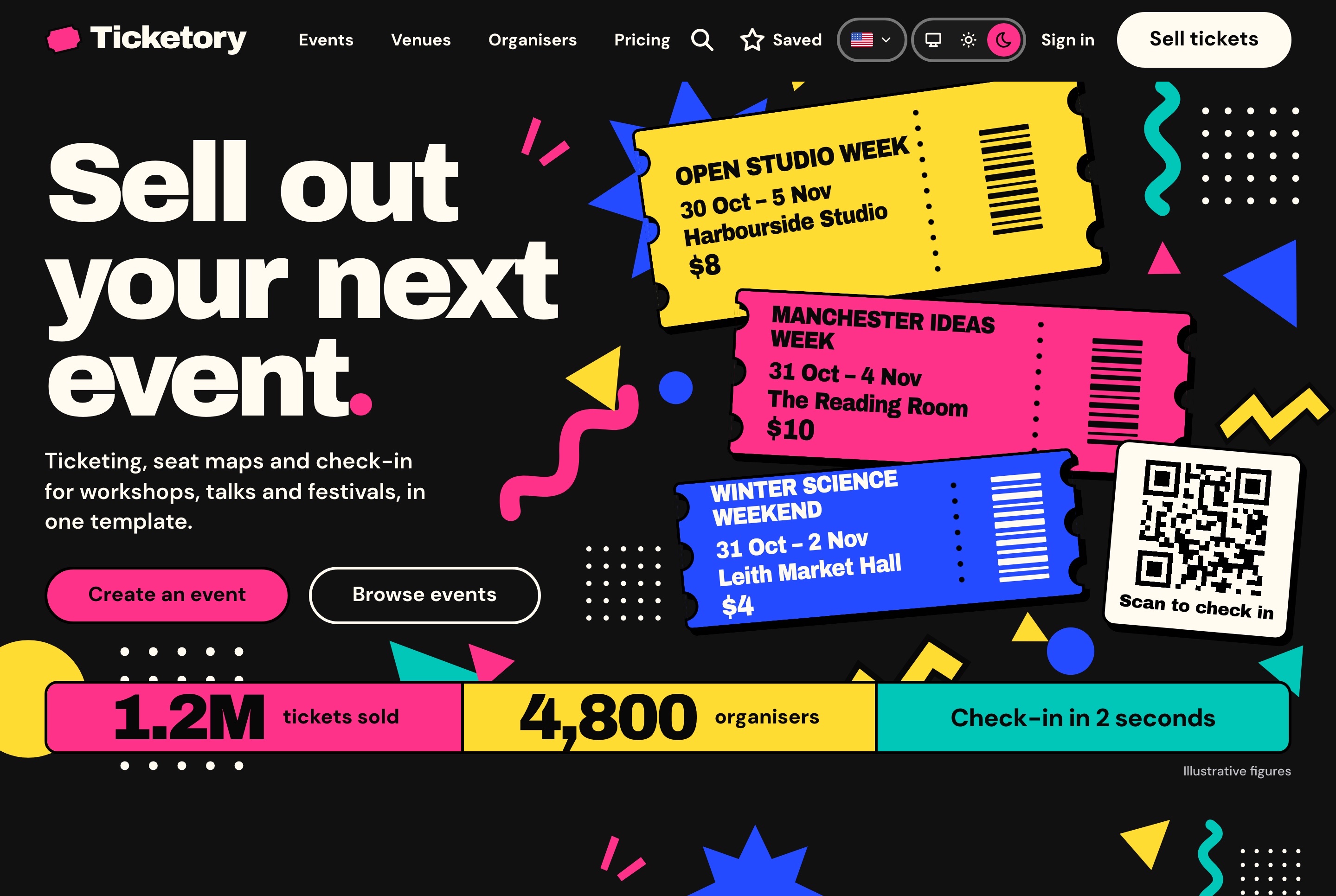
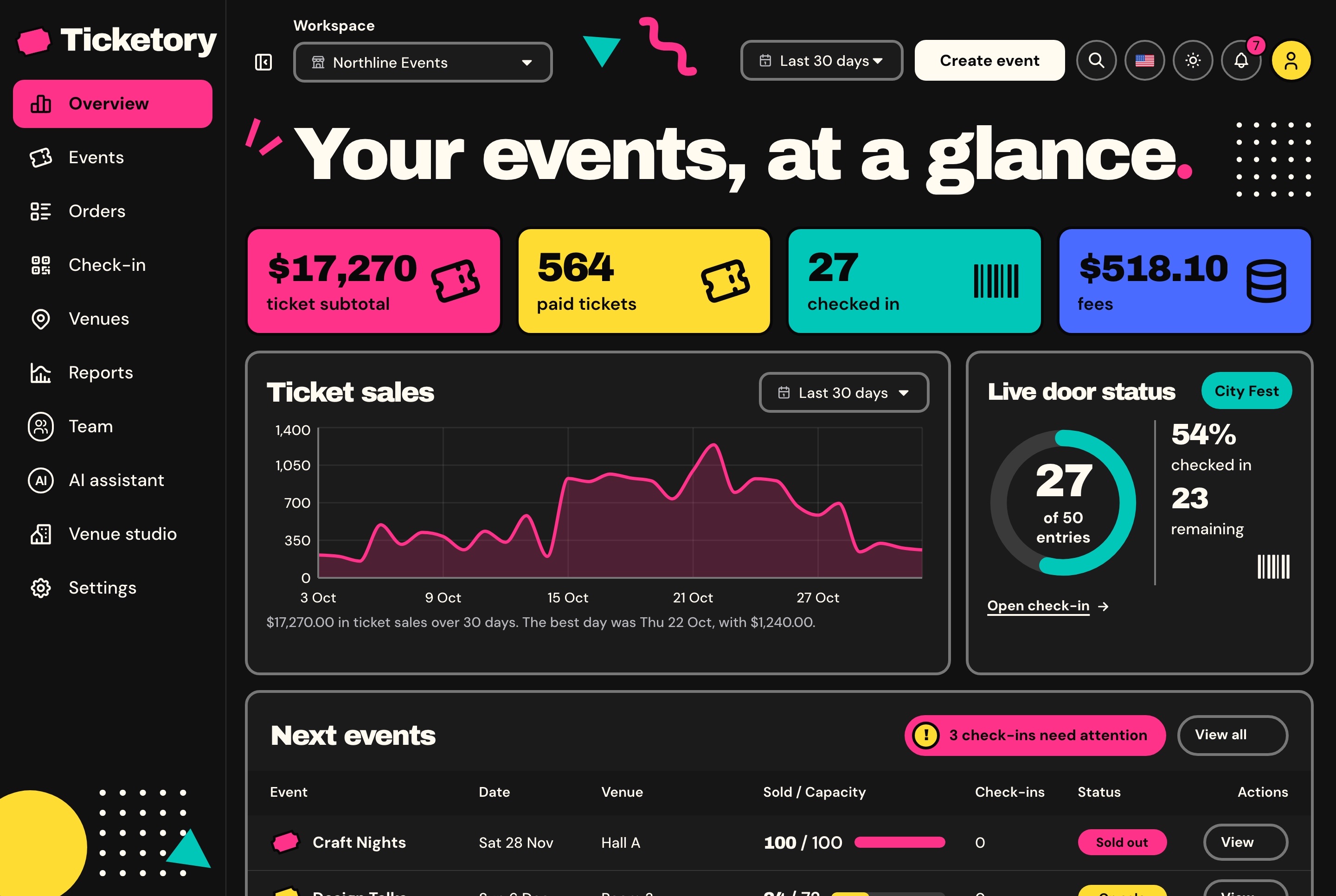
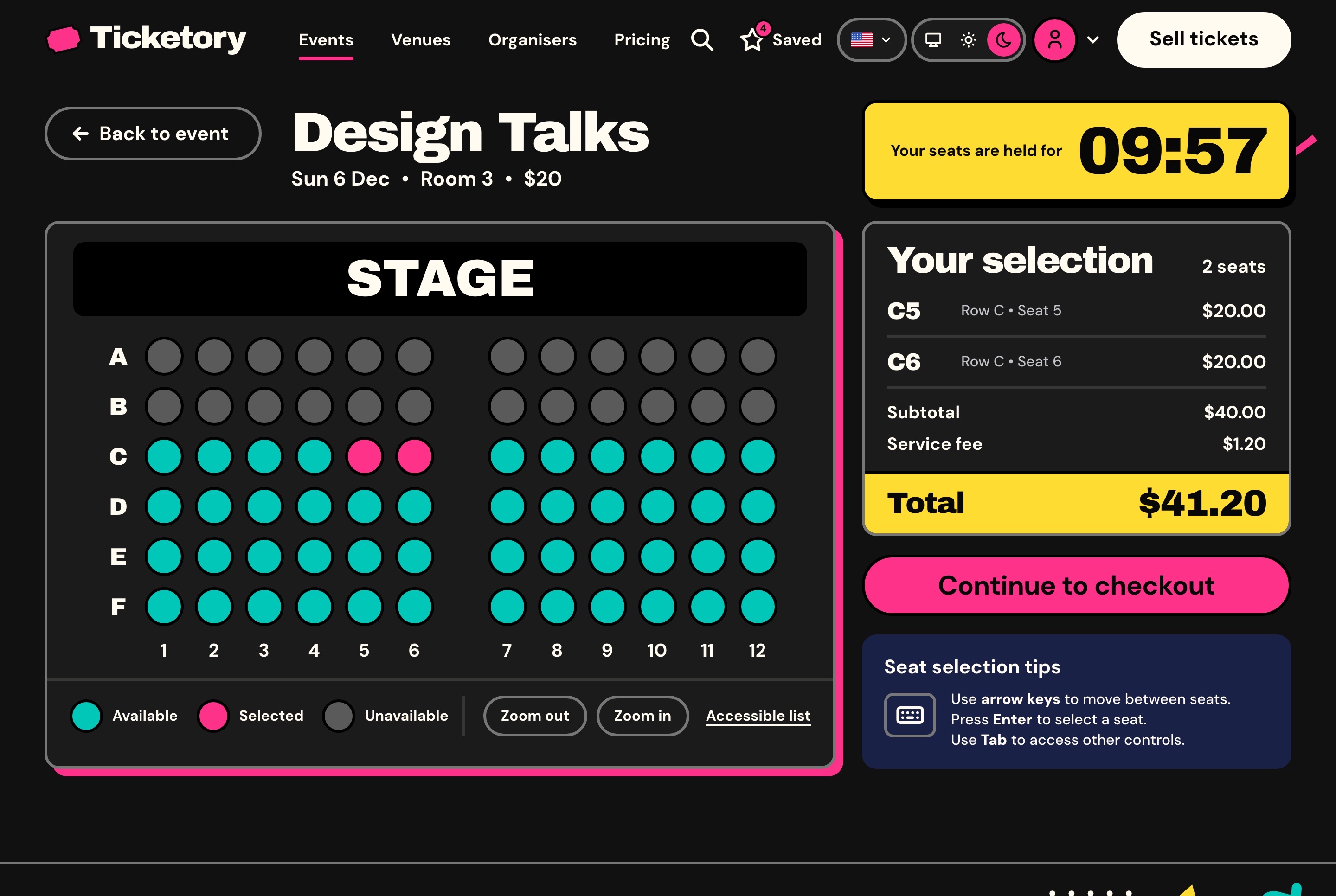
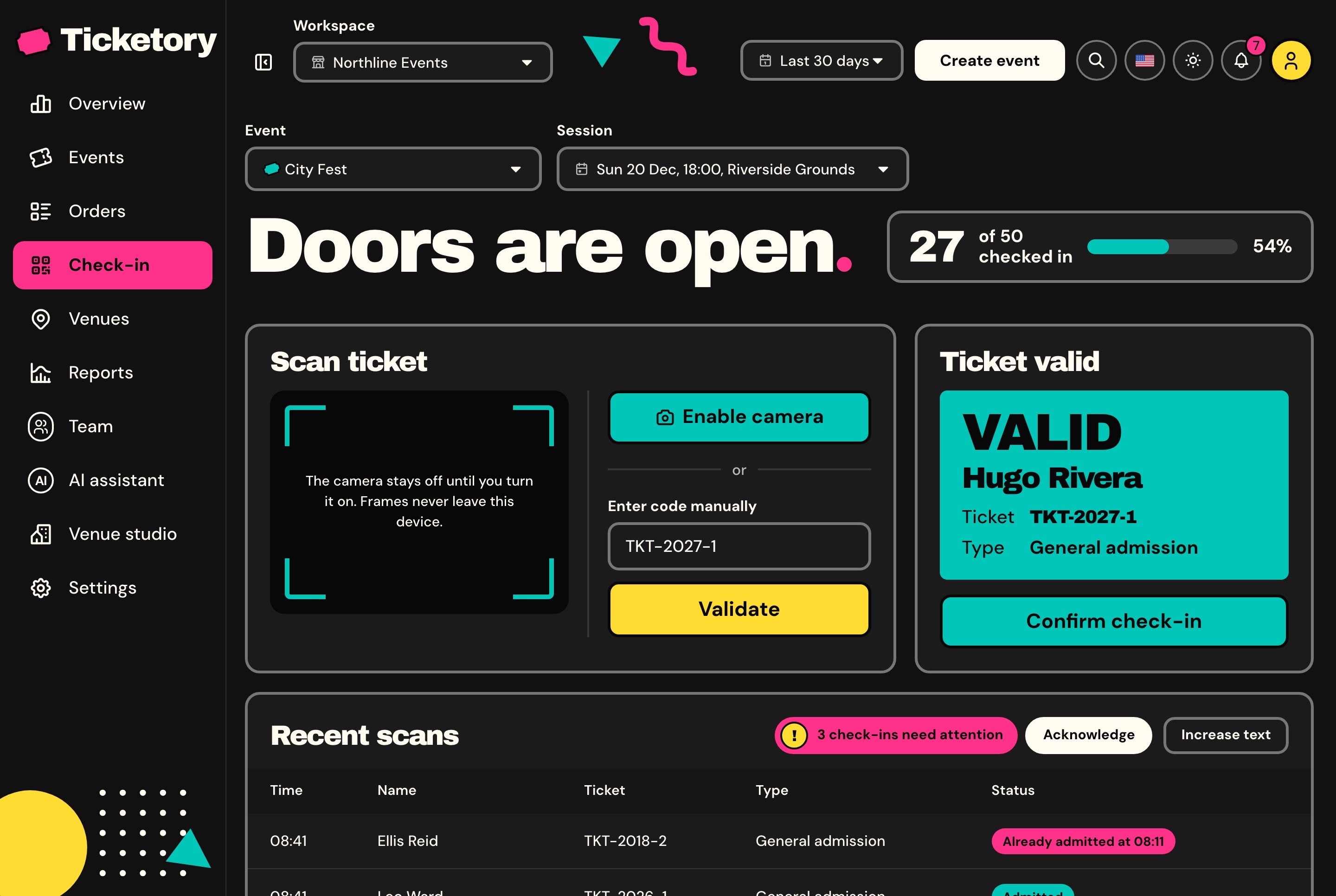
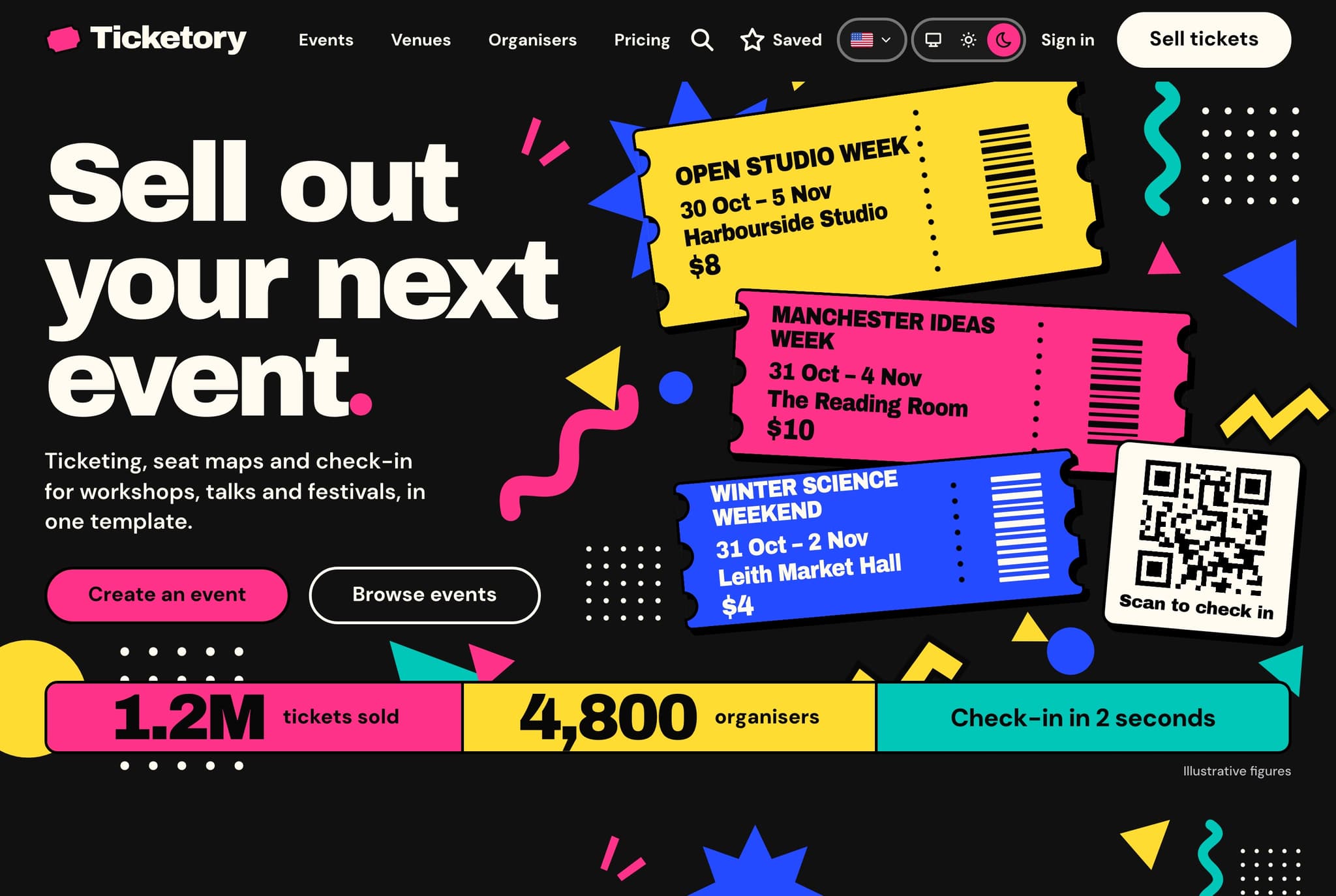
If your customers are event organisers, Ticketory puts several of them in one dashboard, each as a workspace with its own currency, booking fee, time zone, events, orders and team. Ticket buyers pick seats on a live map that holds them for ten minutes, pay by Stripe or PayPal and get QR passes; organisers have seat layouts, reports, refunds and check-in at the door. Price: $149 Full Stack, from $39.
Niche apps: one industry each
The other Aniq UI apps are each built around one business per installation (Velra's page, for example, lists several agencies on one install as not included). That leaves two honest ways to make a SaaS business from one:
- A hosted service per customer. Run a separate copy for each restaurant, agency or academy under their brand, and charge a setup fee and a monthly fee for hosting, updates and support. No new code, only a setup you can repeat.
- A multi-business platform. Add the layer that lets many businesses share one installation. That is developer work; Northstack's workspaces show one way to do it.
Hollina: vacation rental booking
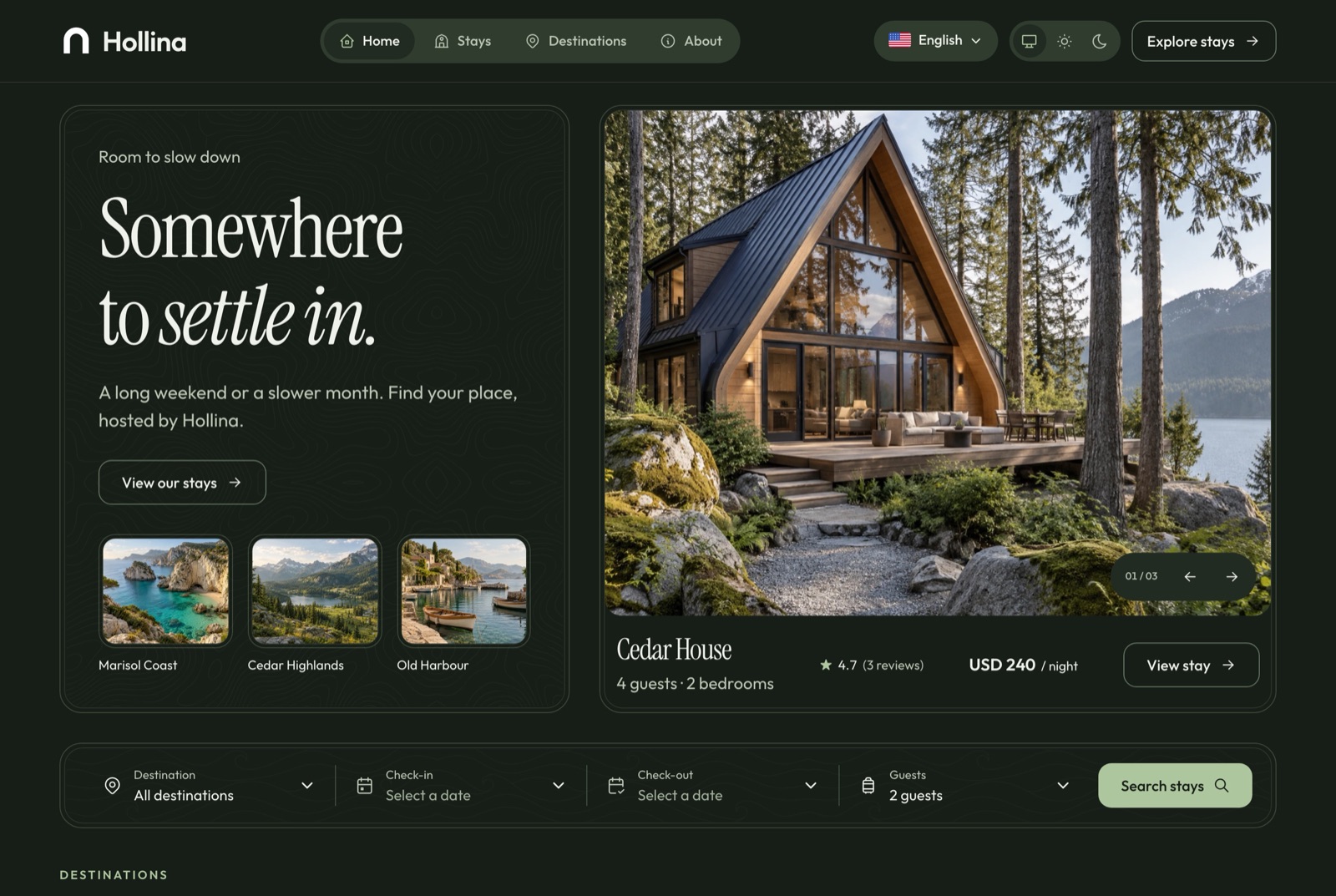
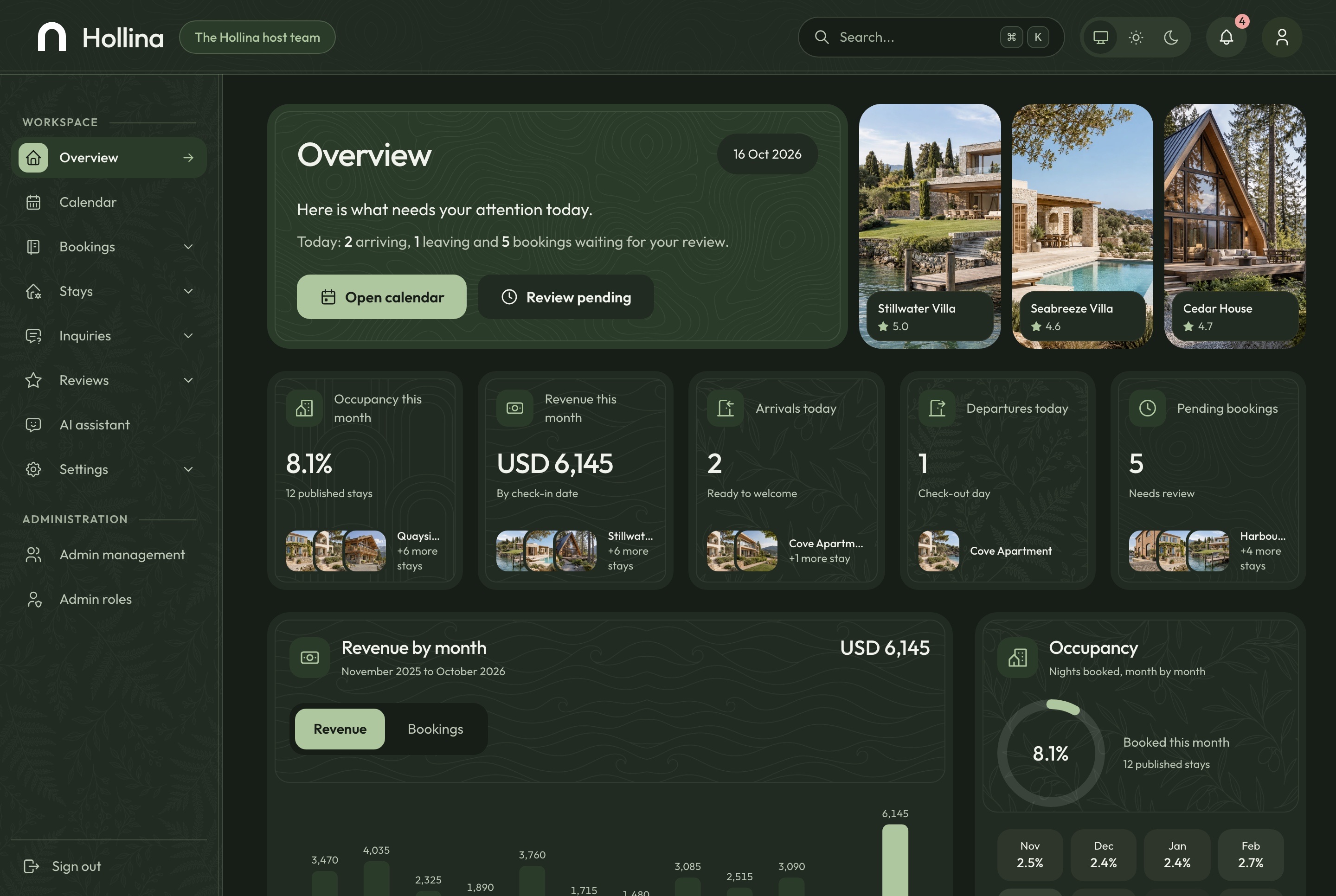
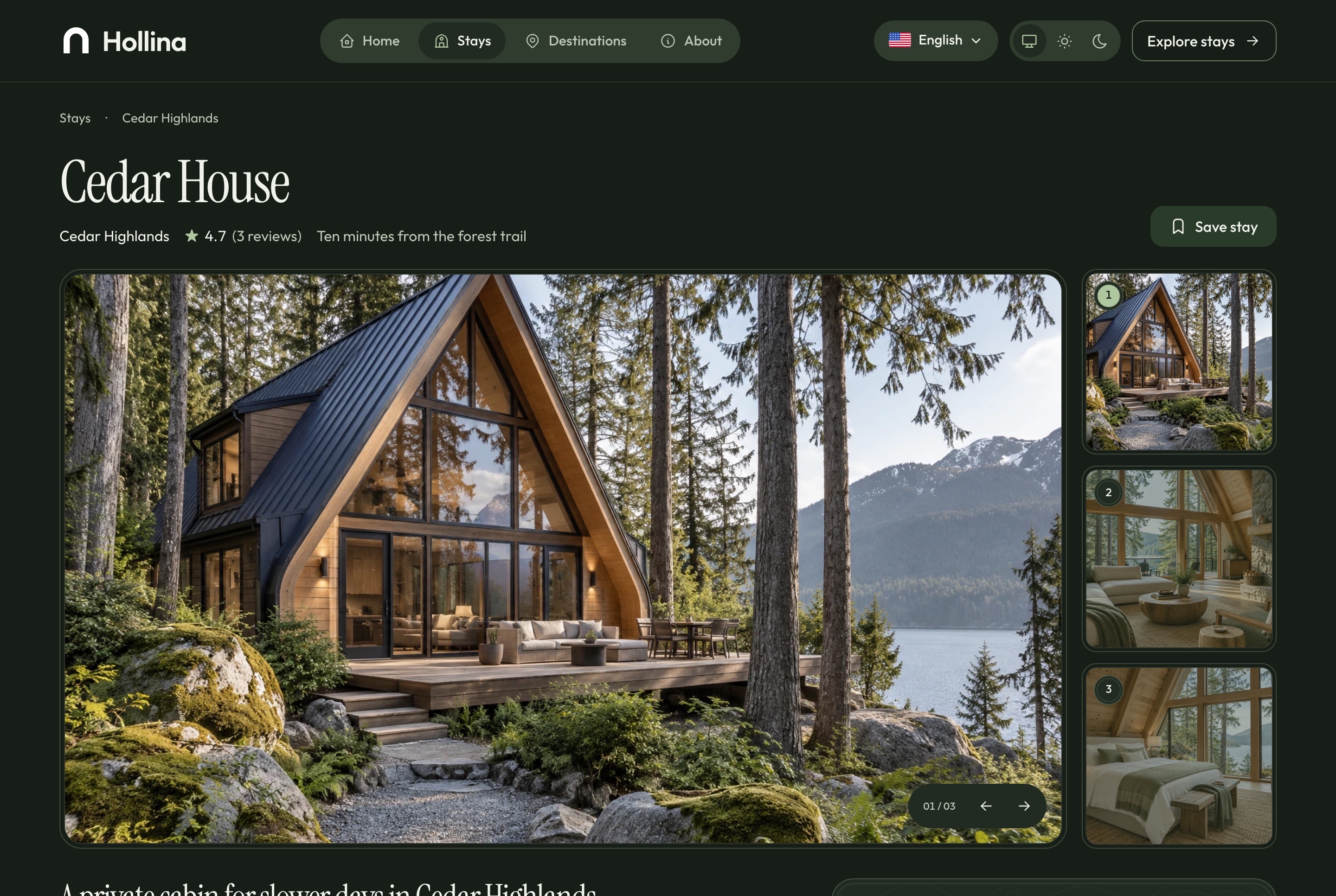
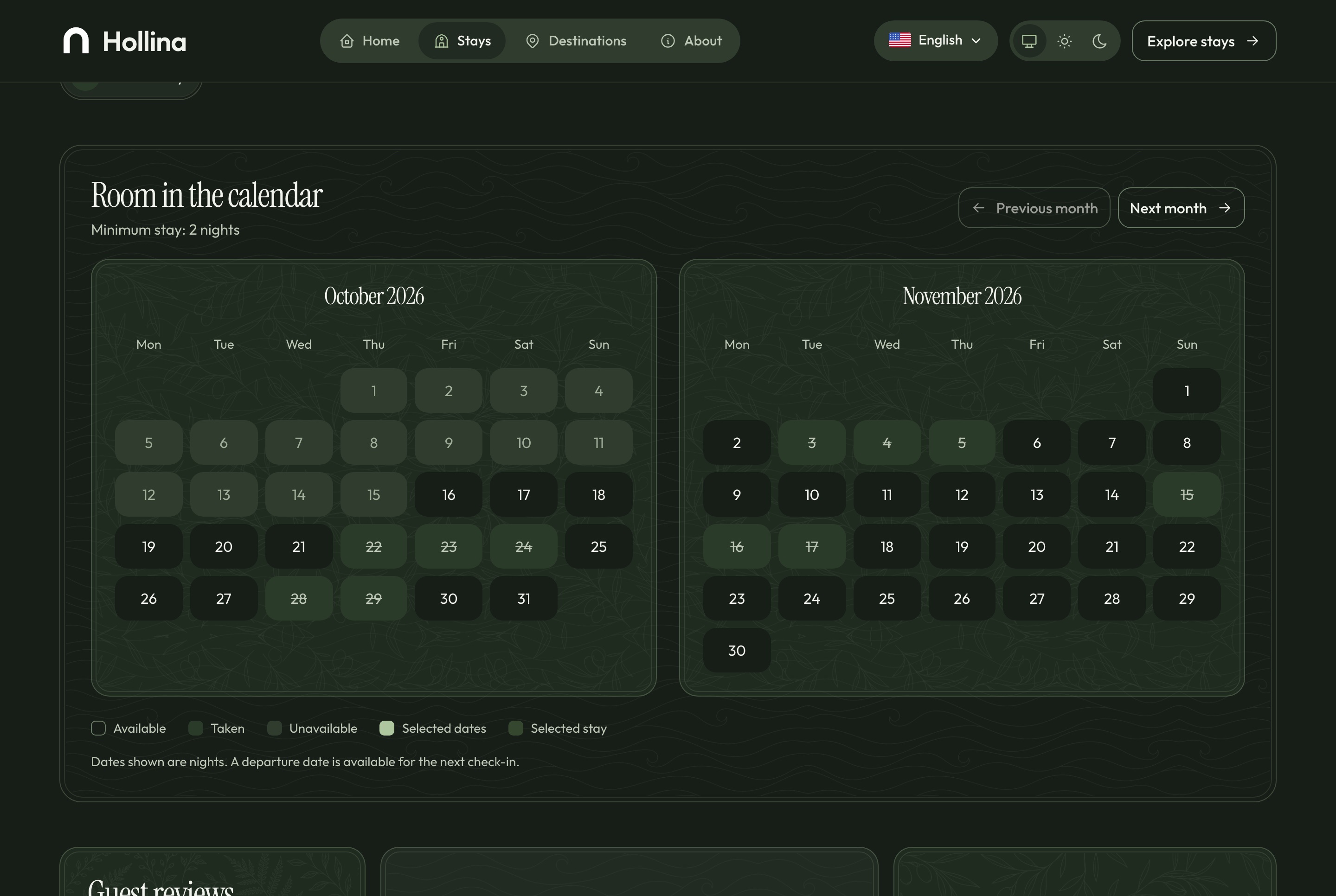
Hollina is a stays website with availability calendars and Stripe, PayPal or pay on arrival checkout, plus a booking dashboard for the host. It suits a direct booking service for hosts and small property managers. Price: $149 Full Stack, from $39.
Food Studio: restaurant online ordering
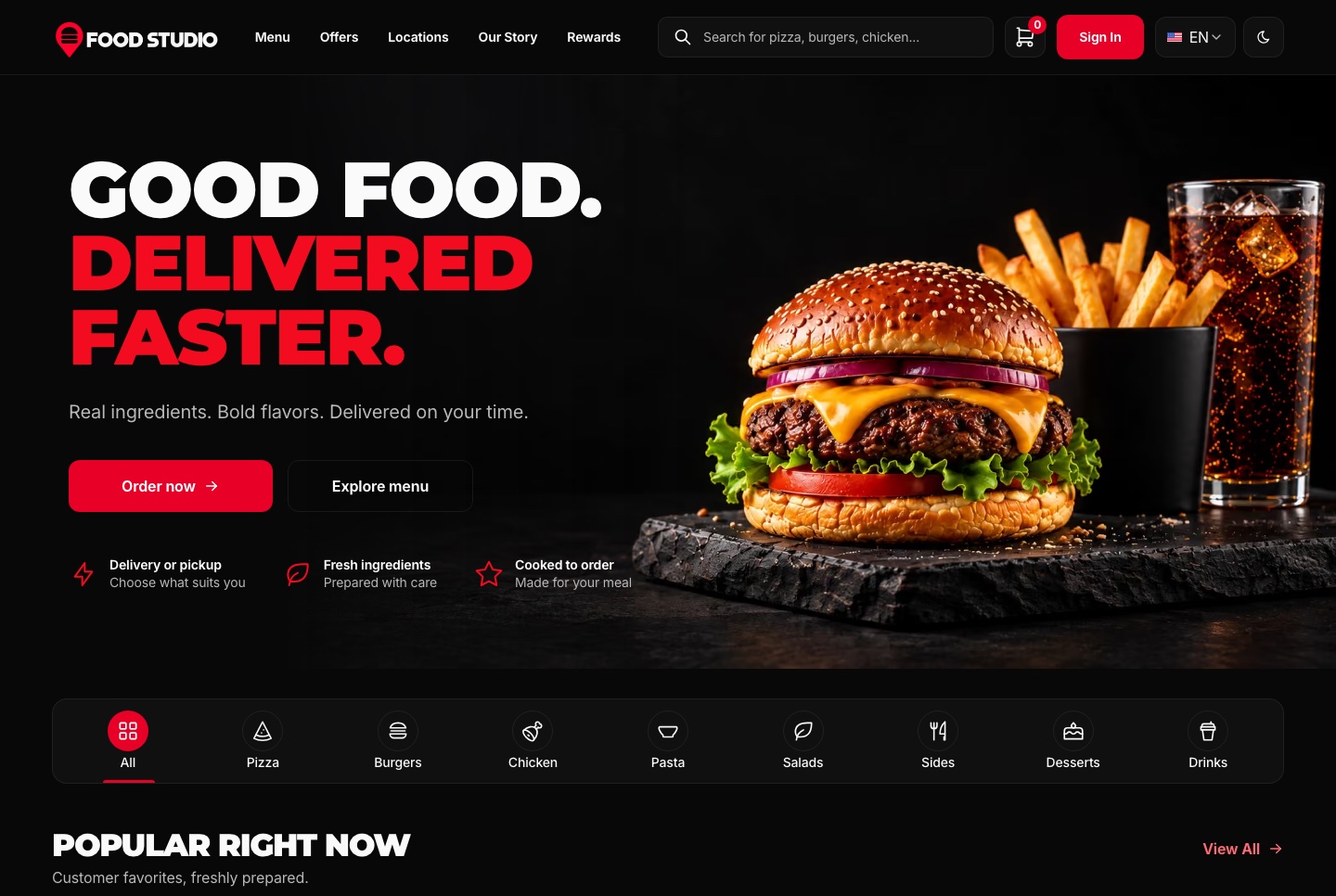
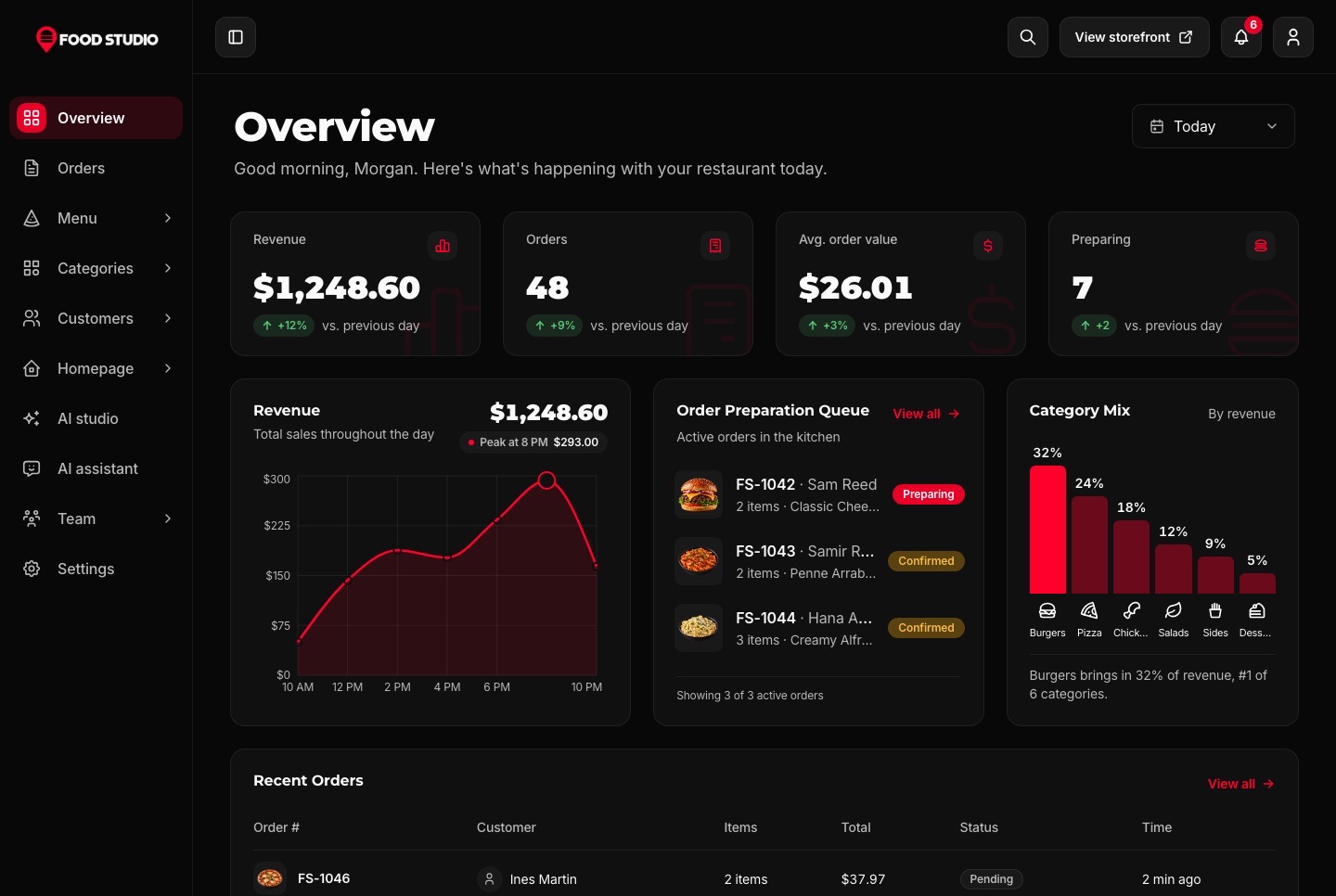
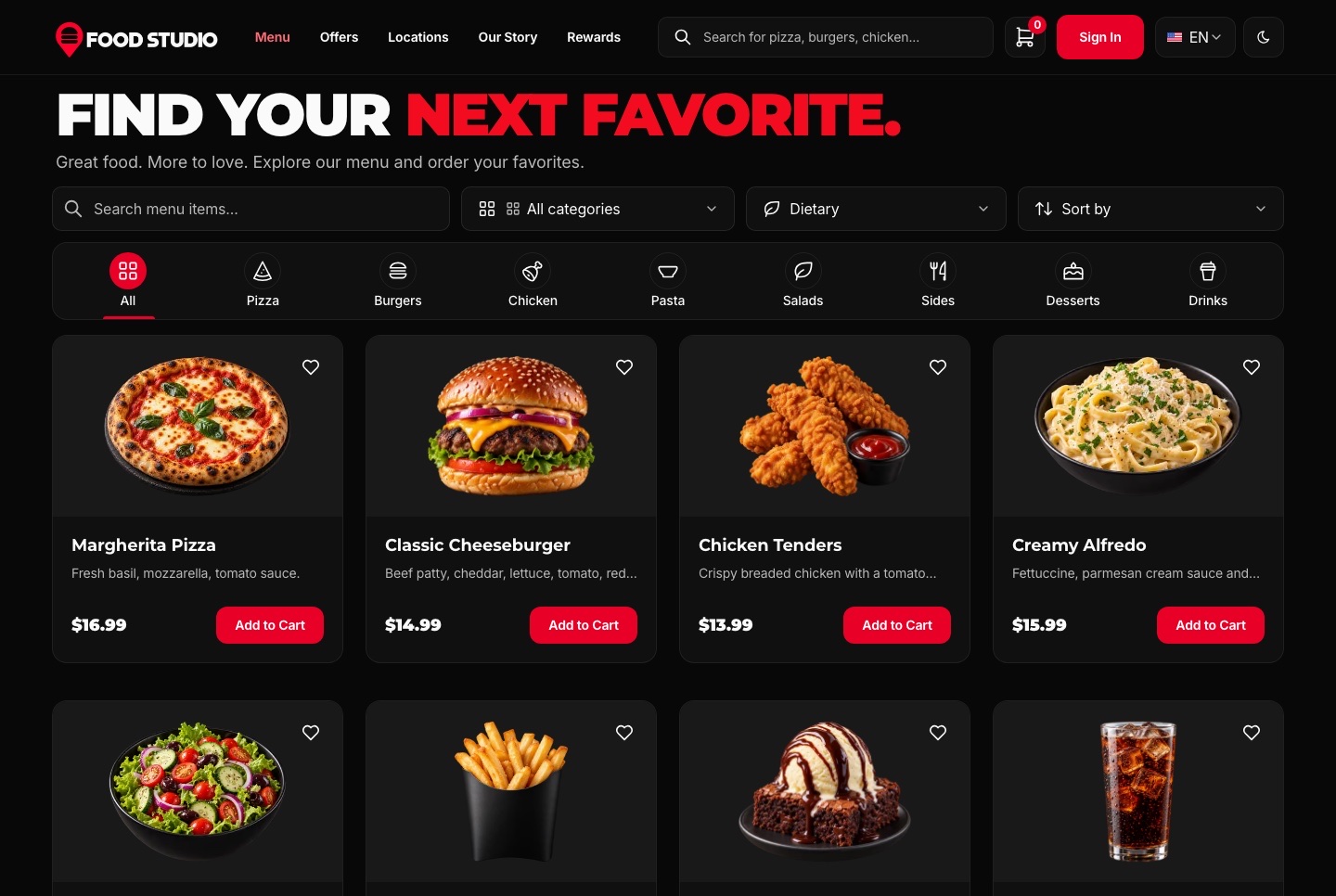
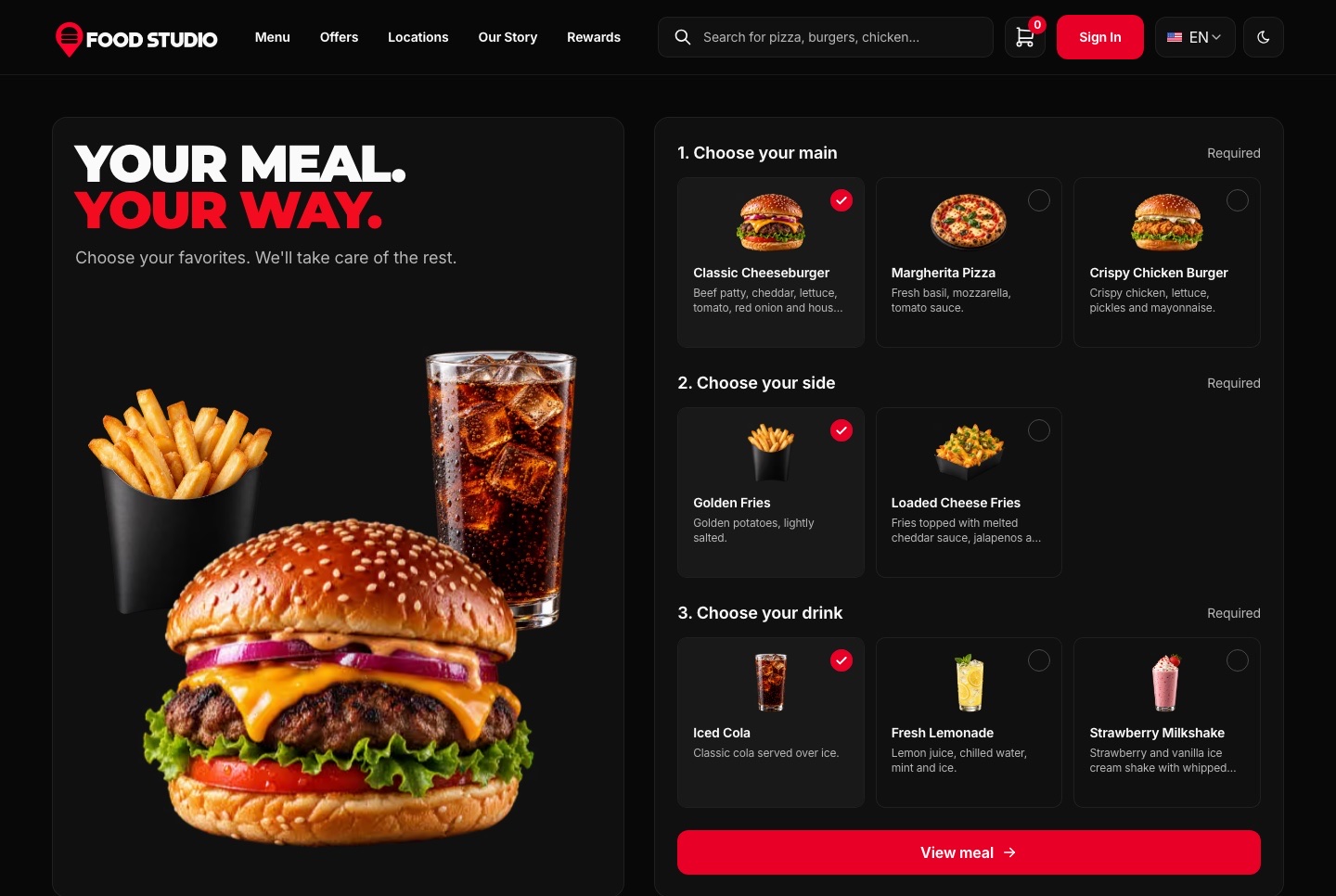
Food Studio is an ordering website with a menu, combos, a cart, checkout and order tracking, a staff and kitchen dashboard, and AI tools for dish photos. It suits an ordering service for restaurants and takeaway brands with several kitchens. Price: $149 Full Stack, from $39.
Velra: real estate listings and leads
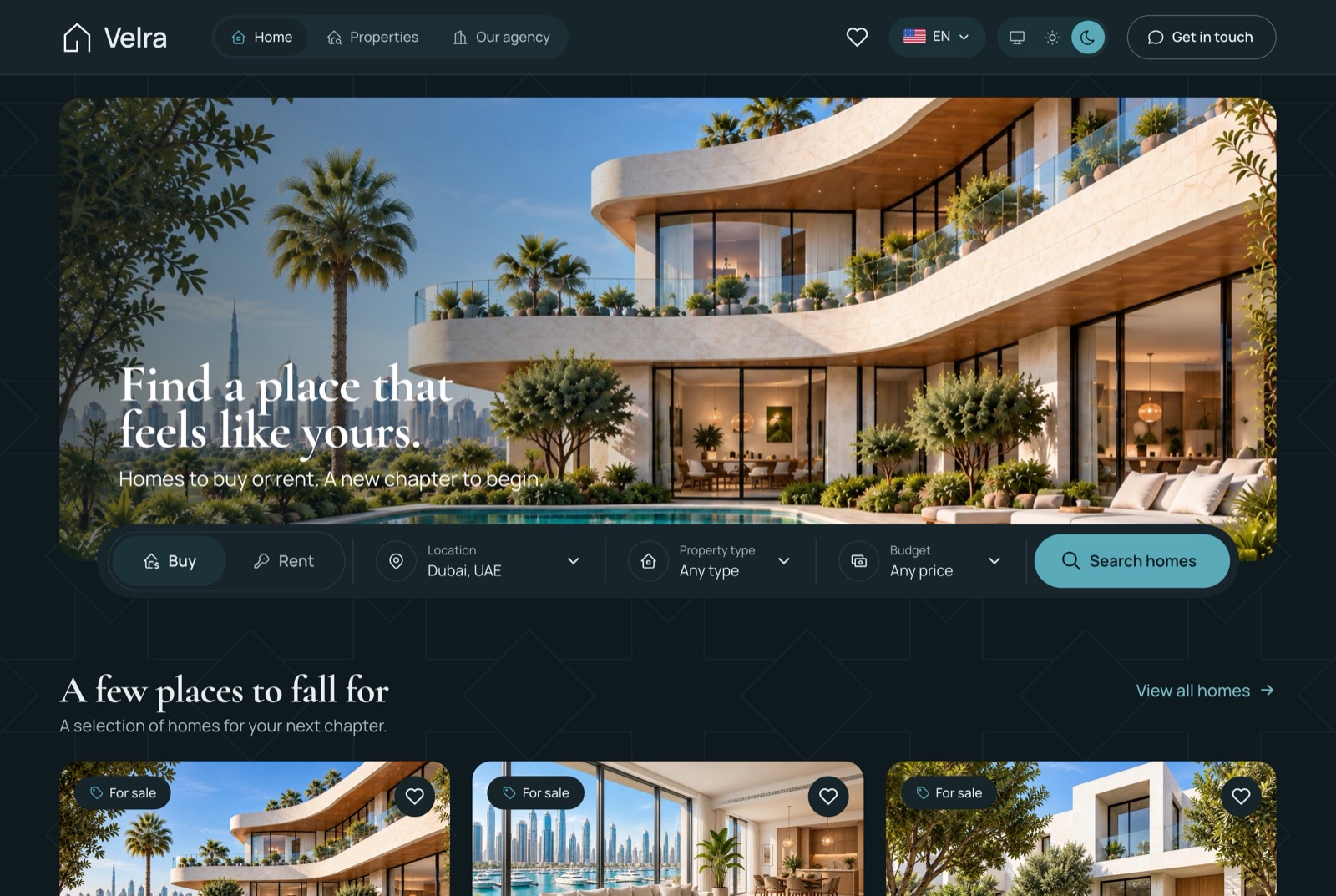
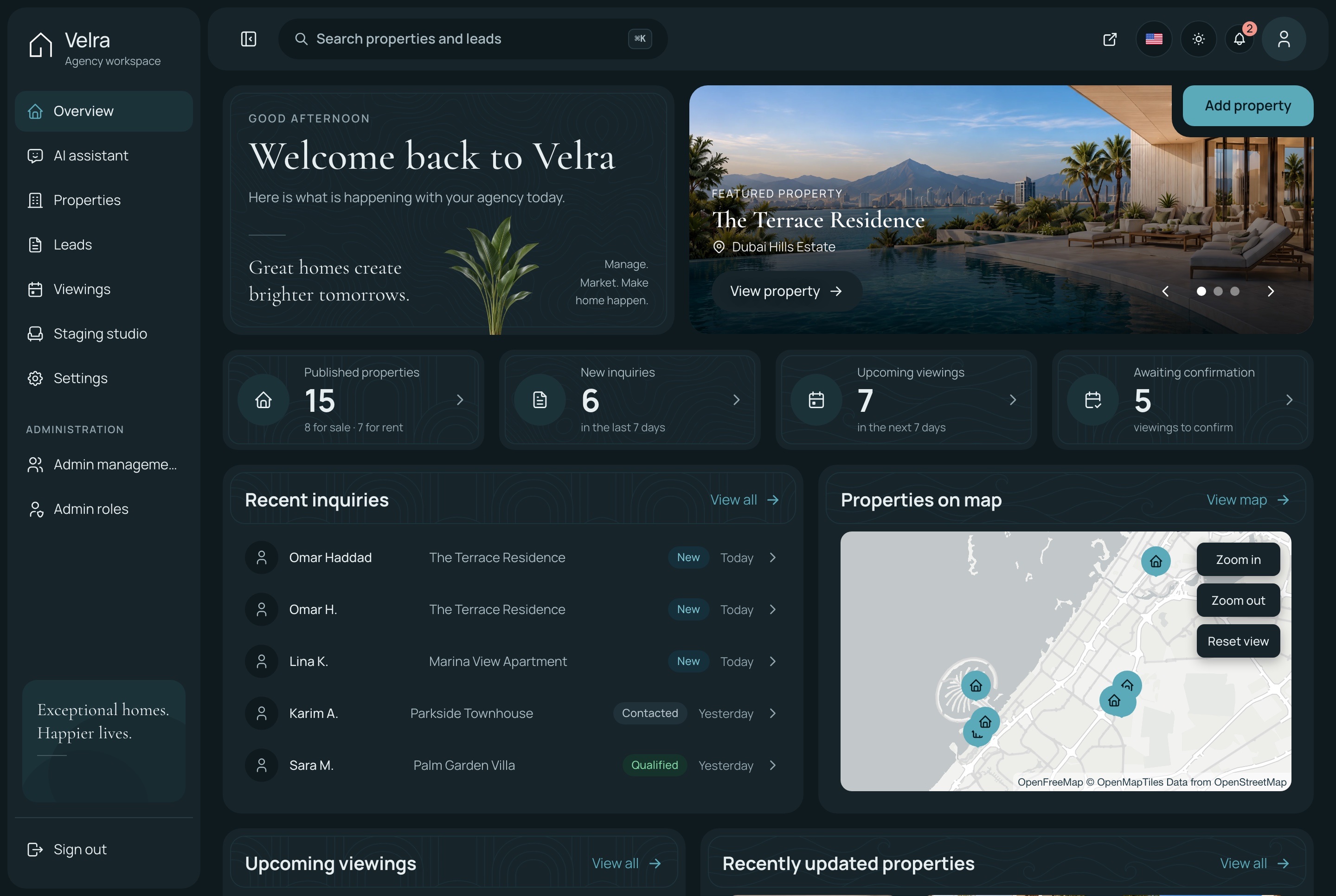
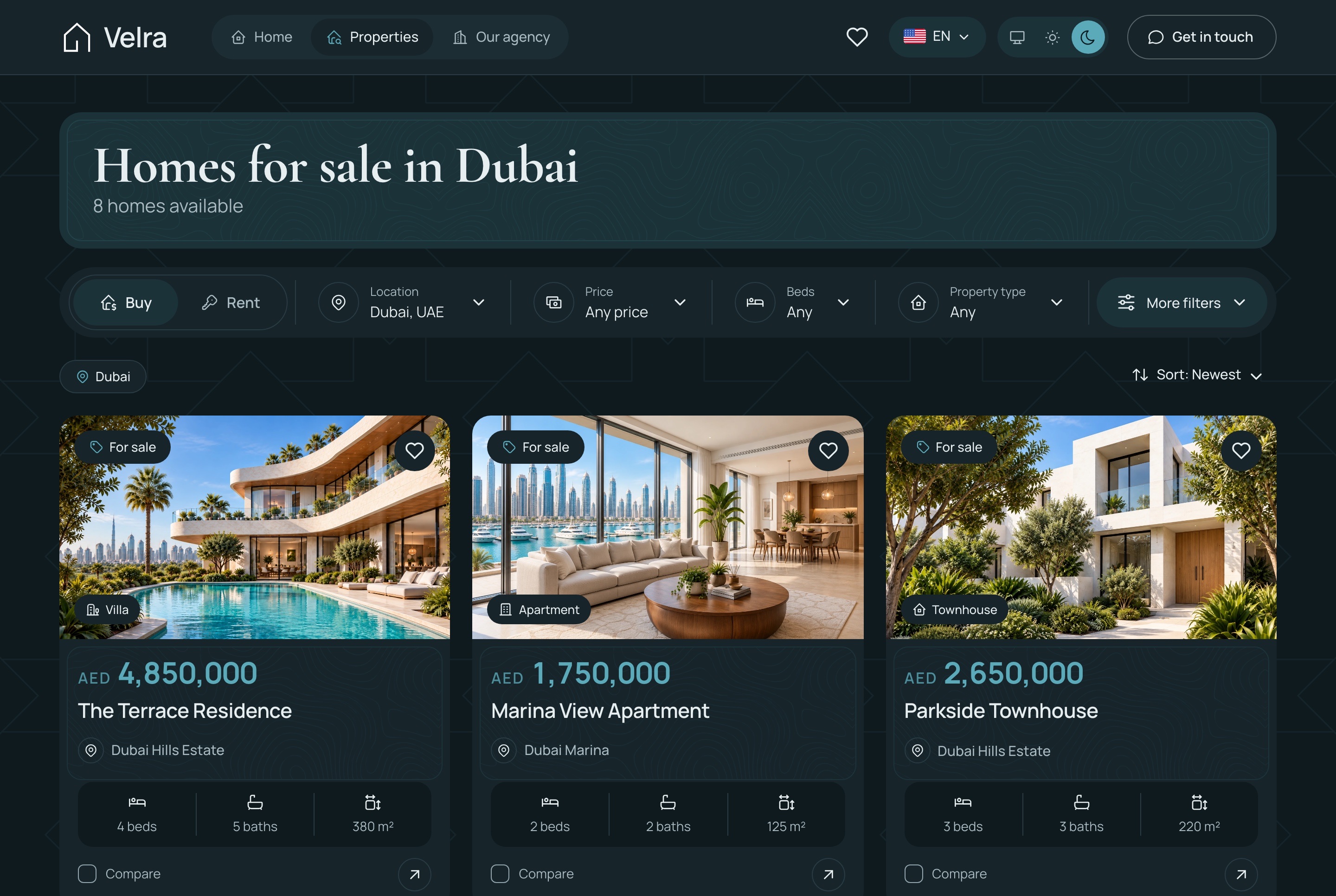
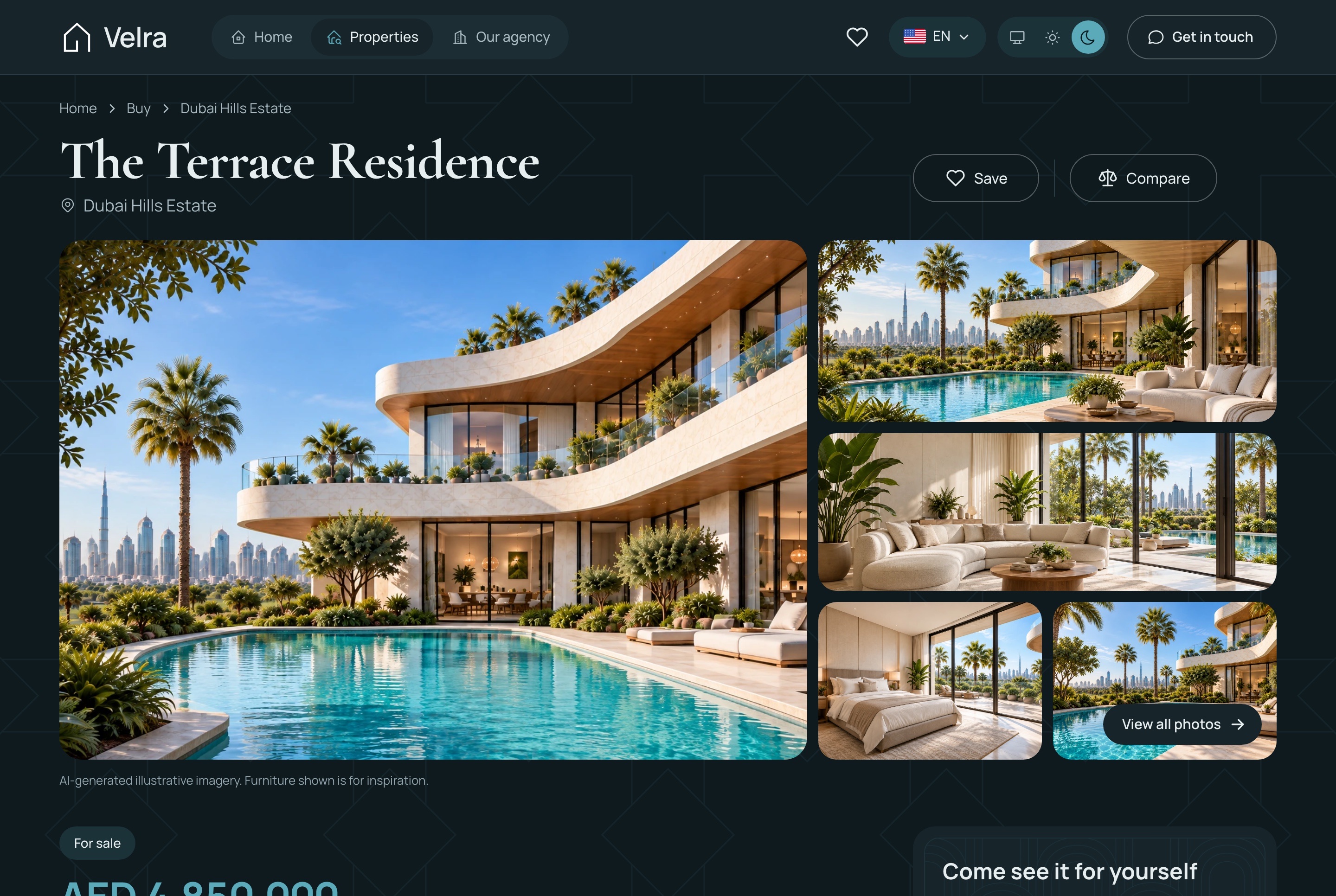
Velra is a listings website for buying and renting, an agency dashboard for properties, leads and viewings, and AI virtual staging. It suits a website and lead service for agencies. Price: $149 Full Stack, from $39.
Kinora: online fitness coaching
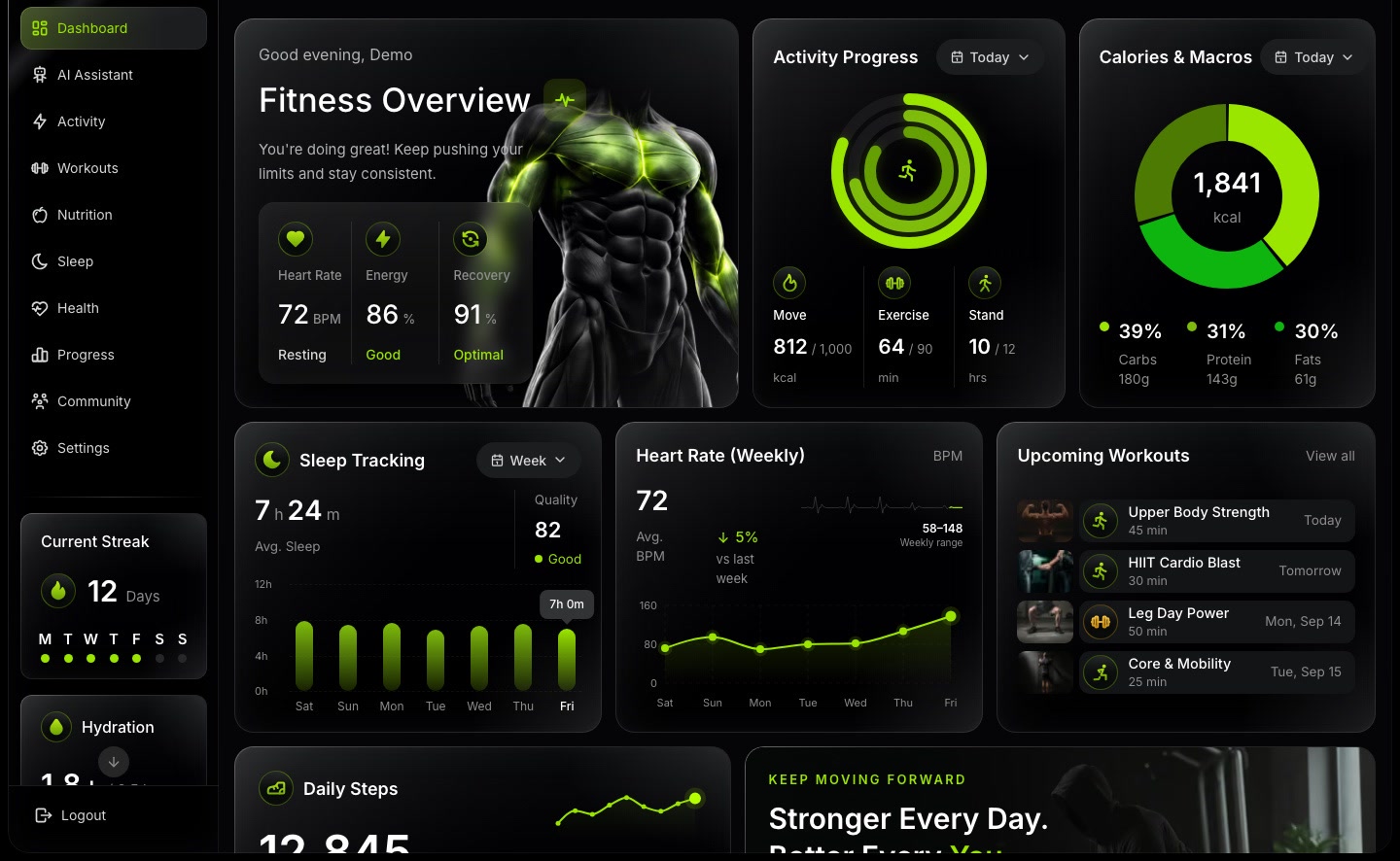
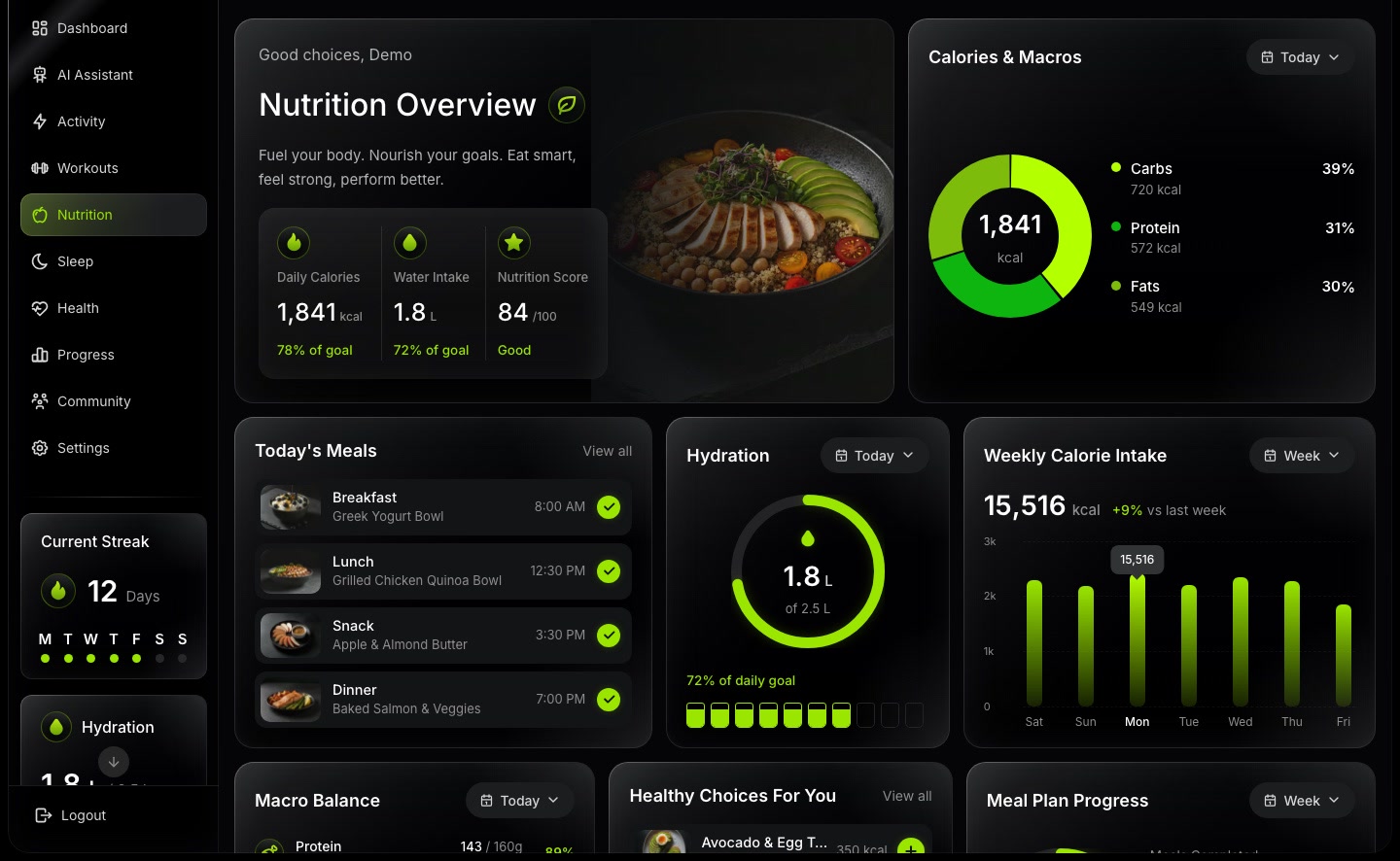
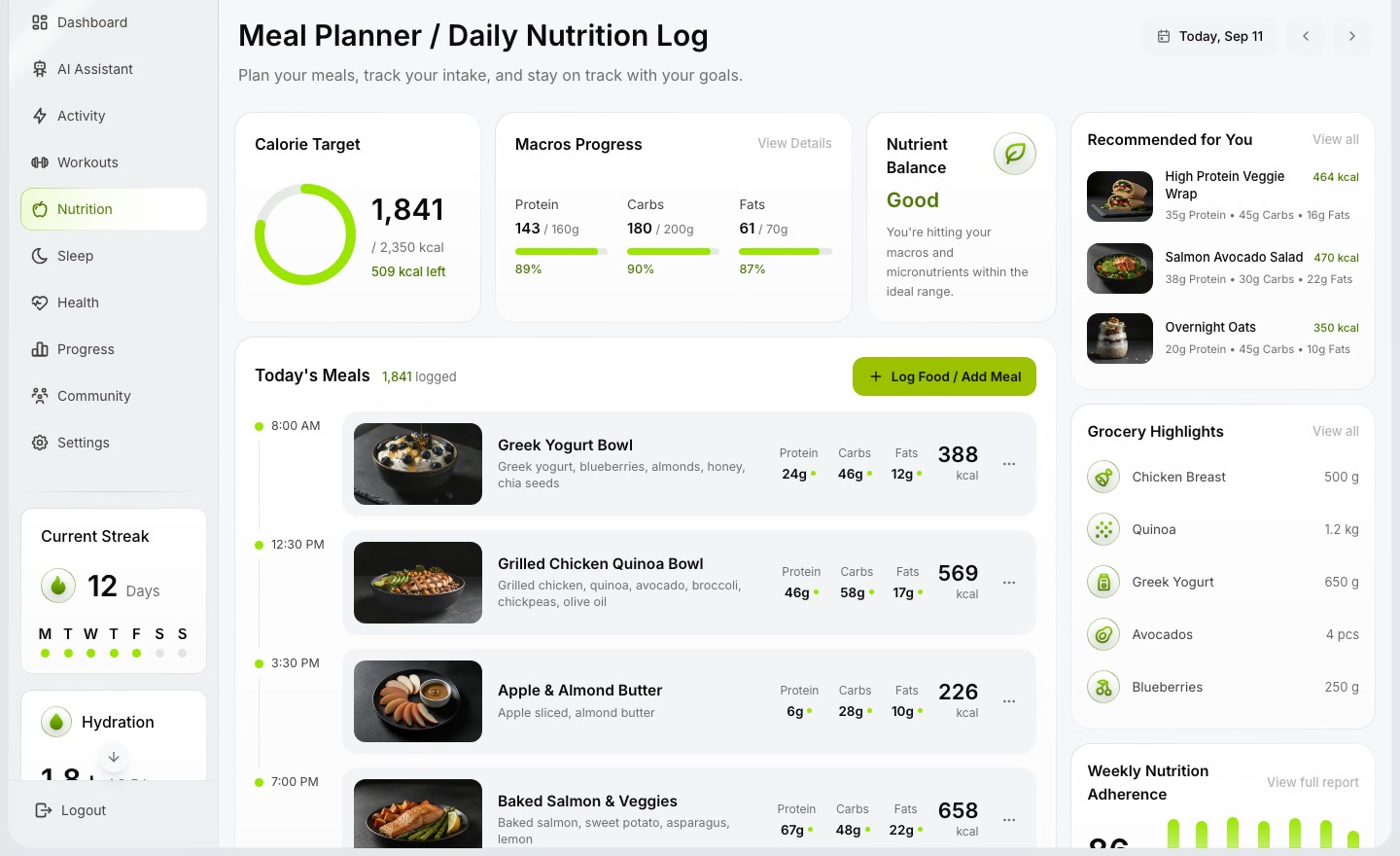
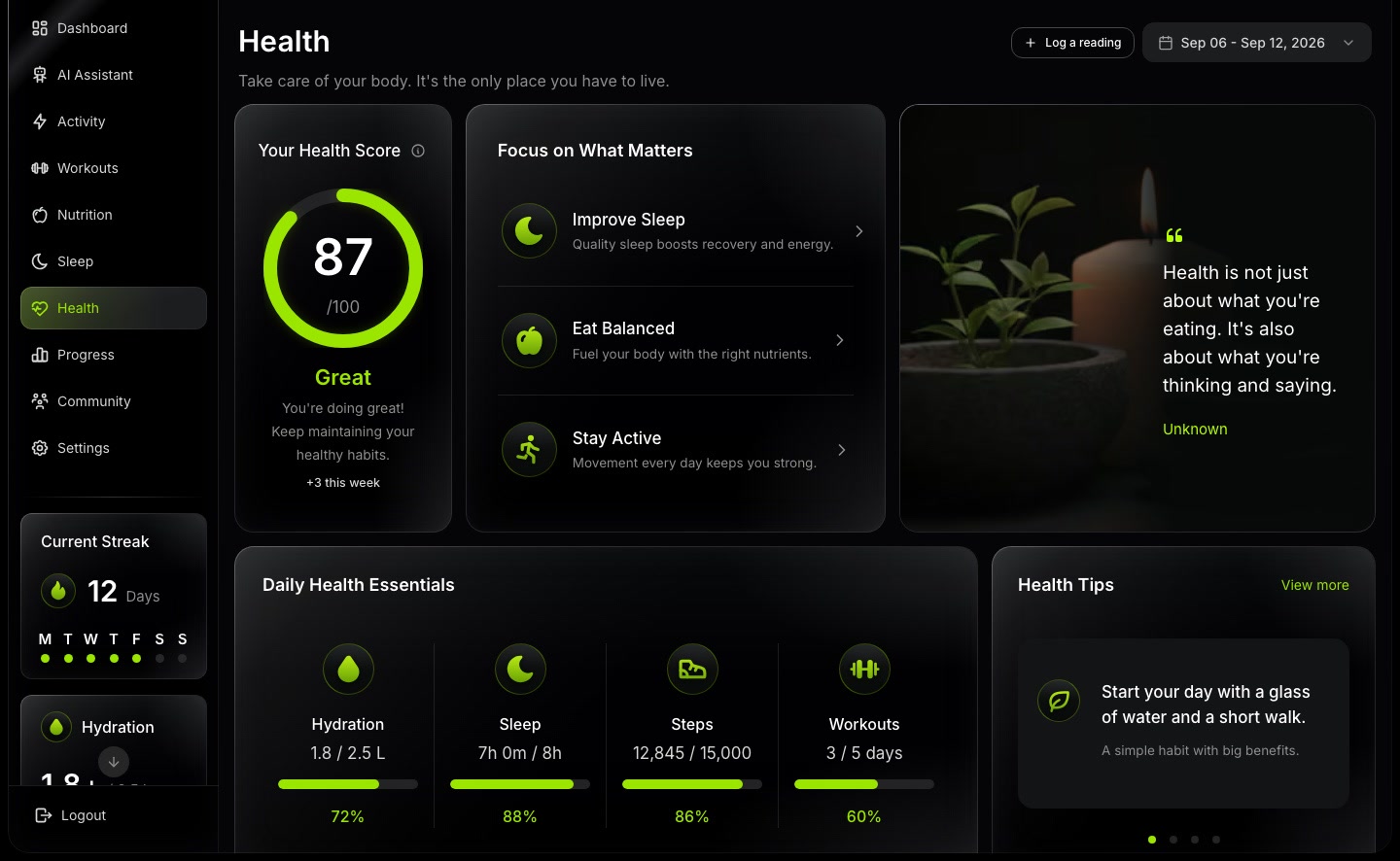
Kinora has coach and member dashboards, a client roster, a workout logger, a meal planner and an AI assistant. It suits a coaching platform for personal trainers and small gyms. Price: from $69, Full Stack $149.
Learnio: online courses with live classes

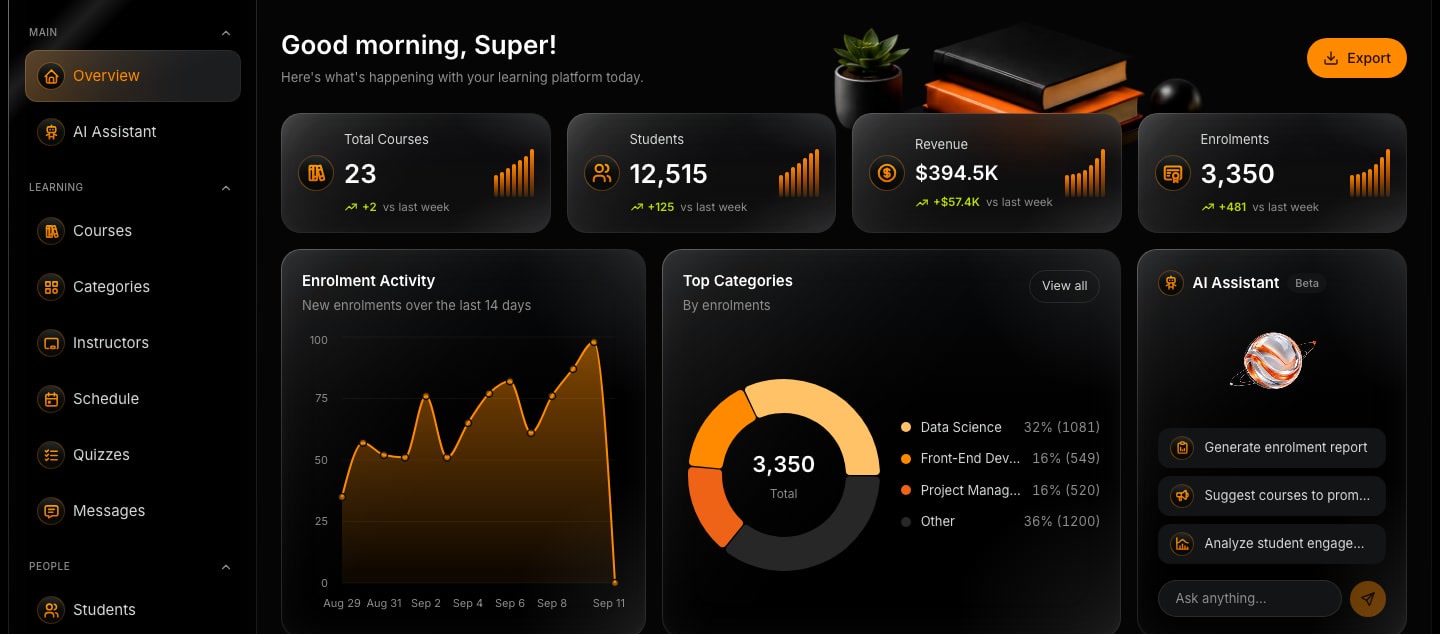
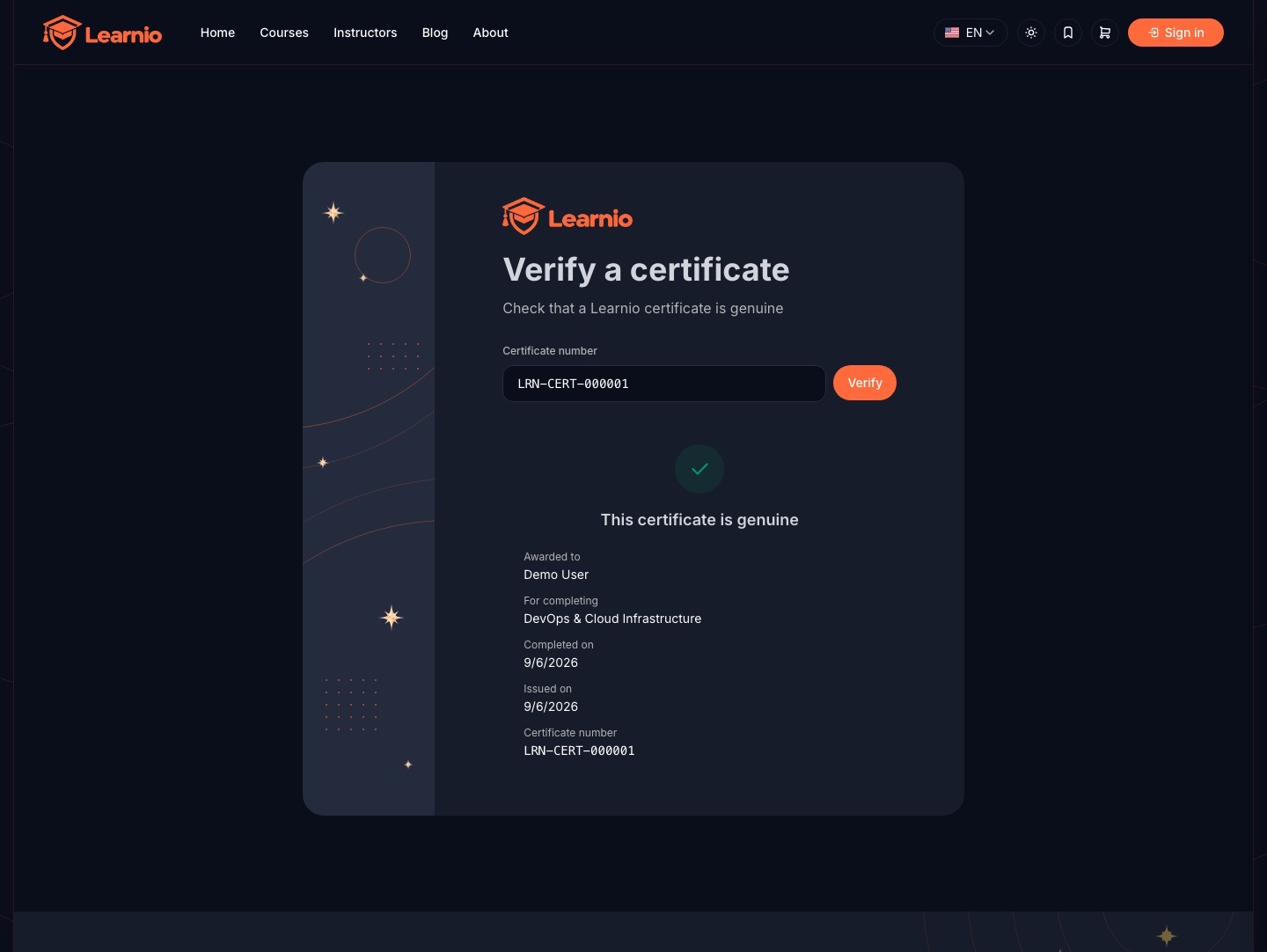
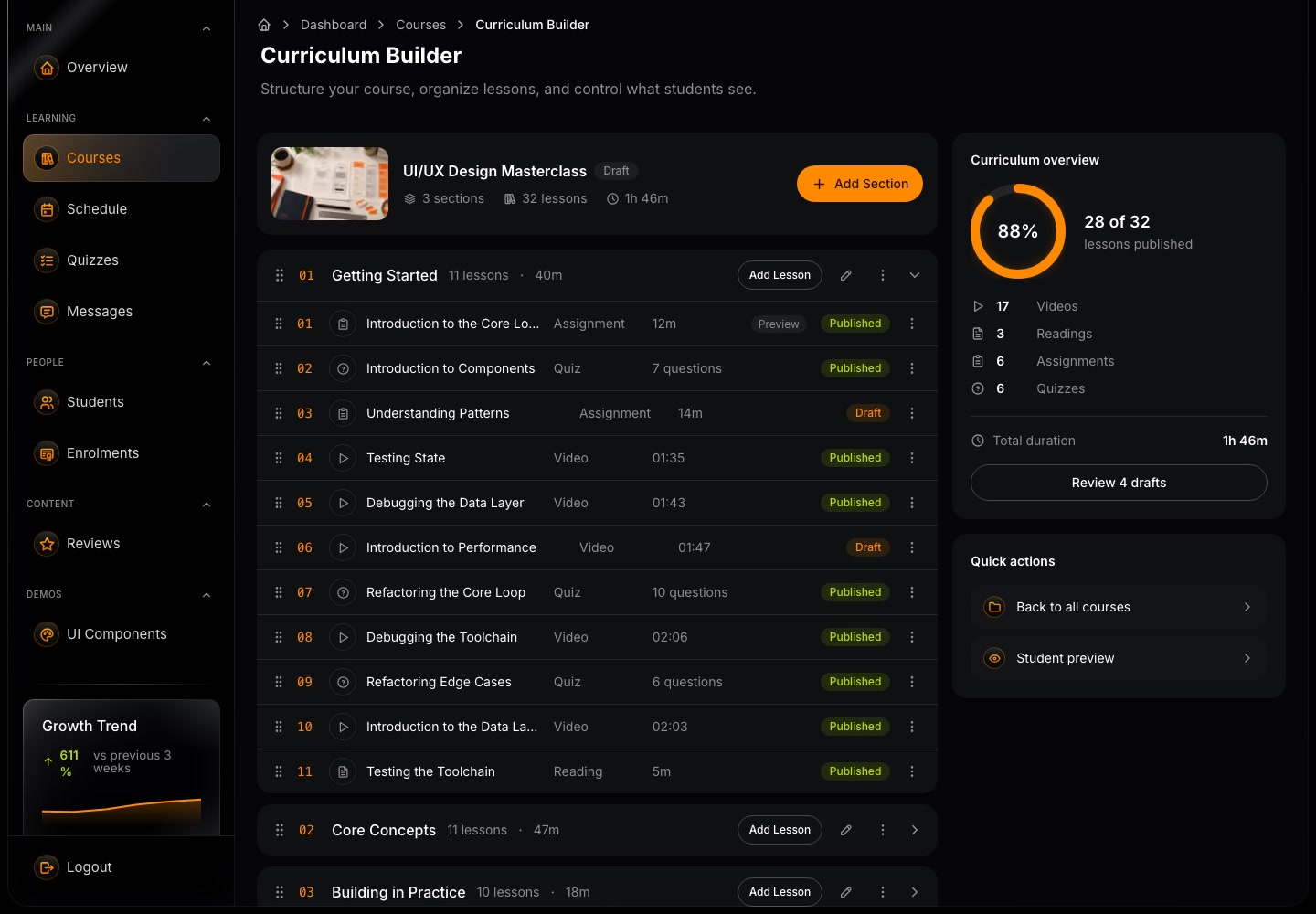
Learnio is a course website with Stripe checkout, quizzes, certificates and live classes, an admin and instructor dashboard and an AI assistant. It suits a course platform for an academy or a training company. Price: $149 Full Stack, from $39.
E-commerce: a store with an admin panel
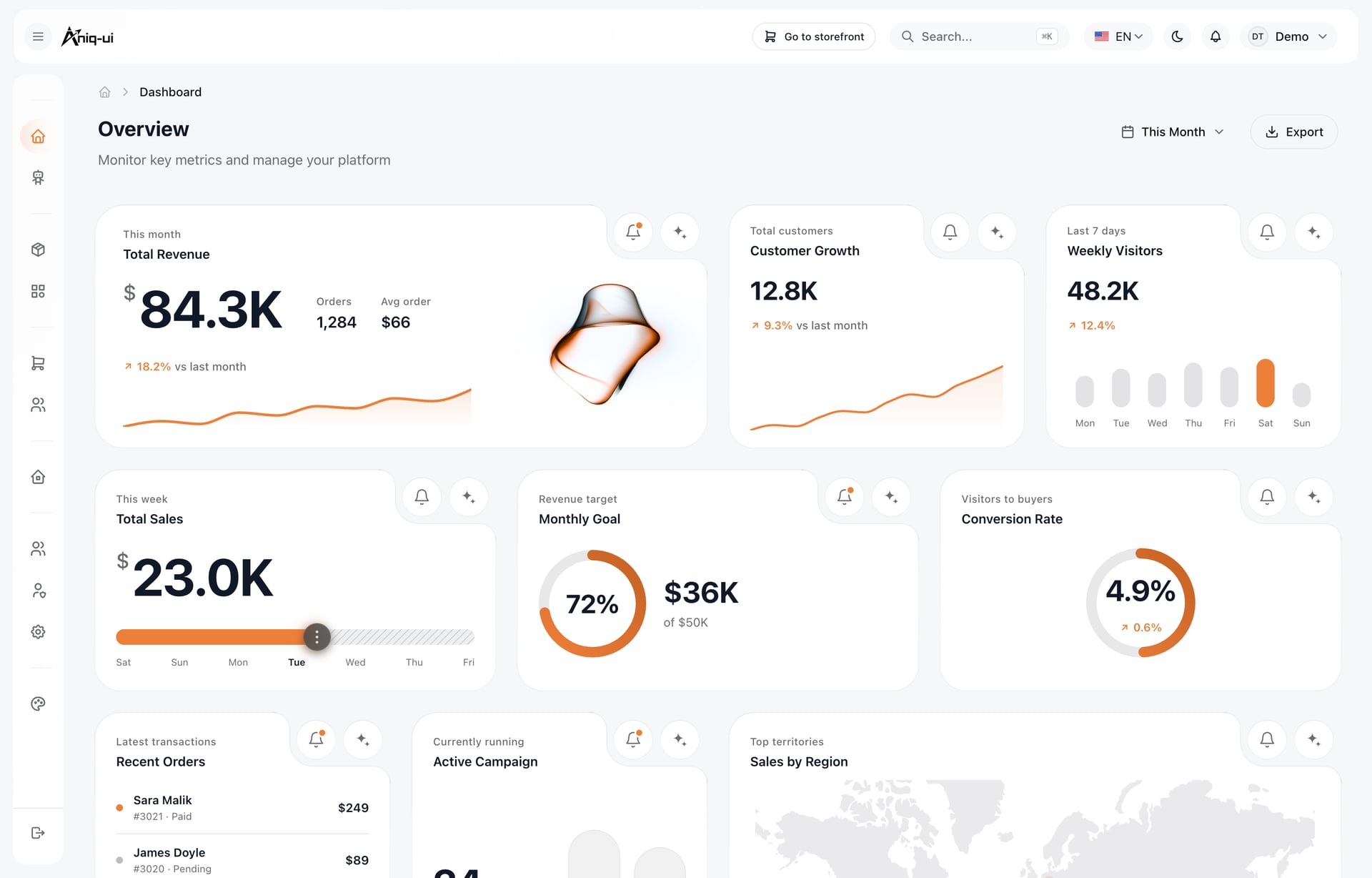
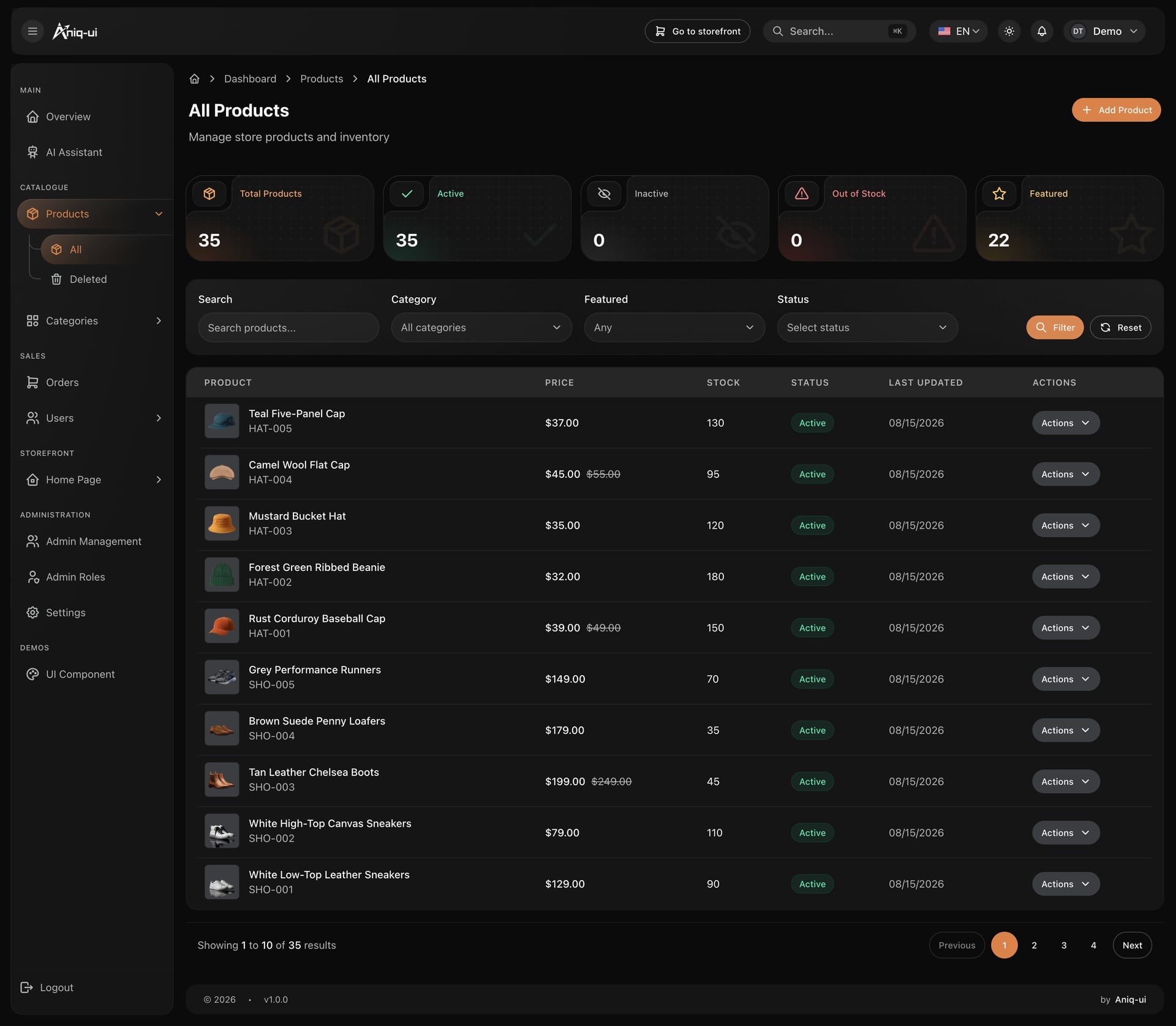
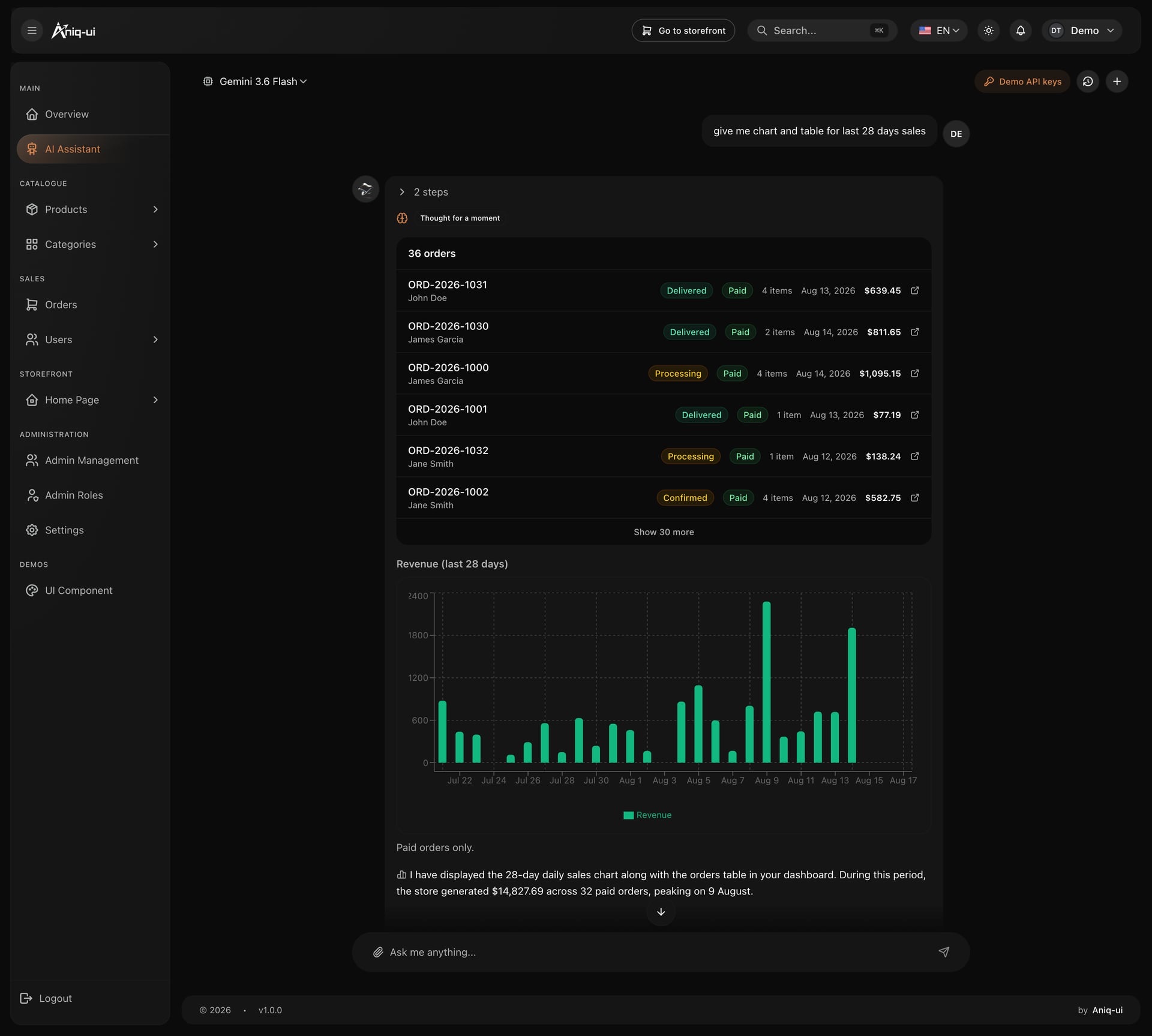
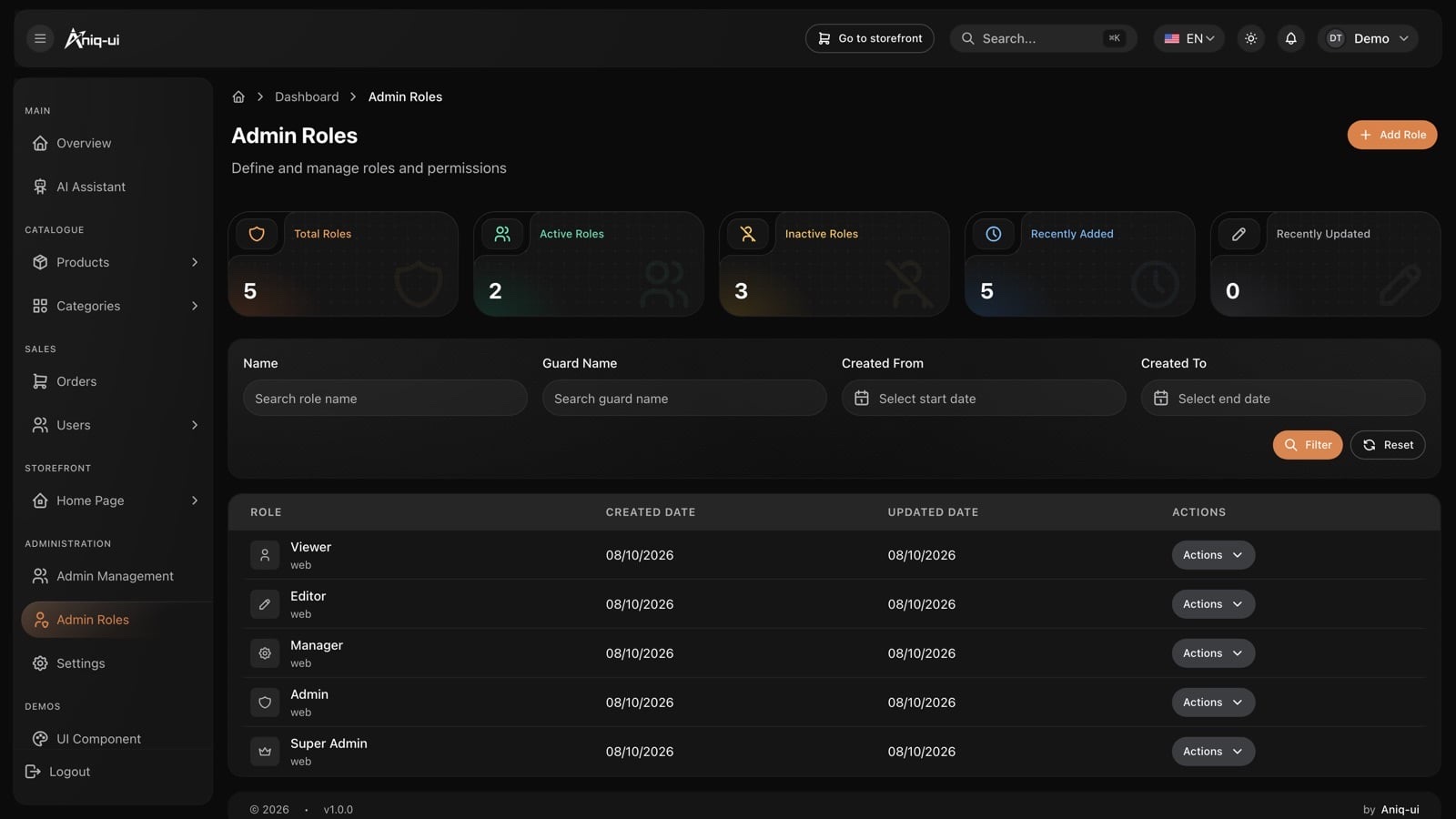
The e-commerce template is a fashion storefront with guest checkout and order tracking, an AI virtual try-on, and an admin dashboard with team roles. It suits a store-building service for brands that want their own shop. Price: $149 Full Stack, from $39.
4. A white label platform you rent
A white label SaaS is someone else's running software that you resell under your own brand. You get a reseller account and your own prices, not code. The best-known example for agencies is GoHighLevel, which calls itself an AI-powered business operating system. Its pricing page lists Starter at $97 a month, Unlimited at $297 and Founder at $497, with a 14-day trial; only Founder lists "SaaS mode with unlimited reselling" (checked November 2026).
Best when: you run an agency whose clients already want a CRM and marketing tools, and you would rather sell than build. Watch out for: you never own the product. Features are whatever the vendor ships, your service is down when theirs is, other resellers sell the same tool, and the fee is due before you have customers.
5. A no-code or AI app builder
No-code tools build apps from visual editors; AI app builders build them from prompts. Both host the result for you.
- Bubble: the Free plan has no live app or custom domain. Paid web plans start at $32 a month billed annually. Bubble's manual says apps run only on Bubble and cannot be exported as code.
- Lovable: Free gives 5 credits a day, up to 30 a month. Pro starts at $25 a month for 100 credits, with custom domains. Projects can be synced to GitHub on every plan.
- Replit: Core is $20 a month ($18 billed annually). The free plan gives one published app, which goes down after 30 days. Code can be downloaded as a ZIP or synced with GitHub.
Best when: you do not write code and want to try an idea on real users. Expect credits to run out quickly while you iterate. Watch out for: sign-in, payment and data rules that no one has reviewed; get a developer to check them before real money comes in. These builders are the wrong fit for a full-stack app with a database and an API, our Full Stack packages included: Lovable cannot run one, and we have not tried one on Replit.
The five ways compared
Prices from each product's own page on 22 November 2026.
| Way | Cost to start | Time to launch | Who owns the code | Monthly fees | Skills needed |
|---|---|---|---|---|---|
| From scratch | $0 for the code, plus build time | Longest: every part is yours to write | You | Hosting and services | Full-stack development |
| Boilerplate | Free to $226.85 once | Shorter: accounts and billing done, product screens not | You, under the kit's licence | Hosting and the kit's services | A developer who knows the stack |
| Ready-made app (Aniq UI) | $149 once for the Full Stack | Shortest of the owned routes: brand, connect, deploy | You get the full source; no reselling the code | Hosting, plus AI provider use if you turn it on | Docker and deploying, or an AI code editor |
| White label (GoHighLevel) | 14-day trial | Days: the platform already runs | The vendor | $497 a month for SaaS mode | Sales and support |
| No-code or AI builder | Free to try | Fast to a prototype, longer to a paid product | Bubble keeps it; Lovable and Replit export | From $20 to $32 a month | No code; clear product thinking |
Step 4: Set up the business basics
Every route needs the same few accounts. Prices checked on 22 November 2026.
Payments: Stripe or Paddle
Stripe charges 2.9% + 30¢ per domestic card payment in the US, plus 1.5% for international cards and 1% for currency conversion, with no monthly fee; Stripe Billing adds 0.7% of billing volume. You are the seller, so sales tax and VAT are yours to handle. Paddle charges 5% + 50¢ per transaction and acts as the merchant of record: it collects the right tax, files the returns and pays them for you. On a $29 sale, Stripe's card fee is about $1.14 and Paddle's about $1.95. Paddle costs more and saves you the tax work.
Domain and hosting
A .com at Porkbun is $11.81 a year with free WHOIS privacy; keep it in an account you control. A full-stack app with an API and a database runs on a small virtual server: DigitalOcean Basic Droplets start at $4 a month, with 2 GiB at $12 and 4 GiB at $24. If you host on Vercel, its terms limit the free Hobby plan to personal or non-commercial use; Pro is $20 a month per developer seat.
A mailbox on your domain for customers: Google Workspace Business Starter is $7 per user a month on an annual plan, or $8.40 on the flexible plan, in the US. A sending service for sign-up and receipt emails: Resend is free for 3,000 emails a month (100 a day), and Pro is $20 a month for 50,000.
Terms and privacy
Customers and payment providers expect terms of service (what you provide, how billing and refunds work) and a privacy policy (what data you collect and why). Write them for your actual product, and have a lawyer read them once you have revenue.
A legal structure
Many countries let you start selling as a sole trader and form a company later; a company separates your personal assets from the business. This is not legal advice. In the US, the Small Business Administration explains how to choose a business structure; elsewhere, start at your government's business registry. As one example of cost, Stripe Atlas forms a Delaware corporation or LLC for $500, then $100 a year for the registered agent after the first year.
What it costs in the first year
The basics come to $239.81: a .com domain ($11.81), one Google Workspace mailbox on the annual plan ($84) and a 2 GiB server ($144), with email sending on Resend's free plan. A 4 GiB server adds $144. Payment fees come out of each sale and are not in the totals.
| Way to get the product | Product | Basics | First year, before payment fees |
|---|---|---|---|
| From scratch or Next.js SaaS Starter | $0 | $239.81 | $239.81, plus build time |
| ShipFast Starter | $199 once | $239.81 | $438.81, plus build time |
| Makerkit Pro (launch price) | $226.85 once | $239.81 | $466.66, plus build time |
| Aniq UI Full Stack (Northstack or a niche app) | $149 once | $239.81 | $388.81 |
| GoHighLevel Founder (SaaS mode), monthly | $497 x 12 = $5,964 | $95.81 (domain and mailbox) | $6,059.81 |
| Bubble Starter, billed annually | $32 x 12 = $384 | $95.81 | $479.81 |
| Lovable Pro, 100 credits a month | $25 x 12 = $300 | $95.81 | $395.81 |
| Replit Core, monthly | $20 x 12 = $240 | $95.81 | $335.81 |
Hosted builders and the white label platform include hosting; usage beyond a plan's credits costs extra. A company, a lawyer and marketing come on top of every row.
Step 5: Price it
- Price on the value, not on your costs. If your tool saves a restaurant three hours a week, compare the price with three hours of staff time, not with your $12 server.
- Pick a model that grows with the customer. Flat monthly pricing is simplest; tiers sell to small and large customers; per seat fits team tools; usage pricing fits API products. Northstack ships plans with usage limits and seats.
- Offer annual billing at a discount. It brings cash in early and fewer customers leave.
- Start higher than feels comfortable. Lowering a price is easy; raising it on existing customers is not.
- Know your fee per sale. Fixed fees hurt cheap plans most: on a $29 plan Stripe keeps about $1.14 and Paddle about $1.95.
Step 6: Launch and get the first customers
- Go back to the people you interviewed. Offer them a founding price in return for feedback.
- Sell by hand: emails, calls and messages to people in the niche. It does not scale, and it teaches you what makes them say yes.
- Be useful where your buyers gather, in industry groups and forums, and mention the product when it is the answer.
- Write for search: guides that answer your buyers' questions keep bringing visitors.
- Then announce it on launch sites and newsletters, once you have customers and real screenshots.
If your market reads Arabic, a product that works right to left from the first screen is a selling point in itself. Every Aniq UI app ships Arabic and English with a language switcher.
Step 7: Run and improve it
- Watch three numbers: monthly recurring revenue, the share of customers who cancel each month, and how many sign-ups reach the moment the product is useful.
- Answer support fast. Early on it is your best source of product ideas.
- Keep it safe: automatic database backups, updates for the server and the code, and keys never stored in the code.
- Ship small improvements often and list them in a changelog; Northstack's website has a changelog page for this.
How to choose the way to start
Who will run the server?
If nobody on your team can deploy an app, set environment keys and restore a backup, choose a hosted route or budget for a developer. A ready-made app or a boilerplate is only fast if someone can run it.
Do you need to own the code?
Owning the code means you can change anything, move hosts and one day sell the business with its software. If the software is what makes you different, own it.
One payment or a monthly fee?
A boilerplate or a ready-made app is paid once; a platform fee is paid every month. GoHighLevel's SaaS mode is $5,964 a year on monthly billing, before your first customer.
Which languages does your market read?
When your buyers read Arabic, test every screen right to left, not just the home page. Each Aniq UI app has both English and Arabic, lays its pages out right to left in Arabic, offers light and dark themes, and keeps its text in message files you can translate.
What does the licence allow?
With Makerkit, every client project needs a licence of its own, while the Next.js SaaS Starter is MIT. An Aniq UI licence allows you to host the app as your own branded product and charge people to use it, or to build it for a client. What it does not allow is reselling or giving away the code itself.
Common mistakes
Building before anyone has paid
Months of building for a problem nobody pays to solve is the costliest mistake on this list. Five pre-orders from strangers are worth more than any feature list.
Spending the first months on parts every SaaS has
Sign-in, teams, billing pages and settings are necessary and invisible. Customers pay for the feature they cannot get elsewhere, so start from a kit or a ready-made app and spend your time there.
Renting a platform you cannot leave
A white label platform or a builder that keeps your code is fine for testing and risky as the whole business: prices, features and terms can change, and leaving means rebuilding.
Selling the code instead of the service
Template licences, ours included, let you run the software as your service or build it for a client, not resell the source code. Your customers pay for access to your running product, which is the business you want anyway.
FAQ
How much does it cost to start a SaaS?
From about $60 to over $6,000 in the first year, depending on how you get the product. With prices checked on 22 November 2026, the basics (a .com domain, one business mailbox and a 2 GiB server) come to $239.81 a year. An Aniq UI Full Stack app adds $149 once ($388.81 in total), ShipFast $199 once, and an AI or no-code builder $20 to $32 a month. A white label platform in SaaS mode costs $497 a month. Payment fees come out of each sale.
Can I start a SaaS without coding?
Yes. A no-code builder such as Bubble or an AI app builder such as Lovable or Replit lets you build and host a product without writing code, and a white label platform lets you resell a finished one. The trade-offs are monthly fees, limits on what you can change and, with Bubble, no code export. A ready-made full-stack app needs someone to run a server, or an AI code editor.
Can I start a SaaS with no money?
Almost. Validation costs only time, the Next.js SaaS Starter is free, and Resend sends 3,000 emails a month for free. The hard minimum is a domain ($11.81 a year) and a server ($4 to $12 a month), about $60 to $156 for the first year. Free hosting plans are limited: Vercel's Hobby plan is for non-commercial use, Bubble's Free plan has no live app, and Replit's free published app goes down after 30 days. Stripe and Paddle charge per sale, not up front.
Do I need a company to start a SaaS?
Not always to start. In many countries you can sell as a sole trader and form a company as revenue grows; a company separates your personal assets from the business. Rules differ by country: check your government's business registry or, in the US, the SBA's guide, and speak to an accountant. This is not legal advice.
How long does it take to launch a SaaS?
It depends most on how you get the product. A white label platform can be selling within days. A ready-made app can run on your computer the same day (in our test, Food Studio's full stack ran about 4.5 minutes after unzipping); launching it is the time to brand it, connect payments and deploy. A boilerplate leaves your product's screens to build, and building from scratch takes longest.
Can I sell a SaaS built on a template?
Yes, with an Aniq UI template. You can host it as your own product under your brand and have customers pay to use it, or deliver it to a client. The licence does not allow reselling, redistributing or sublicensing the source code, sharing the licence, or building a competing product or template marketplace with it. If you use another kit, check its licence first.
Price list
Prices as of 22 November 2026. Each is a single payment and includes free updates, a commercial licence and a 14-day refund policy.
- Northstack SaaS starter: Full Stack $149; website $39, workspace dashboard $49, Backend API $99
- Ticketory event ticketing: Full Stack $149, from $39
- Hollina vacation rental, Food Studio restaurant, Velra real estate, Learnio LMS, E-commerce: Full Stack $149, from $39
- Kinora fitness coaching, Dashboard with AI Assistant: from $69, Full Stack $149
- Bundle of 10 premium templates: $199 (list $499)
Related guides
- Best Next.js SaaS Templates and Starter Kits for 2026
- How to Launch a SaaS Website in English and Arabic With Next.js
- How to Build a SaaS Admin Panel With an AI Assistant in Next.js
- Best AI App Builders: 8 Compared, 3 Tested With One Template (2026)
- Vibe Coding Templates: 9 Things to Check, and 12 to Start From (2026)
- How to Build a Restaurant Online Ordering System with Next.js
- Event Ticketing Website Templates (2026) with Seat Maps
Sources
- Stripe, how to start a SaaS business: stripe.com/resources
- Sage, steps to build a SaaS business: sage.com
- Next.js SaaS Starter: github.com/nextjs/saas-starter
- ShipFast: shipfa.st
- Makerkit: makerkit.dev, makerkit.dev/pricing
- GoHighLevel: gohighlevel.com/pricing
- Bubble: bubble.io/pricing, app and data ownership
- Lovable: subscription plans, GitHub integration
- Replit: replit.com/pricing, plans
- Stripe: stripe.com/pricing, stripe.com/atlas
- Paddle: paddle.com/pricing
- Porkbun: porkbun.com/tld/com
- DigitalOcean: digitalocean.com/pricing/droplets
- Vercel: vercel.com/pricing, terms of service
- Google Workspace Business Starter US prices: knowledge.workspace.google.com
- Resend: resend.com/pricing
- US Small Business Administration: choose a business structure
- Aniq UI template pages, prices and terms and conditions, checked on 22 November 2026.
Checked November 2026.
You might also like
White Label SaaS: 8 Apps to Own, 4 Platforms to Rent (2026)
White label SaaS two ways: rent a reseller platform from $99 a month, or own a full-stack app for $149 that you rebrand, host and sell. Prices checked.
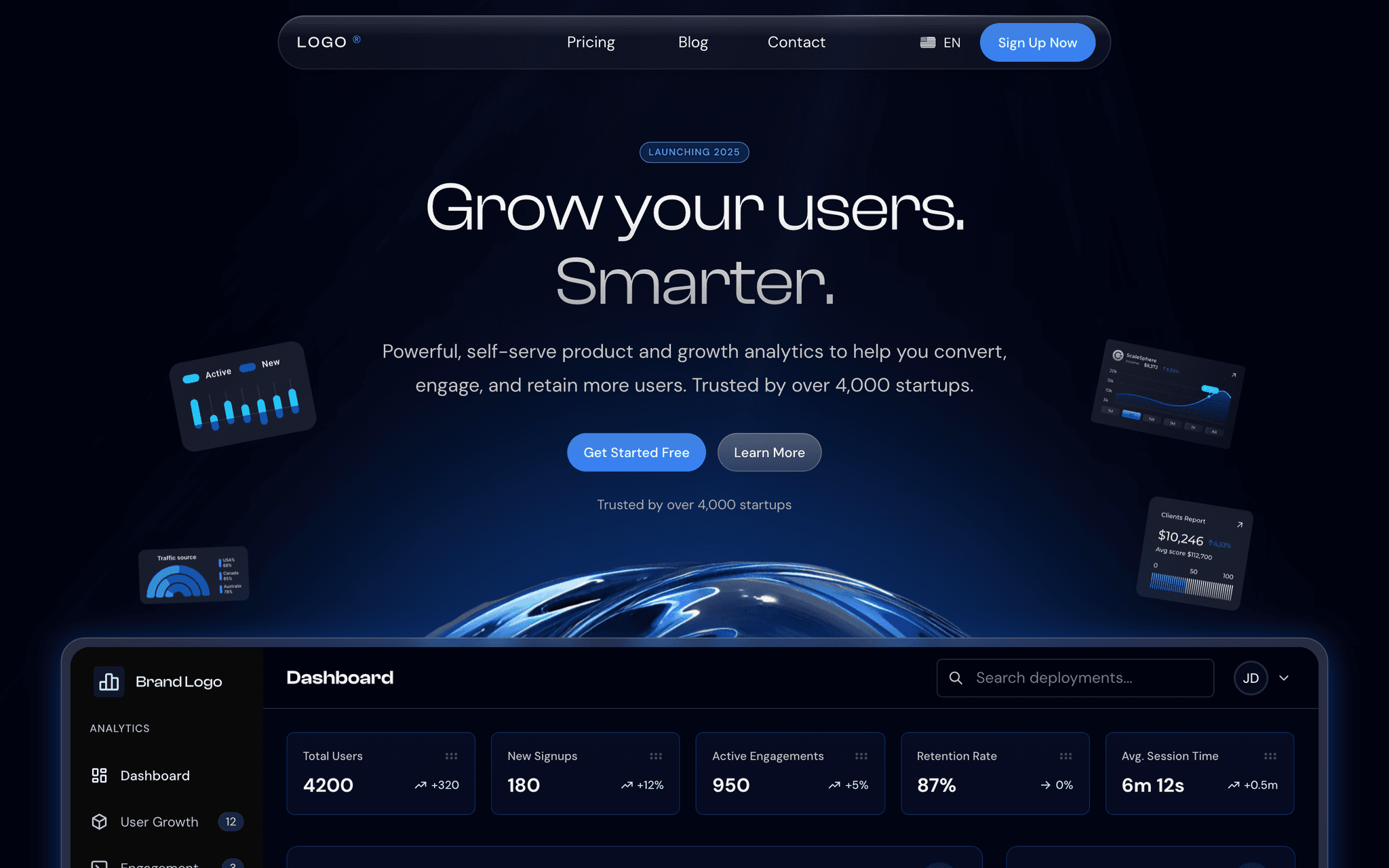
How to Design a Landing Page: Steps and Ready Templates
Design a landing page that converts: the 7 sections in order, Arabic RTL tips, speed and SEO basics, common mistakes, and ready templates, free or $39.
Event Ticketing Website Templates (2026) with Seat Maps
Compare 8 event ticketing website templates for 2026: seat maps, QR tickets, door check-in and payouts, in Next.js, PHP, WordPress and open source.
