Vibe Coding Templates: 9 Things to Check, and 12 to Start From (2026)
Vibe coding templates, checked: sample data with no keys, guides the AI reads, two languages, a client licence. Then 12 by job, free to $69, each with its tool.
Vibe coding templates are finished projects you hand to an AI tool, so that it changes a working site instead of inventing one. A good one runs at once, is easy for the AI to find its way around, and survives changes in both languages. Below is a nine-point checklist for any template from any seller, then twelve of ours by job, from free to $69, each with the tool that fits.
What vibe coding means
Vibe coding is building software by describing what you want in plain words and letting an AI write the code, then judging the result by using it rather than by reading the code. Andrej Karpathy coined the term in a post on X on 2 February 2025, and later wrote on his blog that "with vibe coding, programming is not strictly reserved for highly trained professionals, it is something anyone can do." Collins Dictionary made it its Word of the Year 2025 and describes it as using AI, prompted by natural language, to write computer code.
A vibe coding template, sometimes sold as a vibe coding starter or a vibe coding boilerplate, is the finished project you start from. The AI's job shrinks from designing a site to changing one: your name, your colour, your words, your pictures.
Why a template beats a blank prompt
A blank prompt asks the AI to decide everything: the pages, the layout, the wording and how the code is organised. It decides differently each time, and every correction costs another prompt. A template removes those decisions: the pages exist and were checked before you arrived, so the AI only changes what is yours.
The full case is in Template or Blank Prompt? Why AI Builds Go Better From a Template.
What to look for in vibe coding templates: 9 checks
Use these on any template, ours or anyone else's. You can confirm each one from the product page, the demo or the file list before you spend a prompt.
It runs before you change anything
- 1. It runs on sample data, with no API and no .env. An AI tool starts a project that needs nothing, and gets stuck on one that wants a database or secret keys first. Our website and dashboard packages run on built-in sample data, with no .env file to fill in.
- 2. No paid service is needed to start. Payments and email should stay off or in test mode until you connect your own accounts. On our templates no real account is needed, and a checkout is a test payment.
- 3. The download is small. A small project uploads and builds quickly and gives the AI less to read. The Financial Dashboard we tested is a 6.5 MB ZIP; Lovable accepts uploads up to 250 MB.
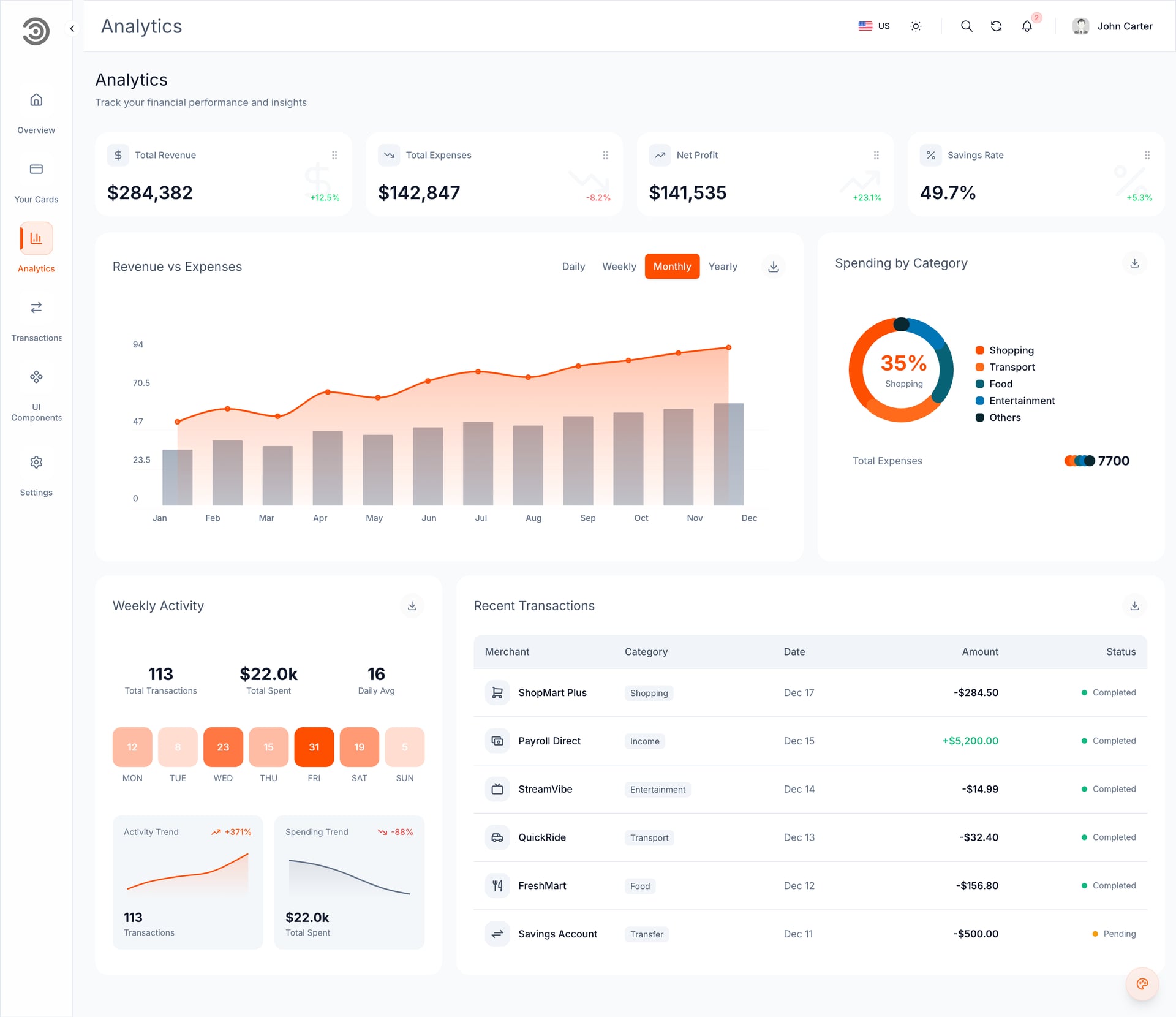
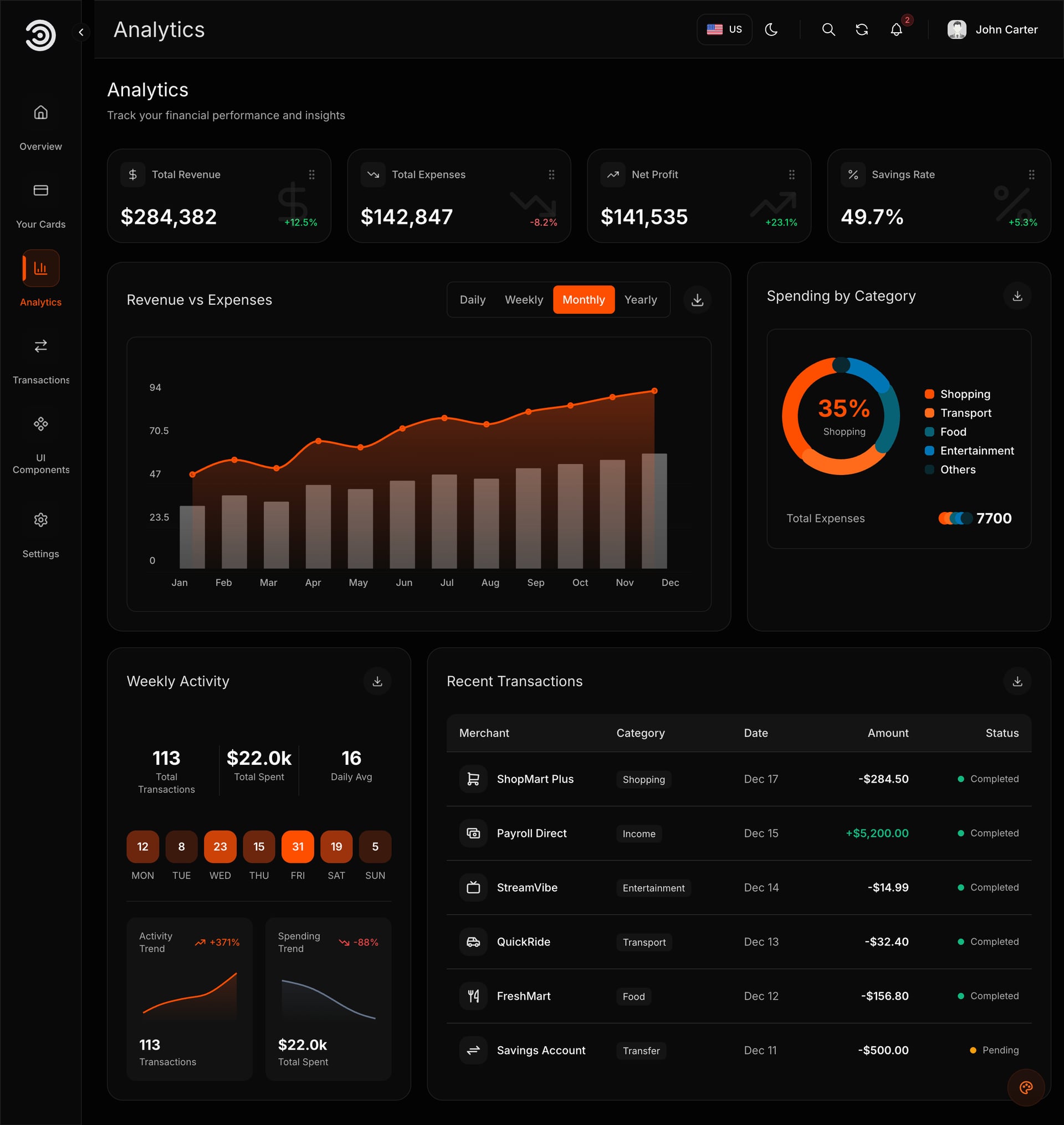
Demo video: Financial Dashboard
The AI can find its way around
- 4. One clear folder per app. When the website, the dashboard and the API each have their own folder, the AI changes the right one. Our single packages are one folder; a Full Stack package has one folder per app, each with its own quick start.
- 5. Written guides the AI can read. Guides in the download tell the AI how the project is laid out, so it reads instead of guessing. Ours are Markdown files in the ZIP, such as a README and a licence file, and the larger templates add a quick start, a branding guide and a note on the sample data.
- 6. A prompt ready to paste. The first message decides whether the AI runs the template or rebuilds it. Ours, from the Open with AI window, tells the AI to run the built version first, ask for your brand details, keep both languages and read the template's guides before publishing.
The result is ready for real customers
- 7. Both languages live in message files. When the words sit in a file per language, apart from the page code, the AI can change the business name in English and Arabic together. Our paid templates work this way, and in our test Replit and Lovable both changed both languages.
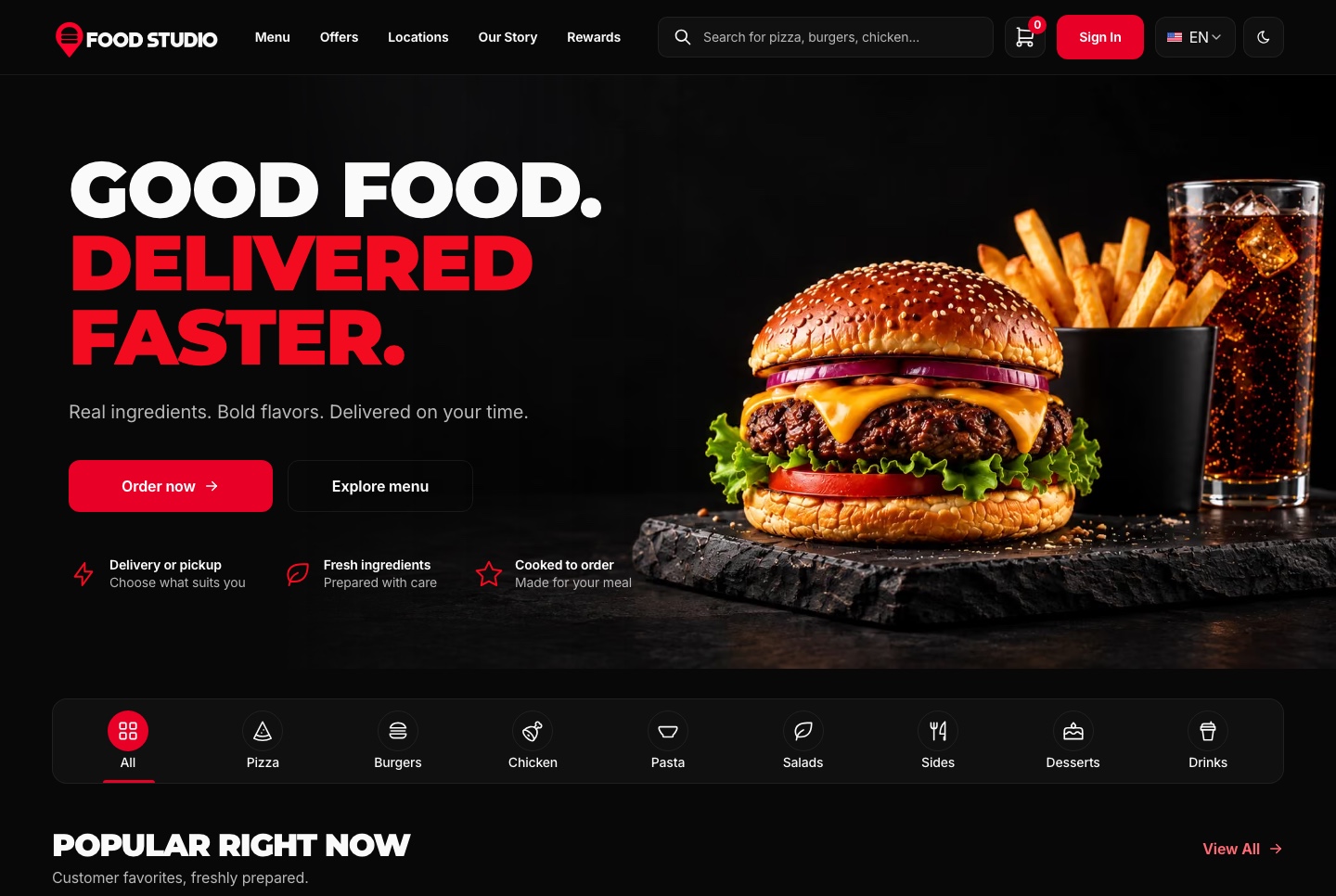
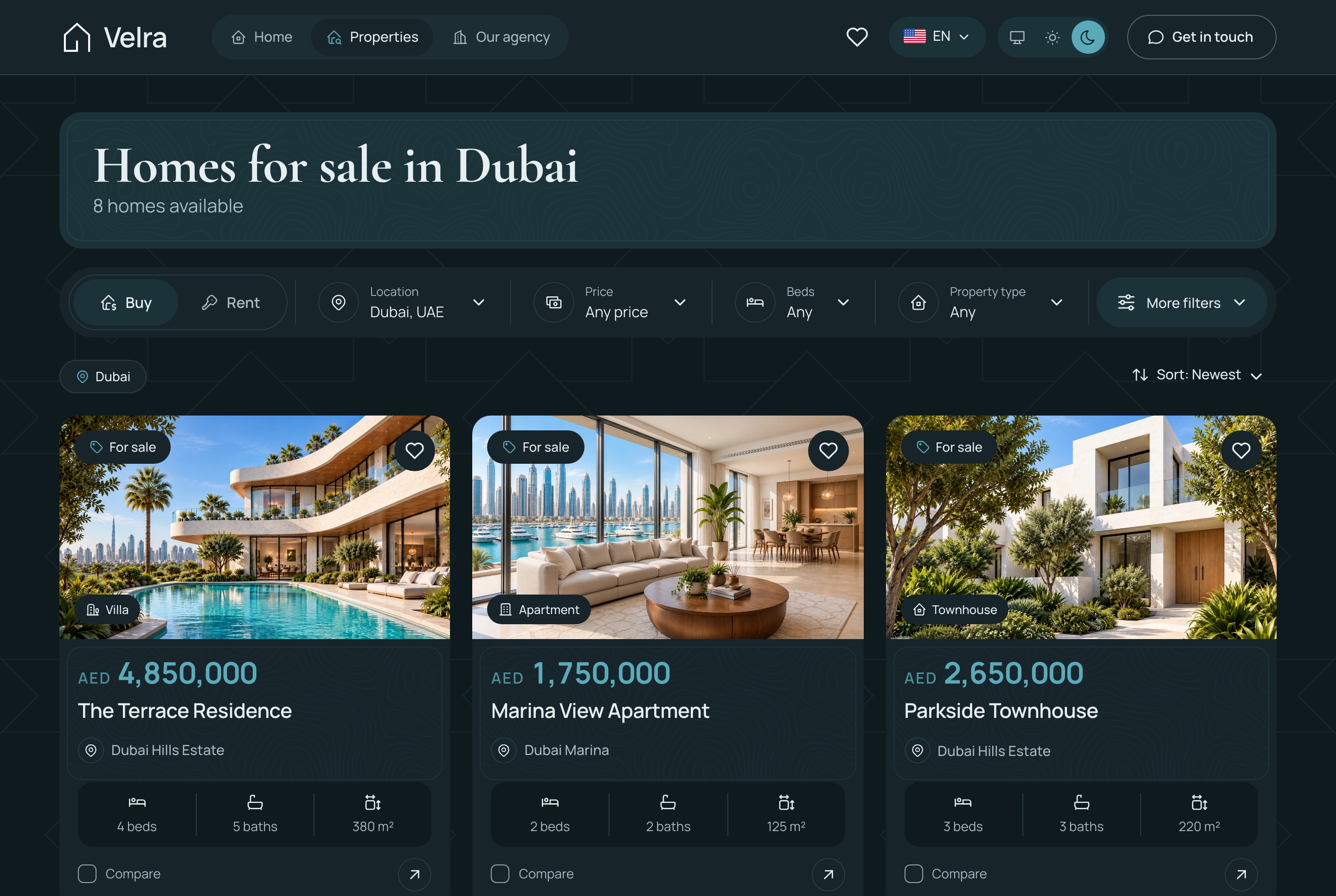
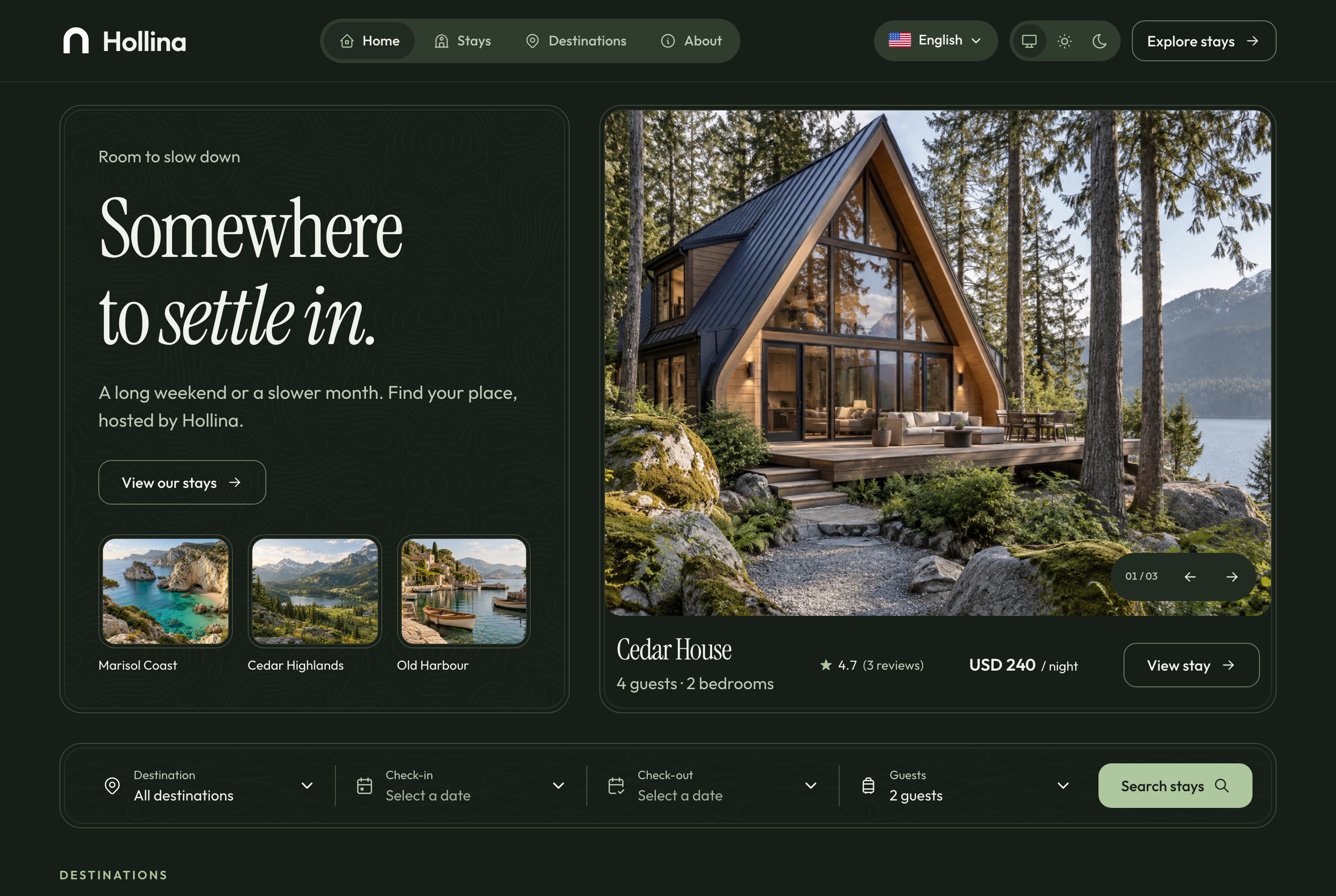
- 8. Light and dark are built in. A dark theme added by prompt tends to miss a chart or a form field. Our paid templates ship both themes, designed together.
- 9. The licence allows client work. If you build for clients, the licence decides whether you can deliver. Ours covers unlimited commercial projects, client work included, for one payment.
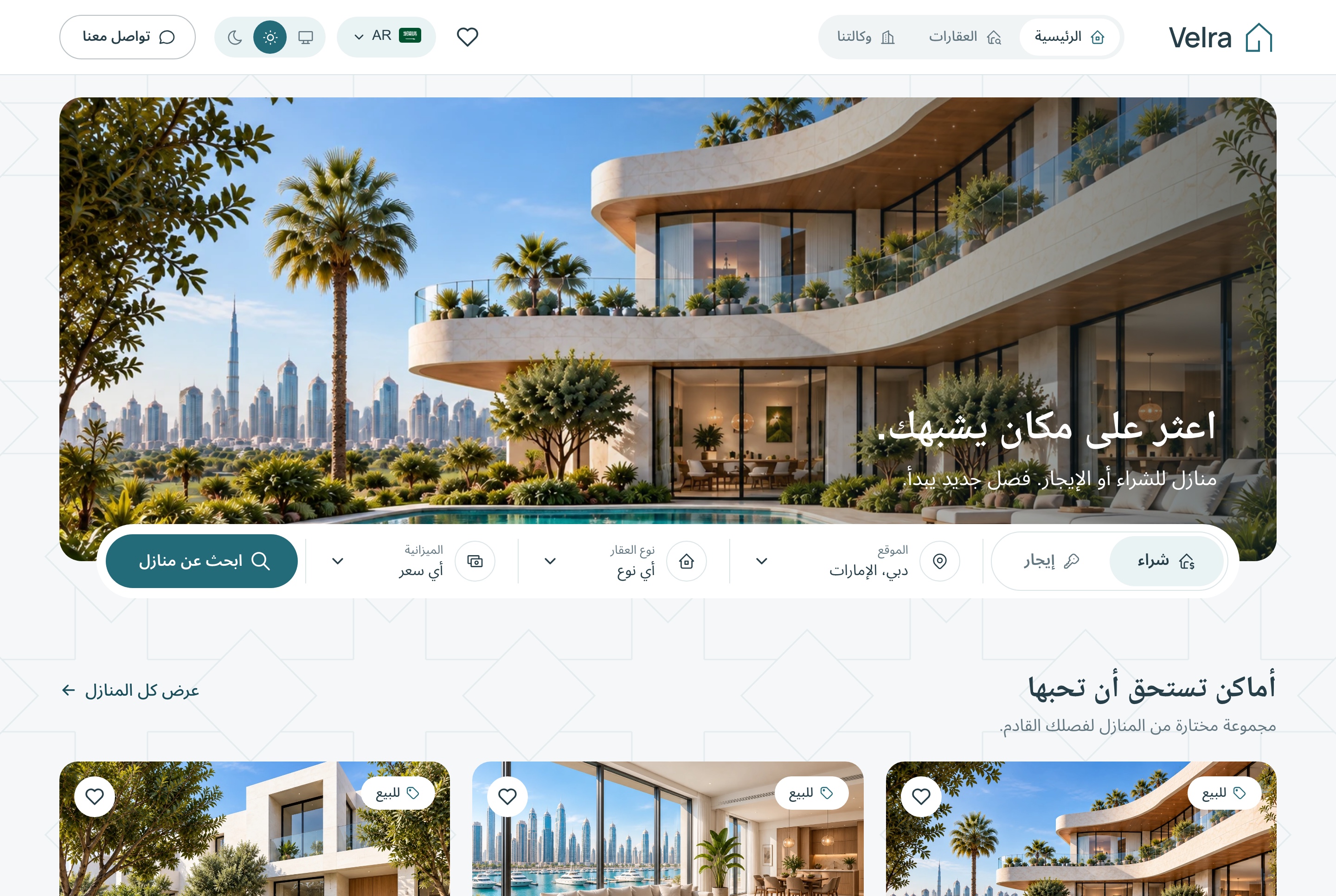
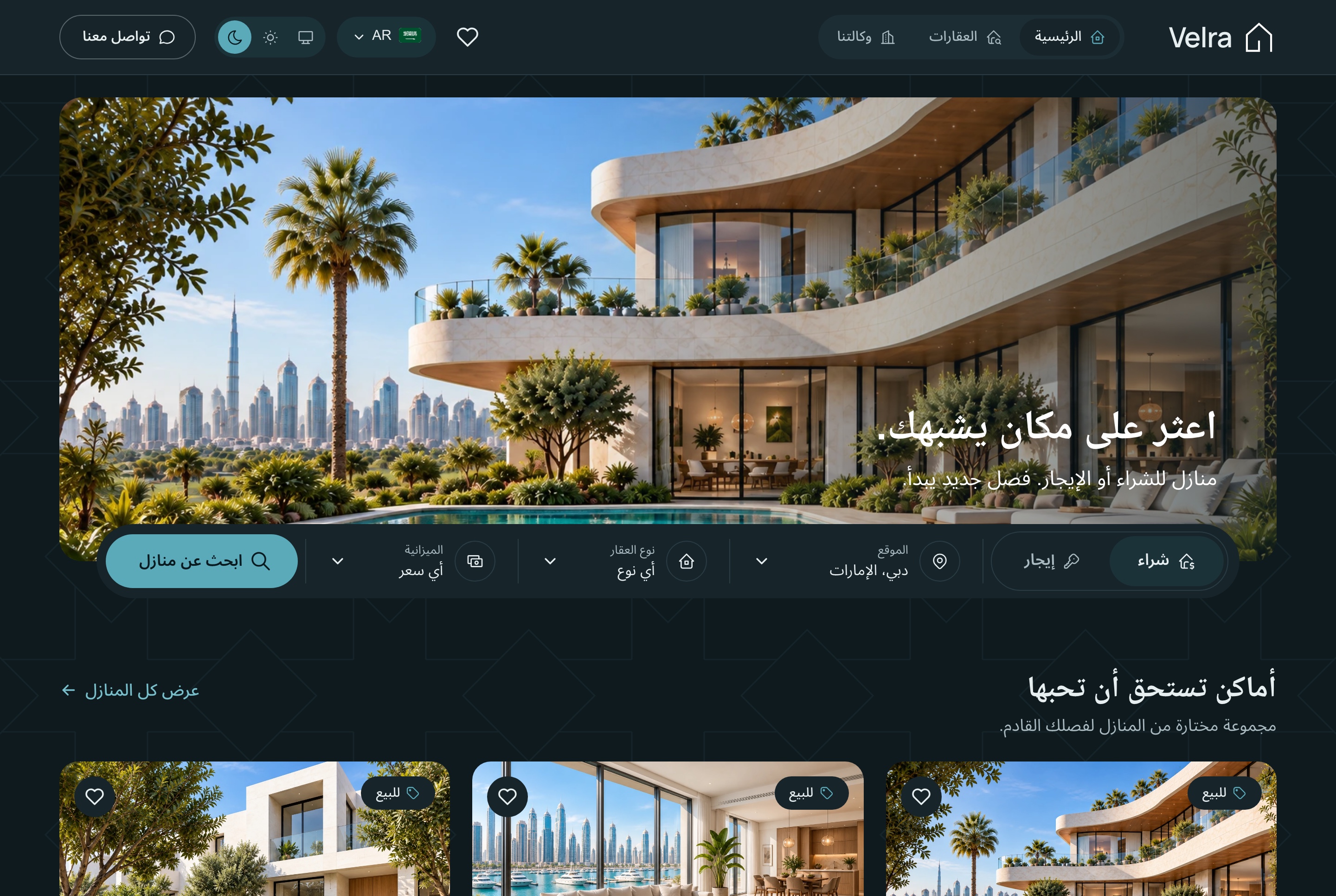
Demo video: Velra
What to avoid in a template
Paid services on the first run
- The home page needs a payment, email or database account before it opens
- Each one is an account to create and a key the AI has to place correctly
- Ask the seller what runs with no keys at all
No docs
- Without guides, the AI learns the project by trial and error, and every error costs a prompt
- Look for a README and a quick start in the file list before you buy
A stack the builder converts away
- Lovable rebuilds an imported project on its own setup, TanStack Start, with the same pages and behaviour
- After that, the seller's updates and guides no longer match your code line by line
- In our test, Bolt built our Next.js 16 template but never showed a preview
12 vibe coding templates by job
Our own templates by job, priced as on each template page on 8 November 2026. We ran one, the Financial Dashboard, through Replit and Lovable on 7 November 2026. For the others, the tool we name is advice based on how each tool treats code, not a test.
| # | Template | Job | Price | Tool that fits |
|---|---|---|---|---|
| 1 | Company website | A company or a startup | Free | Any of the three |
| 2 | SaaS landing page with pricing | A simple software launch | Free | Any of the three |
| 3 | 3D landing page | A product campaign | Free | Replit or an AI code editor |
| 4 | Food Studio ordering website | A restaurant | $39 | Replit, Lovable or an AI code editor |
| 5 | Velra real estate website | An agency or an agent | $39 | Replit, Lovable or an AI code editor |
| 6 | Hollina vacation rental website | A host or a small property manager | $39 | Replit, Lovable or an AI code editor |
| 7 | Northstack SaaS website | A software product | $39 | Replit, Lovable or an AI code editor |
| 8 | Fashion e-commerce storefront | A clothing brand | $39 | Replit, Lovable or an AI code editor |
| 9 | Ticketory event ticketing website | Events and venues | $39 | Replit, Lovable or an AI code editor |
| 10 | Financial Dashboard | A first dashboard (the one we tested) | $49 | Replit or an AI code editor; Lovable worked in our test |
| 11 | E-commerce admin dashboard | A shop's back office | $49 | Replit or an AI code editor |
| 12 | AI admin dashboard | An internal tool with an assistant | From $69 | Replit or an AI code editor |
Free templates: learn the flow first
The cheapest way to learn what your AI tool asks and how long it takes. Download one from its template page and open it in your tool.
1. Company website: free
A corporate site with a hero with customer logos, a four-step how-it-works section, a grid of integrations, testimonials and article cards.
Tool that fits: any of the three. A short site is quick to check, which makes it a good first run.
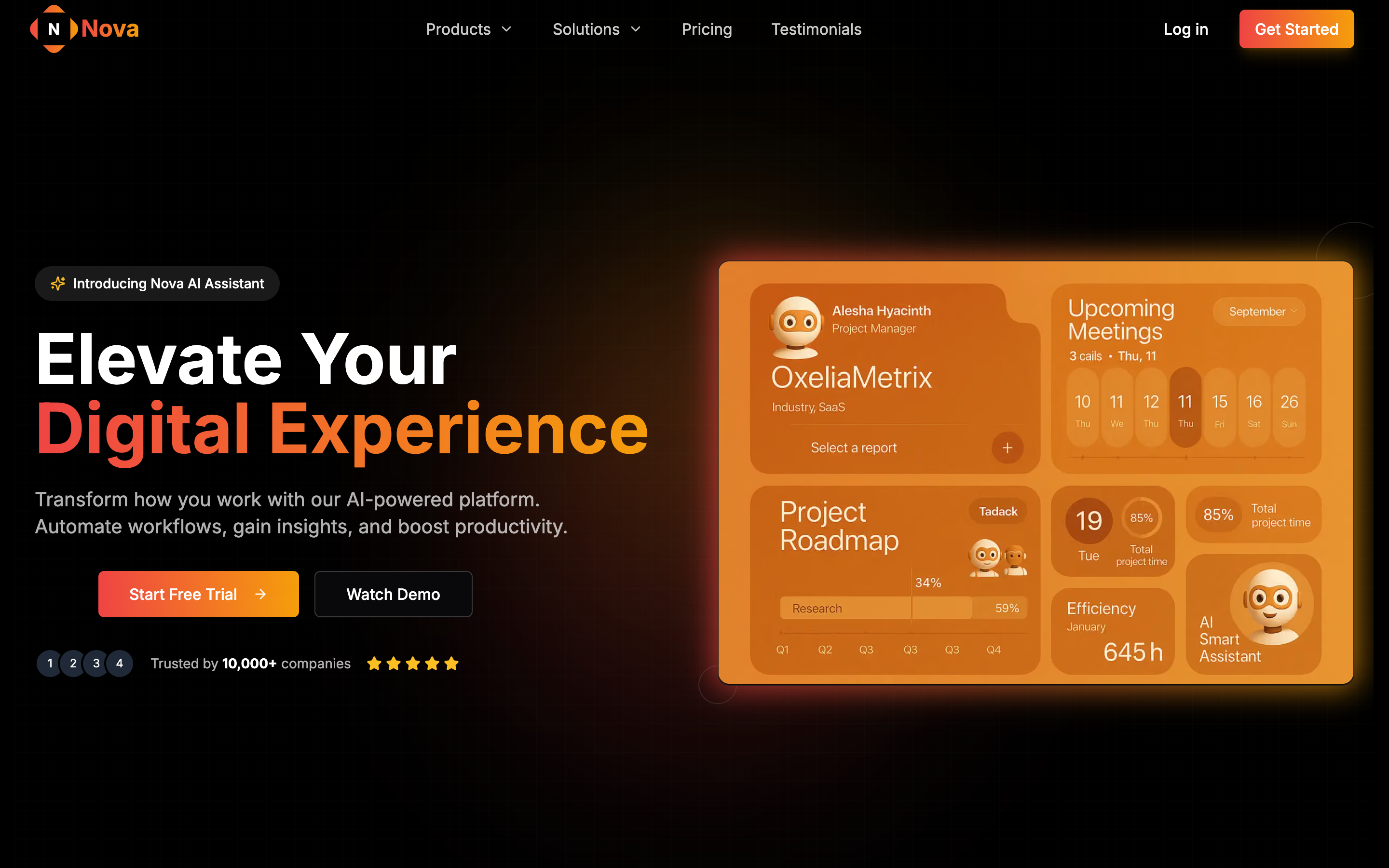
2. SaaS landing page with pricing: free
A landing page for a simple software launch, with a pricing section.
Tool that fits: any of the three.
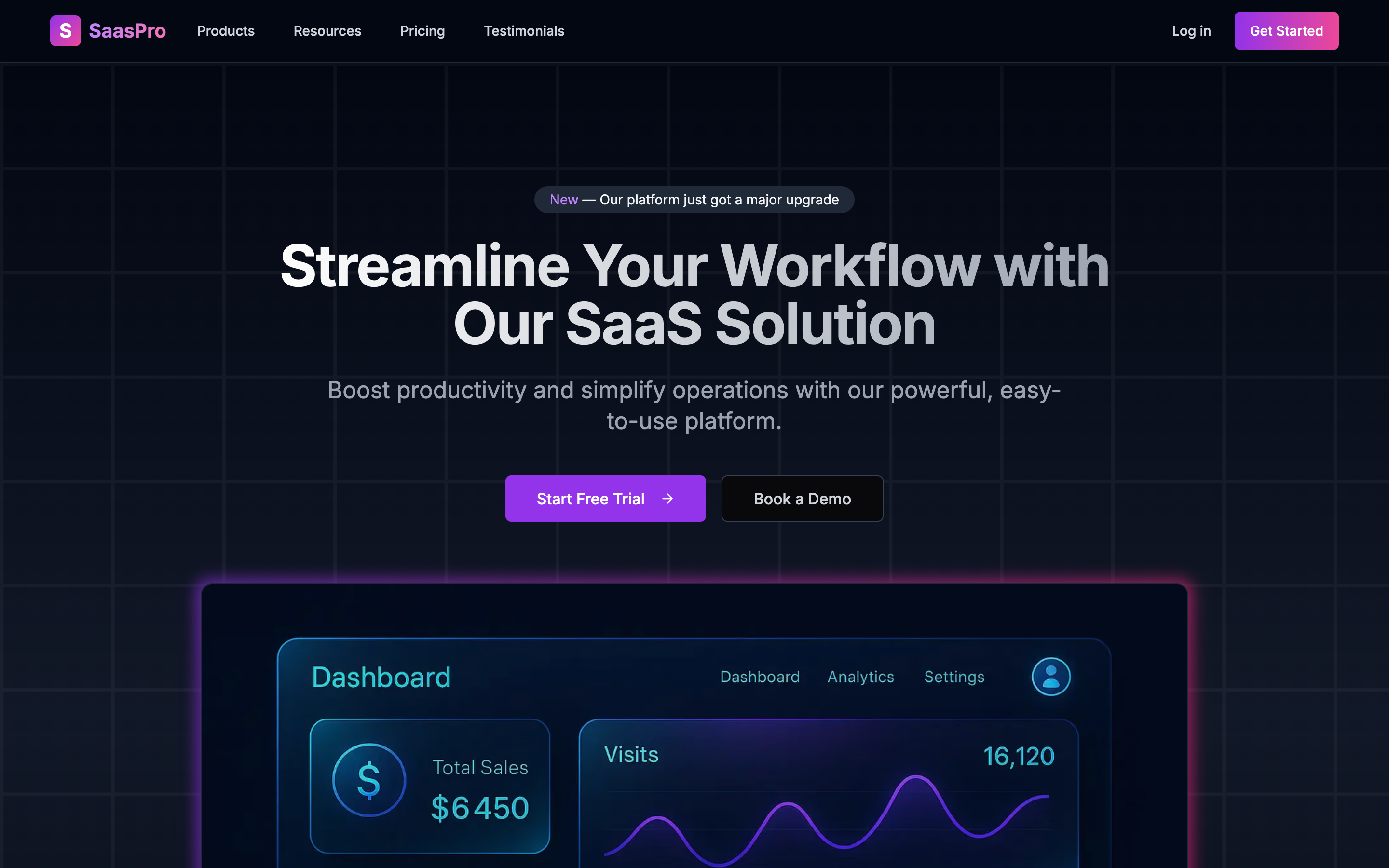
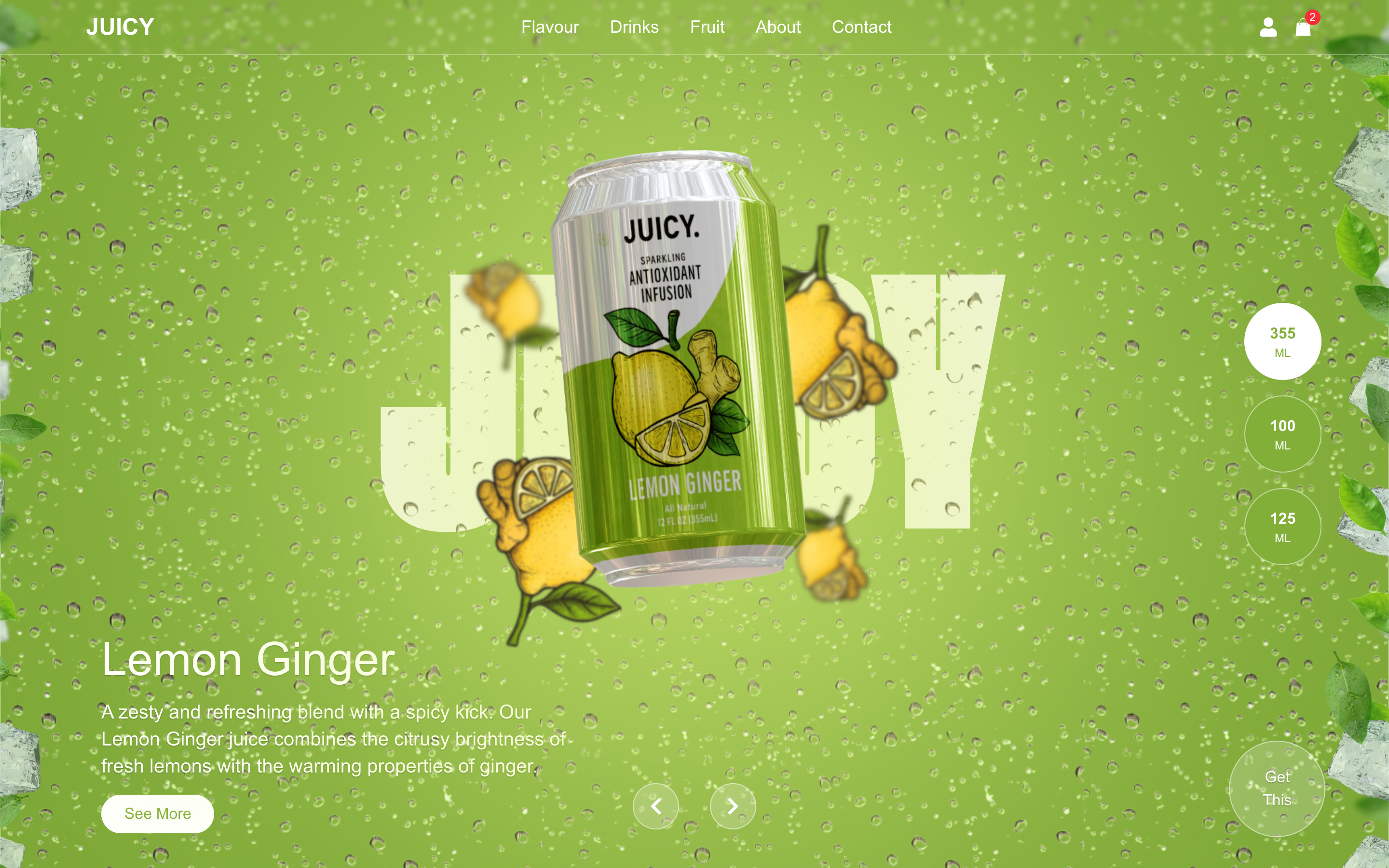
3. 3D landing page: free
A Next.js, Three.js and GSAP page for a product campaign.
Tool that fits: Replit or an AI code editor, which keep the animation code as it was written.
Demo video: 3D Landing
The fourth free template, an agency portfolio, suits a studio or a freelancer.
Websites, $39: one business, one site
Each runs on its own sample data, in English and Arabic, light and dark. All three tools fit: Replit and an AI code editor keep the code, and Lovable gives the quickest first edit on a converted copy.
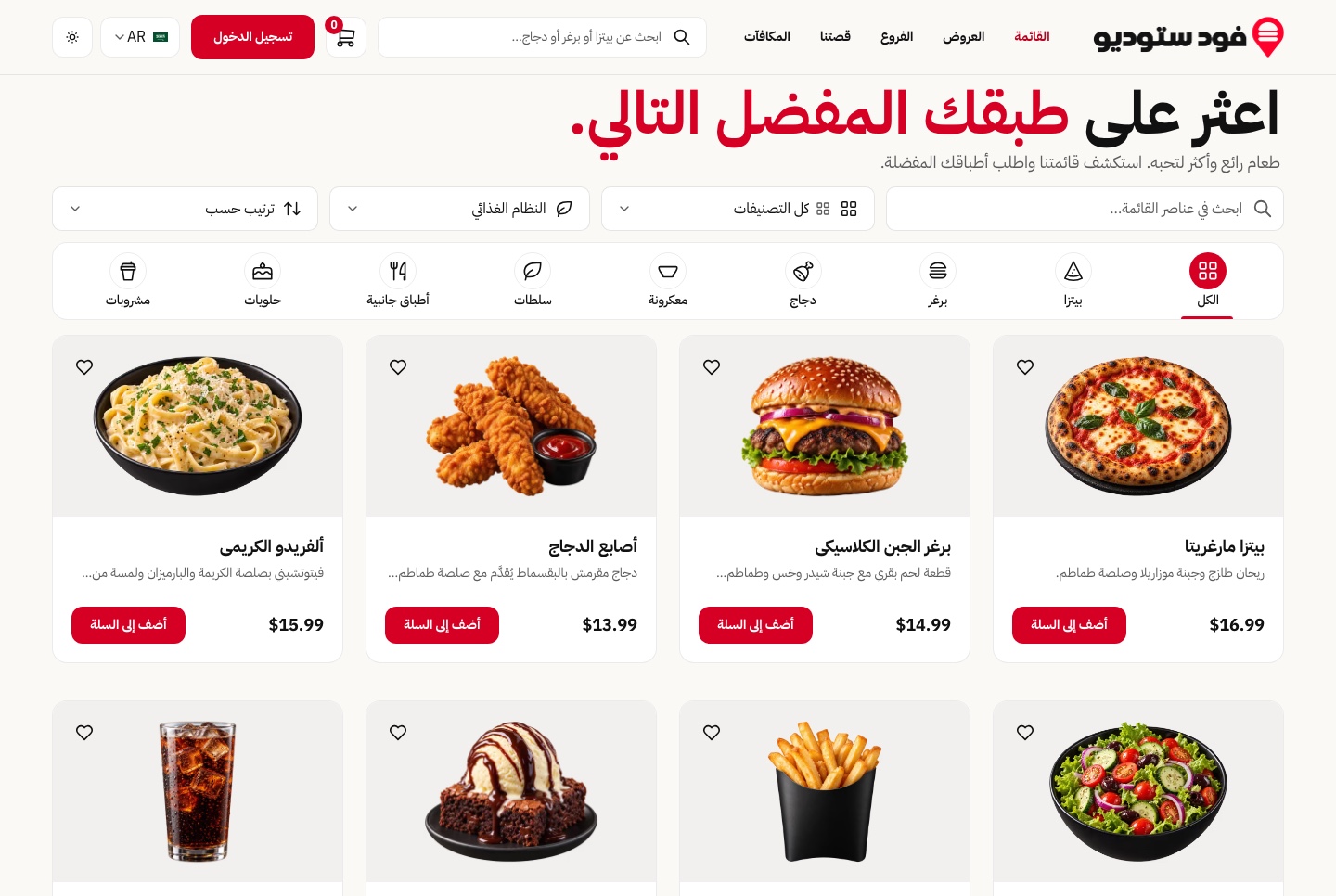
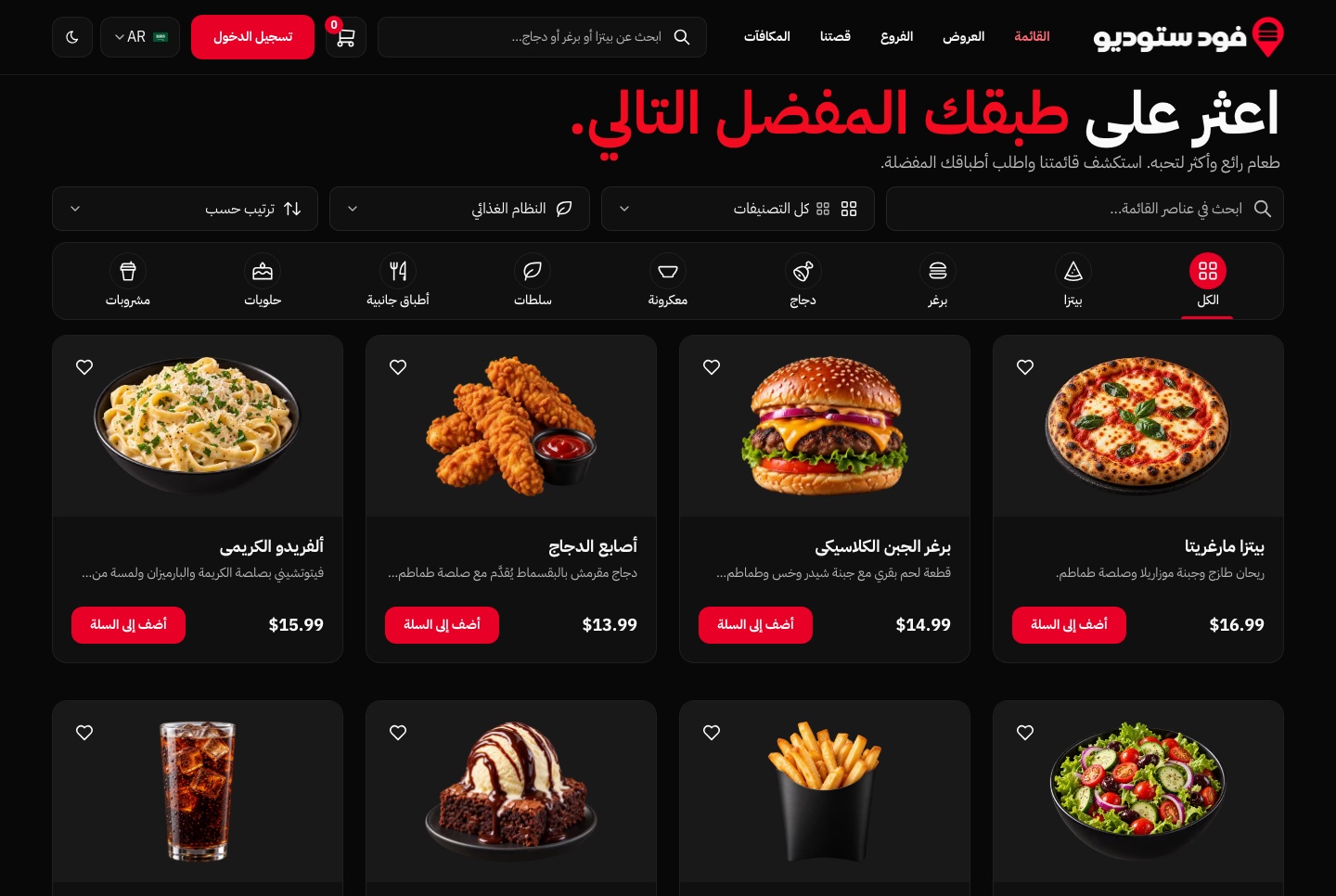
4. Food Studio ordering website: $39
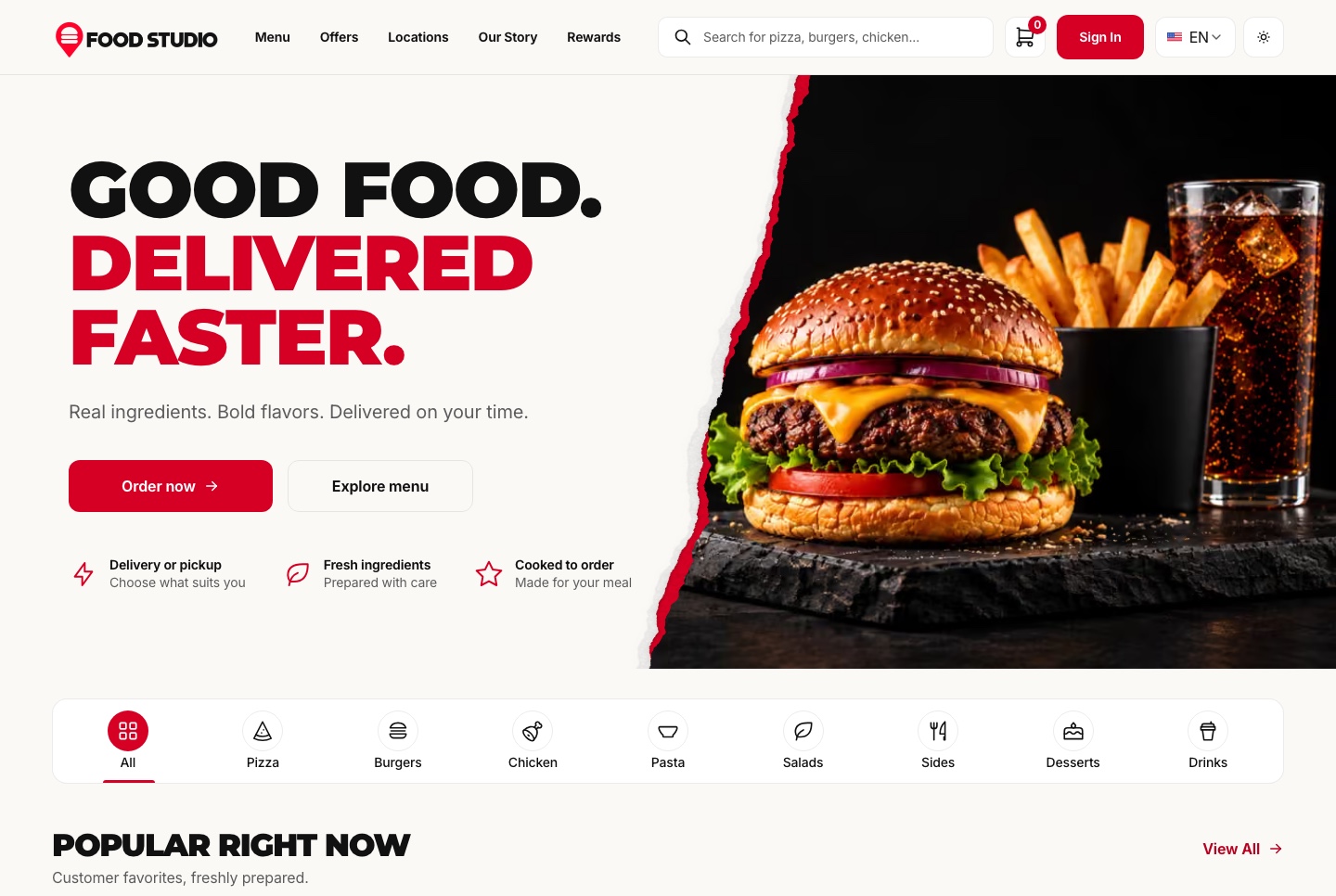
A restaurant site with a filtered menu, dish pages, a meal builder, a cart, checkout, order tracking and customer accounts.
Tool that fits: Replit, Lovable or an AI code editor. On its own the site takes test payments, so real orders need the Full Stack.
Demo video: Food Studio
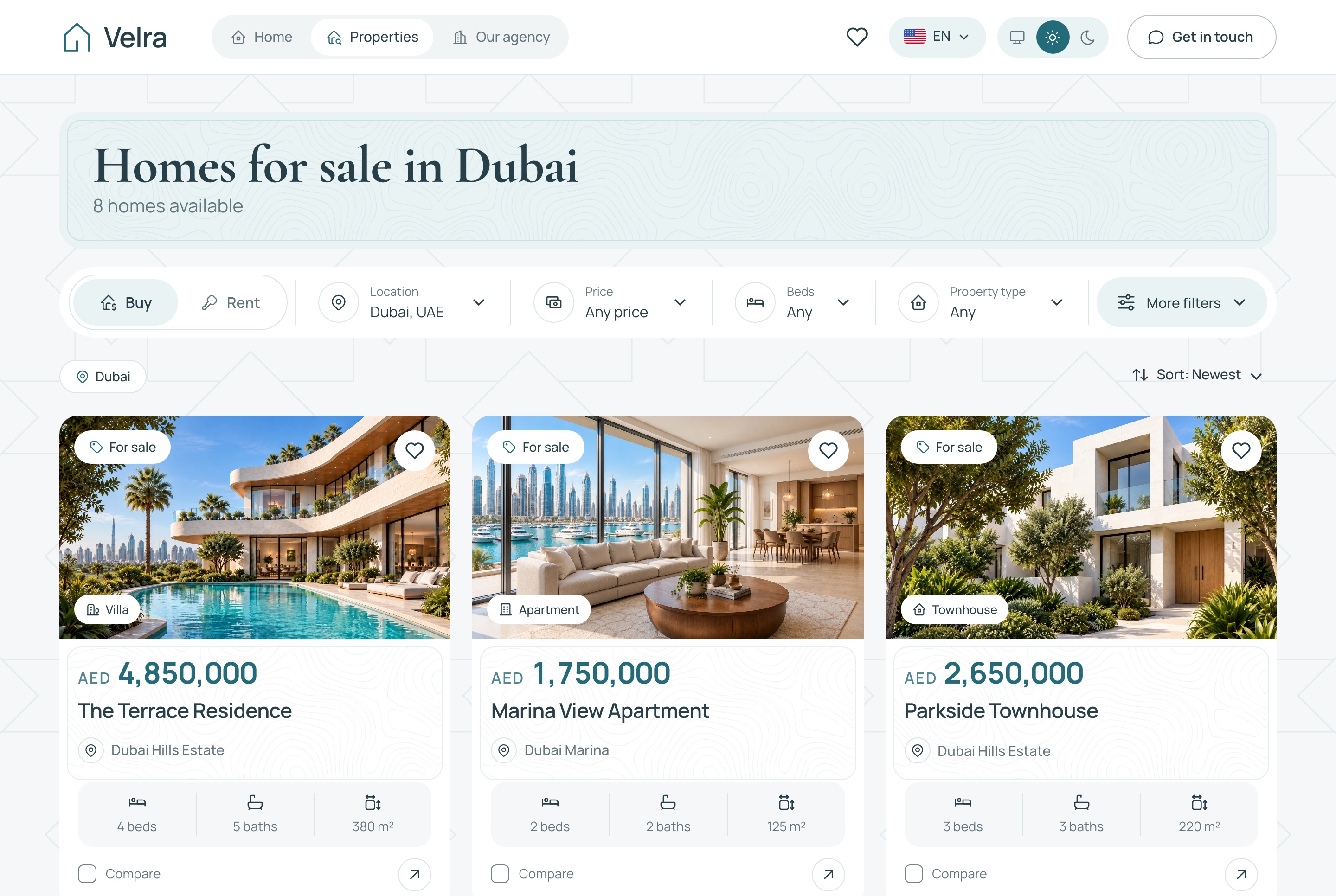
5. Velra real estate website: $39
Homes for sale and for rent with the filters kept in the address, property pages, saved homes, a three-home comparison and viewing requests.
Tool that fits: Replit, Lovable or an AI code editor. If a developer will take over later, prefer one that keeps the code.
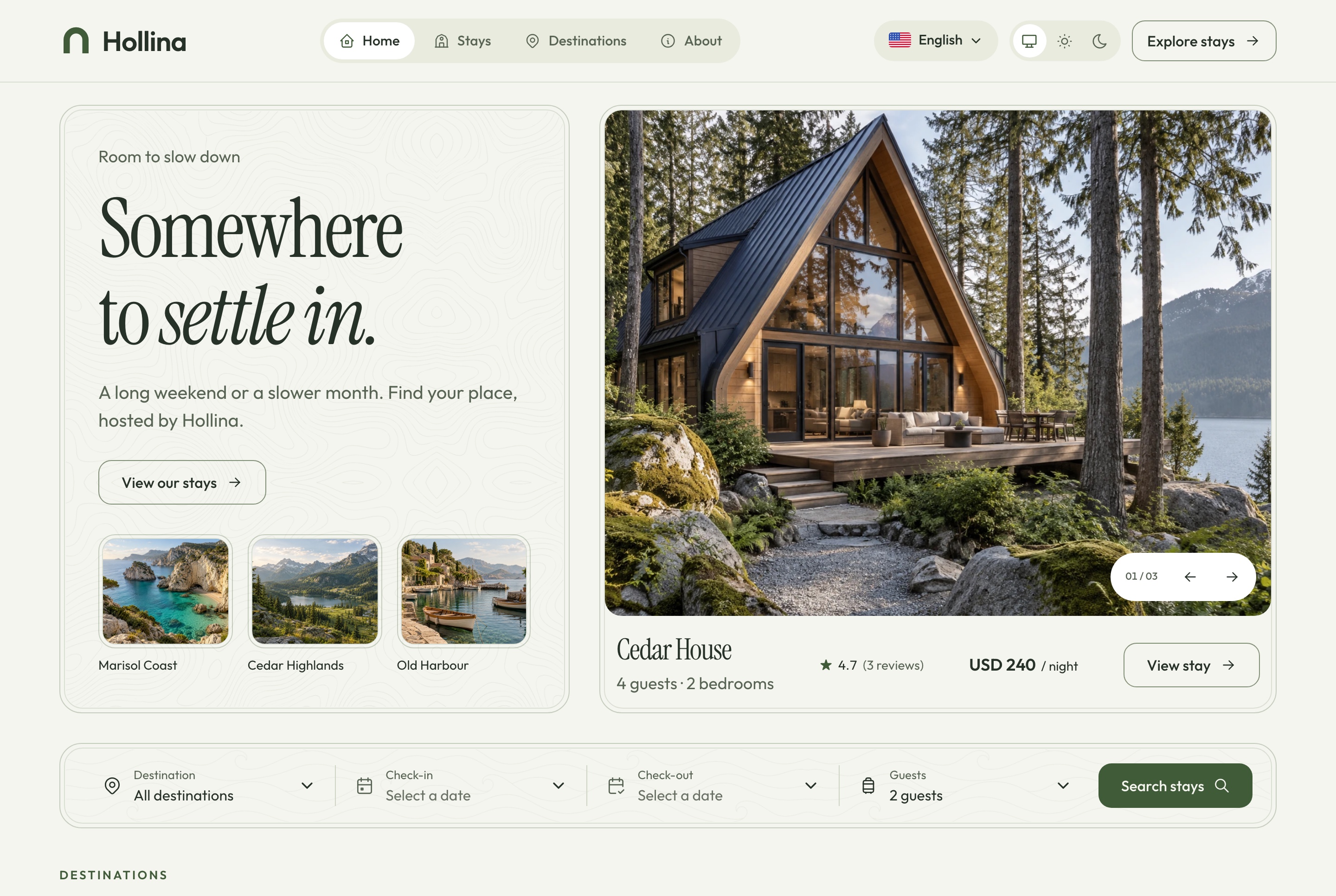
6. Hollina vacation rental website: $39
Stays filtered by destination, dates and guests, an availability calendar with a live quote, checkout and booking lookup.
Tool that fits: Replit, Lovable or an AI code editor.
Demo video: Hollina
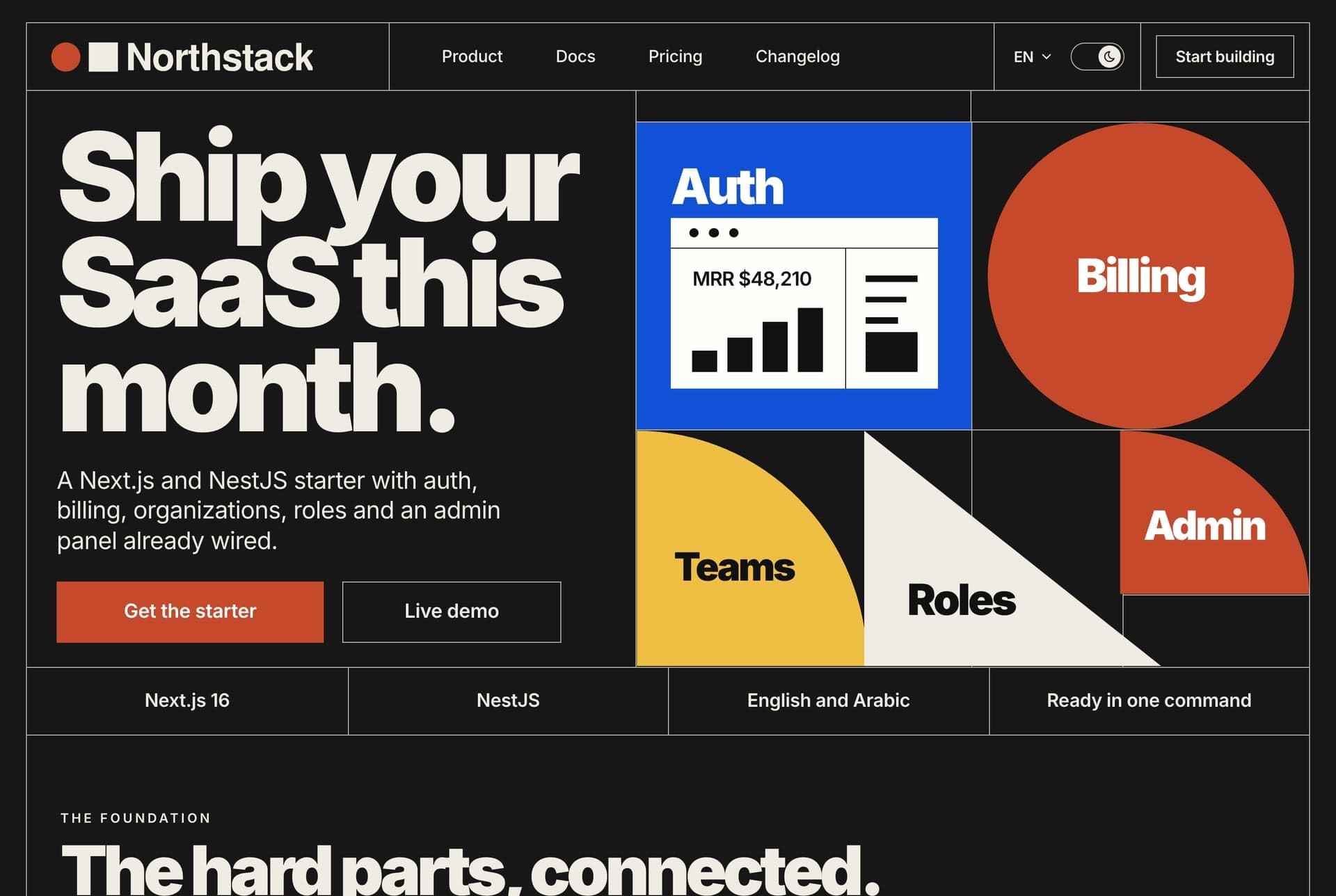
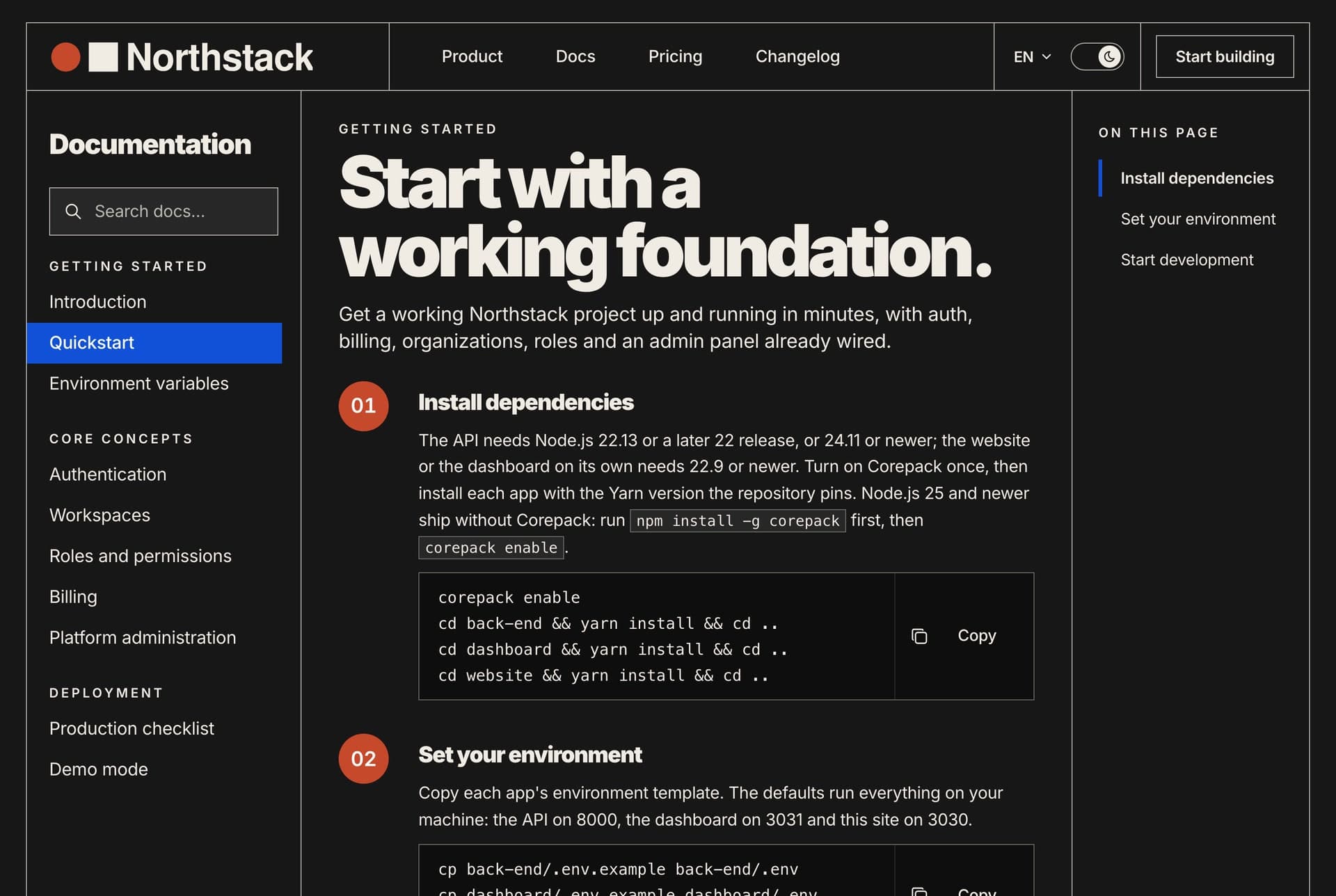
7. Northstack SaaS website: $39
A home page, pricing with one-time licences, a licence checkout, documentation, a journal, a changelog and a contact form.
Tool that fits: Replit, Lovable or an AI code editor.
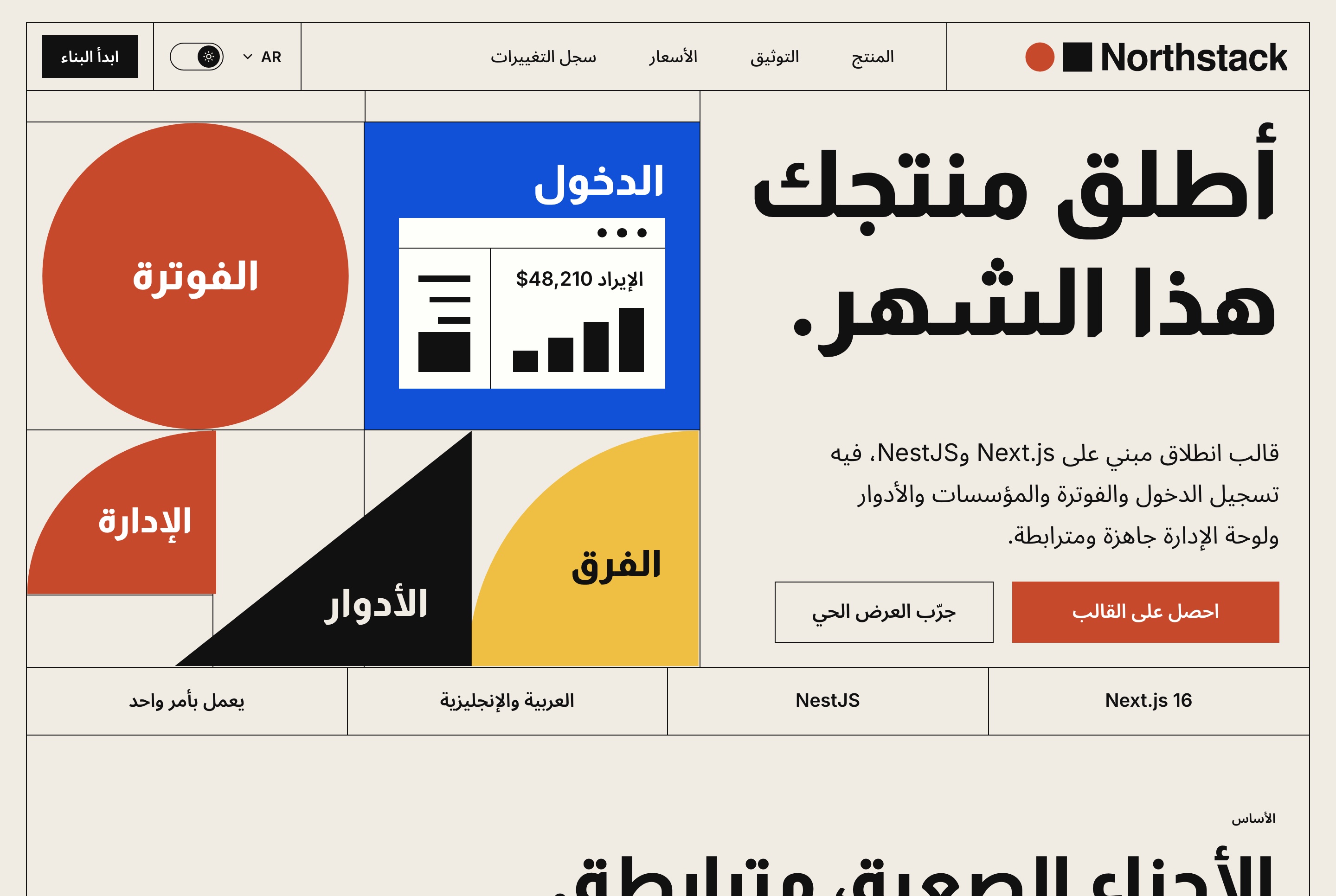
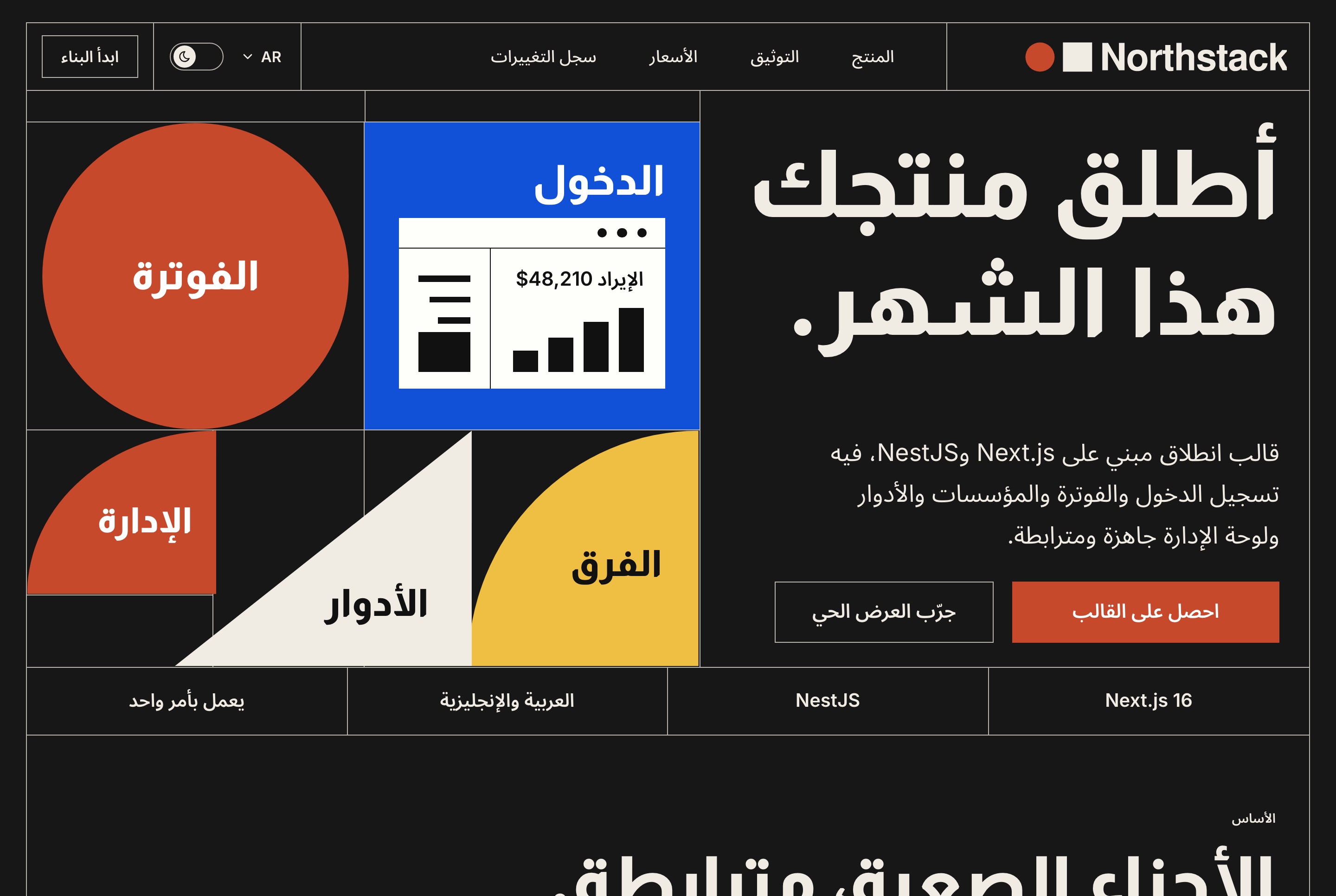
8. Fashion e-commerce storefront: $39
A catalogue with filters, product pages with variants, a cart, guest checkout with order tracking and an AI virtual try-on.
Tool that fits: Replit, Lovable or an AI code editor.
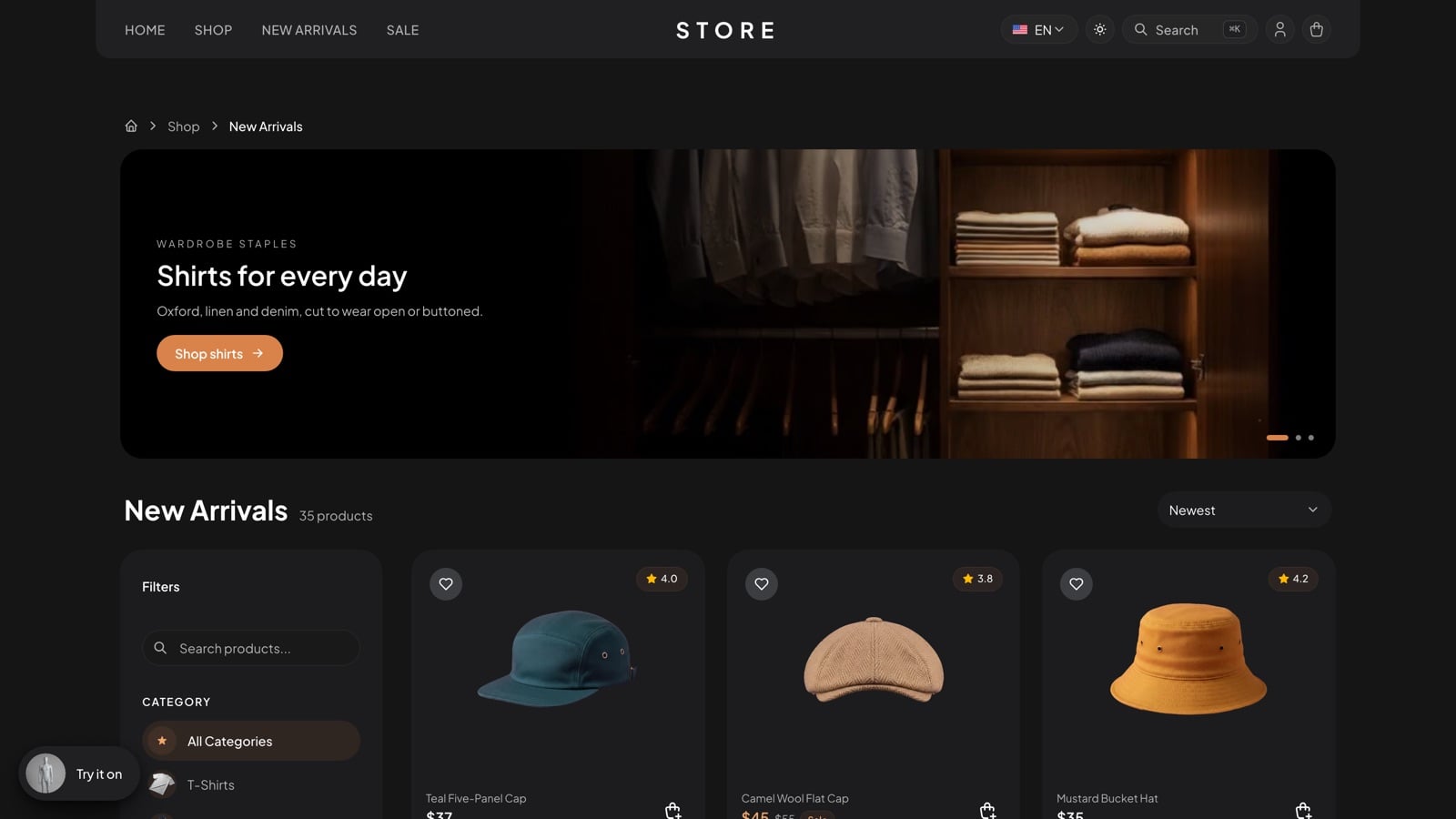
Demo video: Fashion e-commerce template
9. Ticketory event ticketing website: $39
Event search and pages, live seat maps with a ten-minute hold, checkout, QR ticket passes and attendee accounts.
Tool that fits: Replit, Lovable or an AI code editor. On sample data the checkout is a test payment.
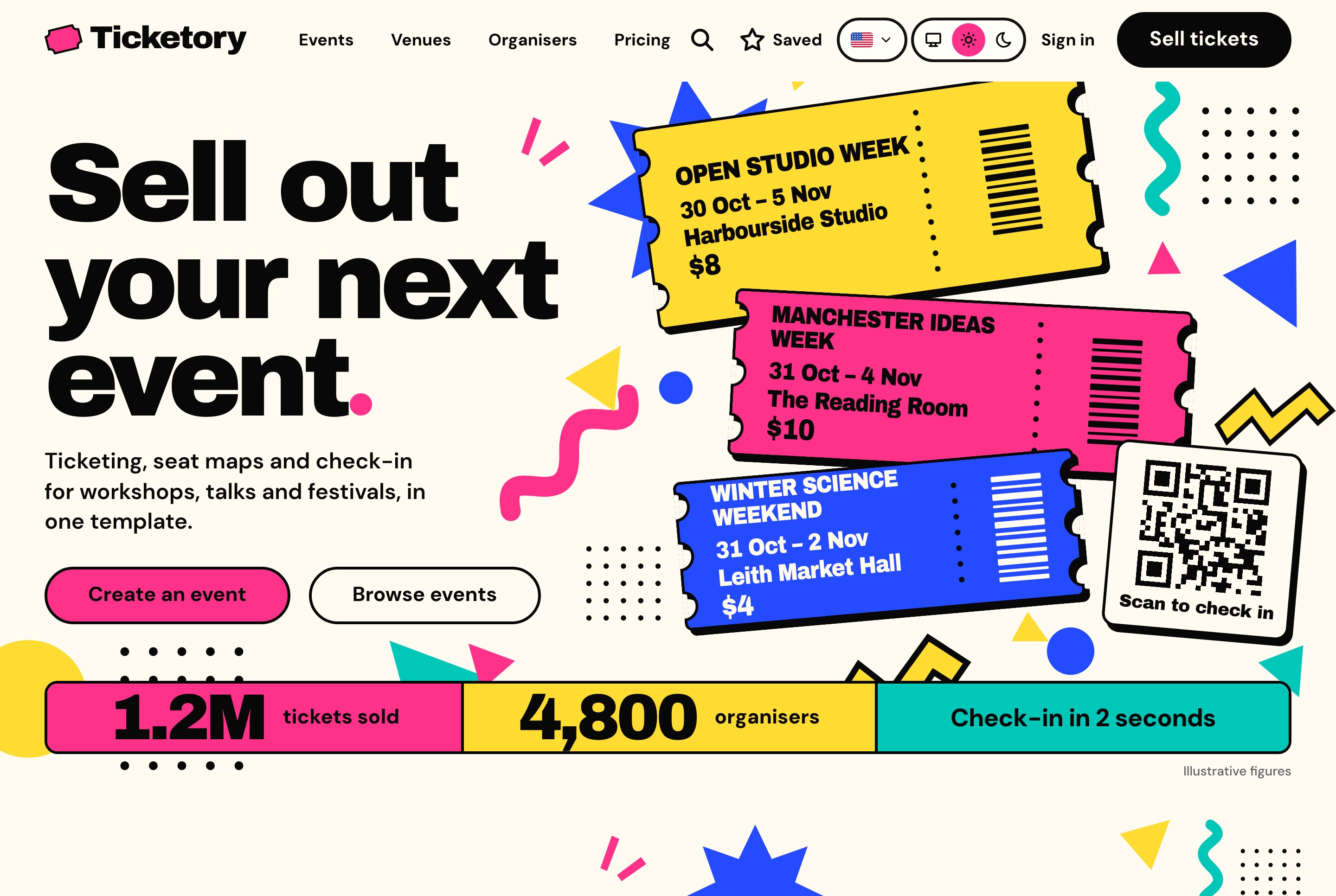
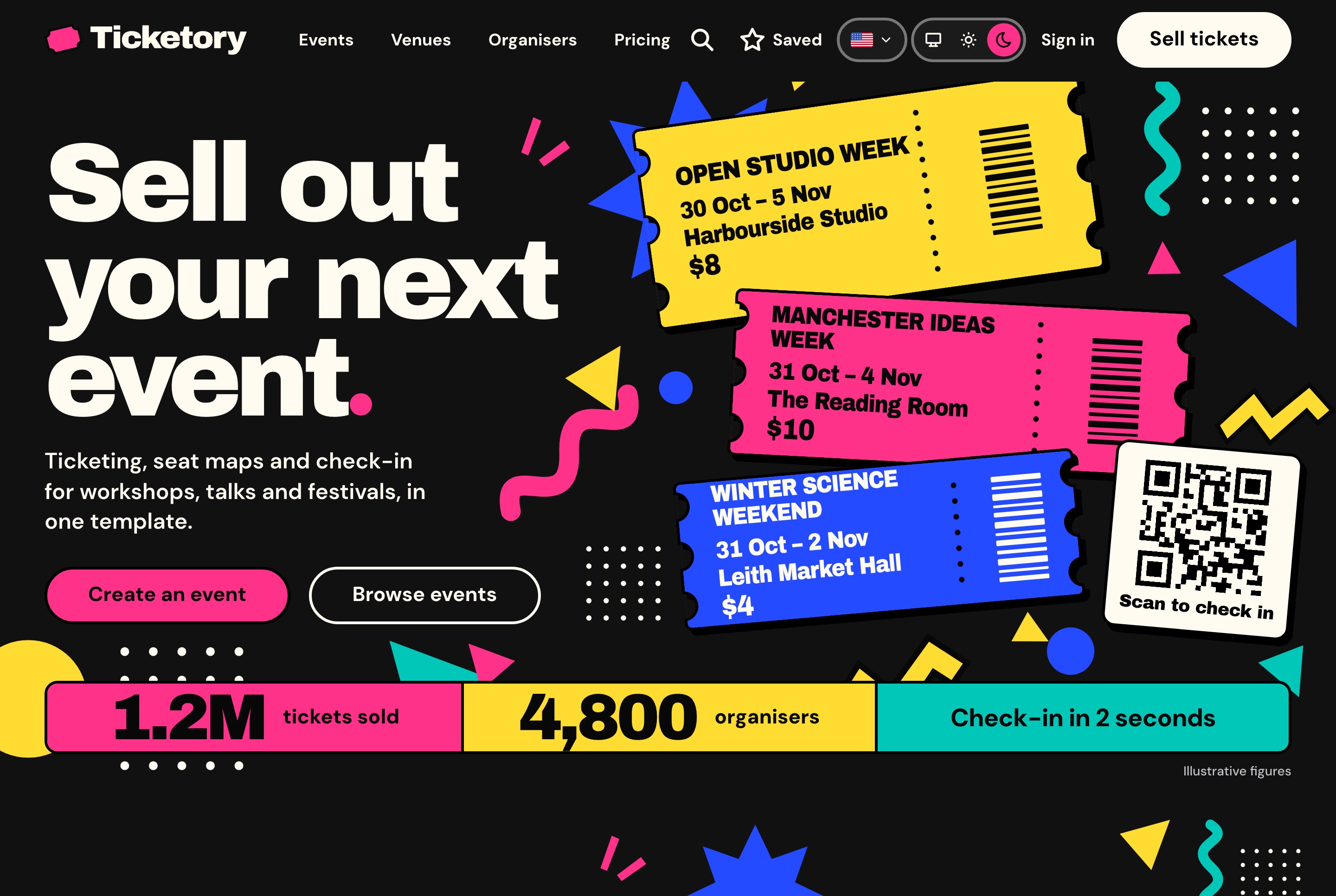
Demo video: Ticketory
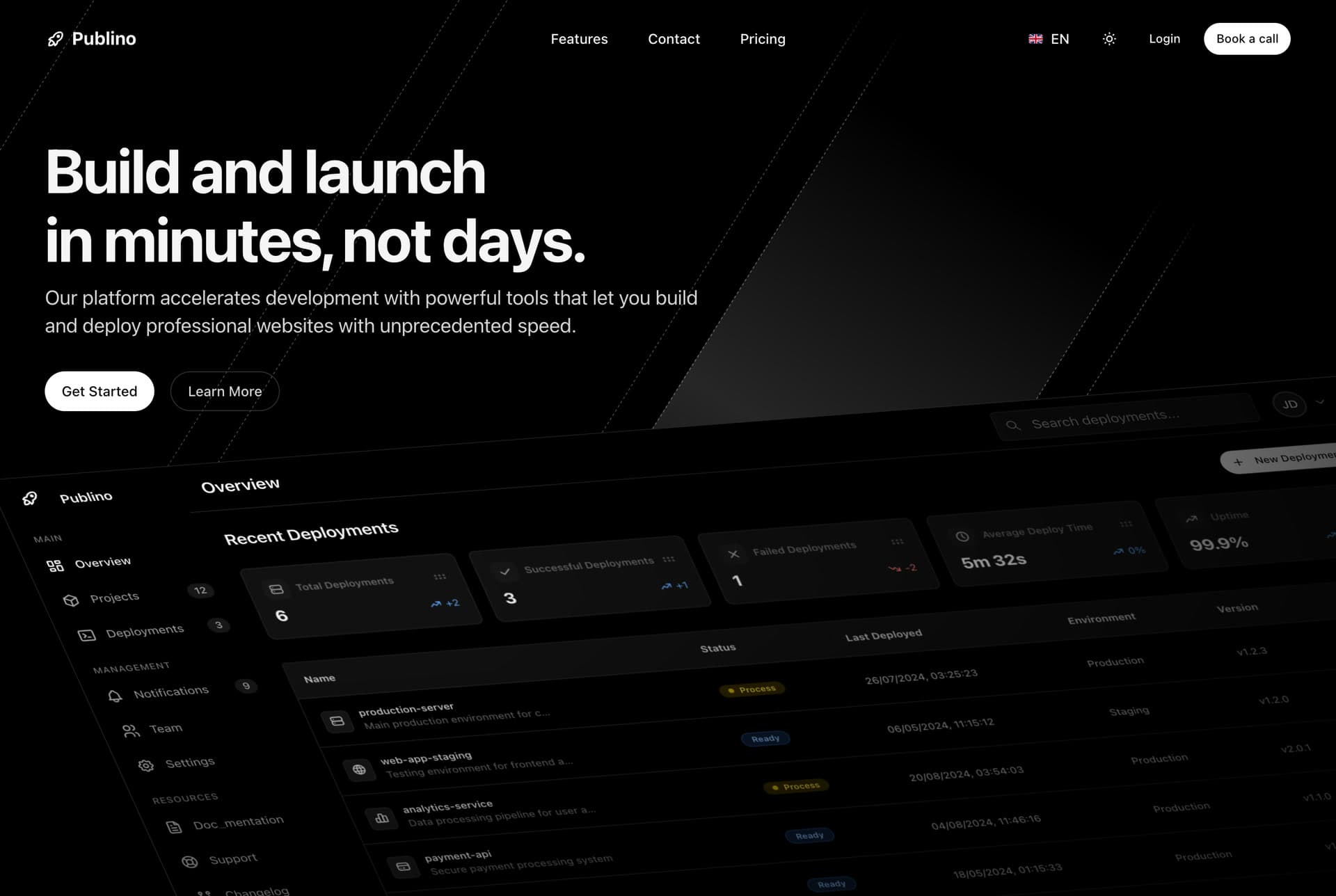
Two more $39 websites follow the same pattern: the Publino landing page for a subscription product and the LMS student website for online courses.
Dashboards, $49 and $69
A dashboard has more screens and logic than a website, so what happens to the code matters more. Replit and an AI code editor keep it as written.
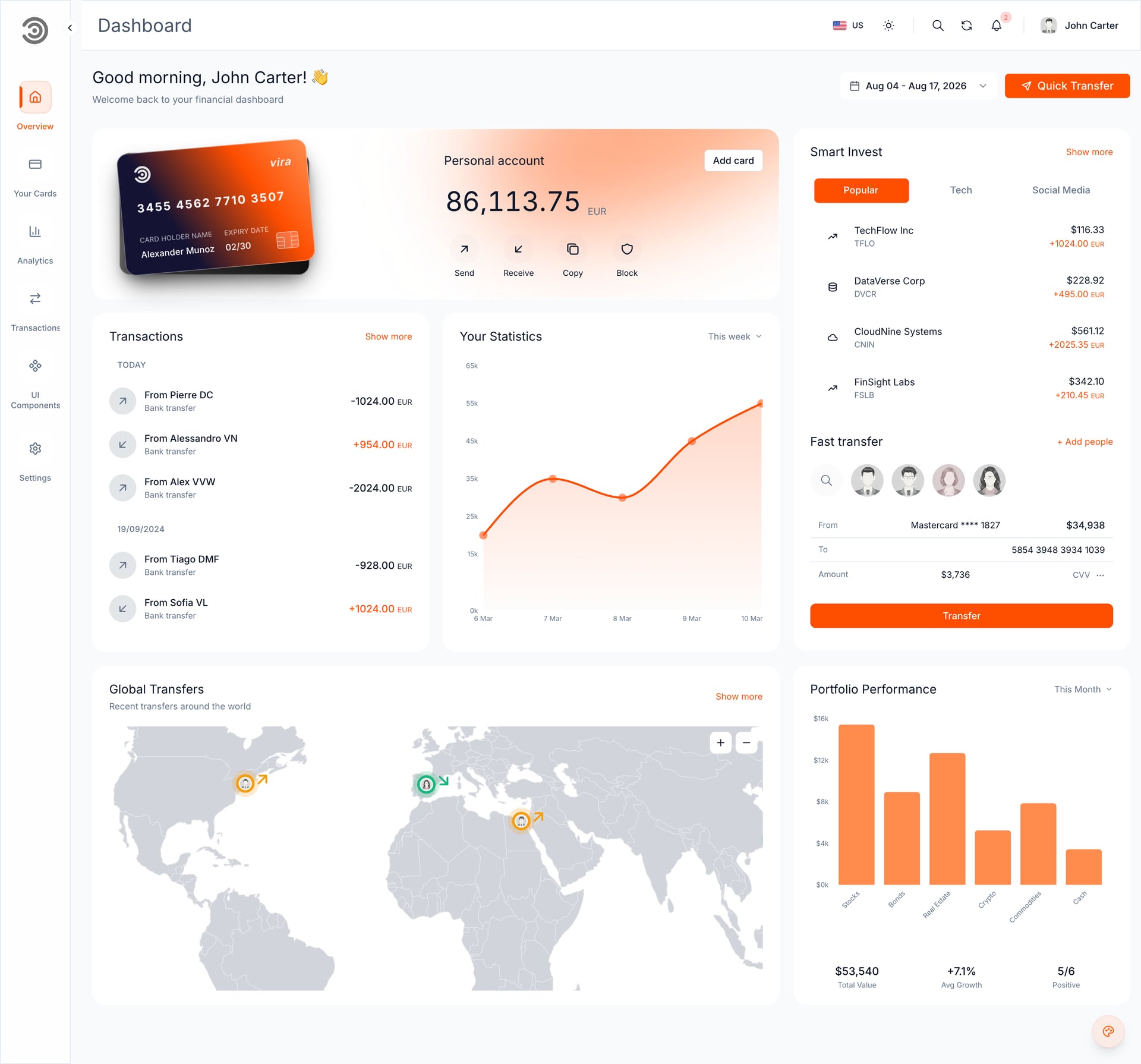
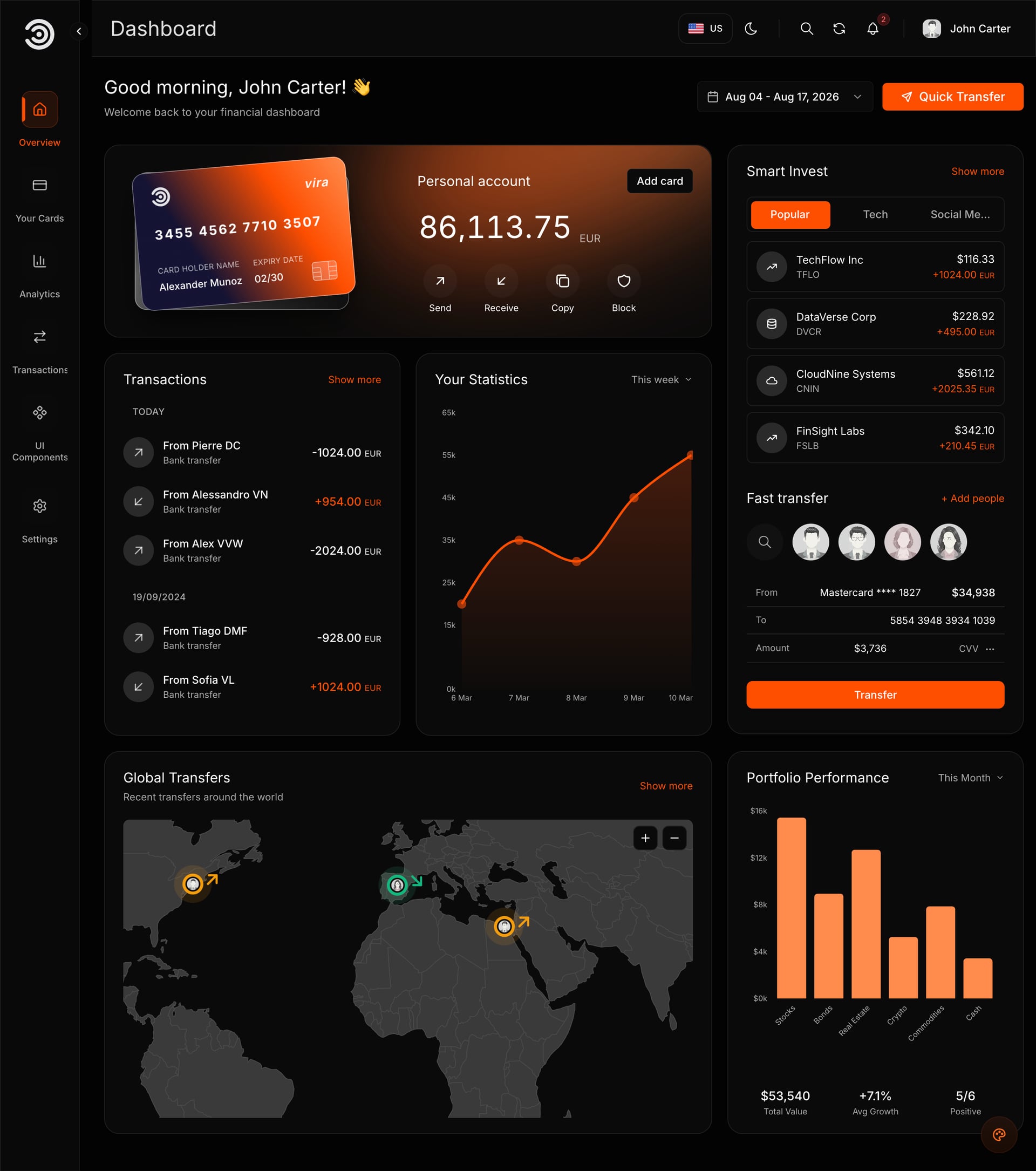
10. Financial Dashboard: $49
The template we tested: charts, drag and drop widgets, dark and light themes, English and Arabic, and a sign-in page you can later connect to your own API. Frontend only, a 6.5 MB ZIP.
Tool that fits: Replit (a running preview in about 6 to 7 minutes in our test) or an AI code editor. Lovable also imported it, in about 10 minutes, as a converted copy.
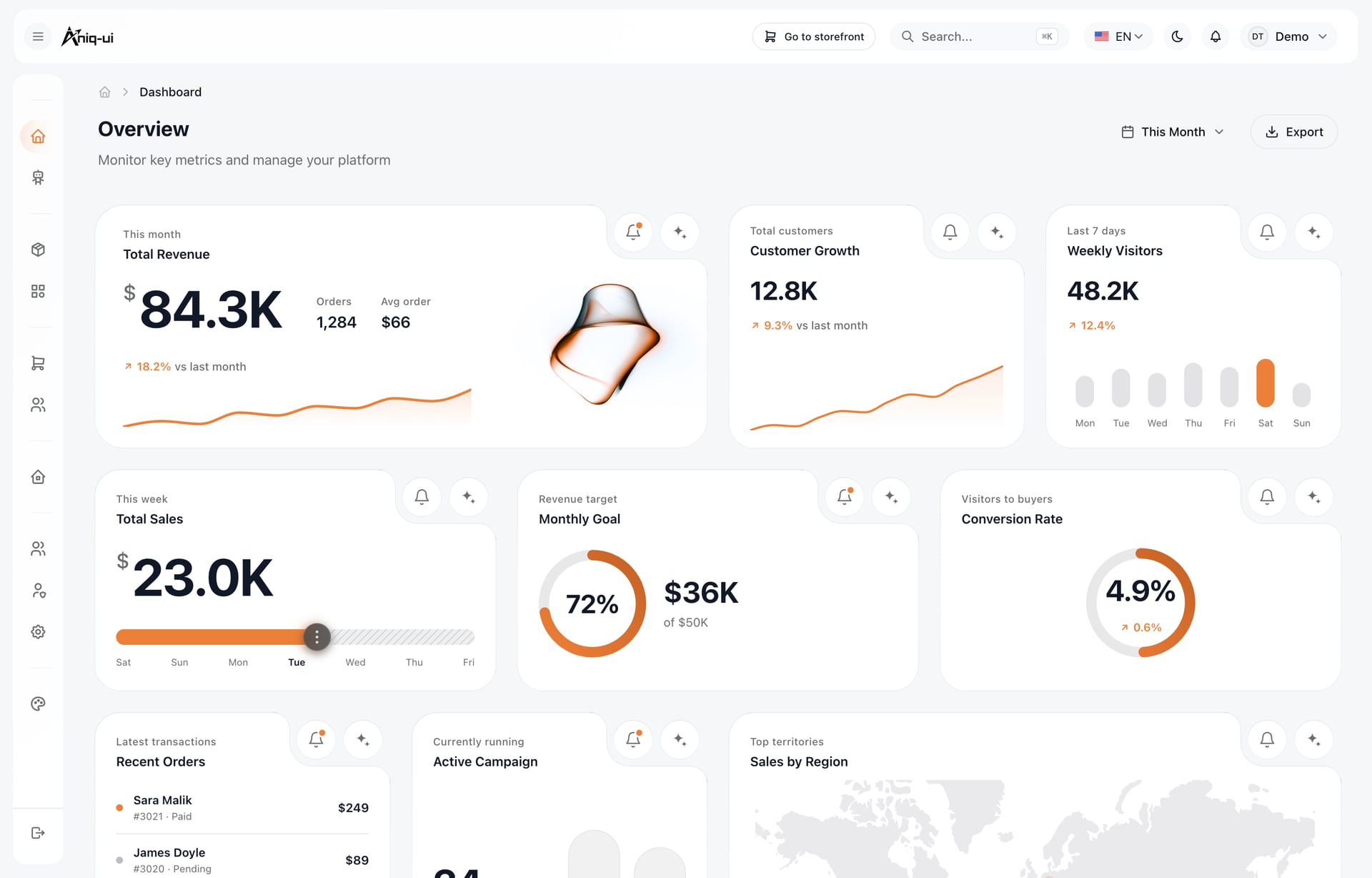
11. E-commerce admin dashboard: $49
Products, categories, orders with fulfilment progress, customers, roles and an AI assistant that answers sales questions. Most of our websites have a matching $49 staff dashboard like this one.
Tool that fits: Replit or an AI code editor.
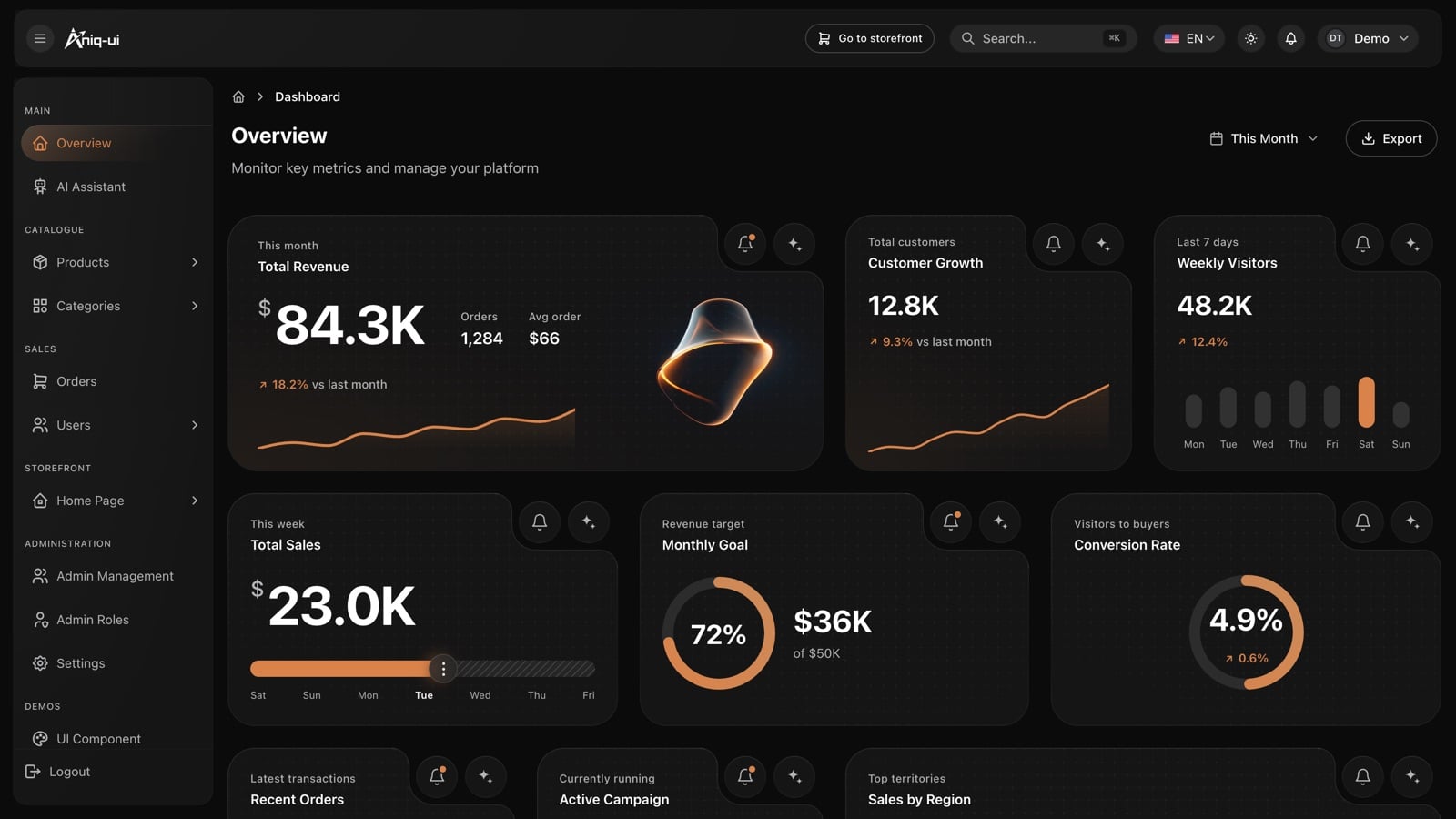
12. AI admin dashboard: from $69
An admin panel with an AI assistant, user and admin management, and roles and permissions. Read the product page for which package includes what before you buy. The other $69 dashboard is the Fitness dashboard.
Tool that fits: Replit or an AI code editor.
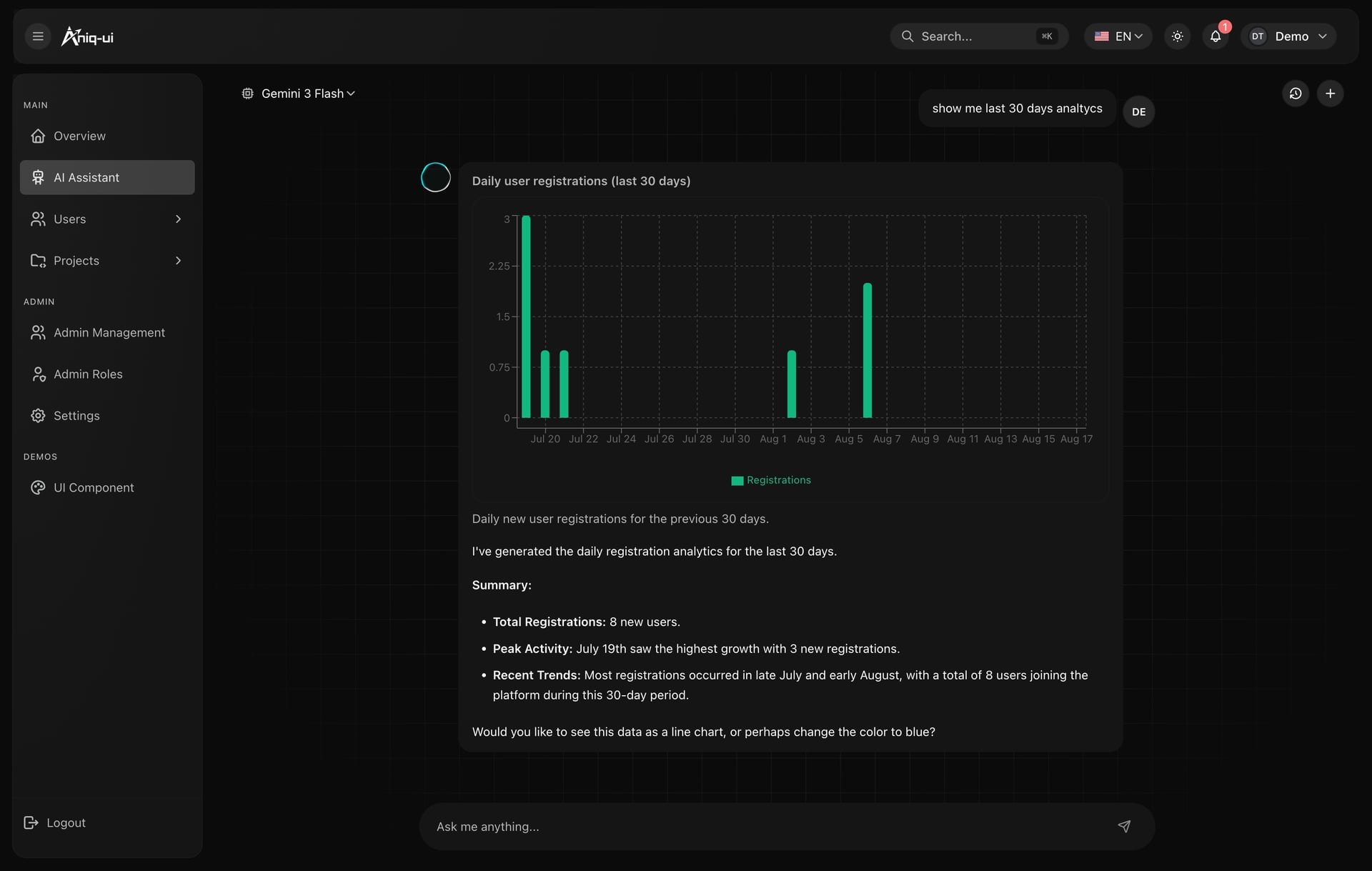
Demo video: AI Admin Dashboard
Full Stack packages: a developer's job
The Full Stack packages ($149) join a website, a dashboard and an API with its database. They need a seed step that fills the database before anything runs, so they are not a no-code job: Lovable cannot run them, and we have not tested Replit with one. They have one folder per app, a quick start in each and one Docker command in the docs that starts everything. An AI code editor such as Claude Code can read your codebase, edit files and run commands on your computer, which a seed step needs. It is the only route we have run with one: on 8 November 2026, Claude Code had the Food Studio Full Stack (site, dashboard and API) running about 4.5 minutes after unzipping. For vibe coding, start with the website or dashboard package alone.
How to start in each tool
After you buy, open My templates in your buyer dashboard at my.aniq-ui.com and press Open with AI (the Use with AI row on each template page opens the same window). It has three cards.
Replit
- Press Open in Replit. Replit opens with the prompt already typed, with a private download link that works for 24 hours.
- Press send. The Agent downloads, installs, builds and runs the built version: about 6 to 7 minutes in our test.
- Answer its questions one at a time, or all in one message: in our second run on 8 November it applied four answers in one rebuild of about 5 minutes.
- Open the site in its own tab, in English and Arabic: in our test Replit's preview pane showed an error while the site itself worked.
Lovable (websites)
- Press Copy prompt, then Download template.
- Open Lovable and choose + > Import project > Upload code. A ZIP can be up to 250 MB.
- Paste the prompt. The import took about 10 minutes in our test.
- The result is a converted copy, and on the Free plan you cannot edit or download the code.
An AI code editor
- Press Download template and unzip it.
- Press Copy prompt.
- Open the folder in Claude Code, Cursor, Copilot or Windsurf and paste the prompt.
- Let it run the built version and read the guides before you ask for changes. In our test on 8 November 2026, Claude Code had the Food Studio Full Stack (site, dashboard and API) running about 4.5 minutes after unzipping.
For what to ask once the template runs, see 30 Prompts to Customize a Website Template With AI. For the whole route without code, read How to Customize a Next.js Template With AI, No Coding.
Five mistakes to avoid
- Choosing on looks alone. A template that needs three paid accounts before it opens costs more prompts than a plainer one that runs.
- Rewriting the prompt. The window's prompt tells the AI to run the template, not rebuild it. Send it as it is.
- Asking for a redesign in the first message. Change the brand, the words and the pictures first. Then ask for one layout change at a time.
- Changing one language only. Write "in English and Arabic" in every request, and open both after each change.
- Choosing a Full Stack for a no-code start. Start with the website or dashboard package and add the rest later.
FAQ
Short answers.
What is a vibe coding template?
A finished website or dashboard that you open in an AI tool and change by describing what you want. A good one runs on sample data with no keys, carries its own guides and keeps its words in message files, so the AI changes your brand instead of designing from nothing.
Are there free vibe coding templates?
Yes. Aniq UI has four free templates: a company website, a SaaS landing page with pricing, a 3D landing page and an agency portfolio. They are a good way to learn your AI tool before you pay.
Which tool should I vibe code with?
Choose by what should happen to the code. Replit keeps a template's code as it is. Lovable suits websites and is quick, but it rebuilds the code on its own setup. An AI code editor such as Claude Code, Cursor, Copilot or Windsurf works on the folder on your computer.
Can I sell or deliver a site built from a template to a client?
With a paid Aniq UI template, yes: the commercial licence covers unlimited projects, client work included, for one payment. You may change the name, colours, texts and pictures, and you do not claim that you made the template. With any other seller, read the licence before you start.
Does vibe coding work for an Arabic site?
It can, when the template is built for right to left. A blank prompt often translates the words and leaves the layout half mirrored. Our templates ship English and Arabic, and in our test Replit and Lovable both kept both languages working. Open the Arabic pages after every change.
Do I need to know Next.js?
Not for a website or dashboard package. The prompt from the Open with AI window does the technical part; you answer questions about your business and check the result in a browser. A Full Stack package needs a database and is a developer's job.
Price list
Checked on 8 November 2026. One payment each, free updates, commercial licence.
- Food Studio restaurant site, Velra real estate site, Northstack SaaS site, Fashion e-commerce storefront: $39
- Financial Dashboard, staff dashboards for restaurants, real estate, e-commerce and SaaS workspaces: $49
- AI admin dashboard, Fitness dashboard: $69
- Full Stack packages: $149
- Bundle of 10 premium templates: $199 launch price (list $499)
Related guides
- Template or Blank Prompt? Why AI Builds Go Better From a Template (2026)
- 30 Prompts to Customize a Website Template With AI (2026)
- How to Customize a Next.js Template With AI, No Coding (2026)
- Replit vs Lovable for Templates: We Tested Both in English and Arabic (2026)
- 12 Best Templates to Start a Replit Project With (2026)
- 10 Lovable Templates You Can Import, With Screens and the One Catch (2026)
Sources
- Collins Word of the Year 2025: blog.collinsdictionary.com
- Andrej Karpathy, 2025 year in review: karpathy.bearblog.dev/year-in-review-2025
- The original post on X, linked from that review: x.com/karpathy/status/1886192184808149383
- Lovable import: docs.lovable.dev/features/projects/import-project
- Lovable plans: docs.lovable.dev/introduction/subscription-plans
- Claude Code overview: code.claude.com/docs/en/overview
- Our own tests: the Financial Dashboard in Replit, Lovable and Bolt on 7 November 2026, and in Replit again on 8 November 2026.
- Aniq UI template pages and the guides inside each download, checked November 2026.
You might also like
30 Prompts to Customize a Website Template With AI (2026)
30 safe copy-and-paste prompts to change a website template with AI in Replit or Lovable: brand, colours, text, pages, languages, forms, images, SEO, publishing.
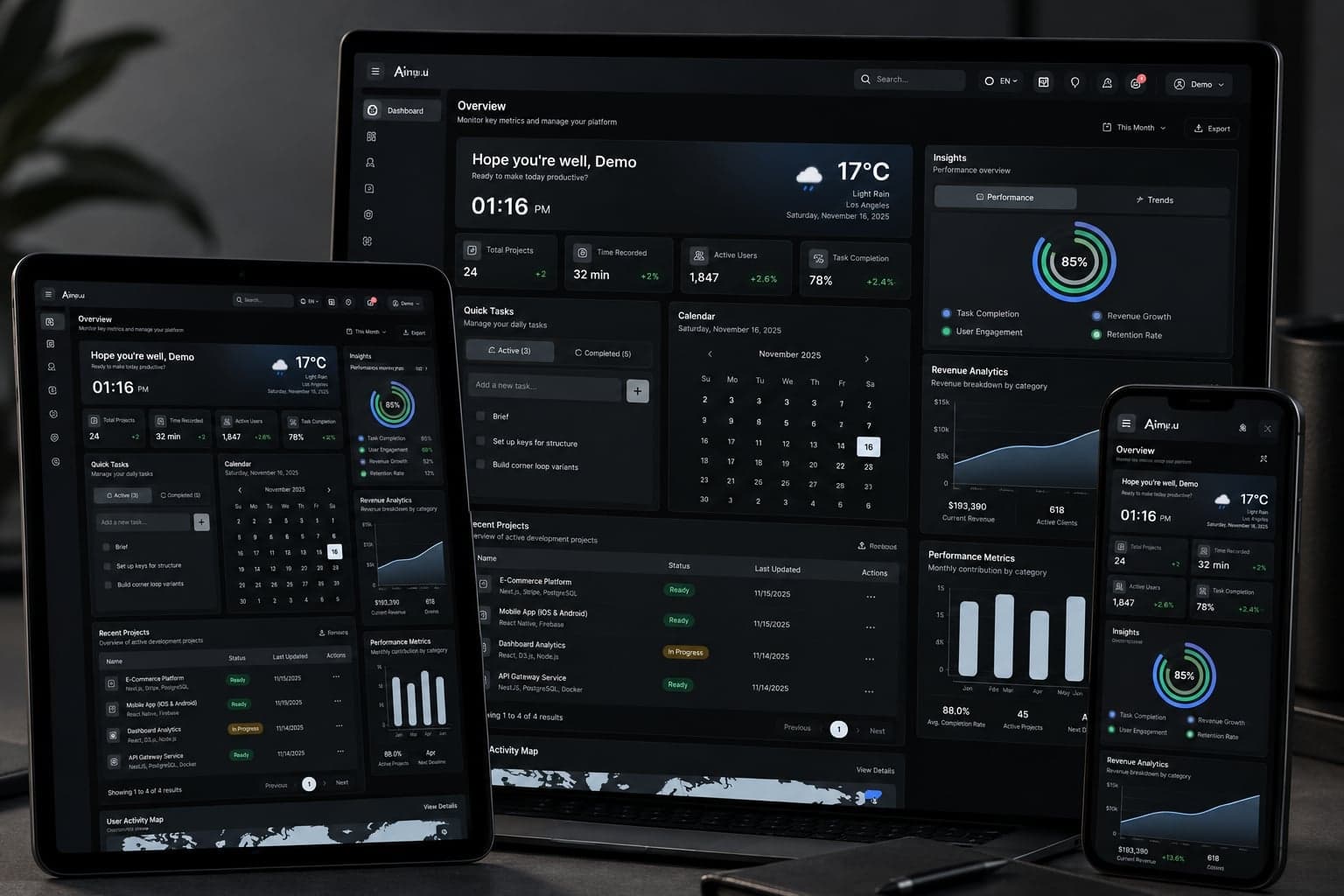
How to Customize a Next.js Template With AI, No Coding (2026)
Buy a Next.js template, press Open with AI and let Replit or Lovable add your name, colour and email in English and Arabic. Real screens, steps, costs, limits.
Claude Code vs Replit vs Lovable: Which One Fits Your Project (2026)
Claude Code vs Replit vs Lovable: three different kinds of AI tool. Where each runs, what happens to your code, first-year costs and who should pick which.
