Claude Code RTL: Arabic Right to Left in Next.js and Tailwind (2026)
Claude Code RTL done right: a CLAUDE.md block, a free rtl-check skill and hook that flags ml-, left- and text-left, and real results from 6 Next.js repos.
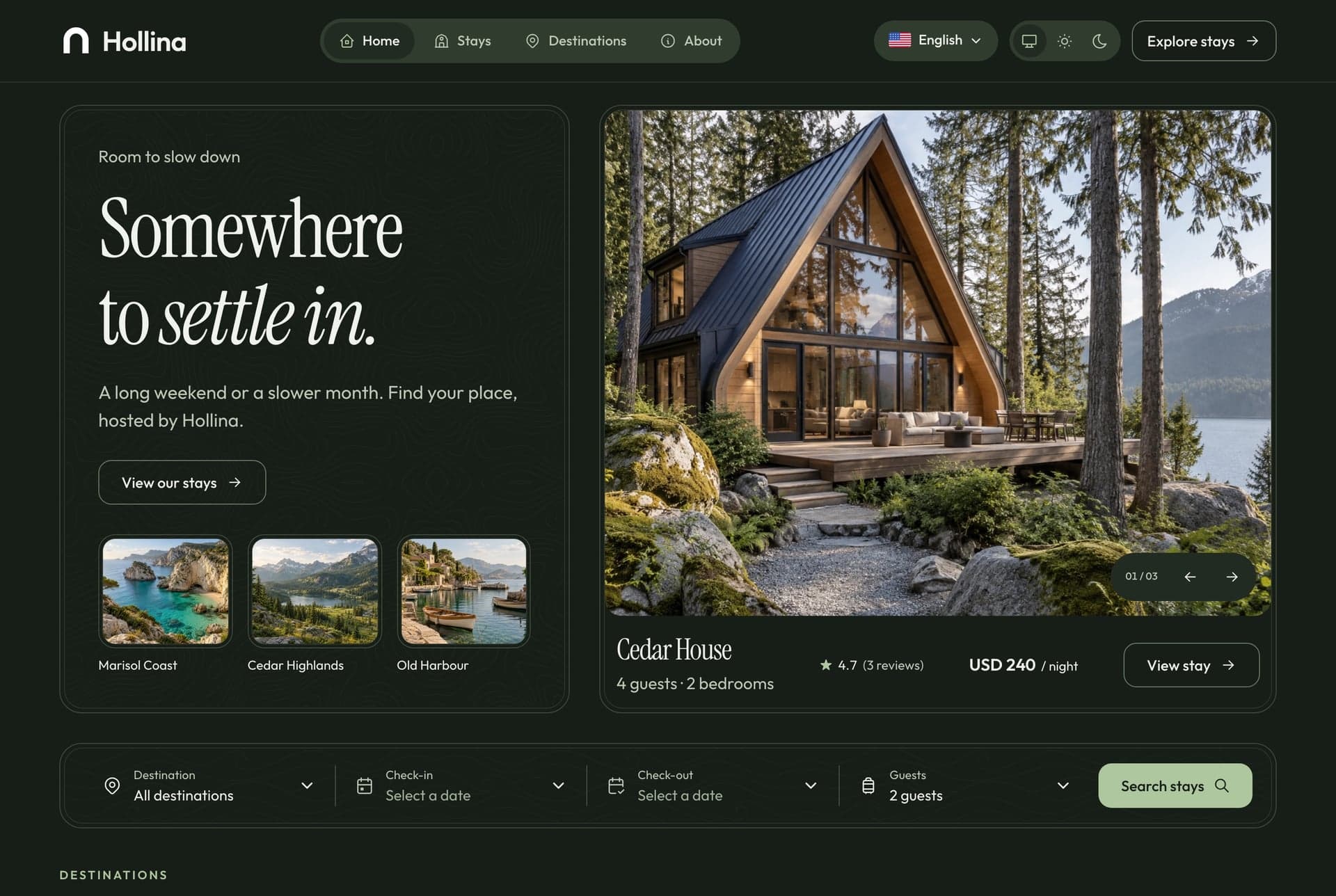
Claude Code RTL output in a Next.js and Tailwind project is correct when the repository has two things: a CLAUDE.md that says where dir is set and which logical classes to use, and a check after every edit that catches the physical classes (ml-, pr-, left-, text-left) that still slip in. This page gives you both, a CLAUDE.md block and a free rtl-check skill with a hook, tested on six of our template repos.
Claude Code RTL: two problems with one name
People search for this phrase for two different reasons. The first is Claude Code's own display: Arabic typed into the terminal or the VS Code chat panel shows reversed or with unjoined letters. That is the tool, not your project.
The Claude Code repository has several reports about it. One early request for RTL support in the chat interface, issue #11050, was closed as not planned after 60 days without activity. A community VS Code extension injects right-to-left CSS into the chat panel. Nothing you put in your repository changes how the chat renders.
The second reason is the code Claude Code writes for your app. That part you control completely, and it is what the rest of this page is about. For the Tailwind side in depth (every logical utility, the rtl: variant, what must never flip), read our Tailwind CSS RTL guide. Here we stay on the agent: what to tell it, and how to catch what it gets wrong.
What goes wrong in Arabic layouts
Most Tailwind examples are written for left-to-right pages, so ml-4, pr-2, left-0 and text-left are what an agent reaches for unless told otherwise. In English they look right. In Arabic the gap, the border or the badge lands on the wrong side, and an English-only test never shows it.
These are real lines our check found in one of our own repos, an e-commerce storefront with its admin dashboard. We use them because they are typical, not because they are rare:
ml-1between a form label and its required asterisk. In Arabic the space sits on the far side of the star. Fix:ms-1.right-0on an export dropdown andtext-lefton its items. Fix:end-0andtext-start.border-left: 4px solidas the colour stripe on toast messages. Fix:border-inline-start.rounded-l-mdandrounded-r-mdon the first and last day of a selected date range. In Arabic the range starts on the right, so the rounded corners end up inside it. Fix:rounded-s-mdandrounded-e-md.- A blockquote rule with
padding-inline-startandborder-leftside by side: half logical, half physical. In Arabic the padding moves and the border does not. - An admin dashboard that sets
dirinuseEffect. The server sends the Arabic page without a direction, it paints left to right, then flips after hydration.
Two more patterns to watch. An arrow icon that means "next" needs rtl:rotate-180, and the check found a few without it in our dashboards. And rtl:flex-row-reverse, added to "fix" Arabic, breaks it: flex rows already follow dir, so reversing again puts the row back in English order. That one did not appear in our repos.
Write the RTL rules into CLAUDE.md
Claude Code reads ./CLAUDE.md (or ./.claude/CLAUDE.md) at the start of every session. The documentation is clear about its limits: Claude treats these files "as context, not enforced configuration", and it suggests keeping each file under 200 lines. So the rules have to be short, specific and testable.
This is the block we suggest. It names the exact classes to use and to avoid, says where dir lives, and ends with the command that checks the result:
<!-- CLAUDE.md -->
## Right-to-left (Arabic)

- Locales: `en` (ltr) and `ar` (rtl). `src/app/[locale]/layout.tsx` renders
  `<html lang={locale} dir={dir}>` on the server. Never set `dir` in an effect,
  on `<body>` or on a wrapper.
- Spacing and position are logical: `ms-* me-* ps-* pe-*`, `start-* end-*`
  (`inset-s-* inset-e-*` on Tailwind 4.2+), `text-start text-end`,
  `border-s border-e`, `rounded-s rounded-e rounded-ss rounded-se`.
  Never `ml- mr- pl- pr- left- right- text-left text-right border-l border-r rounded-l rounded-r`.
- CSS: `margin-inline-start`, `padding-inline-end`, `inset-inline-start`, `text-align: start`.
- Flex and grid already follow `dir`. Never add `flex-row-reverse` for Arabic.
- Arrows that mean next or back get `rtl:rotate-180`. `translate-x`, slide-in
  keyframes and gradient directions get an `rtl:` version.
- Prices, phone numbers, emails, references and code stay left to right:
  `<bdi dir="ltr">` inline, `dir="ltr"` on inputs and code blocks.
- Arabic text: Arabic font first under `[dir="rtl"]`, `letter-spacing: 0`,
  more line height than Latin (headings 1.3 or more, body about 1.75).
- A side that is physical on purpose gets a comment with `rtl-check-ignore` and the reason.
- After UI changes run `node .claude/skills/rtl-check/scripts/rtl-check.mjs src`
  and fix every "To fix" line before you finish.
If your CLAUDE.md is already long, the same list can go in a path-scoped rule file (the docs cover these under "Organize rules"). A rule whose front matter has a paths field loads only when Claude reads or edits a matching file:
---
paths:
  - "src/**/*.{ts,tsx,css}"
---

# Right-to-left rules

(the same list as above)
One detail from the docs that matters in Next.js: a [ in a glob starts a bracket expression, so src/app/[locale]/** does not match the folder named [locale]. Escape it as \[locale\], or use a wider pattern like the one above. For a full CLAUDE.md built from real apps, see CLAUDE.md Examples From 28 Shipped Next.js and NestJS Apps.
Set dir on <html> from the locale, on the server
Everything else depends on one attribute. Logical classes read the direction of the element, the rtl: variant looks for it, and dialogs rendered in a portal under <body> inherit it only when it sits on <html>. This is how the Hollina storefront does it, trimmed:
// src/config/i18n.ts
export const locales = ["en", "ar"] as const;

export const directionOf = (locale: string): "rtl" | "ltr" =>
    locale === "ar" ? "rtl" : "ltr";

// src/app/[locale]/layout.tsx (trimmed)
export default async function LocaleLayout({ children, params }: LocaleLayoutProps) {
    const { locale } = await params;
    if (!isLocale(locale)) notFound();

    return (
        <html lang={locale} dir={directionOf(locale)} suppressHydrationWarning>
            <body>{children}</body>
        </html>
    );
}
The pattern to avoid is setting the attribute in an effect. Four of the six admin dashboards we scanned render <html> without dir and set it from a hook like this one:
// src/hooks/locale/useDirection.ts (an admin dashboard, trimmed)
export function useDirection() {
    const locale = useLocale()
    const isRTL = locale === 'ar'

    useEffect(() => {
        // Only update HTML dir attribute and lang
        document.documentElement.dir = isRTL ? 'rtl' : 'ltr'
        document.documentElement.lang = locale
    }, [locale, isRTL])

    return { isRTL, direction: isRTL ? 'rtl' : 'ltr', locale }
}
The effect runs after hydration, so every Arabic page first arrives left to right. When <html> has to stay in a root layout above [locale], an inline script in <head> is the fallback. Our e-commerce storefront and dashboard, the restaurant website and the LMS frontend ship one. This is the e-commerce version:
// src/app/layout.tsx (e-commerce storefront, trimmed)
const RTL_LOCALES = ["ar"];
const localePreflightScript = `(function(){try{var L=${JSON.stringify(locales)},R=${JSON.stringify(RTL_LOCALES)},l=location.pathname.split("/")[1];if(L.indexOf(l)<0)l="en";var e=document.documentElement;e.lang=l;e.dir=R.indexOf(l)<0?"ltr":"rtl"}catch(_){}})();`;

// inside <head>: runs before the first paint
<script dangerouslySetInnerHTML={{ __html: localePreflightScript }} />
Ask Claude Code for the server version by name. The effect version also works on screen, and the flash is easy to miss on a fast machine, so nothing in a quick test pushes an agent away from it.
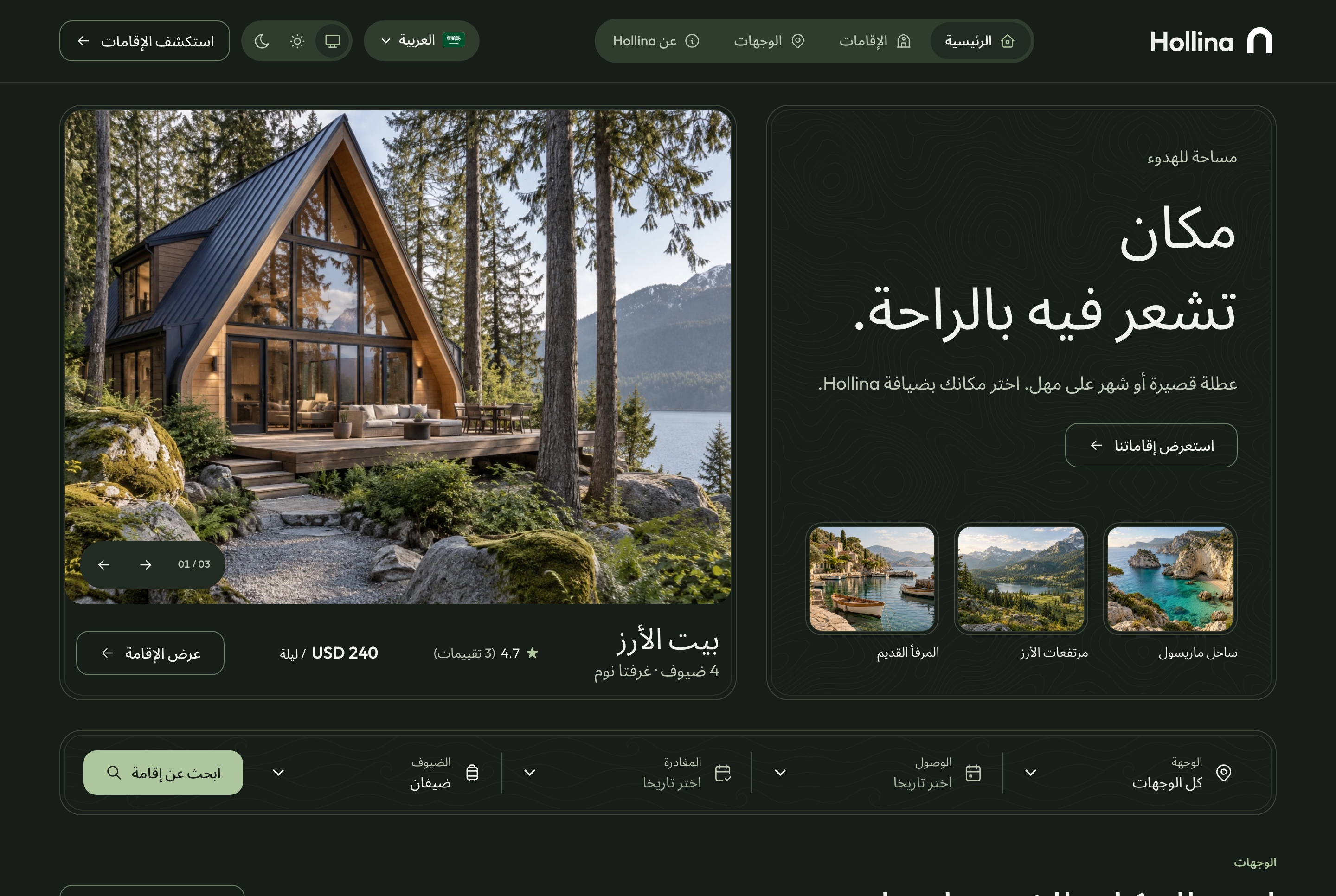
Keep numbers, prices and code left to right
Mirroring the layout is half the job. The other half is the text that must not mirror: prices, phone numbers, booking references, emails and code. The Unicode bidirectional algorithm reorders runs of digits and punctuation inside Arabic text, and the result looks broken.
Hollina wraps these values in one small component, and its comment shows the bug it prevents:
// src/components/BidiIsolate/index.tsx
/**
 * A Latin run inside a paragraph that may be right to left: a phone number, a
 * booking reference, an email address, a payment reference, a `USD` amount.
 *
 * Without the isolate, `+1 202 555 0147` renders inside Arabic text as
 * `0147 555 202 1+`.
 */
export default function BidiIsolate({ children, className }: {
    children: React.ReactNode;
    className?: string;
}) {
    return (
        <bdi dir="ltr" className={className}>
            {children}
        </bdi>
    );
}

// src/components/PriceDisplay/index.tsx (trimmed)
<BidiIsolate className="font-semibold tabular-nums">
    {formatPrice(price, currency)}
</BidiIsolate>

// src/lib/utils/formatPrice.ts: Latin digits in both languages
const numberFormat = new Intl.NumberFormat("en-US", {
    minimumFractionDigits: 0,
    maximumFractionDigits: 2,
});
Three choices work together here. <bdi dir="ltr"> isolates the value. tabular-nums keeps digits the same width. Intl.NumberFormat("en-US") gives Latin digits in both languages.
The locale tag alone is not a safe way to choose: in Node 24, ar-SA and ar-EG format 4850 as ٤٬٨٥٠, ar-MA as 4.850 and plain ar as 4,850. Pin the digits you want (with en-US or -u-nu-latn) and write that choice into CLAUDE.md, or the agent will pick per file.
Inputs need the same care. A phone or email field gets dir="ltr" so the cursor and punctuation behave as the user expects. That is also the one place where physical classes are right: Hollina's input uses rtl:pl-4 rtl:pr-11 because an LTR field inside an RTL page takes its sides from its own direction.
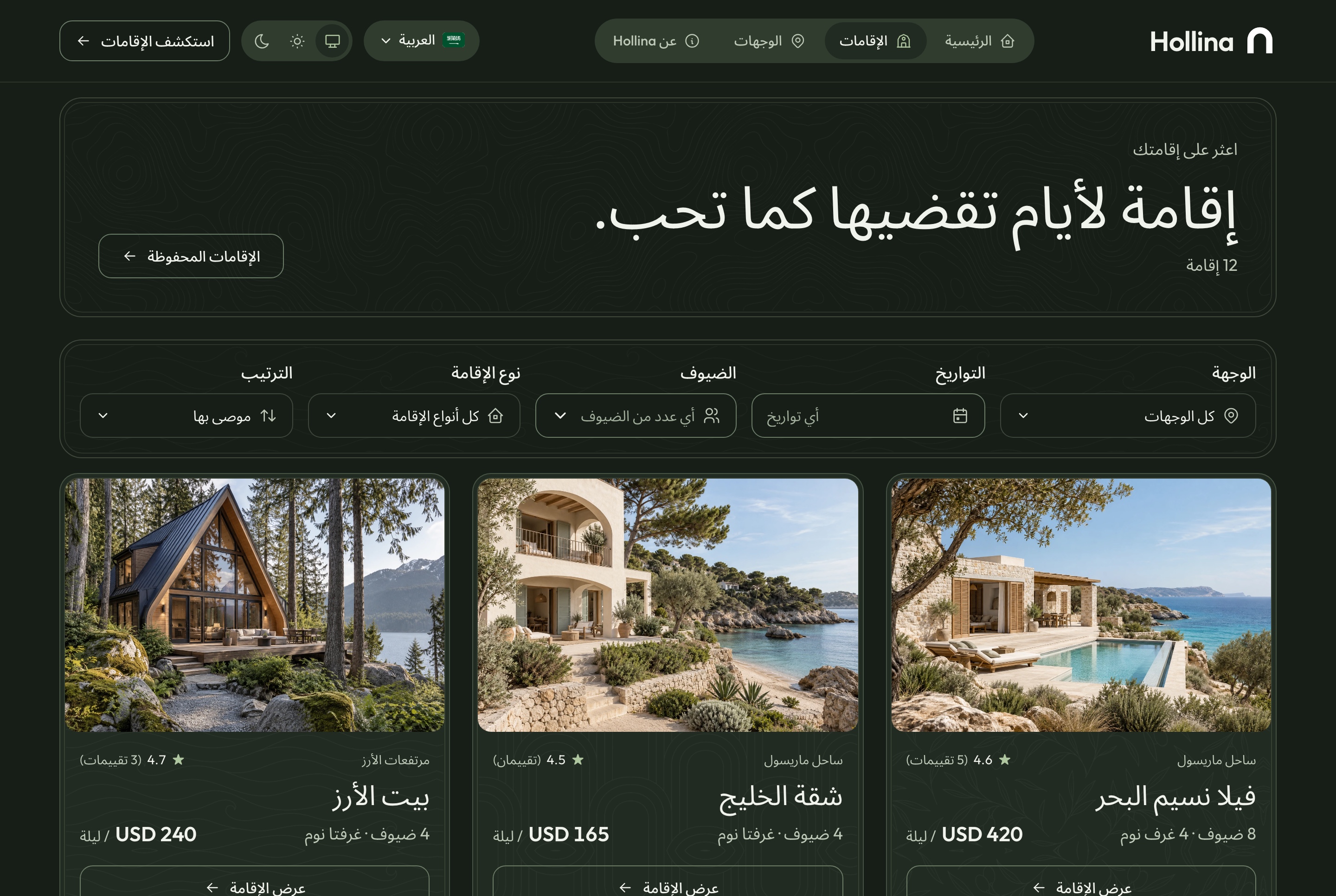
Arabic fonts, line height and letter spacing
Type is the part of RTL that a class swap does not fix. A Latin display face has no Arabic glyphs, so the browser falls back to a system font. Arabic ascenders and descenders collide at a Latin line height. And letter spacing pulls apart letters that Arabic script joins.
Hollina handles all three in CSS. It bundles Noto Sans Arabic as a local font with a unicode-range, so a page downloads it only when there is Arabic text, and it puts that face first in the stack under dir="rtl":
/* src/styles/theme-variables.css: Arabic needs more leading than the Latin
   face at the same size: the ascenders and descenders of Noto Sans Arabic
   collide at 1.06 and 1.56. */
--text-hero--line-height: 1.0588;
--text-hero-ar--line-height: 1.375;
--text-lead--line-height: 1.5556;
--text-lead-ar--line-height: 1.7778;

/* src/styles/base.css: the Arabic face wins under dir="rtl"; Latin runs
   inside Arabic copy (prices, references, emails) fall through to Outfit. */
[dir="rtl"] body,
[dir="rtl"] {
    font-family: var(--font-stack-text-rtl);
}

/* src/styles/utilities.css: Arabic has no italic and no negative tracking */
.font-display {
    letter-spacing: -0.03em;
}
[dir="rtl"] .font-display {
    font-family: var(--font-stack-text-rtl);
    letter-spacing: 0;
}
[dir="rtl"] .font-display em {
    font-style: normal;
}
The hero heading on the Arabic home page goes further, with rtl:leading-[1.3] and a smaller rtl: font size than the Latin heading. Put numbers like these in CLAUDE.md. "Use more line height for Arabic" gives the agent nothing to test. "1.3 or more for headings" does. For choosing the face itself, see our Arabic web fonts test.
The rtl-check skill
Rules in CLAUDE.md lower the error rate. A check makes the rest visible. rtl-check is a Claude Code skill with one Node script (Node 20 or later, no dependencies) that scans .tsx, .ts, .jsx, .js, .css and .scss files and prints three lists:
- Layout: whether the layout that renders
<html>setsdirfrom the locale on the server, sets it with an inline script, or sets it in an effect. - To fix: every physical Tailwind class, CSS property and inline style, as
file:linewith the logical replacement. - To review: arrows and chevrons without an
rtl:flip,translate-x, gradient directions, transform origins andrtl:flex-row-reverse.
Install it either way:
# Option 1: the skills CLI
npx skills add aniq-ui-pro/agent-skills --skill rtl-check

# Option 2: copy the folder into your project
git clone https://github.com/aniq-ui-pro/agent-skills
mkdir -p .claude/skills
cp -r agent-skills/skills/rtl-check .claude/skills/rtl-check

# Run it by hand (or type /rtl-check in Claude Code)
node .claude/skills/rtl-check/scripts/rtl-check.mjs src
The skill is on GitHub at aniq-ui-pro/agent-skills/skills/rtl-check. This is the whole SKILL.md. Claude Code reads the description to decide when to use it, and each step ends with a check that proves it worked:
---
name: rtl-check
description: Finds and fixes left/right styling that breaks Arabic, Hebrew, Persian or Urdu (right-to-left) pages in a Next.js App Router project with Tailwind CSS or plain CSS. Use after adding an RTL locale, after any UI change in an app that ships one, or when Arabic pages show spacing, borders, arrows or panels on the wrong side.
---

# rtl-check

`scripts/rtl-check.mjs` (Node 20+, no dependencies) reports:

- **Layout**: whether the layout that renders `<html>` sets `dir` from the locale on the server.
- **To fix**: physical classes and properties, each with its logical replacement
  (`ml-2 -> ms-2`, `text-left -> text-start`, `border-r -> border-e`, `margin-left -> margin-inline-start`).
- **To review**: things that may need an `rtl:` version (arrows, `translate-x`, gradients,
  transform origins, `rtl:flex-row-reverse`).

## Steps

1. **Run the check** on the app folders (not the API):
   `node ${CLAUDE_SKILL_DIR}/scripts/rtl-check.mjs src`
   (in a monorepo, list each app: `... apps/web apps/admin`).
   Check: it ends with a `Summary:` line. Exit code 0 means nothing to fix.

2. **Fix the layout first** if it says FAIL. Render `<html lang={locale} dir={dir}>` in the
   layout that owns `<html>` (usually `app/[locale]/layout.tsx`), with `dir` computed on the
   server from the locale. Do not set `dir` in `useEffect`, and do not put it on `<body>` or a
   wrapper `<div>`. If `<html>` must stay in a root layout above `[locale]`, an inline
   `<script>` in that layout may set `lang` and `dir` from the first path segment.
   Check: run step 1 again; the Layout line says `ok`.

3. **Apply every "To fix" line** with the replacement it prints. Keep `mx-*`, `px-*`,
   `inset-x-*` and `left-1/2 -translate-x-1/2` (they are symmetric). Never add
   `flex-row-reverse` for Arabic: flex and grid already follow `dir`.
   Check: run step 1 again; `To fix: 0`.

4. **Decide each "To review" line.** Arrows and chevrons that mean next/back get
   `rtl:rotate-180` (or `rtl:-scale-x-100`). Motion that follows reading order gets an `rtl:`
   counterpart (`group-hover:translate-x-1 rtl:group-hover:-translate-x-1`). Remove
   `rtl:flex-row-reverse`.
   Check: run step 1 again; every remaining review line is something you chose to keep.

5. **Mark what is physical on purpose.** A before/after slider, a map popup, a progress bar
   animated by a library, or tabs whose order is already reversed in code: put a comment
   containing `rtl-check-ignore` and the reason on the line above.
   Check: run step 1 again; those lines are gone from the report.

6. **Keep left-to-right content left to right.** Prices, phone numbers, emails, order
   references and code get `<bdi dir="ltr">` (inline) or `dir="ltr"` (inputs and blocks).
   Check: `grep -rn 'type="tel"\|type="email"' src` and confirm each field has `dir="ltr"`.

7. **Check the real page.** With the dev server running, request an Arabic page:
   `curl -s http://localhost:<port>/ar | grep -o '<html[^>]*>'`
   Check: the tag contains `dir="rtl"` and `lang="ar"` in the server HTML.

8. **Run the project's own checks** (`lint`, `typecheck`, `build`).
   Check: all exit with code 0.

## Run it after every edit (optional)

Add to `.claude/settings.json`, with the path where this skill lives:

```json
{
  "hooks": {
    "PostToolUse": [
      {
        "matcher": "Edit|Write",
        "hooks": [
          { "type": "command", "command": "node \"$CLAUDE_PROJECT_DIR\"/.claude/skills/rtl-check/scripts/rtl-check.mjs --hook" }
        ]
      }
    ]
  }
}
```

The hook checks only the edited file. When it finds something it exits with code 2, and
Claude Code shows its report to Claude, which fixes the line in its next step.
Check: `/hooks` lists it; ask for a test edit with `ml-2` and the report appears.

Options: `--json`, `--no-review`, `--ignore <text>` (skip paths containing the text).
The script avoids the false alarms a plain grep would raise. It skips a mirrored pair on one line (left-0 right-0, or isRtl ? "pr-4" : "pl-4"), left-1/2 with -translate-x-1/2, left-0 on a full-width element, anything inside an element marked dir="ltr", CSS under a [dir=...] selector, and CSS whose selector names a side, such as a map popup's .anchor-left.
It also reads the Tailwind version from the nearest package.json. Tailwind CSS 4.2 added inset-s-* and inset-e-* and deprecated start-* and end-*. We compiled both on 4.1.11 and 4.3.3: inset-s-4 does not exist on 4.1.11, and start-4 still compiles on 4.3.3. So the script suggests inset-s-* from 4.2 and start-* before it.
This is the real report for the Hollina repo, storefront, dashboard and API together:
$ node .claude/skills/rtl-check/scripts/rtl-check.mjs storefront admin-dashboard back-end
rtl-check: 1606 files scanned in 497 ms, right-to-left locales found: ar

Layout (lang and dir on <html>)
  ok    storefront/src/app/[locale]/layout.tsx  <html lang={locale} dir={directionOf(locale)} className={`${outfit.variable} ${instrumentSerif.variable} ${...
  FAIL  admin-dashboard/src/app/layout.tsx  <html> has no dir; admin-dashboard/src/hooks/locale/useDirection.ts sets it in an effect, after the first paint (the page flips on load)

To fix: 0

To review: 5
  admin-dashboard/src/components/ui/Pagination.tsx:148  <IconChevronLeft>  (direction icon: add rtl:rotate-180 (or rtl:-scale-x-100) if it means next/back)
  admin-dashboard/src/components/ui/Pagination.tsx:193  <IconChevronRight>  (direction icon: add rtl:rotate-180 (or rtl:-scale-x-100) if it means next/back)
  admin-dashboard/src/components/ui/ShineBadge.tsx:21  bg-gradient-to-r  (gradient direction is physical: add rtl:bg-linear-to-... if it should follow reading order)
  admin-dashboard/src/components/ui/ShineBadge.tsx:24  bg-gradient-to-r  (gradient direction is physical: add rtl:bg-linear-to-... if it should follow reading order)
  admin-dashboard/src/components/ui/ShineBadge.tsx:67  bg-gradient-to-r  (gradient direction is physical: add rtl:bg-linear-to-... if it should follow reading order)

Summary: 0 to fix in 0 files, 5 to review, layout 1 FAIL
Run the check after every edit with a hook
A skill runs when Claude decides to use it or when you type /rtl-check. A hook runs every time. The Claude Code docs describe hooks as deterministic control: "certain actions always happen rather than relying on the LLM to choose to run them". That is the difference between a rule in CLAUDE.md and a rule that holds.
Add this to .claude/settings.json in the project:
{
  "hooks": {
    "PostToolUse": [
      {
        "matcher": "Edit|Write",
        "hooks": [
          {
            "type": "command",
            "command": "node \"$CLAUDE_PROJECT_DIR\"/.claude/skills/rtl-check/scripts/rtl-check.mjs --hook"
          }
        ]
      }
    ]
  }
}
After each Edit or Write, Claude Code sends the event as JSON on stdin, with the file in tool_input.file_path. In --hook mode the script checks only that file. If it finds something it exits with code 2, and for PostToolUse the docs say exit 2 "shows stderr to Claude; the tool already ran". Claude reads the report and fixes the line in its next step.
We fed the script the same event shape for a copy of the export dropdown file from the e-commerce dashboard. It answered in about 30 ms:
rtl-check: <project>/src/components/Table/components/ExportButton.tsx would break right-to-left pages.
  line 100: right-0 -> end-0
  line 103: text-left -> text-start
  line 115: text-left -> text-start
Use the logical form. If a side is physical on purpose, put a comment containing rtl-check-ignore and the reason on the line above.
Type /hooks in Claude Code to confirm the hook is loaded. One gap remains: Claude can also change files with shell commands, which an Edit|Write matcher does not see. Run the full scan before you commit, or in CI, to cover that.
What the check found in six template repos
We ran rtl-check read-only on six of our Next.js template repos, all shipping English and Arabic. Each scan took between 77 ms and 1.3 s on our machine. The API folders add files to the count but no findings, since NestJS has no styling to check.
| Repo (apps scanned) | Files | To fix | To review | Layout |
|---|---|---|---|---|
| Vacation rental: website, dashboard, API | 1,606 | 0 | 5 | Website ok (server). Dashboard: dir set in an effect |
| Real estate: website, dashboard, API | 1,691 | 6 | 14 | Website ok (server). Dashboard: dir set in an effect |
| E-commerce: storefront, dashboard, API | 2,201 | 77 | 18 | Both ok (inline script) |
| Restaurant: website, dashboard, API | 2,565 | 6 | 11 | Website ok (inline script). Dashboard: dir set in an effect |
| LMS: frontend, dashboard, API | 2,690 | 46 | 31 | Frontend ok (inline script). Dashboard: dir set in an effect |
| Admin dashboard (single app) | 403 | 17 | 23 | Ok (server) |
A count is not a verdict, so we opened every e-commerce file the check named: 77 lines in 30 files.
- 42 were real mirror bugs, among them the asterisk margin, the dropdown, the toast stripes, the date range corners, the blockquote, icon margins in sign-in buttons and badges pinned to the left corner of product cards.
- 30 were physical on purpose. 20 were corners of language tabs whose order the code already reverses for Arabic, so each tab keeps its physical side. 4 were card corners chosen per direction in JavaScript. 4 belonged to a vendor progress bar animated with physical transforms. 1 was a tab indicator moved by a measured x offset, and 1 a copy button over a left-to-right code block.
- 5 we could not settle without the running page.
$ node .claude/skills/rtl-check/scripts/rtl-check.mjs storefront admin-dashboard back-end
rtl-check: 2201 files scanned in 746 ms, right-to-left locales found: ar
...
To fix: 77
  admin-dashboard/src/components/Form/components/FormField.tsx:44  ml-1 -> ms-1
  admin-dashboard/src/components/Table/components/ExportButton.tsx:100  right-0 -> end-0
  admin-dashboard/src/components/Table/components/ExportButton.tsx:103  text-left -> text-start
  admin-dashboard/src/components/ui/calendar.tsx:122  rounded-l-md -> rounded-s-md
  storefront/src/styles/toastify.css:76  border-left: 4px solid rgb(34, 197, 94) -> border-inline-start: 4px solid rgb(34, 197, 94)
  ...
Summary: 77 to fix in 30 files, 18 to review, layout ok
The vacation rental repo had nothing to fix. Of its 5 review lines, 2 were real: the dashboard's pagination chevrons, shown only on phones, do not flip. The other 3 were a decorative badge gradient.
The real estate repo's 6 lines were all deliberate: 4 position the labels of a before and after photo slider, and 2 belong to the same vendor progress bar.
Reading the hits by hand also improved the script. The first version flagged MapLibre popup tips, a full-width underline and a === comparison it took for an assignment. Each is now a rule, which is why the table above has fewer false alarms than a grep.
One more data point. On 10 Nov 2026 we recorded a headless Claude Code run that rebranded the e-commerce template into a made-up coat shop, Talvane, from one prompt. It changed 38 TypeScript and CSS files, mostly data and config.
The check reports the same 77 lines before and after: no new left/right styling, and the old lines untouched, since it was not asked to fix them. The machine had our own user-level Claude settings, which a buyer's machine would not have.
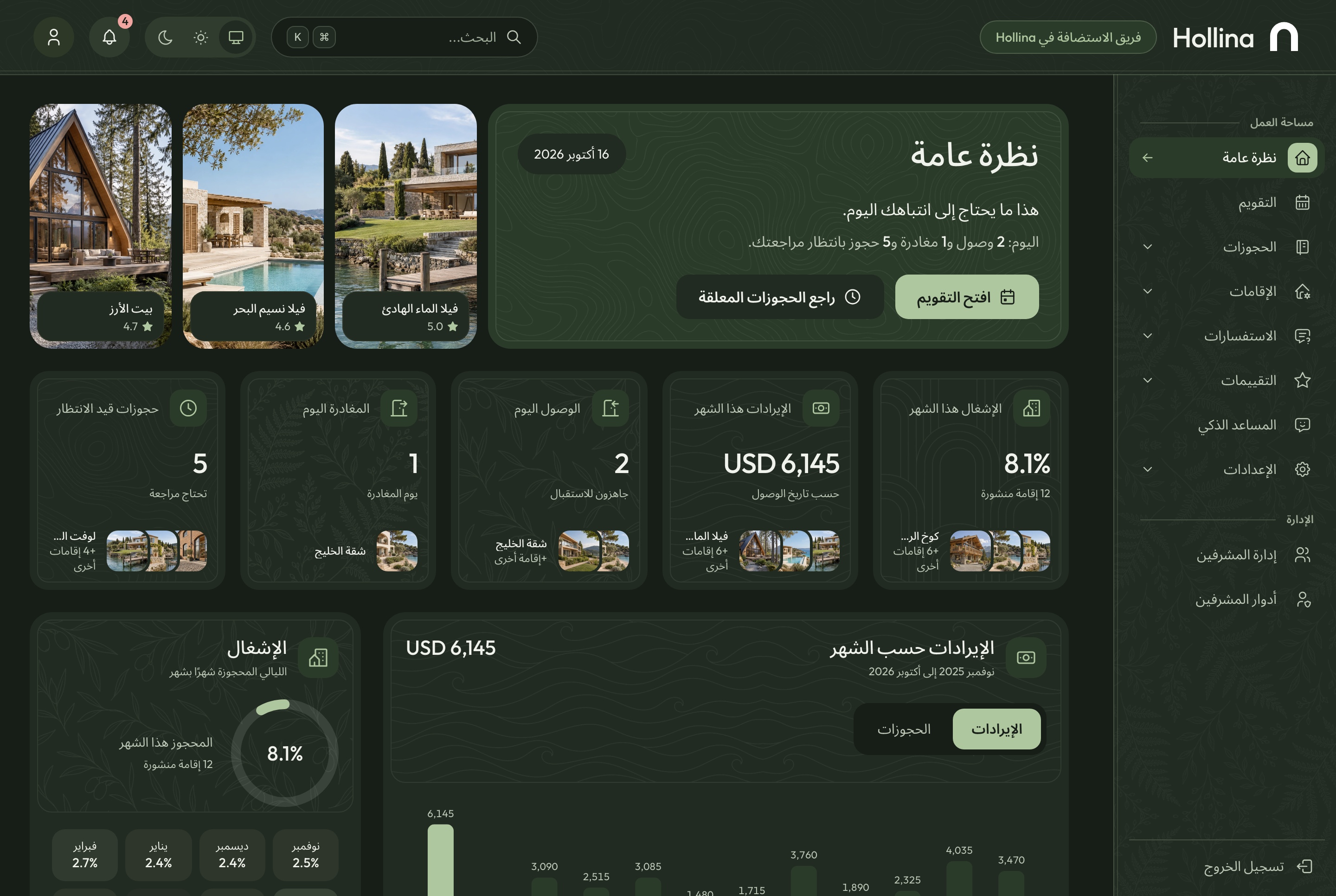
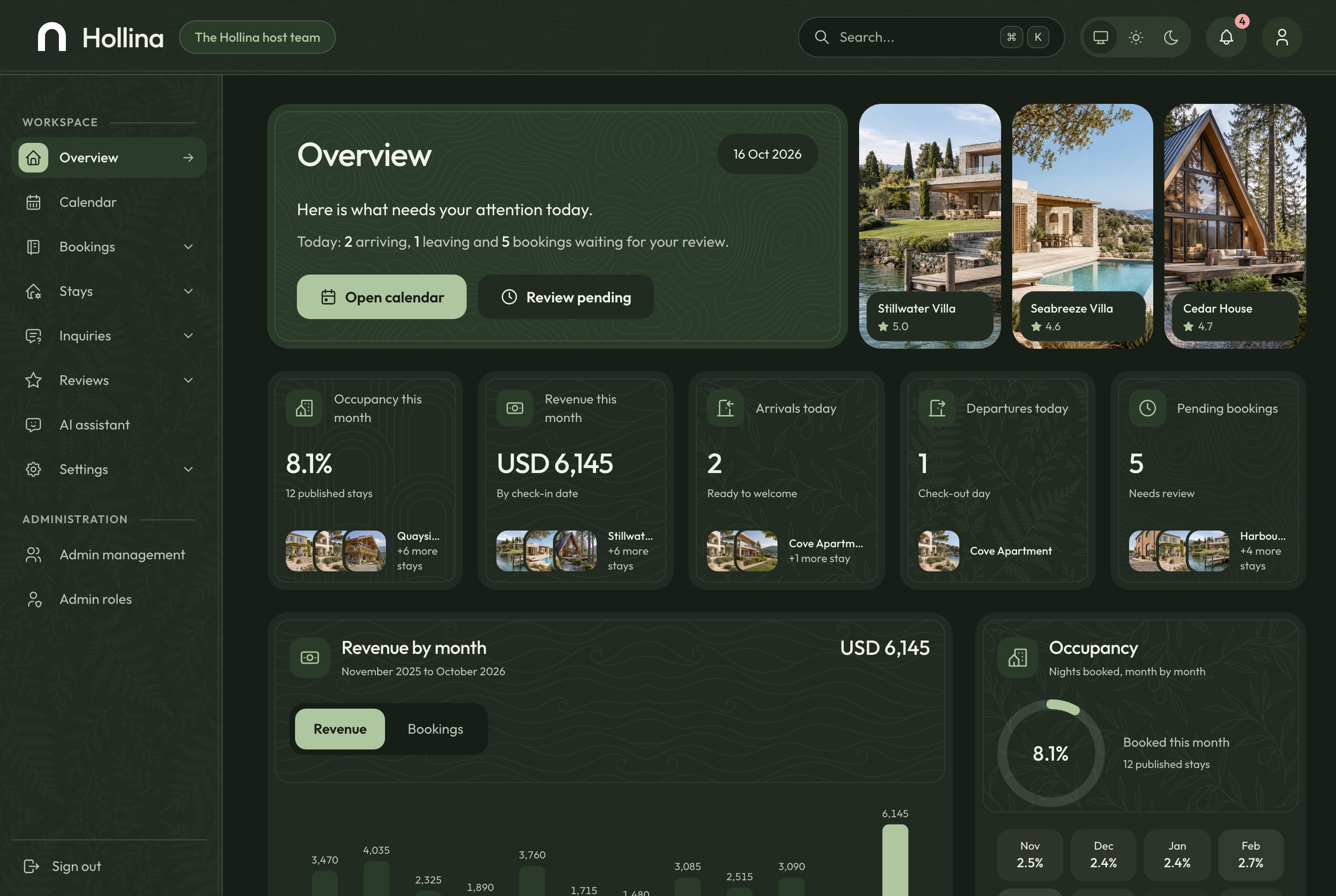
A prompt to fix RTL with Claude Code
With the skill installed, this is enough. It names the order of work, asks for a decision on every review line, and ends with proof:
/rtl-check apps/admin

Fix the Layout line first, then every "To fix" line. For each "To review" line,
tell me what you decided and why. Leave vendor stylesheets alone and mark them
with rtl-check-ignore. Run the check again at the end and paste the Summary line.
Keep a human on the review list. The 30 deliberate lines above show why: a script cannot know that a tab row is reversed in code, or that a progress bar comes from a library. A reason in an rtl-check-ignore comment records the decision for the next person and the next agent.
FAQ
Can Claude Code write Arabic right-to-left layouts?
Yes. It writes logical Tailwind classes, dir handling and <bdi> wrappers when the project asks for them. Without instructions, nothing stops it from writing the physical classes common in left-to-right examples. A short RTL section in CLAUDE.md plus a check after each edit closes most of that gap.
Why does Arabic look reversed in the Claude Code terminal or chat?
That is how Claude Code's own interface renders right-to-left text, and several issues about it have been filed in the Claude Code GitHub repository. The reports describe a display problem in the tool. Your app renders its Arabic strings with the direction your pages set, so fix the page, not the terminal.
Is CLAUDE.md enough, or do I need the hook?
CLAUDE.md is loaded as context, and the docs say it is not enforced configuration. It makes mistakes rarer. A PostToolUse hook runs after every edit whatever the model decides, so it catches what slips through. Use both, plus a full scan before commits.
Should I use logical classes or the rtl: variant?
Logical classes first: ms-4 works in both directions with one class. Keep rtl: for what logical properties cannot express: rotating an arrow, translate-x, gradient directions, transform origins and keyframes. Our Tailwind CSS RTL guide covers each case.
Does rtl-check work with Tailwind CSS 3 or without Tailwind?
Yes. It reads the Tailwind version from package.json and suggests start-* before 4.2. Logical utilities such as ms-* need Tailwind CSS 3.3 or later, and it prints a note on older versions. CSS files, CSS modules and inline style objects are checked without Tailwind.
Will logical classes change my English layout?
No. In a left-to-right page ms-4 is the same margin as ml-4, and text-start is the same as text-left. The English page renders identically. Only the Arabic page changes, which is the point.
Arabic-ready templates and prices
The Hollina vacation rental template from this article, with the website set up exactly as shown above:
- Stays website (Next.js 16): $39
- Booking dashboard (Next.js 16): $49
- Backend API (NestJS, Stripe and PayPal): $99
- Full stack, all three: $149 ($187 bought separately)
- Next.js Templates Bundle, 10 templates including Hollina: $499
Demo video: Hollina vacation rental template
These are list prices; the template page shows any current offer. Browse the templates, most of them in English and Arabic, paid once.
Related guides
- Tailwind CSS RTL Guide: Logical Properties and the rtl: Variant
- CLAUDE.md Examples From 28 Shipped Next.js and NestJS Apps (2026)
- Best Arabic Fonts for Web UI (2026), Tested in a Dashboard
- Arabic RTL Dashboard Templates for Next.js: 10 Aniq UI Dashboards
- How to Build a Vacation Rental Booking Website with Next.js
- Claude Code vs Replit vs Lovable: Which One Fits Your Project (2026)
Sources
Claude Code documentation on skills, CLAUDE.md and rules, the hooks guide and the hooks reference; Tailwind CSS documentation on logical inset utilities and the rtl and ltr variants; the Tailwind CSS v3.3 announcement (logical utilities) and the v4.2.0 release notes (inset-s-*); Claude Code issue #11050. Scan results are from our runs on 14 Nov 2026. Checked November 2026.
You might also like
CLAUDE.md Examples From 28 Shipped Next.js and NestJS Apps (2026)
Four CLAUDE.md examples to copy, written from 28 shipped Next.js and NestJS apps: root, Next.js, NestJS and AGENTS.md, plus a free skill that checks yours.
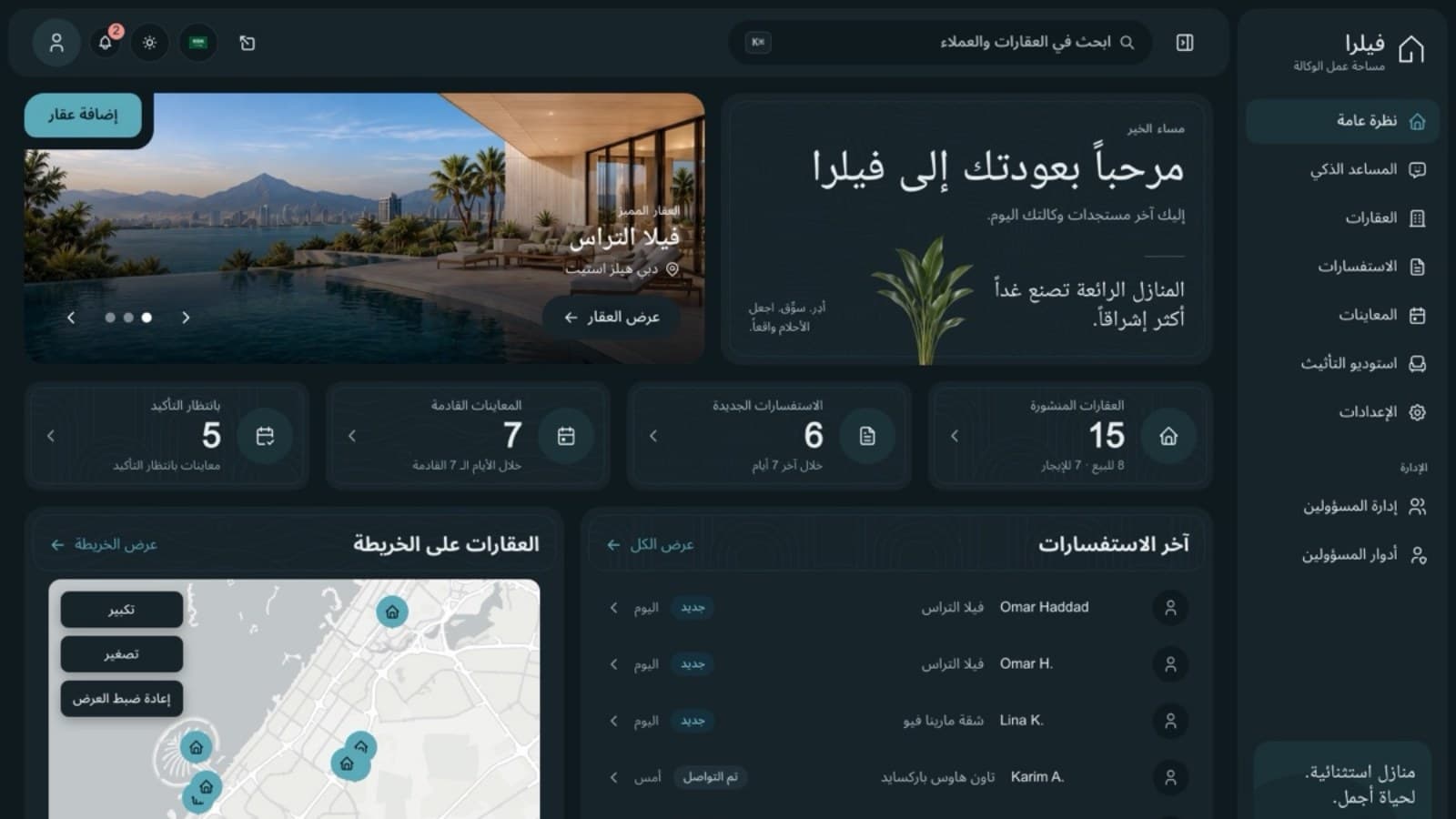
Tailwind CSS RTL Guide: Logical Properties and the rtl: Variant
Build RTL layouts with Tailwind CSS 4 and next-intl: dir and lang per locale, logical utilities, the rtl: variant, Arabic fonts and a testing checklist.
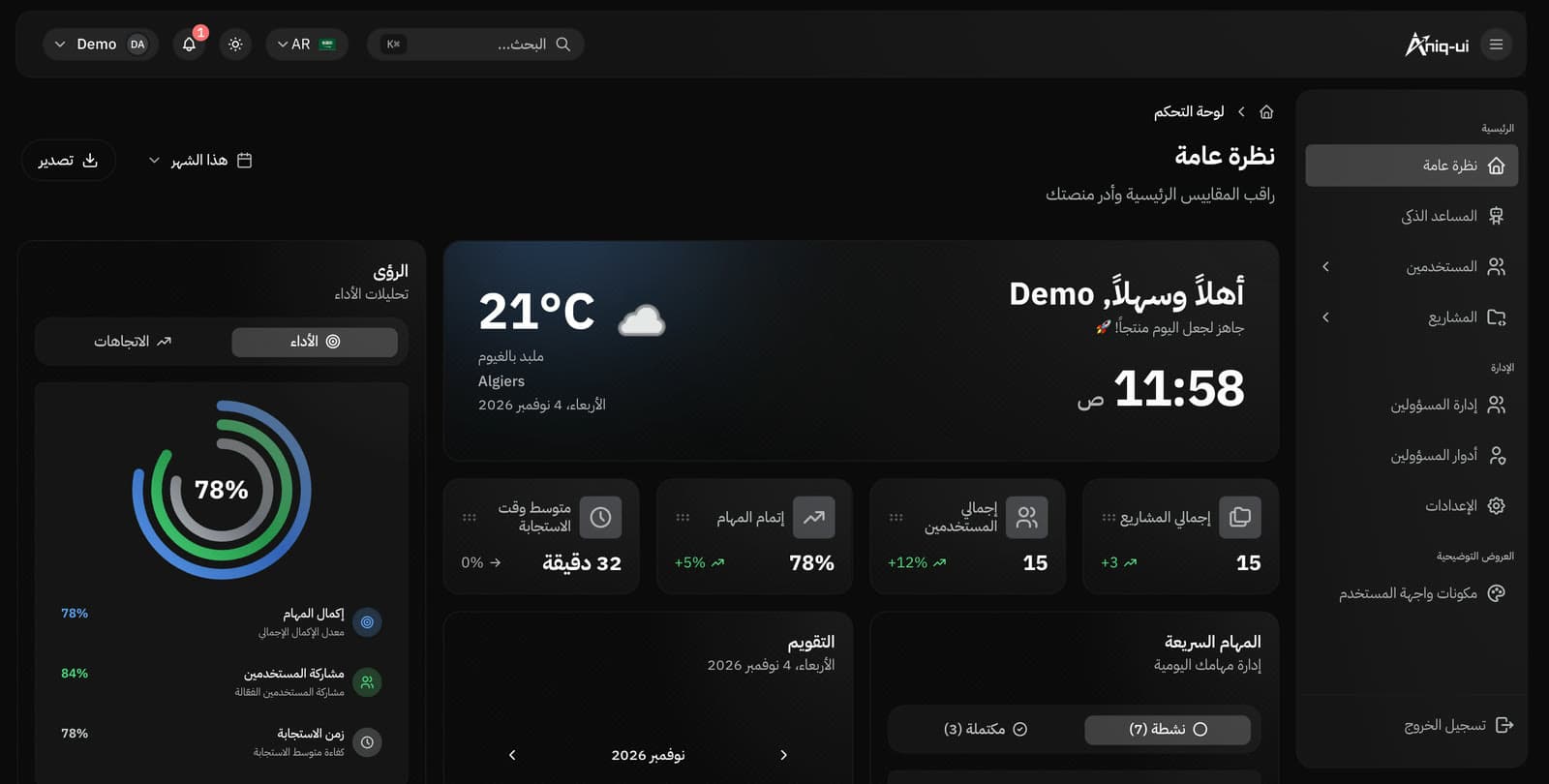
Arabic RTL Dashboard Templates for Next.js: 10 Aniq UI Dashboards
Ten Next.js dashboard templates by Aniq UI with English and Arabic, a real RTL layout, light and dark themes, and live demos in Arabic.
