Tailwind CSS RTL Guide: Logical Properties and the rtl: Variant
Build RTL layouts with Tailwind CSS 4 and next-intl: dir and lang per locale, logical utilities, the rtl: variant, Arabic fonts and a testing checklist.
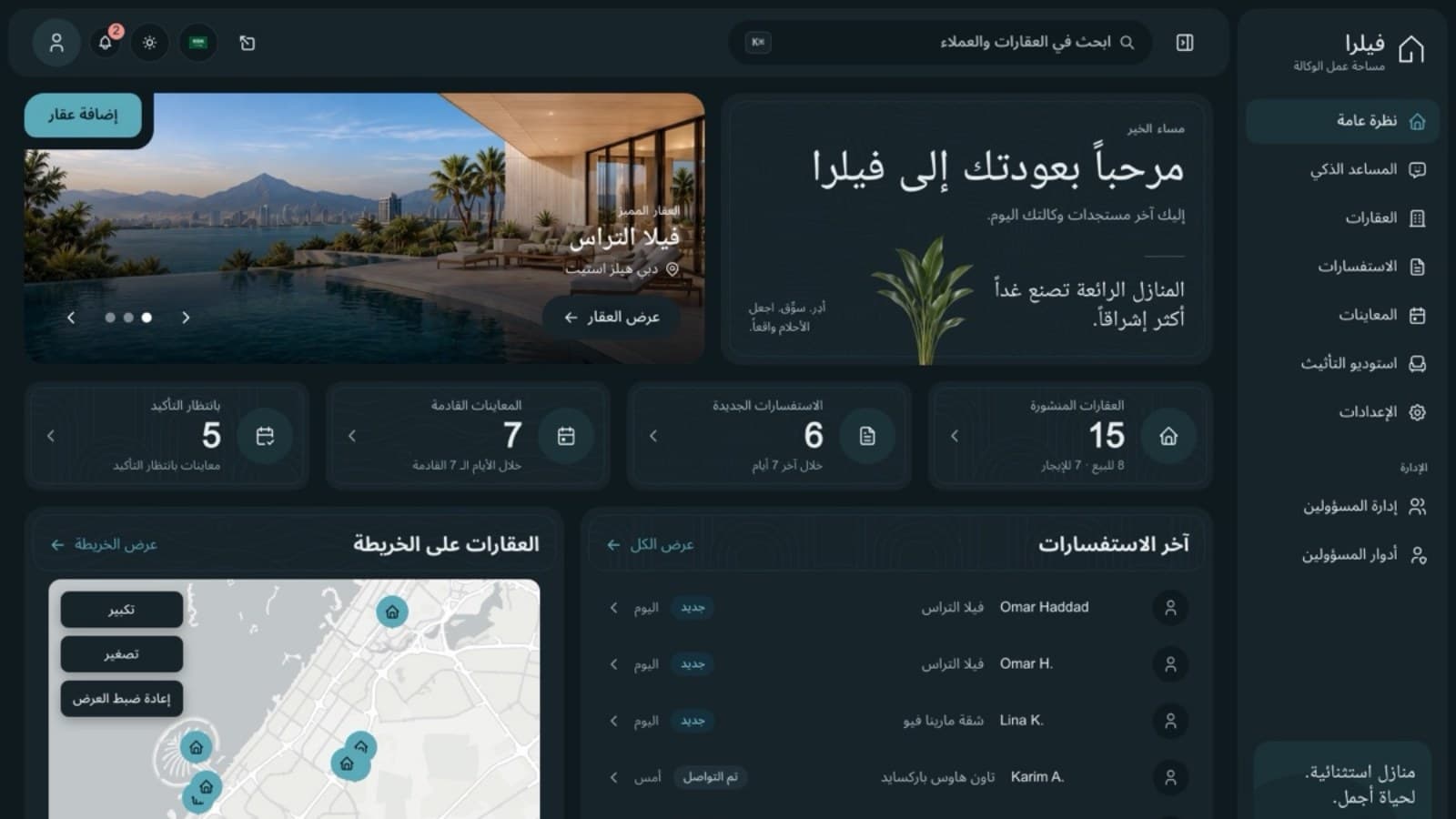
This is a practical guide to RTL in Tailwind CSS 4: how to make one set of components work in English, which reads left to right, and in Arabic, which reads right to left, in a Next.js App Router project with next-intl. The snippets come from Aniq UI's own templates, which ship in English and Arabic, and every Tailwind class below was checked against the Tailwind CSS 4.3 documentation and compiler.
The idea fits in one sentence: set dir on <html>, write spacing and position with logical utilities (ms-4, not ml-4), and keep the rtl: variant for the few things logical properties cannot express. The rest of this page is the detail that sentence leaves out: what flips on its own, what needs a variant, what must never flip, how Arabic type differs, and how to test it all.
1. Set lang and dir on <html> for each locale
Everything else in this guide depends on one attribute. Logical properties read the element's direction, Tailwind's rtl: variant looks for it, and screen readers use lang to pick a voice. It belongs on <html> rather than on a wrapper inside <body>: dialogs, menus and toasts are often rendered in a portal directly under <body>, and they inherit the direction only when it is set above them.
With next-intl and the App Router, the cleanest setup lets app/[locale]/layout.tsx render <html> and <body>, so the server sends the right direction in the first byte of HTML. The files below come from the Aniq UI landing page template, trimmed to what matters here. First the routing and the proxy (Next.js 16 renamed middleware.ts to proxy.ts; on Next.js 15 the same code lives in middleware.ts):
// src/i18n/routing.ts
import { defineRouting } from "next-intl/routing";

export const routing = defineRouting({
  locales: ["en", "ar"],
  defaultLocale: "en",
});
// src/proxy.ts (named middleware.ts before Next.js 16)
import createMiddleware from "next-intl/middleware";
import { routing } from "./i18n/routing";
export default createMiddleware(routing);
export const config = {
// Skip /api, /_next, /_vercel and any path with a dot (files)
matcher: ["/((?!api|_next|_vercel|.*\\..*).*)"],
};The request config loads messages for the active locale. The template loads one folder per page; here it is one file per locale to keep it short:
// src/i18n/request.ts
import { getRequestConfig } from "next-intl/server";
import { hasLocale } from "next-intl";
import { routing } from "./routing";

export default getRequestConfig(async ({ requestLocale }) => {
  const requested = await requestLocale;
  const locale = hasLocale(routing.locales, requested)
    ? requested
    : routing.defaultLocale;

  return {
    locale,
    messages: (await import(`../../messages/${locale}.json`)).default,
  };
});
A small helper turns a locale into a direction. This one is from the Aniq UI real estate template. If you add Hebrew, Persian or Urdu later, this is the one place to change:
// src/config/i18n.ts
export const directionOf = (locale: string): "rtl" | "ltr" =>
  locale === "ar" ? "rtl" : "ltr";
Then the locale layout renders the attributes on the server:
// src/app/[locale]/layout.tsx
import { NextIntlClientProvider, hasLocale } from "next-intl";
import { getMessages, setRequestLocale } from "next-intl/server";
import { notFound } from "next/navigation";
import { routing } from "@/i18n/routing";
import { directionOf } from "@/config/i18n";
import "@/styles/globals.css";

export function generateStaticParams() {
  return routing.locales.map((locale) => ({ locale }));
}

export default async function LocaleLayout({
  children,
  params,
}: {
  children: React.ReactNode;
  params: Promise<{ locale: string }>;
}) {
  const { locale } = await params;
  if (!hasLocale(routing.locales, locale)) notFound();

  // Enable static rendering
  setRequestLocale(locale);
  const messages = await getMessages();

  return (
    <html lang={locale} dir={directionOf(locale)} suppressHydrationWarning>
      <body>
        <NextIntlClientProvider messages={messages}>
          {children}
        </NextIntlClientProvider>
      </body>
    </html>
  );
}
The template keeps a pass-through root layout, because every page lives under [locale]:
// src/app/layout.tsx
// Every page lives under [locale], whose layout renders <html> and <body>.
export default function RootLayout({ children }: { children: React.ReactNode }) {
  return children;
}
next.config wraps the config with createNextIntlPlugin("./src/i18n/request.ts"). For the Next.js 16 details (root params, caching), see our next-intl and Next.js 16 guide.
Why not set dir in the browser?
Some apps set document.documentElement.dir in a useEffect. The server HTML then arrives left to right, the page paints that way, and it flips after hydration: a visible jump on every Arabic page load. If your <html> has to live in a root layout above the [locale] segment, the fallback is a tiny inline script in <head> that reads the first path segment and sets lang and dir before the first paint. Aniq UI's e-commerce and LMS storefronts do that. An effect that runs after hydration is the version to avoid.
2. Logical utilities in Tailwind CSS 4
A physical utility names a side of the screen. ml-4 is margin-left in both languages, so the gap between an icon and its label in English ends up on the wrong side in Arabic. A logical utility names a side of the text. ms-4 is margin-inline-start, which is the left in English and the right in Arabic: one class, both directions, no override. Tailwind CSS has shipped these since version 3.3, and version 4 extends them.
| Physical (fixed side) | Logical (follows dir) | CSS property |
|---|---|---|
ml-4 / mr-4 | ms-4 / me-4 | margin-inline-start / margin-inline-end |
pl-4 / pr-4 | ps-4 / pe-4 | padding-inline-start / padding-inline-end |
left-0 / right-0 | inset-s-0 / inset-e-0 (or start-0 / end-0) | inset-inline-start / inset-inline-end |
text-left / text-right | text-start / text-end | text-align: start / end |
border-l / border-r | border-s / border-e | border-inline-start-width / border-inline-end-width |
rounded-l-lg / rounded-r-lg | rounded-s-lg / rounded-e-lg | The two corners on the start or end side |
rounded-tl-lg | rounded-ss-lg | border-start-start-radius |
float-left / float-right | float-start / float-end | float: inline-start / inline-end |
scroll-ml-4 | scroll-ms-4 | scroll-margin-inline-start |
start-* or inset-s-*? Tailwind CSS 4.2 added inset-s-*, inset-e-*, inset-bs-* and inset-be-*, and deprecated start-* and end-* in their favour. The old names still compile to the same inset-inline-start (we checked with 4.3.3), and the Aniq UI templates still use start-*, so there is no rush to rewrite. New code can use inset-s-*. Version 4.2 also added block-axis utilities such as mbs-*, pbs-* and border-bs-*; those matter for vertical writing modes, not for Arabic, which is horizontal.
What already follows the direction
A lot of layout flips without a single new class. Flexbox and grid lay items out along the inline axis, so a flex row starts on the right in Arabic, and justify-start, justify-end and order-* follow. mx-*, px-* and inset-x-* set both sides at once. In Tailwind CSS 4, space-x-* and divide-x are written with logical properties too. The default text-align is start, so text you never aligned is already right. This is what the compiler emits:
/* ms-4 */
.ms-4 {
  margin-inline-start: calc(var(--spacing) * 4);
}

/* space-x-4: logical in Tailwind CSS 4, so it follows the direction */
:where(.space-x-4 > :not(:last-child)) {
  --tw-space-x-reverse: 0;
  margin-inline-start: calc(calc(var(--spacing) * 4) * var(--tw-space-x-reverse));
  margin-inline-end: calc(calc(var(--spacing) * 4) * calc(1 - var(--tw-space-x-reverse)));
}

/* translate-x is physical: -100% always means "towards the left" */
.-translate-x-full {
  --tw-translate-x: -100%;
  translate: var(--tw-translate-x) var(--tw-translate-y);
}
The practical rule: never add flex-row-reverse or rtl:flex-row-reverse to "fix" Arabic. The row already reversed when the direction changed, and reversing it again puts it back in English order. And note the last block: translate-x is physical, which is why it comes back in the next section.
An input with an icon
The text field in the Aniq UI real estate template shows the pattern in one component. The icon is positioned with start-4 and the text gets ps-11, so in Arabic both move to the right with no override:
// Input.tsx (trimmed): the icon sits at the inline start,
// and the text gets padding on the same side
<div className="relative">
  {startIcon && (
    <span className="pointer-events-none absolute start-4 top-1/2 -translate-y-1/2">
      {startIcon}
    </span>
  )}
  <input
    className={cn(
      "h-12",
      startIcon && "ps-11",
      // A left-to-right field (a phone number) on a right-to-left page
      // starts on the other side, so the icon's side needs the same room.
      startIcon && props.dir === "ltr" && "rtl:pe-11",
      className,
    )}
    {...props}
  />
</div>
The last condition handles a subtle case covered in section 3: a phone field set to dir="ltr" on an Arabic page.
Dividers and edges
Rules between items, sidebar markers and the edge of a footer column are where border-l usually hides. The same template uses border-s throughout:
// A row of facts: a rule before every item except the first
<div className="flex flex-col items-center gap-1.5 border-s border-[var(--border)] px-2 first:border-s-0">

// A footer column: rule and padding on the side the text starts from
<div className="xl:border-s xl:border-[var(--border)] xl:ps-10 xl:pe-11">
When physical utilities break, and when they are fine
These are the physical classes that most often look fine in English and break in Arabic:
ml-autoto push a button to the end of a row. Usems-auto.pl-10to make room for a search icon. Useps-10, with the icon atstart-3orinset-s-3.left-0orright-1for a badge or a close button. Use the inset logical versions.text-lefton table cells and form labels. Usetext-start, or nothing.rounded-l-mdon the first button of a button group. Userounded-s-md.border-l-2as the active marker in a sidebar. Useborder-s-2.
Physical utilities are still right when the thing they position is physical. left-1/2 -translate-x-1/2 centres an element in both directions. inset-0 and inset-x-0 are symmetric. A before and after photo slider in the real estate template keeps its "Original" label at left-4 and "Furnished" at right-4 in both languages, because, as its comment puts it, "the slider is a physical before/after, not reading order". Decide per element, and write the reason in a comment so the next person does not "fix" it.
3. The rtl: and ltr: variants
Logical properties cover spacing, position, borders, radius and alignment. They do not cover transforms, gradients, transform origins, keyframes or the meaning of an icon. For those, Tailwind has rtl: and ltr:. Here is what two of them compile to in Tailwind CSS 4.3:
/* rtl:-scale-x-100 */
.rtl\:-scale-x-100:where(:dir(rtl), [dir="rtl"], [dir="rtl"] *) {
  --tw-scale-x: calc(100% * -1);
  scale: var(--tw-scale-x) var(--tw-scale-y);
}

/* ltr:-translate-x-full */
.ltr\:-translate-x-full:where(:dir(ltr), [dir="ltr"], [dir="ltr"] *) {
  --tw-translate-x: -100%;
  translate: var(--tw-translate-x) var(--tw-translate-y);
}
Two details matter. The selector is wrapped in :where(), so it adds no specificity: an rtl: class wins over the base class only because it is emitted later in the stylesheet (and ltr: rules come before rtl: rules). And it matches three ways: the element's own computed direction, a dir="rtl" attribute on the element, or any ancestor with dir="rtl". Keep that last one in mind for the islands below.
Directional icons
An arrow that means "next" points right in English and left in Arabic. Two Aniq UI templates show the two usual ways to flip one:
// An arrow at the end of a button: mirrored in Arabic
endIcon={<IconArrowRight aria-hidden className="h-5 w-5 rtl:-scale-x-100" />}

// A back link: the same result with a rotation
<IconArrowLeft size={16} className="me-1 rtl:rotate-180" />
rtl:-scale-x-100 is a true mirror image. rtl:rotate-180 also turns the icon upside down, which is invisible on a symmetrical arrow or chevron but wrong for anything with a top and a bottom (a curved "reply" arrow, an icon with a tail). Prefer the mirror when in doubt.
Flip back and forward arrows, chevrons in breadcrumbs and pagination, "view all" links and anything that shows forward movement. Material Design's bidirectionality guidelines keep media playback buttons and the media progress bar unmirrored, because they show the direction of the tape, not of reading, and clocks and clockwise refresh icons stay as they are because clocks still turn clockwise. Logos never flip.
Transforms and translate-x
translate-x is physical, so anything that slides off screen needs a variant. The mobile menu in the Aniq UI LMS template is positioned with logical utilities (start-0, rounded-e-xl) and hides with a direction-aware translate:
// A mobile menu that slides in from the inline start
<div
  className={cn(
    "absolute top-0 start-0 h-full w-64 rounded-e-xl transition-transform duration-300",
    isOpen ? "translate-x-0" : "ltr:-translate-x-full rtl:translate-x-full",
  )}
>
Centring is the other common case. When an element is placed at start-1/2, its half-width shift has to change sign in Arabic. When it is placed at left-1/2, no variant is needed at all. Both lines below are from the Aniq UI restaurant and e-commerce templates:
// start-1/2 moves with the direction, so the half-width shift has to as well
"absolute -top-12 start-1/2 h-10 w-10 ltr:-translate-x-1/2 rtl:translate-x-1/2 rounded-full"

// left-1/2 with -translate-x-1/2 centres in both directions, no variant needed
"absolute bottom-6 left-1/2 -translate-x-1/2"
Gradient directions
Tailwind CSS 4.3 has no logical gradient direction: the documented utilities are bg-linear-to-r, bg-linear-to-l and the other physical sides, plus angles such as bg-linear-65, and none of them flip. A scrim behind text needs the variant. The e-commerce template uses the older bg-gradient-to-* names, which still compile in version 4:
// A banner scrim: dark behind the text, transparent towards the picture
<div className="absolute inset-0 bg-gradient-to-r from-black/85 via-black/45 to-transparent rtl:bg-gradient-to-l" />

// The same with the Tailwind CSS 4 names
<div className="absolute inset-0 bg-linear-to-r from-black/85 to-transparent rtl:bg-linear-to-l" />
Transform origin
origin-left is physical as well. A progress bar that grows with scale-x should grow from the side the text starts on, as in the restaurant template's meal gallery:
// A progress bar that grows from the side the text starts on
"absolute inset-x-0 bottom-0 h-1 bg-[var(--primaryColor)] ltr:origin-left rtl:origin-right"
Slide-in animations
Keyframes cannot read a utility class, so a panel that slides in needs one keyframe per direction. The real estate template's side sheet sits at inset-y-0 end-0 and swaps the animation name under [dir="rtl"]:
/* A sheet enters from the inline end: the right in English, the left in Arabic */
.animate-sheet-in {
  animation: velra-sheet-in-ltr 240ms cubic-bezier(0.22, 1, 0.36, 1) both;
}

[dir="rtl"] .animate-sheet-in {
  animation-name: velra-sheet-in-rtl;
}

@keyframes velra-sheet-in-ltr {
  from { transform: translateX(100%); }
  to { transform: translateX(0); }
}

@keyframes velra-sheet-in-rtl {
  from { transform: translateX(-100%); }
  to { transform: translateX(0); }
}
Keyboard arrows
Direction is behaviour too. In a tab list or a slider, the right arrow key should move towards the next item on screen, which is to the left in Arabic. The restaurant dashboard's tabs swap the keys:
// Arrow keys follow what the user sees, not the DOM order
const isRtl = useLocale() === "ar";
const forward = vertical ? "ArrowDown" : isRtl ? "ArrowLeft" : "ArrowRight";
const backward = vertical ? "ArrowUp" : isRtl ? "ArrowRight" : "ArrowLeft";
The catch: rtl: still matches inside a dir="ltr" island
Because rtl: matches any element with a dir="rtl" ancestor, it still applies inside a dir="ltr" element on an Arabic page. On such an element both ltr: (its own direction) and rtl: (its ancestor) match, and the rtl: rule wins because it comes later. Sometimes that is exactly what you want: the phone field in the input snippet above is dir="ltr", so its ps-11 pads the left, while the icon sits on the right of the Arabic page, and rtl:pe-11 pads the right as well. When you need an element's own direction instead, use an arbitrary variant built on the :dir() pseudo-class, which every current browser supports:
// Matches when this element itself is right to left,
// not when any ancestor has dir="rtl"
<IconChevronRight className="[&:dir(rtl)]:-scale-x-100" />
4. What should not flip
The browser's bidirectional algorithm already lays out Latin words and digits left to right inside Arabic text. The trouble starts with runs that mix digits and punctuation: a phone number such as +1 555 010 2030, a price with a currency code, a range, or a counter like 3 / 12. Their spaces and symbols take the direction of the surrounding Arabic, so parts of the run can come out in the wrong order. The fix is to isolate the run as its own left-to-right island.
Numbers and Latin digits
Many Arabic interfaces, including the Aniq UI templates quoted here, use Latin digits (0 to 9) in Arabic. Whether Intl produces them depends on the locale tag and on the ICU data in the browser, so ask for them explicitly with the -u-nu-latn extension. This is the formatter from the restaurant dashboard:
// Figures are Latin in every locale, so Arabic asks for Latin numbering explicitly.
const resolveNumberLocale = (locale: string): string =>
  locale === "ar" ? "ar-u-nu-latn" : locale || "en";

export const formatNumber = (
  value: number,
  locale: string,
  options?: Intl.NumberFormatOptions,
): string => new Intl.NumberFormat(resolveNumberLocale(locale), options).format(value);
In Node.js 24 (ICU 78) the region decides the digits, and the extension overrides it:
new Intl.NumberFormat("ar-SA").format(1248.6);           // "١٬٢٤٨٫٦" (Arabic-Indic digits)
new Intl.NumberFormat("ar-SA-u-nu-latn").format(1248.6); // "1,248.6"
new Intl.NumberFormat("ar-u-nu-latn").format(1248.6);    // "1,248.6"
Use the same tag for dates, times and currency, and remember that Intl adds invisible right-to-left marks (U+200F) around Arabic currency and dates. Compare formatted strings in tests with that in mind.
Prices
The real estate template wraps every price in <bdi dir="ltr">, which isolates it from the Arabic around it and fixes its order. tabular-nums keeps digits the same width so figures line up in lists:
// Every price on the site: "AED 4,850,000" keeps its order inside Arabic text
<bdi dir="ltr" className="tabular-nums">
  {formatPrice(price, currency)}
</bdi>
Phone numbers, emails and URLs
Phone numbers, email addresses, URLs, language codes and counters are always left to right. The same template marks each one, and gives the phone field rtl:text-end so the number is typed left to right but still lines up with the Arabic labels above it:
// A phone field: typed left to right, aligned with the Arabic form
<Input
  label={t("phone")}
  startIcon={<IconPhone aria-hidden className="h-5 w-5" />}
  type="tel"
  autoComplete="tel"
  dir="ltr"
  className="rtl:text-end"
  {...register("phone")}
/>

// An email address
<a href={`mailto:${email}`} dir="ltr" className="block truncate">{email}</a>

// The language switcher's "EN" and "AR"
<span dir="ltr">{locale.toUpperCase()}</span>

// A gallery counter such as "3 / 12"
<p aria-live="polite" dir="ltr">
  {t("counter", { index: String(index + 1), total: String(images.length) })}
</p>
Code and logos
Code is always left to right. In Arabic content, render <pre> and inline <code> with dir="ltr" (or direction: ltr in the stylesheet that renders your content). A Latin word mark is the same: the real estate template's brand name is a dir="ltr" span, so its letters and spacing never move. Photos and illustrations are never mirrored either, since a flipped photo shows mirrored text and a mirrored product.
// The brand name is a Latin word mark: it never mirrors
<span dir="ltr" className="font-semibold tracking-[-0.02em]">
  {BRAND_CONFIG.name.en}
</span>
Charts and time axes
Charts are a design decision. Some Arabic products keep time running left to right, like the numbers on the axis; others run it right to left to match the reading direction. Either is defensible; what matters is that the chart library itself keeps a stable left-to-right coordinate system. The Aniq UI restaurant dashboard puts the chart in a dir="ltr" wrapper and then reverses the time axis in Arabic on purpose, with the value axis moved to the right:
const isRtl = locale === "ar";

<div dir="ltr" role="img" aria-label={label} className="relative w-full flex-1">
  <ResponsiveContainer width="100%" height="100%">
    <AreaChart data={data}>
      <XAxis dataKey="label" reversed={isRtl} />
      <YAxis orientation={isRtl ? "right" : "left"} />
      {/* grid, tooltip and area */}
    </AreaChart>
  </ResponsiveContainer>
</div>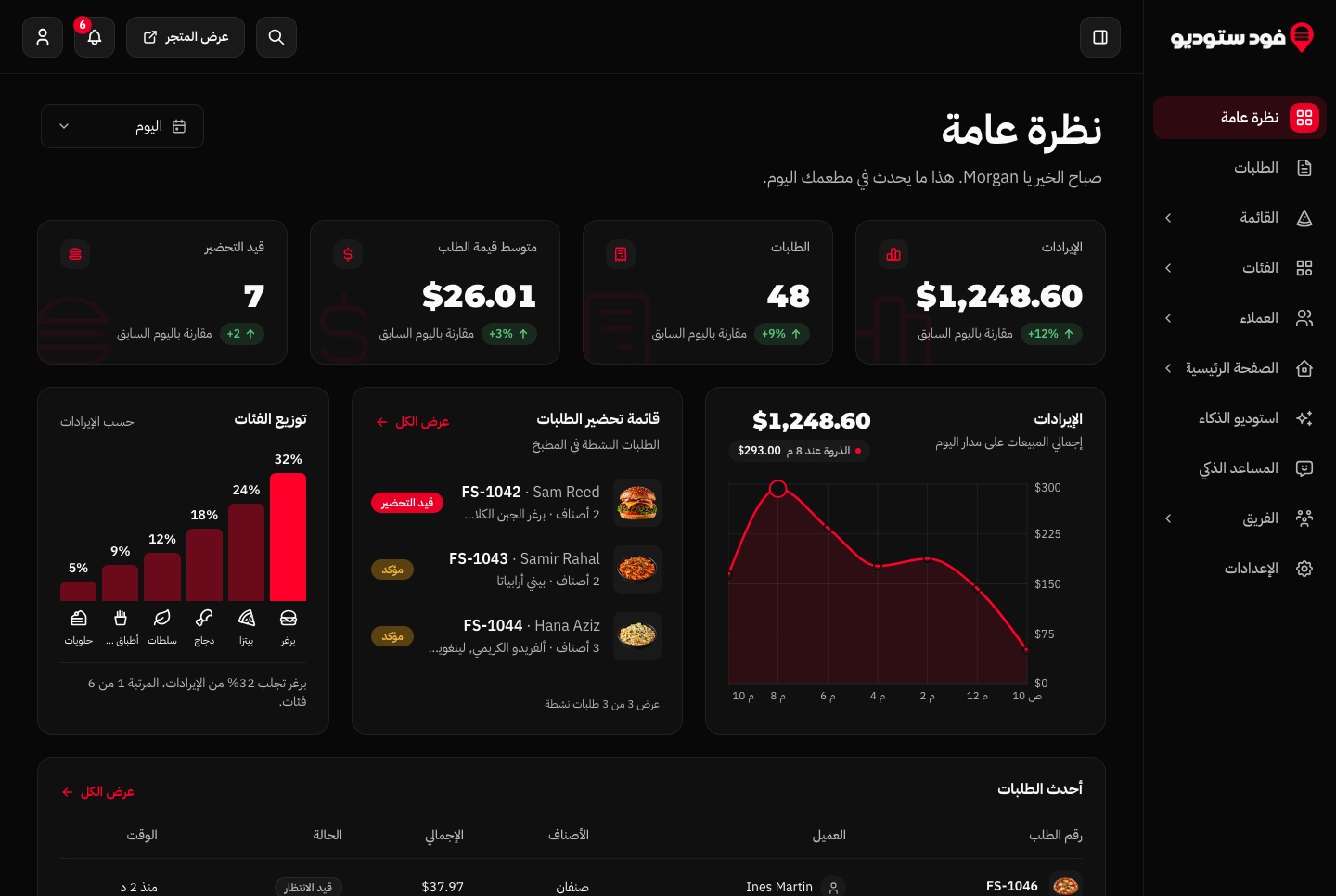
dir="ltr" islands, <bdi>, dir="auto" and unicode-bidi
dir="ltr"on an element creates a left-to-right island. Browsers already isolate an element with adirattribute from the text around it (the HTML default stylesheet gives itunicode-bidi: isolate), so you rarely need anything more.<bdi>isolates an inline run whose direction you may not know, such as a user name inside a sentence. Adddir="ltr"when you do know it, as with prices.dir="auto"lets the browser pick the direction from the first strong character. Use it for text written by users, which can be in either language:
// Text written by users can be in either language: let the browser decide
<p dir="auto">{review.body}</p>
Tailwind CSS has no unicode-bidi utility, and the isolate class is something else entirely (isolation: isolate, which creates a stacking context). You could write an arbitrary property such as [unicode-bidi:isolate], but MDN warns authors not to override unicode-bidi, and the dir attribute or <bdi> does the same job in markup.
5. Arabic fonts, line height and letter spacing
Load an Arabic font
Many Latin interface fonts have no Arabic glyphs, so the browser falls back to a system font and the Arabic pages look like a different product. Load one font for each script. The restaurant template pairs Inter with IBM Plex Sans Arabic through next/font:
// src/app/layout.tsx (trimmed)
import { Inter, IBM_Plex_Sans_Arabic } from "next/font/google";

const inter = Inter({
  subsets: ["latin"],
  weight: "variable",
  display: "swap",
  variable: "--font-inter",
});

const plexArabic = IBM_Plex_Sans_Arabic({
  subsets: ["arabic"],
  weight: ["300", "400", "500", "600", "700"],
  display: "swap",
  variable: "--font-arabic",
});

// <html className={`${inter.variable} ${plexArabic.variable}`}>
Then it switches the family under [dir="rtl"]. The Arabic font comes first and Inter second, so Latin words inside Arabic text (prices, brand names, emails) fall through to Inter and look the same as on the English pages:
/* src/styles/base.css */
[dir="rtl"] body,
[dir="rtl"] {
  font-family: var(--font-arabic), var(--font-inter), Arial, ui-sans-serif, system-ui, sans-serif;
  letter-spacing: 0;
}
The real estate template does the same with self-hosted Noto Sans Arabic and Manrope files, each declared with a unicode-range, so a page downloads a face only when it has text in that script. A selector on [dir="rtl"] means no component needs an extra class.
Line height
Arabic letters have tall ascenders and deep descenders, and diacritics sit above and below them. A line height tuned for a Latin display heading (1.1 is common) can make Arabic lines touch or clip. The restaurant dashboard opens its page titles up in Arabic only:
// A page title: tight in English, more room for Arabic
<h1 className="text-[28px] font-extrabold leading-[1.1] tracking-[-0.02em] lg:text-[36px] rtl:leading-[1.4]">

// An eyebrow label: wide tracking in English, none in Arabic
"text-[13px] font-semibold uppercase tracking-[0.16em] rtl:tracking-normal"
Letter spacing
Arabic is a connected script, and MDN's note on letter-spacing says it plainly: letter spacing applied to Arabic "may lead to the text looking broken". Tighter tracking on Latin headings and wide tracking on uppercase eyebrow labels are both common, so reset them with rtl:tracking-normal, as in the eyebrow line above (from the real estate template), or with letter-spacing: 0 in the [dir="rtl"] rule. Arabic has no capital letters either, so uppercase does nothing there: an eyebrow that relies on caps and tracking in English needs weight or colour to stand out in Arabic.
6. RTL testing checklist
Run this on every page in Arabic, in both light and dark themes, at phone and desktop widths:
- The attribute is in the server HTML. View the page source (not the inspector) and check for
<html lang="ar" dir="rtl">. Reload with a slow network and watch for a flip after load. - The layout mirrors. The sidebar, the logo, the main navigation and the primary action sit on the right. Nothing is reversed twice.
- Drawers, menus and toasts open from the correct side and render right to left, including the ones in portals.
- Arrows and chevrons point the right way in breadcrumbs, pagination, carousels, "next" buttons and "view all" links. Play buttons and clocks do not flip.
- Inputs. Icons, clear buttons and validation icons sit on the right. Phone, email, URL and code fields type left to right.
- Numbers. Digits are the ones you chose, prices and phone numbers read in the right order, and counters such as 3 / 12 are not scrambled.
- Mixed text. An English brand name inside an Arabic sentence keeps the punctuation where it belongs.
- Type. The Arabic font loads (DevTools shows the rendered font), headings do not clip, and no Arabic text has letter spacing.
- Keyboard. Arrow keys in tabs, sliders and carousels move the way the screen reads.
- Charts follow the convention you chose, on every chart.
- Physical classes. Search the code for left and right utilities and decide on each hit:
# List physical left/right classes in your components.
# Each hit is a question to answer, not always a bug.
grep -rnE --include='*.tsx' \
  '(^|[^a-z0-9-])-?(ml|mr|pl|pr|left|right)-([0-9]|\[|\(|px|auto|full)|(^|[^a-z0-9-])(rounded|border)-(l|r|tl|tr|bl|br)([^a-z0-9]|-|$)|(^|[^a-z0-9-])(text|float)-(left|right)([^a-z0-9-]|$)' \
  src
On the Aniq UI apps we ran it on, it returns between 2 and 10 lines per app: centred elements, symmetric left-0 right-0 pairs, a physical before and after slider, and lines that already carry an rtl: override. That is the size of list you want: short enough to read every line.
FAQ
Does Tailwind CSS support RTL?
Yes. Tailwind CSS has logical utilities such as ms-*, pe-*, inset-s-*, text-start, border-s and rounded-e-*, which follow the dir attribute, plus rtl: and ltr: variants for styles that must differ by direction. Both are built in.
Do I need an RTL plugin with Tailwind CSS 4?
No. Logical utilities have been part of Tailwind CSS since version 3.3, and the rtl: and ltr: variants are part of the core. Set dir on <html> and use them.
Should I use start-* or inset-s-*?
Tailwind CSS 4.2 deprecated start-* and end-* in favour of inset-s-* and inset-e-*. Both compile to inset-inline-start and inset-inline-end, so existing code keeps working. Use inset-s-* in new code if you are on 4.2 or later.
Should I use logical utilities or the rtl: variant?
Logical utilities first. ms-3 replaces ltr:ml-3 rtl:mr-3 with one class and cannot get out of sync. Keep rtl: for what logical properties cannot express: mirrored icons, translate-x, gradient directions, transform origins and type adjustments such as line height and letter spacing.
How do I flip an icon in RTL with Tailwind?
Add rtl:-scale-x-100 to the icon, which mirrors it horizontally. rtl:rotate-180 also works for symmetrical arrows and chevrons. Only flip icons that show direction; media controls, clocks and logos stay as they are.
How do I keep Latin digits in Arabic?
Format numbers with a locale tag that includes -u-nu-latn, for example new Intl.NumberFormat("ar-u-nu-latn") or "ar-SA-u-nu-latn". Use the same tag for dates and currency.
Is dir="rtl" on <body> or a wrapper div enough?
Put it on <html>. Content rendered in portals, such as dialogs and toasts, sits outside your wrapper and only inherits a direction set on <html> or <body>, and a root attribute also gives screen readers and the :dir() selector a single source of truth.
Templates with RTL built in
Every pattern in this guide comes from code that ships in Aniq UI templates. All of them are Next.js with Tailwind CSS 4 and next-intl, in English and Arabic with a real right-to-left layout and live demos you can switch to Arabic. If you would rather start from a codebase where this work is done, the nine Arabic RTL dashboard templates are compared side by side, and the rest (restaurant, real estate, LMS, e-commerce and landing pages) are on the templates page.
What each one costs, paid once, with the source code and live demos you can switch to Arabic:
- Websites and storefronts (restaurant, real estate, LMS, e-commerce, vacation rental, event ticketing): from $39.
- Landing pages (SaaS and business): $39.
- Admin dashboards: from $49. All 9 compared.
- Full stack (website, dashboard and API together): $149.
- All 10 templates: the bundle, at a fraction of the separate prices.
Browse the templates and open any demo in Arabic before you buy.
Related guides
- Arabic RTL Dashboard Templates for Next.js: 9 Aniq UI Dashboards
- Best RTL Admin Dashboard Templates with Arabic Support (2026)
- How to Launch a SaaS Website in English and Arabic With Next.js
- next-intl + Next.js 16: proxy.ts setup, root params, caching
- Next.js Template Developer Resources: Types, Components, Patterns and Docs
Sources
- Tailwind CSS: RTL support (rtl and ltr variants)
- Tailwind CSS: margin, using logical properties
- Tailwind CSS: top, right, bottom, left (inset-s and inset-e)
- Tailwind CSS: border width
- Tailwind CSS: border radius
- Tailwind CSS: background image (linear gradients)
- Tailwind CSS changelog (4.2.0: inset-s, inset-e, start and end deprecated)
- Tailwind CSS v3.3: simplified RTL support with logical properties
- next-intl: App Router setup with i18n routing
- MDN: the :dir() pseudo-class
- MDN: the bdi element
- MDN: unicode-bidi
- MDN: letter-spacing (internationalization concerns)
- MDN: Intl.NumberFormat
- HTML Standard: bidirectional text rendering
- Material Design: bidirectionality
Checked November 2026.
You might also like
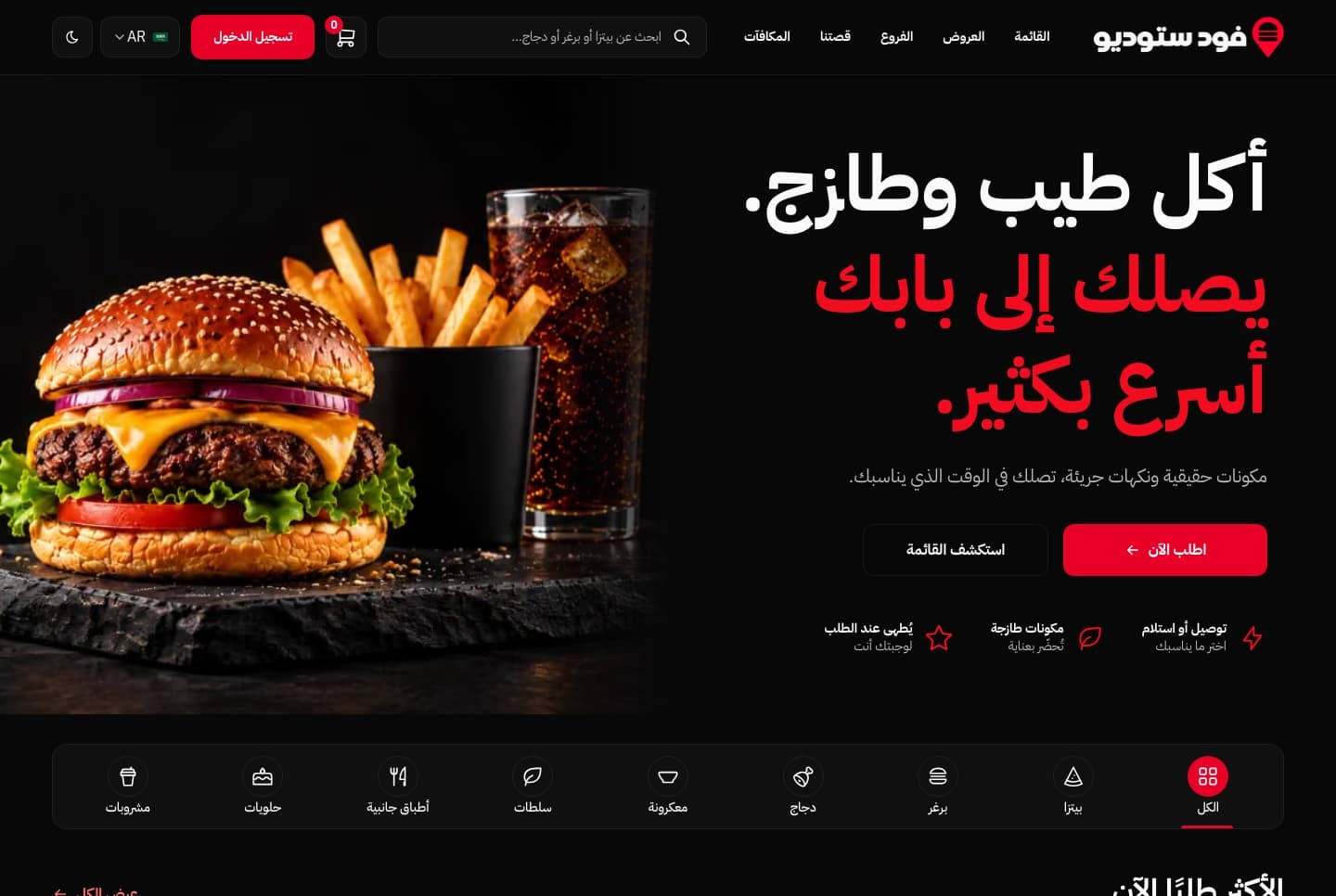
Fix Next.js 16 proxy.ts: Missing Expected Function Export
Fix the Next.js 16 error "Proxy is missing expected function export name": every cause we reproduced on 16.4.5, the exports that build, and next-intl.
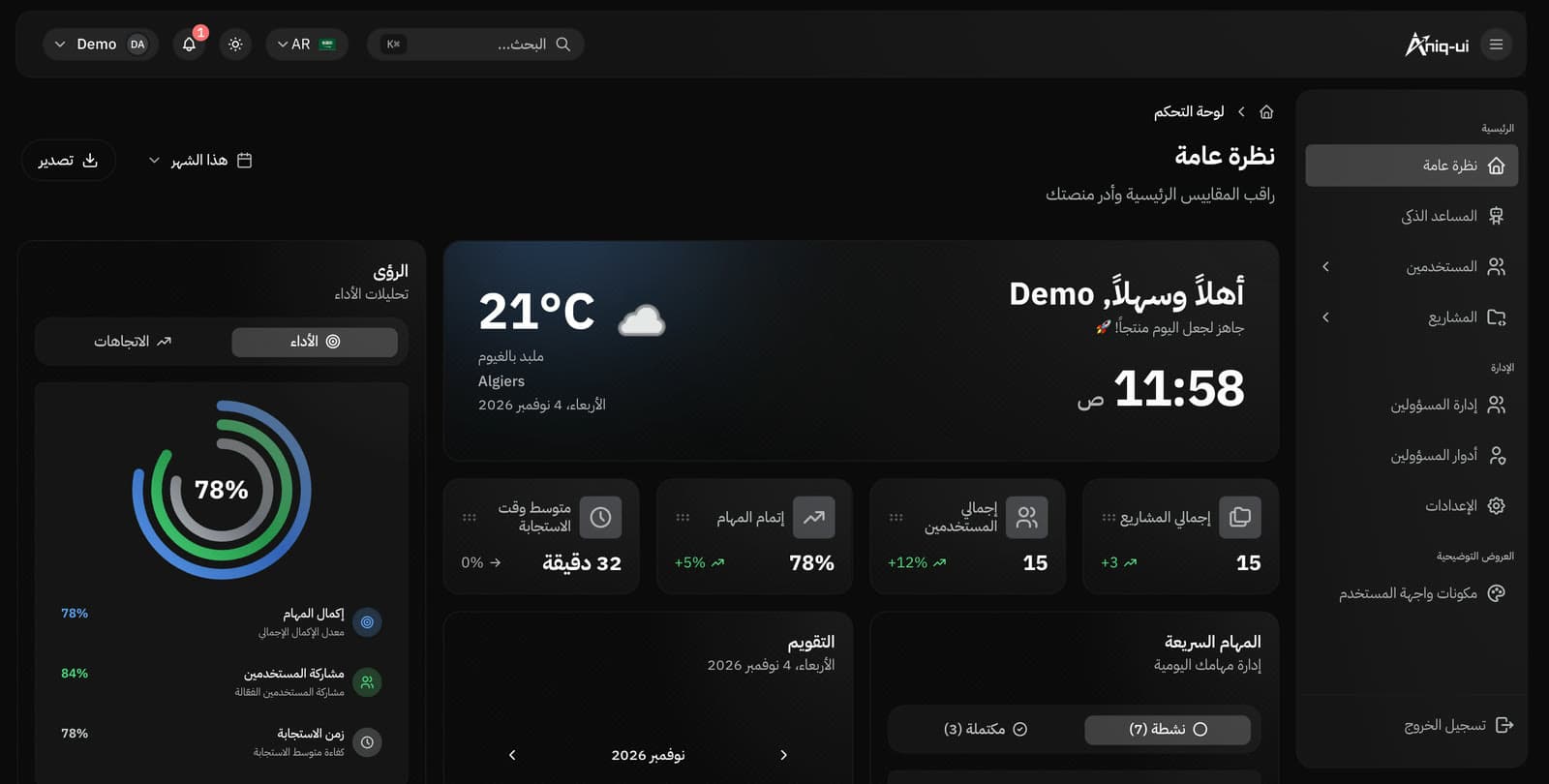
Arabic RTL Dashboard Templates for Next.js: 9 Aniq UI Dashboards
Nine Next.js dashboard templates by Aniq UI with English and Arabic, a real RTL layout, light and dark themes, and live demos in Arabic.
Best RTL Admin Dashboard Templates with Arabic Support (2026)
Compare 10 RTL admin dashboard templates with Arabic support: Next.js, MUI and Tailwind picks, free and premium, plus a five-minute RTL demo test.
