Fix Next.js 16 proxy.ts: Missing Expected Function Export
Fix the Next.js 16 error "Proxy is missing expected function export name": every cause we reproduced on 16.4.5, the exports that build, and next-intl.

Next.js 16 stops the build with "Proxy is missing expected function export name" when proxy.ts does not export a function named proxy or a default function. The usual cause is a file renamed from middleware.ts that still says export function middleware. Rename that function to proxy, or make it the default export, and the build passes.
We reproduced every case on this page on 5 November 2026 in a clean app with Next.js 16.4.5, next-intl 4.14.9 and Turbopack (the default bundler in Next.js 16), and copied the messages straight from the terminal. Each fix was built again to confirm it works.
Checked November 2026.
What does the error say?
This is the full message from next build on Next.js 16.4.5. The search phrase "expected function export name default or proxy function export" comes from its first line and its last hint.
▲ Next.js 16.4.5 (Turbopack)
  Creating an optimized production build ...

> Build error occurred
Error: Turbopack build failed with 1 error:
./proxy.ts
Error: Proxy is missing expected function export name
This function is what Next.js runs for every request handled by this proxy (previously called middleware).

Why this happens:
- You are migrating from `middleware` to `proxy`, but haven't updated the exported function.
- The file exists but doesn't export a function.
- The export is not a function (e.g., an object or constant).
- There's a syntax error preventing the export from being recognized.

To fix it:
- Ensure this file has either a default or "proxy" function export.

Learn more: https://nextjs.org/docs/messages/middleware-to-proxy
The same mistake has two other wordings, depending on how you run the app:
# next build --webpack, and next dev
Error: The file "./proxy.ts" must export a function, either as a default export or as a named "proxy" export.

# next start or next dev, when a request reaches a proxy that exports no function
⨯ [Error: The Proxy file "/proxy" must export a function named `proxy` or a default function.]
All three mean the same thing: Next.js opened proxy.ts and found no function it could call for each request.
What causes "Proxy is missing expected function export name"?
Next.js reads the exports of proxy.ts at build time and looks for a function called proxy or a default export. Anything else fails. This is the most common version, a file renamed by hand:
// proxy.ts (renamed from middleware.ts, function not renamed)
import { NextResponse, type NextRequest } from 'next/server';

export function middleware(request: NextRequest) {
  return NextResponse.next();
}
We built each of these shapes on Next.js 16.4.5. The result column is what happened.
| What proxy.ts contains | Result on 16.4.5 |
|---|---|
export function middleware() | Build fails: missing expected function export name |
export const middleware = ... | Build fails: same error |
A function with another name, such as export function handler() | Build fails: same error |
Only export const config = {...} | Build fails: same error |
| An empty file | Build fails: same error |
export const middleware = createMiddleware(routing) (next-intl) | Build fails: same error |
export { default as middleware } from 'next-intl/middleware' | Build fails: same error |
export * from './other-file' | Build fails: same error, even if the other file exports proxy |
export { middleware as default } from './old-middleware' | Compiles, then fails at "Collecting page data" with "must export a function" |
export default { ... } (an object, not a function) | Build passes, then every request returns 500 |
export const config = { runtime: 'edge' } | Build fails with a different error: Proxy does not support Edge runtime |
middleware.ts and proxy.ts side by side | Build fails: both files detected |
proxy.ts at the root while the app is in src/app | Build passes, but the proxy never runs |
The last three rows are not the export error, but they show up during the same migration, so they are covered below.
Fix 1: export a function named proxy
Rename the function to proxy. This is the shape the Next.js documentation uses, and it builds:
// proxy.ts
import { NextResponse, type NextRequest } from 'next/server';

export function proxy(request: NextRequest) {
  return NextResponse.next();
}

export const config = {
  matcher: ['/((?!api|_next/static|_next/image|favicon.ico).*)'],
};
The function can be async, and an arrow function assigned to export const proxy works too. We built both:
// Pick one. Each of these also builds on Next.js 16.4.5.
export async function proxy(request: NextRequest) {
  return NextResponse.next();
}

// or
export const proxy = (request: NextRequest) => NextResponse.next();
Use one function per file. The Next.js docs say the file must export a single function and that several proxies in one file are not supported.
Fix 2: use a default export
A default export works whatever the function is called, and an anonymous default arrow function also builds. The Next.js upgrade guide still recommends naming it proxy, so the name and the file agree:
// proxy.ts
import { NextResponse, type NextRequest } from 'next/server';

export default function proxy(request: NextRequest) {
  return NextResponse.next();
}
One trap: a default export must be a function. export default { matcher: ['/'] } passed next build in our test, then every page returned 500 with "The Proxy file "/proxy" must export a function named `proxy` or a default function." Some re-exports fail too. Import the function first, then export it:
// Fails at "Collecting page data" on Next.js 16.4.5
export { middleware as default } from './old-middleware';

// Builds: import first, then export
import { middleware } from './old-middleware';
export default middleware;
How do I write proxy.ts with next-intl?
next-intl's createMiddleware() returns a function, so export that function as the default. This is the setup in the next-intl docs, which also note that proxy.ts was called middleware.ts until Next.js 16:
// src/i18n/routing.ts
import { defineRouting } from 'next-intl/routing';

export const routing = defineRouting({
  locales: ['en', 'ar'],
  defaultLocale: 'en',
});
// src/proxy.ts
import createMiddleware from 'next-intl/middleware';
import { routing } from './i18n/routing';
export default createMiddleware(routing);
export const config = {
// Skip /api, /trpc, /_next, /_vercel and any path with a dot (files)
matcher: '/((?!api|trpc|_next|_vercel|.*\\..*).*)',
};export const proxy = createMiddleware(routing); also builds, and it is what the Next.js codemod writes when it migrates a next-intl file. These shapes fail, because the function is not named proxy or is not visible to Next.js at build time:
// src/proxy.ts: these three fail with "missing expected function export name"
export const middleware = createMiddleware(routing);
export { default as middleware } from 'next-intl/middleware';
export * from './intl-proxy';
To run your own check before the locale redirect (a login check, a header, a redirect), write a proxy function and call next-intl's handler from inside it:
// src/proxy.ts: your own check first, then next-intl
import createMiddleware from 'next-intl/middleware';
import { NextResponse, type NextRequest } from 'next/server';
import { routing } from './i18n/routing';

const handleI18nRouting = createMiddleware(routing);

export function proxy(request: NextRequest) {
  const isAccount = request.nextUrl.pathname.includes('/account');
  const hasSession = request.cookies.has('session');

  if (isAccount && !hasSession) {
    return NextResponse.redirect(new URL('/en/login', request.url));
  }

  return handleI18nRouting(request);
}

export const config = {
  matcher: '/((?!api|trpc|_next|_vercel|.*\\..*).*)',
};
We built this file, started it with next start -p 3040 and sent three requests. The proxy picked the locale and ran the account check:
$ curl -s -o /dev/null -w '%{http_code} %{redirect_url}\n' http://localhost:3040/
307 http://localhost:3040/en
$ curl -s -o /dev/null -w '%{http_code} %{redirect_url}\n' -H 'Accept-Language: ar' http://localhost:3040/
307 http://localhost:3040/ar
$ curl -s -o /dev/null -w '%{http_code} %{redirect_url}\n' http://localhost:3040/en/account
307 http://localhost:3040/en/login
That locale redirect is what sends the same visitor to an English or an Arabic page. Here is the home page of Aniq UI's restaurant template at /en and at /ar:


Once Arabic pages load, the layout has to flip too. That part is CSS, not the proxy: the Tailwind CSS RTL guide covers dir, logical utilities and the rtl: variant.
Where does proxy.ts go: the root or src/?
Next to your app folder. The Next.js docs say to create it in the project root, or inside src if you use one, so that it sits at the same level as app or pages.
# Without a src folder        # With a src folder
my-app/                       my-app/
├── app/                      ├── src/
├── proxy.ts                  │   ├── app/
└── package.json              │   └── proxy.ts
                              └── package.json
A file in the wrong place gives no error at all. In our test, a proxy.ts at the root of a project whose app lived in src/app built cleanly and never ran. A proxy.ts inside the app folder was ignored the same way. The quick check is the end of the next build output. When Next.js found your proxy, the route list ends with this line:
Route (app)
┌ ○ /
└ ○ /_not-found
ƒ Proxy (Middleware)
If the ƒ Proxy (Middleware) line is missing, Next.js did not find the file. If you changed pageExtensions in next.config, the file name follows it, for example proxy.page.ts.
Does the config matcher cause this error?
No. config is optional, and a file with only config fails because there is no function, not because of the matcher. The matcher decides which paths run the proxy. Without one, the proxy runs on every request, including _next/static, images and files in public/. A negative pattern keeps those out:
export const config = {
  matcher: [
    // Everything except API routes, static files, image optimization and metadata files
    '/((?!api|_next/static|_next/image|favicon.ico|sitemap.xml|robots.txt).*)',
  ],
};
Matcher values must be constants, because Next.js reads them at build time. The docs say a value built from a variable is ignored. Each source must start with /.
How do I migrate from middleware.ts to proxy.ts?
Run the official codemod from the project root. It renames the file and the exported function:
npx @next/codemod@canary middleware-to-proxy .We ran it (version 16.5.0-canary.41) on a root middleware.ts and on a src/middleware.ts using next-intl. Both were renamed, both functions were renamed, and both apps built:
// middleware.ts -> proxy.ts
- export function middleware(request: NextRequest) {
+ export function proxy(request: NextRequest) {

// src/middleware.ts -> src/proxy.ts
- export const middleware = createMiddleware(routing);
+ export const proxy = createMiddleware(routing);
It only acts on a function named middleware. When we tried a middleware.ts whose function was called handler, the codemod left the file as it was, so rename both the file and the function by hand in that case. The larger npx @next/codemod@canary upgrade latest command also includes the middleware-to-proxy step.
Two more things to know during the move:
- middleware.ts still works in 16.4.5, with a warning. The build prints the warning below and runs the file. Plan the rename anyway, because the convention is deprecated.
- Do not keep both files. With
middleware.tsandproxy.tsside by side, the build stops.
⚠ The "middleware" file convention is deprecated. Please use "proxy" instead.
  To migrate automatically, run:
  npx @next/codemod@canary middleware-to-proxy .
  Learn more: https://nextjs.org/docs/messages/middleware-to-proxy
Error: Both middleware file "./middleware.ts" and proxy file "./proxy.ts" are detected. Please use "./proxy.ts" only. Learn more: https://nextjs.org/docs/messages/middleware-to-proxyConfig flags that had "middleware" in their name were renamed too. For example skipMiddlewareUrlNormalize is now skipProxyUrlNormalize:
// next.config.ts
import type { NextConfig } from 'next';

const nextConfig: NextConfig = {
  skipProxyUrlNormalize: true, // was skipMiddlewareUrlNormalize
};

export default nextConfig;
Can proxy.ts use the Edge runtime?
No. The Next.js 16 upgrade guide says the proxy runtime is nodejs and cannot be configured, and that apps which need the Edge runtime should keep using middleware for now. Adding export const config = { runtime: 'edge' } to proxy.ts stopped our build with this message:
./proxy.ts:7:14
Error: Next.js can't recognize the exported `config` field in route. Proxy does not support Edge runtime.
> 7 | export const config = { runtime: 'edge' };
Remove the runtime line. If you really depend on Edge, keep middleware.ts until Next.js publishes its follow-up instructions.
A one-minute checklist
- The file is called
proxy.ts(or.js) and sits next toapp: at the root, or insrc/. - It exports
function proxyor a default function. Nomiddlewarename is left. - With next-intl, the line is
export default createMiddleware(routing);. - There is no
middleware.tsnext to it. confighas a constantmatcherand noruntime.next buildends withƒ Proxy (Middleware), and a request innext startdoes not return 500.
FAQ
Why does proxy.ts say "missing expected function export name" after upgrading to Next.js 16?
Because the file was renamed but the function was not. Next.js 16 only accepts a function named proxy or a default export in proxy.ts, so export function middleware fails. Rename it to proxy, or run npx @next/codemod@canary middleware-to-proxy .
Can I keep middleware.ts in Next.js 16?
Yes, for now. On Next.js 16.4.5 a middleware.ts still builds and runs, with a deprecation warning. It is also the documented choice if you need the Edge runtime. Never keep it next to a proxy.ts: the build stops when both exist.
Does next-intl work with proxy.ts?
Yes. next-intl's docs use src/proxy.ts with export default createMiddleware(routing); and the matcher '/((?!api|trpc|_next|_vercel|.*\\..*).*)'. We built and ran it with next-intl 4.14.9 on Next.js 16.4.5.
Why does the build pass but every page returns 500?
Your default export is probably not a function, for example an object. The build accepted it in our test, and each request then failed with "The Proxy file "/proxy" must export a function named `proxy` or a default function." Export a function instead.
Where do I put proxy.ts when I use a src folder?
In src/proxy.ts, next to src/app. A proxy.ts at the root is ignored without any error in that layout, so check that next build lists ƒ Proxy (Middleware).
Is the error different with webpack?
Only the wording. With next build --webpack the message is "The file "./proxy.ts" must export a function, either as a default export or as a named "proxy" export." The fix is the same.
Conclusion
This error always comes down to one line: the export. Name the function proxy or export it as the default, keep the file next to app, and remove the old middleware.ts. With next-intl that line is export default createMiddleware(routing);. Then check that next build lists the proxy, and send one real request before you deploy.
Templates with proxy.ts and next-intl ready
If you would rather start from code where this already works, every paid Aniq UI template runs on Next.js 16 with src/proxy.ts and next-intl, in English and Arabic with a real right-to-left layout. We opened the repositories on 5 November 2026: every app is on Next.js 16.3 or 16.4, and both fixes from this guide are in use. The SaaS landing page uses export default createMiddleware(routing), and the restaurant template uses export async function proxy.
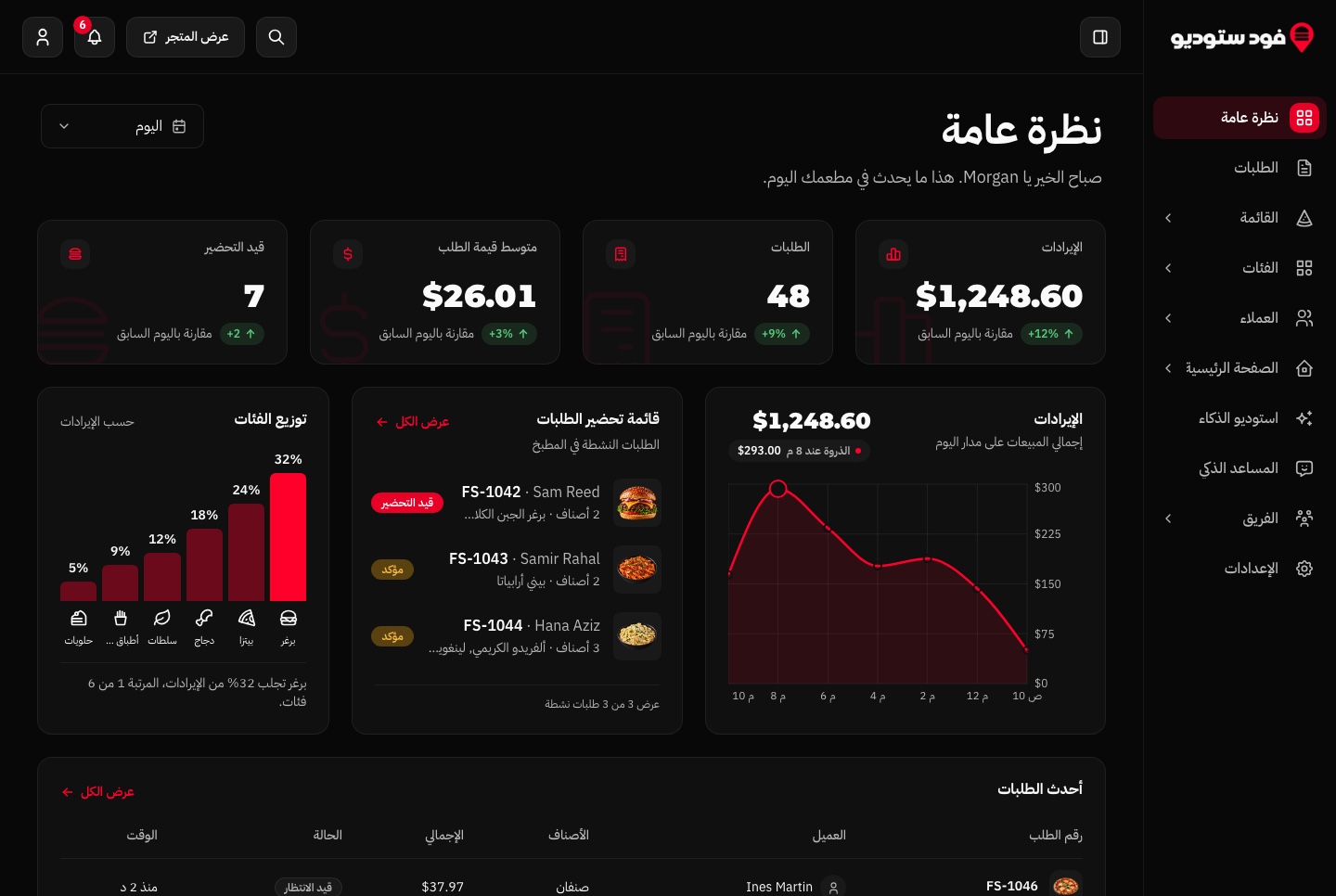

What each one costs, paid once, with the source code:
- Websites and storefronts (restaurant, real estate, LMS, e-commerce, vacation rental, event ticketing): $39.
- Landing pages (SaaS and Publino): $39.
- Admin dashboards: from $49 (the Financial dashboard is $49, the AI admin dashboard and the fitness dashboard are $69).
- Backend API: $99.
- Full stack (website, dashboard and API together): $149.
- All 10 templates: the bundle, list price $499. Check the page for the current offer.
Browse the templates and open any demo in Arabic before you buy.
Related guides
- next-intl + Next.js 16: proxy.ts setup, root params, caching
- Tailwind CSS RTL Guide: Logical Properties and the rtl: Variant
- How to Launch a SaaS Website in English and Arabic With Next.js
- Arabic RTL Dashboard Templates for Next.js: 9 Aniq UI Dashboards
Sources
- Next.js: proxy.js file convention (exports, matcher, runtime, migration)
- Next.js: How to upgrade to version 16 (middleware to proxy, Edge runtime, renamed flags)
- Next.js: Renaming Middleware to Proxy (the link in the error message)
- next-intl: Proxy / middleware
- next-intl: App Router setup with i18n routing
Tested with Next.js 16.4.5, next-intl 4.14.9, React 19.3.1 and TypeScript 5.9.3 on Node.js 24.17.0. Checked November 2026.
You might also like

Tailwind CSS RTL Guide: Logical Properties and the rtl: Variant
Build RTL layouts with Tailwind CSS 4 and next-intl: dir and lang per locale, logical utilities, the rtl: variant, Arabic fonts and a testing checklist.
Best Arabic Fonts for Web UI (2026), Tested in a Dashboard
12 free Arabic fonts for web UI, tested in a real dashboard: weights, numerals, line height, Latin pairing, and how to load them in Next.js with next/font.

Next.js Template Developer Resources: Types, Components, Patterns and Docs
What ships inside a premium Next.js template: strict TypeScript types, a feature-based component architecture, reusable code patterns and quick start docs, with a checklist for any template.
