Publino: The Ultimate Next.js Landing Page Template for Modern Startups
Discover Publino, a high-performance, SEO-optimized Next.js template designed for SaaS, startups, and agencies. Build and launch stunning websites in minutes.
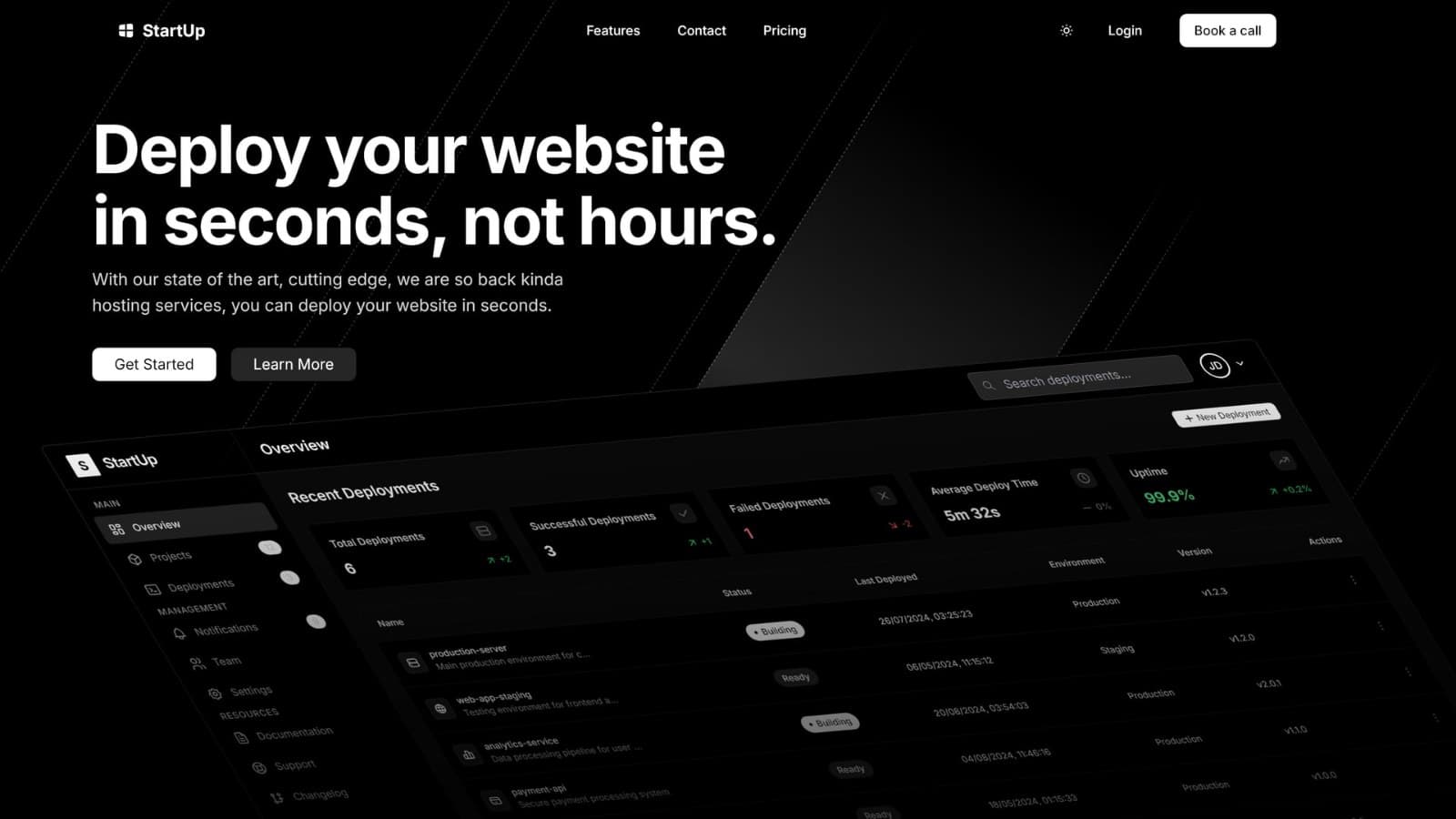
In short: Publino is a paid Next.js 16 landing page template from Aniq-UI for a subscription product or a business that sells plans. It ships three pages (home, pricing with monthly and yearly plans, and contact) in English and Arabic, with a right-to-left Arabic layout, dark and light themes, and no database or back end to set up. You run it with Docker or with Node.js and Yarn, replace the sample content, and put it online on Vercel, a Node.js server or any host that runs Docker.
Are you looking for a modern, high-converting landing page template built with the latest Next.js 16? Meet Publino: the all-in-one solution for SaaS, startups, agencies, and creators who want to launch fast and look professional.
🖼️ Live Preview
See Publino in action:
🚀 Why Publino?
Publino is more than just a template. It's a complete UI kit and landing page system, crafted for speed, SEO, accessibility, and conversion. Whether you're launching a new product, validating an idea, or upgrading your agency's site, Publino gives you the edge.
Key Features
- Next.js 16 & React 19: Built with the latest tech for blazing-fast performance.
- SEO Optimized: Semantic HTML, Open Graph, Twitter cards, and structured data out of the box.
- Dark Mode: Beautiful light and dark themes with a single click.
- Responsive Design: Looks perfect on mobile, tablet, and desktop.
- Premium Components: Hero, pricing, FAQ, contact, and more.
- One-Click Deployment: Deploy to Vercel or your favorite platform in seconds.
- Easy Customization: Change colors, fonts, and sections with minimal effort.
- Lifetime Updates: Stay ahead with ongoing improvements and new features.
🔥 What Makes Publino Different?
- Conversion-Focused: Every section is designed to drive signups and sales.
- Performance First: lean pages built to load fast, with no bloat.
- Developer Friendly: TypeScript, Tailwind CSS 4, and clean, documented code.
- Ready for Production: Includes licensing and contact sections.
- Internationalization Ready: Easily add multiple languages with next-intl.
🛠️ What's Inside?
Publino ships with everything you need:
- Landing Page: Hero, features, benefits, pricing, FAQ, contact.
- UI Components: Buttons, modals, cards, tabs, and more.
- Blog-Ready: Easily add a blog to boost your SEO and content marketing.
- Contact Form: Integrated and ready to connect to your backend or service.
- SEO & Analytics: Meta tags, structured data, and easy analytics integration.
💡 Who Is Publino For?
- SaaS Founders: Launch your MVP or product site in hours, not weeks.
- Agencies: Deliver stunning sites to clients with minimal effort.
- Indie Hackers: Validate ideas and grow your audience fast.
- Marketers: Run landing pages for campaigns and lead generation.
🛒 Get Publino Today
Ready to launch your next project? Buy Publino now and get instant access, lifetime updates, and premium support.
📦 How to Use Publino
- Download the template (.zip).
- Install dependencies:
yarn install- Start the dev server:
yarn dev- Customize your content, colors, and branding.
- Deploy to Vercel, Netlify, or your favorite host.
📈 Boost Your SEO & Traffic
Publino is built with SEO best practices in mind. Add your blog, optimize your content, and climb the search rankings. Plus, with fast load times and mobile optimization, your visitors (and Google) will love your site.
🙋♂️ Need Help?
Check the documentation.
Ready to build your next big thing? Get Publino now and launch with confidence!
References:
Explore the Next.js landing page template (2026 edition) live demo, or browse more Next.js landing page templates on Aniq-UI.
A closer look at what ships
The three pages
| Page | Address | What it shows |
|---|---|---|
| Home | / | The landing page, section by section (next table) |
| Pricing | /pricing | Three plans with a Monthly and Annual switch, a comparison table of 21 features and six questions |
| Contact | /contact | A contact form, the company's details and social links, and three questions |
Each page also exists in Arabic under /ar, laid out right to left. Publino has no blog page: if your site needs one, you add it yourself.
The home page, section by section
| Section | What it shows |
|---|---|
| Hero | A headline that appears word by word, a sentence and two buttons |
| Dashboard mockup | A deployments dashboard tilted in 3D, built in code, with figure cards you can drag |
| Why choose us | Four cards with a light that follows the pointer |
| Features | Five animated cards, including performance scores and a 3D globe |
| Templates | Four template cards with an image, a badge and a price |
| Responsive | A site shown on a desktop, a tablet and a phone |
| Pricing | The three monthly plans with a filter by feature category |
| FAQ | Ten questions with categories and a search |
| Global community | A world map with a message form over it |
The mockup and the feature cards are illustrations: their scores, cities and figures are fixed sample data. The site opens in the dark theme, a sun and moon button switches to light, and the browser remembers the choice.
Tech stack
Next.js 16 with the App Router, React 19 and TypeScript, Tailwind CSS 4, next-intl for English and Arabic, React Hook Form with Zod for the two forms, Motion for the animations, Recharts, dnd-kit and cobe for the chart, the draggable cards and the globe, and Radix UI with Tabler Icons. Every dependency is pinned to an exact version and yarn.lock comes with the download, so your install matches the one the template was tested with.
Package and licence
Publino is sold as one package, Landing Page: the complete landing page with a responsive layout, dark mode, SEO-ready pages and fast loading. The current price is on the Publino template page, and Publino is also one of the ten templates in the Next.js Templates Bundle.
The licence is commercial: use it in as many projects as you like, your own or your clients', change the code, and hand finished sites to clients. Do not resell or publicly share the source code, put it in an open-source project, or sell it as a template, UI kit, theme or starter kit.
What you connect yourself
- Forms. The contact form and the home page form check what visitors type, but send nothing until you connect them to your own service.
- Payments. None are included. The plan buttons lead to the contact page or the home page form; point them at your own checkout to sell.
- Placeholders. Login, Book a call and the hero's two buttons wait for your own links, and the texts, figures, people, prices and template cards are sample content to replace.
Example uses
The sample content describes a made-up platform that sells UI components and templates, but the layout fits any offer with plans and a contact step:
- A subscription software product, with monthly and yearly plans, a comparison table and an FAQ already in place.
- A consultancy or an agency, using the plans as service packages that lead to the contact page. The licence covers client sites.
- A small business site that needs three pages, a contact form and two languages.
- A product launch or a campaign, with the home page used on its own.
- A business with Arabic-speaking customers, since the Arabic version is complete and right to left.
If the site also needs a blog, sign-in pages or a portfolio, pick another template from the comparison below.
Getting started, step by step
1. Download and run it
Download the ZIP from My templates in your Aniq-UI dashboard, extract it, and open a terminal in the Publino-template folder. With Docker running:
docker build -t publino-landing .
docker run -p 3030:3030 publino-landing
Without Docker, install Node.js 20.9 or newer (22 or 24 is recommended) and run:
corepack enable
yarn install
yarn dev
Open localhost:3030 for English and localhost:3030/ar for Arabic. If the port is taken, use yarn dev -p 3041.
2. Change the content
Every visible text is in messages/, in four folders (common, home, pricing, contact) that each hold an en.json and an ar.json. Change both files and keep the keys the same. Both pricing sections read their prices from one small file, so a price changes in one place.
3. Change the colours and the brand
Both themes are colour values in src/styles/theme.css: light under :root, dark under [data-theme="dark"]. Change --interactive-primary for the main buttons or --background for the page. The logo is a rocket icon and the site's name in src/layouts/Navbar/index.tsx, and the favicons and the sharing image (public/image.png, 1200 by 630 pixels) are files in public/.
4. Connect the forms
Connect each form you keep to your API, a form service or your email platform, and remove the other. Setting NEXT_PUBLIC_RECAPTCHA_SITE_KEY adds a Google reCAPTCHA v2 checkbox to the home page form. Keep secret keys on a server, because any NEXT_PUBLIC_ value is readable in the page.
5. Set your address and deploy
Set NEXT_PUBLIC_SITE_URL to your domain where the build runs: the canonical links, language links, sitemap, robots.txt and sharing cards are built from it. Then deploy to Vercel from a private Git repository (add ENABLE_EXPERIMENTAL_COREPACK=1), to a Node.js server with yarn build and yarn start behind Nginx or Caddy, or as a Docker image. A host that only serves static files is not enough, because the server picks each visitor's language. Once live, check that every address in /sitemap.xml starts with your domain.
Publino vs other Aniq-UI landing and business templates
| Template | Type | Pages | Best for |
|---|---|---|---|
| Publino | Paid, Next.js 16 | Home, pricing, contact | A subscription product or business that needs plans and a contact form |
| SaaS Template | Paid, Next.js 16 | Home, pricing, blog, contact, sign-in pages, legal and error pages | A software product that needs a blog and account pages |
| SaaS Landing Page | Free, Next.js 15 | One page, with pricing and a comparison table | A dark SaaS landing page at no cost |
| Company Website | Free, Next.js 15 | One page, ten sections | A company or consultancy on a single page |
| Web Design Agency | Free, Next.js 15 | One page, with work, process and a contact form | An agency or a freelancer showing its work |
| 3D Landing | Free, Next.js 15 and Three.js | One page around a 3D product wheel | A product showcase, such as a juice brand |
All six ship in English and Arabic. Choose Publino over the SaaS Template when three pages are enough and you want a light theme as well as a dark one.
FAQ
What pages does Publino include?
Three: home, pricing and contact, each in English and in Arabic under /ar. There is no blog page.
Does Publino support Arabic and RTL?
Yes. Every text exists in English and Arabic, and Arabic pages set dir="rtl", so the whole layout mirrors. You can add more languages through next-intl.
Do I need a back end to run Publino?
No. It is one Next.js app with no database and no back end, and nothing needs configuring before the first run. You only need a service for the forms you keep.
Can Publino take payments?
No. No payment service is included, and the plan buttons lead to the contact page or the home page form. Point them at your own checkout to sell.
Can I use Publino for client projects?
Yes. The commercial licence covers unlimited projects, client work included. You may not resell the source code or sell it as a template.
Which Node.js version does Publino need?
Node.js 20.9 or newer, with 22 or 24 recommended. With Docker you need nothing else, because the image brings Node.js 24.
Related guides
- The best Next.js landing page templates for 2026
- How to launch a SaaS website in English and Arabic with Next.js
- The best Next.js SaaS templates and starter kits
- Free landing page templates from Aniq-UI
- Setting up next-intl with Next.js 16
For Publino itself, see the Publino template page for the live demo and current price, and the Publino documentation for every setup step.
You might also like
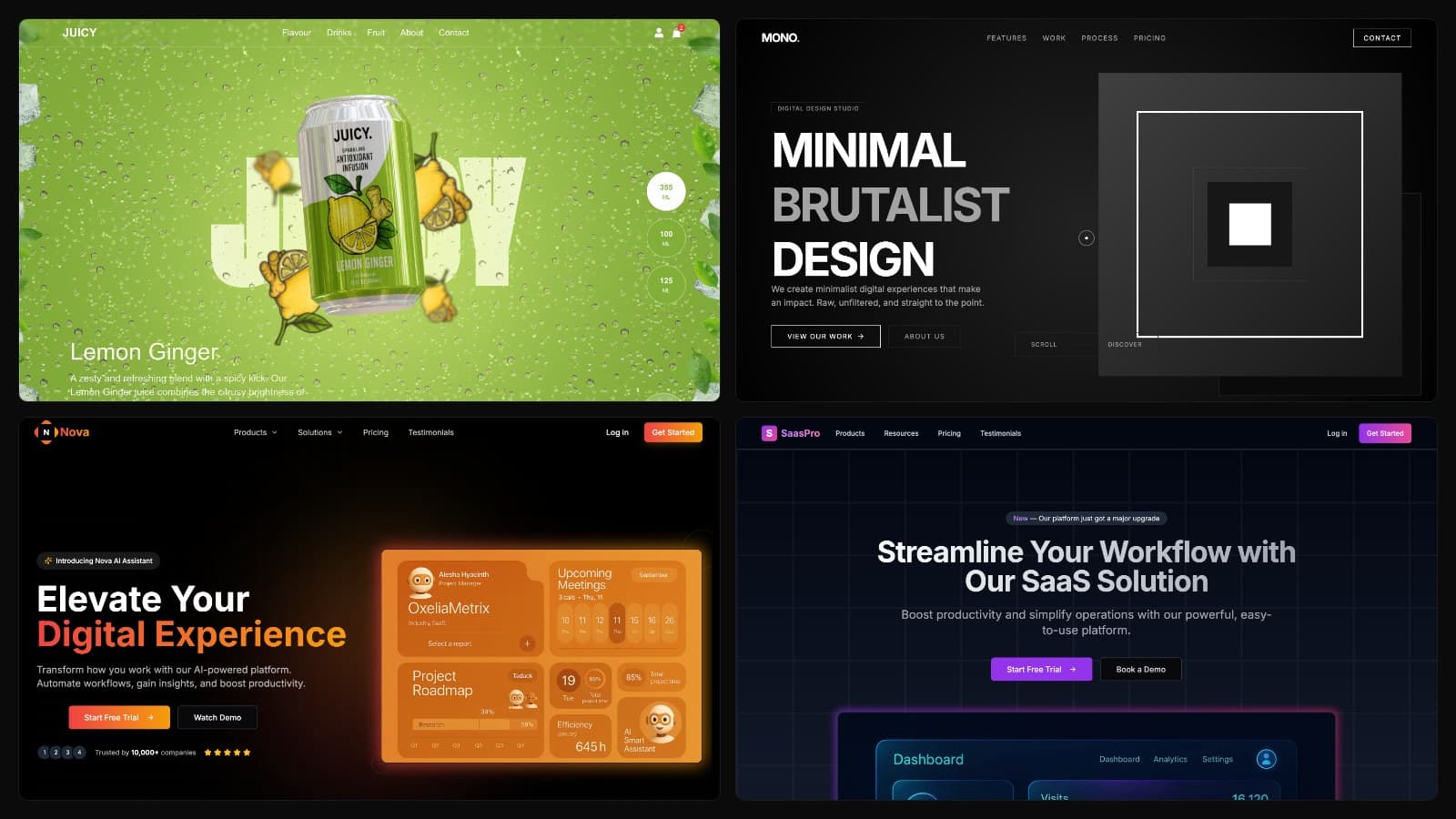
Free Landing Page Templates
Explore three free, production-ready landing page templates, perfect for agencies, corporate sites and SaaS startups. Built with Next.js 15.2.4 and Tailwind CSS for lightning-fast performance and modern design.
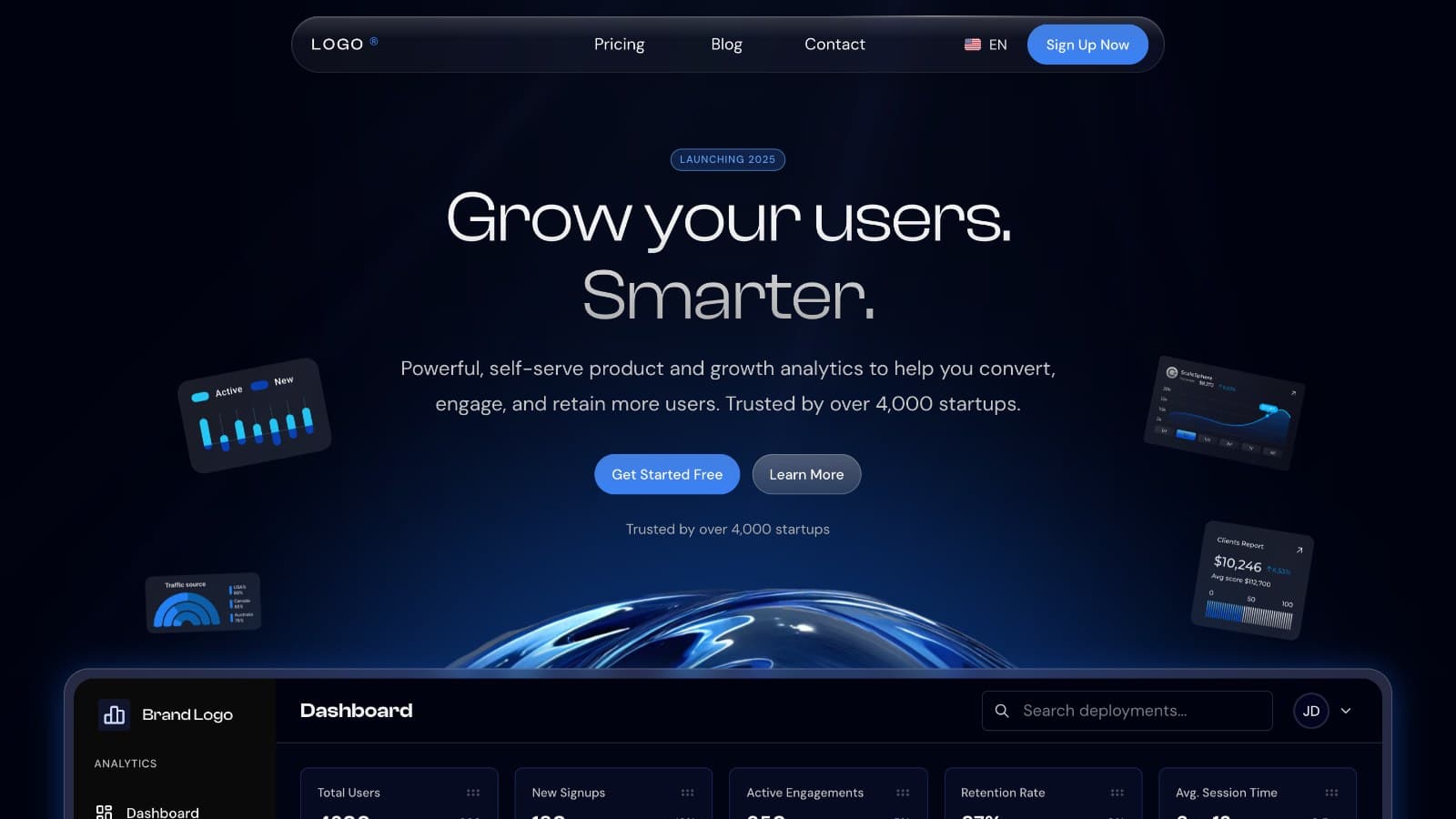
How to Launch a SaaS Website in English and Arabic With Next.js
Launch a SaaS marketing website in English and Arabic with Next.js: pricing, blog, forms, SEO settings and going live, plus what you connect yourself.
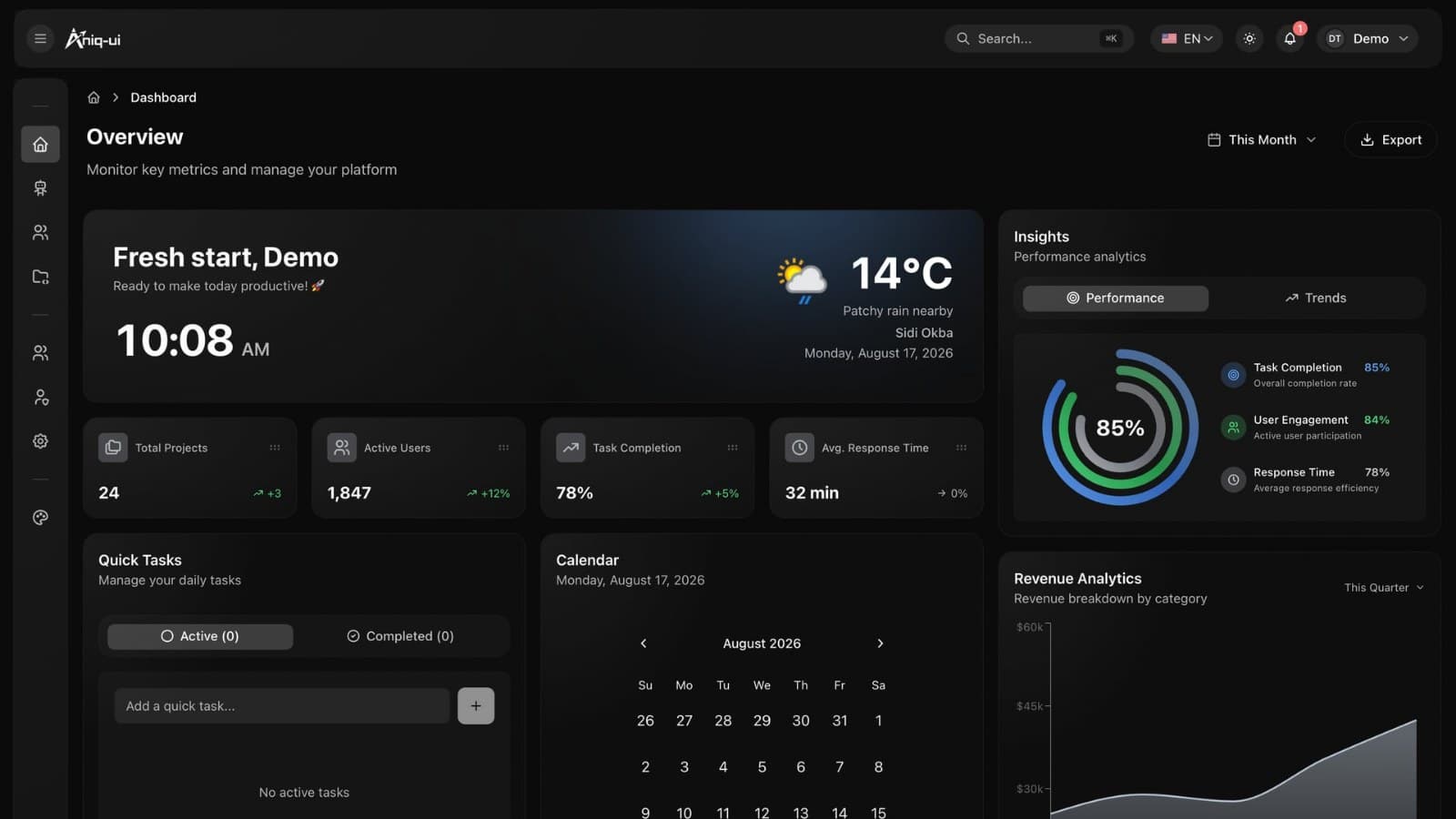
How to Build a SaaS Admin Panel With an AI Assistant in Next.js
Build an admin panel with an AI assistant in Next.js: roles, projects, users, Arabic and RTL, Docker setup and going live, shown with a worked example.
