A Personal Trainer App You Own
Kinora is a fitness coaching app for personal trainers and online coaches. Clients log their workouts, meals, sleep and progress in their own dashboard, coaches run a roster, assign workouts and answer weekly check-ins in theirs, and one API serves both. You buy the source code once and host it yourself, so there is no monthly platform fee and no charge per client.
Unlimited commercial use, client work included
Need only one part? From $69 (Price in BRL: Need only one part? From R$347)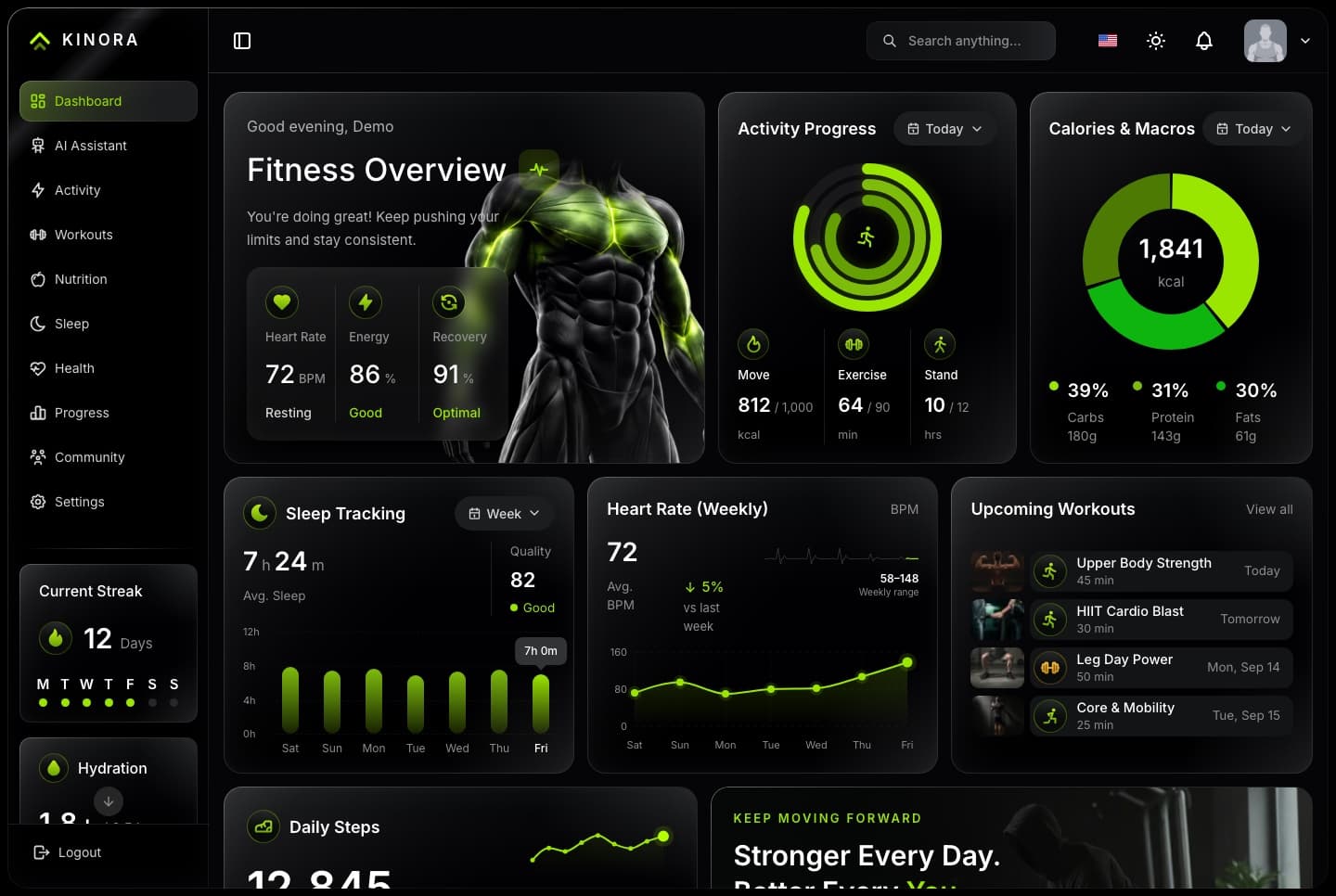
No fee per client
One payment for the code, however many clients you coach.
Assigned workouts mark themselves done
A finished session of the workout you set ticks it off the client's plan.
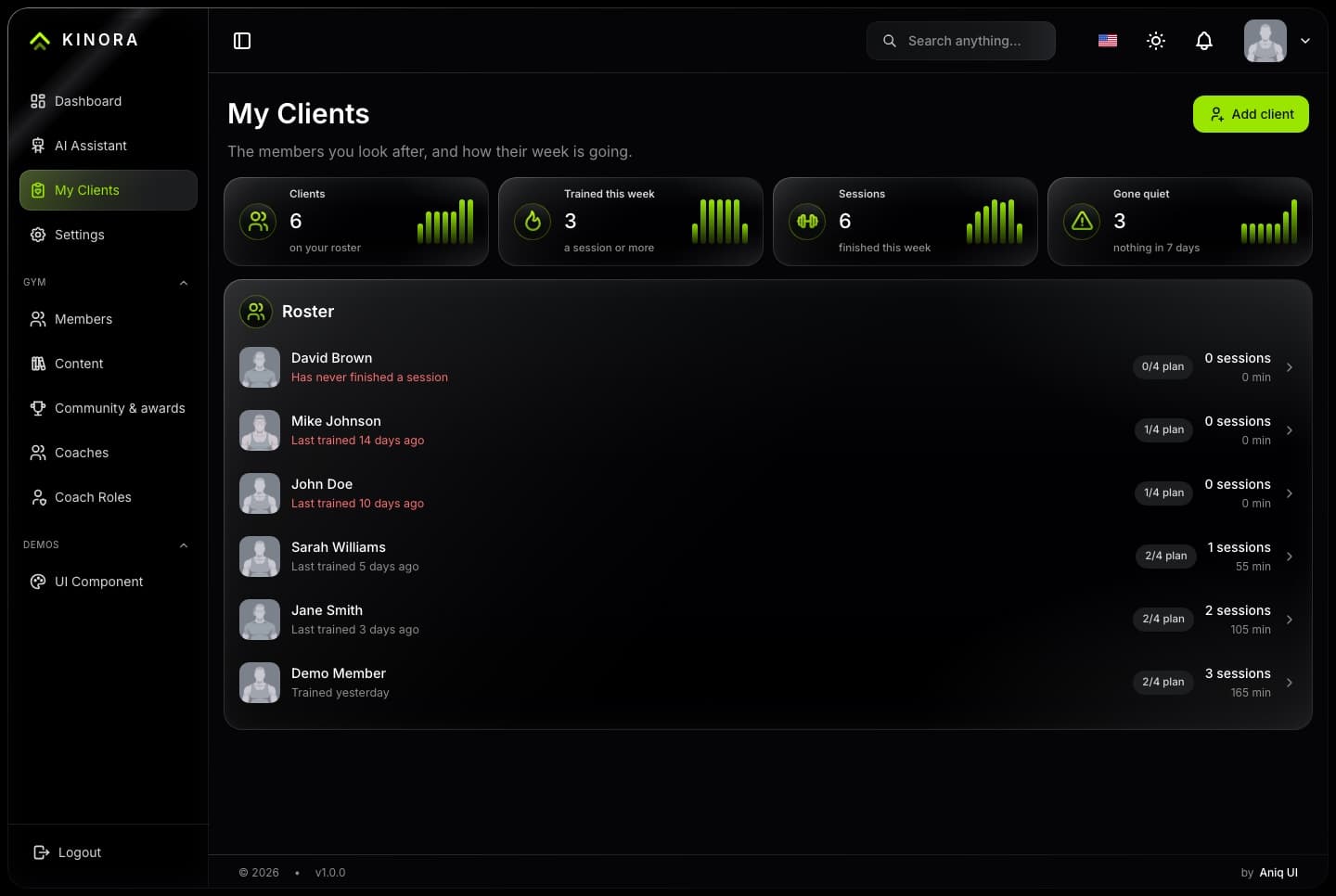
A private roster for each coach
The API filters every roster request by the coach who makes it.
How a week of coaching runs in the app
Five steps, each one a real screen of the app you get. Pick a step to see it.
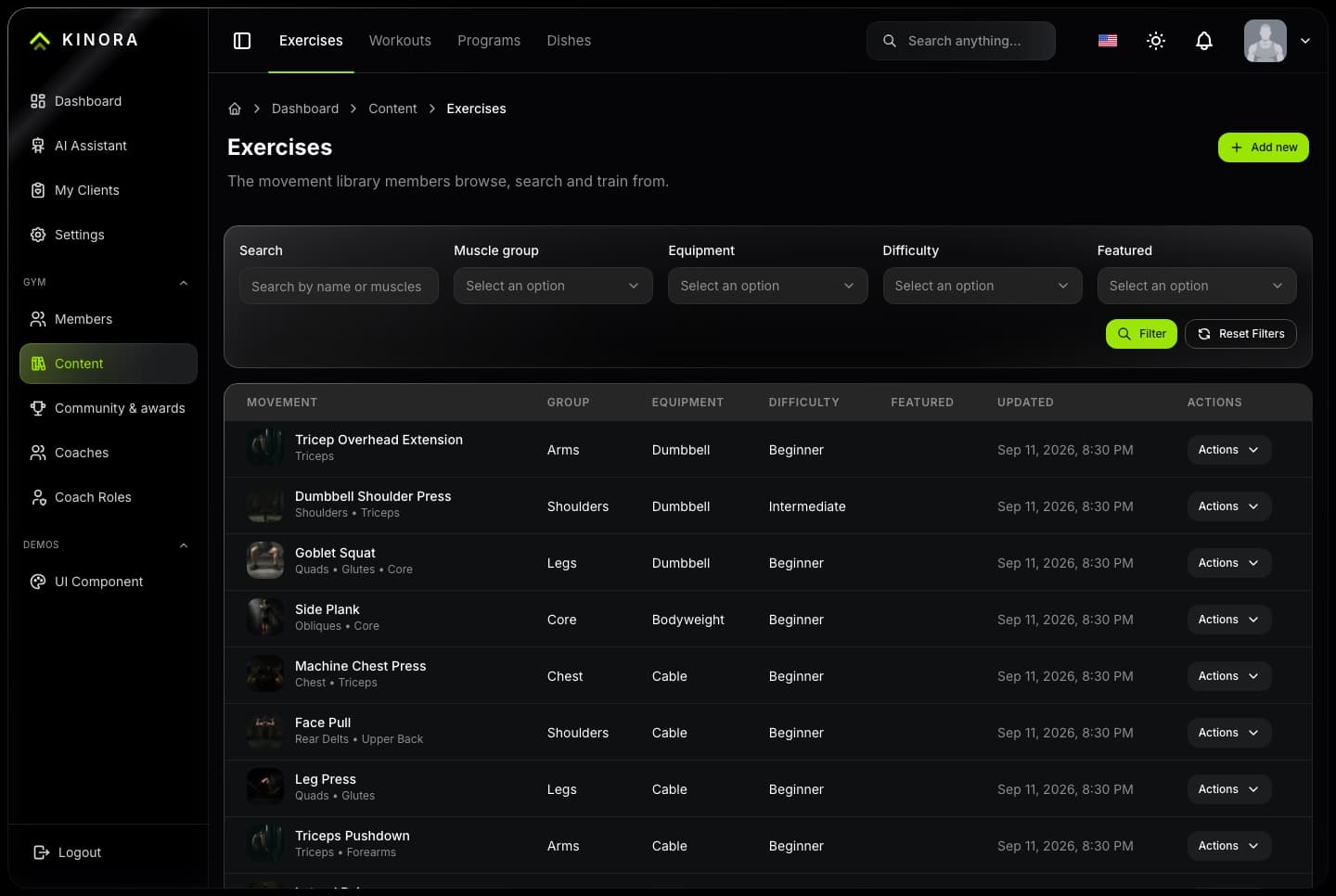
Step 1
Add exercises, workouts, multi-week programs and dishes to the catalogue, each named in English and Arabic. Clients browse it, and you assign from it.
Step 2
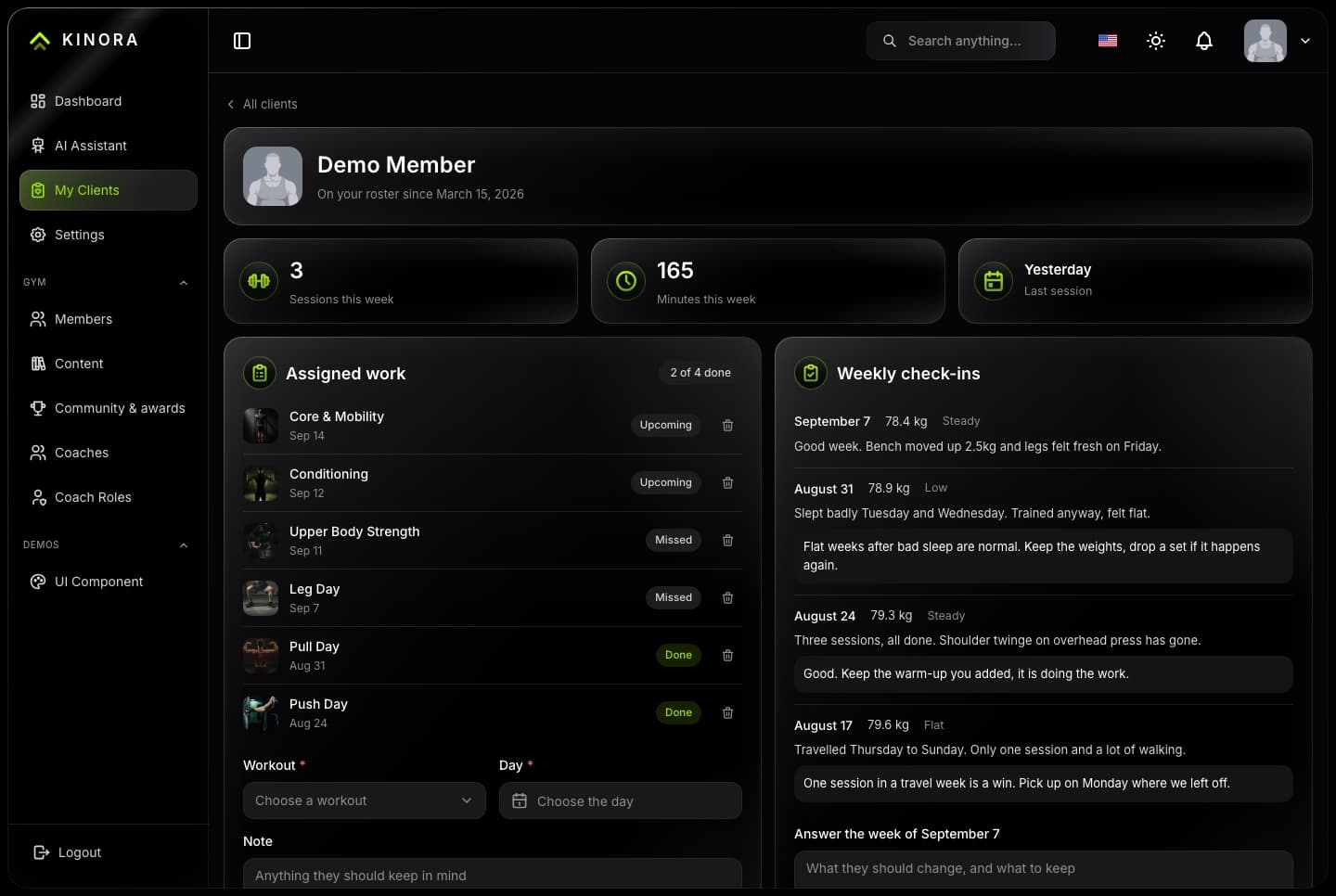
Take a member onto your roster, then give them a workout for a chosen day, with a note if you want one. A member has one coach at a time.
Step 3
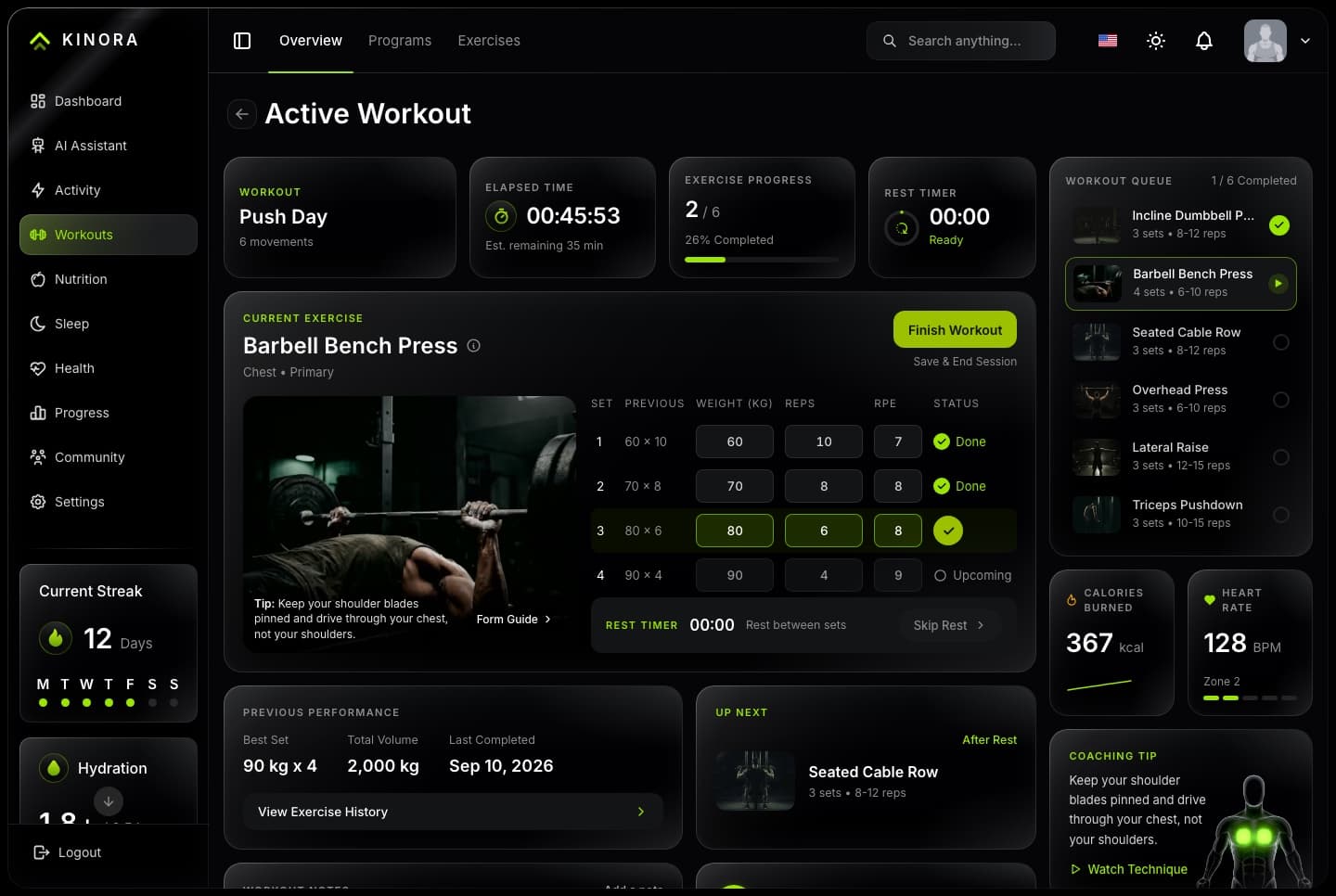
Your workouts show on the client's workouts page. In the live session they log weight, reps and effort (RPE) for each set, with a rest timer and their previous numbers beside the table.
Step 4
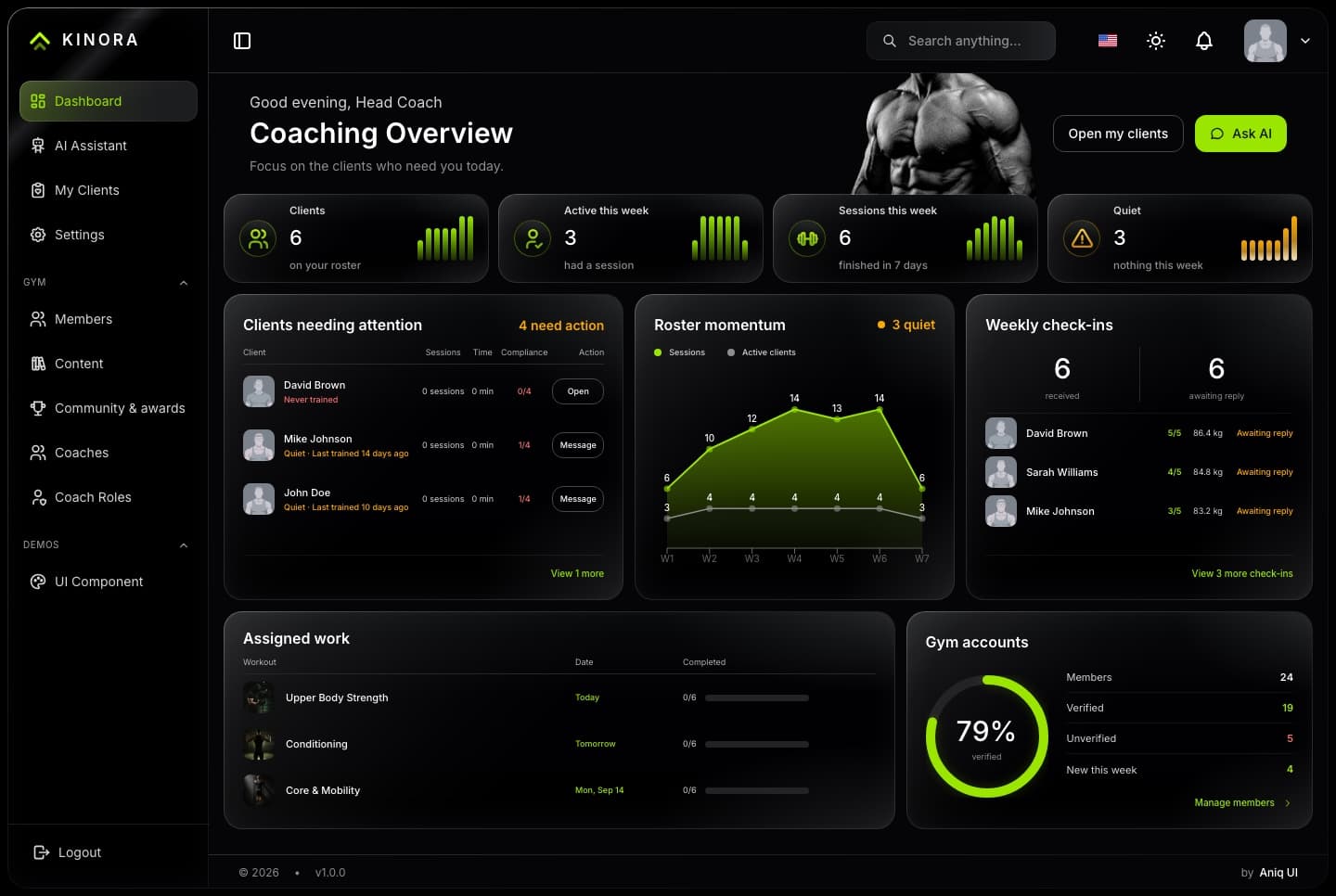
A finished session marks the assigned workout done. Your roster shows each client's plan compliance over the last four weeks, and the overview flags anyone with no session in seven days.
Step 5
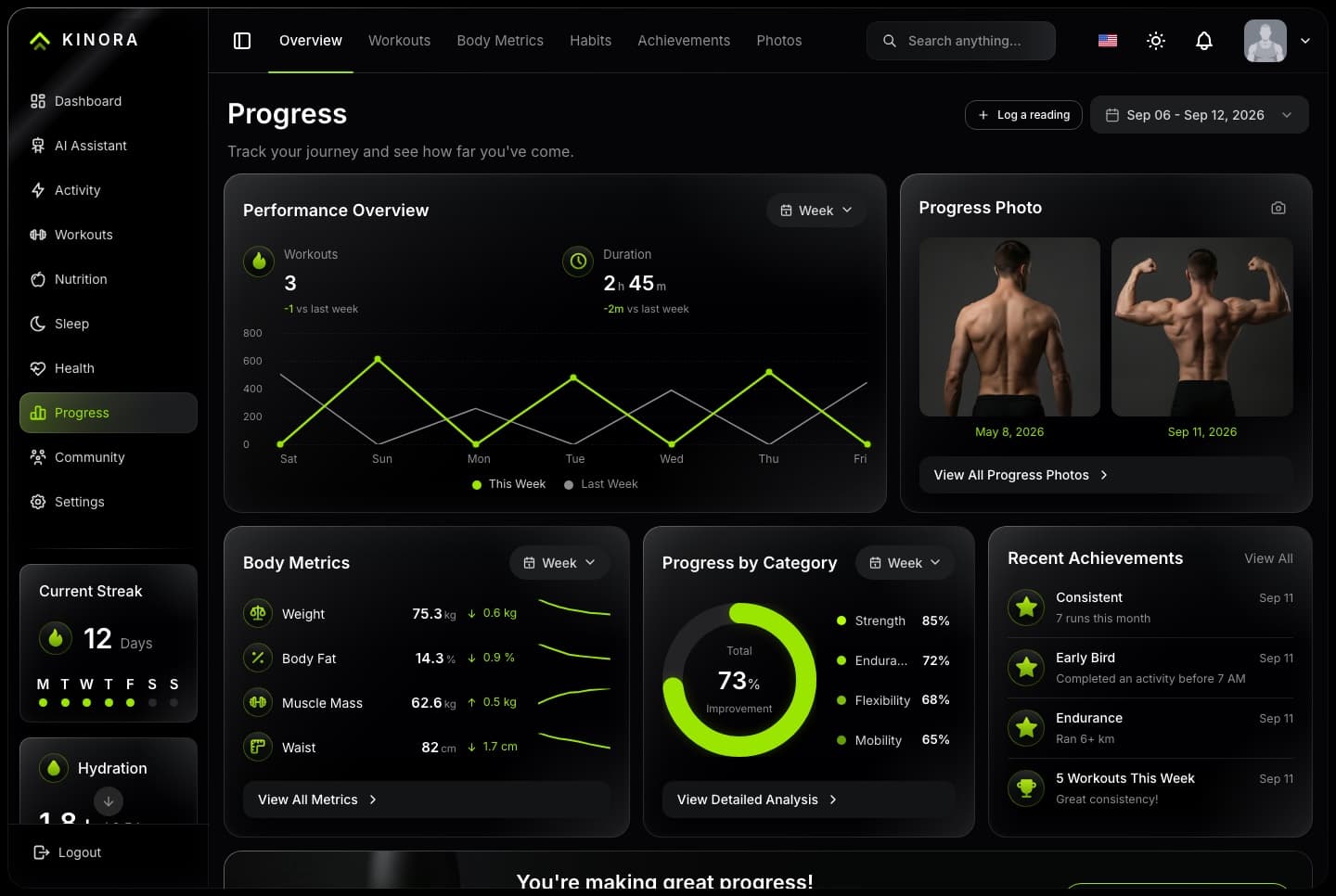
A weekly check-in carries the client's weight, energy and a note, and you answer it from their page. The client's progress page keeps body metrics, before and after photos and achievements.
Your own app, a monthly coaching platform or a build from scratch
Each way of running your coaching online has its place. This is how they differ for the coach.
| What you compare | Monthly coaching platform | Building from scratch | 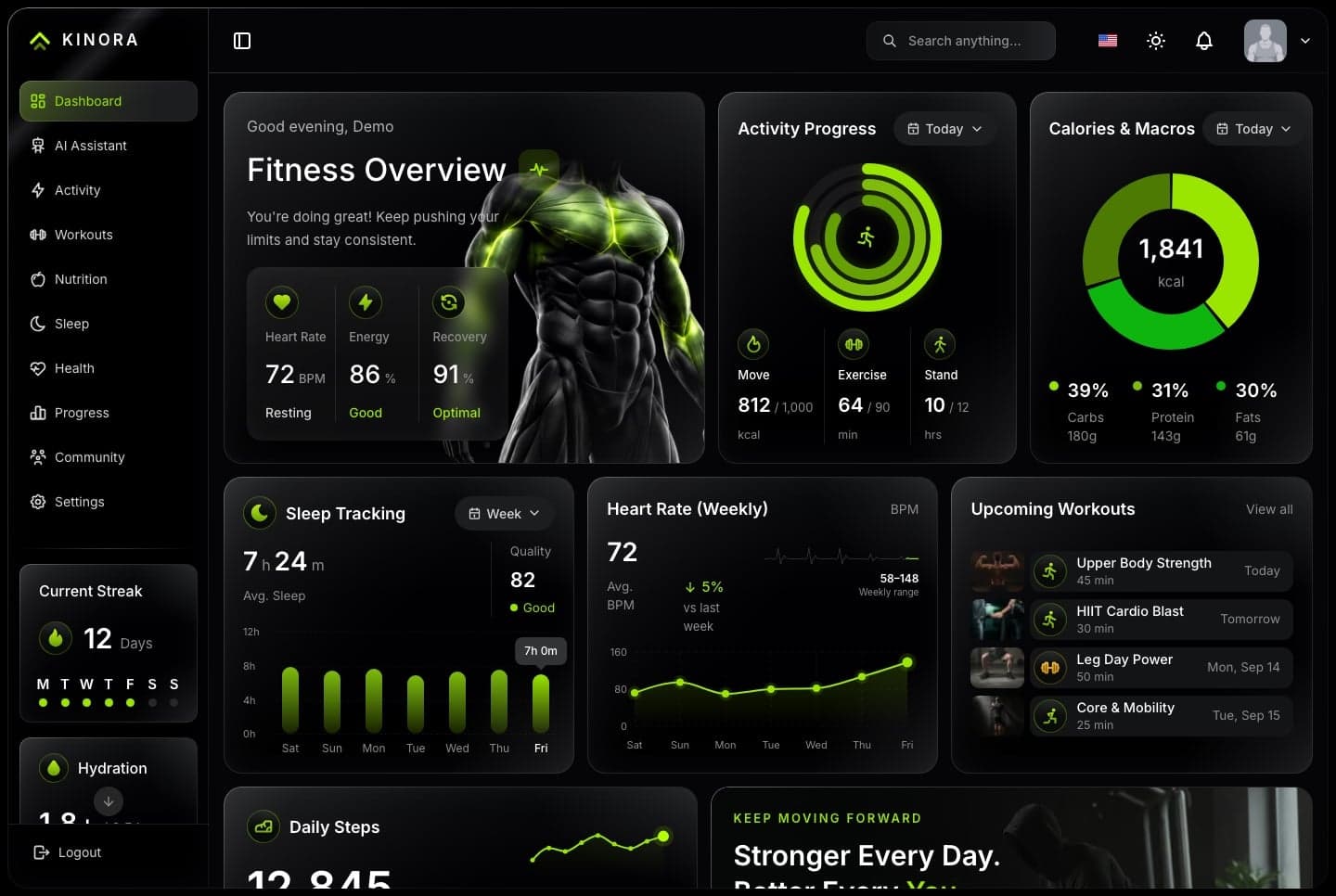 This template |
|---|---|---|---|
| Monthly cost | Monthly coaching platformDrawback: A monthly subscription | Building from scratchAdvantage: Your hosting only | This templateAdvantage: Your hosting only |
| Cost as you add clients | Monthly coaching platformTrade-off: Depends on the plan | Building from scratchAdvantage: No fee per client | This templateAdvantage: No fee per client |
| Your brand and domain | Monthly coaching platformTrade-off: Depends on the plan | Building from scratchAdvantage: Yes | This templateAdvantage: Yes |
| Client data and training history | Monthly coaching platformDrawback: On their platform | Building from scratchAdvantage: In your own database | This templateAdvantage: In your own database |
| Change how it works | Monthly coaching platformTrade-off: Within their settings | Building from scratchAdvantage: Yes, it is all your code | This templateAdvantage: Yes, with the full source code |
| Cost to start | Monthly coaching platformAdvantage: Usually none | Building from scratchDrawback: The full cost of the build | This templateTrade-off: One payment for the code |
| Getting started | Monthly coaching platformAdvantage: Sign up, done for you | Building from scratchDrawback: Design, build and test it all | This templateTrade-off: Install it, you or a developer |
| Client payments built in | Monthly coaching platformAdvantage: Often included | Building from scratchDrawback: If you build it | This templateDrawback: No, you add your own provider |
- Advantage
- Trade-off
- Drawback
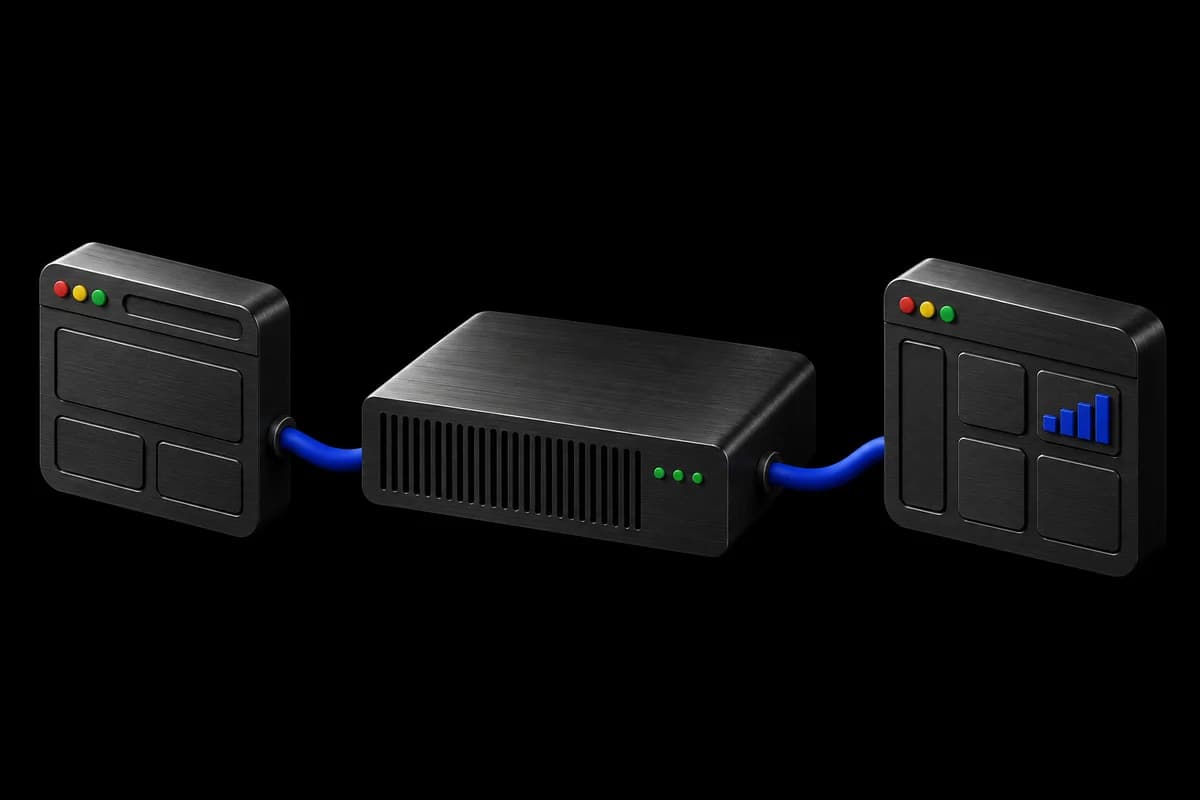
Two apps, already connected
The dashboard your clients and coaches sign in to, and the API it reads from.
The member and coach dashboard
One Next.js app, in English and Arabic, light and dark. Each person sees the screens their role allows.
- Member screens for workouts, nutrition, sleep, health and progress
- Live workout logger with a set table and a rest timer
- Coach overview, client roster and a page for each client
- Member accounts, coaches, roles and the content catalogue
- AI assistant on Google Gemini, OpenAI or DeepSeek
The NestJS API
One backend for every role, holding the rules that keep each coach's clients private.
- Roster requests filtered by the coach who makes them
- Roles and permissions enforced on the server
- SQLite or MySQL through TypeORM, with a one-command seeder
- Live notifications, and an MCP server for AI coding agents
- Per-member API keys so a watch or tracker can send data
Built for trainers and coaches, and for the people who build for them
An independent personal trainer
Run your whole roster in an app that carries your own name and domain, with no fee per client as the list grows.
A studio or a team of coaches
Each trainer gets an account that shows only their own clients, while the head coach sees every member and manages the catalogue.
Agencies and freelancers
The licence covers unlimited client projects: rebrand it for each trainer or studio you build for and hand it over.
Your own online coaching platform
Start a fitness coaching product under your own brand from working code: the roles, the coaching flow and the API are already built.
One payment. The code is yours.
Buy it once and keep it, with every future update included. No subscription, and nothing taken from your sales.
Full Stack
The member and coach dashboard and the API
Unlimited commercial use, client work included
Safe and secure payments powered by Paddle
Look before you buy
Use with AIReplit, Lovable, Claude Code, Cursor and more- One-time payment, free updates
- Full source code, yours to change
- Business invoice with your VAT or tax ID
- Setup guides and a live demo
Or buy one part
Questions about the personal trainer app
- What is a personal trainer app?
- It is the software a trainer uses to manage clients: who is on the roster, what each one was asked to do, what they did, and how they are progressing. Kinora gives you that as source code: one dashboard app that clients and coaches both sign in to, and the API behind it.
- Do I pay per client or per month?
- No. Kinora is a one-time payment, with no monthly fee and no charge per client or per coach. Your running costs are your own hosting, and your AI provider's usage if you switch the assistant on.
- Is Kinora a hosted service?
- No. You get the full source code and run it on your own server or hosting account, with Docker in one command or with Node.js. If you would rather have it set up for you, our custom work service can do it.
- Who signs in to the app?
- Members, who get the training screens. Personal trainers, who see only their own roster. And the head coach and gym staff, who manage member accounts, coaches, roles and the content catalogue. You can add roles of your own and choose their permissions.
- Does it take payments from clients?
- No. Settings has a read-only screen for a member's plan and invoices, but nothing in the code charges a card. You bill clients your own way, or connect your own payment provider in the code.
- What does the AI assistant do?
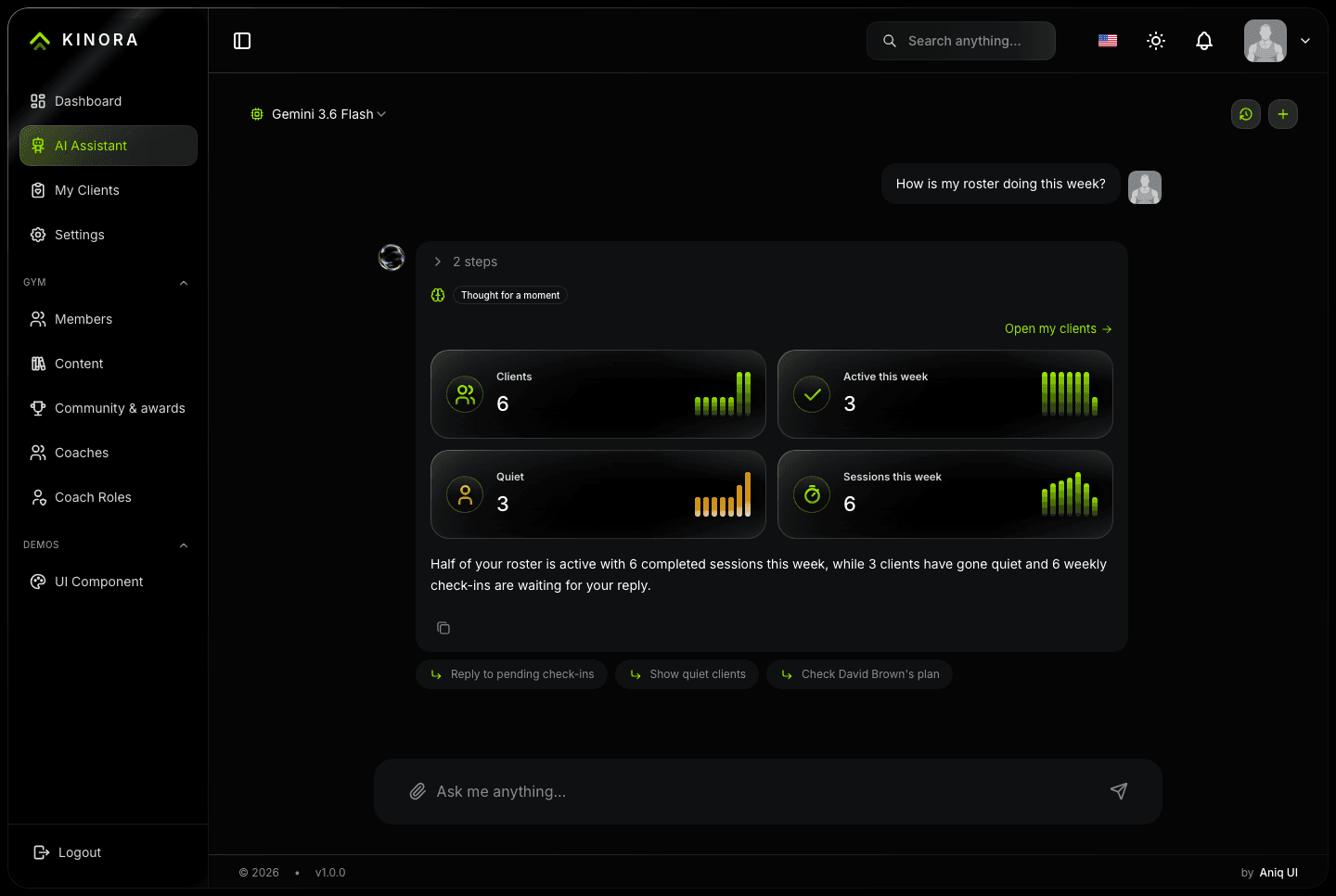
- It answers from the signed-in person's own data: a member's day, or a coach's roster and check-ins. It can also log a meal, water, sleep or a body reading for a member, and assign a workout or answer a check-in for a coach. It runs on Google Gemini, OpenAI or DeepSeek with your own key, and stays off without one.
- Can I use it for client projects or my own coaching platform?
- Yes. The licence covers unlimited projects, your own or delivered to clients, a SaaS product included. What it does not allow is reselling or sharing the source code itself.
- What do I need to run it?
- Docker, or Node.js 22.9 or newer with Yarn 4. It runs on SQLite out of the box and also supports MySQL. Profile pictures and progress photos need a Cloudflare R2 or other S3-compatible bucket, and the AI assistant needs a Google Gemini, OpenAI or DeepSeek key.
More ways to start

Restaurant ordering system
Online ordering for delivery and pickup, with a kitchen dashboard and no commission on orders.

Vacation rental software
A direct booking website with availability calendars, a booking dashboard for the host, and no commission on bookings.

LMS software
Courses, live classes, quizzes and certificates on your own platform, with no share taken from your sales.
Fashion e-commerce template
An online clothing store with sizes and colours, guest checkout and an admin dashboard, with no commission on sales.

Real estate website template
A property listing website with viewing requests, and an agency dashboard with a built-in lead CRM.
Event ticketing software
Sell tickets online with seat maps and QR check-in at the door, and no platform fee on each ticket.
Sales CRM dashboard
A sales pipeline, contacts, reports and team roles in a CRM you host yourself, with no fee per seat.
SaaS starter kit
A marketing website, a workspace dashboard with teams, roles and Stripe billing, and an API to build your product on.
AI dashboard template
An admin dashboard with users, roles and an AI assistant, with the API behind it and no fee per user.
All full-stack apps
Complete apps for other kinds of business, each with its customer site, its dashboard and its API.
Bundles
Several templates for one price, when one app is not enough.
Need it built, changed or fixed for you?
Hire the developer who builds Aniq UI templates. Fixed prices from $150, agreed in writing and paid on Contra, an independent platform.

Global User Community
Join thousands of developers worldwide who trust Aniq-UI for their projects. Our templates are being used across the globe to create stunning web experiences.
Cookie Preferences
We use cookies to enhance your browsing experience, analyze site traffic, and personalize content. By clicking "Accept All", you consent to our use of cookies for analytics and personalized advertising.