
Run Kinora locally
Get your package running on your computer, with Docker.
For the Full Stack package
Before you start: install and open Docker Desktop, or Docker Engine with Compose.
View requirementsDownload your template
Open My templates and download the ZIP for your package.
Expected result: A file named like
kinora-fitness-full-stack-main-….zipis in your downloads.Unzip and open the folder
Extract the ZIP and open a terminal in the
kinora-fitness-full-stackfolder. On Windows, extract it in File Explorer, then open a terminal in the folder.Terminalunzip kinora-fitness-full-stack-*.zip cd kinora-fitness-full-stackExpected result: The folder lists
Having trouble?back-end,dashboardanddocker-compose.yml.Start the apps
Build and start the API and the dashboard. Nothing has to be configured first. The first start builds two images and fills the database with the demo data, which takes a few minutes; later starts take seconds.
Terminalinkinora-fitness-full-stackdocker compose up --buildA port is already in use?
If the start stops with
A port is already in useports are not available ... address already in use, another program uses 3030 or 8000. Either stop it, or create a file named.envin thekinora-fitness-full-stackfolder with the port you need, such asDASHBOARD_PORT=3040(API_PORTfor the API). Rundocker compose up --buildagain and open the dashboard on its new port.Expected result: Both services keep running and the log stops scrolling. Leave this terminal open.
Having trouble?Sign in as the coach
Open localhost:3030Local. The sign-in form is filled in with the Head Coach,
headcoach@example.comwith the passwordCoach@123. Arabic is at/ar.Expected result: The coach overview opens: the roster, the clients who went quiet, the check-ins waiting for a reply and today's assigned work.
Having trouble?Sign in as the member
Sign out, then open localhost:3030/en/auth/login?as=clientLocal. The form is filled in with the member,
member@example.comwith the passwordMember@123.Expected result: The member's overview opens, with rings, calories, sleep, heart rate and the week's workouts.
Having trouble?
Take a tour
What the demo looks like once everything runs.
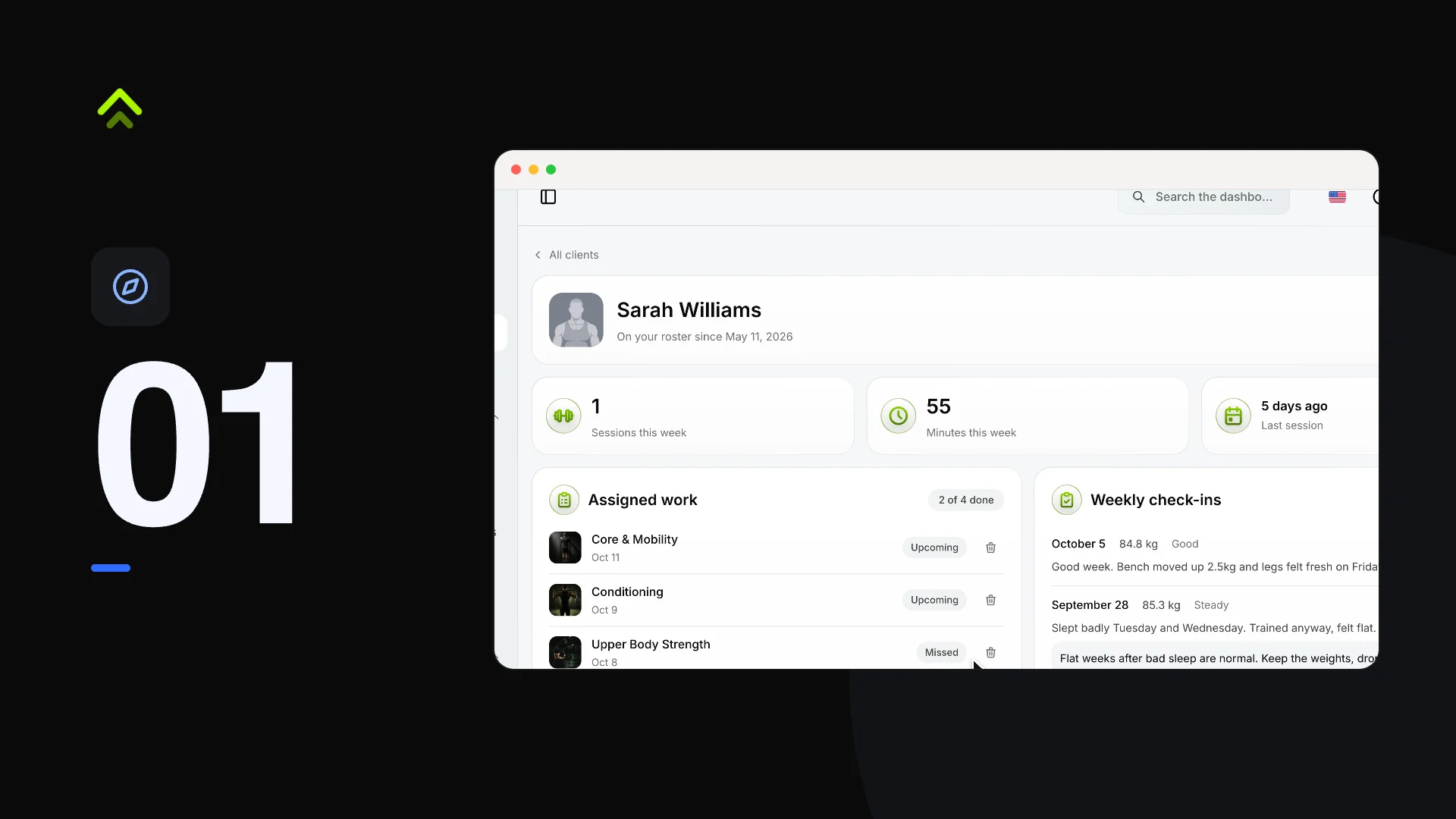
| Account | Password | What it sees | |
|---|---|---|---|
| Head Coach | headcoach@example.com | Coach@123 | Every staff screen, with the fullest roster |
| Member | member@example.com | Member@123 | The training pages, coached by the Head Coach |
| Personal Trainer | trainer@example.com | Trainer@123 | Their own roster of clients and the content catalogues |
Eleven more staff accounts exist at @staff.com with the password staff123, as a Coach, Personal Trainer, Gym Manager, Editor or Viewer. More members exist at @example.com with password123. These are local demo accounts only: change the passwords before anything goes public.
The sign-in form fills itself in: /en/auth/login?as=coach (also the default) for the Head Coach and /en/auth/login?as=client for the member.
Stop and start again
Press Ctrl+C in the terminal to stop the apps, or run this from the kinora-fitness-full-stack folder. Your data is kept in the kinora-data volume.
kinora-fitness-full-stackdocker compose downStart again with the same command as step 3. Without --build it reuses the images you already built.
kinora-fitness-full-stackdocker compose upKeep your data
docker compose down -v also deletes the database volume. The next start seeds a fresh copy of the demo data, and everything you created is gone.
Run the dashboard
This package is the dashboard on its own. Without an API it runs on built-in sample data in the browser: you can sign in, log a workout, create a member and edit a role, and your changes are kept in the browser. The API is a separate package and is not in this download.
Unzip and open the folder
Terminalunzip kinora-fitness-dashboard-*.zip cd kinora-fitness-dashboardExpected result: The folder has a
Having trouble?Dockerfileand apackage.json.Build the image
The
NEXT_PUBLIC_*values are compiled into the JavaScript the browser loads, so they are build arguments. Leave them out to run on the sample data; to use the template's API, pass its address and its WebSocket address (the same server without/api).Terminalinkinora-fitness-dashboarddocker build -t kinora-dashboard .With your own API:
Having trouble?Terminalinkinora-fitness-dashboarddocker build -t kinora-dashboard --build-arg NEXT_PUBLIC_API_BASE_URL=http://localhost:8000/api --build-arg NEXT_PUBLIC_WEBSOCKET_BASE_URL=http://localhost:8000 .Start it and sign in
If port
3030is taken, change the number on the left of-p, for example-p 3040:3030, and open that port instead.Terminalinkinora-fitness-dashboarddocker run -p 3030:3030 kinora-dashboardExpected result: localhost:3030Local opens the sign-in form, filled in with the Head Coach. A "Sample data" notice at the bottom says no API is connected. The password is not checked on the sample data:
Having trouble?member@example.comsigns in as the member, and an email the sample data does not know signs in as the Head Coach.
Run the API
This package is the NestJS API on its own, on a SQLite file kept in a Docker volume. The dashboard is a separate package and is not in this download.
Unzip and create the environment file
.env.exampleworks as it is for a local run. The.envcopy is where your own keys go later.Having trouble?Terminalunzip kinora-fitness-backend-*.zip cd kinora-fitness-backend cp .env.example .envStart it with the demo data
A fresh volume gets empty tables unless you ask for the demo data. The volume keeps the database between runs. If port
8000is taken, change the number on the left of-p, for example-p 8010:8000, and the API answers onhttp://localhost:8010/apiinstead.Terminalinkinora-fitness-backenddocker run -p 8000:8000 -v kinora-data:/data -e SEED_DEMO_DATA=true kinora-apiExpected result: localhost:8000/api/healthLocal answers
Having trouble?{"status":"ok"}.
The container reads your .env only when you add --env-file .env to docker run; that is how your storage, AI and MCP keys reach it. Without a JWT_SECRET of your own, or with the example one, the container generates a secret and keeps it in the volume.
The image allows browser calls from http://localhost:3030. For a dashboard on another address, pass -e CORS_ORIGIN= and -e FRONTEND_URL= with that address.