
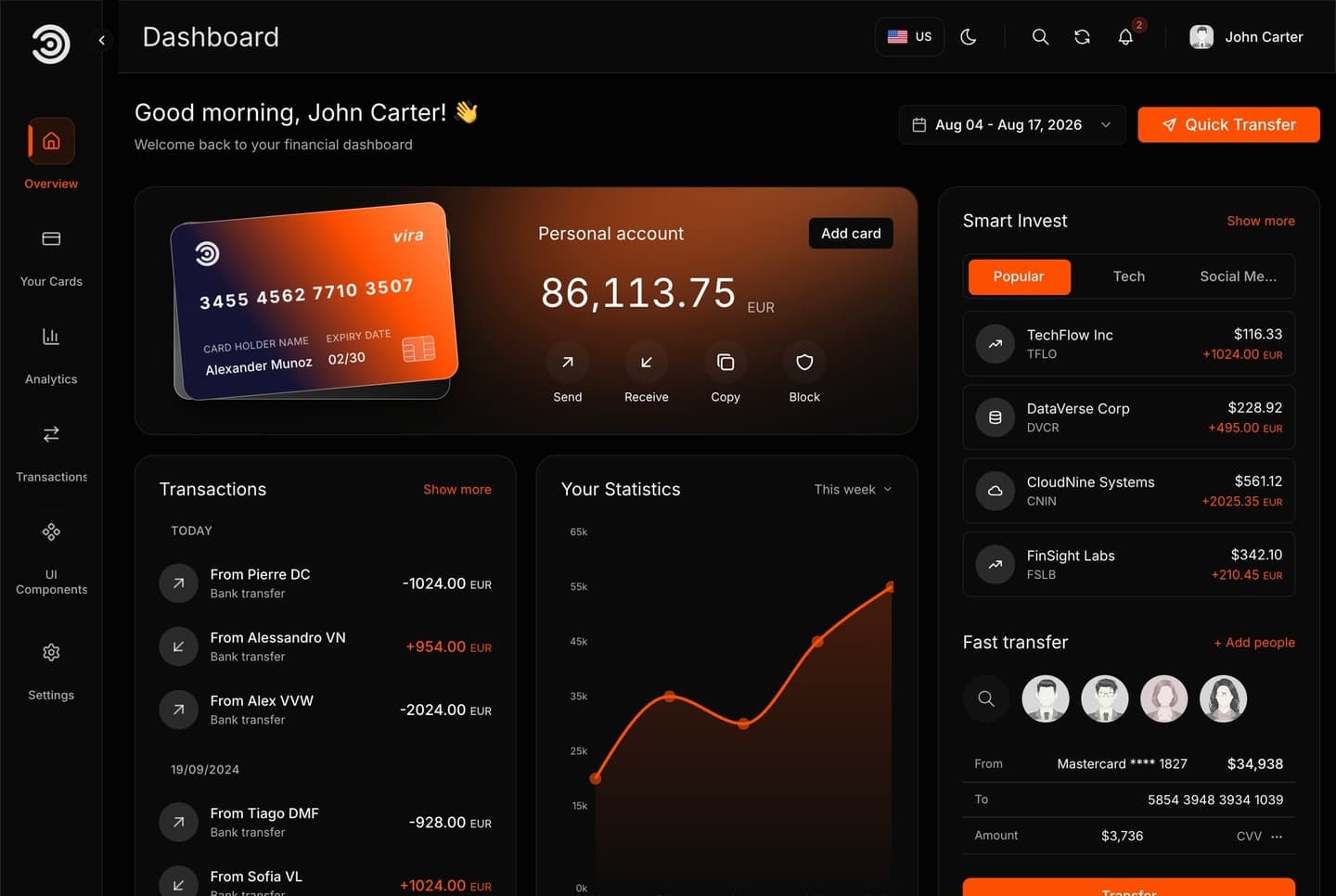
What the template is
A financial dashboard for a bank, a fintech or a money app. It is one Next.js app with no database and no back end: every number, card and transaction is sample data in the code, and the sign-in is a placeholder that runs in the browser. Nothing has to be configured before the first run.
It has a sign-in page, an overview, analytics, transactions, cards, settings, and a page that shows every reusable UI component with live examples. It runs in English and Arabic, right to left, in a dark and a light mode.
A look at the dashboard
What it is built with
| Technology | What it does here |
|---|---|
| Next.js 16 (App Router) | The framework, the pages, the metadata and the production server |
| React 19 and TypeScript | Every component and source file |
| Tailwind CSS 4 | All the styling, with colour variables for the light and dark modes |
| next-intl | The English and Arabic texts and the language in every address |
| Redux Toolkit | The signed-in user and the sign-in state |
| React Hook Form and Zod | The sign-in and quick transfer forms and their checks |
| Recharts and react-simple-maps | The charts and the world map |
| TanStack Table and dnd-kit | The transactions table, and the stat cards you can drag |
| Radix UI, Lucide and Tabler Icons | Accessible menus, dialogs and tabs, and the icons |
Every dependency is pinned to an exact version in package.json, and yarn.lock is included, so your install gets the same versions the template was tested with.
What is in the download
The ZIP extracts to a folder named dashboard-template-1:
| Path | What it is |
|---|---|
src/ | The app: the pages, the sidebar and header, the charts and widgets, the sign-in and the language setup |
messages/ | Every visible text, in English and Arabic |
public/ | The logo, the card artwork and the sample avatars |
Dockerfile, .dockerignore | Build the app into an image that serves it on port 3030 |
.env.example | The optional settings, with their defaults |
README.md | The setup and customising guide |
LICENSE.md | Your commercial licence |
package.json, yarn.lock, .yarnrc.yml | The dependencies and the Yarn 4 setup |
Good to know before you build on it
- The sign-in is a placeholder: one account, checked in the browser. Connect it to your own API before you go live.
- The figures, cards, people and transactions are sample data for you to replace with your own, or with data from your API.
- Buttons that would change data on a server, such as sending a transfer or adding a transaction, save nothing until you connect them.
- It starts in dark mode, with an orange brand colour. Four colour themes ship, and you pick one in a single line.
The dashboard ships in English and Arabic. Every address starts with its language, such as /en/dashboard or /ar/dashboard, and the Arabic pages are laid out right to left.
On Windows, use PowerShell or Git Bash for the commands in these guides.