Next.js View Transitions: Native Zero-JS Route Animations
Replace heavy animation libraries with Next.js view transitions to build buttery-smooth, zero-JS route morphing natively in the App Router.
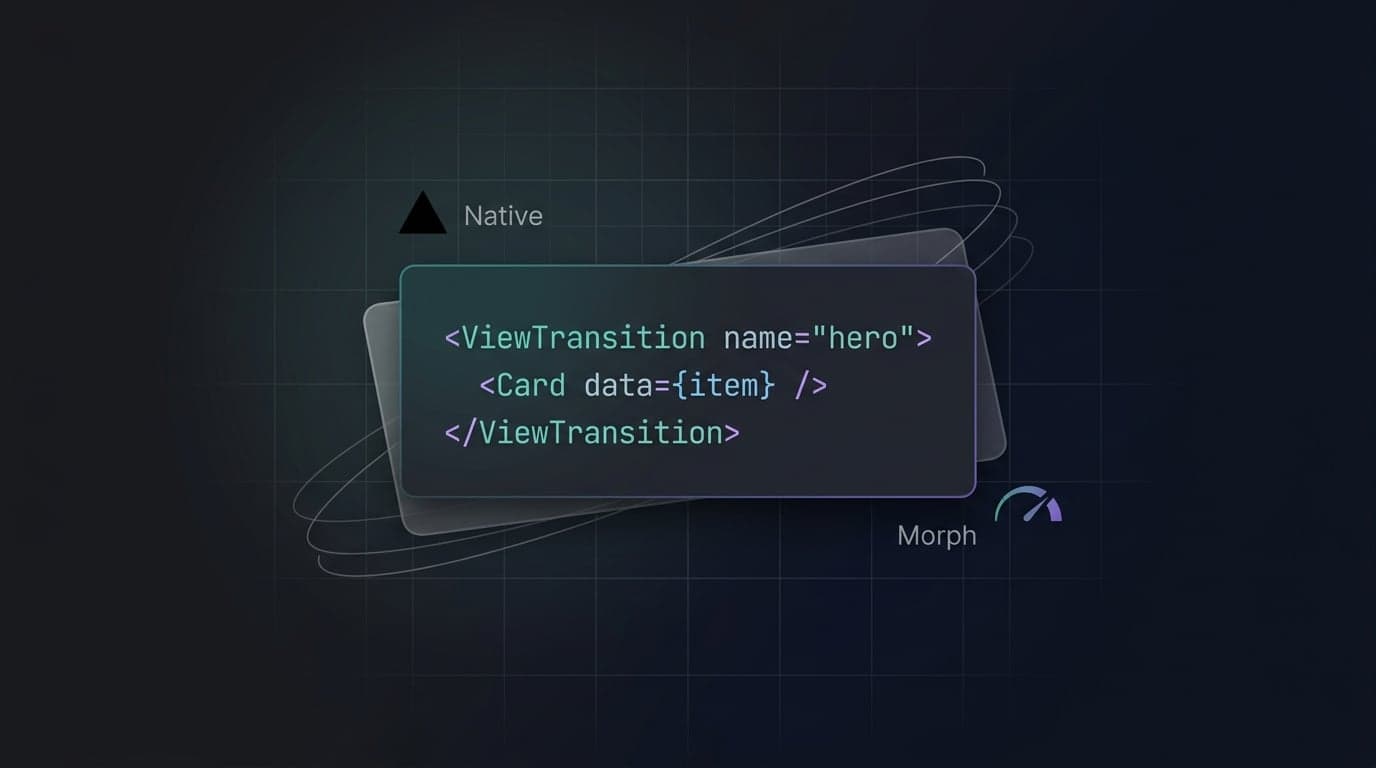
Shipping buttery-smooth page animations used to mean installing hefty JavaScript libraries and wrestling with complex component lifecycles. For SaaS dashboards and landing pages, this meant trading bundle size and performance for perceived visual polish. React 19 and Next.js 16 completely change this equation by exposing native browser capabilities directly to your components. You can now replace heavy third-party dependencies and build flawless, app-like morphing effects natively using Next.js view transitions.
What are Next.js view transitions?
Next.js view transitions are native browser animations triggered by the React 19 <ViewTransition> component during App Router navigations, creating seamless visual morphing between pages without heavy JavaScript payloads.
Historically, animating route changes on the web was exceptionally difficult. Developers relied on complex tools that had to monitor route states and manually animate raw DOM nodes. The native View Transitions API delegates this heavy lifting entirely to the browser's rendering engine. When a navigation occurs, the browser captures a highly optimized visual snapshot of the outgoing page. It then pauses rendering for a fraction of a second, captures a new snapshot of the incoming page, and smoothly interpolates between the two snapshots using native CSS properties.
Because this interpolation happens at the browser level rather than the JavaScript thread, it guarantees buttery-smooth animations. This paradigm shift means developers can deliver premium UI morphing while shipping zero extra JavaScript to the client.
The Performance Impact of Zero JS Animations
Relying on JavaScript-driven animation libraries has always carried a significant performance tax. Libraries that handle complex layout shifts often add 30kb to 50kb of minified JavaScript to the initial page load. For conversion-critical landing pages, this bloat directly degrades your core web performance metrics.
When you migrate to Next.js view transitions, the performance impact is immediate. You drastically reduce your Total Blocking Time (TBT) and Interaction to Next Paint (INP) because the main thread is no longer burdened with calculating frame-by-frame element positions during route changes. Native browser APIs do not rely on React state updates to interpolate pixels.
Animations remain completely fluid even if the main thread is briefly blocked by fetching or parsing other assets. SaaS dashboards immediately feel faster and more responsive. By stripping out bulky dependencies and adopting native route animations, you deliver the exact same visual quality with a fraction of the computational overhead.
Enabling View Transitions in Next.js 16 App Router
Before deploying native view transitions, you must configure your framework environment. While Next.js 16.2 includes built-in support for the underlying React APIs, the integration currently remains behind a specific experimental flag.
You must activate this feature inside your next.config.ts file at the root of your project.
// next.config.ts
import type { NextConfig } from 'next';

const nextConfig: NextConfig = {
  experimental: {
    // Enables native React 19 view transitions for the App Router
    viewTransition: true,
  },
};

export default nextConfig;
Once enabled, Next.js automatically instruments the internal App Router navigation lifecycle. You do not need to rewrite your application logic. Every standard <Link> component navigation and programmatic useRouter().push() call natively integrates with the transition context.
The React 19 <ViewTransition> component seamlessly orchestrates the snapshot timing with the Next.js router cache and rendering phases, preventing the brittle synchronization bugs that plagued earlier manual implementations.
Pattern 1: Buttery-Smooth Cross-Fade Page Transitions
The most straightforward application of App Router page transitions is establishing a global cross-fade effect across your entire website. This prevents the jarring screen flashing that typically accompanies instant route navigations.
To implement a global transition, wrap your main layout contents with the native React <ViewTransition> component inside your root layout file.
// app/layout.tsx
import { ViewTransition } from 'react';
import './globals.css';

export default function RootLayout({
  children,
}: {
  children: React.ReactNode;
}) {
  return (
    <html lang="en">
      <body>
        {/* Automatically captures structural DOM snapshots during route changes */}
        <ViewTransition>
          <main className="min-h-screen bg-slate-50">
            {children}
          </main>
        </ViewTransition>
      </body>
    </html>
  );
}
In this configuration, the browser automatically executes a brief, elegant cross-fade when users navigate between pages. We deliberately omit the name prop on this global wrapper. When name is omitted, React intelligently generates an isolated, internal identifier for the transition scope, preventing accidental animation collisions.
Pattern 2: Shared Element Transitions (Thumbnail to Hero)
The true power of the <ViewTransition> API lies in Shared Element Transitions. This pattern seamlessly morphs a specific UI component from one route directly into a structurally different component on the subsequent route. Think of a grid thumbnail expanding into a full-bleed hero image.
To achieve this effect, you must wrap the target visual elements on both the outgoing and incoming pages with <ViewTransition>, and critically, assign them the exact same name prop.
Building the Outgoing Route
Here is the outgoing product grid page:
// app/products/page.tsx
import { ViewTransition } from 'react';
import Link from 'next/link';

export default function ProductGrid() {
  return (
    <div className="grid grid-cols-3 gap-4 p-8">
      <Link href="/products/sneakers">
        {/* The name prop must strictly match the destination page */}
        <ViewTransition name="product-hero-sneakers">
          <img
            src="/images/sneakers-thumb.jpg"
            alt="Sneakers"
            className="w-48 h-48 rounded-md shadow-sm"
          />
        </ViewTransition>
      </Link>
    </div>
  );
}
Linking the Incoming Route
On the destination route, map the exact same identifier to the larger element. The browser handles the positional layout shift and dimensional scaling automatically.
// app/products/sneakers/page.tsx
import { ViewTransition } from 'react';

export default function ProductDetail() {
  return (
    <section className="p-8 max-w-4xl mx-auto">
      {/* Matches the incoming route identifier to trigger the morph */}
      <ViewTransition name="product-hero-sneakers">
        <img
          src="/images/sneakers-hero.jpg"
          alt="Sneakers"
          className="w-full h-96 rounded-xl object-cover shadow-lg"
        />
      </ViewTransition>

      <h1 className="text-3xl font-bold mt-6">Premium Sneakers</h1>
    </section>
  );
}
The browser natively interpolates the exact coordinates, width, height, and border-radius differences between the two snapshots, generating a complex visual morph without a single JavaScript calculation.
Styling View Transitions with Tailwind CSS v4
While React abstracts the DOM lifecycle management, the browser engine ultimately handles the visual interpolation. By default, the browser applies a simple 250ms cross-fade. You can override these defaults using Tailwind v4 global CSS.
The browser natively exposes two primary pseudo-elements during the snapshot lifecycle: ::view-transition-old() for the outgoing static snapshot, and ::view-transition-new() for the incoming rendered snapshot. By targeting these pseudo-elements, you completely customize the morphing behavior.
/* app/globals.css */
@import "tailwindcss";

/* Target the specific transition by its exact name prop */
::view-transition-old(product-hero-sneakers),
::view-transition-new(product-hero-sneakers) {
  animation-duration: 600ms;
  animation-timing-function: cubic-bezier(0.4, 0, 0.2, 1);
}

/* Create a custom slide-up entrance animation for the global root */
::view-transition-new(root) {
  animation: fade-in 300ms ease-out, slide-up 400ms cubic-bezier(0.16, 1, 0.3, 1);
}

::view-transition-old(root) {
  animation: fade-out 300ms ease-in;
}

@keyframes slide-up {
  from {
    transform: translateY(20px) scale(0.98);
  }
  to {
    transform: translateY(0) scale(1);
  }
}
Because Tailwind CSS v4 utilizes a lightning-fast CSS-only engine, integrating raw keyframes directly alongside your utility classes provides the perfect balance of scoped styling and global transition control.
Do You Still Need Framer Motion?
With native zero JS animations deeply integrated into React 19, developers face an architectural decision: do you still need heavy third-party libraries? Here is how the native implementation compares to industry-standard tools.
| Feature | React ViewTransition | Framer Motion |
|---|---|---|
| Client Bundle Cost | 0kb (Native browser API) | ~30kb (Minified and Gzipped) |
| Route Morphing | First-class via name prop |
Requires AnimatePresence wrapper |
| Physics Engine | CSS cubic-bezier easings | Complex spring math & inertia |
| Complex Gestures | Not supported natively | Fully supported (drag, swipe) |
| Primary Use Case | Layout shifts, route changes | Micro-interactions, complex SVG morphing |
For modern SaaS applications and marketing sites, native route animations seamlessly handle the vast majority of layout transitions. You should only retain Framer Motion if your product specifically demands complex drag-and-drop mechanics or heavy, physics-based micro-interactions.
Common pitfalls
- Reusing the
nameprop inside a loop: Using a staticname="product-card"inside a.map()iteration breaks the layout snapshot logic entirely. Fix: Dynamically generate unique identifiers using data, such asname={"product-card-" + item.id}. - Applying a name prop to global layouts: Adding a static
nameto the root layout<ViewTransition>will cause jarring dimensional snapping when navigating between pages of different heights. Fix: Omit thenameprop completely for standard, global enter and exit cross-fades. - Forgetting the Next.js experimental flag: The React component will render, but navigations will instantly snap without animating. Fix: Explicitly ensure
experimental: { viewTransition: true }is properly configured inside yournext.config.ts. - Ignoring browser support: View transitions do not currently function in outdated Safari versions. Fix: Do nothing. The API gracefully degrades, falling back to instant page loads without throwing client-side errors.
FAQ
How do I add page transitions in Next.js 16?
Enable the experimental.viewTransition setting inside your next.config.ts configuration file, then wrap your root layout or specific page components with the native React 19 <ViewTransition> component. This automatically captures subsequent App Router navigations and applies a smooth, native browser cross-fade between the outgoing and incoming application states.
Does Next.js support the View Transitions API?
Yes, Next.js 16 supports the native View Transitions API comprehensively through React 19 integration. The framework natively intercepts App Router navigations and handles the underlying transition snapshot lifecycle automatically, ensuring developers no longer need to manually patch or wrap standard router.push() functions.
What is the alternative to Framer Motion in Next.js?
The native React <ViewTransition> component serves as the absolute best alternative to Framer Motion for handling route-based animations. By relying exclusively on native browser APIs and CSS pseudo-elements, it delivers buttery-smooth shared element morphing without shipping any additional JavaScript payload to your users.
How to use React ViewTransition component?
Import <ViewTransition> directly from the core react package and wrap your target UI elements. For cross-page morphing effects, simply wrap both the outgoing and incoming elements with <ViewTransition> and provide an identical, strictly matching name string prop to link them during the render cycle.
Conclusion
Next.js view transitions fundamentally streamline how developers build highly interactive, polished web applications. By utilizing the React 19 <ViewTransition> component natively within the App Router, you can consistently achieve buttery-smooth, zero-JS animations that were previously restricted to heavy JavaScript libraries. Remember to map strictly unique name props for shared element transitions, and utilize your global Tailwind CSS to refine the morphing duration.
If you are ready to ship lightning-fast dashboards and beautifully animated interfaces without the bundle bloat, explore the production-ready admin dashboard templates built specifically for modern frameworks over at Aniq UI.
Found this article helpful?
You might also like
next-intl Next.js 16 i18n Setup with proxy.ts
Configure next-intl Next.js 16 with proxy.ts, async params, static locale routes, and App Router i18n metadata for production SaaS pages step by step.
Next.js Intercepting Routes Modal: SaaS Dashboard Forms
Learn how to build deep-linked, state-preserving Next.js intercepting routes modals using parallel slots, Server Actions, and shadcn/ui for SaaS dashboards.

Next.js Server Actions & Advanced Caching in App Router
Master Next.js Server Actions, optimistic UI, and advanced caching strategies like revalidateTag in the App Router for performant, data-consistent applications.
