Next.js 16 Partial Prerendering: Instant SaaS Landing Pages
Learn how to implement stable Next.js 16 Partial Prerendering to build instant-load SaaS landing pages balancing static shells and dynamic user data.
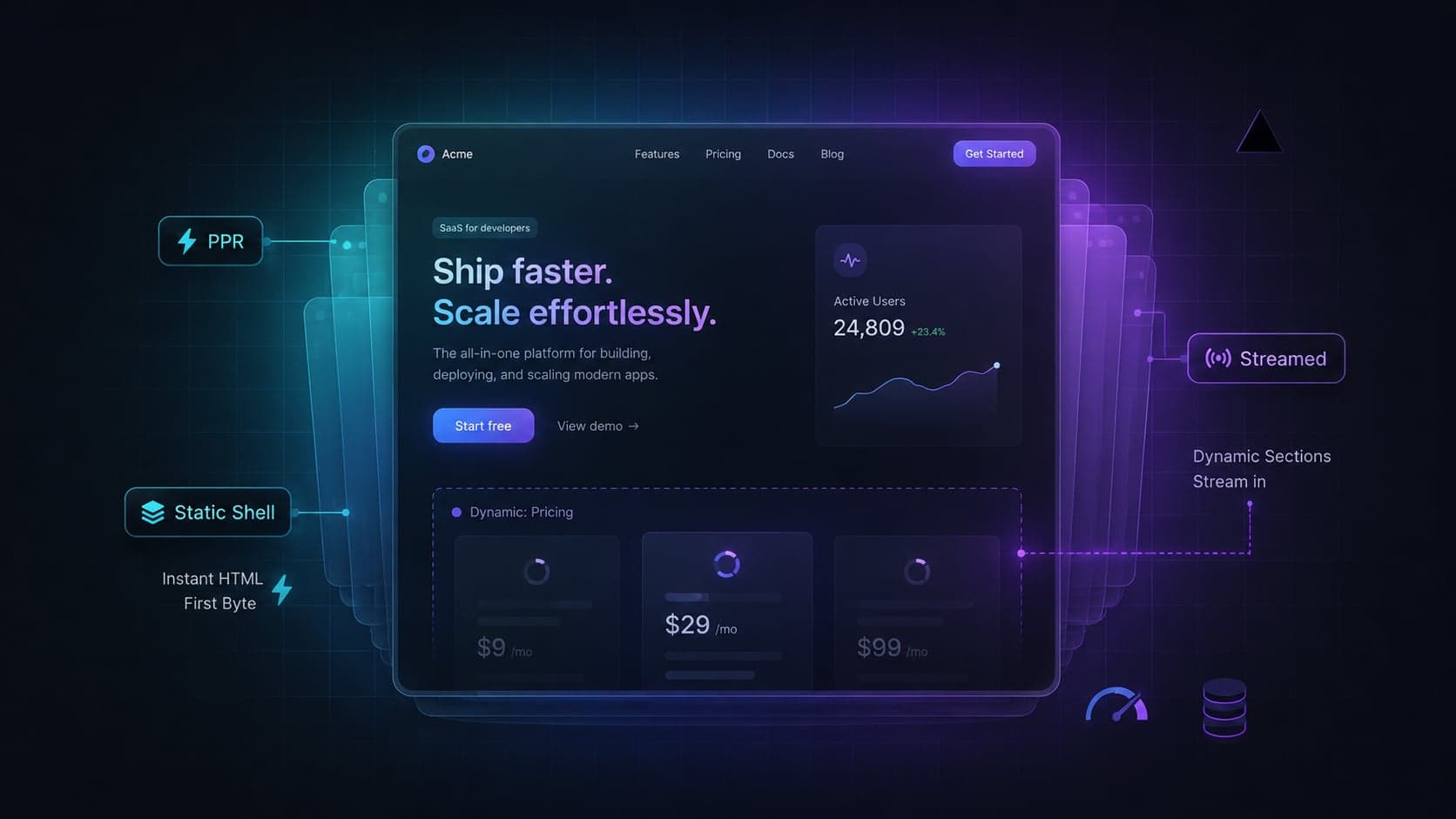
What are Next.js 16 Cache Components?
Cache Components represent a rendering architecture that combines cacheable prerendered output with streamed dynamic, user-specific components. This approach continues the Partial Prerendering idea through the new Cache Components model.
For SaaS landing pages, this matters because pricing, session-aware CTAs, billing currency, and dashboard links often need request-time context without forcing the entire route into legacy SSR.
For years, developers building SaaS landing pages often chose between pre-building everything for speed (Static Site Generation) or fetching everything on the server (Server-Side Rendering) for dynamic context. This binary choice forced teams into complex workarounds involving client-side fetching hooks and layout shifts.
With the release of Next.js 16, this architectural compromise is reduced. By leveraging React's streaming capabilities and the App Router's caching semantics, the framework relies on React <Suspense> boundaries to defer dynamic component trees. The cacheable parts of the route can be prerendered into a static shell, while uncached or request-time parts are deferred behind Suspense boundaries.
TL;DR
Cache Components in Next.js 16 let you combine cached prerendered output with streamed dynamic fragments. Enable them with cacheComponents: true, then use the use cache directive to explicitly cache pages, components, or async functions. With Cache Components enabled, data fetching is dynamic by default unless opted into caching. Use cacheLife() to define freshness, cacheTag() to tag cached output, updateTag() inside Server Actions for immediate read-your-own-writes invalidation, and revalidateTag(tag, 'max') for stale-while-revalidate updates. Tailwind CSS v4's starting: variant can animate newly inserted elements using native @starting-style, but it is not specific to Suspense streaming.
Beyond SSG: Why Cache Components are the New Baseline
Historically, building a high-performance landing page meant strictly adhering to Static Site Generation (SSG). But modern SaaS applications demand dynamic context. You might need to display a user's specific billing currency, highlight a custom enterprise tier, or alter a primary Call to Action if an active session is detected. Doing this exclusively on the client leads to a complex user experience, while doing it on the server can slow down the initial response.
The Cache Components model changes how we map route paths to rendering strategies. Instead of classifying an entire page as static or dynamic, the rendering engine makes granular decisions at the component level. If a component relies on request-time data, it is isolated. The outer layout is served with low latency, allowing your application to achieve a low Time to First Byte (TTFB).
When relying solely on legacy SSR, Next.js must wait for the slowest data fetch before sending the first byte of HTML to the browser, delaying font loads and image discovery. With Next.js 16 Cache Components, the browser receives the static shell quickly, unblocking asset discovery while the server processes the customized pricing logic.
| Rendering Strategy | Initial Load (TTFB) | SEO Impact | Dynamic Personalization | Cache Granularity |
|---|---|---|---|---|
| Legacy SSG | Fast | Excellent | Client fetch required | Route-level |
| Legacy SSR | Dependent on slowest fetch | Excellent | Native | Route-level |
| Next.js 16 Cache Components | Fast when shell is prerendered | Excellent when critical content is in the shell | Streaming | Component/function-level |
Enabling cacheComponents in your SaaS Landing Page
Upgrading to Next.js 16 introduces several structural improvements to how caching and prerendering are orchestrated. In previous experimental versions, developers relied on the experimental.ppr flag to test hybrid rendering. This flag has been removed in favor of a unified caching model.
To enable Cache Components in Next.js 16, you must modify your framework configuration:
- Upgrade to Next.js 16 and React 19.
- Remove all
experimental.pprflags from your configuration. - Enable the
cacheComponentsfeature to formalize the static shell analysis.
// next.config.ts
import type { NextConfig } from 'next';

const nextConfig: NextConfig = {
  // Enables Cache Components and the "use cache" directive
  cacheComponents: true,

  // Recommended: enforce strict React 19 types and warnings
  reactStrictMode: true,
};

export default nextConfig;
Separately, Next.js 16 renames the middleware.ts convention to proxy.ts. The functionality remains similar, but the new name better reflects its role at the network/request boundary. By adopting the proxy.ts convention, you define a clearer separation between your request operations and your component rendering logic. Also note that proxy.ts uses the Node.js runtime, not the Edge runtime.
The Static Shell Pattern: Architecture for Low TTFB
The core mechanism behind Cache Components is the static shell pattern. Components outside the dynamic Suspense boundary can be included in the prerendered static shell. When the route is eligible for prerendering, the outer shell can be served as static prerendered output while dynamic parts stream in later.
To implement this effectively on a SaaS landing page, you must carefully audit where you invoke dynamic functions. The official constraints when using Next.js 16 include:
- Data Constraints: Cached functions cannot directly access
cookies(),headers(), orsearchParams; read them outside the cached scope and pass them in. - Rendering Constraints: Separately, if you use the client-side
useSearchParams()hook without wrapping the consuming component in a<Suspense>boundary, the entire route path will opt into client-side rendering.
Note: Next.js also provides 'use cache: private', which can access request-specific APIs like cookies(), headers(), and searchParams inside a cached scope. However, it is not recommended for production, and results are cached only in the browser's memory. For production SaaS landing pages, the safer pattern is still to read request data outside normal 'use cache' scopes and pass serializable values into cached functions.
Constructing the Suspense Boundary
Here is how you construct a robust static shell that protects your TTFB while loading personalized dashboard links dynamically:
// app/page.tsx
import { Suspense } from 'react';
import { HeroSection } from '@/components/hero';
import { FeatureGrid } from '@/components/features';
import { UserNavigation } from '@/components/user-navigation';
import { NavigationSkeleton } from '@/components/skeletons';

export default function LandingPage() {
  return (
    <main className="flex min-h-screen flex-col">
      {/* STATIC SHELL: Eligible for prerendering */}
      <header className="flex w-full items-center justify-between p-6">
        <div className="text-xl font-bold">SaaS Co</div>

        {/* DYNAMIC SEGMENT: Streamed at request time */}
        <Suspense fallback={<NavigationSkeleton />}>
          <UserNavigation />
        </Suspense>
      </header>

      {/* STATIC SHELL: Eligible for prerendering */}
      <HeroSection />
      <FeatureGrid />
    </main>
  );
}
In this architectural reference, the UserNavigation component is the only segment reading dynamic data. Because it sits inside a Suspense boundary, the LandingPage route path successfully compiles a static shell. The initial payload reaches the browser quickly, presenting a complete marketing page while the personalized navigation segment streams in independently.
Using use cache to Handle Dynamic SaaS Pricing
The use cache directive explicitly opts pages, components, or async functions into caching. With cacheComponents: true, data fetching is dynamic by default unless you mark specific work as cacheable.
When building a SaaS pricing page with Cache Components, you often pull tier data from an external CMS or database. You want this data to be part of the static shell, but you also need control over its lifespan.
Defining Explicit Cache Profiles
By applying use cache alongside a cacheLife profile and a cacheTag, you can explicitly define how long the pricing component remains valid before requiring background revalidation, and associate it with a tag for later invalidation.
// components/pricing-tier.tsx
import { cacheLife, cacheTag } from 'next/cache';
import { db } from '@/lib/db';

interface PricingData {
  id: string;
  name: string;
  price: number;
}

async function getPricing(tierId: string): Promise<PricingData | null> {
  // Directs the framework to cache the output of this Server Function
  'use cache';

  cacheTag(`pricing-${tierId}`);

  // Explicitly define cache behavior
  cacheLife({
    stale: 3600,      // Serve stale for 1 hour
    revalidate: 86400, // Background refresh every 24 hours
    expire: 604800,   // Expire entirely after 1 week
  });

  return db.pricing.findUnique({ where: { id: tierId } });
}

export async function PricingTier({ tierId }: { tierId: string }) {
  const tier = await getPricing(tierId);

  if (!tier) return null;

  return (
    <div className="rounded-2xl border border-gray-200 p-8 shadow-sm">
      <h3 className="text-lg font-semibold">{tier.name}</h3>
      <p className="mt-4 text-4xl font-bold">${tier.price}</p>
      <button className="mt-6 w-full rounded-md bg-blue-600 px-4 py-2 text-white">
        Subscribe Now
      </button>
    </div>
  );
}
Using cacheLife("hours") is valid, but for business-critical pricing or landing page content, an explicit object can make the caching policy clearer to your team. The pricing data integrates into the static shell, retaining delivery speed while ensuring the pricing values update systematically.
Cache Invalidation: Using updateTag and revalidateTag Effectively
Even with robust caching setups, there are moments when you must manually purge the cache. A common SaaS scenario is when an administrator updates a product feature list and needs the landing page to reflect the change immediately.
It is critical to distinguish between the available cache invalidation APIs in Next.js 16:
updateTagis Server Actions only and immediately expires cached data. Do not callupdateTag()from Route Handlers or Proxy.revalidateTag(tag, 'max')is the recommended stale-while-revalidate form.- The single-argument
revalidateTag(tag)form is a legacy pattern. For read-your-own-writes, useupdateTag(tag)inside Server Actions. For stale-while-revalidate behavior, userevalidateTag(tag, 'max').
Tagging Cached Reads
First, ensure your cached read associates the data with a tag using cacheTag():
// lib/features.ts
import { cacheLife, cacheTag } from 'next/cache';
import { db } from '@/lib/db';

export async function getLandingFeatures() {
  'use cache';

  cacheTag('landing-features');

  // Explicit config is preferred over cacheLife('hours')
  cacheLife({
    stale: 3600,
    revalidate: 86400,
    expire: 604800,
  });

  return db.features.findMany();
}
Background Invalidation with revalidateTag
Use revalidateTag(tag, 'max') in Server Actions or Route Handlers when a slight delay is acceptable, triggering a stale-while-revalidate refresh in the background.
// app/api/revalidate-products/route.ts
import { revalidateTag } from 'next/cache';

export async function POST() {
  revalidateTag('landing-features', 'max');

  return Response.json({ revalidated: true });
}
Foreground Invalidation with updateTag
However, if you are executing a Server Action and need the user to see the updated content immediately upon successful mutation (read-your-own-writes), Next.js 16 uses updateTag(tag).
// app/actions.ts
'use server';

import { updateTag } from 'next/cache';
import { db } from '@/lib/db';

export async function updateFeatureFlag(featureId: string, enabled: boolean) {
  // 1. Mutate the database
  await db.features.update({
    where: { id: featureId },
    data: { enabled },
  });

  // 2. Immediately purge the cached data on-demand
  updateTag('landing-features');

  return { success: true };
}
Using updateTag forces Next.js to discard the cached data immediately. When combined with Cache Components, this ensures your dynamic components accurately reflect database state without sacrificing the performance of the surrounding static shell.
Styling the "Holes": Tailwind CSS v4 Skeletons and @starting-style
When a SaaS landing page uses Suspense streaming to deliver dynamic chunks within a static shell, managing the visual transition is crucial. A layout shift disrupts the user experience of the application.
Historically, developers reached for JavaScript animation libraries to handle component mounting sequences. With Next.js 16 and Tailwind CSS v4, this is unnecessary. Tailwind CSS v4's starting: variant supports the native CSS @starting-style feature. This still applies in Tailwind CSS v4, which uses a CSS-first model. This is useful for streamed or newly inserted UI, letting you transition elements as they appear without JavaScript, but it is a CSS feature, not a Suspense-specific feature.
// components/user-profile.tsx
export function UserProfile({ username }: { username: string }) {
  return (
    // The starting: variant manages the pre-mount DOM state natively
    <div className="transition-all duration-500 ease-out starting:scale-95 starting:opacity-0 scale-100 opacity-100">
      <span className="text-sm font-medium text-slate-700">
        Welcome back, {username}
      </span>
    </div>
  );
}
Because the outer navigation bar is part of the static shell, it paints quickly on the screen. Moments later, the UserProfile component resolves on the server and streams into the browser. Tailwind CSS v4 interprets the starting: variant, triggering a fade-and-scale effect through native CSS transitions. This approach reduces the main-thread JavaScript payload, improving performance.
Common pitfalls
When adopting Next.js 16 Cache Components, development teams frequently run into a few structural errors:
- Reading dynamic APIs directly inside cached scopes → Cached functions cannot directly access
cookies(),headers(), orsearchParams; read them outside the cached scope and pass them in. Direct access causes a failure because these APIs cannot be serialized. - Using
useSearchParams()without<Suspense>→ Opts the route path into client-side rendering. Solution: Wrap the specific component consuming the hook in a<Suspense>boundary. - Using the single-argument
revalidateTag('my-tag')→ This form is a legacy pattern. Solution: For read-your-own-writes, useupdateTag('my-tag')inside Server Actions. For stale-while-revalidate behavior, userevalidateTag('my-tag', 'max'). - Relying entirely on string-based
cacheLife("hours")→ UsingcacheLife("hours")is valid, but an explicit config objectcacheLife({ stale, revalidate, expire })can make the caching policy clearer to your team. - Using
middleware.tsfor routing logic → This file convention is superseded byproxy.tsin the Next.js 16 architecture. Solution: Migrate host-based or multi-tenant routing interception to the newproxy.tsfile convention.
FAQ
How do I enable Cache Components in Next.js 16?
You enable the architecture by setting cacheComponents: true inside your next.config.ts file. This replaces the older experimental.ppr configuration path with the Cache Components model and allows Next.js to identify cacheable prerendered output and dynamic boundaries.
What is the difference between Cache Components and Streaming Suspense?
Streaming with Suspense is a React mechanism that Next.js uses with Cache Components to combine prerendered output with streamed dynamic fragments.
Does this approach improve Core Web Vitals?
It can improve TTFB and LCP when the static shell contains the critical above-the-fold content and dynamic work is isolated behind Suspense. Because the static HTML shell is served quickly, the browser can discover and begin downloading critical assets—like hero images and main stylesheets—long before the server finishes dynamic data operations.
Can I use cookies() inside a cached component?
No. Cached functions cannot directly access cookies(), headers(), or searchParams; read them outside the cached scope and pass them in. Direct access inside a use cache boundary will throw an error. Additionally, if you use the client-side useSearchParams() hook without a <Suspense> boundary, the route path will opt into client-side rendering.
Conclusion
Next.js 16 Cache Components reshape how teams build conversion-optimized web applications. By mastering the static shell pattern, strategically deploying the use cache directive, and isolating dynamic session data within Suspense boundaries, you can achieve low response times while preserving crucial SaaS personalization.
The paradigm of choosing exclusively between static speed and dynamic utility is shifting. If you are looking to ship high-performance projects reliably, utilizing production-ready starters with these caching patterns already built-in is an excellent path forward. Explore the premium Next.js templates at Aniq UI to start your next SaaS landing page.
Found this article helpful?
You might also like

next-intl nextjs 16: Component Caching with root-params
Master next-intl nextjs 16 integration by leveraging next/root-params to safely enable component caching without prop-drilling your locale.
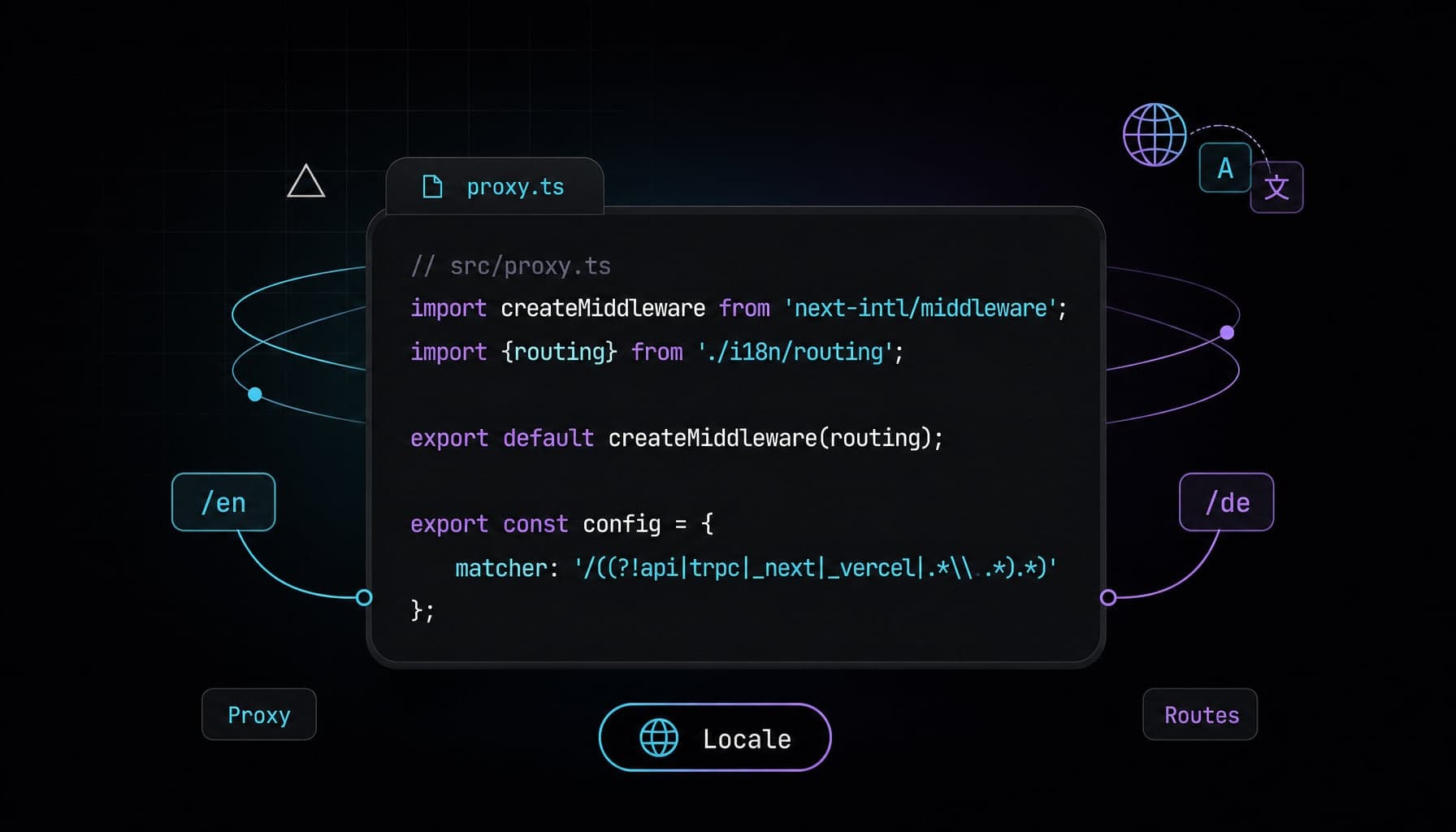
next-intl Next.js 16 i18n Setup with proxy.ts
Configure next-intl Next.js 16 with proxy.ts, async params, static locale routes, and App Router i18n metadata for production SaaS pages step by step.
Next.js Intercepting Routes Modal: SaaS Dashboard Forms
Learn how to build deep-linked, state-preserving Next.js intercepting routes modals using parallel slots, Server Actions, and shadcn/ui for SaaS dashboards.
