next-intl Next.js 16 i18n Setup with proxy.ts
Configure next-intl Next.js 16 with proxy.ts, async params, static locale routes, and App Router i18n metadata for production SaaS pages step by step.
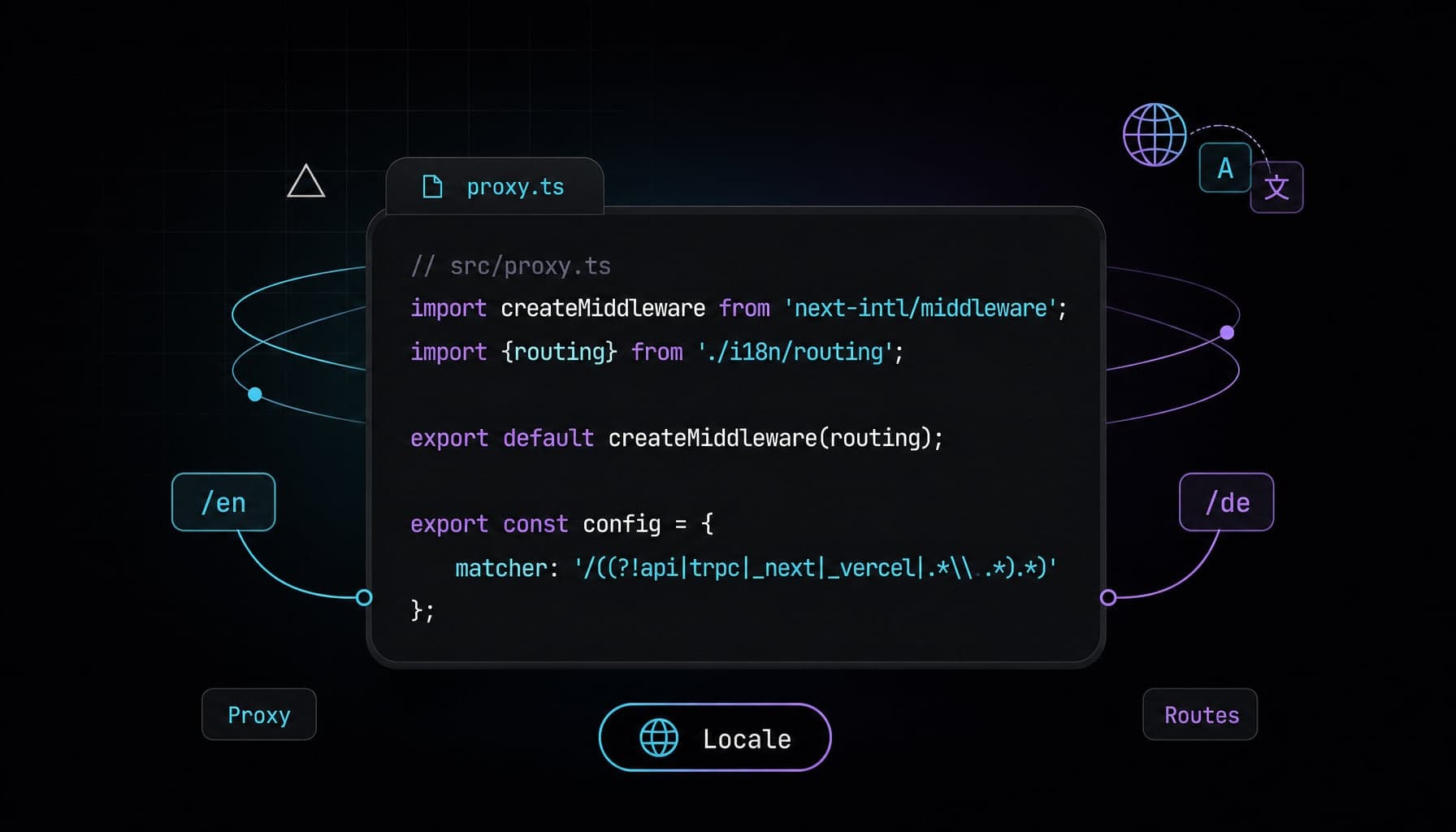
Your SaaS landing page is ready, but the German version 404s, the locale switcher drops users on the wrong URL, and an older tutorial still tells you to create middleware.ts. The moving parts are small, but they must line up: proxy.ts, async params, locale routing, static generation, and metadata. This guide shows a production-safe next-intl Next.js 16 setup.
What is next-intl Next.js 16?
next-intl Next.js 16 is the current App Router integration pattern for building localized Next.js apps with next-intl and src/proxy.ts.
The goal is not just translation lookup. A production setup needs locale-aware URLs, request negotiation, validated route params, static rendering where possible, localized metadata, and language links that search engines can understand.
The biggest source of bugs is copying a Next.js 15-era file tree into a Next.js 16 app. The concepts are familiar, but the integration surface changed enough that small mismatches can trigger errors like Unable to find next-intl locale or make static routes fall back to dynamic rendering.
Why this App Router i18n setup differs from older guides
The App Router does not give you a complete translation system by itself. Next.js supports internationalization through routing primitives, dynamic route segments, Proxy, and static params. next-intl adds message loading, locale negotiation, typed routing helpers, server/client translation APIs, and SEO-oriented alternate links.
For Next.js 16 i18n, the most visible change is the request interception file name. Use src/proxy.ts in a new setup. Older posts may still show middleware.ts, which was the earlier file convention and is now deprecated in Next.js 16.
| Concern | Next.js 16 + next-intl pattern | Common older-guide mismatch |
|---|---|---|
| Request negotiation | src/proxy.ts with createMiddleware(routing) |
middleware.ts in the file tree |
| Locale routes | app/[locale]/... |
Pages outside the locale segment |
| Route params | params: Promise<{locale: string}> |
Synchronous params typing |
| Static i18n | generateStaticParams() plus setRequestLocale(locale) |
Only generateStaticParams() |
| Navigation | createNavigation(routing) helpers |
Manual string concatenation |
If you already have a Next.js 15 setup, compare it with this article rather than changing file names blindly. The older Aniq UI guide on adding next-intl to Next.js 15 is still useful for concepts, but this article is Next.js 16-first.
Install next-intl and add the Next.js plugin
Start with a current App Router project. Next.js 16 requires Node >=20.9.0, and current React apps use React 19. Install next-intl normally:
npm install next-intl
Add the next-intl plugin to next.config.ts:
import createNextIntlPlugin from 'next-intl/plugin';
import type {NextConfig} from 'next';

const nextConfig: NextConfig = {};

const withNextIntl = createNextIntlPlugin();

export default withNextIntl(nextConfig);
A small production file structure keeps the setup understandable:
src/
  app/
    [locale]/
      layout.tsx
      page.tsx
  i18n/
    request.ts
    routing.ts
    navigation.ts
  proxy.ts
messages/
  en.json
  de.json
Create message files first so the request config has something real to load:
{
  "HomePage": {
    "title": "Ship your product in more languages"
  },
  "Metadata": {
    "title": "Localized SaaS landing page",
    "description": "A localized landing page built with Next.js and next-intl."
  }
}
Keep namespaces predictable. A common pattern is one namespace for each route or feature, plus a Metadata namespace for titles and descriptions.
Configure locale-based routing with src/proxy.ts
Locale-based routing starts with a shared routing config. Put all supported locales in one file and reuse that config everywhere else.
// src/i18n/routing.ts
import {defineRouting} from 'next-intl/routing';

export const routing = defineRouting({
  locales: ['en', 'de'],
  defaultLocale: 'en'
});
Next, create the Proxy file. This is where next-intl can negotiate the locale, redirect or rewrite requests, and provide routing behavior based on the active locale.
// src/proxy.ts
import createMiddleware from 'next-intl/middleware';
import {routing} from './i18n/routing';

export default createMiddleware(routing);

export const config = {
  matcher: '/((?!api|trpc|_next|_vercel|.*\\..*).*)'
};
The matcher excludes API routes, Next.js internals, Vercel internals, and requests for files with extensions. That prevents the locale middleware from running on assets like images, fonts, and source maps.
Now add request configuration. This is where the locale is read and messages are loaded for the active request.
// src/i18n/request.ts
import {getRequestConfig} from 'next-intl/server';
import {hasLocale} from 'next-intl';
import {routing} from './routing';

export default getRequestConfig(async ({requestLocale}) => {
  const requested = await requestLocale;
  const locale = hasLocale(routing.locales, requested)
    ? requested
    : routing.defaultLocale;

  return {
    locale,
    messages: (await import(`../../messages/${locale}.json`)).default
  };
});
This fallback is important. Proxy should usually provide a valid locale, but request configuration should still handle an invalid or missing value safely. The next-intl docs also recommend replacing invalid [locale] values with a valid locale in request config and calling notFound() in the root layout when appropriate.
Build the [locale] layout with async params
In the App Router, your localized route segment should wrap the pages that need translations. For most SaaS marketing sites, that means moving public pages under app/[locale].
The important Next.js 16 detail is the shape of params: the prop is a Promise, so await the prop before using locale.
// src/app/[locale]/layout.tsx
import {NextIntlClientProvider, hasLocale} from 'next-intl';
import {setRequestLocale} from 'next-intl/server';
import {notFound} from 'next/navigation';
import {routing} from '../../i18n/routing';

type Props = {
  children: React.ReactNode;
  params: Promise<{locale: string}>;
};

export function generateStaticParams() {
  return routing.locales.map((locale) => ({locale}));
}

export default async function LocaleLayout({children, params}: Props) {
  const {locale} = await params;

  if (!hasLocale(routing.locales, locale)) {
    notFound();
  }

  // Enables static rendering for next-intl APIs in this locale scope.
  setRequestLocale(locale);

  return (
    <html lang={locale}>
      <body>
        <NextIntlClientProvider>{children}</NextIntlClientProvider>
      </body>
    </html>
  );
}
There are three separate jobs in this layout:
generateStaticParams()tells Next.js which locale route params can be generated statically.hasLocale()validates the route param before the page renders.setRequestLocale(locale)makes the locale available to next-intl APIs during static rendering.
Do not replace locale validation with a loose string check. The routing config is the source of truth, and hasLocale() keeps the runtime check aligned with that config.
Use translations in Server and Client Components
next-intl supports both Server Components and Client Components, but the API surface depends on where the component runs.
For non-async shared or server components, useTranslations is valid:
// src/app/[locale]/page.tsx
import {useTranslations} from 'next-intl';

export default function HomePage() {
  const t = useTranslations('HomePage');

  return (
    <main className='mx-auto max-w-3xl px-6 py-24'>
      <h1 className='text-4xl font-semibold tracking-tight'>
        {t('title')}
      </h1>
    </main>
  );
}
For async Server Components, use getTranslations from next-intl/server:
import {getTranslations} from 'next-intl/server';

export default async function PricingPage() {
  const t = await getTranslations('PricingPage');

  return <h1>{t('title')}</h1>;
}
Use Client Components only when you need client-side state, browser APIs, or interactive hooks. The provider in the layout makes messages available to Client Components below it, but it does not mean every translated component should become a Client Component. next-intl documents getTranslations, getMessages, getLocale, and related awaitable APIs for async Server Components, while hooks such as useTranslations work in regular shared components depending on where they execute.
A practical rule for landing pages is simple: keep text-heavy sections as Server Components, and isolate interactive pieces like menus, tabs, and language switchers.
Enable static rendering with generateStaticParams i18n
Static rendering is usually a good fit for marketing pages, documentation, pricing pages, and public SaaS pages where content changes through deploys or revalidation rather than per request.
For generateStaticParams i18n, returning locales is necessary but not sufficient when next-intl APIs are used. Call setRequestLocale(locale) in every layout or page that should statically render and uses next-intl APIs. The call must happen before useTranslations, getMessages, or other next-intl APIs that depend on the active locale.
// src/app/[locale]/features/page.tsx
import {getTranslations, setRequestLocale} from 'next-intl/server';
import {routing} from '../../../i18n/routing';

type Props = {
  params: Promise<{locale: string}>;
};

export function generateStaticParams() {
  return routing.locales.map((locale) => ({locale}));
}

export default async function FeaturesPage({params}: Props) {
  const {locale} = await params;

  setRequestLocale(locale);

  const t = await getTranslations('FeaturesPage');

  return <h1>{t('title')}</h1>;
}
For static rendering, call setRequestLocale(locale) in every relevant layout or page before using next-intl APIs. This avoids falling back to dynamic rendering when next-intl needs the active locale.
This is also where many upgrade bugs appear. Developers add generateStaticParams() and still see dynamic behavior because the locale was not explicitly set for the next-intl scope.
Add localized metadata, navigation, and hreflang checks
Localized metadata should use the same locale param as the page. In async metadata functions, use getTranslations and pass the locale explicitly.
// src/app/[locale]/page.tsx
import type {Metadata} from 'next';
import {getTranslations} from 'next-intl/server';
import {useTranslations} from 'next-intl';

type Props = {
  params: Promise<{locale: string}>;
};

export async function generateMetadata({params}: Props): Promise<Metadata> {
  const {locale} = await params;
  const t = await getTranslations({locale, namespace: 'Metadata'});

  return {
    title: t('title'),
    description: t('description'),
    alternates: {
      languages: {
        en: '/en',
        de: '/de'
      }
    }
  };
}

export default function HomePage() {
  const t = useTranslations('HomePage');
  return <h1>{t('title')}</h1>;
}
For navigation, avoid manually building strings like /${locale}/pricing. Export next-intl navigation helpers once:
// src/i18n/navigation.ts
import {createNavigation} from 'next-intl/navigation';
import {routing} from './routing';

export const {Link, redirect, usePathname, useRouter, getPathname} =
  createNavigation(routing);
Then use the localized Link component:
import {Link} from '../../i18n/navigation';

export function Header() {
  return (
    <nav className='flex gap-4'>
      <Link href='/'>Home</Link>
      <Link href='/pricing'>Pricing</Link>
      <Link href='/pricing' locale='de'>Deutsch</Link>
    </nav>
  );
}
Before shipping, check three SEO basics:
- Each localized page should have one clear URL, such as
/en/pricingor/de/pricing. - The
<html lang>value should match the active locale. - Alternate language links should point to equivalent content, not just the localized homepage.
If you are pairing this with a high-converting landing page, the same principles apply to structure and performance. The Aniq UI post on Next.js performance optimization is a useful companion when localized pages start to grow.
Scaling next-intl for larger apps
The setup above is fine for blogs and landing pages. But as your app grows, a single messages/en.json can become a bottleneck for developer experience, and if you pass the full messages object to Client Components, it also increases the serialized client payload sent to the browser. Your homepage should not serialize AboutPage or CheckoutPage messages if that route never uses them.
Splitting your messages into per-namespace files helps organization, but on its own it does not fix the leak: if you merge every file back together in request.ts, the full catalog still loads server-side. The actual fix is selective provider messages plus keeping page text in Server Components.
In next-intl v4, NextIntlClientProvider inherits config from request.ts by default, so if your request config loads the full catalog, the provider can expose the entire messages object to Client Components unless you opt out. Set messages={null} at the root. Server Components keep working, and no messages are passed to the client automatically:
// app/[locale]/layout.tsx
// Keep hasLocale() validation and setRequestLocale() as shown earlier

<NextIntlClientProvider messages={null}>
  {children}
</NextIntlClientProvider>
Then wrap only the client islands that need translations, passing just their namespaces:
import pick from 'lodash/pick';
import {NextIntlClientProvider} from 'next-intl';
import {getMessages} from 'next-intl/server';

export default async function HomePage() {
  const messages = await getMessages();

  return (
    <>
      <Hero /> {/* Server Component, no client message payload */}

      <NextIntlClientProvider
        messages={pick(messages, ['Common', 'PricingCalculator'])}
      >
        <PricingCalculator />
      </NextIntlClientProvider>
    </>
  );
}
The provider must include every namespace the Client Component uses. Nested providers do not deep-merge messages, so if PricingCalculator also calls useTranslations('Common'), pick both Common and PricingCalculator. The next-intl docs describe provider props as atomic and note that messages need to be merged manually when necessary.
One caveat: when you pick a subset, TypeScript may flag the messages prop because the augmented AppConfig['Messages'] type expects the full shape. This is a known v4 rough edge, not a mistake in your setup.
Keep shared UI in small namespaces like Common, Navigation, and Footer, and keep route-specific content close to its route. You do not need this for a small site, but for SaaS dashboards and large multilingual apps, it keeps client payloads intentional and translation files maintainable.
Common pitfalls
- Using
middleware.tsin a new Next.js 16 app → the request layer may not match current docs → createsrc/proxy.tsand exportcreateMiddleware(routing). - Typing
paramsas{locale: string}→ the layout no longer matches the current App Router prop shape → type it asPromise<{locale: string}>and await it. - Skipping
hasLocale()→ invalid locale segments can render unexpected content → validate againstrouting.localesand callnotFound(). - Adding
generateStaticParams()only → next-intl may still need the locale set in the render scope → callsetRequestLocale(locale)before translation APIs. - Building language URLs by hand → links can break when routing rules change → use
createNavigation(routing)helpers. - Passing all messages to the root client provider in a large app → Client Components can receive namespaces they never use → set
messages={null}at the root and pass selected namespaces to client islands.
FAQ
Does the Next.js App Router have built-in i18n support?
The Next.js App Router provides i18n building blocks, not a complete translation framework. It supports patterns such as Proxy-based negotiation, dynamic [locale] segments, and generateStaticParams() for locale routes. Libraries like next-intl add message loading, translation APIs, localized navigation, and alternate language handling.
How do I enable static rendering with i18n in the App Router?
Enable static i18n routes by returning each locale from generateStaticParams() and setting the active locale before translation APIs run. With next-intl, that usually means calling setRequestLocale(locale) in the relevant [locale] layout or page before useTranslations, getMessages, or similar APIs.
How do hreflang tags work with next-intl?
next-intl can help produce alternate language links through its routing middleware and localized navigation setup. For SEO, each alternate URL should represent the same content in another language, such as /en/pricing and /de/pricing. The page should also set the correct <html lang> value.
How do I fix “Unable to find next-intl locale because the middleware didn’t run on this request”?
This error usually means the next-intl request negotiation did not run for the route being rendered. In Next.js 16, confirm that src/proxy.ts exists, exports createMiddleware(routing), and has a matcher that includes the localized page. Also confirm the page lives under app/[locale] when using locale-based routing.
Why did Next.js 16 rename middleware.ts to proxy.ts?
Next.js 16 uses the proxy.ts file convention for the request interception layer that many older guides called middleware.ts. The docs state that Middleware was renamed to Proxy to better reflect its purpose, and the functionality remains the same. In new apps, place the next-intl middleware export in src/proxy.ts and avoid mixing both names in one tutorial or file tree.
How do I set up next-intl Next.js 16 for a SaaS landing page?
Set up locale routing with defineRouting, create src/proxy.ts with createMiddleware(routing), wrap pages in app/[locale]/layout.tsx, and load messages through i18n/request.ts. For a SaaS landing page, also add localized metadata, validate locales, and use next-intl navigation helpers for language links.
Should I split next-intl messages by route?
For small sites, a single message file per locale is fine. For larger apps, split messages by route or feature for developer experience, but do not merge the full catalog and pass it to every Client Component. Keep most translated content in Server Components, set messages={null} at the root provider, and pass selected namespaces only to client islands that need them.
Conclusion
A reliable multilingual App Router setup comes down to a few precise choices: use src/proxy.ts, await and validate locale params, keep routing config centralized, and pair generateStaticParams() with setRequestLocale() when static rendering matters. Once those pieces are in place, metadata and language links become much easier to reason about.
For larger SaaS apps, the next step is payload discipline: keep page copy on the server, opt out of automatic client messages at the root, and pass only the namespaces your interactive islands need. If you are localizing a SaaS landing page or dashboard UI, starting from an Aniq UI template can save time on the surrounding layout while you focus on the i18n layer.
Found this article helpful?
You might also like

next-intl nextjs 16: Component Caching with root-params
Master next-intl nextjs 16 integration by leveraging next/root-params to safely enable component caching without prop-drilling your locale.
Next.js Intercepting Routes Modal: SaaS Dashboard Forms
Learn how to build deep-linked, state-preserving Next.js intercepting routes modals using parallel slots, Server Actions, and shadcn/ui for SaaS dashboards.

Next.js View Transitions: Native Zero-JS Route Animations
Replace heavy animation libraries with Next.js view transitions to build buttery-smooth, zero-JS route morphing natively in the App Router.
