
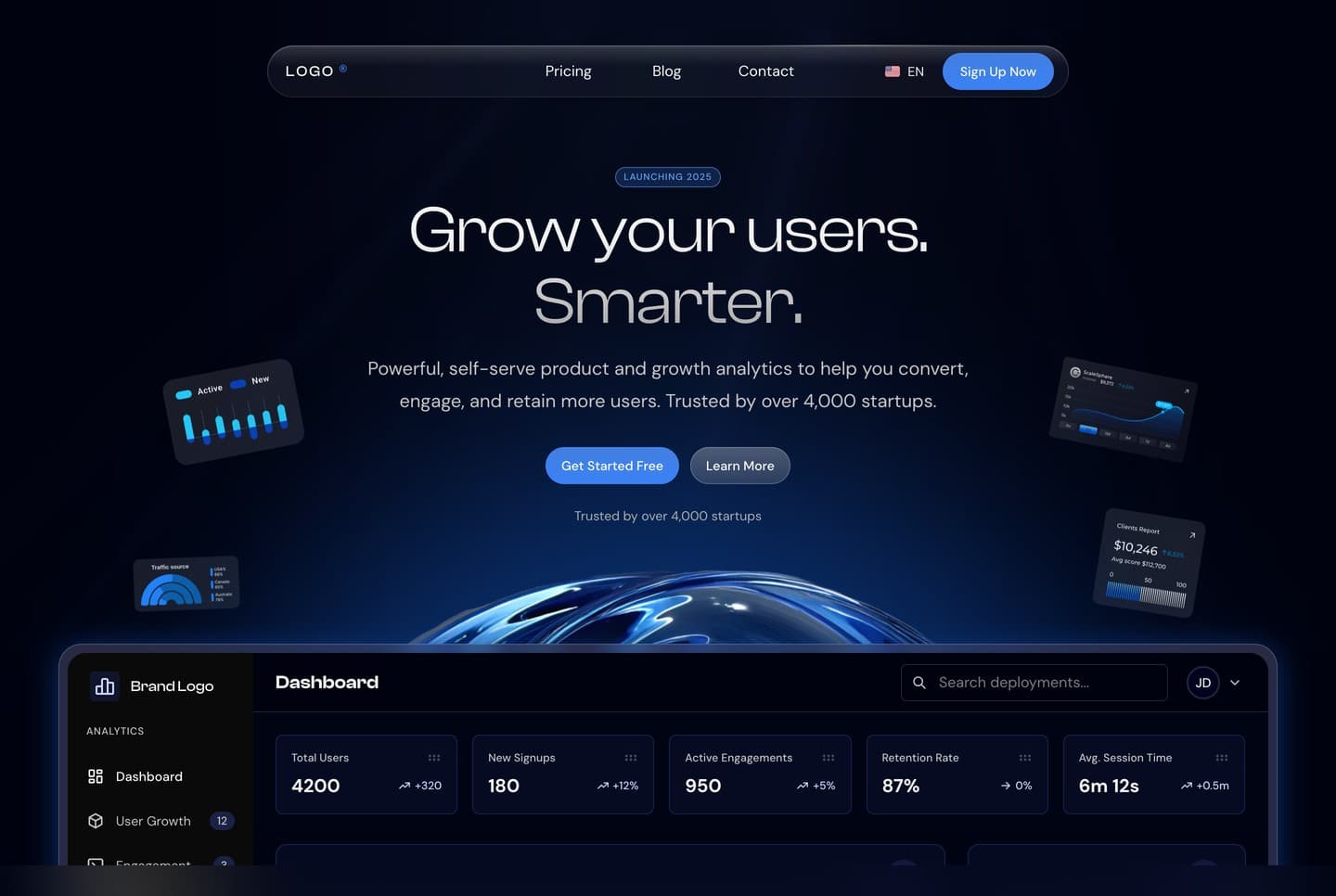
What the template is
A landing site for a software product, written for an analytics product as the example. It is one Next.js app with no database and no back end, and nothing has to be configured before the first run.
It has a home page with a live dashboard preview in the hero, a pricing page, a blog, a contact page, sign-in, sign-up and forgot-password pages, four legal pages and error pages.
A look at the site
What it is built with
| Technology | What it does here |
|---|---|
| Next.js 16 (App Router) | The framework, the pages, the metadata and the production server |
| React 19 and TypeScript | Every component and source file |
| Tailwind CSS 4 | All the styling |
| next-intl | The English and Arabic texts and the language in every address |
| React Hook Form and Zod | The forms and their checks |
| Framer Motion and GSAP | The animations |
| Recharts, dnd-kit and Embla | The dashboard preview's charts, its cards you can drag, and the carousels |
| Tabler Icons | The icons |
Every dependency is pinned to an exact version in package.json, and yarn.lock is included, so your install gets the same versions the template was tested with.
What is in the download
The ZIP extracts to a folder named Nextjs-landing-page-template-2:
| Path | What it is |
|---|---|
src/ | The app: the pages, their sections, the header and footer, the dashboard preview and the language setup |
messages/ | Every visible text, in English and Arabic |
public/ | Images, the Clash Display font files and the social sharing image |
Dockerfile, .dockerignore | Build the site into an image that serves it on port 3030 |
.env.example | The optional settings, with their defaults |
README.md | The setup and customising guide |
LICENSE.md | Your commercial licence |
package.json, yarn.lock, .yarnrc.yml | The dependencies and the Yarn 4 setup |
Good to know before you build on it
- The forms check what visitors type but send nothing until you connect them to your own service.
- The site is dark. It ships with four colour themes, and you pick one in a single line.
- The texts, numbers, people, logos and blog posts are sample content for you to replace. The legal pages are sample text too.
The site ships in English and Arabic. Every address starts with its language, such as /en/pricing or /ar/pricing, and the Arabic pages are laid out right to left.
On Windows, use PowerShell or Git Bash for the commands in these guides.