أمثلة CLAUDE.md من 28 تطبيق Next.js وNestJS منشورة (2026)
أربعة أمثلة CLAUDE.md جاهزة للنسخ، مكتوبة من شيفرة 28 تطبيق Next.js وNestJS: الجذر وNext.js وNestJS وAGENTS.md، مع مهارة مجانية تفحص ملفك.
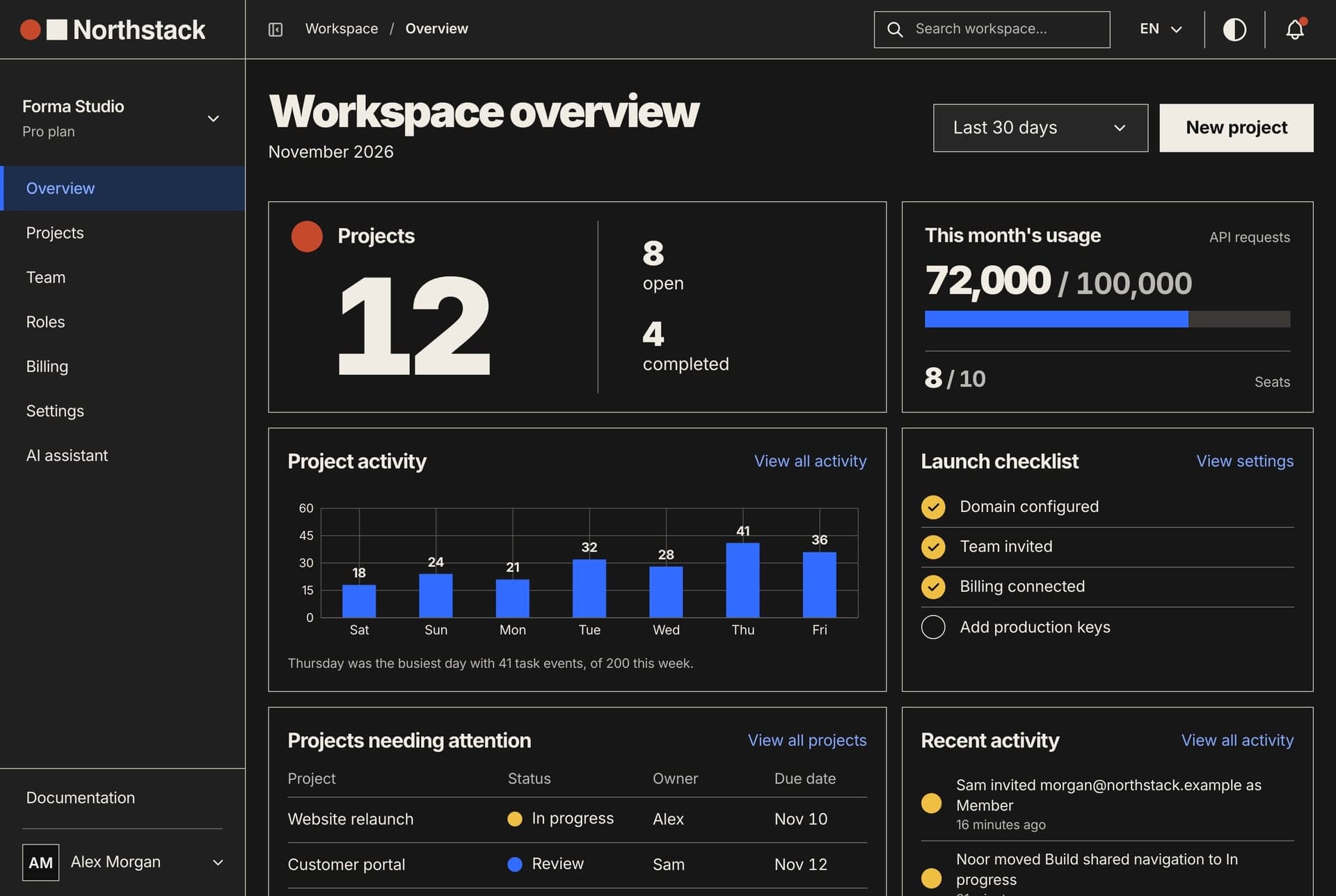
أمثلة CLAUDE.md التي تستحق النسخ قصيرة ومحددة: الأوامر والمنافذ والأعراف الدقيقة لمشروع حقيقي واحد، في أقل بكثير من 200 سطر، دون أي شيء يستطيع Claude معرفته بفتح المجلدات. أشجار الملفات وقوائم الاعتماديات تستهلك السياق في كل جلسة ولا تعلّم Claude شيئًا جديدًا.
تقدّم هذه الصفحة أربعة أمثلة CLAUDE.md كُتبت من شيفرة 28 تطبيقًا بـ Next.js وNestJS ننشرها: ملف الجذر، وتطبيق Next.js، وواجهة NestJS، وملف AGENTS.md لأداتي Codex وCursor. لكل سطر سبب مشروح، وفي النهاية مهارة مجانية تكتب هذه الملفات من شيفرتك ثم تفحصها.
ما الذي يوضع في ملف CLAUDE.md
تصف Anthropic ملف CLAUDE.md بأنه المكان لما كنت ستعيد شرحه في كل جلسة. يقرؤه Claude في بداية كل جلسة كسياق، لا كإعدادات مفروضة، لذلك يتفوّق السطر القابل للتحقق على السطر الغامض: «شغّل yarn typecheck» أفضل من «اختبر تعديلاتك».
وتضيّق صفحة أفضل الممارسات الدائرة أكثر. احتفظ بالأوامر التي تؤكد صحة العمل، والمواضع التي تُضلّل فيها الشيفرة، والقرارات التي لا توجد في أي مكان من المستودع، وكل ما اضطررت إلى تصحيحه مرتين. واحذف جولة المعمارية وبنية المجلدات، لأن Claude بحسب الوثائق يقرأ المستودع بنفسه.
كثير من الأمثلة في الصفحة الأولى من نتائج البحث مكتوب لمشروع متخيَّل لا مأخوذ من مشروع حقيقي. كل سطر في أمثلتنا يسمّي سكربتًا حقيقيًا أو ملفًا حقيقيًا يُنسخ منه أو فخًا حقيقيًا، وكل ملف يجتاز أداة فحص تعمل على الشيفرة التي يصفها.
يمكنك البدء بالأمر /init، فهو يكتب أول CLAUDE.md من شيفرتك، أو يقترح تحسينات إن كان الملف موجودًا. ومع ضبط CLAUDE_CODE_NEW_INIT=1 يسألك عن الملفات التي تريد إعدادها (CLAUDE.md والمهارات والـ hooks) ويعرض مقترحًا قبل أن يكتب. بعد ذلك، كما تقول الوثائق، يصبح معظم العمل حذفًا للأسطر.
أين توجد ملفات CLAUDE.md ومتى تُحمَّل
- سياسة المؤسسة:
/Library/Application Support/ClaudeCode/CLAUDE.mdعلى macOS، و/etc/claude-code/CLAUDE.mdعلى Linux. تضعها المؤسسة. - المستخدم: ملف
CLAUDE.mdداخل مجلد.claudeفي مجلدك الشخصي. تفضيلاتك في كل المشاريع. - المشروع:
./CLAUDE.mdأو./.claude/CLAUDE.md. يُرفع إلى المستودع ويتشاركه الفريق. - المحلي:
./CLAUDE.local.md. ملاحظاتك لمشروع واحد، خارج git.
الملفات الموجودة في المجلد الذي تشغّل منه Claude، وفي كل مجلد فوقه، تُحمَّل عند البدء. تُضاف إلى بعضها ولا يلغي أحدها الآخر، ويُقرأ الأقرب إليك أخيرًا. وإذا تعارض ملفان فقد يتبع Claude أيًّا منهما، لذلك يجب أن تعيش القاعدة في مكان واحد فقط.
ملف CLAUDE.md داخل مجلد فرعي لا يُحمَّل إلا حين يقرأ Claude ملفًا في ذلك المجلد أو يكتبه أو يعدّله. لهذا قسّمنا أمثلتنا حسب التطبيق: ملف الجذر يبقى قصيرًا، وقواعد لوحة التحكم تصل حين يفتح Claude ملفًا منها، وجلسة العمل على الواجهة البرمجية لا تحملها أبدًا.
سطر مثل @AGENTS.md يستورد ملفًا آخر حتى أربعة مستويات، لكنه لا يوفّر شيئًا من السياق، لأن الملف المستورد يُحمَّل مع الملف الذي يذكره. أما ملفات القواعد في مجلد rules داخل .claude فيمكن أن تحمل قائمة paths، فلا تُحمَّل إلا حين يلمس Claude ملفًا مطابقًا. هذا الملف يحرس ملفات الرسائل في واجهتي Northstack:
---
paths:
  - "**/messages/**/*.json"
---
- Every key exists in both `en.json` and `ar.json` of the same namespace.
- A new namespace file is listed in `website/src/i18n/request.ts` (website)
  or `dashboard/src/config/dashboardNamespaces.ts` (dashboard), or it never loads.
لمعرفة ما حُمِّل، شغّل /context all وانظر تحت Memory files. وتُحذف تعليقات HTML في CLAUDE.md قبل أن يقرأه Claude، فهي مكان مجاني لملاحظات من يصون الملف.
كيف كتبنا أمثلة CLAUDE.md هذه: سكربت واحد على 28 تطبيقًا
كتبنا سكربت Node صغيرًا للقراءة فقط اسمه facts.mjs، يقرأ ملف package.json لكل تطبيق، وأسماء المتغيرات في .env.example، ومجلداته، وملفات رسائله، وإعداداته. ثم شغّلناه على المستودعات الاثني عشر التي نبيعها: 28 تطبيقًا، منها 19 على Next.js 16 و9 على NestJS من الإصدار 10 إلى 12.
لم تدخل قاعدة إلى الأمثلة إلا إذا أيّدتها الشيفرة. وهذا ما وجده السكربت في 14 نوفمبر 2026:
- لا يحتوي أي ملف package.json من الـ 28 على نطاق إصدارات. كل اعتمادية وكل resolution وكل override بإصدار محدد.
- كل التطبيقات الـ 28 تستخدم Yarn 4، ولكل منها ملف
.env.example(376 اسم متغير في المجموع). - تطبيقات Next.js الـ 19 كلها تستخدم next-intl مع
messages/<namespace>/<locale>.jsonبالإنجليزية والعربية، ومقطع[locale]في المسارات، وsrc/proxy.ts: أي 640 ملف رسائل في 158 مساحة أسماء. - 16 من 19 تضع نقاط الواجهة البرمجية في
src/lib/apiوتقرؤها عبر hooks من TanStack Query فيsrc/services. والـ 19 كلها تبني النماذج بـ react-hook-form وzod. - في 6,969 ملف مكوّنات: 3,467 صنفًا منطقيًا للجوانب (
ms-وstart-وtext-start) و189 صنفًا فيزيائيًا (ml-وleft-). كثير من الـ 189 تموضع مثلleft-1/2، وهو يعمل بالشكل نفسه في الاتجاهين. - واجهات NestJS التسع كلها تجيب تحت
/apiمع ValidationPipe عام يعمل بالقائمة البيضاء، وتزامن المخطط في بيئة التطوير فقط. ثمانٍ منها لا تملك مجلد migrations. - لا يملك أي تطبيق من الـ 28 سكربت
test. و17 من تطبيقات Next.js الـ 19 تسمّي فحص الأنواعtypecheck، وواحد يسمّيهtype-check، وواحد بلا فحص.
هذه النقطة الأخيرة مهمة. ملف CLAUDE.md يقول «شغّل الاختبارات» في مشروع بلا سكربت اختبار يرسل Claude إلى أمر يفشل في كل جلسة. ملفاتنا تقول إنه لا توجد حزمة اختبارات، وتسمّي الفحوص الموجودة فعلًا. هذه هي المخرجات الحقيقية على شيفرة Northstack:
$ node facts.mjs .
Project: northstack
Apps: 3 (2 Next.js, 1 NestJS)
Instruction files at the root: none

## back-end (nest, northstack-backend)
versions: @nestjs/core 12.3.3, typescript 5.9.3
package manager: yarn@4.8.1, node ^22.13.0 || >=24.11.0
scripts: build, format, start, dev, start:debug, start:prod, lint, typeorm, seed, seed:prod, schema, schema:prod, admin:create, admin:create:prod, reset, drop, remove:demo, export:mock
port: 8000
env example: .env.example, 54 names
versions not pinned exactly: none
agent files in this app: none
global prefix: api; ValidationPipe: global, whitelist; ORM: typeorm
synchronize: configService.get('NODE_ENV') === 'development'; migrations folder: none; modules: 22

## dashboard (next, northstack-dashboard)
versions: next 16.4.5, react 19.3.1, typescript 5.9.3, tailwindcss 4.3.4, next-intl 4.14.9
package manager: yarn@4.8.1, node >=22.9.0
scripts: dev, build, start, remove:mock, lint, typecheck, remove:demo
port: 3031
env example: .env.example, 6 names, 5 NEXT_PUBLIC_
versions not pinned exactly: none
agent files in this app: none
app router: src/app, [locale] segment; proxy/middleware: src/proxy.ts
next config: next.config.js, agentRules false
src folders: app, components, config, features, fonts, hooks, layouts, lib, providers, services, store, styles, types
i18n: next-intl, messages/<namespace>/<locale>.json, locales ar/en (RTL locale present), 8 namespaces
data layer: src/lib/api (31 entries); TanStack Query yes; services with hooks/: 26
forms: react-hook-form + zod + @hookform/resolvers
side classes in 419 files: 303 logical (ms-, ps-, start-, text-start...), 1 physical (ml-, pl-, left-, text-left...)

## website (next, northstack-website)
versions: next 16.4.5, react 19.3.1, typescript 6.0.3, tailwindcss 4.3.4, next-intl 4.14.9
package manager: yarn@4.8.1, node >=22.9.0
scripts: dev, build, start, lint, typecheck, remove:demo, remove:mock
port: 3030
env example: .env.example, 9 names, 7 NEXT_PUBLIC_
versions not pinned exactly: none
agent files in this app: none
app router: src/app, [locale] segment; proxy/middleware: src/proxy.ts
next config: next.config.ts, agentRules false
src folders: app, components, config, content, features, fonts, hooks, i18n, lib, services, styles
i18n: next-intl, messages/<namespace>/<locale>.json, locales ar/en (RTL locale present), 10 namespaces
data layer: src/lib/api (5 entries); TanStack Query yes; services with hooks/: 2
forms: react-hook-form + zod + @hookform/resolvers
side classes in 168 files: 147 logical (ms-, ps-, start-, text-start...), 0 physical (ml-, pl-, left-, text-left...)
مثال CLAUDE.md رقم 1: جذر منتج بـ Next.js وNestJS
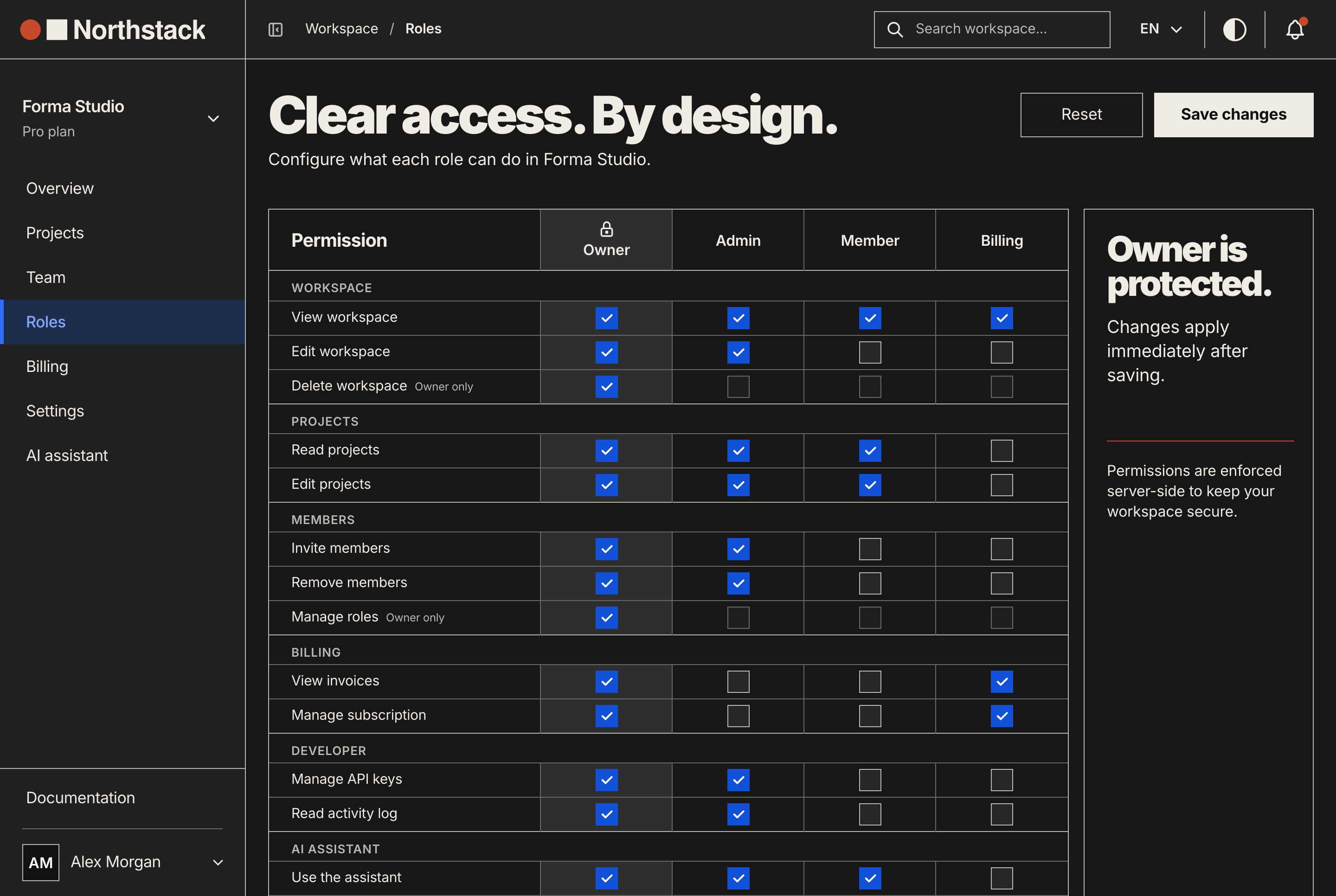
ملف الجذر يُحمَّل في كل جلسة تبدأ في أي مكان من المستودع. يحمل ما تتشاركه التطبيقات الثلاثة: أين توجد، وكيف تُشغَّل وتُفحص، وكيف تتصل، والقواعد التي لا يجوز لأي منها كسرها. 41 سطرًا و2,075 حرفًا.
# Northstack

Three apps in one repository. Each has its own package.json, yarn.lock and
.env.example, so run every command inside the app's folder.

- `website/`: Next.js 16 public site, port 3030
- `dashboard/`: Next.js 16 workspace dashboard and platform admin, port 3031
- `back-end/`: NestJS 12 API, port 8000, every route under `/api`

## Run
- Yarn 4 through Corepack (`corepack enable` once). Not npm, not pnpm.
- All three at once: `docker compose up --build` in this folder.
- Without Docker, the API first: `cd back-end && yarn seed && yarn dev`,
  ready when http://localhost:8000/api/health answers.
- Then `cd dashboard && yarn dev` and `cd website && yarn dev`.

## Check your work
- Frontends: `cd dashboard && yarn typecheck && yarn lint`, the same in `website/`.
- API: `cd back-end && yarn build && yarn lint`. It has no typecheck script.
- There is no test suite: typecheck, lint and build are the checks.

## How the apps connect
- The frontends call the API at `NEXT_PUBLIC_API_BASE_URL`, which ends in `/api`.
- A frontend on a new address goes in `CORS_ORIGIN` in `back-end/.env.example`,
  or every browser call to the API fails.
- `NEXT_PUBLIC_*` values are compiled into the bundle: restart `yarn dev` after
  changing one, and never put a secret in one. Provider keys live in the API only.
- With `NEXT_PUBLIC_API_BASE_URL` empty, a frontend runs on its own sample data
  in `src/lib/mock/`. Keep that mode working.

## Rules for all three apps
- Exact versions in every package.json: `"next": "16.4.5"`, never `"^16.4.5"`.
  Add a package as `yarn add name@1.2.3`.
- Every string a user sees exists in English and Arabic. Arabic runs right to
  left: use logical classes (`ms-4`, `pe-2`, `start-0`, `text-start`), never
  `ml-4`, `pr-2`, `left-0` or `text-left`.
- In each app, `yarn remove:demo` and `yarn remove:mock` delete the code
  between `#region demo-mode` and `#region mock-api` markers. Keep each pair
  intact, and keep code that must survive outside them.

Each app folder has its own CLAUDE.md, loaded when you work in that folder.
لماذا كل سطر هنا
- التطبيقات والمنافذ: من كل package.json (
next dev -p 3030، وسكربت يقرأPORTفي لوحة التحكم) ومنPORT=8000في.env.exampleالخاص بالواجهة البرمجية. المنفذ الافتراضي لـ Next.js، أي 3000، لا يستخدمه أي منها. - ليس npm: كل تطبيق يعلن
yarn@4.8.1ويرفع ملفyarn.lock. أداة أخرى ستكتب ملف قفل ثانيًا. - الواجهة البرمجية أولًا: ترتيب ملف README. لوحة التحكم تقرأ كل شاشة من الواجهة البرمجية، والمسار
/api/healthيعلن جاهزيتها. - لا فحص أنواع في الواجهة البرمجية ولا اختبارات: من قوائم السكربتات. الأمر
yarn buildيشغّلnest buildالذي يفشل عند خطأ في الأنواع. - CORS_ORIGIN: يمرّرها
src/main.tsإلىapp.enableCors. الواجهة الأمامية التي يغيب عنوانها عنها لا تستطيع مناداة الواجهة البرمجية من المتصفح. - قيم NEXT_PUBLIC_: ملف
.env.exampleفي لوحة التحكم يقول إنها تُدمج عند البناء ولا يجوز أن تحمل سرًّا أبدًا. - وضع البيانات التجريبية: ترك
NEXT_PUBLIC_API_BASE_URLفارغًا ينقل الواجهة الأمامية إلى محاكاتها داخل المتصفح. لا يدل على ذلك أي اسم مجلد. - إصدارات محددة: لا نطاقات في 28 تطبيقًا. سطر واحد يمنع
yarn addمن كتابة أول علامة ^. - العربية والأصناف المنطقية: في لوحة تحكم Northstack 303 أصناف منطقية للجوانب مقابل صنف فيزيائي واحد.
- علامات المناطق:
yarn remove:demoوyarn remove:mockيحذفان الكتل المعلَّمة. علامة ضائعة من أحد الطرفين تكسر الحذف.
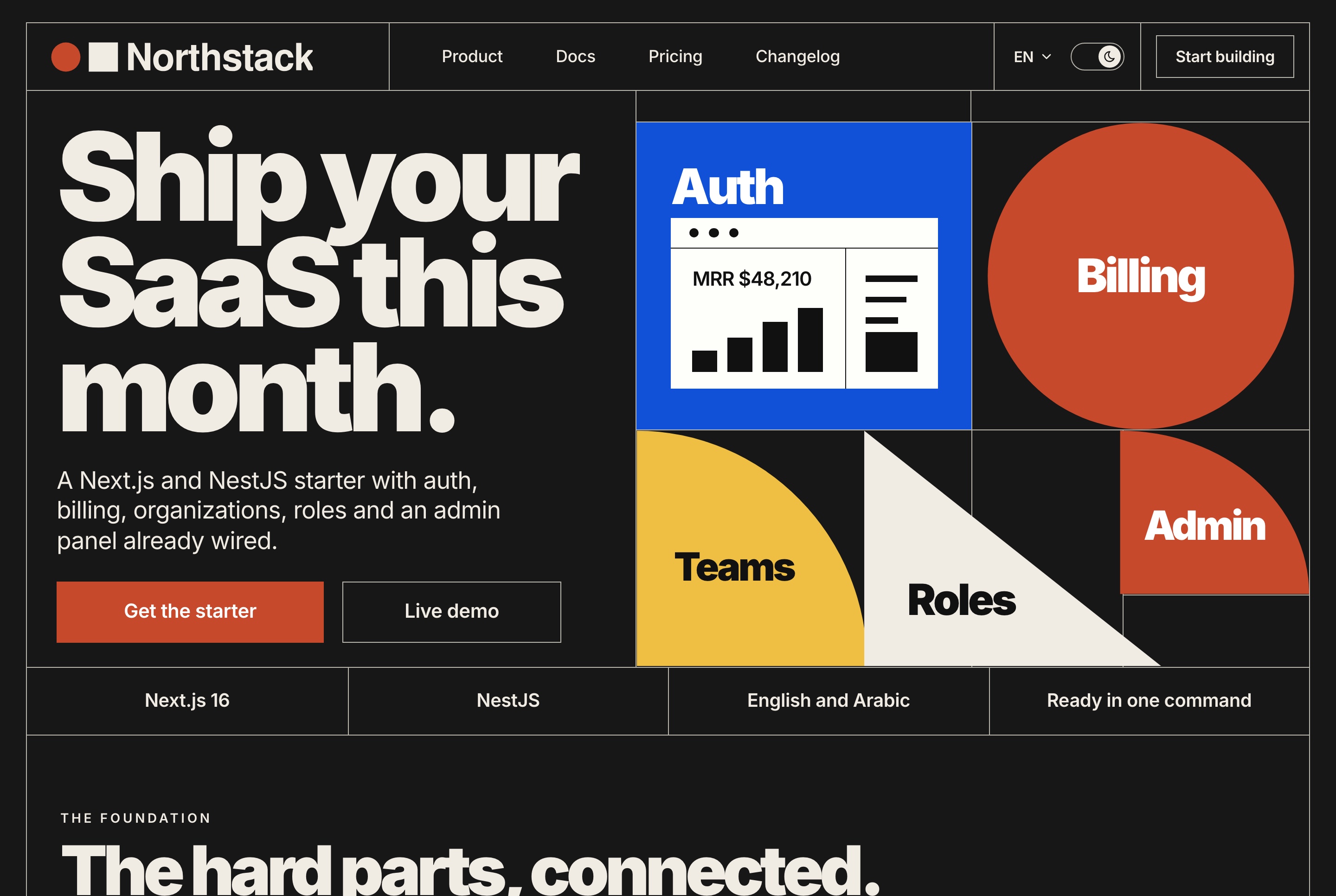
المثال رقم 2: ملف CLAUDE.md لمشروع Next.js (App Router وnext-intl)
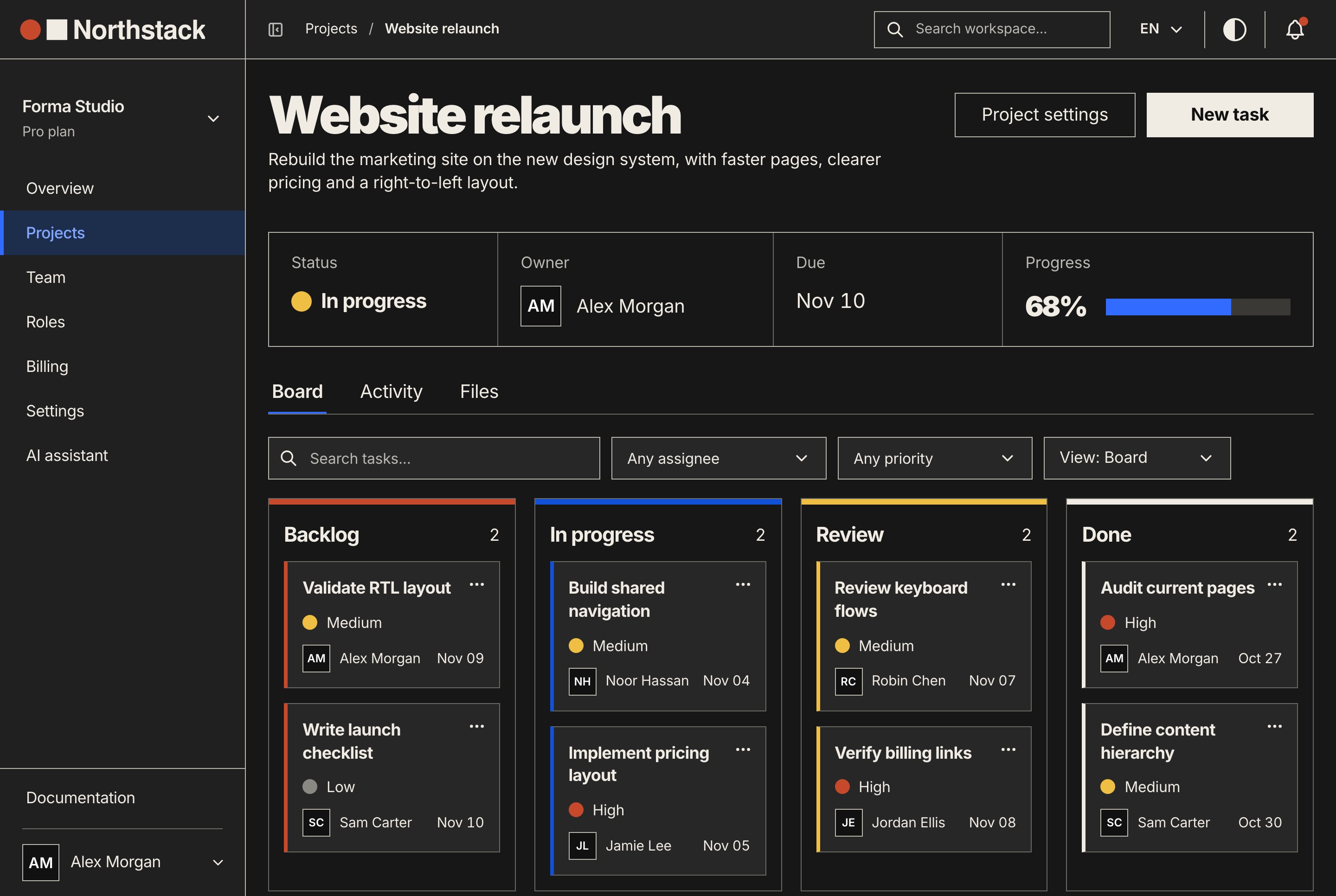
يوجد هذا الملف في dashboard/ ولا يُحمَّل إلا حين يعمل Claude على ملف من لوحة التحكم. مشروع Next.js بنظام App Router يحمل أعرافًا صامتة أكثر من الواجهة البرمجية، لذلك هو الأنفع بين الأربعة. 43 سطرًا.
# Dashboard (Next.js 16, App Router, next-intl)

Run in this folder: `yarn dev` (port from `PORT` in .env, 3031 when unset),
`yarn typecheck`, `yarn lint`, `yarn build`.

## Where code goes
- Routes are `src/app/[locale]/**/page.tsx`. A page composes one feature and
  wires its hook; it holds no logic of its own.
- A feature is `src/features/<area>/` with `components/`, `hooks/`,
  `constants/`, `types/` and `utils/`, one job per file. Copy the shape of
  `src/features/dashboard/billing/`.
- Look in `src/components/ui/` before writing a modal, tab strip, notice or
  skeleton, and reuse what is there.
- Import through the `@/` alias (`@/lib/api/billing`). ESLint warns on
  relative imports deeper than two levels.

## Data
- Endpoints live in `src/lib/api/<domain>/` and return the API's
  `{ success, data, message }` shape.
- Screens never import `src/lib/api` or axios. They use the TanStack Query
  hooks in `src/services/<domain>/`: queries in `hooks/`, mutations in
  `hooks/mutations/`, query keys in `keys/`.
- A new endpoint also needs a handler in `src/lib/mock/handlers/`, or its
  screen gets a 404 when `NEXT_PUBLIC_API_BASE_URL` is empty. List a literal
  route before a pattern that would catch it (`/projects/archived` before
  `/projects/:projectId`).

## Text and direction
- Messages are `messages/<namespace>/<locale>.json`, an `en.json` and an
  `ar.json` in every namespace, read with `useTranslations("dashboard/billing")`.
- A new namespace goes in `src/config/dashboardNamespaces.ts`. A file that is
  not listed there is never loaded, and the page shows raw keys.
- Forms are react-hook-form with a zod schema built from translated messages,
  like `src/features/dashboard/billing/utils/billingEmailSchema.ts`.
- Logical Tailwind classes only (`ms-*`, `pe-*`, `start-*`, `text-start`).
  `<html dir>` follows the locale; code that must flip reads `useDirection()`
  from `src/hooks/locale/`.

## Gotchas
- `agentRules: false` in `next.config.js` stops `next dev` from writing an
  AGENTS.md block here. This file is the instruction file.
- `NEXT_PUBLIC_*` values are inlined at build: restart `yarn dev` after editing
  .env. None of them may hold a secret.
لماذا كل سطر هنا
- الصفحة تركّب والميزة تحمل المنطق:
src/app/[locale]/dashboard/billing/page.tsxيستورد مكوّناته وuseBillingPageمن ميزة الفوترة. مجلد واحد يُنسخ أوضح من نمط موصوف بالكلمات. - src/components/ui/ يضم 44 مكوّنًا ومجلدًا مشتركًا. السطر يرسل Claude إليه قبل أن يكتب نافذة منبثقة جديدة.
- الاسم المستعار @/: ملف
eslint.config.mjsيفعّلno-relative-import-pathsمعallowedDepth: 2. - سلسلة البيانات:
billingApi.ts، ثمuseBilling.tsوuseBillingActions.tsوbillingKeys.ts. يتبعها 16 من تطبيقات Next.js الـ 19 لدينا. - معالج المحاكاة: أمام مسار لا يعرفه، يكتب المحاكي «No mock handler» ويجيب بـ 404. نقطة جديدة بلا معالج تعمل مع الواجهة البرمجية وتفشل في وضع البيانات التجريبية.
- قائمة مساحات الأسماء: تخطيط لوحة التحكم لا يحمّل إلا ما في
DASHBOARD_NAMESPACES. المجلد غير المدرج لا يصل إلى الصفحة، فتعرض المفاتيح بدل النص. - التحقق المترجم:
billingEmailSchema(t)يبني مخطط zod من رسائل الفوترة، فتظهر الأخطاء بالعربية أيضًا. - الاتجاه: يضبط
src/app/layout.tsxالخاصيةdirعلى<html>حسب اللغة، ويخدمuseDirection()الشيفرة التي يجب أن تنعكس، مثل الرسم البياني. - agentRules: منذ Next.js 16.3 يكتب
next devكتلة مُدارة فيAGENTS.mdحين يكتشف وكيل برمجة، تشير إلى الوثائق المرفقة فيnode_modules/next/dist/docs/. تطبيقات Next.js الـ 19 لدينا كلها تضبطagentRules: false. وإن أبقيتها مفعّلة فارفع الكتلة إلى المستودع.
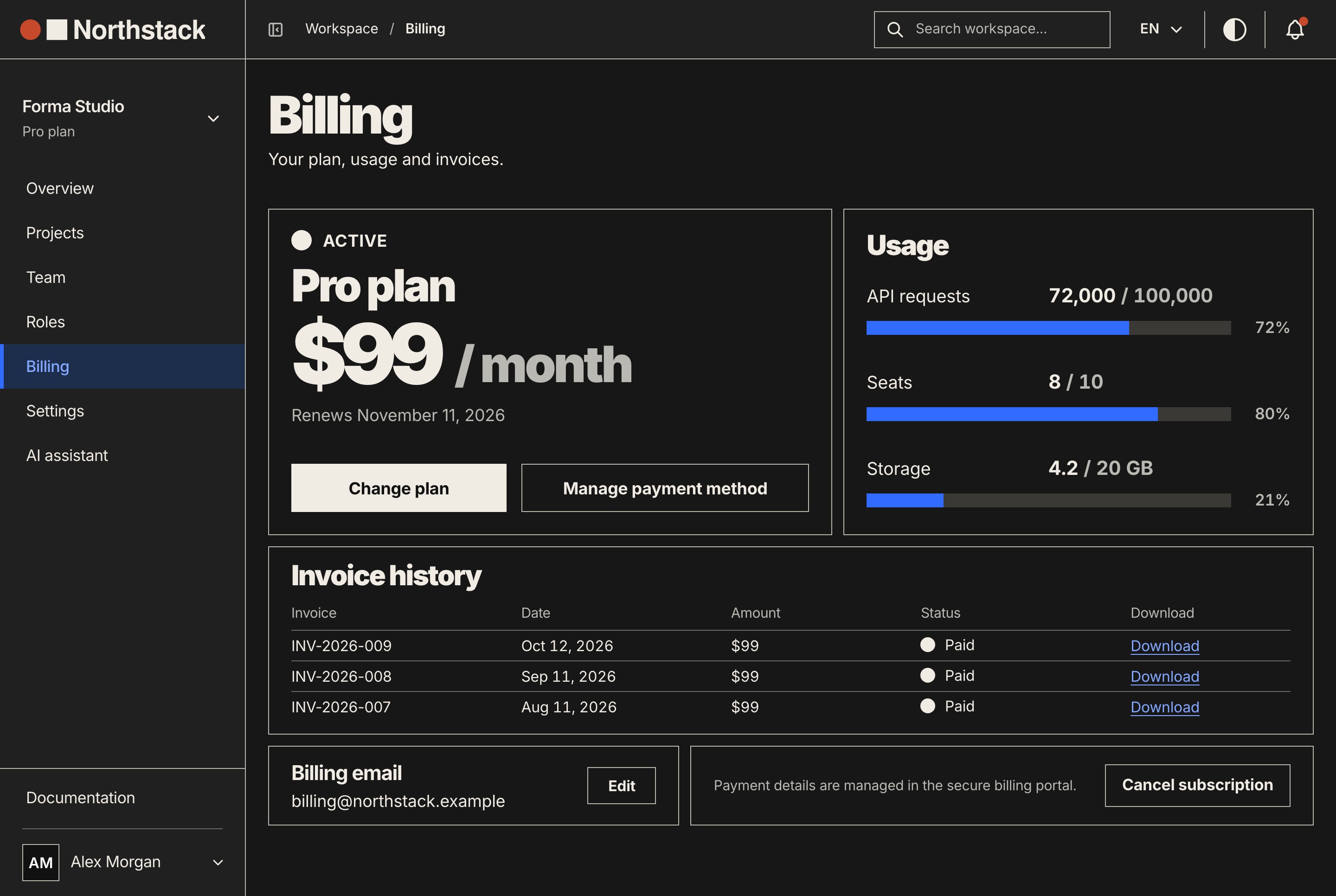
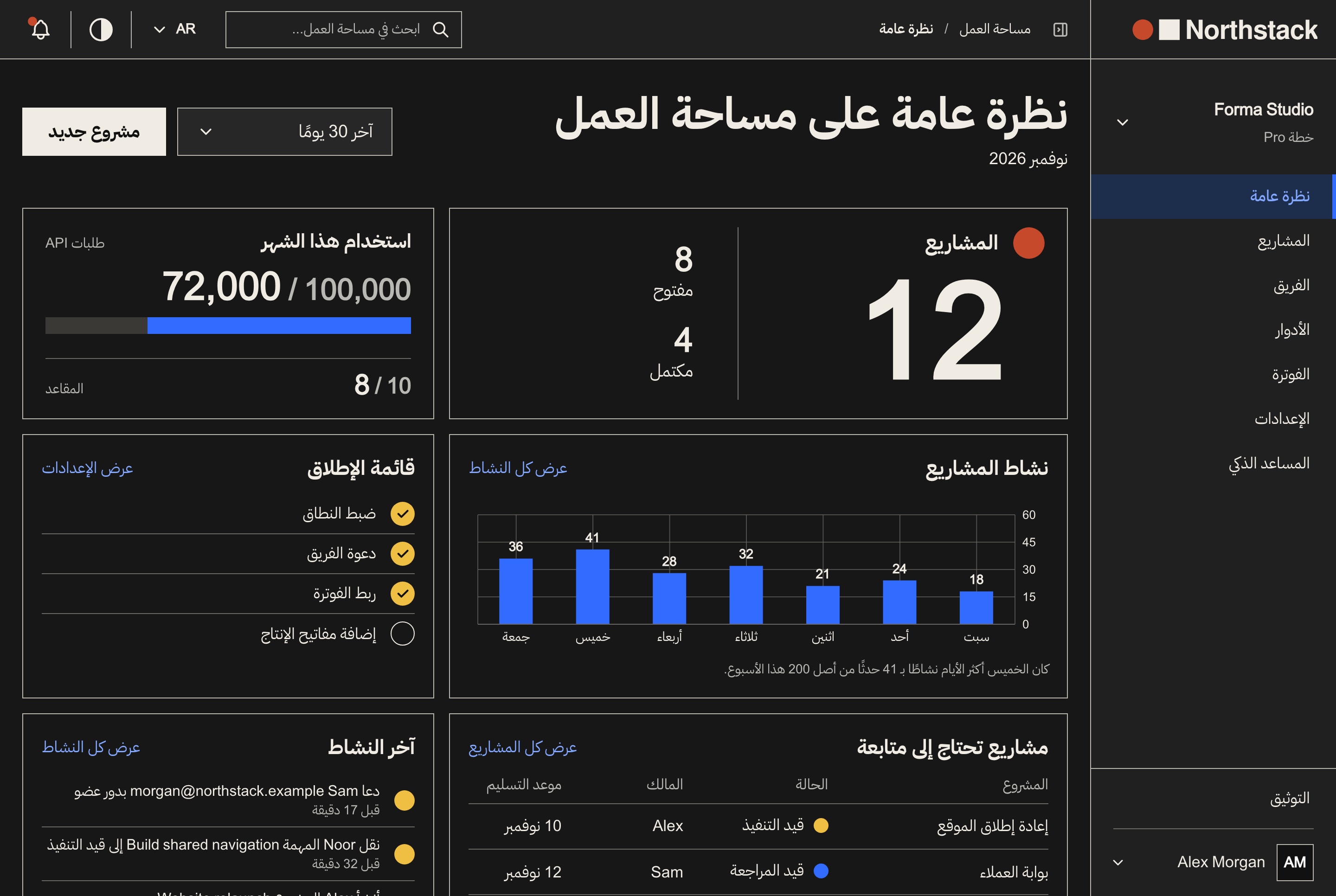
المثال رقم 3: ملف CLAUDE.md لواجهة NestJS
ملف الواجهة البرمجية 37 سطرًا. يذكر القواعد التي تعيش في main.ts وapp.module.ts وسكربتات قاعدة البيانات، والتي لا يراها Claude إلا إذا فتح تلك الملفات أولًا.
# API (NestJS 12, TypeORM)

Run in this folder: `yarn dev` (port 8000, from `PORT` in .env), `yarn build`,
`yarn lint`, `yarn format`. There is no typecheck or test script, so
`yarn build` is the type check.

## Database
- SQLite by default (`DB_TYPE=sqlite`, one file), MySQL with `DB_TYPE=mysql`.
  A query has to work on both.
- There are no migrations. With `NODE_ENV=development` the tables follow the
  entities on start. On a server: back up the database, then `yarn schema:prod`.
- `yarn seed` loads the sample data. `yarn reset` empties every table and
  `yarn drop` deletes them: run either only when asked.

## Where code goes
- One folder per feature in `src/modules/<name>/`: `<name>.module.ts`, `dto/`,
  `entities/`, and `controllers/` and `services/` once there are several.
  Copy `src/modules/billing/`.
- Every route is under `/api` (`setGlobalPrefix` in `src/main.ts`).
- Bodies and queries are DTO classes with class-validator decorators. The
  global ValidationPipe sets `whitelist` and `forbidNonWhitelisted`, so a field
  with no decorator is refused with a 400.
- Handlers return `{ success, data, message }`;
  `src/common/interceptors/response.interceptor.ts` wraps anything else.
- Workspace routes take `@UseGuards(AuthGuard('bearer'), WorkspaceGuard)` and
  one `@WorkspacePermissions(...)` per handler. Permission keys are listed in
  `src/modules/workspaces/constants/workspace-permissions.ts`.
- Text a person reads (errors, emails) comes from
  `src/i18n/translations/<locale>/<namespace>.json`, in `en` and `ar`.

## Config
- A new setting goes in `.env.example` with a comment and is read through
  `ConfigService`.
- `src/config/env-check.ts` stops a production start on the example
  `JWT_SECRET` or an empty `CORS_ORIGIN`. Keep those checks.
- After changing what a route returns, run `yarn export:mock` (API seeded and
  running) so both frontends' sample data matches it.
لماذا كل سطر هنا
- لا سكربت لفحص الأنواع ولا للاختبار: من قائمة السكربتات أعلاه.
yarn buildهو فحص الأنواع الوحيد. - SQLite أو MySQL: يختار
app.module.tsالمشغّل حسبDB_TYPE. - لا migrations: قيمة
synchronizeصحيحة في التطوير فقط، وملف README يطلب نسخة احتياطية ثمyarn schema:prodبعد تحديث يغيّر الجداول. لطلب «أضف عمودًا» جوابان معقولان في TypeORM، والملف يحدد أيهما يُطبَّق. - reset وdrop: يفرّغان كل الجداول أو يحذفانها. سطر CLAUDE.md إرشاد فقط، أما المنع الفعلي فقاعدة deny تجدها أدناه.
- مجلدات الوحدات: في
src/modules/اثنتان وعشرون وحدة. والفوترة تفصلcontrollers/وservices/وproviders/وentities/وdto/. - /api وValidationPipe: يضبط
src/main.tsالبادئة وأنبوبًا عامًا معforbidNonWhitelisted، فالحقل في DTO بلا مزخرف يُرفض بالرمز 400. - شكل الإجابة: يغلّف
response.interceptor.tsأي نتيجة ليست بالشكل{ success, data, message }، والواجهتان الأماميتان تقرآن هذا الشكل. - الحراس: يستخدم
projects.controller.tsالحارسWorkspaceGuardو@WorkspacePermissions('projects.read')على كل معالج. - نصوص الواجهة البرمجية نفسها: تسع مساحات أسماء بـ
enوarداخلsrc/i18n/translations/. - فحص البيئة وتصدير المحاكاة: يرفض
env-check.tsالتشغيل في الإنتاج بالسر التجريبي، ويكتبexport-mock.mjsالبيانات التجريبية للواجهتين من الواجهة البرمجية وهي تعمل.
المثال رقم 4: ملف AGENTS.md لـ Codex وCursor وClaude Code
AGENTS.md ملف markdown بسيط يقرؤه Codex وCursor وGitHub Copilot. ينزل Codex من جذر المشروع حتى المجلد الحالي، ملفًا واحدًا لكل مجلد، ويتوقف عن الإضافة عند 32 كيلوبايت افتراضيًا. ويقرؤه Cursor في الجذر وفي المجلدات الفرعية، والملف الأكثر تحديدًا هو الذي يسود.
وClaude Code يقرؤه أيضًا. من الإصدار 2.1.277 يقرأ Claude ملف AGENTS.md حين لا يوجد CLAUDE.md ولا CLAUDE.local.md في مجلد العمل أو فوقه. وإذا وُجد الاثنان فلا يقرأ إلا CLAUDE.md، ما لم تُضبط Project instructions على claude-md-and-agents-md في /config.
لذلك يحتفظ الفريق الذي يستخدم عدة أدوات بمصدر واحد: النص المشترك في AGENTS.md، وبجانبه CLAUDE.md يستورده ويضيف أسطرًا خاصة بـ Claude. وبحسب الوثائق، لا يجعل الاستيراد Claude يقرأ الملف مرتين، ويعمل أيضًا في الجلسات التي لا تقرأ AGENTS.md مباشرة.
# AGENTS.md

Northstack: `website/` (Next.js 16, port 3030), `dashboard/` (Next.js 16,
port 3031) and `back-end/` (NestJS 12, port 8000, routes under `/api`). Each
app has its own package.json and yarn.lock: run commands inside its folder.

## Setup and checks
- Yarn 4 through Corepack. Start the API first:
  `cd back-end && yarn seed && yarn dev`, then `yarn dev` in each frontend.
- Or all three: `docker compose up --build`.
- Frontends: `cd website && yarn typecheck && yarn lint`, same in `dashboard/`.
- API: `cd back-end && yarn build && yarn lint`. No test suite exists.

## Conventions
- Exact versions only in package.json. No `^`, no `~`.
- Text: next-intl, `messages/<namespace>/<locale>.json` with `en` and `ar`.
  The API's own messages: `back-end/src/i18n/translations/<locale>/`.
- RTL: logical Tailwind classes (`ms-*`, `pe-*`, `start-*`, `text-start`).
- Frontend data: endpoint in `src/lib/api/<domain>/`, TanStack Query hook in
  `src/services/<domain>/hooks/`, screen uses the hook.
- Forms: react-hook-form and zod.
- API: one module per folder in `back-end/src/modules/`, DTOs with
  class-validator, answers shaped `{ success, data, message }`.
- No migrations: tables follow the entities in development; on a server run
  `cd back-end && yarn schema:prod` after a backup.

## Next.js docs
Read the guide for the installed version in `node_modules/next/dist/docs/`
inside the app you are changing. `agentRules: false` keeps `next dev` from
writing its own block into this file.

## Never
- Commit `.env` files or put a secret in a `NEXT_PUBLIC_*` variable.
- Break a `#region demo-mode` or `#region mock-api` marker pair.
وملف CLAUDE.md المجاور، ستة أسطر:
@AGENTS.md

## Claude Code
- Each app folder has its own CLAUDE.md, loaded when you work there.
- A change across apps: build the API first (`cd back-end && yarn build`),
  then change the frontend.
لماذا كل سطر هنا
- ملف واحد لثلاثة تطبيقات: لا يرى Codex ولا Cursor ملفات Claude في المجلدات الفرعية، لذلك يجمع هذا الملف الأمثلة الثلاثة في 34 سطرًا. والأداتان تقرآن أيضًا ملفات AGENTS.md المتداخلة.
- سطر وثائق Next.js: يرفق Next.js من الإصدار 16.2 وثائق مطابقة للإصدار المثبّت. تطبيقاتنا تعطّل الكتلة المُدارة، لذلك كُتب المؤشر يدويًا.
- Never: قاعدتان بلا استثناء. في Claude Code توضع القاعدة التي يجب أن تصمد دائمًا في الإعدادات، كما ترى أدناه.
- الاستيراد: تعرض الوثائق هذا النمط تمامًا. والرابط الرمزي (
ln -s AGENTS.md CLAUDE.md) يعمل أيضًا، إلا في نسخ Windows حيث يجلبه Git ملفًا نصيًا من سطر واحد.
ما الطول المناسب لملف CLAUDE.md؟
توصي Anthropic بأقل من 200 سطر للملف: الملف الأطول يستهلك سياقًا أكثر ويُتبع بدقة أقل. ويحذّر Claude Code عند البدء حين يتجاوز ملف هذا الطول، ويتجاهل أي ملف أكبر من 4 ميغابايت. ومع نافذة سياق بحجم 200K تُقطع ملفات المجلدات الفرعية والقواعد المرتبطة بالمسارات عند 40,000 حرف.
ملفاتنا 41 و43 و37 و34 سطرًا، و7,828 حرفًا للأربعة معًا. وحين يكبر ملف، يقترح /doctor ما يمكن حذفه، ويشير /doctor prompt-audit إلى الأسطر التي تذكر ملفات غير موجودة أو تتناقض.
ما لا يجب وضعه في CLAUDE.md
- الأسرار. الملف يُرفع إلى المستودع ويُقرأ في كل جلسة. اذكر اسم المتغير (
JWT_SECRET) لا قيمته. - القواعد التي لا تقبل استثناء. قد يقرر Claude أن سطرًا في CLAUDE.md لا ينطبق. «لا تقرأ .env أبدًا» مكانها الصلاحيات، حيث تصمد قاعدة deny في كل الأوضاع.
- الوثائق الطويلة. استورد ملف README أو ضع رابطه. والإجراء متعدد الخطوات، مثل الإصدار، أنسب كمهارة لا تُحمَّل إلا عند الحاجة.
- أشجار الملفات وقوائم الاعتماديات. يقرأ Claude المجلدات وpackage.json بنفسه.
- التفضيلات الشخصية. مكانها
CLAUDE.local.md. - المبالغة في التأكيد. تقول الوثائق إن تكديس كلمة IMPORTANT يجعل Claude يطبّق القاعدة أكثر من اللازم. السطر الذي يُتجاهل كثيرًا يعني أن الملف طويل جدًا، أو أن القاعدة يجب أن تكون hook.
في Northstack توضع ملفات env والسكربتان المدمّران في .claude/settings.json. قاعدة deny على Read تمنع الملف عبر أداة Read وعبر القراءة من الطرفية معًا. وقواعد Bash تطابق نص الأمر، فتوقف صيغته المعتادة لا كل صيغة ممكنة:
{
  "permissions": {
    "deny": [
      "Read(**/.env)",
      "Bash(yarn drop)",
      "Bash(yarn reset)"
    ]
  }
}
قالب CLAUDE.md للبدء منه
إن كنت تفضّل ملء الفراغات، فهذا الهيكل الذي تتشاركه الأمثلة الأربعة. احذف أي عنوان ليس لديك تحته شيء صحيح تكتبه.
# <Project name>

<One line per app: folder, framework, port.>

## Run
- <Package manager and version; how to install.>
- <Start command for each app, in the order they must start.>

## Check your work
- <Exact typecheck, lint, build and test commands. Say so if one is missing.>

## How the apps connect
- <Env names that link them; which are compiled in; which may never hold a secret.>

## Conventions
- <Rule>, copy `<path/to/a/good/example>`.

## Gotchas
- <What fails quietly: a list to register in, a generated file, a destructive script.>
المهارة المجانية: nextjs-claude-md
تجمع المهارة الطريقة كلها: اقرأ الحقائق، واختر الملفات، واكتب فقط ما لا تُظهره الشيفرة، ثم افحص. وهي منشورة على github.com/aniq-ui-pro/agent-skills. ثبّتها بأداة skills، أو انسخ المجلد إلى .claude/skills/:
npx skills add aniq-ui-pro/agent-skills --skill nextjs-claude-md

# or copy the folder from a clone of the repository
cp -r agent-skills/skills/nextjs-claude-md .claude/skills/nextjs-claude-md
ثم اطلب من Claude أن يكتب CLAUDE.md للمشروع، أو اكتب /nextjs-claude-md. هذا ملف SKILL.md كاملًا:
---
name: nextjs-claude-md
description: Drafts and checks CLAUDE.md (and AGENTS.md) files for a Next.js App Router project, with or without a NestJS API beside it. Use when a repository has no CLAUDE.md yet, when /init produced a generic one, when asked to write, update, audit or shorten CLAUDE.md or AGENTS.md, or after scripts, ports, folders or the i18n setup changed.
---

# CLAUDE.md for a Next.js (+ NestJS) project

Write instruction files from what the code does, then prove that every command
and path in them exists. Two read-only Node scripts (Node 20+, no packages):
`scripts/facts.mjs` reads package.json files, folders, `.env.example` names,
i18n and config; `scripts/check.mjs` checks a finished file.

1. **Read the facts.** At the repository root run
   `node ${CLAUDE_SKILL_DIR}/scripts/facts.mjs .`
   Check: it lists every app you expect. "Apps: 0" means the wrong folder.

2. **Look before you write.** If it reports a CLAUDE.md, AGENTS.md or rule
   files under `.claude/` already, read them and plan edits. Never overwrite one.
   Check: you can name the file each new line will go in.

3. **Choose the files.** One app: one CLAUDE.md. Several apps: a short root
   CLAUDE.md (apps, ports, run and check commands, how the apps connect, rules
   shared by all) plus one CLAUDE.md in each app folder, which Claude Code
   loads only when it works there. If the team also uses Codex, Cursor or
   Copilot, put the shared text in AGENTS.md and make CLAUDE.md `@AGENTS.md`
   followed by Claude-only lines.
   Check: no line appears in two files.

4. **Write only what the code does not show at a glance**, in this order:
   - Commands: exact script names from package.json (`dev`, `build`, `lint`,
     `typecheck`), and say so when there is no test script.
   - Ports and links between apps: env names from `.env.example`, never their
     values; which ones are compiled in (`NEXT_PUBLIC_*`).
   - Conventions, each with a real file to copy: the message file layout and
     locales; logical classes (`ms-*`, `text-start`) when a locale is RTL; the
     data chain (API client folder, query hooks); forms; exact versions when
     facts.mjs reports no ranges.
   - Gotchas that fail quietly: a namespace list, a mock that must answer, a
     schema that syncs only in development, generated files.
   - Leave out file trees, dependency lists, secrets and long docs. A rule with
     no exceptions ("never read .env") belongs in `.claude/settings.json`
     permissions, not here.
   Check: every line names a command, a path, an env name or a rule that
   someone could verify in the code.

5. **Check every file.** `node ${CLAUDE_SKILL_DIR}/scripts/check.mjs CLAUDE.md`,
   then each app's file and AGENTS.md (`--root <dir>` when the file is not in
   the project it describes).
   Check: 0 errors. Fix the file, not the checker, and read each WARN.

6. **Keep it short.** The checker fails a file over 200 lines, the length the
   Claude Code docs recommend staying under.
   Check: the line count in the checker's last line.

7. **Confirm it loads.** Ask the user to run `/context all` in a new session:
   the root file is listed under Memory files. App files load on demand, when
   Claude reads a file in that folder.
   Check: the user confirms it, or your report says it is not confirmed yet.

Report the files written, their line counts, the checker's last line for each,
and any line you were unsure of.
السكربتان للقراءة فقط، ويحتاجان Node 20 أو أحدث دون أي حزمة.
يتحقق check.mjs من أن كل سكربت يذكره الملف موجود في package.json الذي يعمل فيه (مع تتبّع cd)، ومن وجود كل مسار وكل استيراد بـ @، ومن بقاء الملف تحت 200 سطر، ومن خلوّه مما يشبه المفاتيح. وعلى الأمثلة الأربعة يُبلغ عن صفر أخطاء، في أقل من عُشر ثانية لكل ملف:
$ for f in CLAUDE.md dashboard/CLAUDE.md back-end/CLAUDE.md AGENTS.md; do node check.mjs "$f"; done
CLAUDE.md: 41 lines, 11 commands and 6 paths checked, 0 errors, 0 warnings
dashboard/CLAUDE.md: 43 lines, 5 commands and 24 paths checked, 0 errors, 0 warnings
back-end/CLAUDE.md: 37 lines, 10 commands and 13 paths checked, 0 errors, 0 warnings
AGENTS.md: 34 lines, 8 commands and 9 paths checked, 0 errors, 0 warnings
وملف الجذر نفسه منسوخًا دون تعديل إلى Ticketory، حزمة بيع التذاكر لدينا، يفشل فورًا، لأن الواجهات الأمامية في Ticketory موجودة في storefront/ وadmin-dashboard/:
$ node check.mjs CLAUDE.md
ERROR line 6: path `website/` does not exist
ERROR line 15: `yarn dev` runs in dashboard, which has no package.json
ERROR line 15: `yarn dev` runs in website, which has no package.json
ERROR line 18: `yarn typecheck` runs in dashboard, which has no package.json
ERROR line 18: `yarn lint` runs in dashboard, which has no package.json
ERROR line 18: path `website/` does not exist
CLAUDE.md: 41 lines, 11 commands and 6 paths checked, 6 errors, 0 warnings
وملف لوحة التحكم منسوخًا إلى Financial Dashboard لدينا يلتقط فرقًا من حرف واحد في أول خطأ: هذا التطبيق يسمّي فحص الأنواع type-check. والأخطاء الثلاثة عشر الأخرى مسارات لا يملكها ذلك التطبيق.
$ node check.mjs CLAUDE.md
ERROR line 4: `yarn typecheck`: no script "typecheck" in ./package.json (did you mean "type-check"?)
ERROR line 10: path `constants/` does not exist
ERROR line 11: path `src/features/dashboard/billing/` does not exist
# 11 more path errors
CLAUDE.md: 43 lines, 5 commands and 24 paths checked, 14 errors, 0 warnings
ملف CLAUDE.md منسوخ من أي مكان، بما في ذلك هذه الصفحة، خاطئ لمشروعك حتى يُفحص كل أمر وكل مسار فيه مقابل شيفرتك.
الأسئلة الشائعة
هل يقرأ Claude Code ملف AGENTS.md؟
نعم، من الإصدار 2.1.277، حين لا يوجد CLAUDE.md ولا CLAUDE.local.md في مجلد العمل أو فوقه. وإذا وُجد CLAUDE.md فلا يقرأ Claude إلا CLAUDE.md، ما لم يُغيَّر إعداد Project instructions في /config. وملف CLAUDE.md الذي يبدأ بـ @AGENTS.md يعمل في كل الإصدارات.
أين أضع CLAUDE.md في مستودع واحد يضم عدة تطبيقات؟
ملف قصير في الجذر لما تتشاركه كل التطبيقات، وملف في كل مجلد تطبيق. ملفات التطبيقات لا تُحمَّل إلا حين يلمس Claude ملفًا في ذلك المجلد. وفي المستودعات الكبيرة يتخطى إعداد claudeMdExcludes ملفات الفرق الأخرى.
هل أرفع CLAUDE.md إلى git؟
ملف المشروع، نعم: فهو يحمل تعليمات الفريق المشتركة. أما الملاحظات الشخصية فمكانها CLAUDE.local.md المضاف إلى .gitignore، أو ملف CLAUDE.md الخاص بالمستخدم في مجلد .claude داخل مجلدك الشخصي. ولا تضع سرًّا في أي منها.
ماذا يفعل /init إذا كان CLAUDE.md موجودًا؟
يقترح تحسينات بدل الكتابة فوق الملف. وفي مشروع بلا CLAUDE.md يكتب ملفًا أوليًا بأوامر البناء وتعليمات الاختبار والأعراف التي يجدها، ويضمّ قواعد Cursor وتعليمات Copilot إن وُجدت.
هل يستطيع CLAUDE.md منع Claude من قراءة ملفات .env؟
ليس بشكل موثوق. CLAUDE.md سياق يتبعه Claude عادة، لا إعدادات مفروضة. أما قاعدة deny مثل Read(**/.env) في .claude/settings.json فيطبّقها Claude Code نفسه في كل أوضاع الصلاحيات.
كيف أتأكد أن Claude حمّل ملف CLAUDE.md؟
شغّل /context all وانظر تحت Memory files. ملف CLAUDE.md في مجلد فرعي لا يظهر هناك لأنه يُحمَّل عند الحاجة، وحين يُحمَّل يظهر في الطرفية سطر بمساره. ويعرض الأمر /memory كل مواقع ملفات الذاكرة ويفتحها في محررك.
Northstack وبقية القوالب الكاملة
- الحزمة الكاملة من Northstack (الموقع ولوحة تحكم مساحة العمل وواجهة NestJS): 149 دولارًا.
- موقع Northstack وحده: 39 دولارًا. لوحة التحكم وحدها: 49 دولارًا. الواجهة البرمجية وحدها: 99 دولارًا.
- حزمة 10 قوالب مميزة: 499 دولارًا. Northstack ليس ضمن الحزمة.
كل ترخيص يسمح بعدد غير محدود من المشاريع التجارية، بما فيها العمل للعملاء، وتعرض صفحة كل قالب أي عرض حالي إن وُجد. تصفّح القوالب.
أدلة ذات صلة
- Claude Code أم Replit أم Lovable: أيها يناسب مشروعك (2026)
- كيف تخصّص قالب Next.js بالذكاء الاصطناعي دون كتابة كود (2026)
- دليل RTL في Tailwind CSS: الخصائص المنطقية والمتغيّر rtl:
- next-intl nextjs 16: تخزين المكونات مؤقتًا مع root-params
- حل خطأ proxy.ts في Next.js 16: Missing Expected Function Export
المصادر
وثائق Claude Code: How Claude remembers your project (المواقع والتحميل والاستيراد وAGENTS.md وحدود الحجم)، وBest practices (ما يُبقى وما يُحذف، و/init و/doctor)، وSkills وPermissions. وثائق Next.js: How Next.js supports AI coding agents ومرجع agentRules. Codex: طريقة اكتشاف AGENTS.md. Cursor: Rules. كل رقم في هذه الصفحة مأخوذ من مستودعاتنا، وقد قرأناها في 14 نوفمبر 2026.
قد يعجبك أيضًا
دليل RTL في Tailwind CSS: الخصائص المنطقية والمتغيّر rtl:
ابنِ واجهات RTL باستخدام Tailwind CSS 4 وnext-intl: ضبط dir وlang لكل لغة، والأدوات المنطقية، والمتغيّر rtl:، والخطوط العربية، وقائمة اختبار.
كيف تبني لوحة إدارة SaaS مع مساعد ذكاء اصطناعي في Next.js
ابنِ لوحة إدارة مع مساعد ذكاء اصطناعي في Next.js: الأدوار والمشاريع والمستخدمون والعربية وRTL وإعداد Docker والإطلاق، مع مثال تطبيقي.
كيف تبني تطبيق تدريب لياقة عبر الإنترنت باستخدام Next.js
ابنِ منصة تدريب عبر الإنترنت بقائمة عملاء وتمارين مخصصة ومتابعات أسبوعية باستخدام Next.js وNestJS. مثال تطبيقي خطوة بخطوة.
